There are dozens of tips and tricks to help you get the most out of Windows. These range from useful shortcuts to hidden features, which can help you become the Windows pro you’ve always wanted to be.
In this article, we’ll cover 10 of the best Windows hacks. From making your PC look precisely how you’d like it to increasing your productivity, this list has something for everyone.
1. Shake It Away
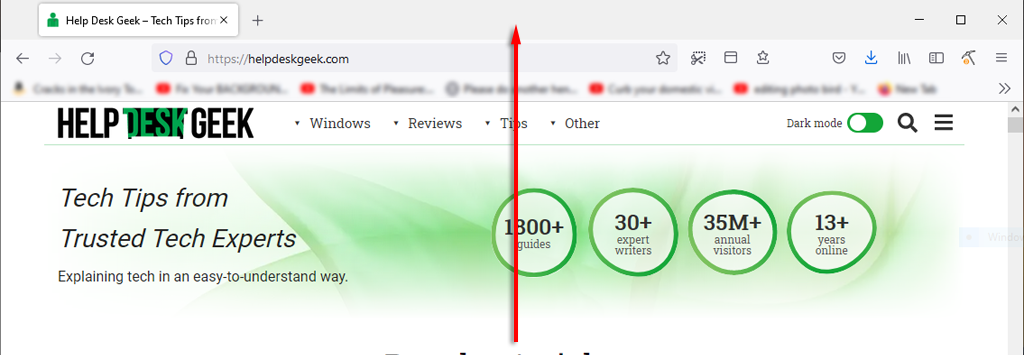
You’ve just got yourself into another Wikipedia rabbit hole, and you have dozens of tabs and windows open. We’ve all been there. Here’s a great little tip that can save you a few seconds minimizing each tab.
All you have to do is click and hold the title bar of the window you’d like to keep open and give it a little shake. Every other window will minimize, and your desktop will be free of clutter.
Another handy tip to help you save time while you’re working is to minimize everything quickly. Simply press the Windows key + M to minimize every tab.
2. Improve Your Boot Speed
Getting peak performance from your Microsoft PC is important, especially if you use it for work or games. There are plenty of ways to speed up Windows, but how can you speed up the time it takes to boot up ?
The best thing you can do is install Windows on an SSD, which will drastically reduce the time it takes to turn your computer on compared with an HDD.
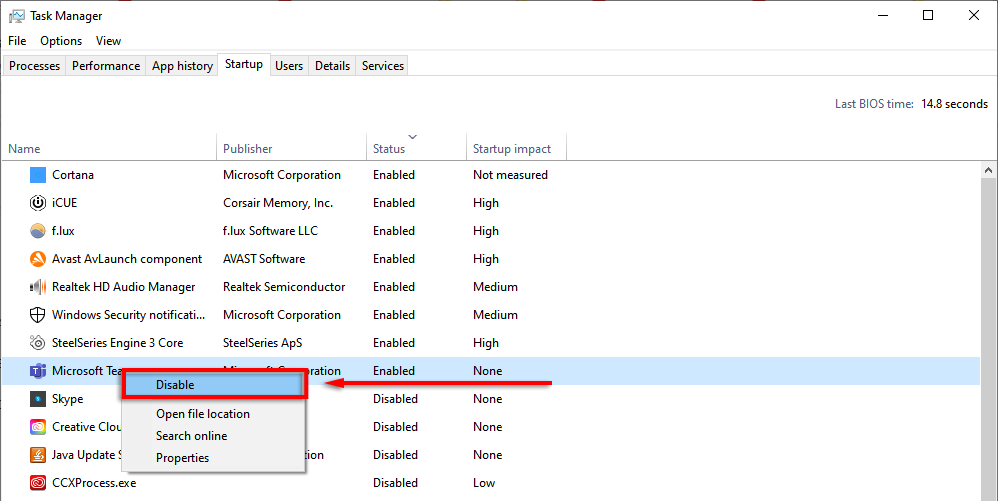
The next best thing is to disable unnecessary startup programs. To do so:
- Press CTRL + ALT + DEL and select Task Manager .
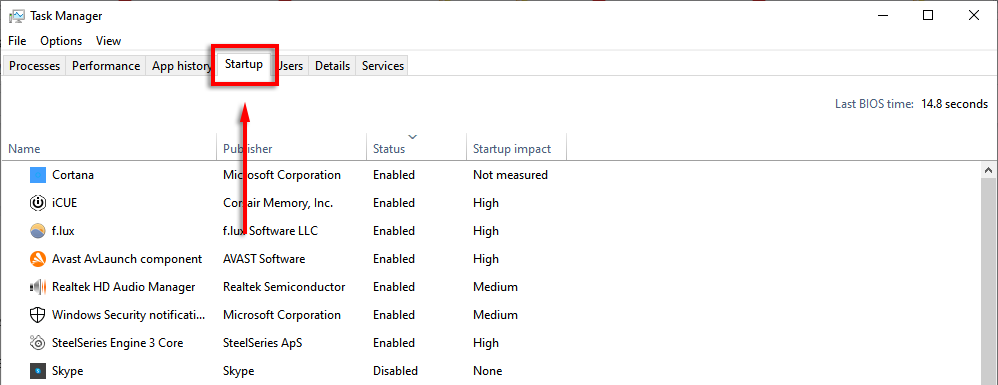
- Select the Startup tab.
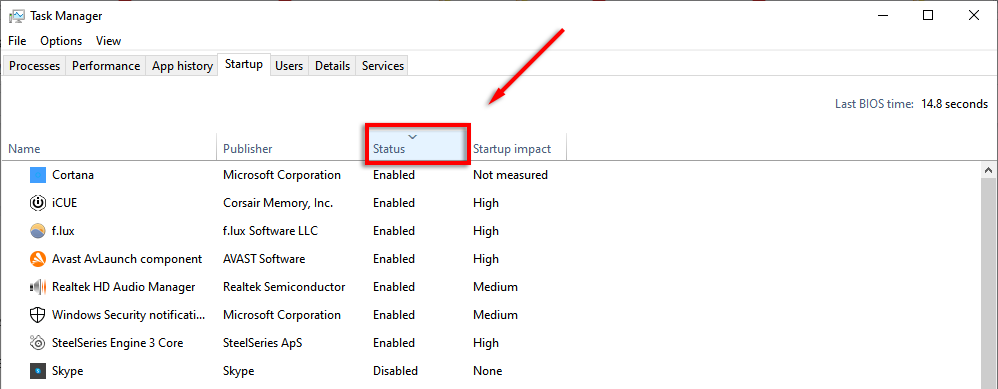
- Click Status to display each program by whether it’s enabled or disabled.
- Right-click each app that you don’t need at startup and select Disable .
3. Task Manager Shortcut
Once upon a time, CTRL + ALT + Delete opened the Task Manager straight away. But in the most recent versions of Windows, it opens a submenu that lets you select the Task Manager (as well as lock screen options).
Next time, try pressing CTRL + Shift + Esc . This will open the Task Manager directly, meaning you don’t have to waste a few seconds with an intermediary menu.
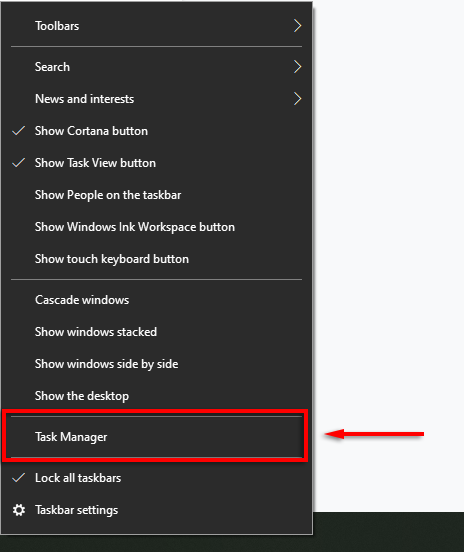
Another way to open the Task Manager is by right-clicking the Task Bar and selecting Task Manager from the pop-up menu.
4. Quick-Lock Your Computer
This trick is especially useful if you have kids or housemates prone to playing pranks. Whenever you get up from your PC, simply press WIN + L . This will revert your computer to the lock screen so that anyone without the password will not be able to gain access.
5. Improve Your Internet Performance
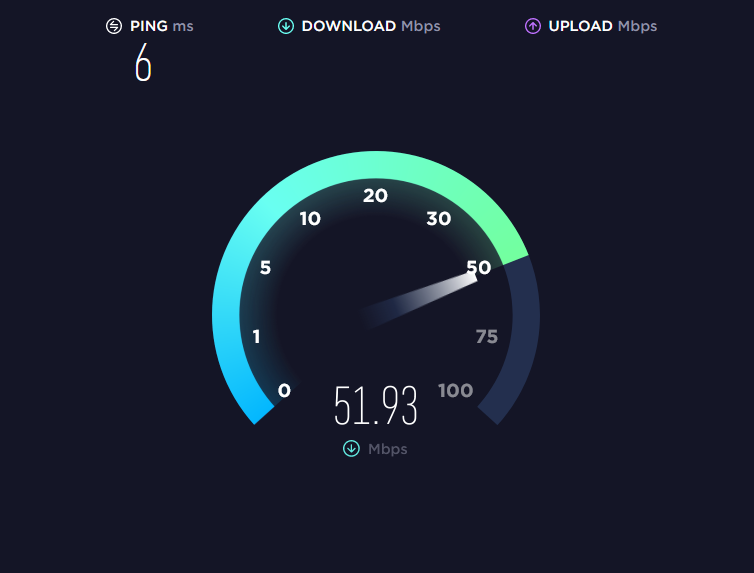
Do you have a slow internet connection? There may be several reasons for this , and there are a few things you can do to get the most out of your network .
The major reason for a sudden drop in internet performance is malware. Check out our tutorials on how to remove malware from Windows .
If you have a decent internet service provider and plan, one thing that will be cutting into your bandwidth is unnecessary apps on your connected devices. Try the following tips to prevent this:
Disconnect all unnecessary or unused devices.
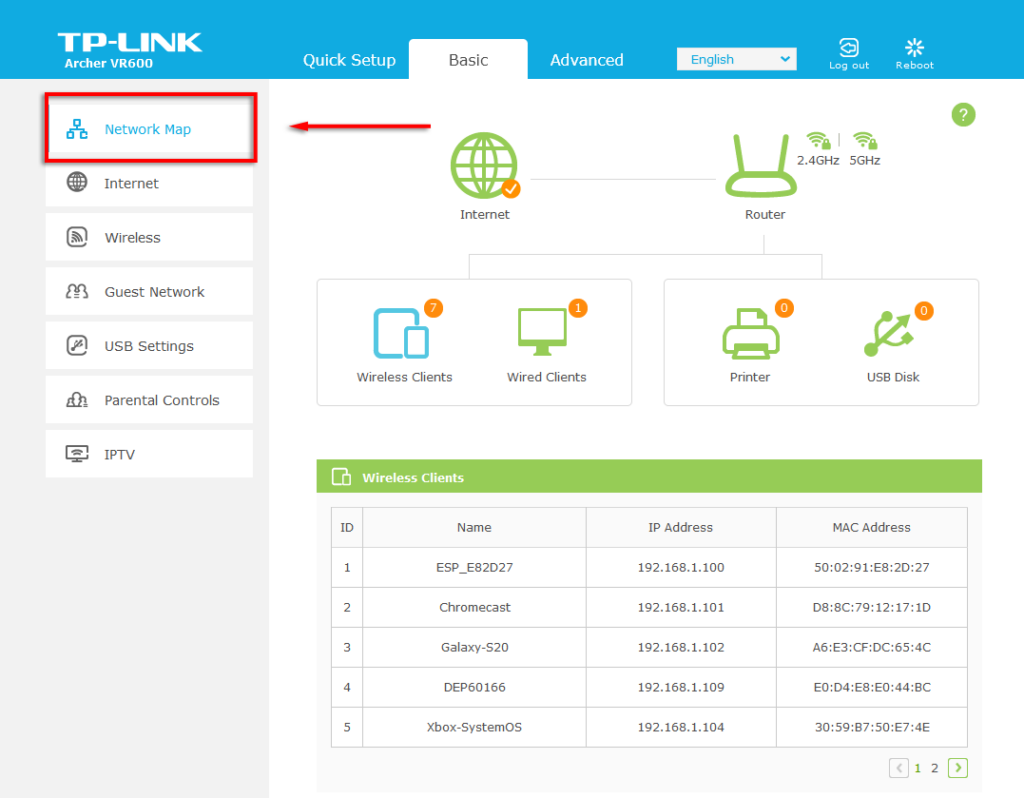
Sometimes, an old phone or laptop that’s still connected to the network can use up your valuable bandwidth. To see what devices are connected to your network, you need to access the settings page for your router.
- Type 192.168.1.1 into your web browser (as if it were a web page) and log in. Usually, the username and password will be admin unless you’ve changed it.

- Once you’re in, you should see an option such as Network Map, which will show you all devices connected to your network. This is also a great way to see if anyone else is hijacking your connection.
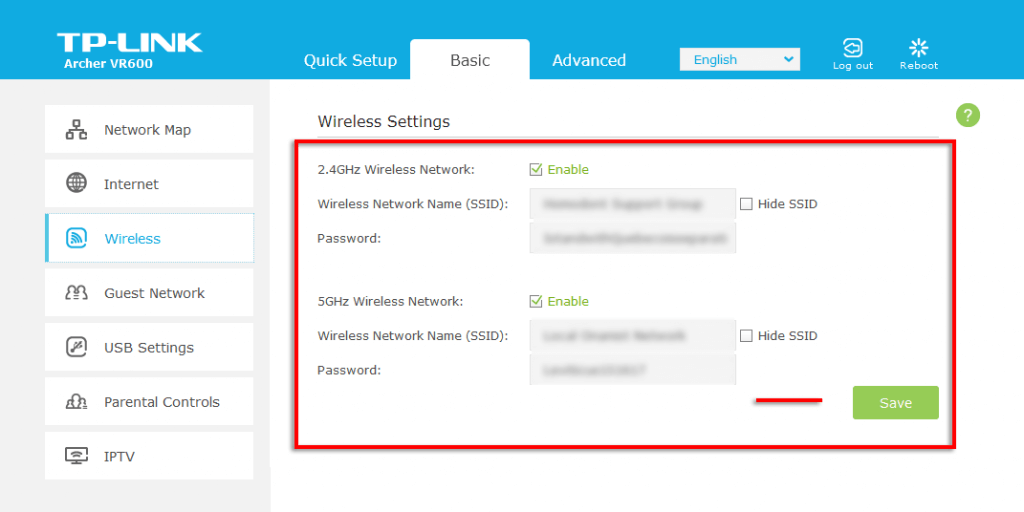
If you see anything that no longer needs to be connected (or shouldn’t be), change your Wi-Fi password to kick all devices off the network. To do this, select Wireless or Wireless Settings, depending on your router. Change the password for both the 2.4 GHz and 5 GHz bands, and select Save .
6. Secret Start Menu
If you right-click the Start Menu icon, it will open a menu that lists many key Windows applications, including Apps and Features, the Task Manager, and Windows Powershell.
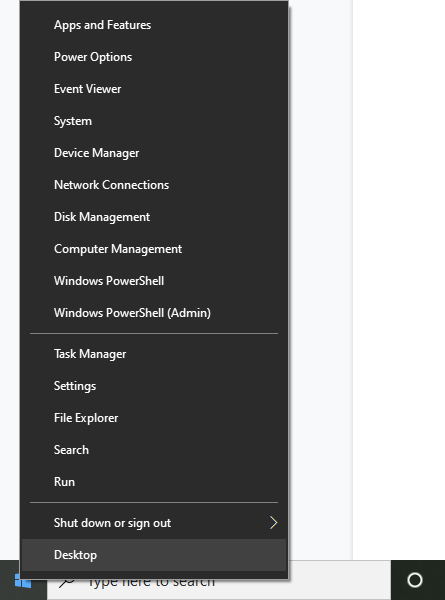
You can also access this great shortcut menu by pressing the Windows key + X .
7. Silence Annoying Notifications
Windows has a handy feature called Focus Assist that is designed to help you focus by minimizing system disruptions, including pesky notifications.
To customize Focus Assist:
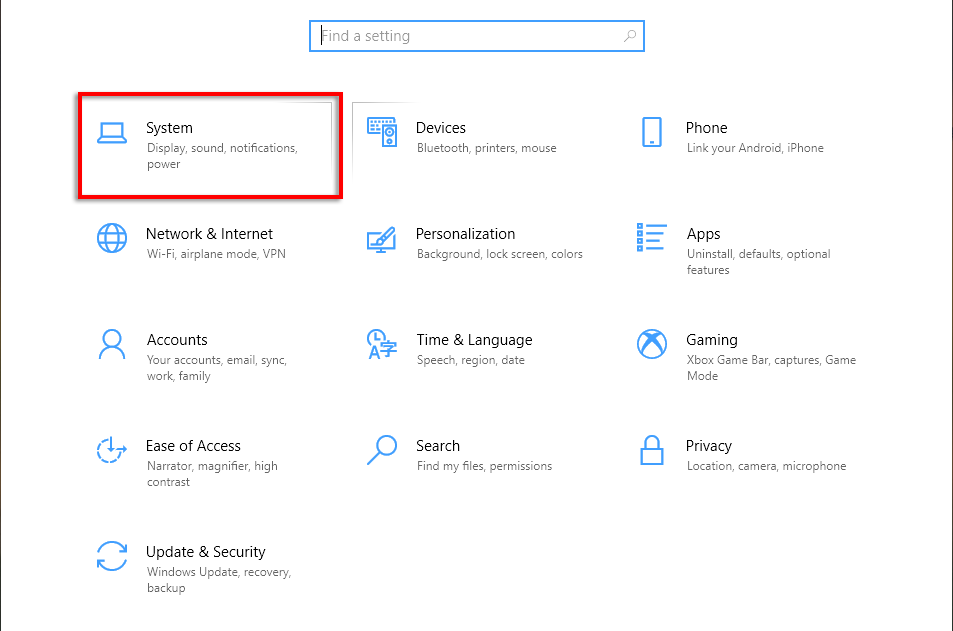
- Press the Windows key + I to open Settings.
- Select System .
- Click Focus Assist .
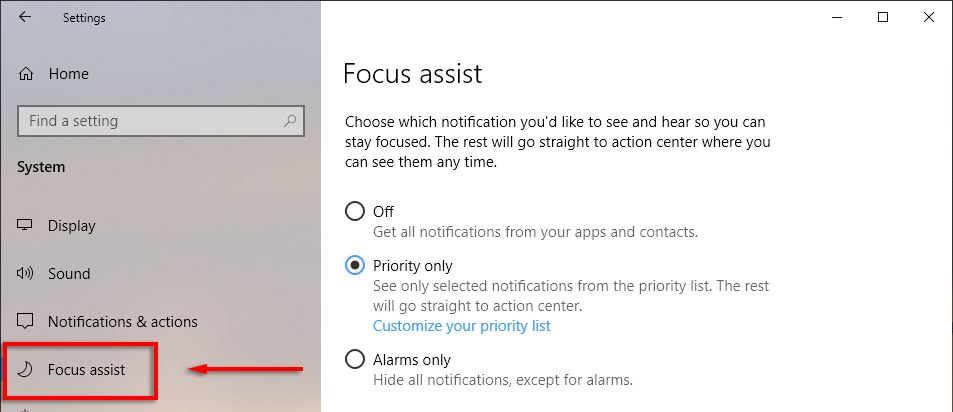
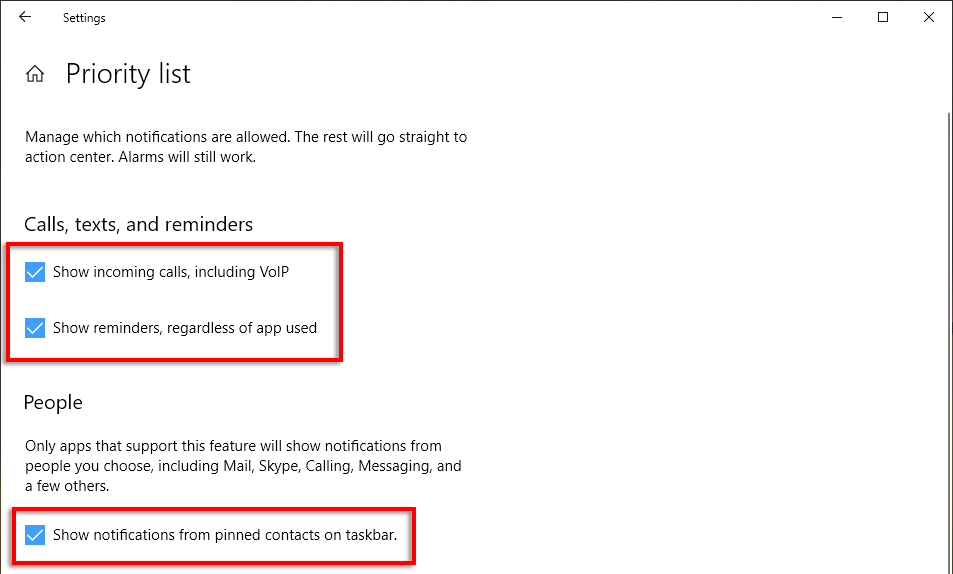
- Check the dot next to Priority only then select Customize your priority list .

- Scroll down and check the notifications you want to allow. Unchecked items will go to the action center rather than pop up on your screen.
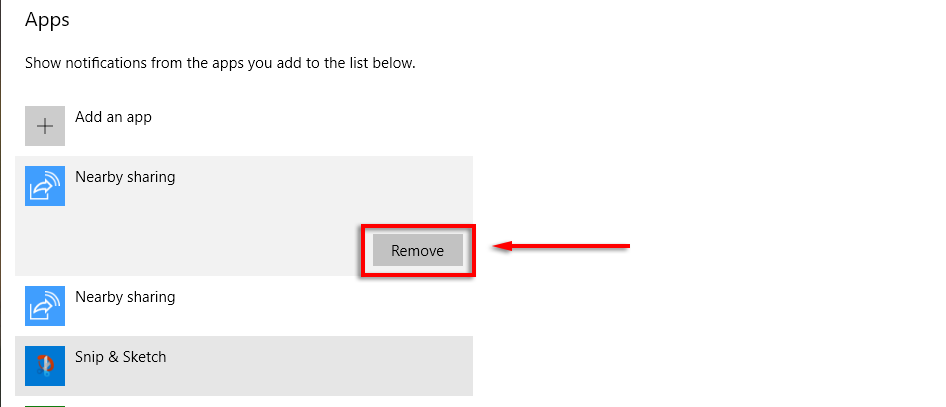
- Under apps, you can remove individual programs by clicking the app and selecting Remove .
8. View File Extensions
By default, Windows hides file extensions meaning that to see what it is, you have to right-click the file and see its properties. While this is fine for many users, some need file extensions to be visible.
To enable file extensions:
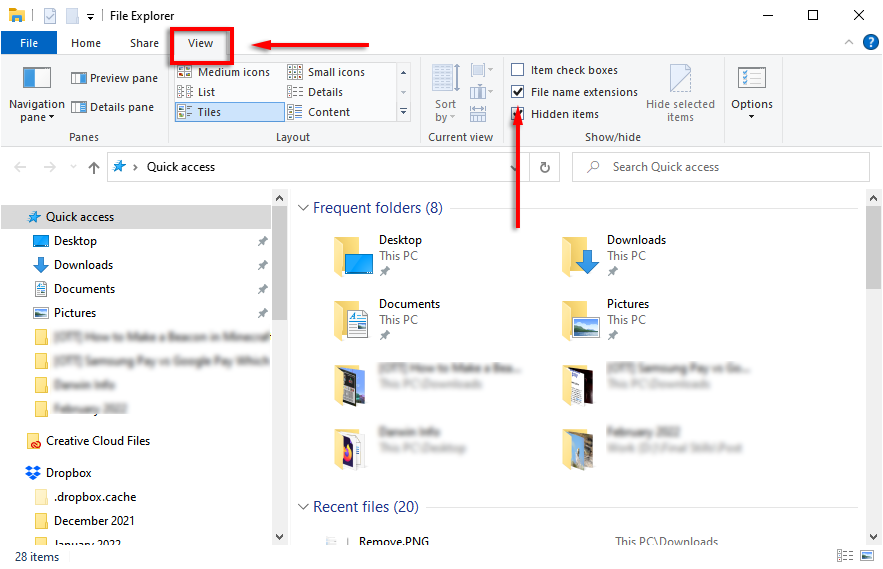
- Open a folder with File Explorer .
- Click the View tab and check the box next to File name extensions .
9. Snap Windows
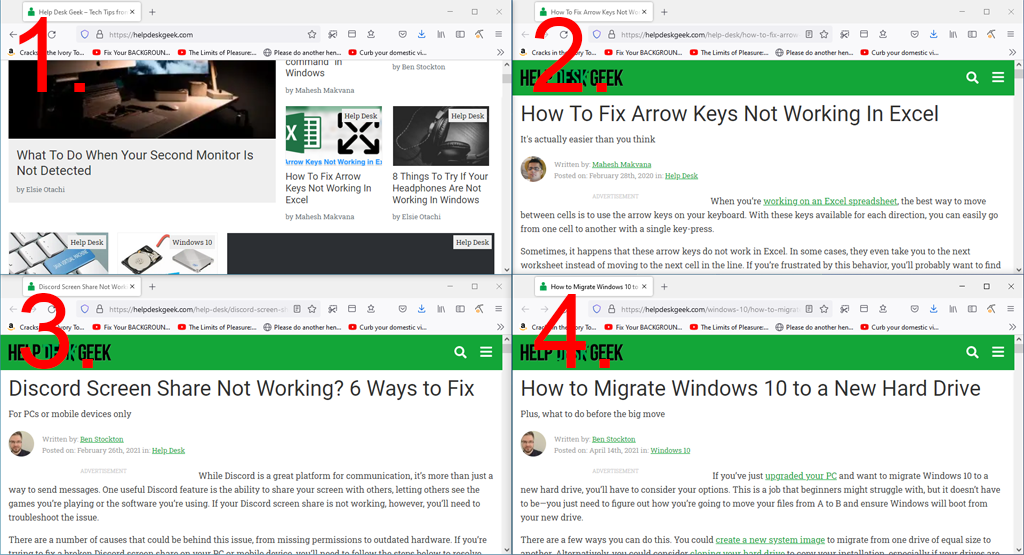
One of the best Windows features that people don’t seem to know about is the ability to quickly snap windows to either side or corner of the screen. This is a handy trick if you need to have a few windows open at once and don’t want to resize them manually.
To snap windows to a specific part of the screen, you have to click and drag the title bar toward the side of the screen you want it to snap to. When you’re happy, let go and wallah! You can snap windows to full, half, or quarter screen sizes.
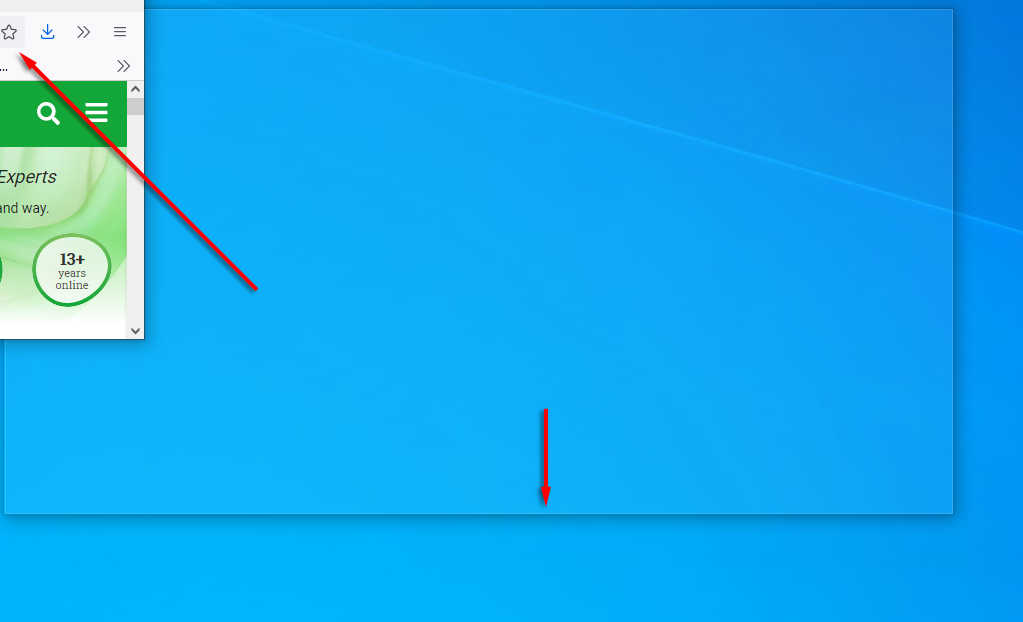
Alternatively, you can snap windows using keyboard shortcuts. To snap a window to the right or left, click the title bar and press Win + left arrow or right arrow . Press the same arrow again to quarter the window, and press it once more to move it to any other displays that are connected.
Further, press the Win + down arrow to minimize the window, and the Win + up arrow will make it full screen.
10. Customize Your Look
Windows provides several ways to personalize your display for the best experience. To personalize your desktop simply right-click the desktop and select Personalization .
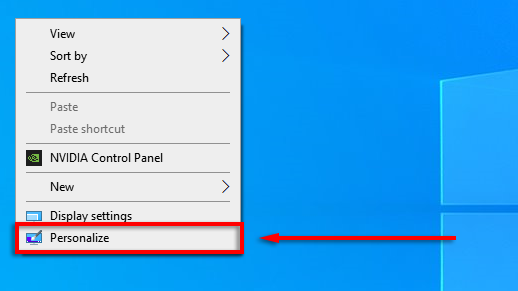
Here, you’re able to change the following settings by navigating the categories in the left-hand menu:
- Your desktop background image
- Font
- Menu and app colors
- Menu transparency effects
- Lock screen image and effects
- Windows theme
- Cursor type
- Windows sound effects.
You can also personalize your Start menu:
- To move a tile around, drag and drop the tile.
- To resize a tile, right-click it and select Resize .
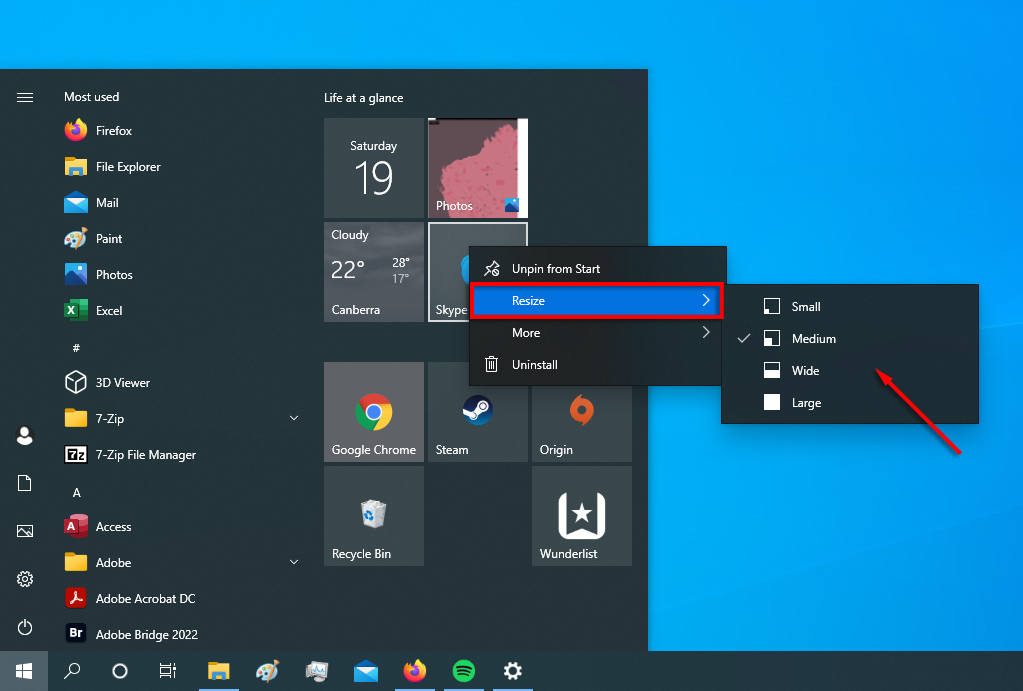
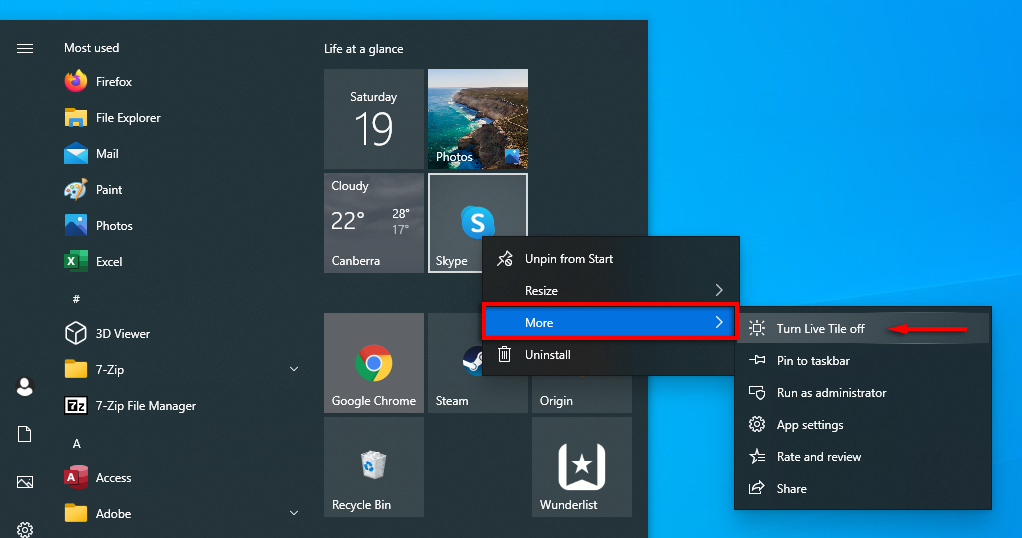
- To turn off an animated tile, right-click it and select More > Turn Live Tile off .
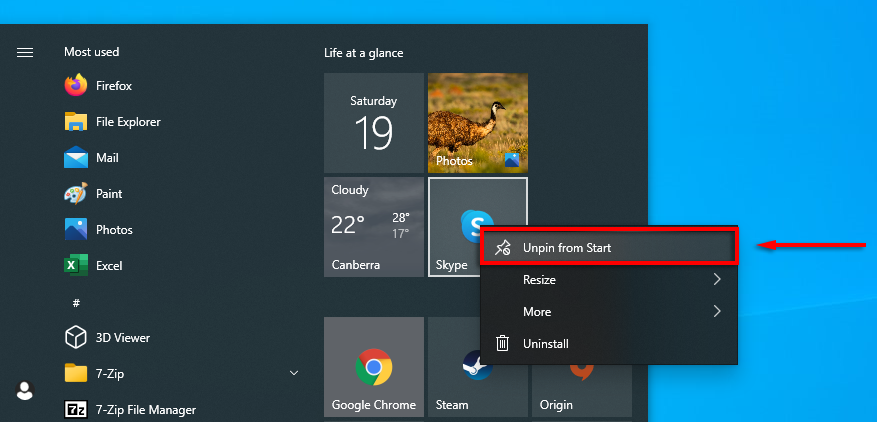
- To remove a tile, right-click it and select Unpin from Start .
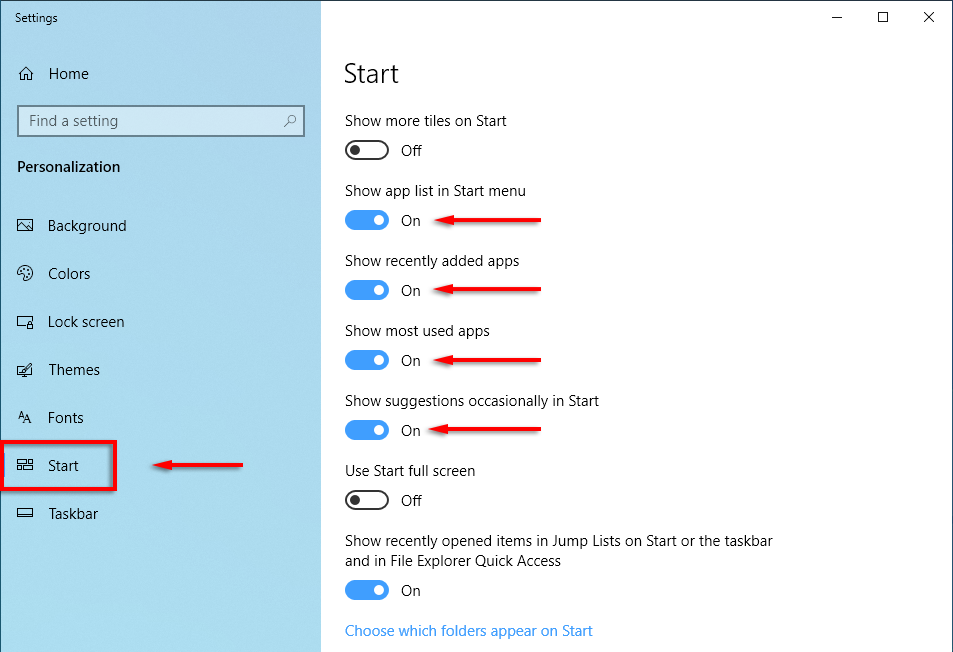
- To decide what shows up in your start menu, right-click your desktop and select Personalization . Click Start in the left-hand menu and turn each item on or off whether you’d like it to appear in your Start menu.
Time to Get Started
Microsoft Windows is versatile if you know how to use it. From in-depth customization to operating system optimization, there’s an easier way to do it. Hopefully, the ten hacks we covered in this article help you get the most out of your PC.
- Sluggish Windows 11 PC? Try These 5 Windows 11 Tricks to Free up Virtual Memory
- How To Turn Off Notifications On Windows 11?
- How to Fix Windows 11 Boot Loops After Jan 2026 Update
- How to Remove Copilot AI in Window 11? New Update Available in Beta
- January 2026 Patch Tuesday: 7 Things Windows Users Should Do Before and After Updating
Jake Harfield is an Australian freelance writer whose passion is finding out how different technologies work. He has written for several online publications, focusing on explaining what he has learned to help others with their tech problems. He’s an avid hiker and birder, and in his spare time you’ll find him in the Aussie bush listening to the birdsong. Read Jake’s Full Bio
