3D filament printers can produce anything from holiday ornaments to medical implants, so there’s no shortage of excitement in the process. The problem is getting from your 3D model to the actual print. A lot of things can go wrong and ruin your print, especially if you’re new to this and still figuring out how 3D printing works.
In this article, we’ll show you how to get better results by helping you fix your 3D filament prints gone awry. Check all our troubleshooting tips, apply them step-by-step, and above all, be patient. 3D FDMprinting can be frustrating at times, but it’s rewarding due to its countless real-world applications.
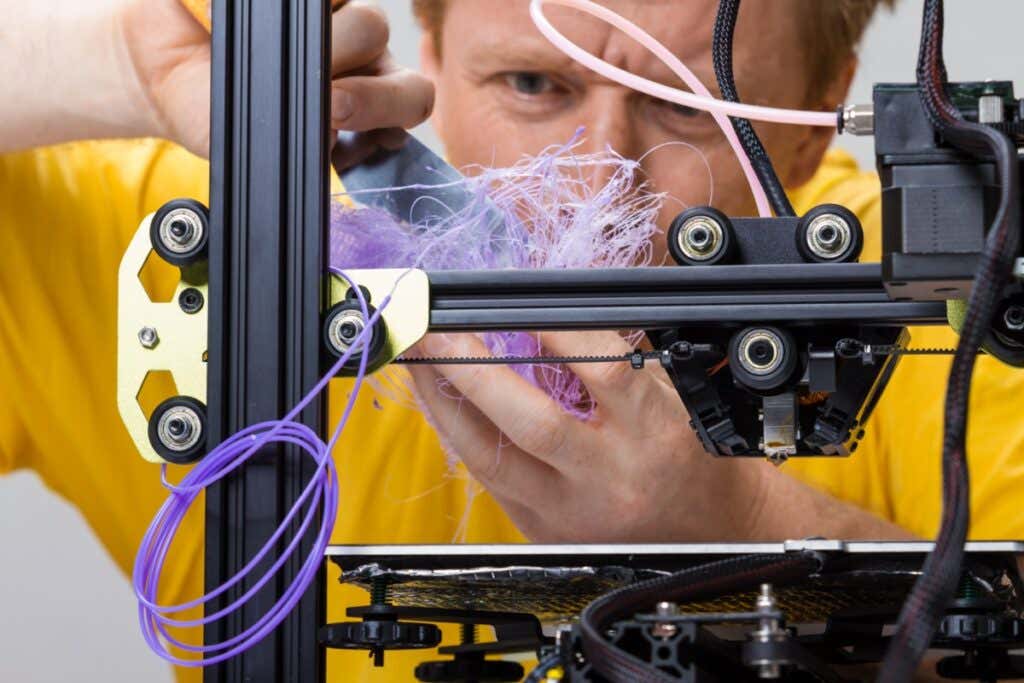
Caucasian man struggling with a modern 3D printer with curls of filament
It’s Not Printing
Is your 3D printer failing to print anything? Don’t worry, this is a common issue. There are quite a few problems that can prevent your printer from extruding any material. Here are the most common issues and how to troubleshoot them.
1. Check the Filament
You’ve prepared the printer and your model but nothing is happening. You might even get some residual filament coming through the nozzle, but your model isn’t being printed.
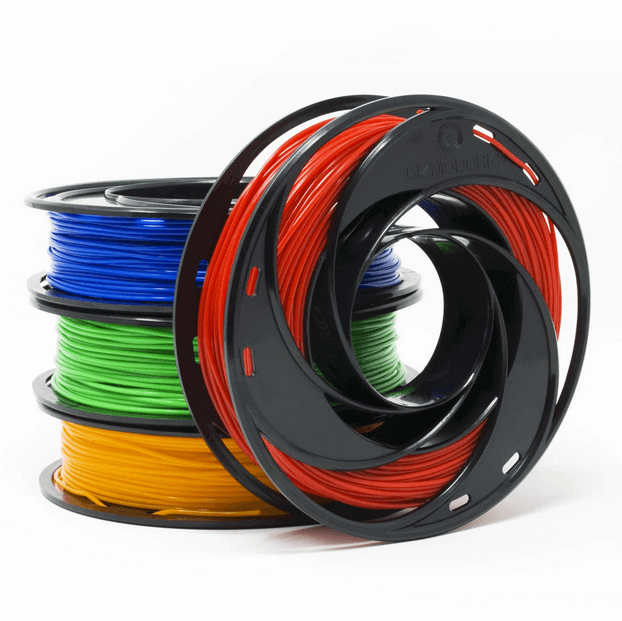
Your printer has run out of filament. This may sound like an obvious problem, but it’s easy to miss if you don’t have a printer that warns you when you need to add a new spool. Before looking into other possible issues, make sure your 3D printer has plenty of filament to print your model.
2. Check for a Clogged Nozzle
If you’re dealing with a clog, nothing will come out of the printer nozzle. This usually happens when you change the filament or the type of material and there’s some old material stuck in the nozzle. Prevent any blockage altogether by performing regular maintenance and keeping the nozzle clean after every project.
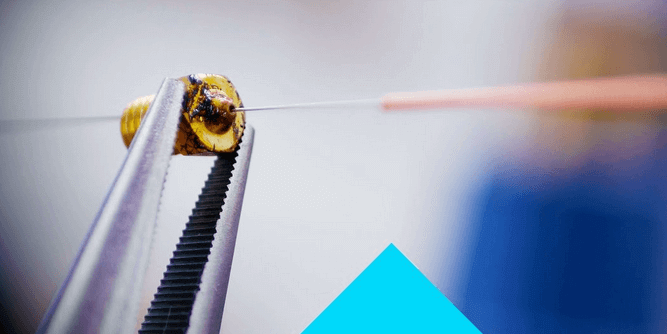
That said, if you forgot to clean the nozzle, you can easily remove a clog with the help of a needle or some other thin object. Stick the needle through the nozzle to remove as much of the remaining filament as possible. You can heat the nozzle while doing this to make your job easier.
Alternatively, you can try to force the new filament through to push through the blockage. This might not work on its own and you’ll have to apply some external pressure to force the old filament out. If you try this method, apply force gently or you might damage your printer.
3. Adjust the Nozzle
If your printer still doesn’t work, the nozzle might be too close to the print surface. When that happens, the filament can’t properly go through the nozzle to form layers. This issue can also lead to missing layers, clogs, or adhesion problems, so make sure to adjust the nozzle height.
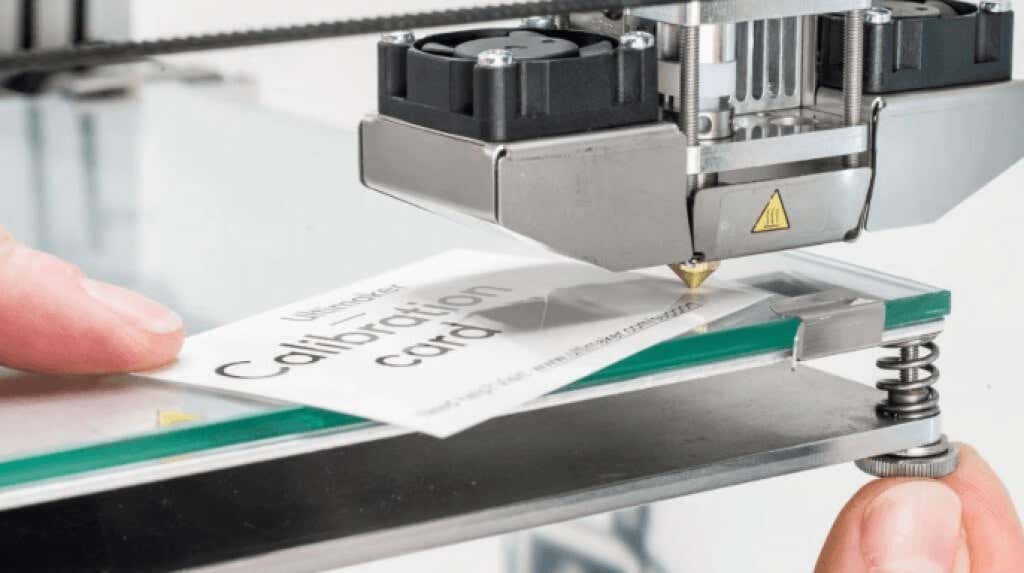
Go to the printer’s settings and change the Z-axis value. Increase the parameter to what the printer manufacturer recommends in the manual or make gradual adjustments to the nozzle height until the filament flows normally.
4. Look for Filament Fragmentation
One of the most common 3D printing problems that go unnoticed is filament fragmentation. The filament spool seems fine, but nothing comes out through the hot end. In this case, you might be dealing with fragmentation somewhere between the spool and the nozzle.
This highly depends on the type of material you’re using, whether it’s ABS or PLA, and how old it is. That said, the only solution is to remove the filament to look for any damaged sections. If the material is new but you confirmed that it’s breaking along the way, try a different spool or try reducing the temperature and flow.
5. Is the Print Head Missing the Print Bed?
Did you hear an awful noise while starting to print? The print head might be trying to go off its X- or Y-axis and it’s completely off the print bed. This makes printing impossible and it’s usually caused by a software configuration problem.
Make sure you select the right printer in your slicer software. Each model comes with its own settings parameters included in a configuration file. If you select the wrong model, the print head will be misaligned. That said, you should also update the firmware since outdated configurations can also cause this problem.
The Print Was a Complete Failure
So you managed to get your 3D printer working, but the print turned out to be a complete disaster. This usually happens when the print fails to stick or when the supports don’t work as intended. Whatever the case, here are the most common 3D printing issues.
6. Fixing Terrible Bed Adhesion
One of the most common problems that cause prints to fail is the lack of bed adhesion. The print fails to stick properly to the print bed, so the whole project becomes a waste of time.
First, make sure the print bed is properly leveled and that it’s clean. Any material that doesn’t belong on the print surface can prevent the filament from sticking. Afterward, try using supports or a brim. Go into your slicer’s settings and print using those additional elements.
7. Did the Supports Fail and Ruin Your Print?
As mentioned, using supports can help with print bed adhesion, but they’re also a must-have when printing complex models. Without supports, your print can be affected by other issues like warping edges and layer shifting. Also, using the wrong support type or not having enough supports can ruin your project.
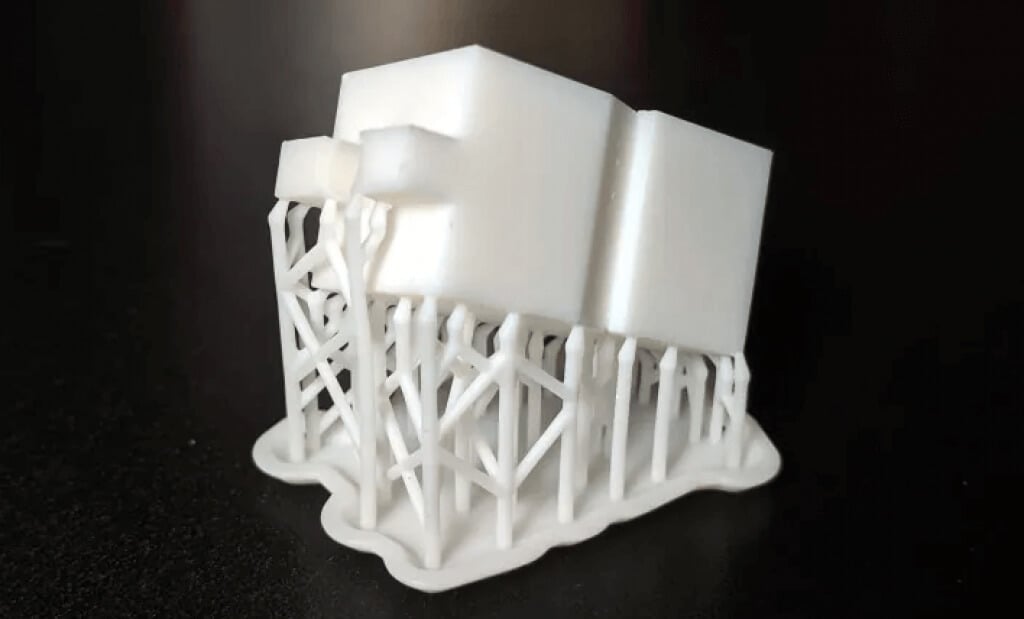
Fortunately, your slicer software should automatically generate the supports you need. Then you add more supports manually if you think your print might be ruined by overhangs, warping, and other issues. That said, you’ll have to experiment with supports depending on your project. There’s no way around this.
8. Extrusion Gone Bad
Sometimes when you think you’ve figured everything out, your printer’s hot end stops extruding filament halfway through the printing process. This will definitely ruin your whole project, but it’s easily preventable.
Make sure you have plenty of filament. Slicing software like Cura should give you a rough estimate of how much filament you’re going to need for your project. Just don’t forget that material types also make a difference when it comes to the estimate, so PLA requirements might not be the same as ABS requirements. Check the roll before you get started.
Afterward, check if your printer’s nozzle is clogged. This can also stop the extrusion suddenly while printing. In that case, refer to our above solutions for clogged nozzles.
Your Print Looks Bad
Despite your best efforts, something went wrong and your print doesn’t look as nice and smooth as it should. A lot of things will influence the 3D printing process and lead to warping, stringing, messy layers, random blobs, oozing, bad infill, and ugly side effects that will ruin your project. Here’s what you can do.
9. Fix Warping

One of the most common problems in 3D printing with filament like PLA and ABS is warping. Your model warps its base upwards and it detaches itself from the print bed. This can also result in cracks, further rendering your print unusable. Fortunately, there are several possible fixes:
- Heat the print platform . By bringing the temperature of the print bed close to the melting point of the material, you can force the first layers to remain perfectly flat. Adjust the temperature through the slicing software based on the manufacturer’s recommendations.
- Recalibrate . Go through the calibration process and level the printing bed. You should also adjust the nozzle’s height and make sure it’s not too close or too far from the platform.
- Use rafts . If there’s an adhesion or contact problem, try adding rafts through your slicer software.
10. Get the First Layer Right
If something goes wrong with the first layer, chances are you’ll have an ugly print. Before you start printing, make sure the print bed is correctly leveled. An unlevel bed is a cause for most failed prints. Afterward, adjust the height of the nozzle and the flow rate.
11. Prevent Cracking
There’s nothing uglier and more useless than a cracked print. If the melted plastic cools off too fast, you’ll probably get some cracks, especially in the top layers. Going from such a high temperature to a low one will make the material contract and that results in cracks. This is usually a problem with large models.
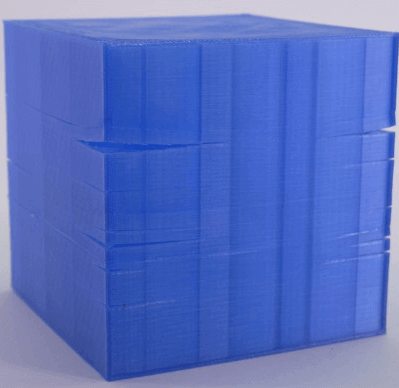
There are two things you can try:
Adjust the temperature of the extruder . Increase it in small increments while not going beyond the filament manufacturer’s recommended values.
Adjust the fan speed . If the cooling fan is blowing too hard on your model, it might be cooling it too quickly. Tweak it in increments until you find the sweet spot. Keep in mind you still need a high enough fan speed to prevent warping and other deformations.
12.Prevent Stringing
Also known as oozing, stringing is one of the most common issues that ruin 3D FDM prints. Thin bits of stringy plastic form on the model when the extruder moves from one point to another.
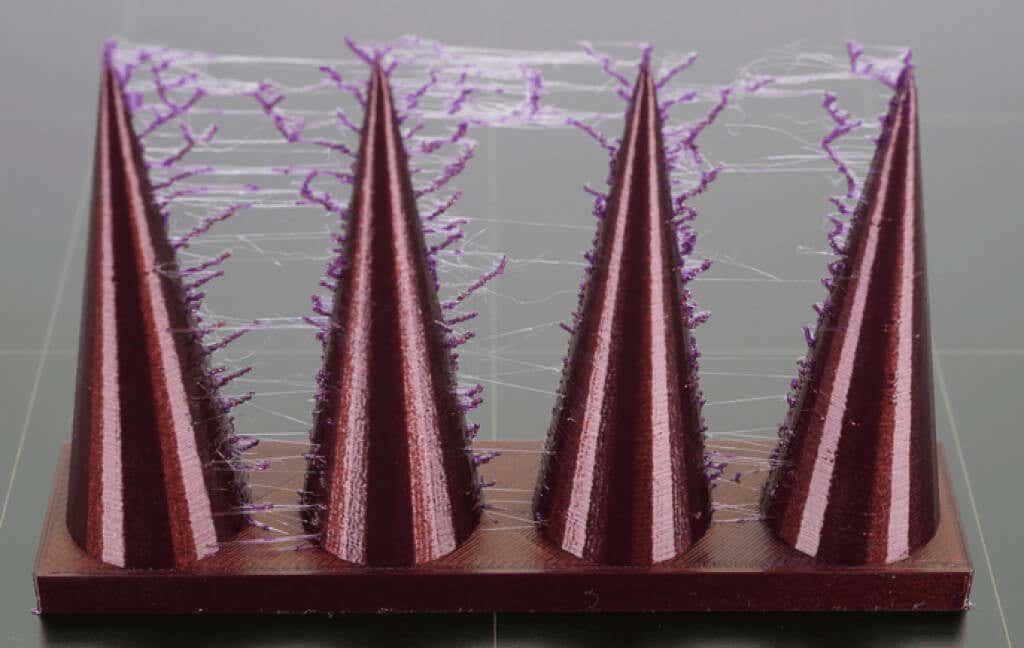
There are several factors you need to check to fix this:
Is the temperature too high? An overheating extruder will make the filament ooze out too quickly. Lower the temperature by a few degrees so it doesn’t leak out so fast.
Increase the movement speed . If the printer doesn’t move fast enough on its X or Y-axis, the extruder can leave thin strings of plastic behind. Go into your slicing software’s settings and adjust the movement speed settings.
Adjust the retraction speed setting . A slow retraction speed will cause the filament to ooze through the nozzle before the extruder can reach its new position. This will spread the plastic from point A to point B like a spider web. Try your slicer’s software pre-configurations and keep in mind the filament material when choosing.
3D Printing Can Be Challenging
Creating a 3D model is highly satisfying, but a lot of things can go wrong and it’s impossible to cover everything in one article. There are many variables to keep in mind when you use an FDM printer, so don’t panic if your 3D print doesn’t turn out as well as you’d hoped. Make sure your printer is properly calibrated and that you’re using high-quality filament. Once that’s out of the way, go through each troubleshooting step.
If nothing helps, give us more details about your 3D printing issues in the comment section below and we’ll do our best to help you out.
- How to Fix Slow Wi-Fi on Your Smartphone
- 7 Best Machine Translation Software (or AI) to Try in 2025
- What Does the Green Dot Mean on Facebook?
- How to Turn off Hardware Acceleration in Chrome
- How to Check VRAM in Windows 10, 11, and macOS?
Whether you want to print out tools and parts for DIY projects, or something fun like a 3D printed Baby Yoda, you’ll need to find 3D printer models. It’s still a new space, and creating detailed models is a lot of work, so resources are still limited.
There are still a few gems out there that offer some great models for you to download and print for your own personal use. We’ve picked out a number of them that you’re sure to like.
Unless we explicitly state it in the opening paragraph, all websites featured in this article offer 3D models for free download. If you’re looking for 3D printers instead, here’s a list of great starter models.
Cults 3D– 3D Printer Model Platform
Cults 3D is a huge platform for creating, selling, and buying 3D printer models. Whilst some models must be purchased, there are also thousands of free 3D printer models to download too.
To get started, simply visit the website and search for something you’d like to print. Alternatively, visit the collections page and look for 3D models within certain collections. Popular collections include Star Wars, Harry Potter, and Pokemon.
For more productive prints, the useful objects collection might take your fancy. This includes projects like 3D printed smartphone holders, clamps for DIY work, or kitchen tools like egg separators and bag clips.
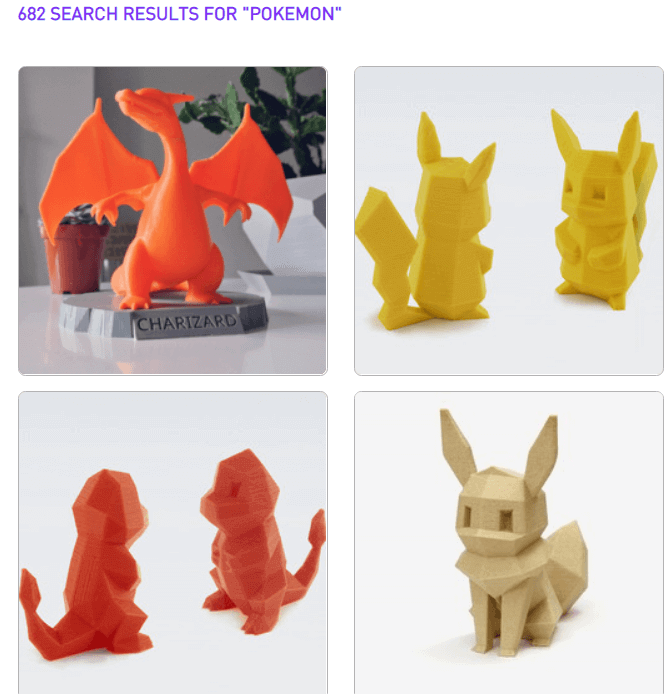
Please note that all of these 3D printer models are user submitted, so print instructions, model quality, and support will all vary from model to model. You can sort your search results by download or like count to make it easier to find good models.
If you can’t find what you’re looking for, you can find a creator to make a 3D model for you with the on demand feature. You must list the specifications of the model, give a budget, and choose a deadline. The more you provide in terms of specifications and illustrations for the print, the better.
Yeggi– Search Engine for 3D Printer Models

Yeggi doesn’t offer up 3D printer models itself, but instead provides a powerful tool to search for 3D models. Yeggi has been around since 2013 and since then there hasn’t really been any decent competition to make us suggest an alternative. Since Yeggi sends you to approved third party websites, some 3D models are only available for purchase. However, 90% of all models that appear in Yeggi’s search engine are free to download.
Yeggi has over 2 million 3D printer models in its database, so a quick search should return some good results. The search tools aren’t as comprehensive as Google, but you can still sort results by best match, popularity, or most recently added.
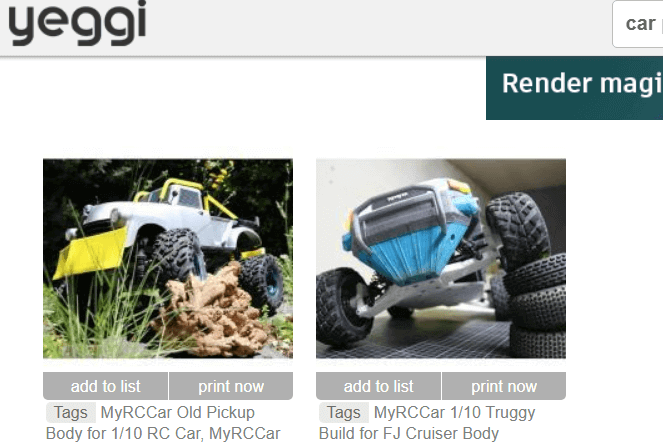
You can also filter out free or for sale models so that you get the results you need. Our only gripe with Yeggi is that searching for that perfect model often leads to clicking back and forth between multiple different websites, so be prepared to go through plenty of tabs on your browser.
Thingiverse– Find 3D Printing Projects
Despite the name, Thingiverse isn’t just about printing out things. It’s a great platform for finding fun, educational projects and to join a community. Take this LTB weather station for example. It’s also a great place to engage with other 3D printer owners and learn about what they’re building.
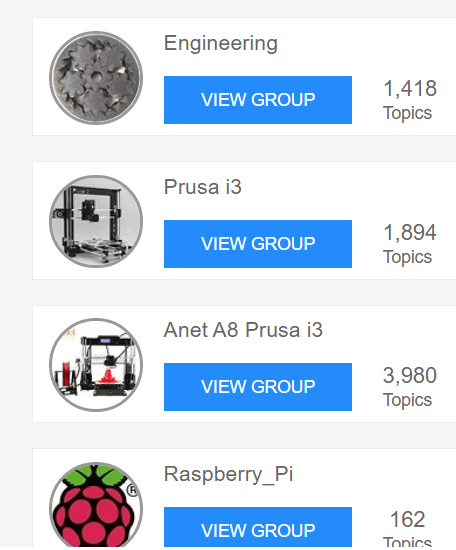
You can find specific groups so that you can interact with like-minded people. For example, some popular groups include engineering, Raspberry Pi enthusiasts, board game creators, Star Wars, and Warhammer 40K.
If you are after things to print out, that’s possible, too. The search bar is the best tool to use to find 3D printer models to print out. For example, a quick search for Baby Yoda returned hundreds of results, sorted by popularity.
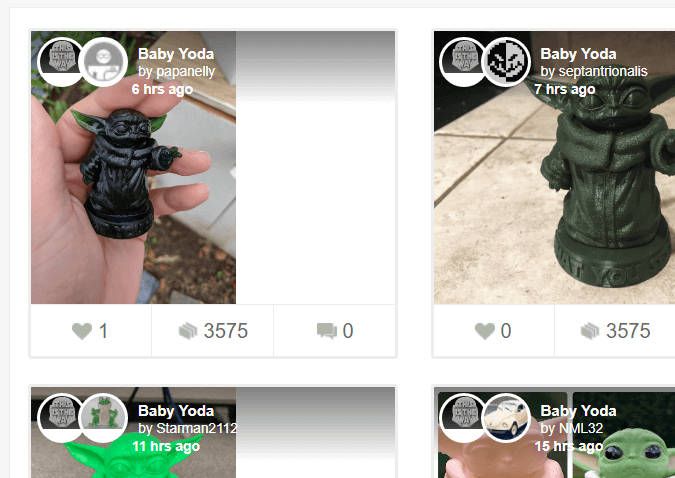
Because of the community-led focus, you’ll have more tools to engage with each creator’s project. Let’s say you wanted to see how a specific 3D Baby Yoda print would actually turn out. You can see the Makes tab to view other user’s results after printing the model you are currently viewing.
YouMagine– Community Created Prints
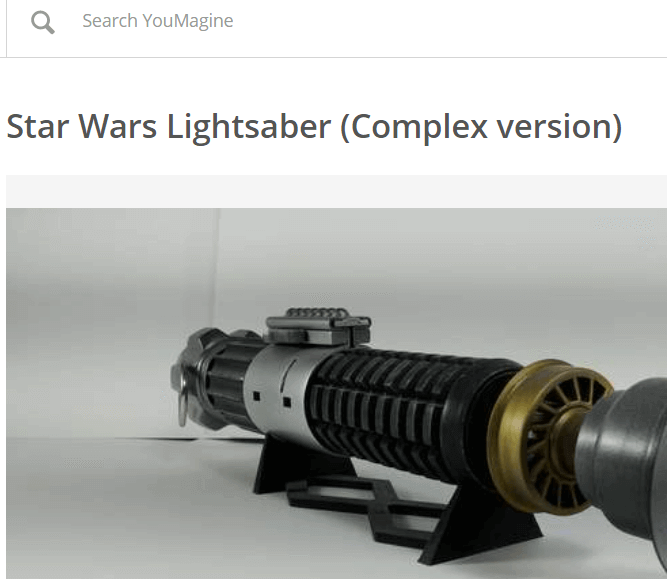
YouMagine is driven by the community, perhaps more so than the other platforms we’ve listed so far. The goal behind YouMagine is to create an open source platform where individuals can work to create, edit, and collaborate on 3D printer models without any content restrictions.
That means models will often use a Creative Commons license. Typically, models will use CC Attribution Noncommercial Share Alike, which means you can download 3D models for free, edit, and reshare any work, but you cannot use it commercially.
For now, YouMagine’s community is a little smaller, but if you’re looking to collaborate with others on 3D printer models or want to find the starting work for your own 3D designs that you can print later, YouMagine is a great tool.
Instructables– For 3D Printing Projects
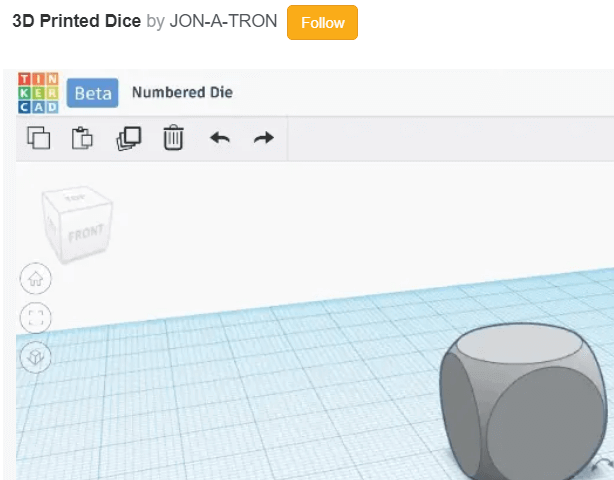
Instructables isn’t just about 3D printer models but it’s a great website to find fun, engaging projects that do utilize 3D printing. You’ll be able to find projects with full guides and downloadable model files.
Not only does this mean that you can print out some useful models, but you can learn how to do everything along the way. Download parts to build your own 3D printed toys, or learn how to create your very own 3D printable models too.
- The 8 Best Sports Streaming Sites in 2025
- The 10 Best Free Image Hosting Sites in 2025
- 8 Best Crowdsourcing Sites to Fund Your Business Idea in 2025
- 10 Best Free Audio Converter Tools (Online & Offline)
- 7+ Free Tournament Bracket Generators and Templates
