If you want to use ChatGPT for ideas, information, or assistance, you can access it easily on macOS. While there may not currently be an official OpenAI ChatGPT app for Mac, there are a few easy ways to use ChatGPT on Mac.
1. Visit the ChatGPT Website
One of the most obvious ways to use ChatGPT is by visiting the site in your Safari web browser. Simply log in with your credentials and put OpenAI to work.
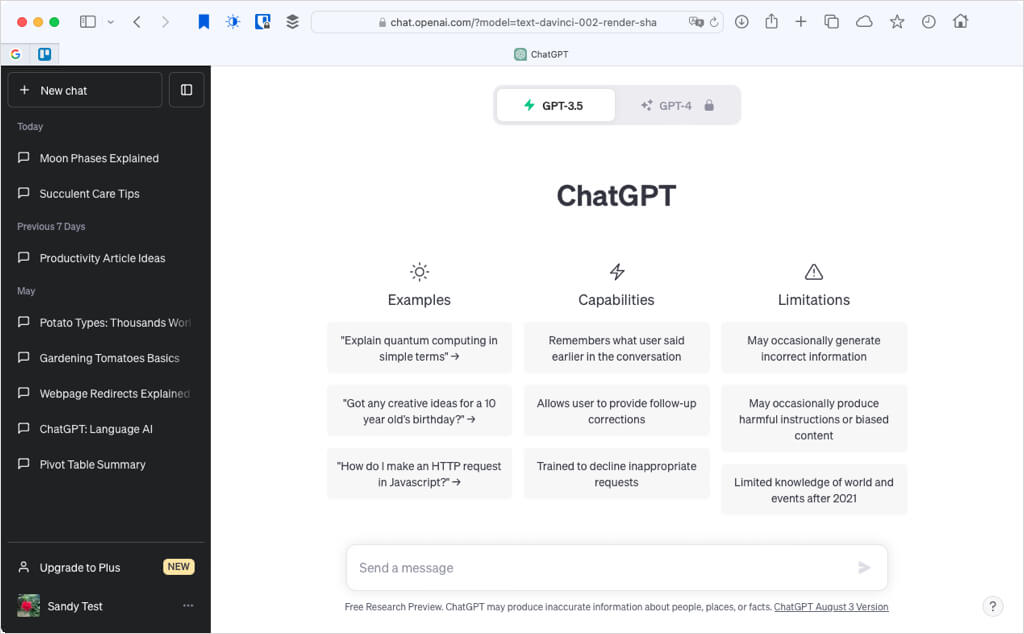
If you visit the site often, you can easily add it to your Safari Bookmarks or Favorites Bar for quick access.
With the web page active, select Bookmarks > Add Bookmark from the menu bar . Choose Bookmarks, Favorites, or a folder, optionally edit the name and enter a description, and select Add .

Running into issues? Check out our list of fixes when using the ChatGPT web app.
2. Download MacGPT
If you’re interested in quicker access to ChatGPT, you can add it to your Mac menu bar with the MacGPT app. You can sign in with your existing ChatGPT account and use the Mac desktop app with or without an OpenAI API key.
- Visit the MacGPT site, select Download , and follow the prompts to obtain the app from Gumroad where you can optionally give a donation to the app developer.

- Access your browser’s Downloads folder and open the ZIP file, then select MacGPT to open the app window and sign into your OpenAI account.
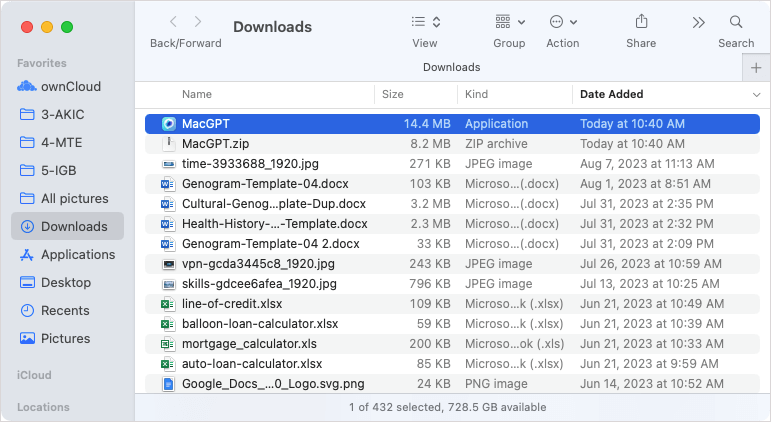
- Use the MacGPT icon to open the application in your menu bar. From there, you can interact with it the same basic way as ChatGPT on the web.

- Use the tabs at the top to toggle between the Native and Web version and the menu icon (three lines) on the top left to open the sidebar for your chat history.

- To adjust the app settings, select the gear icon in the menu bar window.

You can then move between the tabs for various settings like adding an API key on the General tab or enabling the text field input feature on the Inline tab.
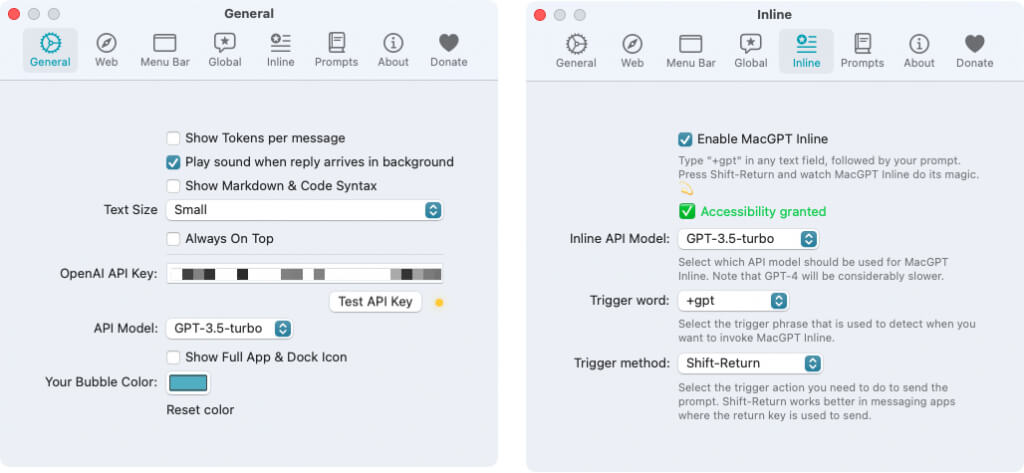
Open the Menu Bar tab to customize the icon and window width when opening the app from the menu bar.

3. Install a Tool From the Mac App Store
If you prefer to download an app from the Mac App Store rather than from a third-party online, this is another option. There are several ChatGPT apps to pick from, but here are a few try-before-you-buy options to get started.
HelloAI
HelloAI is a terrific app with extra features you’ll enjoy. Use the Chat tab to ask your questions, the Library tab to view your conversation history, and the Inspiration tab for ideas based on categories like Education, Hobbies, and Programming.

You can then choose how you’d like HelloAI to respond. Using the drop-down arrow next to the message box, you can pick from options like Fast ChatGPT for short responses or Summarizer for summarizing lengthy text.

You’ll also get a built-in menu bar icon for asking quick questions without using the app window.
HelloAI is available for free with 10 questions. In-app purchase subscriptions then start at $3.99.
ChatG: Unlimited AI Chat Bot
Another good option is ChatG: Unlimited AI Chat Bot. This app also provides you with bonus features you won’t find on the ChatGPT website.

You can use public chatbots or create your own, access the AI Writing Engine, view the AI Chat shortcut, and check out the AI Image generator (paid feature).

You’ll receive a handy menu bar icon with this app too that you can select to ask a quick question.
ChatG: Unlimited AI Chat Bot is available for free with 3,000 monthly word credits. In-app purchases then start at $0.99.
AIPal: Ask AI Genius Chatbot
One final macOS app to look at is AIPal. With a smooth and intuitive interface, you can start a conversation and either read or listen to the response.

Start a conversation by choosing a category or simply asking a question, get Suggestions with prompts you can tailor, and view the AI Guide for additional topics you might like.

AIPal: Ask AI Genius Chatbot is available for free with in-app purchase subscriptions starting at $4.99.
4. Use Chrome and ChatGPT Extensions
One final way to use ChatGPT on your Mac is to take advantage of the extensions on Google Chrome. As a macOS user, you can easily use Safari, but if Chrome is your browser of choice, this is a plus.
ChatGenie for ChatGPT
For opening ChatGPT in a handy little window, check out ChatGenie. Once you install the extension, sign into your OpenAI account and pin the icon to the toolbar for quick access.
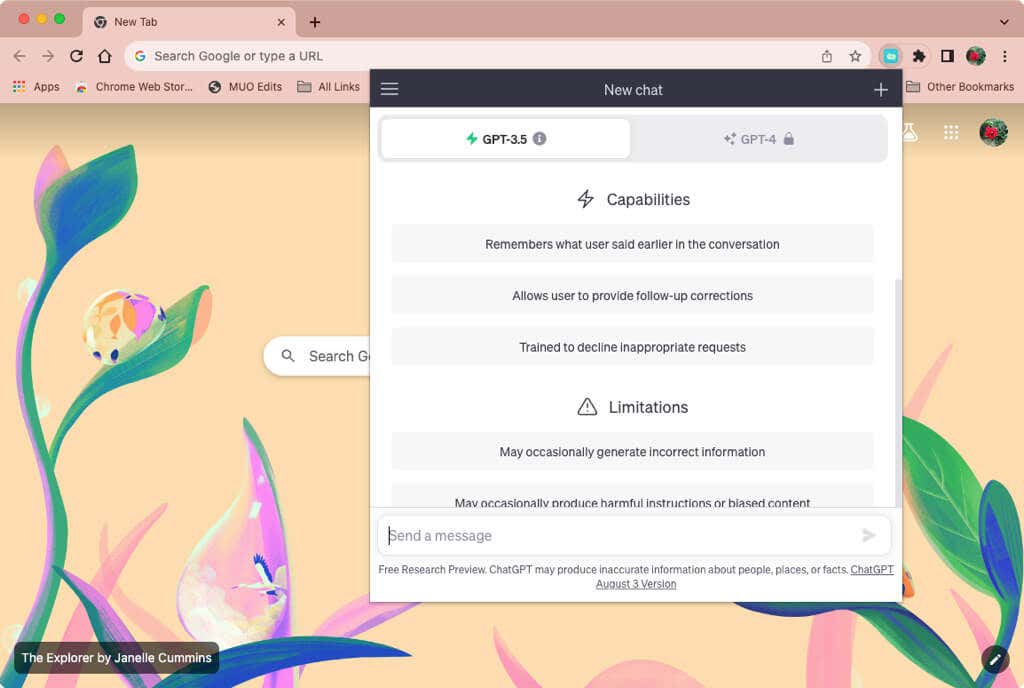
The extension’s window mimics the ChatGPT website with the main chat screen and previous conversations accessible on the left side. You can provide feedback with a thumbs up or down as well as copy the response.

ChatGPT for Google
While a web search for information is common, the ChatGPT for Google extension for Chrome can give you fast answers without clicking through multiple search results.
Once you enter your search term into the box, you’ll see the extension’s answer appear on the right side of the results. You can then read, copy, or share the response.

Select the gear icon at the top of the box to adjust the theme, text size, language, and prompt preferences. You can use ChatGPT for Google with Google, Bing, Yahoo, Brave, and other search engines by selecting the options in the settings.

For even more options, look at our list of Chrome ChatGPT extensions.
Whether you use ChatGPT for business or pleasure, having quick access to it when you need it is essential. Let us know which of these methods for using ChatGPT on Mac you prefer.
- How to Connect Xbox Controllers to Your Mac
- How to Chromecast From Mac to Your TV
- How to Install and Run Linux on Mac
- How to Turn Off or Delete Siri Suggestions (iPhone and Mac)
- How to Take Pictures on Mac
