A custom-printed envelope is one of the easiest ways to add some flair and professionalism to any written communication. And while printing your own envelopes is fun, you need the services of an envelope printing website for bulk orders.
You can select a catchy design or customize an existing template to create your unique envelop style. Most sites even let you upload your own artwork, allowing you to print large quantities of envelopes showing off your brand logo. Here is a selection of the best envelop printing websites on the internet.
1.Envelopes– Best Overall
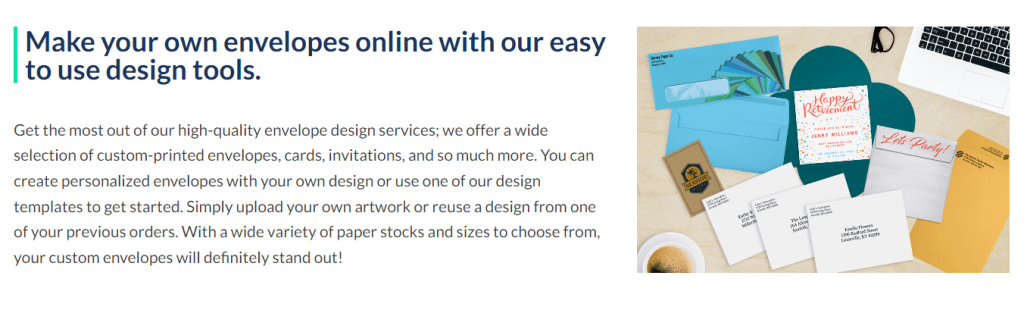
Focusing entirely on its namesake product, Envelopes.com offers a greater variety and freedom of customization than any other envelop printing site. You can start with a predesigned template and modify all aspects of it, even adding your own images.
Then there is its recipient addressing service, which takes an uploaded data file and prints out all the delivery addresses in digital calligraphy. This saves you an unbelievable amount of time without sacrificing the personalized feel of a handwritten invitation.
The pricing differs based on the paper size, color, and paper stock quality, but Envelopes.com commits to a production time of five business days – three if you elect for a rush order. The shipping, of course, takes additional time and expense.
2.VistaPrint– Best for Quick Shipping
Popular for its business cards, VistaPrint also provides a custom envelop printing service. In addition to customizing templates and uploading your own designs, you can also utilize VistaPrint’s design services to create a professional design from scratch.
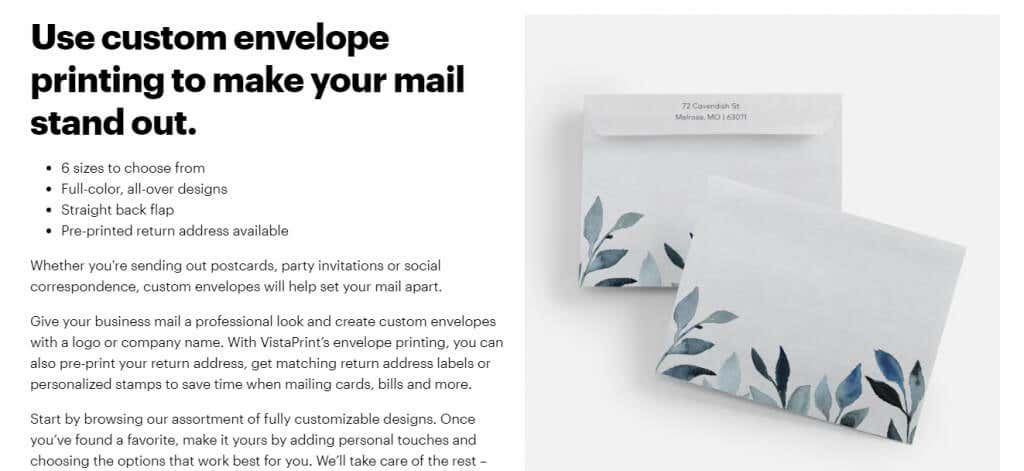
Not that it’s needed – there are plenty of great templates to choose from already, and you can print on both sides to further set your selection apart. This also includes the option to print return addresses, with matching return address labels should you need it.
Prices start at $5.99 for ten envelopes, with extra shipping charges varying by speed. You can opt for the Standard 8-day delivery, or cut it down to 3-4 days by paying a premium Express delivery fee. These timeframes include printing as well as shipping, so you can print envelopes from VistaPrint at short notice.
3.Staples– Best for Office Use
A leading destination for office stationery, Staples is another great site for custom envelope printing. True to its roots, Staples specializes in envelopes meant for corporate usage, with envelop sizes ranging from regular correspondence to large mailers.
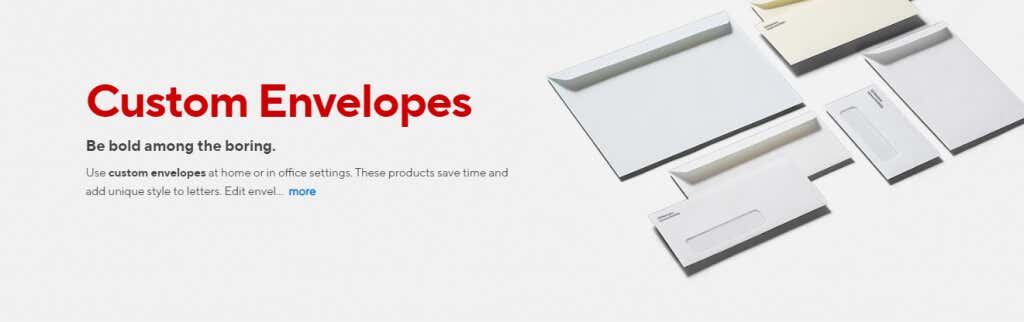
There is also a great deal of variety in the quality of paper available. You can get some low-cost paper for day-to-day communications, as well as premium thick envelopes for a luxurious feel in promotional materials.
The best part is the unique design elements meant to facilitate official use, like window envelopes to avoid double printing or security envelopes with tinted patterns on the inside to conceal sensitive contents. The pricing scheme, however, is geared toward bulk orders, with a minimum quantity of 250 envelopes.
4.Cards & Pockets– Best for Invitations
There are many websites to order custom-printed envelopes from, but what about laser-cut envelopes? Cards & Pockets offers the unique option to customize your envelopes with laser-cut designs, creating delicate patterns that are impossible to replicate with printing alone.
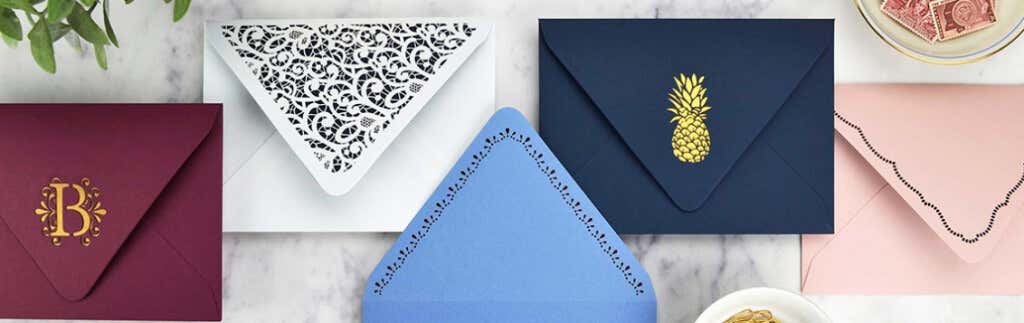
This comes in addition to full-bleed envelope liners to enhance the effect of the cuts and give a more premium feel to the envelopes. With rich colors and high-quality papers used, the envelopes of Cards & Pockets are the ideal choice for sending cards and invitations.
There is also the standard option with printed guest addresses and customized envelope designs. Prices vary by the design, but the good thing is that the envelopes are shipped worldwide, and processed in just two-three business days.
5.GotPrint– Best Online Designer
GotPrint might not offer anything that the other options on our list don’t, but it sure has an amazing online envelope designer. The web app allows you to visually customize the layout, adding patterns and messages to both sides of the envelope.
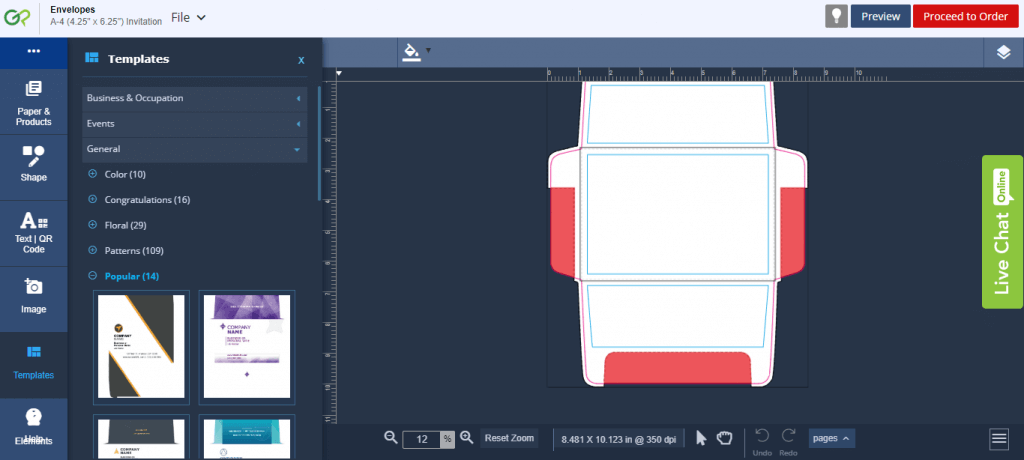
Built-in scales give you an accurate look at the dimensions of every design element, making it easy to gauge the look of the final product. Even the folding flaps are represented, leaving no aspect a mystery.
The service leans a bit toward bulk orders, with order quantities starting at 100 pieces. The production timeline is also much longer, taking around ten days to ship the envelopes. Still, if you are ordering in bulk and are willing to wait, GotPrint is a good choice for custom printing your envelopes.
What Is the Best Site to Print Custom Envelopes?
Envelopes.com is the best option if you are looking to get custom-printed envelopes instead of printing them yourself. If are in rush, go for an Express order with VistaPrint, perhaps even leverage their design services to craft the perfect look.
For laser-cut designs, Cards & Pockets is the perfect option, while companies intending to get business envelopes for official use might want to try Staples. GotPrint is great for those seeking precise online customization, though its production process is slower than others.
Specializations aside, any of the sites listed above are great for envelope printing. Whether you are a small business owner looking to give a premium feel to your correspondence or an individual sending out invites, you can pick one and go with it.
- The 8 Best Sports Streaming Sites in 2025
- The 10 Best Free Image Hosting Sites in 2025
- 8 Best Crowdsourcing Sites to Fund Your Business Idea in 2025
- 10 Best Free Audio Converter Tools (Online & Offline)
- 7+ Free Tournament Bracket Generators and Templates
Even as the world becomes more digital every year, physical mail remains an important way to communicate with others — especially for businesses. The Google Apps suite has a great selection of tools and add-ons that can help you streamline the process of creating envelopes. All you need is a printer, a Windows or Apple PC, and access to a browser like Google Chrome, or the iOS and Android apps.
Here’s how you can print envelopes using Google Docs.

How to Print Envelopes Using Google Docs
There are several envelope add-ons for Google Docs that enable you to create and print envelopes. For this tutorial, we will be using the Mail Merge add-on .
Note: Mail Merge will enable you to perform 20 merges of up to 30 rows in their free trial.
Step 1: Open Your Document
Open a Google Docs document by going to the Google Docs web app (or smartphone app) and clicking New Google Doc .
Step 2: Open Mail Merge and Choose Envelope Size
If you don’t have the Mail Merge add-on yet, you can install it with the following steps. If it’s already installed, skip to step 5.
- Click Extensions in the toolbar, then select Add-ons > Get Add-ons .
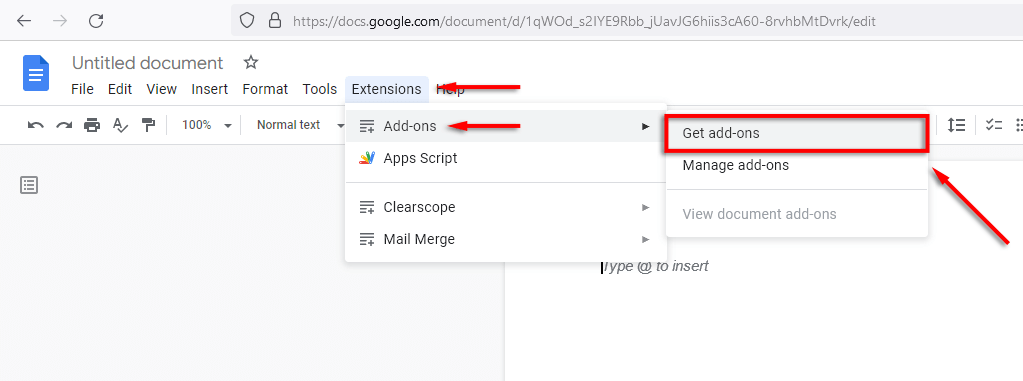
- In the Google Docs add-ons menu, where it says “Search apps” type Mail Merge . Select Mail Merge from the list.

- Click the Mail Merge app and select Install .
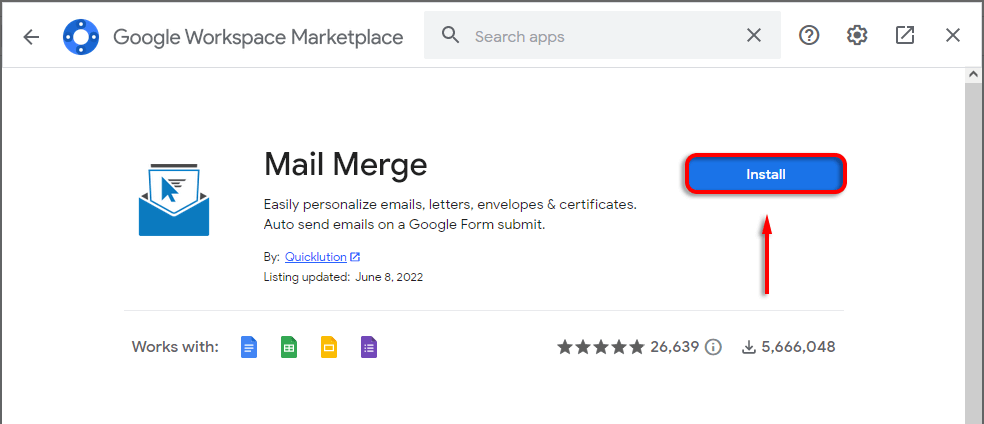
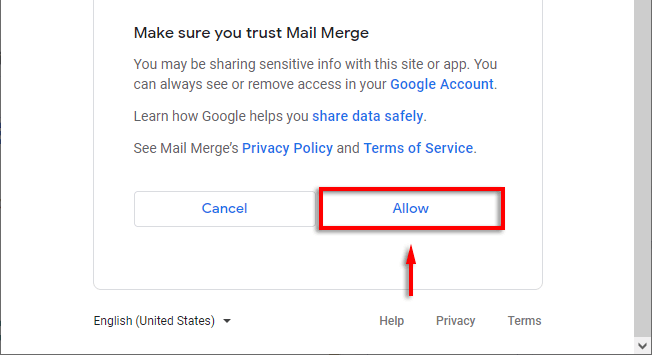
- Select Continue then confirm your account and give Mail Merge the permissions it requires.
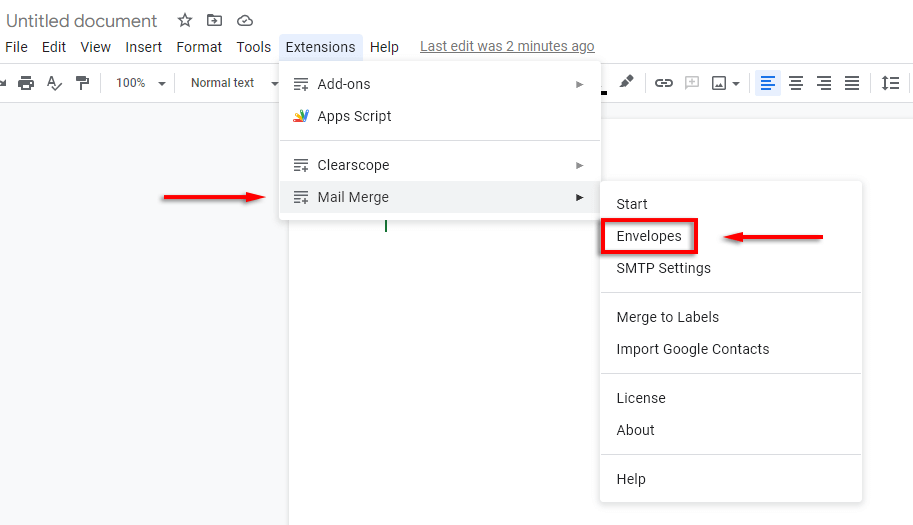
- Once installed click Extensions > Mail Merge > Envelopes . Alternatively, select Mail Merge from the sidebar and select Envelopes .
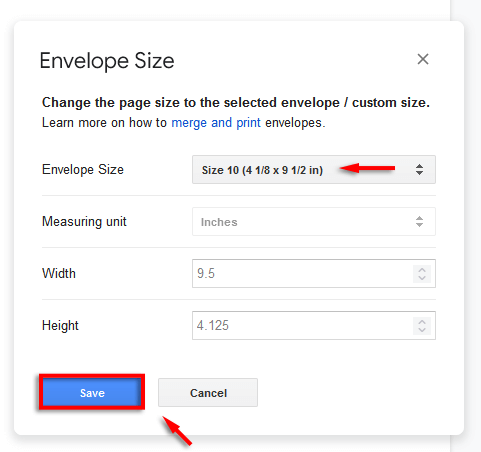
- Wait for the pop-up to load, then select your Envelope Size from the drop-down menu or set a custom page size. Click Save to finalize.
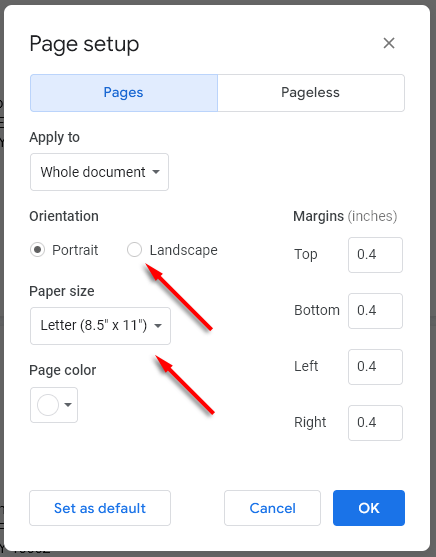
Note: If you can’t create an envelope template this way, select File > Page Setup . Here, you can set the Orientation and Paper size before moving to the next step.
Step 3: Customize Your Envelope
The next step is to edit your document to add the required fields, including the recipient’s address and your return address. To do so, use the Google Docs editing tools as you would in a normal document. For example:
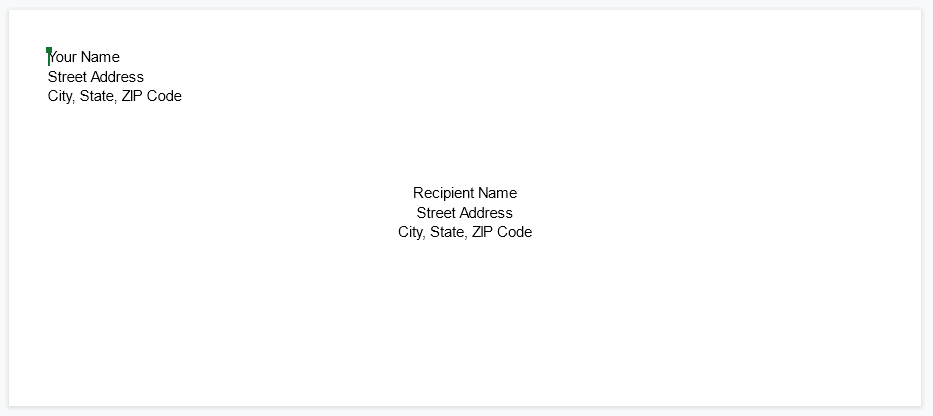
Note: Add custom fonts, colors, and branding to personalize your envelope.
Step 4: Add Merge Fields
If you’re printing a series of envelopes from a mailing list, you can add merge fields to speed up the process by creating a Google Docs envelope template (rather than adding individual details to each envelope). To do so:
- Click Extensions > Mail Merge > Start .
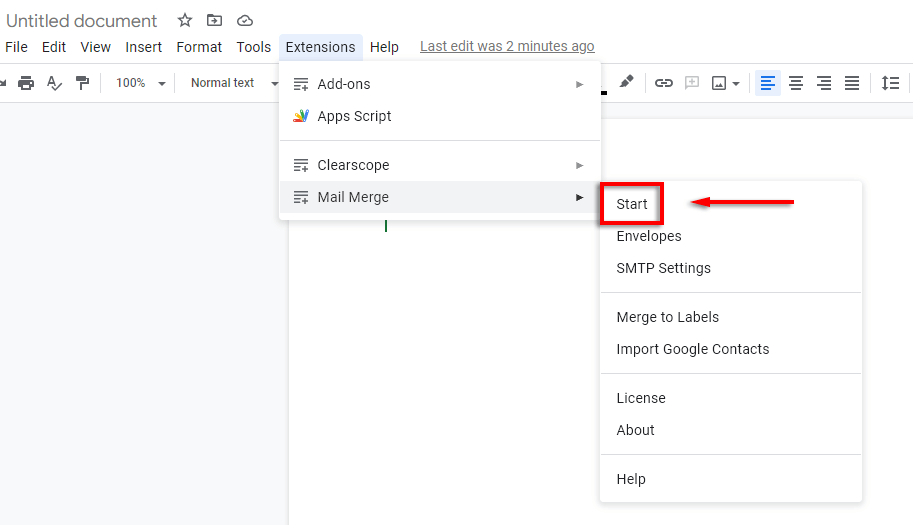
- Select Open Spreadsheet .
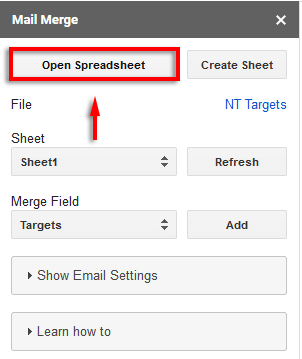
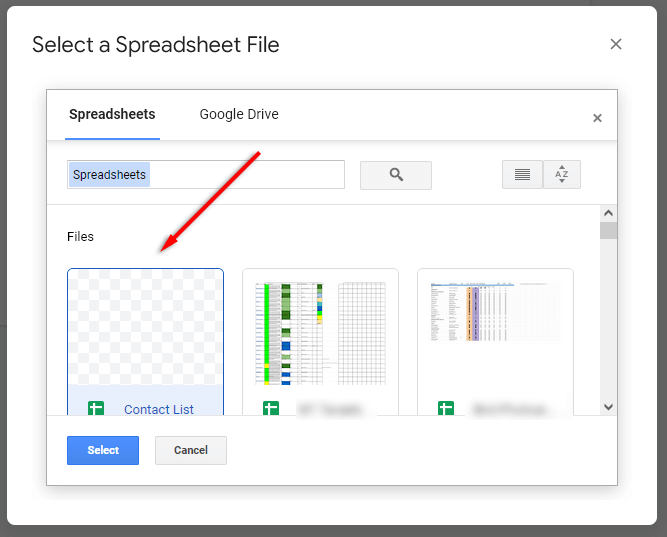
- Select your Google Sheet. If it doesn’t appear in the drop-down menu, select Google Drive and use the search box to locate the document. If you used Microsoft Excel to create the spreadsheet, you can easily convert this to a Google Sheet.
- Place your cursor where you’d like to insert a merge field. In the Merge Field drop-down, select the field you’d like to add (e.g., Recipient Name). Click Add .
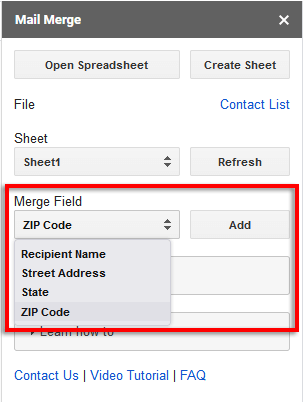
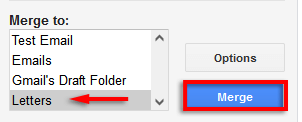
- When you’re done, select Letters in the Merge To drop-down box. Then click Merge .
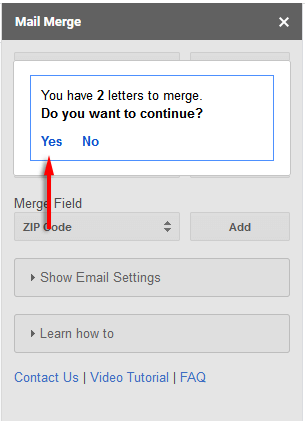
- Mail Merge will display how many envelopes you want to create. Click Yes if this is correct.
- Your envelopes will be generated according to the values from your spreadsheet.
Step 5: Open the New Document and Print
Once the process is completed, open the envelope document. This will show all of your newly created envelopes in a list. Double-check that everything is formatted correctly.
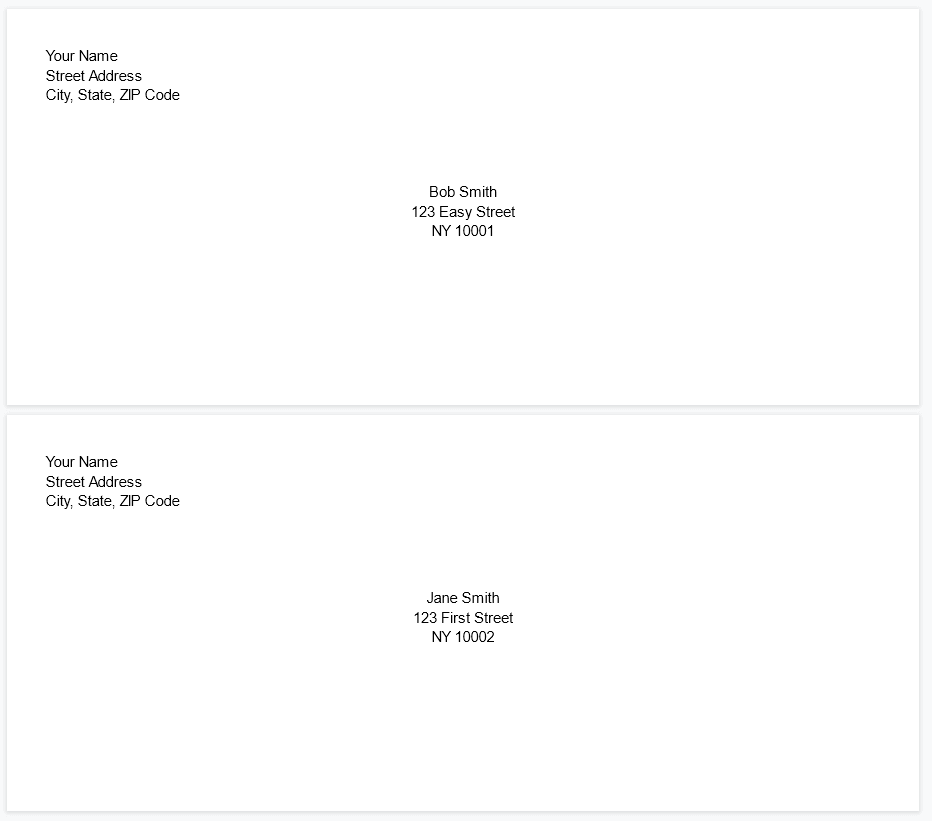
If so, it’s time to print:
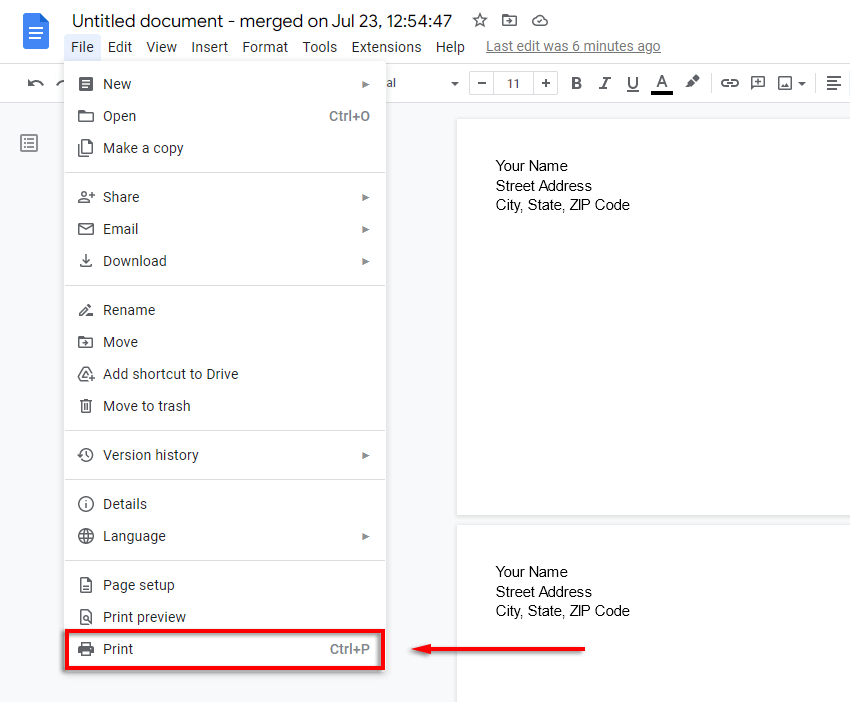
- Select File > Print .
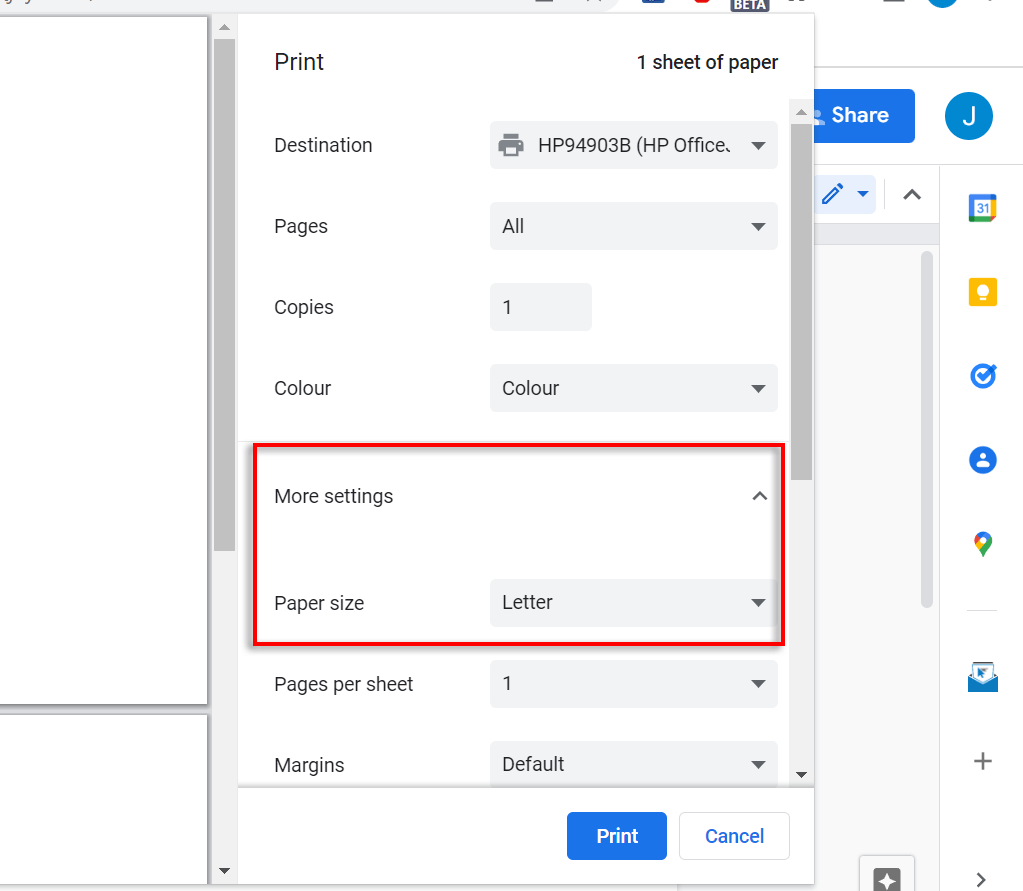
- Select More Settings and ensure that the Paper Size and other settings are correct.
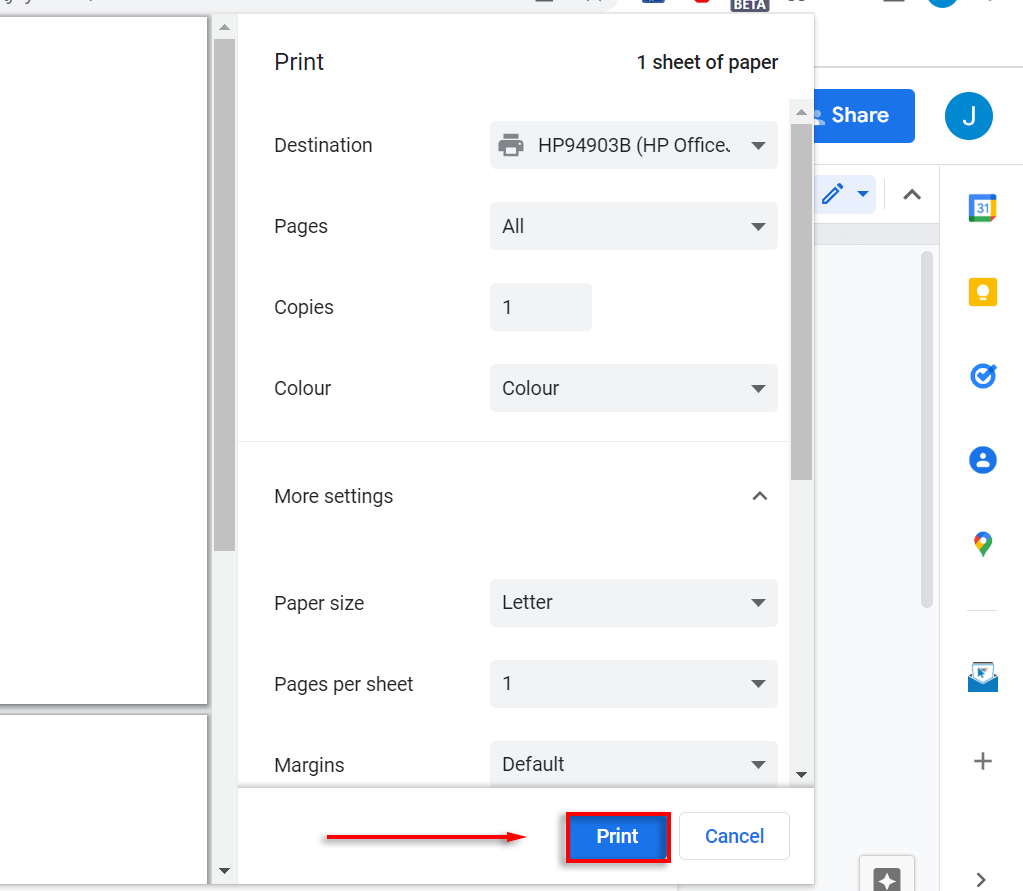
- Select Print .
Sending Mail Has Never Been Easier
With this tutorial, you should be able to easily print as many envelopes as you would like. We used Mail Merge as it’s one of the most popular and well-known Google Docs add-ons. However, there are plenty of free options if you use the free trial and find the pricing too steep.
- How to Flip Images in Google Docs
- How to Fix Mouse Cursor Disappearing on Google Docs
- How to Add Line Numbers in Google Docs
- How to Insert Word Art in Google Docs
- How to Insert Variable Smart Chips (Placeholders) in Google Docs
