With the development of new technologies, 3D printing has become accessible to everyone. There are various industries from medicine to engineering where 3D printers are becoming standard tools. But gamers also enjoy making their own miniature models for tabletop games such as DnD or Warhammer 40K. You can easily use 3D printers to make models of characters and monsters for your favorite games.
Miniatures are highly detailed representations of creatures and characters. Modern 3D printers can now produce minute detail such as a dragon’s scales or dents in armor. Here are the best 3D printers for printing miniatures and tabletop models.
Resin Printers vs. Filament Printers
Not all 3D printers can produce the high level of detail needed for miniatures. Also, it’s important to understand the differences between resin and filament (FDM) printers.
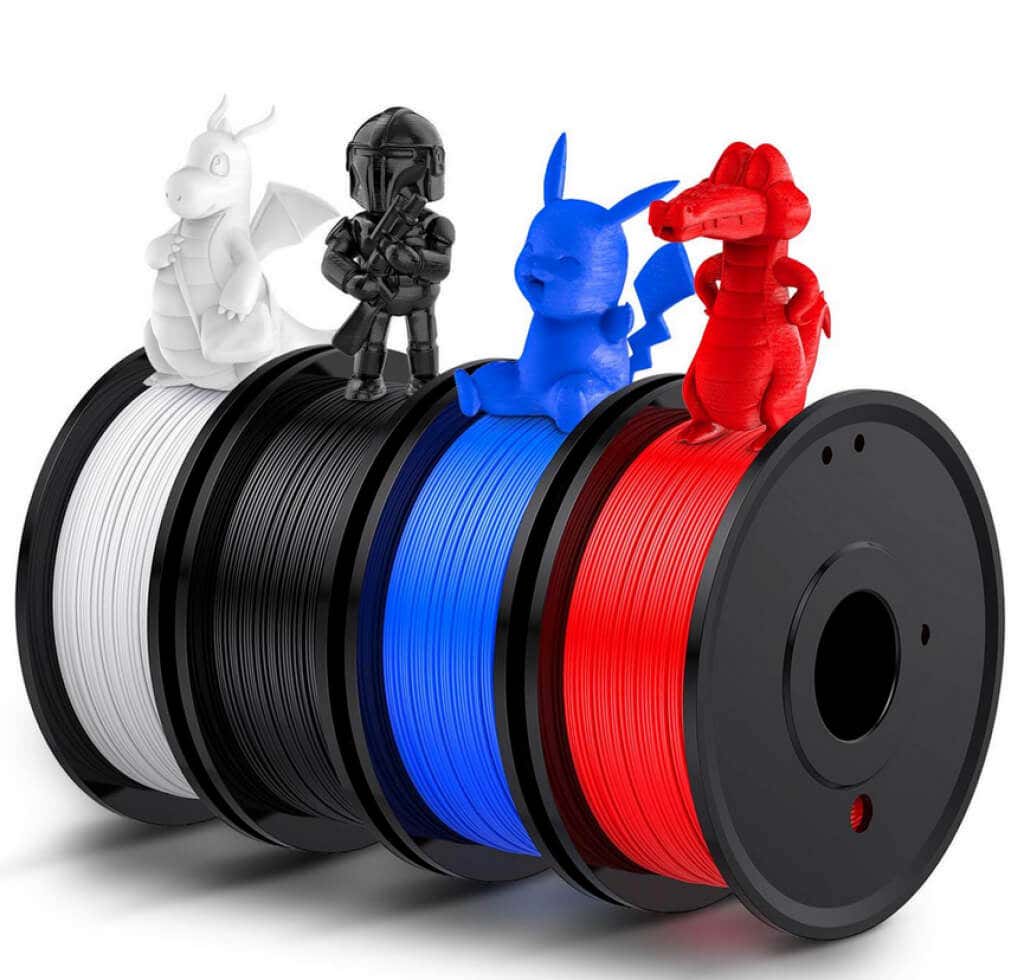
Essentially there are two consumer-grade types of 3D printers. The first type is Fused Deposit Modeling or FDM printer. This type of printer melts the plastic and places it in layers to create a 3D object. The second type, stereolithography or SLA 3D printers, uses UV light to harden liquid resin to form the object.
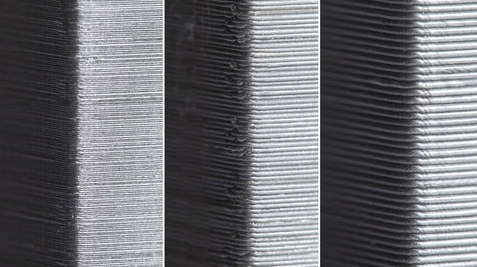
The problem with filament printers is that melted plastic leaves visible layers and it is incapable of achieving great details, minus a few exceptions. Resin is overall better for miniatures and figurines because it can capture the tiniest details.
That said, FDM printers still have uses in the world of miniatures. They print much faster and the material is cheaper than resin. Filament printers are better for creating terrain and large models of buildings, mountains, castles, and many other items used in tabletop games.
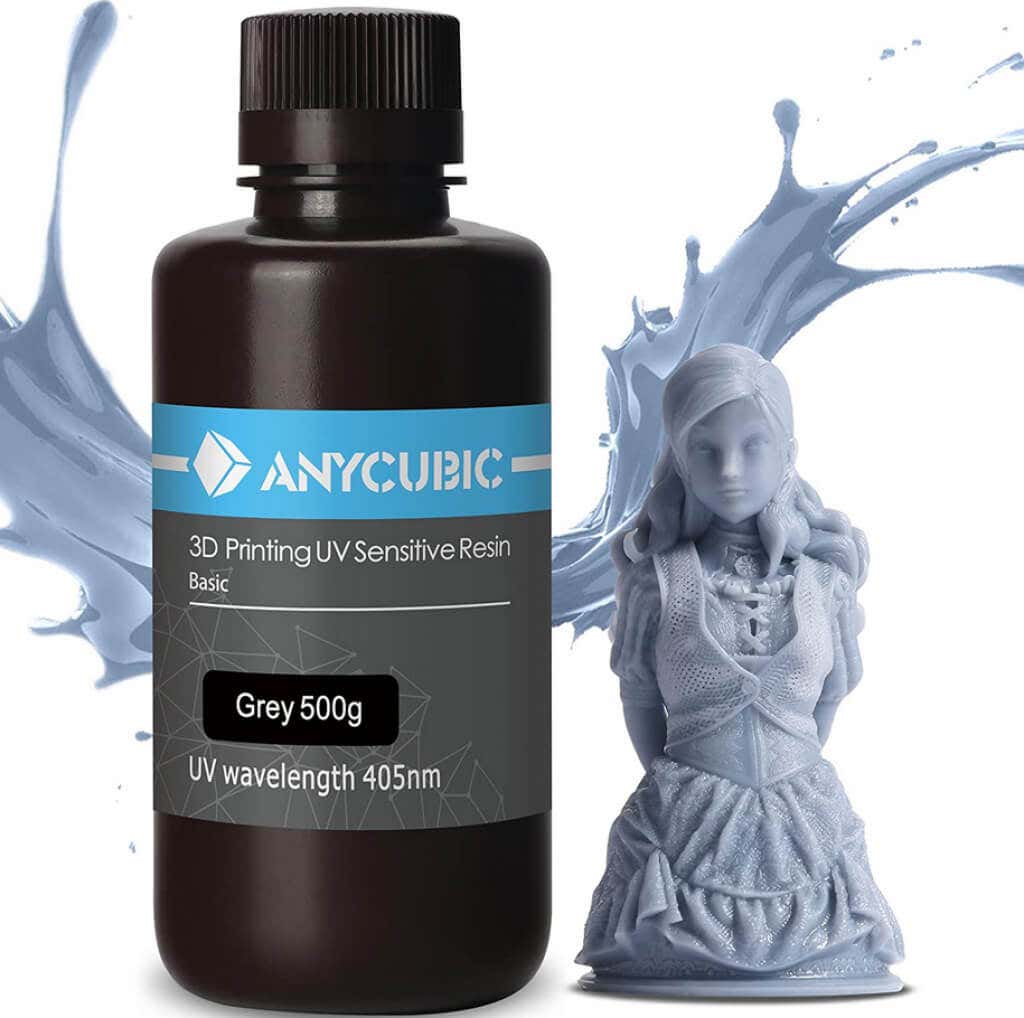
Although resin printers are much better at creating miniatures, they have their own set of pitfalls. Resin is toxic, and you will need a well-ventilated space in which to work. You will also have to wear gloves and a mask as a precaution because ventilation itself is not enough. Besides this, SLA printers are much slower than the FDM ones, and your operating costs will be somewhat higher.
What to Look for in 3D Printers for Miniatures and Tabletop Models
The most important factor that determines the visual quality of the print is resolution. But the resolution of 3D printers is different from display resolution. It is measured in microns and tells you the smallest possible motion a print head can make while printing a layer.
There are two resolution measurements in 3D printers: XY plane and Z-axis. XY-plane resolution measures the dimensions of a 2D planar print or the layer height, while the Z-axis is the thickness of a printed layer. Quality miniatures for tabletop games demand a resolution of at least 50 microns, but the latest printers like the Saturn 2 can achieve a fine resolution of 28.5 microns.
The next thing you should look for in 3D printers is the build volume. It will tell you how big your miniatures can be. You need to think about what you wish to create in the future. Will you restrict yourself to miniatures only, or will you want to print larger models? 3D printers will require maintenance, and you should also research how easy to use they are. Choose one that suits all your needs as best as possible.
1.Anycubic Photon Mono 4K– Best for Beginners
Anycubic Photon Mono is an entry-level 3D printer. It excels in printing speed and usability. Its price is also low, making it suitable for those who are just starting their miniature printing hobby. It has an XY resolution of 51 microns which means it won’t make the finest prints, but you’ll get some high-quality models for your money.
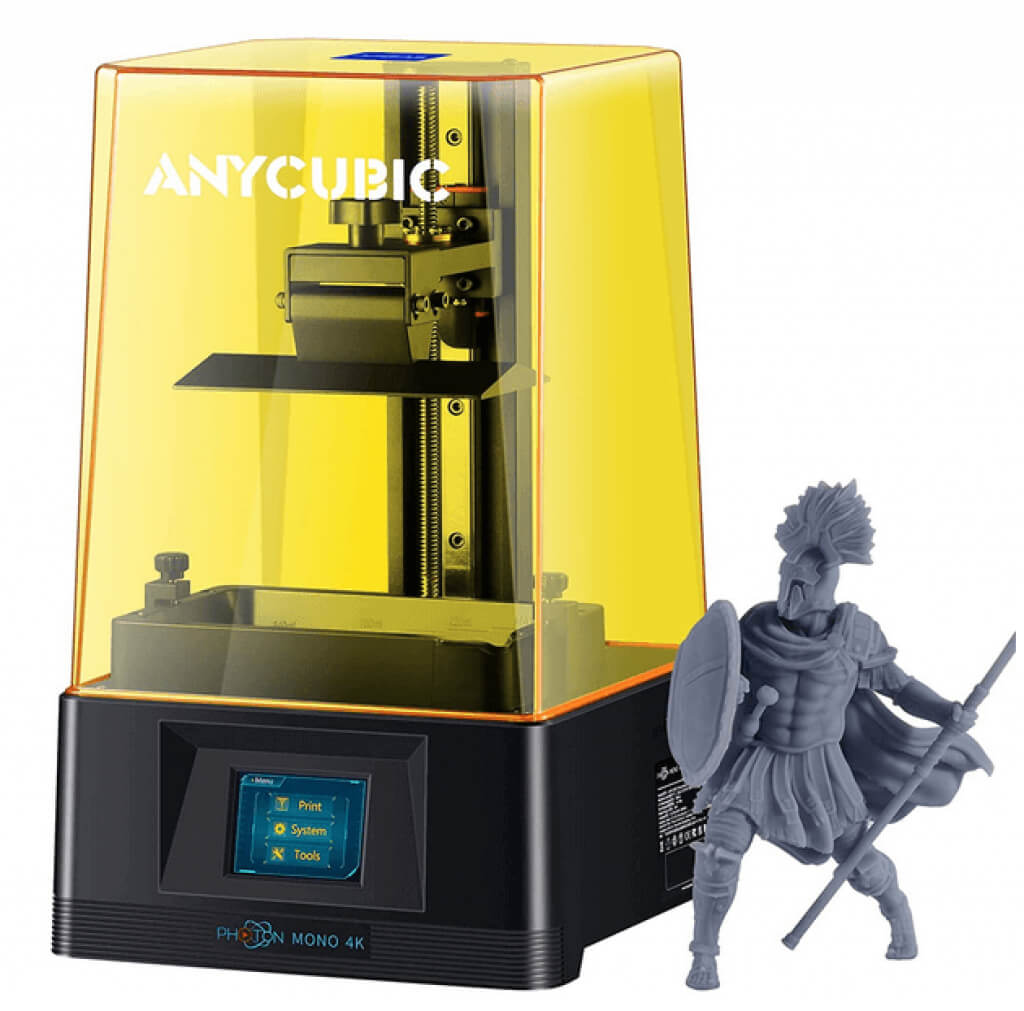
This 3D printer uses an LCD screen to cast UV light on the resin. This makes the printing time very short, around 1 to 2 seconds for each layer. But Anycubic Photon Mono has a very limited build volume that will restrict the size of your miniatures and models. You won’t be able to print in heights above 6.5 inches (165mm). This is a good enough size for regular DnD miniatures, but figurines or buildings are out of the question.
2.Anycubic Photon Mono X– Best for Speed
This 3D printer from Anycubic is designed for large-scale prints. It is a resin printer with an LCD screen that is capable of achieving a printing speed of 60mm/hour. Besides the impressive speed, Mono X can print large-scale 3D models as it has a build volume of 192 x 120 x 245mm.
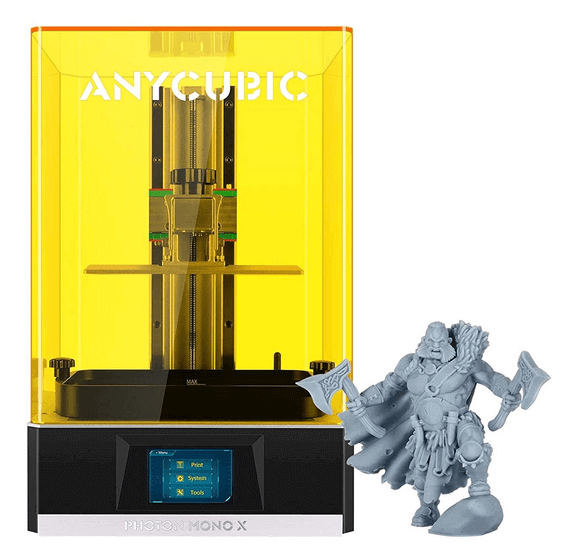
Anycubic Photon Mono X has an XY resolution of 50 microns, and a Z-axis resolution of 10 micrometers. This enables it to print fine details at a high speed. It is equipped with a touch screen user interface, and it can be controlled from your iPhone or Android device with the Anycubic app.
3.Phrozen Sonic Mini 4K– Best Mid-Range Printer
More expensive than the Anycubic Photon Mono, Phrozen Sonic Mini 4K offers similar specs. It can print miniatures up to 6.5 inches high and It also uses a monochrome LCD to cast UV light to harden the resin.
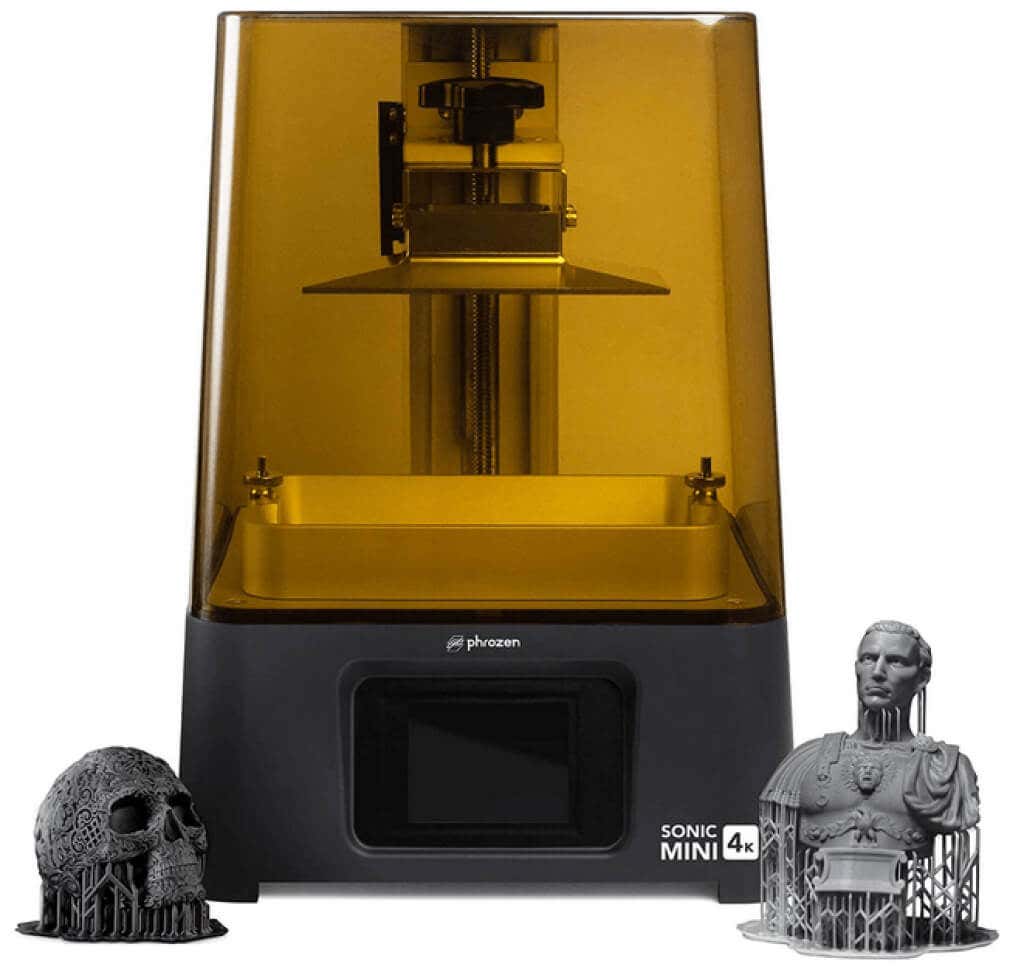
However, what makes Phrozen Sonic Mini 4K a better choice for printing miniatures is its XY resolution. It stands at 35 microns, which enables this 3D printer to create high details, even on small miniatures of only 28 mm. Its z-axis resolution is also impressive at 0.01mm.
4.Phrozen Sonic XL 4K– Best for High Precision
If you are searching for a professional MSLA 3D printer, capable of producing high-quality, high-detailed prints, Phrozen Sonic XL 4K might be for you. This machine was developed as an entry-level dentistry 3D printer with a parallel UV LED matrix system for high XY plane accuracy, and quick resin curing of 0.2 seconds per layer. It has a large print volume of 190x120x200mm, and accuracy of an impressive 10 microns. The Sonic XL 4K is popular among jewelry designers, so it’s more than enough for miniatures.
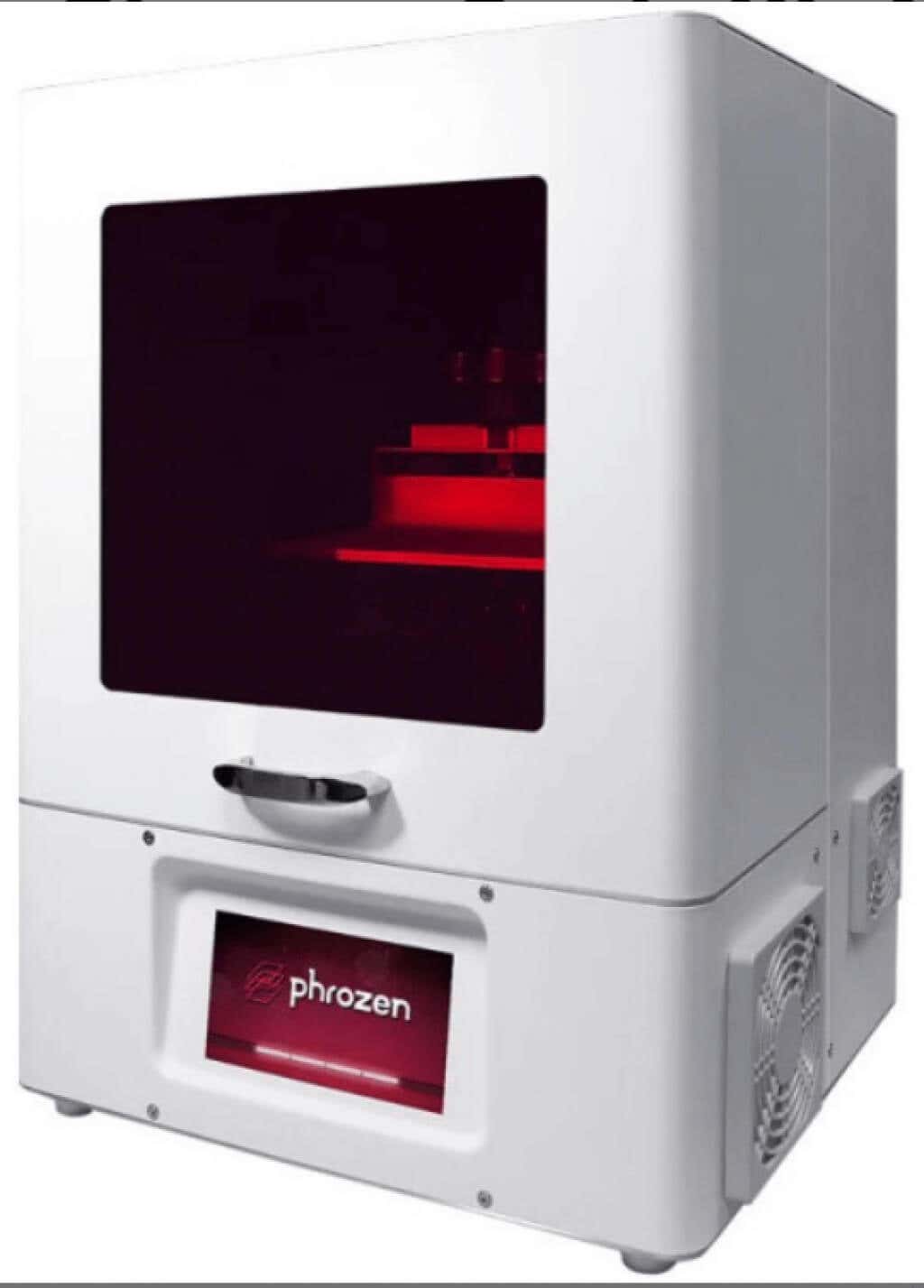
Phrozen Sonic XL 4K has a Dental Synergy slicer and software designed for ease of use. Other 3D resin printers on this list have a simple USB or Ethernet connectivity, but Sonic XL additionally provides you with microSD and Wi-Fi connection. This 3D printer is amazing in bringing out all the details in your miniatures, and it will bring your DnD or tabletop games to a new level.
5.Elegoo Mars 2 Pro– Best Budget Printer
Elegoo Mars 2 Pro can cost as low as $180 but its print quality is high. It is also impressively fast with printing a layer in 2 seconds. It has a mono LCD of only 2K resolution, but this is more than enough for a small build platform of 129×80 mm.
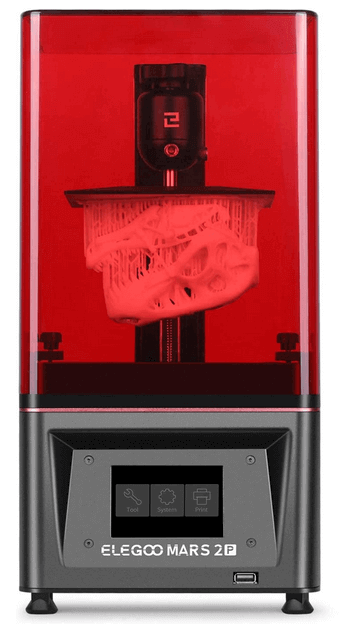
Mars 2 Pro can handle intricate details very well due to its XY resolution of 50 microns, and Z-axis accuracy of 0.00125mm. For such a small and low-cost 3D printing machine, Elegoo Mars 2 Pro has some luxurious features such as an in-built air system and touch screen controls. It also comes with a CHITUBOX slicer and tools that can hollow out the 3D models before printing. This will greatly save the printing material.
6.Elegoo Saturn 2– Best for Going Big
If you want to print bigger miniatures of monsters or your favorite game characters, you have two options. Either use 3D printers with smaller build volumes and glue the pieces together or use Elegoo Saturn 2 to print them in one piece. The second option is always better as you won’t risk the glued parts falling off or warping over time.
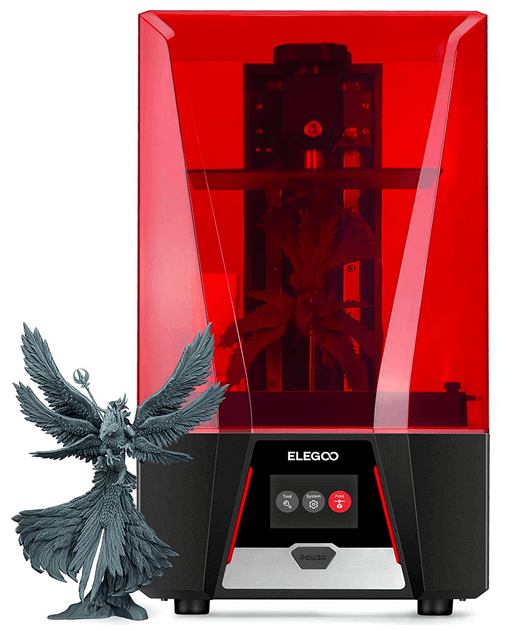
Elegoo Saturn 2 has a fine XY resolution of 28 microns and a Z-axis resolution of 0.01mm. But its most impressive feature is its large print volume of 218.88×123.12×250 mm. You can use it to either print one big piece, or to print a batch of multiple miniatures in one go.
7.Creality Ender 3 V2– Best for Printing Terrain
Creality is a producer of consumer 3D printers, and their Ender 3 Pro is a filament printer with a 220x220x250 mm build volume. It has many new built-in features that were lacking on previous Ender 3 models.
Among them are color LCD, silent mainboard, tool drawer, and many more. You can use Ender 3 V2 to print wargames miniatures, but you will have to sand them to get rid of the layer lines. But this 3D printer excels when it comes to printing terrain due to the high precision level and low price of the plastic.
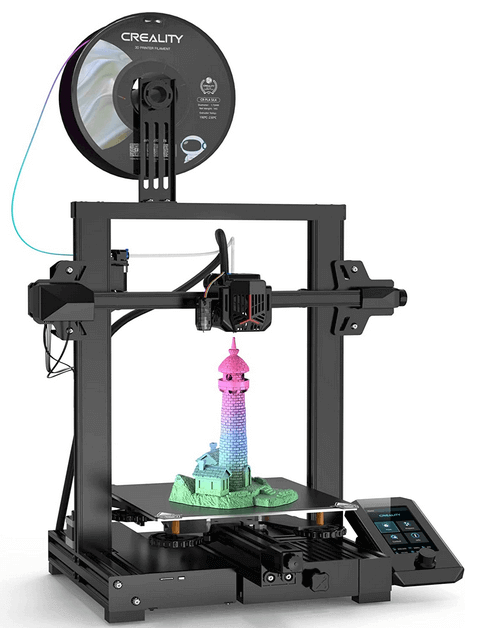
The precision of Ender 3 V2 is high for an FMD printer. The resolution of both the XY plane and the Z-axis is 0.1mm. This is not an impressive number when compared to SLM printers designed for creating detailed miniatures, but it is a good value for a filament printer, especially of such a small size.
8.Raise3D E2– Best for Variety of Materials
Raise3D E2 is a 3D filament printer with Independent Dual Extrusion (IDEX). It can print in a duplicate or mirror mode. It has a flexible heated printing bed which makes E2 an ideal machine for printing with different materials. That means that you can create miniatures and terrain not only from plastic but also from carbon fiber, glass fiber, metal, or wood fill. Impressive!
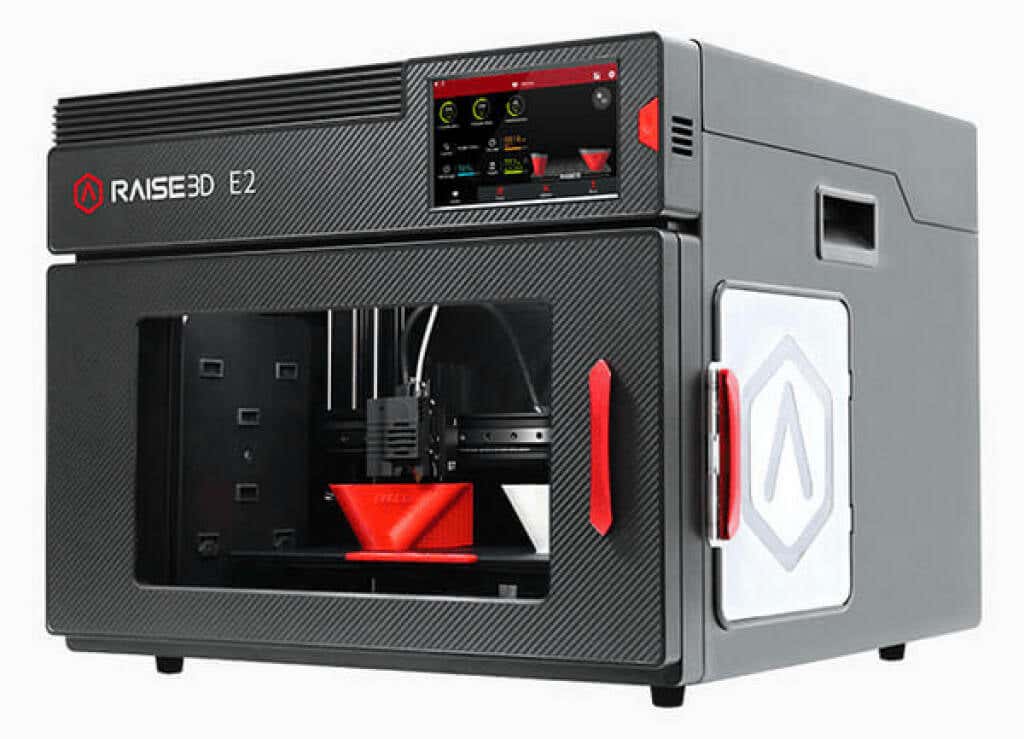
The E2 3D printer has a large build volume of 330x240x240mm, ideal for terrain and buildings for tabletop games. It has a video offset calibration system for the build plate and easy-to-use software. However, this is a professional 3D printer and its price reflects this. Aside from the high price, the only other downfall of this machine is that it requires thorough cleaning that will take a lot of time.
- Is a Smartwatch Worth It in 2025 and Beyond?
- 7 Best Linux Laptops in 2025
- 14 Best Options for Video Game Rentals in 2025
- 12 Best Portable Wi-Fi Routers for Traveling in 2025
- Insta360 Ace Pro Vs GoPro HERO12 Black: Which Action Camera Should You Get in 2024?
Whether you want to print out tools and parts for DIY projects, or something fun like a 3D printed Baby Yoda, you’ll need to find 3D printer models. It’s still a new space, and creating detailed models is a lot of work, so resources are still limited.
There are still a few gems out there that offer some great models for you to download and print for your own personal use. We’ve picked out a number of them that you’re sure to like.
Unless we explicitly state it in the opening paragraph, all websites featured in this article offer 3D models for free download. If you’re looking for 3D printers instead, here’s a list of great starter models.
Cults 3D– 3D Printer Model Platform
Cults 3D is a huge platform for creating, selling, and buying 3D printer models. Whilst some models must be purchased, there are also thousands of free 3D printer models to download too.
To get started, simply visit the website and search for something you’d like to print. Alternatively, visit the collections page and look for 3D models within certain collections. Popular collections include Star Wars, Harry Potter, and Pokemon.
For more productive prints, the useful objects collection might take your fancy. This includes projects like 3D printed smartphone holders, clamps for DIY work, or kitchen tools like egg separators and bag clips.
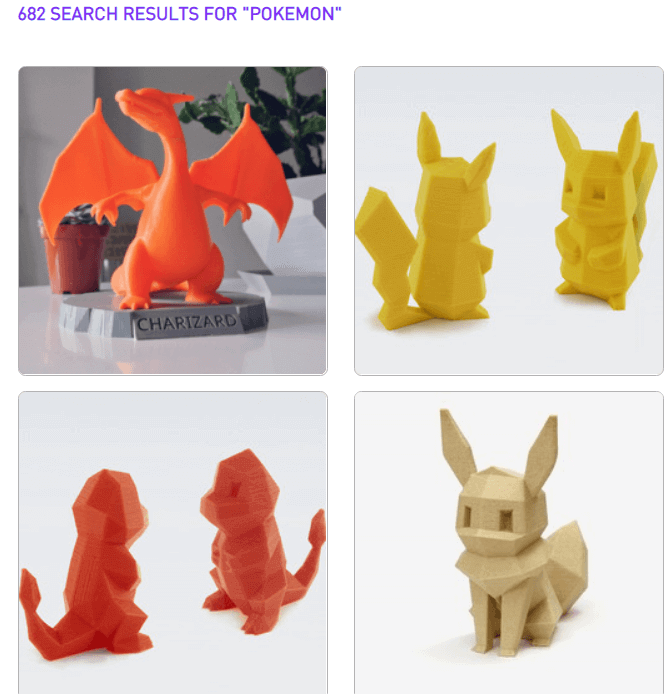
Please note that all of these 3D printer models are user submitted, so print instructions, model quality, and support will all vary from model to model. You can sort your search results by download or like count to make it easier to find good models.
If you can’t find what you’re looking for, you can find a creator to make a 3D model for you with the on demand feature. You must list the specifications of the model, give a budget, and choose a deadline. The more you provide in terms of specifications and illustrations for the print, the better.
Yeggi– Search Engine for 3D Printer Models

Yeggi doesn’t offer up 3D printer models itself, but instead provides a powerful tool to search for 3D models. Yeggi has been around since 2013 and since then there hasn’t really been any decent competition to make us suggest an alternative. Since Yeggi sends you to approved third party websites, some 3D models are only available for purchase. However, 90% of all models that appear in Yeggi’s search engine are free to download.
Yeggi has over 2 million 3D printer models in its database, so a quick search should return some good results. The search tools aren’t as comprehensive as Google, but you can still sort results by best match, popularity, or most recently added.
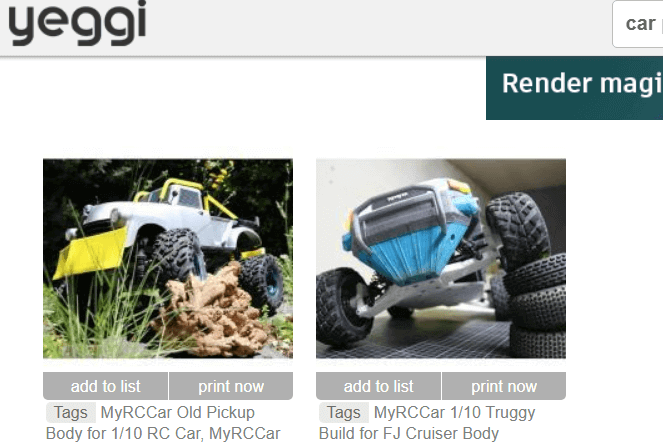
You can also filter out free or for sale models so that you get the results you need. Our only gripe with Yeggi is that searching for that perfect model often leads to clicking back and forth between multiple different websites, so be prepared to go through plenty of tabs on your browser.
Thingiverse– Find 3D Printing Projects
Despite the name, Thingiverse isn’t just about printing out things. It’s a great platform for finding fun, educational projects and to join a community. Take this LTB weather station for example. It’s also a great place to engage with other 3D printer owners and learn about what they’re building.
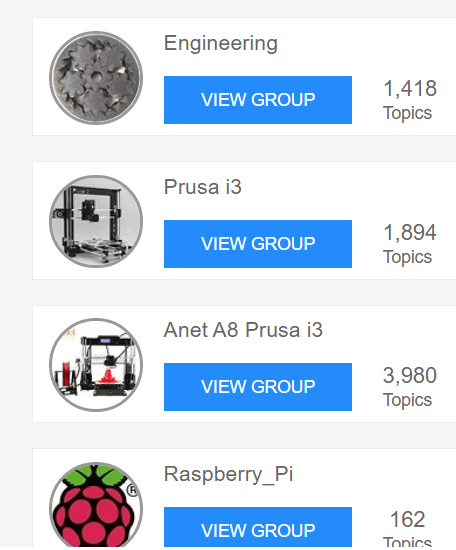
You can find specific groups so that you can interact with like-minded people. For example, some popular groups include engineering, Raspberry Pi enthusiasts, board game creators, Star Wars, and Warhammer 40K.
If you are after things to print out, that’s possible, too. The search bar is the best tool to use to find 3D printer models to print out. For example, a quick search for Baby Yoda returned hundreds of results, sorted by popularity.
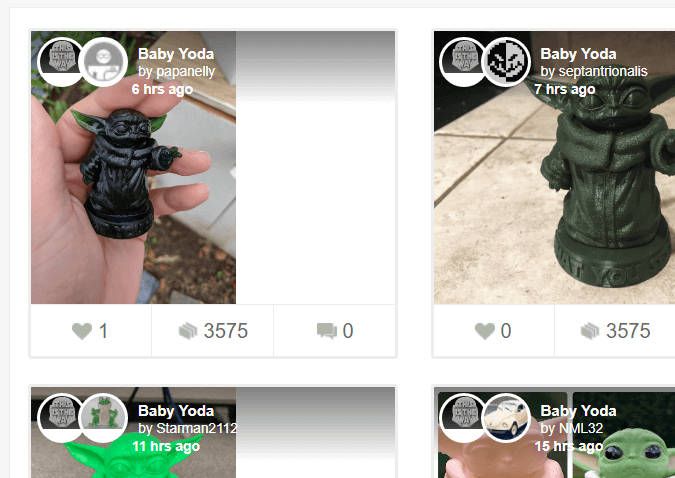
Because of the community-led focus, you’ll have more tools to engage with each creator’s project. Let’s say you wanted to see how a specific 3D Baby Yoda print would actually turn out. You can see the Makes tab to view other user’s results after printing the model you are currently viewing.
YouMagine– Community Created Prints
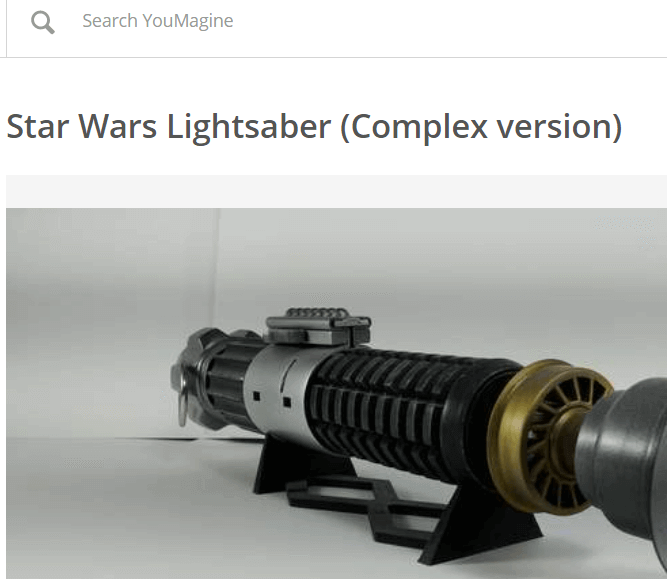
YouMagine is driven by the community, perhaps more so than the other platforms we’ve listed so far. The goal behind YouMagine is to create an open source platform where individuals can work to create, edit, and collaborate on 3D printer models without any content restrictions.
That means models will often use a Creative Commons license. Typically, models will use CC Attribution Noncommercial Share Alike, which means you can download 3D models for free, edit, and reshare any work, but you cannot use it commercially.
For now, YouMagine’s community is a little smaller, but if you’re looking to collaborate with others on 3D printer models or want to find the starting work for your own 3D designs that you can print later, YouMagine is a great tool.
Instructables– For 3D Printing Projects
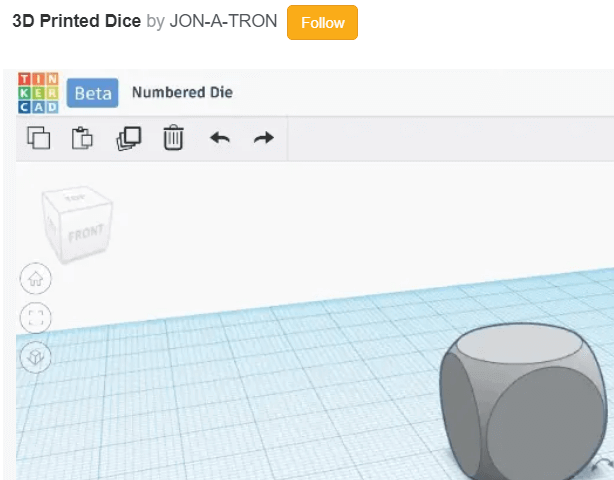
Instructables isn’t just about 3D printer models but it’s a great website to find fun, engaging projects that do utilize 3D printing. You’ll be able to find projects with full guides and downloadable model files.
Not only does this mean that you can print out some useful models, but you can learn how to do everything along the way. Download parts to build your own 3D printed toys, or learn how to create your very own 3D printable models too.
- The 8 Best Sports Streaming Sites in 2025
- The 10 Best Free Image Hosting Sites in 2025
- 8 Best Crowdsourcing Sites to Fund Your Business Idea in 2025
- 10 Best Free Audio Converter Tools (Online & Offline)
- 7+ Free Tournament Bracket Generators and Templates
‰PNG IHDR Ð ø£-d ·PLTE $$&)+,-1"7*E -J2T 3X"8^#9c)
Home 3D printers have now been on the market for many years and are affordable to anyone who wants one. They’ve grown from a hobbyist curiosity to useful tools that can help you fix small problems around the home, create art pieces or help you prototype parts for projects. The uses for a 3D printer are only limited by your imagination!
Now, however, an entirely different type of 3D printer is entering the home market. These “resin” 3D printers use very different principles to create 3D objects compared to the ones you may have seen thus far. What is a 3D resin printer and should you buy one over the more traditional models already out there?
A Recap of Conventional 3D Printers
What most people think of as a “3D printer” is actually something called an FDM (fused deposition modelling) printer. It runs a filament of material (usually plastic) through a hot extruder head and then deposits precise layers of the material to slowly build up the model.
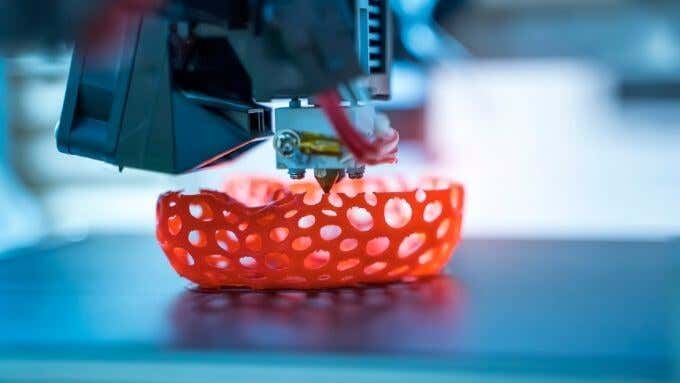
The most common FDM machine is the “Cartesian” type of 3D printer. This has a print head mounted on movable rails that can put the tip of the head precisely at any XYZ coordinate within the build volume of the printer.
Whatever type of FDM printer you’re looking at, it’s the layered extrusion of filament material that’s shared among them all. Resin printers are fundamentally different in this regard.
Resin 3D Printers Explained
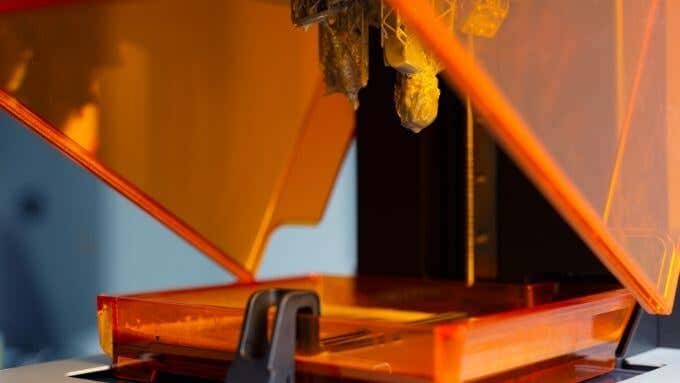
Resin 3D printers differ in a few fundamental ways from FDM printers. First, the material is a liquid resin rather than a spool of filament. This liquid is kept in a reservoir.
The resin printer still uses a build platform for the model that’s being printed, but it’s usually upside down. The platform is lifted out of the resin vat as each layer is formed. The resin itself is light-sensitive and cures when exposed to the right type of light.
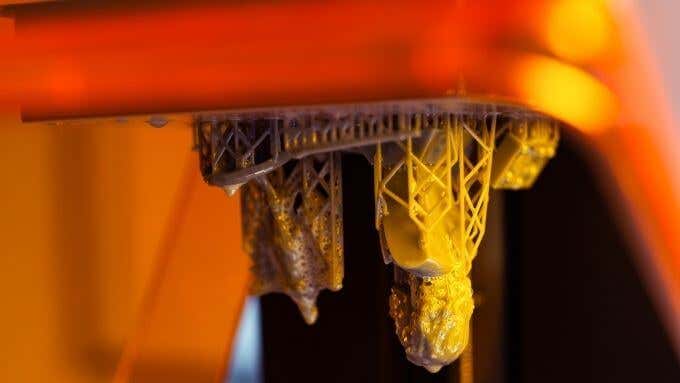
A precision light source is used to form each layer on top of the previous one until the entire finished model has been pulled from the vat. It certainly looks much more futuristic than FDM printing!
Types of Resin Printer: SLA, DLP & LCD Technology
While all resin printers use the basic principle of curing photosensitive resin with a light source, they don’t all do it in the same way. There are in fact three major subtypes of 3D resin printers.
SLA: Stereolithography
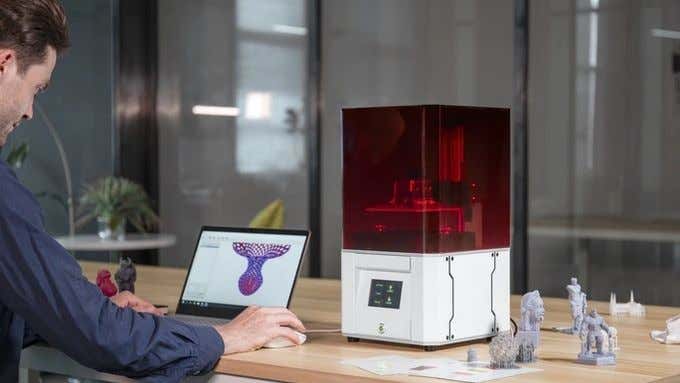
The Solidmaker Laser 3D Printer
SLA is actually the original 3D printing technology and has a long history in engineering, especially in aerospace.
This type of printer uses a laser and movable mirrors to direct a small point of light. Wherever the ultraviolet laser is focused will harden the resin, so each layer can be rapidly drawn.
SLA printers can have the upside-down inverted design, where the model looks like it is pulled up out of the tank, but they can also have an upright design where the platform is lowered into the tank of resin as each layer is completed.
SLA printers generally produce very smooth surfaces and offer high-precision detailed prints.
DLP: Digital Light Processing

The Spintray Moonray DLP Printer
You may have heard the term “DLP” in relation to projector technology before and that is indeed the connection here. DLP resin printers use the same digital micromirror technology that DLP projectors use to project images.
In this case, the DLP projection is used to cure an entire layer of resin at a time, which makes DLP printers a little faster than SLA models, which only cure one point at a time.
DLP resin printers are also known for nice smooth surfaces, but large print areas might not show the same sharp and accurate detail as laser-based SLA machines.
LCD: Liquid Crystal Display Resin Printers
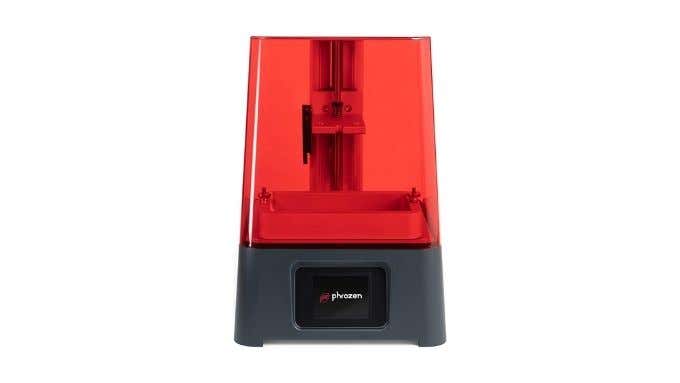
The PHROZEN Sonic Mini UV Photocuring LCD Resin 3D Printer
These printers use a monochrome LCD panel with a UV backlight to cure each layer. The LCD panel essentially acts as a mask by selectively blocking out light or letting it pass. This is a clever use of mature and well-understood LCD technology and has driven the cost of resin printers down dramatically. Most of the affordable resin printers that you can buy today use LCD technology.
LCD resin printers are faster than SLA machines and more accurate than DLP printers, which can exhibit distortion. The downside of LCD printers is that they have a shorter lifespan than the aforementioned technologies and they need more maintenance.
The Pros and Cons of Resin Printers
So why should you (or should you not) buy a resin printer over the more conventional FDM machines?
On the positive side of the equation:
- Resin printers offer much more detailed and smooth models.
- Resin prints don’t require extensive post-print finishing to look good.
- They are faster than FDM machines.
- Resin models are generally stronger and more resilient.

On the negative side of the equation:
- Resin printing is more expensive overall.
- It’s messier and requires more maintenance.
- You need to prepare a safe environment to print in and store your resin.
- Resin printers have smaller build volumes on average.
- Uncured resin is toxic and has to be handled with significant care.
It’s important that any prospective resin printer owner be entirely prepared for the reality of resin printing, the dangers, environmental issues and maintenance burden. Take the time to watch a few YouTube videos to see the printing process from start to finish.
Who Should Buy a Resin Printer?
The main market for desktop resin printers is people who need to make small, finely detailed models. For example, if you want to create detailed pieces for tabletop gaming or intricate 3D jewelry, a resin printer might be a good option. If you are a 3D sculptor using software such as Zbrush , only a resin printer is going to do your finely detailed models any justice.
It is entirely possible to paint resin models, although you need to follow a lengthy process of preparing the resin surface to hold paint. If you don’t need the detail and quality of resin prints, then you’re far better off opting for an FDM 3D printer. You can also improve your FDM print finish quality by using techniques such as sanding, for a smoother model surface.
3D Resin Printer Recommendations
There are more and more resin printer choices on the market as time goes by, but one or two options stand out.
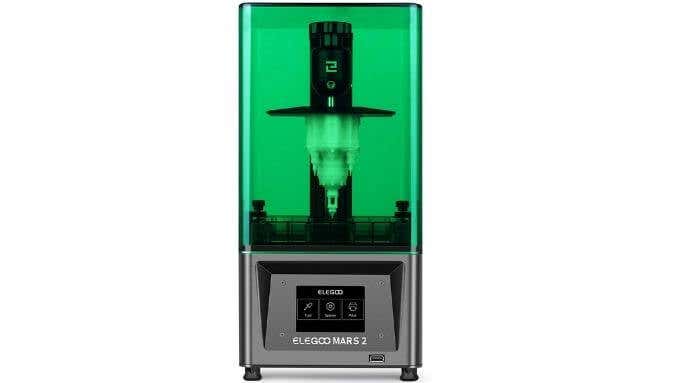
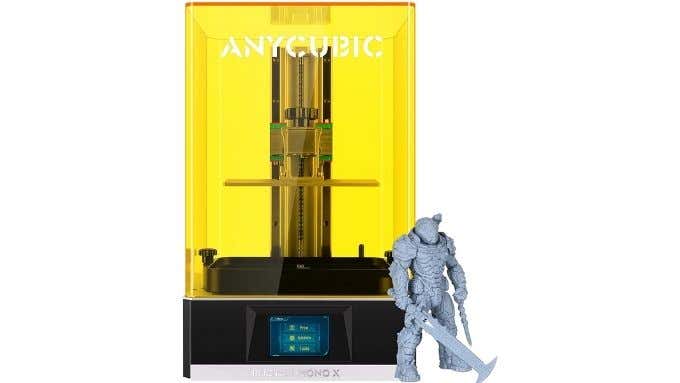
The AnyCubic Photon Mono X also caught our eye as a much more high-end (and costly) option. The substantially higher asking price nets you a larger, higher-resolution LCD panel and an impressive build volume, at least as far as resin printers go.
Of course, you should do your own research according to your specific needs, but based on customer reviews and their specifications, these two printers are a great place to start.
- Tribit StormBox 2: The Under $70 Portable Speaker that Stands Out
- ENGWE L20 2.0 Review: The Best Budget-Friendly Foldable E-Bike?
- TopDon TC004 – a Thermal Imaging Camera That Will Give You Predator Vision
- Newyes Portable Wireless Thermal A4 Printer Review
- Eskute Star Folding Fat Tire Electric Bike Review
‰PNG IHDR Ý «„¬n PLTE! #$#"! “”%%##$#(("’&%&&%(’’+%++’(((+).-(-++.+/)/,+0.,20,…-2,3/.12.00/42115/421671743854494765;888;6<98=;:;;:@=
ÿØÿà JFIF ÿÛ C !%0)!#-$9-13666 (;?:4>0563ÿÛ C 3"“33333333333333333333333333333333333333333333333333ÿ “ ÿÄ ÿÄ ÿÚ ýt¤ ¤))u z–n—•|ôê= ¼h Þz`€ íy¬í³Õ– ¥<
