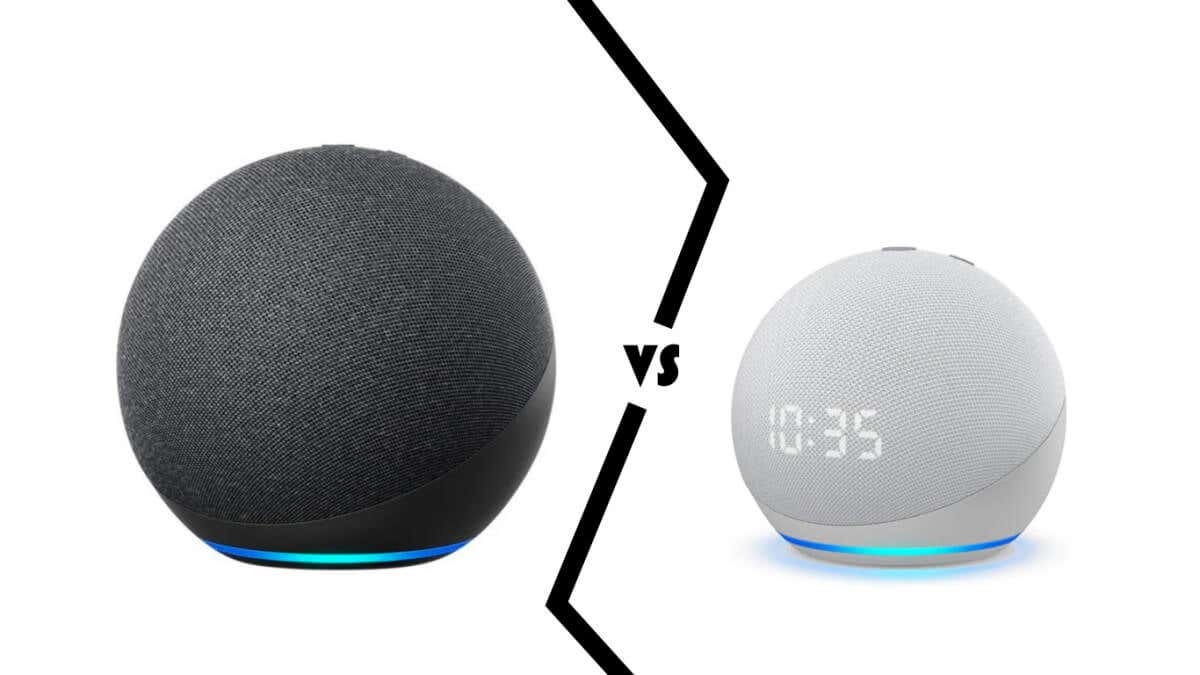
Sound quality is also on par, even if the Echo boasts of a larger, slightly more powerful speaker. And while the Echo has more microphones to catch your voice commands better, you’re unlikely to run into issues with Echo Dot’s four microphone array either.
If you can get the latest Echo Dot 5, you even get temperature and motion sensors that were lacking in the previous generation. And since Echo has yet to get a Gen 5 upgrade, you get a better processor with the new Echo Dot.
Aesthetics
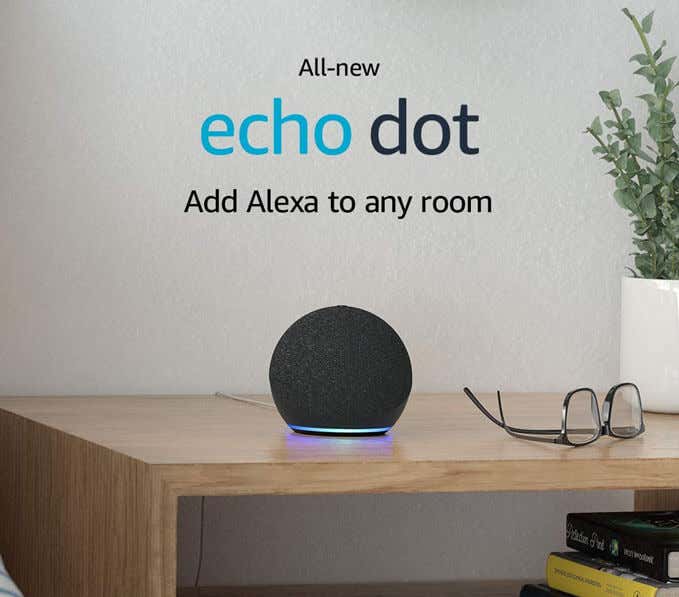
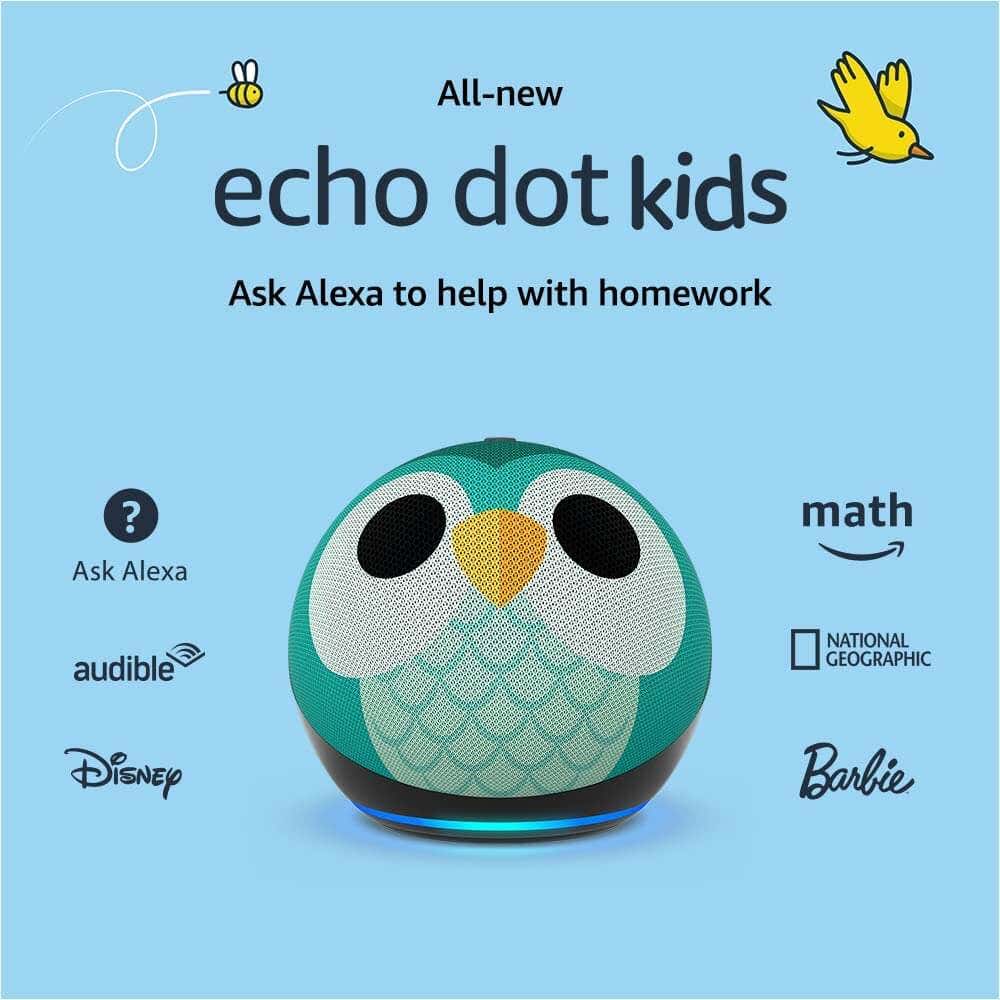
With the 4th Gen, both the speakers were converted to fabric-covered spheres with better acoustic and aesthetic quality. The only difference between them is the size – the Echo Dot is much smaller than the more powerful Echo.
Both devices also feature an LED ring around the base that lights up in different colors depending on the state of the device . Some versions of the Echo Dot also come with printed skins and an LED clock on the device, making it visually distinct from the more somber look of the Echo (and a normal Echo Dot).
Sound Quality
The transition to a spherical design turned both Echo devices into 360-degree speakers, boasting better sound quality. On top of that the speakers use Dolby processing to provide cleaner vocals and improved bass response, further elevating the audio performance.
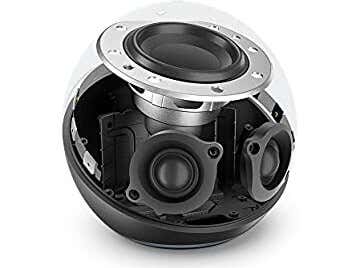
Obviously, the Echo possesses a larger speaker, a 3-inch woofer, and a pair of 0.8-inch tweeters, giving it an edge over the smaller Echo Dot, even in its latest form.
That being said, both speakers make for excellent standalone speakers, thanks to their ability to sense the acoustics of the room and adjust their dynamics accordingly. You can also pair multiple Echo speakers (or Echo Dot, for that matter) to create a whole stereo sound system.
Smart Device Compatibility
The Echo speakers make for great smart home hubs , allowing you to control your smart devices using Alexa voice commands. Both Echo and Echo Dot possess this functionality, though the specific frameworks supported vary a bit.
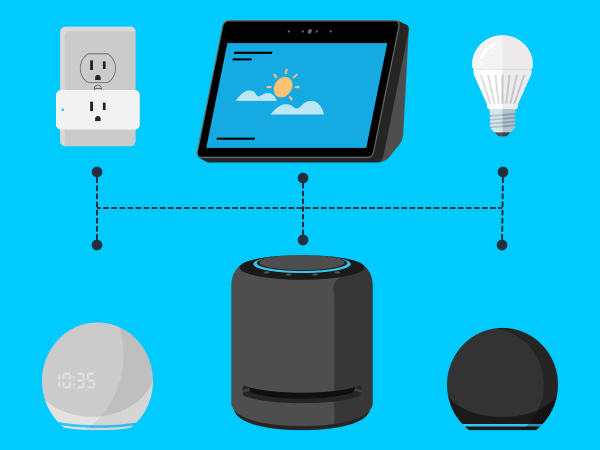
Devices designed especially for Alexa – like Philips Hue lights – work seamlessly with both speakers, no matter which version. Echo and Echo Dot can also serve as the bridge for any smart devices belonging to the Sidewalk ecosystem (as well as Matter, but that’s because the standard is intended to be cross-platform).
Zigbee smart devices, on the other hand, can only use the 4th Gen Echo, making it a must-buy for those with a Zigbee-based smart home network. Similarly, only the 5th Gen Echo Dot can act as an Eero Wifi extender, adding a handy functionality for anyone with an Eero router.
Alexa
You can set routines , do your shopping , and of course, listen to music using Alexa.

The Echo Gen 4 comes with the AZ1 Neural Edge chip, while the newer Echo Dot uses the latest AZ2 Neural Edge processor, giving it a small fillip in performance. The machine-learning optimized silicon also lets both Echo speakers offer advanced features like Natural Turn-Taking and Guard Plus.
Pricing
The standard pricing of the Echo speakers has been kept at nice round figures, with the Echo costing $99.99 and the Echo Dot exactly half of that – $49.99. For the Echo Dot, you can also get the clock variant at $59.99.
Of course, these prices rarely remain static, with offers and discounts often driving the price down significantly. And that’s before you look into the older generations of these speakers that are already marked down from their original prices.
Features Exclusive to the Echo Dot
If budget isn’t an issue, you should consider getting both Echo and Echo Do t. The Alexa ecosystem works best when you have an Echo device in every room, and Echo Dot is priced low enough to throw down a couple in random spots.
The Dot is especially suited for your kids and even as an alarm clock for your bedroom, while the Echo’s greater audio output makes it the better music solution for the living room. The Echo Dot can also be put down as a wifi mesh extender for an Eero router, covering blind spots with network connectivity and music.
But you can’t go wrong with the Echo Dot if you have to get just one. Sure, the bigger Echo has better speakers, but the Echo Dot offers more features and a more advanced processor. Unless you’re looking to use the speaker as a Zigbee bridge, there’s nothing the Echo can do that the Echo Dot can’t.
- Tribit StormBox 2: The Under $70 Portable Speaker that Stands Out
- ENGWE L20 2.0 Review: The Best Budget-Friendly Foldable E-Bike?
- TopDon TC004 – a Thermal Imaging Camera That Will Give You Predator Vision
- Newyes Portable Wireless Thermal A4 Printer Review
- Eskute Star Folding Fat Tire Electric Bike Review
If you don’t have a full-sized printing machine at home and often need to print a document on the go, check out the Newyes portable printer . This wireless printer is lightweight and small enough to fit in your bag. Not to mention it’s environmentally friendly, since it uses thermal paper instead of ink.
Follow our review of the Newyes portable wireless thermal printer to see if it suits your printing needs.
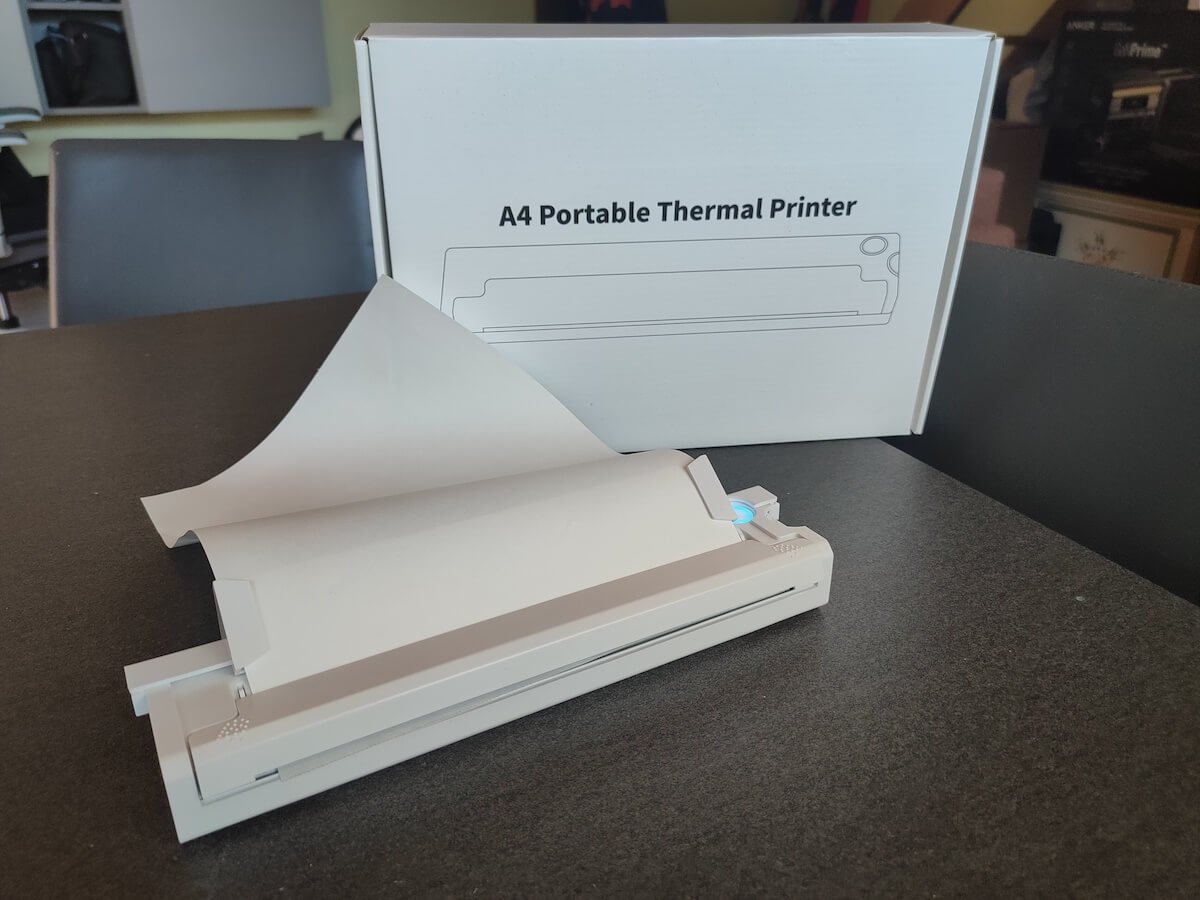
Newyes Portable Wireless Thermal A4 Printer: First Impressions & Specs
When I was a student, I remember my university always required hard copies of documents. Luckily, there was a print shop on campus where I could always pop in to print something.
Then I became a professional, and to my surprise many life spheres still required me to have printed versions of documents with me. Of course you can get your own full-sized machine to print things at home, but if like me you live in a small apartment, you value every extra bit of space and don’t want a massive printer to take it up.
One day, when I was looking for a neighbor with a printer to help me with my event tickets, they introduced me to the concept of a portable printer. Seeing how easy it is to use, I immediately wanted to get my hands on one of those. So here I am, reviewing one of the most useful gadgets I received recently – the Newyes portable thermal printer.
Before we continue with this review, here is the full list of specs of this printer.
- Model: Newyes LD0801
- Dimensions: 10.4 x 1.2 x 2.28 in (265 x 58 x 30.5 mm)
- Weight: 16.8oz (475g)
- Paper format: A4
- Paper width: 210mm or 218mm
- Printing Type: thermal paper
- Resolution: 203DPI
- Connectivity: Bluetooth
- Charging port: USB type-C port
- Input Voltage: DC 5V / 2A
- Battery: 1200mAh lithium battery
- Charging time: 75 min
- Automatic shut down: after 30 minutes
- Stand-by: about 30 days
- Extra features: LED light, reset, on / off switch button
- Color: white, black
- Warranty: limited one year warranty
- Price: $199 on the Newyes website
If you find yourself in need of hard copies of important documents while on the move, the Newyes portable wireless thermal printer will become your go-to gadget. Newyes calls it “the world’s smallest printer”, and with the weight of under 500g this seems plausible. This mini printer offers a handy solution for those moments when you need to quickly print an important document but don’t have access to an office setup.
Operating this printer is a breeze – a simple Bluetooth connection is all that’s required. Once connected, just fire up the app, choose the file you want to print, and send it over. Efficiency is at the forefront, and you can easily print multiple sheets by inserting new pages back to back.
The only limitation this printer has is that it can only print in black. So even if your original file is in color, the printed document will still come out in black and white. Other than that – you can print a variety of file types including Excel, Word, PDF, JPG, PNG, and web pages – and it only takes seconds.
The Newyes portable wireless printer combines convenience, portability, and efficiency – all the things I appreciate in a modern gadget.
Design and Unpacking
Let’s have a closer look at the design and build of this smart printer, as well as what you get included in the package when you purchase it.
What’s in the Box
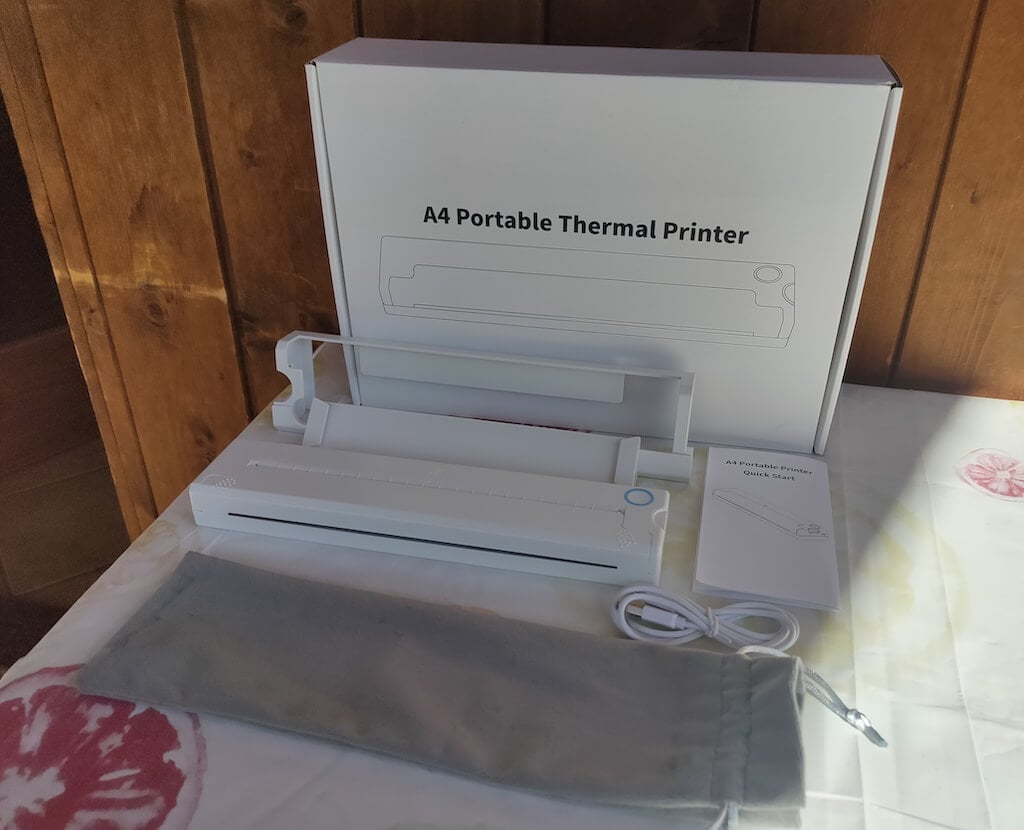
Here’s everything you’ll find when unpacking your Newyes portable thermal printer:
- The Newyes portable wireless thermal printer
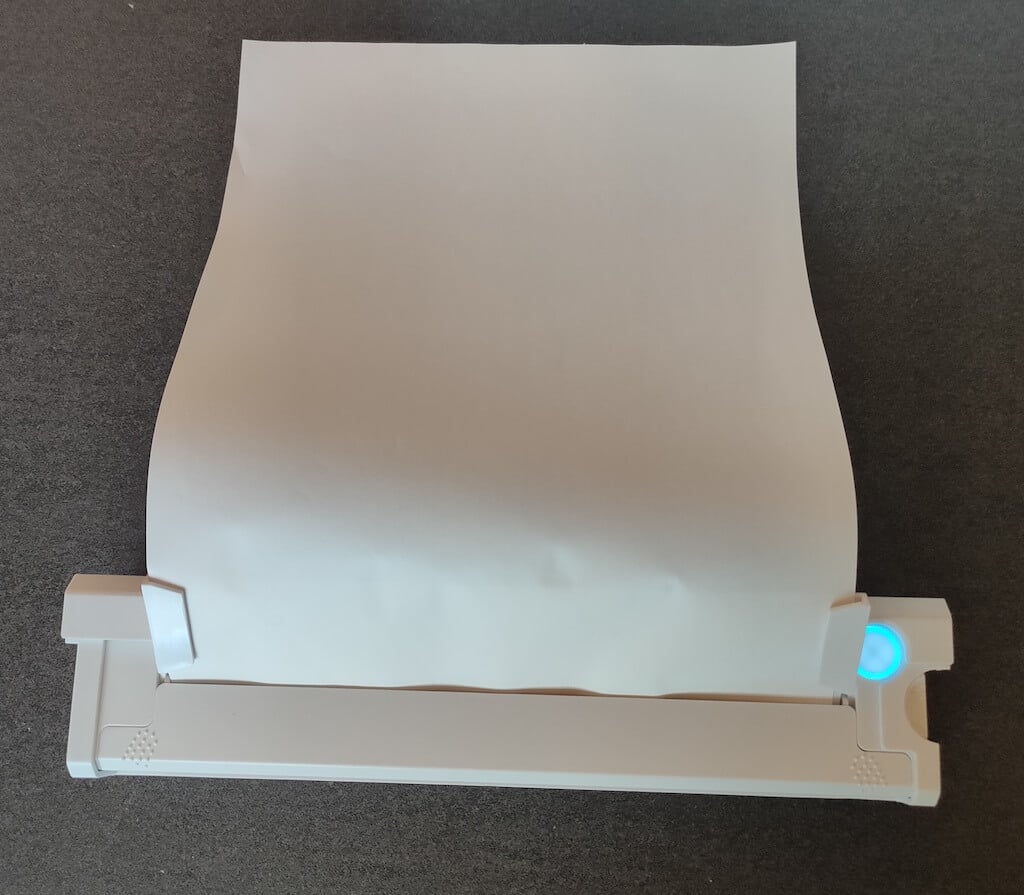
- Bracket
- USB type-C cable
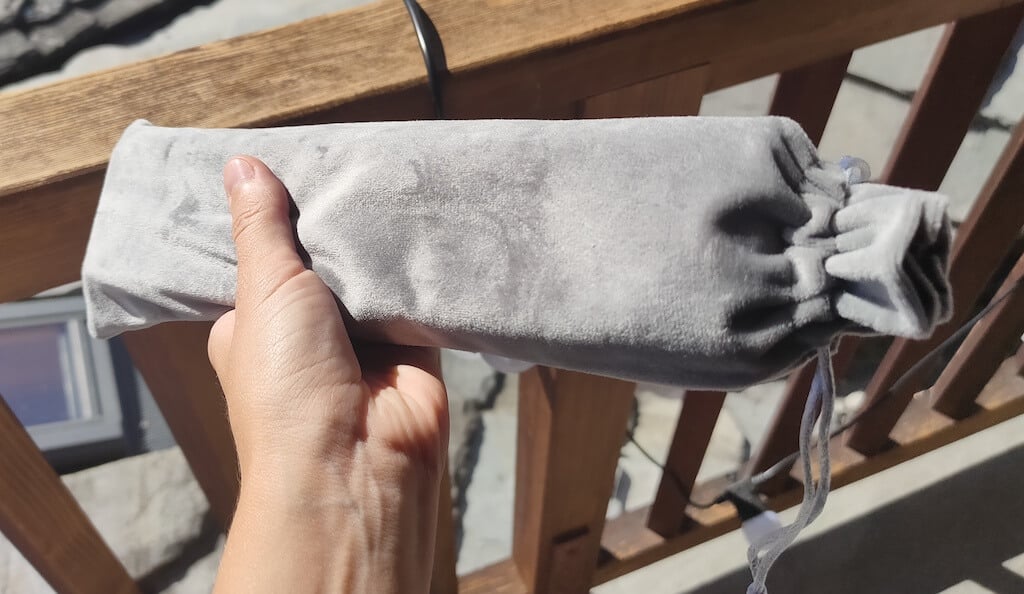
- Storage/carrying pouch
- 100pcs thermal printing paper
- User manual
You can use the Newyes portable printer right out of the box, as you’re all set with essential accessories. Aside from the printer itself, the package includes a bracket which will make printing more than one page smoother, a convenient storage bag for carrying your printer with you, a USB-C cable for charging, and a supply of 100 pieces of thermal paper to get you started.
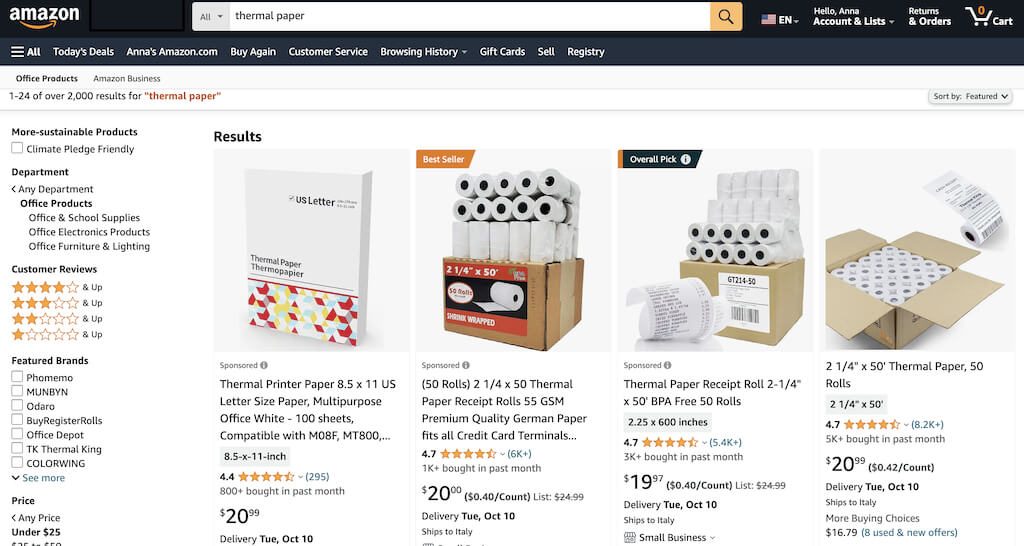
One important thing to remember is that this printer only works with thermal paper. While thermal paper is significantly more expensive than normal paper, this printer also uses inkless printing and works without a ribbon and toner. Since you don’t have to spend money on ink, carbon ribbons or toner cartridges, you ultimately end up saving money with thermal paper.
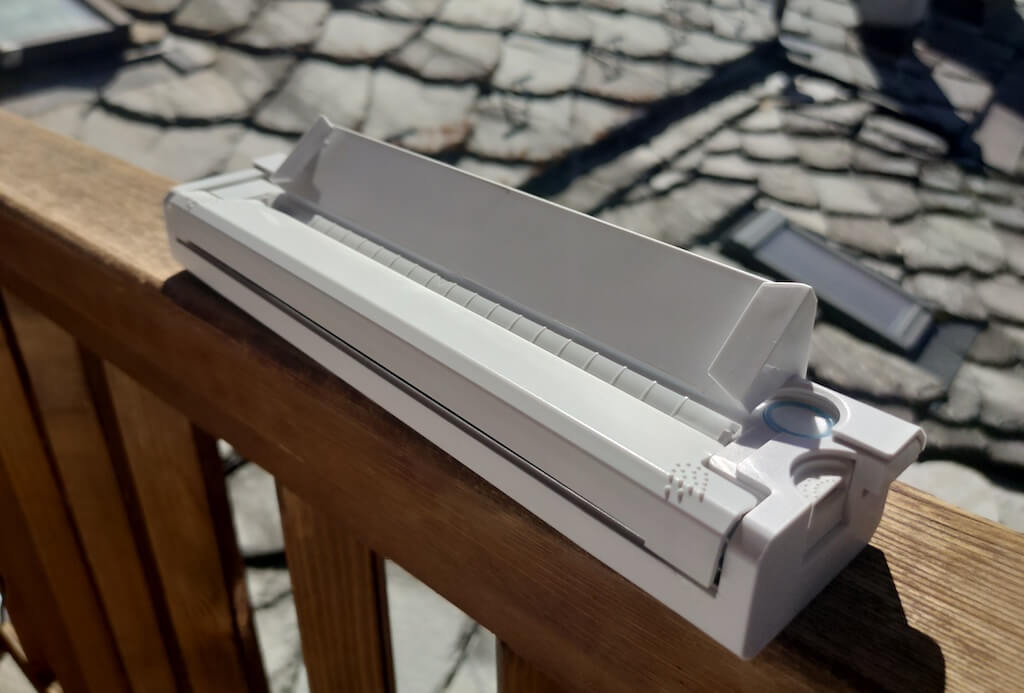
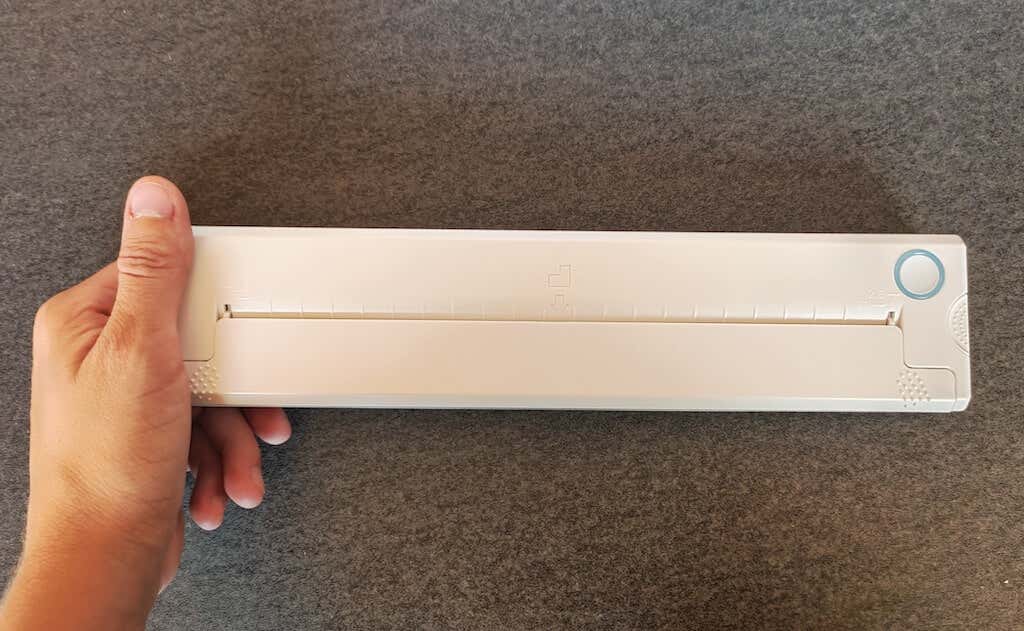
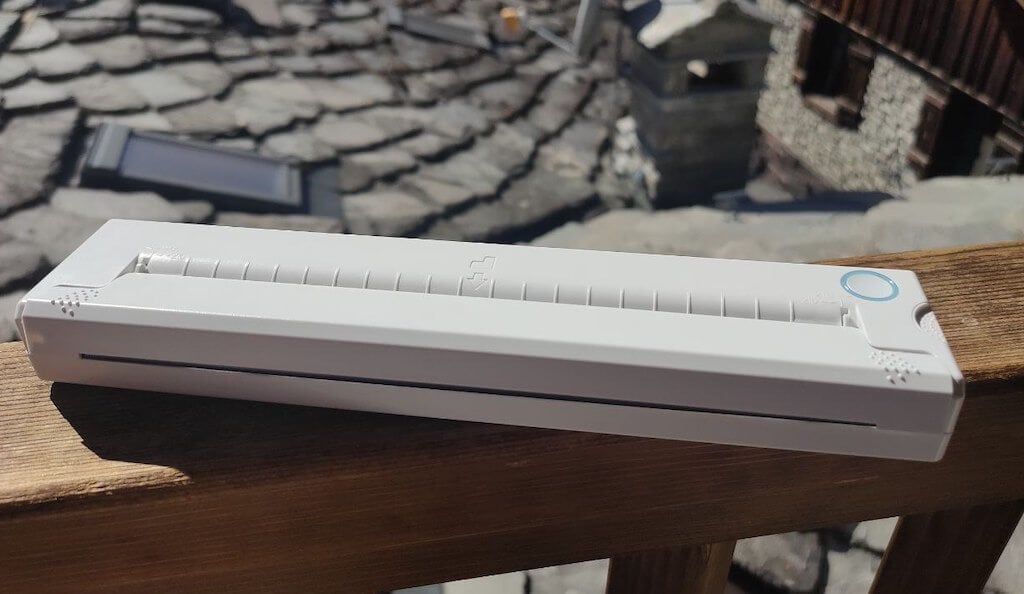
The Newyes LD0801 is a pocket-sized printer that features straightforward design. For the purpose of this review, I had a printer in white color. The printer looks like a small white brick with just two pressable buttons on top – one for switching it on and off, and another for opening the printer’s cover. You’ll also see the paper entry slot on top of the printer.
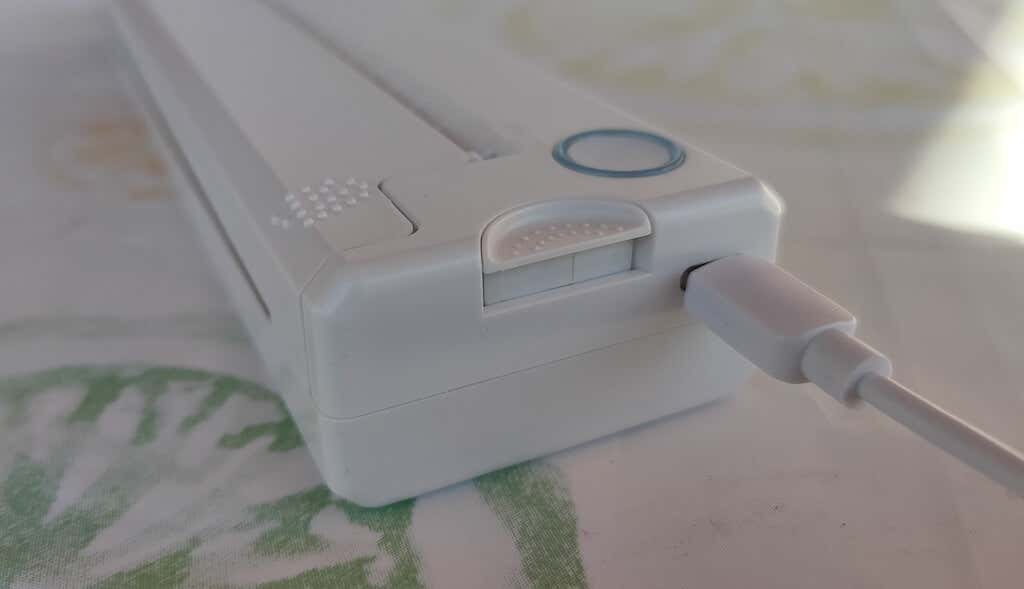
On the side of the printer, you’ll find a single charging port.
The printer is made of plastic, but the build feels sturdy. I never have to worry about throwing it into my bag or damaging it when traveling. Besides, you can use a nice carrying pouch included in the package for protection.
Performance & Features
According to Newyes, the portable printer has a “handheld size and two times the weight of an iPhone”. This can give you an idea of how portable and convenient this little gadget is. In a month of testing, I used it at home, in a store, and even in a car while on the road.
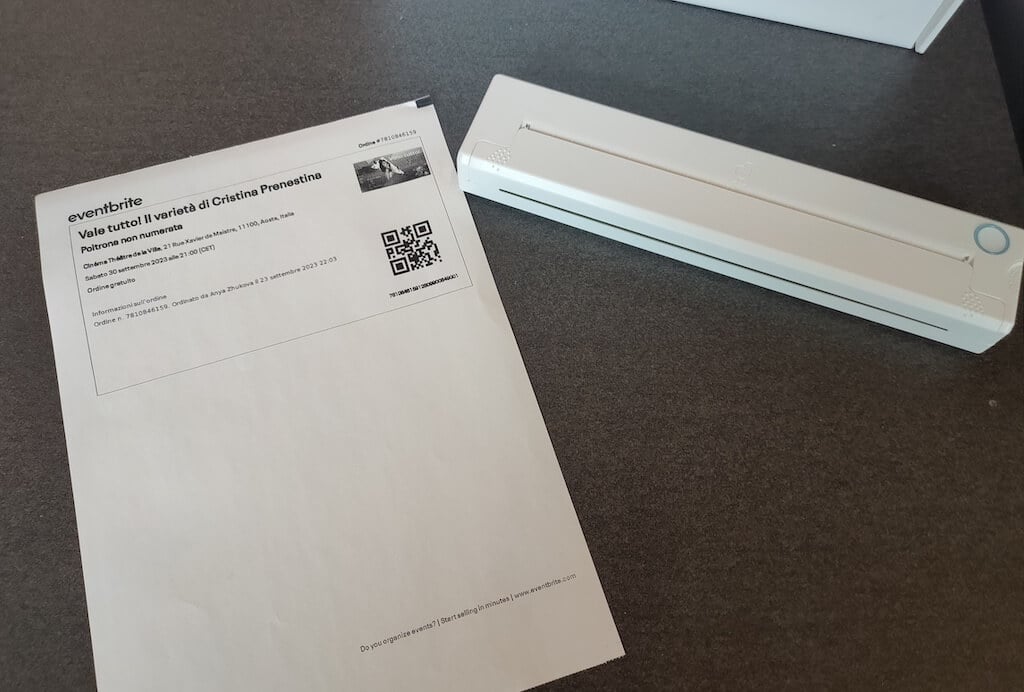
Using the printer is unbelievably easy. Connect it to your mobile phone via Bluetooth, press the button to turn the printer on and put a sheet of thermal paper into the paper entry slot. Make sure to use thermal paper and not standard paper, and put it with the black marks facing down. Bear in mind that the thermal printer can only print in black and white and only on one (marked) side of the thermal paper sheet.
Then open the iPrint app on your smartphone. If you’re printing an A4 document, you can select one of two options – Photo Printing and Document Printing . Then choose the document from your phone’s files and print it.
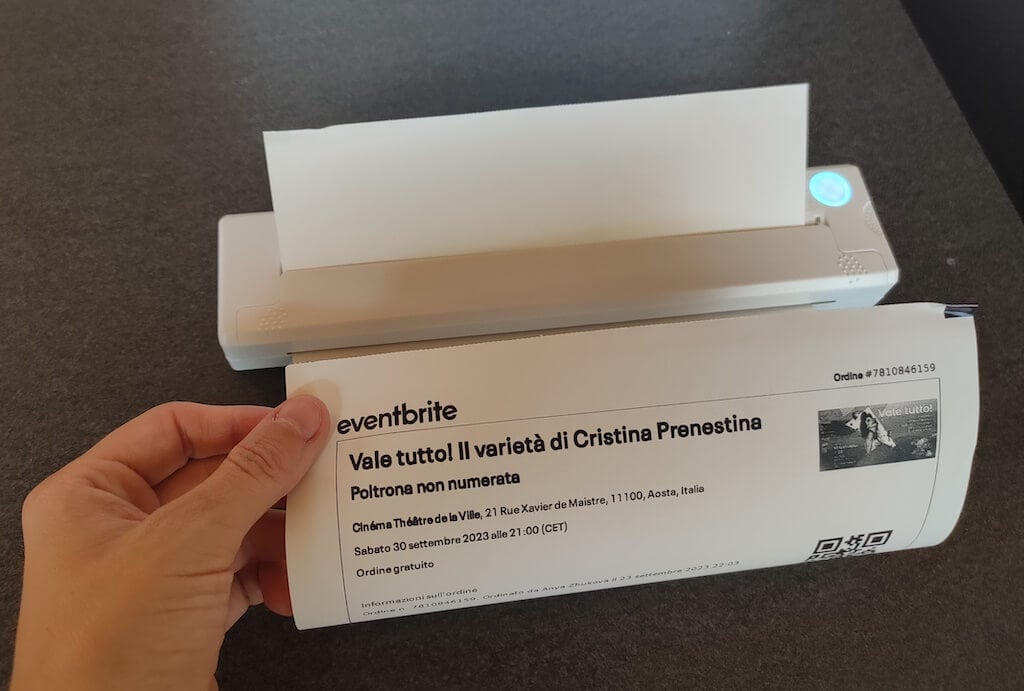
The printer is reliable and in the time that I used it the Newyes LD0801 never let me down. The printing quality will surprise you, as it’s sometimes better than what you get from a full-sized printer. The printer supports printing in various formats, and you can use it to print documents from your smartphone (Android and iPhone), iPad, and Android tablet.
When fully charged, the printer can support up to 90 pieces of paper continuously, which is very impressive for a gadget of such a small size.
Software
The Newyes portable printer requires an iPrint app to operate. The app is available for free on iOS and Android. You’ll need to download the app on your device from the App Store or Google Play before you begin printing your documents.
The app has a simple and user-friendly design. You’ll need to pair your device with the printer on the first use via Bluetooth.
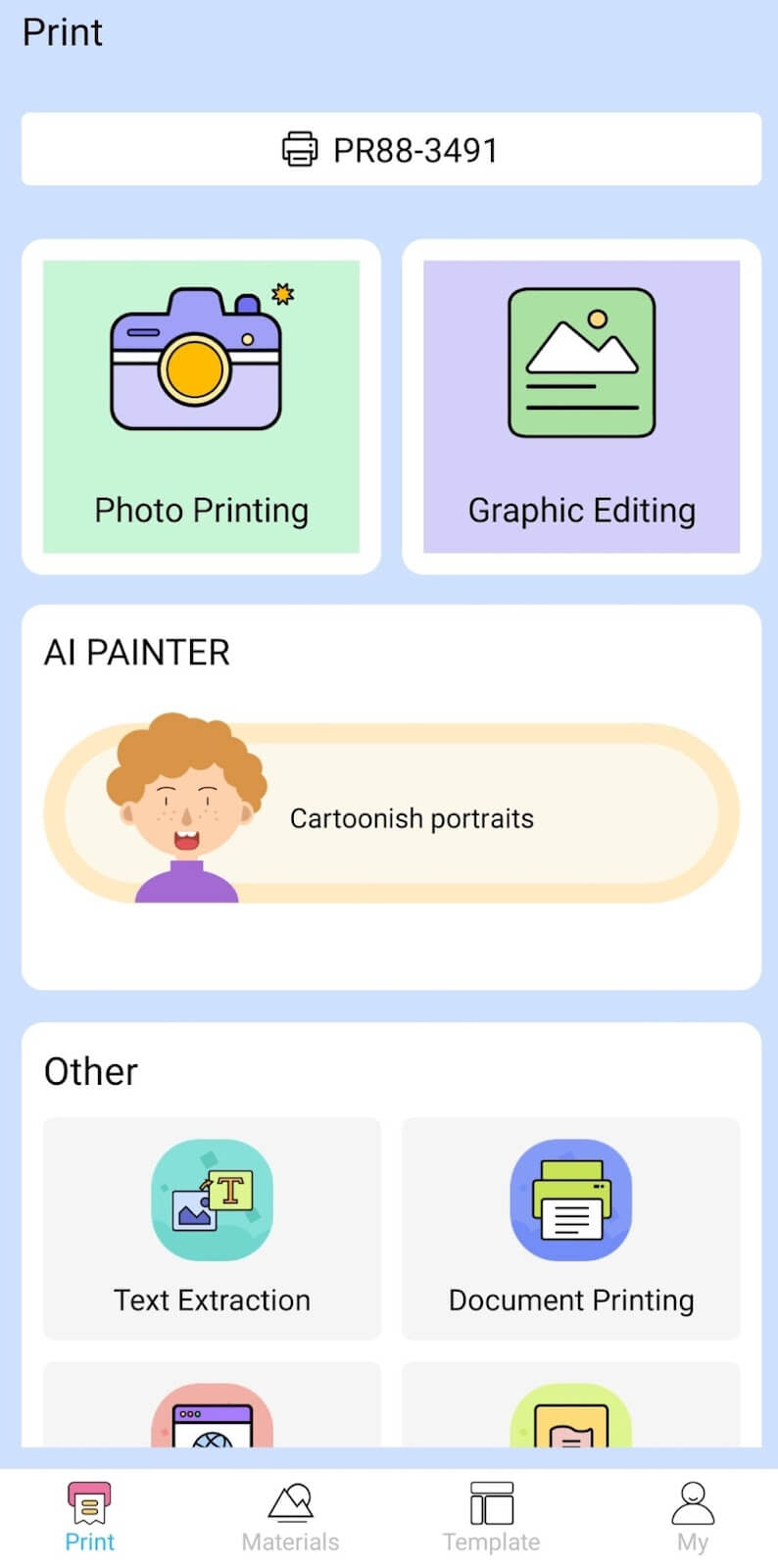
Depending on the type of document you want to print, you can choose different options from the app. There’s photo printing, document printing, web printing, and banner printing.
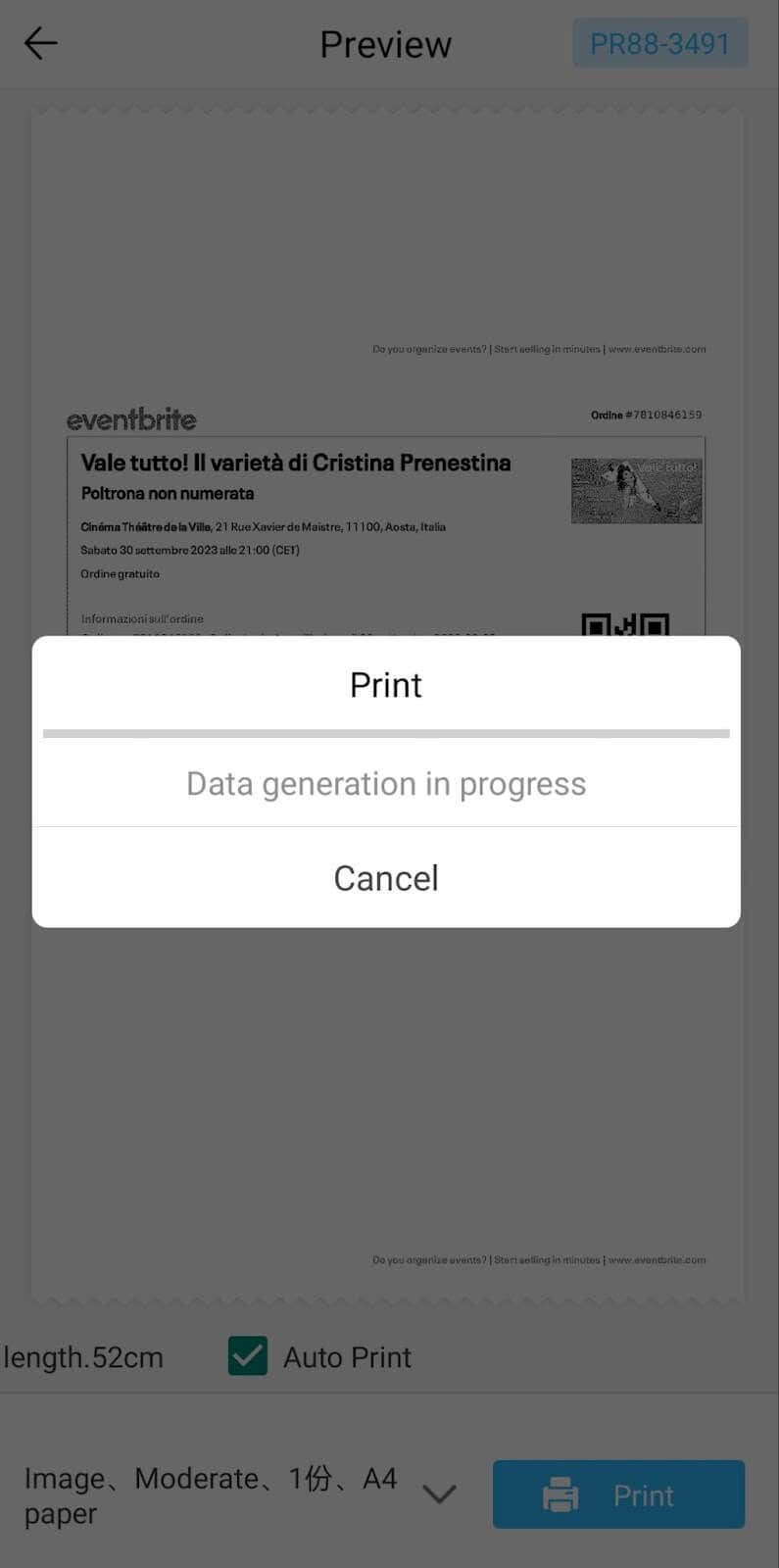
The app also has Materials and Template sections, where you can find various pictures and templates for printing to-do lists, post-its and holiday cards. You can also use the Newyes LD0801 as a label printer using these templates.
Battery Life
The Newyes portable wireless thermal printer is equipped with a decent 1200mAh lithium battery. This high-capacity battery allows you to print on the go without constantly worrying about running out of charge. When I received the printer, I charged it fully once, and it still hasn’t run out of battery after one month of use (I use it to print something almost every other day).
Charging this printer is quick and takes just over an hour to charge the printer from zero to full. The type-C charging cable facilitates a rapid charging experience. And if you run out of battery while on the go, you can quickly charge the printer from a portable power station or a power bank to continue printing.
The printer doesn’t support wireless charging, so I’d recommend always bringing the usb-c cable with you just in case.
Should You Buy the Newyes Portable Wireless Thermal Printer?
The Newyes portable thermal printer ensures high-quality wireless printing while on the go and easy operation. It’s not the most budget-friendly option, but this purchase will save you money and nerves in the long run thanks to its versatility and portable nature.
Personally, I can say that this printer made my life easier. So much that it’s probably my favorite smart gadget of the year. If you’re looking for a portable printer that won’t take any space in your house, I’d certainly recommend considering the Newyes LD0801 model.
- Tribit StormBox 2: The Under $70 Portable Speaker that Stands Out
- ENGWE L20 2.0 Review: The Best Budget-Friendly Foldable E-Bike?
- TopDon TC004 – a Thermal Imaging Camera That Will Give You Predator Vision
- Eskute Star Folding Fat Tire Electric Bike Review
- The 70mai Power Station Tera 1000 Review
