Drones have revolutionized the way we capture aerial views and explore the world from above. The Autel Evo Lite+ is one such drone that promises to take your flying experience to new heights. In this drone review, we’ll dive into the features, performance, and overall experience with this impressive gadget.
While DJI is still the top manufacturer in this sphere and has some of the best drones on the market, an Autel drone can be a decent alternative if you’re looking for some diversity. Thanks to its impressive flight time, high-quality image and video capabilities, and obstacle avoidance sensors, the Autel Evo Lite+ is an excellent drone for beginner drone users as well as enthusiasts with a little more experience.
But is the Autel Evo Lite+ suitable for your needs? Let’s find out.
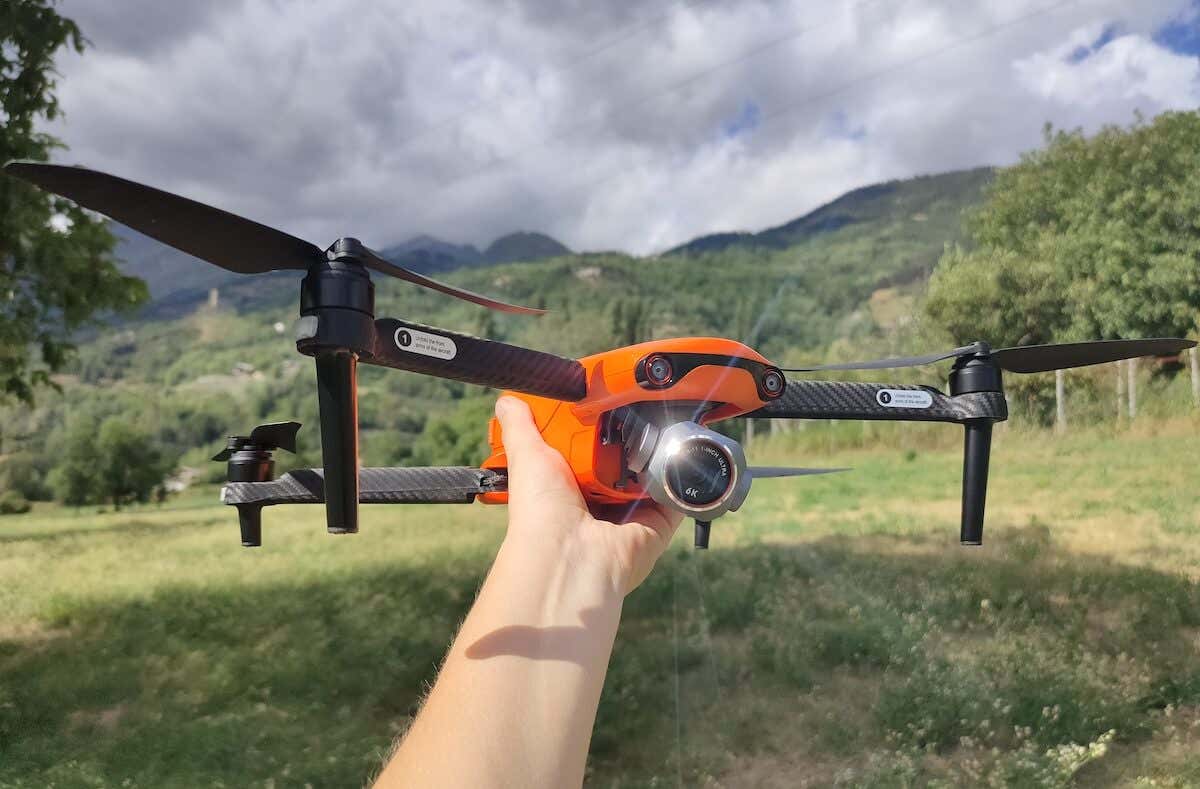
Autel Evo Lite+: First Impressions & Specs
If you’re looking for a consumer drone, you’ve probably come across the many DJI options, as it’s still the manufacturer that dominates the market. Even our buying guide for the best drones for under $500 reveals this, as the first three options are all DJI drones.
A few years ago, Autel released a few different drones in the Autel Evo (or Autel Robotics Evo) series, all designed to compete with existing DJI models and to offer some alternative for those people looking for something different. The Autel Evo drones include Autel Evo Nano+ (DJI Mini 2 competitor), Autel Evo Lite+ (vs. DJI Air 2S), and Autel Evo II drones which are aimed at more advanced drone operators.
For this review, I’m looking at the Autel Evo Lite+ drone, which challenges the DJI’s Air 2S. My first impression was that the Evo Lite+ is a superior choice in this case, in more areas than one. It offers a longer flight time and distance, allowing you to cover more ground when filming, and has a larger battery capacity and a higher max charging power. The two drones are similar in terms of camera and gimbal stabilization. The only big advantage the Air 2S has here is the size: 21 oz (595 g) over 29.4 oz (835 g).
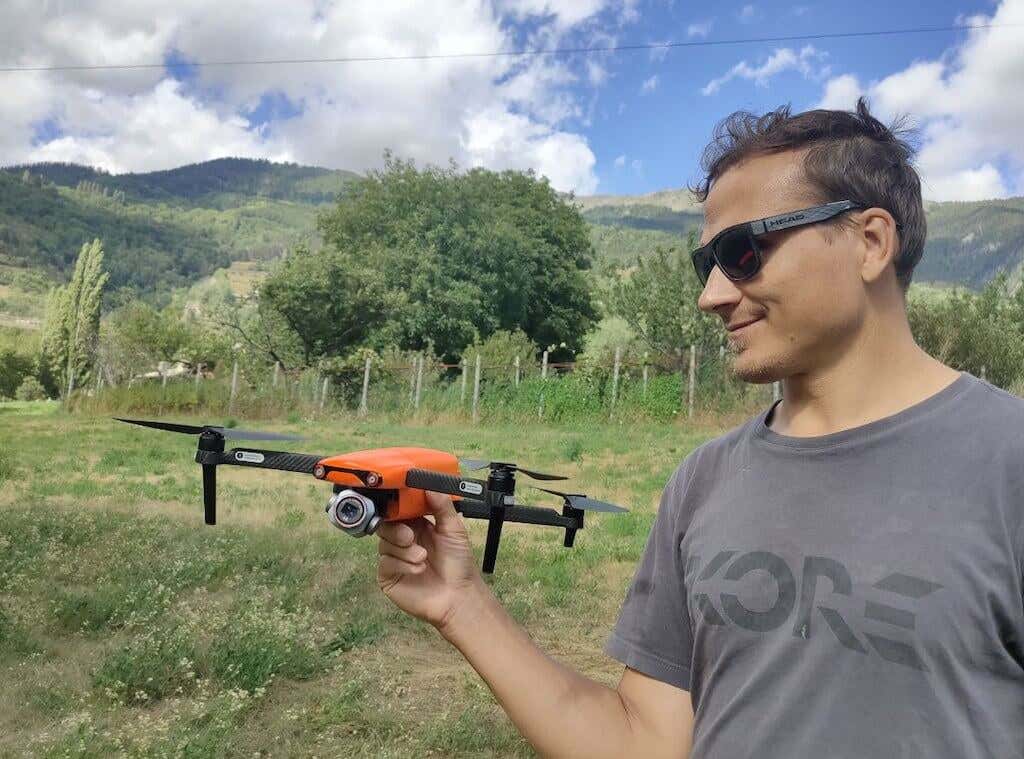
Before diving into the Autel Evo Lite+ review, here’s the full list of specs of this drone:
- Dimensions (folded): 8.2 x 4 x 3.3 in (210 x 104 x 85mm)
- Dimensions (unfolded): 16.9 x 20.3 x 3.3 in (430 x 517 x 85mm)
- Weight: 29.4 oz (835 g)
- Max flight time: 40 min
- Max flight distance: 24 km
- Max takeoff altitude: 4000m
- Camera: 20MP, Type 1 (13.2 x 8.8mm), 29mm equiv. F2.8-F11
- Video resolution: 6K/30p, 4K/60p
- Video bit-rate: 120 Mbps
- Video transmission: Skylink, 12km, 2.7K/30p
- Log video: 8-bit A-Log, HDR in Auto mode (Pro N/A) (8-bit)
- Zoom: digital zoom 16X, lossless 4K, 1.3X 1080p, 3X
- Stabilization: 3-axis gimbal
- Obstacles: stops before obstacles, obstacle avoidance forward, backward, and downward sensors
- GPS: GNSS
- Aircraft battery: Li-Po 3S 6175mAh battery
- Remote controller battery: 3930mAh battery, 3.5h max battery life
- Color: classic orange, deep space gray
- Price: from $1149 on the Autel website (drone + Premium bundle), from $979.99 on Amazon (drone only, and from $1399 on Amazon (drone + Premium bundle).
The Autel Evo Lite+ comes with some impressive features and capabilities. The 20-megapixel CMOS sensor camera and the ability to capture up to 6K/30 video will immediately catch your eye. Aside from the 6K video capture, some features that make this drone stand out are variable aperture, sharp imagery, ability to record voices and ambient sounds while flying, and of course impressive flight time of up to 40 mins.
As long as Autel continues to deliver firmware updates and address any reported lags, the Evo Lite+ has a potential to be the best alternative to the DJI drones for both beginner and professional users.
Design and Unpacking
There are plenty of factors that make the Lite+ a great drone. Let’s start with the things you’ll come across first – the drone’s design and overall build.
Whether you purchase a Standard or Premium bundle, there’s a lot to unpack here. Autel currently has excellent promotion running, so you can get the Lite+ with a premium bundle for the price of a single drone.
What’s in the Box
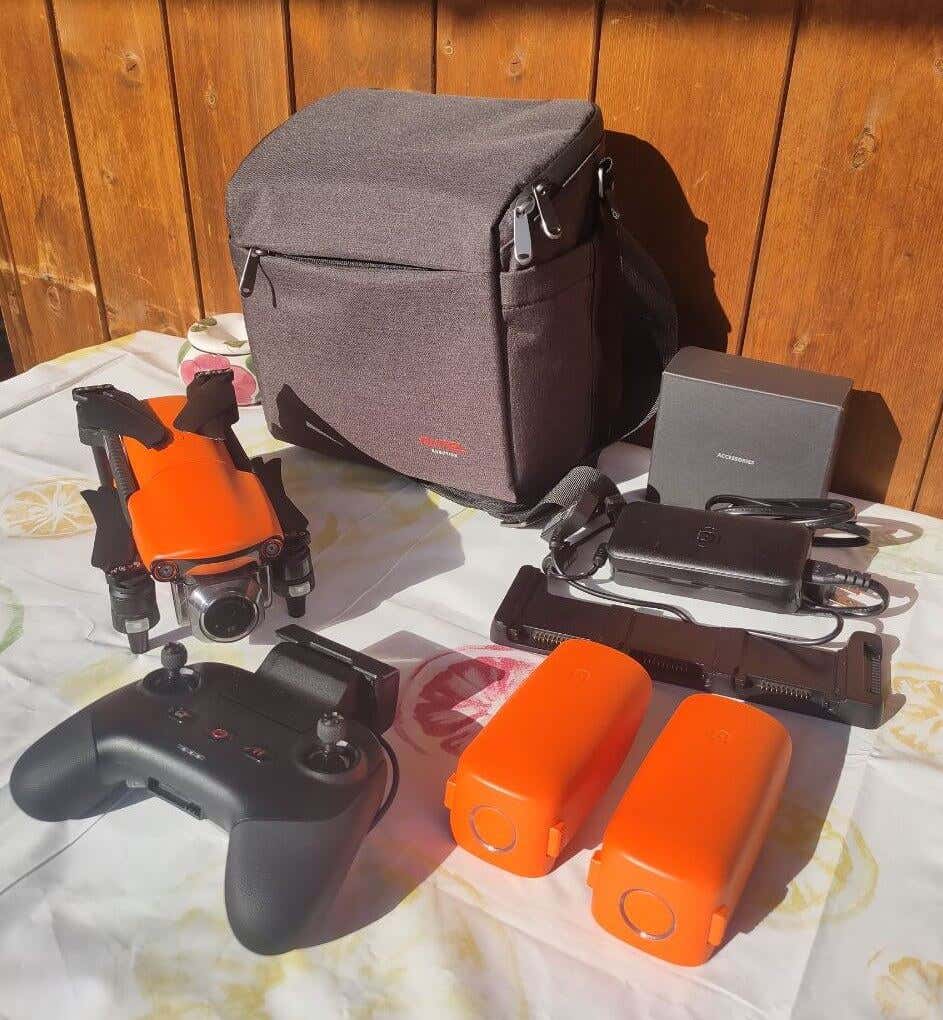
For the purpose of this review, I received the premium bundle, and it comes with all sorts of essentials. Here’s everything you’ll find in the box while unpacking your Autel Evo Lite+:
- The Autel Evo Lite+ camera drone
- Three flight batteries + 1 battery charger
- 5 propeller pairs (3 in standard bundle)
- Flight battery charging hub to fit all three batteries (premium bundle)
- Remote controller + USB-C remote controller charger
- RC cables (lightning, type-C, micro USB)
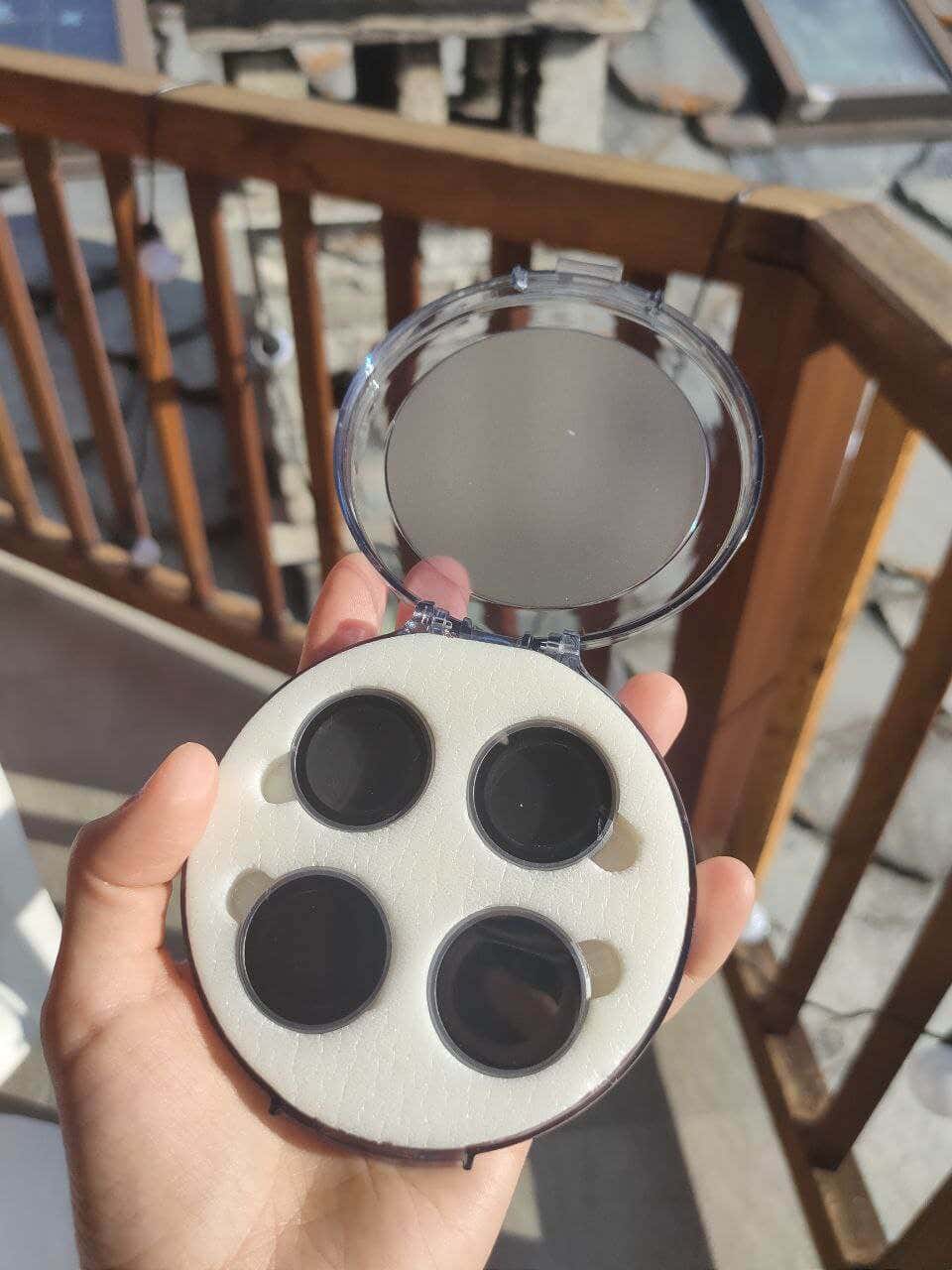
- ND filters (ND4/8/16/32) (premium bundle)
- Shoulder bag
- Quick start guide and warranty card
When you first open the box, you’ll find a special carrying bag for the drone and all accessories. While I prefer to travel light and only take the drone and one battery with me, the shoulder bag’s design is very well thought out. The bag has plenty of pockets, some of them are ergonomically shaped to fit the specific parts of the drone, and it makes the drone and all its parts look and feel compact.
The Lite+ features a similar design to DJI drones. The body of the drone and the way the drone wings fold are absolutely the same. The drone weighs 835 g and it’s a substantial difference if you’ve ever had one of the mini drones that sometimes weigh under 300 g. If the compact size is a deal breaker for you, then the Lite+ may not be the right model to purchase. However, one advantage of this drone that I found is that thanks to the bigger body, it’s more wind resistant and is easier to keep in place if the weather is anything but perfect.
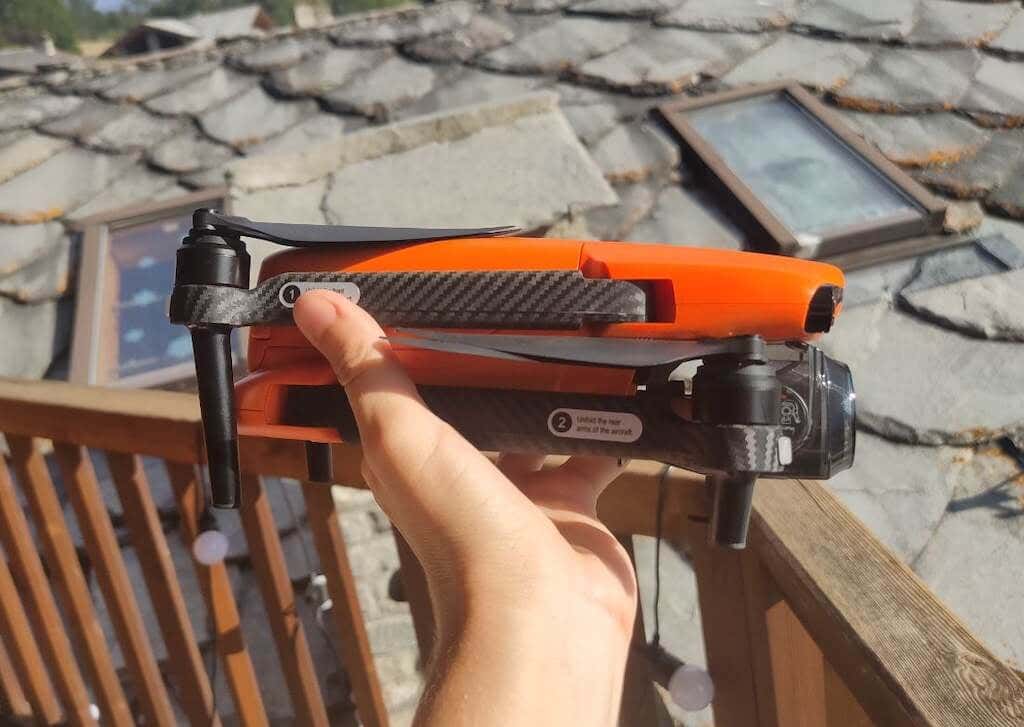
One more thing that I liked about the Lite+ straight away is the bright orange color. Unlike typical gray or black drones, this one is actually slightly easier to spot in the sky, as well as on the ground should you ever need to search for it after a crash. The color together with a sleek matte finish are very aesthetically pleasing (although its main purpose is to minimize reflections during flights).
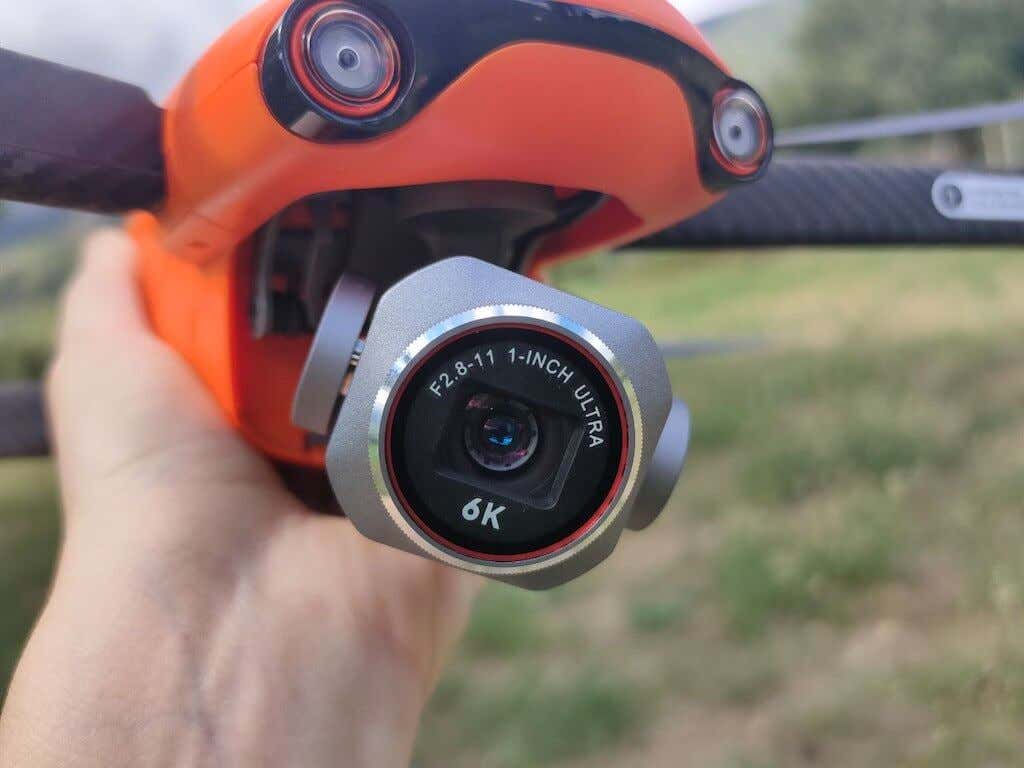
On the front side of the drone, you’ll find a gimbal with a camera. The gimbal has a bit of an awkward cover that I struggled with in the beginning.
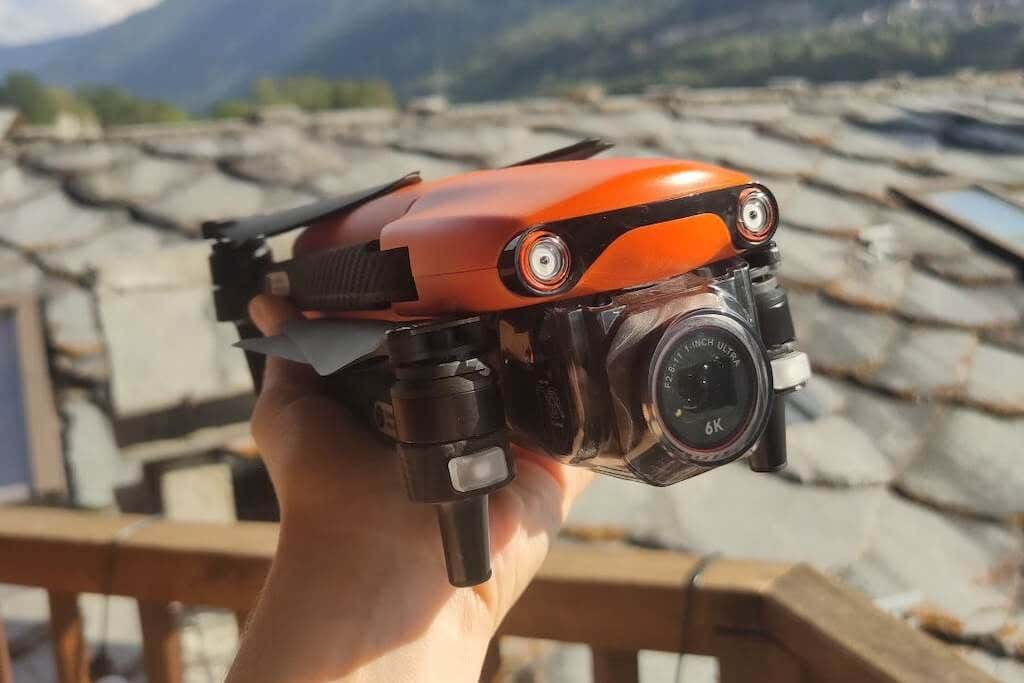
But the biggest downside here is how low the gimbal with the camera’s placed on the drone. Every time I take off and land, I worry about the camera getting scratched or accidentally damaged by the obstacles on the ground.
Speaking of accidents, Autel included some extra sets of propellers, and if you’re not a careful/experienced drone pilot, you’ll be thankful for them. I needed to replace the first pair as soon as a week after the first flight.
For steering the drone, you get a remote controller that looks and feels a lot like an Xbox controller. There’s no internal storage or an LED screen which allows you to view crucial flight information. Instead, you’ll need to connect your phone and access the drone during the flight via the Autel Sky app.
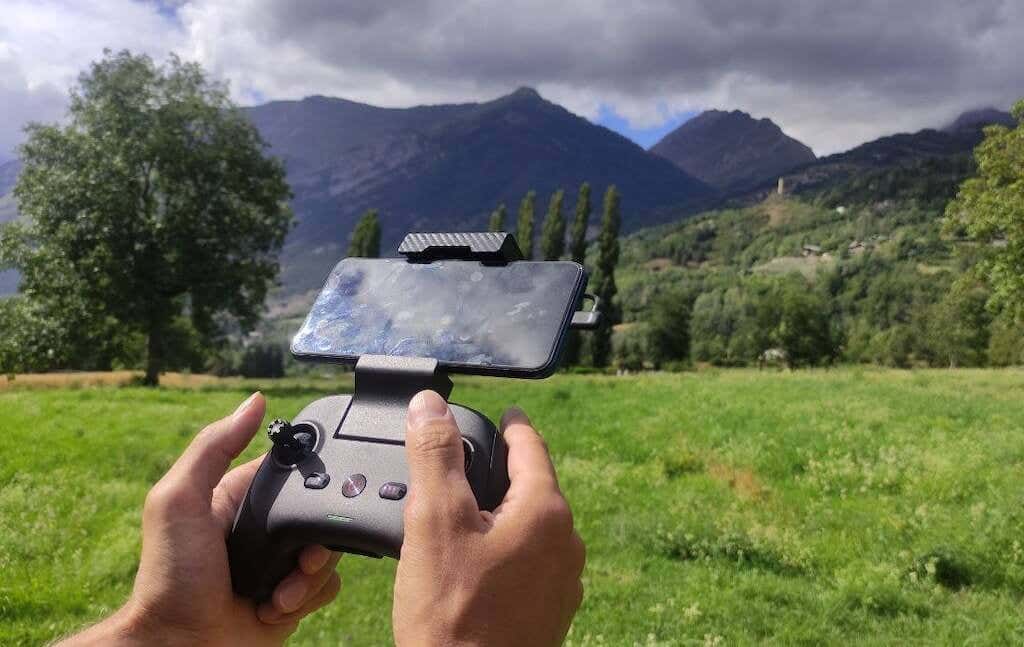
Other than that, I found the remote comfortable to hold while operating the drone thanks to its lightweight and ergonomic design.
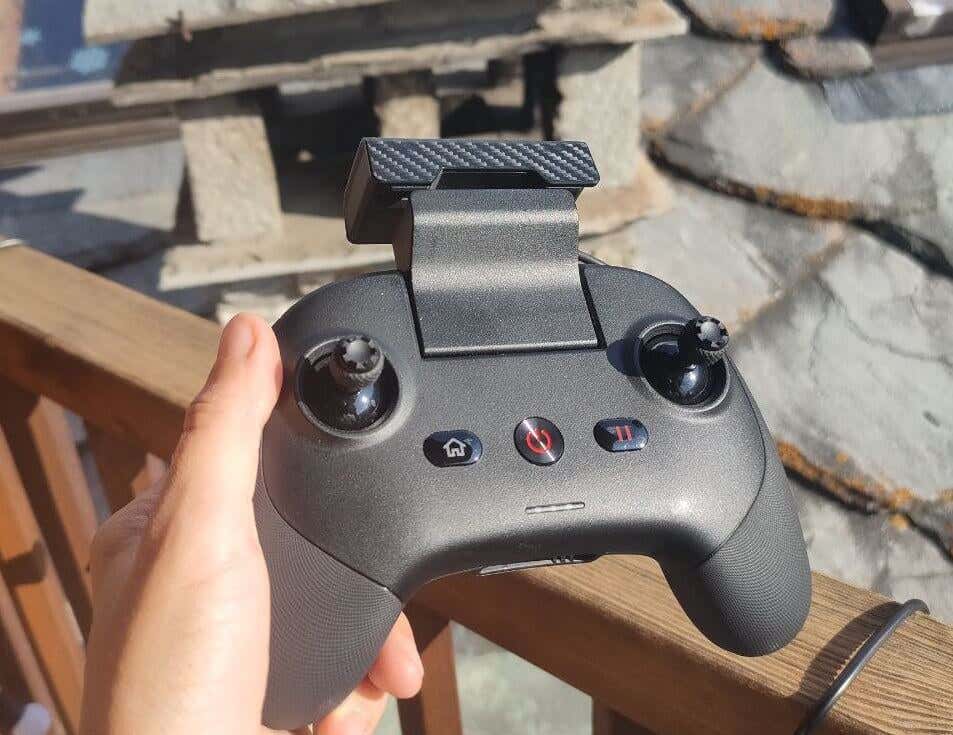
You can also unscrew the joysticks for easier transportation and then screw them back on to fly the drone.
Performance
When it comes to flight performance, the Autel Evo Lite+ doesn’t disappoint. As a drone enthusiast, I was surprised by how many different flight modes and features this little drone is packing. The flying experience definitely feels premium with this one.
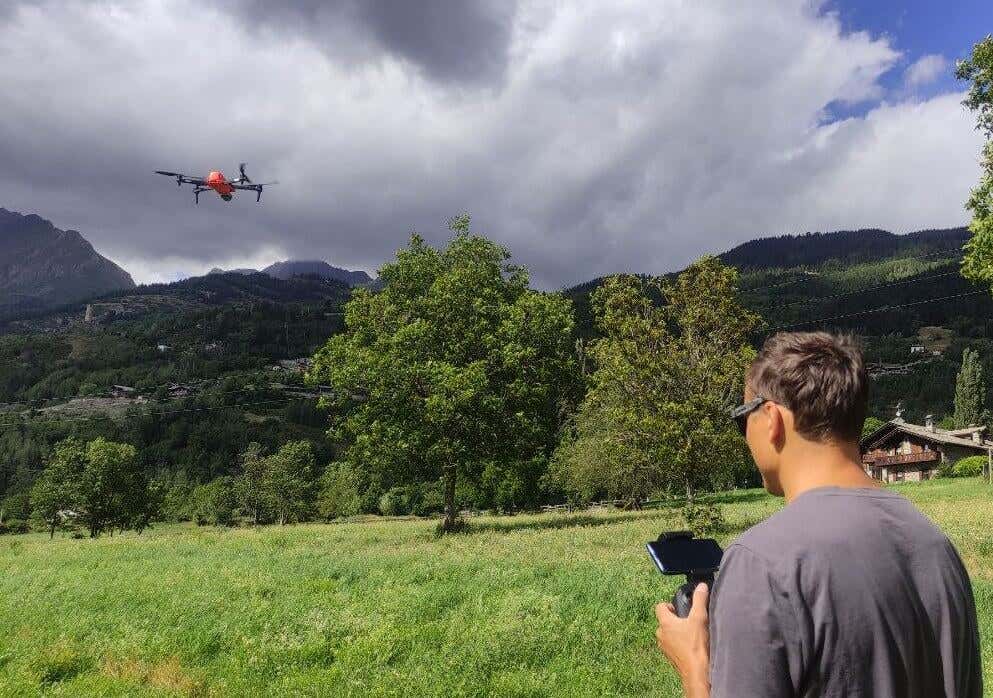
It’d take me a while to talk about every aspect of this drone’s performance, so here’s a summary of the most interesting features and settings you can try on the Evo Lite+.
Flight Modes and Dynamic Track
The Lite+ has a few different flight modes that cater to all skill levels of drone pilots. When you take your drone for the first flight, the Autel app will put you to the Novice mode and restrict the max height and distance that you can fly your drone to. It’s best to stay in this mode while you get acquainted with the controls and with all the features it offers.
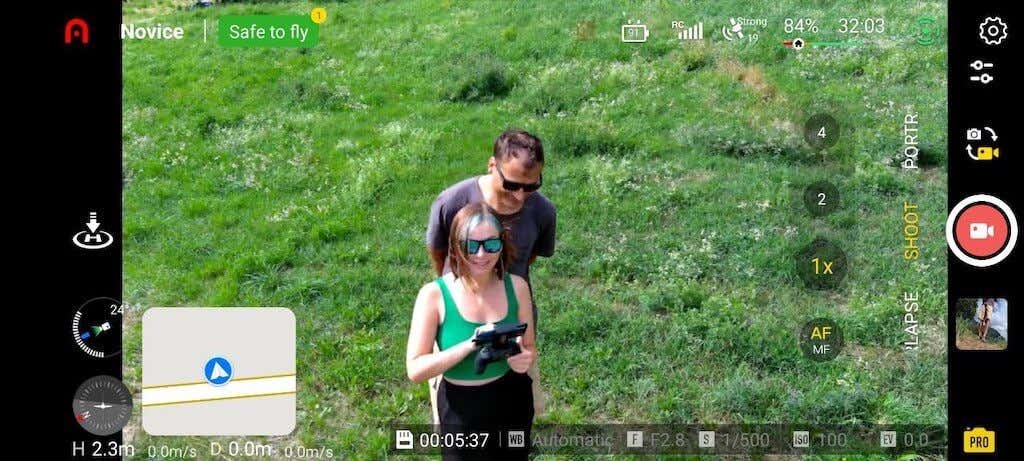
When you feel comfortable in the Novice mode, you can try different flight modes from Autel: smooth , standard and ludicrous .
However, one of my favorite features of the Lite+ is the Dynamic Track mode. It allows you to set a subject of the video and the drone will automatically follow its movements while maintaining a safe distance. I found that this feature works best with a single vehicle, a person, and even an animal (as long as it’s not in a crowd).

Using the Dynamic Track, I was able to get amazing footage following my husband on an MTB down the hill, as well as driving in a car across the bridge over a beautiful alpine lake.
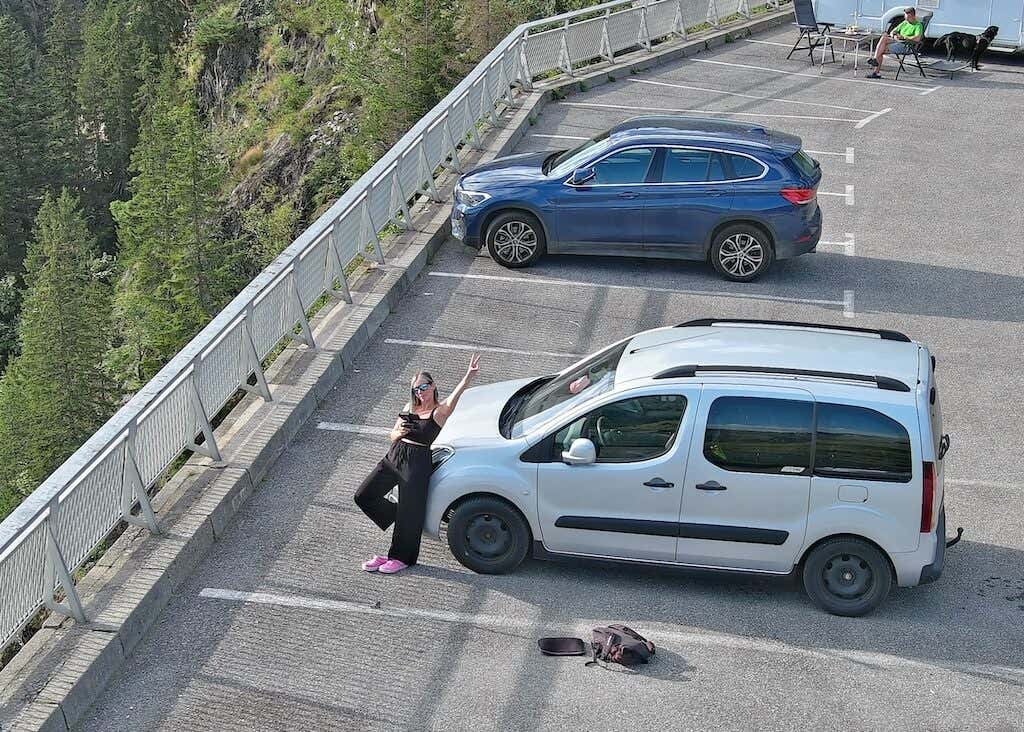
If you’re into speed, then you’ll enjoy flying in the Ludicrous mode. The Autel Evo Lite+ boasts an impressive top speed of 42.5 mph (68.4 kmh) that makes it an ideal choice for dynamic shots. And for those seeking an adrenaline rush, the Ludicrous Mode unleashes the drone’s full power, taking your flights to a whole new level of excitement.
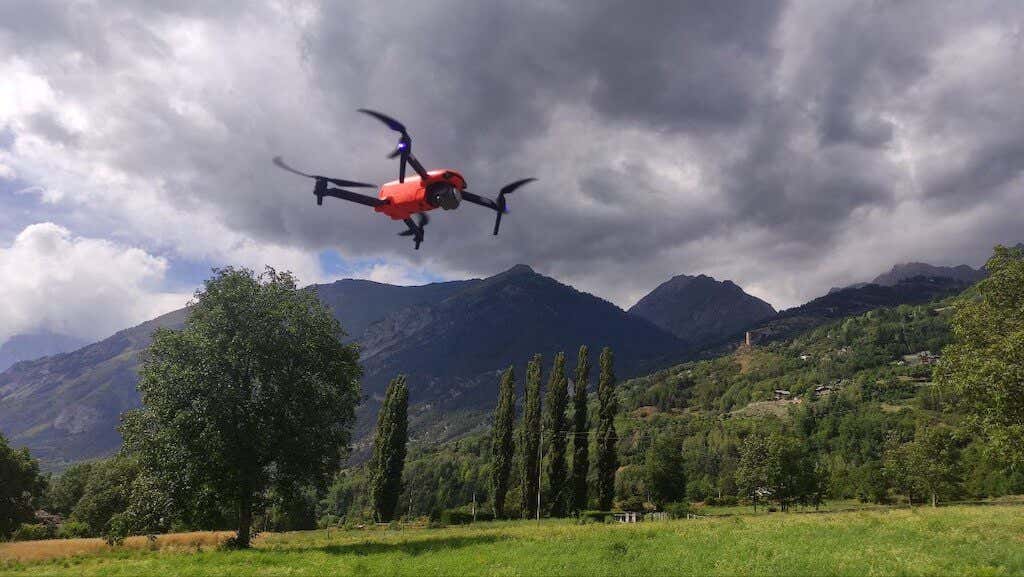
At the same time, I recommend scouring the surroundings beforehand for any obstacles that your drone may come across, especially at the top speed. Remember that the Lite+ can stop before an obstacle but it cannot maneuver around it, so you need to be aware of any possible barriers that your drone may come across.
Safety Features
Safety is a priority, and the Autel Evo Lite+ ensures your drone stays within designated boundaries. Unfortunately, there’s no geofencing technology preventing your drone from straying into restricted areas. So you’ll have to do your own research to ensure you’re operating your drone within authorized areas. Checking the FAA B4UFLY site or app is one way to do it, especially for those flying in the US.
When flying internationally, I recommend checking the local regulations to ensure compliance. Additionally, the Lite+ lacks an ADS-B receiver, a feature that alerts pilots to nearby manned aircraft, so that’s also something to be aware of.
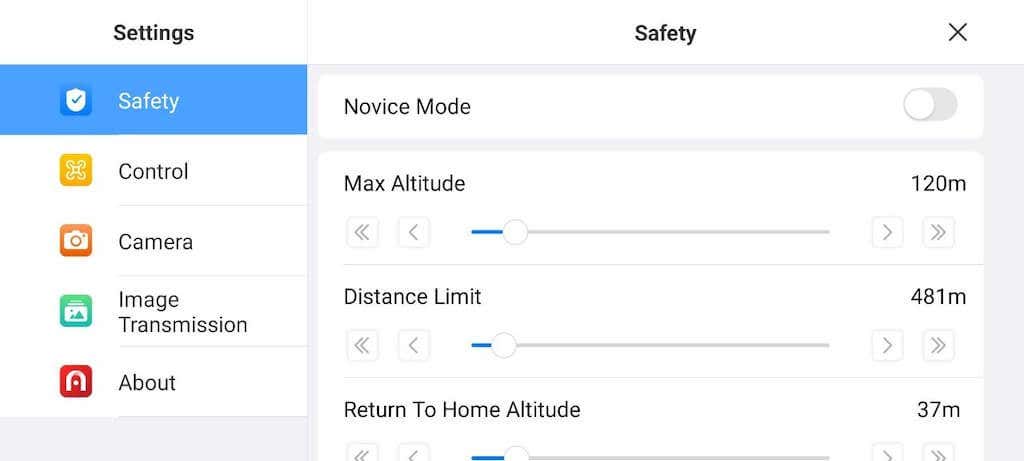
The Return to Home feature acts as a failsafe mechanism. It guides your drone back to its takeoff point in case of signal loss or low battery, ensuring a safe and secure landing. And as I mentioned before, once your drone has landed, you’ll be able to easily find it thanks to its bright orange color and the lights on the front and back wings.
Photo & Video Quality
When it comes to capturing stunning imagery and breathtaking videos, the Autel Evo Lite+ doesn’t hold back. This drone offers a range of features that will quickly improve your visual storytelling.
The Autel Evo Lite+ is designed with advanced features that cater to both professional and prosumer fliers. The inclusion of a variable aperture lens adds a layer of control, as you can select desired shutter speeds for video recording yourself. This feature is a boon for those who want to have precise control over their footage, like video professionals or content creators.

With resolution options that include 6K at 30 frames per second and 4K at 60 frames per second, the Autel Evo Lite+ delivers impressive video quality. You can choose the ideal resolution for your specific needs, ensuring sharp and detailed imagery that truly stands out. You can also use the Pro mode to tweak ISO, Shutter and Aperture to get the best possible image quality.

If you’ve purchased the premium bundle, you’ll also get a set of ND filters with your drone. These filters function like sunglasses for your drone’s camera lens. When shooting in bright conditions, you can use them to dim the light that comes into the camera’s sensor to achieve the correct motion blur that human eyes are accustomed to. The brighter it is outside, the higher strength filter you’ll need to choose. From the four ND filters included, the ND32 would be the highest strength one.
Flying a camera drone at night isn’t allowed in many countries. If you’re lucky enough to be in a place where it isn’t illegal, you’ll enjoy filming with the Lite+ in low light conditions and even at night. The drone’s exceptional low light performance allows you to capture stunning shots even when the sun dips below the horizon. You can perform twilight flights and capture unique nighttime scenes with the same clarity and detail.
Software
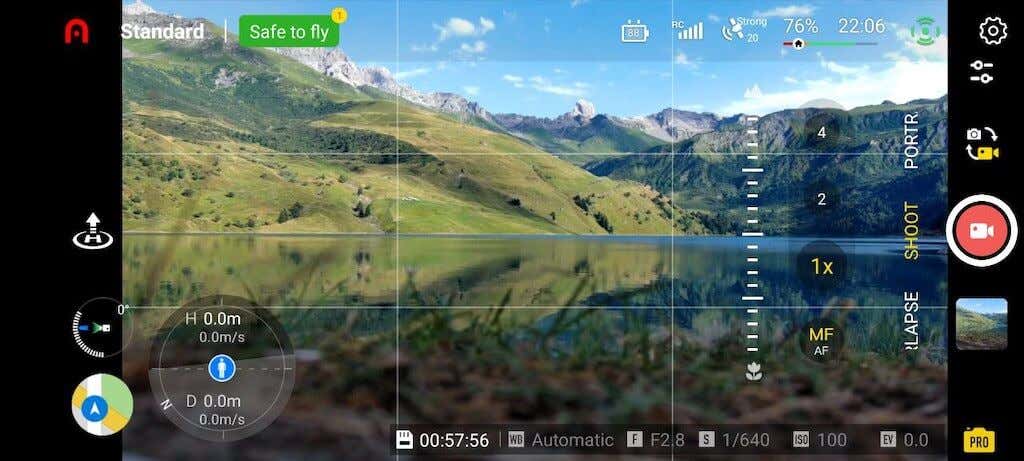
You can download the AutelSky app for free for iOS and Android. The app is essential for filming your aerial adventures but it’s also like a magic wand that will help you make the most of your Autel Evo Lite+ drone. It’s easy to use and has cool things that help you fly better and make awesome pictures and videos. Let’s see what this app can do.
- All the Flight Info You Need . The app shows you all the important information while your drone is flying. There’s a little map in the bottom corner so you know where your drone is and which direction it’s facing. On the top corner, you can see how much battery is left and how long your drone can fly. If your drone goes too far from where you started, the app will change colors to tell you to bring it back.
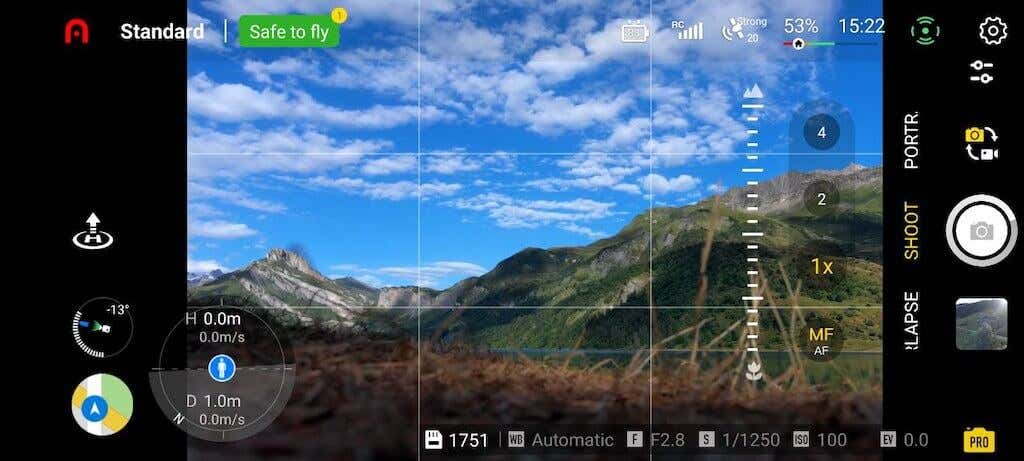
Smart GPS and Coming Back Home . The app uses GPS to help your drone know where it is in the world. The drone can also hover in one place without you touching the controls. The convenient return-to-home option is a useful safety feature that automatically tells the Evo Lite+ to go back to its takeoff location in the event of communication loss between the drone and the remote control.
Shooting Modes to Elevate Your Creativity . The AutelSky app is not only about flight control – it’s also about creativity. Autel Sky offers four automatic shooting modes that make capturing professional-level shots as simple as pressing a button. These modes include timelapse, panoramic shots, subject tracking, portrait and more. This way you can add artistic touch to your aerial photography and videography.
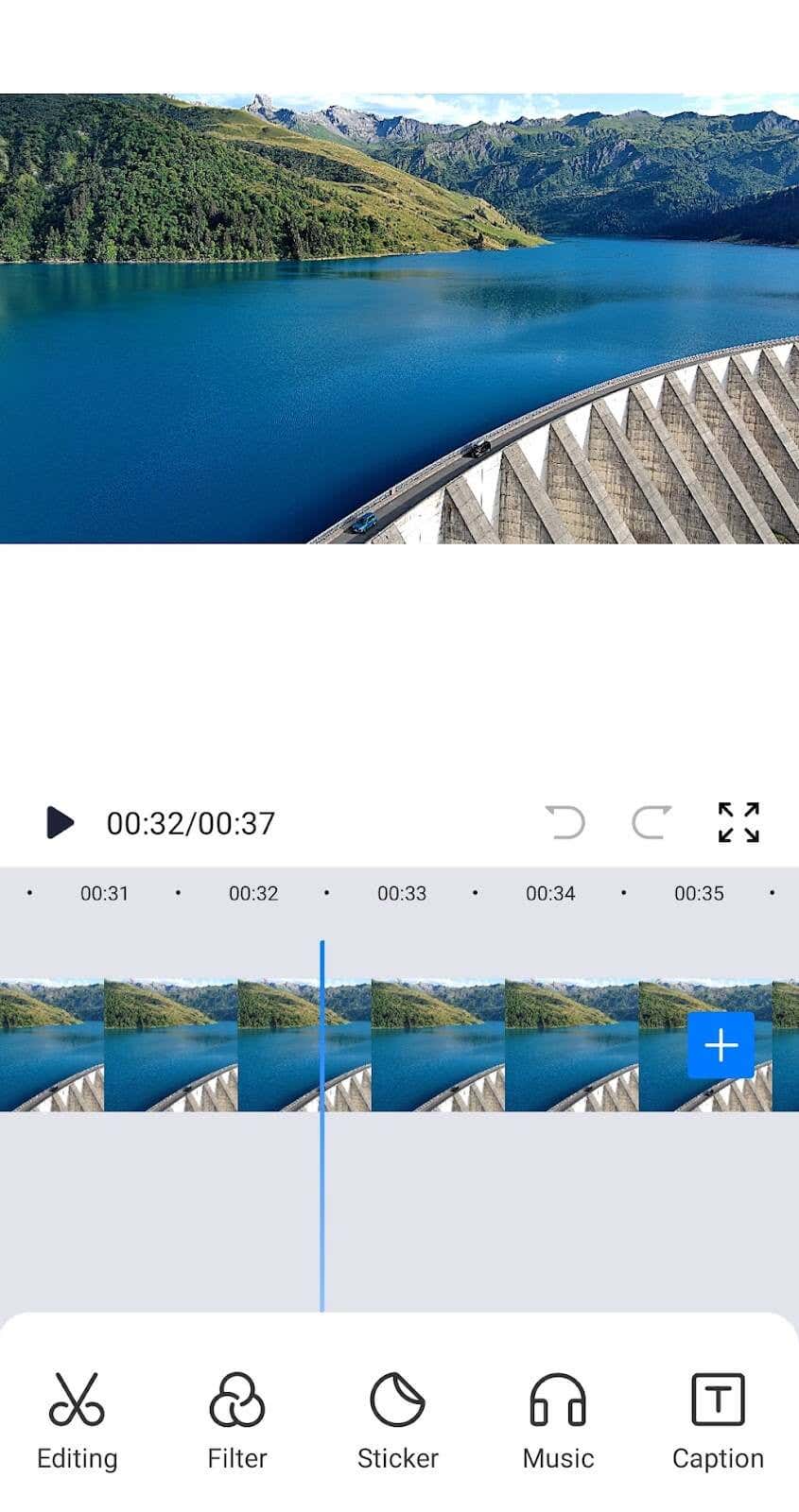
Editing Made Easy . The fun doesn’t stop when your drone lands. You can use the app’s capabilities to make your videos look even better. The app has ready-made video templates and soundtracks to add. You can also use the app to record your own voice or ambient sounds while filming your videos and later add them to the footage.
Battery Life
The Autel Evo Lite+ comes with a powerful 6157mAh battery that keeps your drone running for up to 40 mins at a time. This can be extended by using the 2 spare batteries. If you swap them out and keep flying, it will allow you to continuously fly for up to 2 hours with little interruption.
Recharging one battery takes about 90 minutes. You can do it while you’re having a break or getting ready for your next flight.
However, the most convenient way to charge the batteries is by using the 3-in-1 charger from the premium bundle which allows you to charge all your drone batteries simultaneously.
Should You Buy the Autel Evo Lite+ Drone?
The Autel Evo Lite+ Combo is a great choice if you want a cool drone with lots of features, but you don’t want to spend a ton of money. This combo gives you everything you need in one package – the drone with 6K camera to take professional footage, a compact controller for smooth filming experience, extra batteries for longer shooting sessions, and the app to take your photos and videos to the next level.
The only problem you may face is the drone’s size and weight. However, if you don’t mind carrying a drone that’s a little bigger than other consumer-grade drones, the Autel Avo Lite+ has everything to help you have fun and capture cool moments from high up in the air.
- Tribit StormBox 2: The Under $70 Portable Speaker that Stands Out
- ENGWE L20 2.0 Review: The Best Budget-Friendly Foldable E-Bike?
- TopDon TC004 – a Thermal Imaging Camera That Will Give You Predator Vision
- Newyes Portable Wireless Thermal A4 Printer Review
- Eskute Star Folding Fat Tire Electric Bike Review
If you don’t have a full-sized printing machine at home and often need to print a document on the go, check out the Newyes portable printer . This wireless printer is lightweight and small enough to fit in your bag. Not to mention it’s environmentally friendly, since it uses thermal paper instead of ink.
Follow our review of the Newyes portable wireless thermal printer to see if it suits your printing needs.
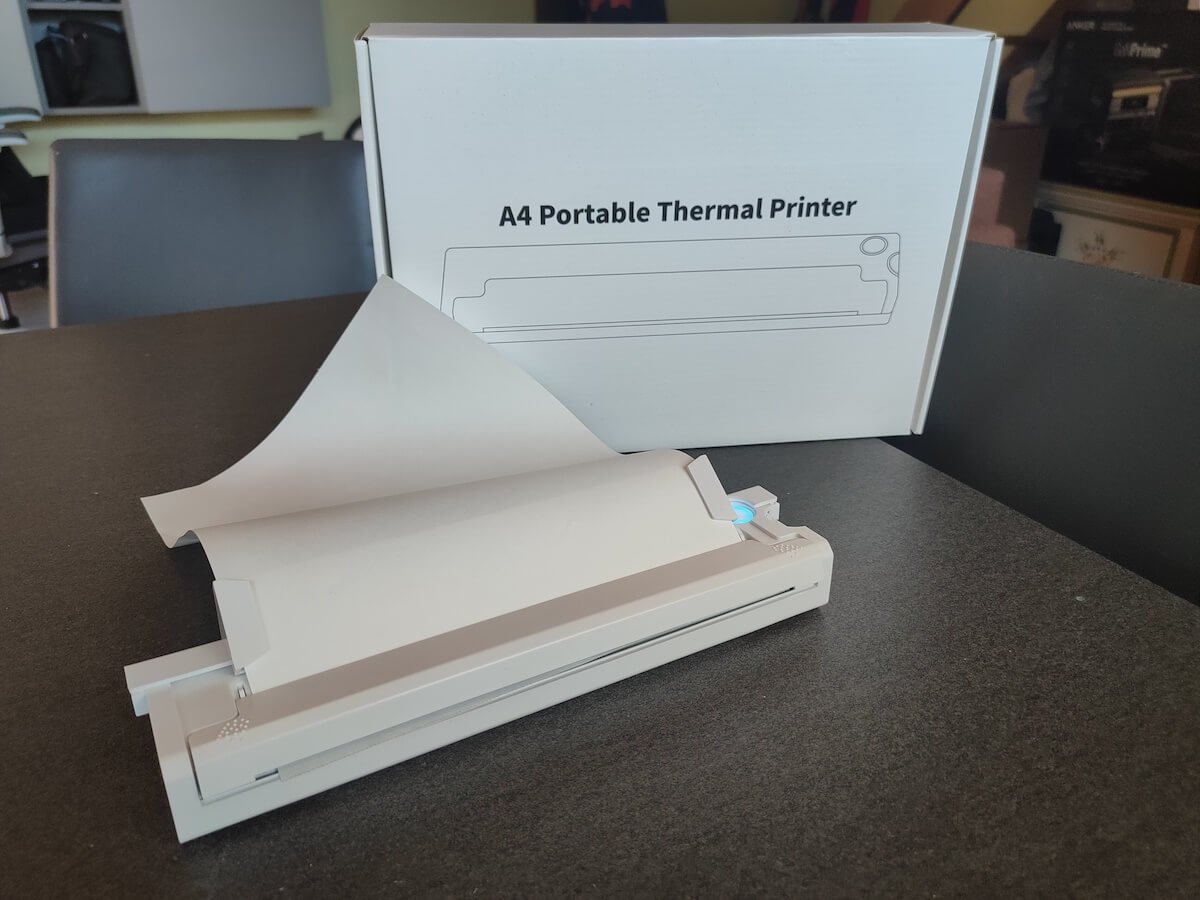
Newyes Portable Wireless Thermal A4 Printer: First Impressions & Specs
When I was a student, I remember my university always required hard copies of documents. Luckily, there was a print shop on campus where I could always pop in to print something.
Then I became a professional, and to my surprise many life spheres still required me to have printed versions of documents with me. Of course you can get your own full-sized machine to print things at home, but if like me you live in a small apartment, you value every extra bit of space and don’t want a massive printer to take it up.
One day, when I was looking for a neighbor with a printer to help me with my event tickets, they introduced me to the concept of a portable printer. Seeing how easy it is to use, I immediately wanted to get my hands on one of those. So here I am, reviewing one of the most useful gadgets I received recently – the Newyes portable thermal printer.
Before we continue with this review, here is the full list of specs of this printer.
- Model: Newyes LD0801
- Dimensions: 10.4 x 1.2 x 2.28 in (265 x 58 x 30.5 mm)
- Weight: 16.8oz (475g)
- Paper format: A4
- Paper width: 210mm or 218mm
- Printing Type: thermal paper
- Resolution: 203DPI
- Connectivity: Bluetooth
- Charging port: USB type-C port
- Input Voltage: DC 5V / 2A
- Battery: 1200mAh lithium battery
- Charging time: 75 min
- Automatic shut down: after 30 minutes
- Stand-by: about 30 days
- Extra features: LED light, reset, on / off switch button
- Color: white, black
- Warranty: limited one year warranty
- Price: $199 on the Newyes website
If you find yourself in need of hard copies of important documents while on the move, the Newyes portable wireless thermal printer will become your go-to gadget. Newyes calls it “the world’s smallest printer”, and with the weight of under 500g this seems plausible. This mini printer offers a handy solution for those moments when you need to quickly print an important document but don’t have access to an office setup.
Operating this printer is a breeze – a simple Bluetooth connection is all that’s required. Once connected, just fire up the app, choose the file you want to print, and send it over. Efficiency is at the forefront, and you can easily print multiple sheets by inserting new pages back to back.
The only limitation this printer has is that it can only print in black. So even if your original file is in color, the printed document will still come out in black and white. Other than that – you can print a variety of file types including Excel, Word, PDF, JPG, PNG, and web pages – and it only takes seconds.
The Newyes portable wireless printer combines convenience, portability, and efficiency – all the things I appreciate in a modern gadget.
Design and Unpacking
Let’s have a closer look at the design and build of this smart printer, as well as what you get included in the package when you purchase it.
What’s in the Box
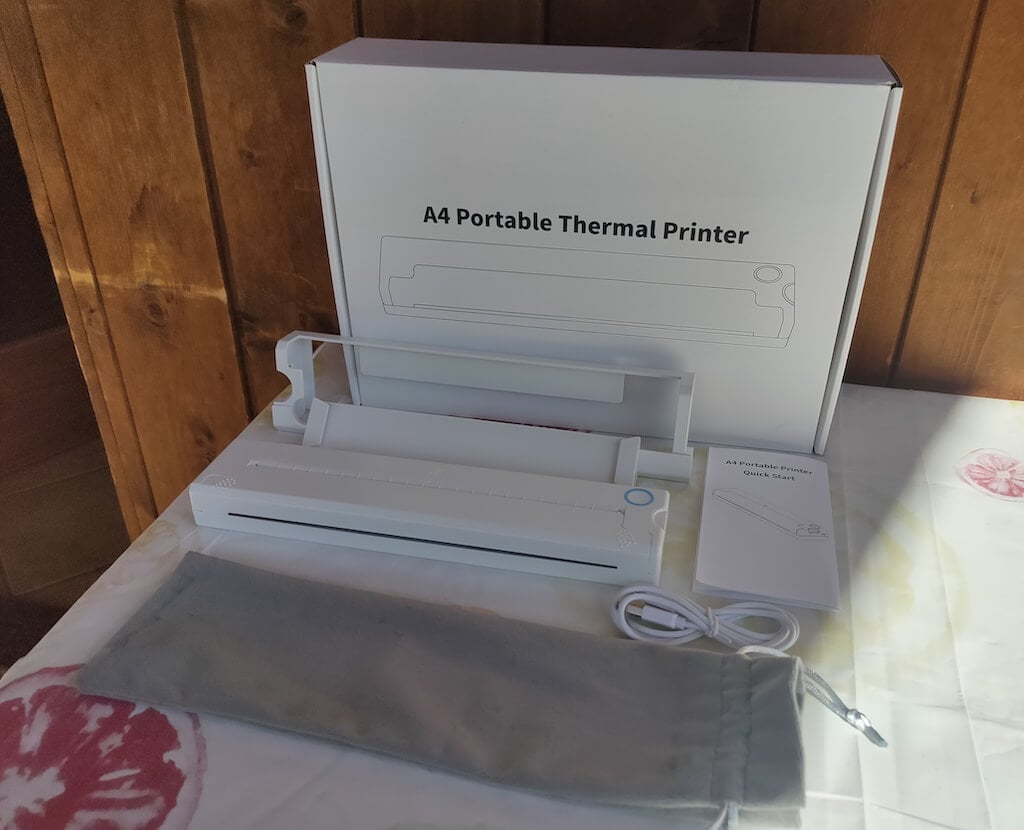
Here’s everything you’ll find when unpacking your Newyes portable thermal printer:
- The Newyes portable wireless thermal printer
- Bracket
- USB type-C cable
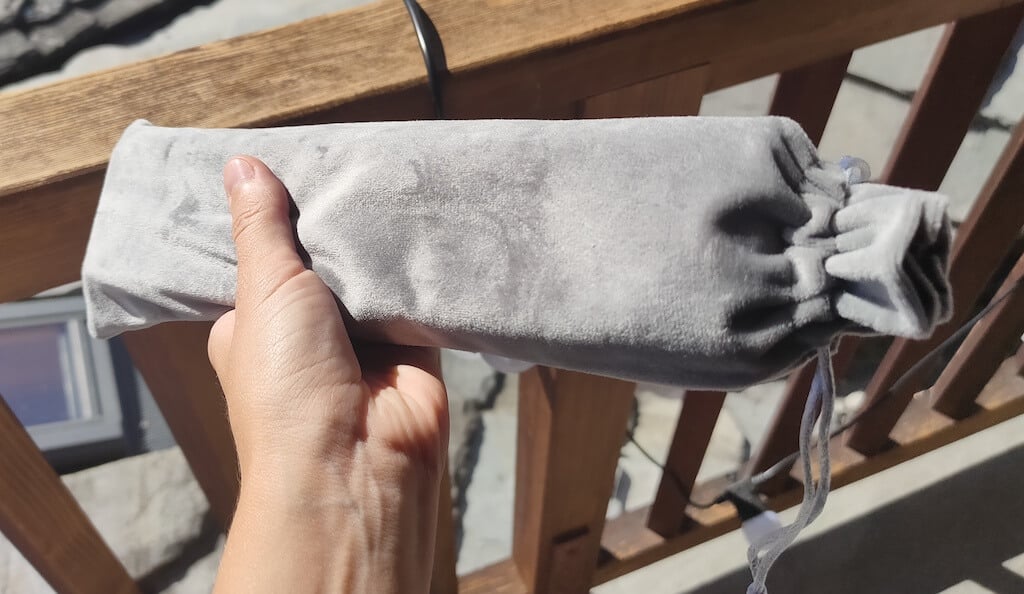
- Storage/carrying pouch
- 100pcs thermal printing paper
- User manual
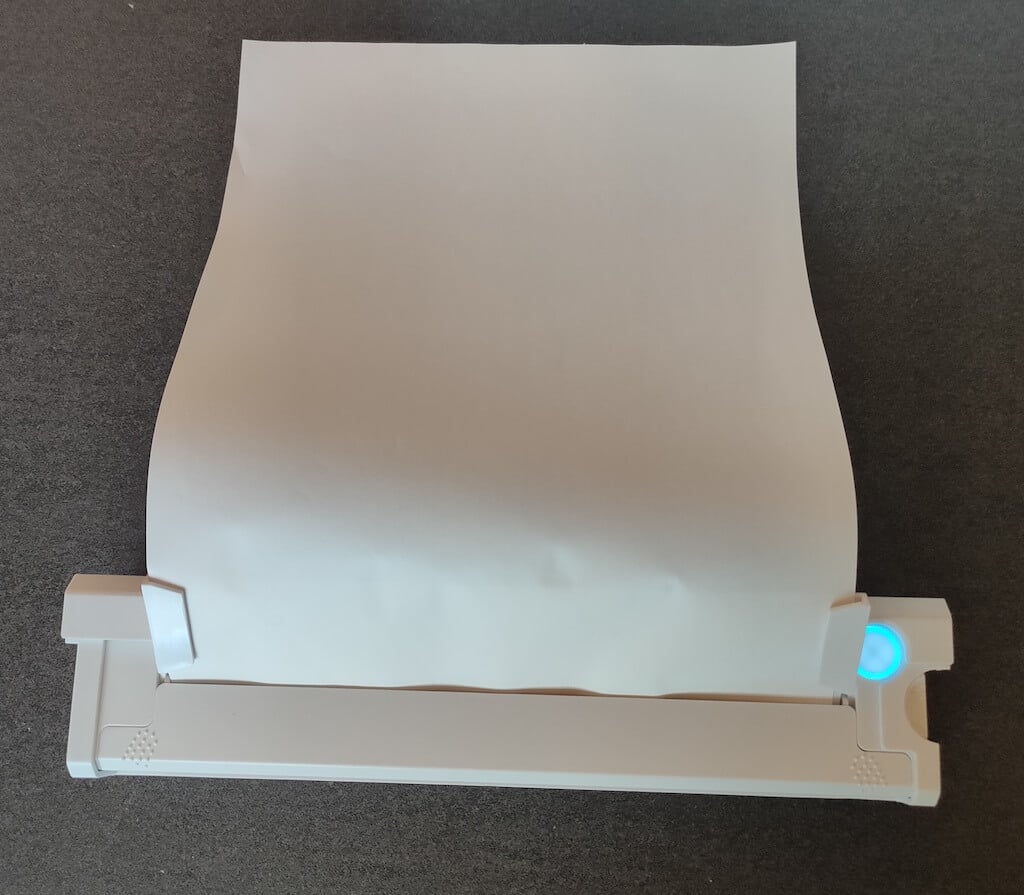
You can use the Newyes portable printer right out of the box, as you’re all set with essential accessories. Aside from the printer itself, the package includes a bracket which will make printing more than one page smoother, a convenient storage bag for carrying your printer with you, a USB-C cable for charging, and a supply of 100 pieces of thermal paper to get you started.
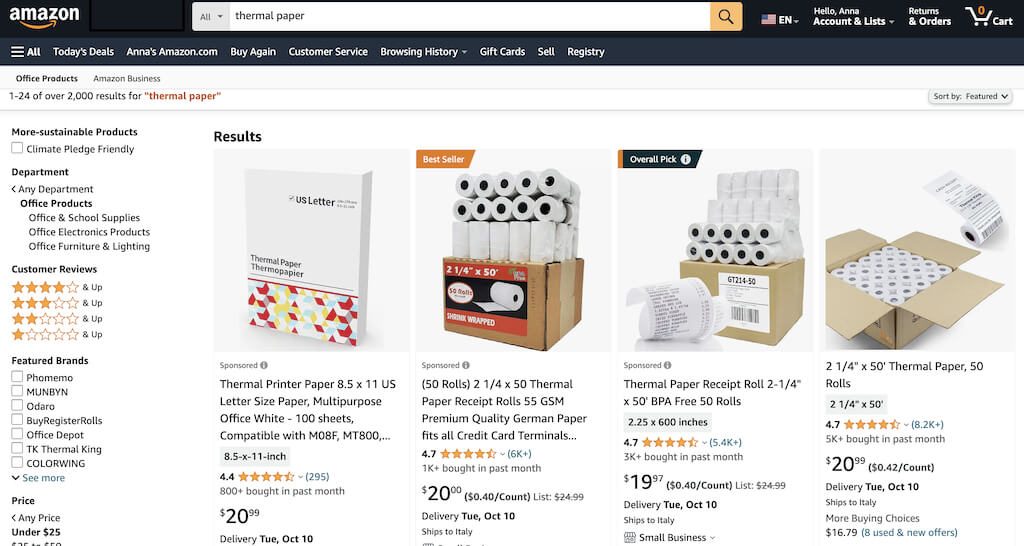
One important thing to remember is that this printer only works with thermal paper. While thermal paper is significantly more expensive than normal paper, this printer also uses inkless printing and works without a ribbon and toner. Since you don’t have to spend money on ink, carbon ribbons or toner cartridges, you ultimately end up saving money with thermal paper.
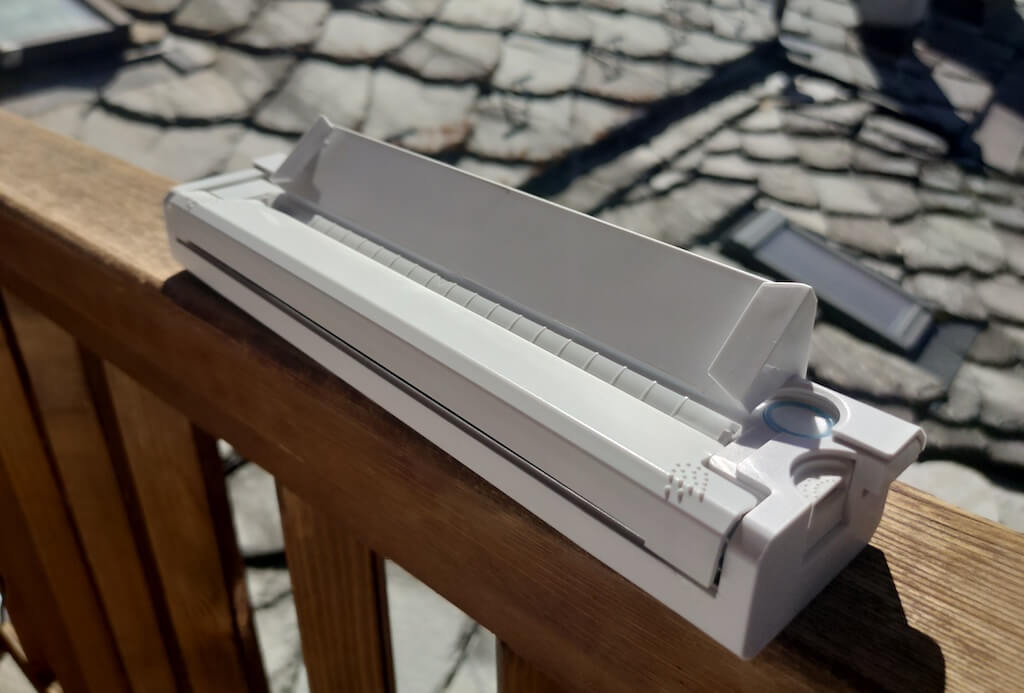
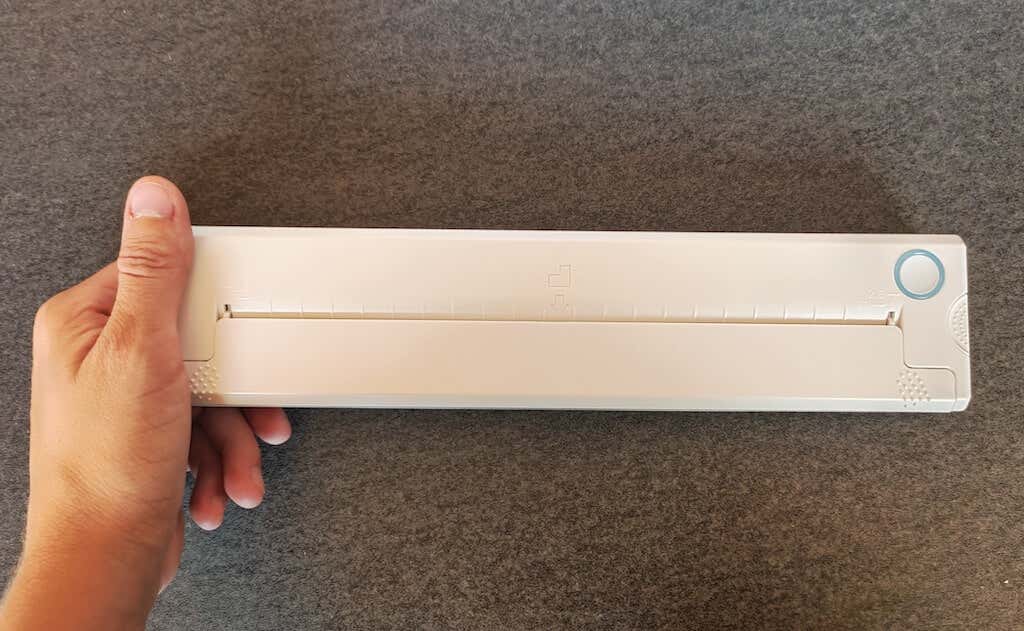
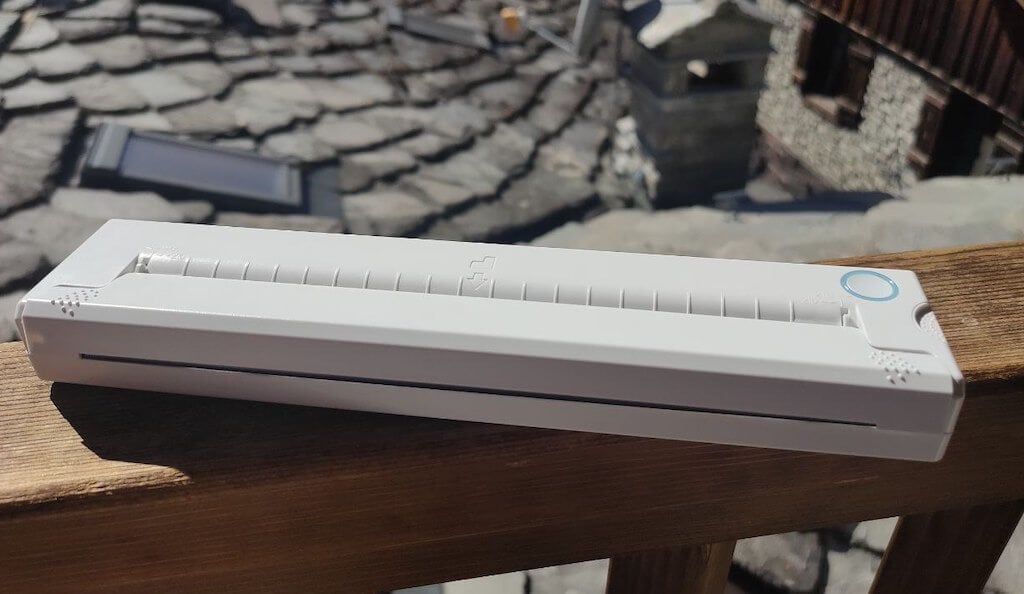
The Newyes LD0801 is a pocket-sized printer that features straightforward design. For the purpose of this review, I had a printer in white color. The printer looks like a small white brick with just two pressable buttons on top – one for switching it on and off, and another for opening the printer’s cover. You’ll also see the paper entry slot on top of the printer.
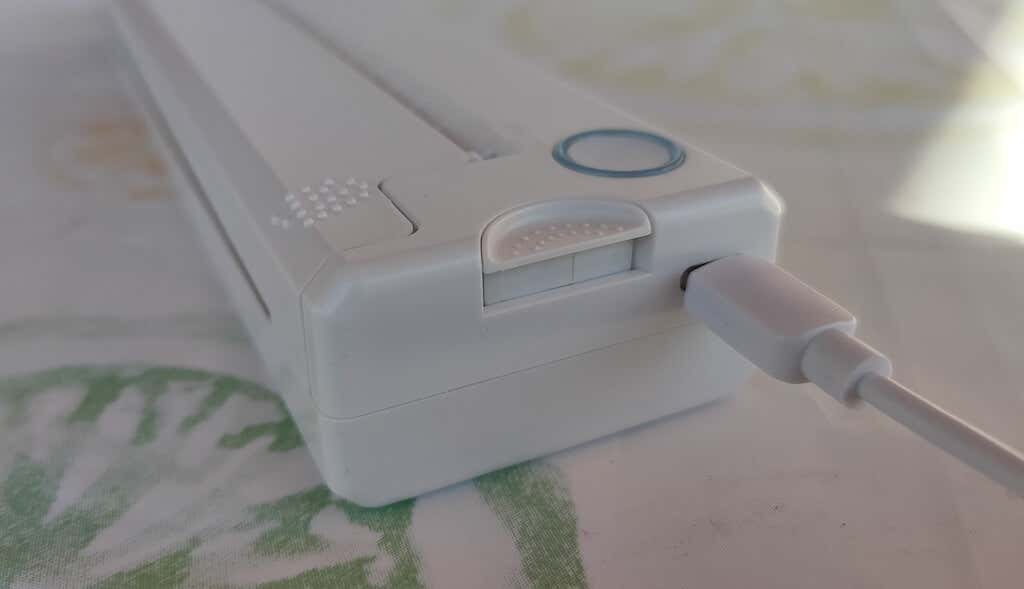
On the side of the printer, you’ll find a single charging port.
The printer is made of plastic, but the build feels sturdy. I never have to worry about throwing it into my bag or damaging it when traveling. Besides, you can use a nice carrying pouch included in the package for protection.
Performance & Features
According to Newyes, the portable printer has a “handheld size and two times the weight of an iPhone”. This can give you an idea of how portable and convenient this little gadget is. In a month of testing, I used it at home, in a store, and even in a car while on the road.
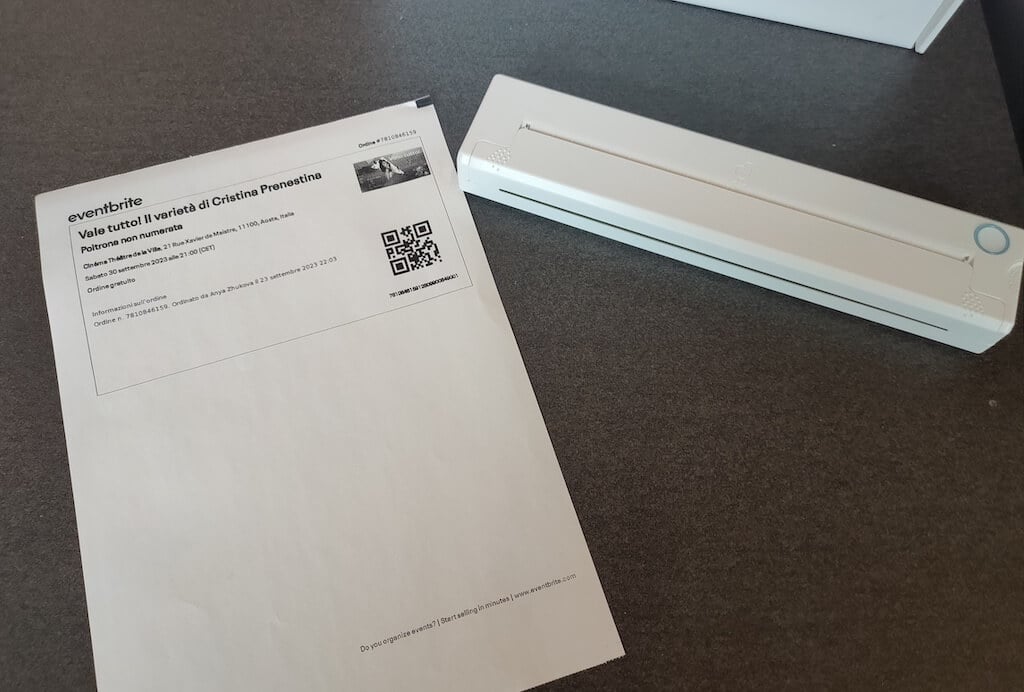
Using the printer is unbelievably easy. Connect it to your mobile phone via Bluetooth, press the button to turn the printer on and put a sheet of thermal paper into the paper entry slot. Make sure to use thermal paper and not standard paper, and put it with the black marks facing down. Bear in mind that the thermal printer can only print in black and white and only on one (marked) side of the thermal paper sheet.
Then open the iPrint app on your smartphone. If you’re printing an A4 document, you can select one of two options – Photo Printing and Document Printing . Then choose the document from your phone’s files and print it.
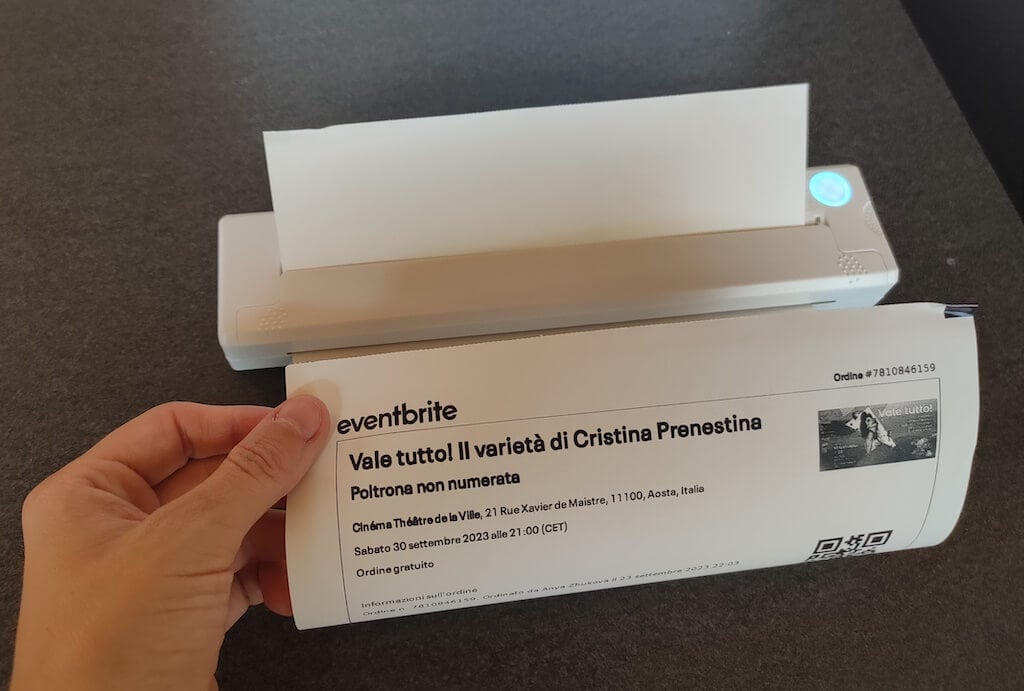
The printer is reliable and in the time that I used it the Newyes LD0801 never let me down. The printing quality will surprise you, as it’s sometimes better than what you get from a full-sized printer. The printer supports printing in various formats, and you can use it to print documents from your smartphone (Android and iPhone), iPad, and Android tablet.
When fully charged, the printer can support up to 90 pieces of paper continuously, which is very impressive for a gadget of such a small size.
Software
The Newyes portable printer requires an iPrint app to operate. The app is available for free on iOS and Android. You’ll need to download the app on your device from the App Store or Google Play before you begin printing your documents.
The app has a simple and user-friendly design. You’ll need to pair your device with the printer on the first use via Bluetooth.
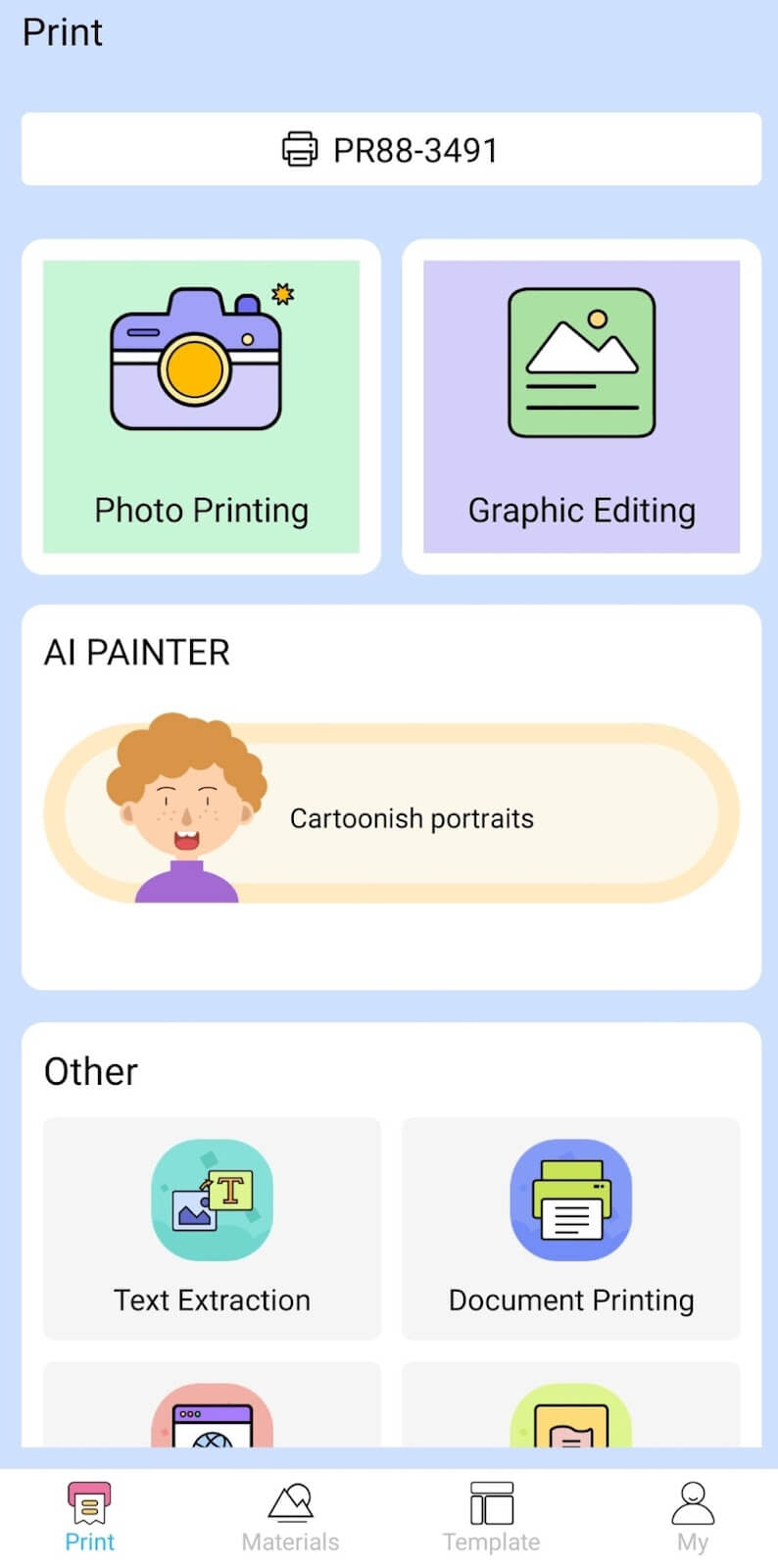
Depending on the type of document you want to print, you can choose different options from the app. There’s photo printing, document printing, web printing, and banner printing.
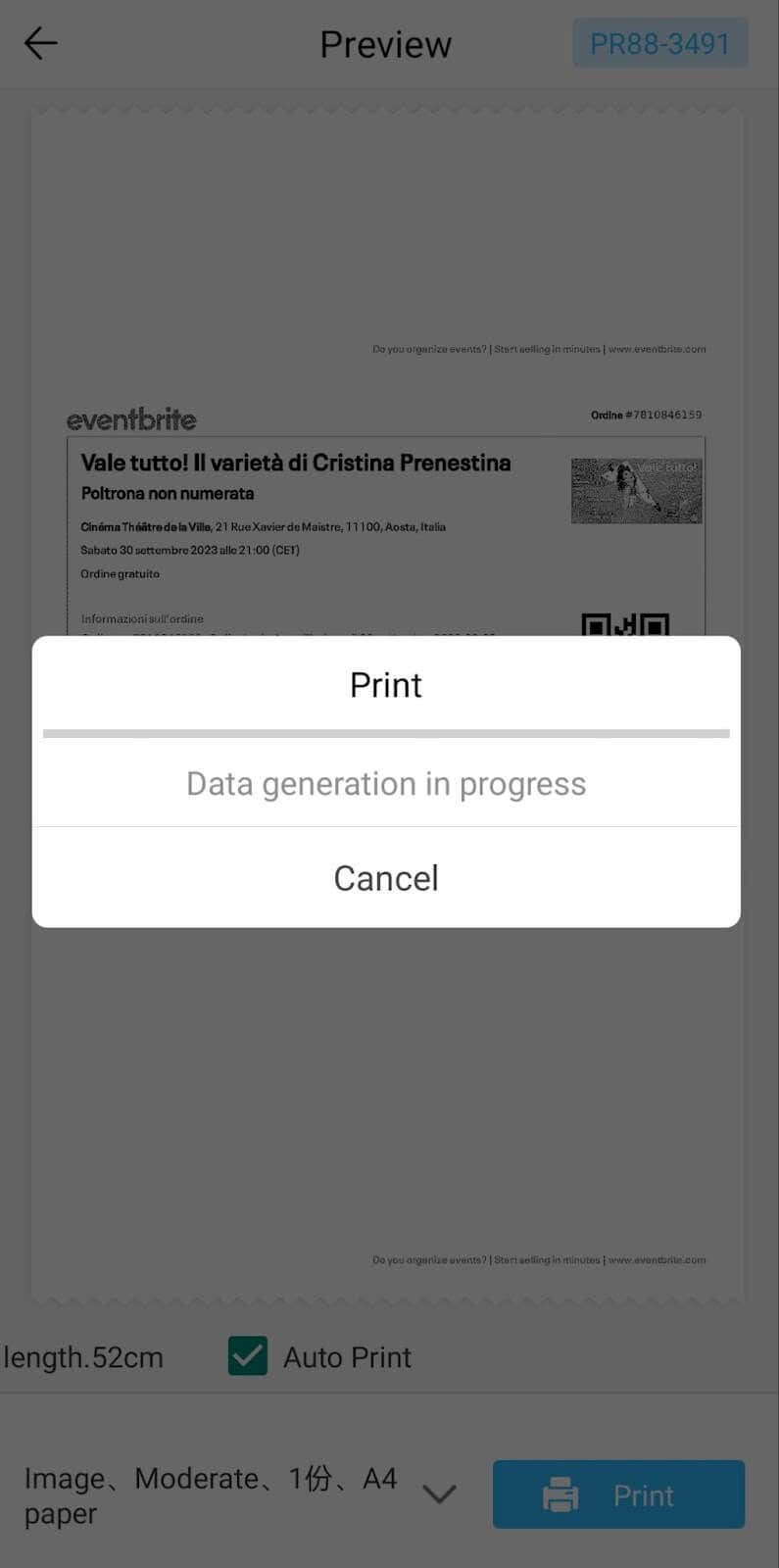
The app also has Materials and Template sections, where you can find various pictures and templates for printing to-do lists, post-its and holiday cards. You can also use the Newyes LD0801 as a label printer using these templates.
Battery Life
The Newyes portable wireless thermal printer is equipped with a decent 1200mAh lithium battery. This high-capacity battery allows you to print on the go without constantly worrying about running out of charge. When I received the printer, I charged it fully once, and it still hasn’t run out of battery after one month of use (I use it to print something almost every other day).
Charging this printer is quick and takes just over an hour to charge the printer from zero to full. The type-C charging cable facilitates a rapid charging experience. And if you run out of battery while on the go, you can quickly charge the printer from a portable power station or a power bank to continue printing.
The printer doesn’t support wireless charging, so I’d recommend always bringing the usb-c cable with you just in case.
Should You Buy the Newyes Portable Wireless Thermal Printer?
The Newyes portable thermal printer ensures high-quality wireless printing while on the go and easy operation. It’s not the most budget-friendly option, but this purchase will save you money and nerves in the long run thanks to its versatility and portable nature.
Personally, I can say that this printer made my life easier. So much that it’s probably my favorite smart gadget of the year. If you’re looking for a portable printer that won’t take any space in your house, I’d certainly recommend considering the Newyes LD0801 model.
- Tribit StormBox 2: The Under $70 Portable Speaker that Stands Out
- ENGWE L20 2.0 Review: The Best Budget-Friendly Foldable E-Bike?
- TopDon TC004 – a Thermal Imaging Camera That Will Give You Predator Vision
- Eskute Star Folding Fat Tire Electric Bike Review
- The 70mai Power Station Tera 1000 Review
