The Oscal Pad 13 is a new tablet from Blackview. It’s a budget tablet that offers a winning combination of performance and affordability. Running on the Android 12 operating system, this tablet delivers solid performance and comes equipped with all the necessary accessories.
Powered by the Unisoc T606 processor and featuring 8 GB of RAM (expandable by 6 GB) and 256 GB of built-in storage (with support for up to 1TB micro-SD expansion), the Oscal Pad 13 ensures smooth multitasking and ample space for your files and apps.
Check out our hands-on review of the Oscal Pad 13 to see if this is the right Android tablet for you.
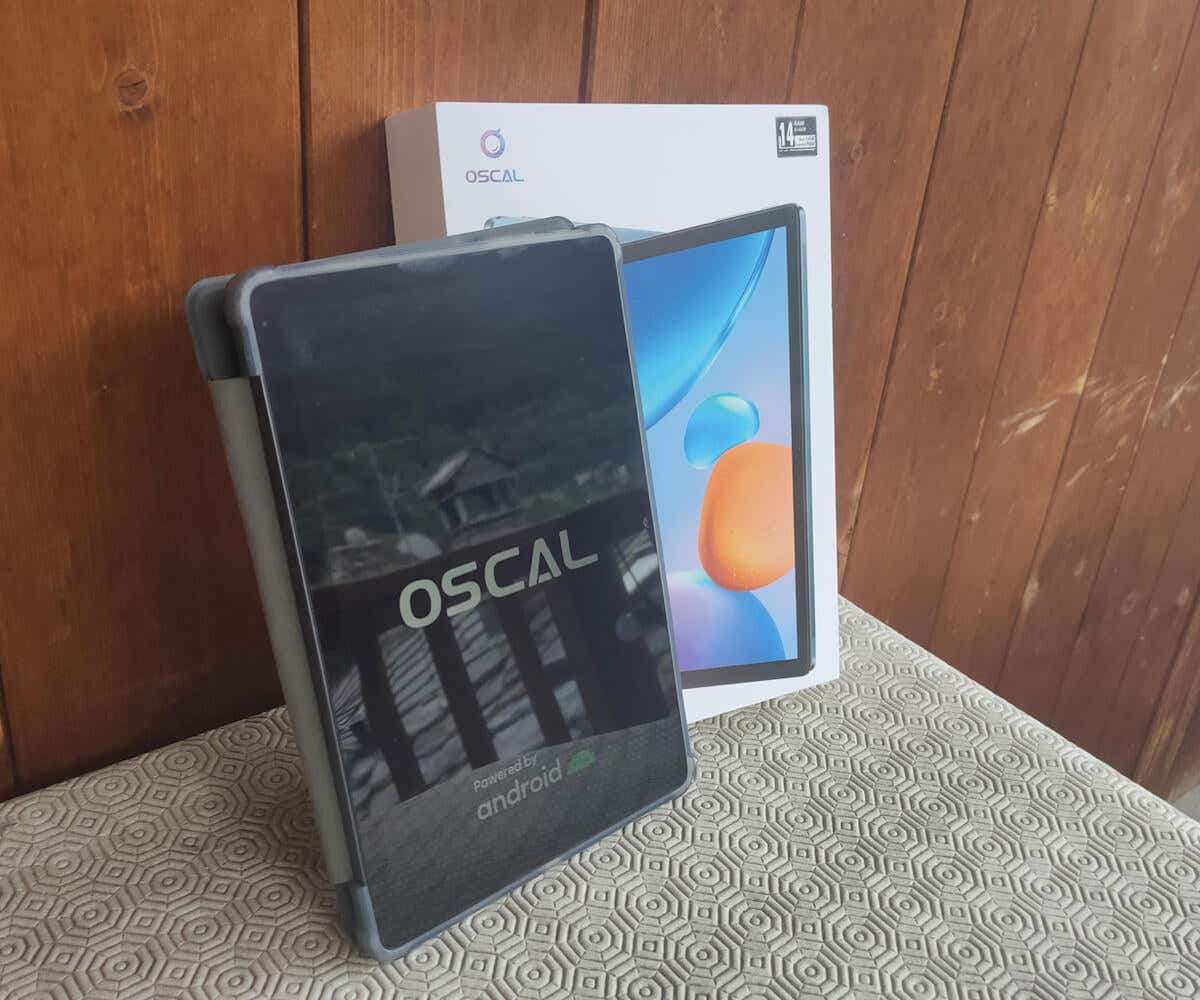
Blackview Oscal Pad 13 Tablet: First Impressions & Specs
The Oscal Pad 13 is a tablet device that combines portability with productivity. On unpacking, one of the first things I noticed was how lightweight and compact this tablet is. It weighs only 15.3 oz (435g) and measures only 0.3 in (7.6mm) in thickness. It’s slim and portable enough to fit in almost any bag you take with you.
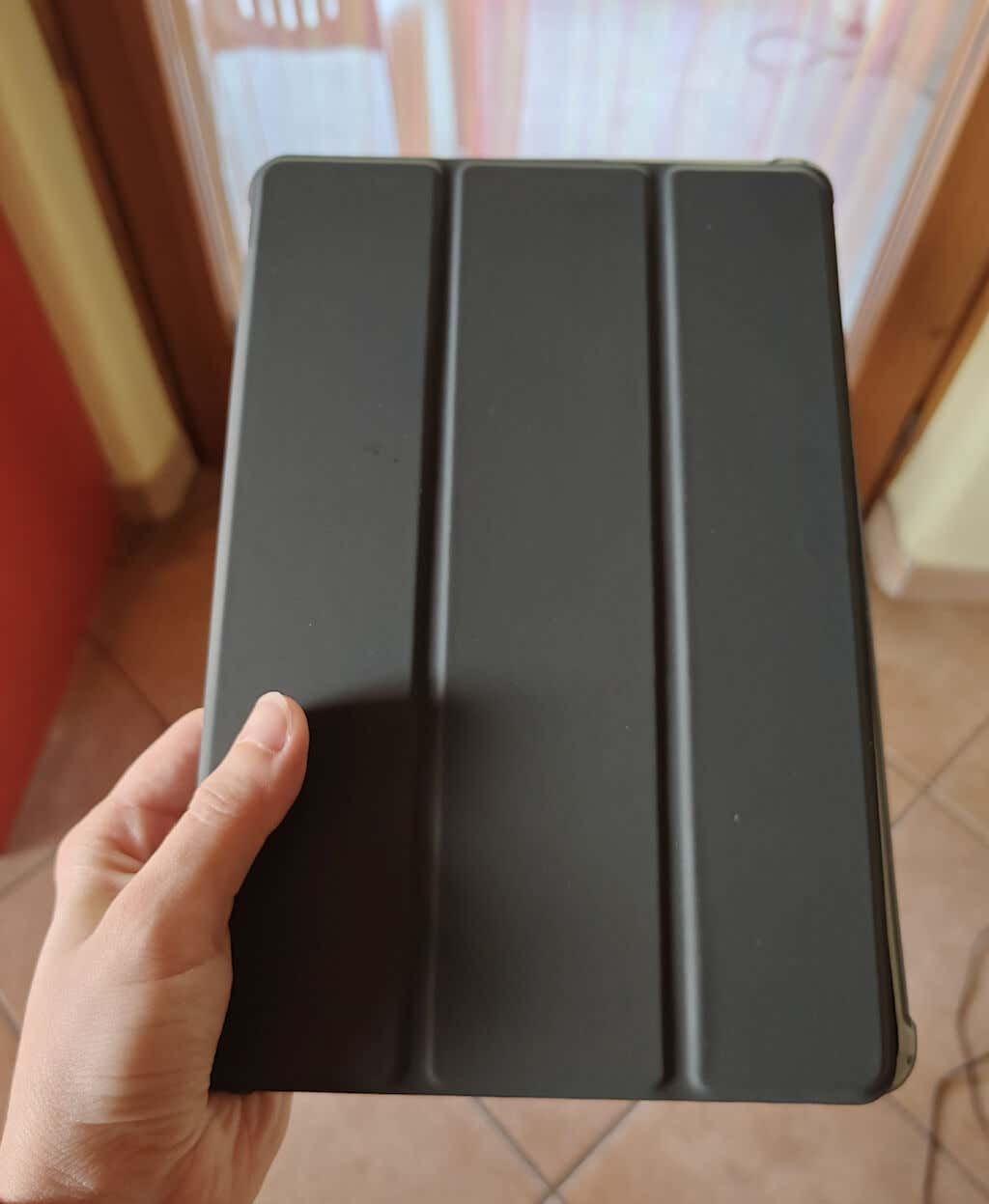
The tablet also comes with a protective case, so you don’t have to worry about scratching it while transporting.
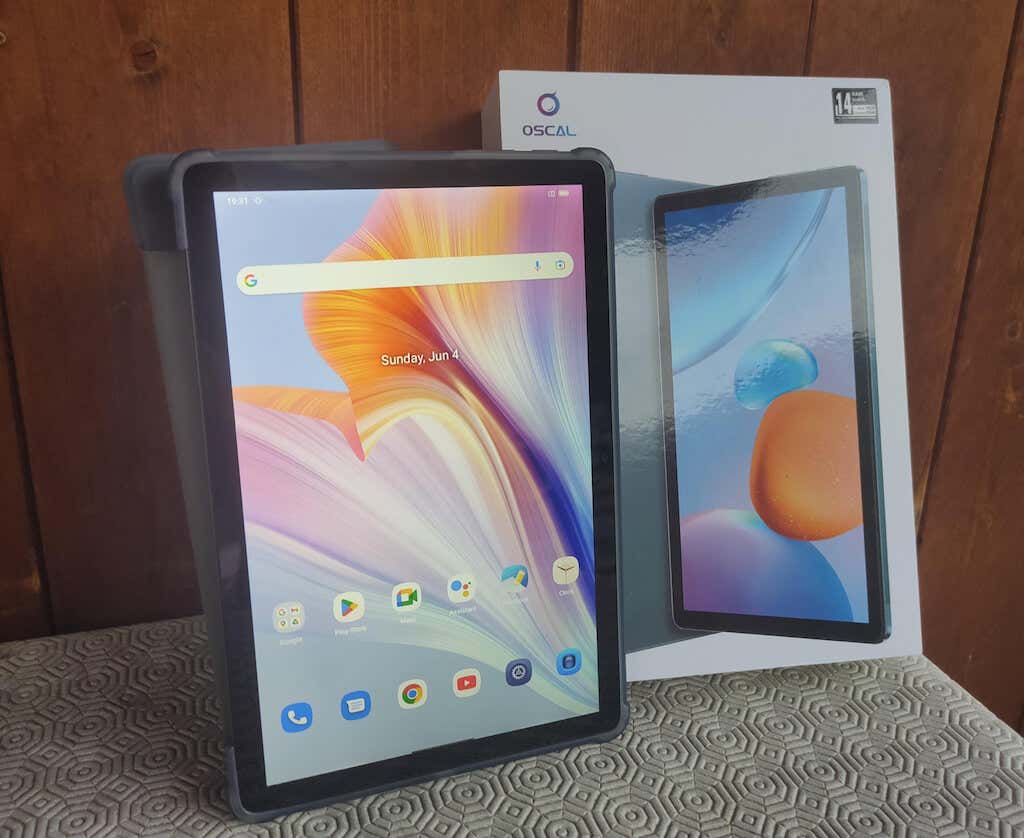
Blackview Oscal Pad 13 has a 10.1-inch display that boasts a high-definition resolution of 1200*1920, allowing you to comfortably do your work and stream your favorite content. The tablet also comes with a stylus pen, which is handy for taking notes, journaling, and drawing.
Before we dive into the Oscal Pad 13 review, here’s the complete list of technical specifications of this Android tablet.
- Brand: Blackview
- Dimensions: 9.4 x 6.2 x 0.3 in (239.2 x 157.95 x 7.6mm)
- Weight: 15.3 oz (435g)
- Display: 10.1-inch IPS LCD
- Resolution: 1200*1920 pixels
- Screen-to-Body Ratio: 81%
- CPU: Octa-core UNISOC T606 (2 x A75 cores @ 1.6GHz, 6 x A55 cores @ 1.6GHz)
- Operating System: DokeOS_P 3.0 (based on Android 12)
- RAM: 8GB (expandable up to 14GB)
- Storage: 256GB ROM (expandable up to 1TB with a TF card)
- Connectivity: Wi-Fi 2.⅘ GHz 802.11 a/b/g/n/ac, Bluetooth 5.0, GPS
- Rear camera: 13MP, 1080P video recording at 30fps
- Front camera: 8MP
- Speaker: 1224 2PCS speakers
- Ports: USB Type-C, 3.5mm headphone jack
- Supported video streaming services: Widevine L1 certified
- Navigation: GPS + Glonass + Beidou + Galileo
- Extra features: versatile desktop, smart floating windows, data migration assistant, system manager
- Battery: 7,680mAh, 18W quick charge
- Accessories: stylus pen, screen protector
- Colors: space grey, glacier blue
- Price: $319, currently on sale for $240 on Aliexpress or $250 on Amazon .
Pad 13 is currently on sale on Aliexpress, and you can order it for just $240. For a budget-friendly device, Pad 13 includes a lot of surprising functionality and accessories. In the box, you’ll find a high-quality screen protector to avoid scratching your tablet’s display and a universal stylus pen that works with any device. Today manufacturers tend to stick with the bare minimum when it comes to accessories, but it’s not the case with Oscal.
Another surprising factor for me was the 4G cellular connection option for European and Asian consumers. It means you won’t have to rely solely on a Wi-Fi connection while on the go and can use your tablet with a sim card.
Design and Unpacking
The Oscal Pad 13 tablet has a stylish and modern design. It’s slim and has smooth edges, making it look classy. The tablet is packed securely to keep it safe during shipping.
What’s in the Box
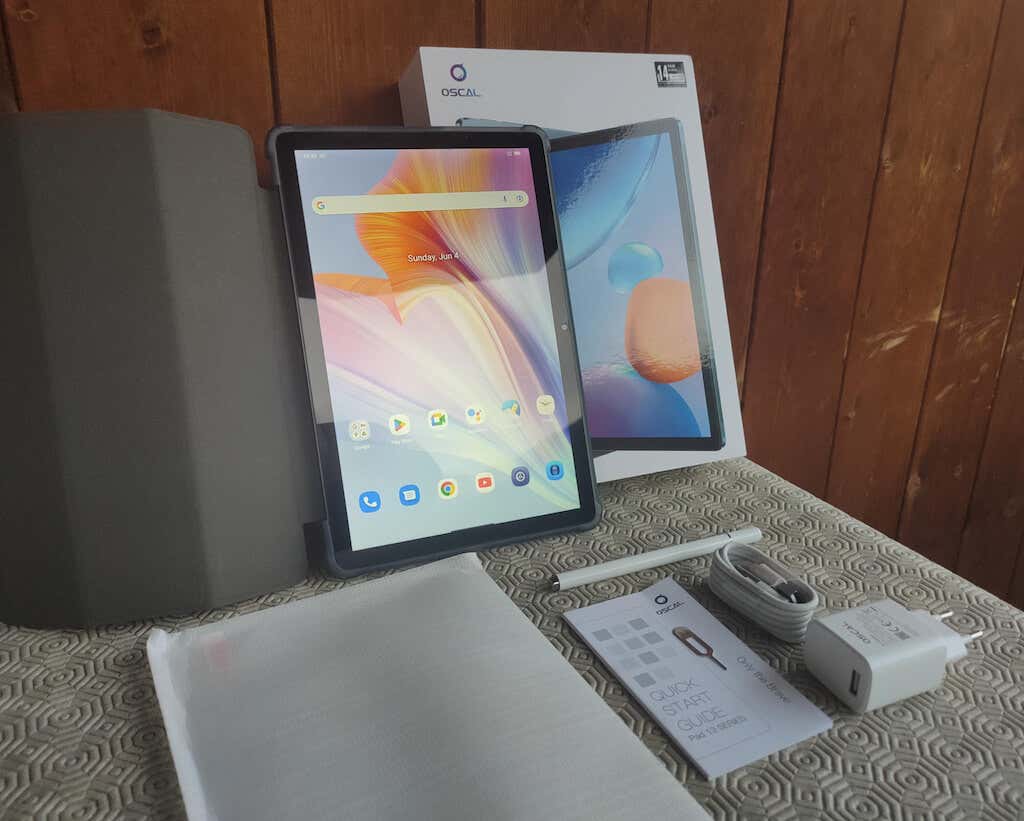
Here’s everything you’ll find when unpacking your Oscal Pad 13:
- Blackview Oscal Pad 13 Tablet
- Stylus pen
- USB-C charging cable
- Power adapter to connect the USB-C cable for charging the tablet
- Tempered membrane screen protector
- Sim card ejector tool
- Quick start guide & warranty card
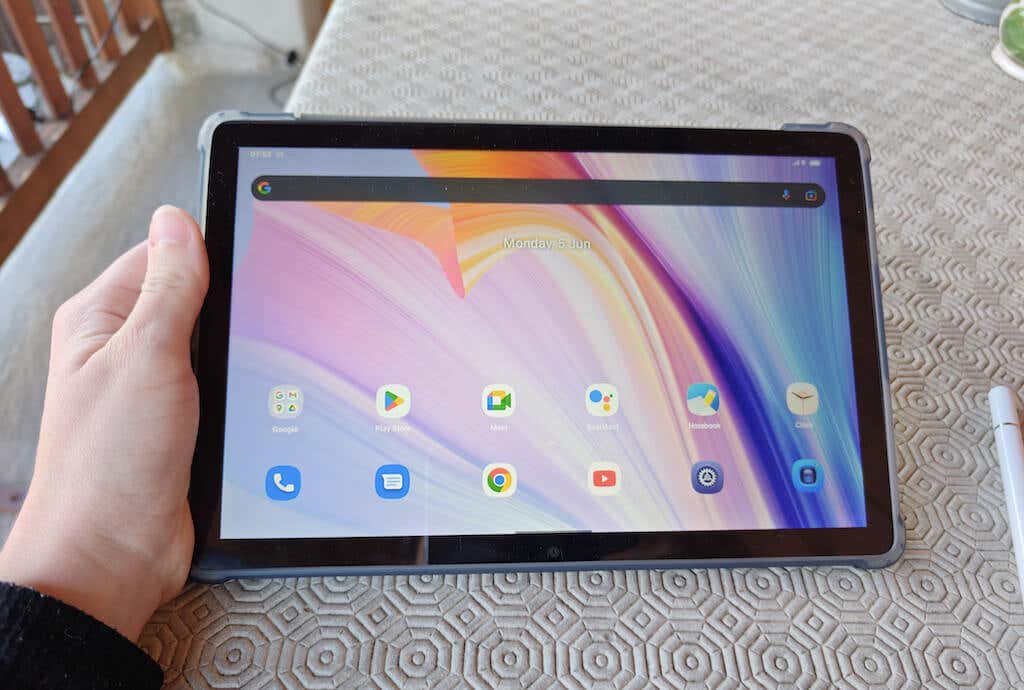
The front of the Oscal Pad 13 has a big and colorful screen with slim bezels that maximize the screen-to-body ratio. It fills up most of the front, so you can enjoy watching movies, browsing the web, or playing games. The camera and sensors are placed neatly at the top so they don’t get in the way.
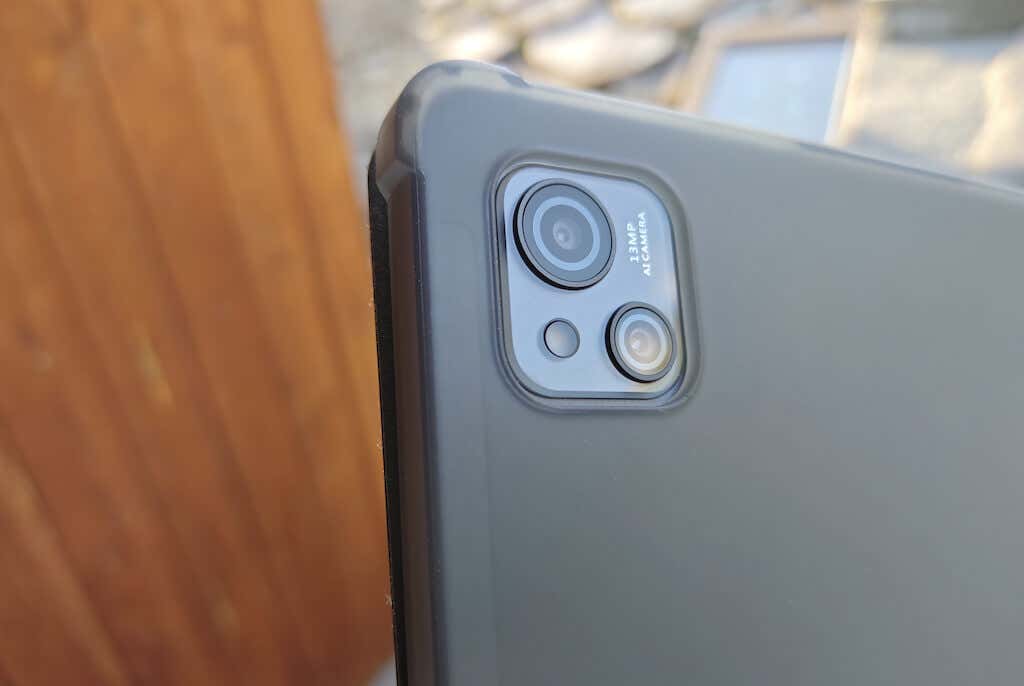
The back panel of the tablet has a solid cover made of strong materials and features a matte finish. The main camera is also placed on the back of the tablet.
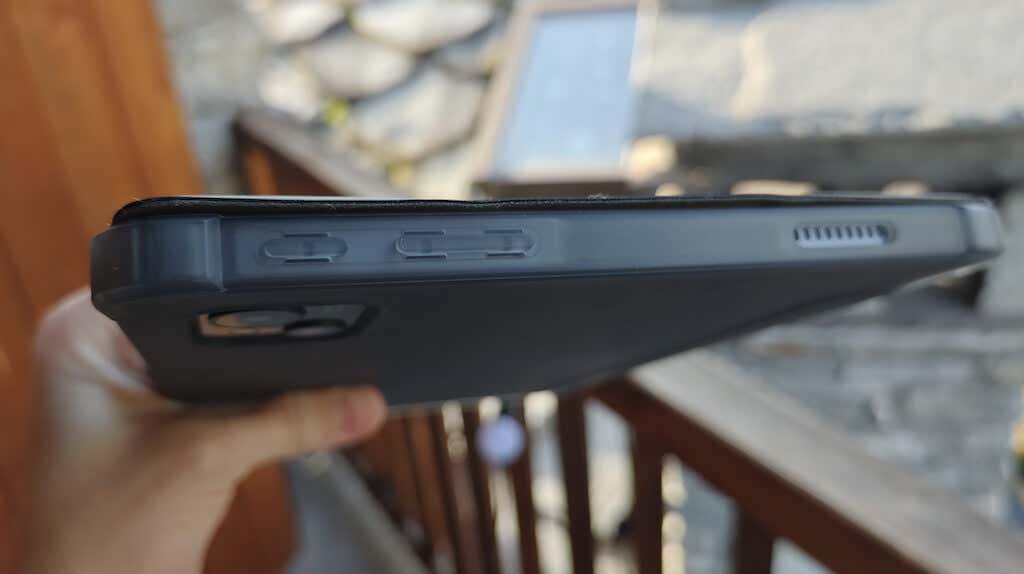
There are buttons and ports on the sides of the Oscal Pad 13. These include the volume buttons, power button, charging port, headphone jack, and a card slot for dual SIM and micro SD memory card. A SIM card ejector tool is included in the package, so you can easily open the slot and install/remove the cards.
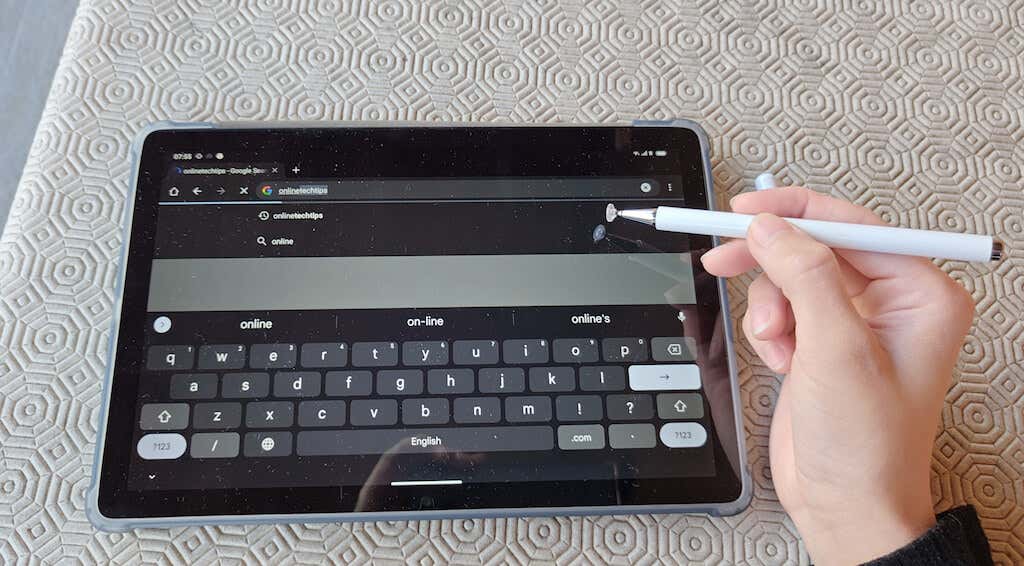
You’ll also find some other extra things that come with the Oscal Pad 13 inside the box. There’s a sturdy screen protector for your tablet’s display and a stylus pen tool. The stylus is a great and versatile tool, and it’s an excellent addition to the package. However, there’s no magnetic mechanism to attach it to your tablet. You have to always keep an eye on it if you don’t want to lose it.
The Oscal Pad 13 is thoughtfully designed. Thanks to the slim structure and the placement of the buttons, you’ll find no problem using the Pad 13 even if you’ve never used a tablet before.
Software and Features
The Oscal Pad 13 tablet is equipped with the Unisoc T606 octa-core processor, which acts as the brain of the tablet. The Unisoc T606 octa-core chipset ensures that the Oscal Pad 13 can handle various tasks with ease.
The Pad 13 is running on the older Android 12. It’s enough for ordinary everyday use, but if you’re after the latest Android UI and optimizations, the Pad 13 may not be the right tablet for you. I mostly use the tablet for streaming services and browsing the internet and found everything running smoothly.
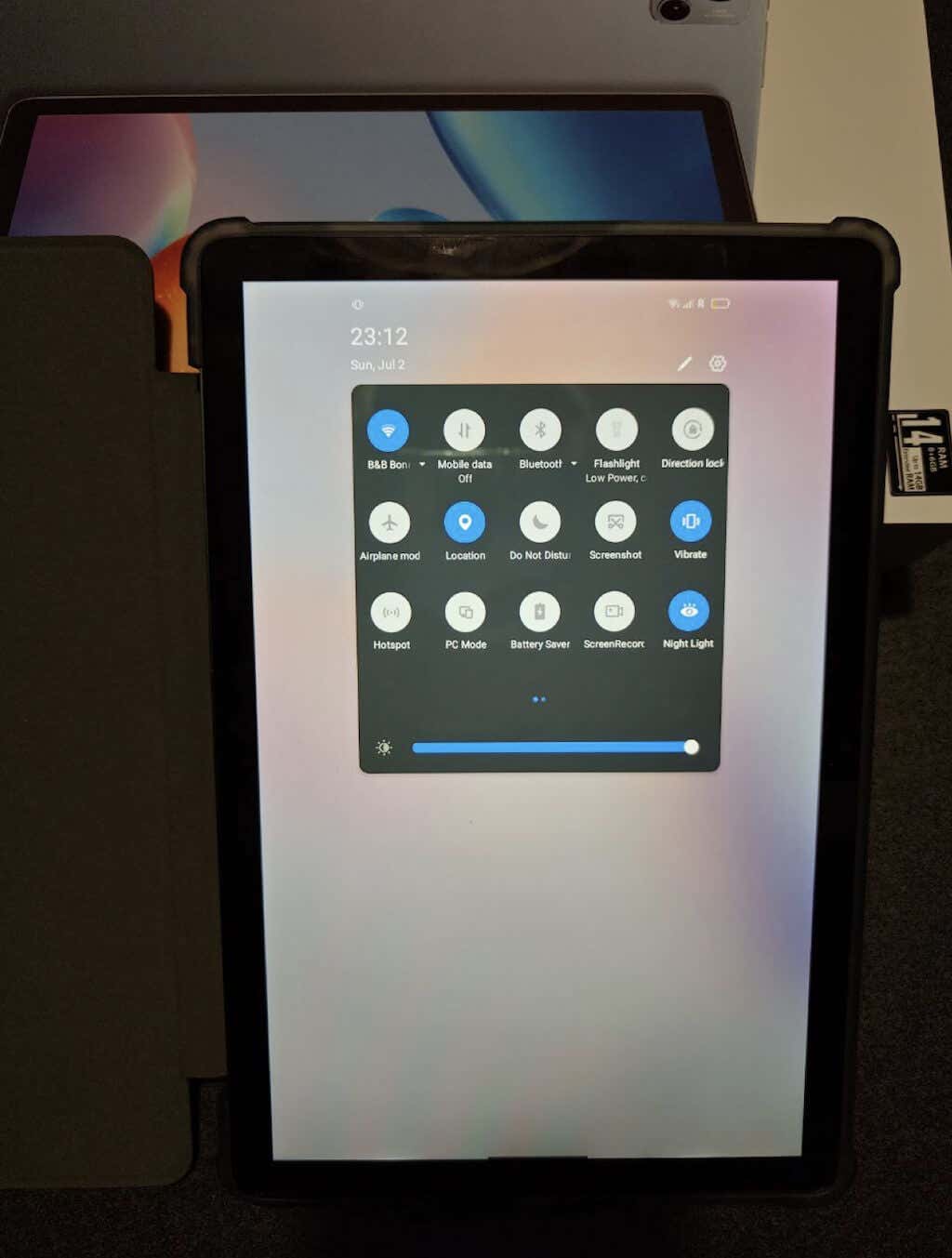
One notable feature of the Oscal Pad 13 is its PC mode, which allows the tablet to function like a traditional computer. With this mode, you can connect an external keyboard and mouse to the tablet, enabling you to work on documents, browse the web, or perform other tasks more efficiently. This versatility makes the Oscal Pad 13 a convenient tablet PC option for both work and entertainment on the go.
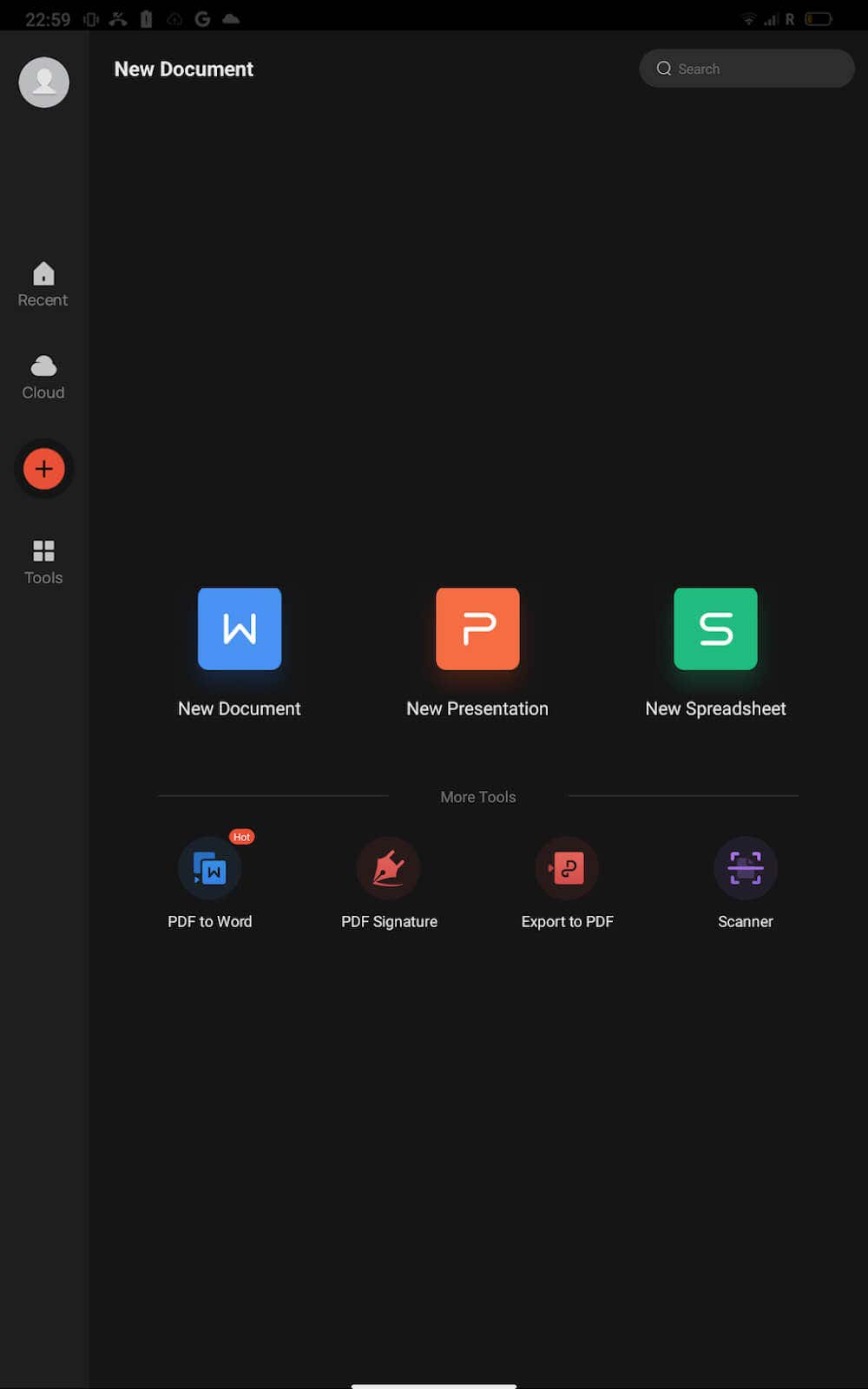
Speaking of productivity features; the Oscal Pad 13 comes preloaded with the WPS office suite, providing you with a comprehensive set of productivity tools on the go. You can work on documents, spreadsheets, or presentations using the WPS suite, and it’s a great alternative to Word, Excel, and PowerPoint altogether.
The Oscal Pad 13 tablet offers three reading modes for a more comfortable user experience in any light condition. The first mode is the standard mode, the second mode is the night mode, which reduces blue light emission to minimize eye strain during nighttime reading sessions, and the third is the sunlight mode, designed for outdoor reading.
Some other features you may find useful are face unlock and the 4-in-1 navigation system. If you don’t like passcodes and patterns, you can use the advanced face unlock option to access your Pad 13. The tablet can securely recognize your face and unlock the device with just a smile.
The 4-in-1 navigation system includes GPS, Glonass, Beidou, and Galileo, which allow you to navigate with confidence. This is useful when traveling to a new city or country or when you need to quickly find a specific place or an object in your surroundings.
Storage
In terms of storage, the Oscal Pad 13 offers ample internal storage capacity to store your files, apps, and media. Oscal Pad 13 comes with 8GB RAM and 256GB built-in storage.
The tablet also supports expandable storage through a dual 4G SIM card slot, allowing you to add more space for your data if needed. You can use one slot for a 4G SIM card and the other slot for a TF card with a storage capacity of up to 1TB. This dual 4G capability provides flexibility and convenience for both data connectivity and storage expansion.
Gaming and Entertainment
If you’re looking for a portable tablet to use for gaming and entertainment purposes, the Pad 13 has a lot to offer in this sphere. The optimized software, vibrant display, generous internal storage, PC mode, and immersive audio all work towards the best possible gaming and entertainment experience you may have using a tablet.

While we already touched upon other things from this list, what I found especially impressive is Pad 13’s performance in the audio department. The tablet’s equipped with smart quad-box speakers that provide an immersive audio experience – another surprising feature for a portable tablet like the Pad 13.
Photo & Video Quality
The Oscal Pad 13 tablet features a 13-megapixel AI camera at the back, allowing you to capture photos with impressive detail and clarity. It’s also capable of recording videos in 1080p resolution, ensuring smooth and high-quality video footage.
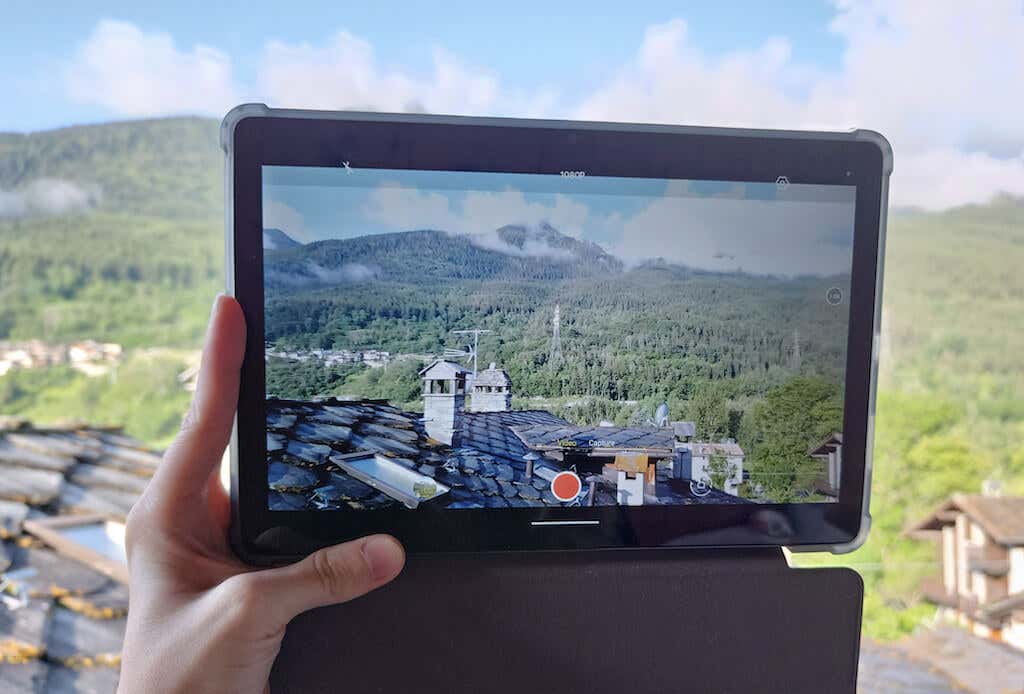
For video calls and selfies, the tablet is equipped with an 8-megapixel front-facing camera.

*selfie taken with Oscal Pad 13
While the camera performance of the Pad 13 is not exceptional, it delivers satisfactory results for everyday photography needs. The cameras may not stand out as extraordinary, but they get the job done.

*selfie taken with Oscal Pad 13
Whether you want to snap quick photos, record memorable moments, or engage in video calls with loved ones, the Pad 13’s cameras offer decent performance and functionality.
Battery Life
The Oscal Pad 13 is equipped with a powerful 7680mAh battery that offers impressive battery life. With such a large capacity, you can enjoy your tablet for extended periods without worrying about running out of power quickly.
I use this tablet primarily for streaming TV shows and watching YouTube in the evening, and the battery easily lasts me from several days to a week. Otherwise, the battery should last you up to 18 hours of music playback or up to 33 hours of calling.
Oscal Pad 13 also supports fast charging technology, so you can quickly refill the battery using the 18W quick charge.
Thanks to the combination of the high-capacity 7680mAh battery and fast charging, you can keep using your tablet for work or entertainment purposes for longer periods without interruptions.
Should You Buy the Blackview Oscal Pad 13 Tablet?
The Oscal Pad 13 is a budget tablet that comes with impressive features and accessories. It’s equipped with a beautiful vibrant display, generous internal storage, lots of connectivity options, and a powerful battery. Not to mention the added accessories and capabilities, like the screen protector, stylus pen, and dual SIM card slot.
The specs may not be cutting edge, with the somewhat outdated Android 12 and average camera performance, but the price tag of under $250 makes it an attractive buy.
- Tribit StormBox 2: The Under $70 Portable Speaker that Stands Out
- ENGWE L20 2.0 Review: The Best Budget-Friendly Foldable E-Bike?
- TopDon TC004 – a Thermal Imaging Camera That Will Give You Predator Vision
- Newyes Portable Wireless Thermal A4 Printer Review
- Eskute Star Folding Fat Tire Electric Bike Review
If you don’t have a full-sized printing machine at home and often need to print a document on the go, check out the Newyes portable printer . This wireless printer is lightweight and small enough to fit in your bag. Not to mention it’s environmentally friendly, since it uses thermal paper instead of ink.
Follow our review of the Newyes portable wireless thermal printer to see if it suits your printing needs.
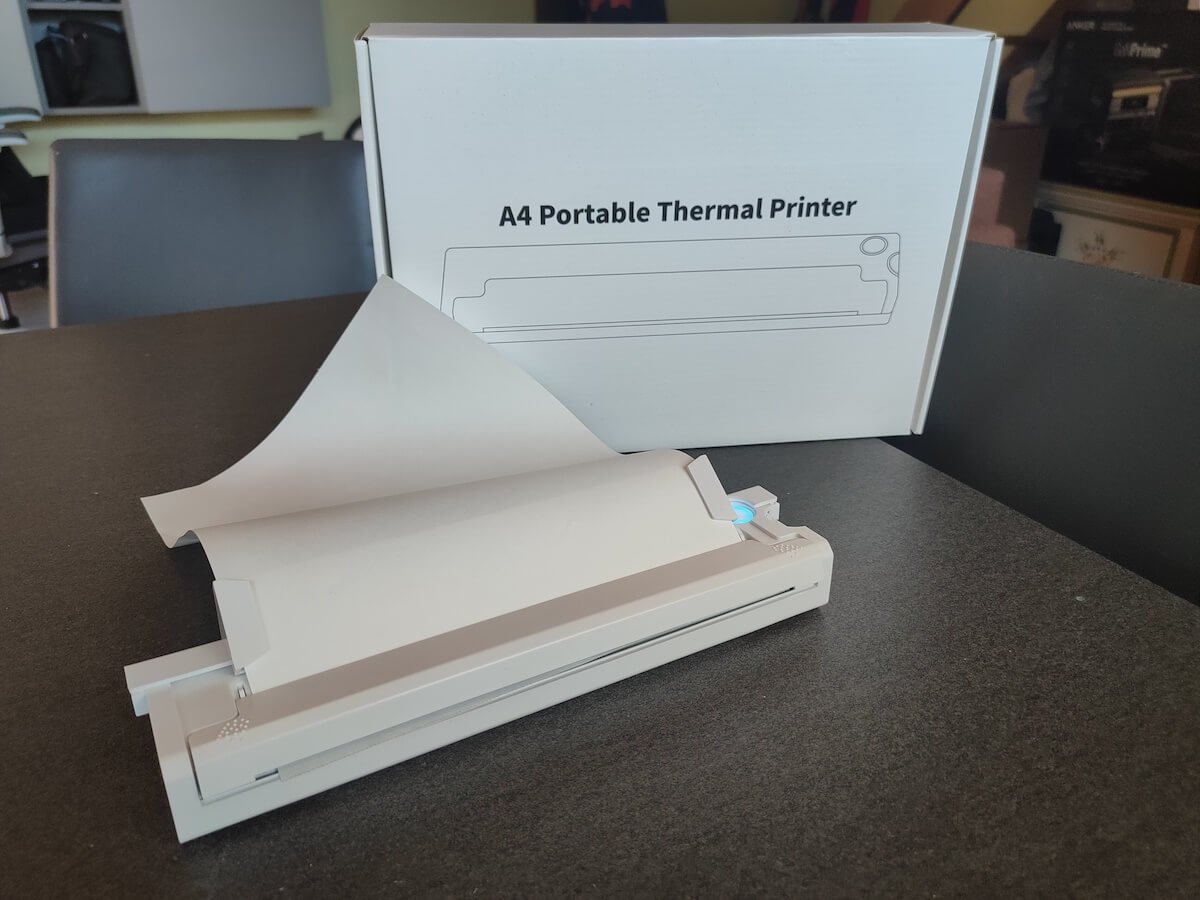
Newyes Portable Wireless Thermal A4 Printer: First Impressions & Specs
When I was a student, I remember my university always required hard copies of documents. Luckily, there was a print shop on campus where I could always pop in to print something.
Then I became a professional, and to my surprise many life spheres still required me to have printed versions of documents with me. Of course you can get your own full-sized machine to print things at home, but if like me you live in a small apartment, you value every extra bit of space and don’t want a massive printer to take it up.
One day, when I was looking for a neighbor with a printer to help me with my event tickets, they introduced me to the concept of a portable printer. Seeing how easy it is to use, I immediately wanted to get my hands on one of those. So here I am, reviewing one of the most useful gadgets I received recently – the Newyes portable thermal printer.
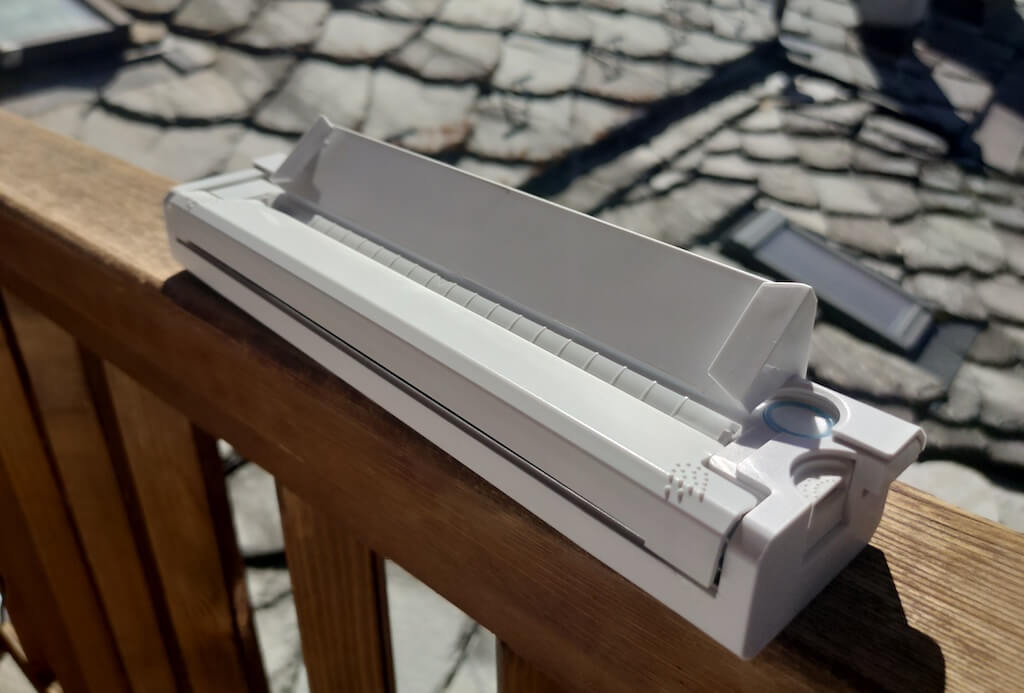
Before we continue with this review, here is the full list of specs of this printer.
- Model: Newyes LD0801
- Dimensions: 10.4 x 1.2 x 2.28 in (265 x 58 x 30.5 mm)
- Weight: 16.8oz (475g)
- Paper format: A4
- Paper width: 210mm or 218mm
- Printing Type: thermal paper
- Resolution: 203DPI
- Connectivity: Bluetooth
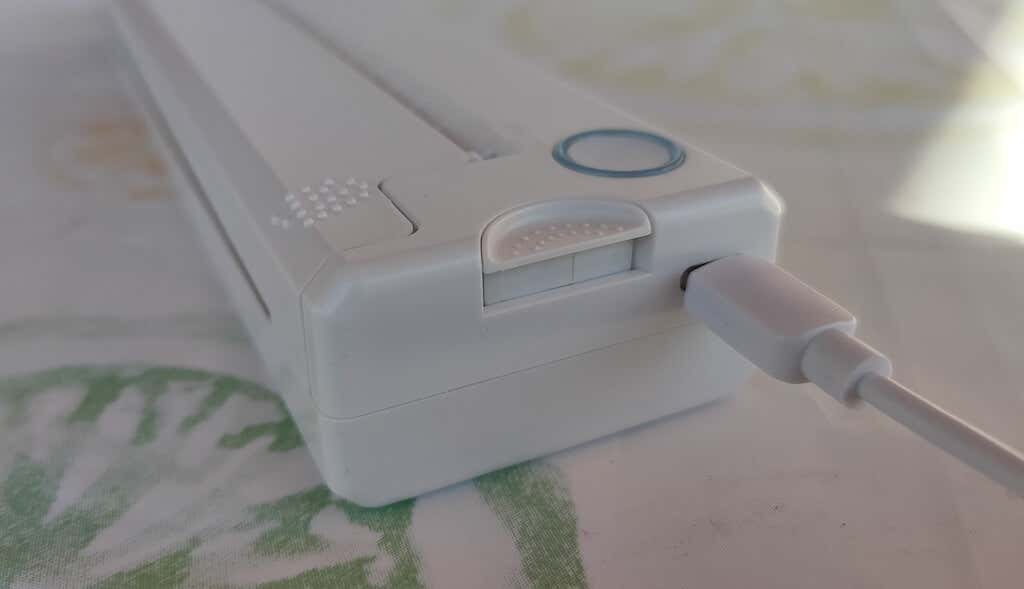
- Charging port: USB type-C port
- Input Voltage: DC 5V / 2A
- Battery: 1200mAh lithium battery
- Charging time: 75 min
- Automatic shut down: after 30 minutes
- Stand-by: about 30 days
- Extra features: LED light, reset, on / off switch button
- Color: white, black
- Warranty: limited one year warranty
- Price: $199 on the Newyes website
If you find yourself in need of hard copies of important documents while on the move, the Newyes portable wireless thermal printer will become your go-to gadget. Newyes calls it “the world’s smallest printer”, and with the weight of under 500g this seems plausible. This mini printer offers a handy solution for those moments when you need to quickly print an important document but don’t have access to an office setup.
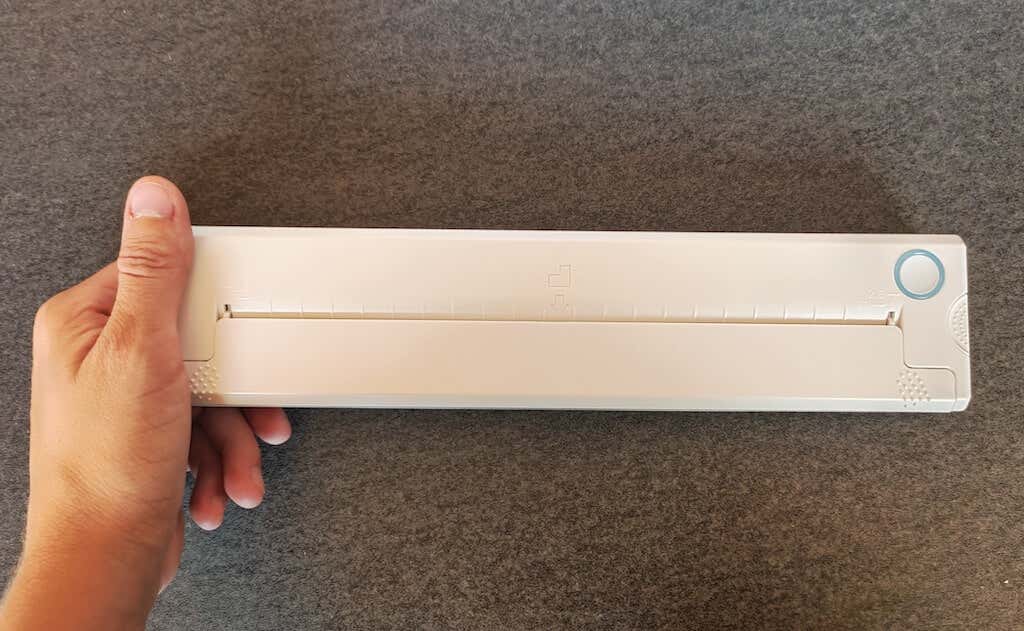
Operating this printer is a breeze – a simple Bluetooth connection is all that’s required. Once connected, just fire up the app, choose the file you want to print, and send it over. Efficiency is at the forefront, and you can easily print multiple sheets by inserting new pages back to back.
The only limitation this printer has is that it can only print in black. So even if your original file is in color, the printed document will still come out in black and white. Other than that – you can print a variety of file types including Excel, Word, PDF, JPG, PNG, and web pages – and it only takes seconds.
The Newyes portable wireless printer combines convenience, portability, and efficiency – all the things I appreciate in a modern gadget.
Design and Unpacking
Let’s have a closer look at the design and build of this smart printer, as well as what you get included in the package when you purchase it.
What’s in the Box
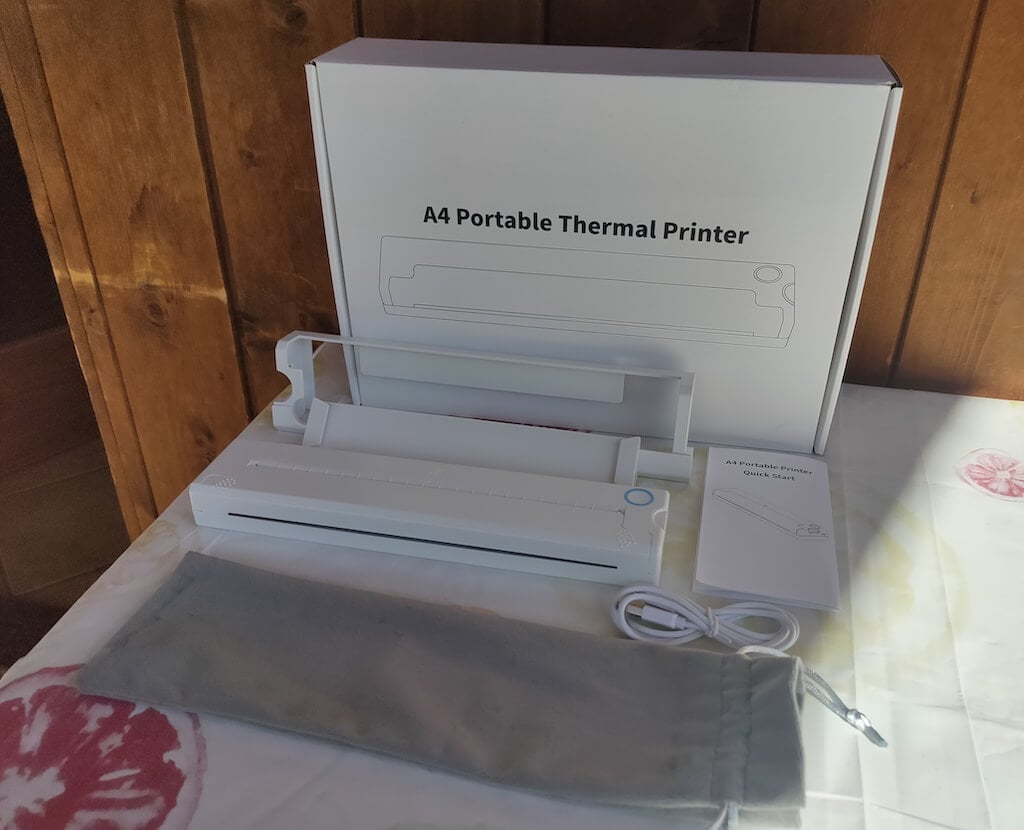
Here’s everything you’ll find when unpacking your Newyes portable thermal printer:
- The Newyes portable wireless thermal printer
- Bracket
- USB type-C cable
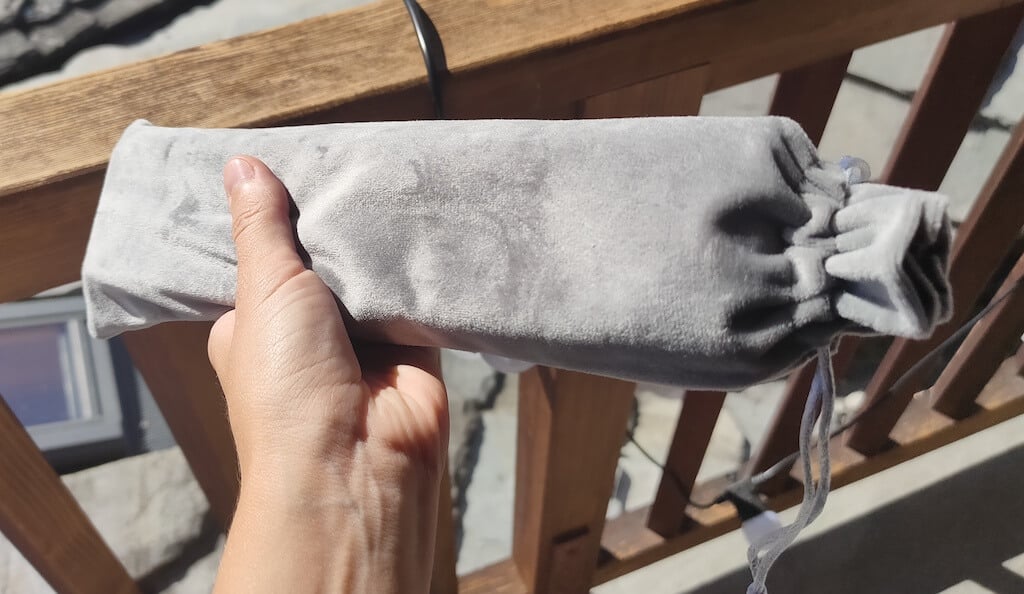
- Storage/carrying pouch
- 100pcs thermal printing paper
- User manual
You can use the Newyes portable printer right out of the box, as you’re all set with essential accessories. Aside from the printer itself, the package includes a bracket which will make printing more than one page smoother, a convenient storage bag for carrying your printer with you, a USB-C cable for charging, and a supply of 100 pieces of thermal paper to get you started.
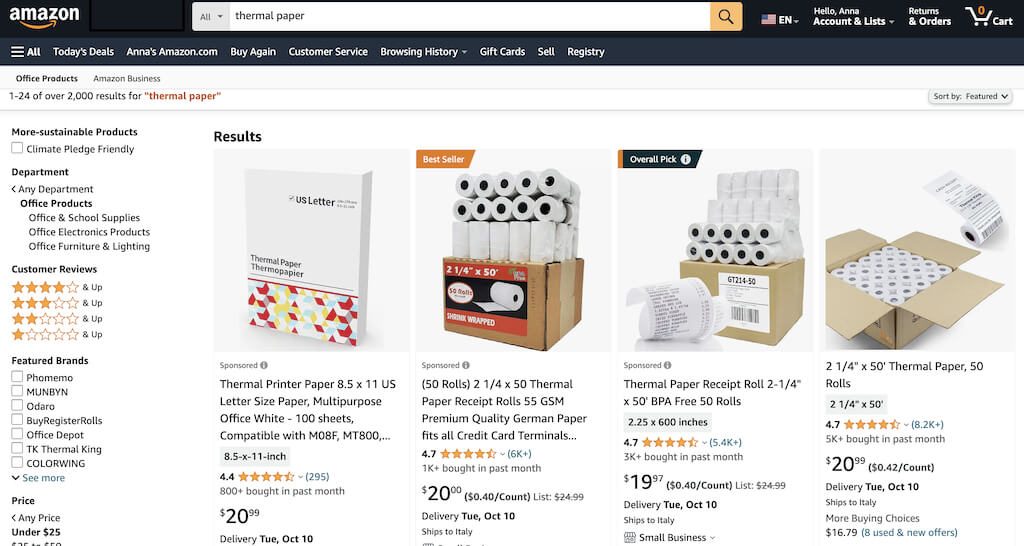
One important thing to remember is that this printer only works with thermal paper. While thermal paper is significantly more expensive than normal paper, this printer also uses inkless printing and works without a ribbon and toner. Since you don’t have to spend money on ink, carbon ribbons or toner cartridges, you ultimately end up saving money with thermal paper.
The Newyes LD0801 is a pocket-sized printer that features straightforward design. For the purpose of this review, I had a printer in white color. The printer looks like a small white brick with just two pressable buttons on top – one for switching it on and off, and another for opening the printer’s cover. You’ll also see the paper entry slot on top of the printer.
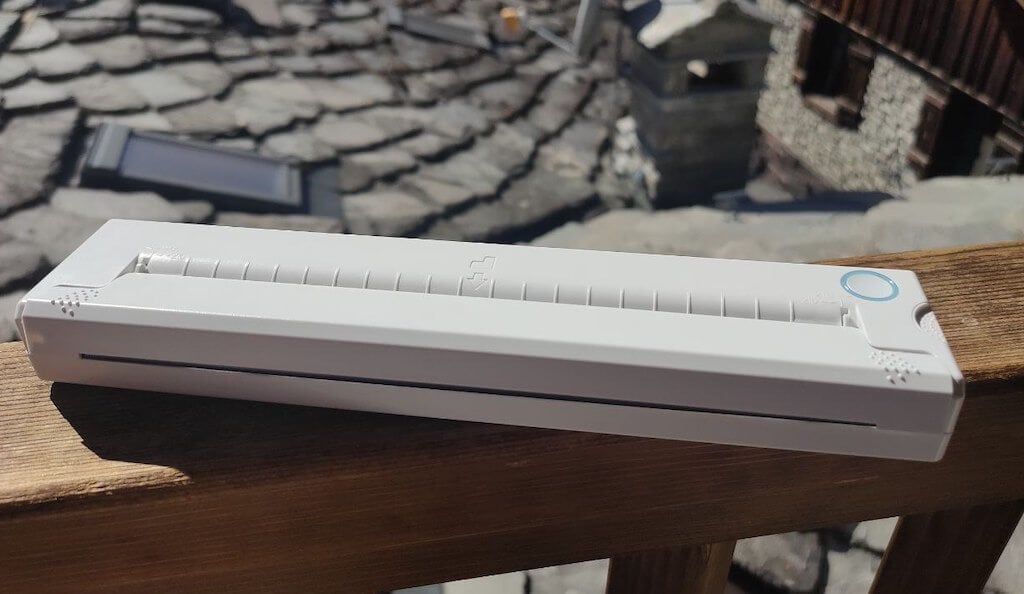
On the side of the printer, you’ll find a single charging port.
The printer is made of plastic, but the build feels sturdy. I never have to worry about throwing it into my bag or damaging it when traveling. Besides, you can use a nice carrying pouch included in the package for protection.
Performance & Features
According to Newyes, the portable printer has a “handheld size and two times the weight of an iPhone”. This can give you an idea of how portable and convenient this little gadget is. In a month of testing, I used it at home, in a store, and even in a car while on the road.
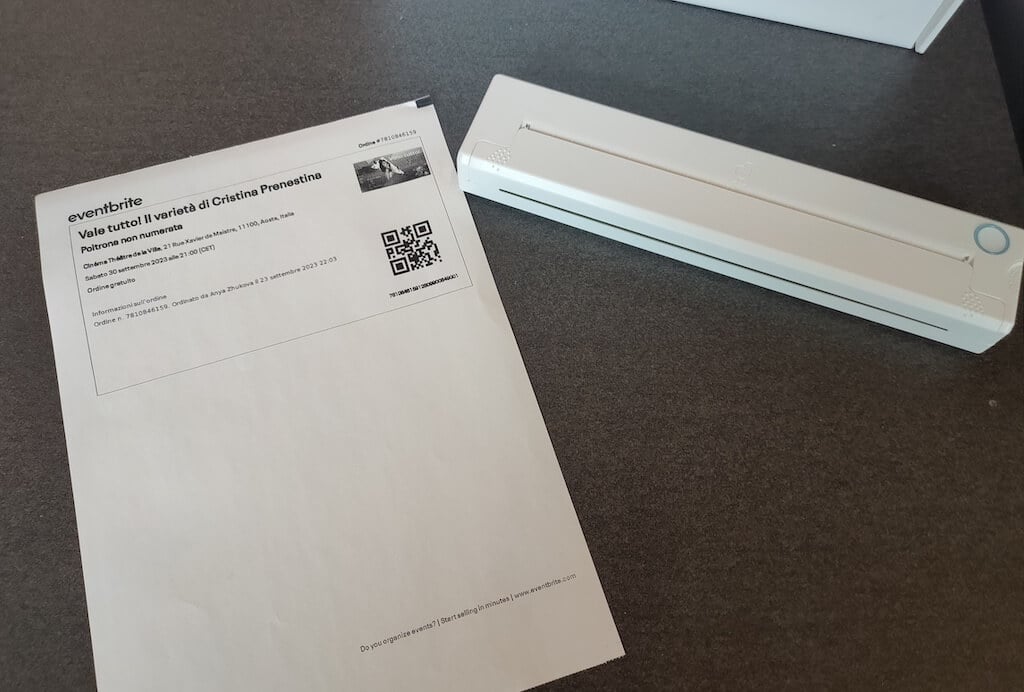
Using the printer is unbelievably easy. Connect it to your mobile phone via Bluetooth, press the button to turn the printer on and put a sheet of thermal paper into the paper entry slot. Make sure to use thermal paper and not standard paper, and put it with the black marks facing down. Bear in mind that the thermal printer can only print in black and white and only on one (marked) side of the thermal paper sheet.
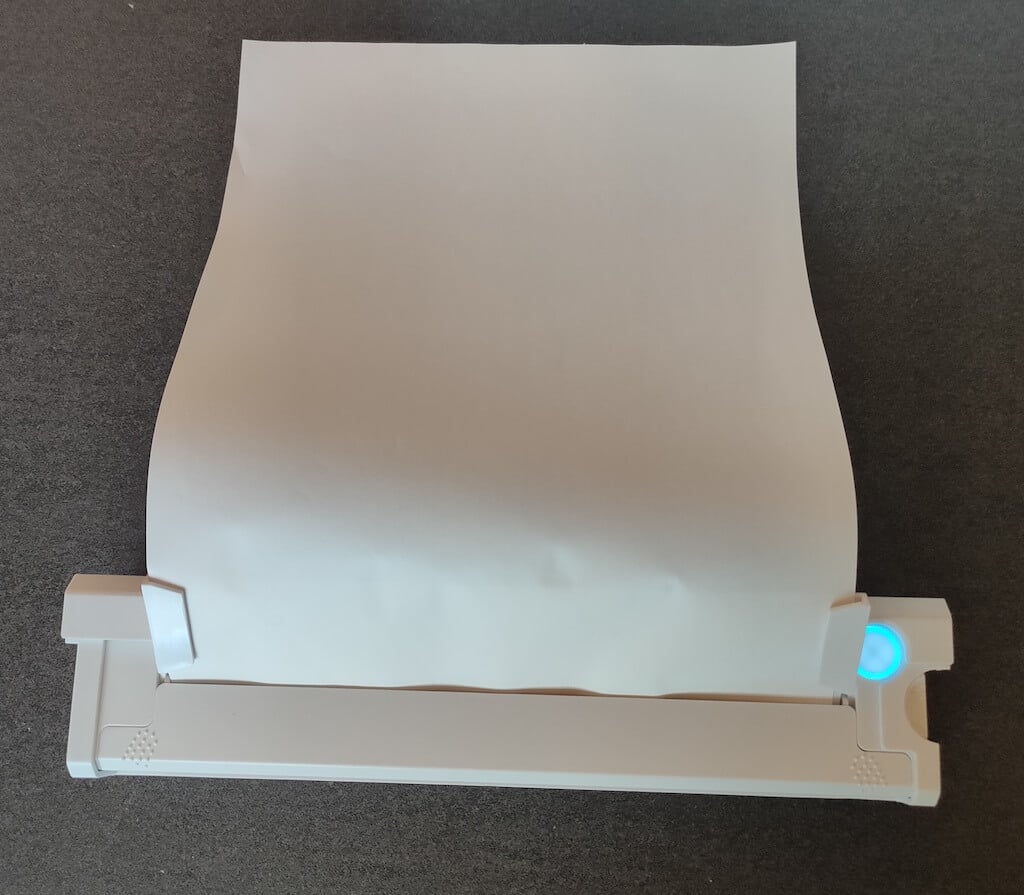
Then open the iPrint app on your smartphone. If you’re printing an A4 document, you can select one of two options – Photo Printing and Document Printing . Then choose the document from your phone’s files and print it.
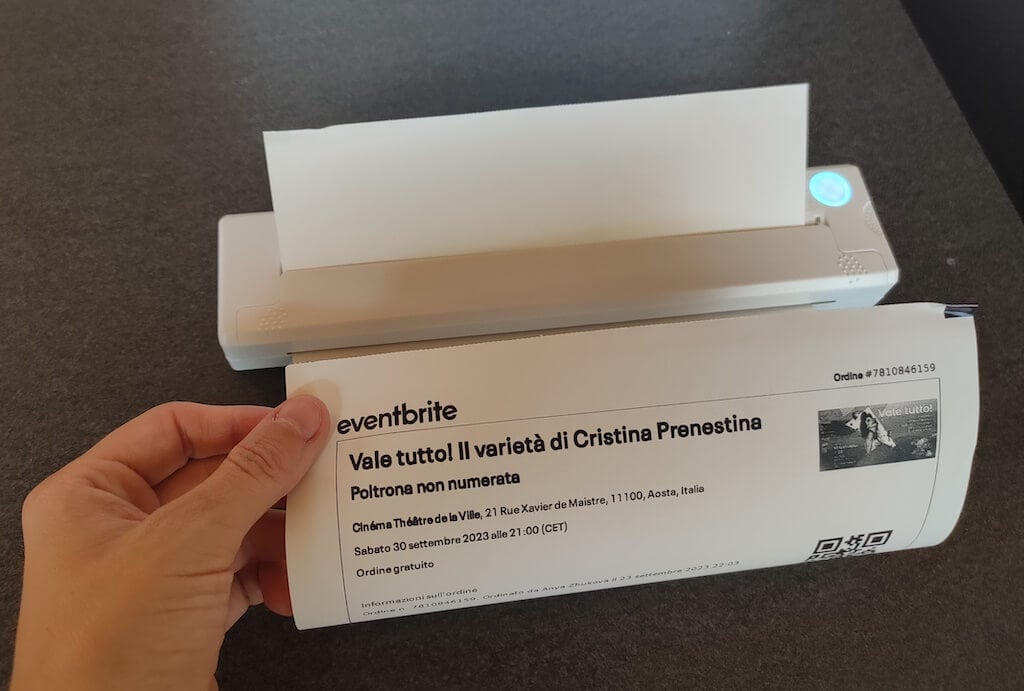
The printer is reliable and in the time that I used it the Newyes LD0801 never let me down. The printing quality will surprise you, as it’s sometimes better than what you get from a full-sized printer. The printer supports printing in various formats, and you can use it to print documents from your smartphone (Android and iPhone), iPad, and Android tablet.
When fully charged, the printer can support up to 90 pieces of paper continuously, which is very impressive for a gadget of such a small size.
Software
The Newyes portable printer requires an iPrint app to operate. The app is available for free on iOS and Android. You’ll need to download the app on your device from the App Store or Google Play before you begin printing your documents.
The app has a simple and user-friendly design. You’ll need to pair your device with the printer on the first use via Bluetooth.
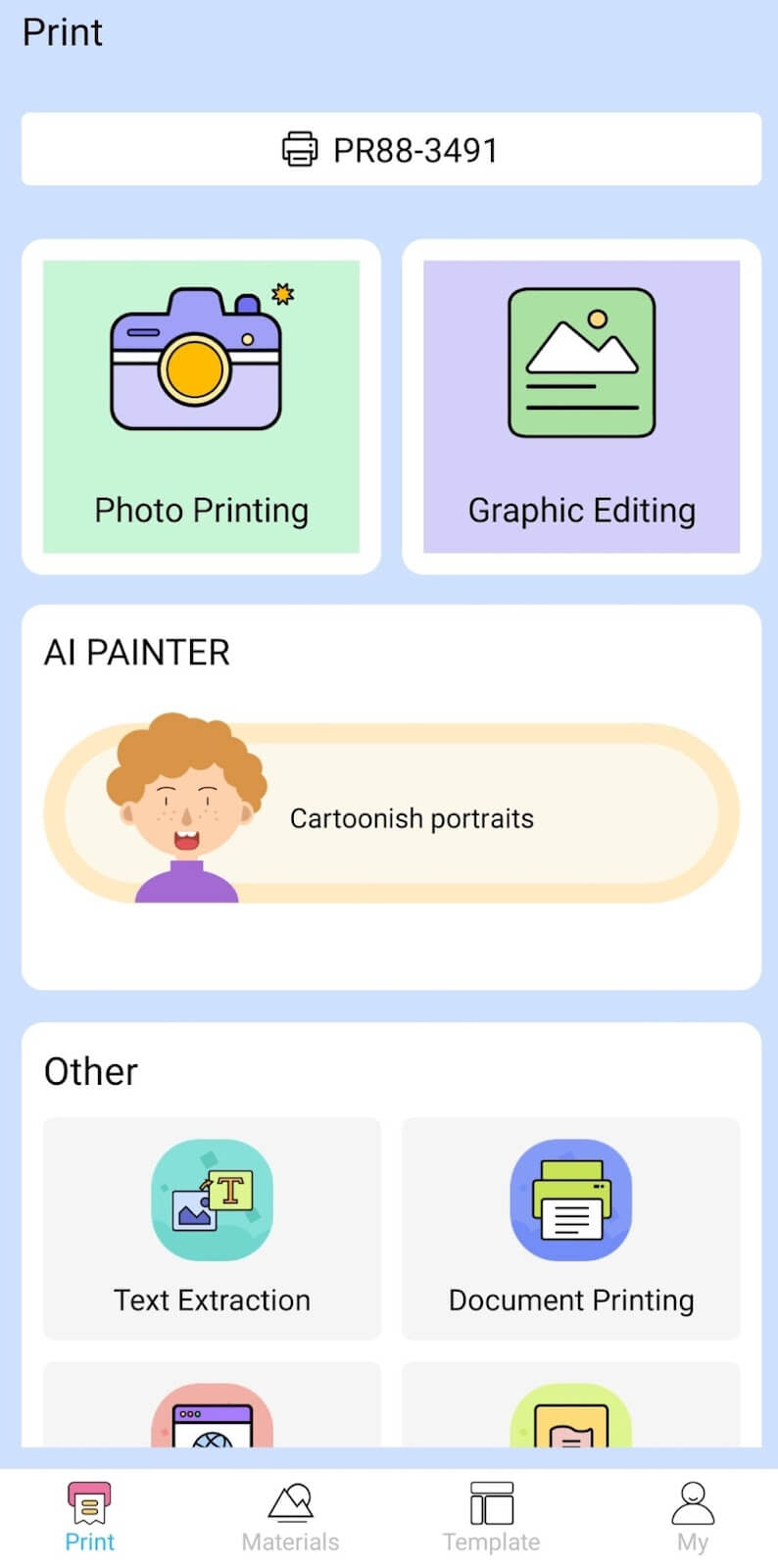
Depending on the type of document you want to print, you can choose different options from the app. There’s photo printing, document printing, web printing, and banner printing.
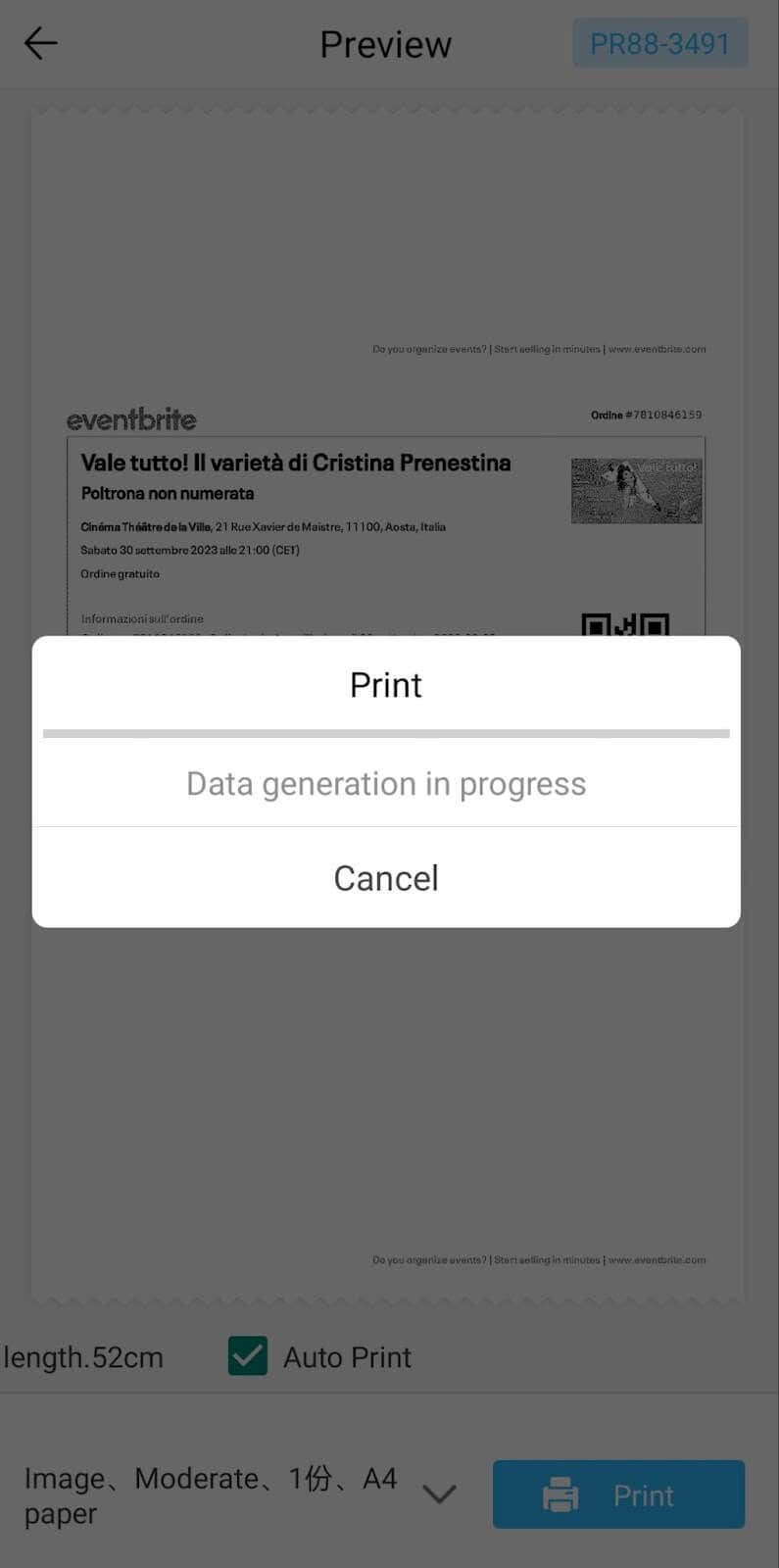
The app also has Materials and Template sections, where you can find various pictures and templates for printing to-do lists, post-its and holiday cards. You can also use the Newyes LD0801 as a label printer using these templates.
Battery Life
The Newyes portable wireless thermal printer is equipped with a decent 1200mAh lithium battery. This high-capacity battery allows you to print on the go without constantly worrying about running out of charge. When I received the printer, I charged it fully once, and it still hasn’t run out of battery after one month of use (I use it to print something almost every other day).
Charging this printer is quick and takes just over an hour to charge the printer from zero to full. The type-C charging cable facilitates a rapid charging experience. And if you run out of battery while on the go, you can quickly charge the printer from a portable power station or a power bank to continue printing.
The printer doesn’t support wireless charging, so I’d recommend always bringing the usb-c cable with you just in case.
Should You Buy the Newyes Portable Wireless Thermal Printer?
The Newyes portable thermal printer ensures high-quality wireless printing while on the go and easy operation. It’s not the most budget-friendly option, but this purchase will save you money and nerves in the long run thanks to its versatility and portable nature.
Personally, I can say that this printer made my life easier. So much that it’s probably my favorite smart gadget of the year. If you’re looking for a portable printer that won’t take any space in your house, I’d certainly recommend considering the Newyes LD0801 model.
- Tribit StormBox 2: The Under $70 Portable Speaker that Stands Out
- ENGWE L20 2.0 Review: The Best Budget-Friendly Foldable E-Bike?
- TopDon TC004 – a Thermal Imaging Camera That Will Give You Predator Vision
- Eskute Star Folding Fat Tire Electric Bike Review
- The 70mai Power Station Tera 1000 Review
