Nowadays, computers are part of the classroom because they make learning easier and more fun. Online schooling is also becoming more and more popular, partially thanks to the pandemic, so kids need access to a computer. Before you jump in to buy an expensive tool, you need to make an important decision: Chromebook or laptop?
The Chromebook vs. laptop debate has been ongoing since Chromebooks hit the shelves in 2011. That said, there are major differences between the two devices that you need to take into account. In this article, we’re going to compare Chromebooks to laptops to help you decide what’s best for your kids.
What Is a Chromebook?
In a world dominated by Windows laptops and Macs, the Chromebook is often overlooked. Some people compare it unfairly without realizing that the Chromebook has its own part to play. For example, if all you’re looking at is hardware, you can stop right here because traditional laptops are superior due to heavy-duty configurations for gaming and software development. Chromebooks aren’t meant to replace laptops.
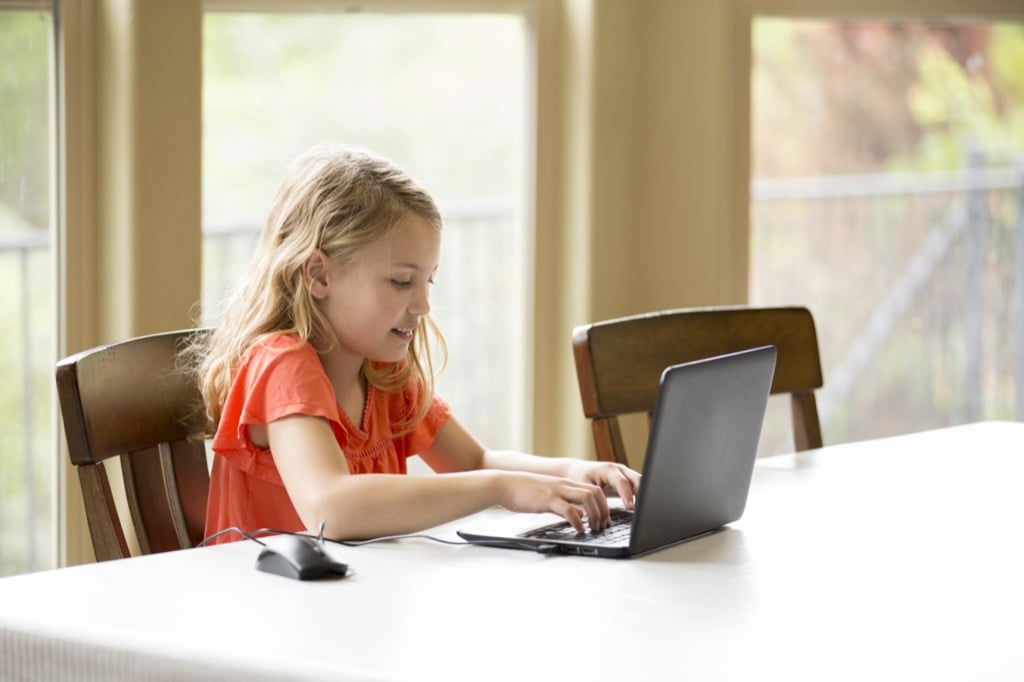
A Chromebook is a lightweight computer that runs on Google’s Chrome operating system. The main interface is the Chrome browser. However, you can also install various apps, like word processors, and use them offline.
The Chromebook is primarily meant for browsing and light work. This makes the Chromebook ideal for researching and studying, especially while on a budget.
Which Device Is More Affordable?
Chromebooks are also on the light side when it comes to the internals. Local storage is comparable to what we have in smartphones and tablets and the processors are much weaker than what we find in traditional laptops. This alone makes Chromebooks considerably cheaper than Windows and macOS laptops.
Since kids don’t usually take good care of their devices, you should probably spend as little money as possible. Fortunately, you can find a wide range of Chromebooks in the $150-$300 range and they’re all good enough for learning and doing schoolwork.
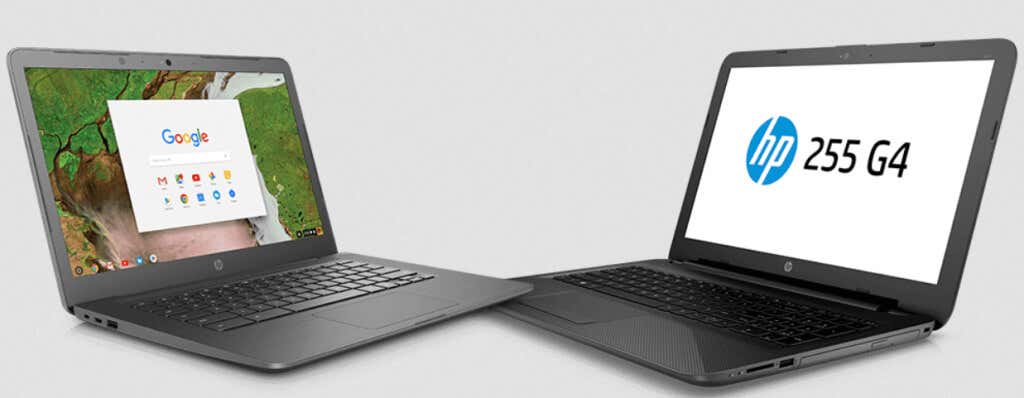
You can also find budget-friendly Windows-based laptops starting at around $400, but they’re usually really bad performance-wise. Windows is a robust operating system that requires more hardware power than a Chromebook. Chromebooks win by far when it comes to affordable prices. This is one of the reasons why schools that are low on funds invest in Chromebooks for their students.
Portability
Laptops and Chromebooks are portable devices. That much is obvious. However, Chromebooks are even smaller and lighter than most laptops. Kids would have a much easier time carrying a Chromebook everywhere.
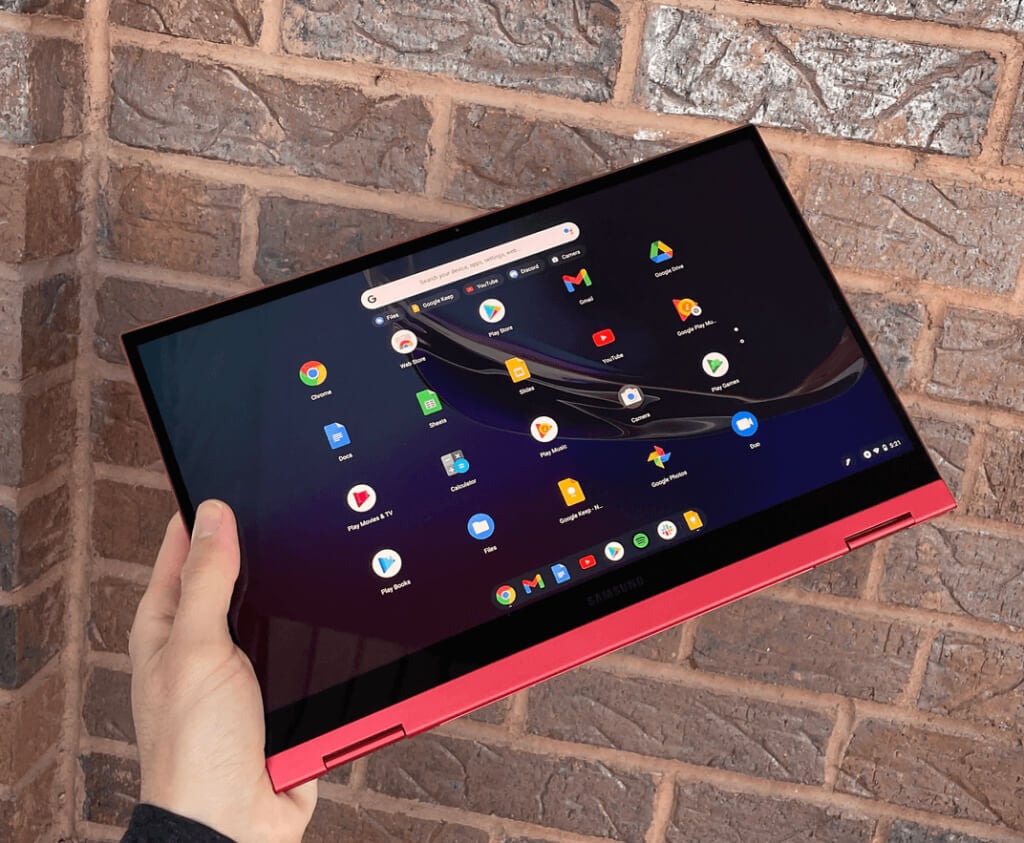
Chromebooks are thin devices, mainly because of less hardware and smaller screens. You can compare them to a MacBook Air and they’re still a bit smaller and lighter. Many of them also rely on passive cooling, so they don’t have internal fans. This makes them a lot lighter than typical laptops.
Battery Life
If your kids take online classes or if they can use computers during class, you’ll want a device with a lot of battery power. Access to a power outlet can be limited, especially if there’s a whole room of kids with laptops.
A typical laptop has enough battery power for several hours, depending on how intensive the tasks are. However, it might not last through a busy day at school or a Netflix marathon with friends. On the other hand, Chromebooks are famously energy-efficient.
As mentioned earlier, Chromebooks have less hardware and processing power than Windows or macOS laptops. This isn’t a disadvantage for most kids. Having less powerful hardware means the device requires significantly less energy. Many Chromebooks can run on battery power for more than 10 hours.
Ease of Use
A user-friendly tool allows kids to focus on the class, homework, or entertainment. This is especially the case for young children who are about to receive their first computer.
Windows and macOS laptops are fairly complex. There are countless distracting programs, features, and customization options that will confuse kids. This also means that a lot of things can go wrong if messing with the wrong settings or files. This isn’t the case with Chromebooks.
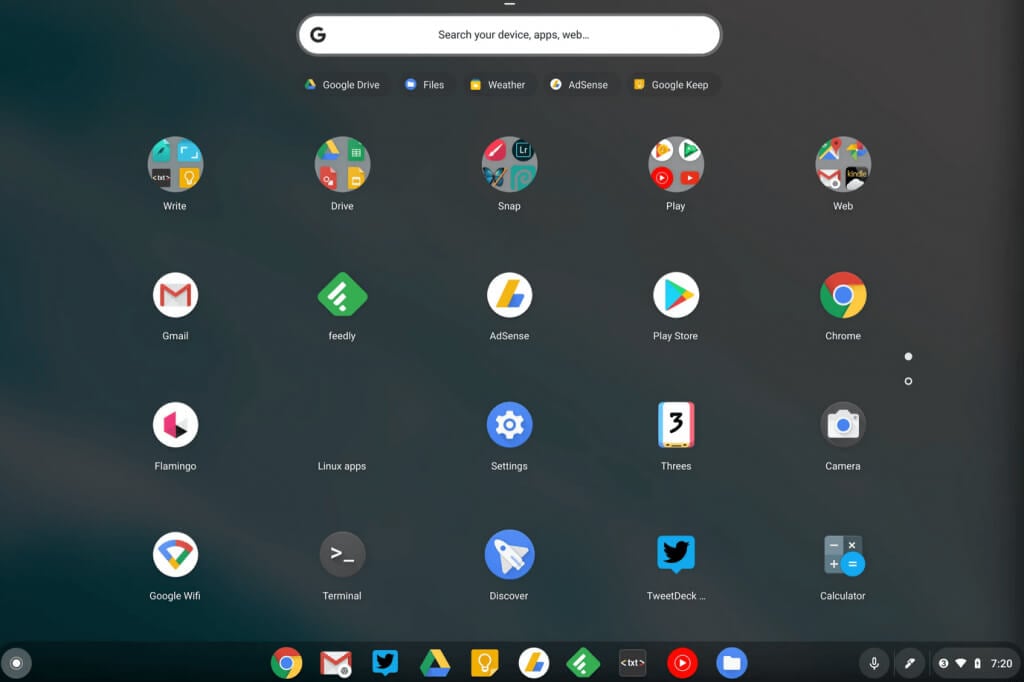
The Chrome OS is incredibly simple. There aren’t many apps and games that come with a Chromebook, so kids can’t be easily distracted. The device is built primarily for browsing, learning, and word processing. This allows kids to familiarize themselves with the virtual environment in no time and focus their attention on things that matter.
Security
Kids tend to click on anything that attracts their attention. They rarely pay attention to malicious links or suspicious image sources, so they click away only to download viruses and bloatware. Sometimes Windows Defender will protect the laptop, but other times you’ll have to clean the system. Fortunately, this isn’t likely to happen if your kids are using a Chromebook.
First of all, Chrome OS is highly secure simply because it’s not a popular operating system YET. Viruses aren’t made to target this platform that often because it’s not worth it for the hacker. Secondly, being developed by Google means that you need to sync the Chromebook to your Google account. As a result, your data is encrypted and can’t be easily stolen even if the device is infected.
Another interesting security feature is sandboxing. Each app is sandboxed, so infections can’t spread from program to program. Add regular OS security updates on top of that and you have a nearly unbreakable device.
Overall, the Chromebook is the safest device for kids because getting it infected is a challenge even for them.
Parental Controls
All major operating systems come with parental control features. This includes all traditional laptops as well as Chromebooks. You can decide which websites your kids can access, keep track of how much time they spend online, what they do, and much more.
Chromebook vs. Laptop for Kids: How To Make the Right Choice
The Chromebook might seem like the best choice if you want a cheap plug-and-play computer for your kids, and it is in a lot of cases. However, you should consider a few external factors that aren’t directly connected to hardware, software, and features.
1. Age
The first thing you need to consider is the age or grade level. The needs of elementary school students are completely different from the needs of high school students.
Chromebooks lack complex features and many programs like Photoshop aren’t available. They’re not good for photo editing, but they’re great for browsing and doing simple homework without distractions.
Get a Chromebook as a first computer or for general schoolwork that doesn’t require demanding software.

2. Requirements
Whether you buy a Chromebook or a laptop, you need to think about your kids’ needs. Do they need a device to study, write and share assignments, and watch videos? A Chromebook is ideal in this case.
That said, if your kid is older and has already started programming, photo editing, or performing other demanding tasks, a laptop is recommended.
3. Budget
If you’re highly restricted by your budget and you simply can’t afford a decent laptop, just buy a Chromebook without even thinking about other factors. You have much better options for Chromebooks in the lower price ranges than for laptops.
So, did you decide what’s the best device for your kids? If you’re still not sure, here are the best budget laptops for kids and the best Chromebooks for kids.
- Tribit StormBox 2: The Under $70 Portable Speaker that Stands Out
- ENGWE L20 2.0 Review: The Best Budget-Friendly Foldable E-Bike?
- TopDon TC004 – a Thermal Imaging Camera That Will Give You Predator Vision
- Newyes Portable Wireless Thermal A4 Printer Review
- Eskute Star Folding Fat Tire Electric Bike Review
If you don’t have a full-sized printing machine at home and often need to print a document on the go, check out the Newyes portable printer . This wireless printer is lightweight and small enough to fit in your bag. Not to mention it’s environmentally friendly, since it uses thermal paper instead of ink.
Follow our review of the Newyes portable wireless thermal printer to see if it suits your printing needs.
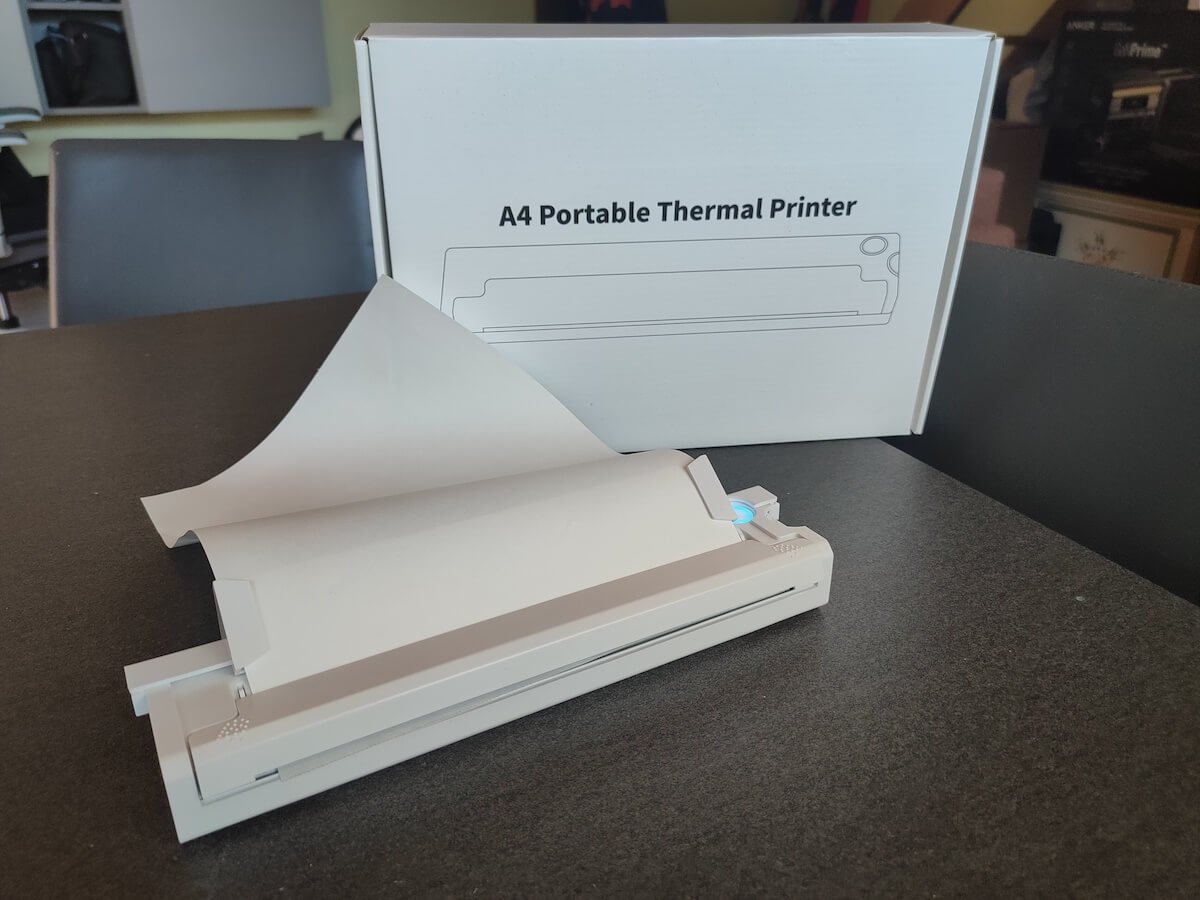
Newyes Portable Wireless Thermal A4 Printer: First Impressions & Specs
When I was a student, I remember my university always required hard copies of documents. Luckily, there was a print shop on campus where I could always pop in to print something.
Then I became a professional, and to my surprise many life spheres still required me to have printed versions of documents with me. Of course you can get your own full-sized machine to print things at home, but if like me you live in a small apartment, you value every extra bit of space and don’t want a massive printer to take it up.
One day, when I was looking for a neighbor with a printer to help me with my event tickets, they introduced me to the concept of a portable printer. Seeing how easy it is to use, I immediately wanted to get my hands on one of those. So here I am, reviewing one of the most useful gadgets I received recently – the Newyes portable thermal printer.
Before we continue with this review, here is the full list of specs of this printer.
- Model: Newyes LD0801
- Dimensions: 10.4 x 1.2 x 2.28 in (265 x 58 x 30.5 mm)
- Weight: 16.8oz (475g)
- Paper format: A4
- Paper width: 210mm or 218mm
- Printing Type: thermal paper
- Resolution: 203DPI
- Connectivity: Bluetooth
- Charging port: USB type-C port
- Input Voltage: DC 5V / 2A
- Battery: 1200mAh lithium battery
- Charging time: 75 min
- Automatic shut down: after 30 minutes
- Stand-by: about 30 days
- Extra features: LED light, reset, on / off switch button
- Color: white, black
- Warranty: limited one year warranty
- Price: $199 on the Newyes website
If you find yourself in need of hard copies of important documents while on the move, the Newyes portable wireless thermal printer will become your go-to gadget. Newyes calls it “the world’s smallest printer”, and with the weight of under 500g this seems plausible. This mini printer offers a handy solution for those moments when you need to quickly print an important document but don’t have access to an office setup.
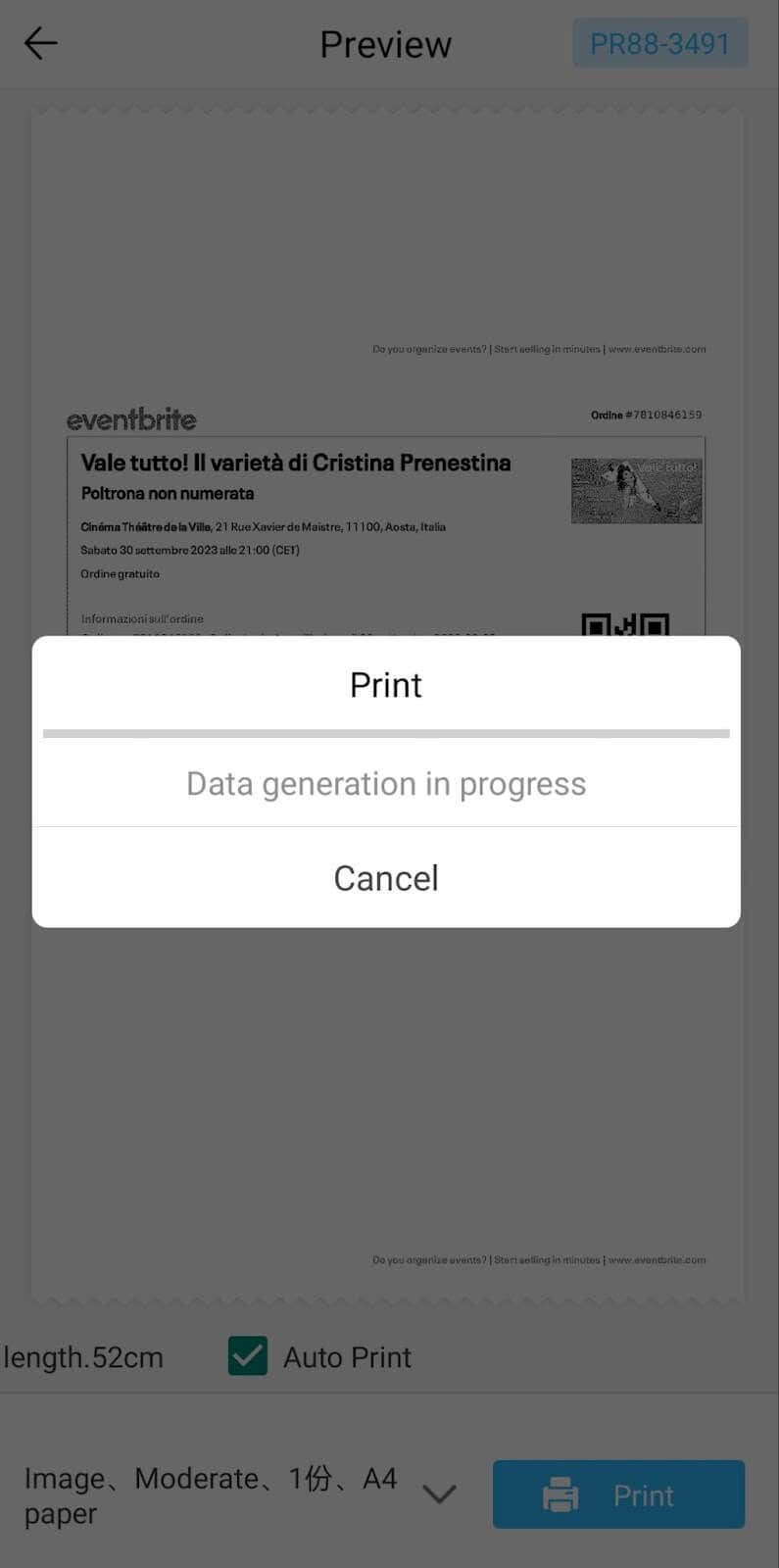
Operating this printer is a breeze – a simple Bluetooth connection is all that’s required. Once connected, just fire up the app, choose the file you want to print, and send it over. Efficiency is at the forefront, and you can easily print multiple sheets by inserting new pages back to back.
The only limitation this printer has is that it can only print in black. So even if your original file is in color, the printed document will still come out in black and white. Other than that – you can print a variety of file types including Excel, Word, PDF, JPG, PNG, and web pages – and it only takes seconds.
The Newyes portable wireless printer combines convenience, portability, and efficiency – all the things I appreciate in a modern gadget.
Design and Unpacking
Let’s have a closer look at the design and build of this smart printer, as well as what you get included in the package when you purchase it.
What’s in the Box
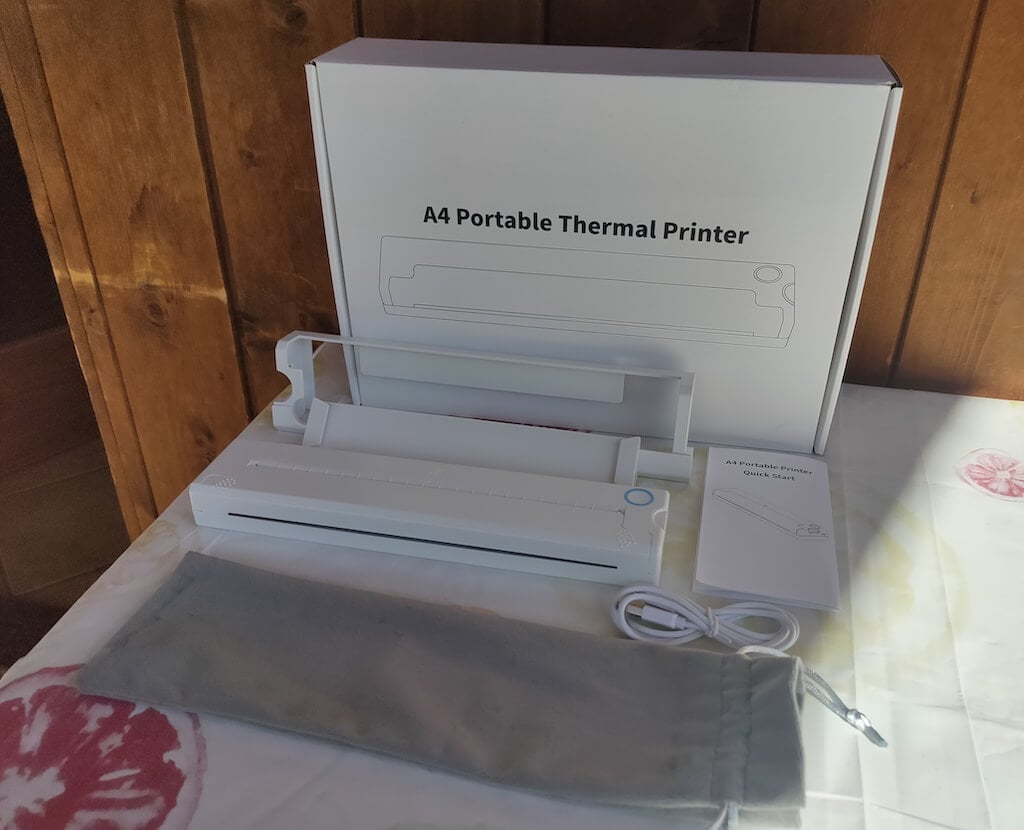
Here’s everything you’ll find when unpacking your Newyes portable thermal printer:
- The Newyes portable wireless thermal printer
- Bracket
- USB type-C cable
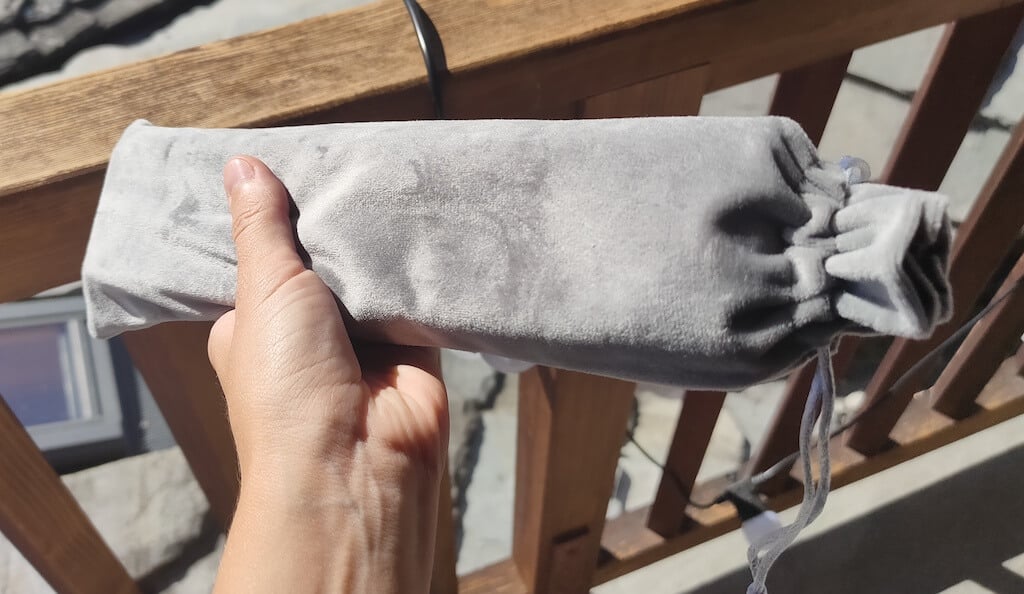
- Storage/carrying pouch
- 100pcs thermal printing paper
- User manual
You can use the Newyes portable printer right out of the box, as you’re all set with essential accessories. Aside from the printer itself, the package includes a bracket which will make printing more than one page smoother, a convenient storage bag for carrying your printer with you, a USB-C cable for charging, and a supply of 100 pieces of thermal paper to get you started.
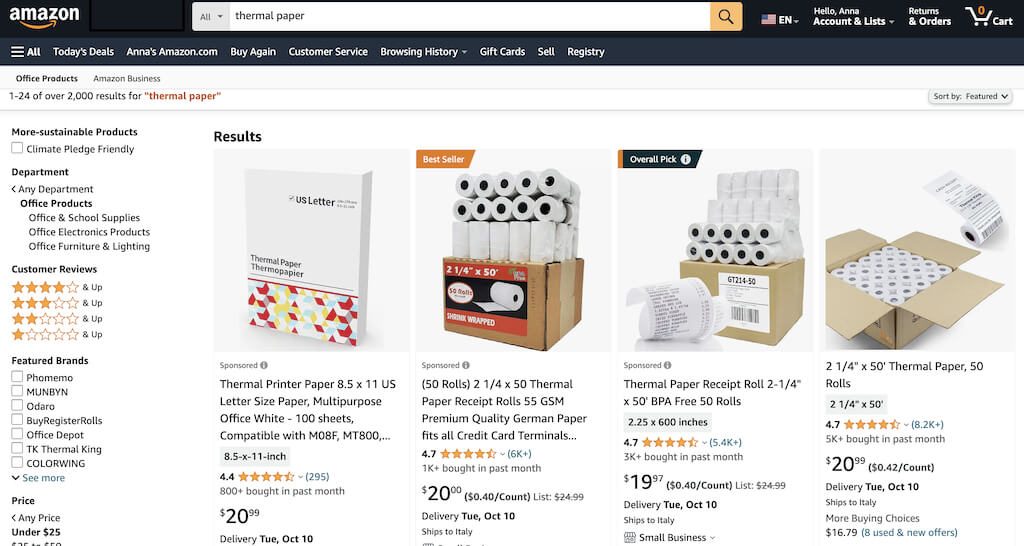
One important thing to remember is that this printer only works with thermal paper. While thermal paper is significantly more expensive than normal paper, this printer also uses inkless printing and works without a ribbon and toner. Since you don’t have to spend money on ink, carbon ribbons or toner cartridges, you ultimately end up saving money with thermal paper.
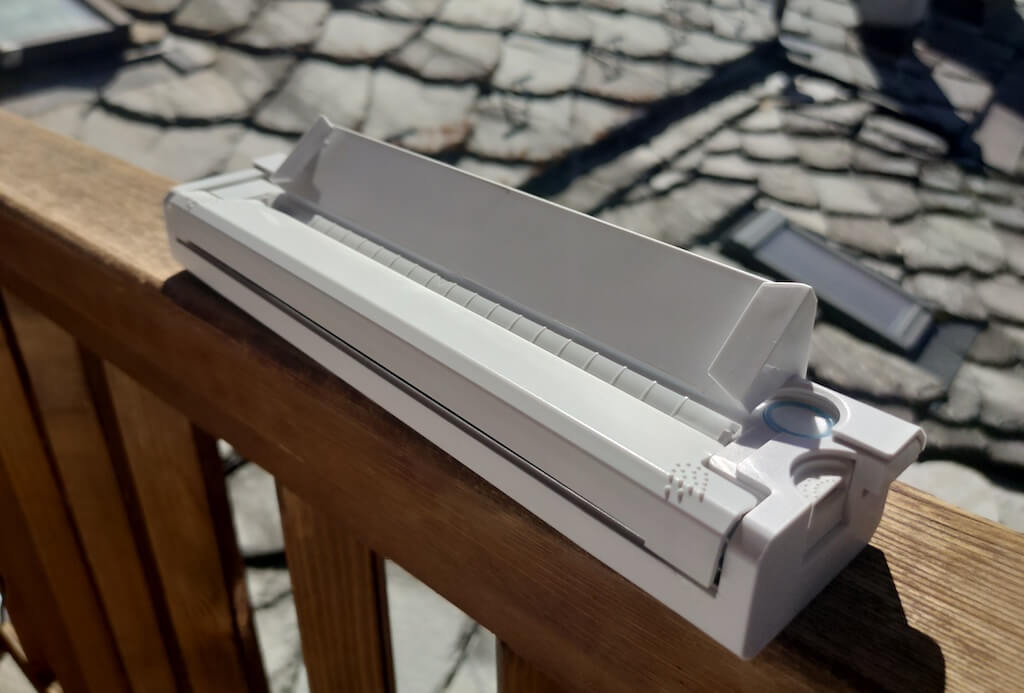
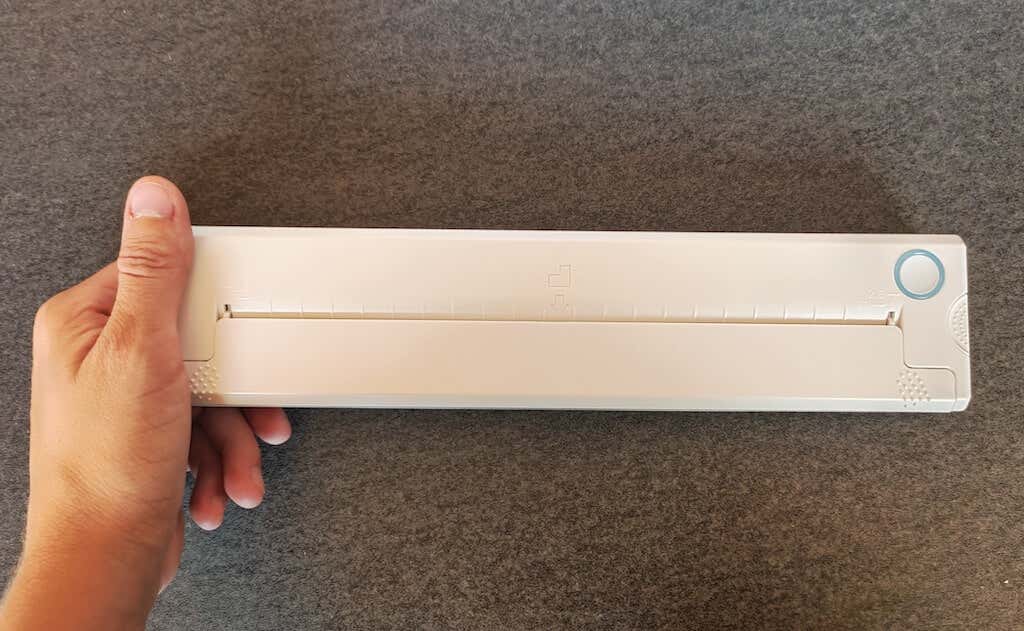
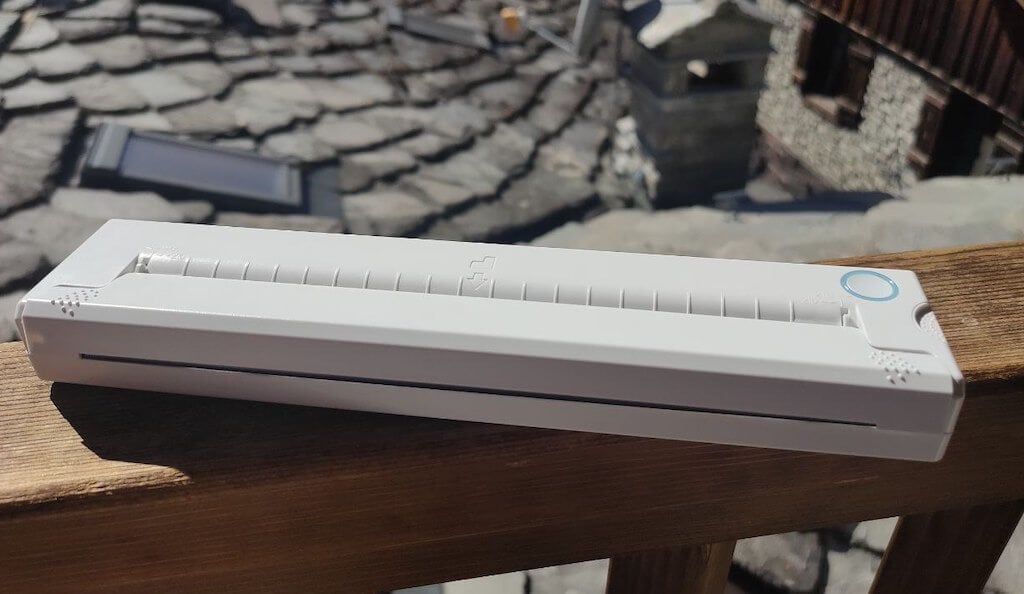
The Newyes LD0801 is a pocket-sized printer that features straightforward design. For the purpose of this review, I had a printer in white color. The printer looks like a small white brick with just two pressable buttons on top – one for switching it on and off, and another for opening the printer’s cover. You’ll also see the paper entry slot on top of the printer.
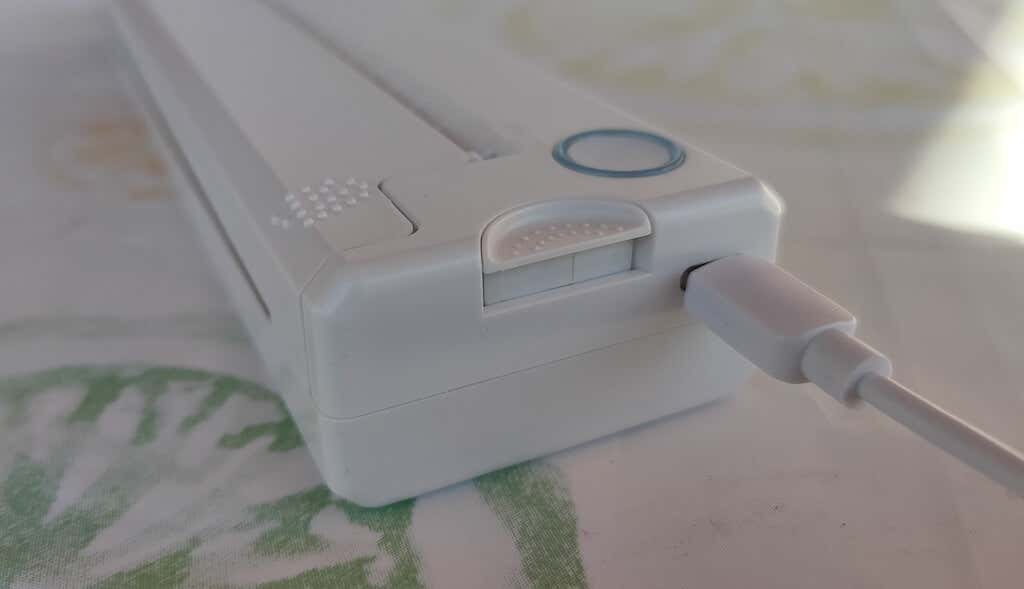
On the side of the printer, you’ll find a single charging port.
The printer is made of plastic, but the build feels sturdy. I never have to worry about throwing it into my bag or damaging it when traveling. Besides, you can use a nice carrying pouch included in the package for protection.
Performance & Features
According to Newyes, the portable printer has a “handheld size and two times the weight of an iPhone”. This can give you an idea of how portable and convenient this little gadget is. In a month of testing, I used it at home, in a store, and even in a car while on the road.
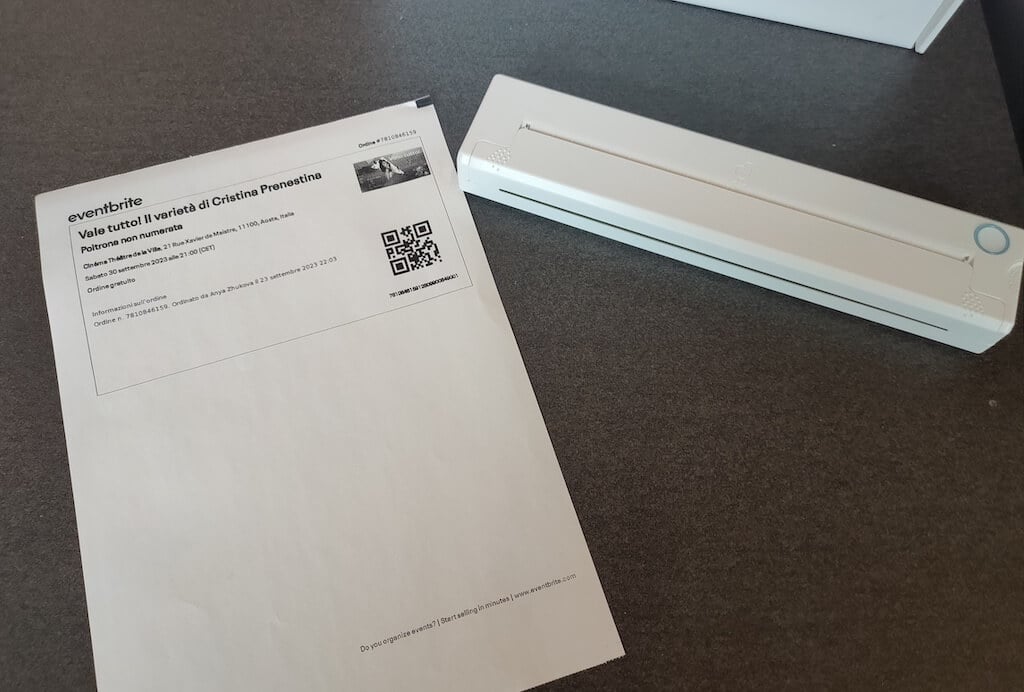
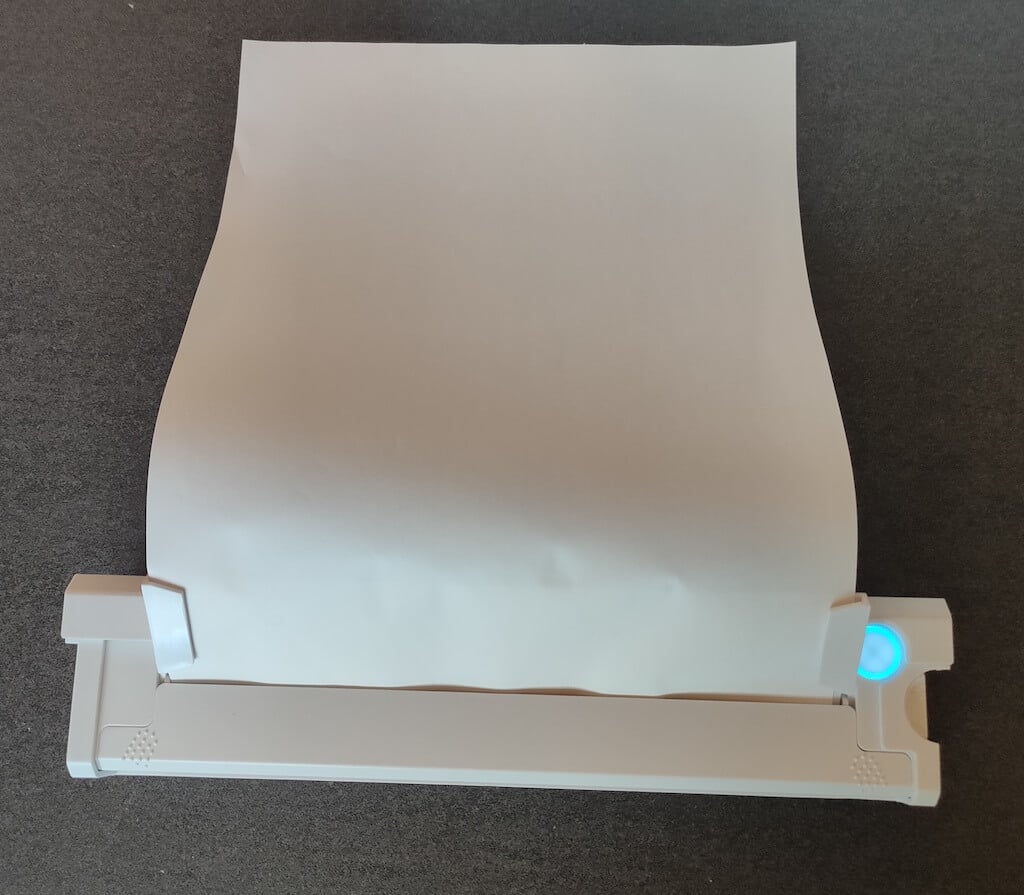
Using the printer is unbelievably easy. Connect it to your mobile phone via Bluetooth, press the button to turn the printer on and put a sheet of thermal paper into the paper entry slot. Make sure to use thermal paper and not standard paper, and put it with the black marks facing down. Bear in mind that the thermal printer can only print in black and white and only on one (marked) side of the thermal paper sheet.
Then open the iPrint app on your smartphone. If you’re printing an A4 document, you can select one of two options – Photo Printing and Document Printing . Then choose the document from your phone’s files and print it.
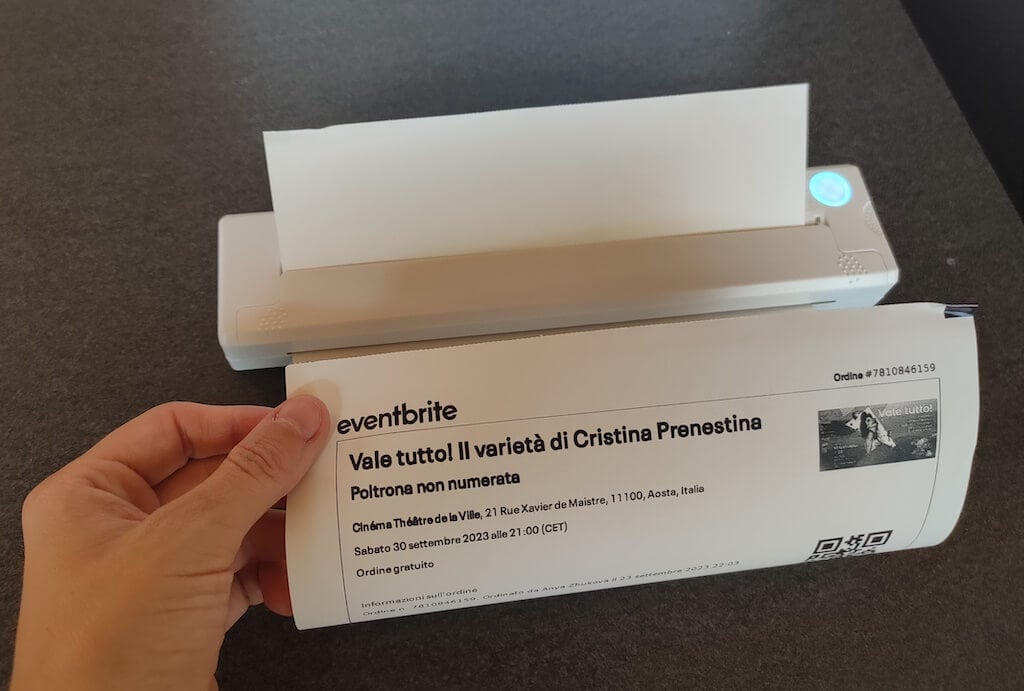
The printer is reliable and in the time that I used it the Newyes LD0801 never let me down. The printing quality will surprise you, as it’s sometimes better than what you get from a full-sized printer. The printer supports printing in various formats, and you can use it to print documents from your smartphone (Android and iPhone), iPad, and Android tablet.
When fully charged, the printer can support up to 90 pieces of paper continuously, which is very impressive for a gadget of such a small size.
Software
The Newyes portable printer requires an iPrint app to operate. The app is available for free on iOS and Android. You’ll need to download the app on your device from the App Store or Google Play before you begin printing your documents.
The app has a simple and user-friendly design. You’ll need to pair your device with the printer on the first use via Bluetooth.
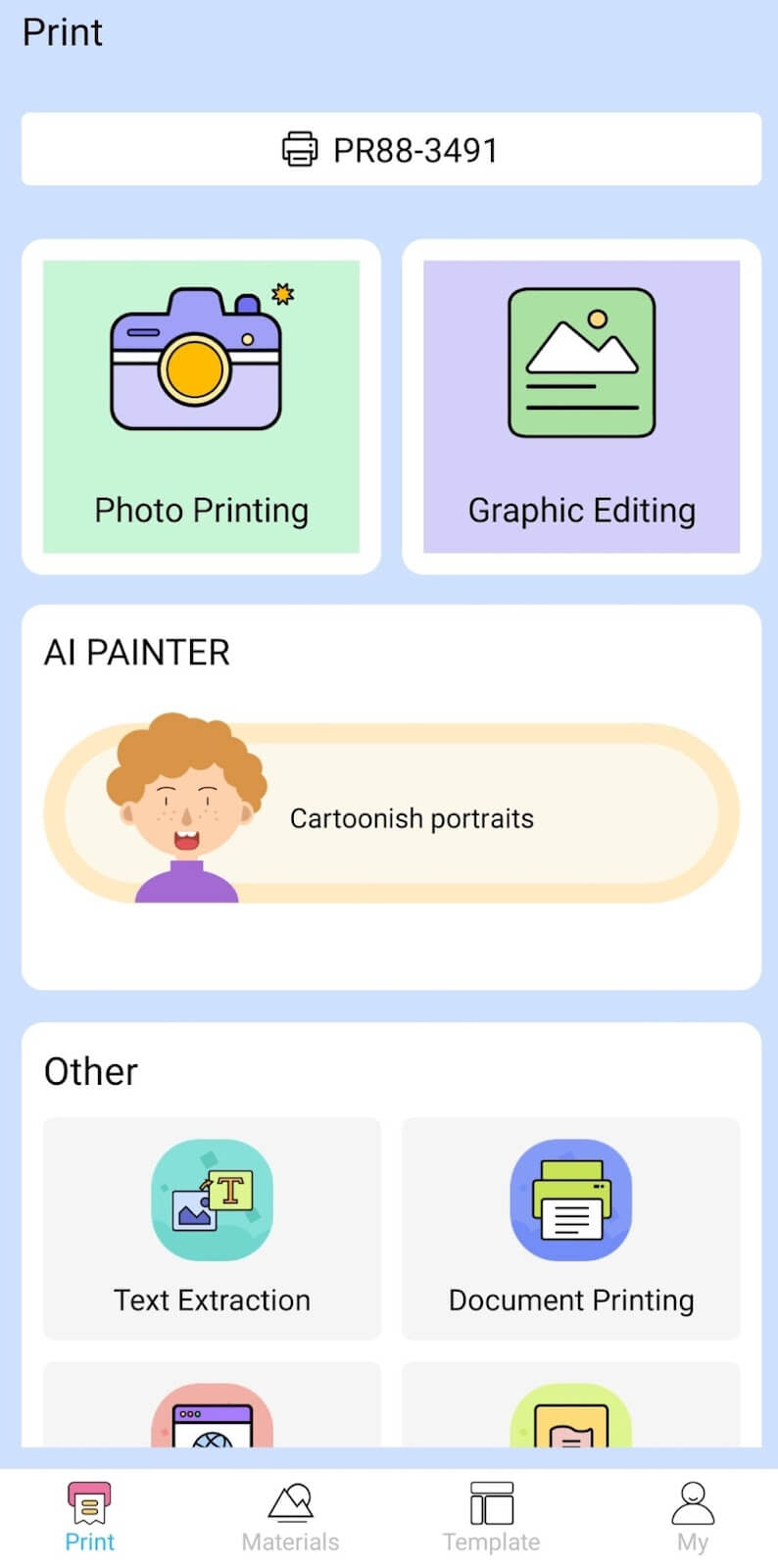
Depending on the type of document you want to print, you can choose different options from the app. There’s photo printing, document printing, web printing, and banner printing.
The app also has Materials and Template sections, where you can find various pictures and templates for printing to-do lists, post-its and holiday cards. You can also use the Newyes LD0801 as a label printer using these templates.
Battery Life
The Newyes portable wireless thermal printer is equipped with a decent 1200mAh lithium battery. This high-capacity battery allows you to print on the go without constantly worrying about running out of charge. When I received the printer, I charged it fully once, and it still hasn’t run out of battery after one month of use (I use it to print something almost every other day).
Charging this printer is quick and takes just over an hour to charge the printer from zero to full. The type-C charging cable facilitates a rapid charging experience. And if you run out of battery while on the go, you can quickly charge the printer from a portable power station or a power bank to continue printing.
The printer doesn’t support wireless charging, so I’d recommend always bringing the usb-c cable with you just in case.
Should You Buy the Newyes Portable Wireless Thermal Printer?
The Newyes portable thermal printer ensures high-quality wireless printing while on the go and easy operation. It’s not the most budget-friendly option, but this purchase will save you money and nerves in the long run thanks to its versatility and portable nature.
Personally, I can say that this printer made my life easier. So much that it’s probably my favorite smart gadget of the year. If you’re looking for a portable printer that won’t take any space in your house, I’d certainly recommend considering the Newyes LD0801 model.
- Tribit StormBox 2: The Under $70 Portable Speaker that Stands Out
- ENGWE L20 2.0 Review: The Best Budget-Friendly Foldable E-Bike?
- TopDon TC004 – a Thermal Imaging Camera That Will Give You Predator Vision
- Eskute Star Folding Fat Tire Electric Bike Review
- The 70mai Power Station Tera 1000 Review
