As we’ve mentioned, the best method for deleting your order history isn’t deleting them at all—it’s archiving them. Archiving an order doesn’t delete it, but it moves it to a separate page that remains less visible, but still accessible. You can archive up to 500 orders per account.
Because the items are only hidden, it isn’t a foolproof method, as anyone who knows how to access the archived orders page can still see them. If you bought something that you don’t want others who share your account to see, archiving it might not be enough to stop them seeing it.
- Open the Amazon website in your web browser on your PC or Mac and sign in.
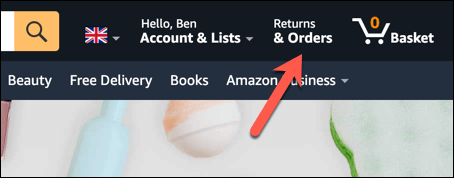
- Press Returns & Orders in the top-right corner.
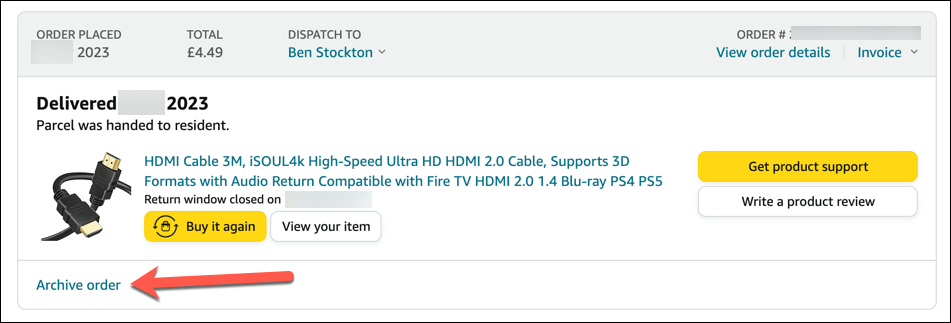
- Find the order you want to hide in your order list.
- Press Archive order in the bottom-left corner of the order box.
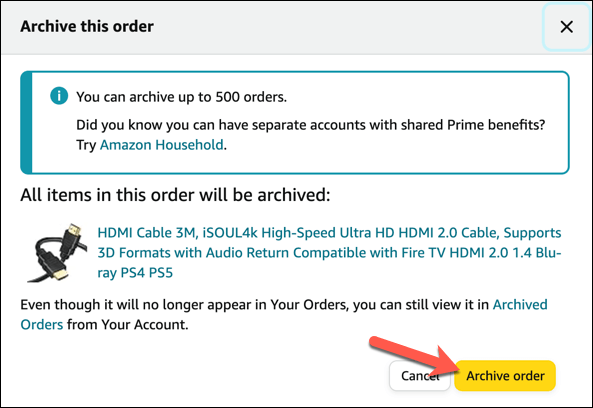
- Confirm that you want to archive the order by pressing the Archive order button again in the pop-up window.
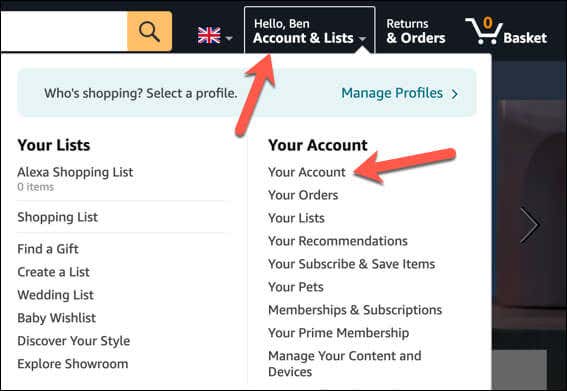
- The order will disappear from your main order history page and move to the archived orders page. To access this page, select Account & Lists > Your Account.
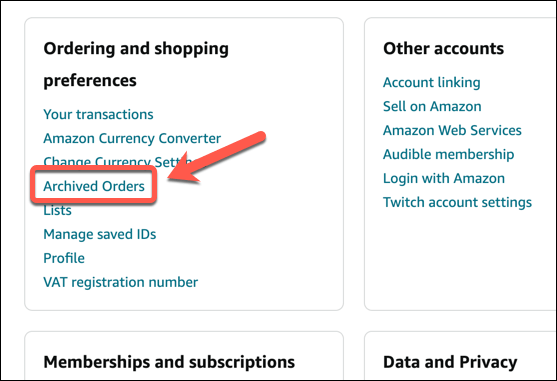
- Next, scroll to the Ordering and shopping preferences section and press the Archived Orders option.
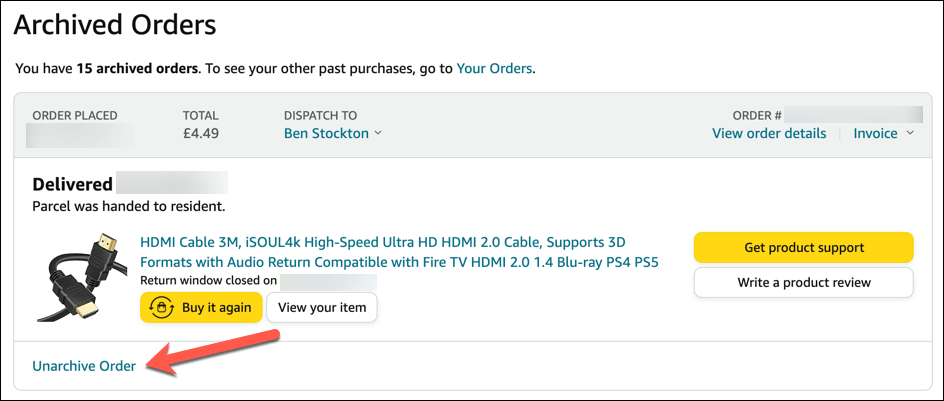
- To unarchive an order on the Archived Orders page, find the order you want to restore and press the Unarchive Order button. The order will reappear on your main order history page.
Using an Amazon Household account . This will allow you to share some of the Prime benefits and purchased digital content with another adult and up to four children or teens in your household while keeping your own order history and payment methods separate.
Creating a new Amazon account . If you create a new Amazon account with a different email address and payment method, you’ll have a fresh order list that won’t show any other orders. You’ll lose access to your Prime benefits and any purchased digital content from your main account, however.
Deleting your Amazon account . Sounds drastic, but this method is the closest you can get to deleting your Amazon order history to stop it from being visible to others. You’ll lose everything on your existing Amazon account, however, including previous digital purchases, so you’ll need to be sure if it’s the best option for your circumstances.
Amazon Fire Stick Home Screen Not Loading? 9 Ways to Fix
How to Share Your Amazon Cart
How to Delete a Delivery Address From Amazon
How to Cancel Amazon Gift Card Order (and Get a Refund)
What Does “Open Box” Mean on Amazon?
