People still depend on DVD drives to access media or perform installations. And when that drive suddenly stops working, users are left in a state of panic. What causes CD/DVD drives to stop working and how do you fix the problem?
There’s no need to worry. In this post, we’ll go over some of the most common issues along with their fixes.
The CD or DVD is Dirty
Let’s eliminate one of the usual suspects. Try inserting more than one CD/DVD if possible. If the drive reads the other CDs, then the first one is probably just dirty.
There are cleaning kits designed to keep CDs in pristine condition. When wiping a CD, wipe against the tracks. Work your way from the middle towards the outside.
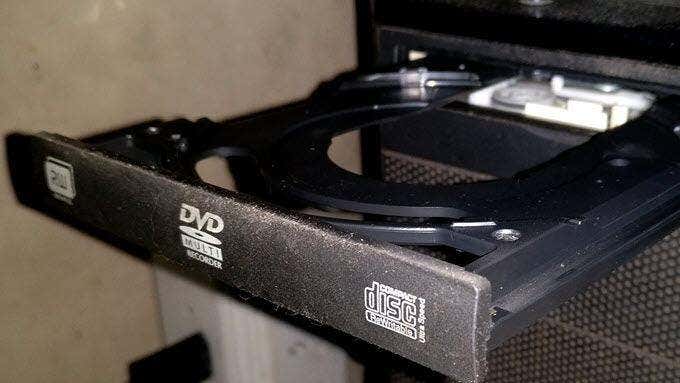
If you suspect that the CD drive itself is dirty, you will need to buy a CD/DVD-ROM cleaner. A cleaning kit will remove dust inside the drive. The tray where CDs are inserted can be wiped with a damp cloth. Make sure to read our full post on the proper way to clean the inside of your PC .
DVD Player Not Working after Windows 10 Upgrade
There have been reports that upgrading to Windows 10 caused CD drives to stop working properly. If that is the case, check Windows Update and update your driver.
Windows Update
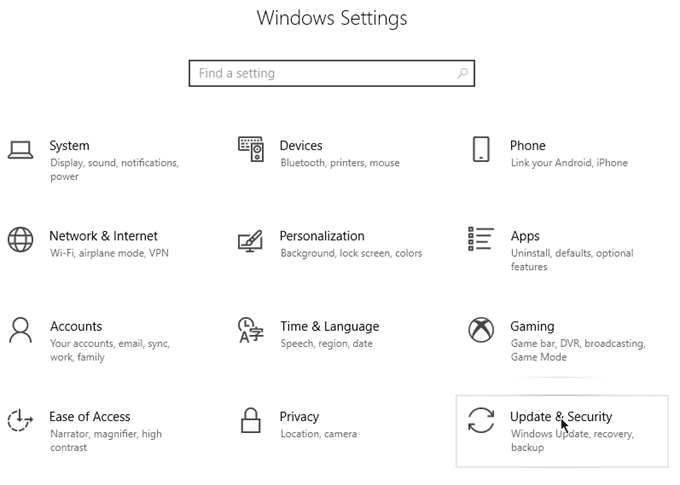
Go to Windows Settings > Update & Security .
Hit Check for Updates . Windows 10 will proceed to download any update you’ve missed.
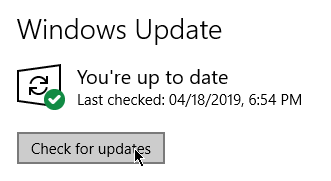
Keeping your system updated helps keep hardware functioning as it should.
DVD Driver Update
Right-click the Start button and click on Device Manager .
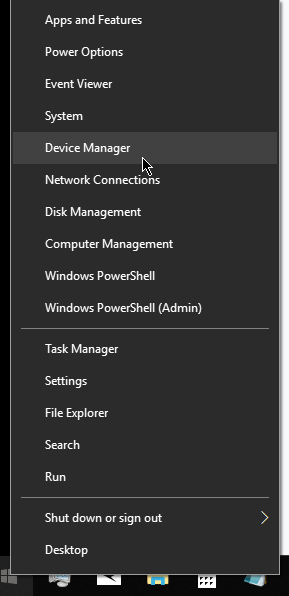
Expand DVD/CD-ROM Drives . Right-click on the optical drive and select Update Driver .
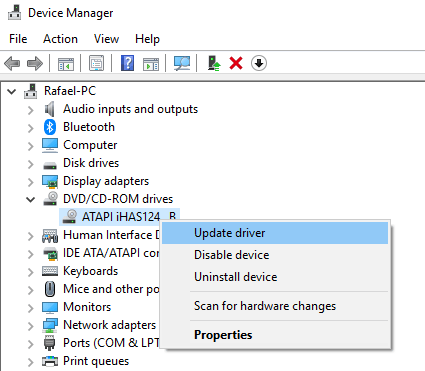
Windows will update your driver. Installing updates can fix what’s wrong with your drive.
Windows 10 CD Drive Not Showing
If your DVD drive does not show up on the Device Manager, it’s possible that you have a loose cable. Cables are accidentally unplugged when a PC is moved from one location to another.
Check your connections to see if all cables are connected. Afterwards, see if your CD drive is still not showing up on Windows 10.
If not, it also could be a software issue. Check out our post that deep dives into reasons why a CD/DVD drive won’t show up in Windows even if the hardware is OK.
Windows 10 DVD Drive Not Working Error Caused by Apps
Some apps or programs could cause DVD drives to stop working. You can confirm this by using the DVD drive in Safe Mode.
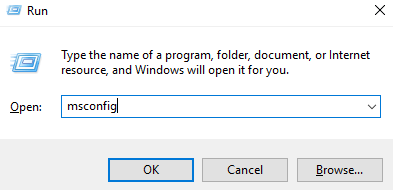
To enter Safe Mode, press Windows + R to open Run . Type MSCONFIG and click OK .
On System Configuration , go to the Boot tab. Under Boot Options , tick Safe Boot and click OK .
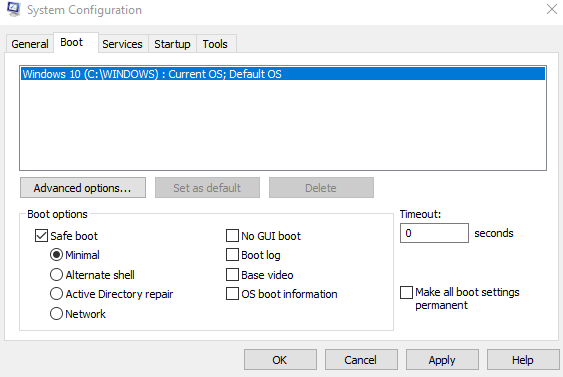
You will then be prompted to restart your computer. After the system reboots, you will enter Safe Mode. See if the DVD drive works. If it does, then there’s a program on your computer that’s preventing the drive from working normally.
Force Eject a Disk
If the physical button is preventing you from opening the disk drive, you can have your PC do it for you.
Force-eject a Disk within Windows 10
Right-click the Start button and click File Explorer . Search for the DVD drive on the left-hand pane. Right-click the drive name and click Eject .
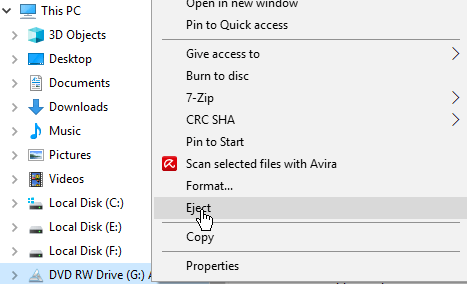
Windows will open the DVD drive for you. Retrieve your disk and close the drive.
Force-eject CD/DVD with a Paperclip
Some users are unaware that there’s a pin-sized hole in your DVD drive. It’s usually next to the eject button. Inserting a paper clip in the hole will trigger the drive to open.
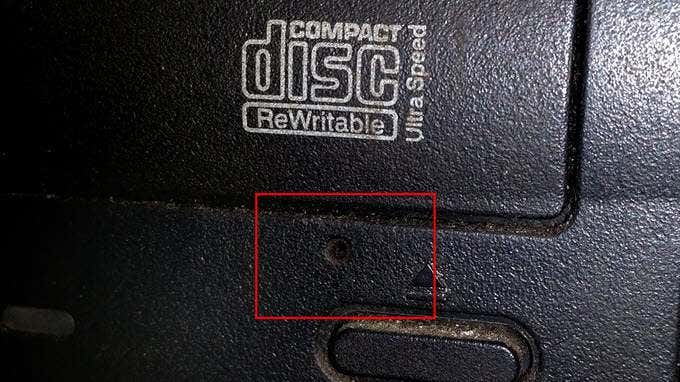
Using the paper clip trick is a short-term solution. If you find yourself relying on it on a consistent basis, you should look into replacing your disk drive.
- Why Your GPU Fans Aren’t Spinning and 10 Ways to Fix
- What Are Ortholinear Keyboards (And Should You Get One)?
- Got a New Computer? Here Are The 10 Things You Should Do
- What Is Dual-Channel Memory (RAM)?
- Razer Mouse or Keyboard Not Showing Up in Razer Synapse? Try These 6 Fixes
Christopher Jan Benitez is a freelance writer for hire who provides actionable and useful web content to small businesses and startups. In his spare time, he religiously watches professional wrestling and finds solace in listening to ’80s speed metal. Read Christopher’s Full Bio
