There’s no shortage of portable Bluetooth speakers on the market, and they all sound decent. Some of them even sound incredible. However, what truly distinguishes them from one another is their appearance. While some brands follow the same “tried and true” design trends, Edifier tries something completely different with their latest Bluetooth speaker – the QD35.
Follow our Edifier QD35 Bluetooth speaker review to learn what stands it apart from other portable speakers and whether you should buy the QD35 next.
Edifier QD35 Tabletop Bluetooth Speaker: First Impressions & Specs
The Edifier QD35 Tabletop Bluetooth Speaker, priced at $199.99, is an intriguing audio gadget with a fusion of cutting-edge features. Before we begin the review of its incredible design and features, let’s take a closer look at the tech specifications.
- Dimensions: 11 x 6.5 x 5.5 in (277.8 × 164.8 × 141.7mm)
- Weight: 5.8 lbs (2.64kg)
- Power: 25W mid-bass + 15W treble
- Input: AUX/USB-A/Bluetooth
- Connectivity: Bluetooth 5.3, USB-A, AUX-in
- Drivers: 3″ mid-bass +1″ treble
- Frequency response: 60Hz – 40kHz
- Signal-to-Noise Rate: ≥ 85dB (A)
- Charging: 35W
- Color: black, white
- Price: $199.99 on Amazon .
With Hi-Res Audio and Hi-Res Audio Wireless certifications, the QD35 supports audio signals sampled at rates of 44.1 kHz, 48 kHz, and 96 kHz. This compatibility means the speaker produces exceptional sound clarity.
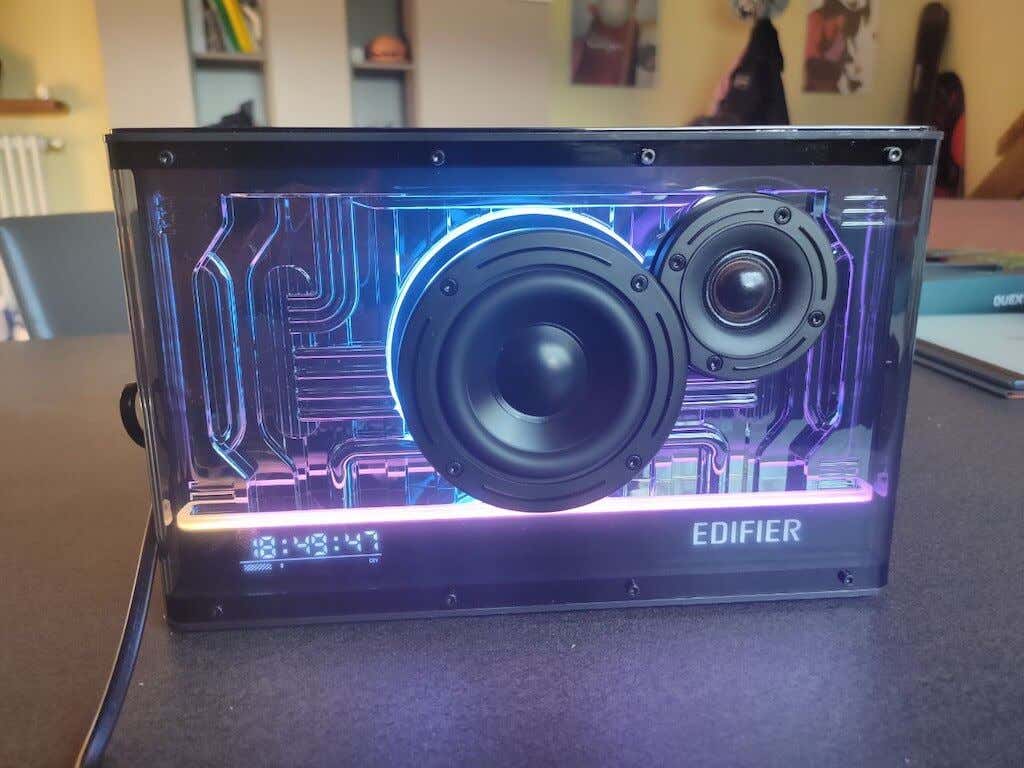
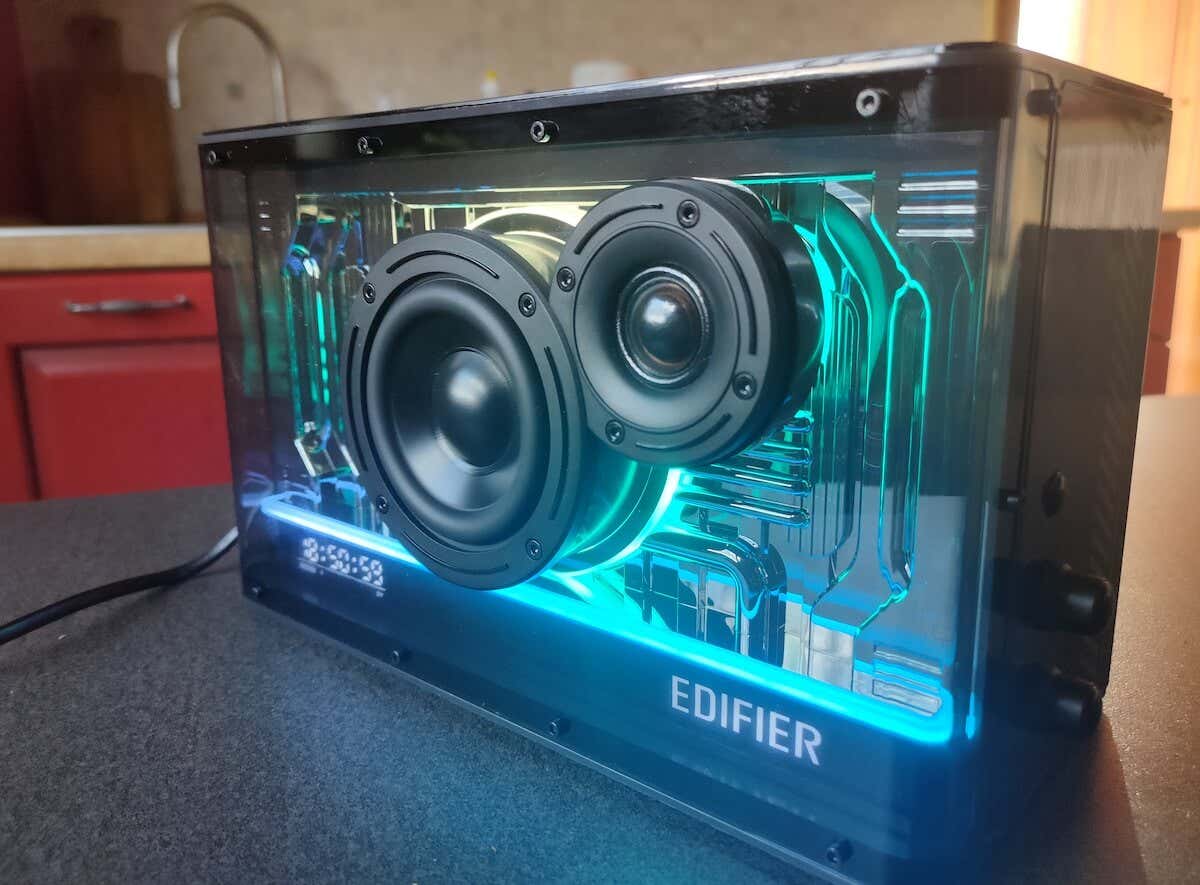
However, this tabletop speaker’s main selling point is the incredible light show that you’ll immediately be drawn to. The speaker’s light display can be changed using a knob or the Edifier Connect app. The light show looks impressive, especially when listening to music in the dark. The QD35 has an industrial design with a top panel that resembles a semi-trailer, and it has a big Edifier logo on it. It’s available in black or white, and I had the black version for the purposes of this review. There’s also a built-in clock on the bottom front panel.
Underneath the exterior, the QD35 hosts an advanced sound amplifier powered by a DSP chipset. This innovative technology is tailored to create potent tweeter and woofer outputs (high and low sounds) that are powerful and clear without a hint of distortion.
All in all, a very interesting blend of innovation, bold design, and the latest audio technology. Let’s see if the QD35 is worth its $200 price tag!
Design and Unpacking
The Edifier QD35 has a standout appearance that catches the eye from all angles — not only from the front but also from the top and sides. If nothing else, you can appreciate Edifier not following the same old “big brick” design of every other wireless speaker out there.
Speaking of wireless, even though the speaker is relatively compact and portable, it needs constant power from a wall outlet. It can then pass the power along to other devices, meaning you can use its fast-charging USB ports on the side of the speaker to power up your other gadgets.
What’s in the Box
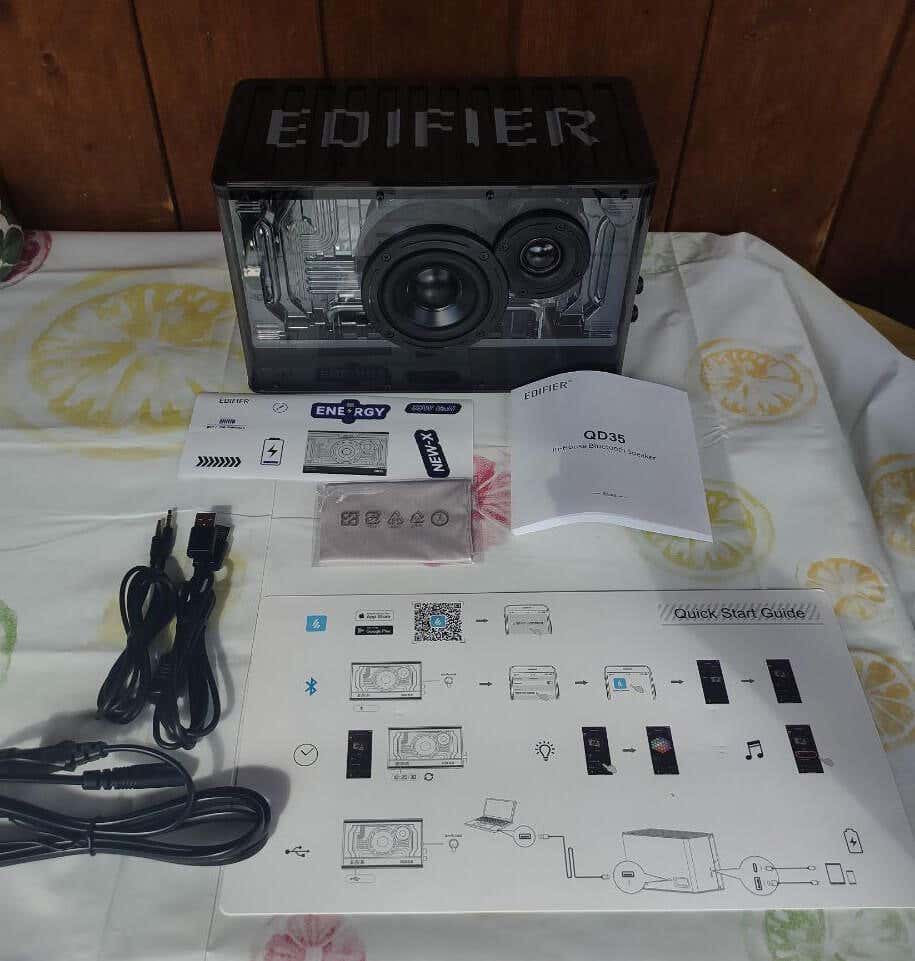
Here’s everything you’ll find in the box when unpacking your Edifier QD35:
- The Edifier QD35 tabletop speaker
- Power cable
- 3.5 mm AUX cable
- USB-A to USB-A cable
- Cleaning cloth
- Stickers
- User manual
While the Edifier QD35 stands out in terms of design compared to other Bluetooth speakers, it’s not always in a good way. Sure, the light show is amazing and is bound to attract attention. In fact, I spent the first evening watching movies and YouTube in the dark with the Edifier light show as my background, and it was a great experience.
However, not all design decisions are appreciated. I’m not a fan of the massive EDIFIER logo plastered all over the speaker’s top. I’d prefer the speaker’s top to be plain, making it convenient to rest other gadgets on it, especially when charging them through the QD35.
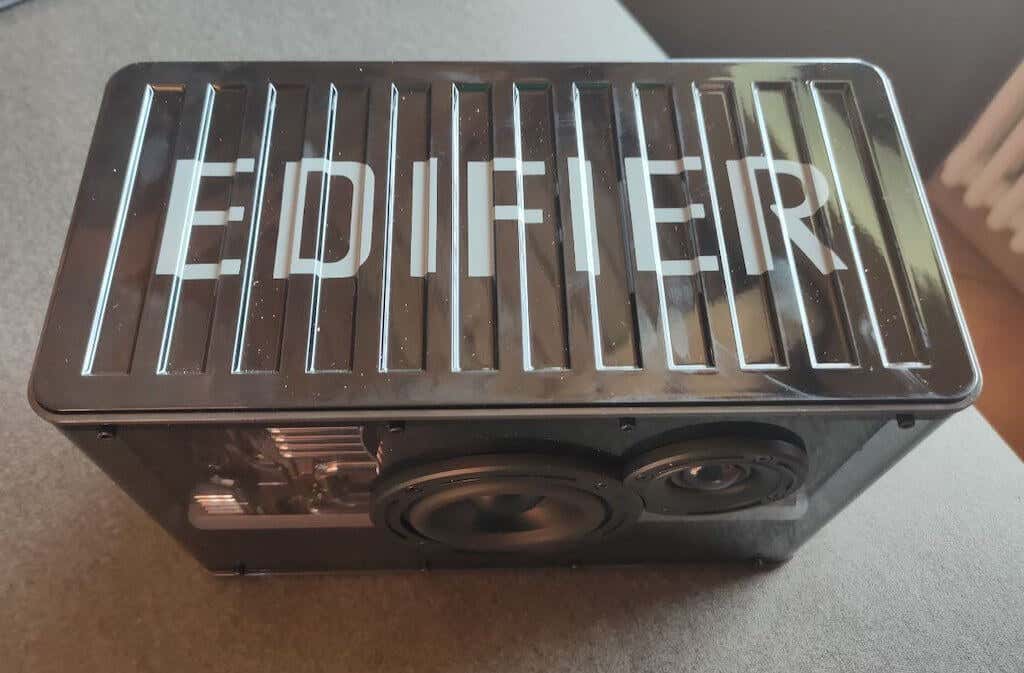
The speaker’s exterior is made of a shiny, hard plastic that tends to pick up fingerprints, but when wiped clean, it shines brilliantly. Edifier seems to have known about this problem, as they conveniently included a cleaning cloth in the package, which I thought was a nice touch.
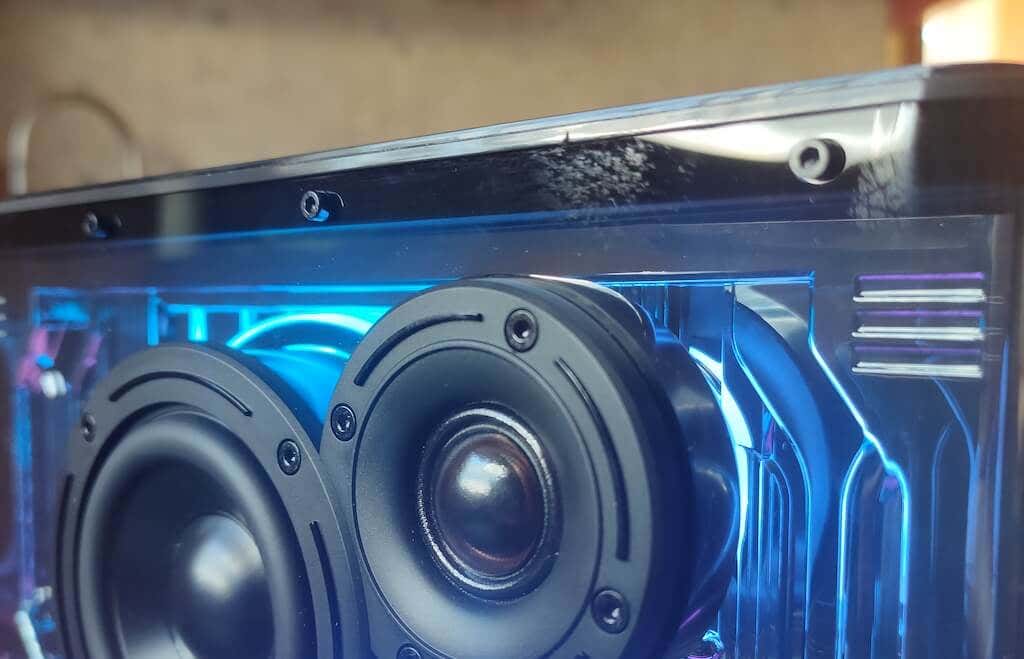
The RGB lights on the speaker can be controlled through the app. You also have the option to turn them off, set them to a static mode (no blinking or movement), or have them gently pulse, creating a soothing effect.
A digital LED clock is positioned at the bottom left corner of the QD35. One convenient feature is that it can sync with your smartphone’s time, saving you the hassle of setting it manually.

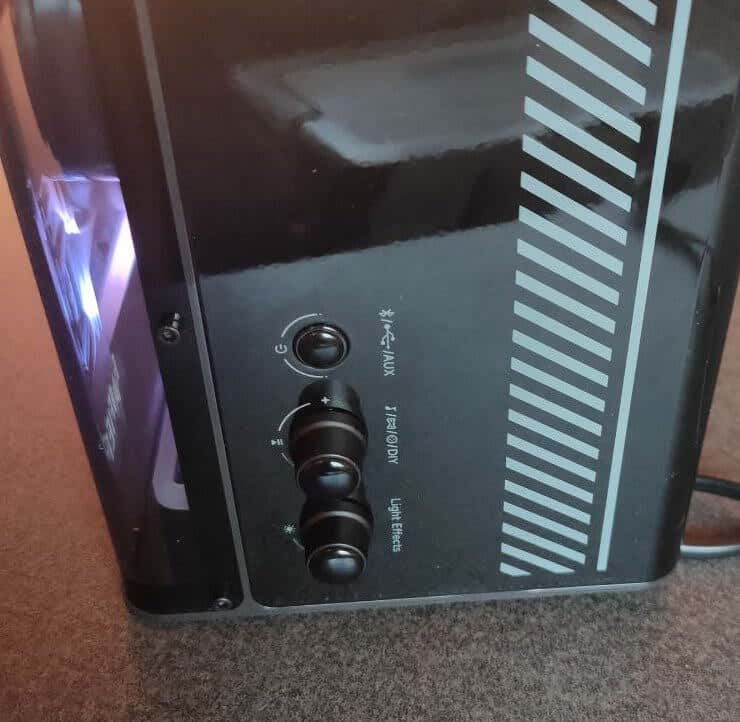
On the left side of the QD35, you’ll find an 18-watt USB-A port and a 35-watt USB-C port, designed to charge various smart devices using Edifier’s TurboGaN high-efficiency charging technology. I found this addition quite handy, especially when you want to charge your devices overnight on a nightstand.
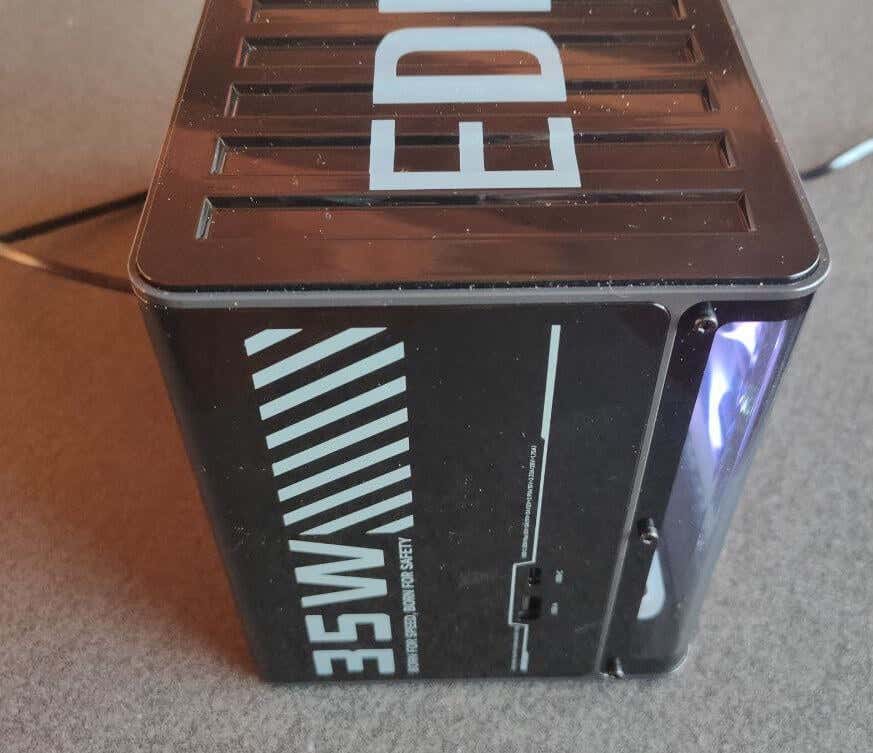
The TurboGaN technology also empowers the USB-C port to deliver 35W to compatible devices, while the USB-A port can provide up to 18W. If both ports are used simultaneously, each will supply 18W of power.
Performance & Features
Let’s move on to the performance and features of this beautiful bookshelf speaker.
The Edifier QD35 showcases a 1” treble and a 3” mid-bass speaker setup. The amplifier is also capable of producing an impressive output of up to 40W RMS, which is rather impressive for a compact tabletop speaker. For a deeper and richer bass experience, two bass ports are strategically placed at the back of the speaker. While the QD35 accepts a stereo signal, it produces a mono output.
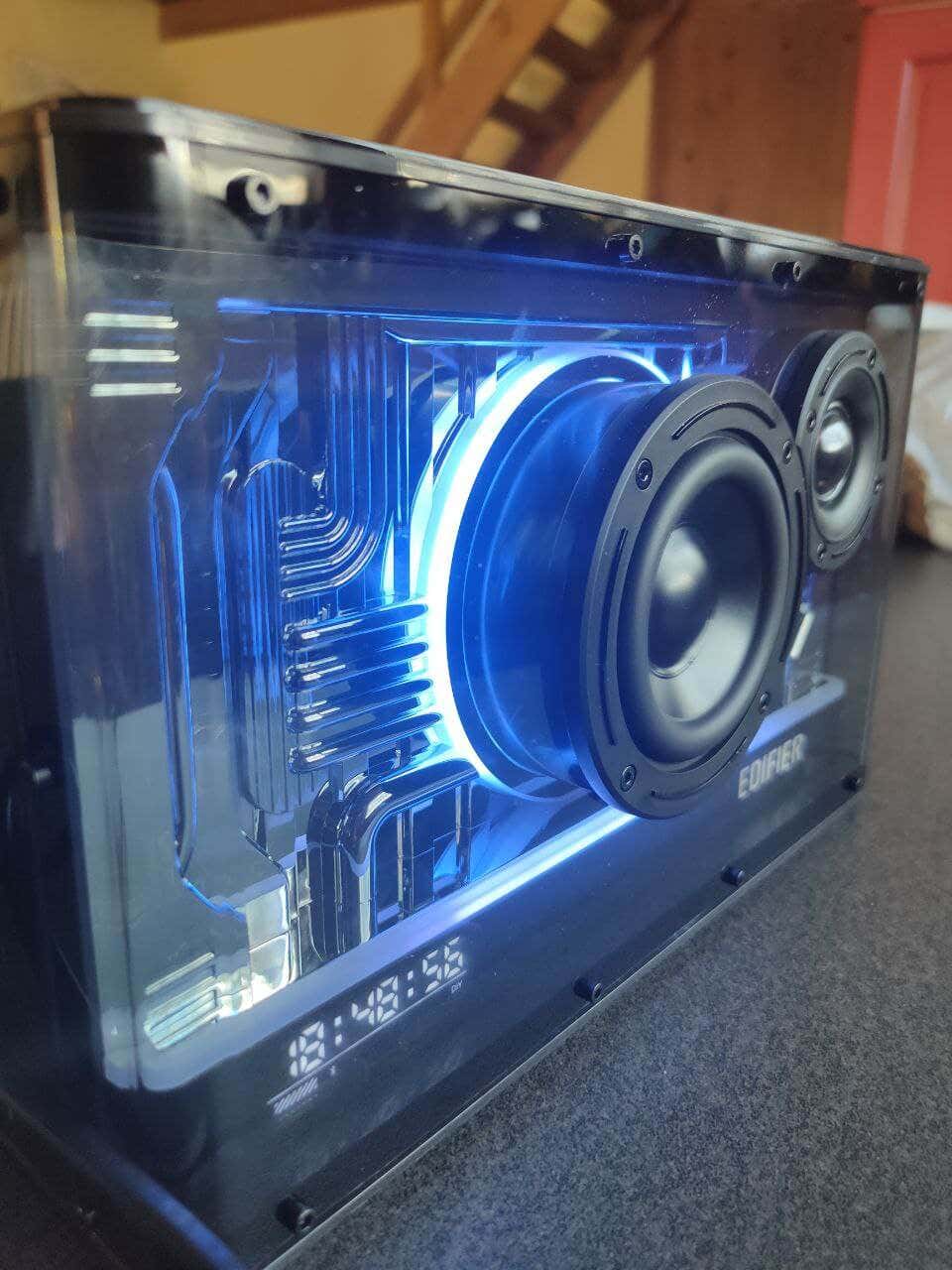
The mid-bass is positioned at the center of the speaker’s front, accompanied by the smaller treble speaker on the side.
Although the QD35 operates as a mono tabletop speaker and it’s a single-channel audio output, this isn’t a significant drawback, as many Bluetooth speakers are designed this way. However, it’s worth mentioning that the QD35 doesn’t support pairing with another QD35 for a true wireless stereo (TWS) setup, which could have enhanced the stereo experience along with the lighting effects.
The QD35 delivers satisfactory sound quality until the volume reaches around 14 out of 16 levels. Beyond this point, the audio tends to become way too boomy and less pleasant at close distances, while it appears flat and muddy from a distance. Although Edifier employs digital signal processing (DSP) to enhance audio quality, it’s less effective at higher volumes. Keeping the volume at around 10 or 11 levels maintains a balanced sound, suitable for filling small to medium-sized rooms.
The speaker has a strong bass performance, way better than what you’d expect from a speaker with a 3” driver. This impressive bass is attributed to the two passive bass ports at the speaker’s back.
AUX Audio Enhancement
If you really want to get the most out of your Edifier QD35, you need to utilize the AUX audio input, as it proves to be a game-changer in terms of sound quality.
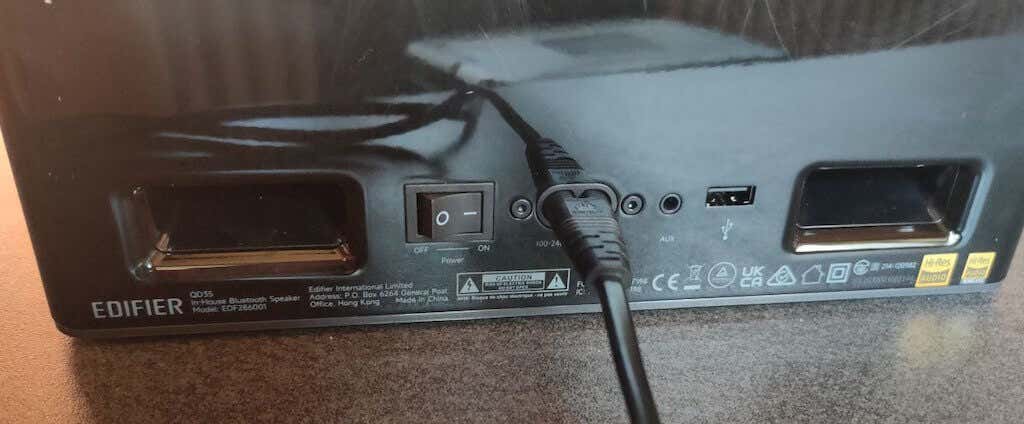
The Edifier Connect app features an illuminated Hi-Res button when either USB or AUX audio sources are selected. This indicates that you’re accessing better audio quality. When connecting my Android smartphone through wired AUX (you may need to use an adapter for that), the audio quality improved immensely, especially with a higher LDAC setting turned on. The bass response became cleaner, and the noises and resonance were reduced to the lowest level. If you’re an audiophile and prioritize sound quality over the convenience of Bluetooth connection, this is the best connectivity option to improve your experience with the QD35.
USB Connectivity
It’s important to mention that using USB with a computer comes with an automatic driver installation by Edifier. This may raise concerns for those who prefer to have control over their computer’s software. That’s something you’ll have to remember if you want to use the speaker with your PC or Mac via USB.
Software
The Edifier Connect app is a perfect instrument to control your speaker remotely. The app is designed for iOS and Android devices and features a user-friendly interface.
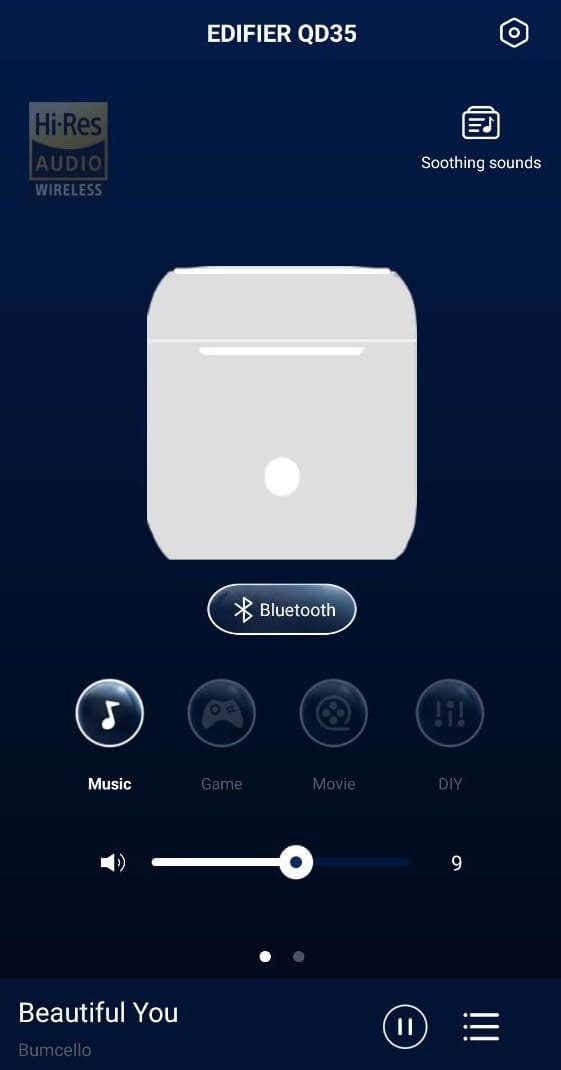
One handy feature is that you can use the Edifier Connect app to synchronize the clock manually or automatically. However, the main power lies in the ability to personalize your EQ settings.
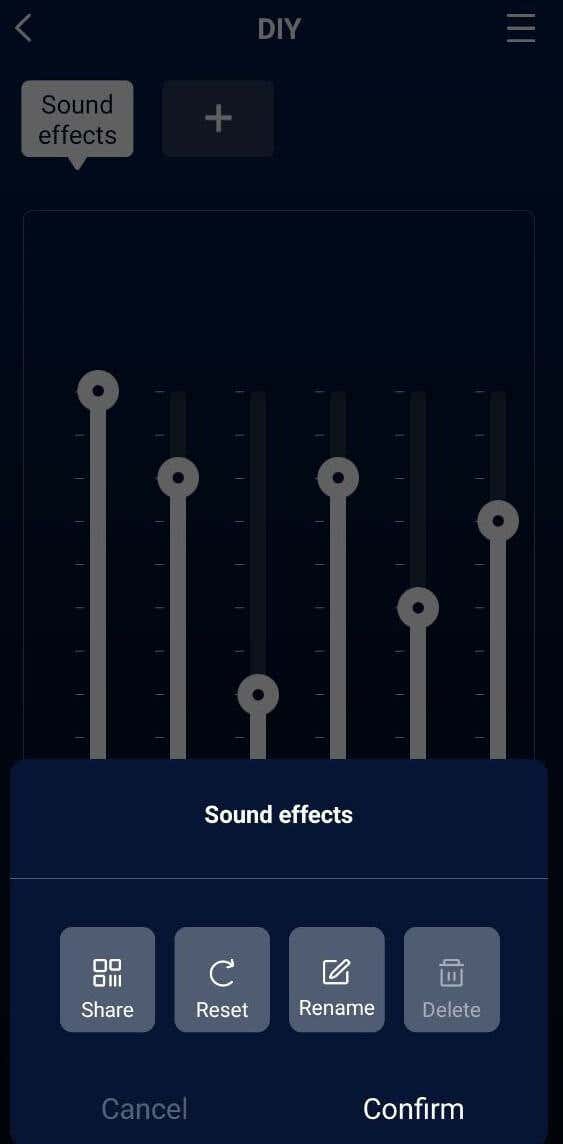
This means you can curate audio profiles and presets to fit your unique preferences and share these configurations with friends. Dive into various sound profiles, explore various audio nuances, and uncover the perfect sonic signature that works best for you.
I already mentioned that the QD35 is also a great mood-setting device and can transform your environment through its impressive light effects. The speaker comes with various pre-programmed light effects that instantly elevate the ambiance. The Edifier Connect app gives you the freedom to create your own light displays and illuminate your surroundings according to your mood.

The customizable EQ settings and the lighting effects are probably my two favorite things about the QD35.
Battery Life
The Edifier QD35 has no built-in battery and requires constant power from a wall outlet (or a power station ) for operation.
However, I feel like the extraordinary design and features compensate for this absence. Since there’s no battery, you don’t have to worry about battery life limitations. As for the rest of the speaker, Edifier’s 2-year warranty and return policy provide assurance in case of any unexpected issues, offering users peace of mind when buying this innovative speaker.
Should You Buy the Edifier QD35?
If you’re looking for a unique and versatile audio solution that combines dynamic lighting with decent sound quality, the Edifier QD35 Bluetooth speaker with dynamic lighting and integrated ultra-fast 35W GaN charger is the right choice.
This speaker will definitely turn heads. However, the Bluetooth audio performance isn’t exactly on par with the premium price tag. In this case, you’ll have to decide for yourself whether the stunning visual effects make up for some performance hiccups. And if you don’t mind using the AUX to listen to music, then the QD35 is a compelling option.
- Tribit StormBox 2: The Under $70 Portable Speaker that Stands Out
- ENGWE L20 2.0 Review: The Best Budget-Friendly Foldable E-Bike?
- TopDon TC004 – a Thermal Imaging Camera That Will Give You Predator Vision
- Newyes Portable Wireless Thermal A4 Printer Review
- Eskute Star Folding Fat Tire Electric Bike Review
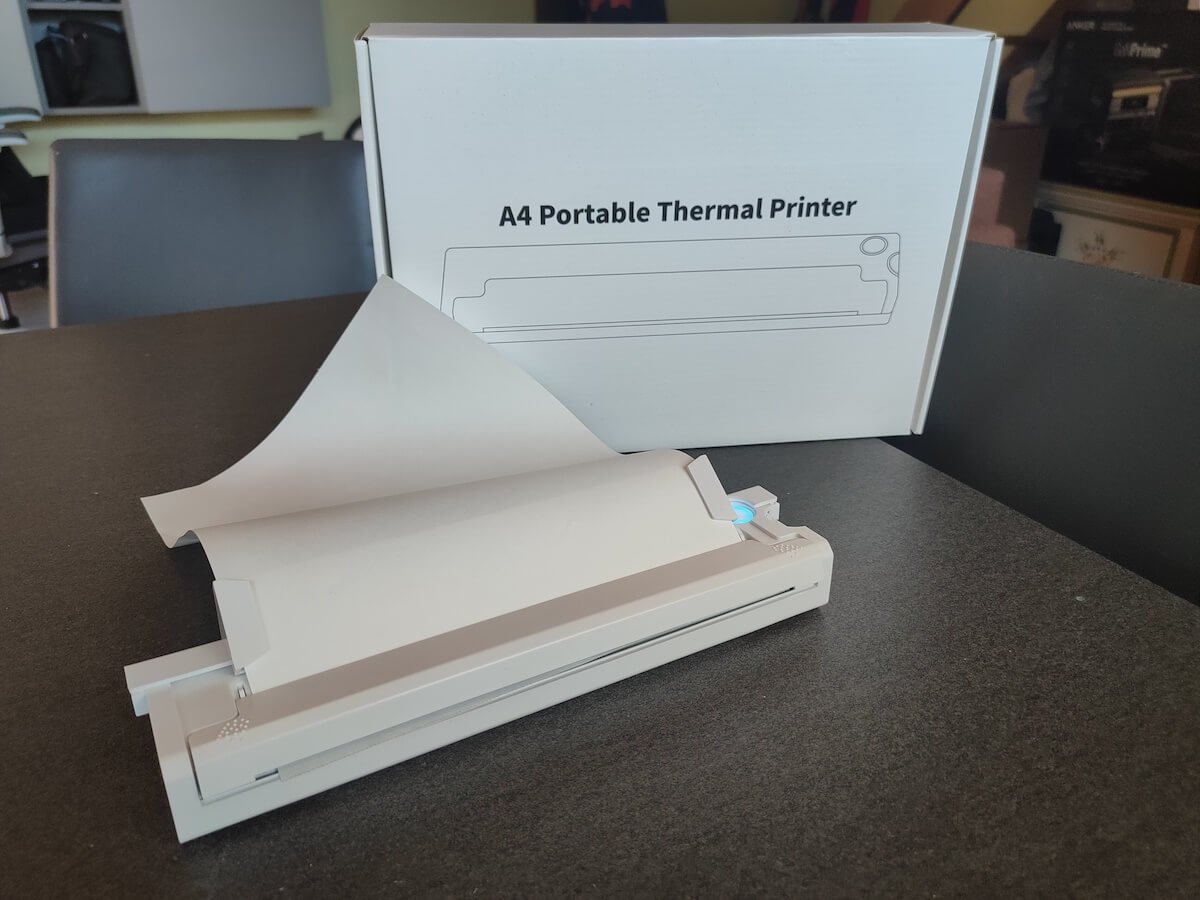
If you don’t have a full-sized printing machine at home and often need to print a document on the go, check out the Newyes portable printer . This wireless printer is lightweight and small enough to fit in your bag. Not to mention it’s environmentally friendly, since it uses thermal paper instead of ink.
Follow our review of the Newyes portable wireless thermal printer to see if it suits your printing needs.
Newyes Portable Wireless Thermal A4 Printer: First Impressions & Specs
When I was a student, I remember my university always required hard copies of documents. Luckily, there was a print shop on campus where I could always pop in to print something.
Then I became a professional, and to my surprise many life spheres still required me to have printed versions of documents with me. Of course you can get your own full-sized machine to print things at home, but if like me you live in a small apartment, you value every extra bit of space and don’t want a massive printer to take it up.
One day, when I was looking for a neighbor with a printer to help me with my event tickets, they introduced me to the concept of a portable printer. Seeing how easy it is to use, I immediately wanted to get my hands on one of those. So here I am, reviewing one of the most useful gadgets I received recently – the Newyes portable thermal printer.
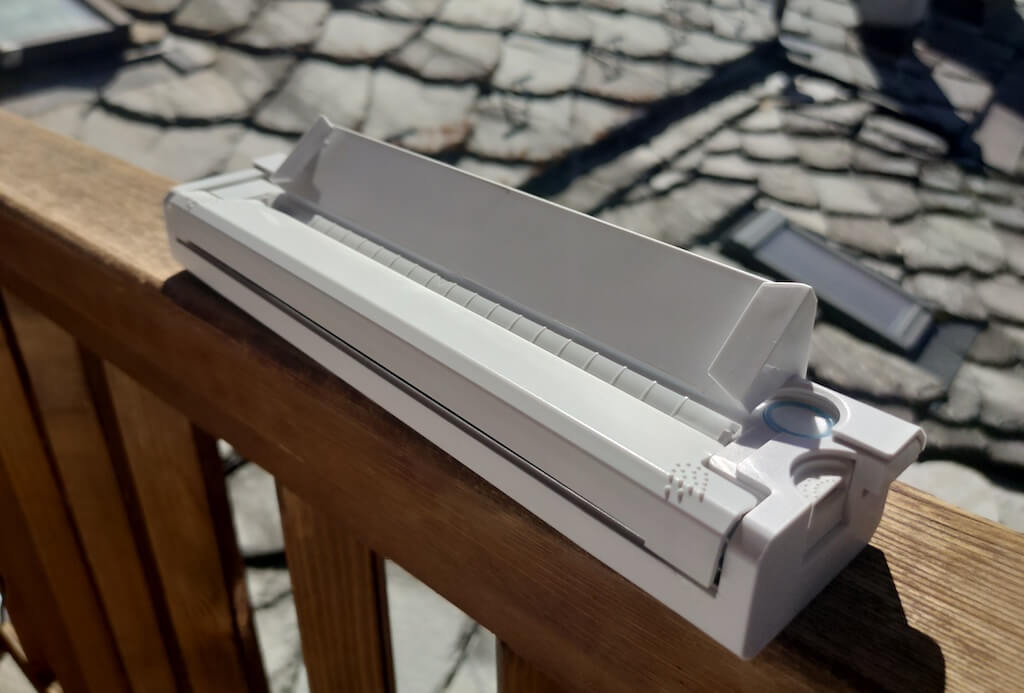
Before we continue with this review, here is the full list of specs of this printer.
- Model: Newyes LD0801
- Dimensions: 10.4 x 1.2 x 2.28 in (265 x 58 x 30.5 mm)
- Weight: 16.8oz (475g)
- Paper format: A4
- Paper width: 210mm or 218mm
- Printing Type: thermal paper
- Resolution: 203DPI
- Connectivity: Bluetooth
- Charging port: USB type-C port
- Input Voltage: DC 5V / 2A
- Battery: 1200mAh lithium battery
- Charging time: 75 min
- Automatic shut down: after 30 minutes
- Stand-by: about 30 days
- Extra features: LED light, reset, on / off switch button
- Color: white, black
- Warranty: limited one year warranty
- Price: $199 on the Newyes website
If you find yourself in need of hard copies of important documents while on the move, the Newyes portable wireless thermal printer will become your go-to gadget. Newyes calls it “the world’s smallest printer”, and with the weight of under 500g this seems plausible. This mini printer offers a handy solution for those moments when you need to quickly print an important document but don’t have access to an office setup.
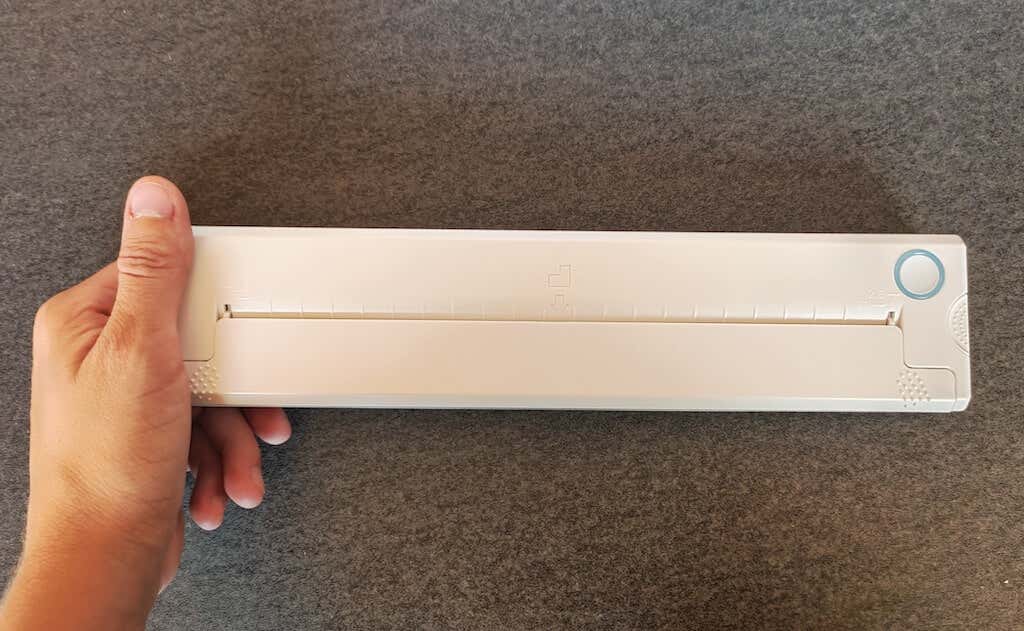
Operating this printer is a breeze – a simple Bluetooth connection is all that’s required. Once connected, just fire up the app, choose the file you want to print, and send it over. Efficiency is at the forefront, and you can easily print multiple sheets by inserting new pages back to back.
The only limitation this printer has is that it can only print in black. So even if your original file is in color, the printed document will still come out in black and white. Other than that – you can print a variety of file types including Excel, Word, PDF, JPG, PNG, and web pages – and it only takes seconds.
The Newyes portable wireless printer combines convenience, portability, and efficiency – all the things I appreciate in a modern gadget.
Design and Unpacking
Let’s have a closer look at the design and build of this smart printer, as well as what you get included in the package when you purchase it.
What’s in the Box
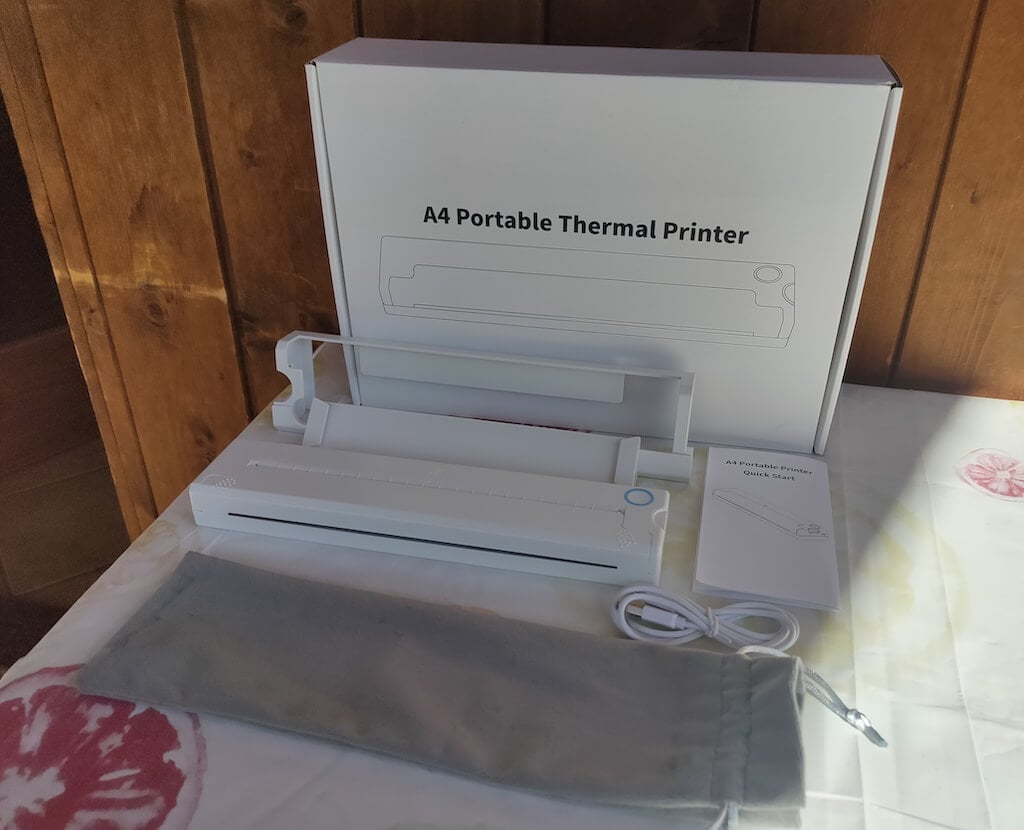
Here’s everything you’ll find when unpacking your Newyes portable thermal printer:
- The Newyes portable wireless thermal printer
- Bracket
- USB type-C cable
- Storage/carrying pouch
- 100pcs thermal printing paper
- User manual
You can use the Newyes portable printer right out of the box, as you’re all set with essential accessories. Aside from the printer itself, the package includes a bracket which will make printing more than one page smoother, a convenient storage bag for carrying your printer with you, a USB-C cable for charging, and a supply of 100 pieces of thermal paper to get you started.
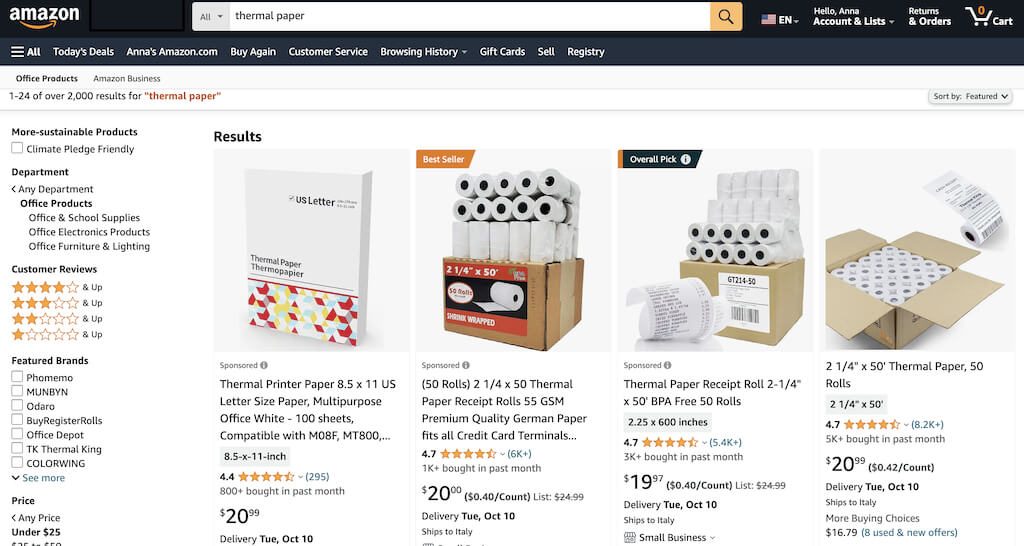
One important thing to remember is that this printer only works with thermal paper. While thermal paper is significantly more expensive than normal paper, this printer also uses inkless printing and works without a ribbon and toner. Since you don’t have to spend money on ink, carbon ribbons or toner cartridges, you ultimately end up saving money with thermal paper.
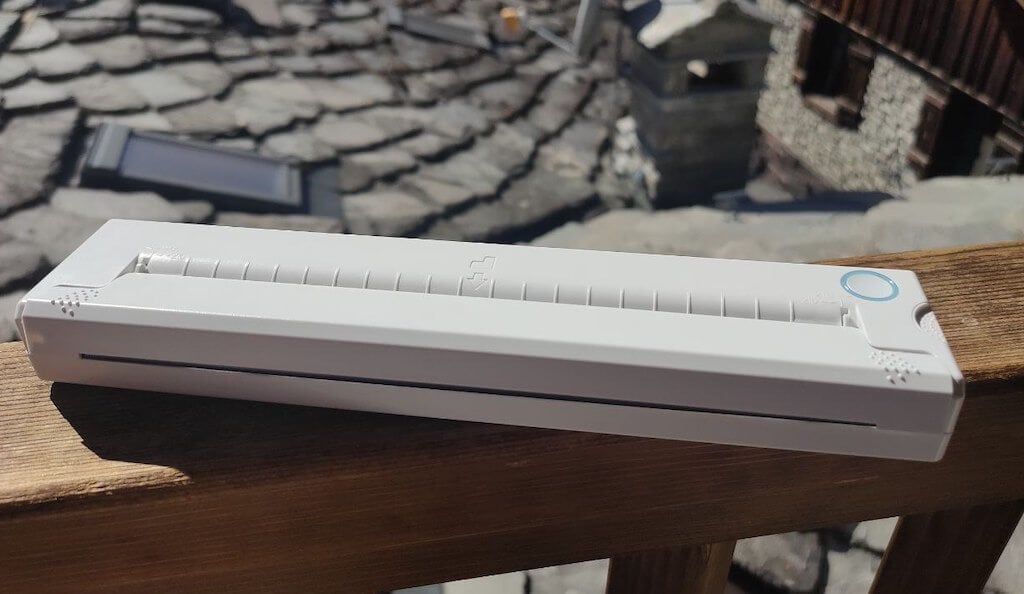
The Newyes LD0801 is a pocket-sized printer that features straightforward design. For the purpose of this review, I had a printer in white color. The printer looks like a small white brick with just two pressable buttons on top – one for switching it on and off, and another for opening the printer’s cover. You’ll also see the paper entry slot on top of the printer.
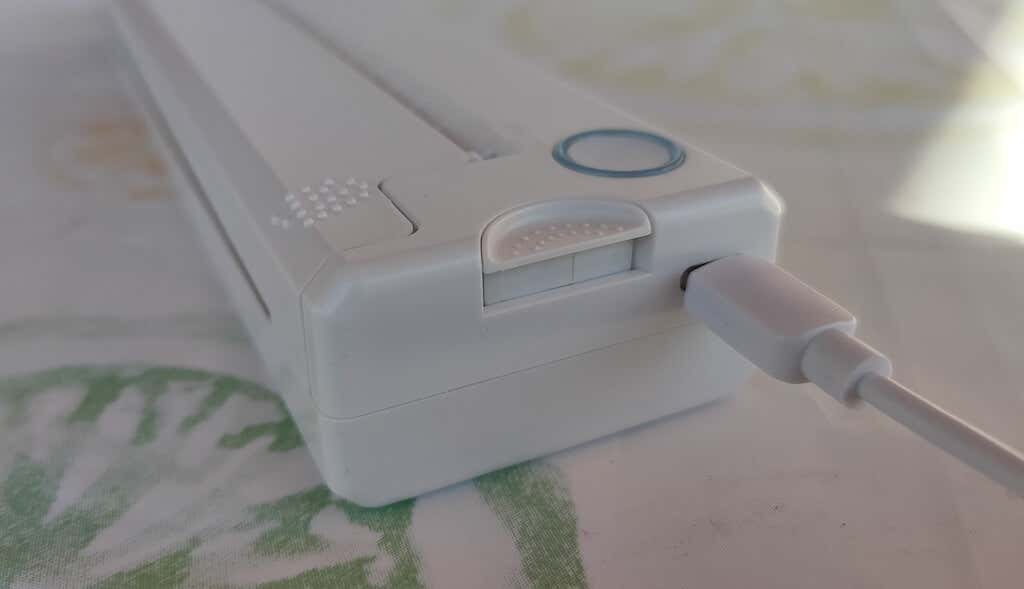
On the side of the printer, you’ll find a single charging port.
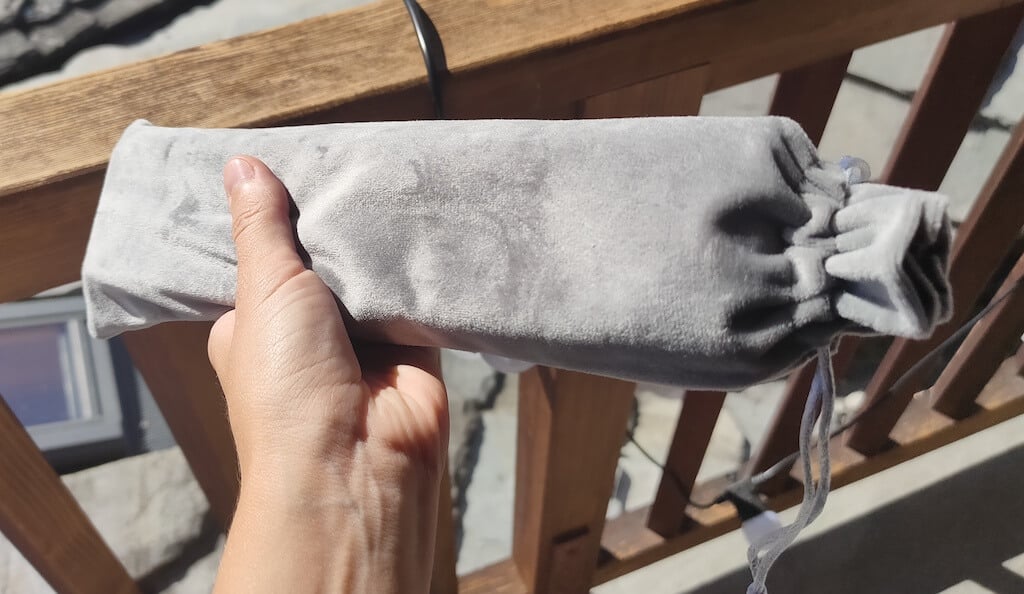
The printer is made of plastic, but the build feels sturdy. I never have to worry about throwing it into my bag or damaging it when traveling. Besides, you can use a nice carrying pouch included in the package for protection.
Performance & Features
According to Newyes, the portable printer has a “handheld size and two times the weight of an iPhone”. This can give you an idea of how portable and convenient this little gadget is. In a month of testing, I used it at home, in a store, and even in a car while on the road.
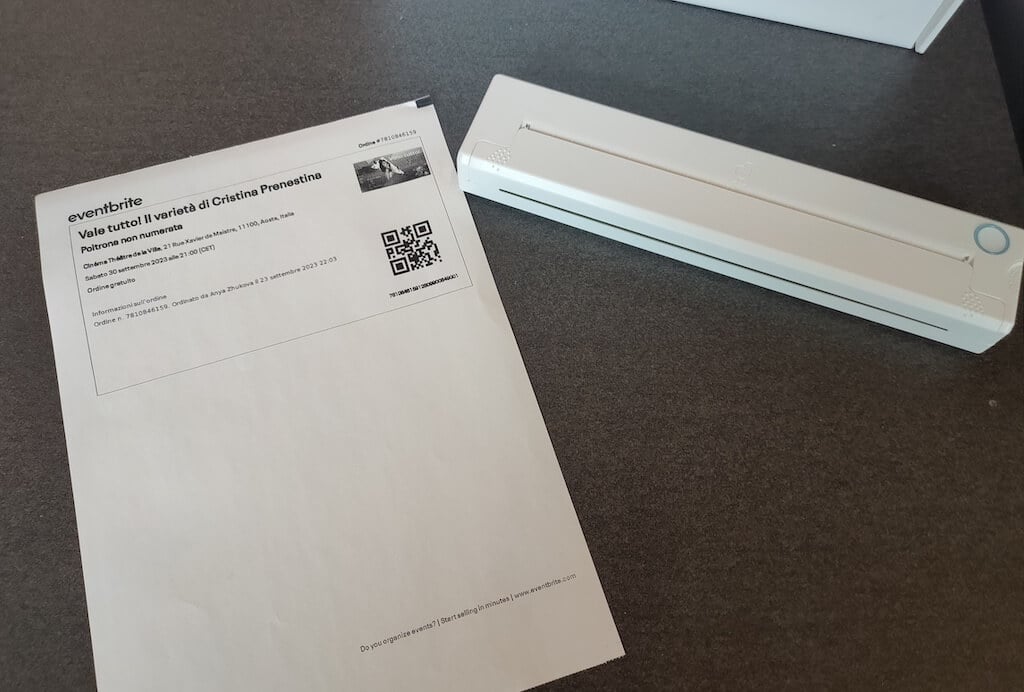
Using the printer is unbelievably easy. Connect it to your mobile phone via Bluetooth, press the button to turn the printer on and put a sheet of thermal paper into the paper entry slot. Make sure to use thermal paper and not standard paper, and put it with the black marks facing down. Bear in mind that the thermal printer can only print in black and white and only on one (marked) side of the thermal paper sheet.
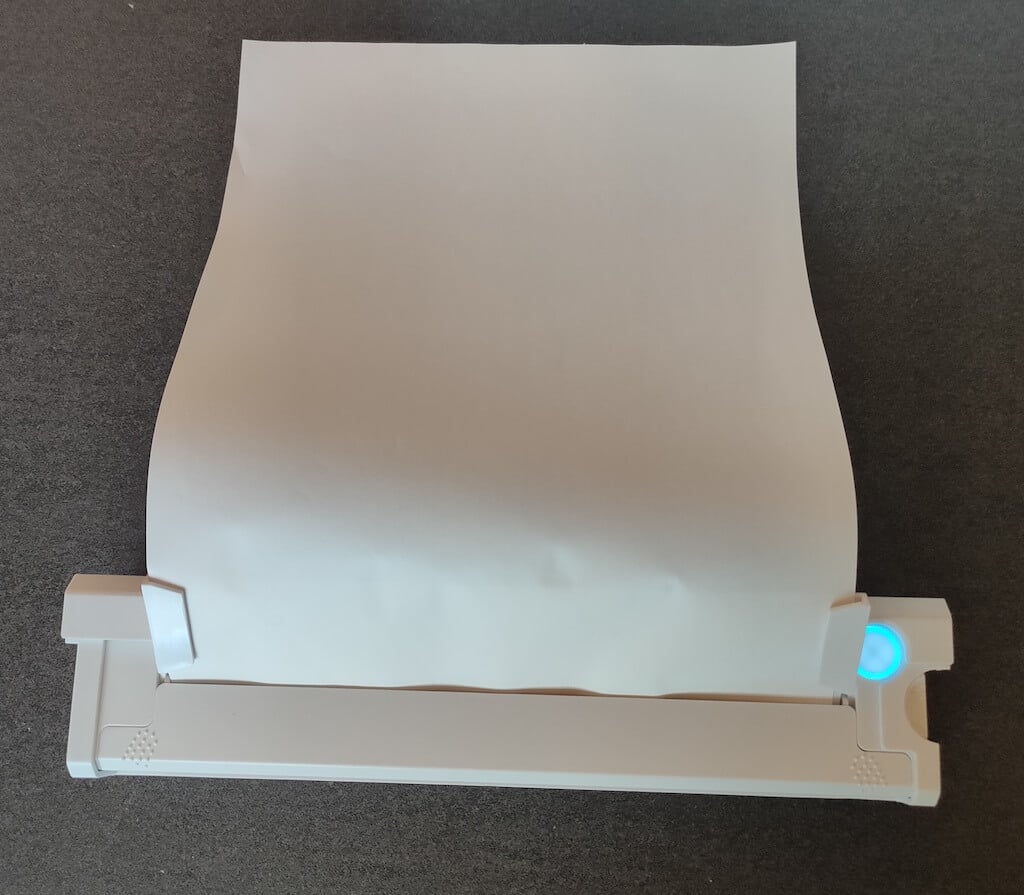
Then open the iPrint app on your smartphone. If you’re printing an A4 document, you can select one of two options – Photo Printing and Document Printing . Then choose the document from your phone’s files and print it.
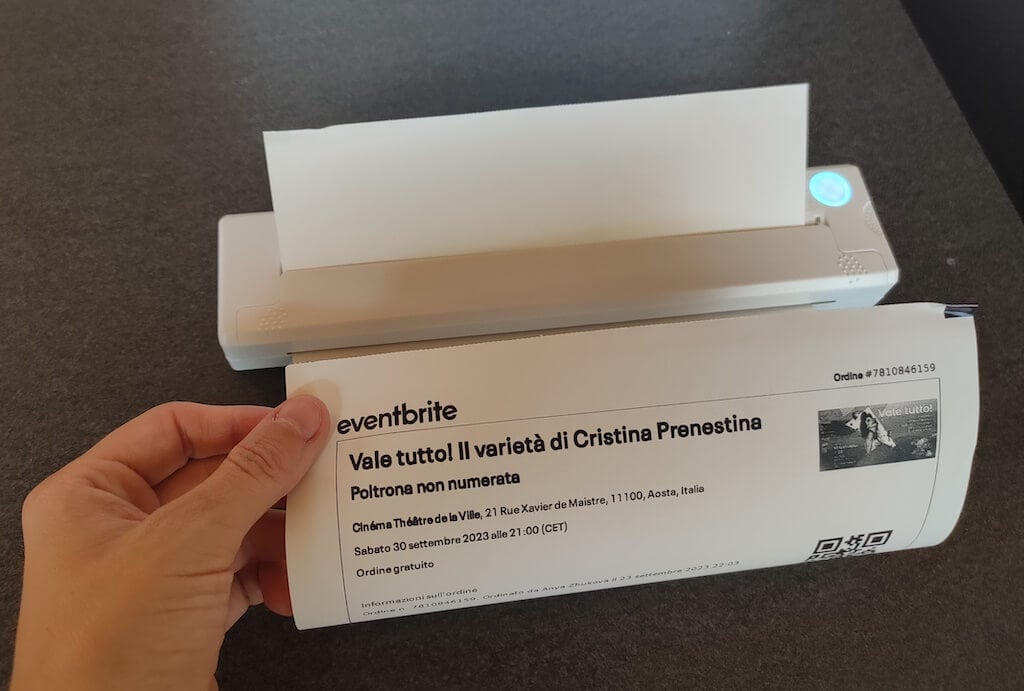
The printer is reliable and in the time that I used it the Newyes LD0801 never let me down. The printing quality will surprise you, as it’s sometimes better than what you get from a full-sized printer. The printer supports printing in various formats, and you can use it to print documents from your smartphone (Android and iPhone), iPad, and Android tablet.
When fully charged, the printer can support up to 90 pieces of paper continuously, which is very impressive for a gadget of such a small size.
Software
The Newyes portable printer requires an iPrint app to operate. The app is available for free on iOS and Android. You’ll need to download the app on your device from the App Store or Google Play before you begin printing your documents.
The app has a simple and user-friendly design. You’ll need to pair your device with the printer on the first use via Bluetooth.
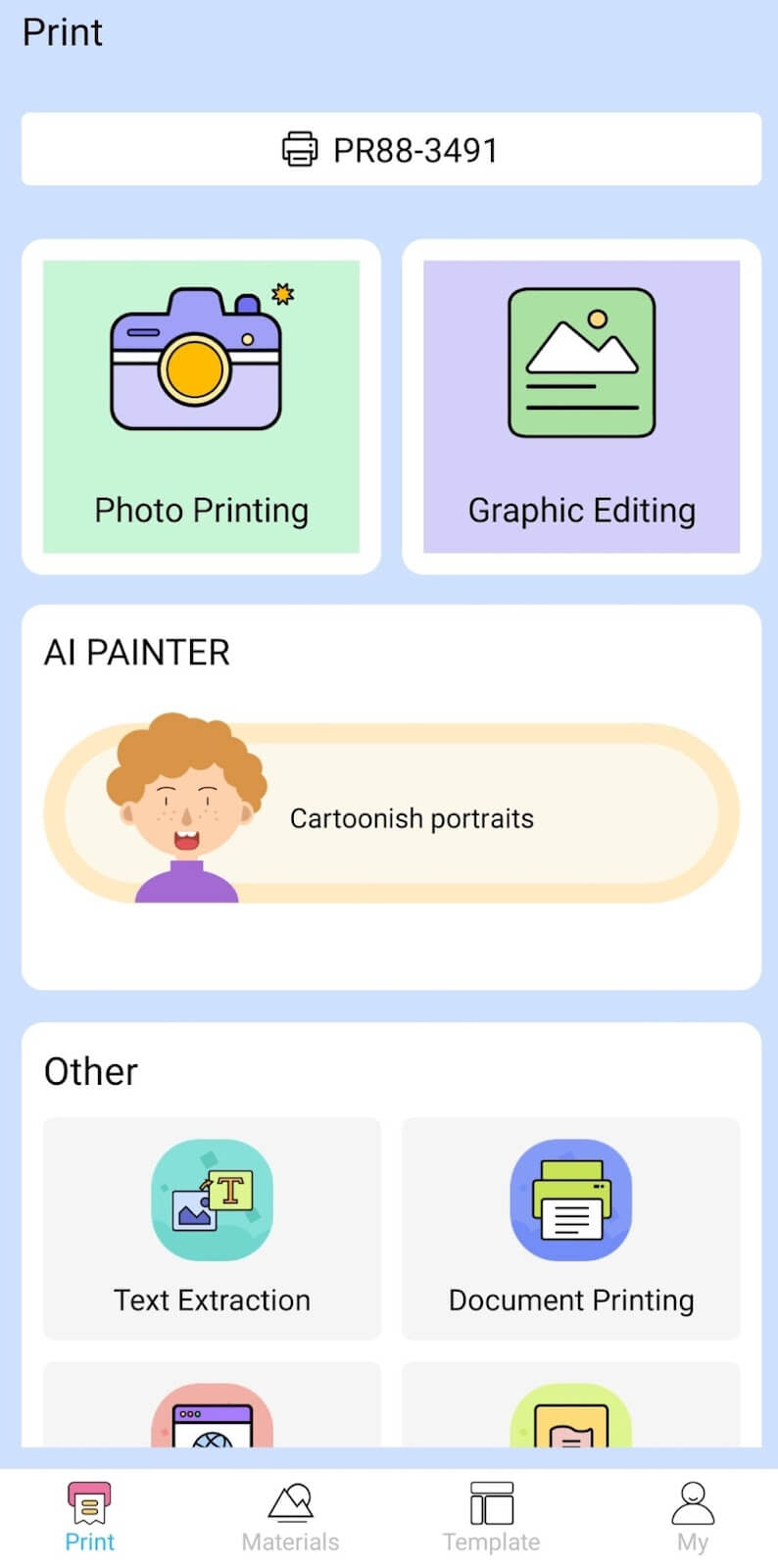
Depending on the type of document you want to print, you can choose different options from the app. There’s photo printing, document printing, web printing, and banner printing.
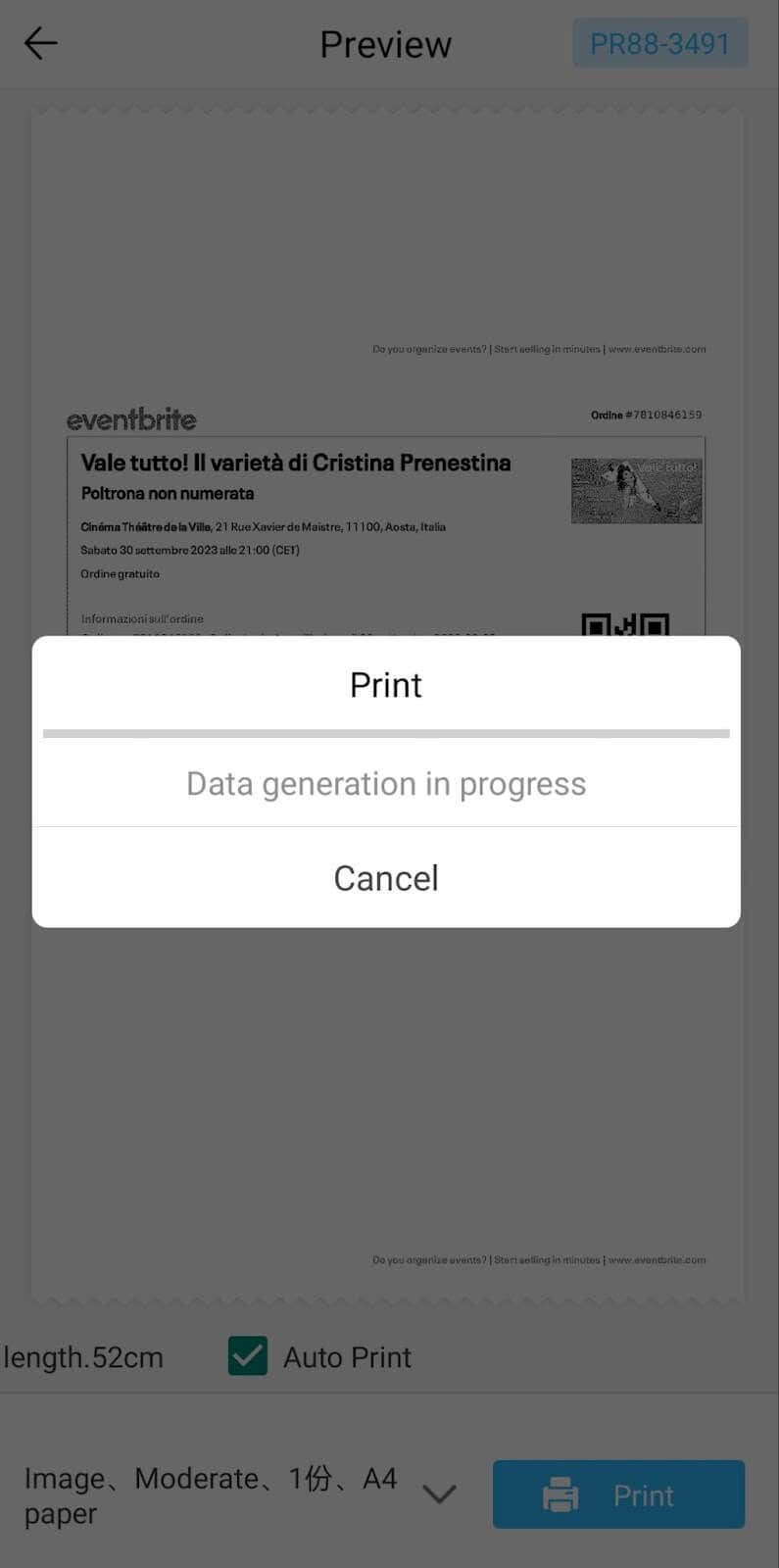
The app also has Materials and Template sections, where you can find various pictures and templates for printing to-do lists, post-its and holiday cards. You can also use the Newyes LD0801 as a label printer using these templates.
Battery Life
The Newyes portable wireless thermal printer is equipped with a decent 1200mAh lithium battery. This high-capacity battery allows you to print on the go without constantly worrying about running out of charge. When I received the printer, I charged it fully once, and it still hasn’t run out of battery after one month of use (I use it to print something almost every other day).
Charging this printer is quick and takes just over an hour to charge the printer from zero to full. The type-C charging cable facilitates a rapid charging experience. And if you run out of battery while on the go, you can quickly charge the printer from a portable power station or a power bank to continue printing.
The printer doesn’t support wireless charging, so I’d recommend always bringing the usb-c cable with you just in case.
Should You Buy the Newyes Portable Wireless Thermal Printer?
The Newyes portable thermal printer ensures high-quality wireless printing while on the go and easy operation. It’s not the most budget-friendly option, but this purchase will save you money and nerves in the long run thanks to its versatility and portable nature.
Personally, I can say that this printer made my life easier. So much that it’s probably my favorite smart gadget of the year. If you’re looking for a portable printer that won’t take any space in your house, I’d certainly recommend considering the Newyes LD0801 model.
- Tribit StormBox 2: The Under $70 Portable Speaker that Stands Out
- ENGWE L20 2.0 Review: The Best Budget-Friendly Foldable E-Bike?
- TopDon TC004 – a Thermal Imaging Camera That Will Give You Predator Vision
- Eskute Star Folding Fat Tire Electric Bike Review
- The 70mai Power Station Tera 1000 Review
