Everywhere you turn on the internet, there are dangers lurking. Rogue hackers are out there, trying to gain access to your data using malware infections , compromised firewalls , and brute force attacks . Without adequate safeguards in place, the safety of your network and personal data is at serious risk.
To protect your network, you could think about installing a network-wide firewall device like the Firewalla Gold. This new, family-friendly and easy-to-use firewall has been designed with home users and small businesses in mind, but to help you decide if it’s the right option for you, we’re putting it to the test in this extensive Firewalla review.
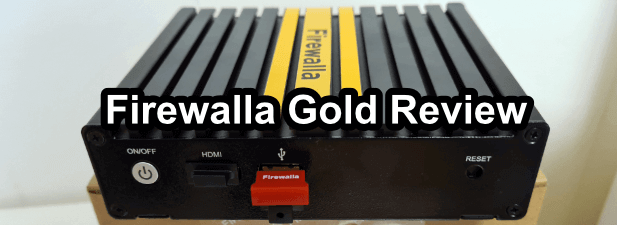
Firewalla Gold: Design and Unboxing
The Firewalla Gold is small enough, fitting in the palm of your hand, but it packs quite a punch when it comes to cybersecurity.
Don’t expect an outdated manual or lots of unnecessary packaging when you unbox the Firewalla Gold. Included in the box is the Gold itself, along with a power supply, mounting plate, USB control dongle, and screws to mount it. A small card inside provides you with the website link with instructions you’ll need to follow to set up the firewall.
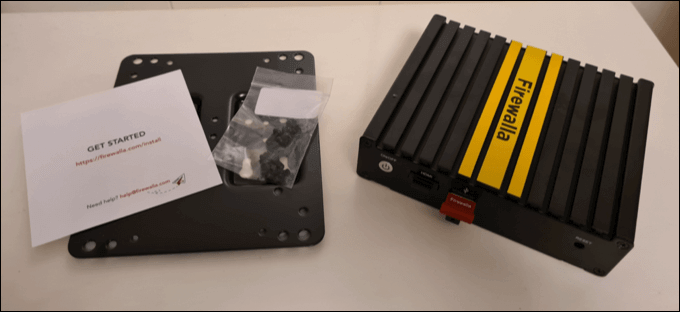
It’s a mostly plug-in-and-forget solution, with a mounting plate included that allows you to mount it out of sight. That’s the point—it isn’t here to dazzle and grab your attention, but work in the background to block threats, ads, and more, only notifying you when it detects a potential issue.
By default, the Firewalla Gold comes with a US-style power cord. If you’re ordering through the Firewalla website, you can buy a suitable international cord for an extra $10, although you could find these elsewhere.
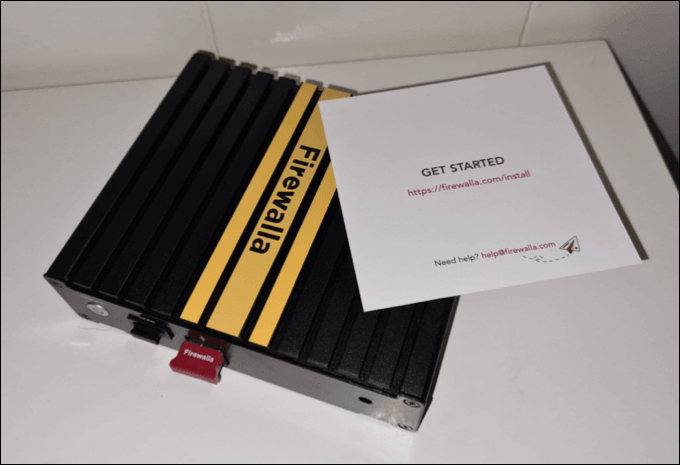
Compared to the earlier Firewalla Blue and Red products, this Firewalla is slightly bigger and flatter, with a metal groove design on top to help keep it cool during use. The product has been cleverly designed with passive cooling in mind, but we’d still recommend you only use it in well-ventilated areas.
The design is simple, striking, and much improved compared to earlier models. The only downside (that we can see) is a lack of included ethernet cabling to quickly connect it to your local network (or to set it up as a router itself).
While cabling is cheap, the Firewalla Gold retails at $499, so you’d expect it to come with everything you need to get started. Remember, this product has been designed with home users in mind, who (unlike tech professionals) may not have spare ethernet cabling available.
Firewalla Gold: Features and Specifications
This crowd-funded firewall has all the features you’ll need to protect your network. As the fourth generation of Firewalla products, the Firewalla Gold benefits from several years of real-world testing that has allowed the company to refine and improve the product.
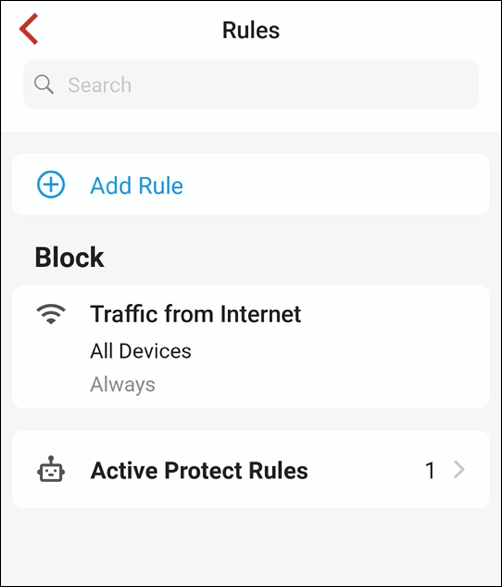
According to Firewalla, the Firewalla Gold uses four stages of monitoring and protection to keep your devices safe, including deep packet monitoring of your network traffic to behavior analysis to pinpoint anything “unusual”. It also protects from threats (such as hacking attempts) using predefined or user-set rules.
As part of a series of defences to help keep your network safe, the Firewalla Gold includes parental controls to block websites that shouldn’t be accessed, as well as a built-in VPN server and client, allowing you to connect to an external VPN service, or create your own to connect to your network remotely.
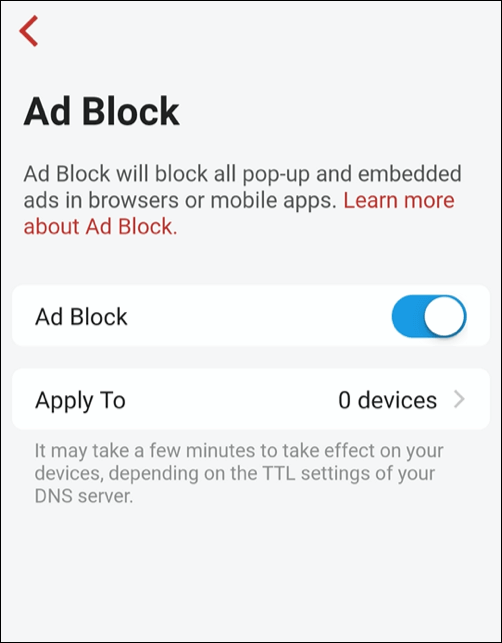
If you want to block or remove ads, you can do this across your entire network using the Firewalla Gold’s ad-blocking features, which blocks a number of well-known networks from displaying ads (including video ads) on your devices. If you wanted to stop ads from appearing on your TV, for instance, this would be an ideal solution.
If you’re worried about the number of devices on your network, or if you want to “block off” a set number of devices from the rest, you can use network segregation. This isolates some devices, preventing internal and external access. This is a feature that would be great for outdoor security cameras to stop snoopers, for instance.
This feature can also be used to monitor and control the data usage used by other devices. This can be done through the web interface or by using Firewalla’s mobile app for Android and iOS users.
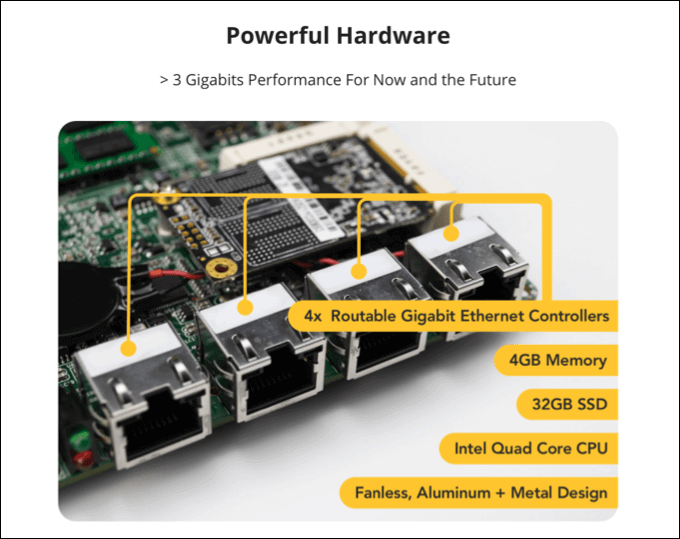
In terms of hardware, the Firewalla Gold is an open platform that supports expansion using Docker containers and SSH access for remote configuration and additional software installation. The device runs a version of Debian Linux, with a 64-bit 2.2Ghz Intel processor with four cores, as well as 4GB of RAM and 32GB of internal storage.
The Firewalla Gold can be connected to an existing local network, or it can be set up as a main router on a local network, thanks to the four “multi-gigabit” ethernet ports (rated at up to 3Gbits) that are available on the back of the unit.
Firewalla Gold: Installation and Set Up
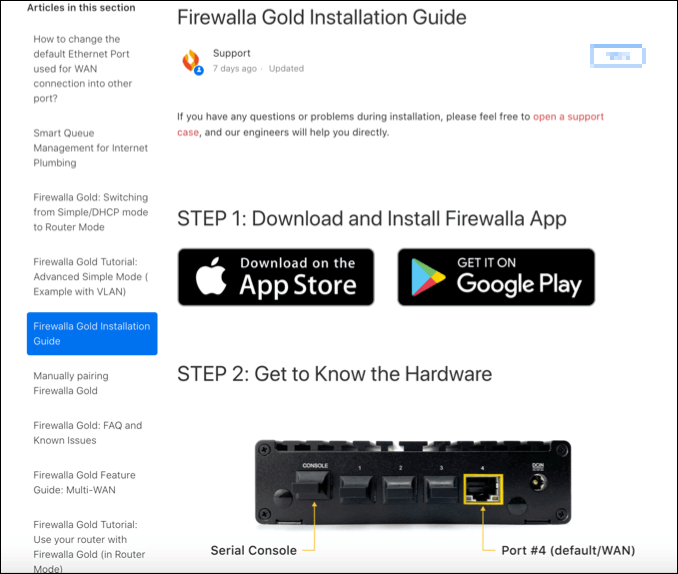
Included in the Firewalla Gold packaging is a set-up card that directs you to a link on the Firewalla website. This link is your individual set-up guide, with tips and advice on how you may wish to set up and use the firewall on your network.
Firewalla recommends that you use the Firewalla Gold in router mode . This means that the Firewalla Gold manages and monitors your network traffic entirely. The set-up guide offers some support in helping you configure your existing router to do this, but you may need to consult your router’s user manual first.
You can also set the Firewalla Gold to supplement your existing router as the DHCP server (issuing IP addresses) in DHCP mode . Or, if you want to leave your router settings intact (or can’t modify them), you can set it to simple mode . As the name suggests, simple mode is easy to set up as it doesn’t need any other configuration.
Simple mode uses ARP spoofing to convince other devices that the Firewalla Gold is your network router, forcing any connected devices on the network to route traffic through it. This does have some compatibility issues with some types of routers, and may not work as effectively, but will be the simplest to set up and use.
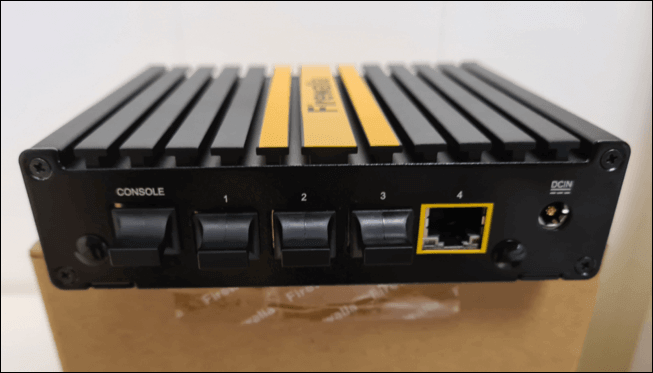
To get started, you’ll need to connect your existing router or access point to the Firewalla Gold to port 4 on the back (the WAN port) using an ethernet cable. Ports 1 to 3 can be used to connect other devices. While a HDMI port is available on the device, this isn’t currently used on the test model we received.
Once the device is plugged in and switched on, you’ll need to install the Firewalla Gold app from the App Store for Apple devices or Google Play Store for Android devices . This will allow you to set up and configure the device.
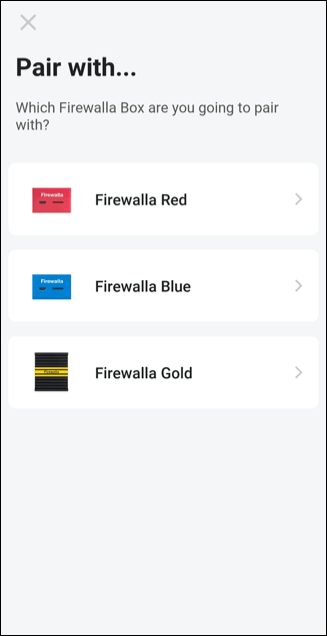
The Firewalla app is well designed, easy to use, and should take you from the initial set-up stages to fully operational within 10 minutes, as long as your Firewalla Gold firewall is connected to your network correctly.
Beginner users should be able to understand the instructions on-screen, with visual guides and clear explanations to help you through the setup process. Power users and professionals will certainly have no issues, but as a product aimed at consumers, it’s good to see the simple approach take priority.
Firewalla Gold: Usage
The Firewalla Gold is the evolution of a service that has been in development for several years. With a focus on homes and small businesses, the Firewalla Gold has been designed with simplicity in mind. That much is obvious from our tests over several days.
Of course, a firewall isn’t designed to be noticeable—you should be able to set it and forget it. That, thankfully, is a feature that works well. With features like ad and IP-based location blocking enabled, the device simply worked without any problems during our tests.
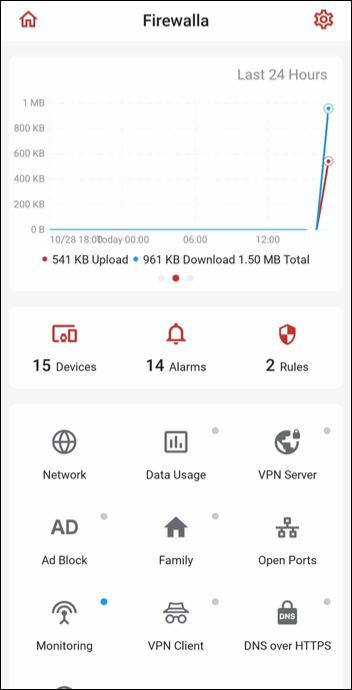
It blocked ads, it stopped threats, and most importantly, it didn’t interfere with any existing network services. All devices on my network continued to use the internet, share files, and connect to each other without issues. Except during testing of the network segmentation features, all devices could continue to communicate.
Using the Firewalla app, it was also easy to change settings when needed. For instance, blocking ads can have an impact on some UK-based streaming services, so removing certain devices from ad blocking ensured that the services were back up and running in less than a minute.
Testing of the Firewalla Gold over several days, with several users and many devices connected to it, proved that the device does what it says it will do: protect your network, block ads and outside threats, and give you extra security features that your network might otherwise be lacking.
Firewalla Gold vs. Alternative Firewall Devices
The Firewalla Gold is an all-in-one device that makes protecting a local network an effortless process. There are alternatives you could try, but it all depends on your budget and the time you have to set things up.
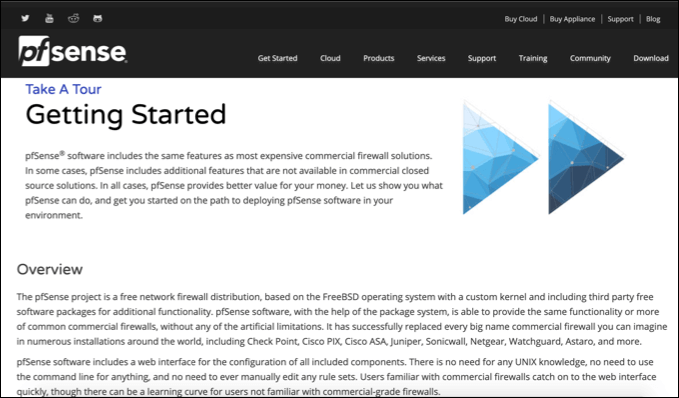
For instance, you could use the open-source pfSense on a custom-built machine, old PC , or Raspberry Pi to act as a network firewall. pfSense is industry-recognized and highly recommended, but it comes with a steep learning curve, from setting up to configuration.
It’s also entirely free to use, or you could grab it pre-installed on a Netgate SG-3100 for the same price as the Firewalla Gold, but with older hardware and fewer features.
In contrast, the Firewalla Gold benefits from several years of development, testing, and improvements. It’s the fourth edition of the Firewalla device line, and with an easy-to-use app and SSH access to update and install your own software, it offers all of the customization without the headache.
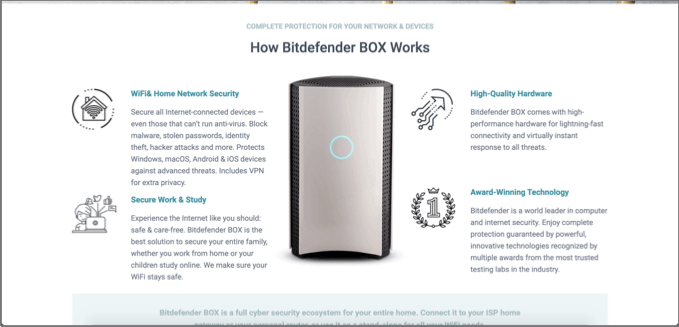
Alternatives to the Firewalla Gold do exist, but you may need to pay extra to match the functionality. For instance, you could grab the Bitdefender Box, which also offers threat detection and anti-malware for your entire network, but on a slower device that can’t be as easily configured or extended compared to the Firewalla Gold.
You could also look at enterprise-grade equipment, such as the Ubiquiti EdgeRouter 4 . This offers similar features to the Firewalla Gold, but without the user-friendly interface and on slower hardware.
Whether you build your own firewall or go for an all-in-one, prebuilt solution, few firewalls offer the refined user interface, number of features, modern hardware, and level of customization that the Firewalla Gold offers to its users.
Protecting Your Network
The Firewalla Gold is one of the most interesting consumer-grade security products to reach the market in recent years. At $499 with no additional charges or fees, it’s priced like it’s at the bottom end of the market, but with the kind of features you’d see in an enterprise-grade Cisco or Juniper unit instead.
Functionality is the most important benefit of the Firewall Gold, with features like ad blocking and live threat detection that most users can switch on and forget about.
For power users and businesses, extensive customization, especially with the ability to expand functionality using Docker containers and SSH access for additional software installation, it’s a very flexible solution.
There’s no doubt in our minds that the Firewalla Gold will protect local and business networks well, offering a huge step-up in protection compared to a simple software firewall . After all, you can only protect yourself from hackers if you have the right equipment in place to keep you safe in the first place.
- WhatGeek x 3inuS Kebohub EE01 Mechanical Keyboard Review
- Mobile Pixels Duex Max Portable Monitor Review
- Trifo Lucy: The AI Robot Vacuum and Mop
- Review of Anycubic Kobra Max 3D Printer
- The OBSBOT Tiny 4K: an Impressive Webcam for PC & Mac
Ben Stockton is a freelance technology writer based in the United Kingdom. In a past life, Ben was a college lecturer in the UK, training teens and adults. Since leaving the classroom, Ben has taken his teaching experience and applied it to writing tech how-to guides and tutorials, specialising in Linux, Windows, and Android. He has a degree in History and a postgraduate qualification in Computing. Read Ben’s Full Bio
3D printer manufacturer, Anycubic, recently released two new printers—the Anycubic Kobra and its bigger, badder uncle, the Anycubic Kobra Max. We were interested in testing both products in our hunt for the best entry-level 3D printers. We’re looking for ease-of-use and affordability, as well as build and print quality.
We’ve published a number of 3D printer reviews from Anycubic—for both FDM printers like the Anycubic Vyper that print with spools of filament and SLA resin 3D printers like the Anycubic Photon Mono X 6K that use a liquid resin as its raw material—and we can say that the Kobra Max has quickly become one of our favorites.
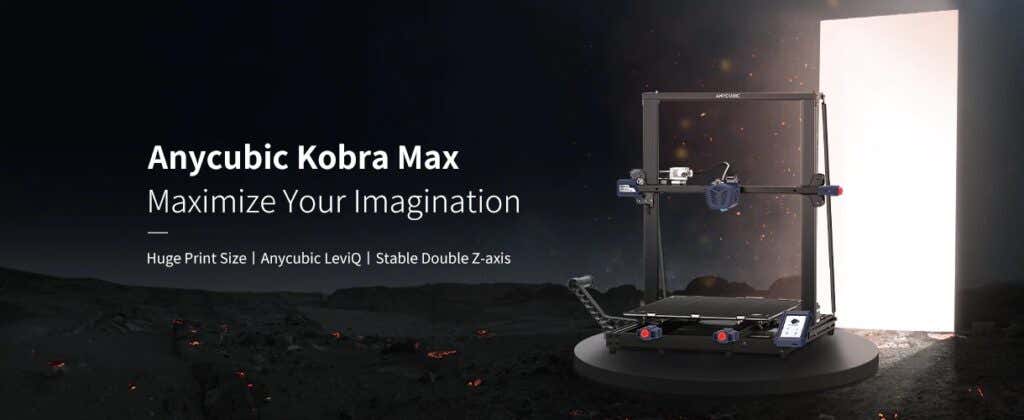
Features of the Anycubic Kobra Max 3D Printer
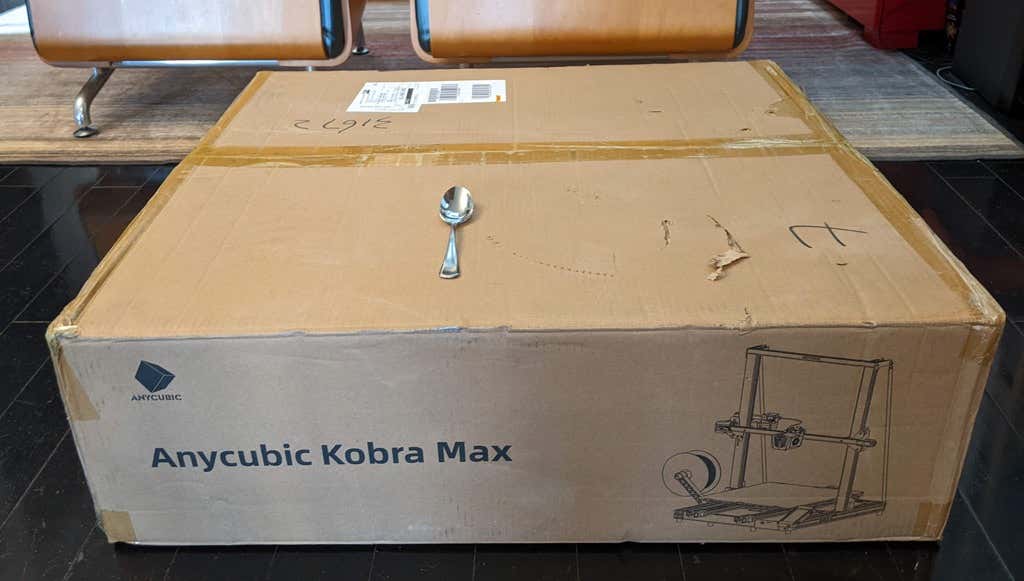
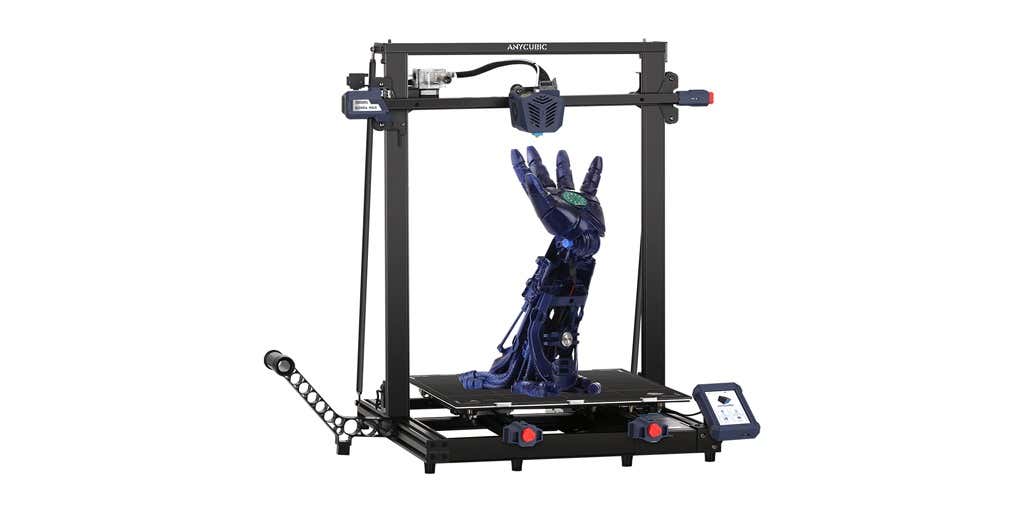
The most obvious feature of this printer is its size. It is absolutely massive. That means you can print huge items in a single piece. Think of a full helmet or an entire ukulele—these are things you couldn’t print in one piece on a normal-sized 3D printer. Truly, the word “Max” doesn’t sufficiently capture just how big this printer is. Good luck fitting the packaging into your trash or recycling bins!
We were skeptical that a Cartesian printer of this size (which relies on a moveable print bed) would perform well since it has a lot of weight to move around. Admittedly, it’s not the speediest printer out there because of those design tradeoffs, but it works great.
The Kobra Max has an impressive list of technical specifications:
- Leveling: Automatic, 25 points leveling using the Anycubic Leviq technology
- Panel area: 7.95 in² / 51.3 cm²
- Filament run-out detection: support
- Printing material: PLA / ABS / PETG & TPU
- Nozzle size: ø 0.4 mm (replaceable)
- Nozzle temperature: ≤ 500 °F / 260 °C
- Hot bed temperature: ≤ 194 °F / 90 °C
- Average speed: 3.1 – 3.9 in./s (80mm/s – 100m/s)
- Control panel: 4.3 inch LCD touch screen
- Z-axis: double threaded rod
- Print size: 17.7 x 15.7 x 15.7 in. / 45 x 40 x 40 cm (HWD)
- Build volume: 19.02 gal. / 72.0 L
- Machine dimensions: 72 x 71.5 x 66.5cm
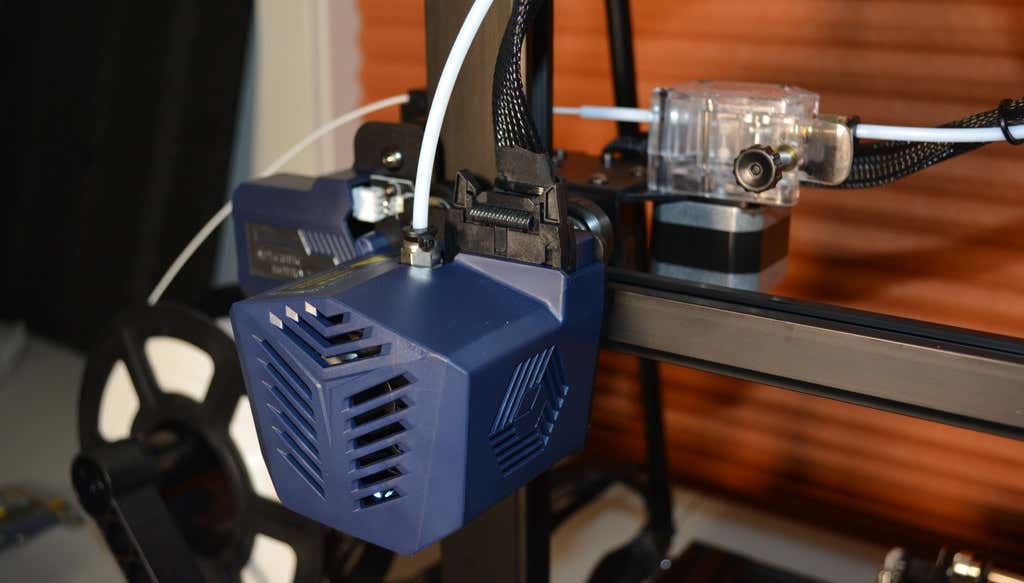
As far as we can tell, the extruder is identical to the extruder and print head on the Anycubic Vyper. Furthermore, the Kobra Max has the same automatic bed-leveling system as the Vyper. The system uses a pressure sensor instead of an inductive sensor.
The bed-leveling sensor is right on the nozzle itself, ensuring that it can probe every printable part of the bed. And since the sensor is pressure-based, you could replace the glass bed with any other material and the bed-leveling system will still work. (Inductive sensors require metal to work, so you won’t find them on printers with glass beds.)
Since the Kobra Max’s printing platform is a rigid glass sheet, you can’t remove and flex it to pop your prints off. We prefer removable spring steel build plates, but glass is still a nice printing surface. If your printer doesn’t have a removable bed, glass is ideal because you can use metal scrapers to remove your prints without worrying about scratching the surface.
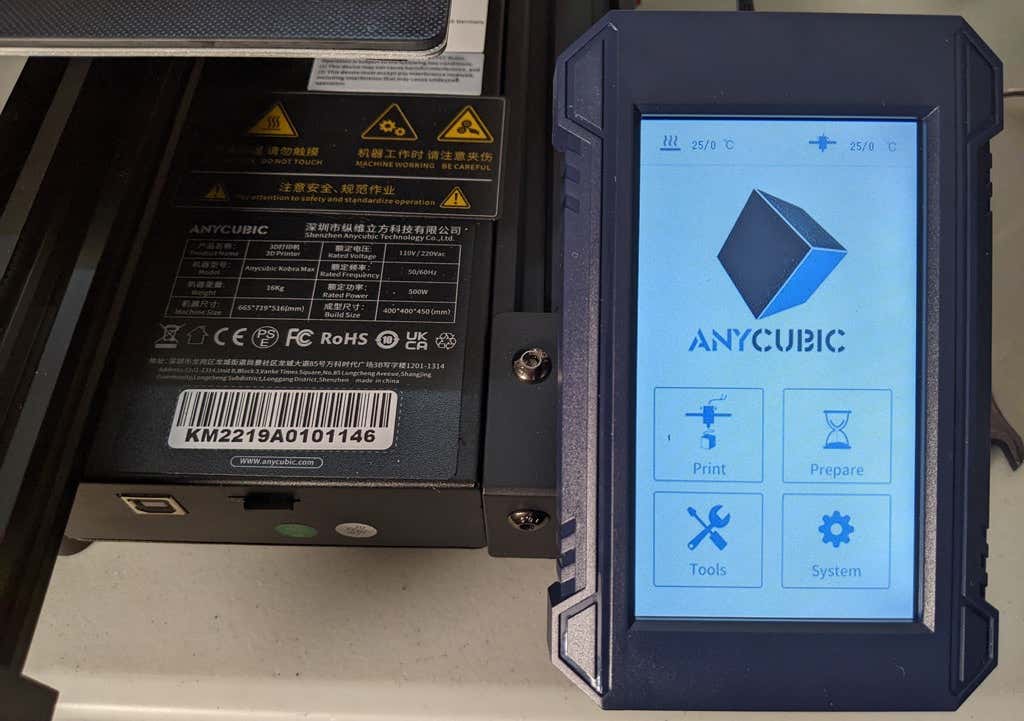
The LCD touchscreen is identical to the screens used on many other Anycubic printers. As usual, it’s responsive and easy to use.
A note about filament types: the Kobra Max will print with PLA, PETG, TPU, and ABS. However, if you really want to print with ABS and get the best possible results, the printer should be inside an enclosure. Given its size, it may be challenging to build a suitable enclosure for the Kobra Max.
Assembling the Kobra Max 3D Printer
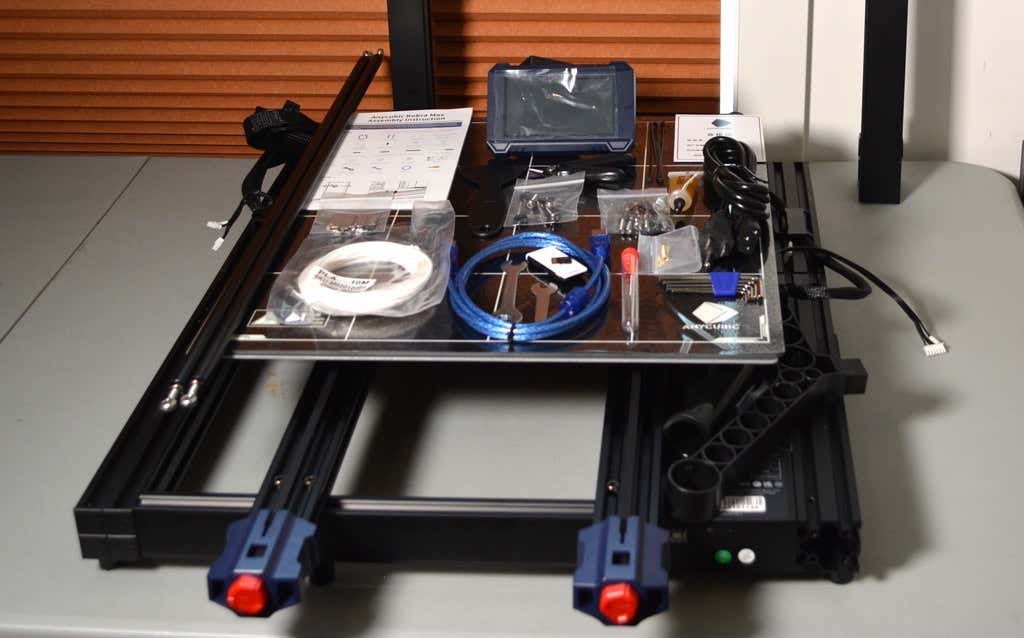
When assembling the new Kobra Max, make sure you have sufficient working space. Since the bed moves forward and backward, you need more space than you’d think. We put it on a 30” folding table, and when it’s printing, it needs about 36 inches, front to back.
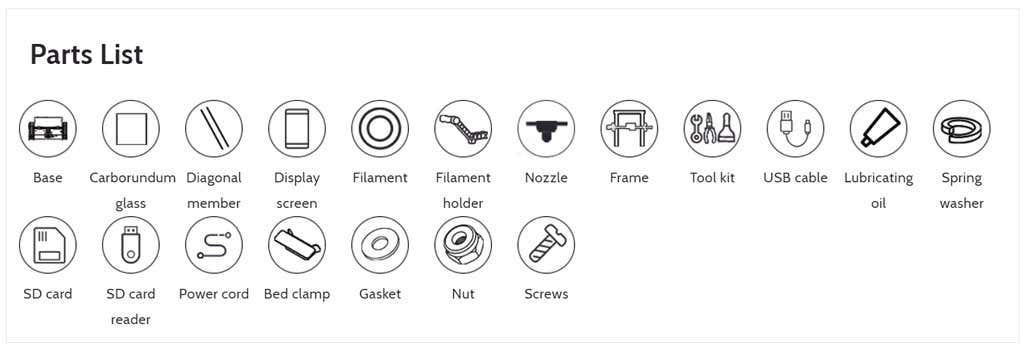
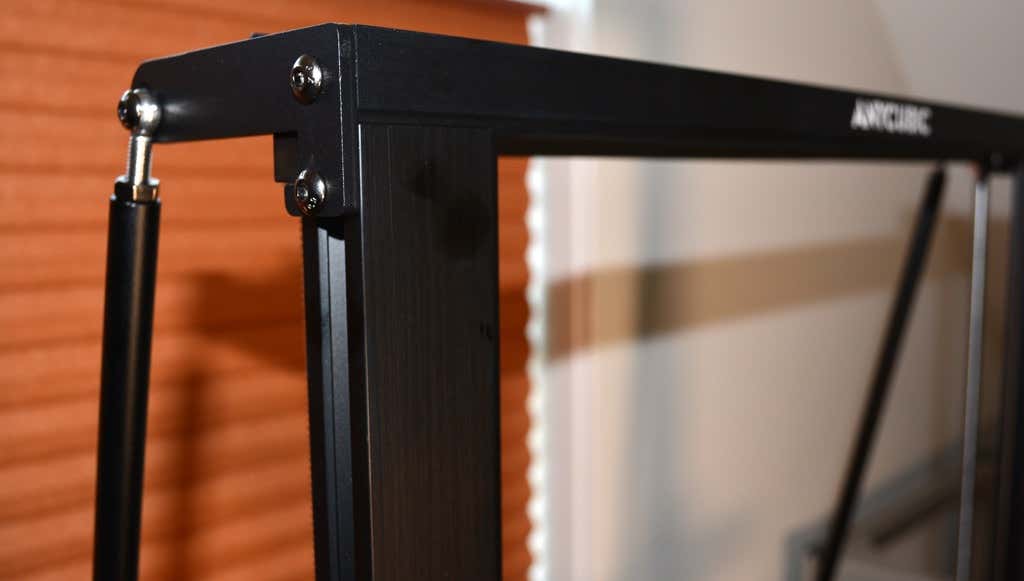
Assembly of the Kobra Max is no more difficult than assembling the Kobra or Vyper. The only additional items are the diagonal braces which add stiffness to the frame, reducing mechanical vibration.
It took two people about 15 minutes to assemble. Double-check that you’ve cut all the zip ties used to stabilize the printer during shipping. There are a lot of them.
Calibration
The auto-bed-leveling system is easy to use. Anycubic recommends that you check the x- and the y-axes to make sure they don’t wobble. If they do, you can adjust the eccentric nuts until the wobbling stops. There was no wobble on our printer, so we didn’t have to do anything.
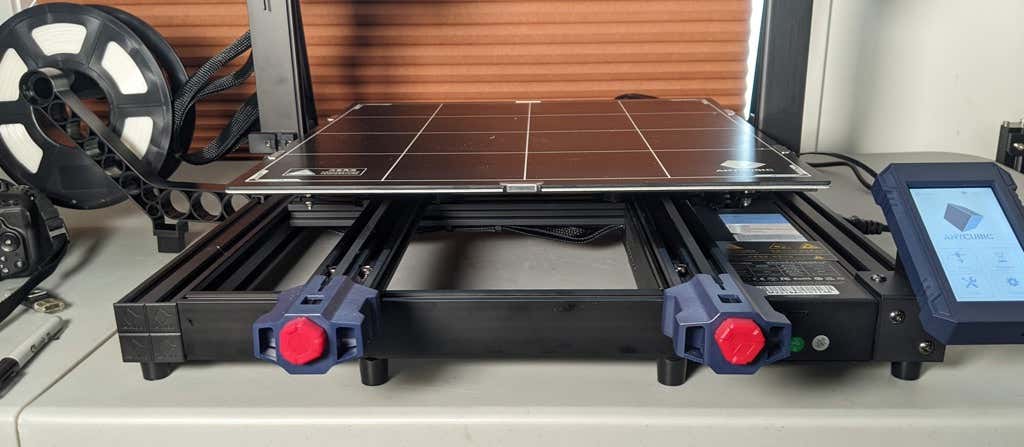
Additionally, the x- and y-axes have belt tensioners. We needed to slightly tighten the x-axis on ours. The tensioners are easy to use and are features a lot of other printers lack. Who wants to take apart the extruder assembly just to tighten the belts? Not us, and probably not you.
Build Quality of the Kobra Max
Due to the addition of the diagonal braces, the frame is really stiff. The dual z-axis screws are an improvement over the smaller Kobra. They virtually eliminated sagging of the x-axis assembly.
The spool holder sits on the base of the printer, reducing wobbling when printing tall items. It’s better than having the spool on the top like on the Kobra.
This printer is built with aluminum extrusions with aesthetically-pleasing plastic covers for the hotend and the tenionsers. It’s got an optical z endstop. The x and y endstops are mechanical. The whole thing feels solid.
First Print
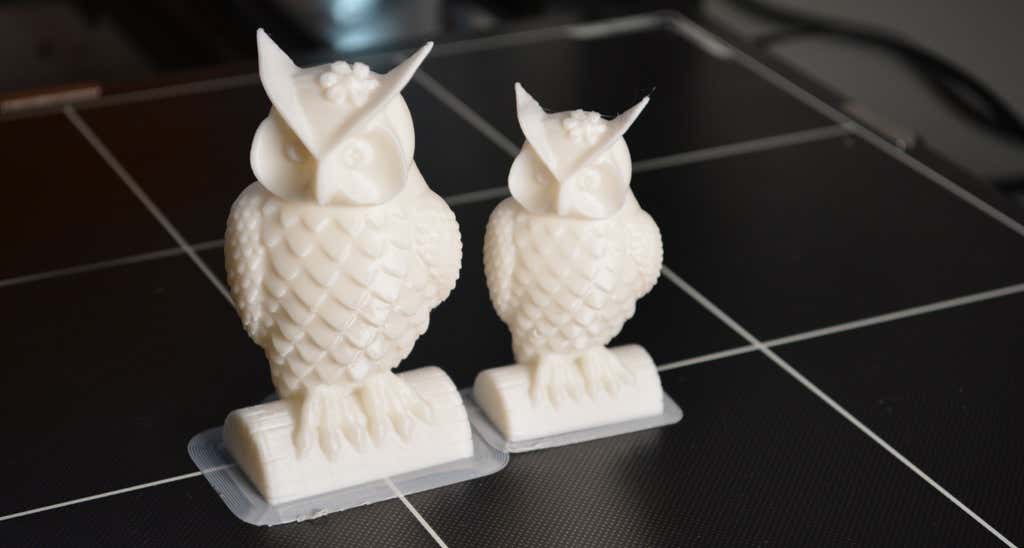
For the first print, we used the test file provided by Anycubic. Appropriately, the owl is about twice the print volume of the owl test print that comes with the smaller Kobra. Given the bowden setup (which makes sense for a printer this size), we were surprised that the ears on the owl turned out so well.
The ears look better than they did on the owl printed on the Kobra which has a direct drive extruder system. We suspect that’s due to the slower print speed. Many times, retractions on bowden extruders will create artifacts, but we didn’t notice any blobs or stringing. It approaches the quality you’d expect from a direct-drive.
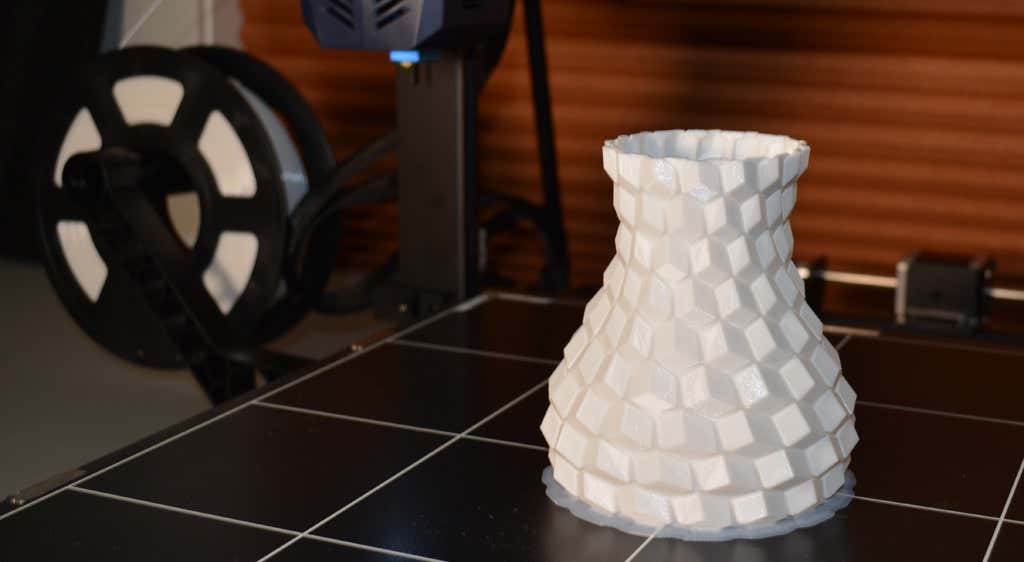
Next, we printed a vase with a large, flat base with a 0.2mm layer height. Removing prints from the glass bed is certainly not as easy as removing prints from smaller, flexible beds, but it’s not a deal-breaker either. We didn’t have any adhesion problems. The prints didn’t release when the glass bed cooled, which is what we expected and hoped for.
Curious what the power requirements would be for a printer this size, we were worried we wouldn’t be able to run multiple printers on the same circuit. We measured the power usage while the Kobra Max was printing, and, as expected, power usage is highest while the printer is warming up. Ours topped out at 473 watts. While printing, it was a more manageable 200-300 watts. We thought it would be more than that. You could probably run three of these printers on a 20 amp circuit.
Cut to the Chase
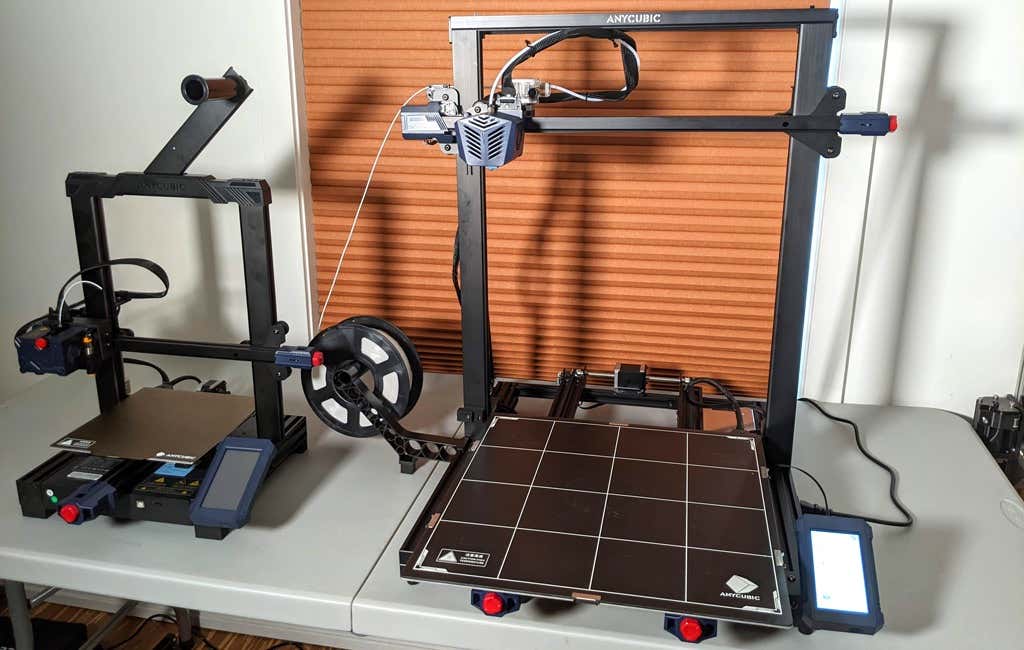
To drive home just how big the Kobra Max is, we put the Kobra on the bed of the Kobra Max. Insane. (We do not recommend you try this.)
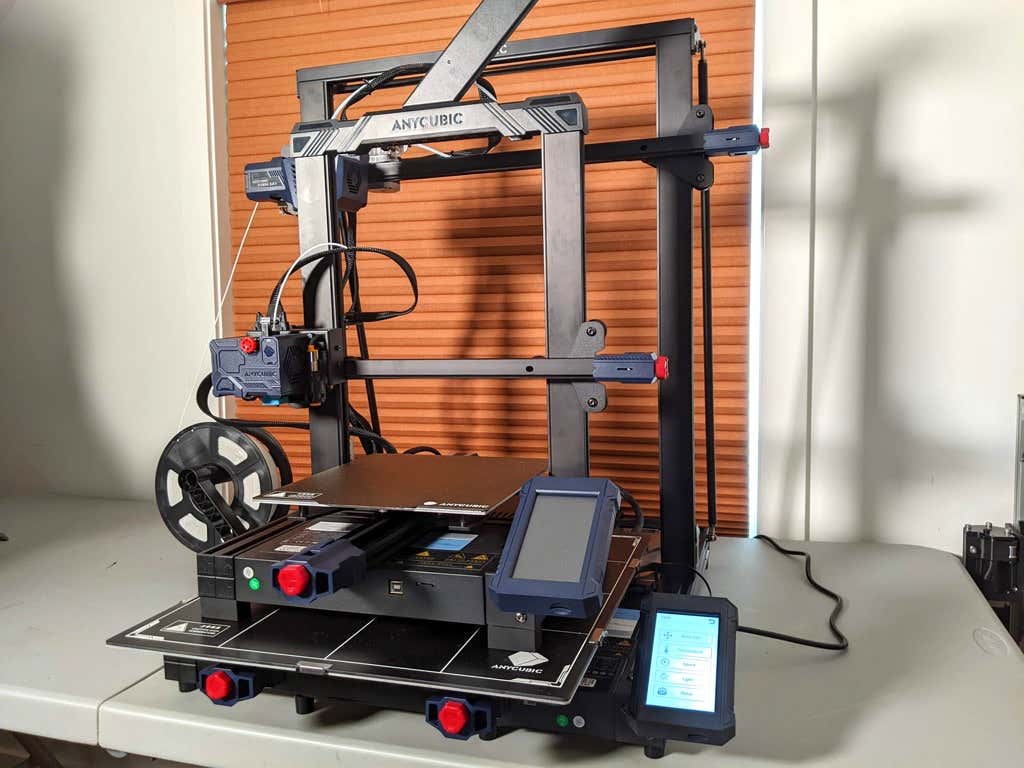
A small printer is limiting, so if you find yourself printing large objects in small pieces and assembling them, consider buying a Kobra Max. If you’re new to 3D printing, keep in mind that it takes a long time to print big objects—potentially days and days. Typically, we’d recommend a smaller printer to beginners, but at the price point of $569.00 if you purchase on the Anycubic site, it’s worth considering as an entry-level printer.
One downside is that smaller prints will take a little longer than they would on a smaller, faster printer. That’s just physics. Bigger printers have more inertia to overcome and take longer to move. For example, the print time for our vase was thirteen hours. On our Prusa MK 2.5 with similar settings, it would have taken about twelve hours—not a huge difference.
*Special thanks to FormerLurker for help in reviewing AnyCubic’s Kobra Max 3D printer.
- WhatGeek x 3inuS Kebohub EE01 Mechanical Keyboard Review
- Mobile Pixels Duex Max Portable Monitor Review
- Trifo Lucy: The AI Robot Vacuum and Mop
- The OBSBOT Tiny 4K: an Impressive Webcam for PC & Mac
- Review of Anycubic’s Kobra 3D Printer
Maggie Marystone is a freelance technology writer, human rights worker, and storyteller based in Chicago. Read Maggie’s Full Bio
