Adblock may benefit consumers who don’t want their viewing of My Hero Academia interrupted by unrelated ads, but websites constantly seek out ways to get around Adblocks to take advantage of ad revenue. Crunchyroll is one of the worst offenders, and users find that Adblock often ceases to work on the site.
The good news is that there are multiple fixes that can restore your Adblock to working order, but it can sometimes feel like an ongoing fight to best Crunchyroll’s ads. Just think of it as the epic battle at the end of your favorite anime.

How to Fix Adblock Not Working on Crunchyroll
If you are suddenly bombarded with ads like you’re on the receiving end of Saitama’s fist, try one of these fixes.
Update Adblock
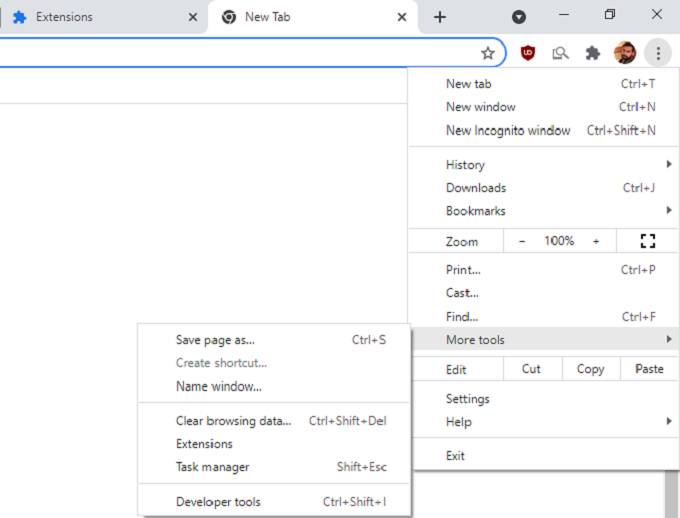
The first step should be to update Adblock. When Crunchyroll implements new features that get around Adblock, you should look for an update to the extension itself that restores its functionality. This method is how to update the extension within Chrome, but other browsers will have similar processes.
- Select the three dots to the right of your profile picture and select More tools > Extensions.
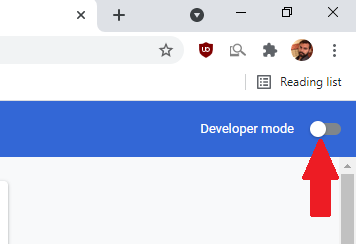
- In the upper-right corner of the screen, select Developer Mode.
- In the upper-left corner, select Update.

This will update all of your extensions (even those that aren’t Adblock) and ensure everything is working with the latest changes and modifications.
Re-Install Your Adblock Extension
Sometimes all it takes is removing and re-installing the Adblock extension. Corrupt data can cause malfunctions in the way the extension works.
Select the three dots to the right of your profile picture and select More tools > Extensions.
Find your ad blocker and select Remove, and then select Remove again when the window prompts you.

- Open the Chrome Web Store and search for your adblocker, then select Add to Chrome.
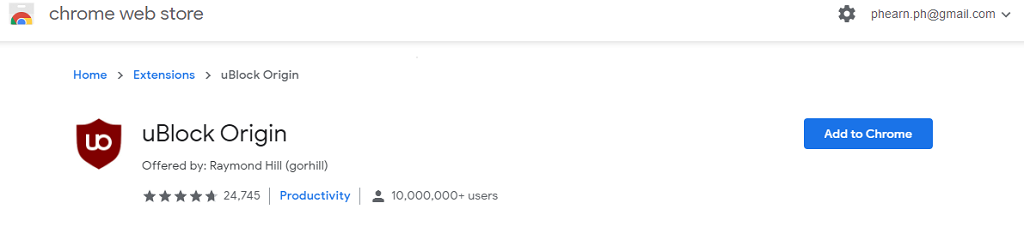
There’s no need to worry about updating the extension if you do this — it should automatically add the latest version of the extension to your browser.
Try a Browser With a Built-in Adblock
If you’re still seeing ads even after updating your extension, you might need to try a different browser — preferably one with a built-in adblocker. Operais one of the best options out there. Its built-in adblocker often works better than extensions or add-ons.
- Open Opera . If you don’t have the browser, you can download it from opera.com by selecting Download Now.

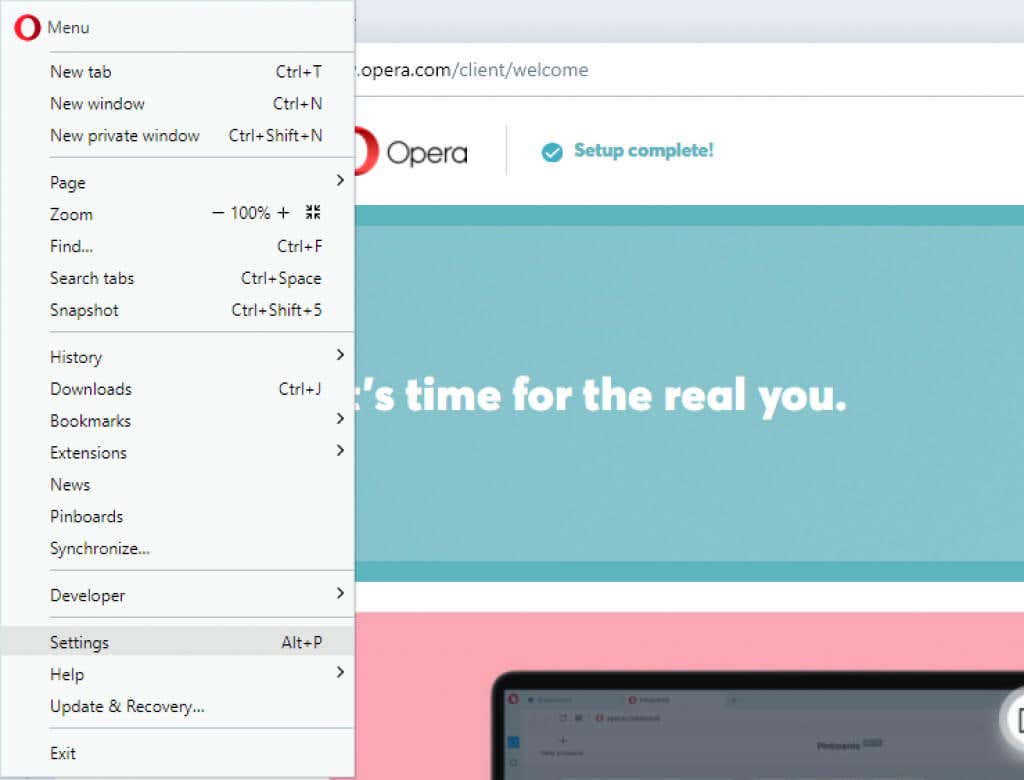
- Select the Opera icon in the top-right corner and then select Settings.
- Select Block ads and surf the web up to three times faster . You will know this is active when the toggle is blue.
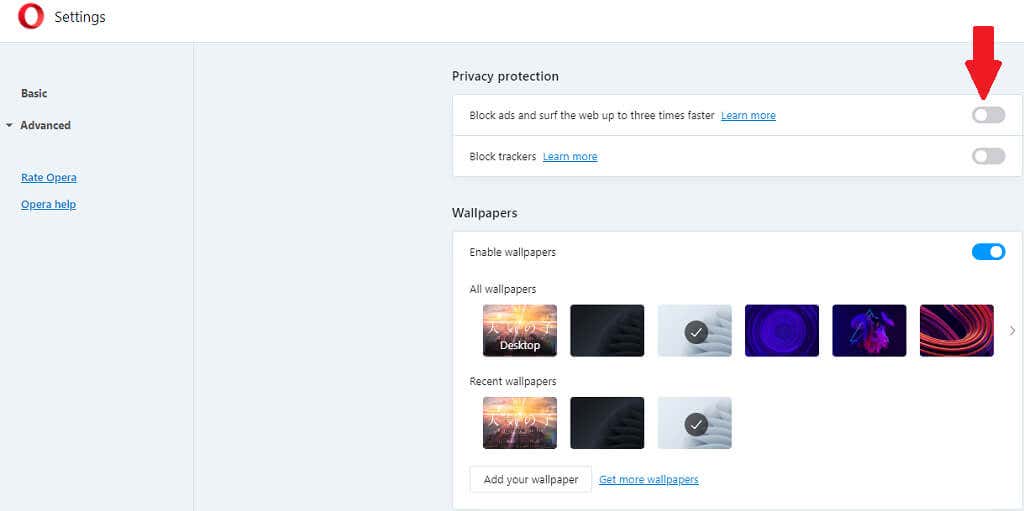
After this, close out of the settings menu and try Crunchyroll again. Opera is one of the best browsers for watching ad-free content on the web simply because of how effective its ad blocker is.
Try a Different Ad Blocker
There are numerous Adblock options on the web. A few examples are:
- Adblock
- Adblock Plus
- uBlock
- uBlock Origin
- AdGuard
- StopAllAds
Block the Ad Source in Host Files
This is a somewhat complicated technique and one that should be approached with caution, as it involves editing some of your Sys32 files. These control and influence the operating system, so if you mess with information you’re not familiar with, it can cause a lot of damage.
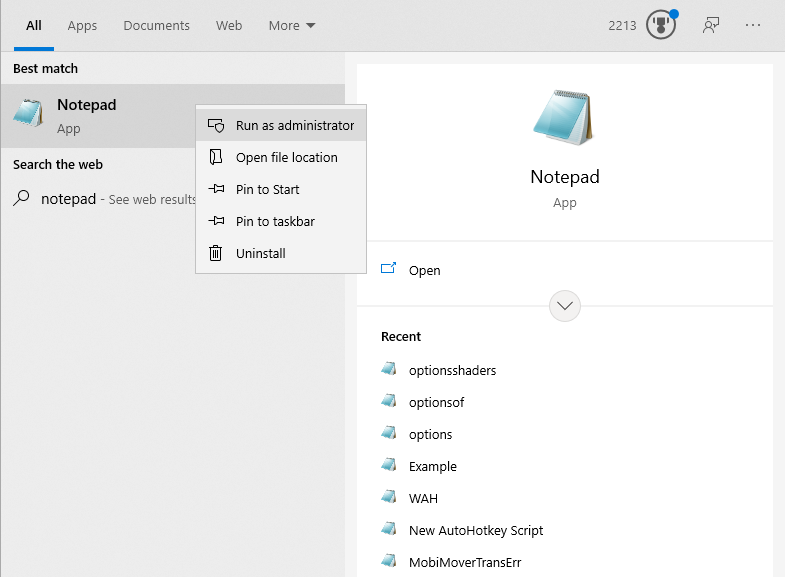
- Run Notepad as Administrator.
- Select File > Open and select All Files.
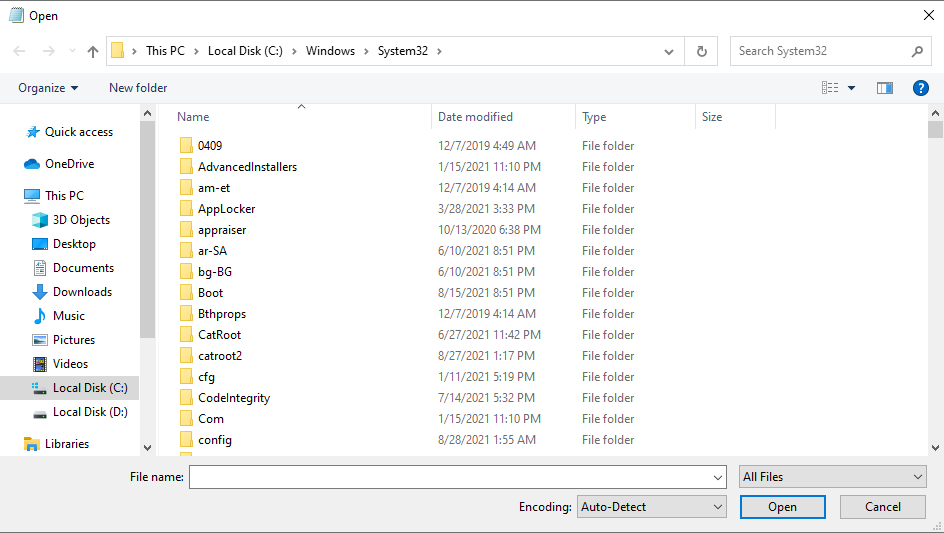
- Open the Drivers > hosts file.
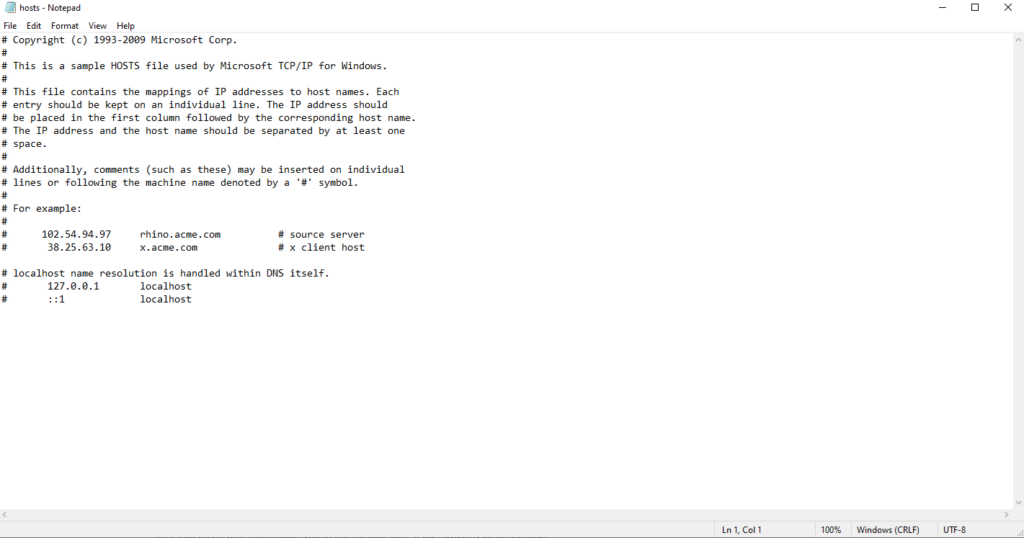
- At the bottom of the document, create a new line and enter 127.0.0.1 static.vrv.co on the empty line, then select File > Save.
Alternatives to Adblock
Crunchyroll supports itself through a combination of ad revenue and subscriptions. If at all possible, pay the $7.99 subscription to support a website that provides content you enjoy. Watching content on a free, adblocked account is essentially taking money out of the company’s pocket.
Many similar articles advocate Crunchyroll Guest Passes, but that service is not currently supported by the site — and it doesn’t seem as though the company has plans to resume the service at any point in the future.
- How to Backup an iPhone Without iCloud?
- Sluggish Windows 11 PC? Try These 5 Windows 11 Tricks to Free up Virtual Memory
- macOS Tahoe Privacy Settings You Need to Secure Your Mac
- How To Turn Off Notifications On Windows 11?
- How to Recover Lost Files After Windows Update?
Patrick is an Atlanta-based technology writer with a background in programming and smart home technology. When he isn’t writing, nose to the grindstone, he can be found keeping up with the latest developments in the tech world and upping his coffee game. Read Patrick’s Full Bio
