Do you want to discontinue your Paramount+ free trial or your monthly or annual subscription? We’ll show you how to cancel the streaming service’s subscription on different devices.
Cancel Paramount+ Subscription on the Web
If you signed up for Paramount+ on a smart TV , gaming console, or web browser, cancel the subscription on the Paramount+ official website.
Cancel Paramount+ on PC Web Browsers
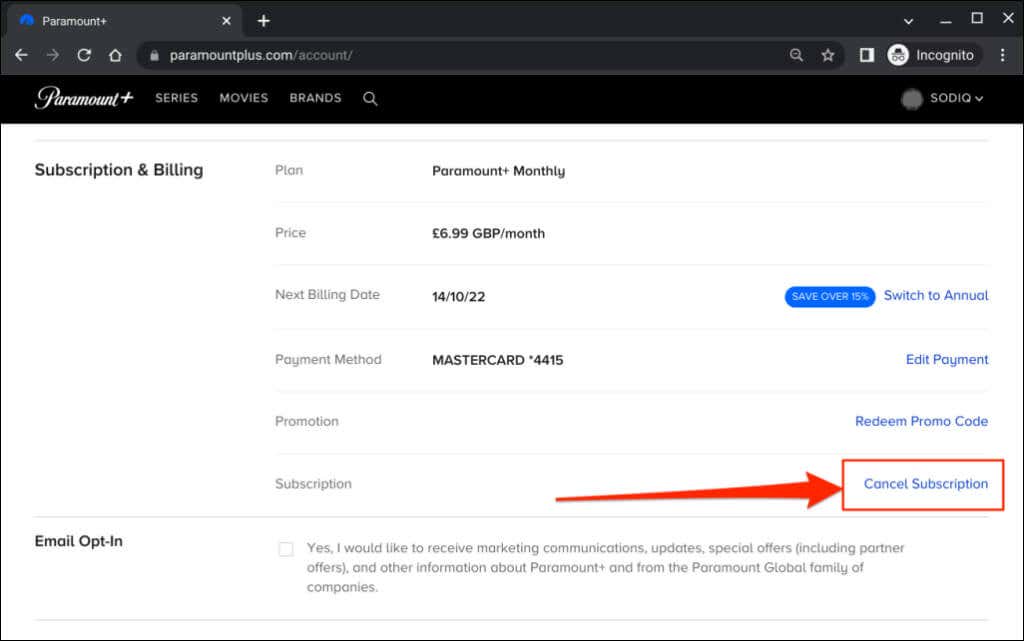
- Enter the Paramount+ account settings URL ( www.paramountplus.com/account ) in your web browser.
- Sign in to your Paramount+ account.
- On the account page, scroll to the “Subscription & Billing” section and select Cancel Subscription .
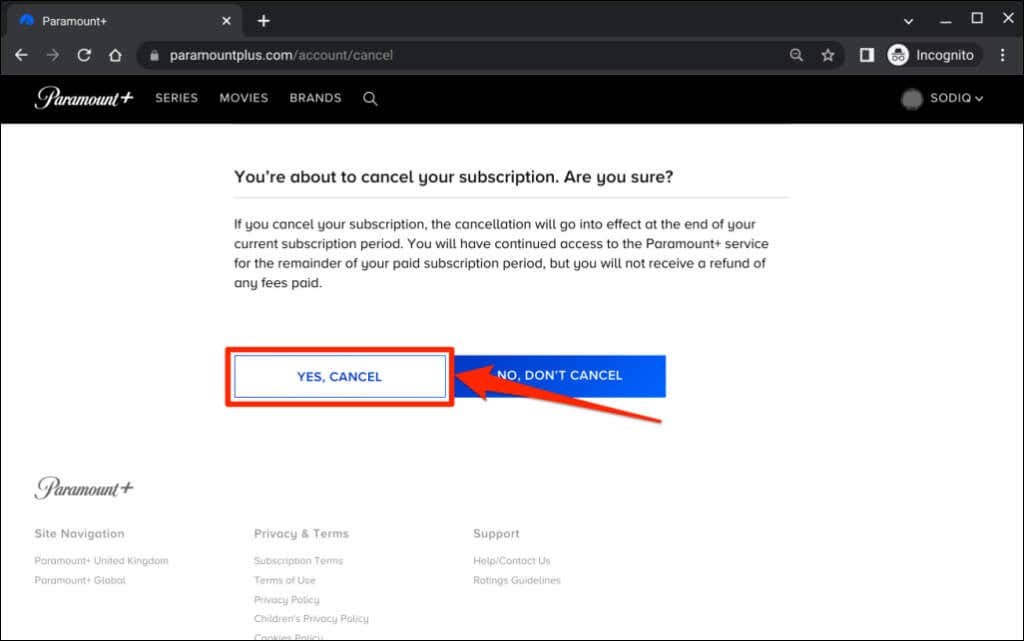
- Select Yes, Cancel to proceed.
Cancel Paramount+ onMobile Web Browsers
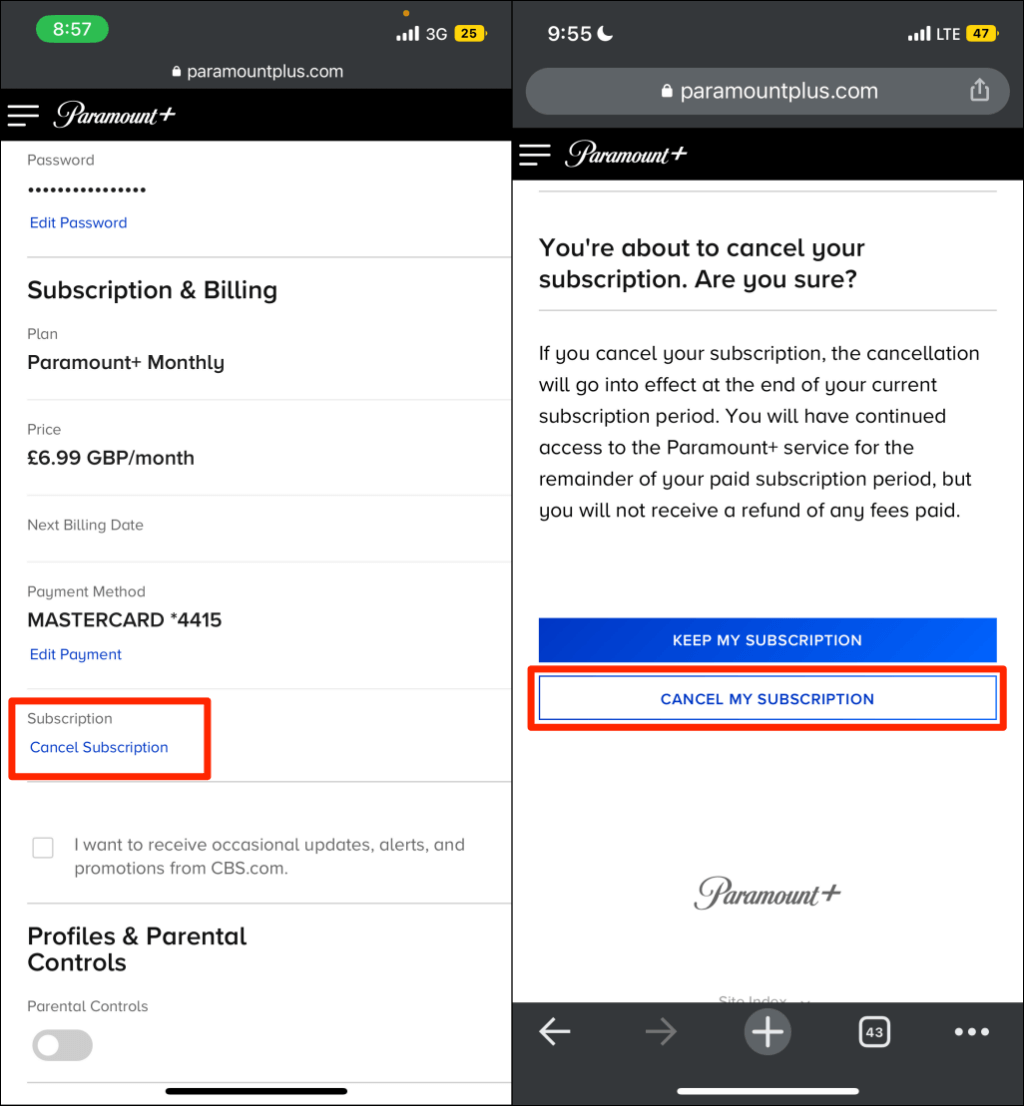
- Open the Paramount+ account settings page on your mobile web browser.
- Tap Cancel Subscription in the Subscription & Billing section.
- Tap Cancel My Subscription to proceed.
Cancel Paramount Plus on iPhone or iPad
You can end your Paramount+ subscription within the app or through your device’s Apple ID menu.
Cancel Subscription via the Paramount Plus App
Open the Paramount Plus app and follow the steps below.
- Tap More in the bottom corner and select Account .
- Tap manageSubscription .
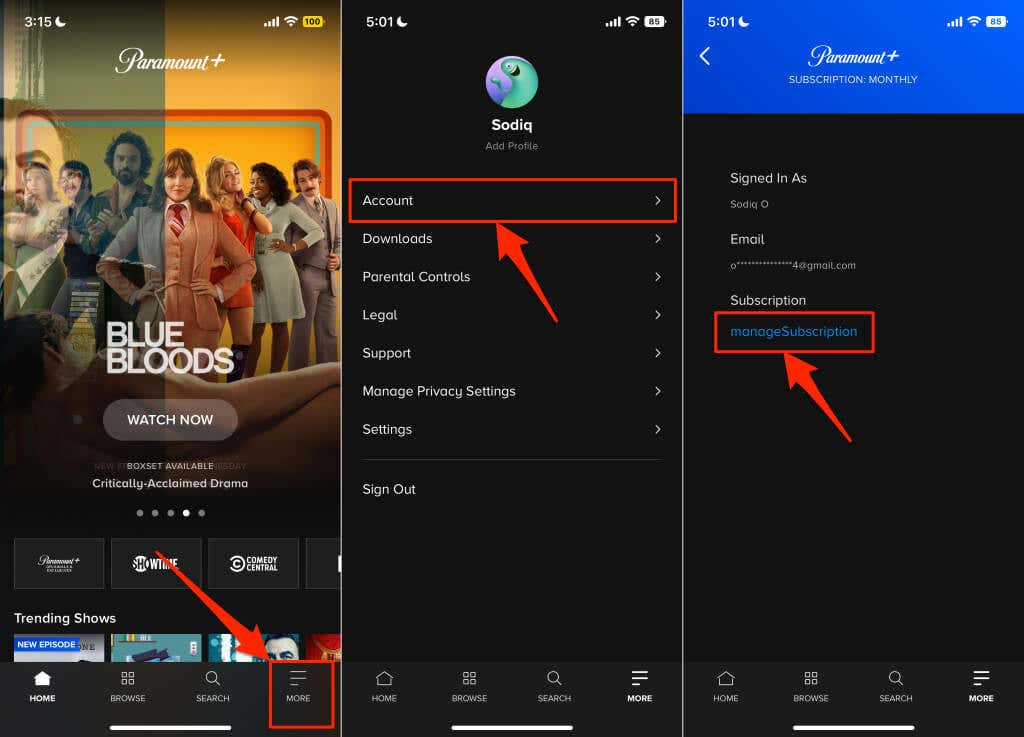
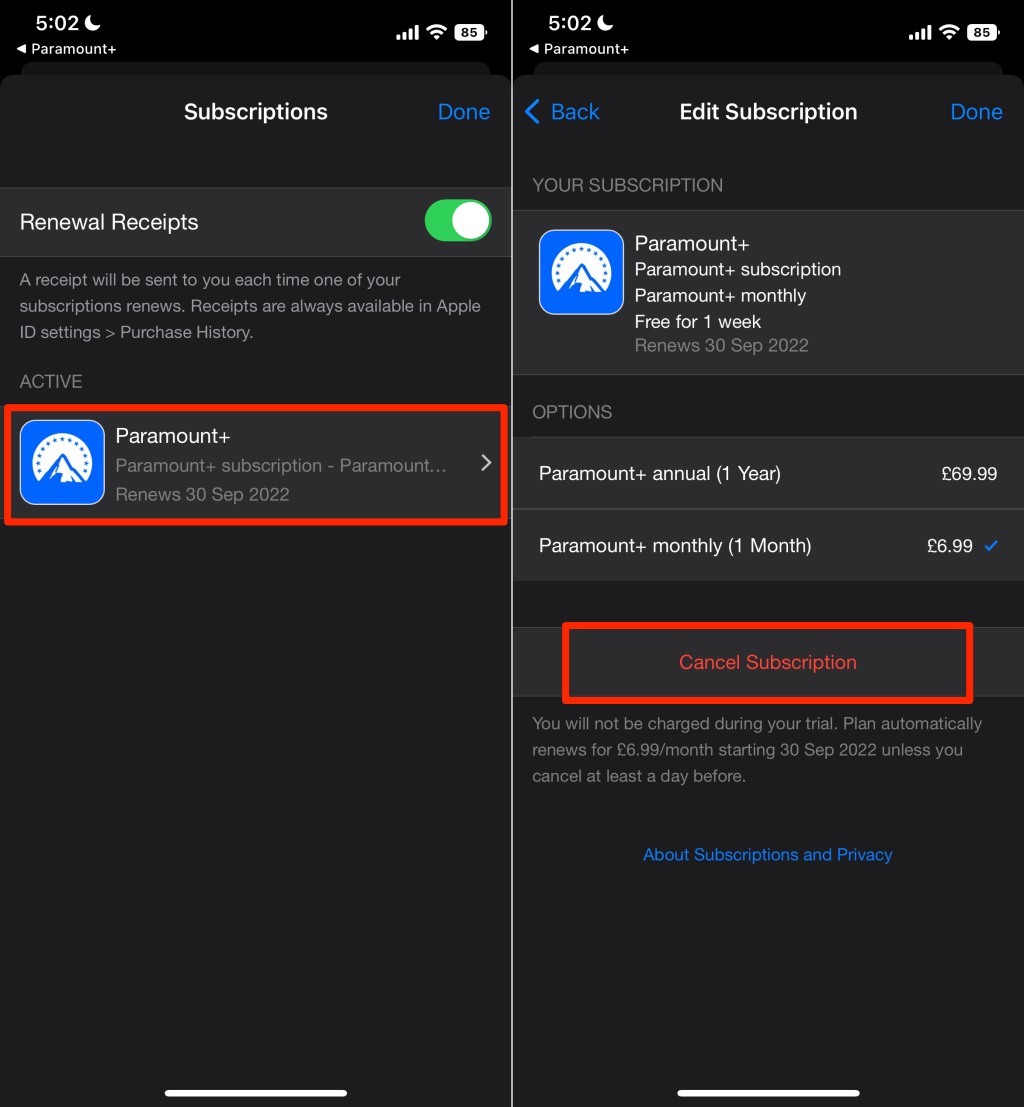
- Select Paramount+ .
- Tap Cancel Subscription and select Confirm on the pop-up.
If you purchased the subscription using a different Apple ID, you won’t find the “manageSubscription” option in the Paramount app.
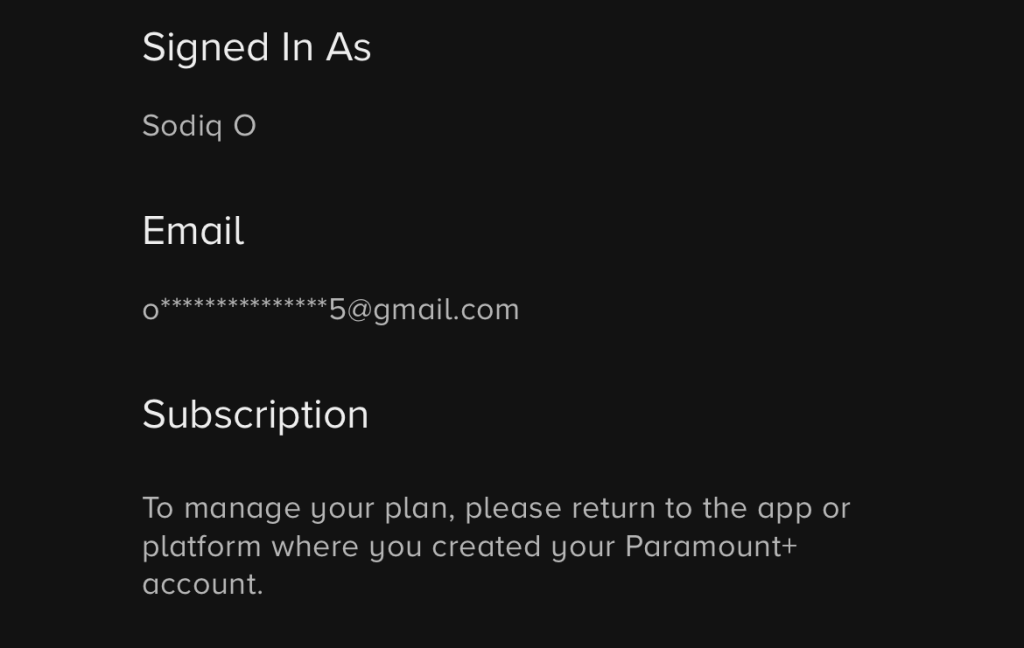
Get the iPhone, iPad, or Mac linked to the Apple ID with the Paramount+ subscription and follow the steps below.
Cancel Paramount Plus Subscription via Apple ID Settings
- Open the Settings app on your iPhone or iPad and tap your name atop the page.
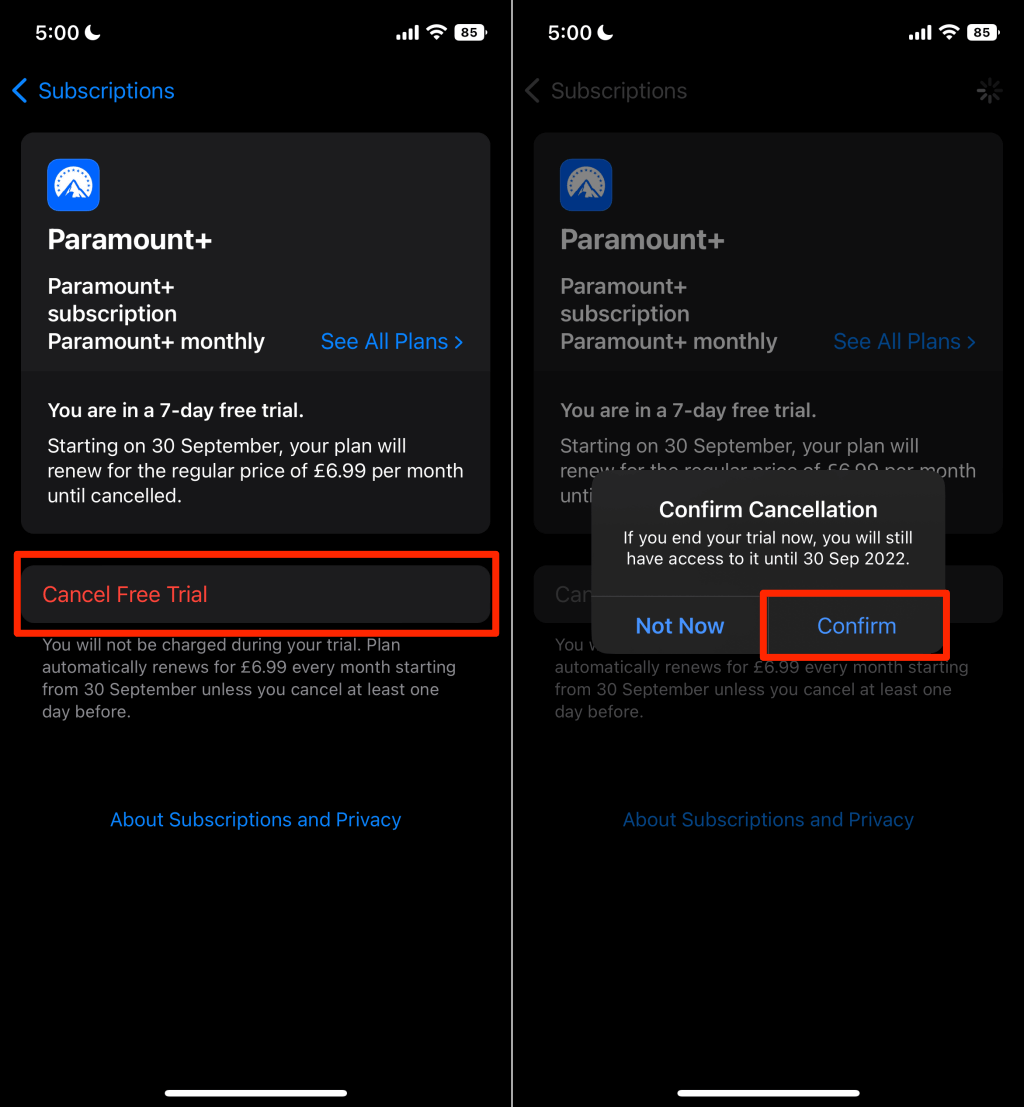
- Tap Subscriptions .
- Select Paramount+ on the list of subscriptions.
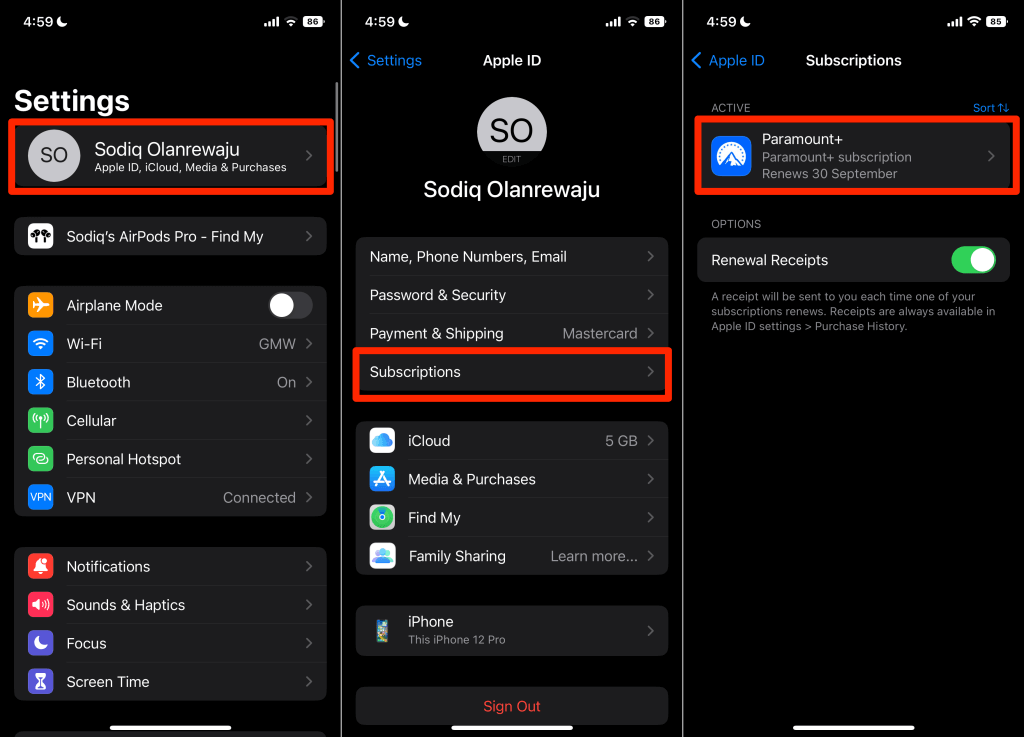
- Tap Cancel Subscription (or Cancel Free Trial ) and select Confirm to cancel the subscription.
Cancel Paramount Plus Subscription on a Mac
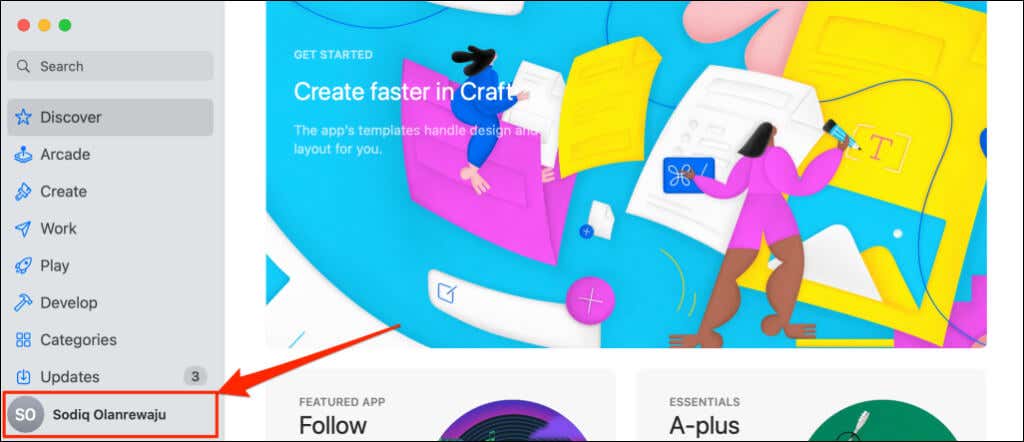
- Open the Apple App Store and select your Apple ID name in the bottom-left corner.
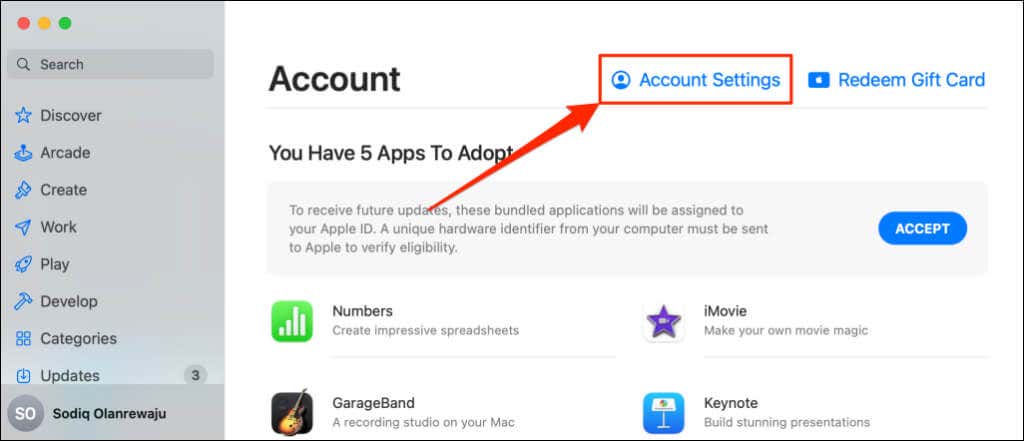
- Select Account Settings .
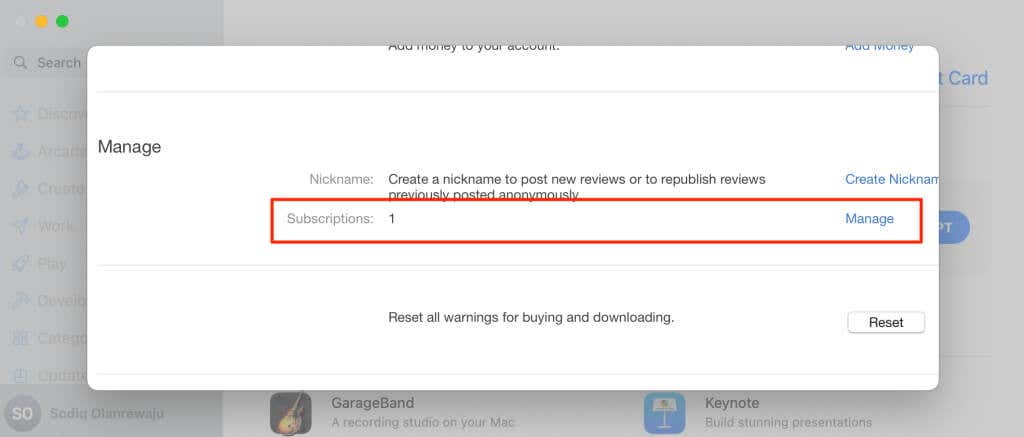
- Scroll down to the “Manage” section and select Manage next to “Subscriptions.”
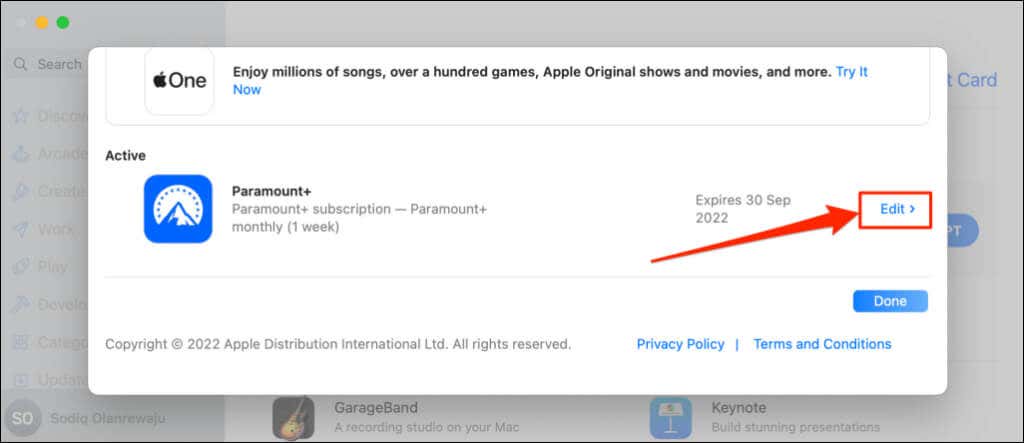
- Select Edit next to Paramount+ and select Cancel subscription on the next page.
Cancel Paramount Plus on Android Devices
If you signed up for Paramount+ through the Android app (phone, tablet, or TV), cancel the subscription through the Google Play store.
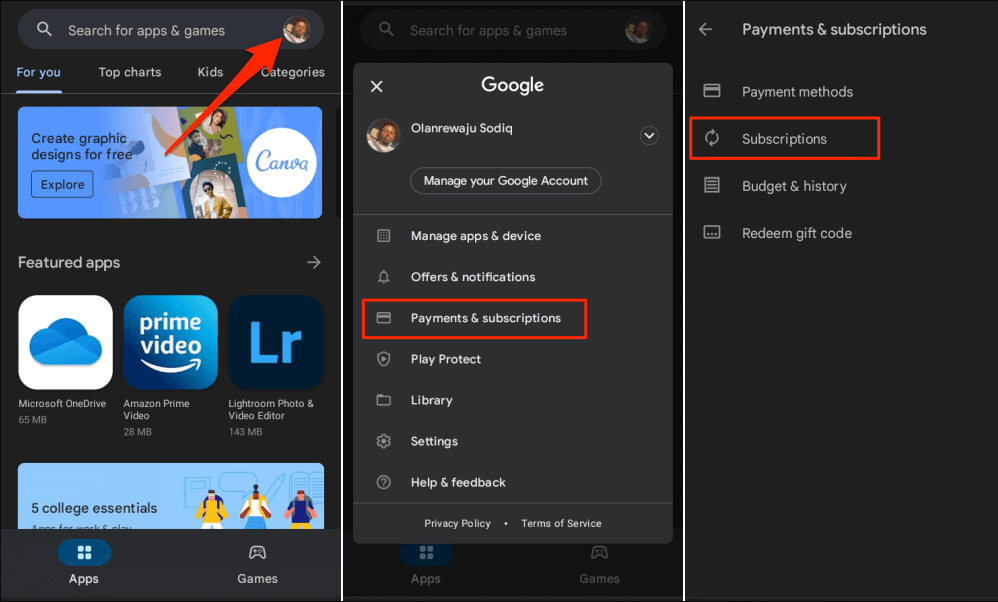
- Open the Play Store app and select your profile picture in the top-right corner.
- Select Payments & subscriptions .
- Tap Subscriptions .
- Select Paramount+ and tap Cancel subscription .
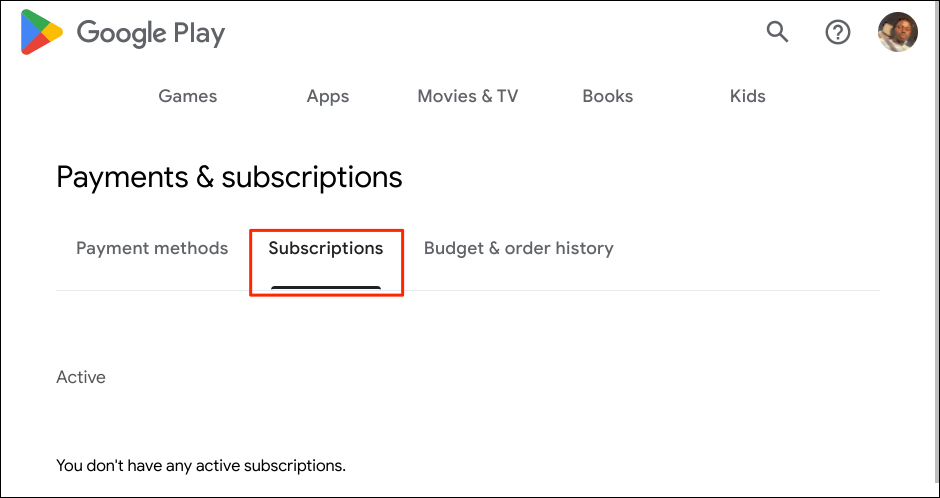
You can also cancel your Paramount+ subscription through a web browser. Visit the Google Play “Payments & subscriptions” webpage , head to the Subscriptions tab, and select Paramount Plus. Select Cancel subscription and follow the prompt to end the subscription.
Cancel Paramount+ Subscription on Apple TV
If you signed up for Paramount Plus on your Apple TV , here’s how to cancel the subscription.
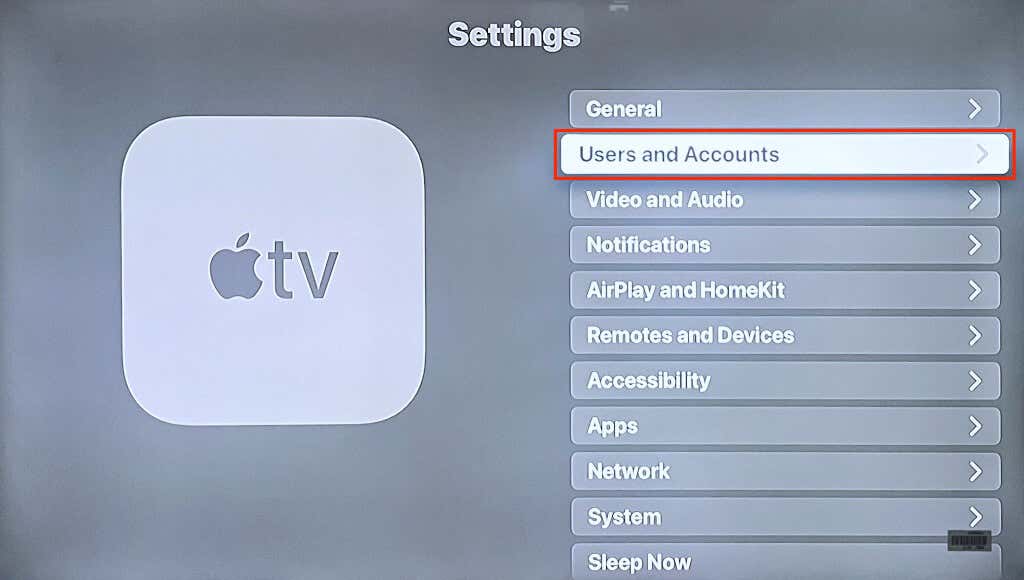
- Open your Apple TV Settings app and select Users & Account .
- Select your account in the “Default User” or “Additional Users” section.
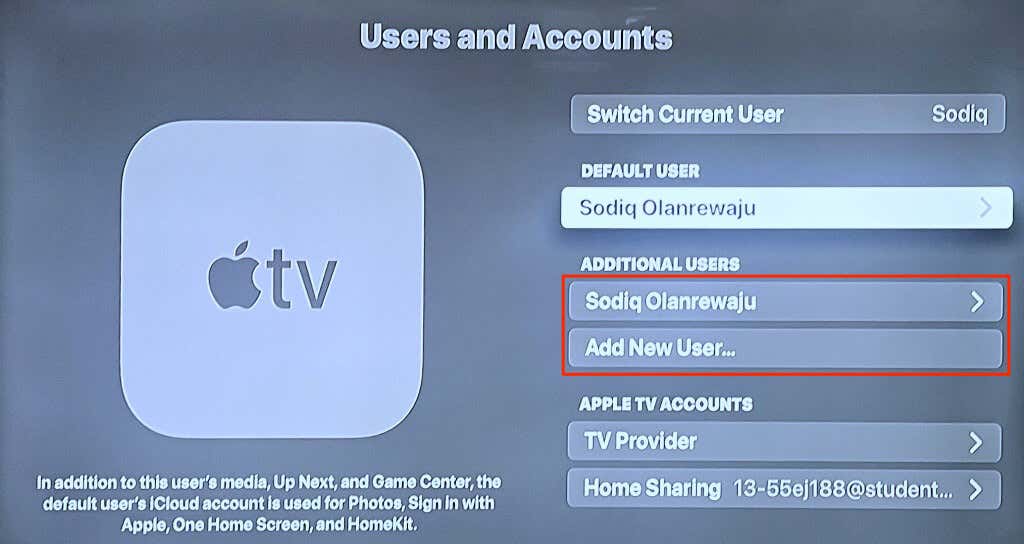
- Scroll down to the “Manage” section and select Subscriptions .
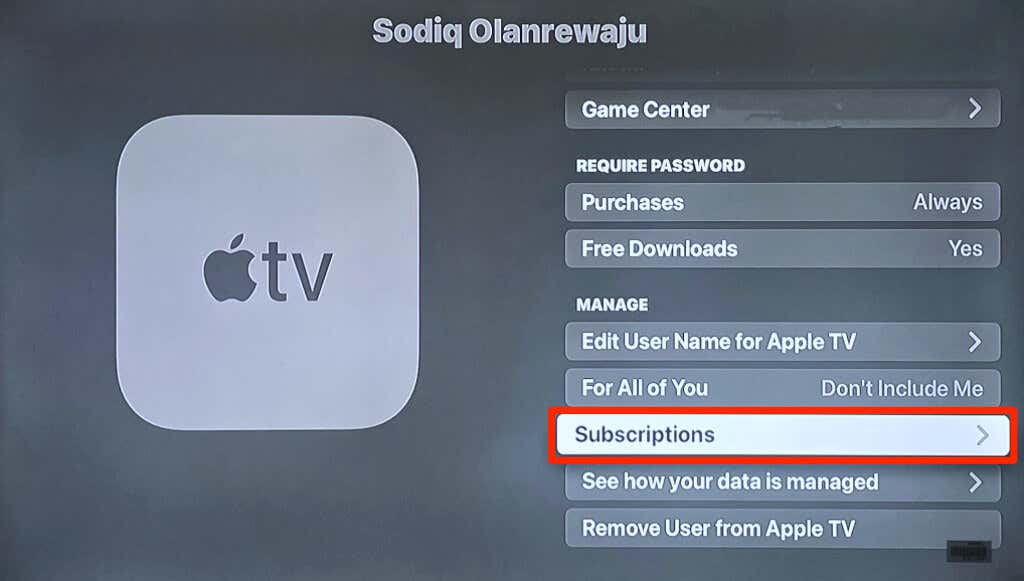
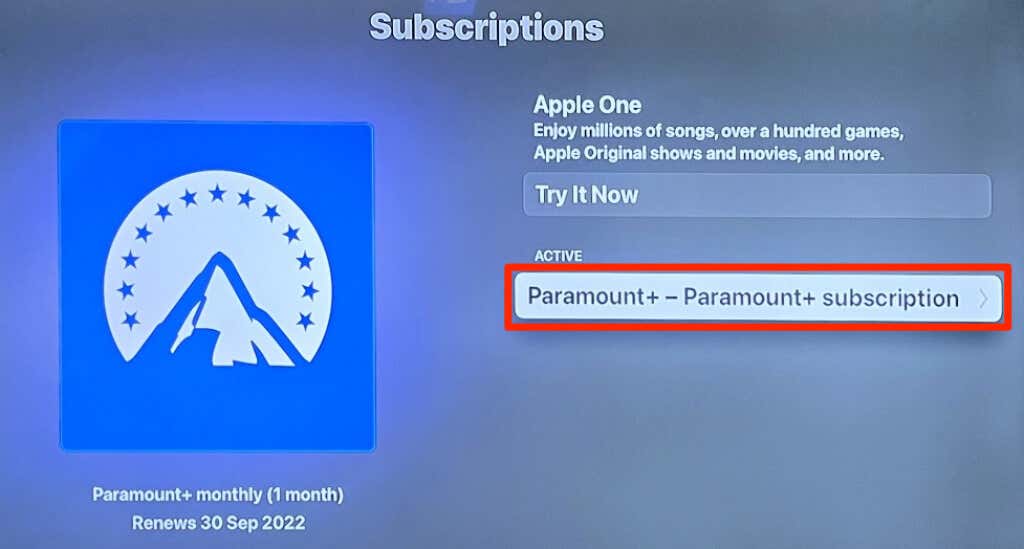
- Select Paramount+ .
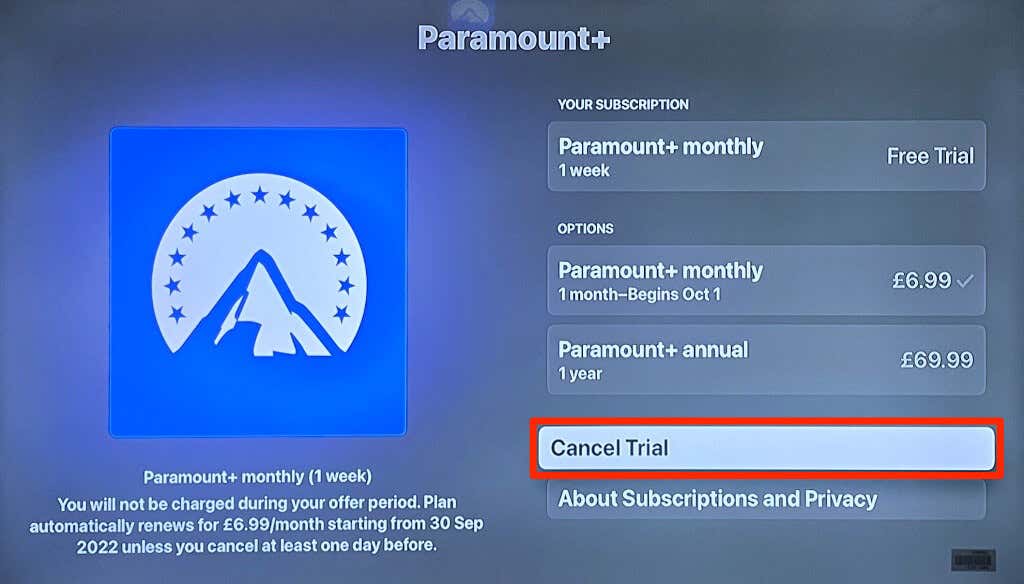
- Select Cancel Subscription or Cancel Trial .
- Open your web browser and visit the Amazon “Memberships & Subscriptions” settings page ( www.amazon.com/yourmembershipsandsubscriptions ). Sign in to your Amazon account when prompted.
- Select Manage Subscription next to the Paramount+ subscription.
- Select Manage Your Prime Video Channels on the next page.
- Find Paramount+ in the “Prime Video Channels” section and select Cancel Channel to end the subscription.
Cancel Paramount+ Subscription on Roku
- Open the Paramount+ channel on your Roku device and press the asterisk/star (*) button on your Roku remote.
- Select Manage Subscription and choose Cancel Subscription .
It makes sense to cancel Paramount+ if the streaming service no longer provides the type of content you love. If you’re canceling a free trial, do so before the trial period ends so you don’t get billed. If you cancel a paid subscription, you can still access Paramount+ until the expiration day.
- How to Fix Paramount Plus Error Code 3205
- How to Watch Tour de France Online without Cable in 2025
- Roku Remote App Not Connecting to TV? 9 Fixes to Try
- Spotify DJ Not Showing Up? 7 Fixes to Try
- How to Fix Disney Plus Error Code 41
