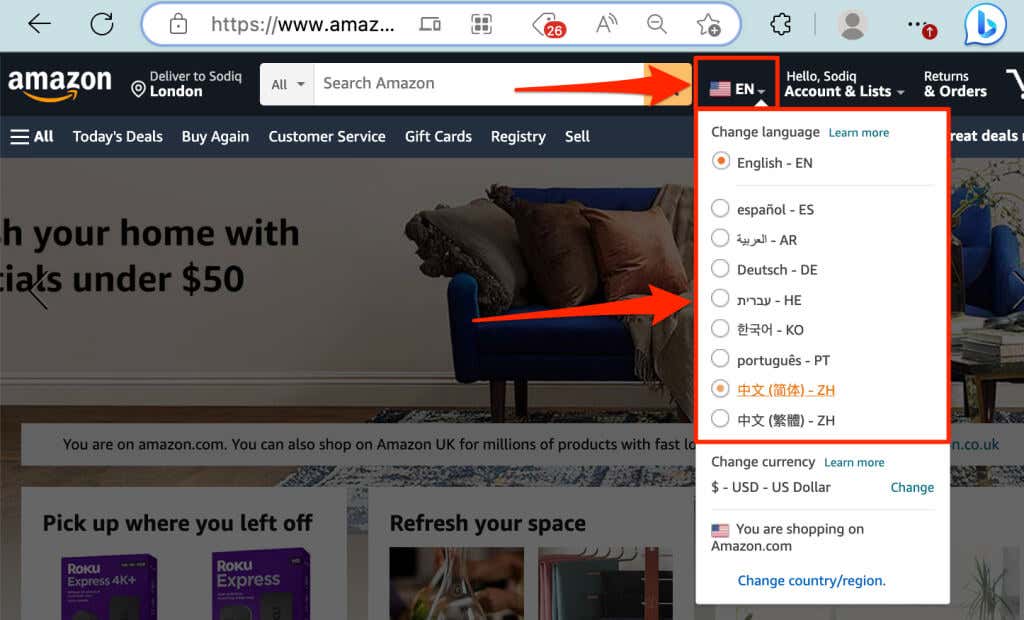
Hover your mouse/cursor on the flag icon to the right of the search box and choose your preferred language.
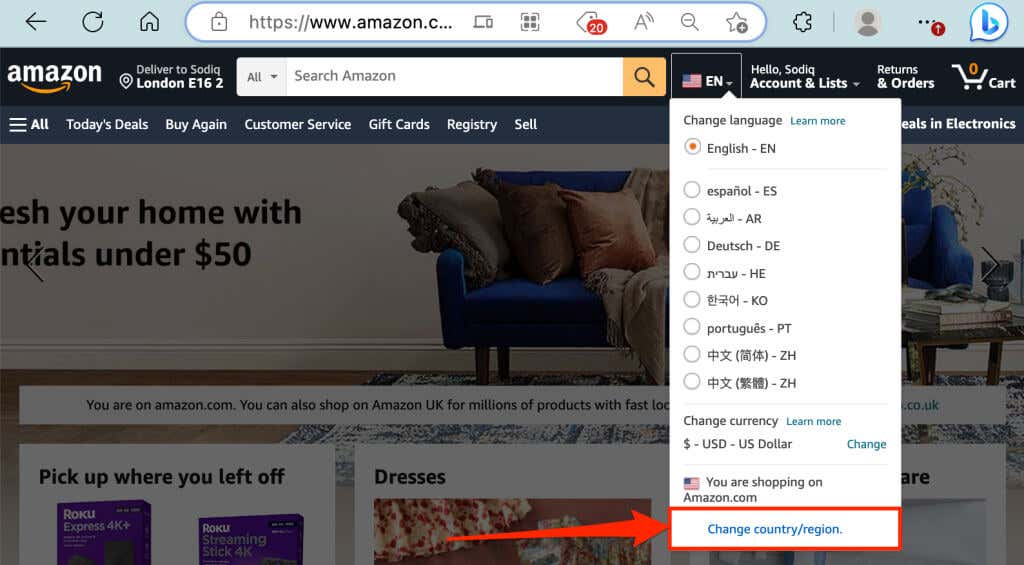
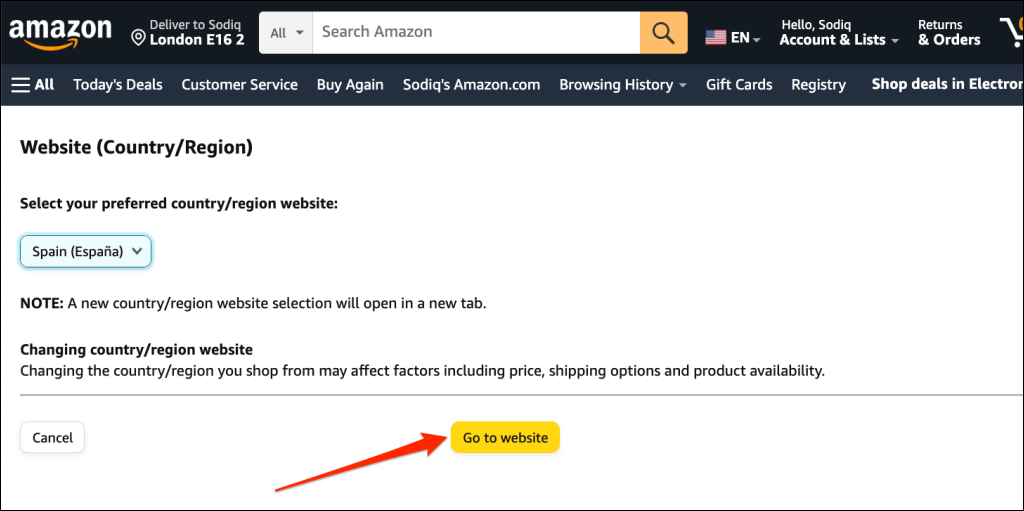
- Hover your mouse on the flag icon and select Change country/region .
- Choose a country/region in the “Select your preferred country/region website” drop-down menu.
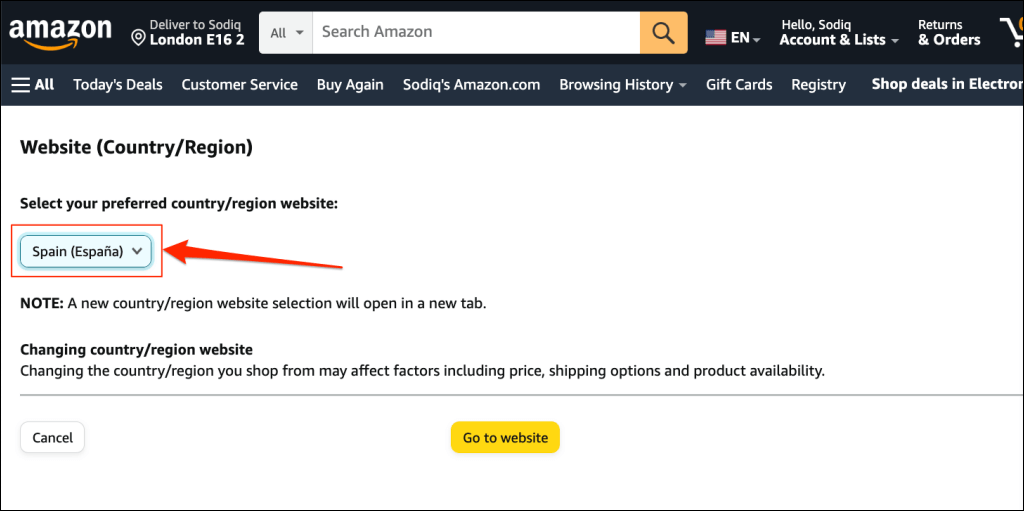
- Select the Go to website button to continue. Your browser will open Amazon (in the selected language) in a new tab.
- Scroll to the bottom of the Amazon web page and tap the current language next to the globe icon .
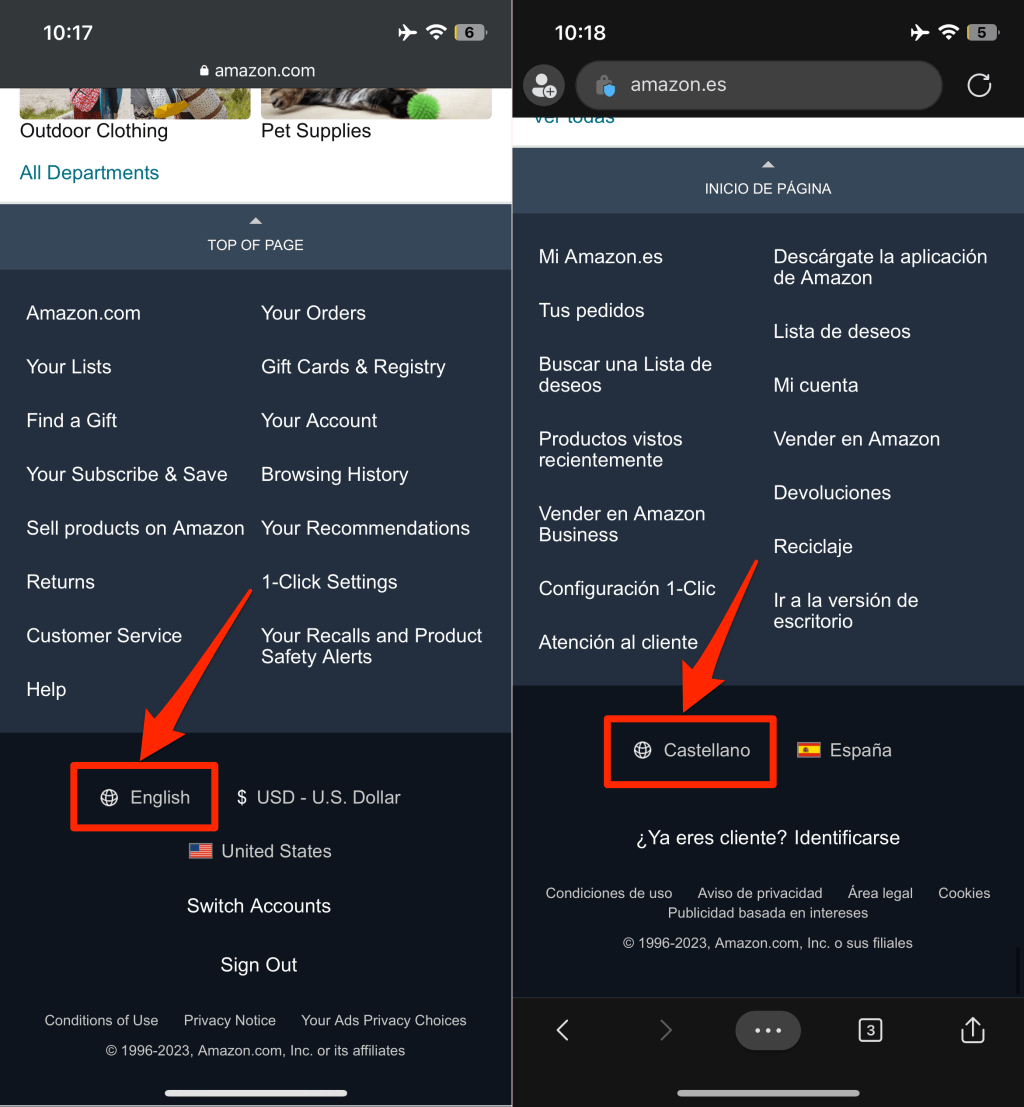
Note: You won’t find the globe icon if there’s only one language available for your country or region.
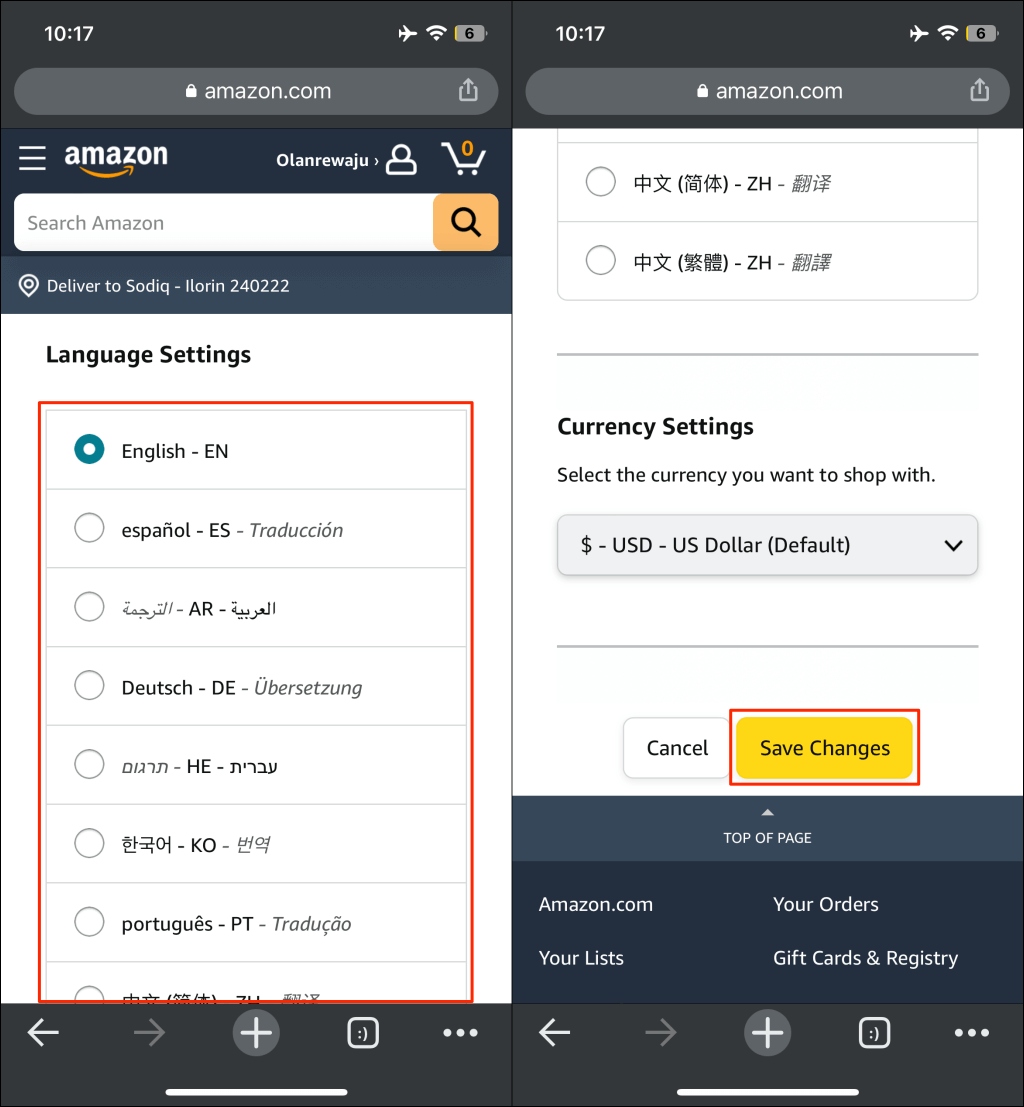
- Choose your preferred and tap Save Changes .
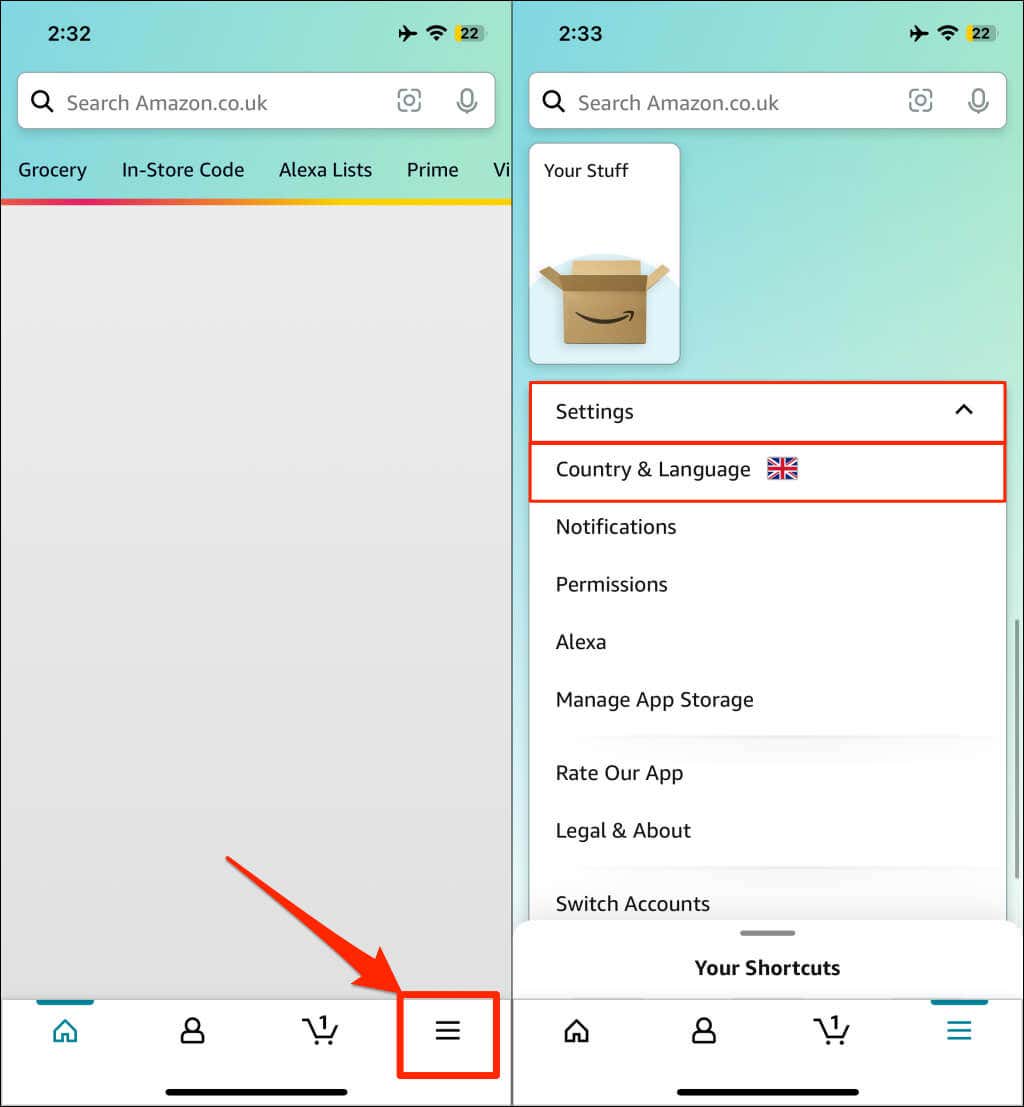
- Tap the hamburger menu icon in the bottom-right corner of the Amazon app.
- Scroll down the menu page, tap Settings , and select Country & Language .
- Tap Language , choose an available language, and tap Done .
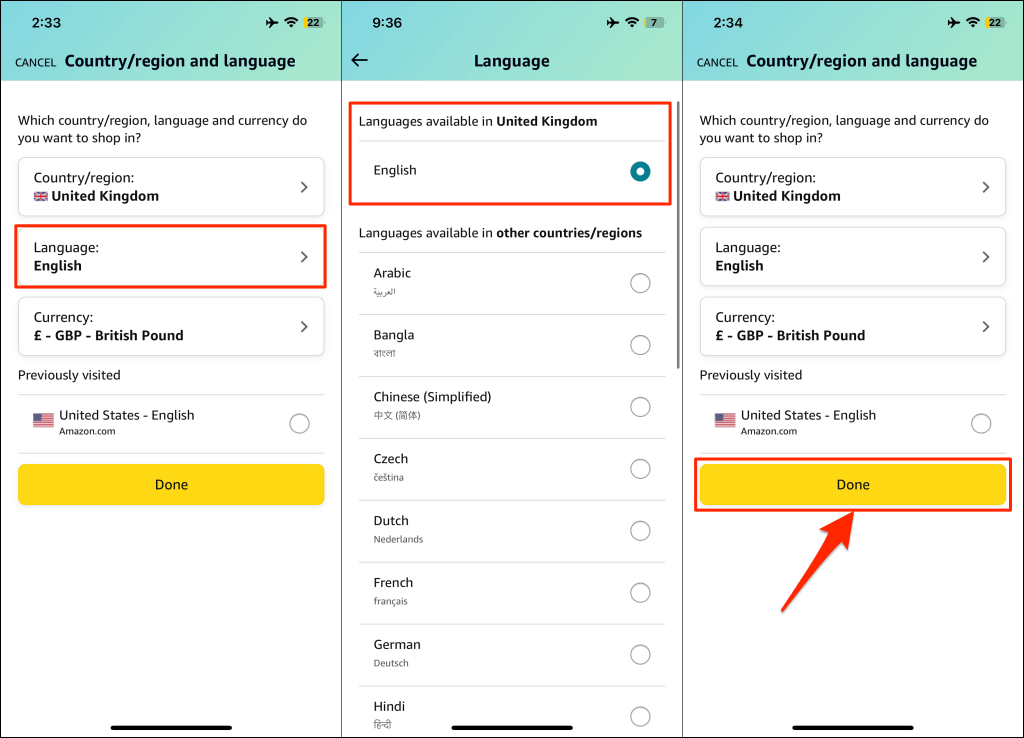
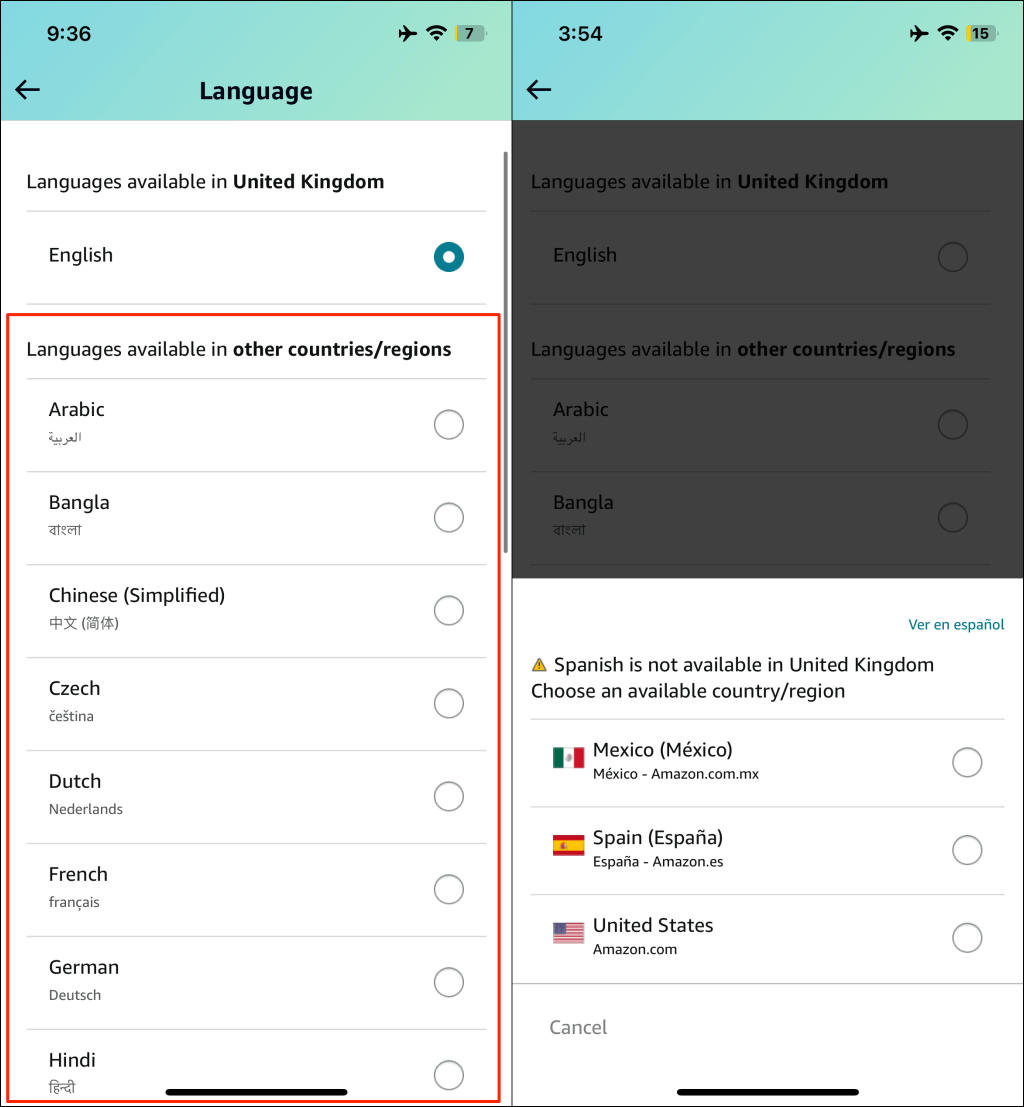
You’ll get a prompt to change your region/country if your preferred language isn’t available in your country. Switch to a different region/country and check if your preferred language is available.
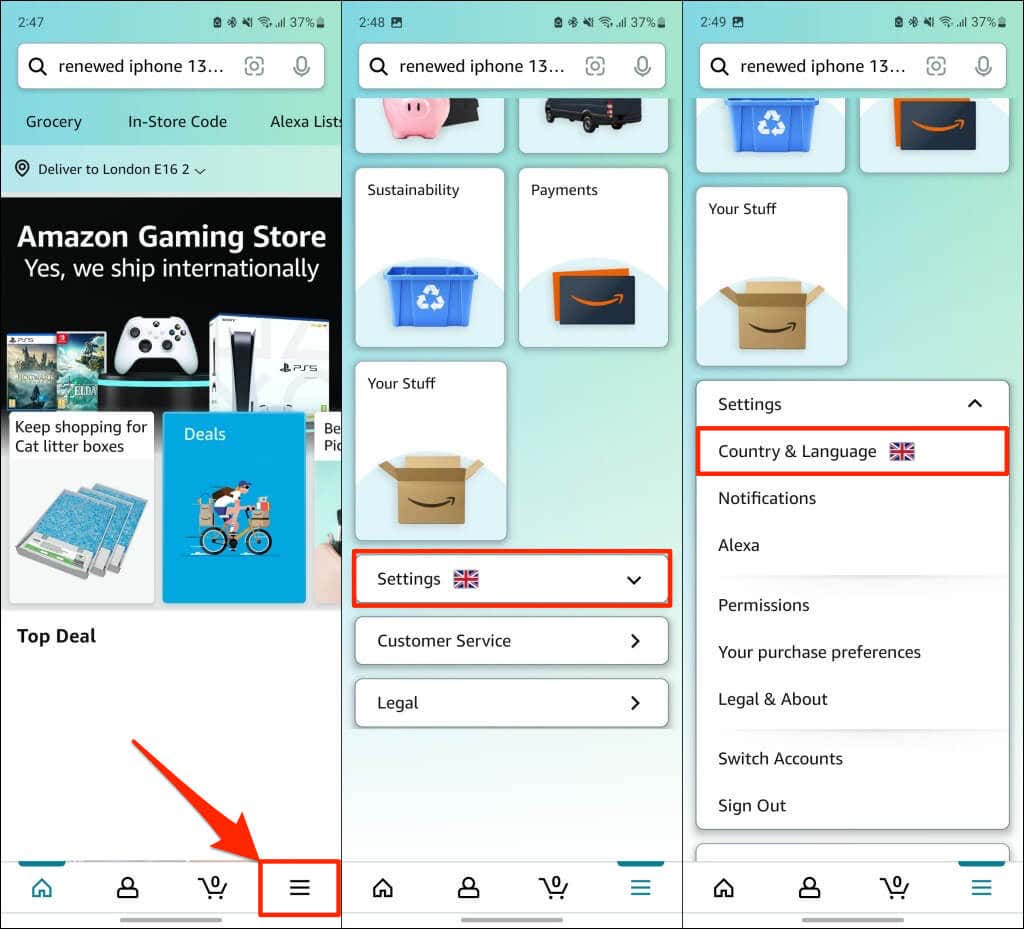
- Tap the hamburger menu icon in the bottom-right corner.
- Scroll down the menu page, expand the Settings drop-down menu, and tap Country & Language .
- Tap Language to continue.
- Choose your preferred language and tap Done .
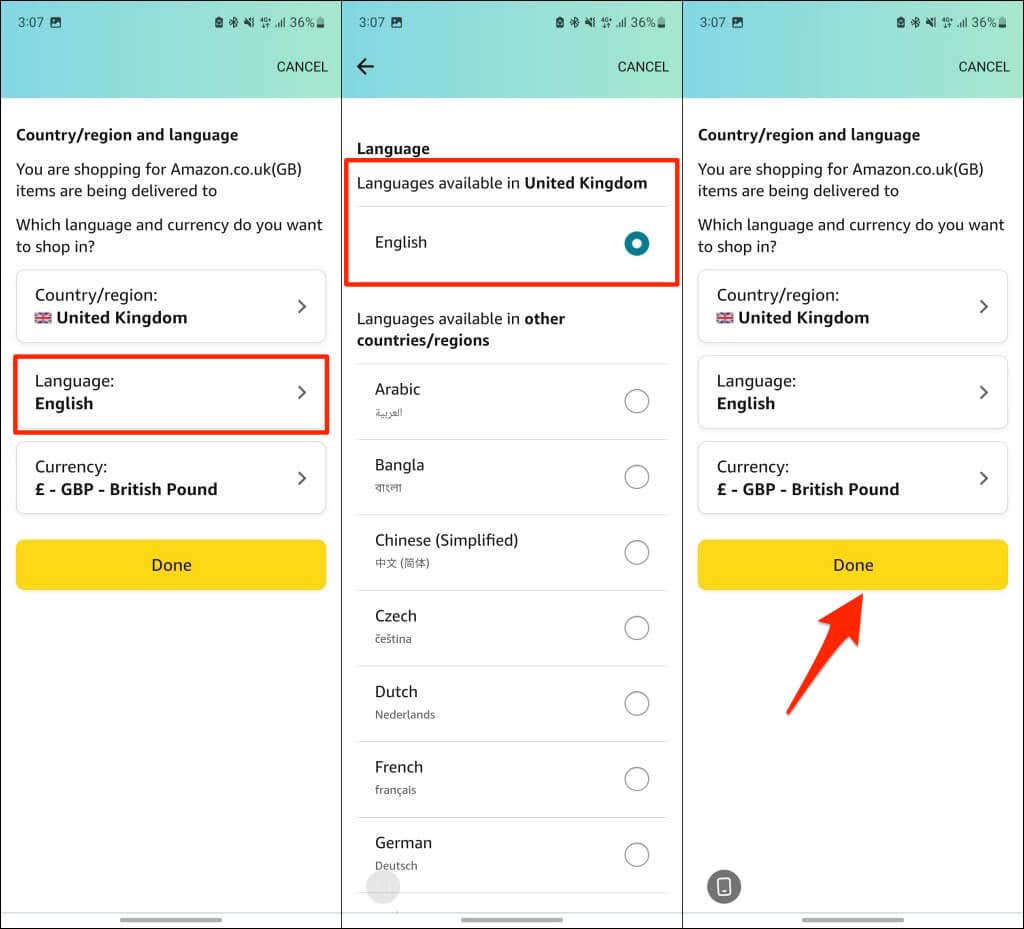
If you don’t find a preferred language on the list, change your country/region and check again.
Shop in Your Preferred Language
- Amazon Fire Stick Home Screen Not Loading? 9 Ways to Fix
- How to Share Your Amazon Cart
- How to Delete a Delivery Address From Amazon
- Deleting Order History from Amazon: All You Need to Know
- How to Cancel Amazon Gift Card Order (and Get a Refund)
