You can monitor AirPods’ battery life on an iPhone or iPad using the iOS battery widget. You’ll find your AirPods battery percentage in the macOS Control Center or menu bar if you have a Mac. On non-Apple devices, you need third-party apps to check your AirPods battery.
This tutorial highlights applications that let you check the battery level of your AirPods on Android phones and Windows PC. We’ll show you how to install and use these apps on your devices.
How to Check AirPods Battery on Android Devices
AirBattery is one of the best apps for checking AirPods battery on Android devices and Chromebooks .
- Connect your AirPods to your Android smartphone or tablet and install AirBattery from the Google Play Store .
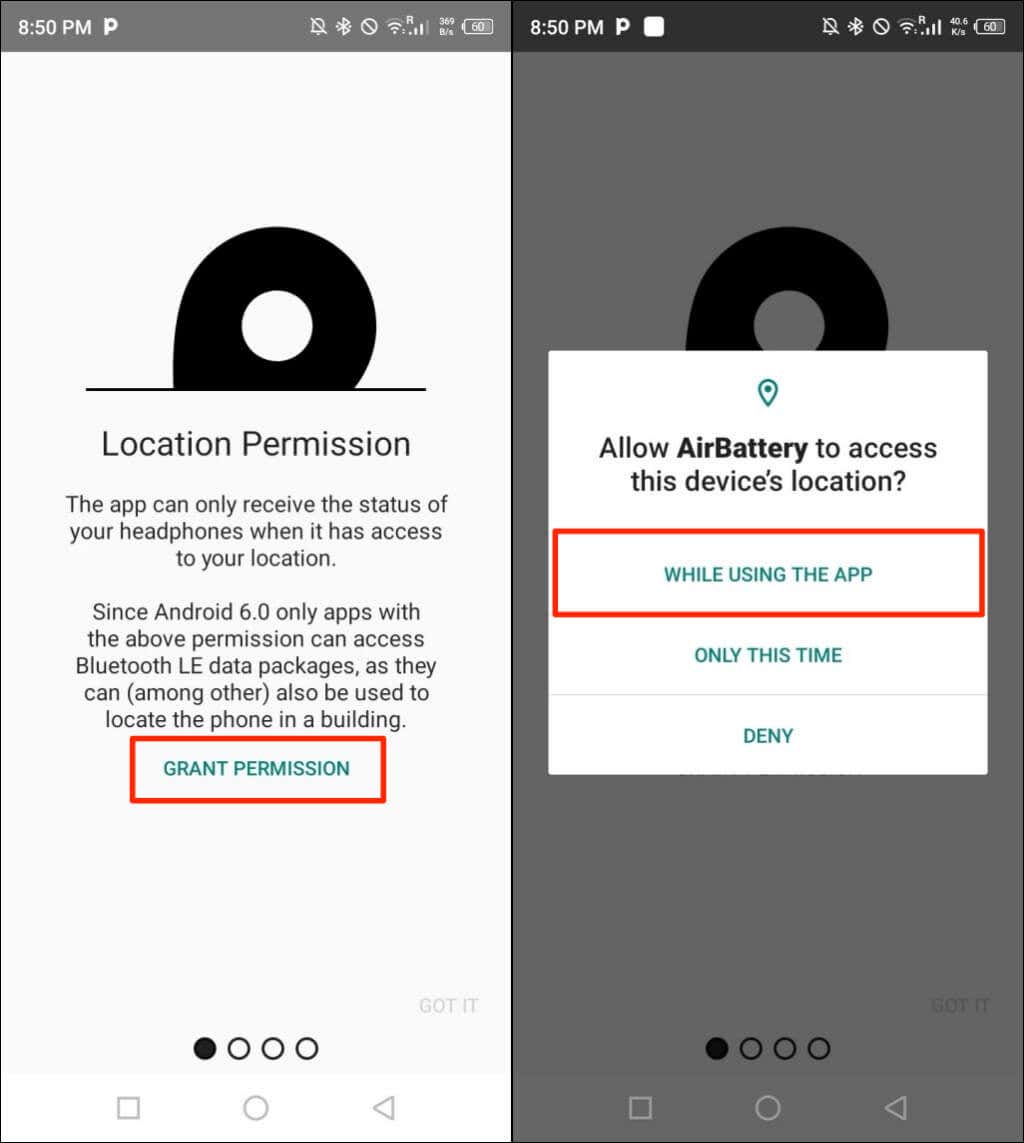
- You’ll get a prompt to allow the app to use your device’s location. Tap Grant Permission on the “Location Permission” screen and select While Using The App on the pop-up.
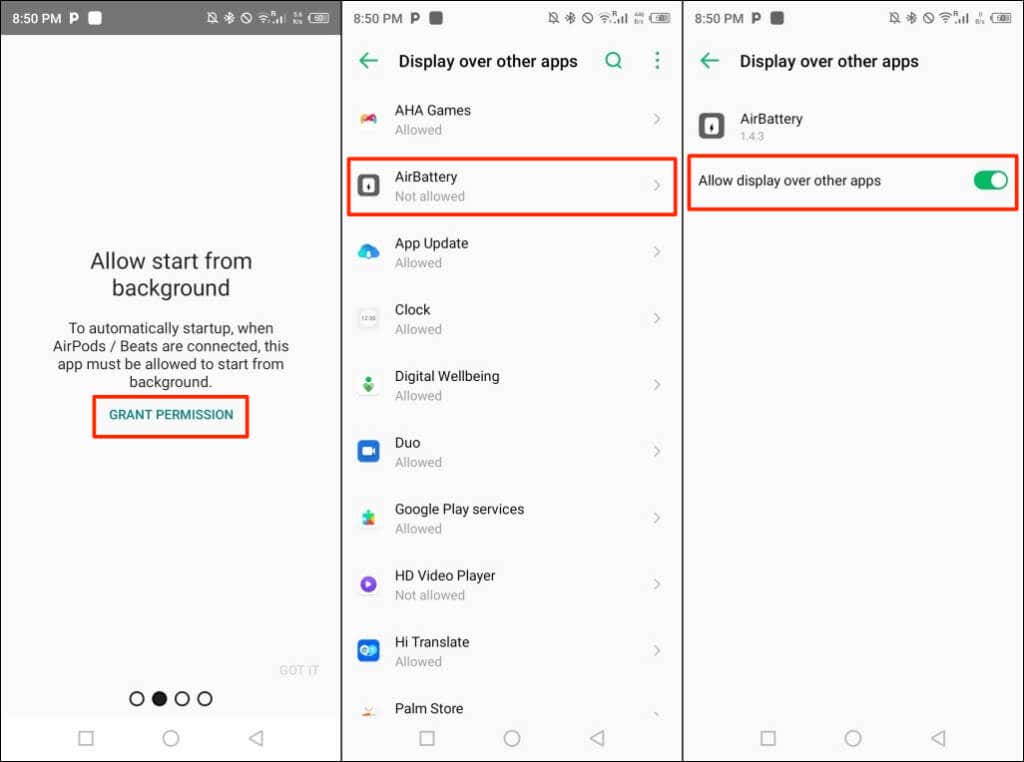
- Next, tap Grant Permission on the “Allow start from background” screen. Select AirBattery and toggle on Allow display over other apps .
You’ll get another prompt to exclude AirBattery from your device’s power saver or battery optimization settings. Allowing the app to run in the background without optimization may cause it to drain your device’s battery more quickly.
- Tap Open Settings , select AirBattery , select Not optimized , and tap Done .
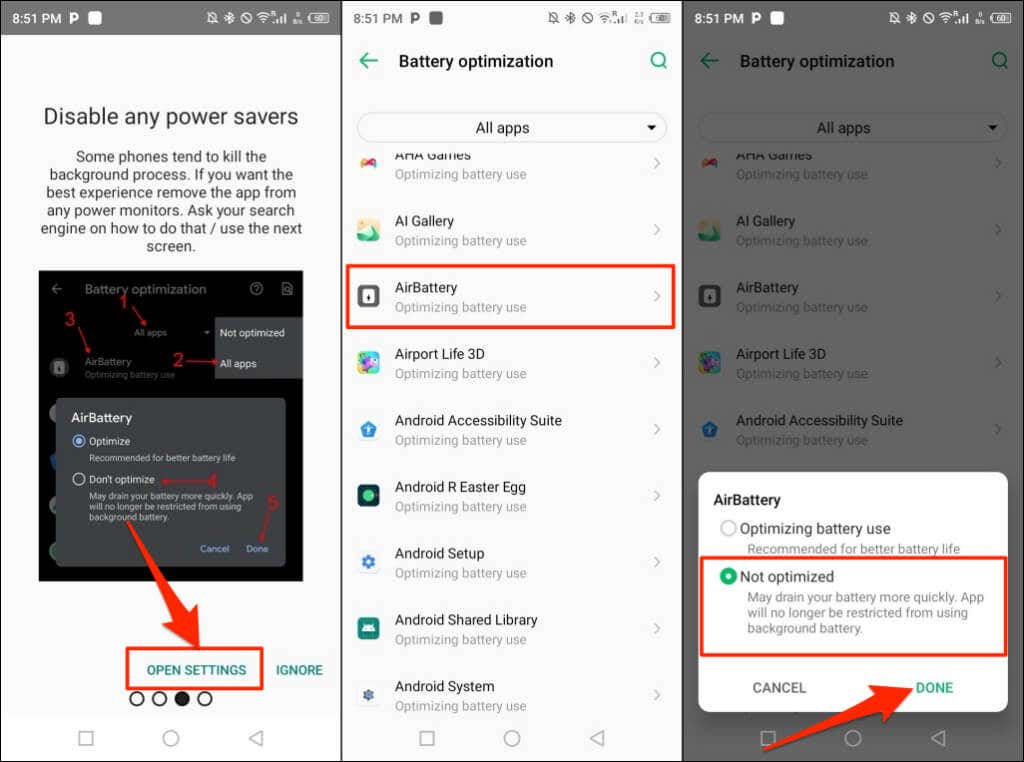
- Return to the AirBattery app, select your AirPods model, and tap OK .
- Place both AirPods in the charging case and keep the case lid open. AirBattery will display the battery status of your AirPods on a pop-up card.
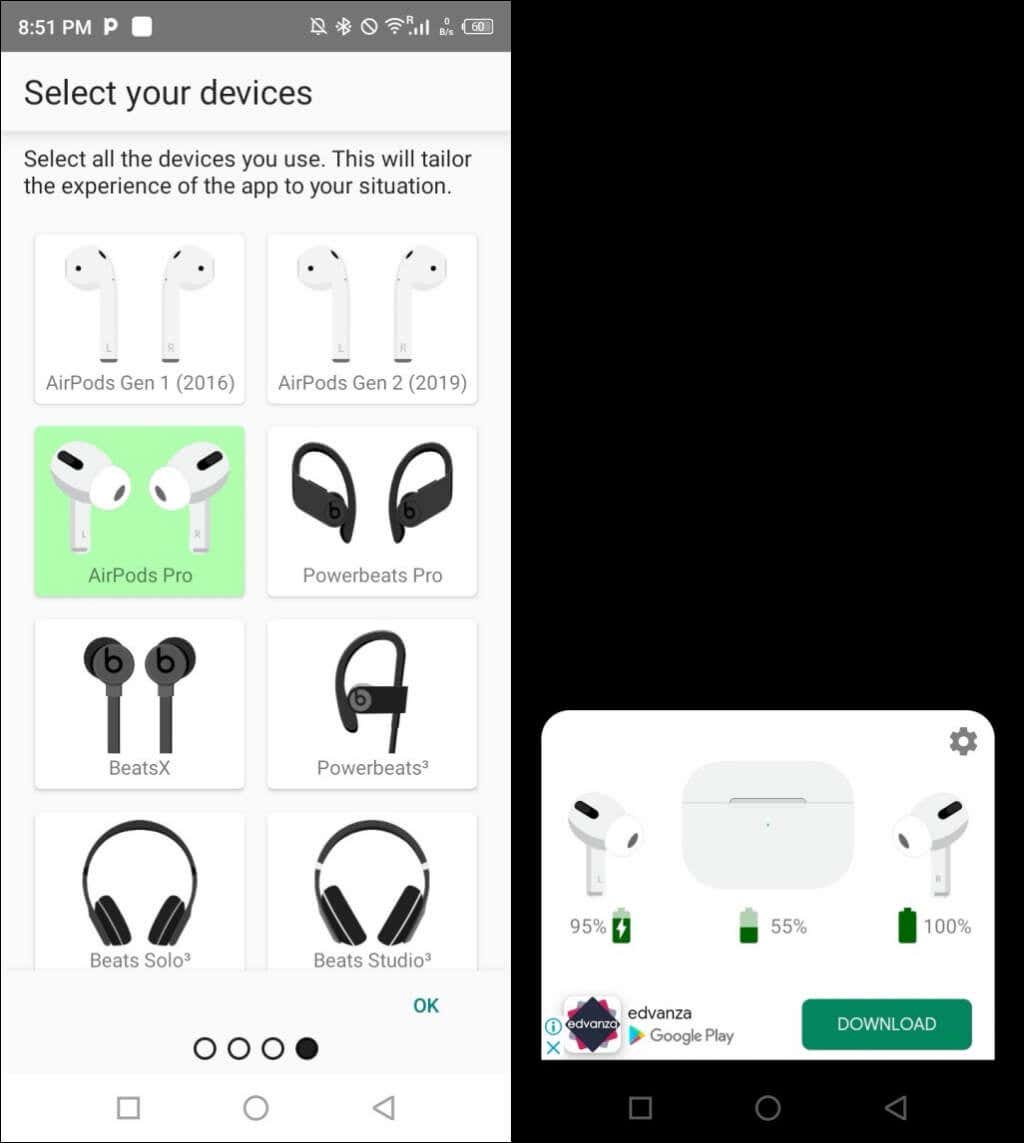
If AirBattery doesn’t show your AirPods case battery, close and reopen the lid, and check again.
How to Check AirPods Battery Life in Windows
AirPodsDesktop, MagicPods, and Bluetooth Battery Monitor are the best apps to monitor your AirPods battery in Windows.
Check AirPods Battery Using AirPodsDesktop
AirPodsDesktop is free, open-source, and easy to set up. We had no problem using the app to check the battery level and charge status of our Apple AirPods Pro.
- Download the AirPodsDesktop setup file , install the app, and connect your AirPods to your computer.
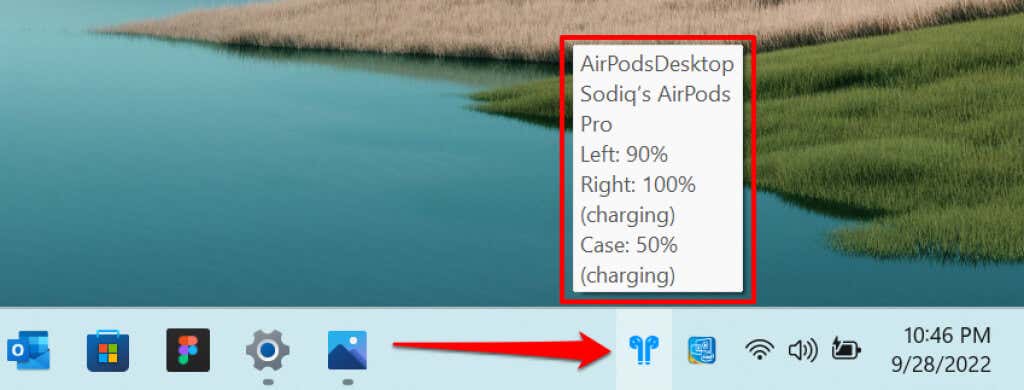
- Hover your cursor on the blue AirPodsDesktop icon in the taskbar’s notification area. You should see your AirPods battery or charging status level on the tooltip that pops up.
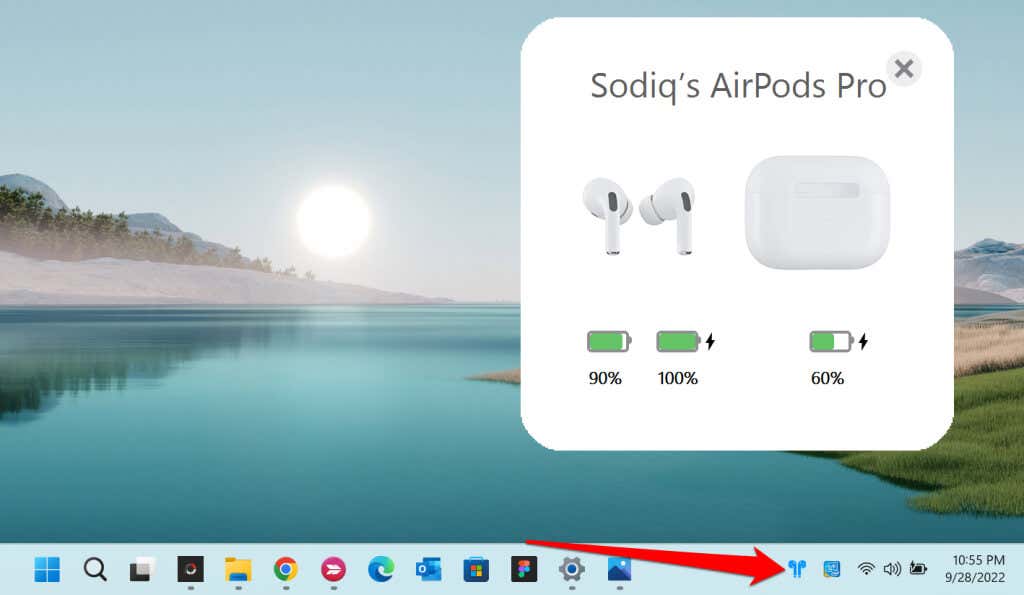
- Select the AirPodsDesktop icon for a graphical view of your AirPods battery status. AirPodsDesktop only displays the case’s battery level or charging status when the lid’s open.
AirPodsDesktop supports all AirPod models and generations, including the AirPods Max.
Check AirPods Battery Using MagicPods
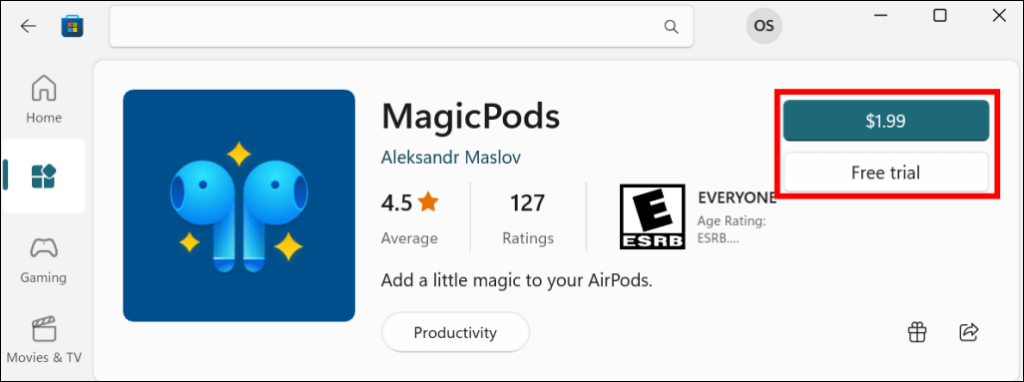
Although MagicPods is a paid app, it offers features that justify the $1.99 price tag. It supports the following Apple headphones and earbuds:
- AirPods 1st, 2nd, and 3rd Generations
- AirPods Pro
- AirPods Max
- Powerbeats Pro
- Powerbeats 3
- Beats Fit Pro
- Beats Solo 3
- Beats Solo Pro
- Beats X
- Beats Flex
Buy the MagicPods app or install the free trial from the Microsoft Store and follow the steps below.
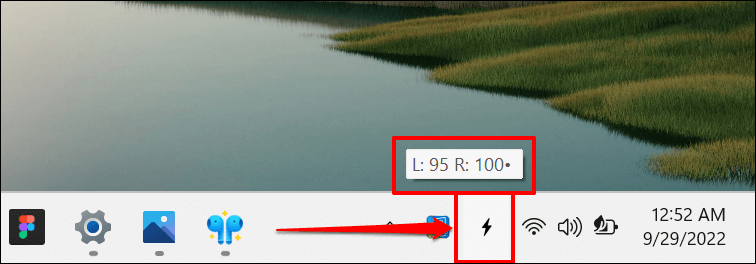
- Connect your AirPods to your PC and hover your cursor on the battery or lightning icon on the taskbar. The battery level of your left and right AirPods will appear on the tooltip.
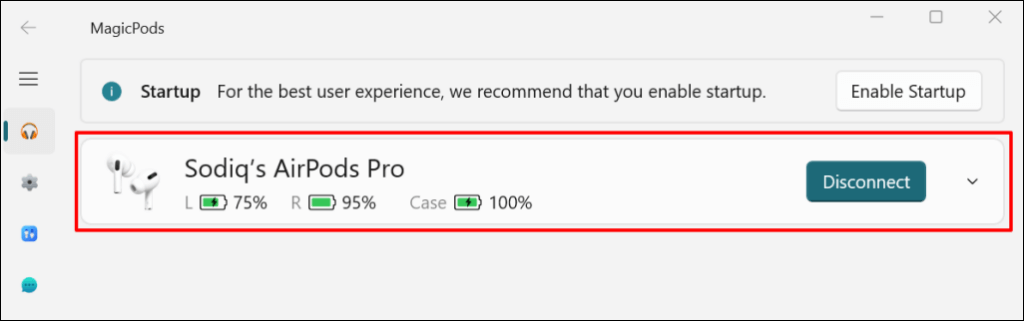
- Double-click the icon on the taskbar to open the MagicPods app. You’ll see your AirPods’battery level on the app’s dashboard. Insert one or both AirPods in the charging case to see the case’s battery status.
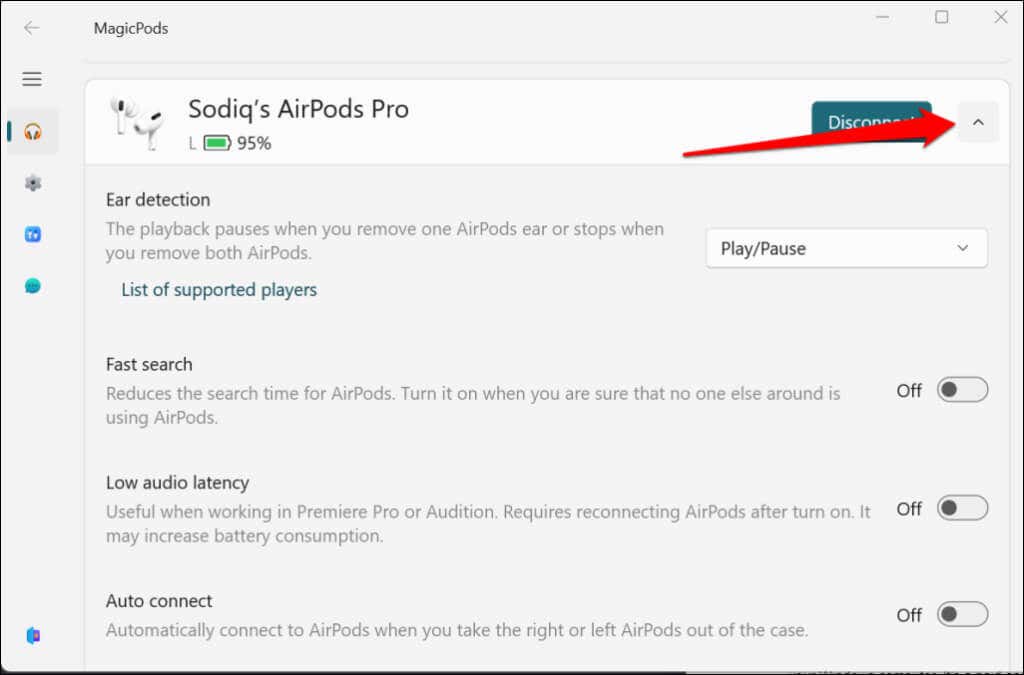
- Select the arrow-down icon to enable features like ear detection, auto-connect, notification announcement, low battery notification, etc.
Use the Bluetooth Battery Monitor App ($7.99)
Bluetooth Battery Monitor allows you to check the battery level of Bluetooth devices connected to your Windows computer. The app costs $7.99, but you can use the 7-day free trial to test its features. You get a $3 discount if you buy the license before the trial period ends.
The app supports the 1st and 2nd Generation AirPods and the AirPods Pro. Follow the steps below to set up and use the Bluetooth Battery Monitor app on your Windows PC.
- Download the Bluetooth Battery Monitor app from the developer’s website.
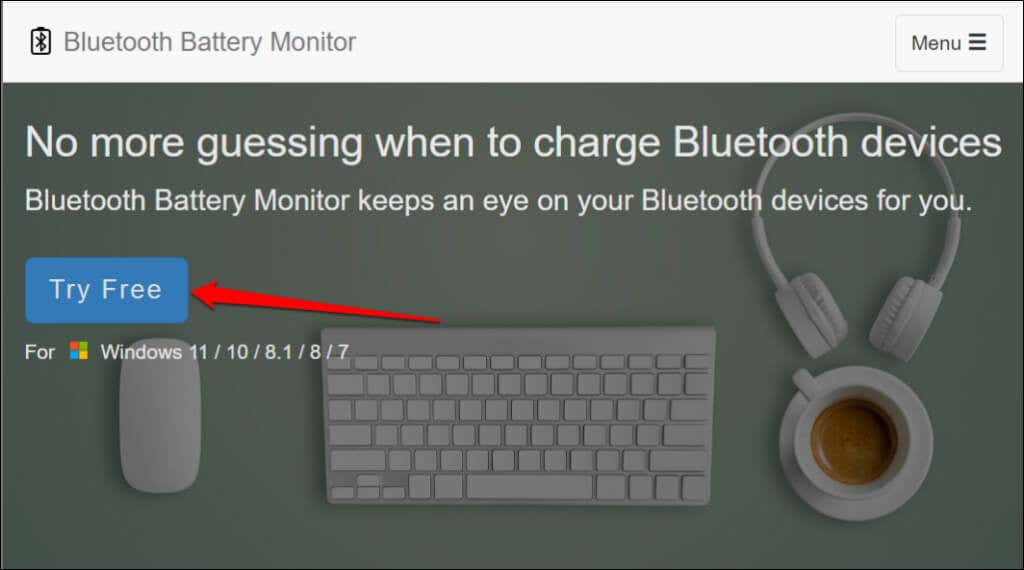
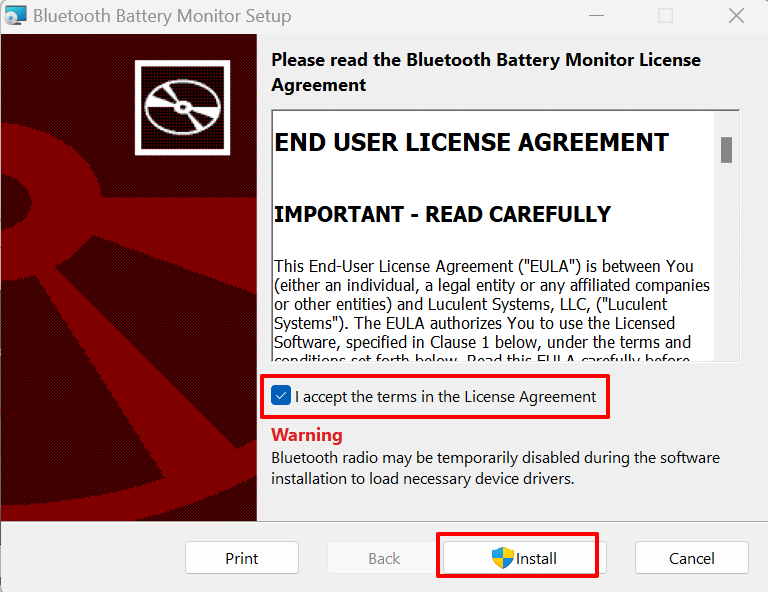
- Turn on your computer’s Bluetooth and run the Bluetooth Battery Monitor setup file. Accept the app’s license agreement and select Install to proceed.
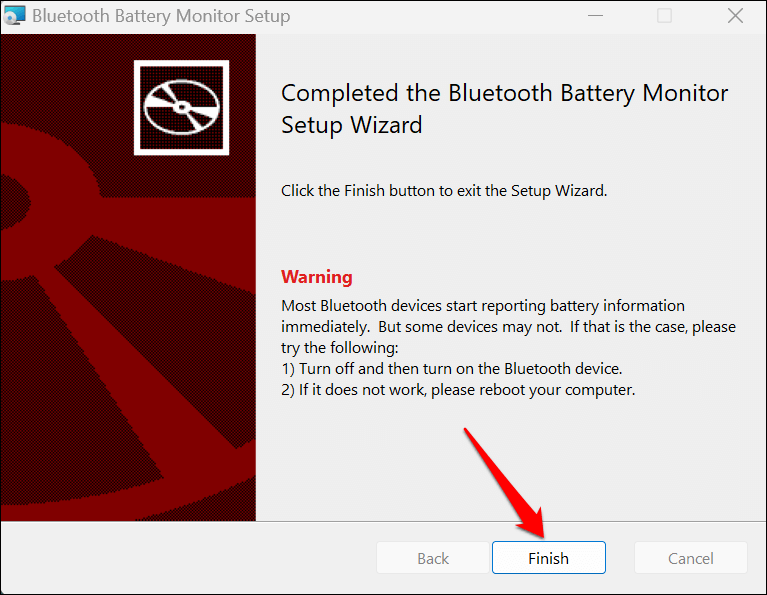
- Follow the on-screen instructions and select Finish to close the setup wizard.
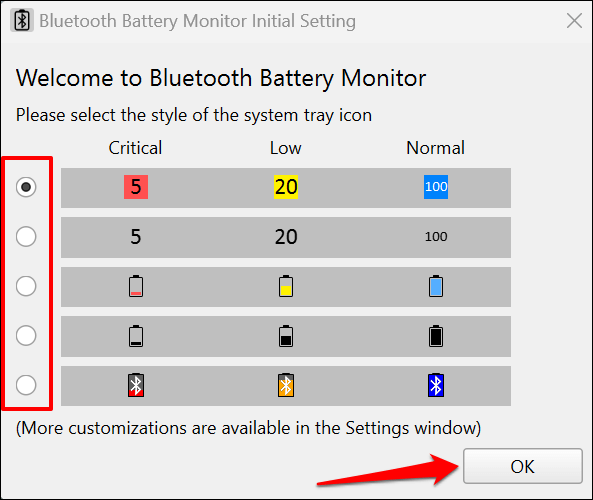
- The “Bluetooth Battery Monitor Initial Setting” window will pop up automatically. Select your preferred battery indicator and select OK .
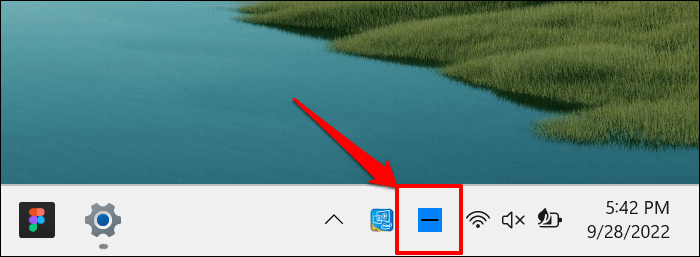
- Connect your AirPods to your computer and select the Bluetooth Battery Monitor icon in the taskbar’s notification area.
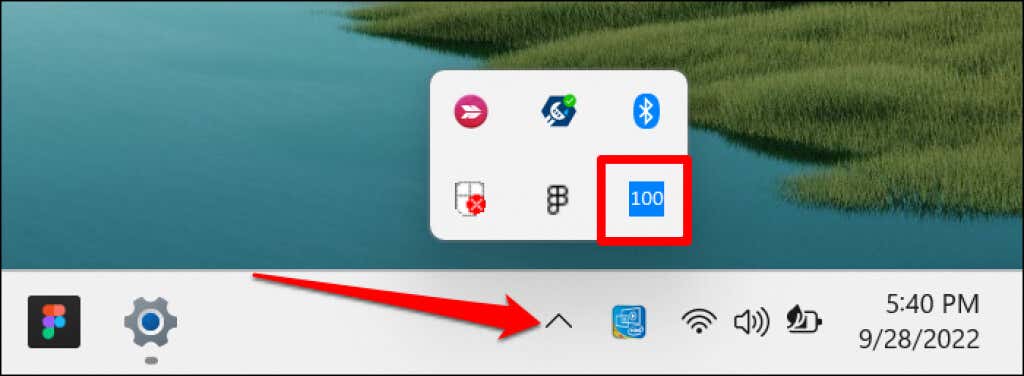
Select the Show hidden icons arrow if you don’t see the app icon on the taskbar .
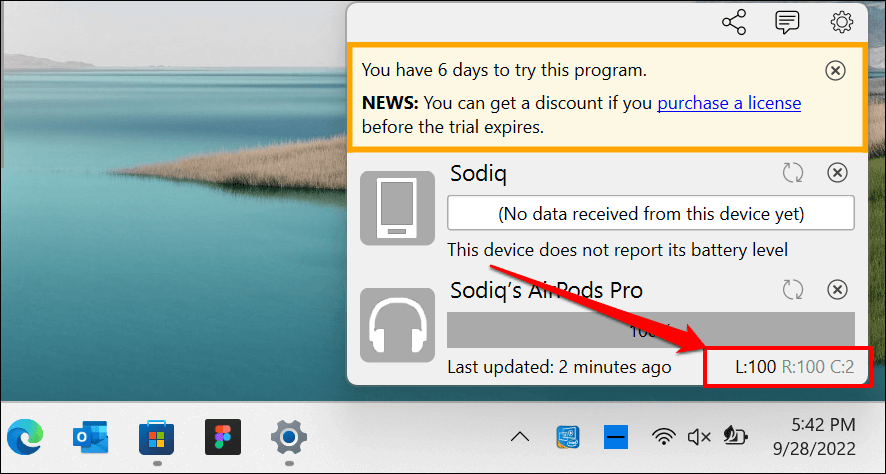
- Check the bottom corner of the Bluetooth Battery Monitor tray for your AirPods battery level. The left and right AirPods in the screenshot below both had 100% battery, while the case had 2%.
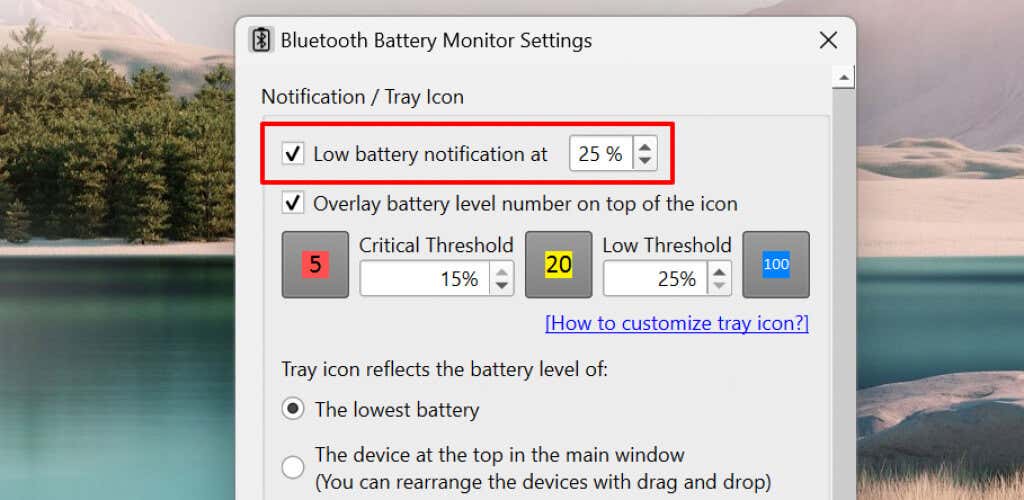
You can set a “Low Battery” alert to get notified when your AirPods battery hits a specified percentage.
- Select the gear icon in the top corner and select Settings .
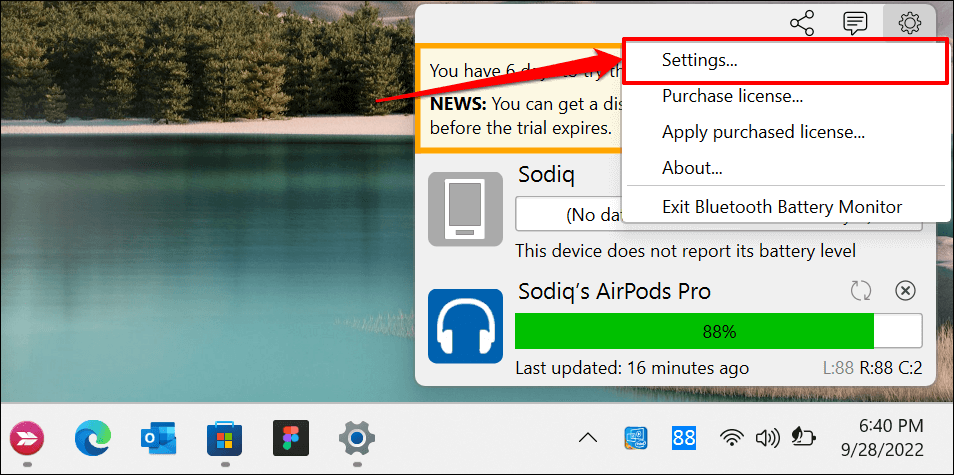
- Mark the Low battery notification at checkbox and enter the battery alert value in the dialog box.
Keep an Eye on Your AirPods Battery
Use AirPodsDesktop if you only care about monitoring your AirPods battery level in Windows. But if you’ve got $2 to spare, MagicPods offers great value for money. It supports all AirPods models and provides some audio features exclusive to Apple devices.
- How to Rename Bluetooth Devices in Windows, Android, iOS, and Mac
- Preparing for Windows 10 End of Support: Upgrading to Windows 11
- How to Fix a “This file does not have an app associated with it” Error on Windows
- How to Fix an Update Error 0x800705b4 on Windows
- How to Resolve “A JavaScript error occured in the main process” Error on Windows
Sodiq has written thousands of tutorials, guides, and explainers over the past 4 years to help people solve problems with Android, iOS, Mac, and Windows devices. He also enjoys reviewing consumer tech products (smartphones, smart home devices, accessories, etc.) and binge-watching comedy series in his spare time. Read Sodiq’s Full Bio
