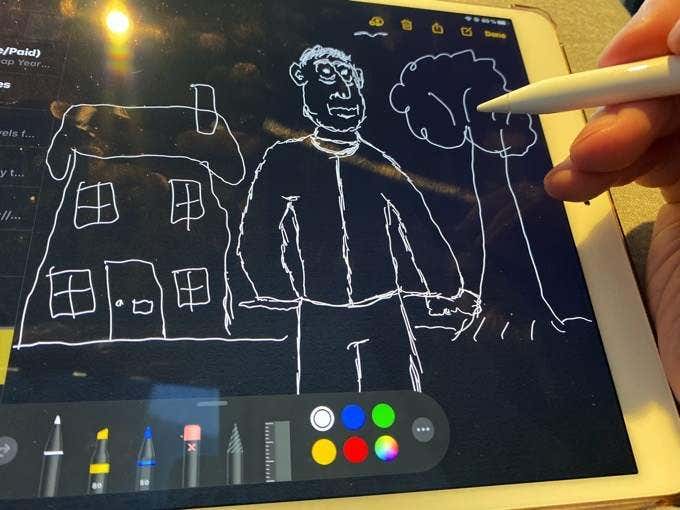
If you’ve just bought or been gifted an Apple Pencil , then congratulations. You’re now the proud owner of an Apple accessory that is a literal game-changer in the way you will use your iPad from now on. But one of the things you will quickly notice is that there is no way to know how high or low your Apple Pencil battery is.
Introducing The iPad Battery Widget
Recently, a new widget was introduced on the iPad which shows the battery level of your iPad and anything attached to your iPad (such as the Apple Pencil battery). This is what you need to use to see at a glance how much battery your Apple Pencil has left.
On the main screen of your iPad, swipe right until you see the list of widgets available for use.
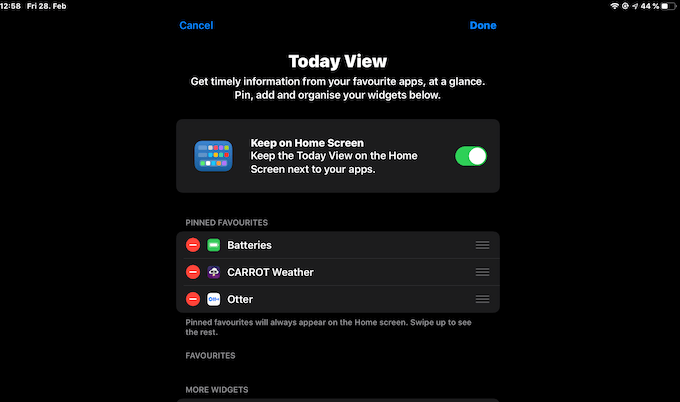
One of them will be called Batteries . Bring it up to the top to Pinned Favourites and I would also recommend toggling on the Keep on Home Screen option.
If you now swing back to the main screen, you will now see the Batteries widget appearing on your screen, along with the battery level of your iPad.
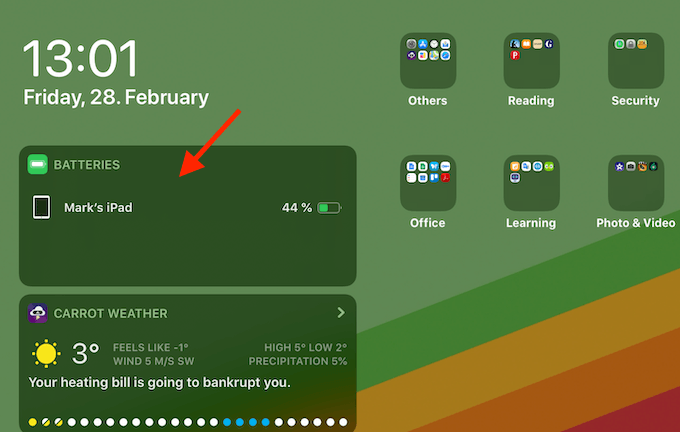
To see the Apple Pencil battery level, simply bring it close to the iPad. If it is your first time using it with the iPad, you will need to switch on iPad’s Bluetooth and pair the iPad and the Apple Pencil together, before it will appear on the widget.
When the two are paired and in close proximity to one another, you will now see the Apple Pencil show up in the widget, along with its battery level.
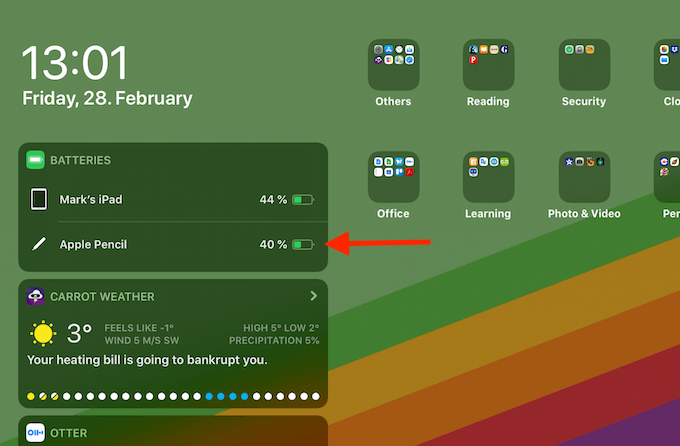
If the Apple Pencil disappears from the widget at any time, simply bring it closer to the iPad or re-pair it with Bluetooth.
Apple claims that an Apple Pencil’s battery life is 12 hours of continuous use, so depending on how often you use it, keeping an eye on that battery level is going to be important if you don’t want to run out of power at a critical moment.
- Apple Pencil 1st vs. 2nd Generation vs. USB-C Version: What’s Different?
- Apple Pencil Won’t Charge? 10 Fixes to Try
- How to Find a Lost or Stolen Apple Pencil
- Apple Pencil Keeps Disconnecting? 9 Ways to Fix
- How To Annotate a PDF File Using Apple Pencil
