

Note : If you want to delete your purchase history, you can close the old account and create a new one. This way, you can start with a clean slate and build a new purchase history.
- Sign in with the Amazon account you want to delete.
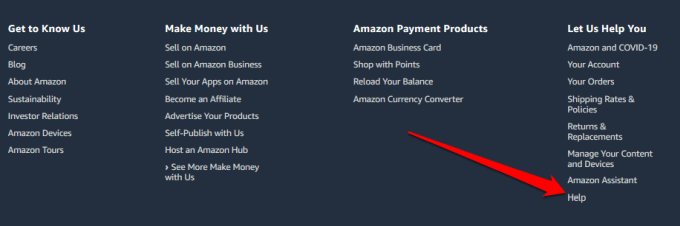
- Click Help at the bottom of the page.
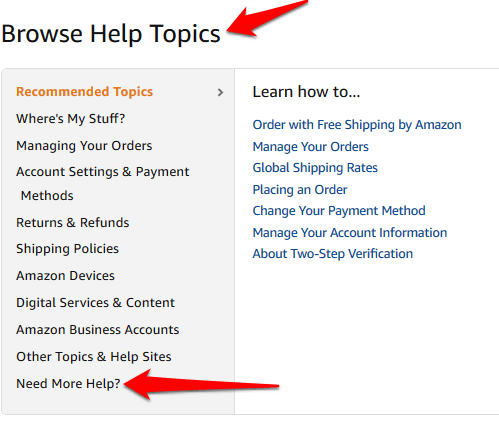
- Scroll down and click Browse Help Topics > Need More Help?
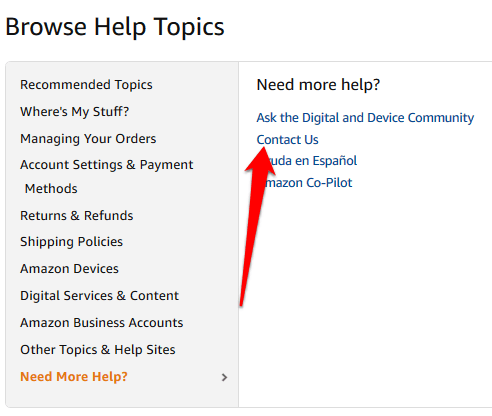
- Click Contact Us .
- At the top of the customer support page, click Prime or Something Else .
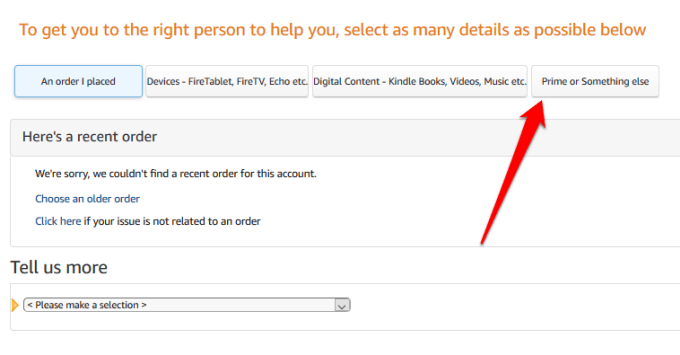
- Select Login and Security under the Tell us more section.
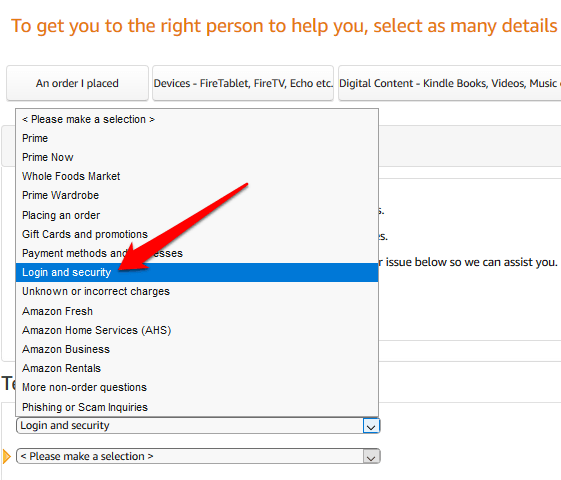
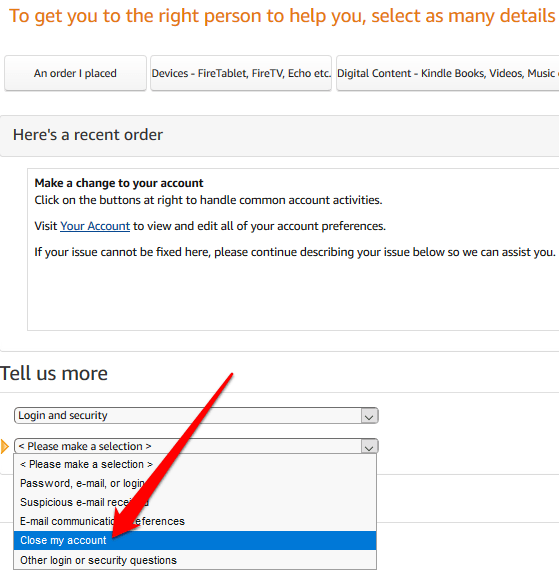
- Choose Close my account in the new field.
- You’ll see options for contacting the Amazon team by phone, email, or chat .
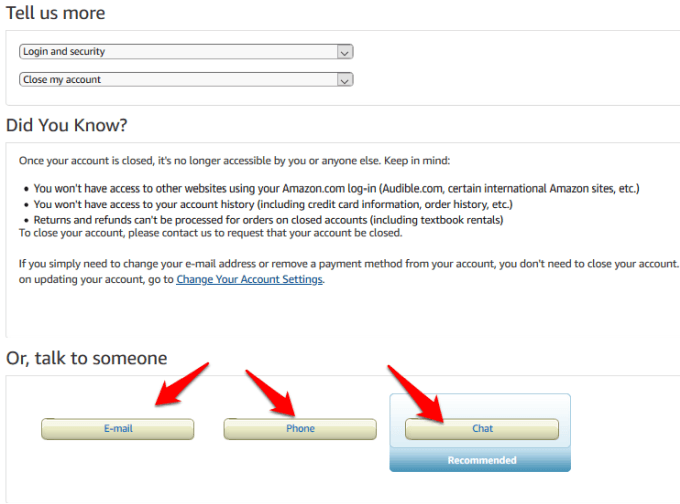
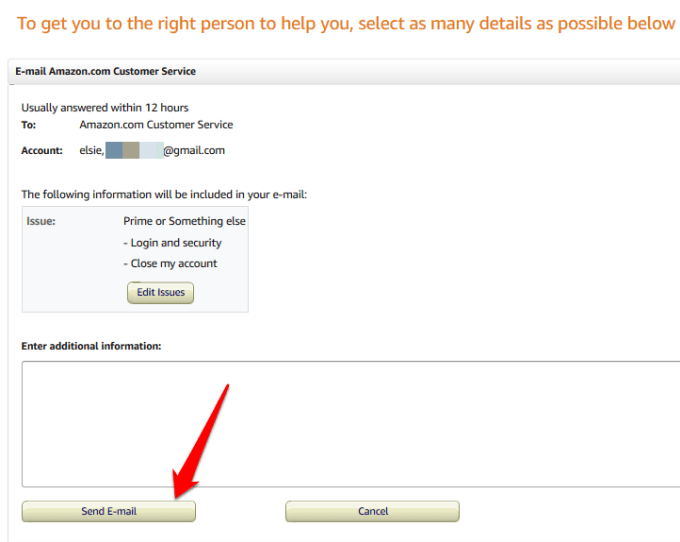
- If you select Email , enter the reason for closing your Amazon account and send the message. In 12 hours, you’ll receive an email with warnings about what you’ll lose when you delete your account, and instructions for closing the account.
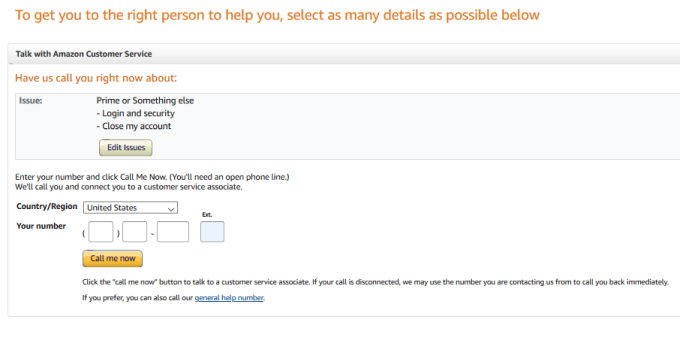
- If you select the Phone option, enter your phone number in the new page. Wait for an Amazon customer representative to call you with the instructions.
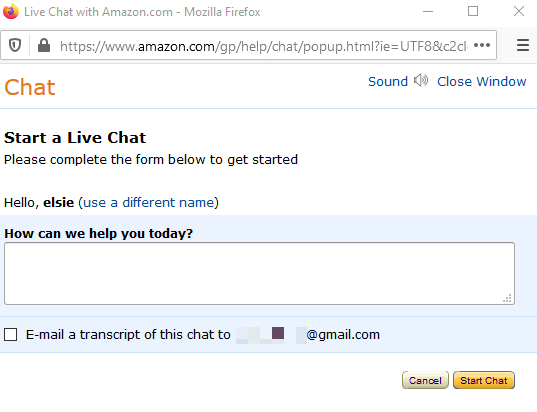
- The Chat option also opens a new window, where you can enter the reason why you’d like to talk to an Amazon associate. The associate will email you detailed instructions for closing your account. Once you receive the email and have read it carefully, click the link to confirm the account deletion.
If you’d like to learn how to delete accounts on other platforms, check out our guides on how to delete Gmail , Facebook , Instagram , Twitter , Pinterest , and Snapchat accounts.
- How to Install the Amazon Appstore in Windows 11
- How to Fix Amazon CS11 Error Code in Android and iOS
- How to Set Up an Amazon Echo Dot
- How to Cancel Amazon Music
- Amazon Fire Tablet Won’t Turn On? How to Fix
Elsie is a technology writer and editor with a special focus on Windows, Android and iOS. She writes about software, electronics and other tech subjects, her ultimate goal being to help people out with useful solutions to their daily tech issues in a simple, straightforward and unbiased style. She has a BCom degree in Marketing and currently pursuing her Masters in Communications and New Media. Read Elsie’s Full Bio
