Like Facebook, its parent corporation, Instagram is no stranger to privacy scandals.
Besides the security flaw found in its Download Your Data feature, which leaked some users’ passwords , there are several other ways the platform poses a threat to your privacy.

Whatever your reason for wanting to do away with it all, we’re going to show you how to delete an Instagram account once and for all.
How To Delete An Instagram Account
Like Facebook, Instagram also gives you the option to disable or delete your account.
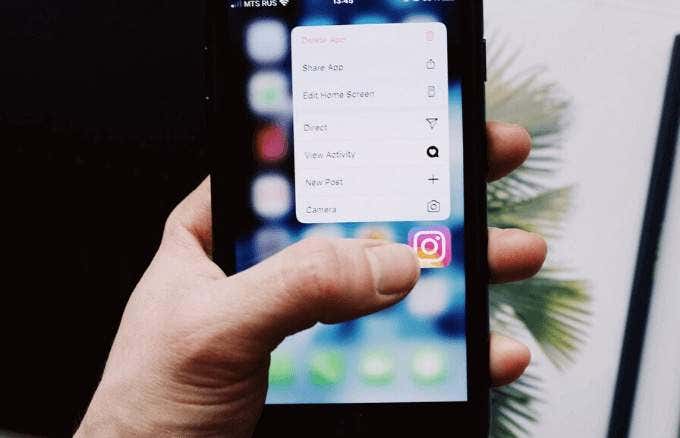
How to Temporarily Disable Your Instagram Account
To temporarily disable your Instagram account, sign into Instagram from a browser on your computer or mobile device (not with the Instagram mobile app).
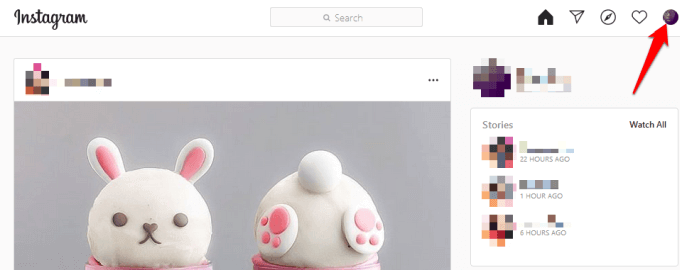
- Click or tap your profile photo at the upper right side.
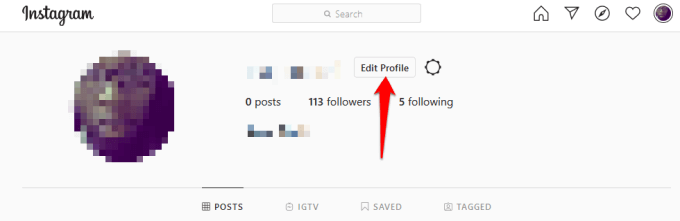
- Next, click or tap Edit Profile .
- Scroll down and click or tap Temporarily disable my account .
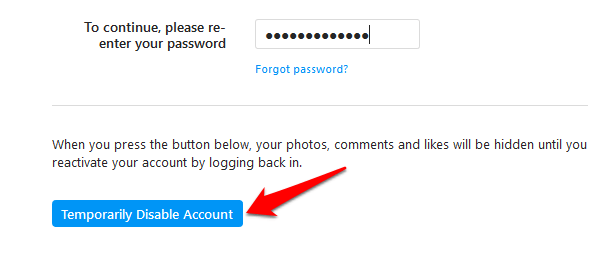
- Go to the drop-down menu next to Why are you disabling your account , and choose an option.
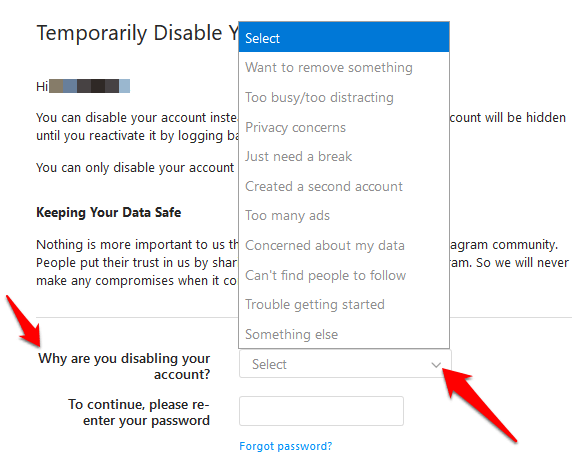
- Re-enter your password.
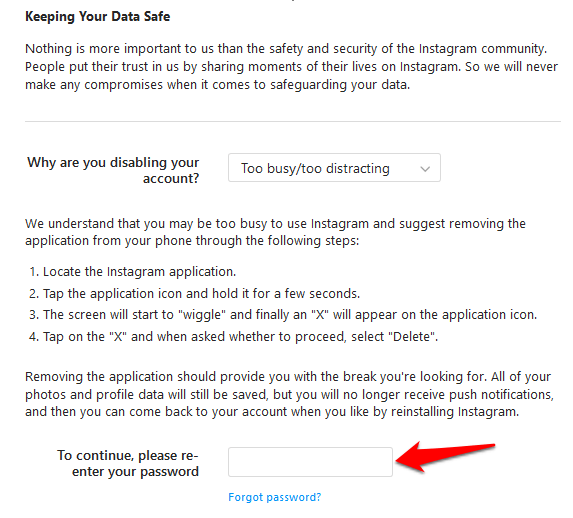
Note : You’ll only see the option to disable your account after selecting a reason from the drop-down menu and entering your password.
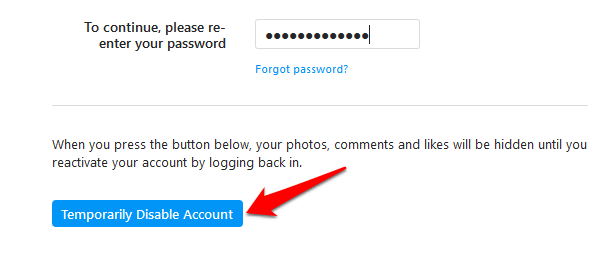
- Click or tap Temporarily disable account .
If you can’t remember your password or username, you won’t be able to sign in to disable your account temporarily. However, you can try some of the tips below if you forgot your Instagram username or password:
Reset your password using your phone number, email address or Facebook account. To do this, go to the Instagram app and follow the steps below depending on your device:
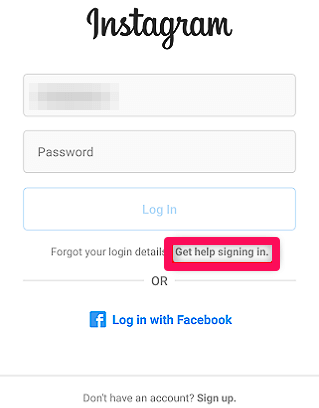
For Android, tap Get help signing in on the login screen, select Use Username or Email, Send an SMS or Log In with Facebook . Enter your details and follow the instructions.
On iPhone, tap Forgot Password on the login screen, tap Username or Phone , enter your email address, phone number or username and tap Next .
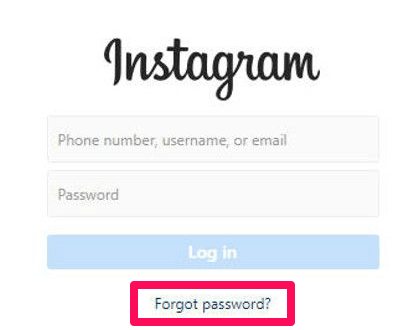
If you don’t know your username or can’t locate your account, ask a friend to go to your profile and screenshot your username, or check for an email from Instagram with your account information. When entering your username, exclude the @ symbol and see if it brings up the correct username as you type it out on the login screen.
There are other things you can do if you don’t want to disable or delete your account. For example, you can block people or set your posts to private instead.
Permanently Delete Your Instagram Account
Download A Copy of Your Data On Instagram
To do this on your computer:
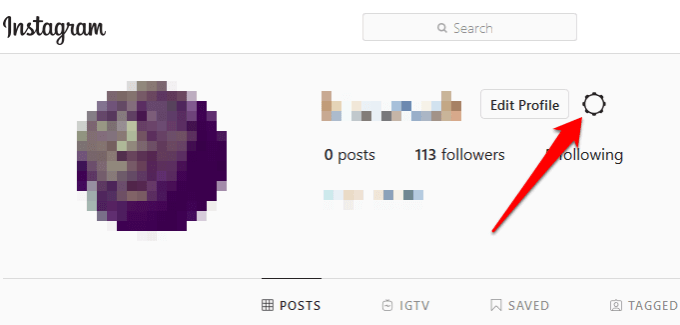
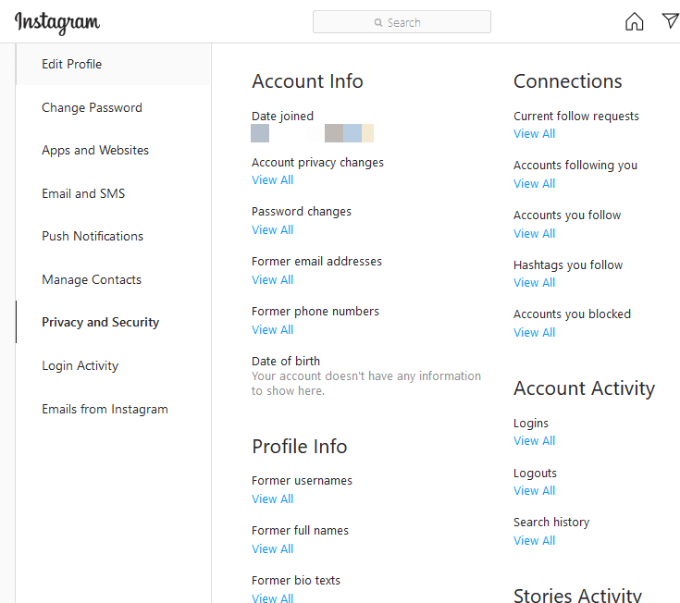
- Open Instagram on your web browser, go to your profile and click the gear icon to open Settings .
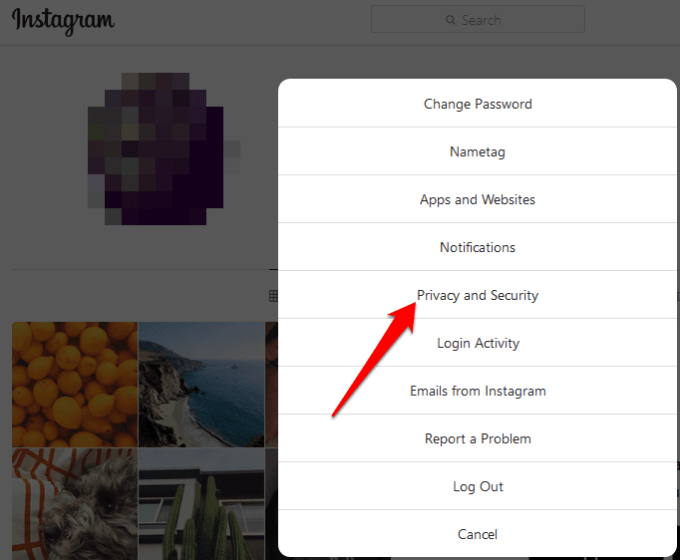
- Click Privacy and Security .
- Go to the Account data section and click View Account Data .
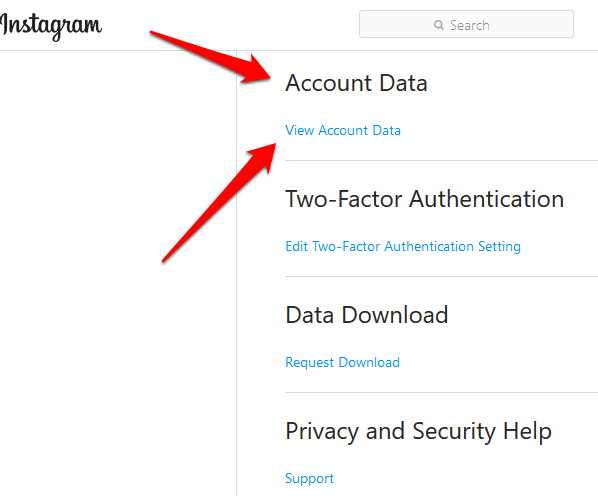
- Click View All to review specific types of data.
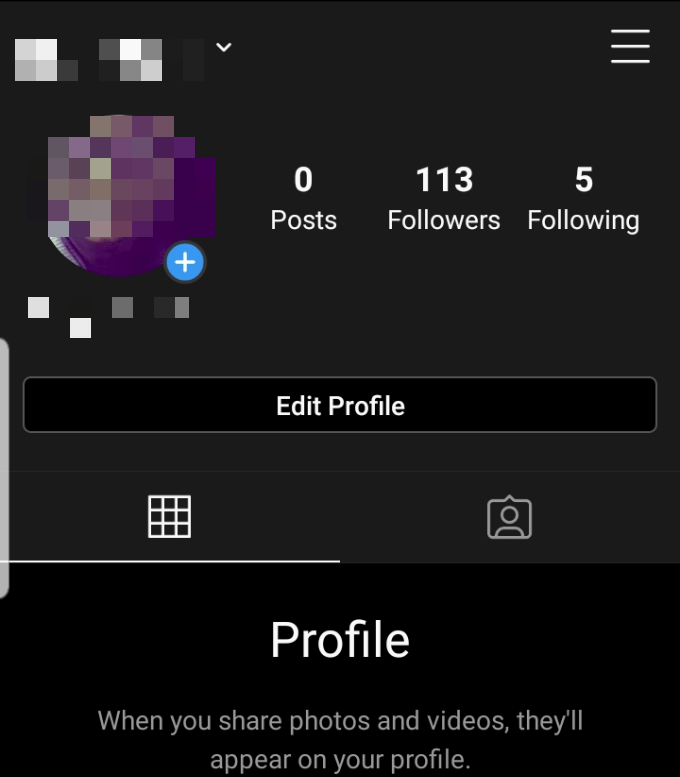
- If you’re viewing your data from your iPhone or Android device, go to profile and tap the burger menu icon.
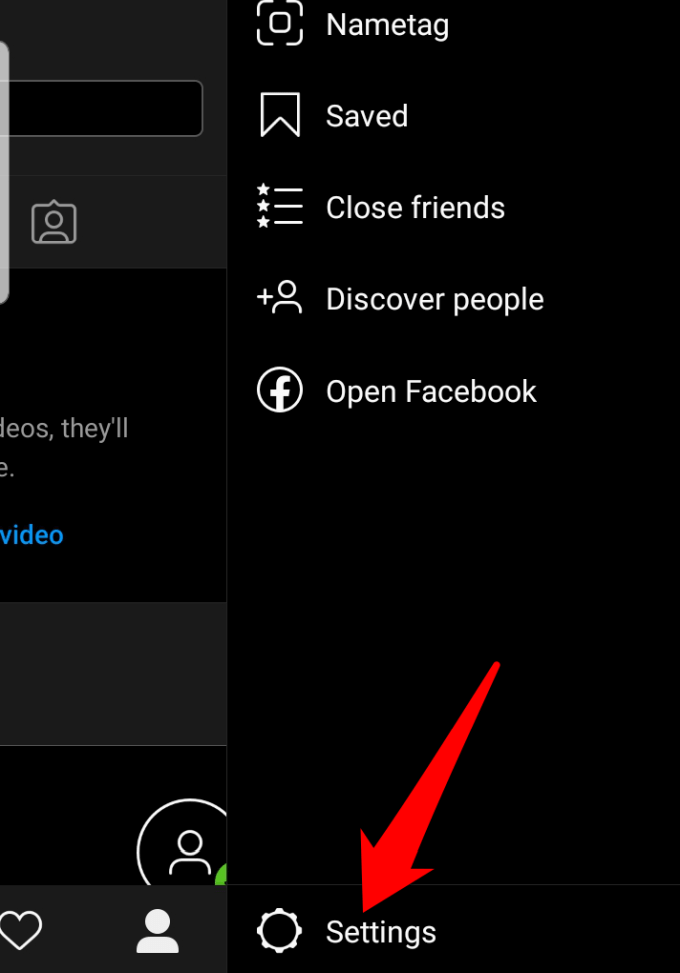
- Tap Settings .
- Next, tap Security > Access Data .
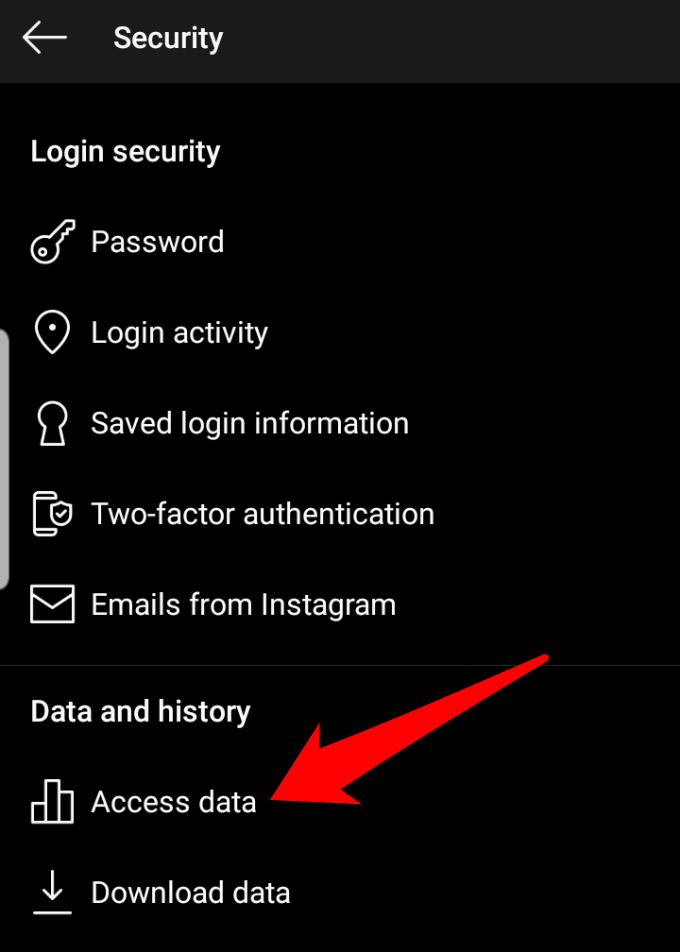
- Tap View All to review specific types of data.
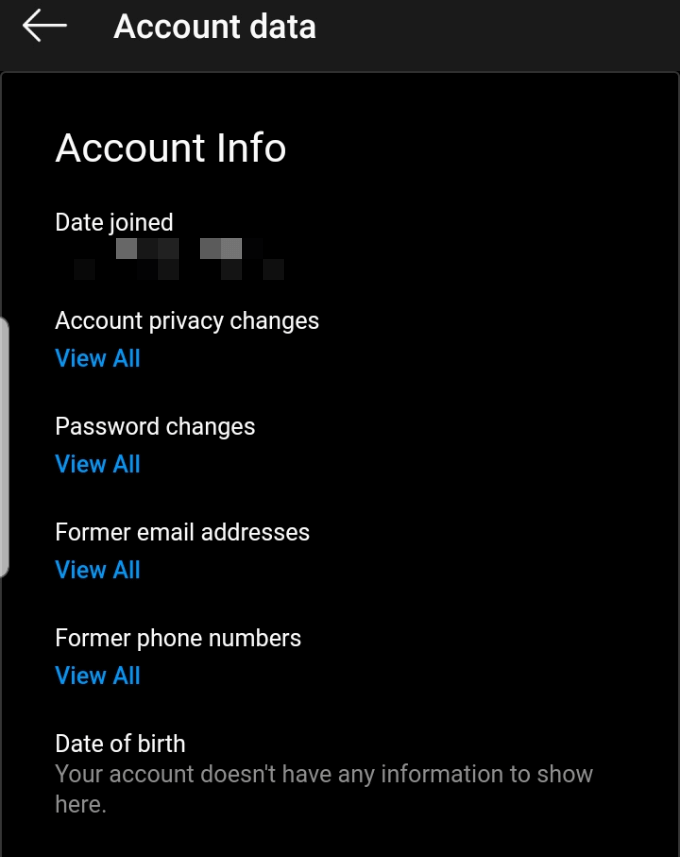
You can request a download of all your data, which will be delivered to you in the JSON format.
- Go to Instagram on your PC via your web browser, click Settings > Privacy and Security .
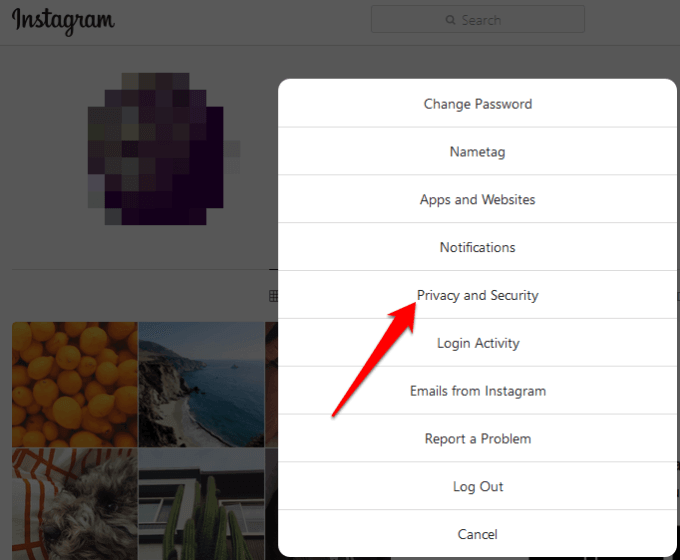
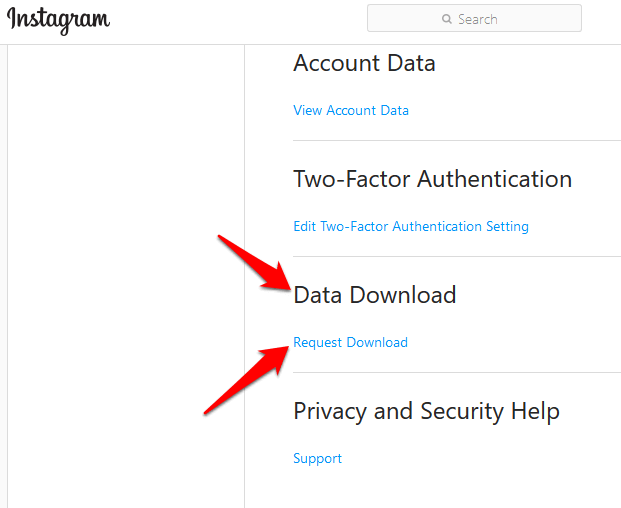
- Click Request Download under the Data Download section.
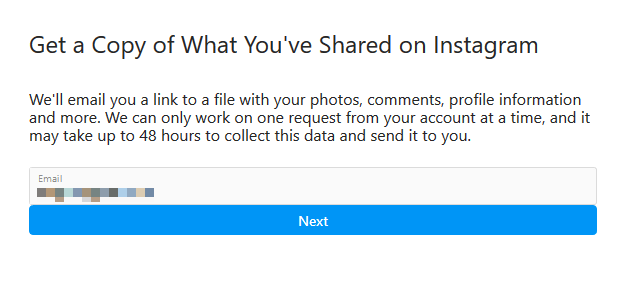
- Enter your email address and click Next . Your data will be sent to you as a link inside the email.
- Type your Instagram account password and click Request Download .
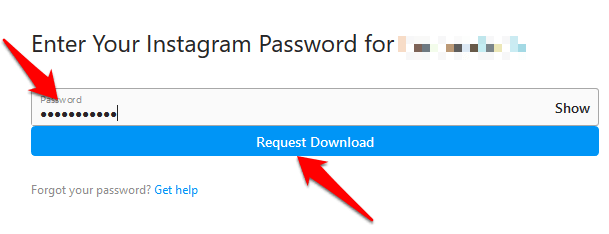
- Check your email account for an email titled Your Instagram Data . You’ll find a link to your data within the email; click Download Data and finish downloading all your information.
Download Your Data With The Instagram App
If you’re using your mobile device to download your data from Instagram:
- Go to your profile and tap the menu > Settings .
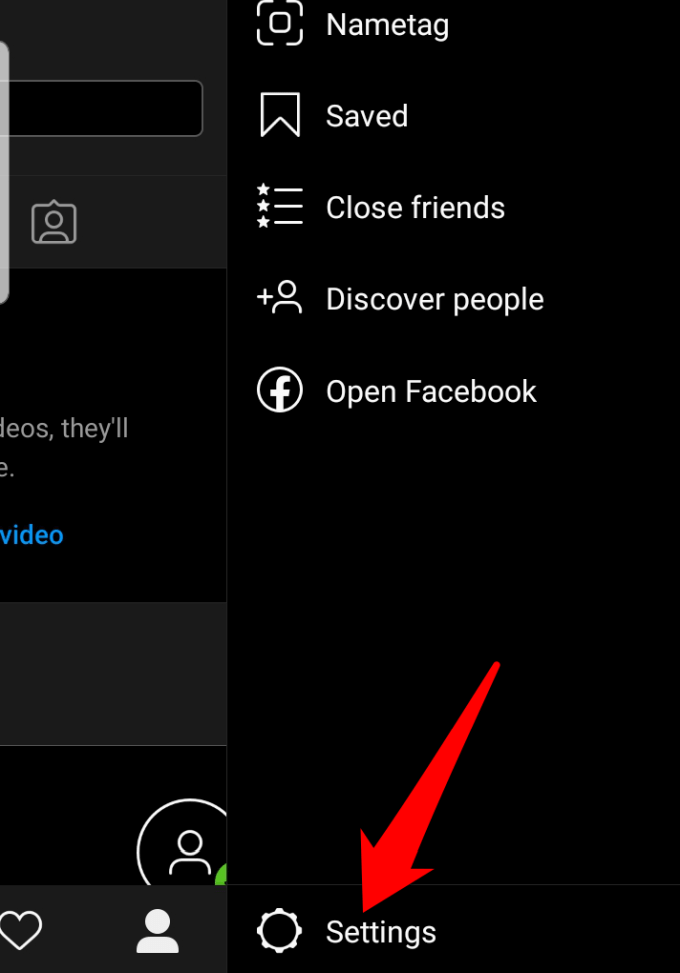
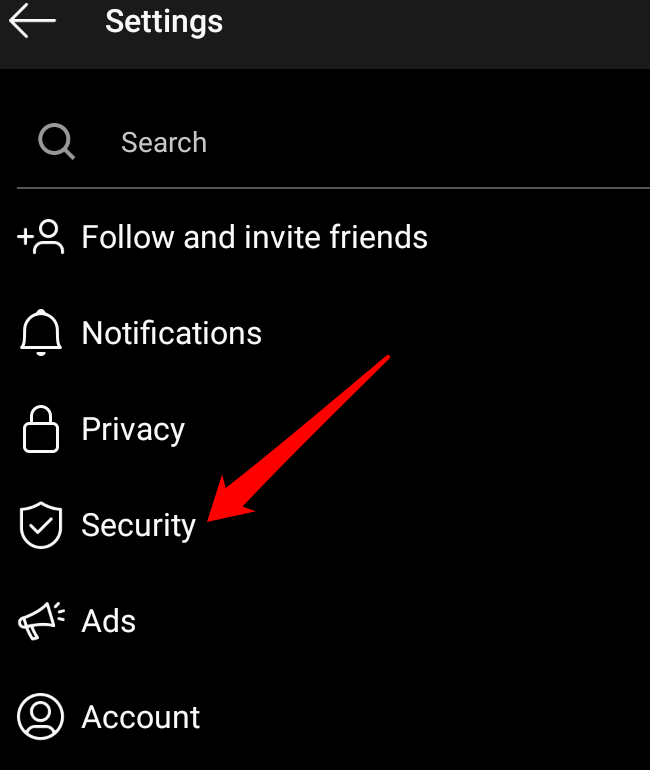
- Tap Security .
- Next, tap Download Data
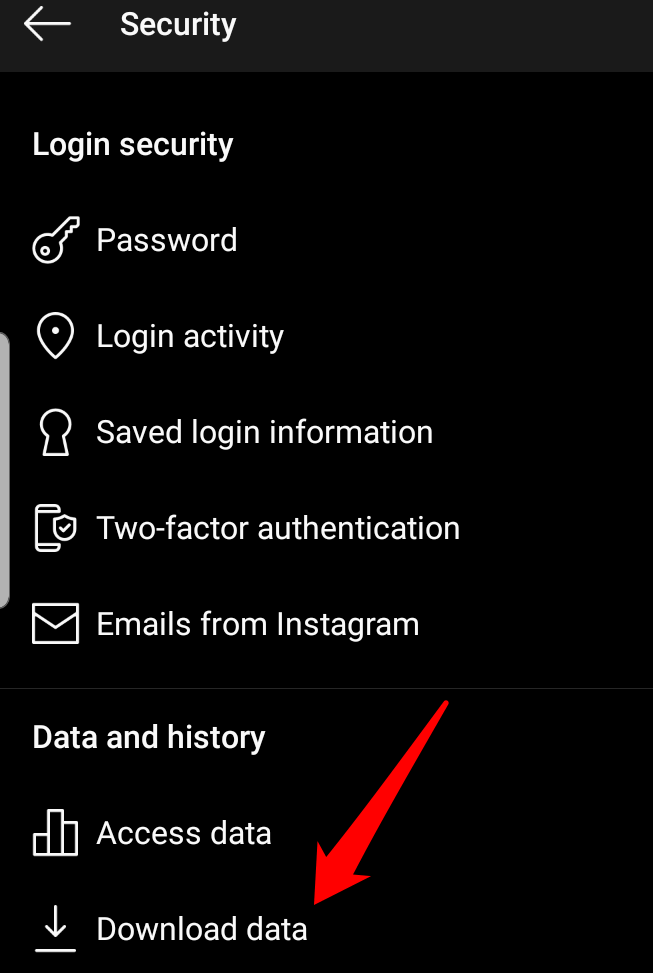
- Enter the email address where you want to receive the link to your data, and tap Request Download .
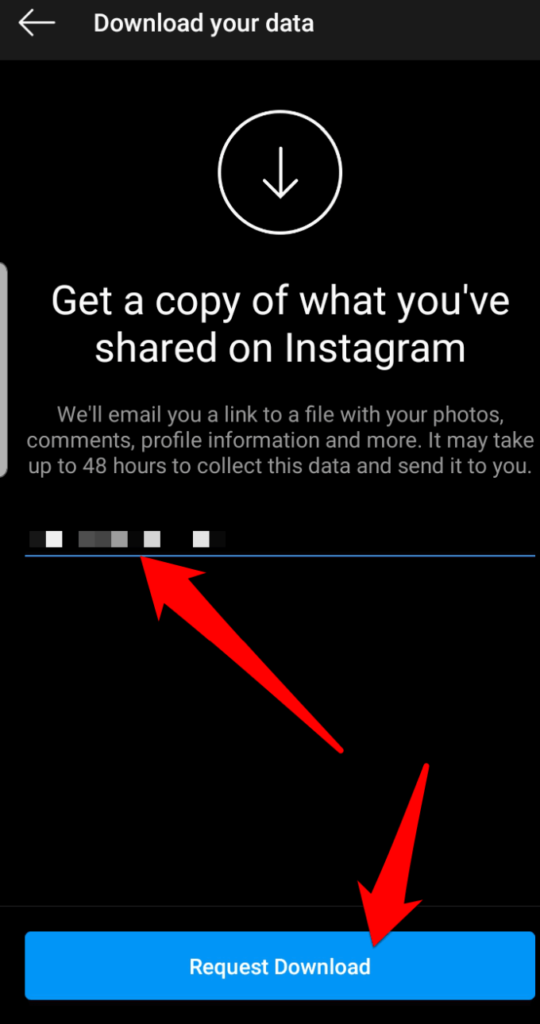
- Enter your password and tap Next > Done , and check for an email titled “Your Instagram Data”. Here, you’ll find a link to your data. Click on it and follow the steps to complete downloading all your Instagram information.
Note : If you don’t see the email with the link to your data, check again later as it may take up to 48 hours to appear in your inbox. Instagram also stores some data temporarily for security and safety reasons, but you won’t see this data when you view or download it.
How To Delete Your Instagram Account
To permanently delete your Instagram account:
- Sign into your account on a web browser or computer (not the Instagram mobile app) and go to the Delete Your Account page.
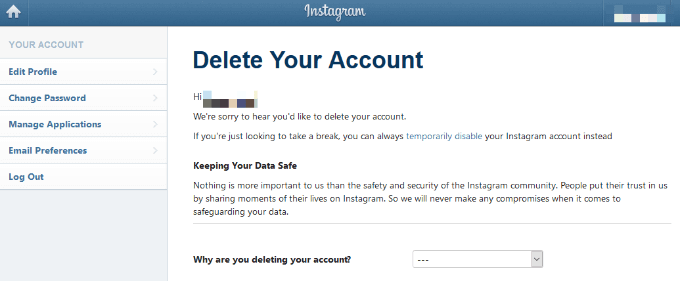
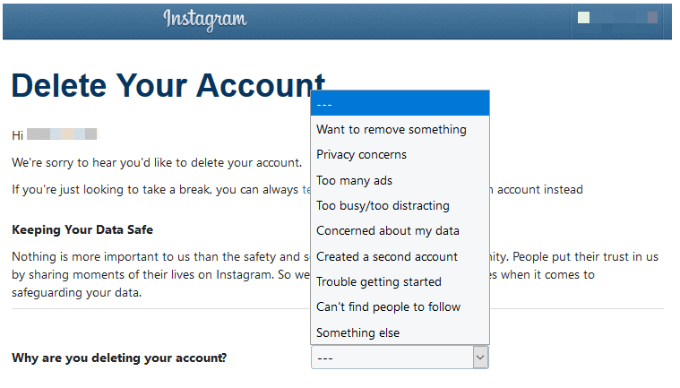
- Go to the drop down menu next to Why are you deleting your account , choose an option (reason), and type your password again.
- After selecting a reason, the Permanently delete my account option will appear. Click on that option and follow the steps to delete your account.
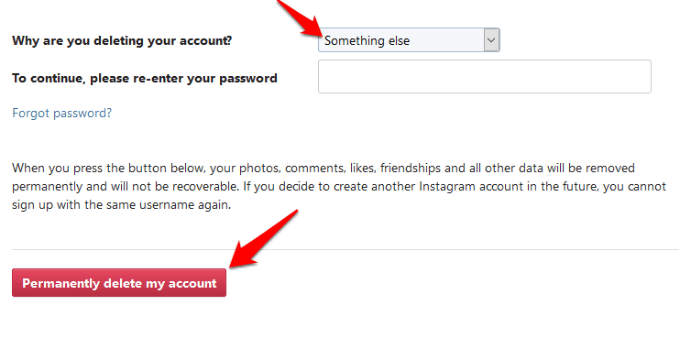
- Click OK to confirm your action.
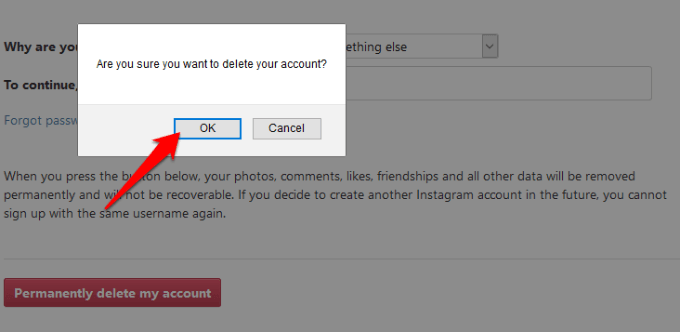
- You can delete a different account by clicking or tapping the username at the upper right side on the Delete Your Account page, click or tap Settings and select Log Out . Sign into the account you’d like to delete and use the same steps above to delete it.
Were you able to delete your Instagram account using these steps? Tell us in a comment below.
- How to Backup an iPhone Without iCloud?
- Sluggish Windows 11 PC? Try These 5 Windows 11 Tricks to Free up Virtual Memory
- macOS Tahoe Privacy Settings You Need to Secure Your Mac
- How To Turn Off Notifications On Windows 11?
- How to Recover Lost Files After Windows Update?
Elsie is a technology writer and editor with a special focus on Windows, Android and iOS. She writes about software, electronics and other tech subjects, her ultimate goal being to help people out with useful solutions to their daily tech issues in a simple, straightforward and unbiased style. She has a BCom degree in Marketing and currently pursuing her Masters in Communications and New Media. Read Elsie’s Full Bio
