Worse still, you’re not sure whether to slap back, block the person or ignore the comment altogether, especially if you manage a Facebook group or page for a brand.

When to Hide a Comment on Facebook
Hiding a comment is easier to do than deleting it or banning the creator entirely from the Facebook page.

What Happens When You Hide a Comment on Facebook
When you hide a comment on a Facebook post, you’re essentially keeping other users from seeing the comment except for the person who posted it and their friends.
Unlike deleting a comment, where the user will know that you removed it, they won’t know when the comment is hidden, and you can avoid potential fallout.
You can still unhide or delete the comment later or report it especially if it violates Facebook community standards .

Before you hide a comment, find out whether you can address it. Oftentimes, a user may leave a negative comment out of frustration. Turning a bad experience into a good one could change a distraught follower into a loyal fan or customer.
You can also address an issue professionally and show other users that you’re ready to resolve any complaints they may have no matter how grave they seem. Many users would be willing to move to a private message to discuss their issue further and you can use that opportunity to assist them.
If you must hide a comment, make sure you catch it before it gets much visibility or engagement.
How to Hide a Comment on Facebook
Whether you’re using a computer or mobile device, you can hide a comment on Facebook in a few easy steps.
Computer
On your Windows PC or Mac, you’ll need to open Facebook on a browser and then hide the comment from your post.
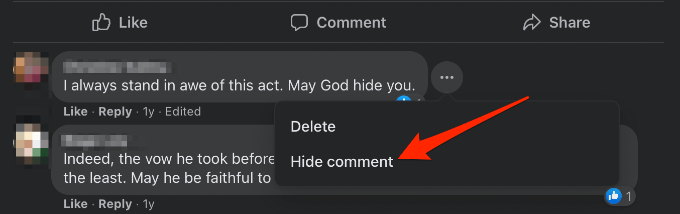
- Go to the Facebook post and select the three dots to the right of the comment you want to hide.
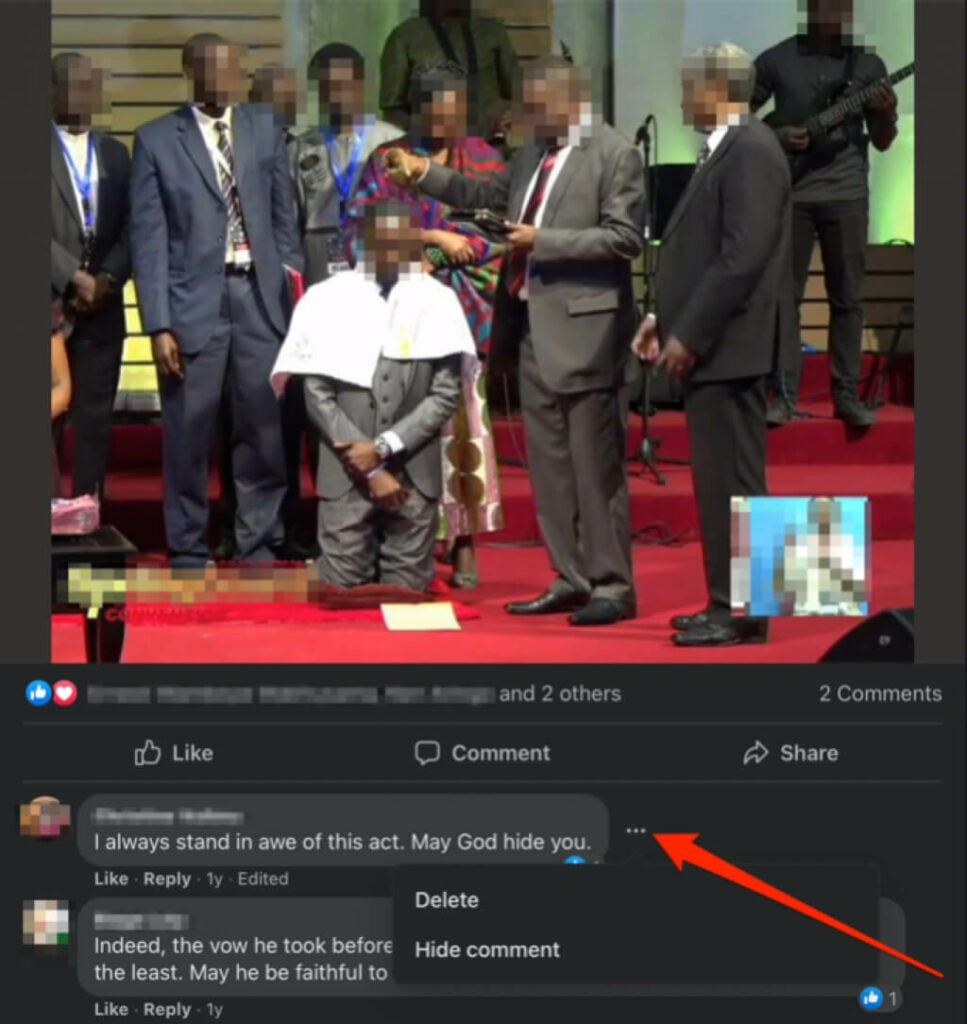
- Select Hide comment .
Android
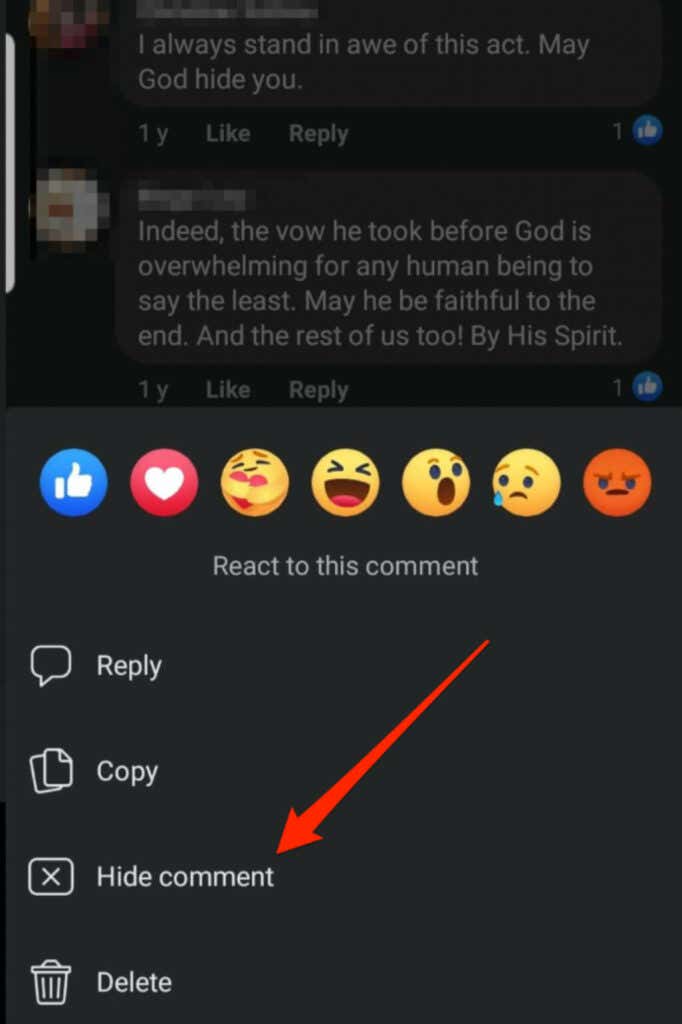
If you’re using an Android smartphone or tablet, you can hide a comment on Facebook via the Facebook app.
Go to the Facebook post, tap and hold the comment you want to hide and then tap Hide comment .
iOS
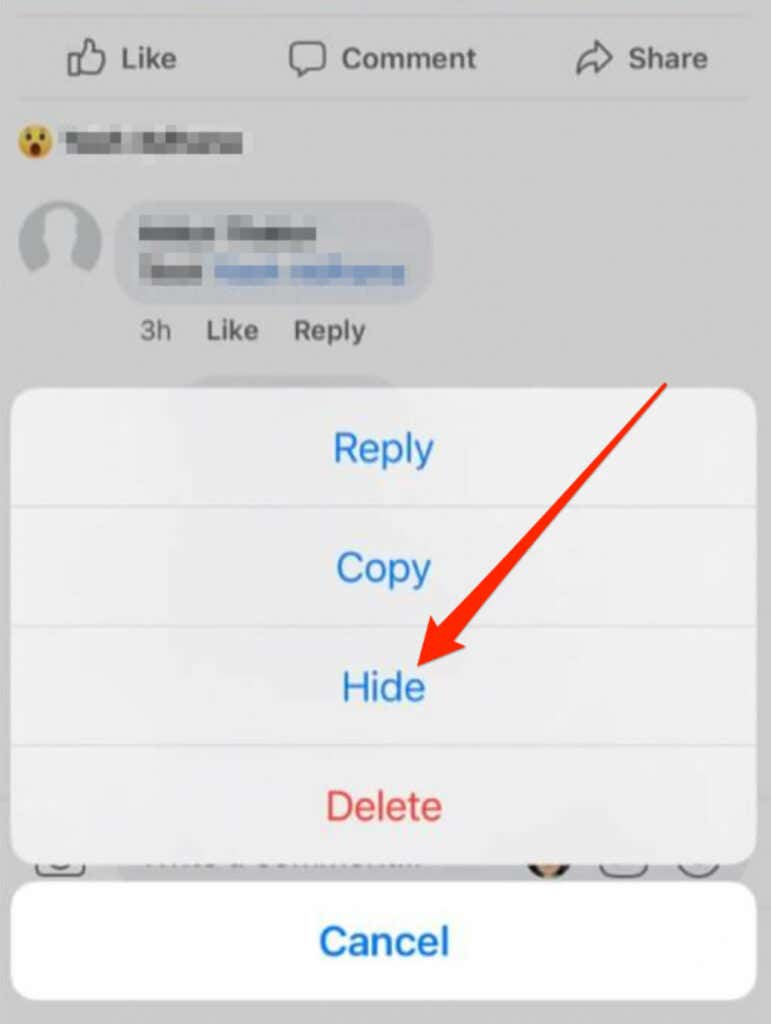
You can also hide a comment on Facebook on your iPhone or iPad via the Facebook app.
Go to the Facebook post and tap on the comment you want to hide and then select Hide .
In all three instances – computer or mobile device – you can ban the user or page that created the comment. You can also report the comment if it goes against Facebook’s Community Standards.
Reduce Collateral Damage
Make sure you have good reasons for hiding the comment, address it if other users ask about it, and always consider the most productive alternative before taking action.
Check out our other Facebook guides on how to send self-destructing messages in Facebook Messenger , create an anonymous Facebook account or hide your status from one or specific friends .
Was this guide helpful? Share your feedback in a comment below.
- How to See Who Blocked You on Facebook
- How to Stop Friend Suggestions on Facebook
- Does Facebook Tell You if Someone Screenshots Your Story?
- How to Clear Facebook Cache on iPhone
- How to Stop Instagram and Facebook Tracking Online Activity
