Microsoft Edge used to allow you to read your favorite eBooks directly in the browser. Microsoft made opening EPUB files possible through the Windows 10 Creators Update, which brought a slew of features including EPUB file format support.
Adding EPUB support to Edge was a strategic decision because Microsoft sold eBooks in the Microsoft Store app. In July 2019, once Microsoft removed eBooks entirely, they also ended support for EPUB files, which means you can no longer open eBooks with the .epub file extension with Microsoft Edge.
Fortunately, you can open EPUB files on Windows using an application that supports them, convert the EPUB files to other supported file formats, and then read them on your PC.
How to Open EPUB Files on Windows
You can open EPUB files in most eBook readers , but if you want to open the files on your Windows PC, this guide will show you five different ways to do that.
- Using third-party ePub apps
- Using a browser extension
- Using Google Play Books
- Renaming the file from .ePub to .zip
- Converting the EPUB file to PDF
Open EPUB Files Using Third-Party Software
Microsoft has a list of free and premium, recommended third-party .ePub apps that open EPUB files. Also, you can use other free programs such as Calibre, Adobe Digital Editions, or the simpler EPUB File Reader .
Calibre is a free eBook manager that:
- Allows you to open EPUB files
- Keeps your EPUB library organized
- Converts EPUB files to other popular eBook file formats so you can read them on your Windows PC
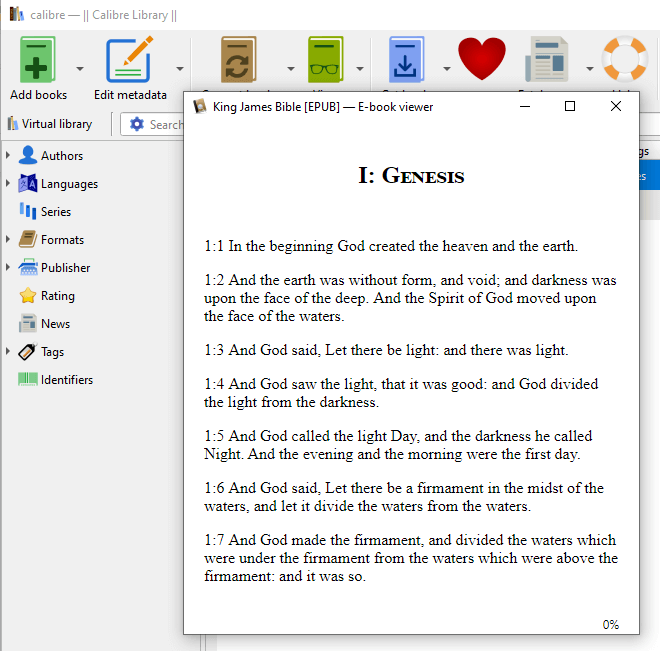
Here’s how you can use Calibre to open EPUB files on Windows.
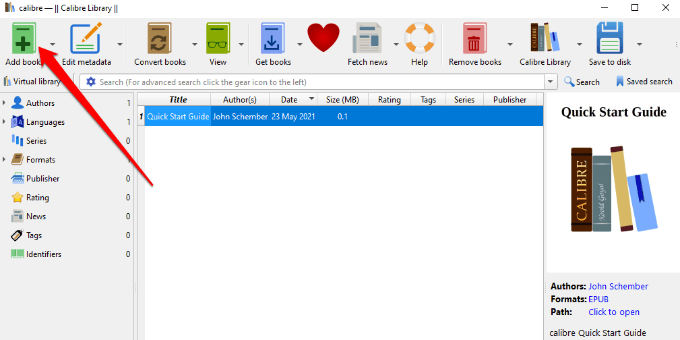
- Download and install Calibre on your computer, open the app, and select Add books .
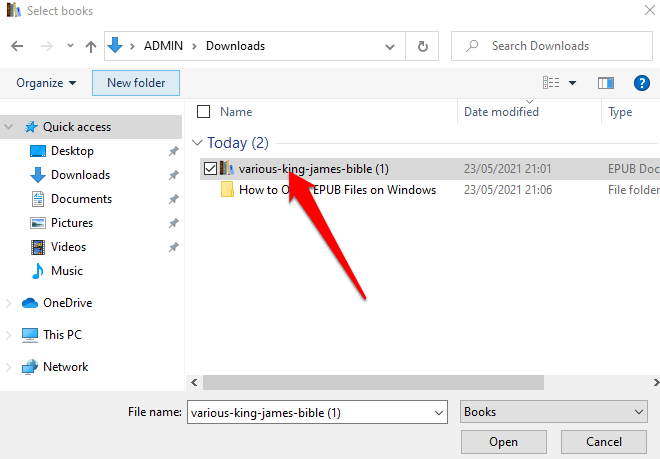
- Find and select the EPUB file you want to open.
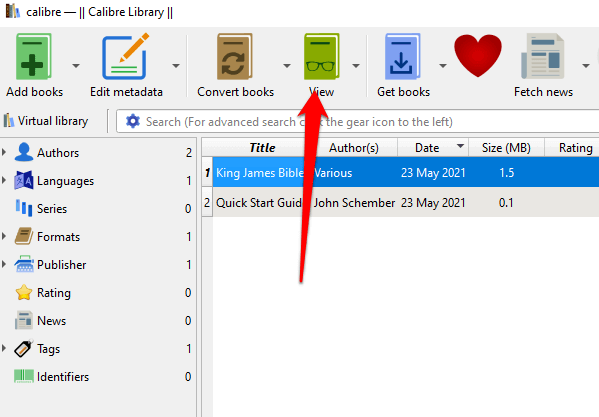
- Highlight the EPUB file in the main panel and select View at the top.
- An EPUB file will appear in a new window, which you can resize to your reading preferences.
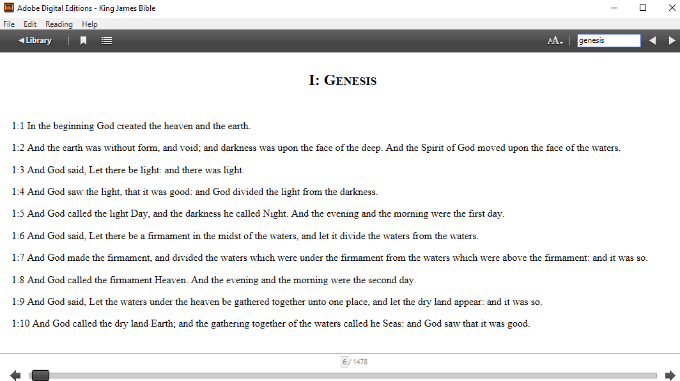
Adobe Digital Editions is a free program that helps you:
- Read eBooks you download from popular booksellers or library sites
- Transfer the eBooks across different devices
- Download and install Adobe Digital Editions .
- Open the software on your Windows PC and then go to File > Add to Library .

- Find the EPUB file you want to open and double-click on the eBook to open and read it.
Open EPUB Files Using a Browser Extension or Add-on
If you use Chrome or Firefox, you can get an extension or add-ons like Simple EPUB Reader or the EPUBReader that let you read EPUB files in the browser.
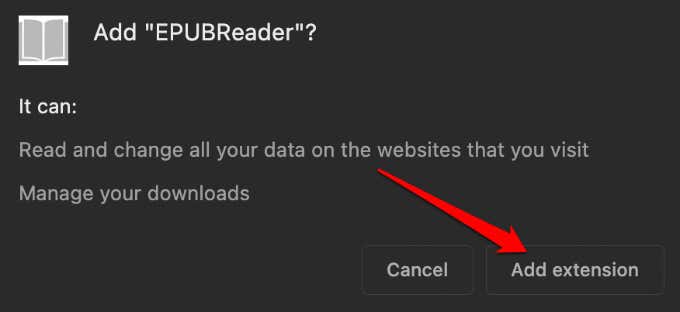
- On Chrome, find EPUBReader from the Chrome Web Store and select Add to Chrome .

Select Add extension to add EPUBReader to Chrome.
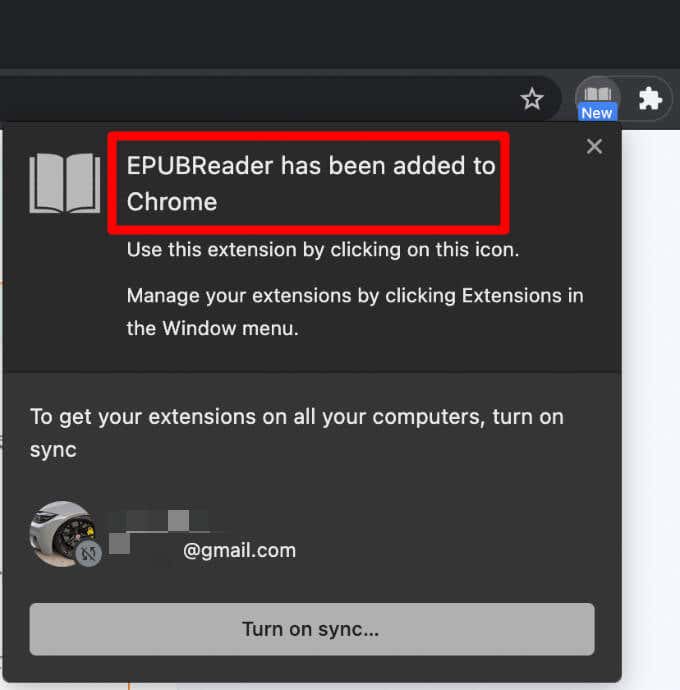
You’ll get a notification that the EPUBReader extension has been added to Chrome .
- To open your EPUB file, select the EPUBReader Chrome extension icon at the top right side.
- Select the folder icon in the new window.
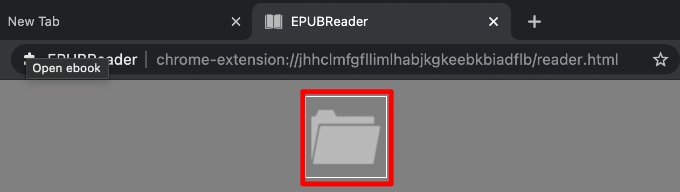
- Choose the EPUB file you want to open, select Open and start reading your eBook directly in the browser.

Open EPUB Files Via Google Play Books
Google Play Books is an online bookstore that contains collections of textbooks, bestsellers, classics, and new book releases. You can use the app on your mobile device or a web reader app for Chrome on your Windows PC.
You can upload the EPUB file to your Google account and open it using Google Play Books in a few quick steps.
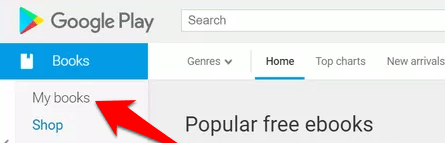
- Select My books on the left side.
- Select Upload files .
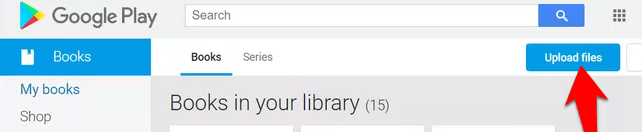
- Select add files from your device or via Google Drive , and click on the blue Select button to add the EPUB file.

- Once your EPUB file is uploaded to Google Play Books, you’ll find the file under the My Books section, and you can read it directly on your browser.
Note : Any books you add to Google Play Books are visible to you alone, meaning no one can view or open them. Plus, you can’t customize the book covers.
Open EPUB Files by Renaming .ePub to .zip
If you don’t want to open EPUB files on Windows using third-party software, you can rename the file from .ePub to .zip and open it with a file compression program like 7-Zip .
- To rename the file, open the location where the file is saved.
- Right-click the .ePub file and select Rename .
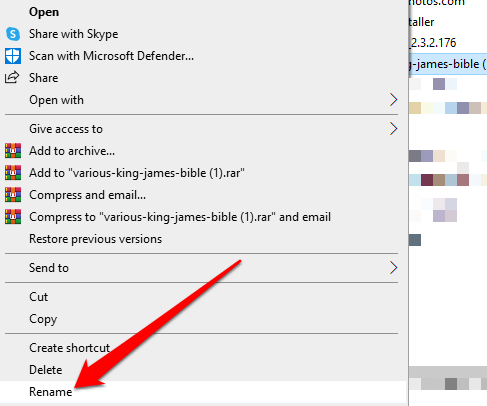
- Replace the .ePub suffix with .zip and press Enter .
You can also use an online tool like ezyZip to convert the ePub file to a .zip file.
Then, use 7-Zip, WinRAR, WinZip, or your preferred file compression program to extract the contents of the file, which are in HTML format. (See the differences between the many archived compressed file formats ).
Open EPUB Files by Converting the EPUB file to PDF
You can also convert an EPUB file into a PDF and open it on your PC. Some programs that can convert EPUB to PDF or other eBook reading formats include Calibre , Zamzar, and Online eBook Converter.
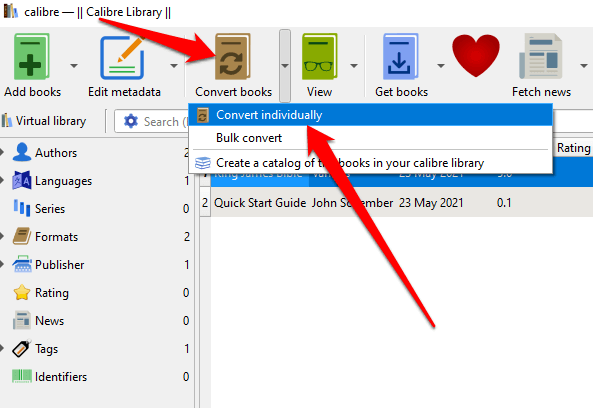
- If you choose Calibre, add the EPUB file you want to convert into the program, select Convert books > Convert individually .
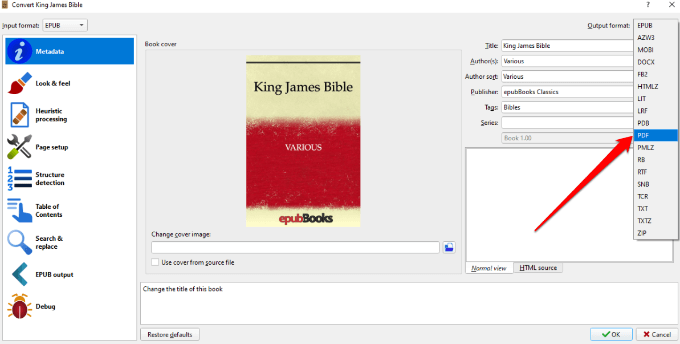
- Select your preferred format, which can be PDF, MOBI, LIT, TXT, FB2, AZW, or PDB, among others.
Note: You cannot transfer or convert eBooks with DRM protection into other file formats.
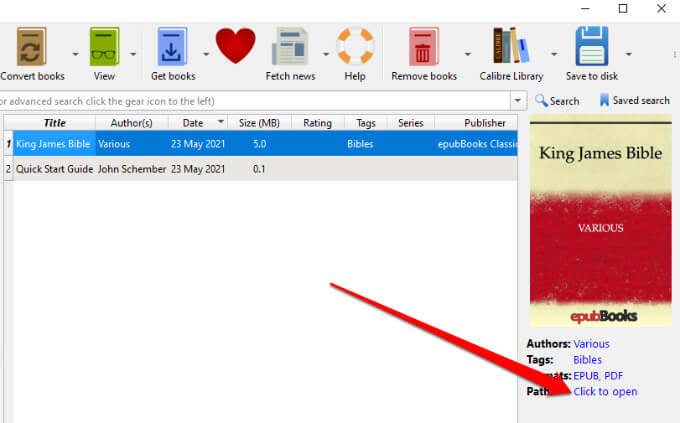
- Select the eBook. Choose Click to open on the right pane to open the EPUB file you converted to PDF.
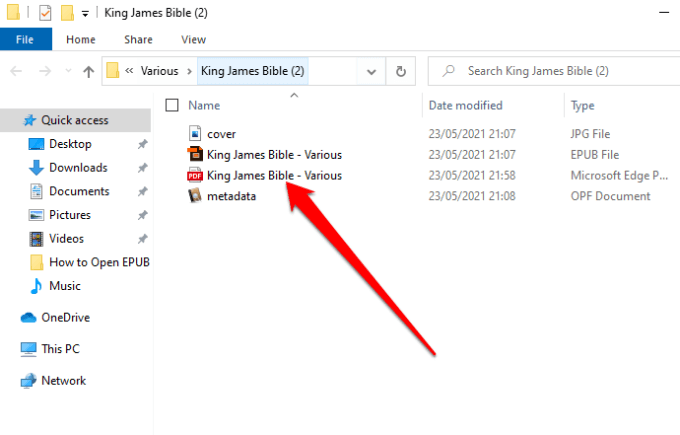
- Select the PDF file to open, and choose the app you want to use to open the PDF and read the eBook.
Read Digital Books on Your PC
Whether you downloaded or received a file in EPUB format, knowing how to open it on Windows will save you time and a whole lot of frustration.
- Preparing for Windows 10 End of Support: Upgrading to Windows 11
- How to Fix a “This file does not have an app associated with it” Error on Windows
- How to Fix an Update Error 0x800705b4 on Windows
- How to Resolve “A JavaScript error occured in the main process” Error on Windows
- How to Fix the Network Discovery Is Turned Off Error on Windows
Elsie is a technology writer and editor with a special focus on Windows, Android and iOS. She writes about software, electronics and other tech subjects, her ultimate goal being to help people out with useful solutions to their daily tech issues in a simple, straightforward and unbiased style. She has a BCom degree in Marketing and currently pursuing her Masters in Communications and New Media. Read Elsie’s Full Bio
