Looking for a way to play 3GP or 3G2 files on your computer? If so, there are a couple of ways you can do this. First of all, 3GP files are usually movies that are taken from a mobile phone. Probably, a really old mobile phone too.
If you want to play these on your computer, you can either install a codec or download third-party software to play these files. In this article, I will try to mention all the different ways to play 3GP and 3G2 files.
Method 1 – Install Video Codec
Firstly, if you want to play 3GP files in Windows Media Player, you have to install one of the two following programs:
- FFDShow MPEG-4 Video Decoder
- Haali Media Splitter
However, during the installation, you also have to select a specific configuration in order for it to work properly.
For FFDShow, you need to make sure that AMR is enabled on the Audio Decoder screen and H263(+) is enabled on the Video Decoder screen.
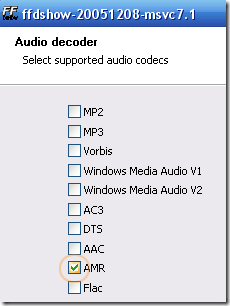
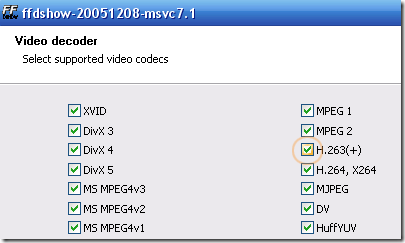
For the Haali Media Splitter program, just make sure that the Enable MP4 support box is checked.
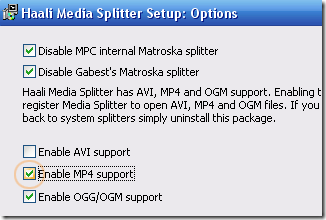
Method 2 – Convert File
The second way you can play these videos is to simply convert them. This might be a better way so that you can play these videos on anyone’s computer or stream them to devices like the Xbox, etc.
You can convert a 3GP file to MP4 or AVI format using one of several free online conversion tools. The ones I recommend are ZamZar , Online-Convert , or Convertio .
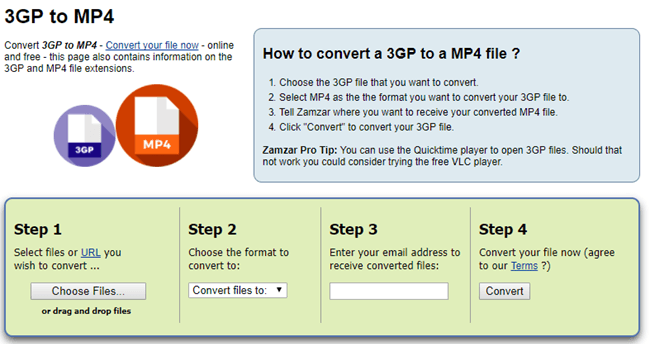
Note that if you need to convert from 3GP to AVI, you can use the same sites, just choose AVI as the target format for conversion.
Method 3 – Use Different Media Player
Lastly, you can simply download a different media player that can play 3GP files by default without having to install codecs or convert files.
VLC Media Player
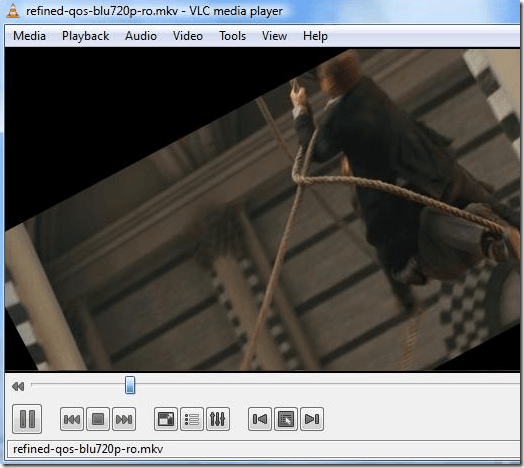
You can play 3GP files using VLC Media Player , which is a great media player that has codecs for just about every kind of video and audio format.
RealPlayer
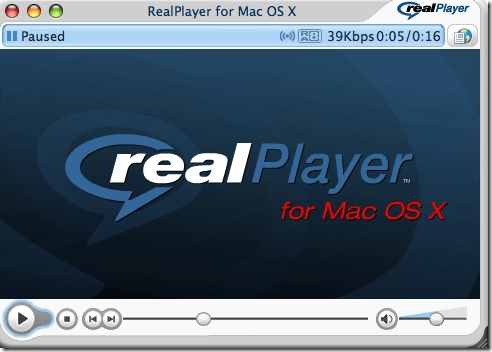
Another media player that supports 3GP format files is RealPlayer . It also supports a wide range of other formats, so it’s a good choice alternative to Winamp and Windows Media Player.
Other media players that will work include GOMPlayer and SMPlayer . Hopefully, this will get you up and running with your 3GP files, however you want to play them! Enjoy!
- How to Use Event Viewer to Troubleshoot Windows Problems
- How to Boot into Safe Mode in All Versions of Windows
- How to Reset Your Computer Password If You Lock Yourself Out
- 14 Command Prompt (CMD) Commands Windows Users Should Know
- Change from Public to Private Network in Windows
Founder of Help Desk Geek and managing editor. He began blogging in 2007 and quit his job in 2010 to blog full-time. He has over 15 years of industry experience in IT and holds several technical certifications. Read Aseem’s Full Bio
