
- Providing false information to Amazon : Entering fake information is one of the most common reasons Amazon accounts get locked. Amazon has numerous ways to detect if you provided a false name, shipping address, billing address, or other important information.
- An uncommonly high number of orders for a new account : Amazon has an anti-fraud system that detects unusual activity, such as a high volume of orders for new accounts. One way to avoid triggering this safety net is to limit your order volume to 30 orders daily for the first few weeks after activating your account.
- High volume of returns : Another red flag that Amazon monitors from their sellers is the average returns of products. Returns are usually free for the buyers, but it costs Amazon to pay for the shipping. You’ll usually get a warning if you’re returning too many items quickly, but be proactive and minimize returns anyway.
- Unusual gift card activity : Gift cards are great for attracting customers, but they’re often abused as parts of various scams. Amazon tries to regulate gift cards pretty tightly. If you have just created an Amazon Prime account, it’s best to avoid purchasing a gift card until you have a proven track record on the platform.
- Using Different IP addresses with varying locations : When you open your Amazon account in different places (and thus use different IP addresses), there’s a good chance Amazon will assume your account has been hacked. It’s much like when a credit card company detects that a card has been used in two very different locations too closely together. This scenario is doubly true if orders are placed outside your usual operational area. Hence, be cautious about sharing your Amazon account with someone else.
Make sure that you attach the documents and information the account specialist requests. If you have not received any email regarding this matter, proceed with these steps.
- Open your browser and head over to the Amazon page.
- On the sign-in page, click Need help?
- Then, click Other issues with sign-in .
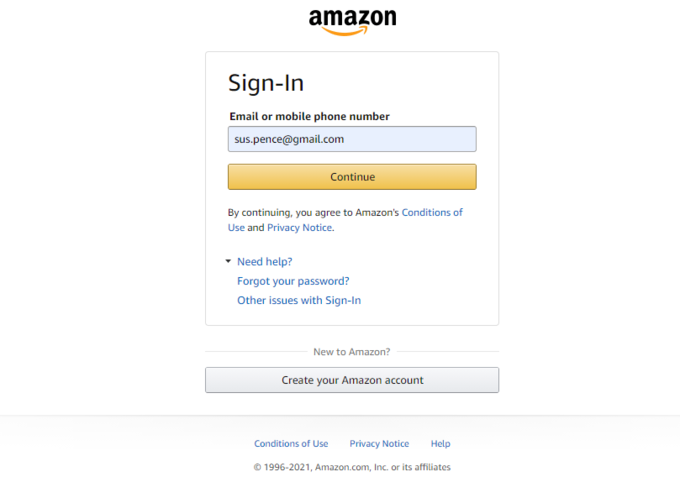
- Next, select Account & login issues and click I cannot sign in to my account .
- Finally, compose an email about the issue you encountered and ask for your account to be reinstated. You should get a reply from Amazon within a day about the next steps you should take.
- In the US: +1 (206)-266-2992
- Outside the US: 1-888-230-4331
When asked for the account type you are using, choose the second option if you are a Prime Member.
Next, do as the supervisor told you during the verification process. You can also explain your situation and why locking your account was a mistake.
In most cases, the supervisor or account specialist requires the customer to provide some documents or information, such as:
- Amazon account number
- Bank statement with the credit or debit card you use for payment (may also require that it has your billing address)
- Gift card receipts (if this was the issue that got your account locked)
- Proof of your default shipping address (e.g., electricity or water bill)
3. Contact Support via Live Chat
- Log in to your Amazon account. Once logged in, select the Contact Us button.
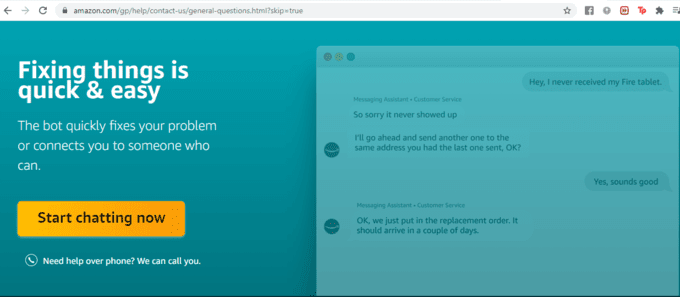
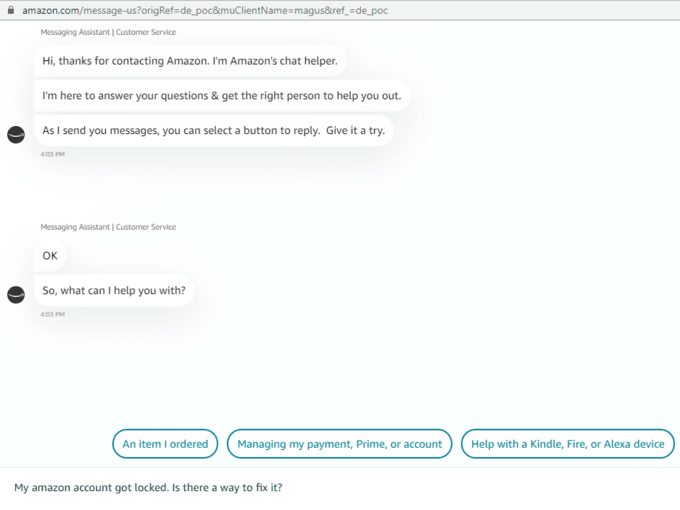
- Next, click the Start chatting now button. From here, you should compile a message stating your problem and when it occurred.
- An account specialist will then ask you to provide verification details.
- You can type in directly the information being asked. For documents, you may send them as an attachment or through email.
Once your case has been evaluated and verified, you should see your account reinstated. Sometimes this takes just a few hours; sometimes a couple of days.
Open your Email by entering your credentials.
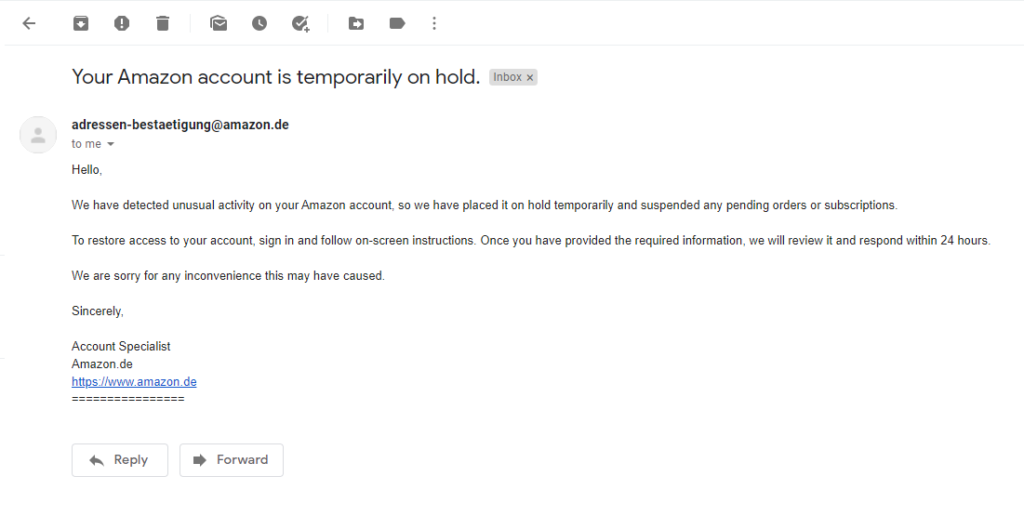
- Search for the confirmation email of your last order dispatch.
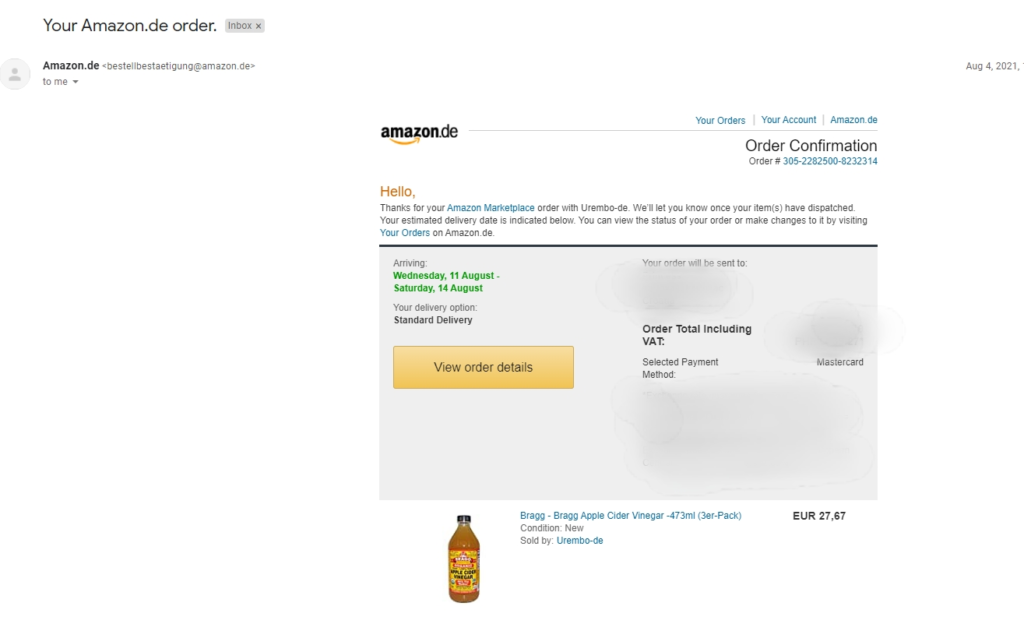
- Click the link to access your account temporarily. It should display the crucial information aside from the order details.
- Open one of the product pages and try purchasing it. If you see the “Your Amazon account is locked, and orders are on hold,” then you are doing good so far.
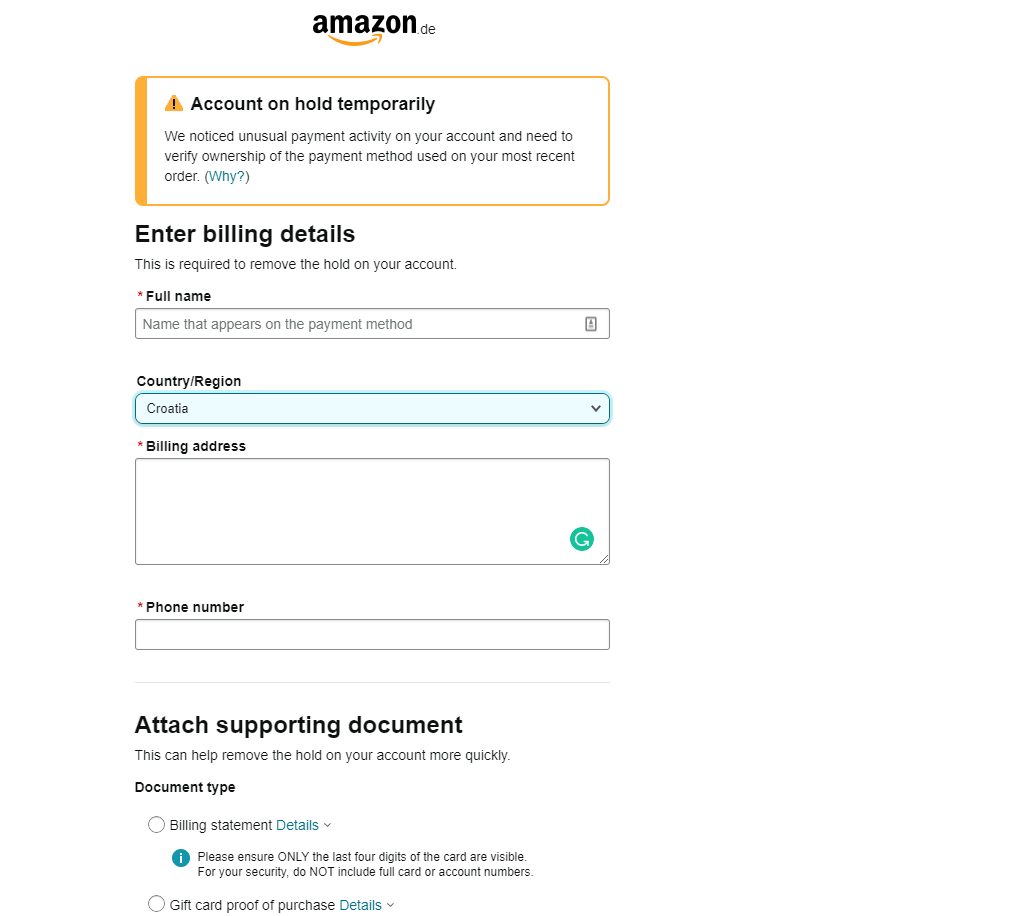
- Select the Add document button.
- Upload all of the necessary documents.
- Avoid using Prime service : If you run a dropshipping business, it’s best if you don’t use their Prime service. Amazon is paying for the shipping fee, which means they regulate it more seriously than their other services.
- Purchase low-cost items only : After creating your account, don’t purchase expensive items immediately. Start with inexpensive purchases to minimize your losses should Amazon lock your account and remove your orders .
- Limit gift card transactions to $200 a day : As mentioned earlier, Amazon doesn’t want too many gift card transactions, especially from new accounts. By limiting the number of redeemable gift cards you buy, you minimize triggering their anti-fraud detection system.
- Create back-up accounts using VPN : If you are accessing your account outside your country of origin, use a Virtual Private Network (VPN) when using your login credentials.
Creating multiple accounts also minimizes the risk of your business shutting down temporarily if one of them gets locked. You should also delete your old account should it remain locked.
Finally, double-check your billing details, billing address, linked credit card, and so on to ensure that everything is in order.
- Amazon Fire Stick Home Screen Not Loading? 9 Ways to Fix
- How to Share Your Amazon Cart
- How to Delete a Delivery Address From Amazon
- Deleting Order History from Amazon: All You Need to Know
- How to Cancel Amazon Gift Card Order (and Get a Refund)
