Are you getting distracted by Reddit notifications on your desktop or mobile device? Turn the notifications off and Reddit won’t bother you anymore. You can enable and disable either all or certain Reddit notifications on your supported devices.
You might want to stop certain Reddit notifications if they pop-up every now and then on your device. And, you might be interested in turning off all Reddit notifications if you only use the platform to read content and not be notified about anything.

Turn Off Reddit Notifications on Desktop
Since Reddit doesn’t offer an official desktop app, using Reddit on a desktop basically means using the Reddit website. You can turn the site’s notifications off in any of your web browsers.
Stop Certain Reddit Notifications
You can stop certain Reddit notifications, like the trending posts notifications, from the web version of Reddit.
- Access Reddit in your preferred web browser on your computer. Then, ensure you’re logged into your Reddit account.
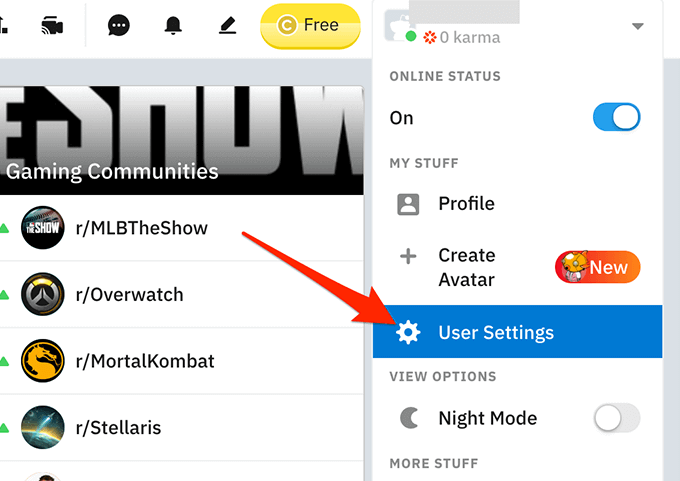
- On Reddit, select your profile icon at the top-right corner and select User Settings from the menu.
- On the following screen, select Notifications from the top menu bar.
- You can now enable and disable various notifications for Reddit. To stop a notification, find that notification in the list and turn the toggle next to it to the off position.
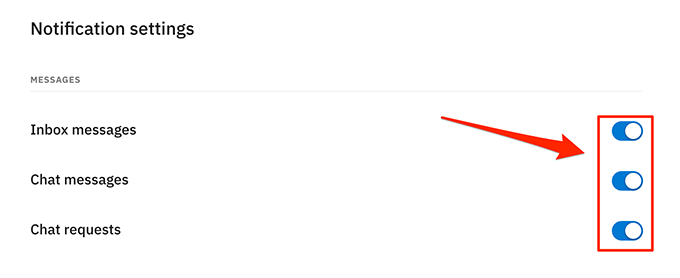
- Repeat that for all the notifications you want to disable.
Reddit automatically saves changes, so you don’t need to select any button.
Stop All Reddit Notifications
An easy way to stop all Reddit notifications is to block the site notifications in your web browser. This way, your browser will prevent the site from sending you any alerts.
Nearly all the popular browsers have the option to block site notifications. In the following example, we’ll use Google Chrome.
- Open Google Chrome on your computer.
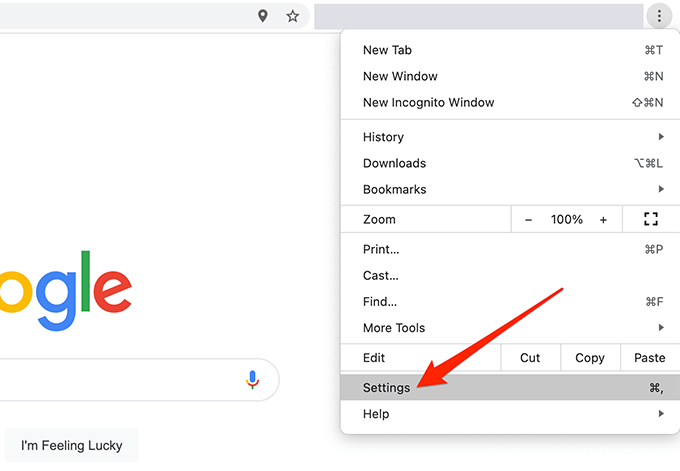
- Select the Chrome menu (three dots) at the top-right corner and choose Settings .
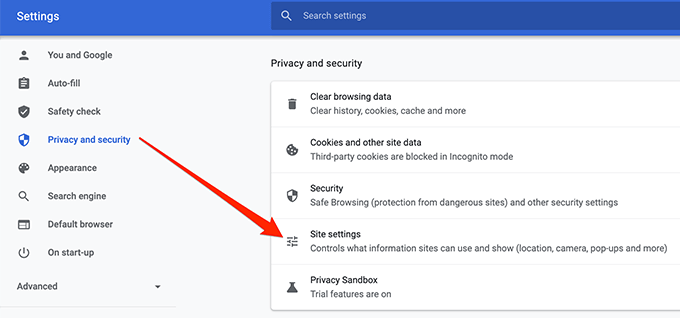
- On the Settings screen, select Privacy and security from the sidebar on the left.
- Select Site settings on the right pane.
- Scroll down the Site settings page and select Notifications .
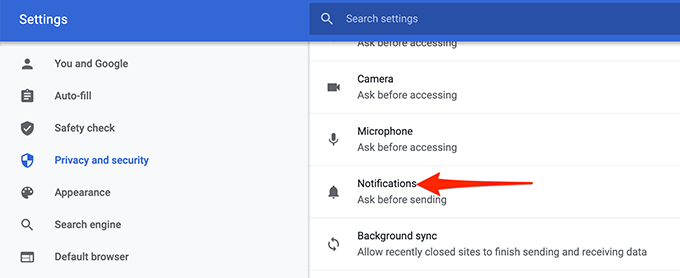
- Select the search box at the top and type reddit.com in it.
- When Reddit appears in the search results, select the three-dots menu next to it and choose Block .
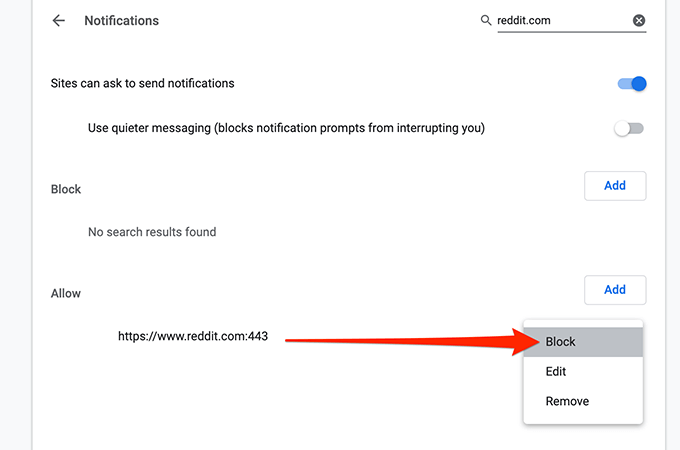
Reddit is now blocked from sending you any notifications in your browser. Know that Reddit will still continue to send notifications in your other browsers if you use the site in those browsers.
To unblock Reddit notifications, select Reddit on the Notifications screen in Chrome , select the three-dots menu next to it, and choose Allow .
Stop Reddit Notifications on Android
Reddit’s Android app offers all the notifications that you get to see on the platform’s web version. This means you can toggle any notification on or off right from your handheld device.
Disable Certain Reddit Notifications
You can selectively stop Reddit notifications on your Android device if you don’t want to stop notifications altogether.
- Launch the Reddit app on your Android device.
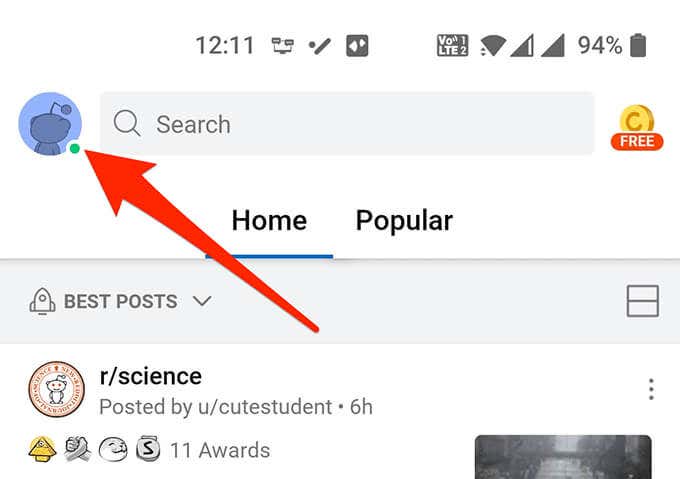
- When the app launches, select your profile icon at the top-left corner.
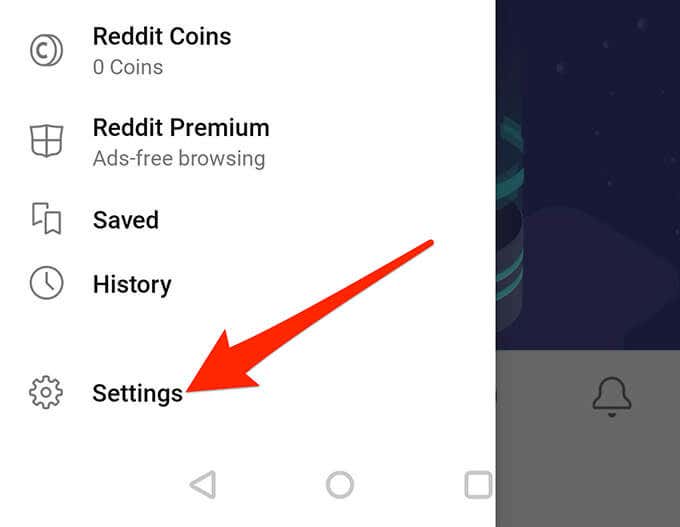
- In the menu that appears, select the Settings option.
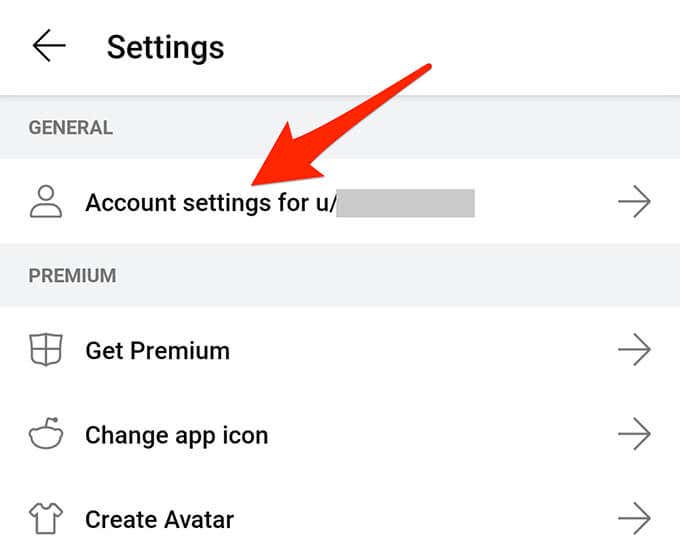
- On the Settings screen, from under the General section, tap Account settings for username where username is your actual username.
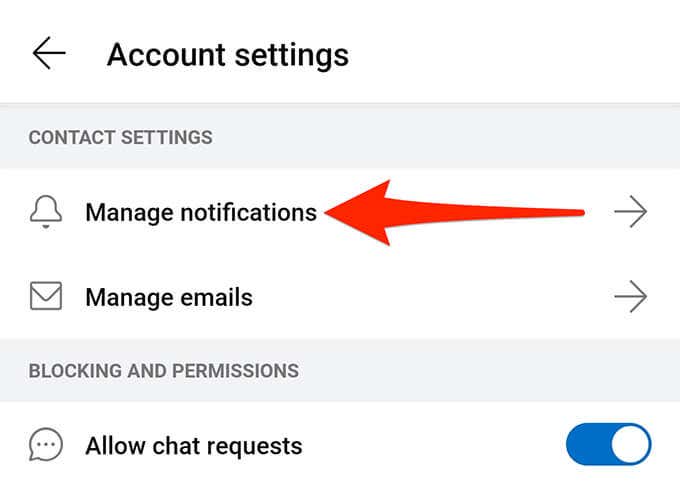
- Tap Manage notifications from under Contact Settings .
- Reddit now shows all notification types on your screen. Select the toggle for any notification to turn that notification off. Tap the toggle again to turn on the notification.
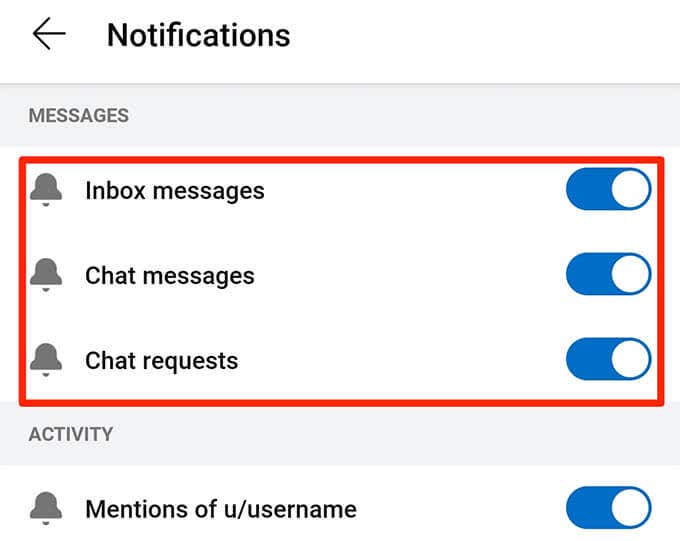
Like the web version, Reddit for Android automatically saves your changes.
Disable All Reddit Notifications
If you don’t want to receive any notifications from Reddit at all, the best way to make this happen is to prevent Reddit from sending notifications in the Settings app. You can reverse this change anytime you want, though.
The option names below might slightly vary depending on your Android device.
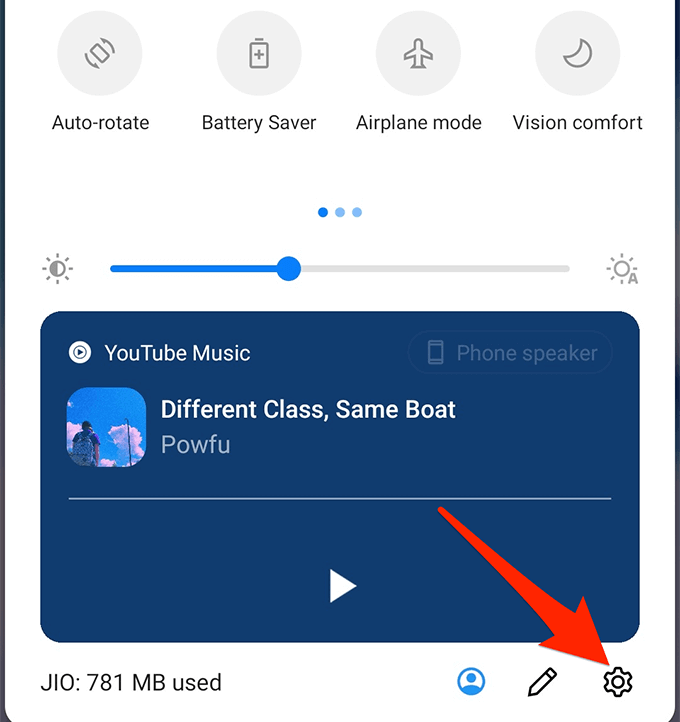
- Pull down from the top of your Android device’s screen and select the cog icon. This opens the Settings app.
- In Settings , tap Apps & notifications .
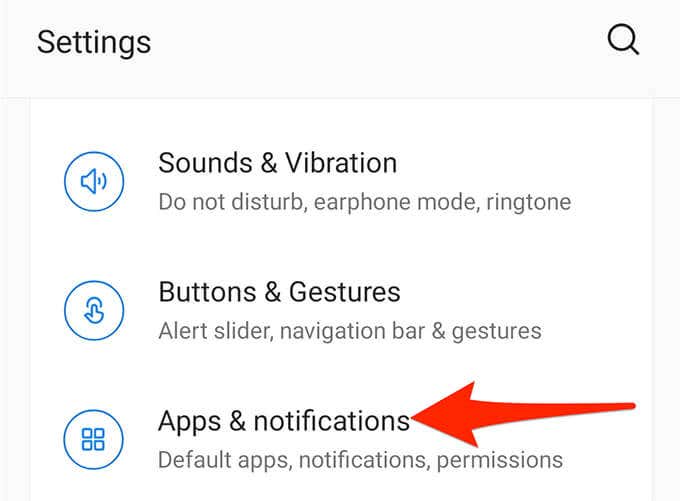
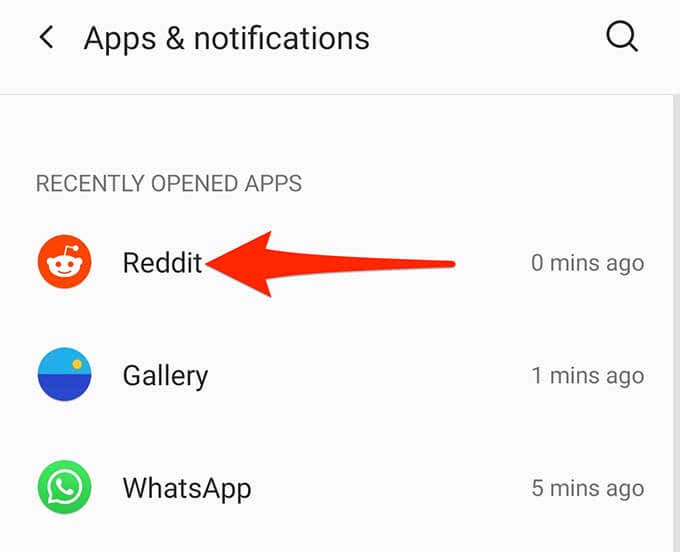
- Find Reddit in the apps list and tap it. If you don’t see the app, tap See all apps .
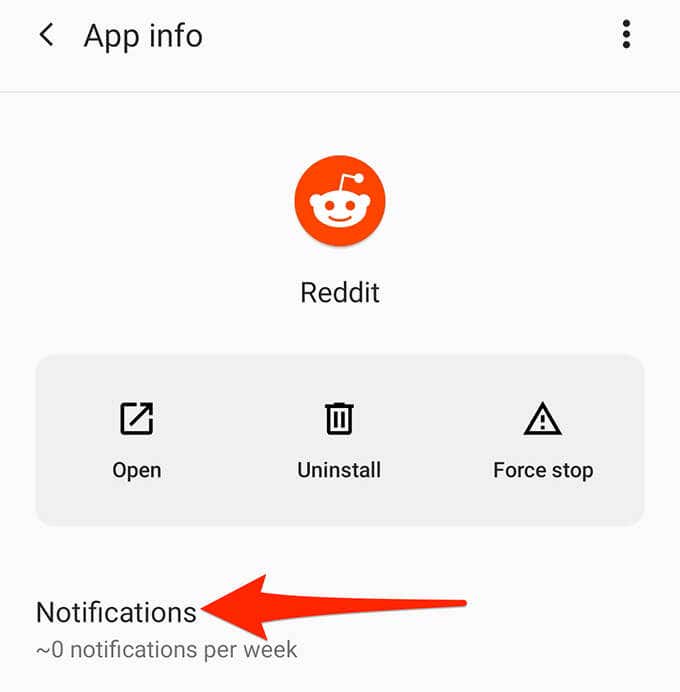
- Select Notifications on the following screen to manage Reddit’s notifications.
- At the top, turn off the All “Reddit” notifications toggle.
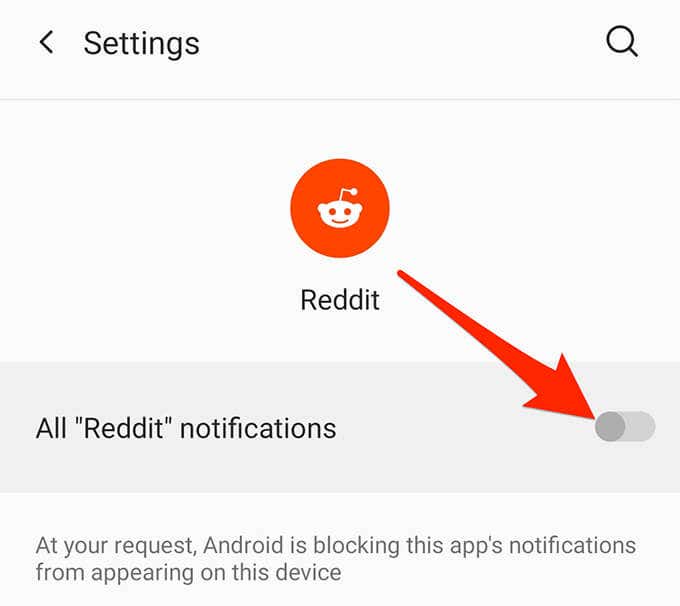
Your phone now blocks all notifications originating from the Reddit app.
Turn Off Reddit Notifications on iOS
Reddit’s iOS app offers the option to enable and disable any notification you want. If this doesn’t suffice, you can use the iOS Settings app to disable all notifications at once.
Disable Certain Reddit Notifications
Use the Reddit app itself to turn off select notifications.
- Open the Reddit app on your iOS device.
- Select your profile icon at the top-left corner.
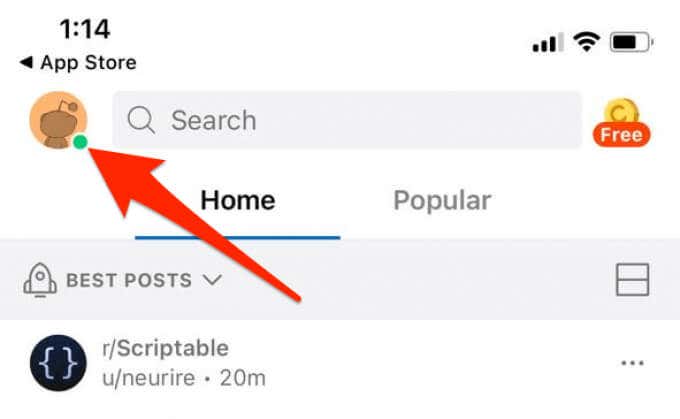
- Choose Settings from the menu that appears.
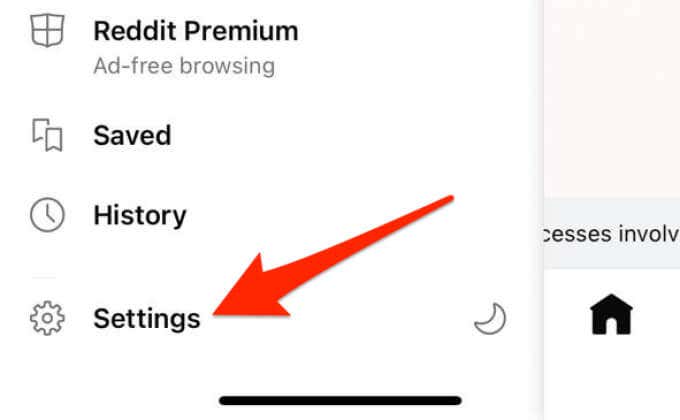
- Select your username from the Account Settings section at the top.
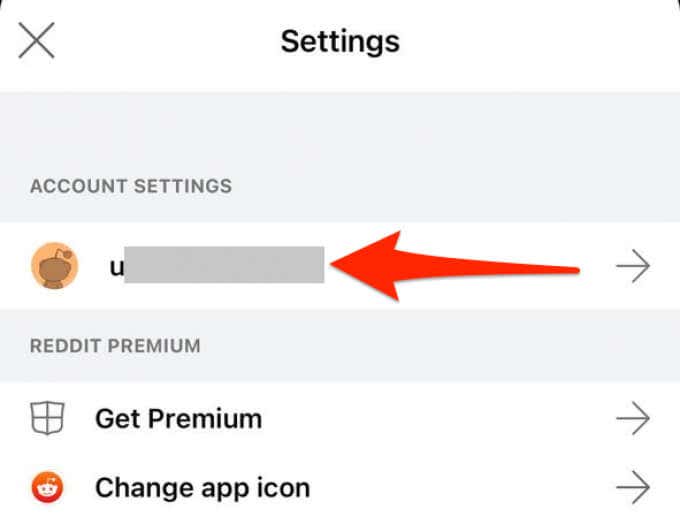
- Tap Manage notifications .
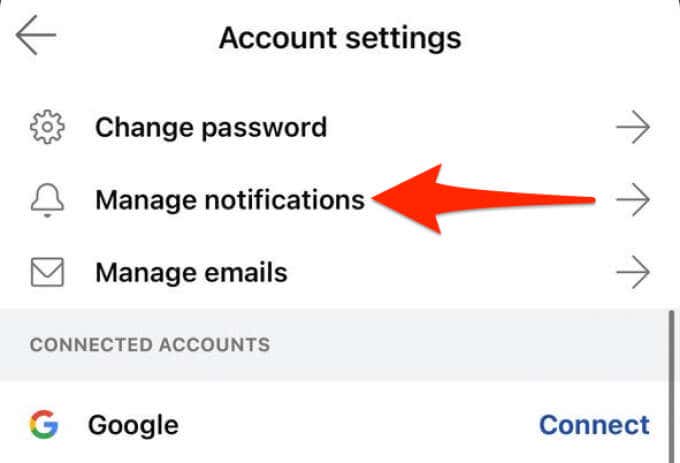
- Here, find the notification you want to stop and tap its toggle. The notification will be turned off.
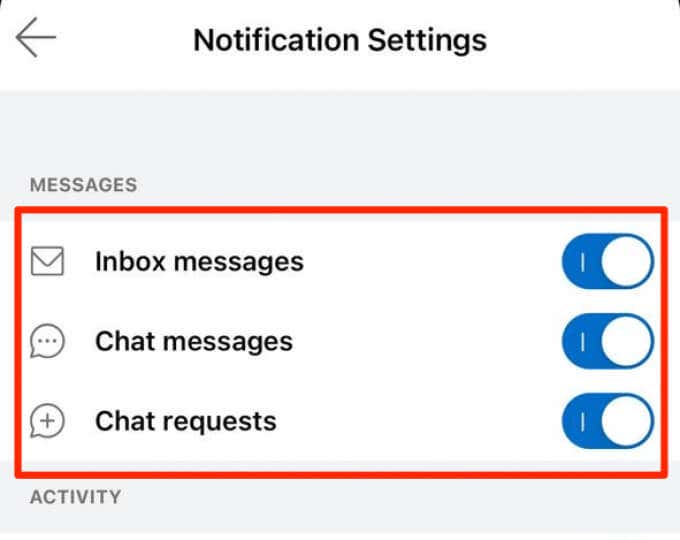
- To turn a notification back on, tap its toggle again.
Disable All Reddit Notifications
The iOS Settings app offers an option to help you turn all Reddit notifications off.
- Launch the Settings app on your iOS device.
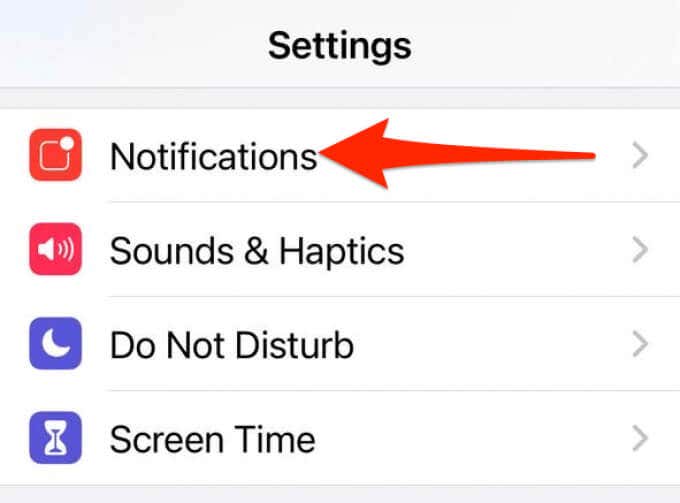
- Tap Notifications on the following screen.
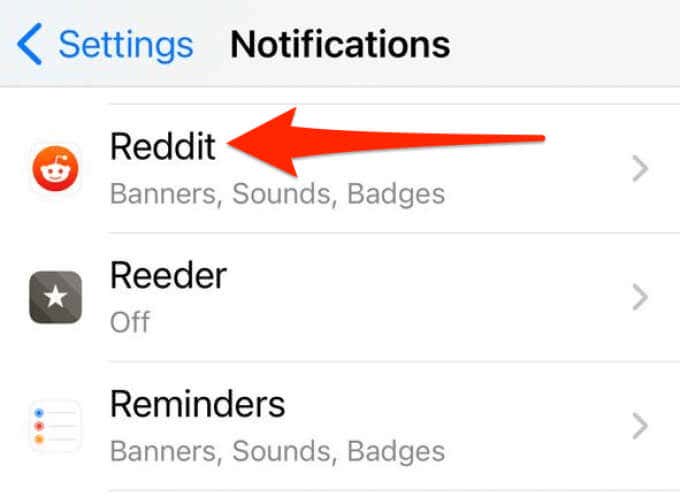
- Scroll down the Notifications screen and find and tap the Reddit app.
- Turn off the toggle that says Allow Notifications at the top.
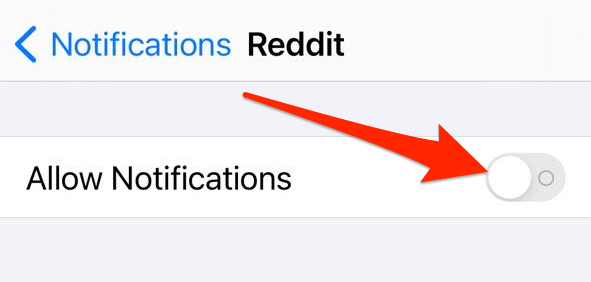
This change overrides any other changes you make in the Reddit app. For example, no matter what notifications you enable or disable in the Reddit app, the app won’t send you any notifications.
- Reddit App Not Working? 9 Ways to Fix the App
- How to View and Delete Reddit History
- How to View Deleted Reddit Posts
- 14 Best Subreddits for Women and Their Interests
- How to Download Reddit Videos
