What’s the Difference Between YouTube Notifications and Subscription Feed?
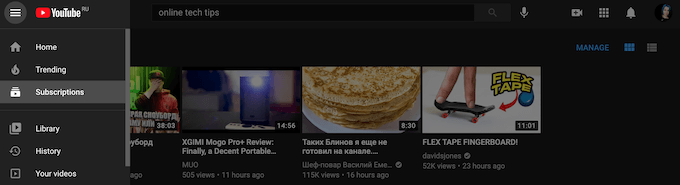
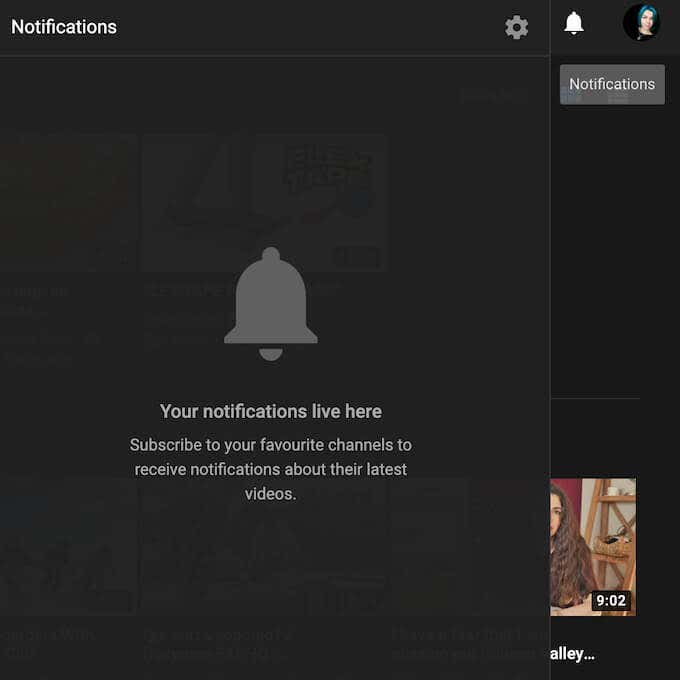

The other two options here include All notifications, which means you’ll get notified about every kind of activity of the channel, and None , which turns off all notifications from the selected channel.
How to Turn Off YouTube Notifications
There’s a number of reasons why you might want to turn off your YouTube notifications. Maybe you feel that you recently started getting too many notifications, or notifications from channels that you’re not interested in. It could be that you specifically don’t want to receive notifications via email or push-notifications on your smartphone or desktop.
You can do that both on your computer and your mobile. To turn off YouTube notifications on your computer, follow the steps below.
- Open YouTube and sing into your account.
- Select your profile picture at the upper-right corner of the screen.
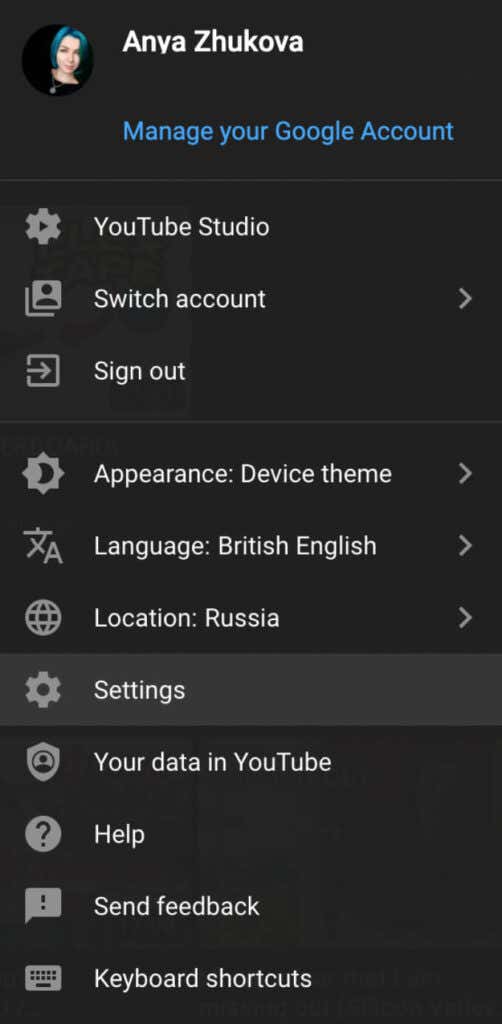
- Select Settings .
- From the menu on the left, select Notifications .
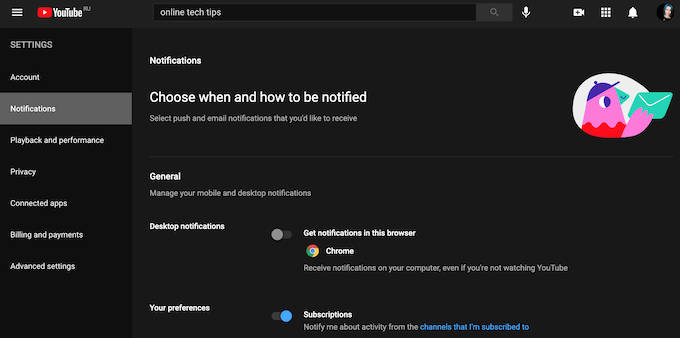
Here you can switch off all types of YouTube notifications, including Desktop and Email notifications . To do that, toggle the switch next to them.
To turn off YouTube notifications on your smartphone, follow the steps below.
- Open the YouTube mobile app and sing into your account.
- Select your profile picture at the top of your screen.
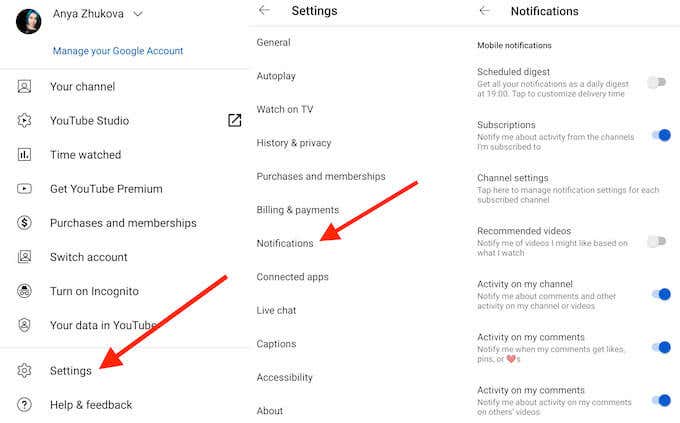
- Select Settings > Notifications .
You can also turn off YouTube notifications using the Settings app on your smartphone.
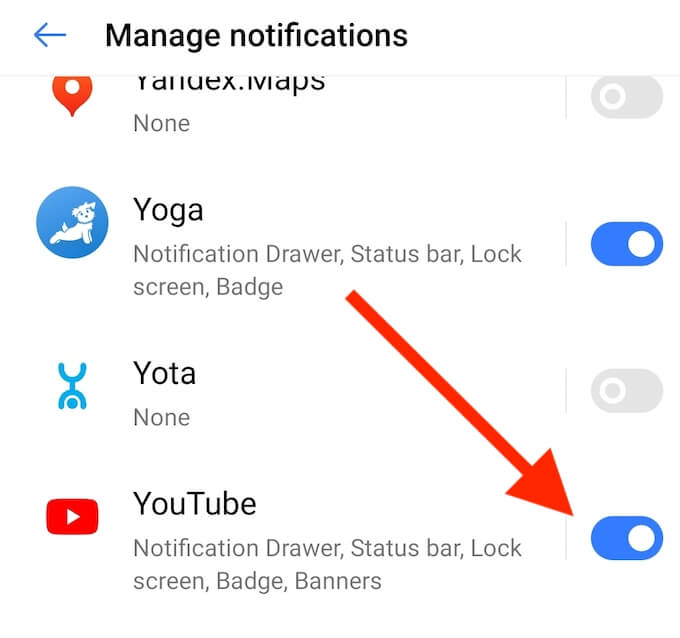
To do that, follow the path Settings > Notifications > Apps > YouTube , then toggle the switch to turn the notifications off.
How to Manage YouTube Notifications On Your Desktop
In case you don’t want to turn off all of your YouTube notifications but instead want more control over what type of notifications you get, you can manage YouTube notifications using your computer.
To choose what YouTube alerts you about, open YouTube on your desktop, select your profile picture and follow the path Settings > Notifications .
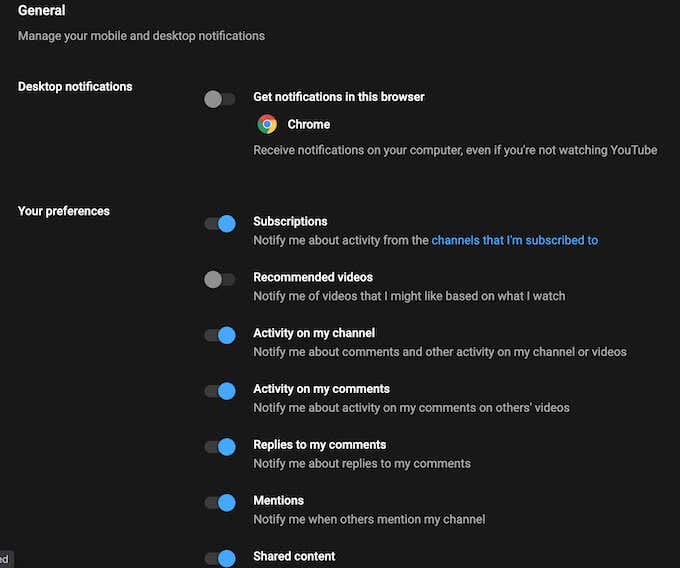
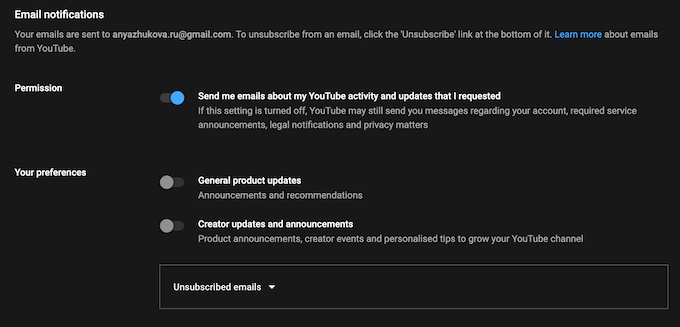
At the bottom of the same window you’ll find the Email notifications section. Here you can set up the YouTube notifications that you want to receive by email.
How to Manage YouTube Channel Notifications On Your Smartphone
- Open the YouTube mobile app and sing into your account.
- Select Subscriptions at the bottom of the screen.
- Select All to open the list of your subscribed channels.
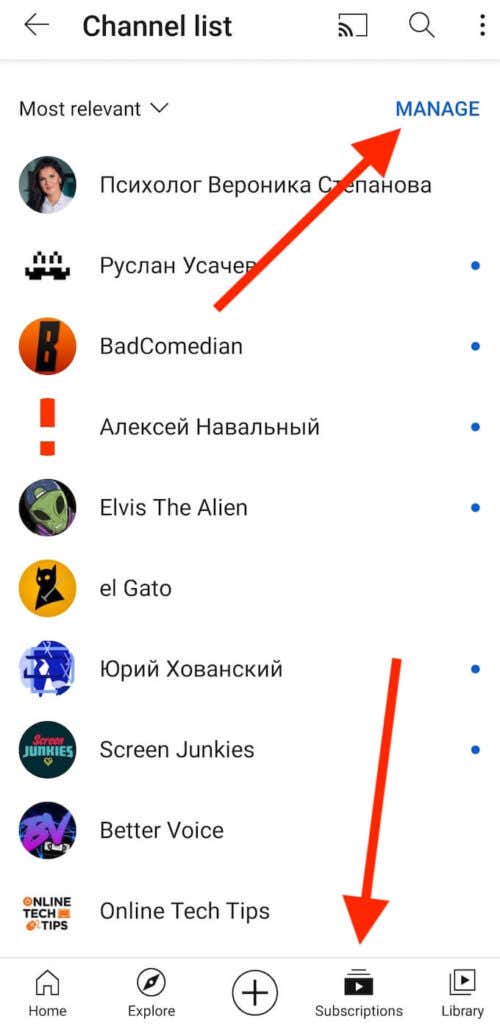
- Select Manage .
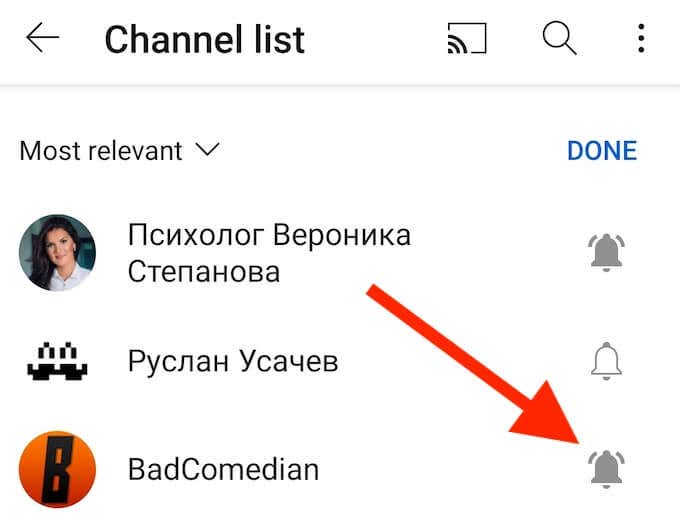
- Select the bell icon next to a specific channel to manage the notifications.
If among your subscriptions there’s a channel with the audience set to made for kids , you won’t be receiving the notifications by default, so there’s no need to change the settings.
Improve Your YouTube User Experience
There are numerous YouTube tips, hacks, and shortcuts that you can use to improve your user experience on the platform. Being able to choose what alerts you receive from YouTube is one of them. However, if you feel completely overwhelmed by the amount of content that the streaming service offers, the ultimate solution is to delete your YouTube account and see if that has a serious impact on your life.
- How to Remove Shorts From YouTube
- How to Fix It When YouTube Won’t Open in New Tab
- How to Fix YouTube’s “Something went wrong” Error
- How to See Dislikes on YouTube Videos
- A Guide to How YouTube Monetization Works
