Use A PayPal Cash Card
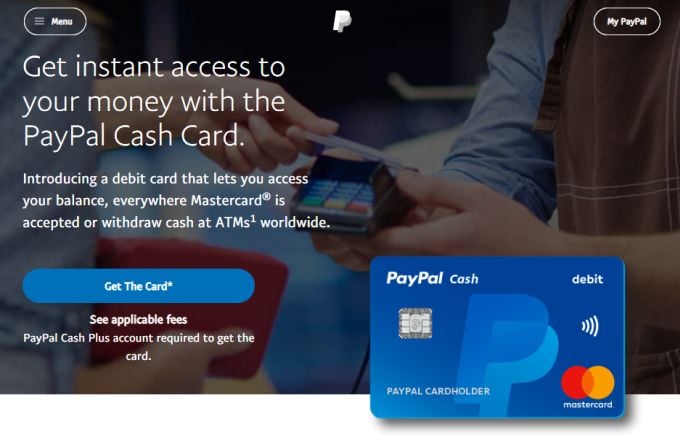
The benefits of using a PayPal debit Mastercard include:
No credit check required to obtain the card
Money comes directly out of your PayPal account without a bank account required
You get a routing and account number so you can have your employer deposit your checks directly into your PayPal account
Can be used at any merchant that accepts Mastercard, not just Amazon
Name
Physical address
Birthday
Taxpayer identification number
Once you are confirmed for a PayPal Cash Plus account, it will be linked directly to your Paypal personal account and used to fund all card purchases.
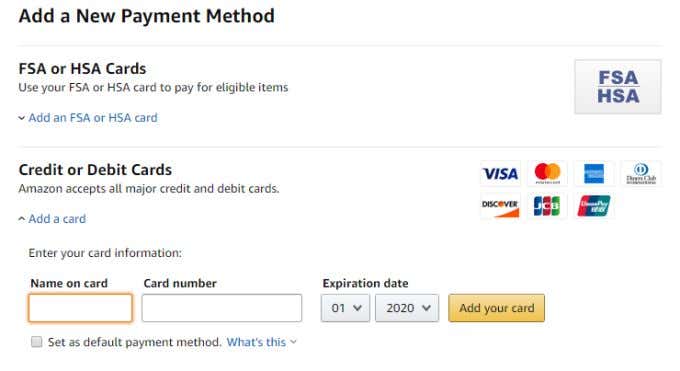
In the Ordering and shopping preferences box, select Payment options .
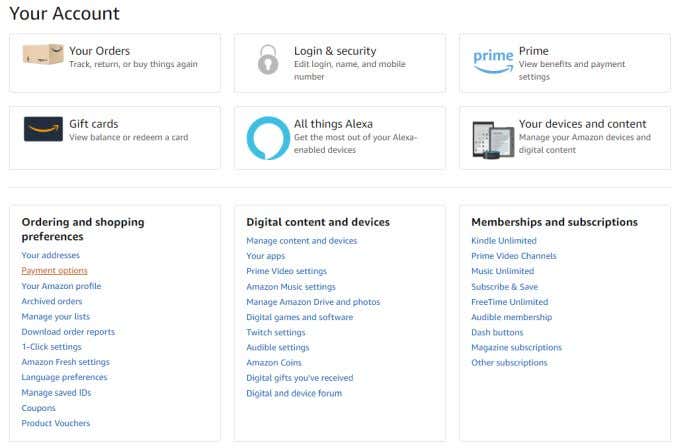
On the payment options page, scroll down to Add a New Payment Method and select Add a card .
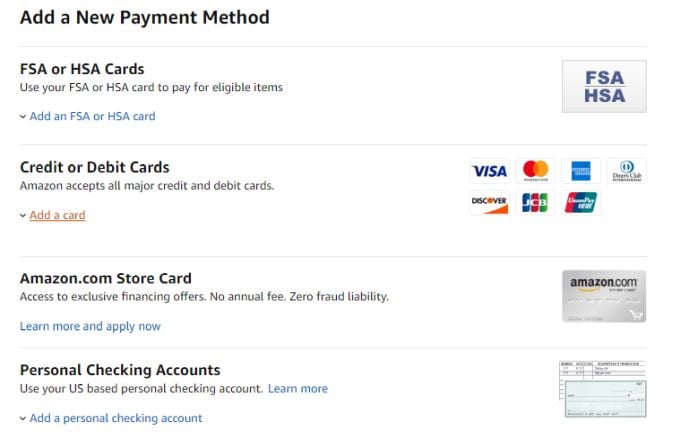
Fields will appear where you can enter the card details from your Paypal Cash Card, and then select Add your card .
Use A PayPal Mastercard
Unlike a PayPal Cash Card, a PayPal Mastercard is nothing less than an actual credit card. The card is actually issued by Synchrony Bank, and will require a credit check to get approved for one.
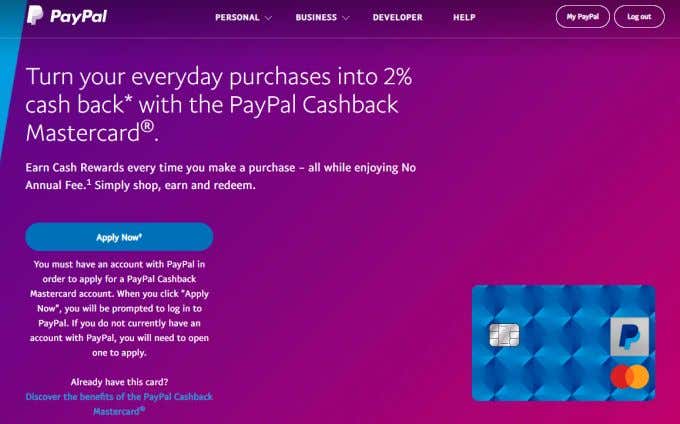
Like the PayPal Cash Card, the PayPal Mastercard is accepted at any online or offline retailer that accepts either PayPal or Mastercard.
There are two types of PayPal Mastercard:
- PayPal Cashback Mastercard : Earn 2% cash rewards whenever you make certain purchases that qualify. That earned cash can be transferred to your PayPal account.
- PayPal Extras Mastercard : You’ll earn points when you make qualified purchases, and can use those points at select merchants on the PayPal Extras Reward Redemption Servicing website.
So why get a PayPal Mastercard rather than a PayPal Cash Card? There are a few extra benefits.
- You can pay your PayPal Mastercard balance with either your PayPal account or any other bank account.
- You’ll build credit the more you use the card.
- You aren’t limited to the balance you have in your PayPal Cash Plus account.
It’s also dangerous – because you could potentially spend more than you have in your PayPal account, so use with caution! Make sure PayPal credit is right for you .
- Gyft
- The Card Closet
- Gift Card Bin
- eBay
Transfer Money To Your Bank Account
You may be thinking that it’ll take far too long to transfer money from PayPal to your bank account. When you’re looking to do it for free, this is true. The process can be tedious and includes:
- Linking your bank account (checking or savings account)
- Waiting for PayPal to deposit some funds for account verification
- Waiting up to 10 days for a money transfer out of your PayPal account
You can, if you’re willing to pay the fee. An instant balance transfer fee is 1% of the transferred amount, up to a maximum of $10. But if you’re only transferring $100, that’s just a $1 fee for an instant transfer. And if you use a debit card, there’s no waiting for account verification.
Here’s how it works. Log into your PayPal account and select Transfer Money .
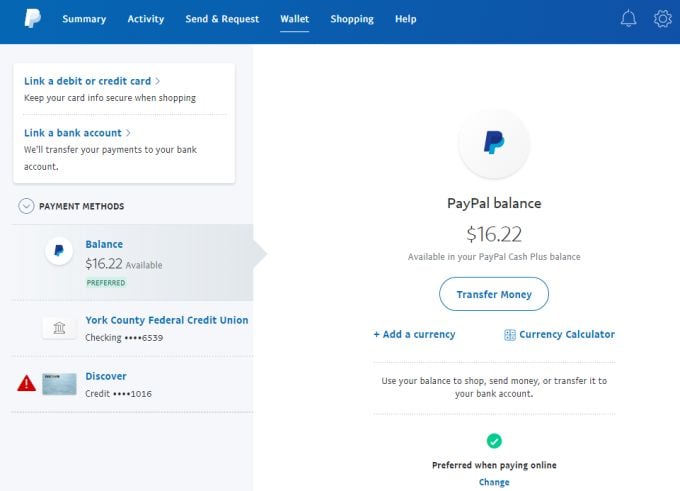
On the next page, select Transfer to your bank . On this page you have two options. You can select the standard (free) transfer that can take several days, or go with the instant option.
If you haven’t linked a debit card for the free option yet, then select Link an eligible debit card or bank .
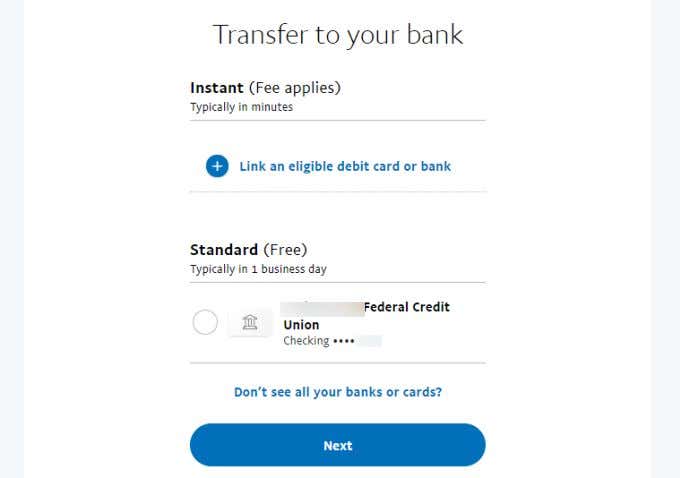
On the next screen, choose Link an eligible debit card . Don’t choose the bank account, since that will require deposits for verification. On the Link a card page, just fill out your debit card details and select Link Card .
- Amazon Fire Stick Home Screen Not Loading? 9 Ways to Fix
- How to Share Your Amazon Cart
- How to Delete a Delivery Address From Amazon
- Deleting Order History from Amazon: All You Need to Know
- How to Cancel Amazon Gift Card Order (and Get a Refund)
