There’s no doubt that Apple TV Plus has been releasing some excellent content. Fortunately, you don’t have to be a Mac user to use the streaming service. In this article, we’ll go over a couple ways you can watch Apple TV Plus on a Windows PC.

Why Apple TV+?
You could indeed live an entire life without ever watching any Apple TV+ shows or movies. On the other hand, if you want to see CODA , the movie that won the 2022 Academy Award for Best Picture, you can only find it on Apple TV+. Similarly, Apple TV+ is the only place Gen Xers can recall their youth by watching The Problem with Jon Stewart or feasting their eyes upon Uma Thurman in Suspicion.

How to Get Apple TV+ for Free
Remember, the Apple TV+ streaming service is different from the Apple TV device . You don’t have to own an Apple device to access Apple TV+. Still, if you’re in the market for a new iPhone, iPad , iPod touch, Apple TV, or Mac, you’ll be happy to hear that those iOS devices come with three months of Apple TV+ service for free.

Apple TV+ Is Everywhere

Being a PC user is not a barrier to enjoying streaming shows and movies from Apple TV+. If you own even a single Apple device with a screen, you can stream Apple TV content on that device and mirror the screen on your PC. And if that’s not appealing to you, we’ll tell you about several other ways to access Apple TV+ on your personal computer.
Watch Apple TV+ in a Web Browser
Aside from buying a new Apple TV, the easiest way to watch Apple TV+ is on their website. Simply open Chrome or another web browser, navigate to tv.apple.com , and sign in with your Apple ID via the sign-in link in the top right corner.

You’ll use the same ID as you use for other Apple services, like Apple Music or iCloud, and if you don’t have one yet, the registration link is easy to find.

Notably missing from the Apple TV website interface is any search functionality. Once you’re logged in, you’ll have to browse around until you find something you want to watch. Fortunately, the catalog is small enough that you’ll be able to find what you’re looking for.
Watch Apple TV+ with iTunes
With an embarrassing 2.4 stars in the Microsoft Store, iTunes for Windows doesn’t have rave reviews, but does remain a way to watch shows from Apple TV+ on a PC. Open or install the latest version of iTunes and choose TV Shows or Movies from the dropdown box in the top-left corner.

All the downloaded content on your iTunes account will be listed. Find a show or movie, and press Play to watch now.
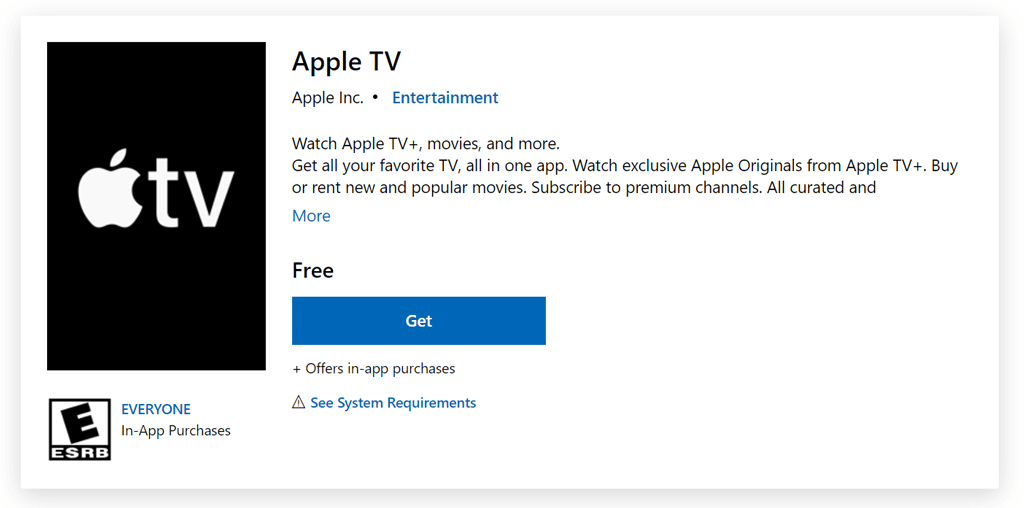
Install the Apple TV App from the Microsoft Store
Connect an Apple Device to Your PC

If you have an Apple device like a Macbook or iPhone, you can use AirPlay to mirror the device’s screen on your Windows PC. Just make sure the streaming device is connected to wi-fi so it can stream the Apple TV+ show or movie you want to watch.
If You Use a TV as a Monitor
Some PC users use a television instead of a monitor . You can connect the computer to a television with an HDMI cord or use a Chromecast device. In either case, if you use your PC with a smart TV, you can use the television’s Apple TV app.

Visit the app store on your television and search for the Apple TV app. Alternatively, you can watch Apple TV+ on a television with a Roku device.
Resources for Cord Cutters
- How to Backup an iPhone Without iCloud?
- Sluggish Windows 11 PC? Try These 5 Windows 11 Tricks to Free up Virtual Memory
- macOS Tahoe Privacy Settings You Need to Secure Your Mac
- How To Turn Off Notifications On Windows 11?
- How to Recover Lost Files After Windows Update?
Maggie Marystone is a freelance technology writer, human rights worker, and storyteller based in Chicago. Read Maggie’s Full Bio
