The paperless office has yet to happen, so printers are still very much with us. Hewlett-Packard (HP) is one of the best-known printer makers in the world, and their HP DeskJet and the OfficeJet series form their main lines.
The HP DeskJet and OfficeJet printers both belong to the inkjet printer family. However, while the former is geared toward home use, the latter is designed to cater to the demands of a small business or home office. This difference in their intended audience significantly influences their feature sets and which line of printers is right for you.
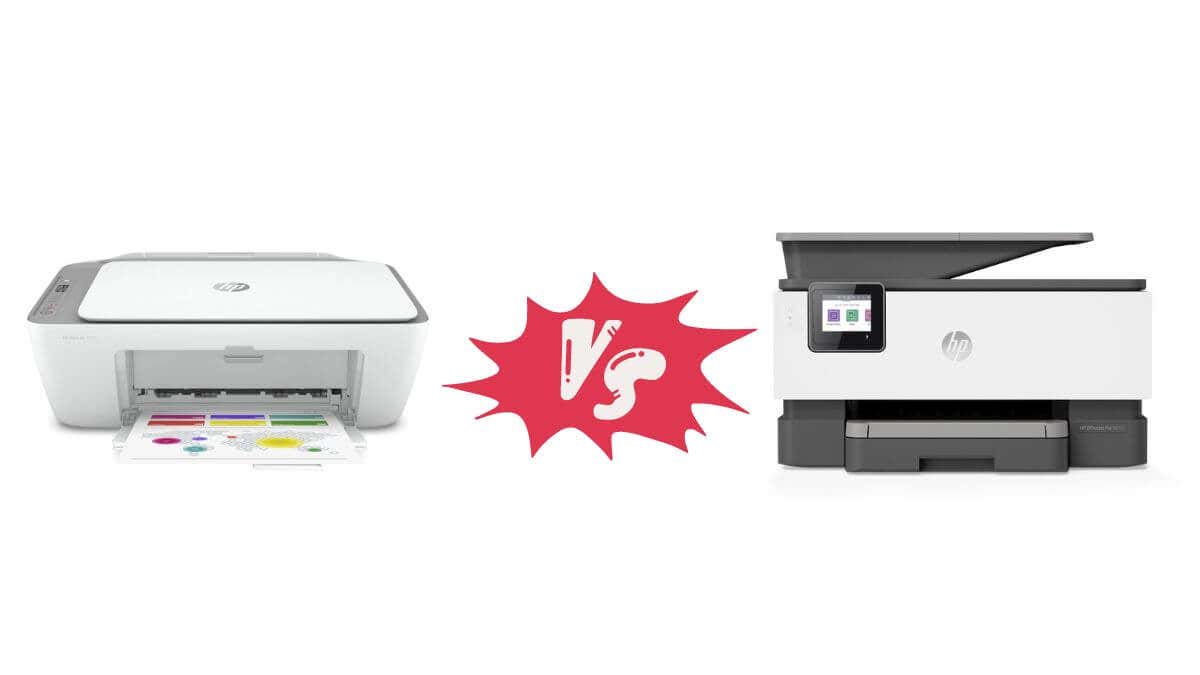
In this article, we’ll review what makes each type of HP printer unique and whether you should invest in a home-grade printer or one designed for business needs.
HP DeskJet
HP DeskJets are all-in-one inkjet printers built with home users in mind. They are compact, affordable, and simple to use. They are perfect for occasional printing tasks, including text documents, homework assignments, and photo printing.
DeskJet printers use two ink cartridges, one for black ink and the other for color. They deliver decent print quality with a resolution of up to 4800 x 1200 dpi, depending on the model.
Note: There are some exceptions to the two-cartridge setup most DeskJets use. For example, the DeskJet 3520 used a four-cartridge system, so be sure to confirm the system your specific DeskJet uses before buying,
The print speed is relatively slow, with most models producing about ten pages per minute (ppm) in black-and-white and seven ppm in color. Home users generally are fine with this print speed, and if you need large amounts of black-and-white printing at home at reasonable speeds, you’re better off going for a laser printer instead.
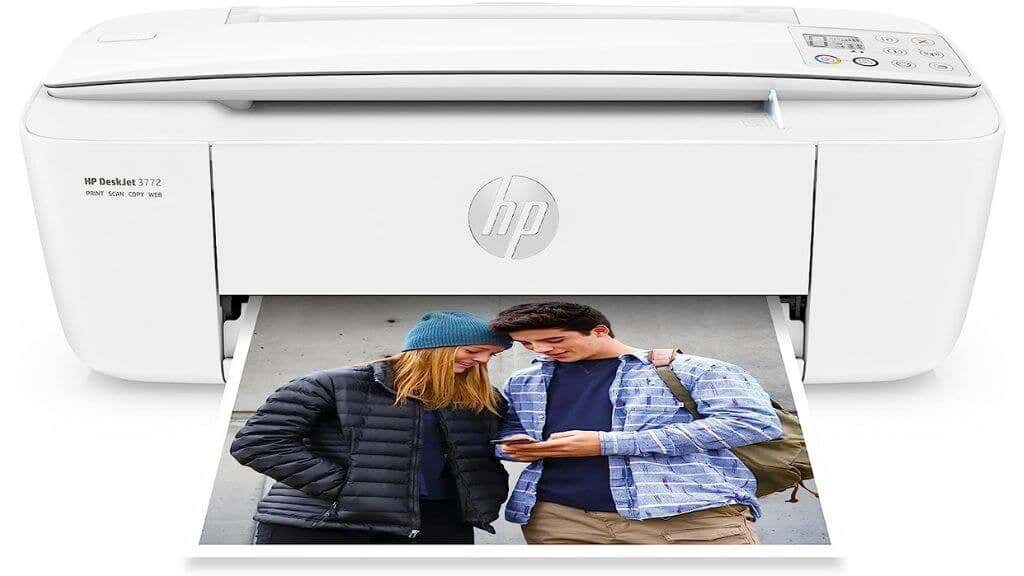
HP DeskJet 3772 All in One Color Inkjet Printer
The DeskJet series is known for its various connectivity options, including Wi-Fi, Bluetooth, and Wi-Fi Direct. The HP Smart app allows for easy mobile printing from smartphones or tablets. Some models even offer borderless photo printing, an excellent feature for photo enthusiasts. We spend so much time taking awesome photos with modern smartphone cameras that it makes sense to show some off as physical prints!
Tip: If you’re specifically looking for a photo printing solution for smartphone photos, consider something like the HP Sprocket , which turns your smartphone into the equivalent of a Polaroid camera.
While most HP DeskJets might not come with a touchscreen, the included software and the intuitive button layout make their operation straightforward. These printers typically don’t have an automatic document feeder or double-sided printing, features more common in office-oriented models.
HP OfficeJet Pro
OfficeJet Pro printers are more robust and feature-packed compared to their DeskJet counterparts. In some models, these all-in-one printers are multifunction printers capable of copying, scanning, and even faxing (remember that?). The HP OfficeJet Pro series is particularly popular among small businesses.
One of the distinguishing features of the OfficeJet printer series is its print speed. Some models can reach speeds of up to 20 ppm for black-and-white documents and 11 ppm for color documents. They also typically offer higher print quality with a resolution of up to 4800 x 2400 dpi.
OfficeJets use separate ink cartridges for each color, which can save cost as you only need to replace the color that has run out.
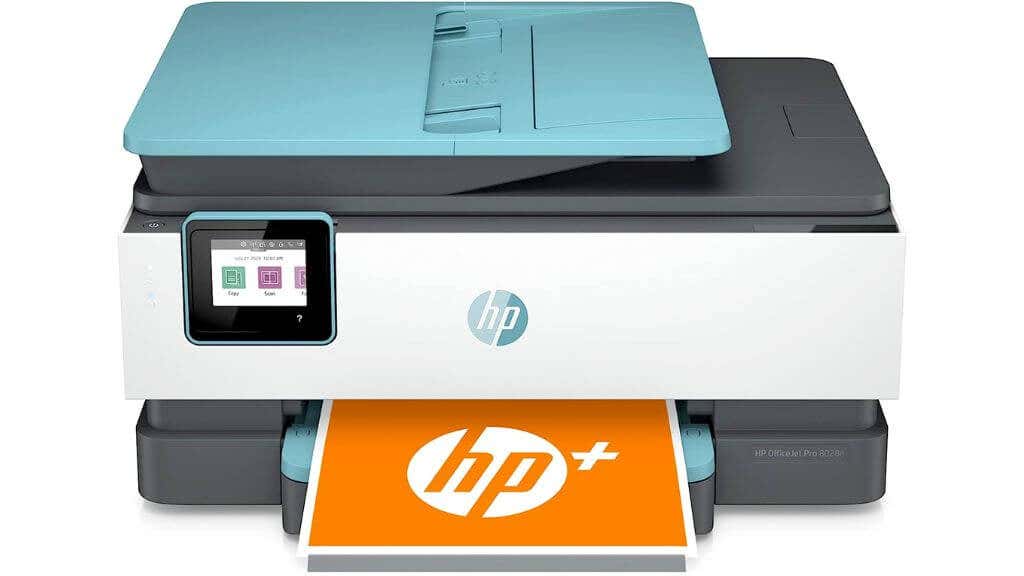
HP OfficeJet Pro 8028e All in One Wireless Color Inkjet Printer
Note: As with DeskJet printers, there are exceptions regarding the ink cartridge setup. While OfficeJet printers tend to use separate ink cartridges, there are models, such as the OfficeJet 3830 , which use a tricolor tank and a black ink tank.
Another cost-saving feature is the HP Instant Ink service , which automatically delivers ink cartridges when your printer is low on ink.
OfficeJets also boast (generally) superior connectivity options, including Wi-Fi, Ethernet, and even NFC in some models. Like the DeskJet series, they support mobile printing through the HP Smart app and have Wi-Fi Direct capabilities.
Other professional features in OfficeJet include an automatic document feeder for multi-page scanning or copying, duplex printing, and a larger paper tray capacity. Higher-end models come with a touchscreen for more straightforward navigation. They also offer more robust warranty options to match their business-oriented use.
HP Enterprise – Big Business!
The HP OfficeJet Enterprise series targeted larger businesses with higher printing volumes. These printers were designed to meet the demands of a busy office environment, offering faster print speeds, larger paper tray capacities, and more robust construction than typical home models.
While the OfficeJet Enterprise printer line seems to be discontinued as of this writing, you can still buy them refurbished or as new, in cases where new stock is still available.
A notable feature of the OfficeJet Enterprise series is its exceptionally high print speed, with some models reaching up to 75 pages per minute.
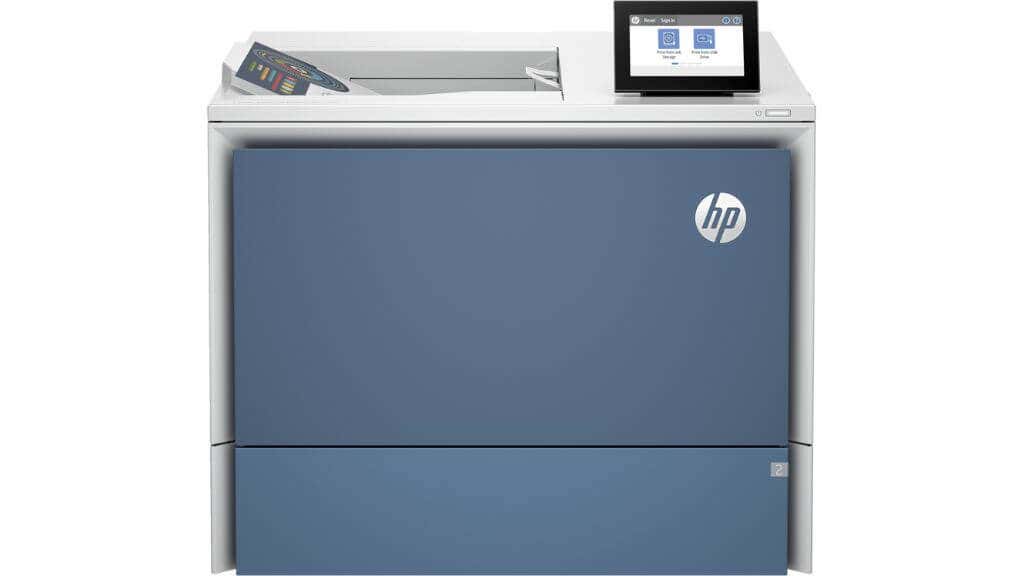
TheHP Color LaserJet Enterprise 6701dn Printeris $2000+ of hot laser death for print jobs
They also offer high-resolution printing at up to 2400 x 1200 dpi for color prints, ensuring crisp and vibrant outputs. Additionally, these printers support high-capacity ink cartridges, helping businesses manage their printing costs more effectively.
Designed for large-scale, multifunction use, these printers also support advanced features like automatic duplex printing and scanning, touchscreen controls, and network connectivity options. Thus, the OfficeJet Enterprise series provides a reliable, high-performance printing solution for businesses with demanding printing needs.
The OfficeJet Enterprise printers were replaced by the HP PageWide Enterprise inkjet printers, but these have also been discontinued.It seems that HP’s Enterprise line is now almost entirely focused on color and mono laser printers, in the form of LaserJet Enterprise products.
Don’t Forget About OfficeJet Mobile
The OfficeJet Mobile series from HP caters specifically to those needing printing solutions on the go. These printers, designed with mobility in mind, are compact and lightweight. Despite their diminutive stature, they maintain many essential OfficeJet series features, including versatile connectivity and reliable print quality.
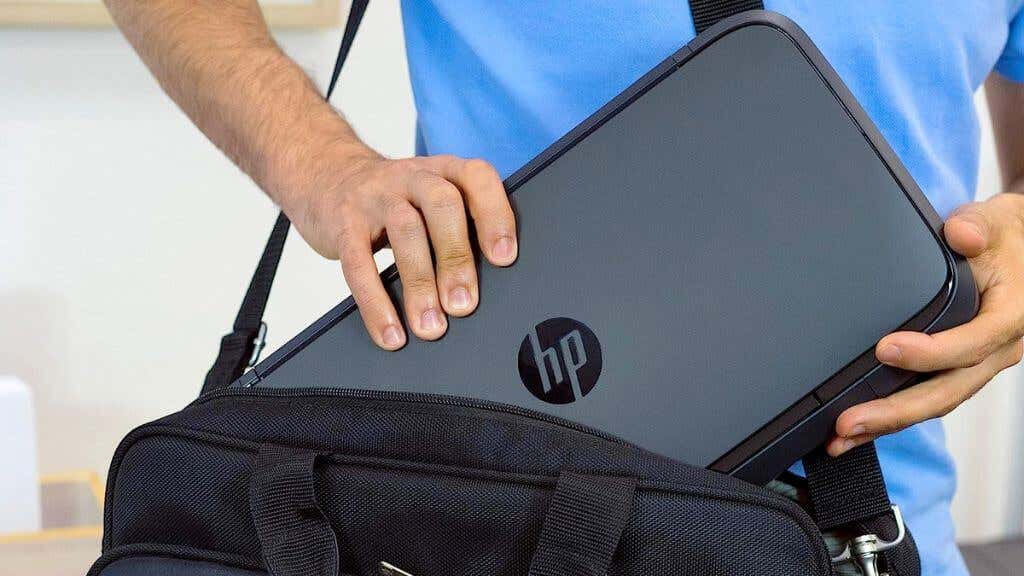
TheHP OfficeJet 200 Portable Printerisnt exactly pocket size but it is mobile and battery powered
Much like their full-sized counterparts, the mobile variants provide up to 4800 x 1200 dpi resolution for color prints. Their print speed is competitive, with up to 10 ppm for monochrome prints and seven ppm for color. They employ two cartridges, one black, and one tri-color. Users can also enrol in HP’s Instant Ink service for convenient cartridge replacement. However, these printers have a smaller paper tray capacity and usually lack the automatic duplex printing feature due to size constraints.
The OfficeJet Mobile series is an interesting adaptation of the traditional OfficeJet line, focusing on portability. In some ways, OfficeJet mobile printers are like portable DeskJet printers when you compare their specs and features.
What About the HP Envy Range?
The HP Envy printer range offers a unique aesthetic design and functionality blend. These all-in-one color inkjet printers deliver high-quality prints, scans, and copies, ideal for various tasks at home. The Envy printers yield crisp, vibrant results with print resolutions similar to the DeskJet and OfficeJet series at 4800 x 1200 dpi for color prints. However, their print speed is typically slower, with around ten ppm for black and seven ppm for color prints.
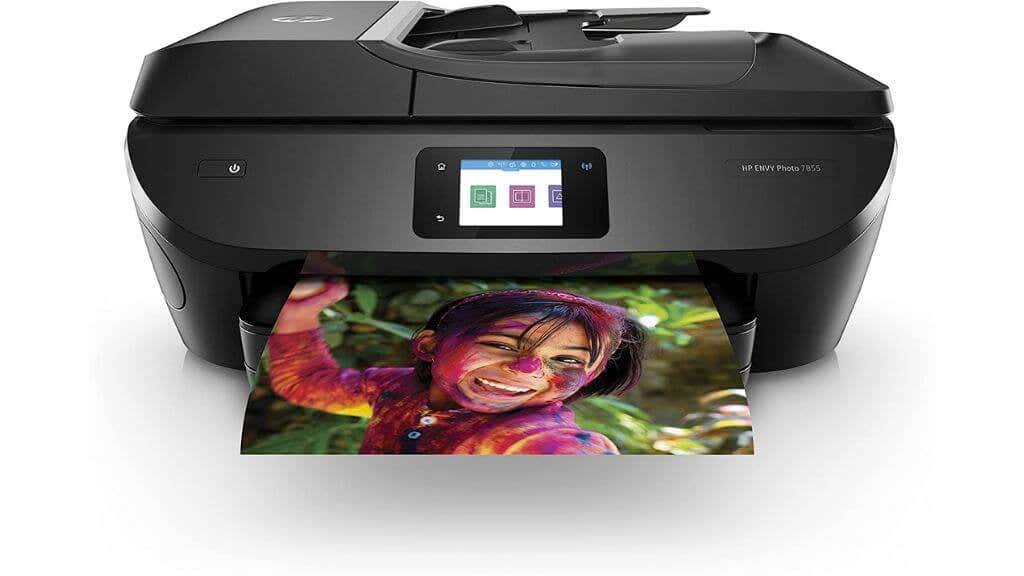
TheHP ENVY Photo 7855 All in One color Photo Printer
The Envy series also has integration with the HP Smart app. This lets users control their printer directly from their smartphone, offering mobile printing capabilities and convenient printer management. Envy printers also provide robust networking, including Wi-Fi connectivity, Bluetooth, and Wi-Fi Direct. Some also support HP Instant Ink service for convenient ink management.
Despite their functionality, Envy printers are not designed for high-volume printing. They are more suited for moderate home use, as their paper tray capacity and durability may not withstand heavy-duty printing tasks. If you were considering one of the HP DeskJet models, you should also include the Envy range since there is considerable overlap in their intended audiences.
DeskJet vs. OfficeJet: Which Is Right for You?
The choice between a DeskJet and an OfficeJet printer largely depends on your printing volume and the types of documents you need to print.
If you need a printer for occasional use at home, the DeskJet series offers a good blend of affordability and functionality. It handles everyday printing tasks effectively while maintaining a compact footprint. Its competitors in the home use category include printers such as Canon Pixma and Epson. If a DeskJet sounds right for you, make sure to also look at the Envy range.
On the other hand, if you have a home office or run a small business, the OfficeJet series could be a more appropriate choice. It’s designed for higher volume printing and includes more advanced features, such as duplex printing, faster print speeds, and robust connectivity options. Its main competitors in this category include the HP Laserjet series, which are monochrome and color laser printers, and other brands like Canon and Epson.
Laser printing, especially in color, has come a long way in the last few years, and for any business we’d recommend looking at these printers first, unless you absolutely need a high-volume photo printer as well.
Laser printers use toner cartridges instead of ink, offering faster print speeds and better text quality. However, they can be more expensive initially and are usually bulkier than their inkjet counterparts. In terms of per-page printing cost, however, laserjet printers quickly pay for themselves.
- Tribit StormBox 2: The Under $70 Portable Speaker that Stands Out
- ENGWE L20 2.0 Review: The Best Budget-Friendly Foldable E-Bike?
- TopDon TC004 – a Thermal Imaging Camera That Will Give You Predator Vision
- Newyes Portable Wireless Thermal A4 Printer Review
- Eskute Star Folding Fat Tire Electric Bike Review
ÿØÿà JFIF ÿÛ „ “##! %*5-%‘2( .?/279«<$-BFA:F5;<
ÿØÿà JFIF ÿÛ C #%$”"!&+7/&)4)!“0A149;»>%.DIC
If you don’t have a full-sized printing machine at home and often need to print a document on the go, check out the Newyes portable printer . This wireless printer is lightweight and small enough to fit in your bag. Not to mention it’s environmentally friendly, since it uses thermal paper instead of ink.
Follow our review of the Newyes portable wireless thermal printer to see if it suits your printing needs.
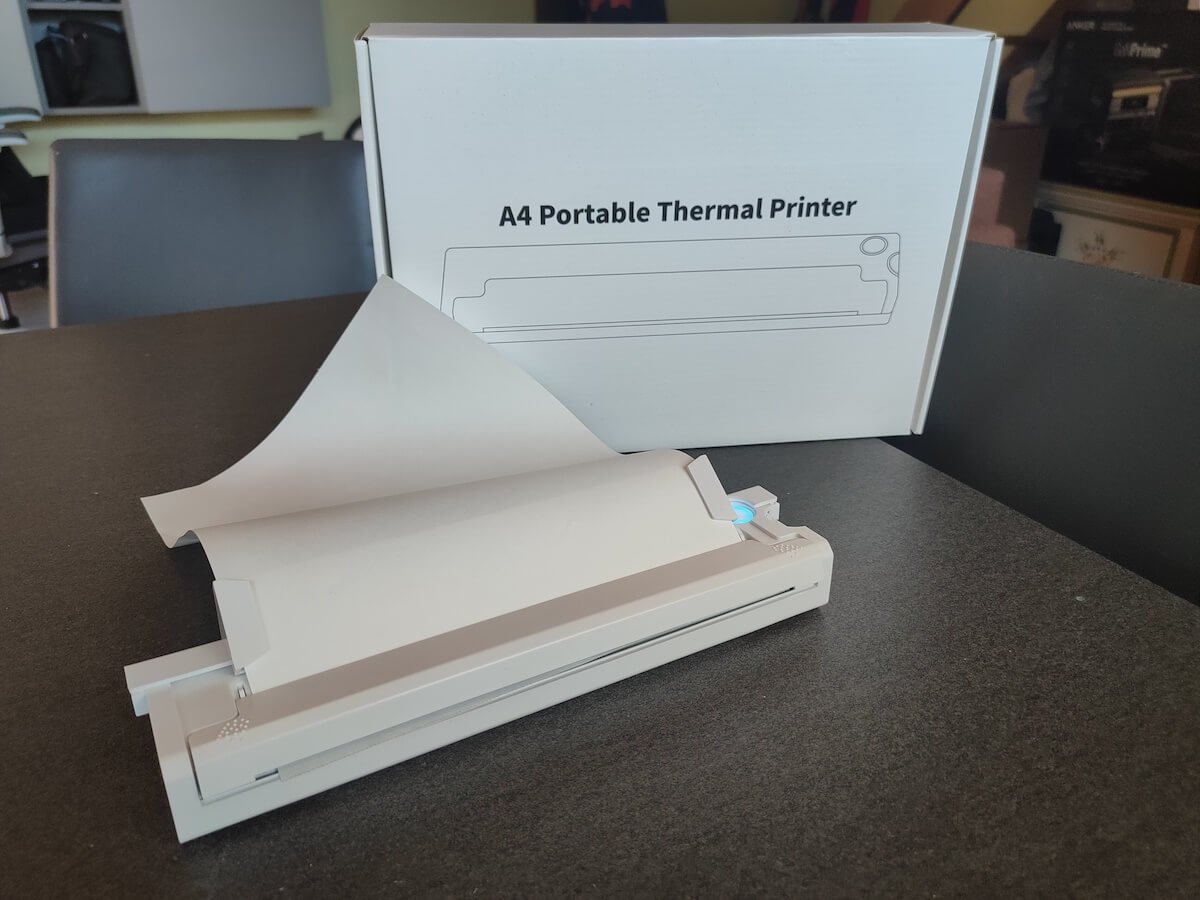
Newyes Portable Wireless Thermal A4 Printer: First Impressions & Specs
When I was a student, I remember my university always required hard copies of documents. Luckily, there was a print shop on campus where I could always pop in to print something.
Then I became a professional, and to my surprise many life spheres still required me to have printed versions of documents with me. Of course you can get your own full-sized machine to print things at home, but if like me you live in a small apartment, you value every extra bit of space and don’t want a massive printer to take it up.
One day, when I was looking for a neighbor with a printer to help me with my event tickets, they introduced me to the concept of a portable printer. Seeing how easy it is to use, I immediately wanted to get my hands on one of those. So here I am, reviewing one of the most useful gadgets I received recently – the Newyes portable thermal printer.
Before we continue with this review, here is the full list of specs of this printer.
- Model: Newyes LD0801
- Dimensions: 10.4 x 1.2 x 2.28 in (265 x 58 x 30.5 mm)
- Weight: 16.8oz (475g)
- Paper format: A4
- Paper width: 210mm or 218mm
- Printing Type: thermal paper
- Resolution: 203DPI
- Connectivity: Bluetooth
- Charging port: USB type-C port
- Input Voltage: DC 5V / 2A
- Battery: 1200mAh lithium battery
- Charging time: 75 min
- Automatic shut down: after 30 minutes
- Stand-by: about 30 days
- Extra features: LED light, reset, on / off switch button
- Color: white, black
- Warranty: limited one year warranty
- Price: $199 on the Newyes website
If you find yourself in need of hard copies of important documents while on the move, the Newyes portable wireless thermal printer will become your go-to gadget. Newyes calls it “the world’s smallest printer”, and with the weight of under 500g this seems plausible. This mini printer offers a handy solution for those moments when you need to quickly print an important document but don’t have access to an office setup.
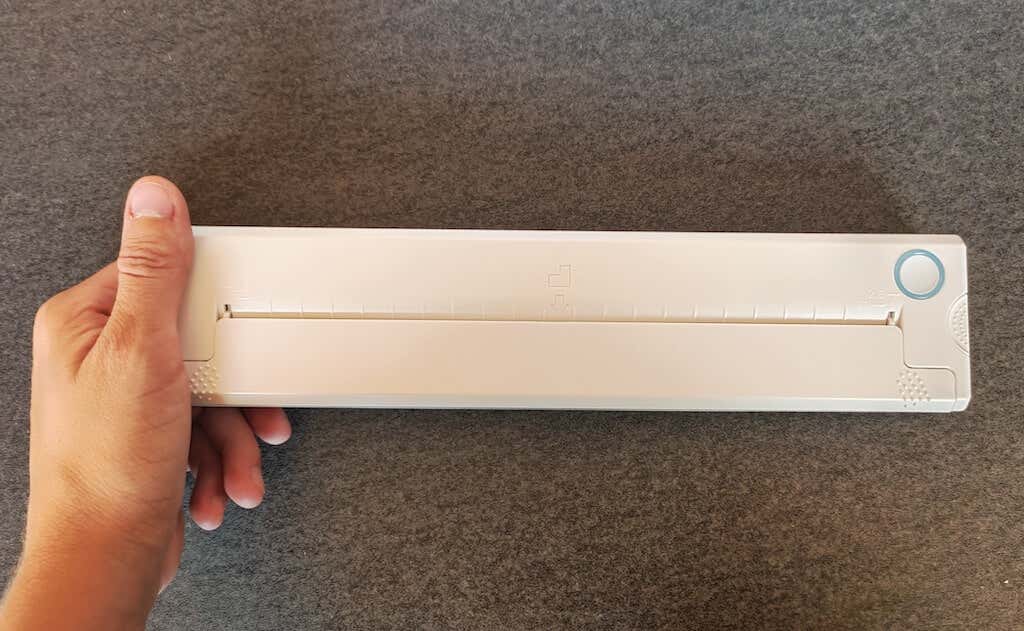
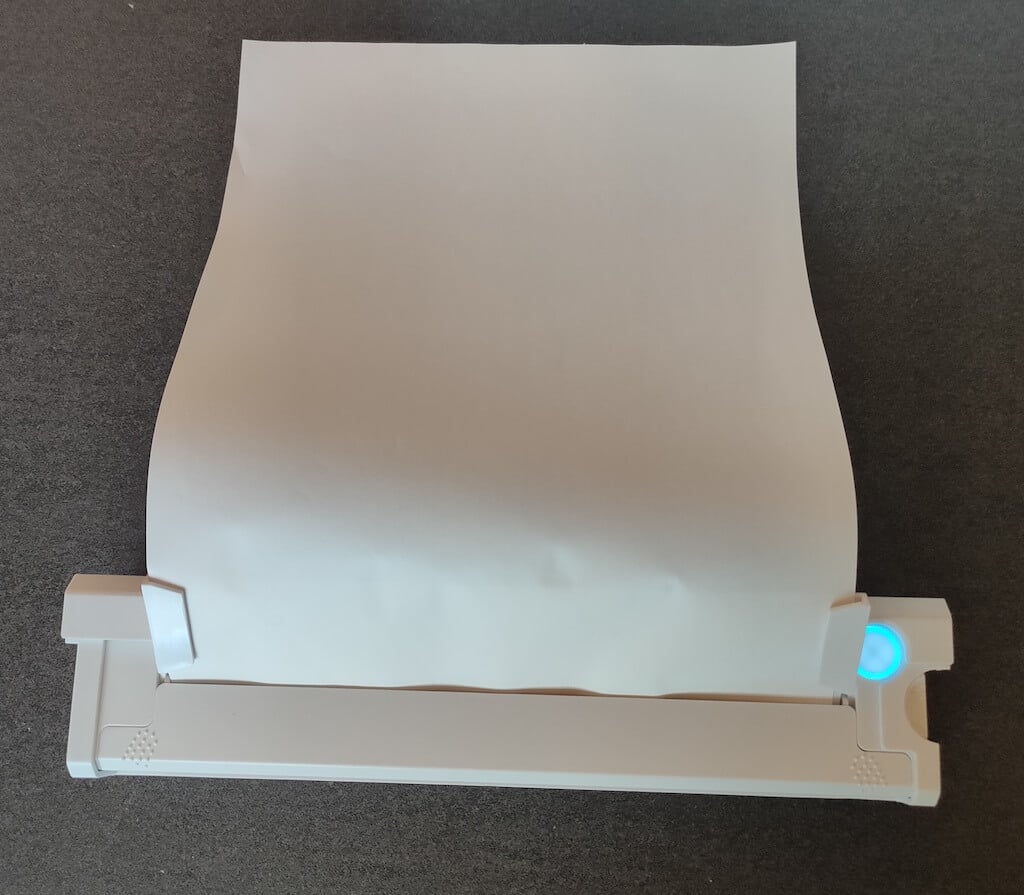
Operating this printer is a breeze – a simple Bluetooth connection is all that’s required. Once connected, just fire up the app, choose the file you want to print, and send it over. Efficiency is at the forefront, and you can easily print multiple sheets by inserting new pages back to back.
The only limitation this printer has is that it can only print in black. So even if your original file is in color, the printed document will still come out in black and white. Other than that – you can print a variety of file types including Excel, Word, PDF, JPG, PNG, and web pages – and it only takes seconds.
The Newyes portable wireless printer combines convenience, portability, and efficiency – all the things I appreciate in a modern gadget.
Design and Unpacking
Let’s have a closer look at the design and build of this smart printer, as well as what you get included in the package when you purchase it.
What’s in the Box
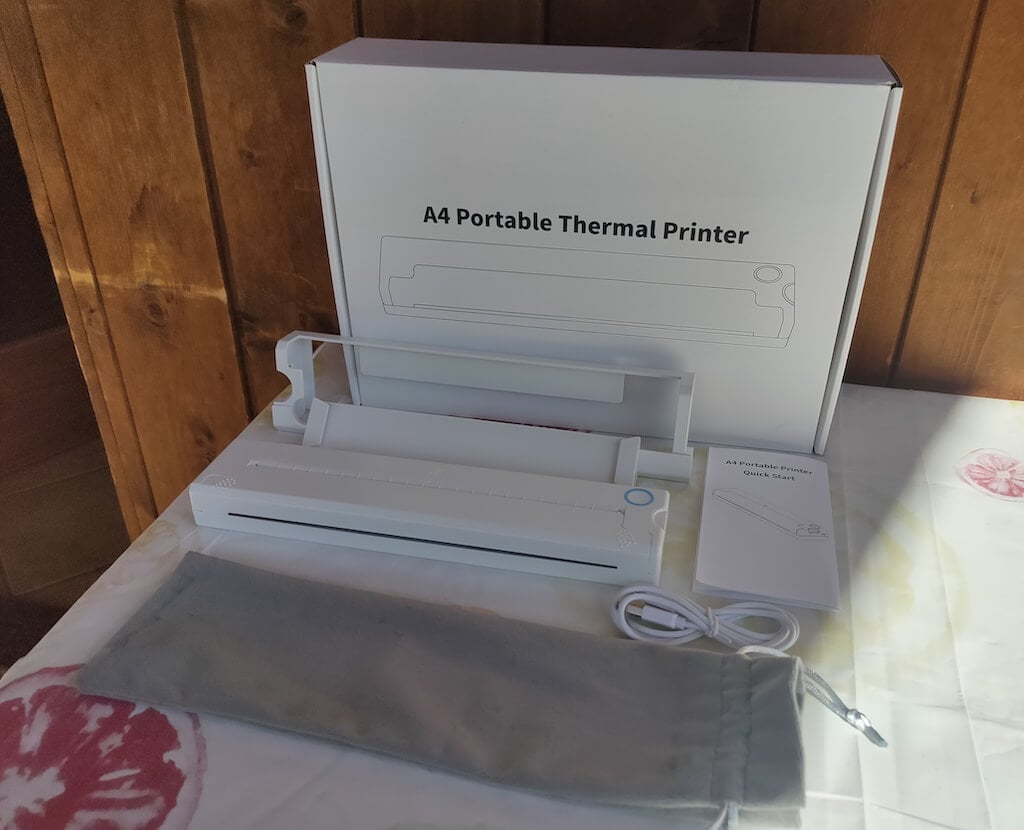
Here’s everything you’ll find when unpacking your Newyes portable thermal printer:
- The Newyes portable wireless thermal printer
- Bracket
- USB type-C cable
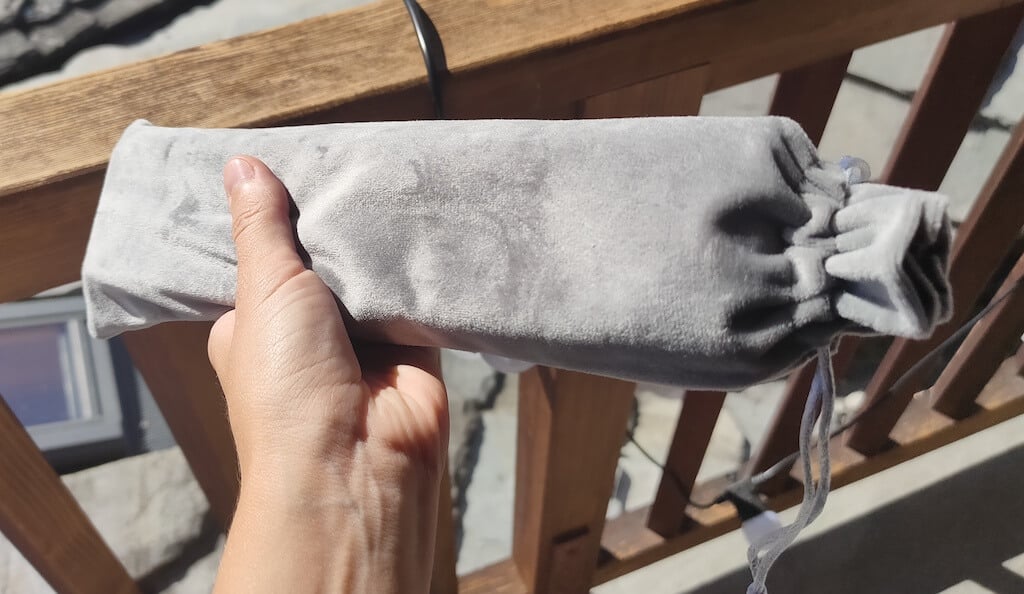
- Storage/carrying pouch
- 100pcs thermal printing paper
- User manual
You can use the Newyes portable printer right out of the box, as you’re all set with essential accessories. Aside from the printer itself, the package includes a bracket which will make printing more than one page smoother, a convenient storage bag for carrying your printer with you, a USB-C cable for charging, and a supply of 100 pieces of thermal paper to get you started.
One important thing to remember is that this printer only works with thermal paper. While thermal paper is significantly more expensive than normal paper, this printer also uses inkless printing and works without a ribbon and toner. Since you don’t have to spend money on ink, carbon ribbons or toner cartridges, you ultimately end up saving money with thermal paper.
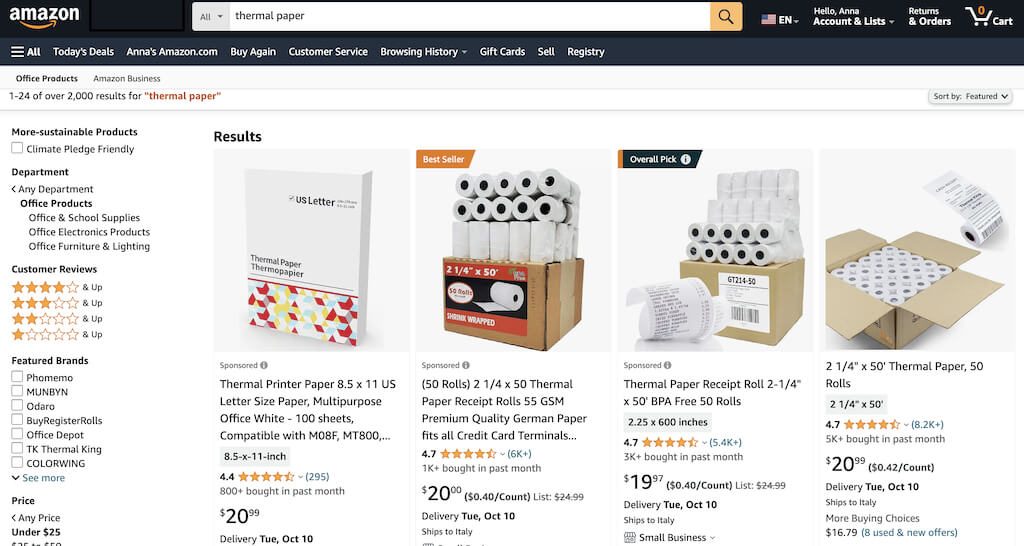
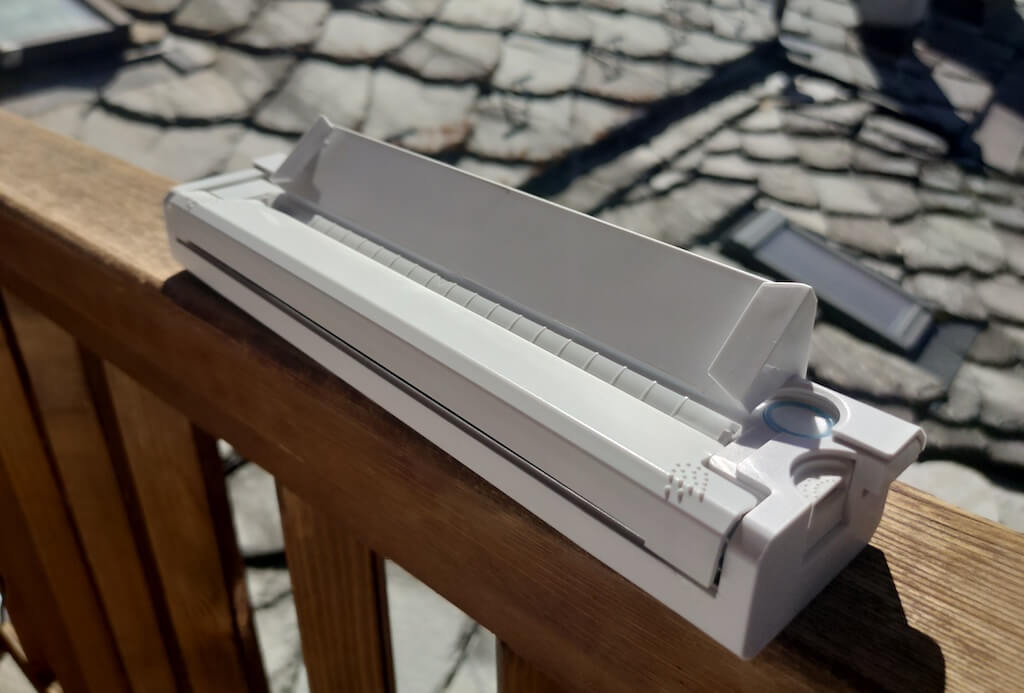
The Newyes LD0801 is a pocket-sized printer that features straightforward design. For the purpose of this review, I had a printer in white color. The printer looks like a small white brick with just two pressable buttons on top – one for switching it on and off, and another for opening the printer’s cover. You’ll also see the paper entry slot on top of the printer.
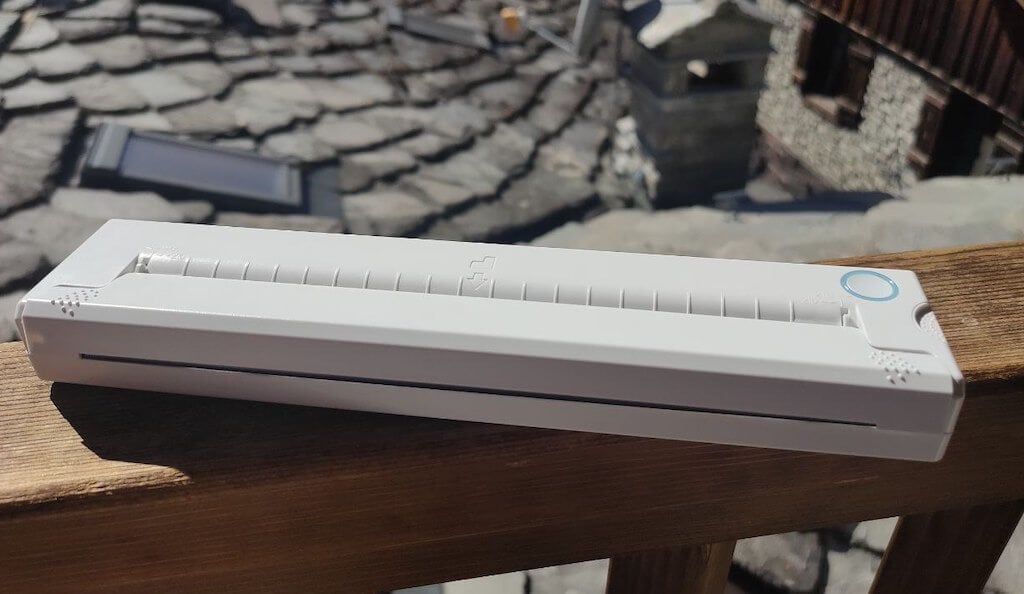
On the side of the printer, you’ll find a single charging port.
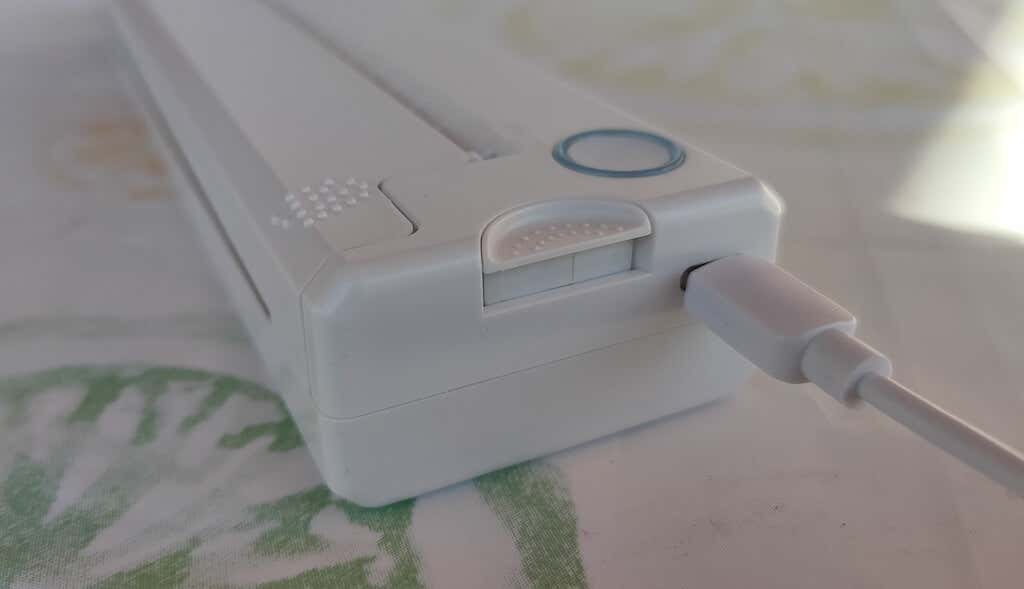
The printer is made of plastic, but the build feels sturdy. I never have to worry about throwing it into my bag or damaging it when traveling. Besides, you can use a nice carrying pouch included in the package for protection.
Performance & Features
According to Newyes, the portable printer has a “handheld size and two times the weight of an iPhone”. This can give you an idea of how portable and convenient this little gadget is. In a month of testing, I used it at home, in a store, and even in a car while on the road.
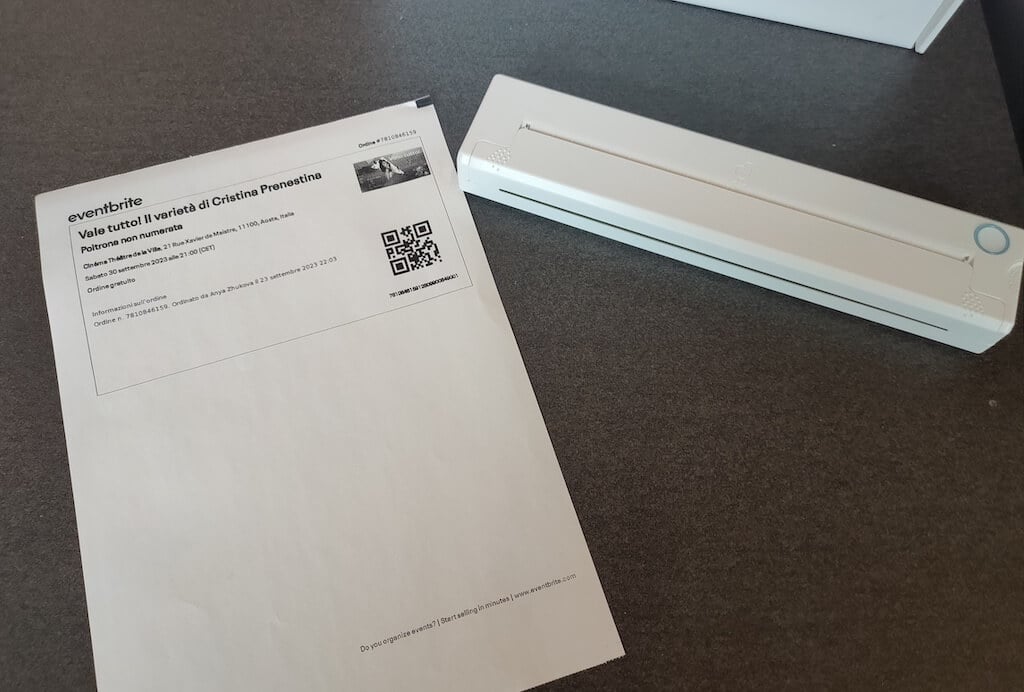
Using the printer is unbelievably easy. Connect it to your mobile phone via Bluetooth, press the button to turn the printer on and put a sheet of thermal paper into the paper entry slot. Make sure to use thermal paper and not standard paper, and put it with the black marks facing down. Bear in mind that the thermal printer can only print in black and white and only on one (marked) side of the thermal paper sheet.
Then open the iPrint app on your smartphone. If you’re printing an A4 document, you can select one of two options – Photo Printing and Document Printing . Then choose the document from your phone’s files and print it.
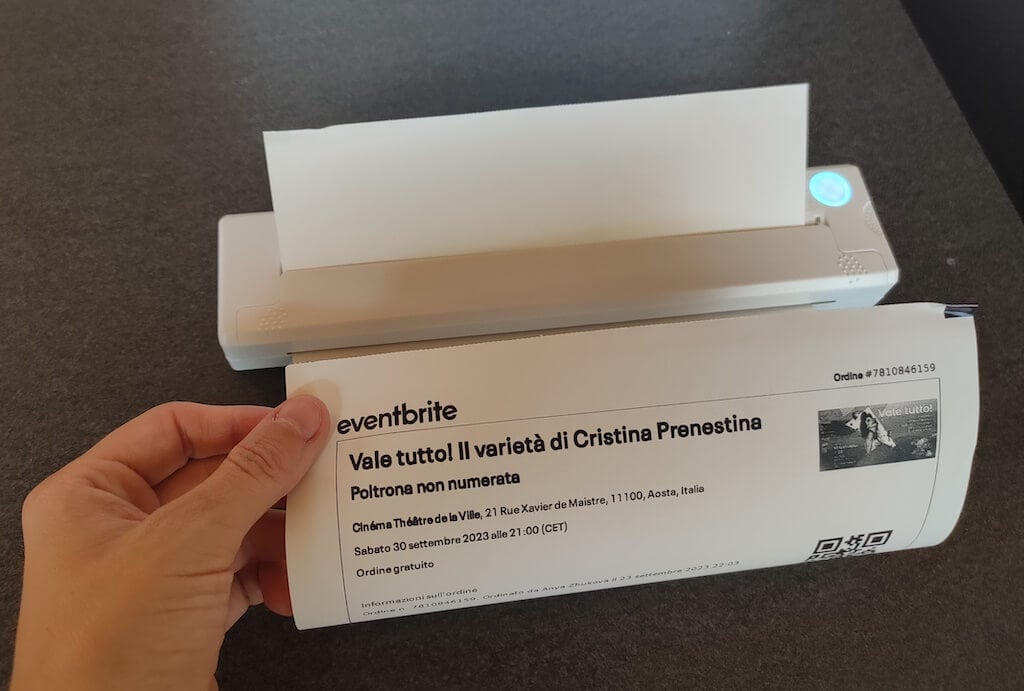
The printer is reliable and in the time that I used it the Newyes LD0801 never let me down. The printing quality will surprise you, as it’s sometimes better than what you get from a full-sized printer. The printer supports printing in various formats, and you can use it to print documents from your smartphone (Android and iPhone), iPad, and Android tablet.
When fully charged, the printer can support up to 90 pieces of paper continuously, which is very impressive for a gadget of such a small size.
Software
The Newyes portable printer requires an iPrint app to operate. The app is available for free on iOS and Android. You’ll need to download the app on your device from the App Store or Google Play before you begin printing your documents.
The app has a simple and user-friendly design. You’ll need to pair your device with the printer on the first use via Bluetooth.
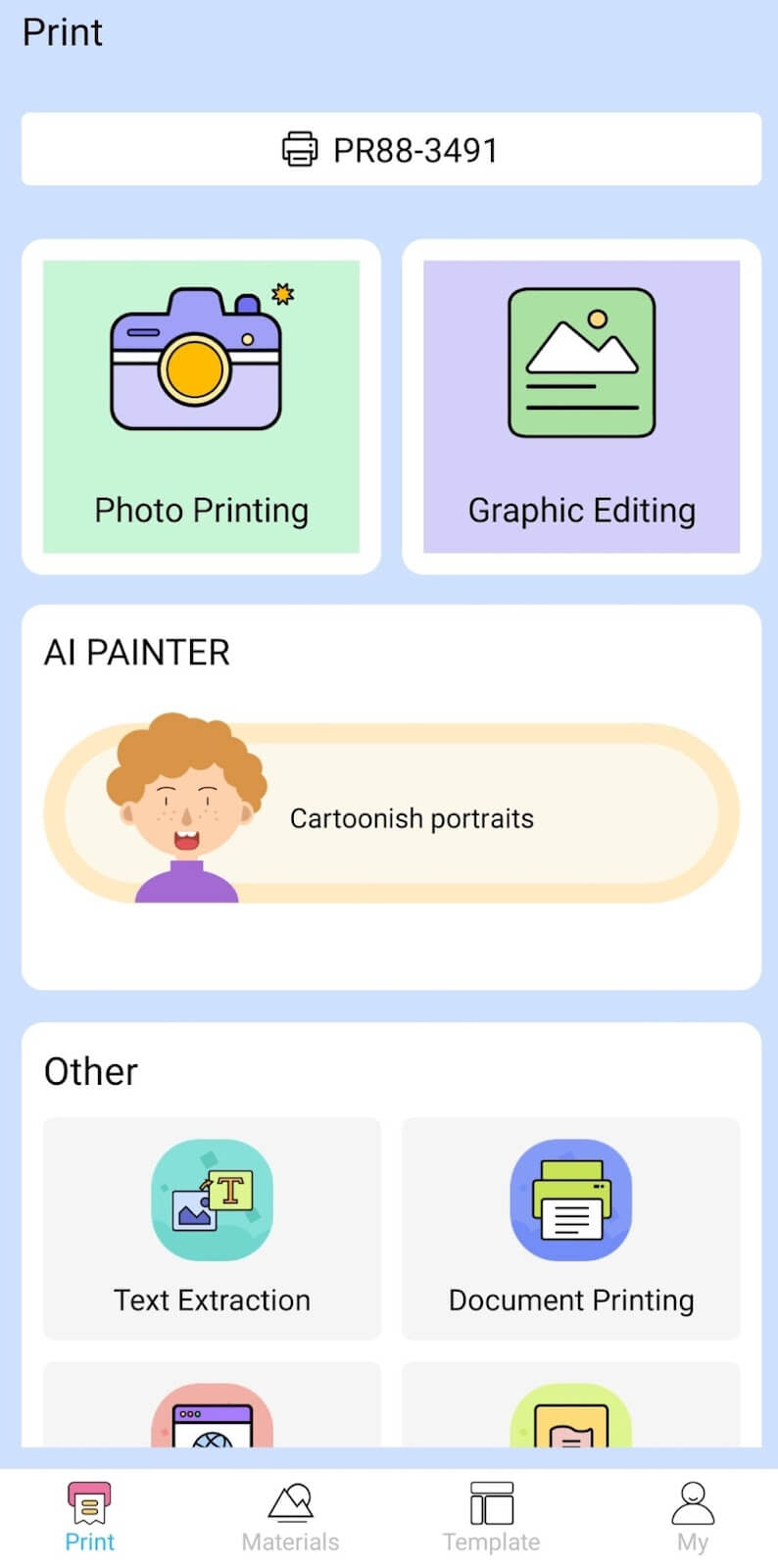
Depending on the type of document you want to print, you can choose different options from the app. There’s photo printing, document printing, web printing, and banner printing.
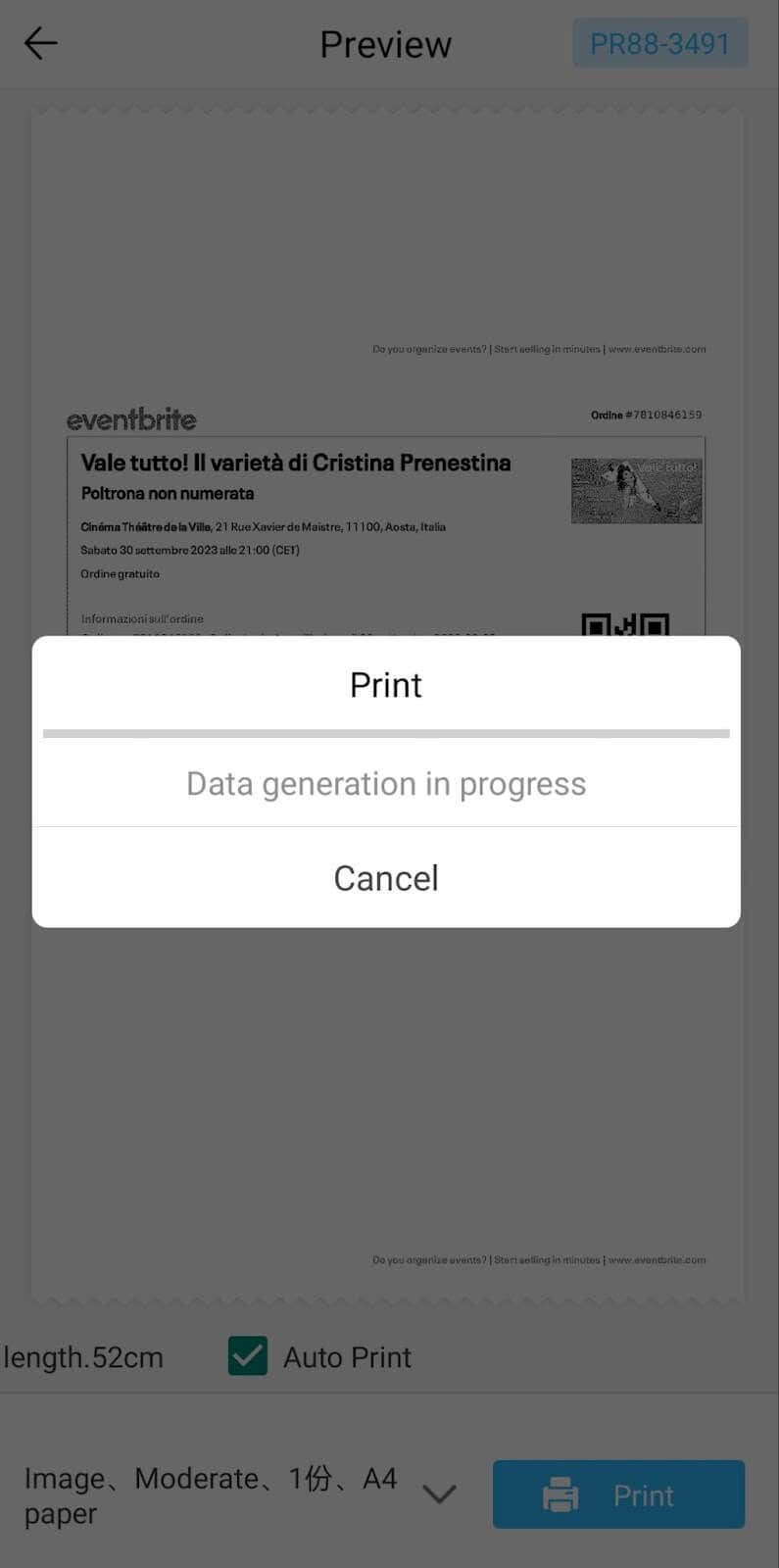
The app also has Materials and Template sections, where you can find various pictures and templates for printing to-do lists, post-its and holiday cards. You can also use the Newyes LD0801 as a label printer using these templates.
Battery Life
The Newyes portable wireless thermal printer is equipped with a decent 1200mAh lithium battery. This high-capacity battery allows you to print on the go without constantly worrying about running out of charge. When I received the printer, I charged it fully once, and it still hasn’t run out of battery after one month of use (I use it to print something almost every other day).
Charging this printer is quick and takes just over an hour to charge the printer from zero to full. The type-C charging cable facilitates a rapid charging experience. And if you run out of battery while on the go, you can quickly charge the printer from a portable power station or a power bank to continue printing.
The printer doesn’t support wireless charging, so I’d recommend always bringing the usb-c cable with you just in case.
Should You Buy the Newyes Portable Wireless Thermal Printer?
The Newyes portable thermal printer ensures high-quality wireless printing while on the go and easy operation. It’s not the most budget-friendly option, but this purchase will save you money and nerves in the long run thanks to its versatility and portable nature.
Personally, I can say that this printer made my life easier. So much that it’s probably my favorite smart gadget of the year. If you’re looking for a portable printer that won’t take any space in your house, I’d certainly recommend considering the Newyes LD0801 model.
- Tribit StormBox 2: The Under $70 Portable Speaker that Stands Out
- ENGWE L20 2.0 Review: The Best Budget-Friendly Foldable E-Bike?
- TopDon TC004 – a Thermal Imaging Camera That Will Give You Predator Vision
- Eskute Star Folding Fat Tire Electric Bike Review
- The 70mai Power Station Tera 1000 Review
