Choosing the right action camera can take time and effort. If you don’t want to shell out for the latest GoPro model, you’ll have to spend a lot of time searching for the “next best thing” among countless counterparts. However, if you’re looking for an alternative that can offer a different experience and make your videos truly stand out, we recommend checking out the latest X3 camera by Insta360 .
Even if you’ve never filmed 360-degree videos, the X3 is an excellent choice for any level creator – from beginner to advanced. In this article, we’ll review the Insta360 latest invention and go through all of the pros and cons of this new camera.
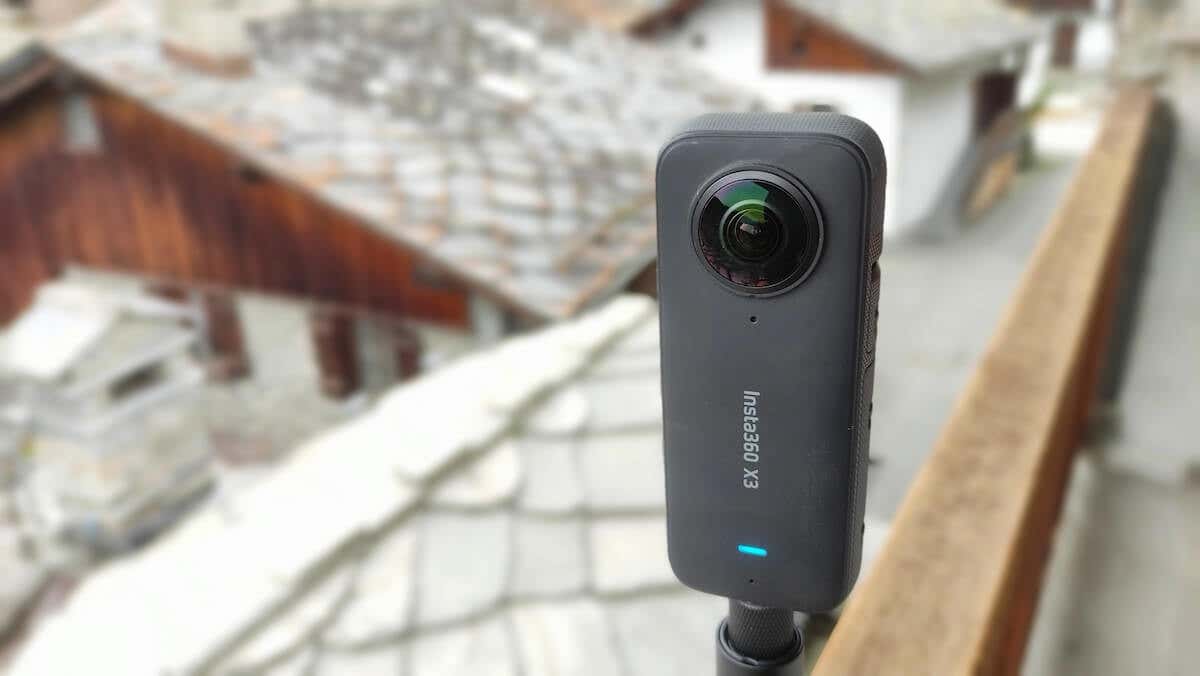
Why You Should Ditch YourOld Action Cam For Insta360 X3
360-degree cameras capture everything around you in one go. It’s accomplished thanks to the multiple wide-angle lenses arranged in a circle around the camera’s body. This camera captures every possible angle at the same time and thus can provide you with a field of view bigger than any standard action camera.
People usually associate 360-degree videos with VR. And it’s true that to immerse yourself in a 360 video, you need to view it using a VR headset. However, you can still watch 360 videos on your computer or smartphone.
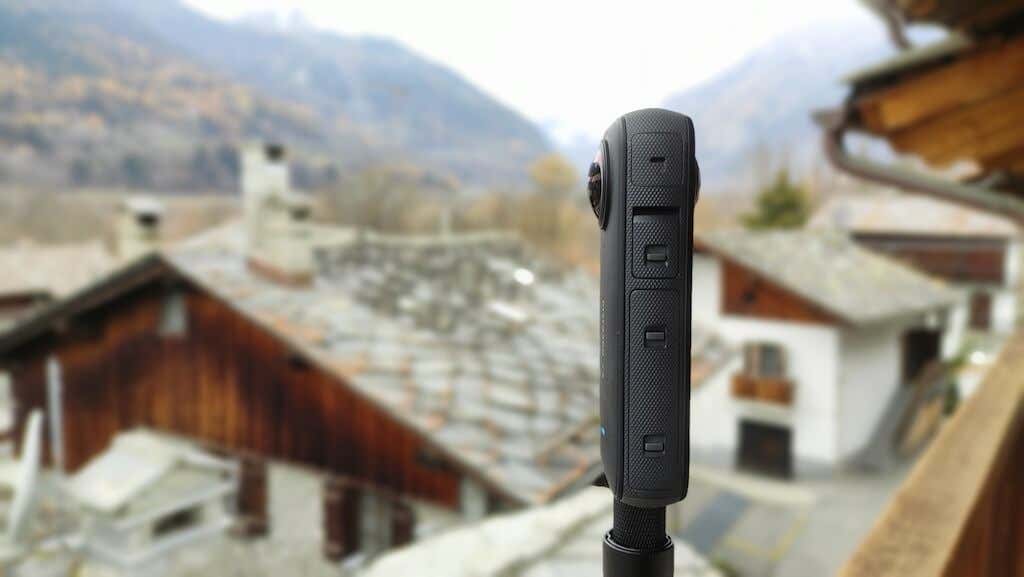
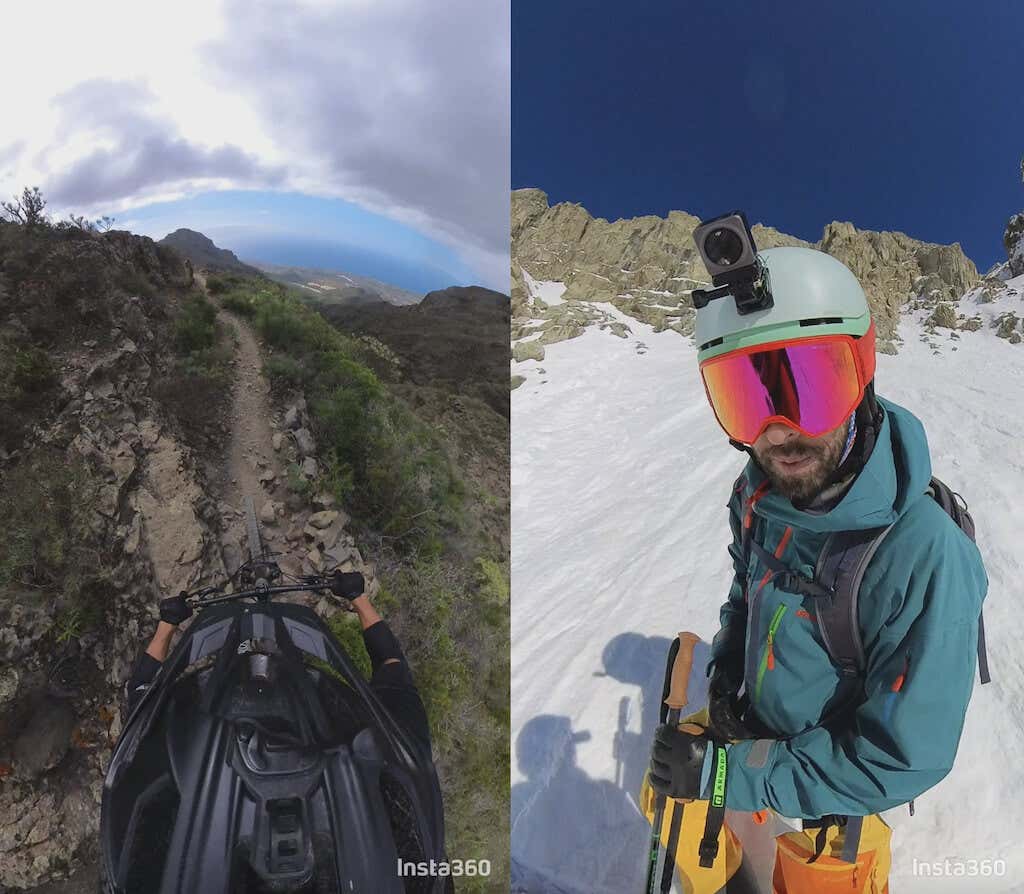
When it comes to the videos taken with the Insta360 X3, you can use a mobile app or a desktop app to view, edit, and download your videos. The primary purpose of the Insta360 X-series cameras isn’t about shooting 360-degree videos but rather about shooting your videos without worrying about your angles.
Whether you’re doing simple vlogging videos at home or filming action videos outdoors, you probably know the struggle of setting up the perfect angle on your camera only to have it slip and lose focus in the process. Then you have to redo an entire video all over again to get it right. With the Insta360 X3, all you have to do is press record.
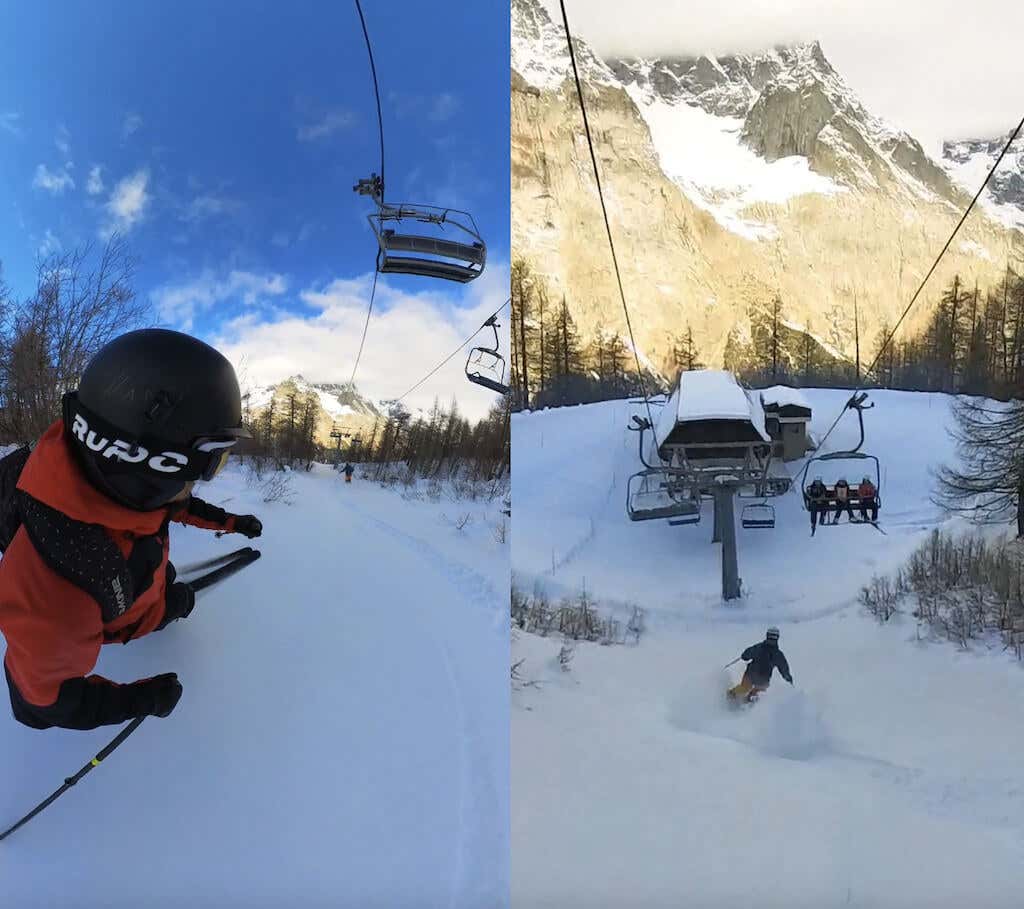
*both frames are taken from the same video shot on the Insta360 X3
You don’t have to worry about choosing an angle or ensuring your camera is facing the right way. When you get to editing, you can choose the angle, and the direction, change the field of view, track a specific object, and more.
In short, here are a few reasons why you should consider switching to a 360-degree camera:
- You can enjoy your activities while you’re recording without worrying about technicalities.
- Thanks to the X3’s editing capabilities, you can reuse the same video by reframing it and changing the aspect ratio to make it suit different purposes. You can even get an a-roll and a b-roll for your next YouTube video from the same video by moving the camera focus from yourself to your surroundings.
- The Insta360 editing software comes with a Shot Lab that contains tutorials on how to shoot and edit your videos to make them stand out on social media or impress your friends. You’ll find everything from stop motion to bullet time to horizon flip tutorial on the app.
Insta360 X3: First Impressions & Specs
We previously reviewed the X3’s predecessor – the Insta360 One X2 , so let’s start with a quick comparison of the two Insta360 cameras and see what improvements they’ve made in the new model.
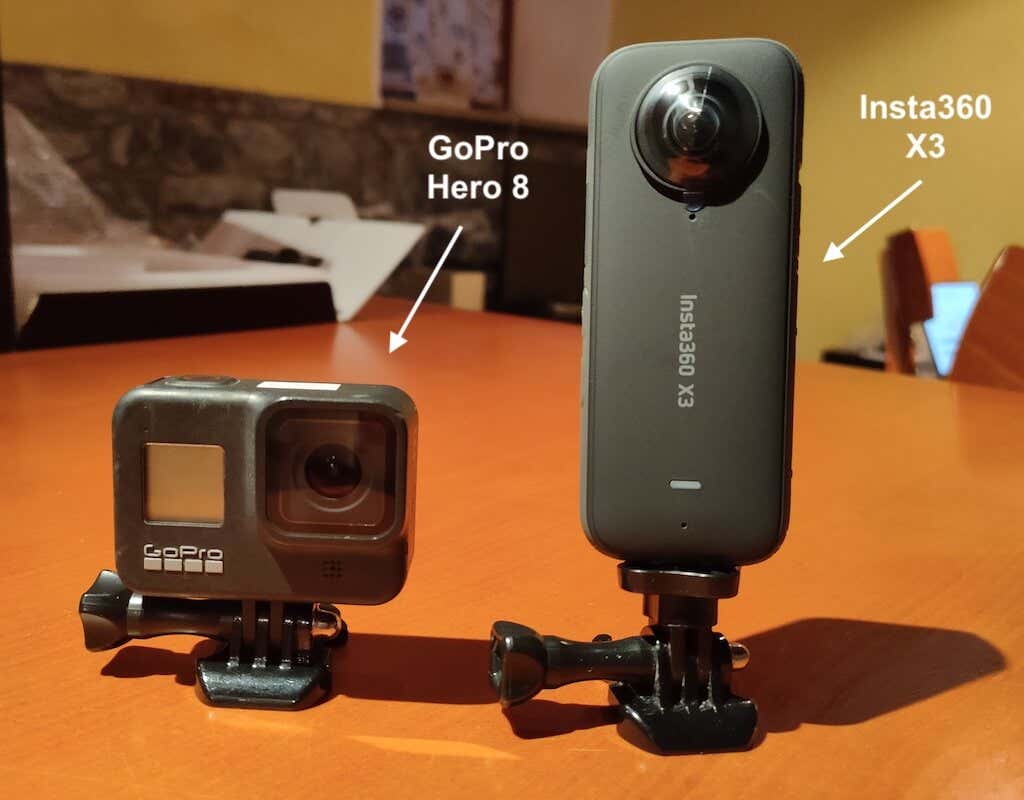
First of all, the X3 is bigger and heavier than the X2.
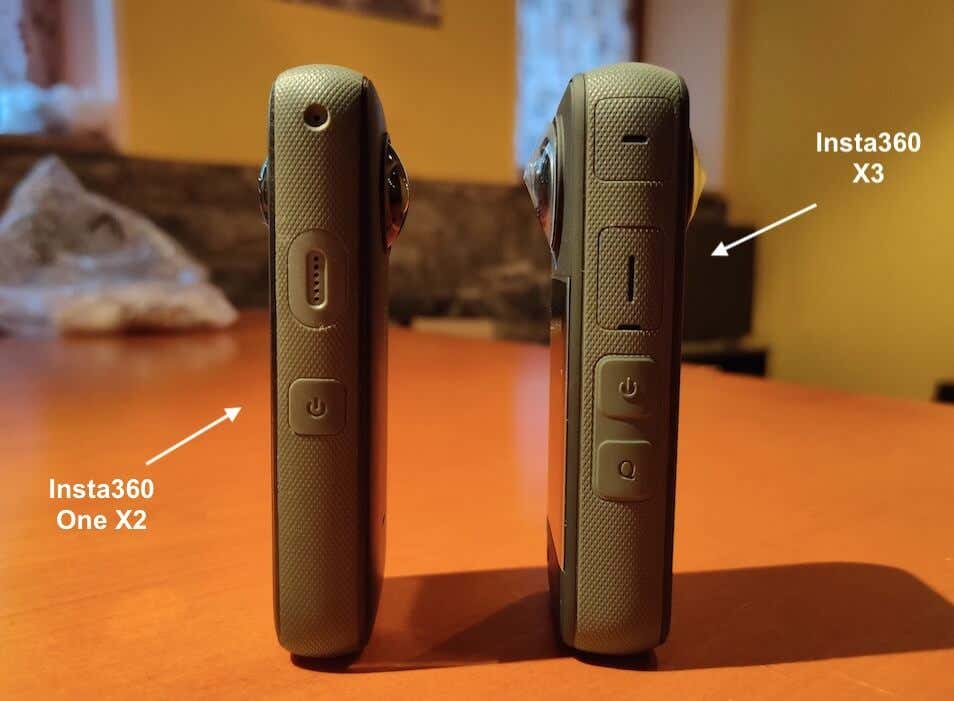
Modern camera developers seem to make the new models bigger and heavier even though it’s much more convenient to use a smaller and lighter action cam for filming.
Among the improvements we like is the new bigger and brighter touchscreen that’s easy to use even in bright daylight.
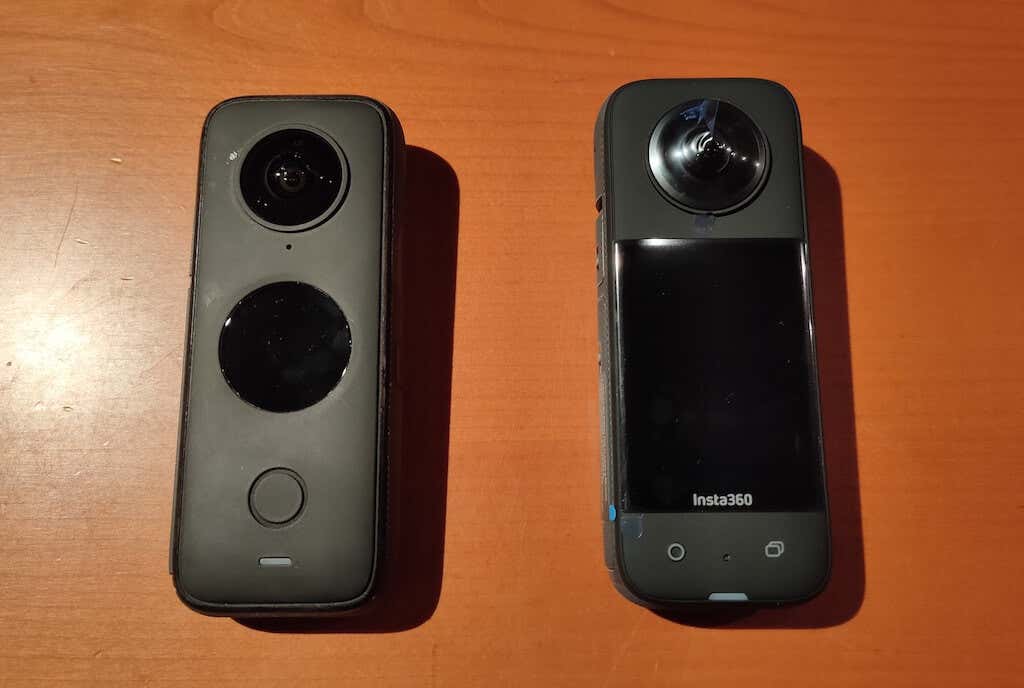
The X3 also features better hardware buttons under the screen: one to start recording and the other to switch lenses. While the buttons on the new X3 are better than those on the One X2 model, they’re still not ideal for using when wearing gloves. If you’re planning to use the Insta360 X3 to record from your helmet, starting the recording will take some getting used to.
Here are the key Insta360 X3 specifications:
- 1.8 x 4.5 x 1.3 in (114 x 46 x 33 mm)
- 6.3 oz (180g)
- 2.29 in (58 mm) Touchscreen with Tempered Glass
- 5.7K @ 30fps 360° Video Resolution, 4K @ 30fps Wide Angle Video Resolution
- 72MP 360° Photo Resolution
- 8K Timelapse Mode
- FlowState Stabilization + 360° Horizon Lock
- Bluetooth, USB-C, and WiFi Connectivity
- MicroSD Card Slot
- IPX8 Waterproof to 33ft (10m)
- 1800 mAh Battery Lasting up to 80 mins
Overall, the X3 is a great camera capable of filming high-quality videos in just about any conditions. The X3 has a great editing app and several interesting accessories available that will make the filming process more fun. But is the upgrade worth it if you already own the One X2?
Design & Unpacking
The Insta360 X3 bears a similar design to the One X2 – the candy bar shape in dark grey tones, dual lenses, a big touch screen, and waterproof construction. The camera is easy to hold in your hand, and it can stand on its own.
One side contains the touchscreen, one of the lenses, and control buttons, and the other side has the second lens. Around the camera’s body, you’ll also find a switch button, a quick menu button, a USB-C port, and a removable battery. You’ll find a tripod socket on the bottom of the camera, which you can use to attach the X3 to a selfie stick, helmet mounting, or tripod.
What’s in the Box
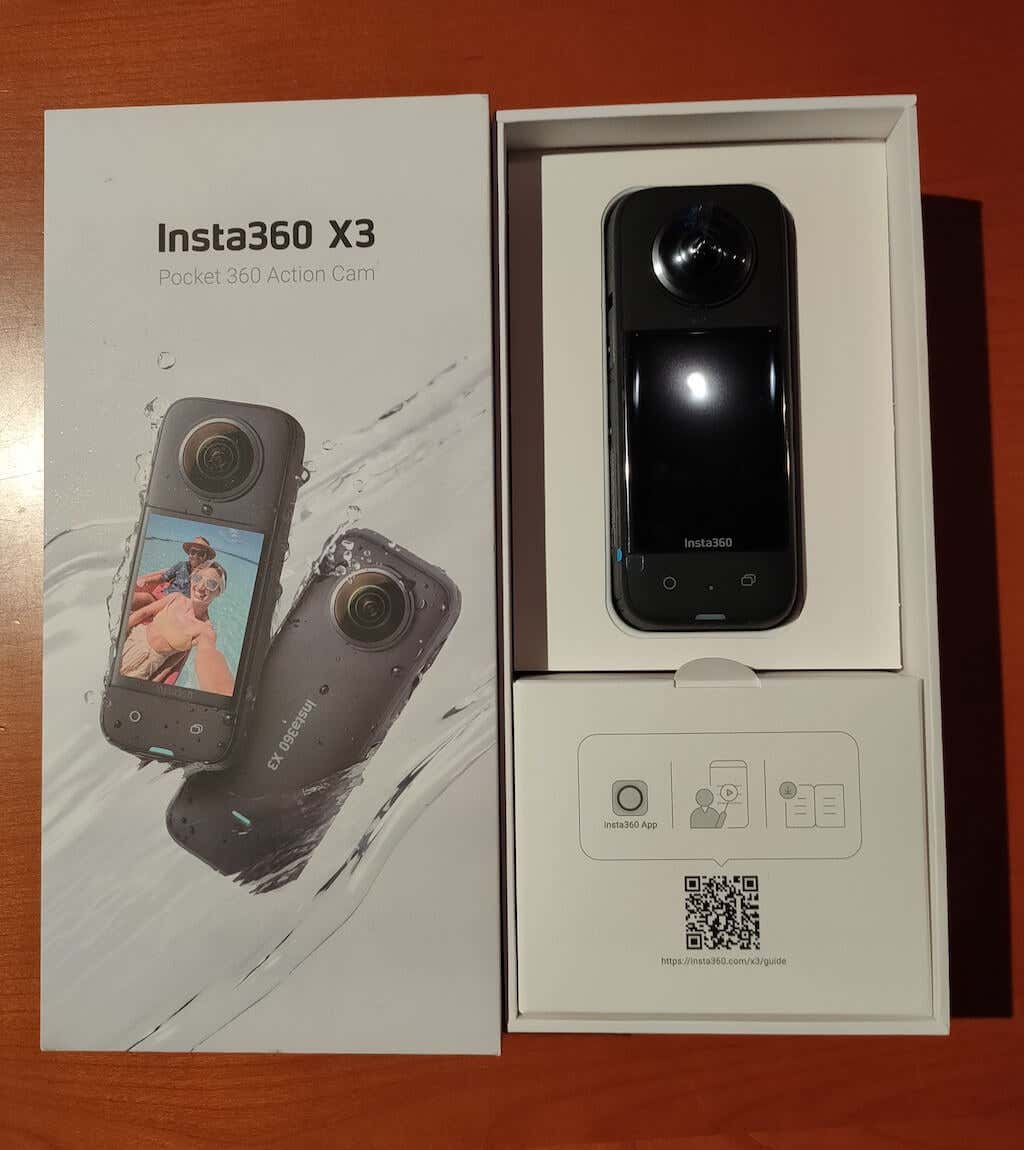
The X3 is slim but rugged. While it will easily fit in your bag and pocket, it’s not the smallest action camera out there. Here’s everything you’ll find in the box while unpacking your Insta360 X3:
- The Insta360 X3 Camera
- USB-C Charging Cable
- Protective Pouch
- QuickStart Guide
- Lens Cloth
Insta360 offers many valuable and fun accessories for your camera, depending on how you plan to use it. You’ll also find various buying options with different packages on the Insta360 official site . If you’re unsure which accessories you need, we recommend getting the Get-Set Kit.
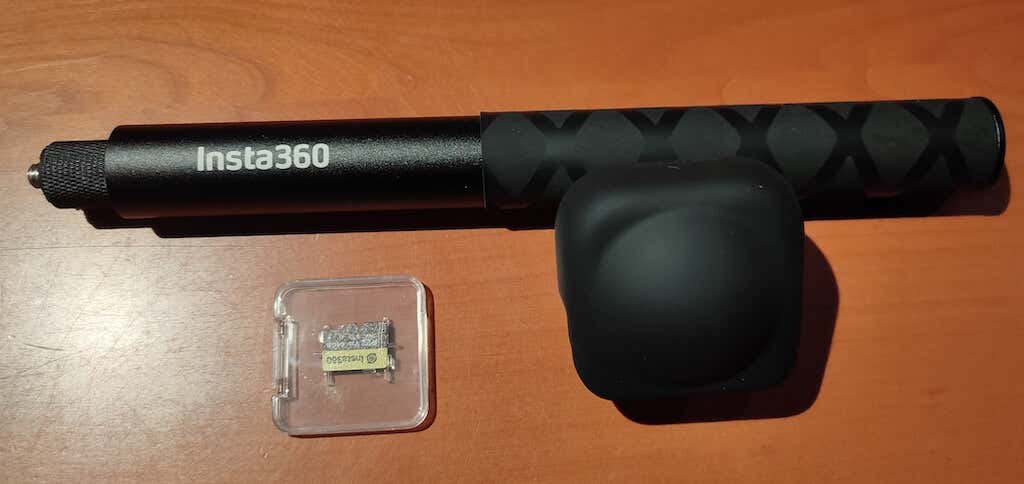
Aside from the camera, it contains a 120cm Invisible Selfie Stick (perfect for third-person view shooting), a Lens Cap to protect your lenses while carrying, and a 64GB microSD Card. With this kit, you can take your camera out of the box and start shooting right away.
Another useful Insta360 accessory we can recommend is the Dive Case. The X3 is already waterproof to 33ft (10m), but with the Dive Case, you can take down to 164ft (50m) and shoot seamless 360-degree footage.
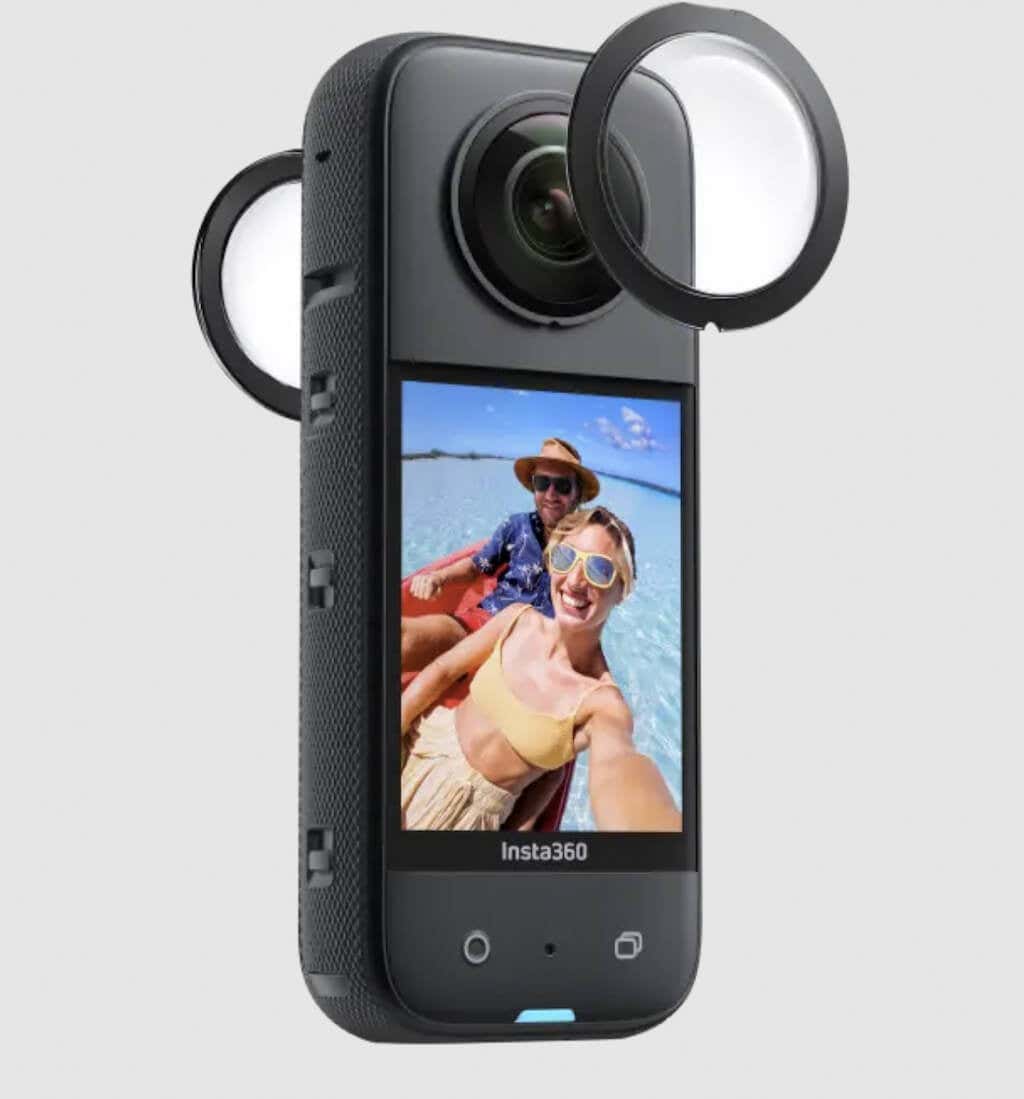
Last but not least, if you’re planning to use the X3 as an action cam and do active sports activities while recording, seriously consider buying the Sticky Lens Guards. The 360 lenses are still fragile and can be easily scratched. Every scratch will then result in a black dot on your footage. The Sticke Lens Guards will protect your lenses throughout the action.
Setup Process &Camera Performance
The setup process of the X3 is similar to that of the One X2. Take your camera out of the box, put the microSD card in, and download the Insta360 app on your smartphone to activate the camera.
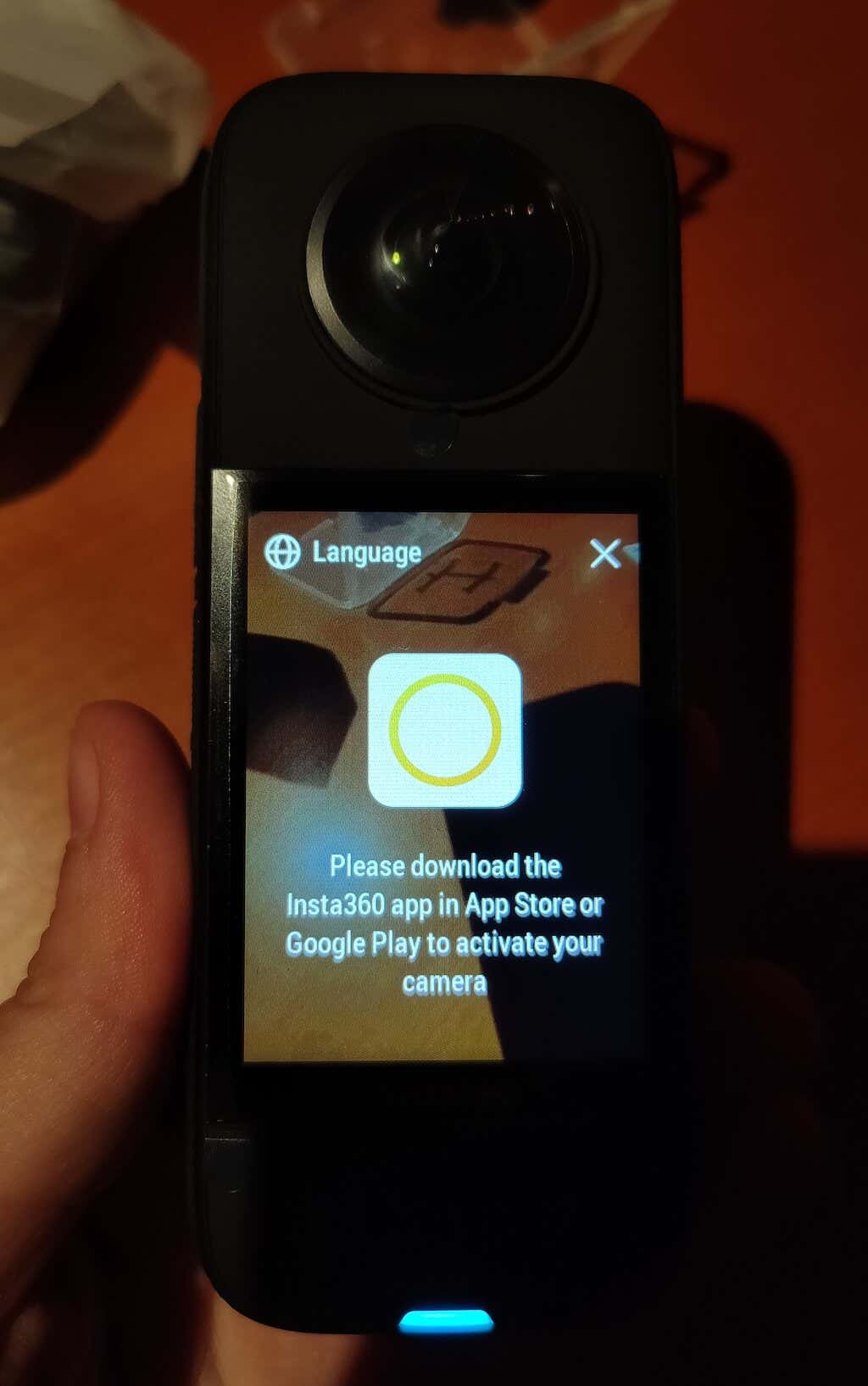
Regarding camera performance, the X3 is bound to impress you. You won’t experience any problems during extended shooting sessions in both warm summer and cold winter conditions. As long as you install the latest firmware (available in the Insta360 mobile app), you shouldn’t experience any severe lags or shutdowns. If the X3 ever freezes on you, it’s usually an easy fix – switch off the camera, remove the battery, and put it back in.
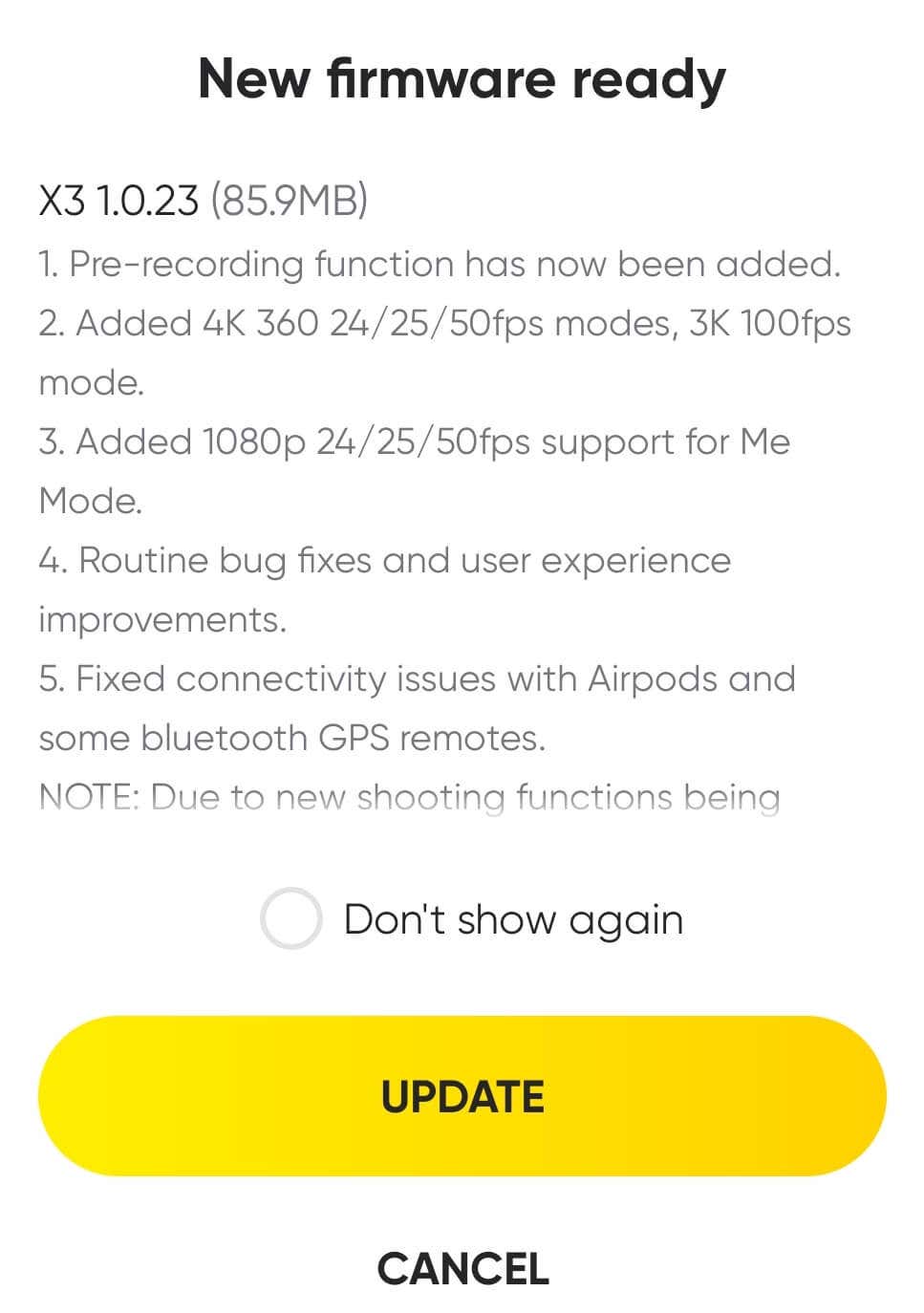
The only issues we experienced with both one X2 and X3 at the start of using are random cutoffs of recording. However, with both cameras, the problem disappeared after the first firmware update.
Capture Modes & Features
When you start filming with your X3, you’ll discover many different photo & video modes: Standard Video, Active HDR, Timelapse , TimeShift, Bullet Time, Loop Recording, Starlapse, Burst, Interval, HDR Photo, and Photo.
Thanks to the 6-axis gyroscope and FlowState stabilization, you don’t have to worry about image stabilization. No matter what activity you do, you’ll always get stable footage. Plus, you can position your camera in any way and rotate it as much as you need, the 360-degree Horizon Lock will keep the horizon level even.
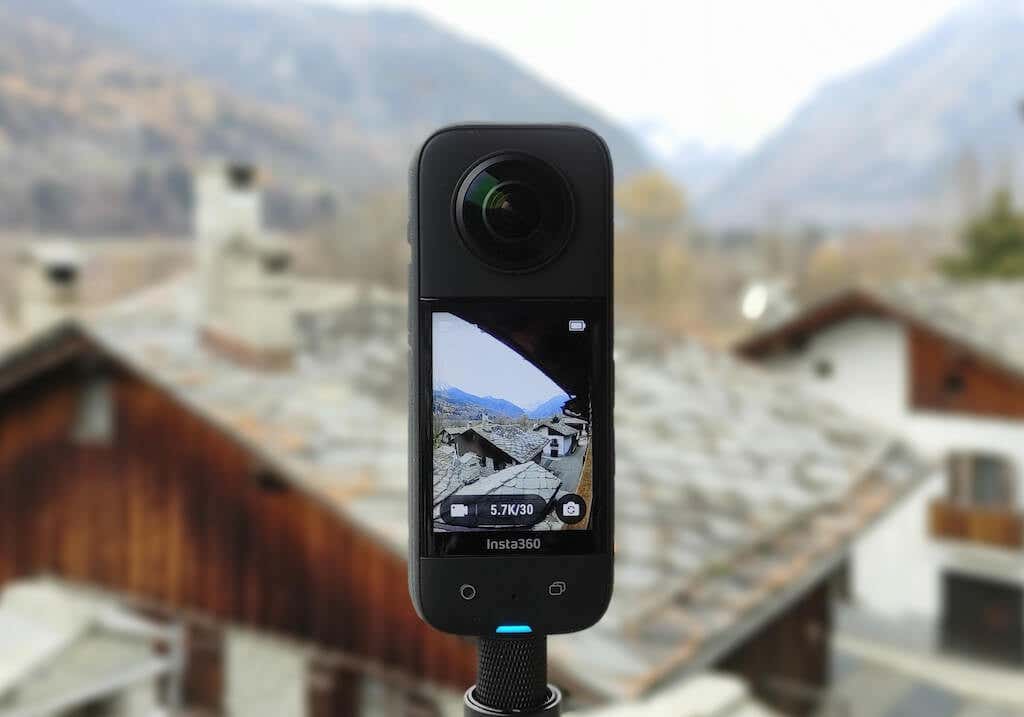
The X3 can shoot 360-degree video at 5.7 resolution at 30 frames per second (fps), or 4K at 60fps and other lower resolutions. Using the single-lens mode, the X3 can capture 4K at 30fps, 3.5K at 60fps, and lower. You can choose the 4K at 120fps or 3K at 180fps resolution if you shoot slow-motion.
We recommend the HDR mode for both photo and video when you’re shooting outdoors in good lighting conditions. HDR Video and Photo produce great dynamic range, reduce noise and enhance details. However, it’s best to use standard Video or Photo mode in low-light conditions for better results.
Two new capture modes on the X3 are Me mode and Loop Recording . The Me Mode helps you shoot stabilized selfie footage while recording with a selfie stick . This mode is great for social media influencers and content creators and can be helpful when you use the X3 as a webcam.
Loop Recording is another new feature and a great addition if you plan to use the X3 as a dash cam. In this mode, the camera will constantly record video and write over previous footage unless you set it to save the recording from a particular moment in time.
Photo, Video & Audio Quality
When it comes to video quality, the X3 recordings look great and on par with the GoPro Hero 10 and DJI Osmo Action 2. Compared to the One X2, the improvements in the video seem relatively insignificant. You probably won’t notice the difference unless you are shooting in really dim light – in that case, the difference in noise levels is very noticeable.
The image quality of the X3 has improved compared to its predecessor. The PureShot mode that helped shoot photos in low-light conditions by increasing the ISO to 3200 is gone. But the X3 bumps up the photo resolution from 12MP to 72MP. This allows you to take better pictures when zooming in on details.

The audio system also received an upgrade. The X3 has four mics with the upgraded Focus mode that ensures the audio follows you when you reframe the video.
The Editing Software
Insta360 has both a mobile app (Android and iPhone) and a desktop app called Insta360 Studio (macOS, Windows, LUT). Both options are great for working with your footage, whether you’re a beginner or an advanced content creator.
The Insta360 Studio is a powerful AI editing suite and has a bit of a learning curve, but it allows you to download video after reframing it in 5.7K quality. The mobile app is more intuitive and easy to use, but the video resolution drops to 4K after editing.
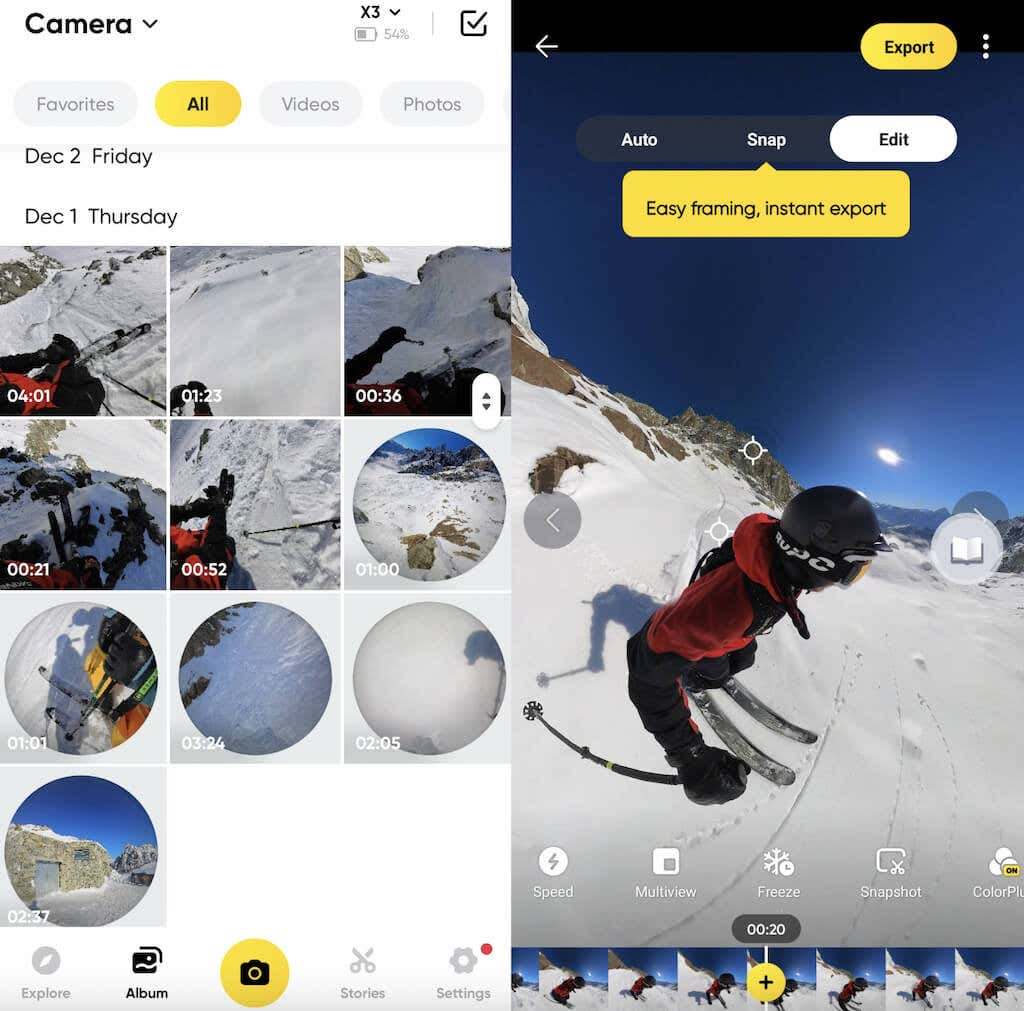
Once you get the hang of it, you can start exploring the editing tutorials the app offers. These can help you learn how to do various tricks with your X3 and truly take advantage of its capabilities.
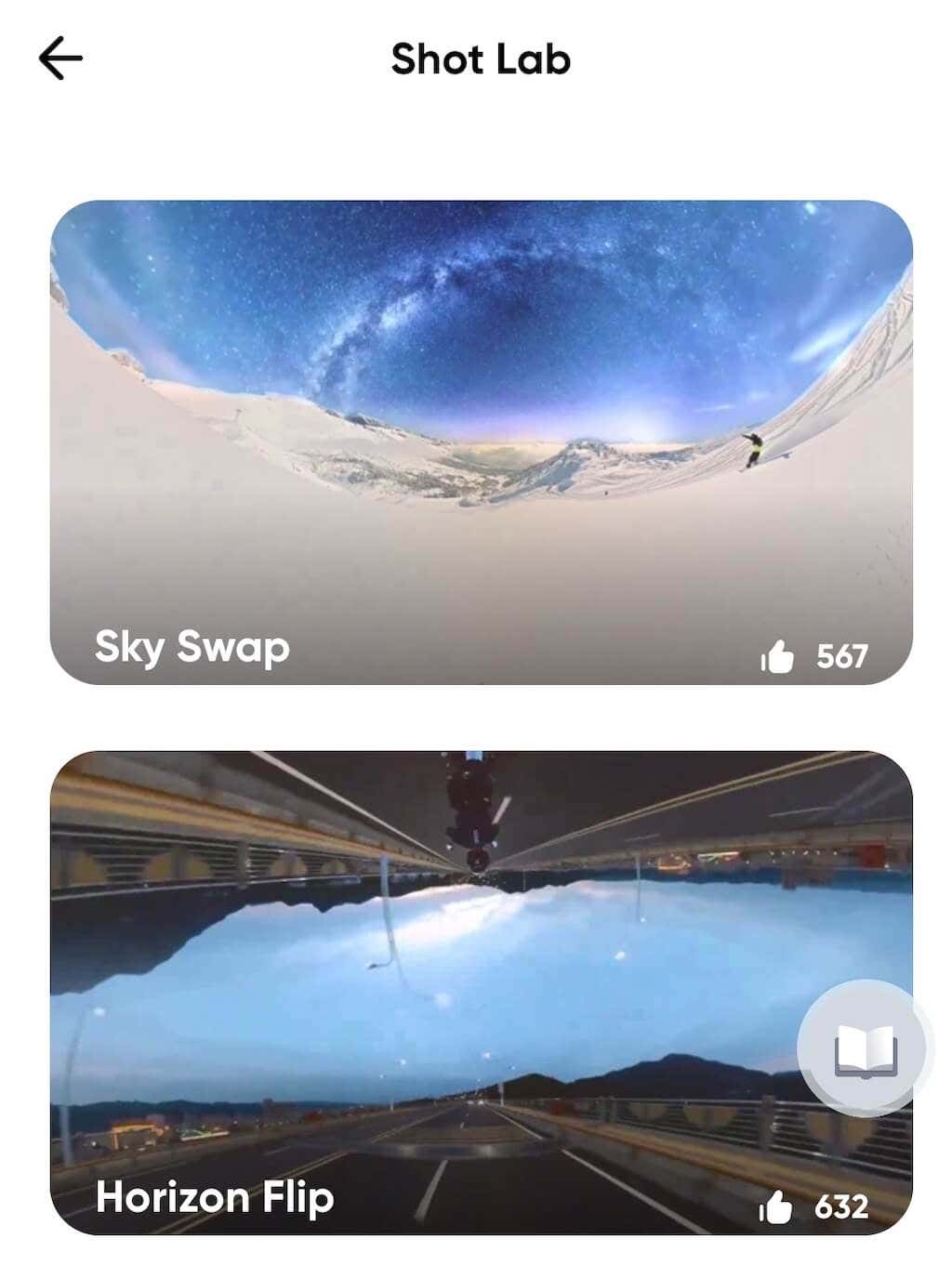
For example, you can swap the sky on your video for footage of the ocean or a famous painting, flip the horizon, and create a mirror world like Inception.
Battery Life
The battery on the One X2 was already a long-lasting 1630mAh. The X3 received an upgrade with a massive 1800mAh battery that can last up to 80 mins when continuously shooting 360-degree video at 5.7K 30fps.
If that’s not enough for you, Insta360 sells spare batteries that you can carry with you and easily replace the ones running out.
Should you Buy the Insta360 X3 Camera?
The short answer is yes, the Insta360 X3 is definitely worth buying, especially if it’s your first 360 (or your first Insta360) camera. The X3 is probably the best camera around when it comes to 360-degree shooting. It has excellent image stabilization and numerous capabilities when it comes to creative editing.
If you’re unsure about the size and shape of the X3 and prefer a more “standard” modular shape, check out the Insta360 One RS, which also supports the 360-degree shooting mode.
Right now, the X3 retails for $450, and for a 360 camera, it’s more than affordable. If this is outside your budget, you can opt for the One X2 instead. While the photo quality is significantly lower, the video footage from One X2 will still be great. Plus, you can find a second-hand One X2 at a bargain price as people upgrade to the X3.
- Tribit StormBox 2: The Under $70 Portable Speaker that Stands Out
- ENGWE L20 2.0 Review: The Best Budget-Friendly Foldable E-Bike?
- TopDon TC004 – a Thermal Imaging Camera That Will Give You Predator Vision
- Newyes Portable Wireless Thermal A4 Printer Review
- Eskute Star Folding Fat Tire Electric Bike Review
If you don’t have a full-sized printing machine at home and often need to print a document on the go, check out the Newyes portable printer . This wireless printer is lightweight and small enough to fit in your bag. Not to mention it’s environmentally friendly, since it uses thermal paper instead of ink.
Follow our review of the Newyes portable wireless thermal printer to see if it suits your printing needs.
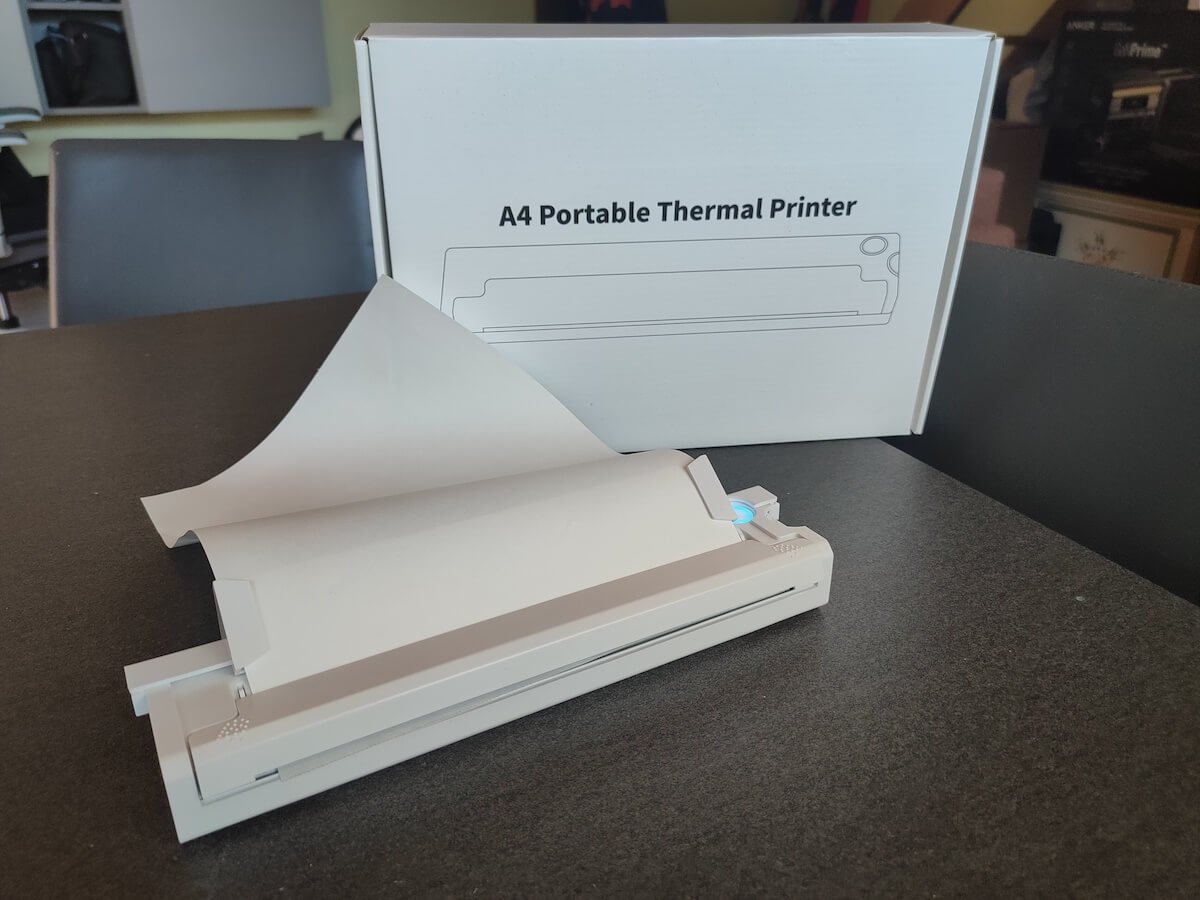
Newyes Portable Wireless Thermal A4 Printer: First Impressions & Specs
When I was a student, I remember my university always required hard copies of documents. Luckily, there was a print shop on campus where I could always pop in to print something.
Then I became a professional, and to my surprise many life spheres still required me to have printed versions of documents with me. Of course you can get your own full-sized machine to print things at home, but if like me you live in a small apartment, you value every extra bit of space and don’t want a massive printer to take it up.
One day, when I was looking for a neighbor with a printer to help me with my event tickets, they introduced me to the concept of a portable printer. Seeing how easy it is to use, I immediately wanted to get my hands on one of those. So here I am, reviewing one of the most useful gadgets I received recently – the Newyes portable thermal printer.
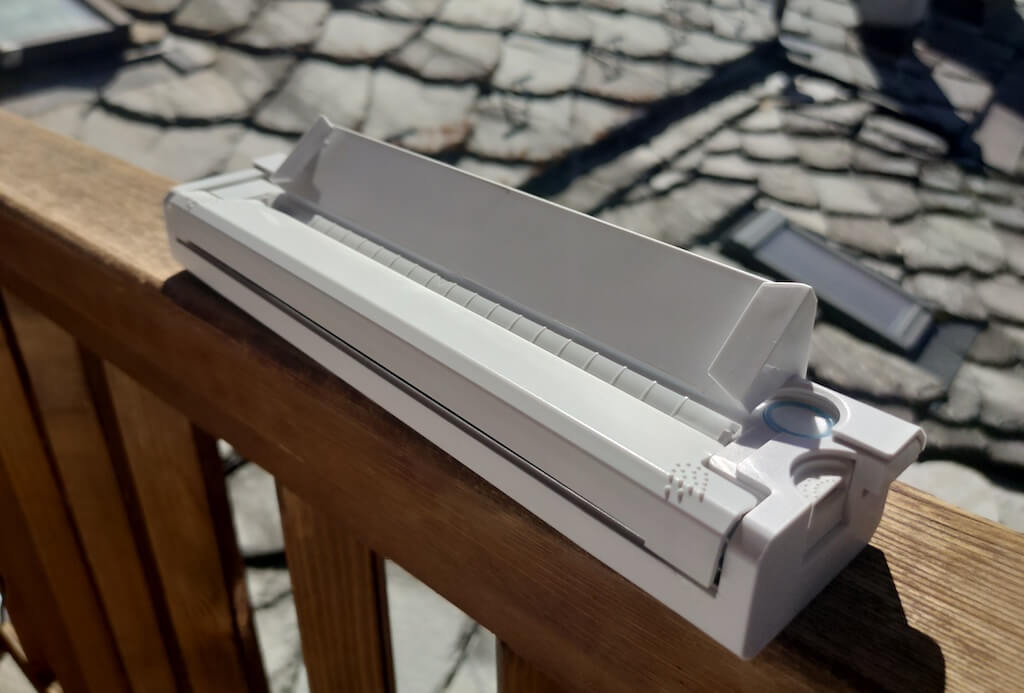
Before we continue with this review, here is the full list of specs of this printer.
- Model: Newyes LD0801
- Dimensions: 10.4 x 1.2 x 2.28 in (265 x 58 x 30.5 mm)
- Weight: 16.8oz (475g)
- Paper format: A4
- Paper width: 210mm or 218mm
- Printing Type: thermal paper
- Resolution: 203DPI
- Connectivity: Bluetooth
- Charging port: USB type-C port
- Input Voltage: DC 5V / 2A
- Battery: 1200mAh lithium battery
- Charging time: 75 min
- Automatic shut down: after 30 minutes
- Stand-by: about 30 days
- Extra features: LED light, reset, on / off switch button
- Color: white, black
- Warranty: limited one year warranty
- Price: $199 on the Newyes website
If you find yourself in need of hard copies of important documents while on the move, the Newyes portable wireless thermal printer will become your go-to gadget. Newyes calls it “the world’s smallest printer”, and with the weight of under 500g this seems plausible. This mini printer offers a handy solution for those moments when you need to quickly print an important document but don’t have access to an office setup.
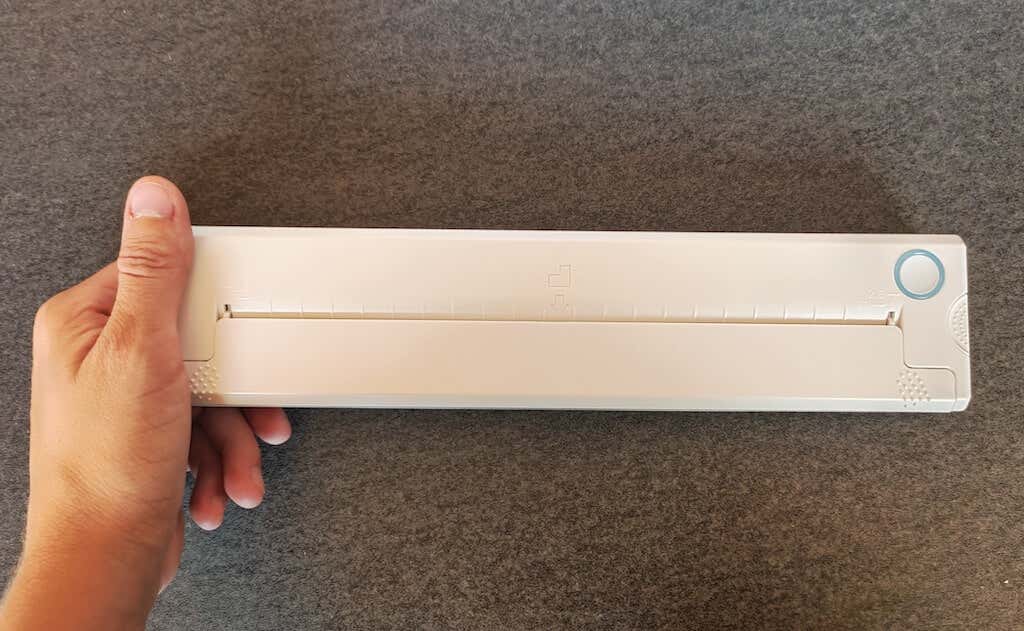
Operating this printer is a breeze – a simple Bluetooth connection is all that’s required. Once connected, just fire up the app, choose the file you want to print, and send it over. Efficiency is at the forefront, and you can easily print multiple sheets by inserting new pages back to back.
The only limitation this printer has is that it can only print in black. So even if your original file is in color, the printed document will still come out in black and white. Other than that – you can print a variety of file types including Excel, Word, PDF, JPG, PNG, and web pages – and it only takes seconds.
The Newyes portable wireless printer combines convenience, portability, and efficiency – all the things I appreciate in a modern gadget.
Design and Unpacking
Let’s have a closer look at the design and build of this smart printer, as well as what you get included in the package when you purchase it.
What’s in the Box
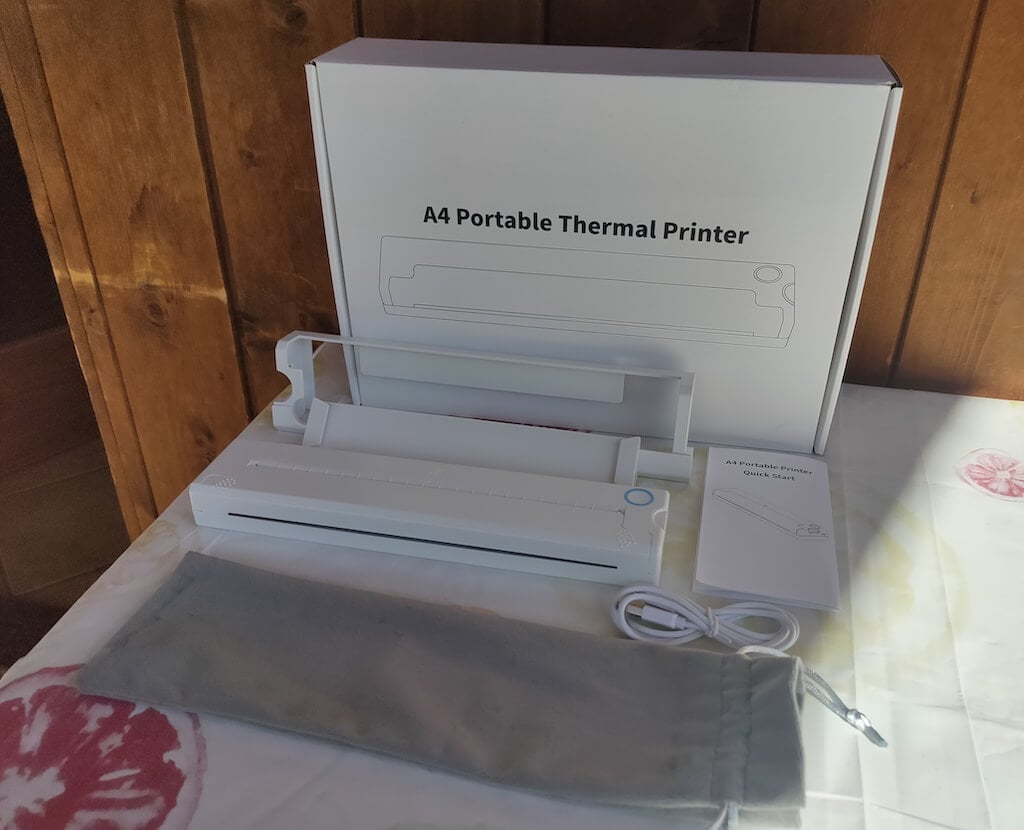
Here’s everything you’ll find when unpacking your Newyes portable thermal printer:
- The Newyes portable wireless thermal printer
- Bracket
- USB type-C cable
- Storage/carrying pouch
- 100pcs thermal printing paper
- User manual
You can use the Newyes portable printer right out of the box, as you’re all set with essential accessories. Aside from the printer itself, the package includes a bracket which will make printing more than one page smoother, a convenient storage bag for carrying your printer with you, a USB-C cable for charging, and a supply of 100 pieces of thermal paper to get you started.
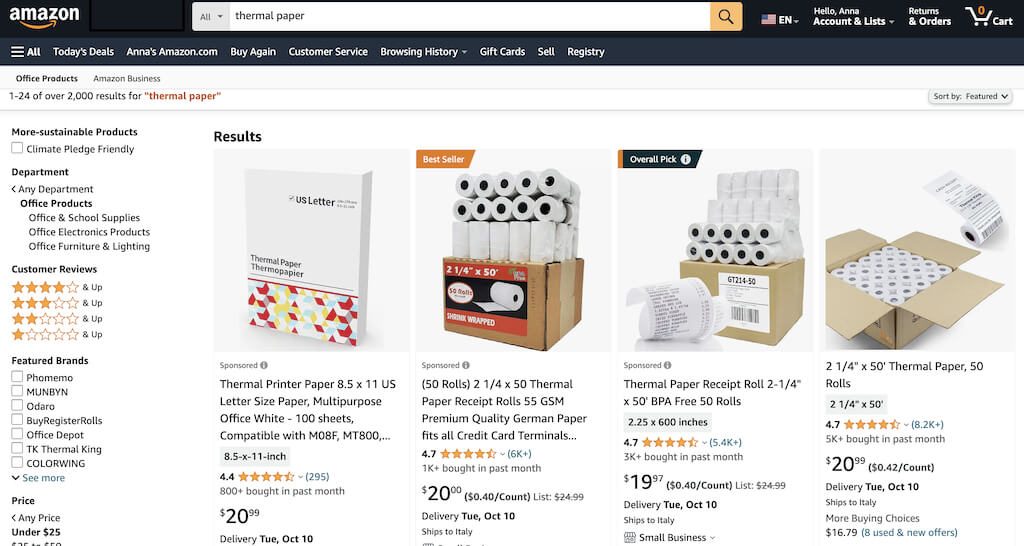
One important thing to remember is that this printer only works with thermal paper. While thermal paper is significantly more expensive than normal paper, this printer also uses inkless printing and works without a ribbon and toner. Since you don’t have to spend money on ink, carbon ribbons or toner cartridges, you ultimately end up saving money with thermal paper.
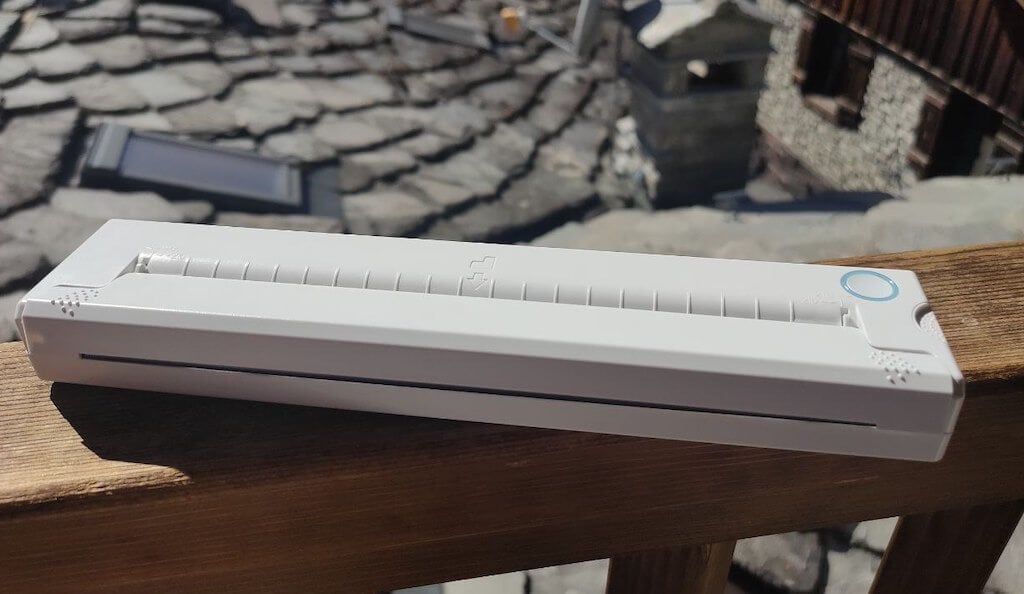
The Newyes LD0801 is a pocket-sized printer that features straightforward design. For the purpose of this review, I had a printer in white color. The printer looks like a small white brick with just two pressable buttons on top – one for switching it on and off, and another for opening the printer’s cover. You’ll also see the paper entry slot on top of the printer.
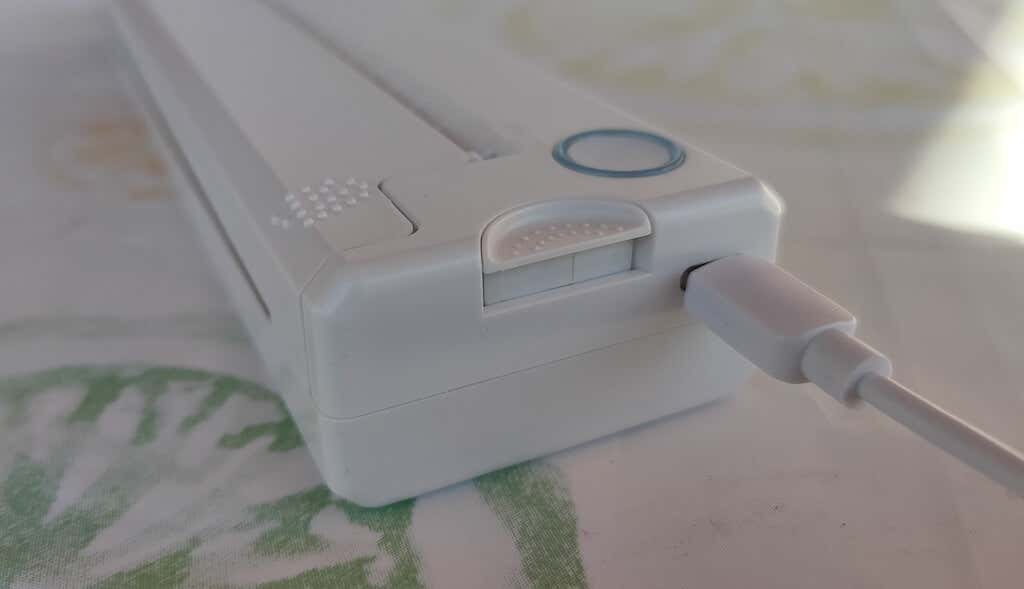
On the side of the printer, you’ll find a single charging port.
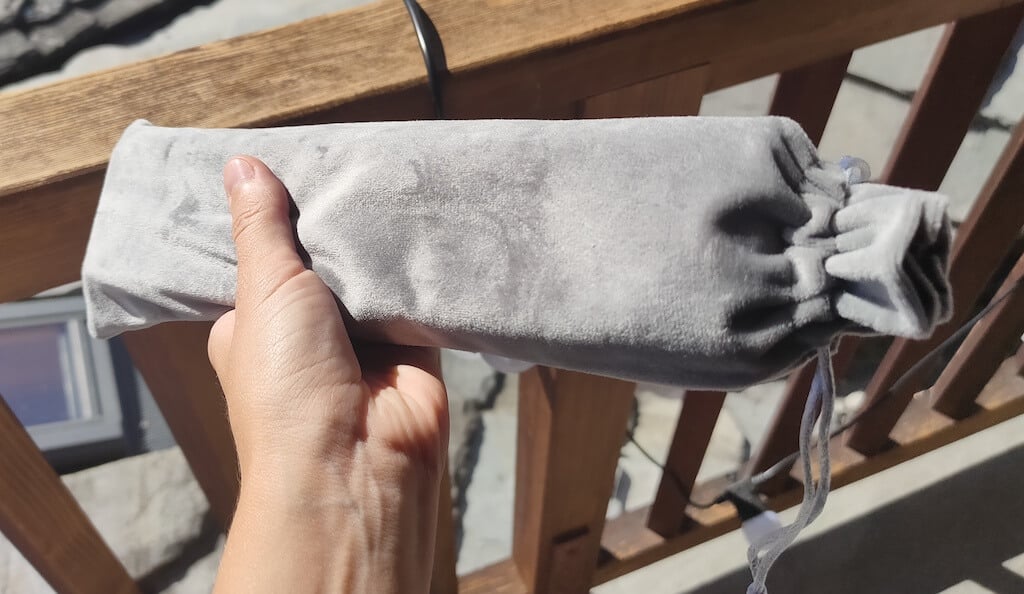
The printer is made of plastic, but the build feels sturdy. I never have to worry about throwing it into my bag or damaging it when traveling. Besides, you can use a nice carrying pouch included in the package for protection.
Performance & Features
According to Newyes, the portable printer has a “handheld size and two times the weight of an iPhone”. This can give you an idea of how portable and convenient this little gadget is. In a month of testing, I used it at home, in a store, and even in a car while on the road.
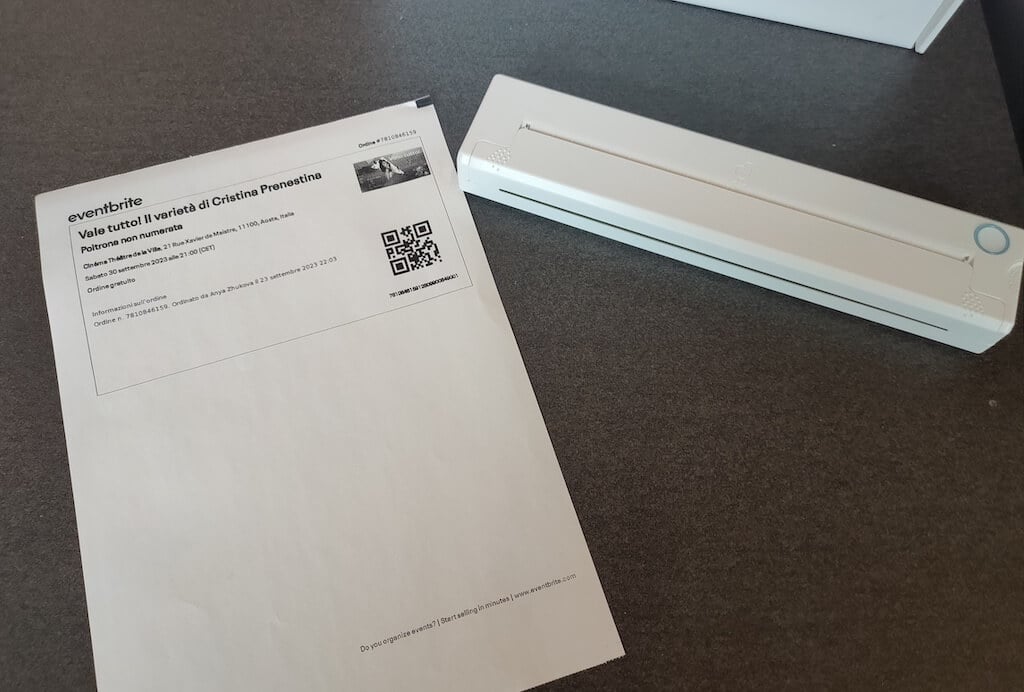
Using the printer is unbelievably easy. Connect it to your mobile phone via Bluetooth, press the button to turn the printer on and put a sheet of thermal paper into the paper entry slot. Make sure to use thermal paper and not standard paper, and put it with the black marks facing down. Bear in mind that the thermal printer can only print in black and white and only on one (marked) side of the thermal paper sheet.
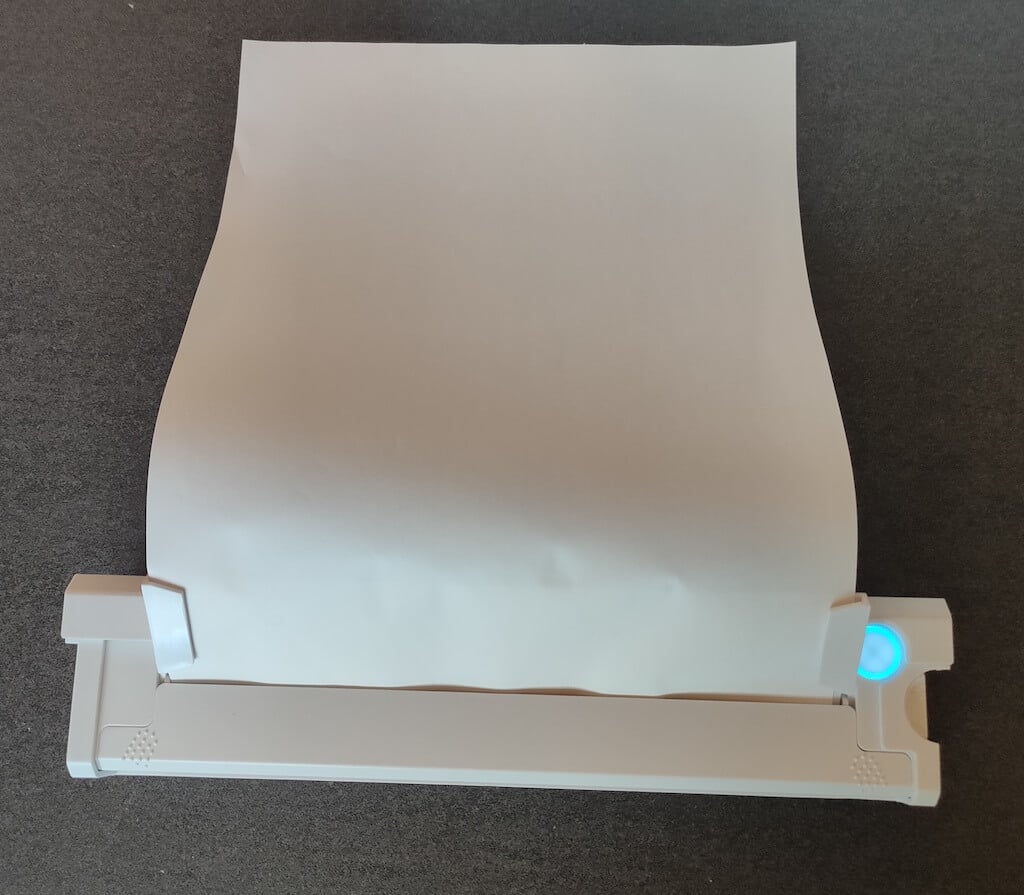
Then open the iPrint app on your smartphone. If you’re printing an A4 document, you can select one of two options – Photo Printing and Document Printing . Then choose the document from your phone’s files and print it.
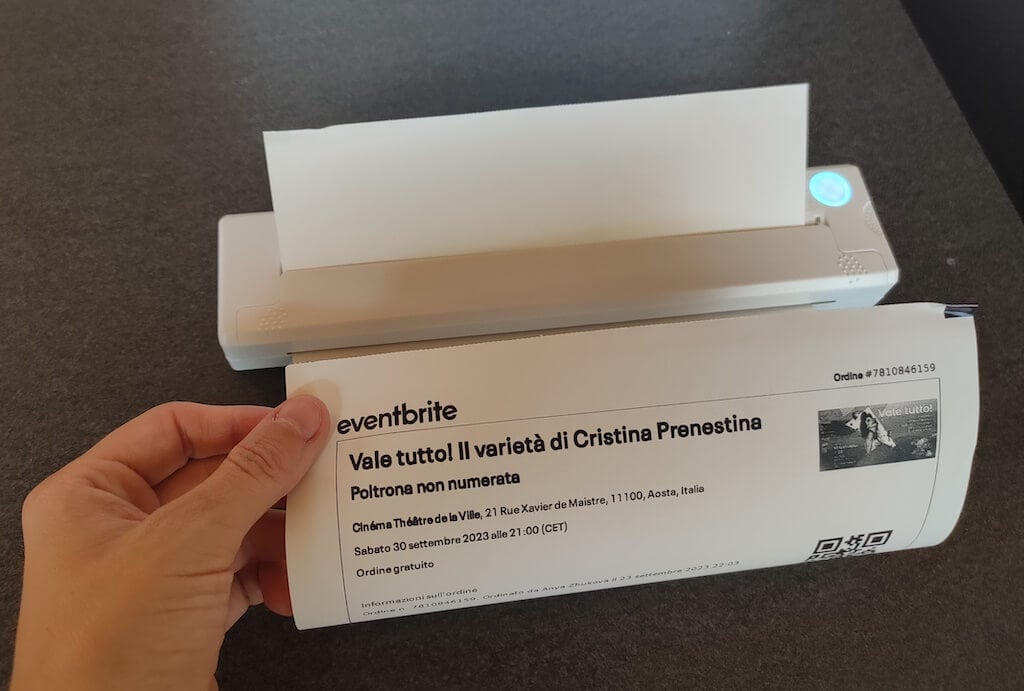
The printer is reliable and in the time that I used it the Newyes LD0801 never let me down. The printing quality will surprise you, as it’s sometimes better than what you get from a full-sized printer. The printer supports printing in various formats, and you can use it to print documents from your smartphone (Android and iPhone), iPad, and Android tablet.
When fully charged, the printer can support up to 90 pieces of paper continuously, which is very impressive for a gadget of such a small size.
Software
The Newyes portable printer requires an iPrint app to operate. The app is available for free on iOS and Android. You’ll need to download the app on your device from the App Store or Google Play before you begin printing your documents.
The app has a simple and user-friendly design. You’ll need to pair your device with the printer on the first use via Bluetooth.
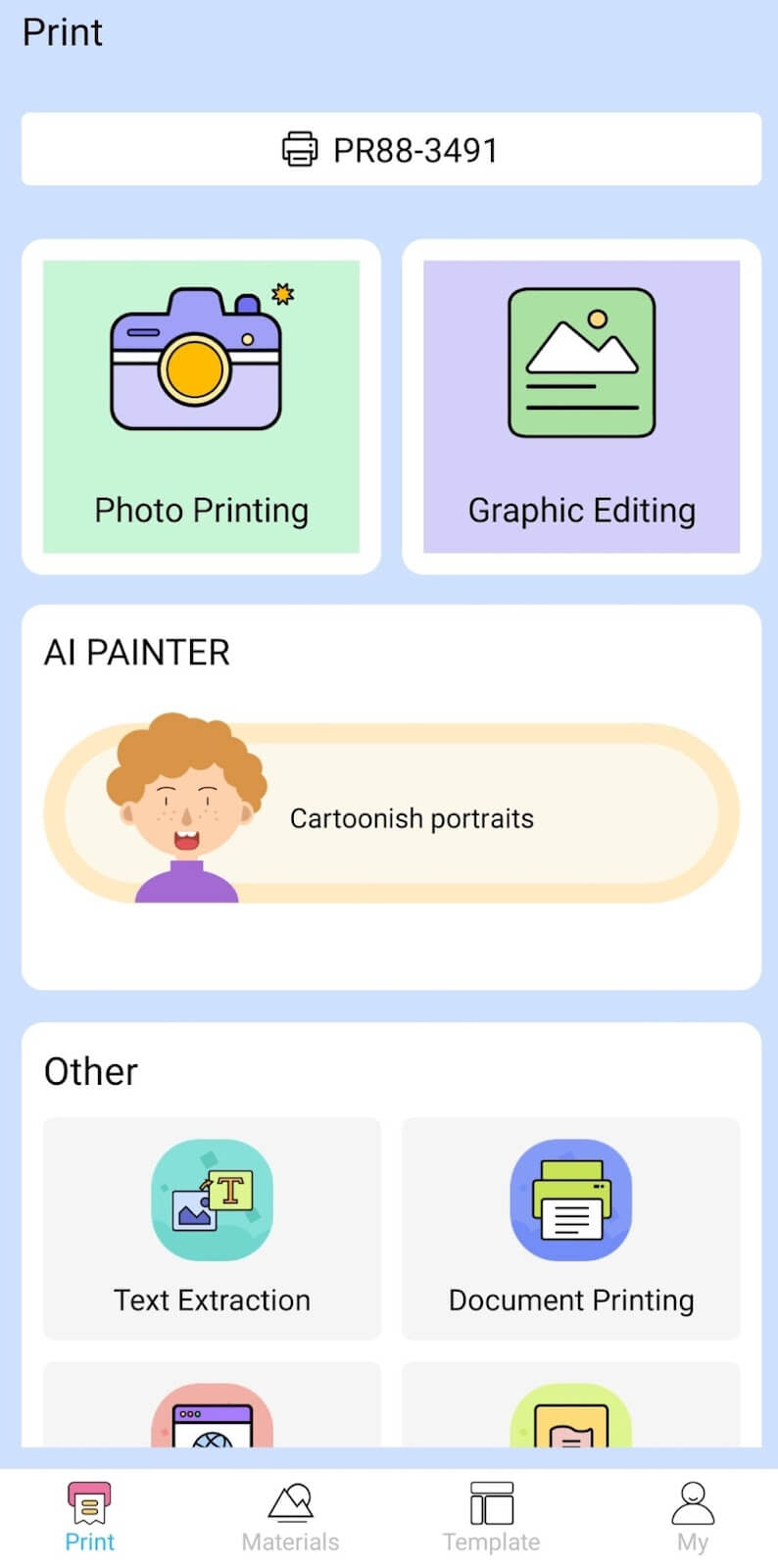
Depending on the type of document you want to print, you can choose different options from the app. There’s photo printing, document printing, web printing, and banner printing.
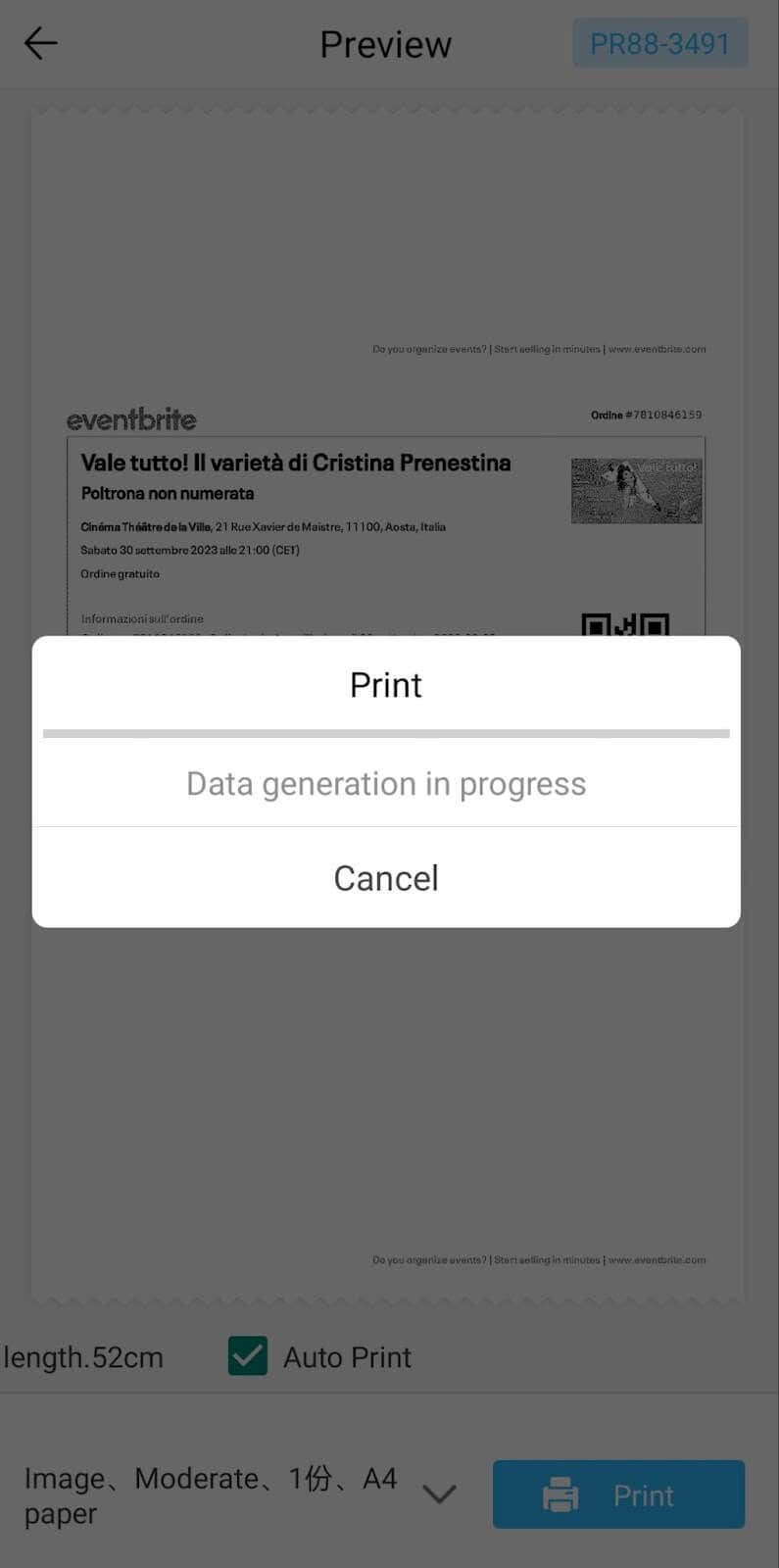
The app also has Materials and Template sections, where you can find various pictures and templates for printing to-do lists, post-its and holiday cards. You can also use the Newyes LD0801 as a label printer using these templates.
Battery Life
The Newyes portable wireless thermal printer is equipped with a decent 1200mAh lithium battery. This high-capacity battery allows you to print on the go without constantly worrying about running out of charge. When I received the printer, I charged it fully once, and it still hasn’t run out of battery after one month of use (I use it to print something almost every other day).
Charging this printer is quick and takes just over an hour to charge the printer from zero to full. The type-C charging cable facilitates a rapid charging experience. And if you run out of battery while on the go, you can quickly charge the printer from a portable power station or a power bank to continue printing.
The printer doesn’t support wireless charging, so I’d recommend always bringing the usb-c cable with you just in case.
Should You Buy the Newyes Portable Wireless Thermal Printer?
The Newyes portable thermal printer ensures high-quality wireless printing while on the go and easy operation. It’s not the most budget-friendly option, but this purchase will save you money and nerves in the long run thanks to its versatility and portable nature.
Personally, I can say that this printer made my life easier. So much that it’s probably my favorite smart gadget of the year. If you’re looking for a portable printer that won’t take any space in your house, I’d certainly recommend considering the Newyes LD0801 model.
- Tribit StormBox 2: The Under $70 Portable Speaker that Stands Out
- ENGWE L20 2.0 Review: The Best Budget-Friendly Foldable E-Bike?
- TopDon TC004 – a Thermal Imaging Camera That Will Give You Predator Vision
- Eskute Star Folding Fat Tire Electric Bike Review
- The 70mai Power Station Tera 1000 Review
