If you’re into mobile gaming , you know that owning a gaming phone is essential. Thanks to built-in cooling systems, gaming phones manage heat better and allow for long and stable gaming sessions. However, these smartphones often sacrifice other important features needed for everyday use.
The Nubia RedM agic 7 is a new generation gaming phone that seems to be an exception to this rule. It’s claimed to be the first and fastest gaming phone that doesn’t compromise your day-to-day use outside gaming. We got our hands on the new RedMagic 7 to check firsthand if these claims are true and if it’s really the best gaming phone of 2022 . Here’s what we learned.
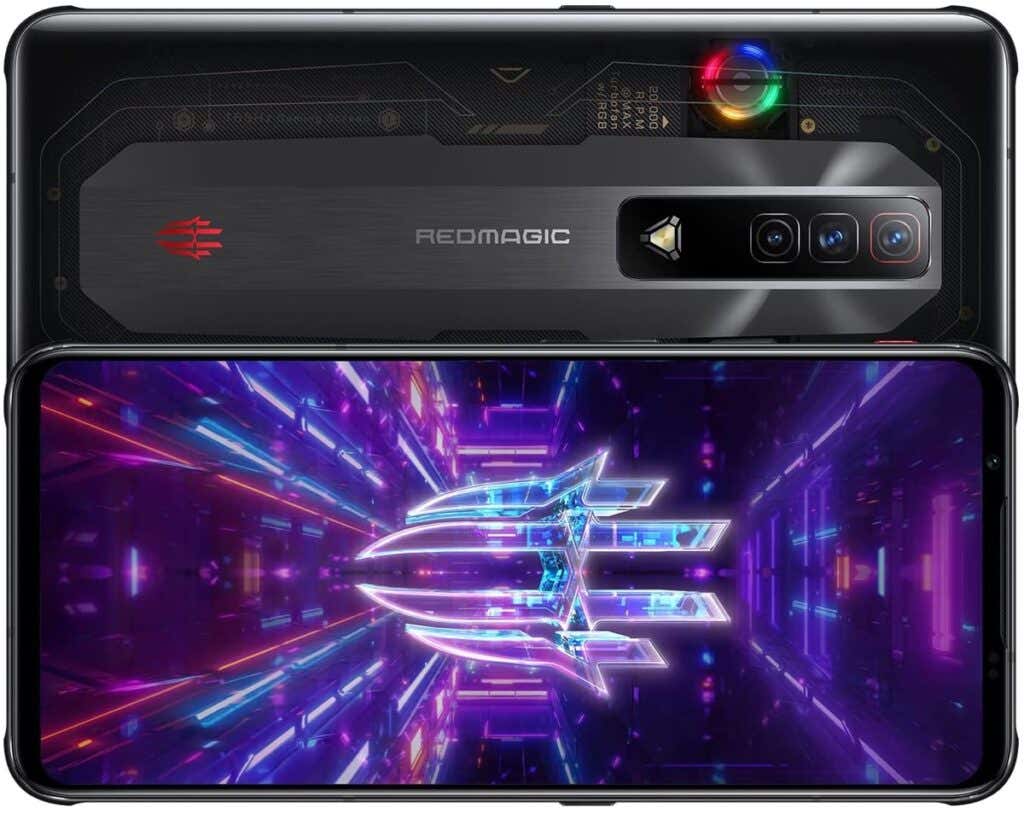
RedMagic 7: First Impressions & Specs
Some of the most common issues that users have with gaming phones are:
- The phone overheats during the continuous use of the uncooled chip, which affects the smartphone’s performance.
- The developers only pay attention to the gaming components of the phone, making it unusable in your daily life.
- Gaming phones are high priced due to the expensive hardware.

It seems like ZTE’s Nubia has solved these problems with the new RedMagic phone. The RedMagic 7 is the first gaming smartphone running the high-end chipset – the Snapdragon 8 Gen 1, has a built-in cooling fan that allows for long comfortable gaming sessions and has different price tiers for different needs.
The RedMagic 7 comes in 3 variations: Obsidian for $629 (12GB RAM + 128GB), Pulsar for $729 (16GB + 256GB), and Supernova for $799 (18GB + 256GB). We had the RedMagic 7 Pulsar model for testing.
- Dimensions: 6.72 x 3.08 x 0.37 in (170.5 x 78.3 x 9.5mm)
- Weight: 7.58 oz (215g)
- CPU: Qualcomm Snapdragon 8 Gen 1
- Memory: 16GB (LPDDR5)
- Storage: 256GB
- Operating System: RedMagic OS 5.0 based on Android 12
- Display: Full HD+, AMOLED, 6.8 inches, 165Hz refresh rate, resolution 1080 x 2400 pixels
- Battery: 4500 mAh with 65W fast charger
- Ports: USB-C, 3.5mm headphone jack, Dual SIM slot
- Connectivity: 5G, Bluetooth 5.2, NFC
- Front Camera: 8MP selfie camera
- Rear Cameras: 64MP main camera, 8MP ultrawide, and 2MP macro
- Speakers: Stereo speakers with DTS X Ultra
- Special features: built-in cooling fan, touch-sensitive shoulder triggers, powerful fast charger
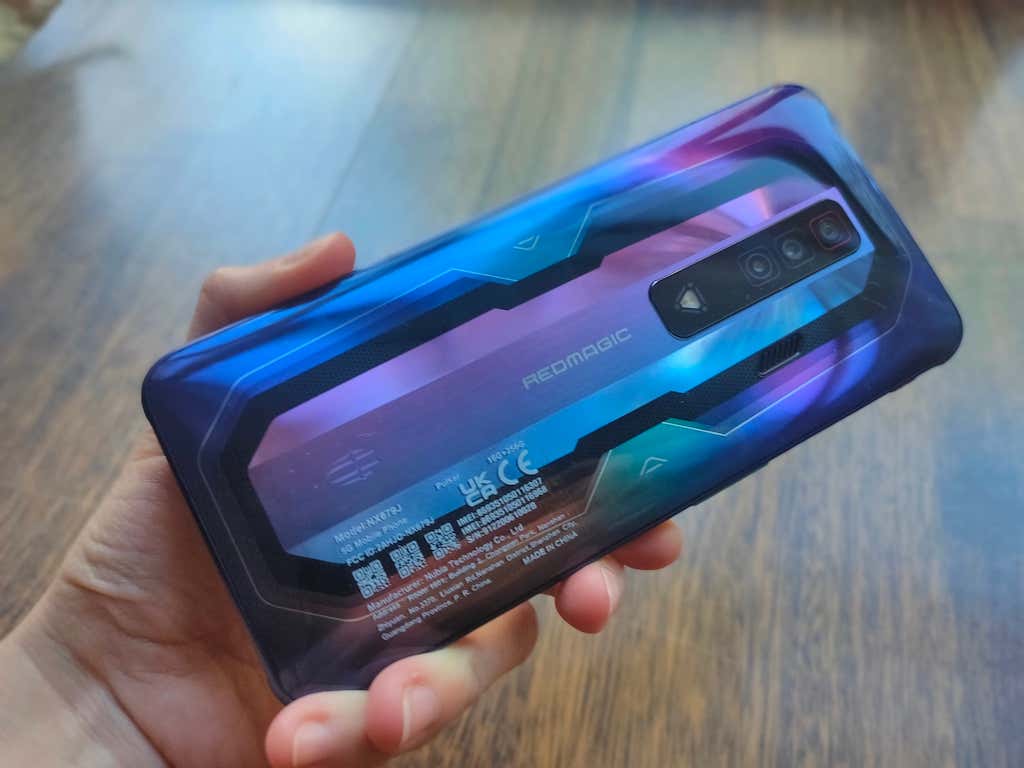
The RedMagic 7 comes with an impressive set of specifications. It’s an affordable phone with flagship-level hardware. However, you’ll find that a few things that you expect from a modern high-end smartphone are missing: There’s no IP rating (due to the cooling fan system), or wireless charging. That means you can’t go swimming with this phone and have to resort to wired fast charging.
Design & Unpacking
Gaming smartphones tend to follow specific design trends when it comes to their appearance. While gamers love the cyberpunk look and bright color schemes, an ordinary user might find it aggressive and over-the-top. While RedMagic 7 seemingly follows the same design tendencies, it feels like a different story.
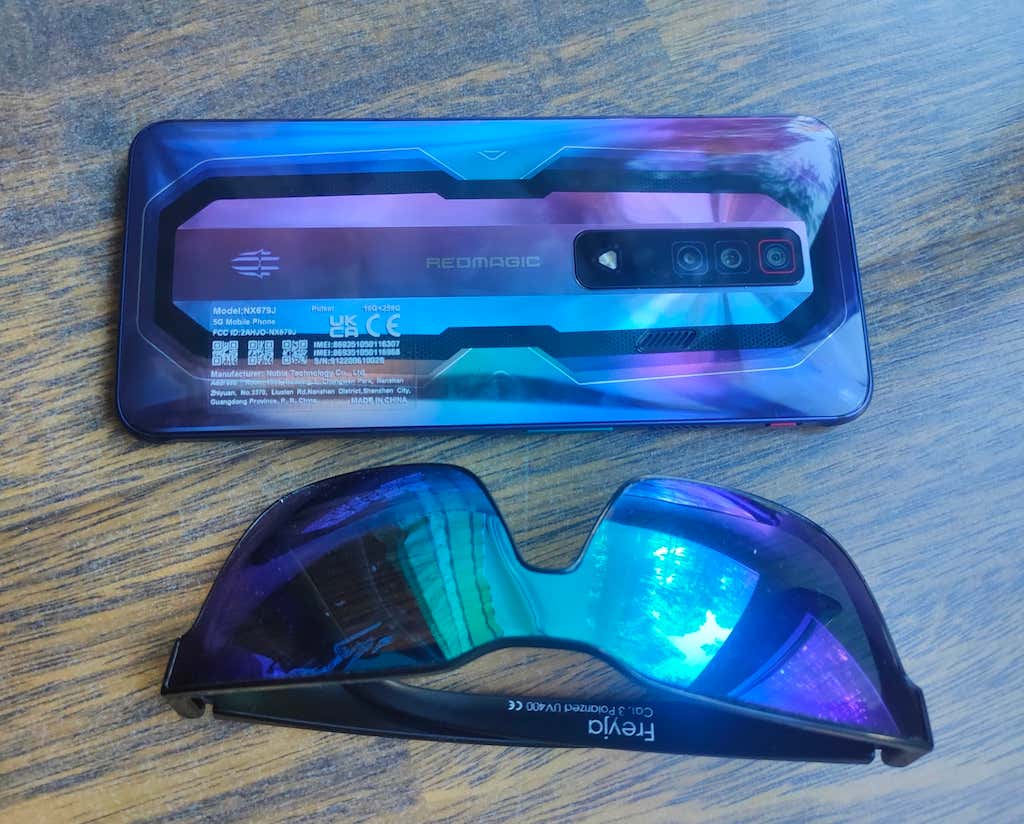
The phone comes in three different color schemes, so if you want to keep it toned down, you can choose the cheaper Obsidian version with the modest black back panel. The Pulsar version is definitely out there when it comes to colors, and would fit in perfectly with someone who’s really into cyberpunk culture.
The backplate of this smartphone resembles the colors of the pulsar star according to Nubia. Finally, the Supernova phone is the most powerful of all (comes with 18GB of RAM) but also the most epic if we’re talking about design. It comes with a transparent backplate that allows you to see things like the cooling fan lit up by RGB lights when in use.
If you’re into minimalism at all costs, you can use the included silicone case that will hide some of the colorful back – Gorilla Glass 5.
What’s in the Box
The RedMagic 7 comes in a stylish black box with comic strips printed on top and the sides. Inside the box, you’ll find:
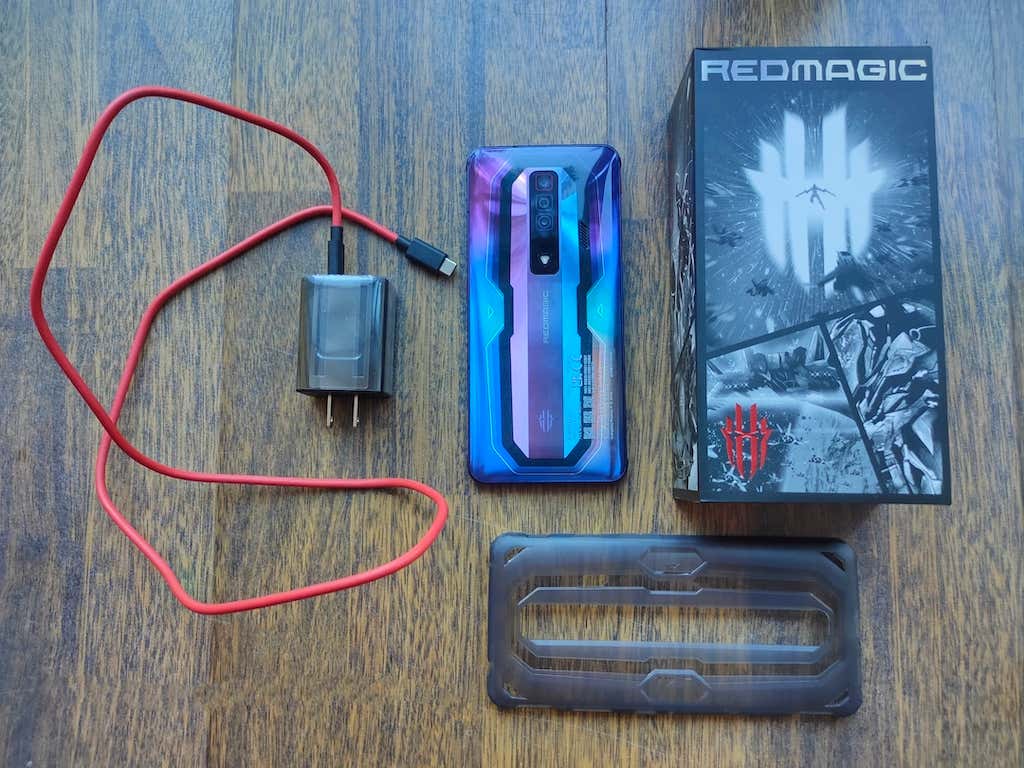
- RedMagic 7 smartphone with a pre-installed screen protector
- Protective silicone case
- SIM card tray pin
- USB-C to USB-C charging cable
- 65-watt fast charger
The phone features a 700-nit 6.8-inch FHD+ 1080×2400 screen with an AMOLED display and an impressive 165Hz refresh rate. On the sides, you’ll find two highly responsive touchpad shoulder triggers, and a built-in cooling fan on the back – both aiming to improve your gaming experience.
How Fast Is It?
It’s enough to look at the benchmark numbers to understand how fast and powerful the RedMagic 7 really is. We put the RedMagic 7 through the Geekbench 5 testing app to find out the benchmark results and see how it compares to other top smartphones.
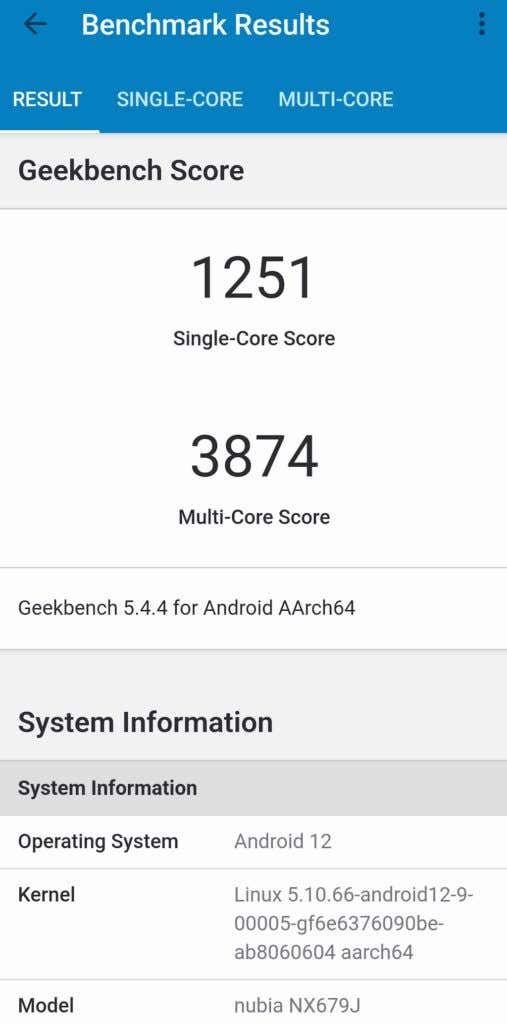
The RedMagic 7 received a 1251 single-core and a 3874 multi-core score for CPU performance. This leaves most Xiaomi phones (908 & 3062) and the Samsung Galaxy S21 Ultra (924 & 3085) in the dust. The RedMagic 7 also outscores the Samsung Galaxy S22 Ultra with the same Snapdragon 8 Gen 1 chip that showed 1240 and 3384. The only smartphone that showed better numbers is Apple’s flagship iPhone 13 Pro with 1668 and 4436 points.
Gaming Experience
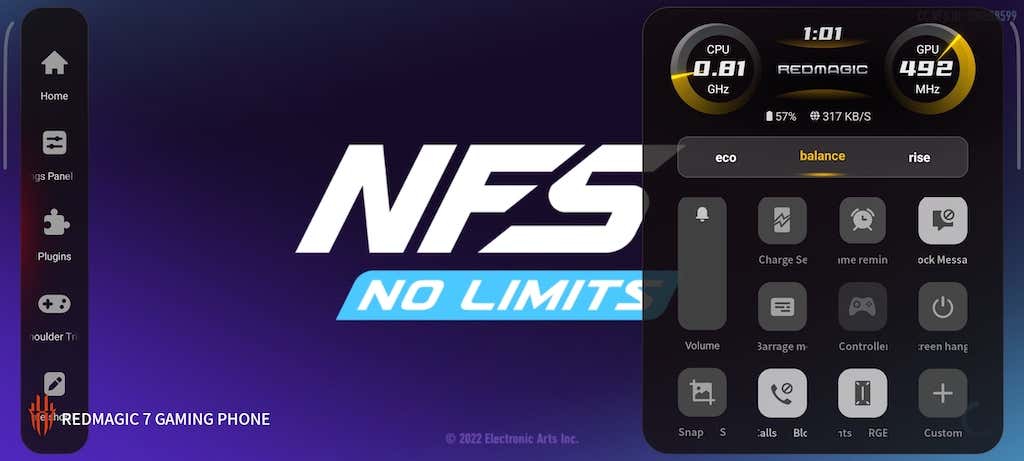
The RedMagic 7 is a gaming phone, and it’s built with the idea of giving you an advantage over your opponents in the gaming world. There are quite a few of these, and you can find them in the phone’s Game space .
The Game Space
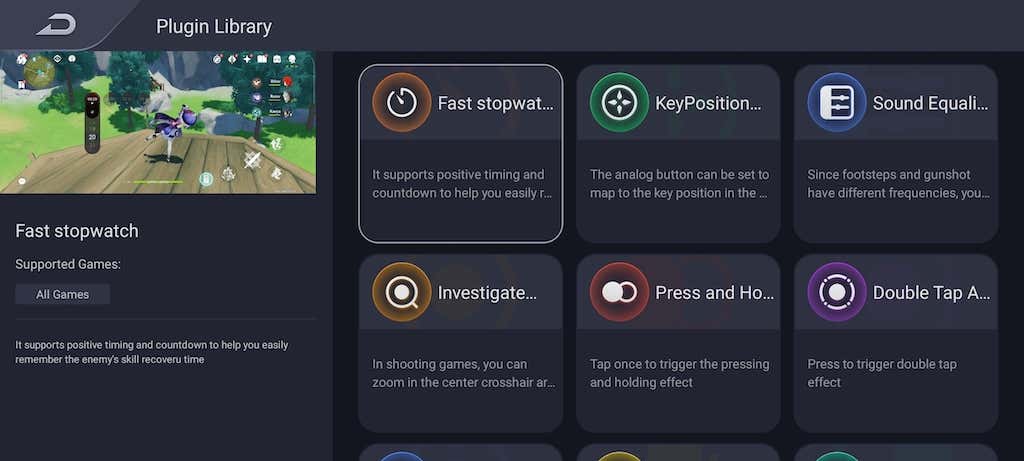
To access the Game space , turn on the red (or magenta) switch button on the left side of the RedMagic 7. This will open your Game lobby . Select Super Power Base > Plugin library . There you’ll find all of the superpowers that you can use in various games, from an ability to zoom in at the center of your screen to find any hidden targets, to being able to invert your screen’s colors to detect camouflaged enemies. Most of these plugins work in all games, though some of them are limited to certain titles.
Thanks to the Game space shortcut, you can also adjust a ton of different settings that will allow for a smoother experience while gaming. You can switch the refresh rate from 60Hz to 90Hz, 120Hz, and 165Hz. The 60Hz setting is perfect for conserving your battery, while 165Hz provides you with the best possible image quality.
The 165Hz refreshing rate together with the 720Hz touch sampling rate enabled will make your RedMagic phone more responsive to inputs and taps during your gaming sessions. You won’t notice this with just any game but if you’re playing a graphically demanding game like Genshin Impact , you’ll feel the difference.

Using the in-game menu, you can set the RedMagic 7 to block messages and calls while gaming to avoid distractions and focus on playing. Alternatively, switch the Barrage Message function on to have any incoming messages slide across the screen instead of blocking your view.
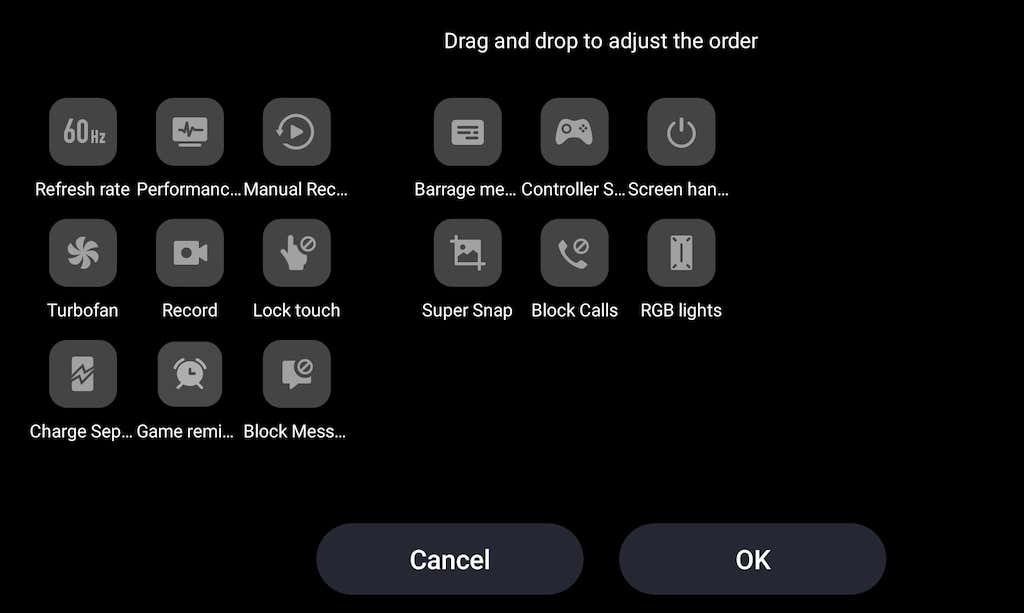
One more important feature is Charge Separation , which allows your phone to draw power directly from the charger. Enabling this mode while your phone’s plugged in means that the battery won’t charge and won’t increase the heat level.
The Shoulder Triggers
The highly responsive shoulder triggers on the side of the device also add to the responsiveness of the RedMagic 7. With the shoulder triggers on, the phone feels almost like a gaming controller.
The Built-in Cooling Fan
If you’re worried about your smartphone overheating during gaming sessions, that’s not an issue with the RedMagic 7. After playing Genshin Impact non-stop for 3 hours, the phone only got slightly warmer and maintained a normal temperature overall. Whenever you start playing a game or switch the phone into the Game space mode, the built-in cooling fan switches on automatically and helps the RedMagic 7 cool down.
RedMagic Gaming Accessories
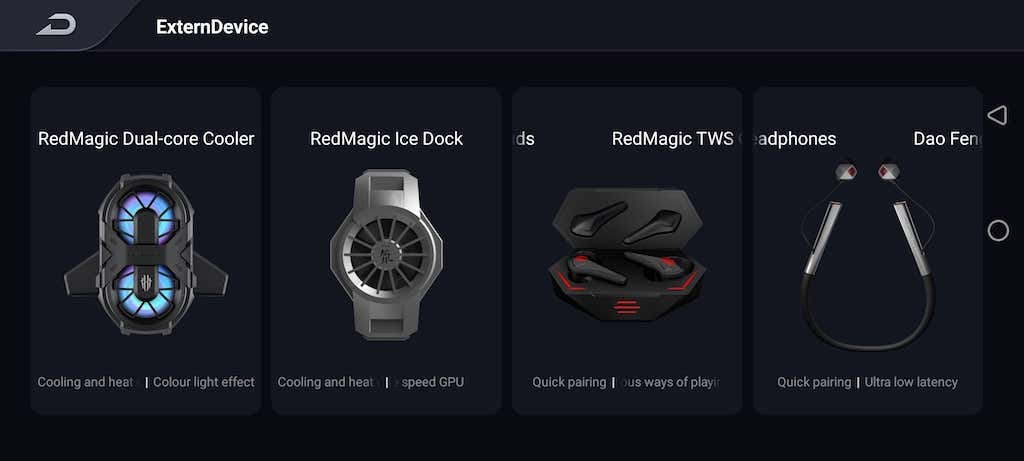
RedMagic also produces a variety of gaming accessories and bundles for those who crave a more immersive gaming experience. The accessories include a separate Turbo Cooler, a cooling Ice Dock, TWS Cyberpods, a gaming dock, and more. You can order any of these separately or in a bundle on the RedMagic official site.
Performance Outside Gaming
The RedMagic 7 is an outstanding gaming phone but how does it perform in everyday use?
Software & Apps
RedMagic 7 runs on the latest Android 12 with the RedMagic 5 OS. While many bugs found in the RedMagic 7 predecessors have been fixed (like the RedMagic launcher), there’s still a problem with the rare software updates. Like with most gaming phones, the update cycle isn’t crystal clear with the RedMagic 7 and that could be a problem for some. During testing, we found that the phone had to be wiped twice before we managed to install the latest update and get all of the features working correctly.
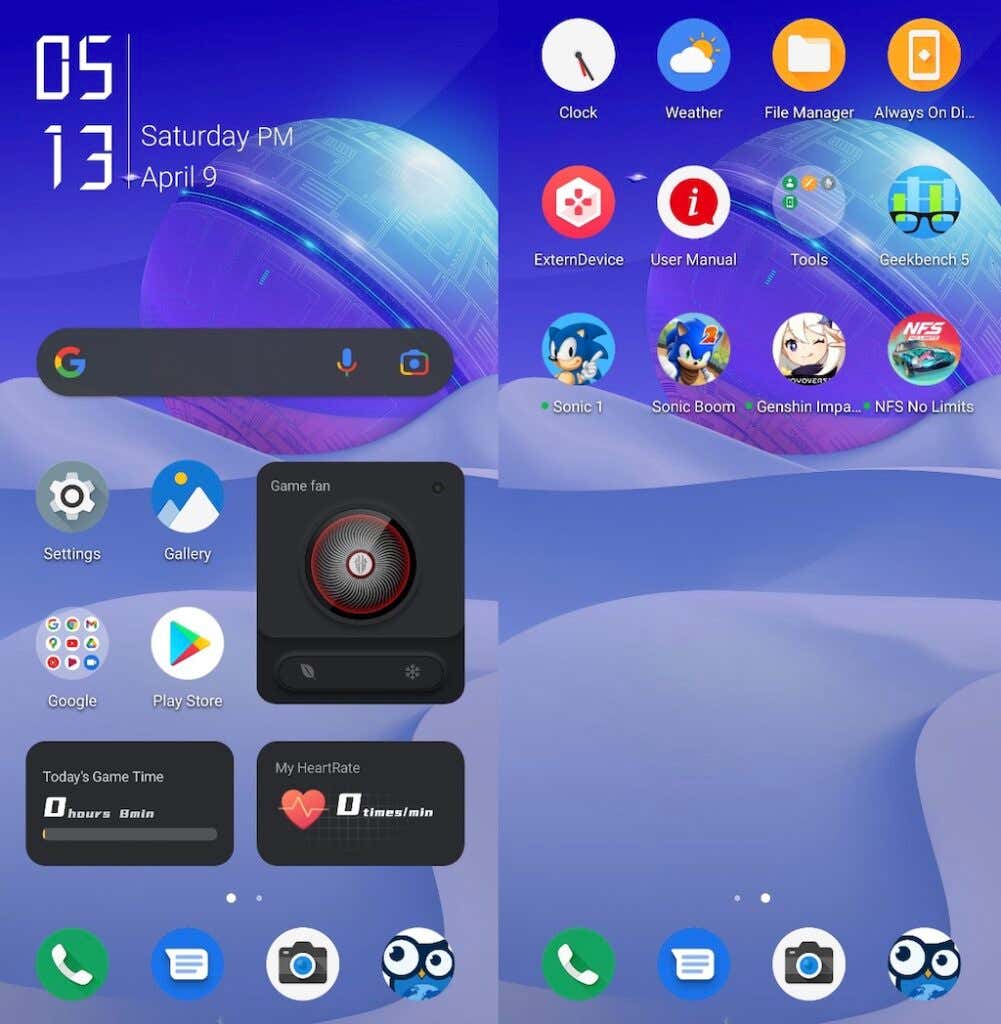
Otherwise, the RedMagic 5 OS is what you’d expect from the operating system on a gaming phone. You’ll notice very little bloatware on your phone and that’s definitely a plus. You’ll only find the usual Google apps and a few RedMagic apps pre-installed, so you don’t have to worry about cleaning up your phone before you can start using it.
Audio & Speakers
The RedMagic 7 retains the 3.5mm headphone jack which is a rare find on modern flagship models. This allows you to use your wired gaming headphones for immersive play.
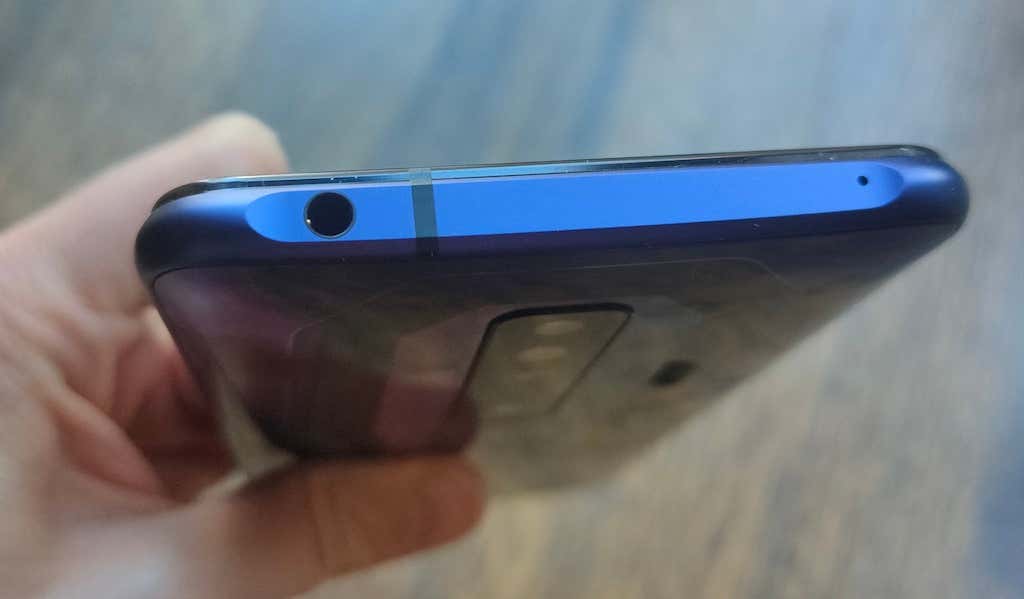
The headphone jack is located at the top of the device, together with one of the mics. The other mic is found at the bottom of the phone which also houses a SIM card slot, USB-C port, and a speaker grill.
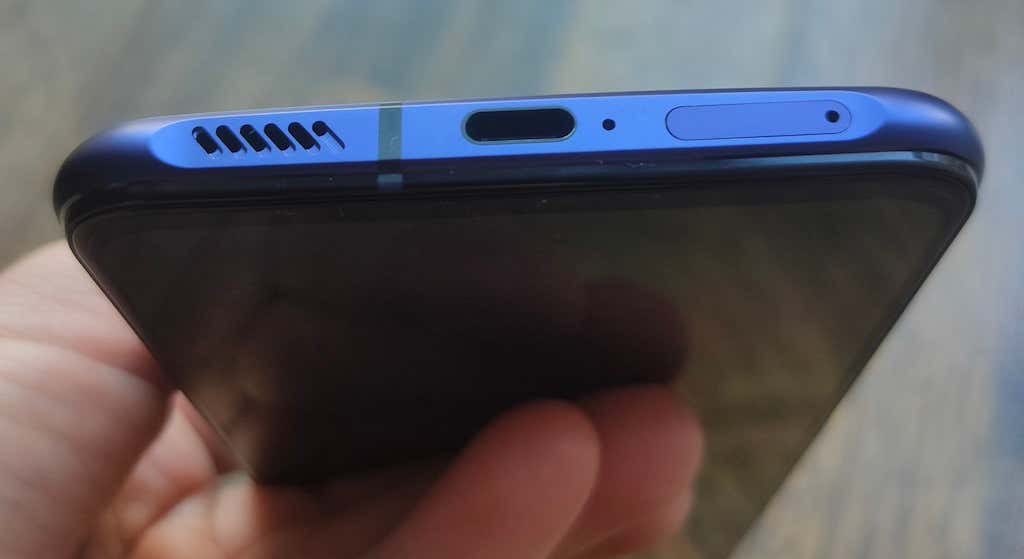
The speaker at the bottom combined with the front-facing earpiece that doubles as a loudspeaker create a rather impressive stereo sound. Perfect for when you want to enjoy the game in the comfort of your home without a set of headphones with loud and detailed sound.
Camera Performance
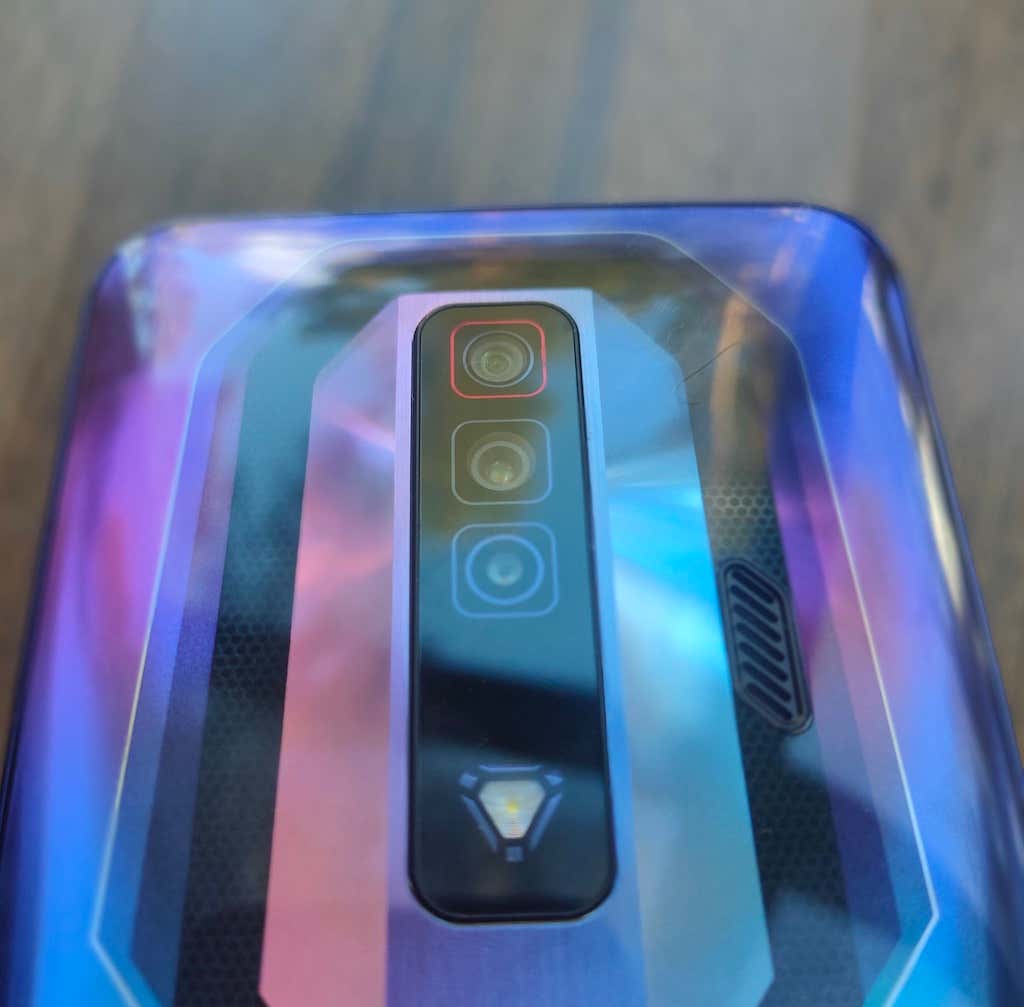
RedMagic 7 comes with an 8MP front selfie camera, and a triple camera setup on the back: a 64MP main camera, an 8MP ultrawide camera, and a 2MP macro camera. While you can’t compare the image quality with that of the Samsung S22 Ultra or the iPhone 13, this smartphone still produces decent photos and videos.

The main 64MP camera is capable of taking great pictures in good lighting conditions. The front camera can take a good-looking selfie. The dedicated macro camera won’t blow your mind but can still take a decent image with enough detail.

image 1
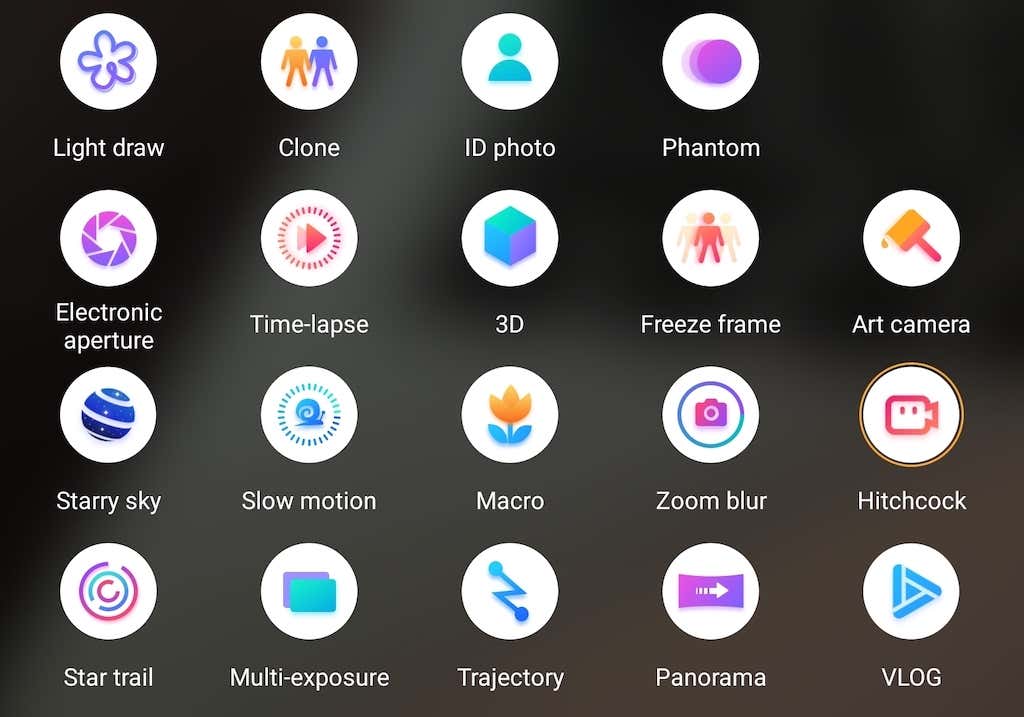
There’s a Pro mode in the camera app that you can use to choose your own white balance, ISO, focus, and other settings. You can also shoot in night mode, as well as choose any of the 20 other creative photo modes from the camera app: from Pano to Freeze frame, to ID photos.
The main selling point of the RedMagic camera system is its video shooting abilities. This smartphone can shoot 8K videos with impressive image stabilization due to all of the processing power that it packs.
Battery Life
The RedMagic 7 packs a 4500mAh battery. If you compare it to the 5050mAh battery of its predecessor RedMagic 6s Pro, or the 6000mAh battery of the ASUS ROG phone 5, it might seem like a big downgrade. However, our tests showed that during everyday use (without extensive gaming sessions) the phone easily lasts all day and longer, even if you use it to make multiple calls, check your social media, and shoot some photos and videos.

15 redmagic phone box
Of course, you’ll run out of battery sooner when using the RedMagic 7 for lengthy gaming sessions. One hour of 165Hz air-cooled gaming consumed about 25% of the battery. Although, this shouldn’t be a problem with the 65W fast charger. You can fully charge your RedMagic 7 in less than 30 minutes. So even if your battery’s completely empty when you need to leave the house, you can put it to charge and it’ll be at 100% before you get fully ready. You can also use the fast charger to power up your other gadgets, including laptops, tablets, or battery packs.
Should You Buy the RedMagic 7?
The RedMagic 7 is built for gaming, and if that’s the kind of phone you’re looking for, the RedMagic 7 is a fantastic find. The cooling fan, the 165Hz display, and the shoulder triggers – they really thought of every detail, making the RedMagic 7 the best gaming phone of 2022 so far.
If you’re looking for a top-notch flagship smartphone that does it all, the lack of IP rating, gaming stylistics, and somewhat weak cameras might put you off buying this device. However, there’s still a lot to love about this smartphone even if you’re not into gaming. Great sound quality, 8K video shooting abilities, and of course the price. Starting at $629, the RedMagic 7 is the most affordable phone running Snapdragon 8 Gen 1 on the market.
- Tribit StormBox 2: The Under $70 Portable Speaker that Stands Out
- ENGWE L20 2.0 Review: The Best Budget-Friendly Foldable E-Bike?
- TopDon TC004 – a Thermal Imaging Camera That Will Give You Predator Vision
- Newyes Portable Wireless Thermal A4 Printer Review
- Eskute Star Folding Fat Tire Electric Bike Review
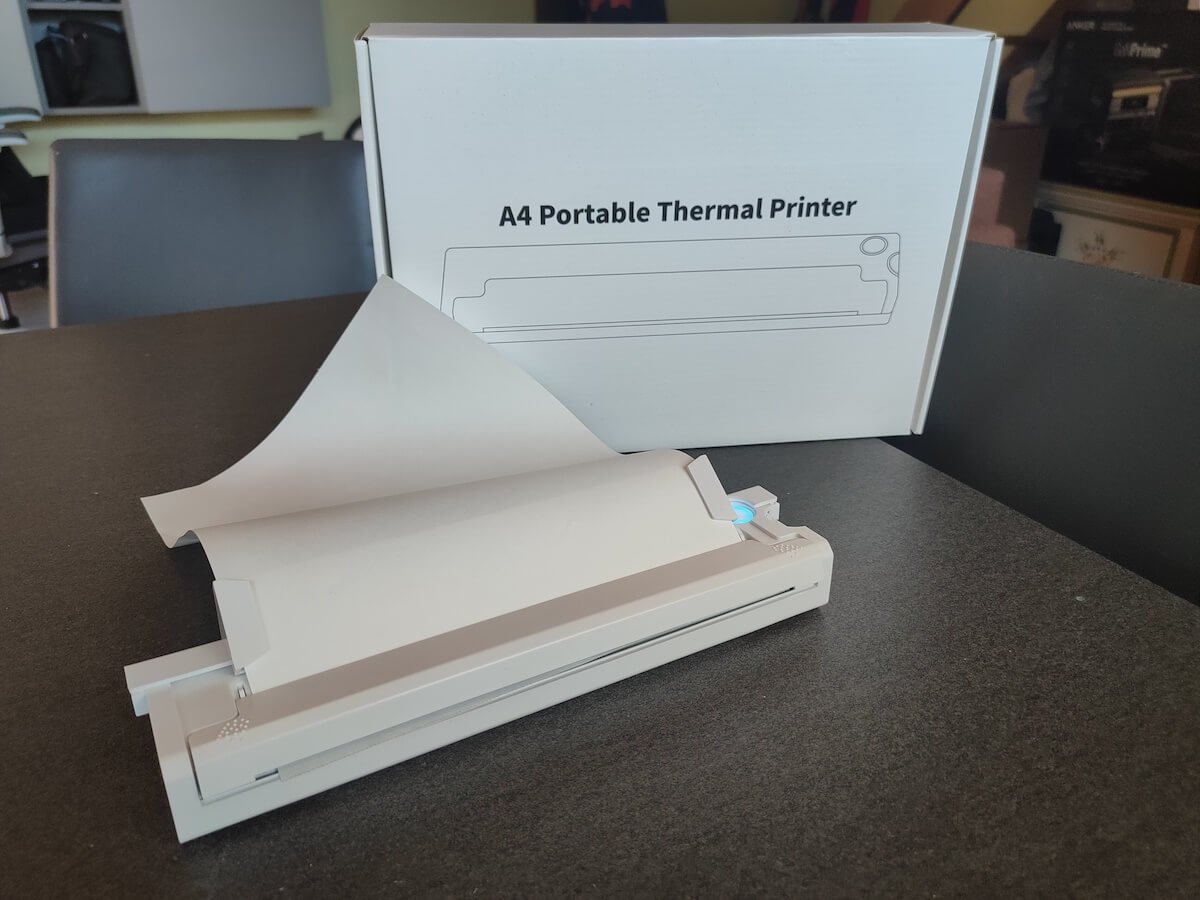
If you don’t have a full-sized printing machine at home and often need to print a document on the go, check out the Newyes portable printer . This wireless printer is lightweight and small enough to fit in your bag. Not to mention it’s environmentally friendly, since it uses thermal paper instead of ink.
Follow our review of the Newyes portable wireless thermal printer to see if it suits your printing needs.
Newyes Portable Wireless Thermal A4 Printer: First Impressions & Specs
When I was a student, I remember my university always required hard copies of documents. Luckily, there was a print shop on campus where I could always pop in to print something.
Then I became a professional, and to my surprise many life spheres still required me to have printed versions of documents with me. Of course you can get your own full-sized machine to print things at home, but if like me you live in a small apartment, you value every extra bit of space and don’t want a massive printer to take it up.
One day, when I was looking for a neighbor with a printer to help me with my event tickets, they introduced me to the concept of a portable printer. Seeing how easy it is to use, I immediately wanted to get my hands on one of those. So here I am, reviewing one of the most useful gadgets I received recently – the Newyes portable thermal printer.
Before we continue with this review, here is the full list of specs of this printer.
- Model: Newyes LD0801
- Dimensions: 10.4 x 1.2 x 2.28 in (265 x 58 x 30.5 mm)
- Weight: 16.8oz (475g)
- Paper format: A4
- Paper width: 210mm or 218mm
- Printing Type: thermal paper
- Resolution: 203DPI
- Connectivity: Bluetooth
- Charging port: USB type-C port
- Input Voltage: DC 5V / 2A
- Battery: 1200mAh lithium battery
- Charging time: 75 min
- Automatic shut down: after 30 minutes
- Stand-by: about 30 days
- Extra features: LED light, reset, on / off switch button
- Color: white, black
- Warranty: limited one year warranty
- Price: $199 on the Newyes website
If you find yourself in need of hard copies of important documents while on the move, the Newyes portable wireless thermal printer will become your go-to gadget. Newyes calls it “the world’s smallest printer”, and with the weight of under 500g this seems plausible. This mini printer offers a handy solution for those moments when you need to quickly print an important document but don’t have access to an office setup.
Operating this printer is a breeze – a simple Bluetooth connection is all that’s required. Once connected, just fire up the app, choose the file you want to print, and send it over. Efficiency is at the forefront, and you can easily print multiple sheets by inserting new pages back to back.
The only limitation this printer has is that it can only print in black. So even if your original file is in color, the printed document will still come out in black and white. Other than that – you can print a variety of file types including Excel, Word, PDF, JPG, PNG, and web pages – and it only takes seconds.
The Newyes portable wireless printer combines convenience, portability, and efficiency – all the things I appreciate in a modern gadget.
Design and Unpacking
Let’s have a closer look at the design and build of this smart printer, as well as what you get included in the package when you purchase it.
What’s in the Box
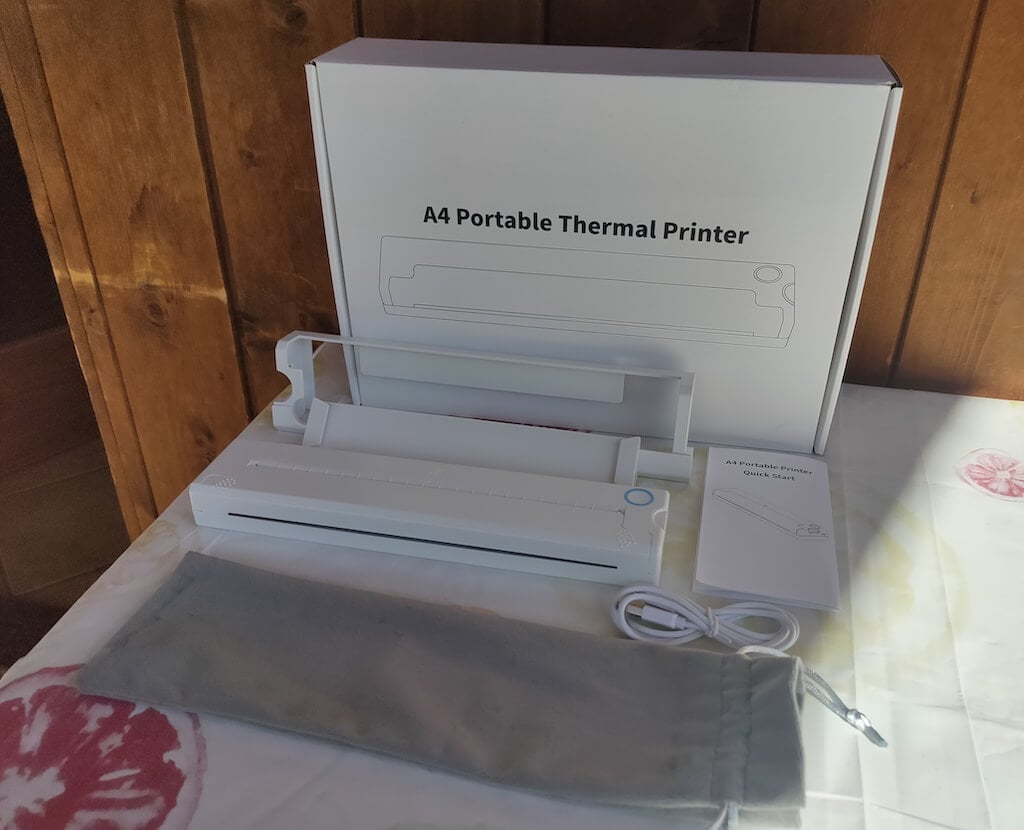
Here’s everything you’ll find when unpacking your Newyes portable thermal printer:
- The Newyes portable wireless thermal printer
- Bracket
- USB type-C cable
- Storage/carrying pouch
- 100pcs thermal printing paper
- User manual
You can use the Newyes portable printer right out of the box, as you’re all set with essential accessories. Aside from the printer itself, the package includes a bracket which will make printing more than one page smoother, a convenient storage bag for carrying your printer with you, a USB-C cable for charging, and a supply of 100 pieces of thermal paper to get you started.
One important thing to remember is that this printer only works with thermal paper. While thermal paper is significantly more expensive than normal paper, this printer also uses inkless printing and works without a ribbon and toner. Since you don’t have to spend money on ink, carbon ribbons or toner cartridges, you ultimately end up saving money with thermal paper.
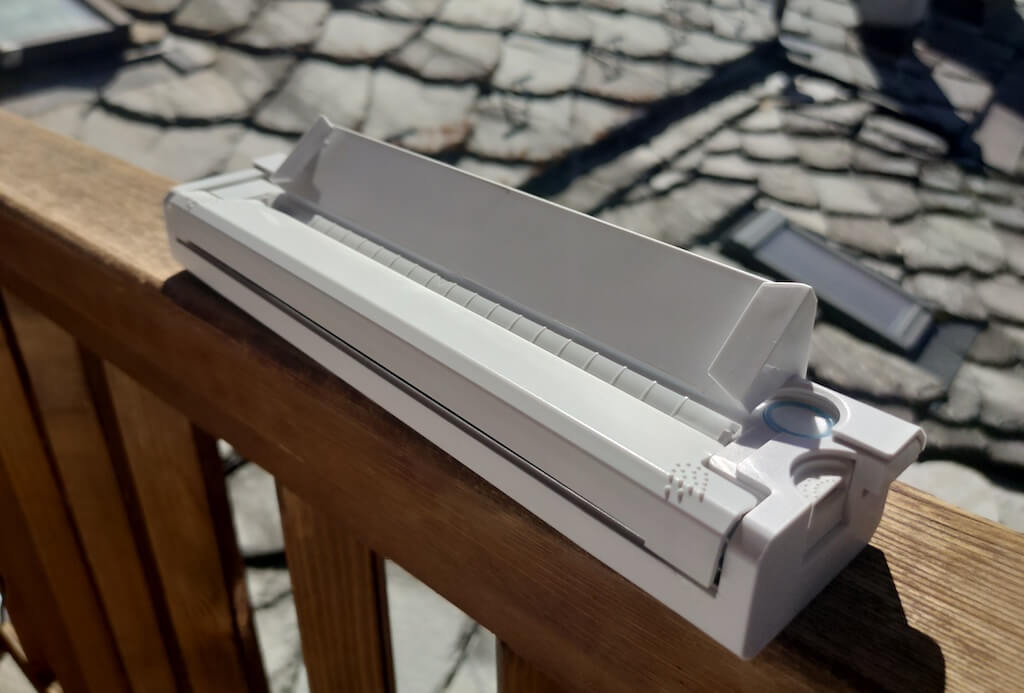
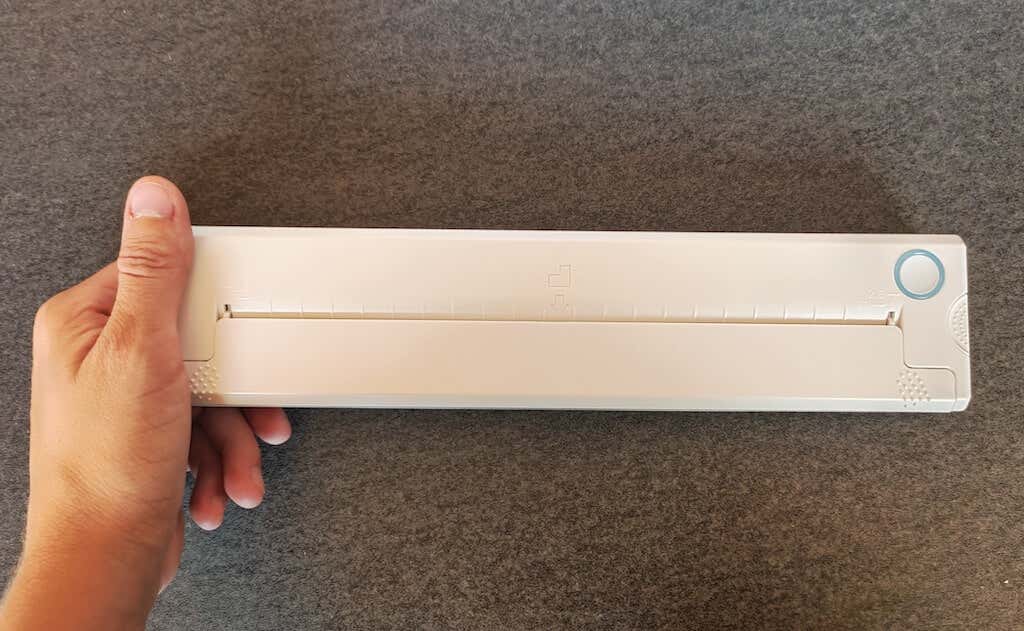
The Newyes LD0801 is a pocket-sized printer that features straightforward design. For the purpose of this review, I had a printer in white color. The printer looks like a small white brick with just two pressable buttons on top – one for switching it on and off, and another for opening the printer’s cover. You’ll also see the paper entry slot on top of the printer.
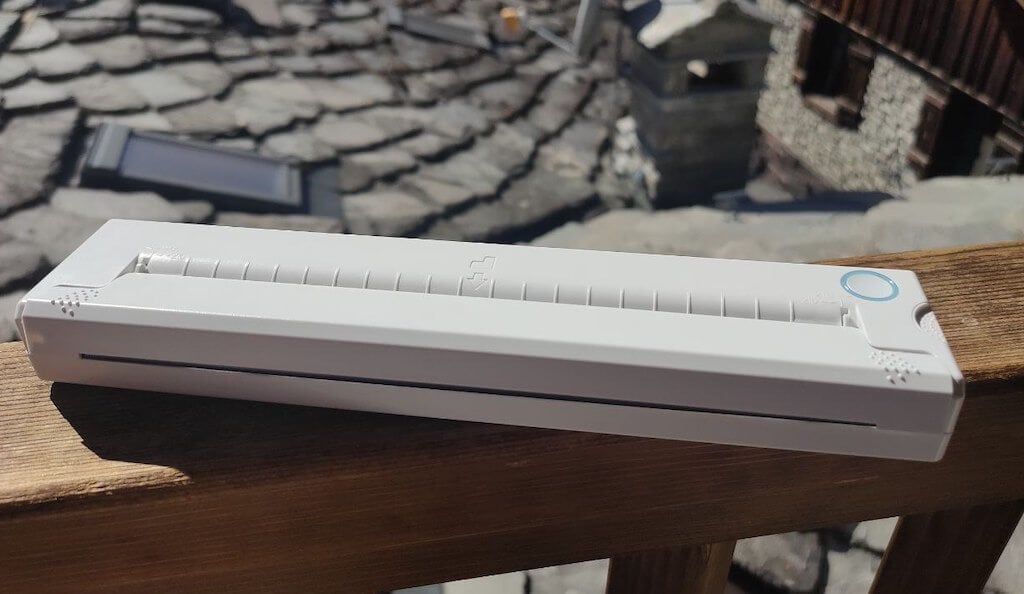
On the side of the printer, you’ll find a single charging port.
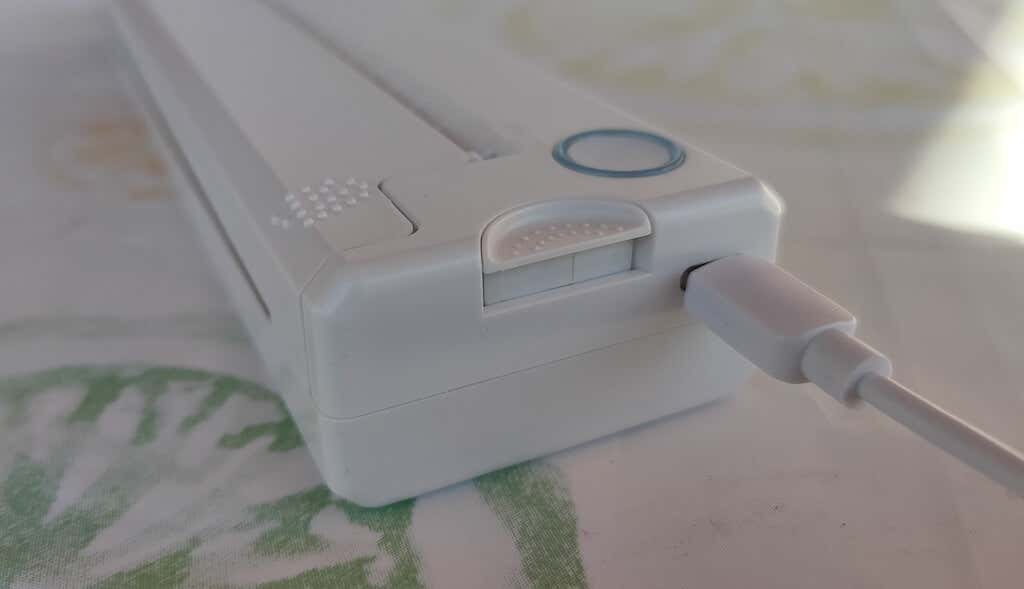
The printer is made of plastic, but the build feels sturdy. I never have to worry about throwing it into my bag or damaging it when traveling. Besides, you can use a nice carrying pouch included in the package for protection.
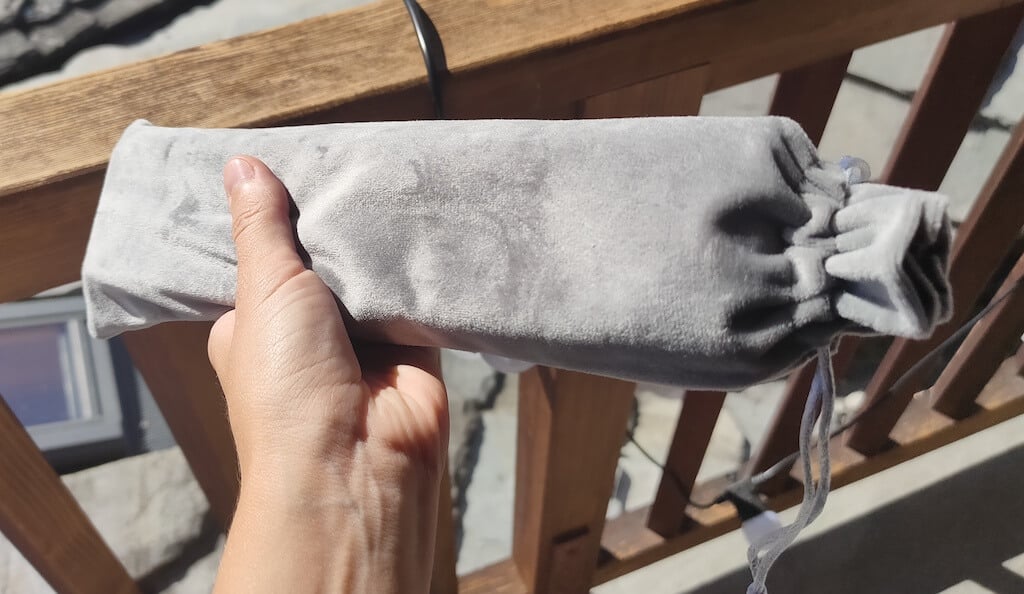
Performance & Features
According to Newyes, the portable printer has a “handheld size and two times the weight of an iPhone”. This can give you an idea of how portable and convenient this little gadget is. In a month of testing, I used it at home, in a store, and even in a car while on the road.
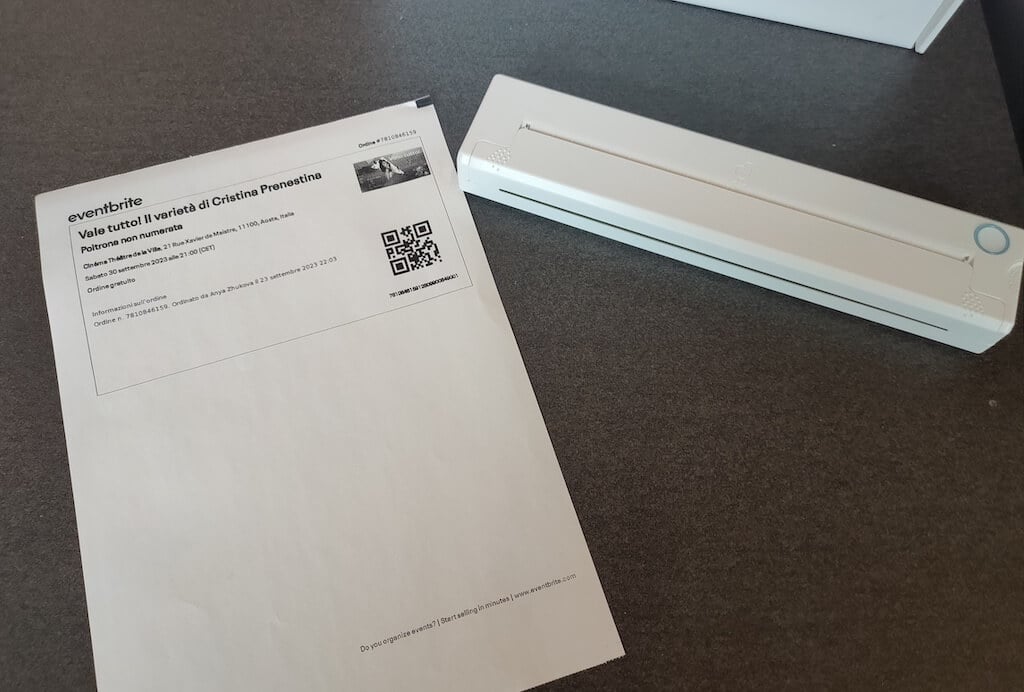
Using the printer is unbelievably easy. Connect it to your mobile phone via Bluetooth, press the button to turn the printer on and put a sheet of thermal paper into the paper entry slot. Make sure to use thermal paper and not standard paper, and put it with the black marks facing down. Bear in mind that the thermal printer can only print in black and white and only on one (marked) side of the thermal paper sheet.
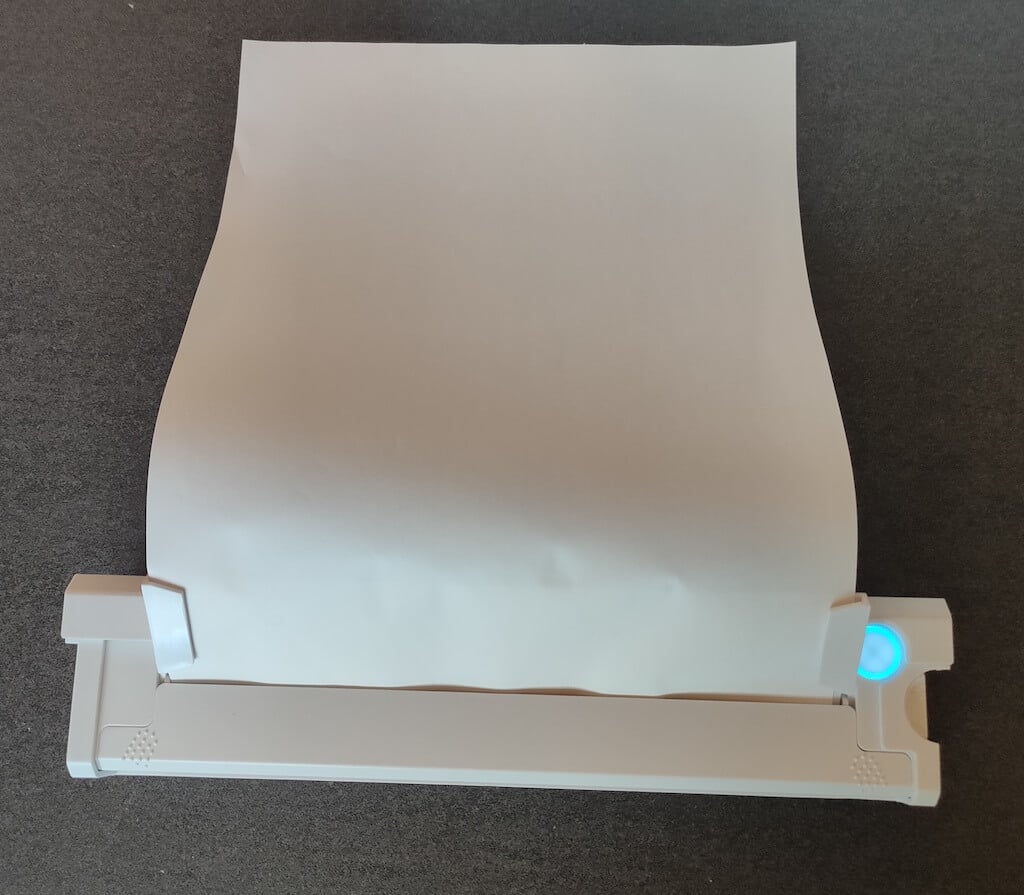
Then open the iPrint app on your smartphone. If you’re printing an A4 document, you can select one of two options – Photo Printing and Document Printing . Then choose the document from your phone’s files and print it.
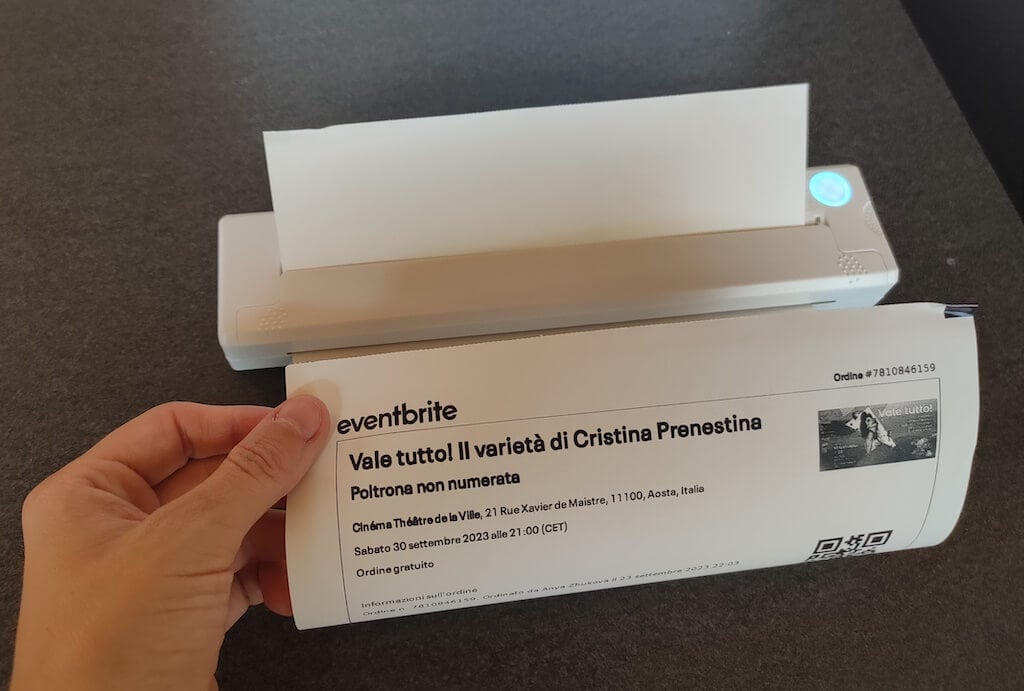
The printer is reliable and in the time that I used it the Newyes LD0801 never let me down. The printing quality will surprise you, as it’s sometimes better than what you get from a full-sized printer. The printer supports printing in various formats, and you can use it to print documents from your smartphone (Android and iPhone), iPad, and Android tablet.
When fully charged, the printer can support up to 90 pieces of paper continuously, which is very impressive for a gadget of such a small size.
Software
The Newyes portable printer requires an iPrint app to operate. The app is available for free on iOS and Android. You’ll need to download the app on your device from the App Store or Google Play before you begin printing your documents.
The app has a simple and user-friendly design. You’ll need to pair your device with the printer on the first use via Bluetooth.
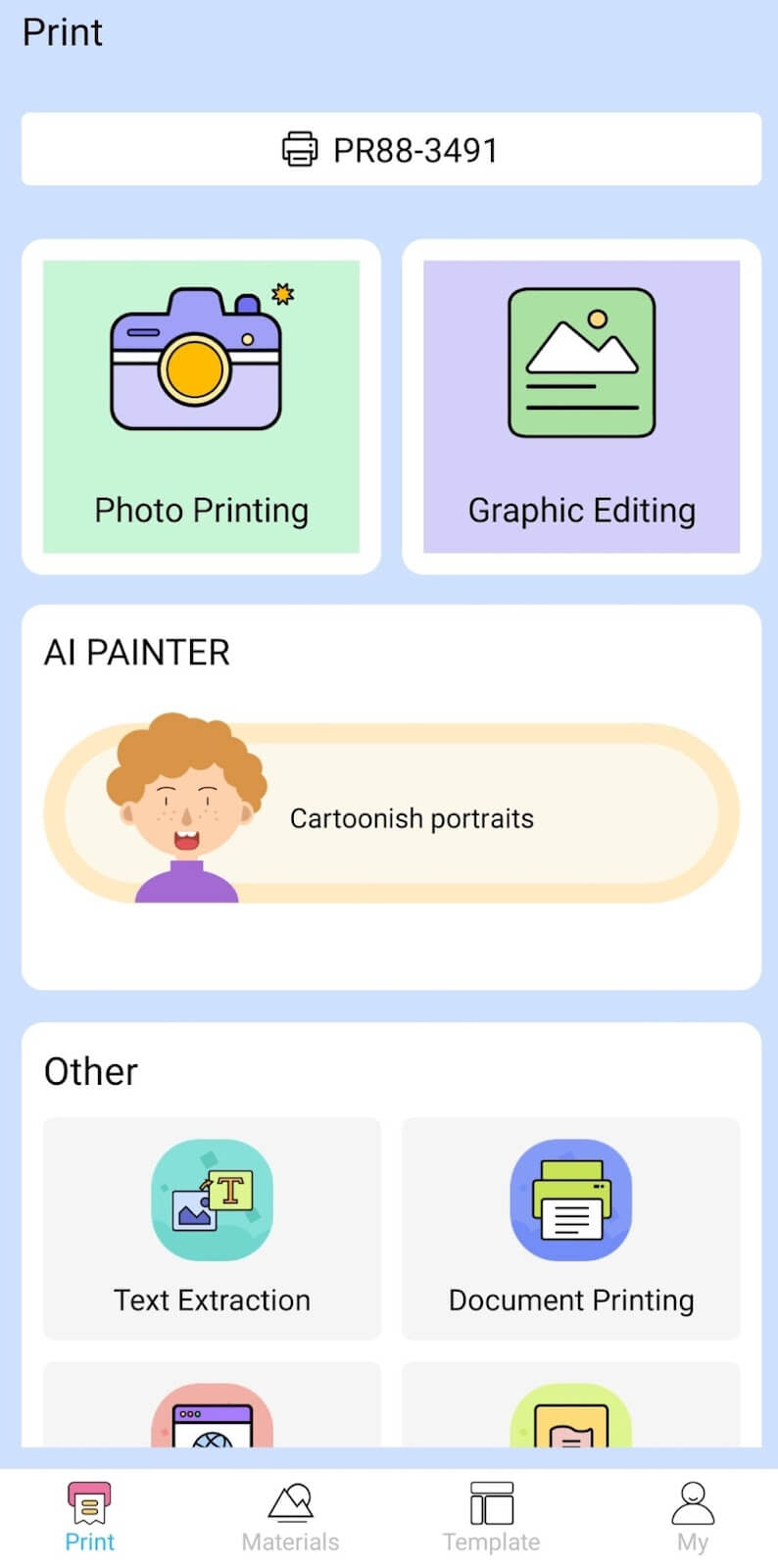
Depending on the type of document you want to print, you can choose different options from the app. There’s photo printing, document printing, web printing, and banner printing.
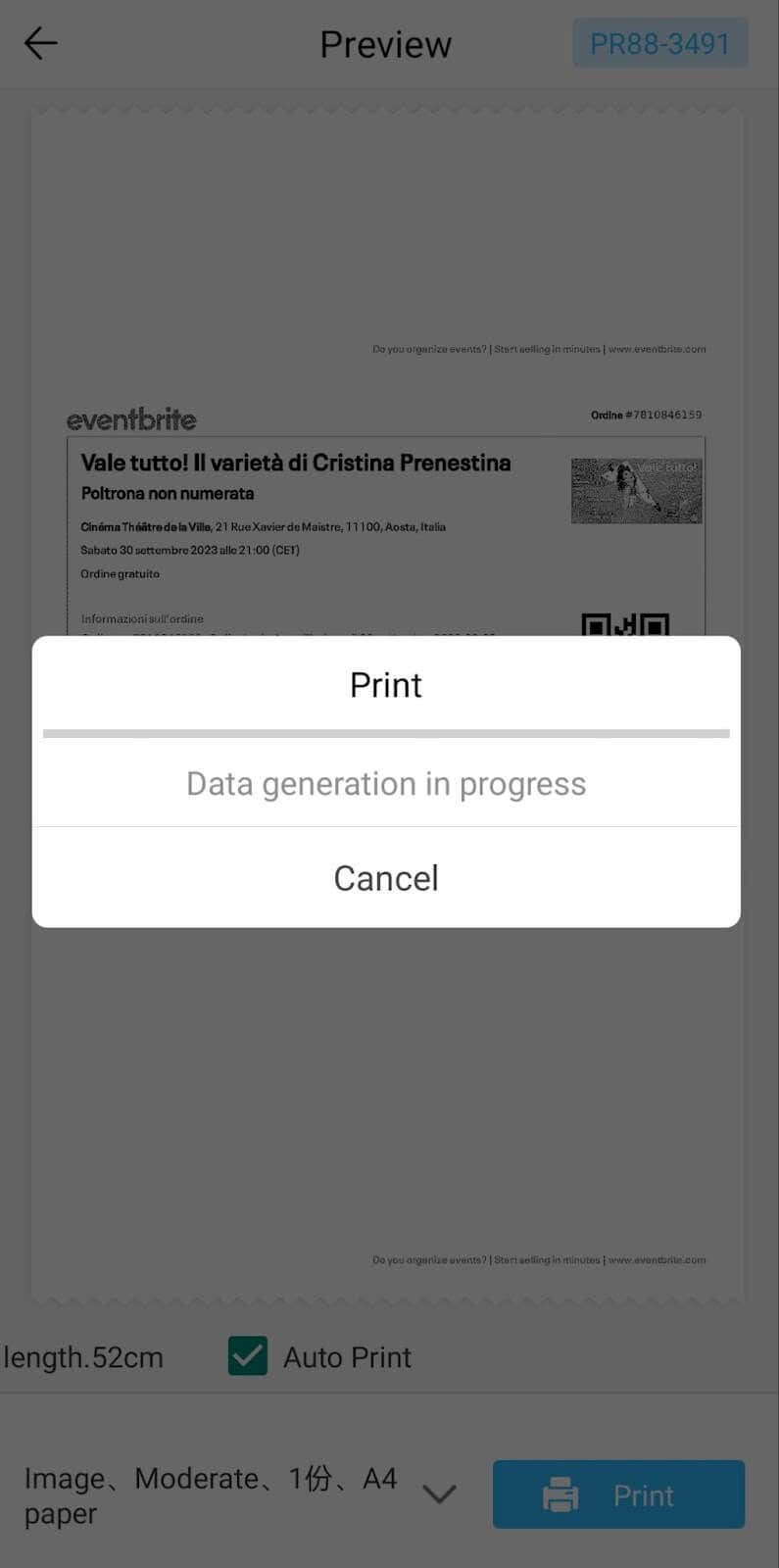
The app also has Materials and Template sections, where you can find various pictures and templates for printing to-do lists, post-its and holiday cards. You can also use the Newyes LD0801 as a label printer using these templates.
Battery Life
The Newyes portable wireless thermal printer is equipped with a decent 1200mAh lithium battery. This high-capacity battery allows you to print on the go without constantly worrying about running out of charge. When I received the printer, I charged it fully once, and it still hasn’t run out of battery after one month of use (I use it to print something almost every other day).
Charging this printer is quick and takes just over an hour to charge the printer from zero to full. The type-C charging cable facilitates a rapid charging experience. And if you run out of battery while on the go, you can quickly charge the printer from a portable power station or a power bank to continue printing.
The printer doesn’t support wireless charging, so I’d recommend always bringing the usb-c cable with you just in case.
Should You Buy the Newyes Portable Wireless Thermal Printer?
The Newyes portable thermal printer ensures high-quality wireless printing while on the go and easy operation. It’s not the most budget-friendly option, but this purchase will save you money and nerves in the long run thanks to its versatility and portable nature.
Personally, I can say that this printer made my life easier. So much that it’s probably my favorite smart gadget of the year. If you’re looking for a portable printer that won’t take any space in your house, I’d certainly recommend considering the Newyes LD0801 model.
- Tribit StormBox 2: The Under $70 Portable Speaker that Stands Out
- ENGWE L20 2.0 Review: The Best Budget-Friendly Foldable E-Bike?
- TopDon TC004 – a Thermal Imaging Camera That Will Give You Predator Vision
- Eskute Star Folding Fat Tire Electric Bike Review
- The 70mai Power Station Tera 1000 Review
