The RedMagic 8 Pro is yet another best gaming phone of the year by Nubia. In 2022, we reviewed the RedMagic 7 , and while it wasn’t the best Android phone for everyday use, it was undoubtedly one of the top choices for mobile gaming.
Nubia paid attention to the previous model’s criticism, fixed some major software bugs, and significantly toned down the gaming-style design, making the RedMagic 8 Pro a more suitable smartphone for daily use. In this RedMagic 8 Pro review, you’ll find all the information you need before deciding whether to buy this new gaming smartphone.
RedMagic 8 Pro: First Impressions & Specs
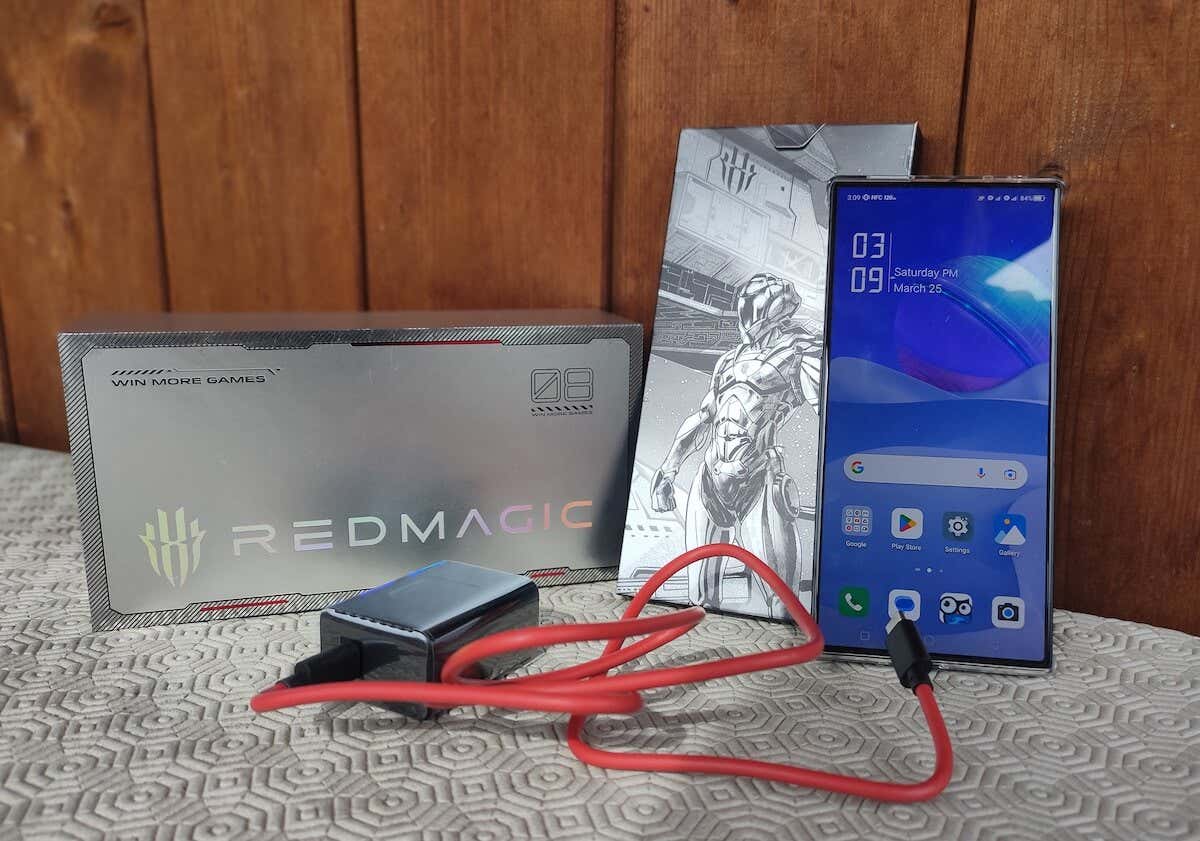
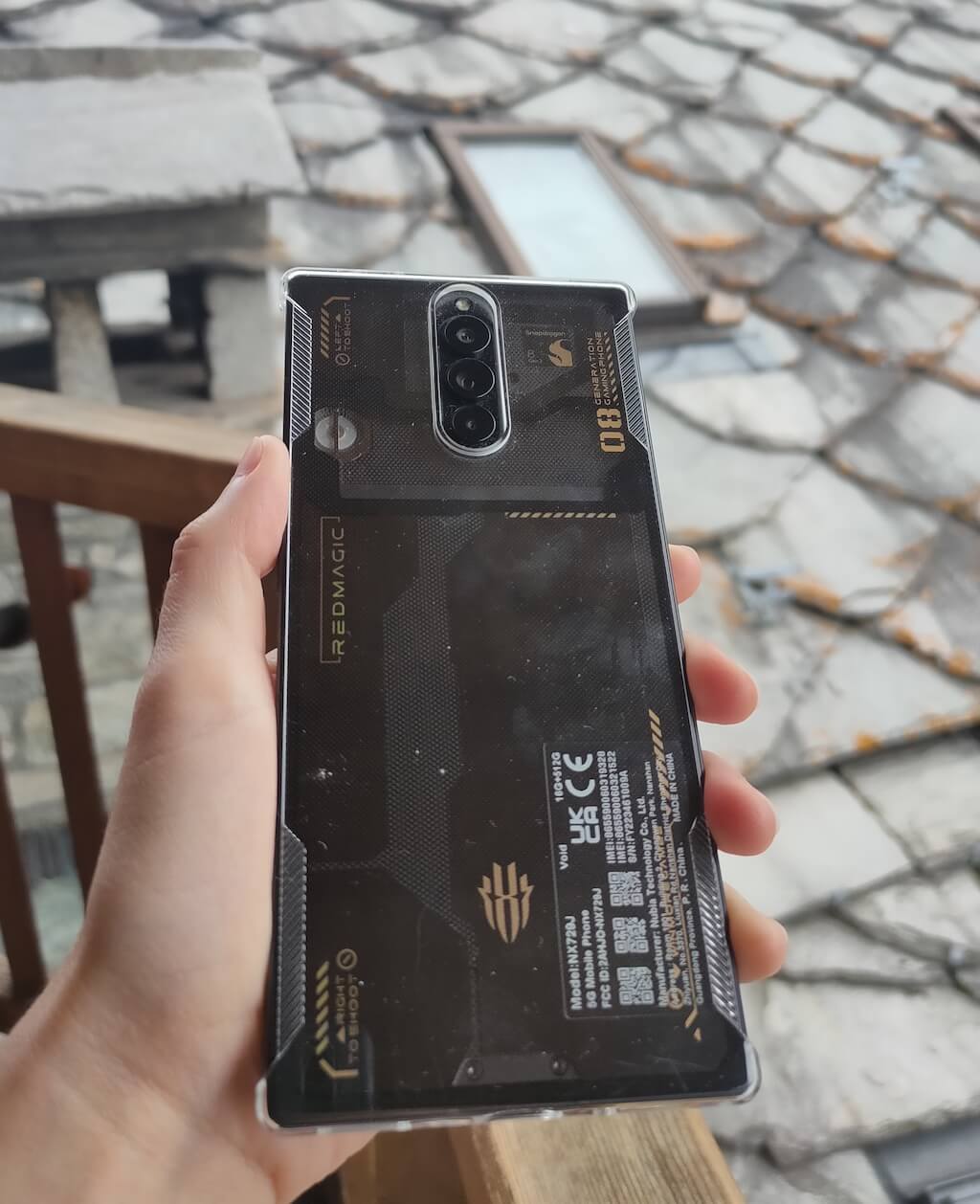
The first thing I noticed opening the box with the new ZTE Nubia RedMagic 8 Pro was how much RedMagic have changed their phone design philosophy. The RedMagic 8 Pro comes in two versions: Matte with 12GB RAM & 256GB storage and a matte back cover, and Void with 16GB & 512GB and a half-translucent back. I got the Void version for this review. Even with the half-translucent back, this phone lost the “shiny toy” look of the RedMagic 7, and I was happy to see that.
The RedMagic 8 Pro is equipped with the most powerful chipset Qualcomm has to offer — the Snapdragon 8 Gen 2. It comes with a ton of power to ensure a smooth gaming process. The built-in 20,000 RPM turbo cooling fan helps to keep things cool during the longest gaming sessions, and we’ll touch more on that later.
The RedMagic 8 Pro is likely the first model that excels both in the gaming sphere and outside gaming. You might still encounter minor translation errors in some UI elements, and the selfie camera performance leaves much to be desired. However, if you can live with those things, you get an excellent Android gaming machine and a great everyday phone.
Let’s have a look at the full list of tech specifications of the RedMagic 8 Pro:
- Dimensions: 6.46 x 3.01 x 0.35in (164 x 76.4 x 8.9mm)
- Weight: 8.04oz (228g)
- SoC: Qualcomm Snapdragon Gen 2
- Operating system: RedMagic OS 6.0 based on Android 13
- Display: 6.8-inch FHD+, AMOLED, 120Hz refresh rate, 1116 x 2480 pixels, 1300 nits max brightness, 960Hz touch sampling rate
- RAM: 12GB or 16GB
- Storage: 256GB or 512GB
- Connectivity: Wi-Fi 7, Bluetooth 5.3, GPS, NFC, 5G
- Ports: USB-C 3.1, Type-C, dual nano-SIM slot, 3.5mm audio jack
- Front camera: 16MP under-display camera
- Rear cameras: 50MP 25mm wide, 8MP 13mm ultrawide, 2MP macro
- Special features: 20,000 turbofan active cooling, RGB lights, shoulder trigger buttons, game space switch
- Color options: Matte and Void
- Battery: 6,000 mAh dual-cell battery, 65-watt fast charging
- Price : $649 for 12GB + 256GB version, and $799 for 16GB + 512GB.
Design and Unpacking
The design and overall look make the RedMagic 8 Pro different from its predecessors. RedMagic used to make phones that followed the same cyberpunk trend as the Asus ROG phone did, with bright color schemes, plenty of RGB lights, and transparent elements.
While some transparent parts and RGB light elements are present, the crazy colorful gamer style is now gone, and the smartphone looks more like a modern phone rather than a shiny gaming console.
What’s in the Box
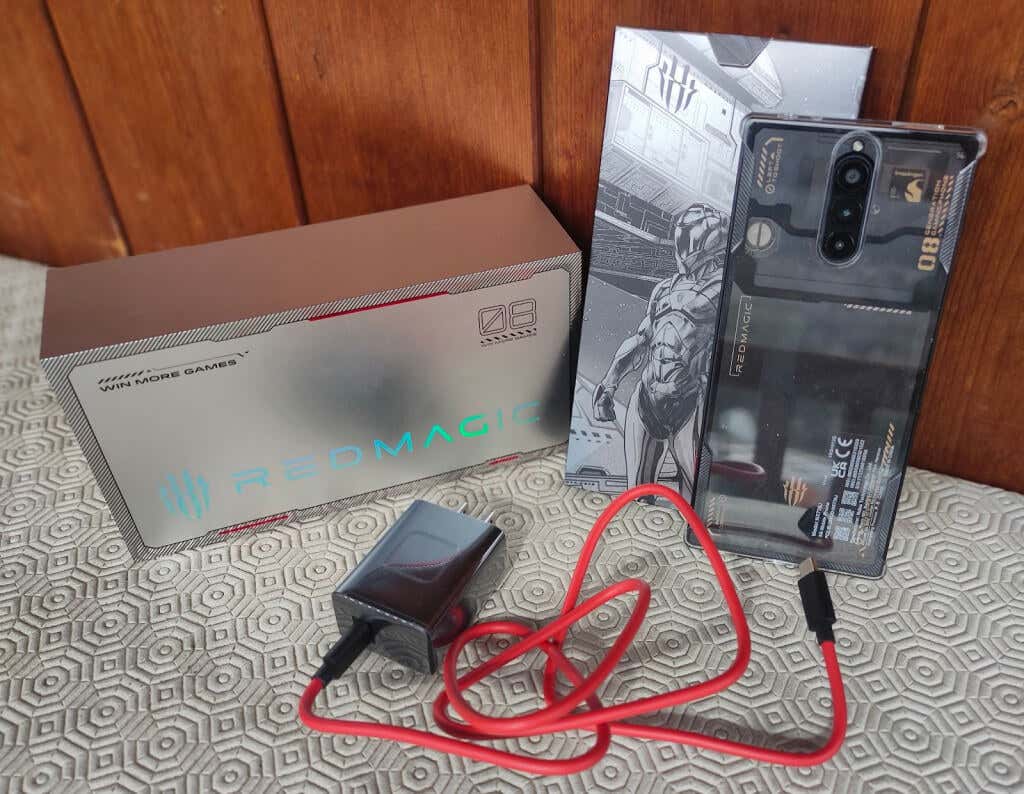
Before we move onto the phone’s design and features, here’s everything you’ll find when unboxing your RedMagic 8 Pro:
- RedMagic 8 Pro smartphone
- Power adapter
- 65-watt fast type-C charging cable
- Clear phone case
- SIM tray ejector
- Warranty card
- Use Manual & other documentation
The hard plastic case is quite nice, and you’ll want to put it on your phone immediately. It has cutouts on both sides of your phone, so it doesn’t obstruct the use of the phone when in gaming mode. The case is clear, and you’ll still see the back of your phone and all of its elements (though part of me wishes the case covered those RGB lights on the back if I’m honest).
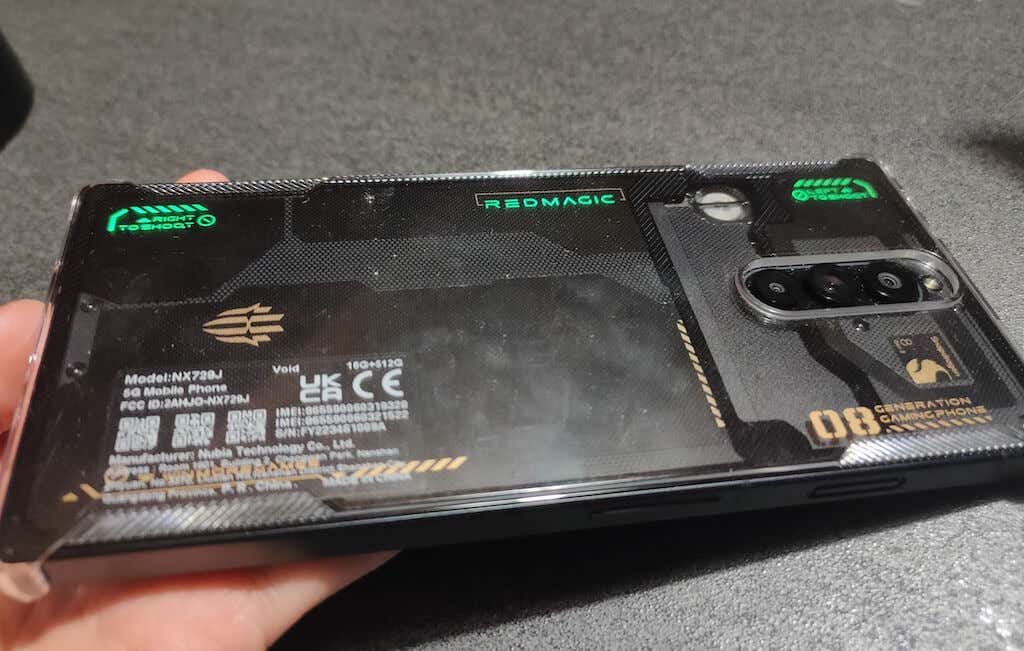
The back of the phone isn’t curved anymore. The new flat glass back is nicer to look at and more comfortable to hold. The 16GB + 512GB model comes with a partially transparent back, and you can see some of the phone’s elements, like the spinning RGB fan, but it’s not as in your face as it was with the RedMagic 7 generation.
The sides of the RedMagic 8 Pro are sharper, with 90-degree corners. The bottom screen bezel has become much slimmer, making the screen more immersive. The sharp corners might take some getting used to when holding your phone, but they work better than round ones when your phone’s in gaming mode.
The slider that activates gaming mode is located next to the right shoulder trigger, which feels natural and comfortable. It’s easy to switch the gaming mode on and off when you’re holding the smartphone horizontally.
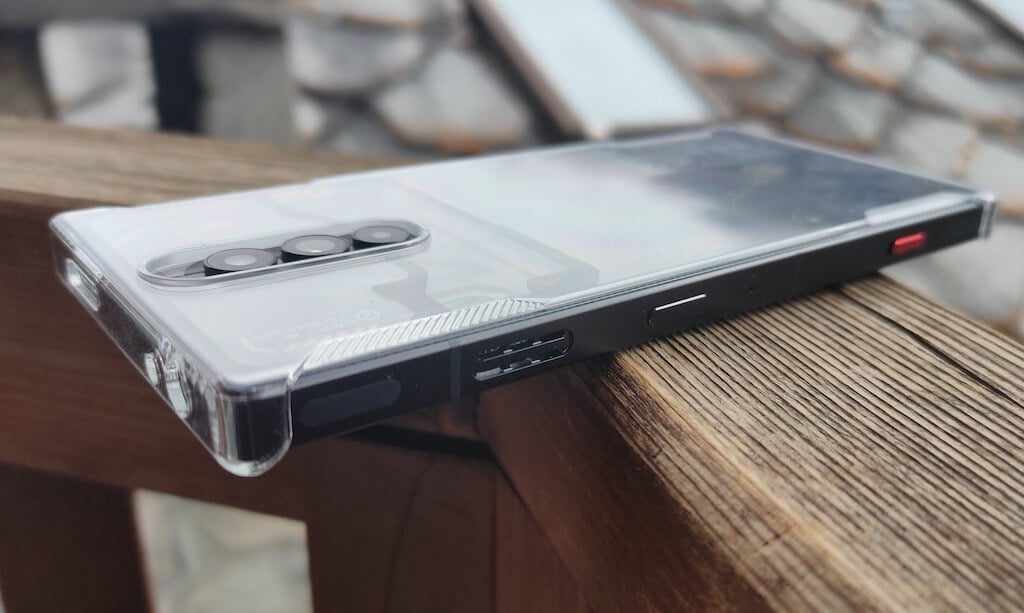
On the same side of the phone with the shoulder triggers and gaming slider, you’ll find the power button and a hole to the right of the button. This hole is likely an extra microphone that you can use to capture your voice while your phone’s in gaming mode. The other two speakers are located on the bottom and top of the phone and will likely be covered with your hands when you hold the phone horizontally.
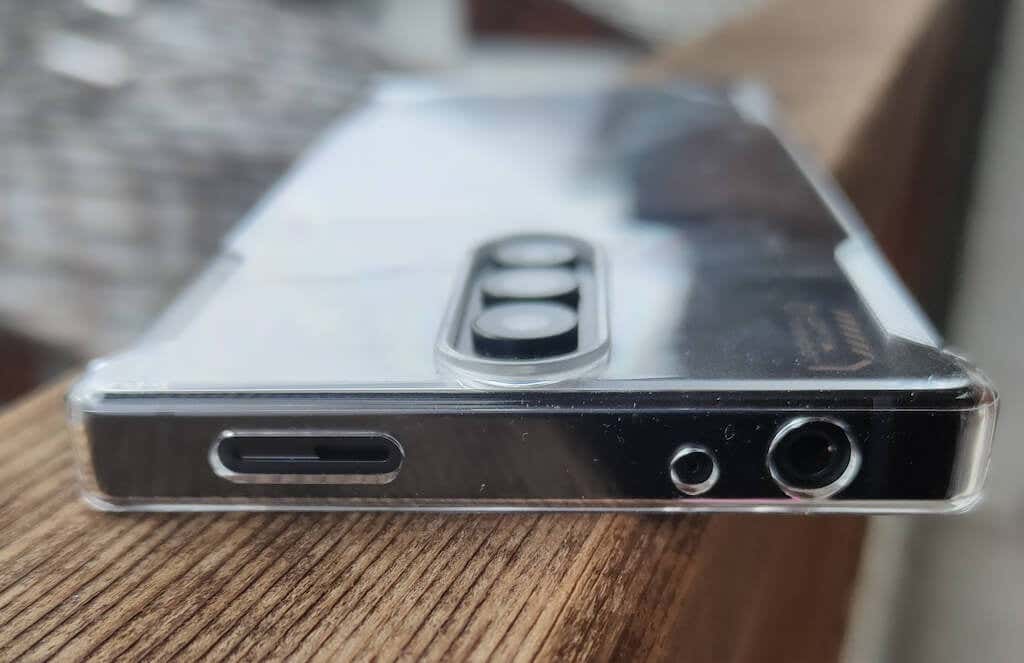
The top part of the phone features a 3.5mm headphone jack and the speaker mentioned above.
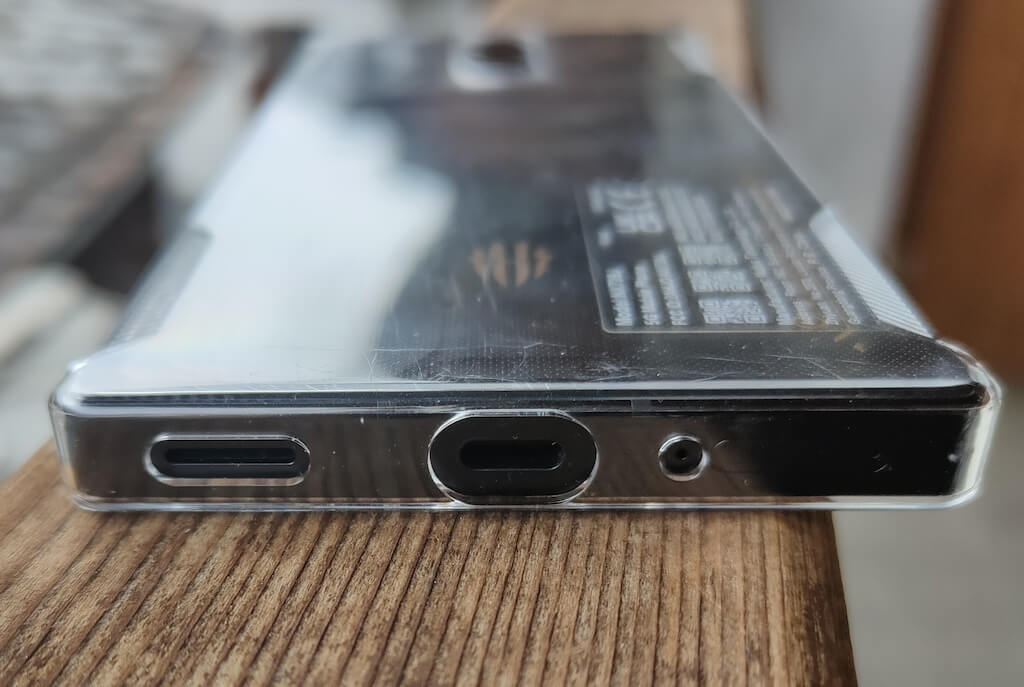
The bottom part holds another speaker, a SIM card slot, and a USB-C port.
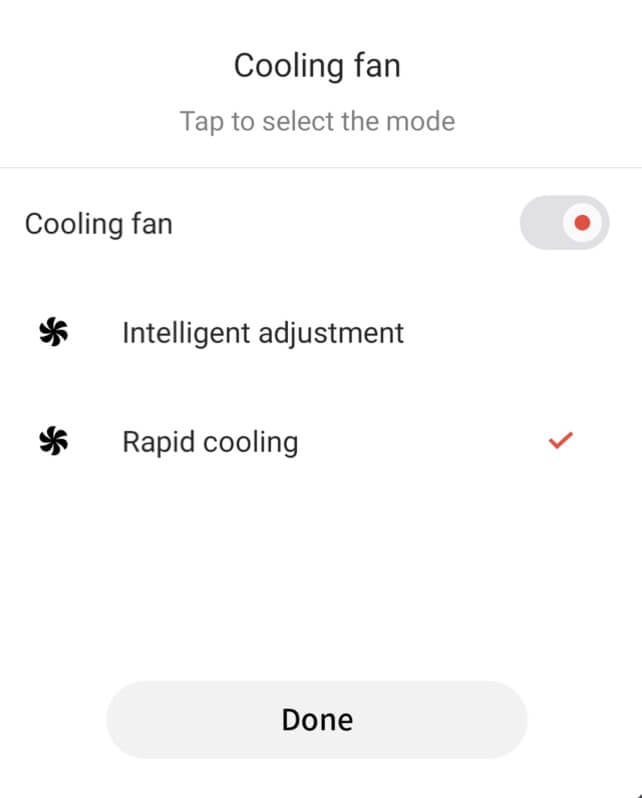
On both sides of the RedMagic 8 Pro, you’ll see two vents that serve as outlets for the 20,000 RPM high-speed turbofan that’s part of the RedMagic innovative multi-dimensional cooling system. This fan can be switched on and off manually, and it turns on automatically while you’re playing games for a more extended period in gaming mode. The fan is excellent at preventing your phone’s overheating.
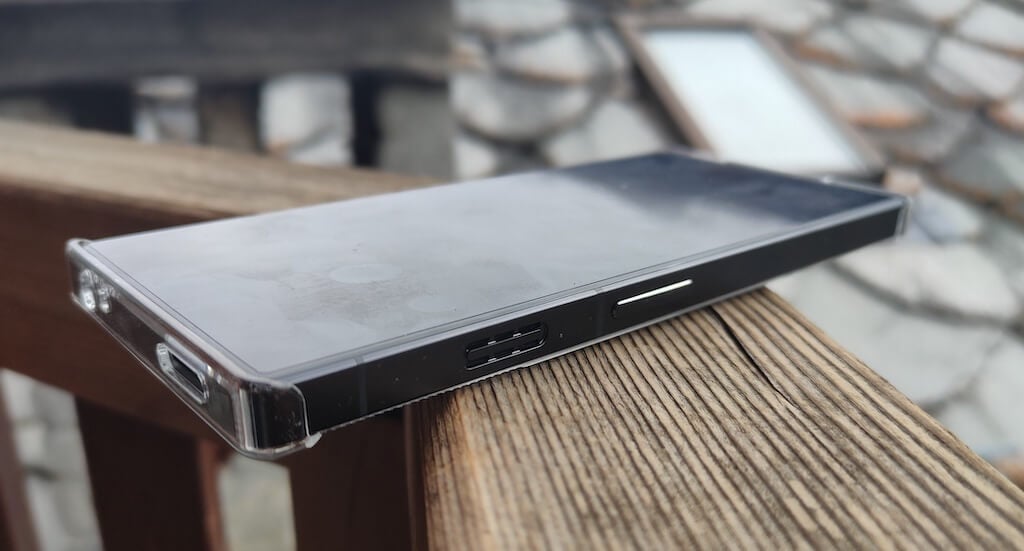
The feature’s intended for intense gaming sessions, but I also found that the fan can be helpful when you’re installing big firmware updates that can cause the phone to heat up as well.
How Fast is It?
One look at the benchmark numbers will tell you everything you need to know about this phone’s performance and speed. I used the Geekbench 6 app to test the RedMagic 8 Pro’s overall performance, and here are the results I got:
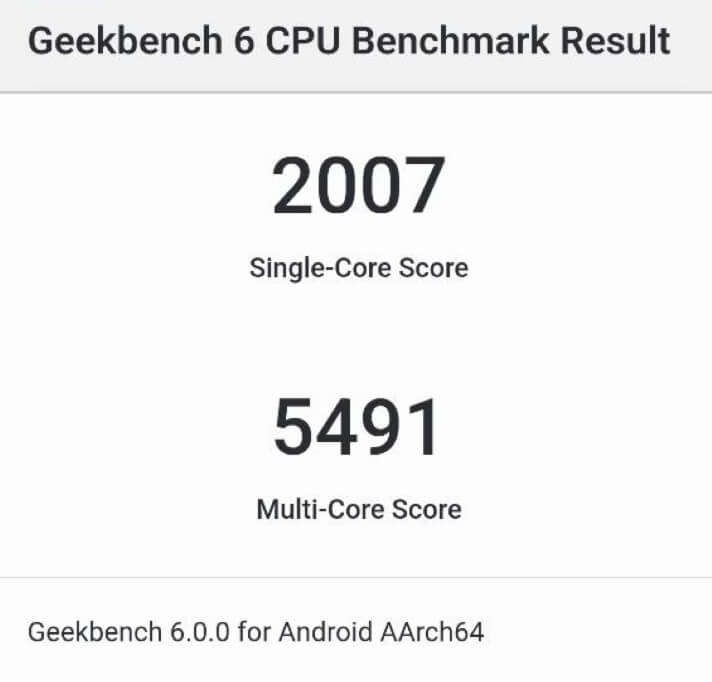
The RedMagic 8 Pro received a 2007 single-core and a 5491 multi-core score. While it doesn’t outscore the iPhone 14 Pro Max (with 2502 and 6289 points, respectively), it’s a massive gain over its predecessors, the RedMagic 7 and RedMagic 7S Pro in the CPU department. It also leaves behind the Samsung Galaxy S23 Ultra (1869 and 4940) and Xiaomi 13 (1738 and 5138).
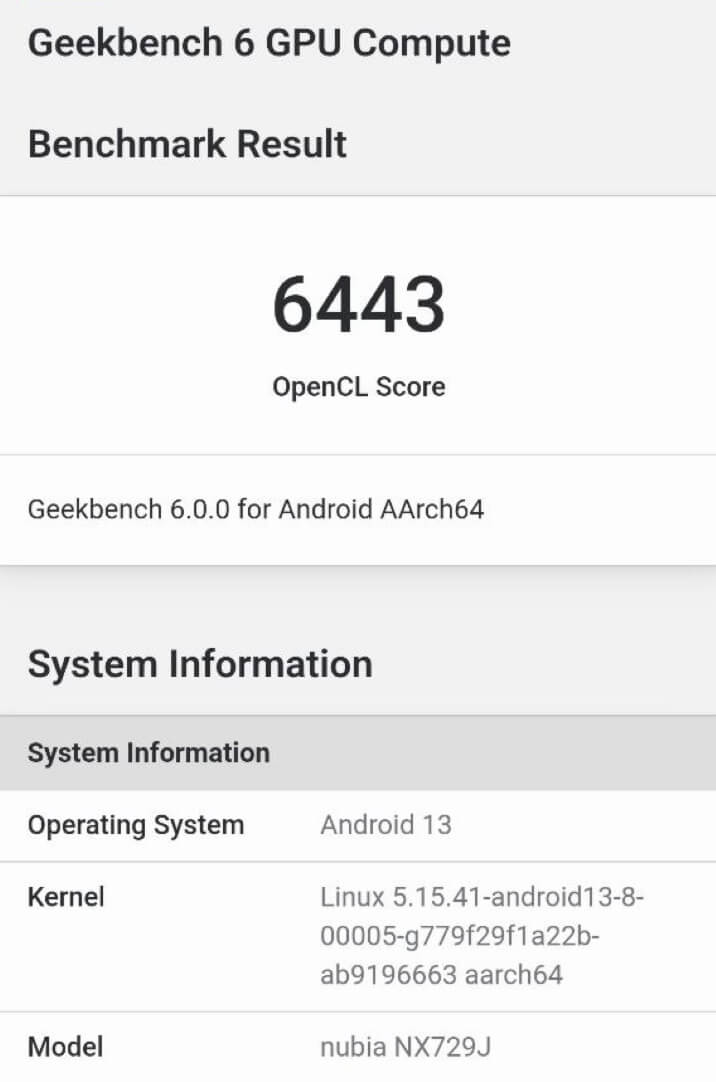
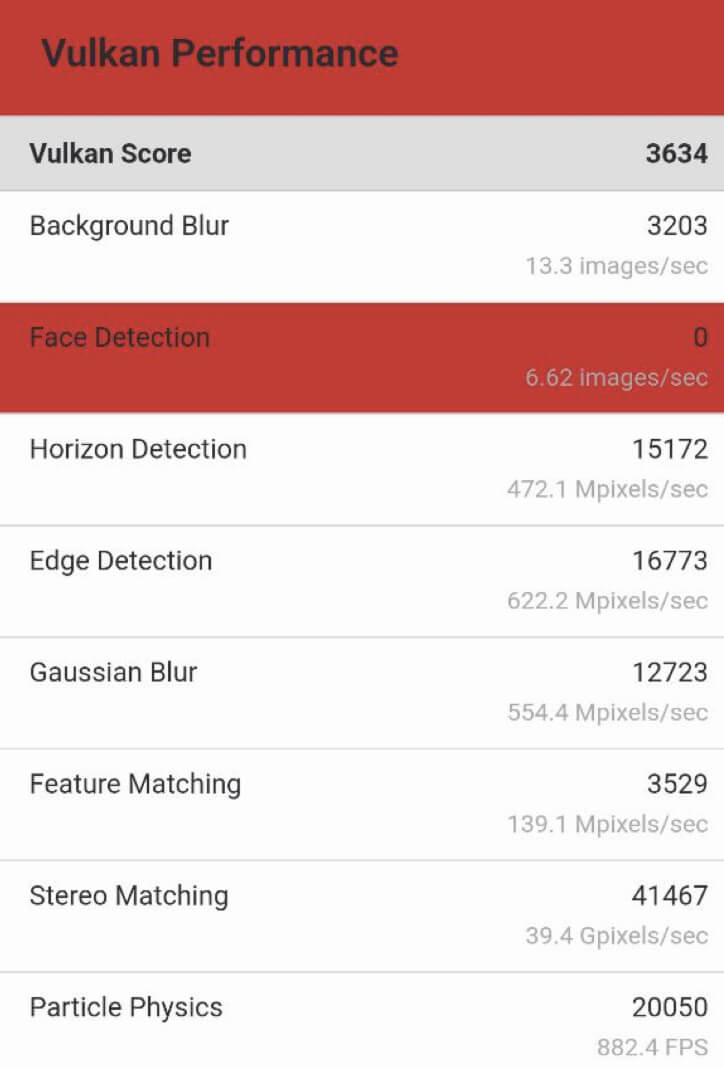
As for the GPU, the RedMagic 8 Pro received an impressive 6443 score on the OpenCL test, but there was a problem when I tried running the Vulkan test. The RedMagic Pro scored 3634 but kept giving a zero for the face detection test.
Gaming Experience
Benchmarks are great for comparing the performance of different devices. So if you have used the RedMagic 7, RedMagic 7 Pro, or RedMagic 7S Pro before, you can see exactly how much the RedMagic 8 Pro model has improved since then.

The powerful chip and gaming features explicitly designed with the gamer’s phone use in mind make the RedMagic 8 Pro an absolute beast when it comes to mobile games. When you unpack your phone for the first time, I recommend fully charging it and going straight for the good stuff – the Game Space .
Game Space
Game Space is the RedMagic special software that stores your game progress, shortcuts, and various tools for improved user experience. The app is intuitive, and you’ll easily find your way around even if you haven’t used a RedMagic phone before.

Some things we’ve already seen in the previous generations of RedMagic, but they remain as useful as ever. These things include the Game lobby with its Plugin library , where you can view RedMagic plugins available for different games, the ability to play mobile games on a large screen and with a computer keyboard , and the ability to use and customize the shoulder triggers.
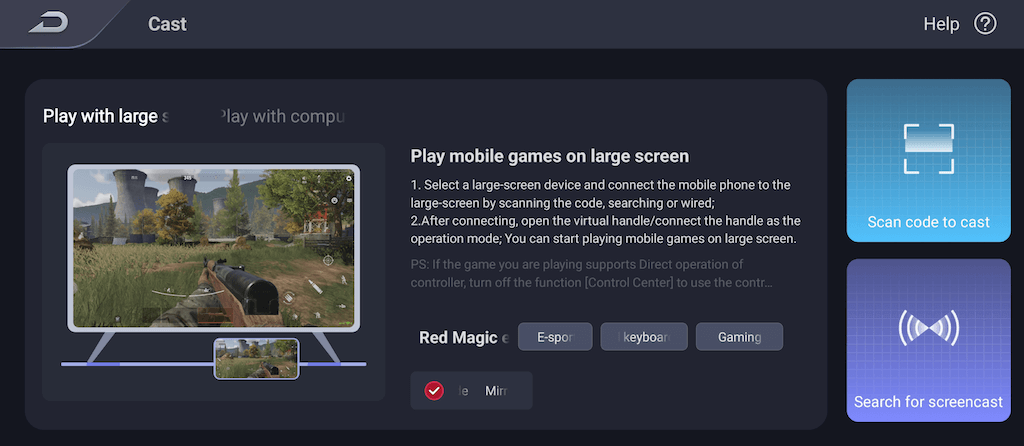
While playing a game, you can swipe from one side of the phone to bring up the Game Space overlay with two menus on each side of the screen.
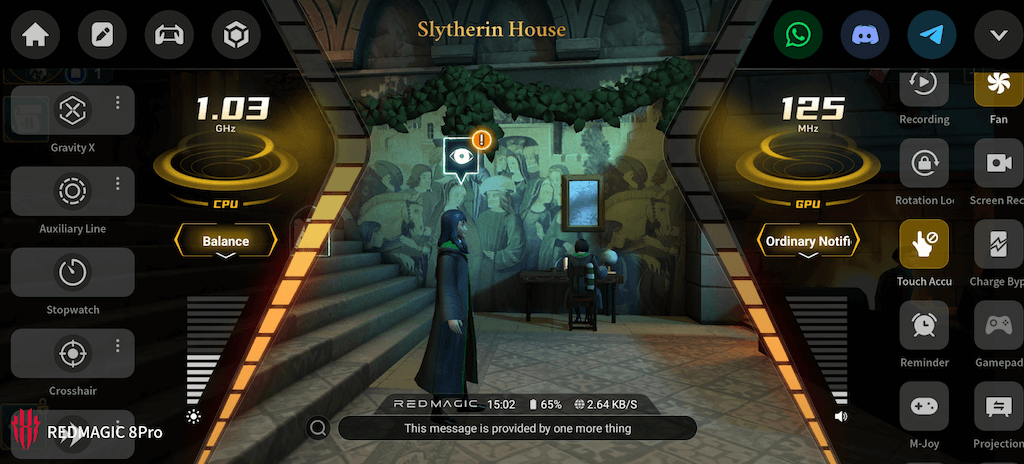
You’ll find many customization functions you can set specifically for every game, like adjusting refresh rate, RGB settings, settings a higher frame rate, enabling crosshair overlay, switching the fans on and off, and more.
Temperature
The phone’s temperature plays a big role when choosing a gaming smartphone. You don’t want your phone to heat up and ruin your gaming session because it becomes uncomfortable to hold it.
RedMagic 8 Pro has a superb cooling system to ensure your phone doesn’t heat up much, even when playing the most power-demanding games like Genshin Impact. According to RedMagic, the phone’s back plate’s highest temperature is 41.3 degrees.
After a 2-hour gaming session, I noticed no temperature increase. However, during the latest firmware update, which took about 20 minutes, I did see how the back plate got significantly warmer. The temperature normalized after manually turning on the cooling fan and setting it to Rapid cooling .
Audio Quality
One major advantage that the RedMagic 8 Pro has over other modern smartphones is that they still keep the headphone jack present. The manufacturers tend to remove it for more space for a larger battery and other phone components. However, RedMagic still manages to store both a massive battery and a headphone jack inside the RedMagic 8 Pro’s body, all without increasing the phone’s size and weight significantly.
The smartphone’s speakers are powerful enough to fill the room, as well as for you to hear every detail of the game’s events. Using the RedMagic 8 Pro for watching movies also felt great, as the phone delivers a beautiful full-screen experience.
When the phone just came out, some users reported having issues with the Netflix app, but I’m happy to say that this and other issues, like translation errors that I noticed before, were fixed in the latest firmware update.
Photo & Video Quality
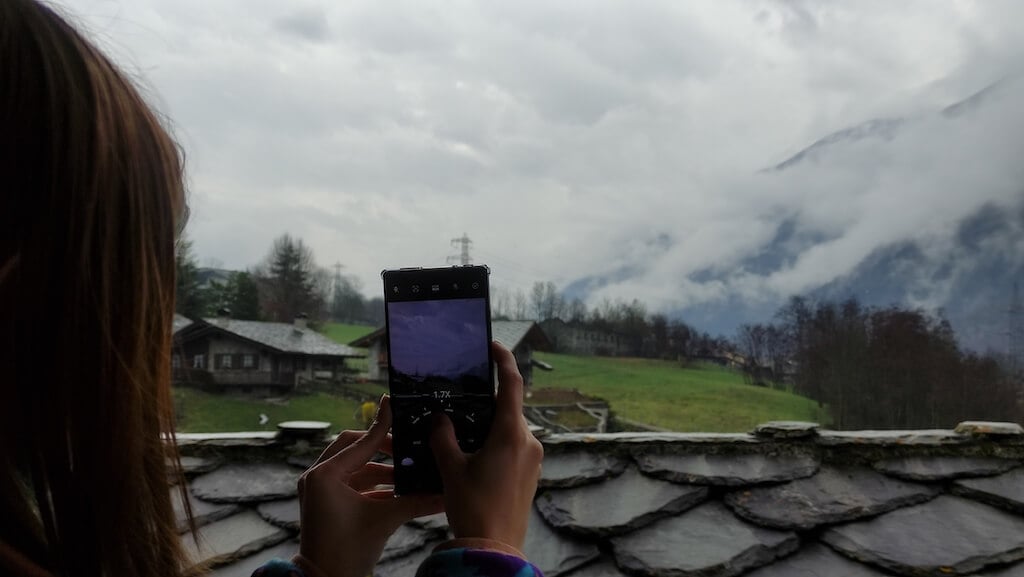
Photo and Video are probably the only areas where the RedMagic 8 Pro doesn’t shine.
I feel like the most controversial improvement that the RedMagic 8 Pro received is the under-display front-facing camera (or selfie camera). Placing the camera underneath the display is a great decision for an uninterrupted gaming experience, but it also comes with the cost of poor portrait quality. Selfies either come out soft and washed out, or the subject of the photo pops out too much, and the photos look artificial.

That’s also something you have to take in mind if you care about video calls and how you’ll look on them.

Phone cameras also struggle in challenging light conditions. Whether it’s flat light outdoors, backlit scenes, or night photography — the pictures are likely to come out blurry or oversharpened.

However, if you’re not someone who cares about selfies or takes a lot of pictures, the main camera will still suffice for normal daylight photography. You can also shoot decent videos on the RedMagic 8 Pro if you enable the anti-shake mode.

Battery Life
The RedMagic 8 Pro has a 6000mAh dual-cell battery and supports 65W quick charging. During everyday use, the battery will easily last several days on a single charge.
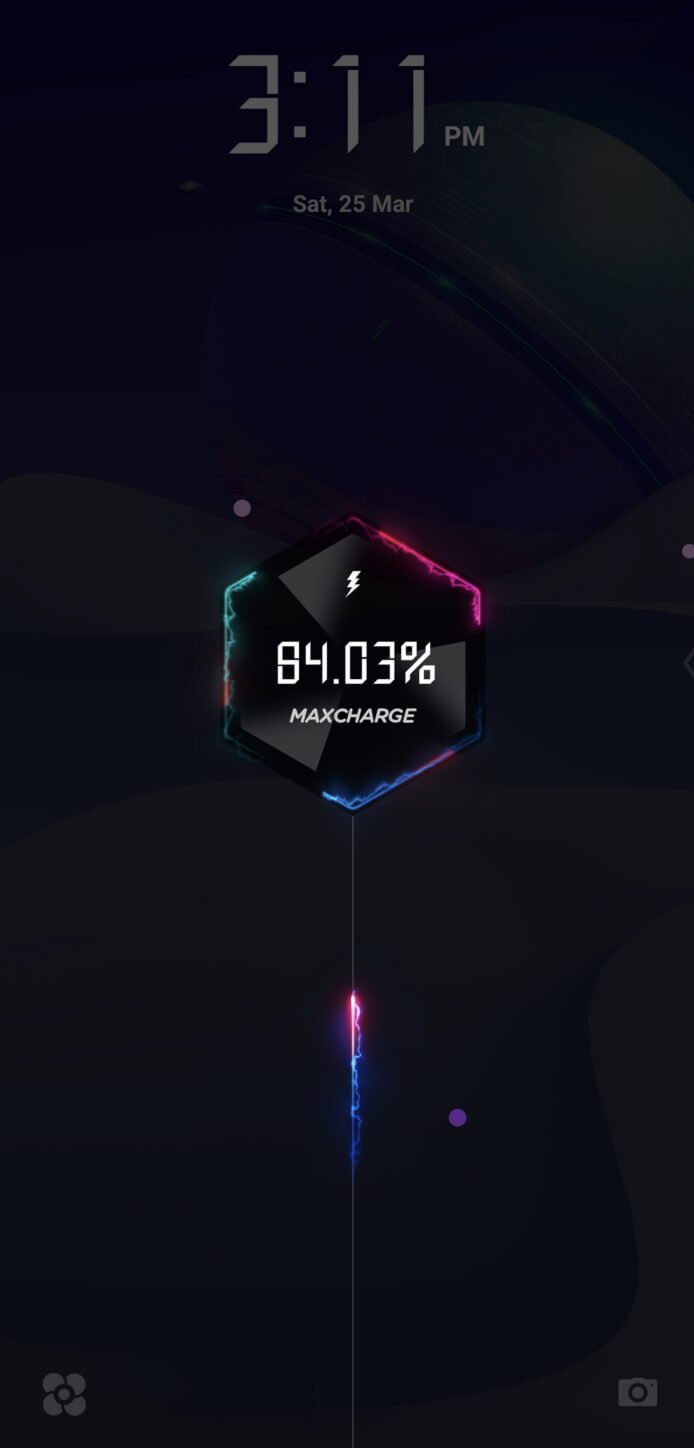
When gaming at max power, your phone will still last a few hours. After that, you can take a 45 minute break and use the 65-watt charger to quickly charge your phone fully from zero and continue gaming.
Should You Buy the RedMagic 8 Pro?
The RedMagic 8 Pro is a powerful gaming phone and is definitely one of the best gaming phones available today. The only thing you can put on the list of cons is the camera performance.
Other than that, you’ll get an absolute power beast with plenty of unique gaming features, a top-notch cooling system, excellent battery life, and a pleasant modern design. Add the headphone jack and large storage capacity on top of that, and you’ll have your answer as to whether you should buy this new gaming phone.
- Tribit StormBox 2: The Under $70 Portable Speaker that Stands Out
- ENGWE L20 2.0 Review: The Best Budget-Friendly Foldable E-Bike?
- TopDon TC004 – a Thermal Imaging Camera That Will Give You Predator Vision
- Newyes Portable Wireless Thermal A4 Printer Review
- Eskute Star Folding Fat Tire Electric Bike Review
If you don’t have a full-sized printing machine at home and often need to print a document on the go, check out the Newyes portable printer . This wireless printer is lightweight and small enough to fit in your bag. Not to mention it’s environmentally friendly, since it uses thermal paper instead of ink.
Follow our review of the Newyes portable wireless thermal printer to see if it suits your printing needs.
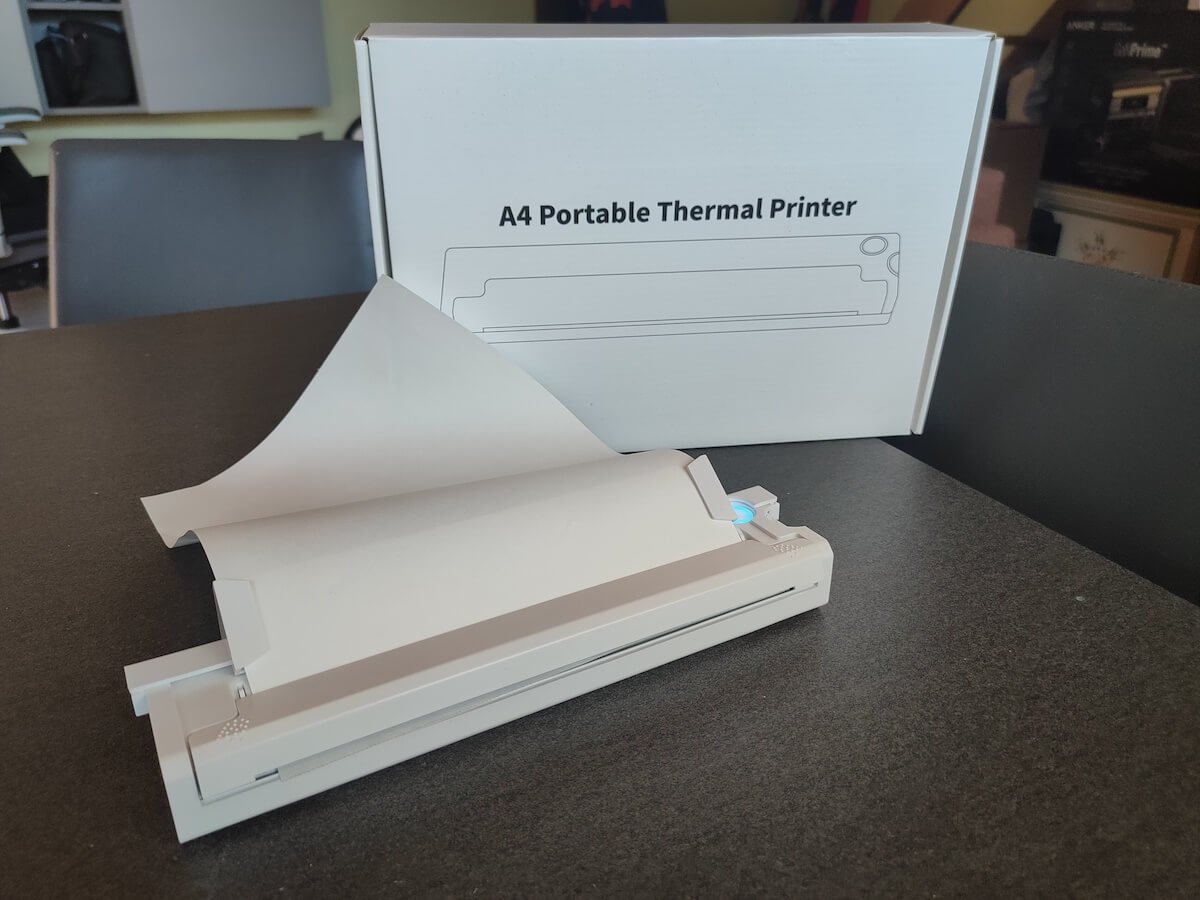
Newyes Portable Wireless Thermal A4 Printer: First Impressions & Specs
When I was a student, I remember my university always required hard copies of documents. Luckily, there was a print shop on campus where I could always pop in to print something.
Then I became a professional, and to my surprise many life spheres still required me to have printed versions of documents with me. Of course you can get your own full-sized machine to print things at home, but if like me you live in a small apartment, you value every extra bit of space and don’t want a massive printer to take it up.
One day, when I was looking for a neighbor with a printer to help me with my event tickets, they introduced me to the concept of a portable printer. Seeing how easy it is to use, I immediately wanted to get my hands on one of those. So here I am, reviewing one of the most useful gadgets I received recently – the Newyes portable thermal printer.
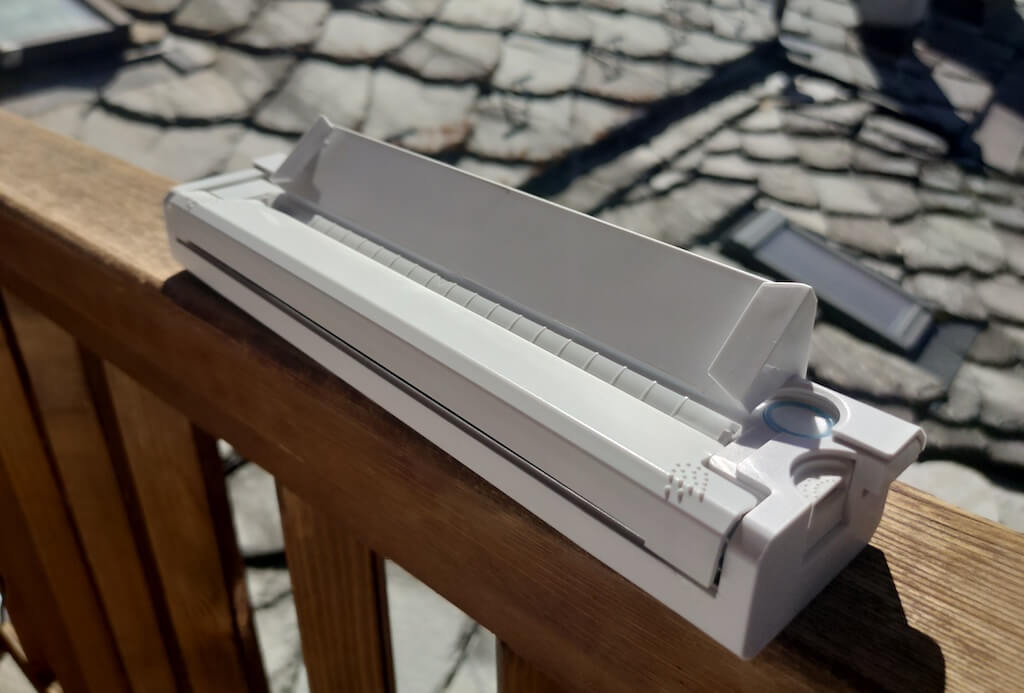
Before we continue with this review, here is the full list of specs of this printer.
- Model: Newyes LD0801
- Dimensions: 10.4 x 1.2 x 2.28 in (265 x 58 x 30.5 mm)
- Weight: 16.8oz (475g)
- Paper format: A4
- Paper width: 210mm or 218mm
- Printing Type: thermal paper
- Resolution: 203DPI
- Connectivity: Bluetooth
- Charging port: USB type-C port
- Input Voltage: DC 5V / 2A
- Battery: 1200mAh lithium battery
- Charging time: 75 min
- Automatic shut down: after 30 minutes
- Stand-by: about 30 days
- Extra features: LED light, reset, on / off switch button
- Color: white, black
- Warranty: limited one year warranty
- Price: $199 on the Newyes website
If you find yourself in need of hard copies of important documents while on the move, the Newyes portable wireless thermal printer will become your go-to gadget. Newyes calls it “the world’s smallest printer”, and with the weight of under 500g this seems plausible. This mini printer offers a handy solution for those moments when you need to quickly print an important document but don’t have access to an office setup.
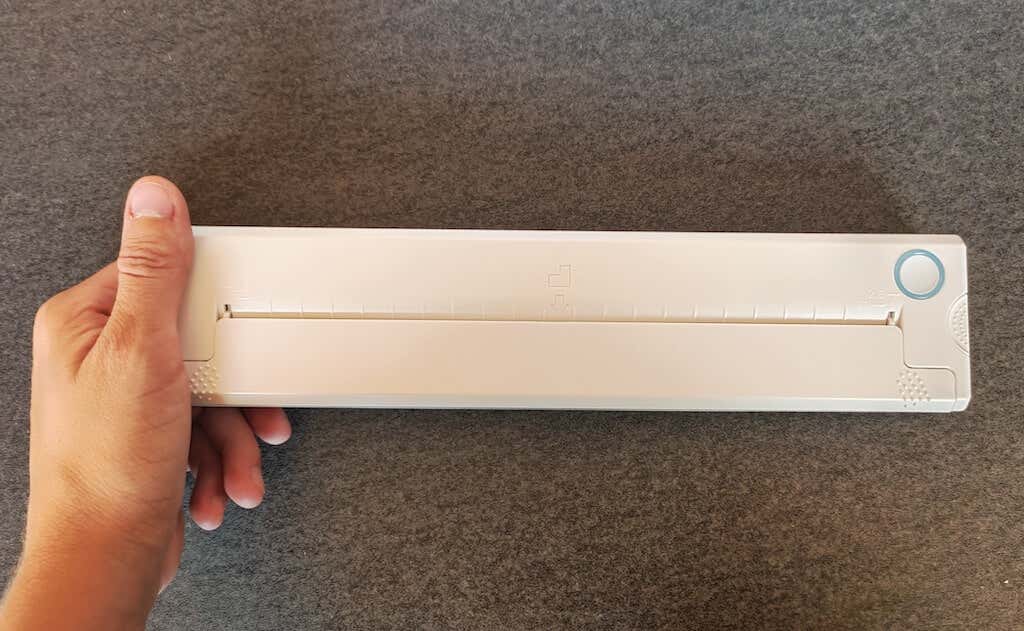
Operating this printer is a breeze – a simple Bluetooth connection is all that’s required. Once connected, just fire up the app, choose the file you want to print, and send it over. Efficiency is at the forefront, and you can easily print multiple sheets by inserting new pages back to back.
The only limitation this printer has is that it can only print in black. So even if your original file is in color, the printed document will still come out in black and white. Other than that – you can print a variety of file types including Excel, Word, PDF, JPG, PNG, and web pages – and it only takes seconds.
The Newyes portable wireless printer combines convenience, portability, and efficiency – all the things I appreciate in a modern gadget.
Design and Unpacking
Let’s have a closer look at the design and build of this smart printer, as well as what you get included in the package when you purchase it.
What’s in the Box
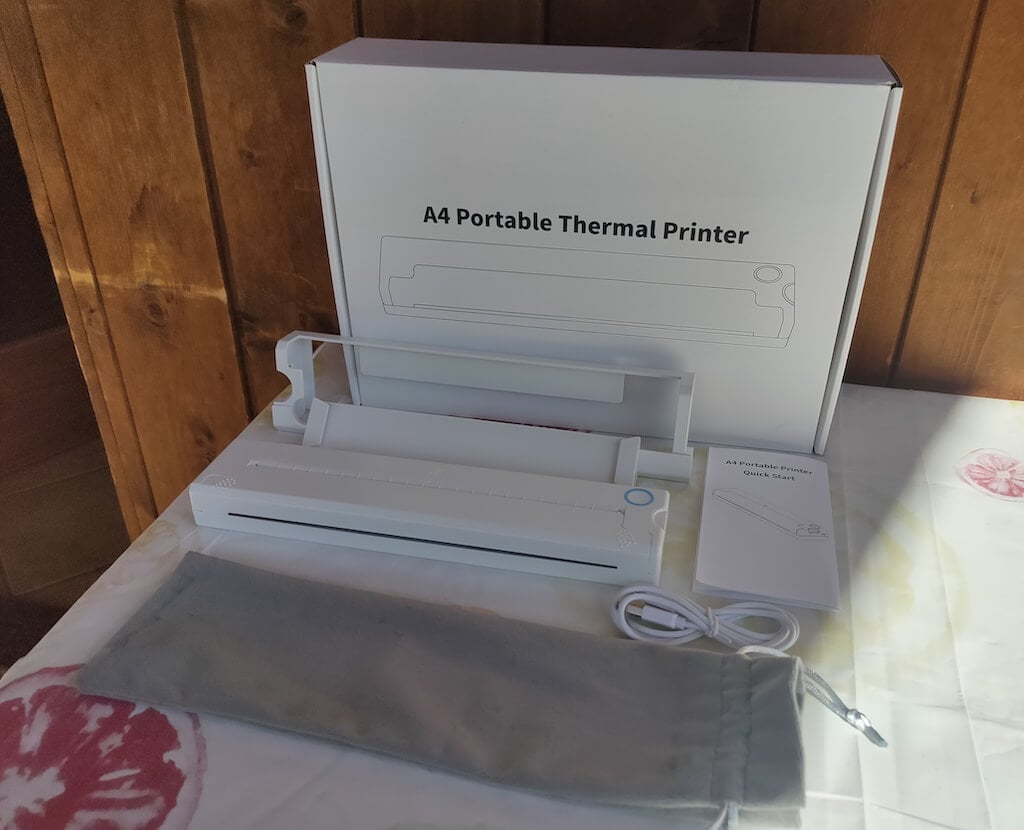
Here’s everything you’ll find when unpacking your Newyes portable thermal printer:
- The Newyes portable wireless thermal printer
- Bracket
- USB type-C cable
- Storage/carrying pouch
- 100pcs thermal printing paper
- User manual
You can use the Newyes portable printer right out of the box, as you’re all set with essential accessories. Aside from the printer itself, the package includes a bracket which will make printing more than one page smoother, a convenient storage bag for carrying your printer with you, a USB-C cable for charging, and a supply of 100 pieces of thermal paper to get you started.
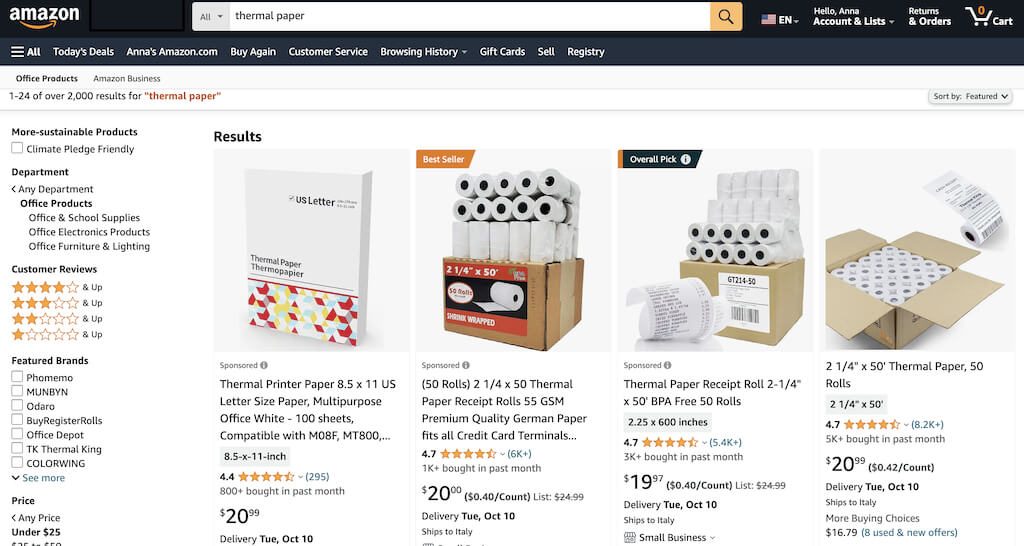
One important thing to remember is that this printer only works with thermal paper. While thermal paper is significantly more expensive than normal paper, this printer also uses inkless printing and works without a ribbon and toner. Since you don’t have to spend money on ink, carbon ribbons or toner cartridges, you ultimately end up saving money with thermal paper.
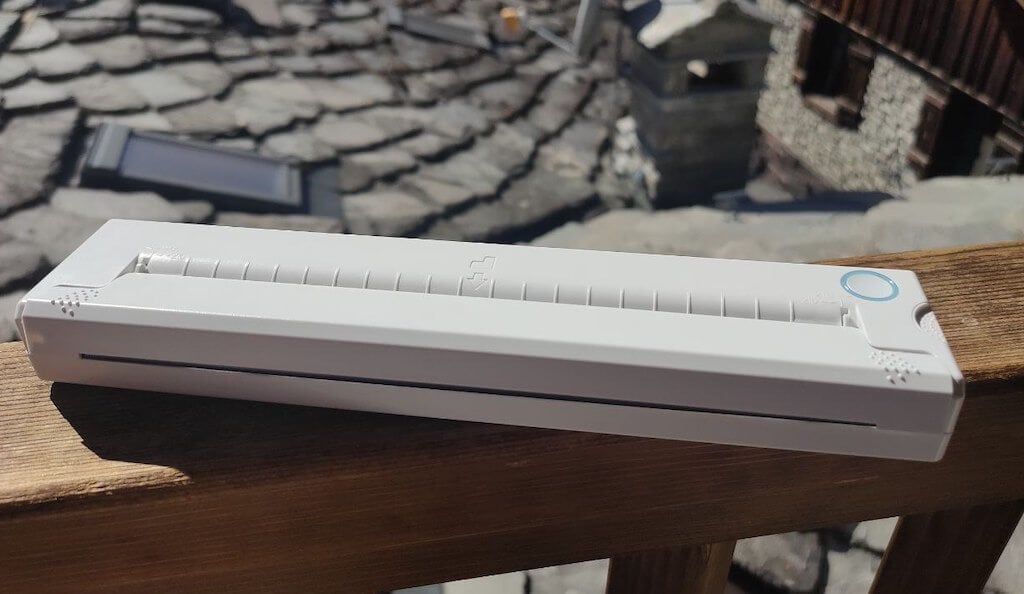
The Newyes LD0801 is a pocket-sized printer that features straightforward design. For the purpose of this review, I had a printer in white color. The printer looks like a small white brick with just two pressable buttons on top – one for switching it on and off, and another for opening the printer’s cover. You’ll also see the paper entry slot on top of the printer.
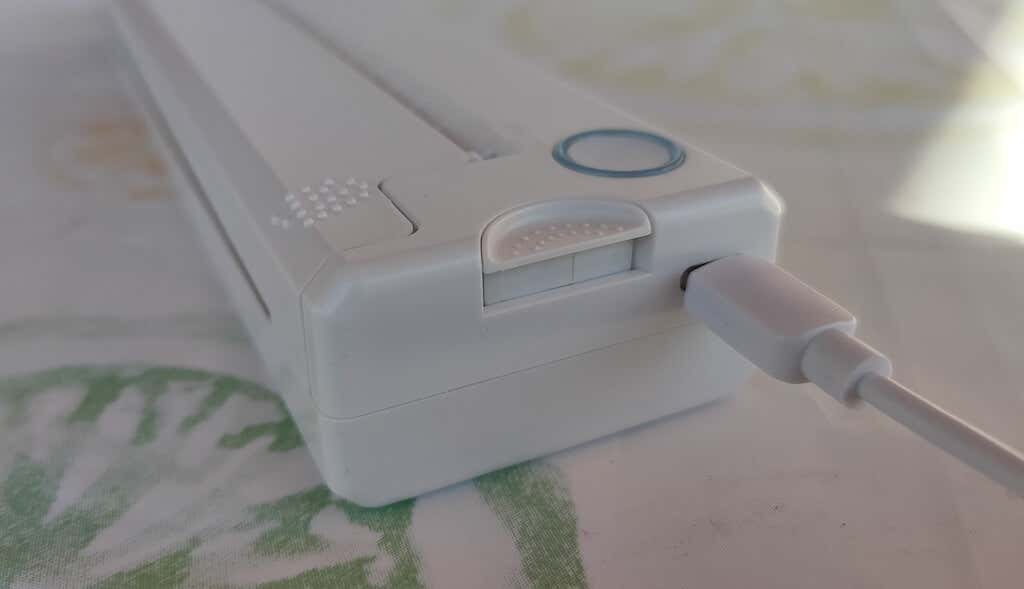
On the side of the printer, you’ll find a single charging port.
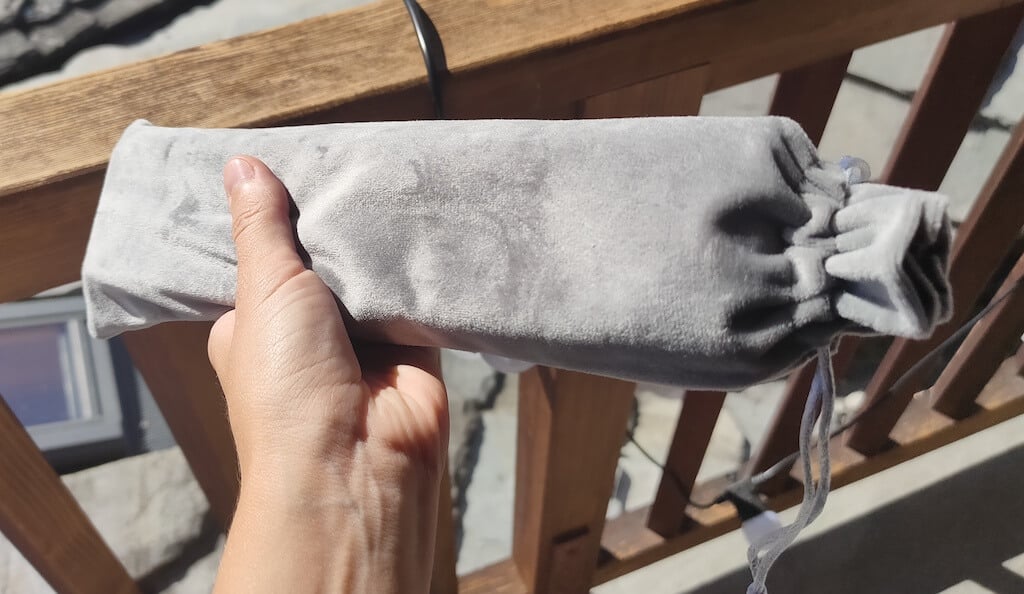
The printer is made of plastic, but the build feels sturdy. I never have to worry about throwing it into my bag or damaging it when traveling. Besides, you can use a nice carrying pouch included in the package for protection.
Performance & Features
According to Newyes, the portable printer has a “handheld size and two times the weight of an iPhone”. This can give you an idea of how portable and convenient this little gadget is. In a month of testing, I used it at home, in a store, and even in a car while on the road.
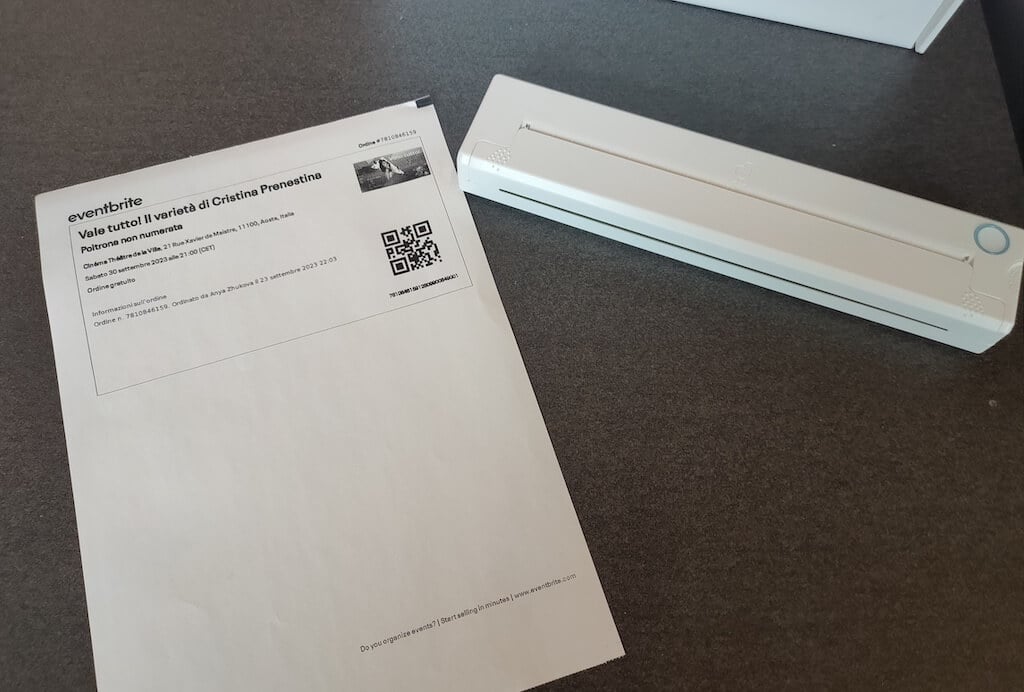
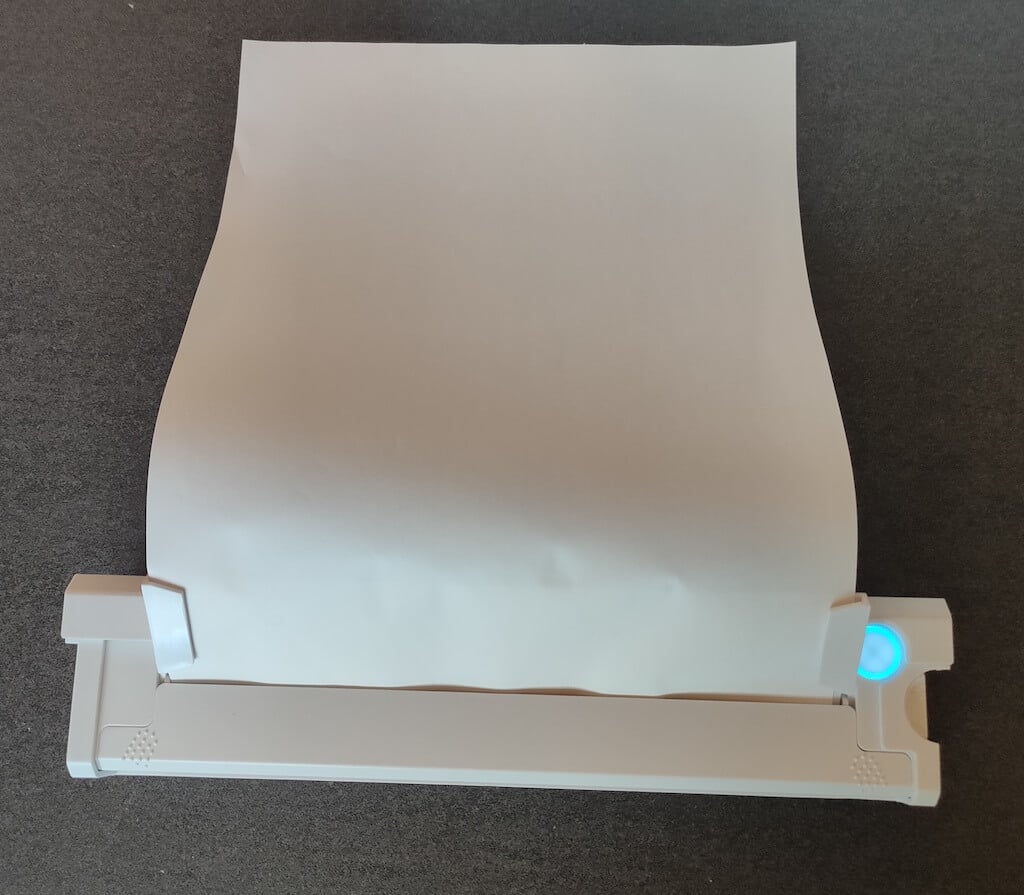
Using the printer is unbelievably easy. Connect it to your mobile phone via Bluetooth, press the button to turn the printer on and put a sheet of thermal paper into the paper entry slot. Make sure to use thermal paper and not standard paper, and put it with the black marks facing down. Bear in mind that the thermal printer can only print in black and white and only on one (marked) side of the thermal paper sheet.
Then open the iPrint app on your smartphone. If you’re printing an A4 document, you can select one of two options – Photo Printing and Document Printing . Then choose the document from your phone’s files and print it.
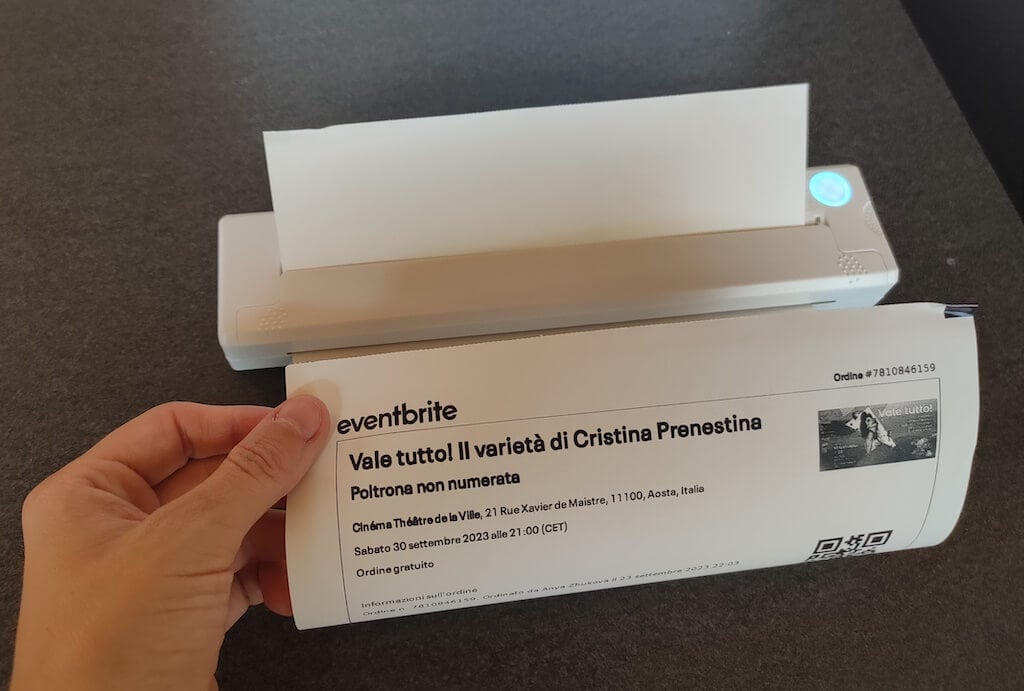
The printer is reliable and in the time that I used it the Newyes LD0801 never let me down. The printing quality will surprise you, as it’s sometimes better than what you get from a full-sized printer. The printer supports printing in various formats, and you can use it to print documents from your smartphone (Android and iPhone), iPad, and Android tablet.
When fully charged, the printer can support up to 90 pieces of paper continuously, which is very impressive for a gadget of such a small size.
Software
The Newyes portable printer requires an iPrint app to operate. The app is available for free on iOS and Android. You’ll need to download the app on your device from the App Store or Google Play before you begin printing your documents.
The app has a simple and user-friendly design. You’ll need to pair your device with the printer on the first use via Bluetooth.
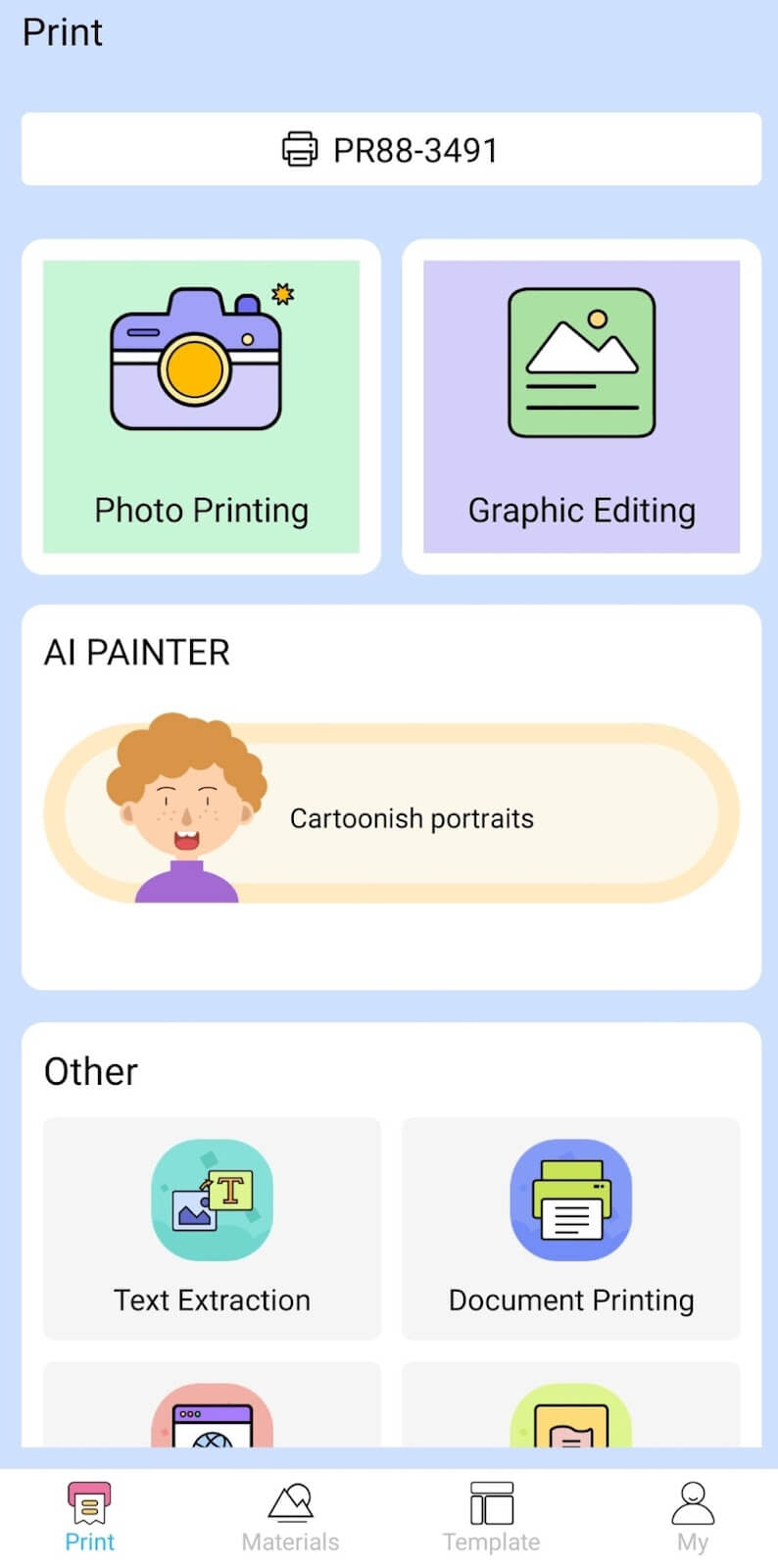
Depending on the type of document you want to print, you can choose different options from the app. There’s photo printing, document printing, web printing, and banner printing.
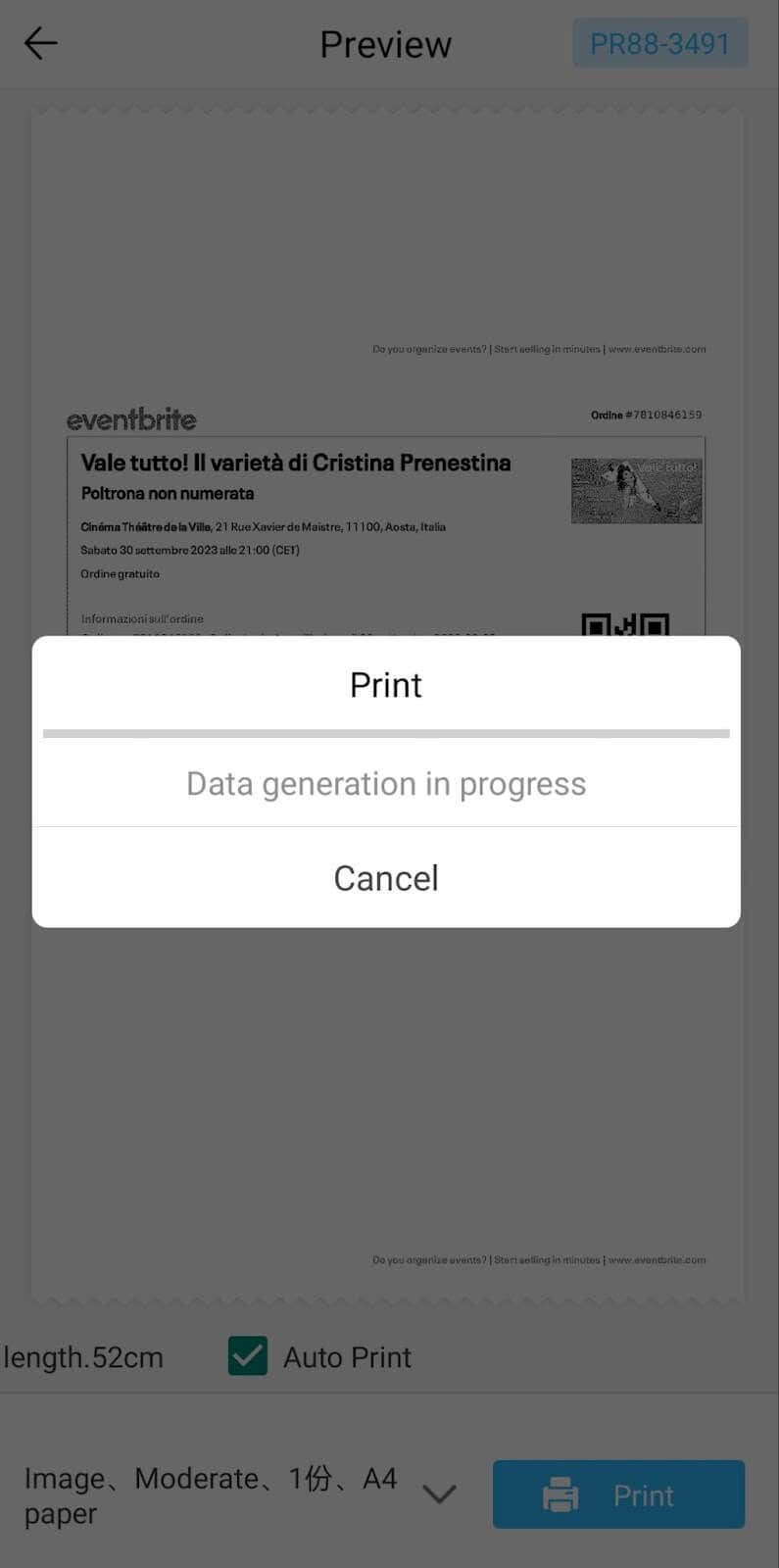
The app also has Materials and Template sections, where you can find various pictures and templates for printing to-do lists, post-its and holiday cards. You can also use the Newyes LD0801 as a label printer using these templates.
Battery Life
The Newyes portable wireless thermal printer is equipped with a decent 1200mAh lithium battery. This high-capacity battery allows you to print on the go without constantly worrying about running out of charge. When I received the printer, I charged it fully once, and it still hasn’t run out of battery after one month of use (I use it to print something almost every other day).
Charging this printer is quick and takes just over an hour to charge the printer from zero to full. The type-C charging cable facilitates a rapid charging experience. And if you run out of battery while on the go, you can quickly charge the printer from a portable power station or a power bank to continue printing.
The printer doesn’t support wireless charging, so I’d recommend always bringing the usb-c cable with you just in case.
Should You Buy the Newyes Portable Wireless Thermal Printer?
The Newyes portable thermal printer ensures high-quality wireless printing while on the go and easy operation. It’s not the most budget-friendly option, but this purchase will save you money and nerves in the long run thanks to its versatility and portable nature.
Personally, I can say that this printer made my life easier. So much that it’s probably my favorite smart gadget of the year. If you’re looking for a portable printer that won’t take any space in your house, I’d certainly recommend considering the Newyes LD0801 model.
- Tribit StormBox 2: The Under $70 Portable Speaker that Stands Out
- ENGWE L20 2.0 Review: The Best Budget-Friendly Foldable E-Bike?
- TopDon TC004 – a Thermal Imaging Camera That Will Give You Predator Vision
- Eskute Star Folding Fat Tire Electric Bike Review
- The 70mai Power Station Tera 1000 Review
