If you love writing and are looking for authentic writing experience, you’ve probably come across reMarkable before. ReMarkable 2.0 is the latest tablet produced by the company that promises a unique device for writing and drawing digitally.
Unlike other tablets, it feels like you’re writing on real paper. It has a stylish design, a long-lasting battery, and no distractions, making it perfect for students, professionals, and creatives. In this reMarkable 2 review, we’ll have a closer look at this device and see if this e-ink tablet can replace your e-reader or tablet.
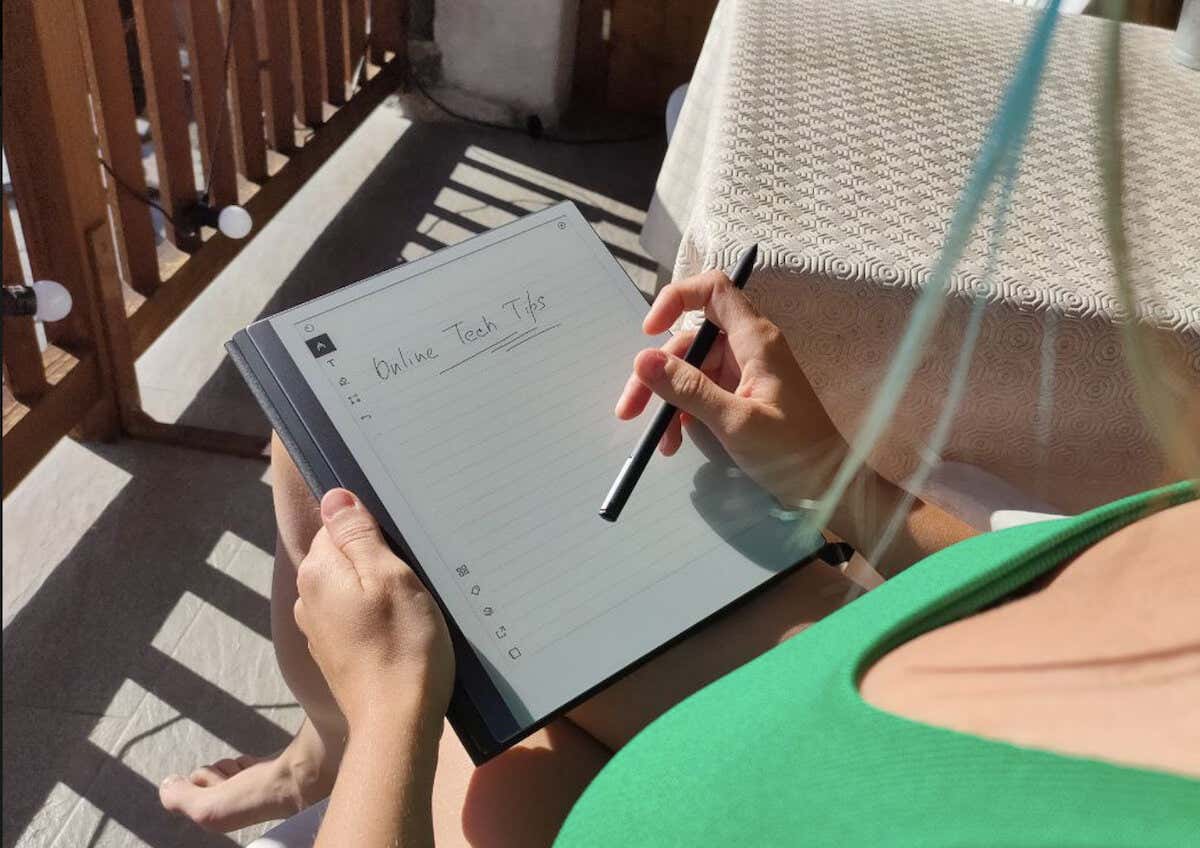
ReMarkable 2.0 Tablet: First Impressions & Specs
The reMarkable 2.0 is a note-taking tablet that provides a truly remarkable first impression with its sleek and stylish design. As soon as I held it, I noticed how thin and lightweight it was, measuring only 4.7 mm in thickness and 403.5g in weight. This tablet is easy to carry around and use on the go, and I have to admit I’ve been carrying it with me almost everywhere I go since day one.
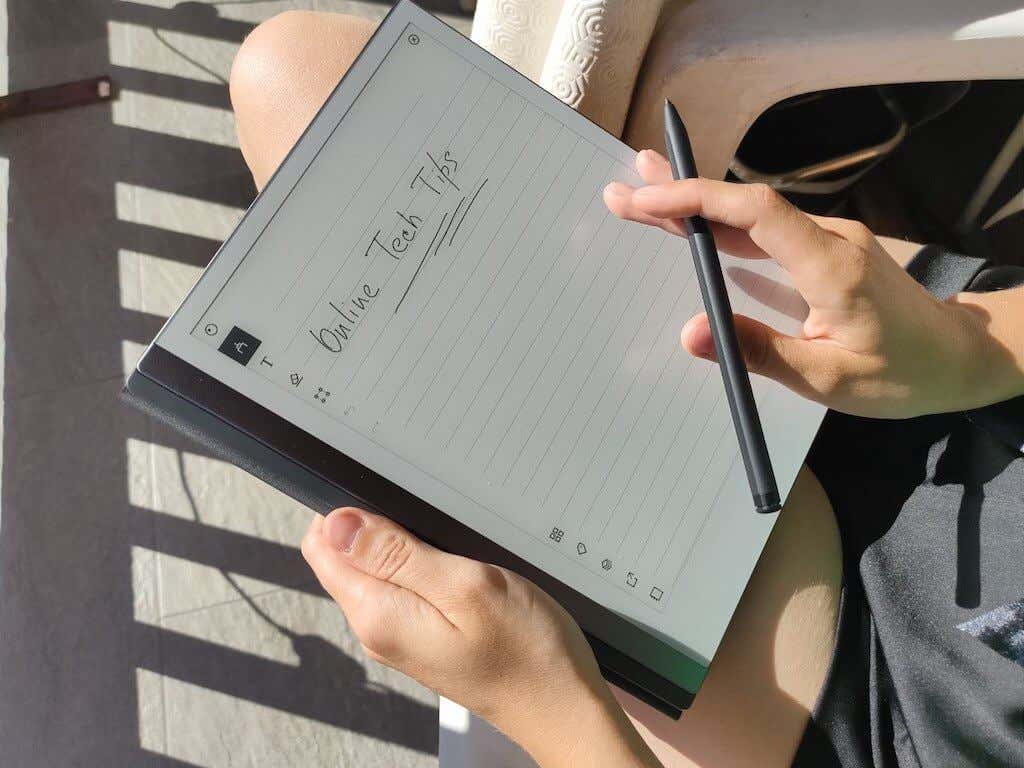
The tablet’s paper-like e-ink display offers a unique writing experience, feeling just like writing on real paper, thanks to its second-generation CANVAS display technology. With 4096 levels of pressure sensitivity, your writing and drawing will appear natural and smooth.
The package I received for testing also included the Marker Plus stylus, which only adds to the feeling of a paper-like experience.
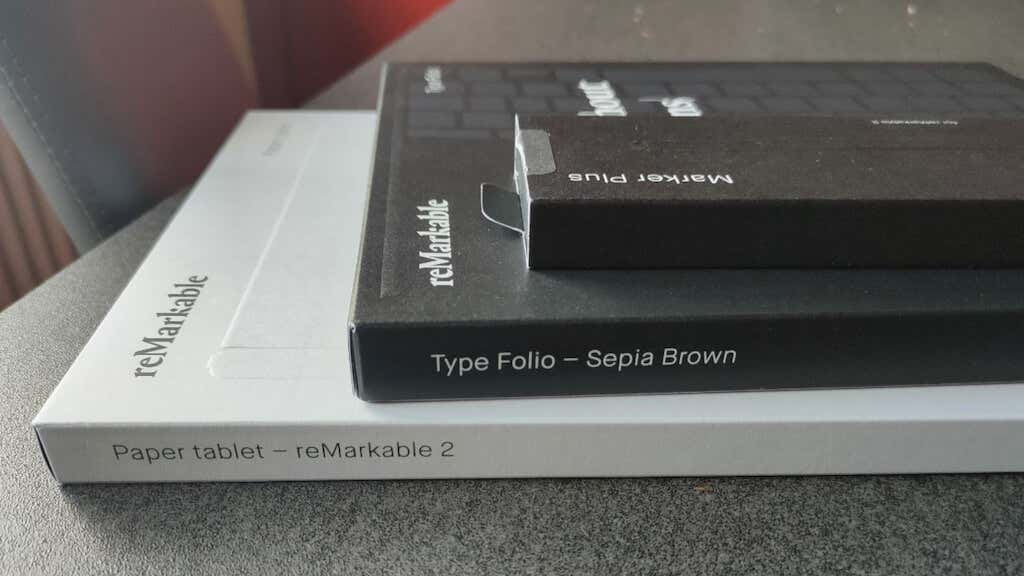
The tablet also boasts remarkable hardware specs, such as 8 GB of internal storage for saving your notes, documents, and ebooks. It runs on a custom Linux-based OS called Codex, powered by a 1.2 GHz dual-core ARM processor and 1 GB LPDDR3 SDRAM, providing smooth and responsive performance. The rechargeable battery can last up to two weeks between charges, ensuring long-lasting usage without frequent charging. The device supports PDF and ePUB file formats, enabling easy access to various documents and ebooks.
Before we dive into this tablet review, let’s have a look at the full list of tech specifications of this reMarkable tablet:
- Size: 7.4 x 9.7 x 0.19 in (188.0 x 246 x 4.7 mm)
- Weight: 0.88 lb (403.5 g)
- Thickness: 0.19 in (4.7 mm)
- Display: 10.3″ monochrome digital paper display (no colors), 1872 x 1404 resolution (226 DPI)
- Storage: 8 GB internal storage
- Menu language: English only
- Operating system: Codex, a custom Linux-based OS
- RAM: 1 GB LPDDR3 SDRAM
- Processor: 1.2 GHz dual-core ARM
- Supported file formats: PDF and non-DRM ePUB
- Connectivity: Wi-Fi 2.4GHz and 5GHz, USB-C charging port, Accessory port
- Battery: 3000mAh rechargeable battery, up to 2 weeks between charges
- Price: $349 on the official website for reMarkable 2 tablet only, or from $579 on Amazon with a 12-month Connect subscription and Marker Plus stylus.
While the tablet’s specs look impressive, and the idea behind a distraction-free tablet where you can keep your handwritten notes and transform them into a digital form is intriguing, one big problem reMarkable 2 has is the hefty price tag. To enjoy the full experience of using this table, you’ll need to purchase the tablet itself, one of the markers, and the Connect subscription, the reMarkable cloud service, at the very least.
All that adds up to around $600, and you can get a much more powerful tablet for that price. However, the reMarkable paper tablet is a one-of-a-kind product, and that’s what you’re paying for.
Having used this tablet for over a month, this device delivers what it promises – an authentic writing experience with no distractions that will help you boost your productivity and bring more inspiration into your writing.
Design and Unpacking
If the price tag doesn’t scare you and you’re still here, let’s move on to the design and overall look of the tablet.
The reMarkable 2 tablet has an incredibly thin and lightweight design and weighs less than a pound. Its sleek silver and white color combination gives it a refined appearance, while the second-generation CANVAS display feels really close to actual paper, offering a smooth writing experience.
What’s in the Box
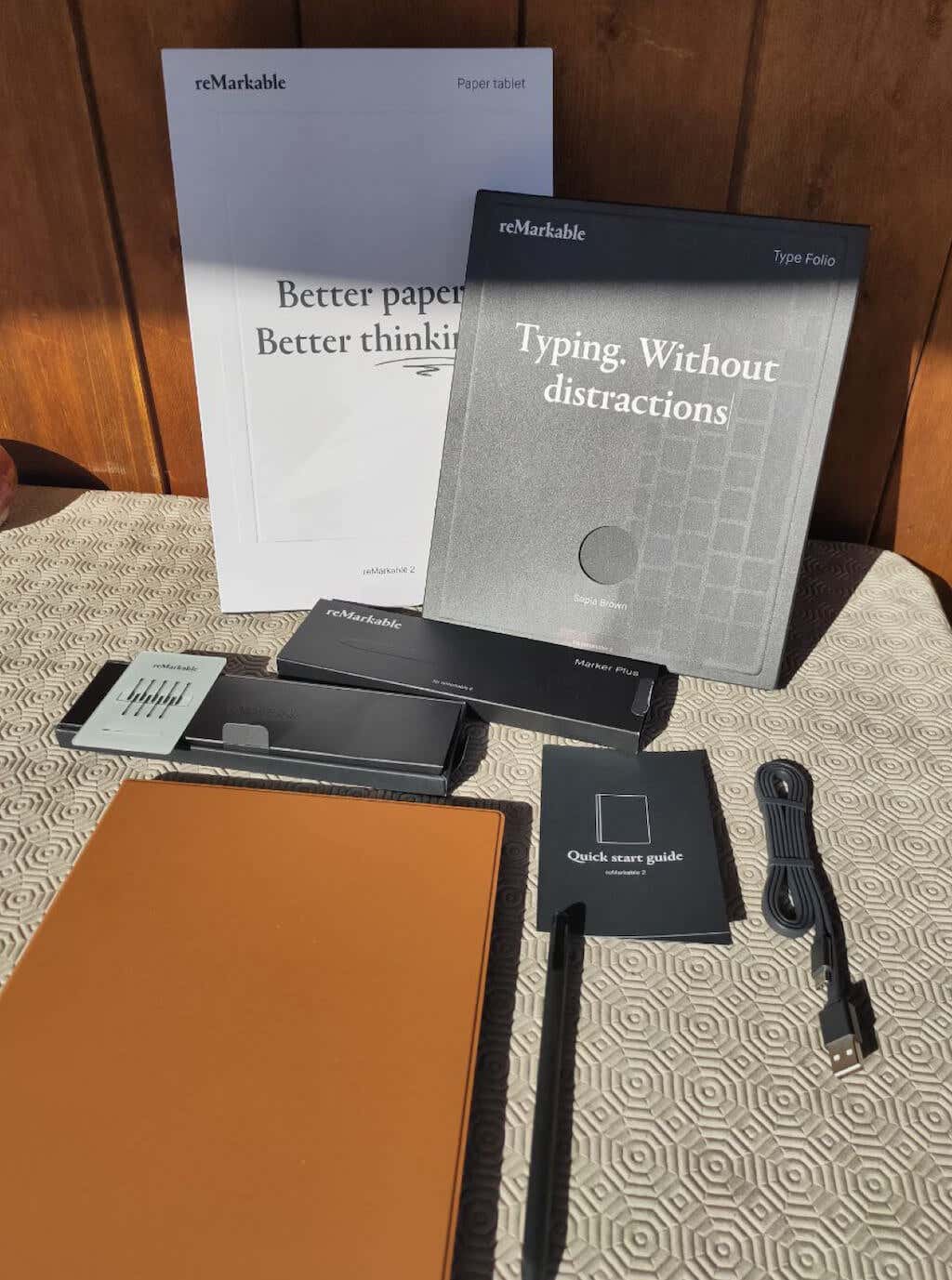
Here’s everything you’ll find in the box while unpacking your reMarkable 2:
- ReMarkable 2.0 Tablet
- USB A to USB C cable
- Quick Start Guide
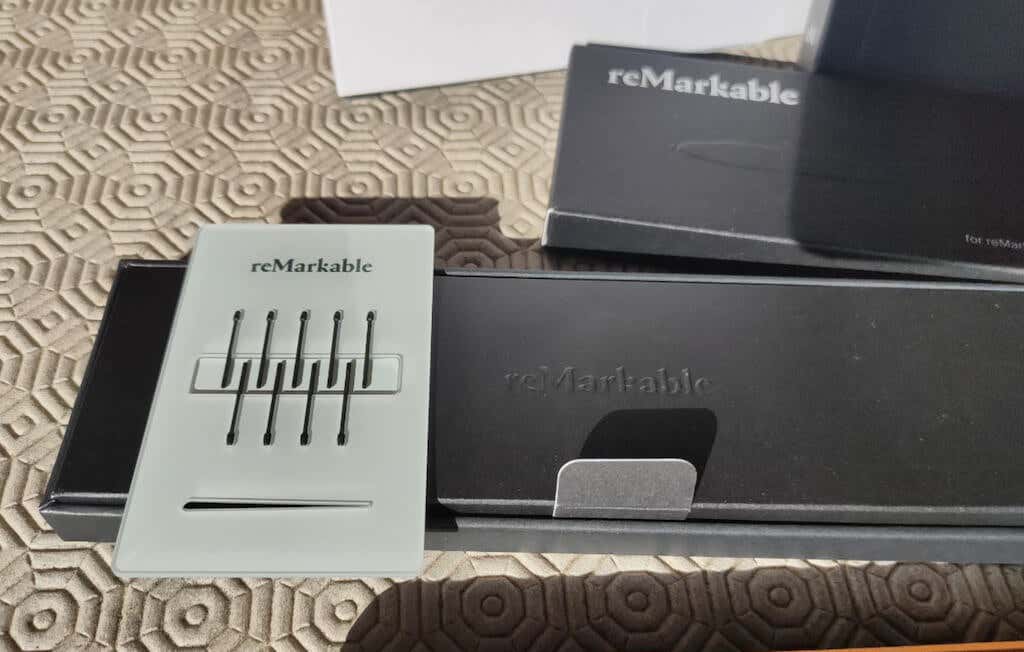
My reMarkable 2 came together with extra accessories (sold separately): the Marker Plus with a set of 9 additional tips (or nibs) and the Type Folio cover with a hidden keyboard. While the cover is an accessory that you can skip, the Marker is an essential part of the reMarkable experience, as you won’t be able to actually write or sketch on your tablet without it. You can choose a simple, cheaper marker with no built-in eraser or opt for the Marker Plus with a built-in eraser at checkout, or find an alternative online.
The tablet features a 10.3-inch monochrome digital paper display. Together with paper-like surface friction, it ensures you get a natural-feeling writing experience.
The screen has a resolution of 1872 x 1404 pixels and 226 DPI and delivers sharp and clear visuals for both note-taking and reading. The display stays bright and perfectly readable in sunlight, so you don’t have to worry about using your reMarkable tablet outdoors during the day. Thanks to the 21 ms of latency, there is also no noticeable lag when writing.
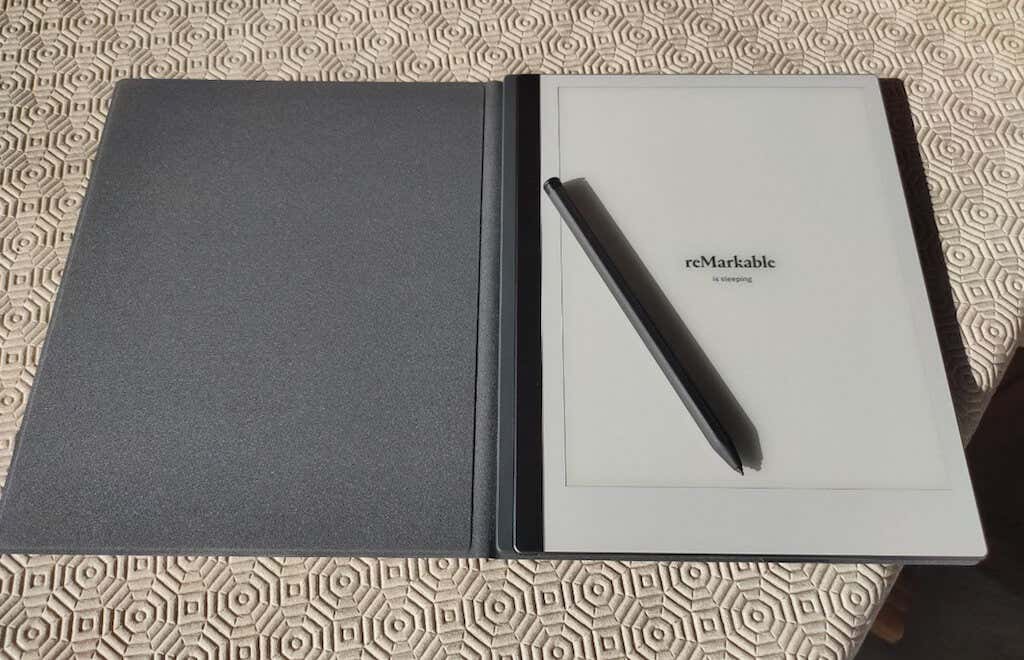
If you’re a night owl like myself, you’ll actually enjoy the lack of color on the screen and the lack of blue light, as it reduces eye strain and distractions present in your other digital devices.
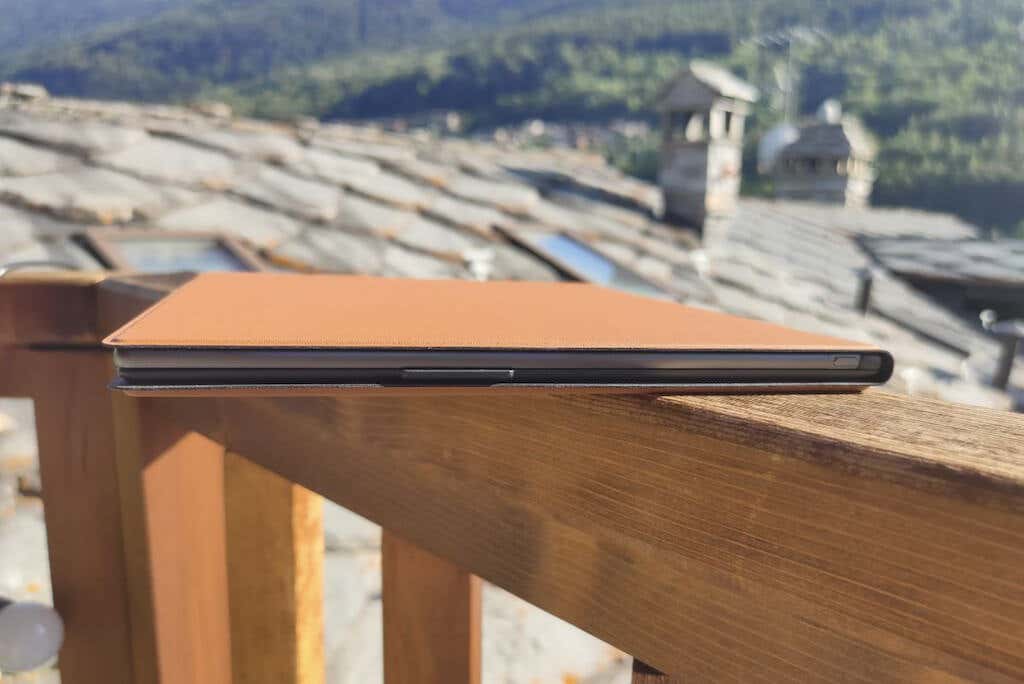
On top of the tablet, you’ll find the power button placed discreetly in the top left corner. It seamlessly blends with the silver stripe that runs down the left side of the tablet, and it took me some time to find it when I first opened the box.
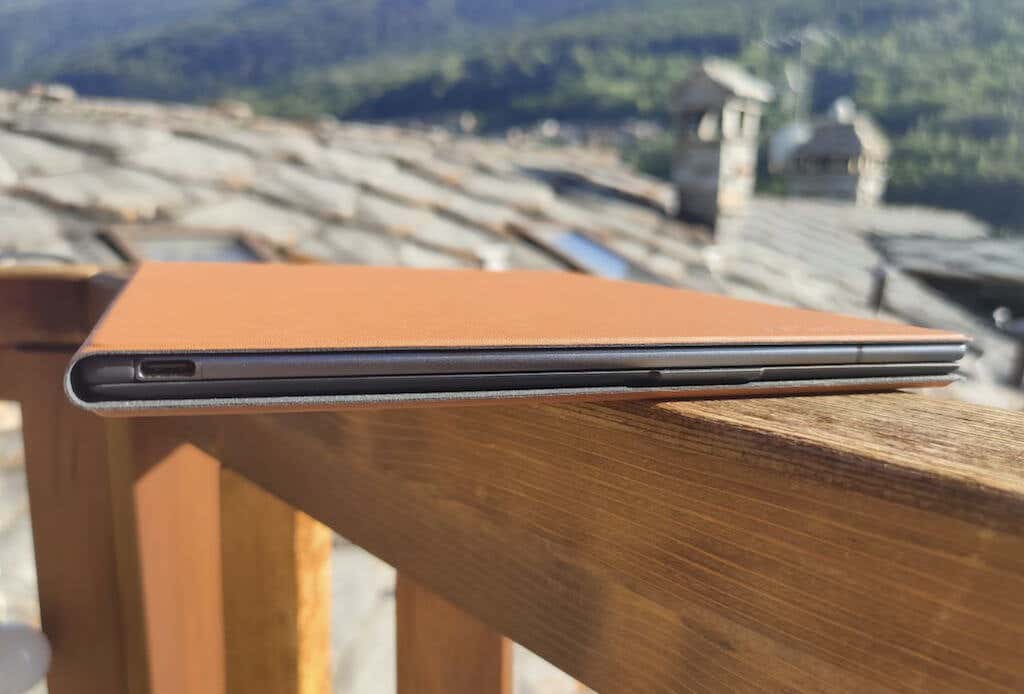
The USB-C charging port is located on the bottom left of the tablet’s body, ensuring a clutter-free design that maximizes space efficiency.
The ReMarkable 2.0 Tablet features a smart design element with magnets inside, running down both sides. These magnets allow the tablet to easily snap into compatible ReMarkable folios and securely hold the ReMarkable markers.
Accessories: reMarkable Type Folio & Marker Plus
My reMarkable 2 came with an optional accessory called the Type Folio in a gorgeous Sepia Brown color. The external material looks and feels expensive. Functionality-wise, Type Folio is a magnetic attachment that transforms the tablet into a handy writing tool with an integrated keyboard.
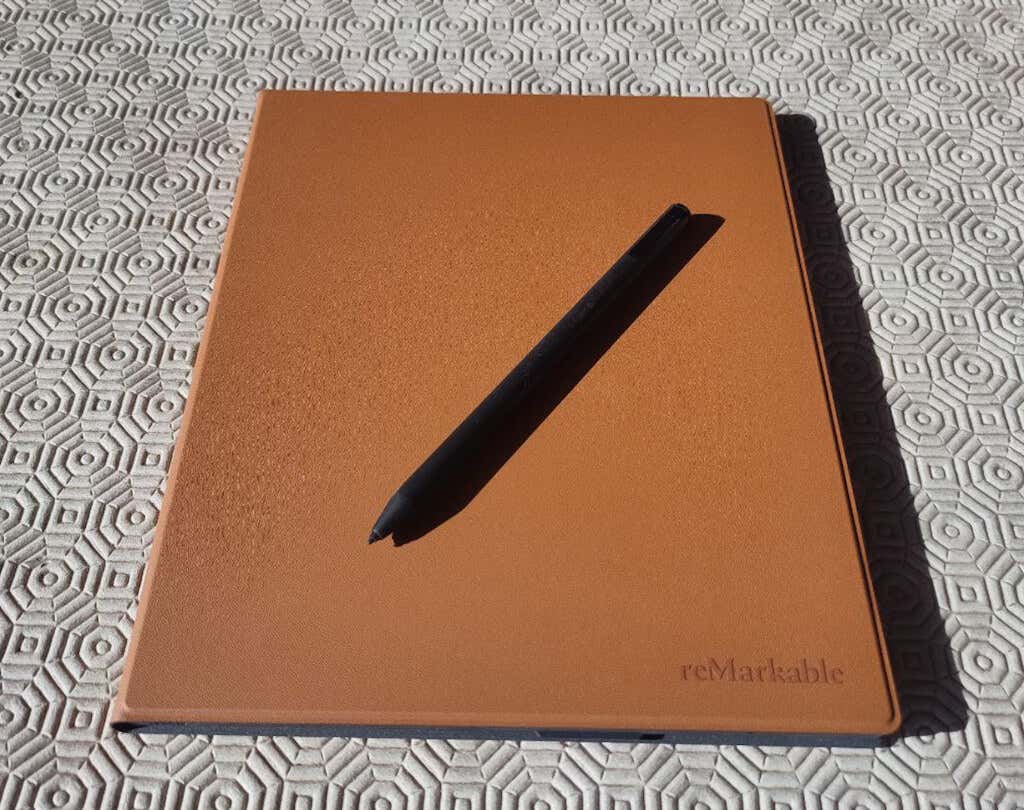
The tablet connects to the Type Folio through copper contacts in the lower left corner, securely holding the tablet in place. When opened like a book, the reMarkable 2 rests on the left page, while the keyboard sits on the right page. This design ensures that the keyboard remains protected from accidental presses when not in use.
Type Folio provides a stable and comfortable angle for the tablet with its magnetic rest for the bottom edge. The full-sized QWERTY letter keys and the space bar make typing convenient. However, due to limited space, some compromises had to be made. For instance, there is no dedicated delete key, only a narrow backspace button. Despite that, I find the keyboard reliable and comfortable to use.
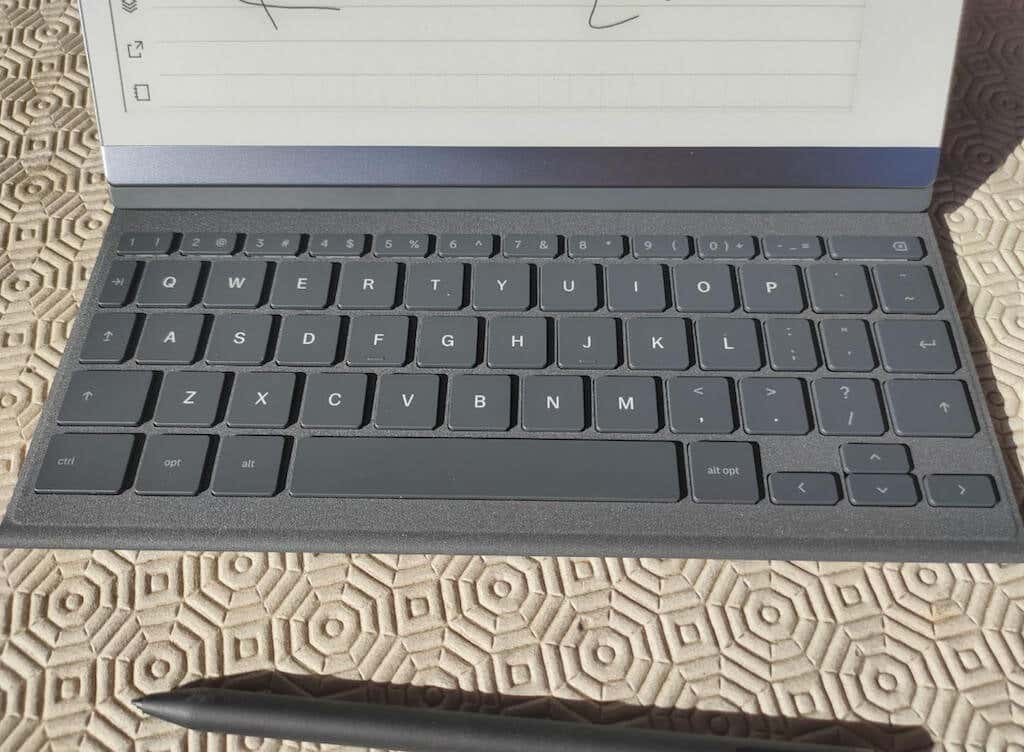
To set up your Type Folio, all you have to do is update the firmware. Once connected to the Type Folio, the reMarkable 2 switches to landscape orientation automatically, and the Text tool recognizes the attached physical keyboard, hiding the on-screen keyboard.
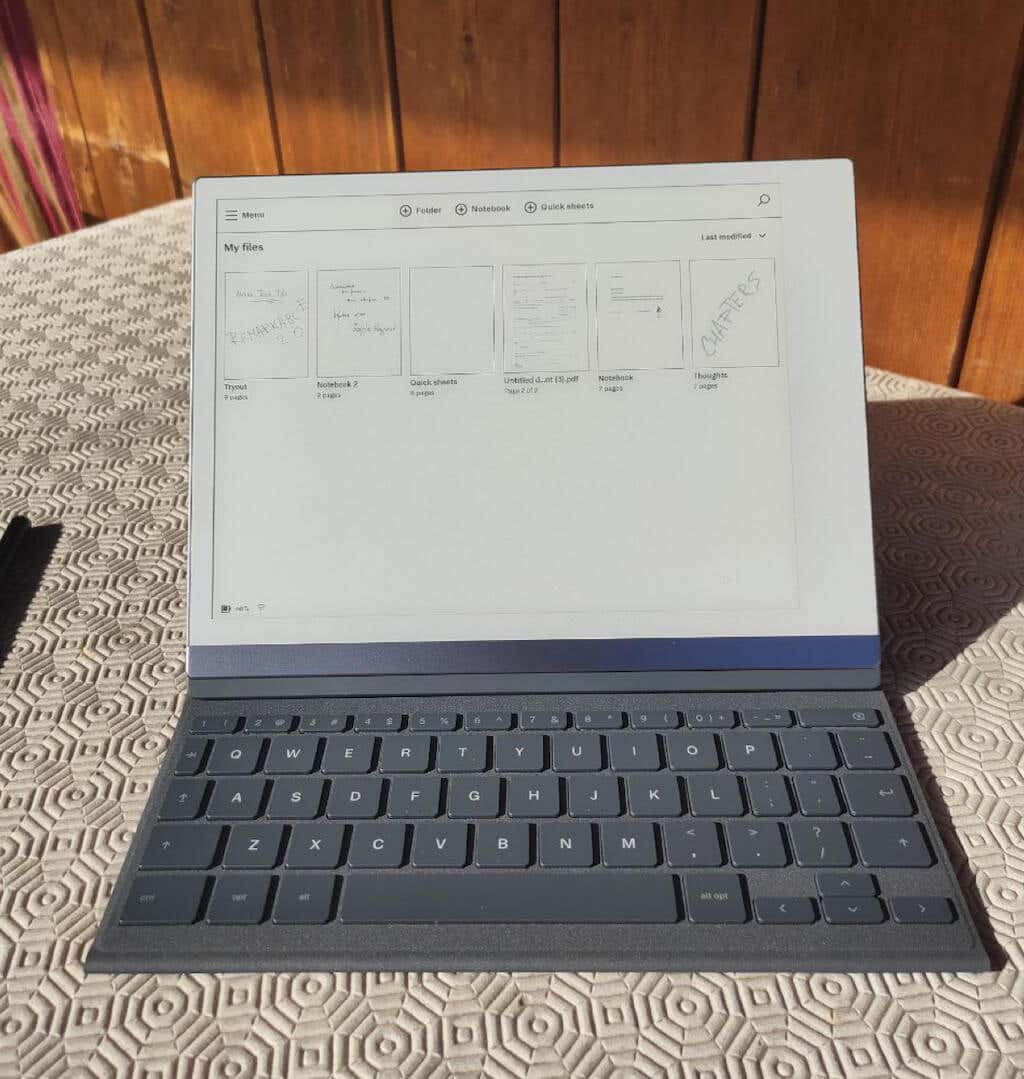
When not using the keyboard, you can still use the tablet for handwritten note-taking or as an e-reader. Just open the cover and keep the keyboard hidden, and the tablet will automatically open in book mode.
The E Ink display of the ReMarkable 2 responds well to typing, keeping up with most typing speeds and offering quick cursor movement for easy typo corrections. Although the screen may experience brief flickering during display resets, this is common for e-Ink devices and doesn’t impact the overall typing experience.
While the Type Folio may come with a higher price tag ($199), its seamless integration with the ReMarkable 2 and the enhanced writing experience it offers make it a valuable accessory for those looking for a focused and productive writing tool.
If you already own a ReMarkable 2 and wish to expand its functionality beyond note-taking, the Type Folio is certainly a worthy addition to consider. Alternatively, you can opt for the Book Folio cover by reMarkable, which doesn’t feature the hidden keyboard but is also cheaper at $129.
Another valuable accessory is the Marker Plus, an upgraded stylus with an eraser function. The Marker Plus attaches magnetically to the tablet and offers a more precise writing experience with 4,096 levels of pressure sensitivity. Its eraser end allows for easy and quick corrections.
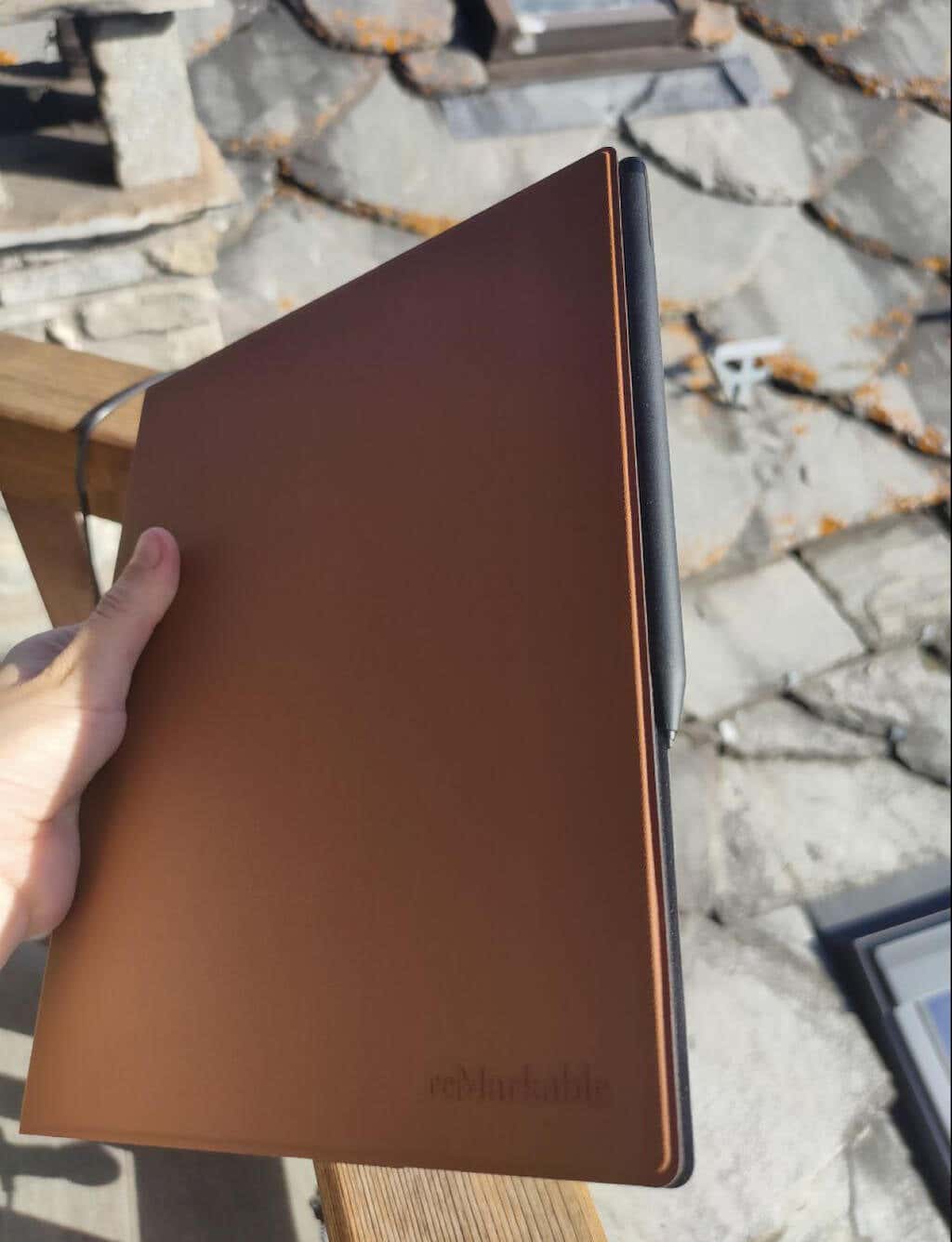
While Marker Plus isn’t as fancy as Apple Pencil, it feels fast enough and is suitable for the reMarkable 2.
The only downside of this accessory is that the magnets aren’t that strong, and you have to keep an eye on your stylus when transporting it with your reMarkable 2 if you don’t want to lose it.
Performance & Features
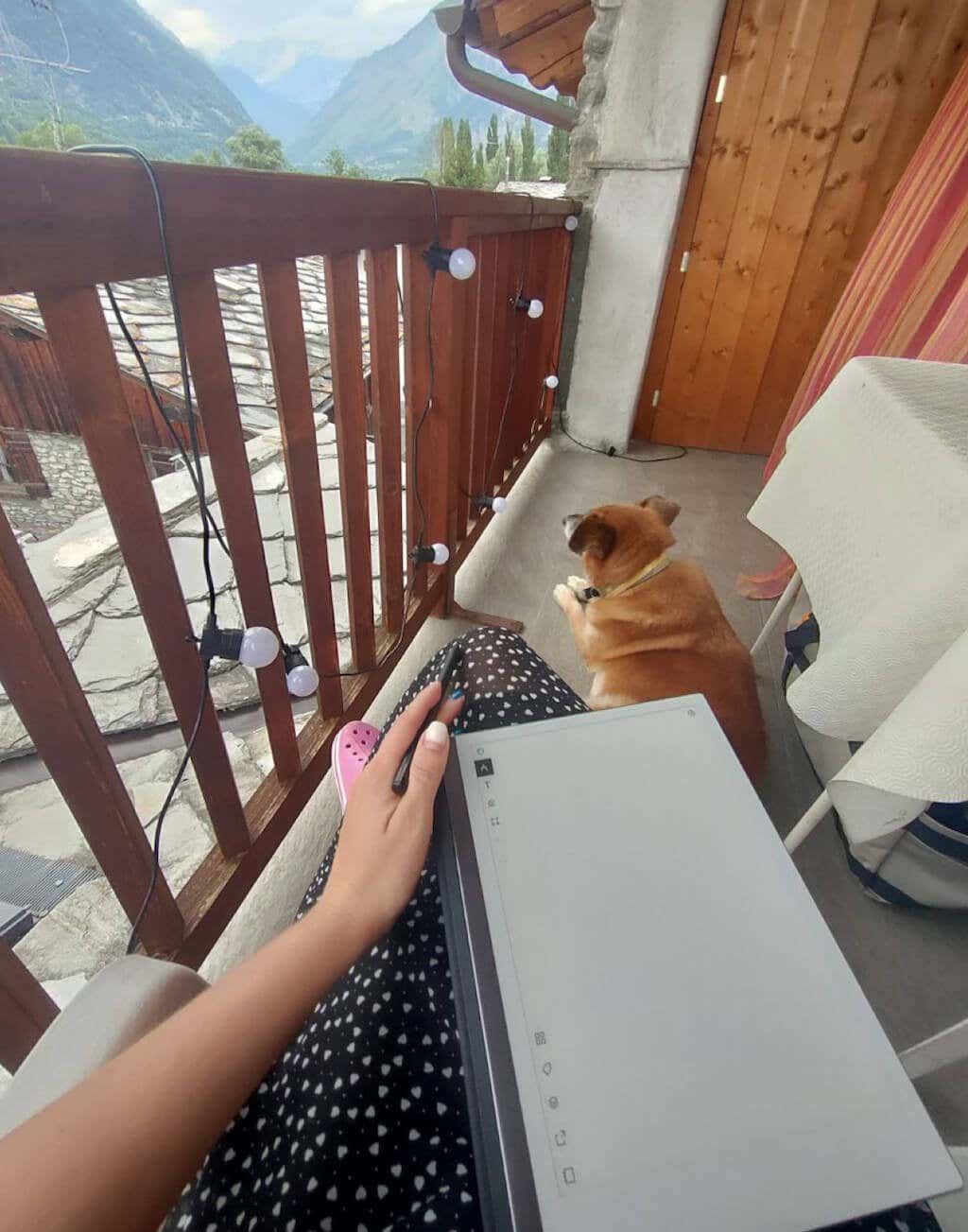
The reMarkable 2 tablet is excellent for its main purpose, which is note-taking. It’s not meant for apps, web browsing, or email, and that’s just fine for me. Writing on it feels natural, like pen on paper, unlike other tablets with glass surfaces. I’ve been using it a lot in the past month and use it almost every night to write down random thoughts before I go to sleep. This helped me a lot with inspiration for my other work projects.
The e-ink display is wonderful for reading and easy on the eyes, but there’s no backlight for nighttime reading. The battery life is impressive, lasting up to 2 weeks with regular use. The e-reader function is straightforward, with options to adjust font size and spacing.
Regarding the inking features, the reMarkable 2 offers seven pen types, a highlighter, three line widths, and the option to work with layers. While this set of tools may not be as extensive as what you find in Onyx Boox’s Notes app, which includes 12 shades of gray, audio recording, shapes, and more, it is still sufficient for taking excellent notes on the reMarkable 2.
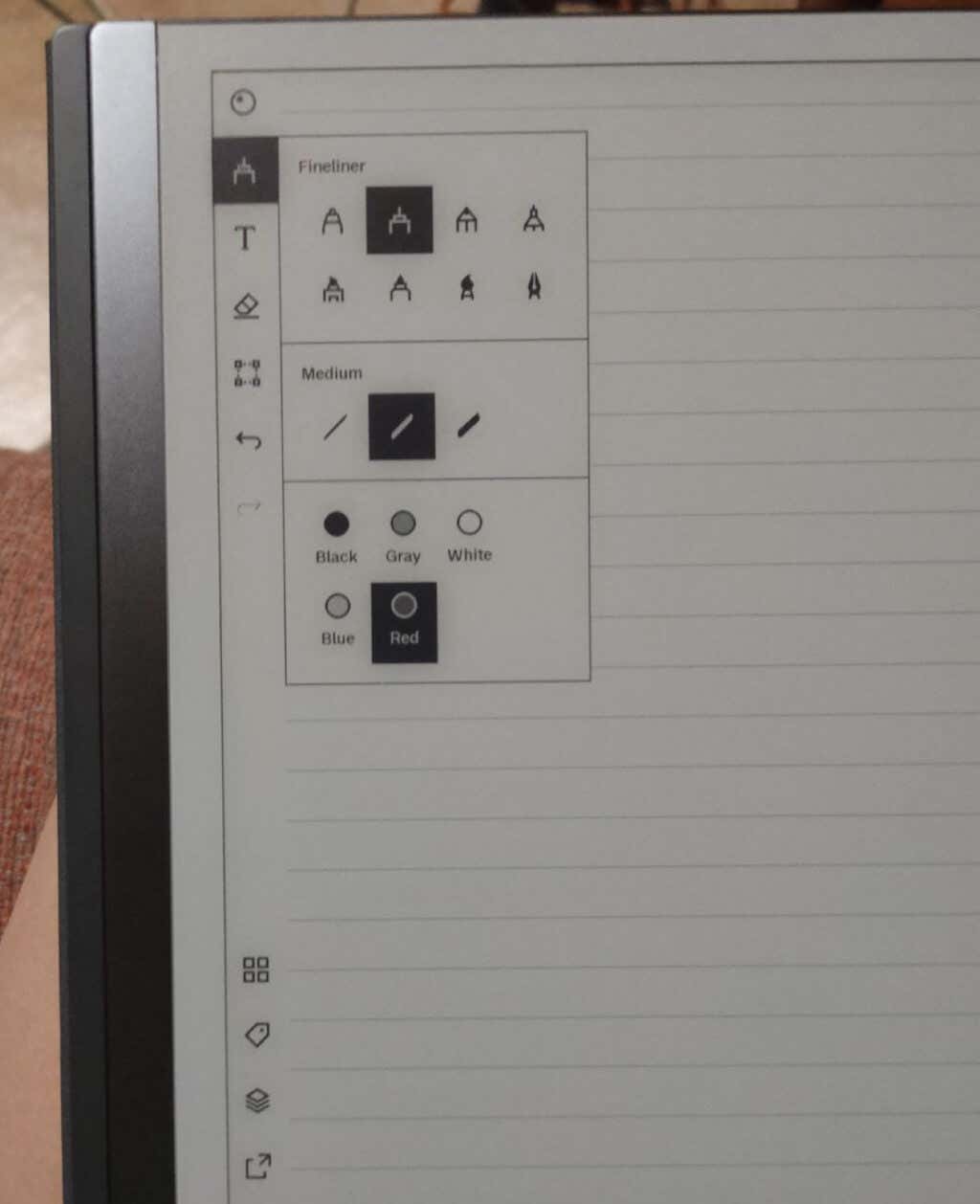
Aside from the pen styles to choose from (including, curiously, different colors, like black, gray, white, blue, and red), you can also choose from different paper styles and templates.
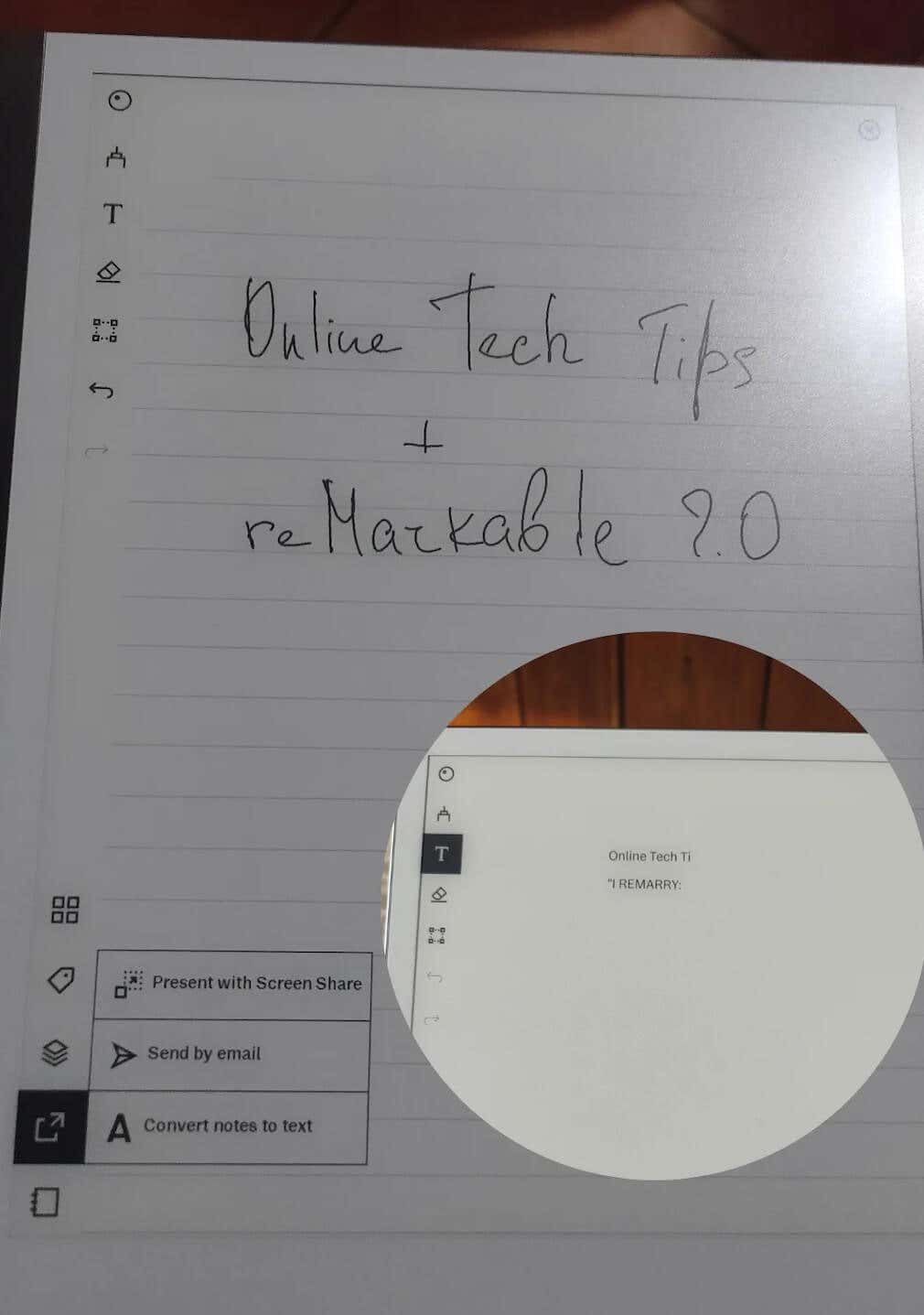
The tablet has a search feature that you can use to search your uploaded documents. However, it doesn’t search handwritten documents, which is a bit of a downside. The handwriting-to-text conversion is another great feature that I enjoy using on my reMarkable. Sometimes it’s faster to jot down your thoughts and then convert them into typed text. It’s a shame the software doesn’t always recognize and convert my writing correctly, but that’s something I can live with.
The gesture navigation is also intuitive, allowing easy page turning and note organization.
Overall, the reMarkable 2 is a great gadget for focused writing and reading. While it may not have all the features of other tablets like the iPad or Kindle, it excels in its core purpose as a note-taking device and e-reader.
App and Connectivity
The reMarkable 2 provides a desktop app that further expands its functionality and a Connect subscription, which enhances its connectivity capabilities. With this subscription, you gain access to a cloud storage option similar to Dropbox or Google Drive, only it’s exclusive to reMarkable.
The Connect subscription allows you to sync and back up your documents and notes, as well as add Google Drive, Dropbox, or OneDrive to your reMarkable. The subscription price is $2.99 per month, with a 1-year free trial for reMarkable owners.
The desktop app is compatible with both Windows and macOS operating systems, making it convenient to manage your files, documents, and notes across various devices.
With the desktop app, you can access your content from your computer and make changes that sync back to the tablet. I found this especially useful for PDF documents that require my signature – now I simply transfer them to the reMarkable app on the computer, use the tablet to add my signature, then export and share the documents online.
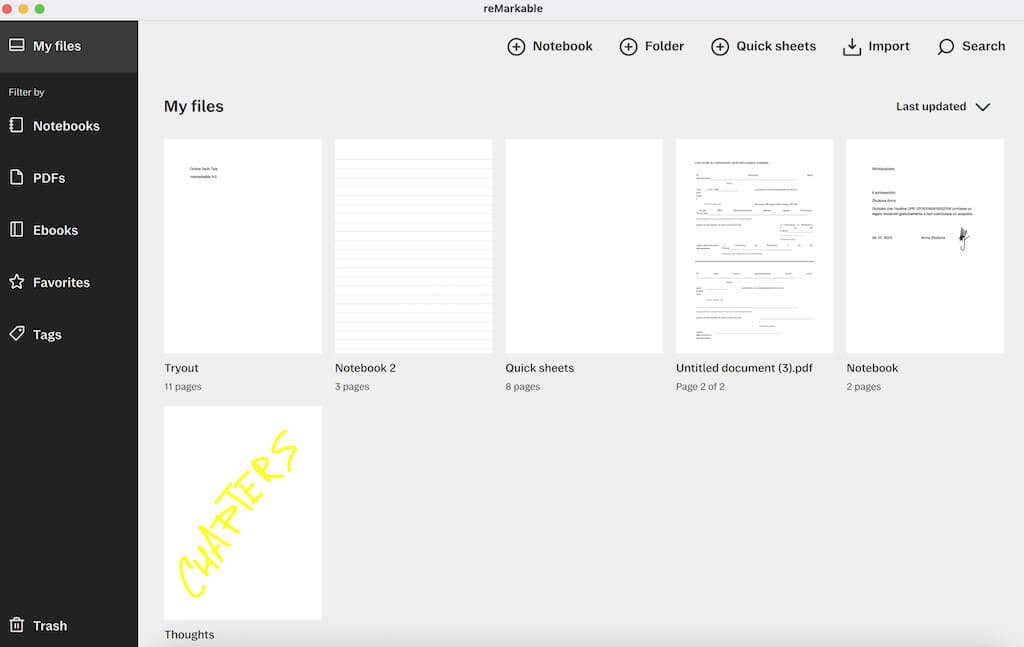
The reMarkable Companion app is also available for Android and iOS devices like iPad and iPhone, offering a similar experience to the desktop app. You can access your content on the go, review it, edit, and share your work from your mobile device.
The Connect subscription and desktop app open up possibilities for various applications, like using the tablet as a planner or storyboard to collaborate and share your work through screen sharing.
Although the reMarkable 2 does not have a built-in web browser, its connectivity options and companion app allow for an efficient note-taking and note-sharing experience across different devices.
Battery Life
With the 3000mAh battery, the reMarkable 2 provides a good battery life, lasting up to 2 weeks on a single charge.
It’s efficient and can be used for several days without needing to recharge. Leaving the Wi-Fi on may drain the battery a bit faster, but overall, the battery performance is reliable and long-lasting.
Should You Buy the ReMarkable 2.0 Tablet?
The ReMarkable 2 is a perfect device for those who seek a distraction-free note-taking and reading experience. Students, academics, creative professionals, and especially writers will benefit most from its features.
However, if you need extensive app support, multimedia features, or if you’re looking for a budget option, this tablet may not be the best fit for you.
- Tribit StormBox 2: The Under $70 Portable Speaker that Stands Out
- ENGWE L20 2.0 Review: The Best Budget-Friendly Foldable E-Bike?
- TopDon TC004 – a Thermal Imaging Camera That Will Give You Predator Vision
- Newyes Portable Wireless Thermal A4 Printer Review
- Eskute Star Folding Fat Tire Electric Bike Review
If you don’t have a full-sized printing machine at home and often need to print a document on the go, check out the Newyes portable printer . This wireless printer is lightweight and small enough to fit in your bag. Not to mention it’s environmentally friendly, since it uses thermal paper instead of ink.
Follow our review of the Newyes portable wireless thermal printer to see if it suits your printing needs.
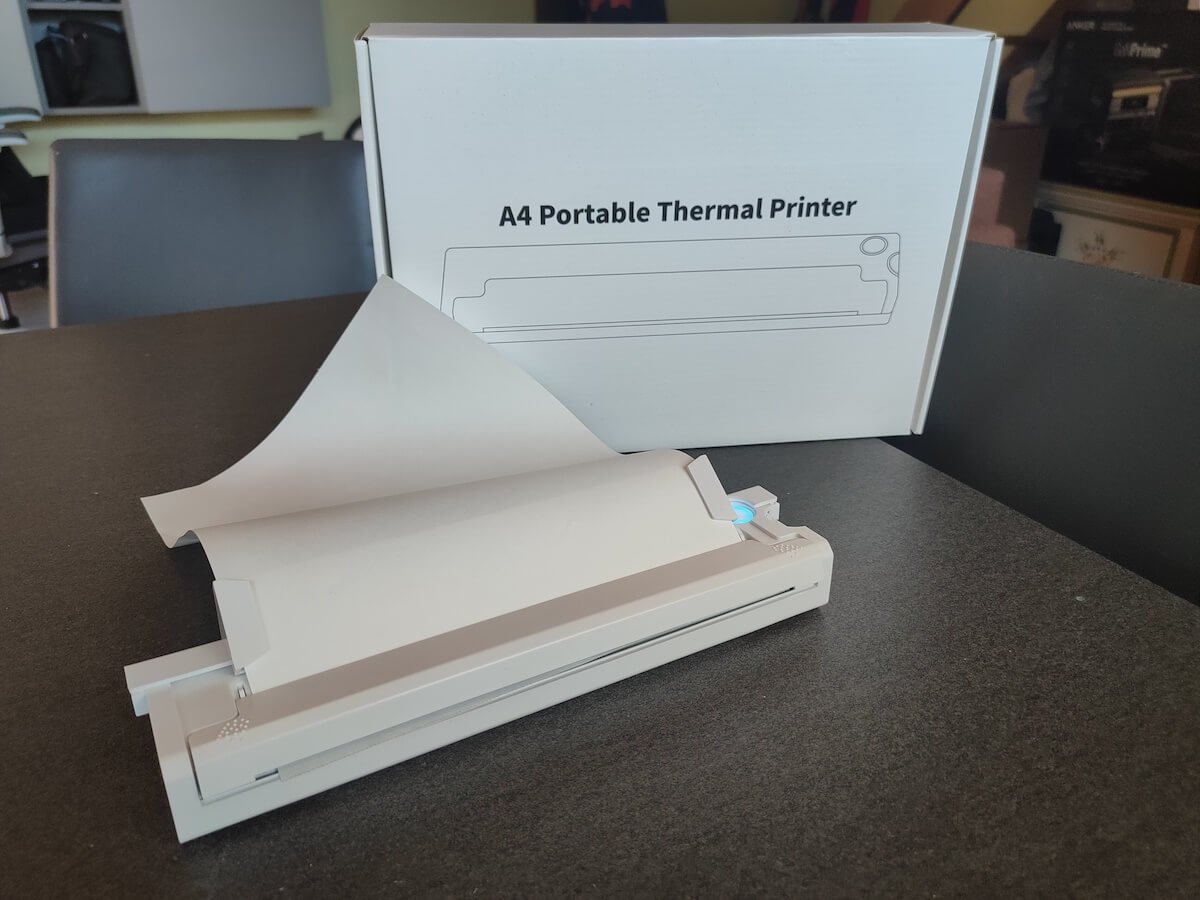
Newyes Portable Wireless Thermal A4 Printer: First Impressions & Specs
When I was a student, I remember my university always required hard copies of documents. Luckily, there was a print shop on campus where I could always pop in to print something.
Then I became a professional, and to my surprise many life spheres still required me to have printed versions of documents with me. Of course you can get your own full-sized machine to print things at home, but if like me you live in a small apartment, you value every extra bit of space and don’t want a massive printer to take it up.
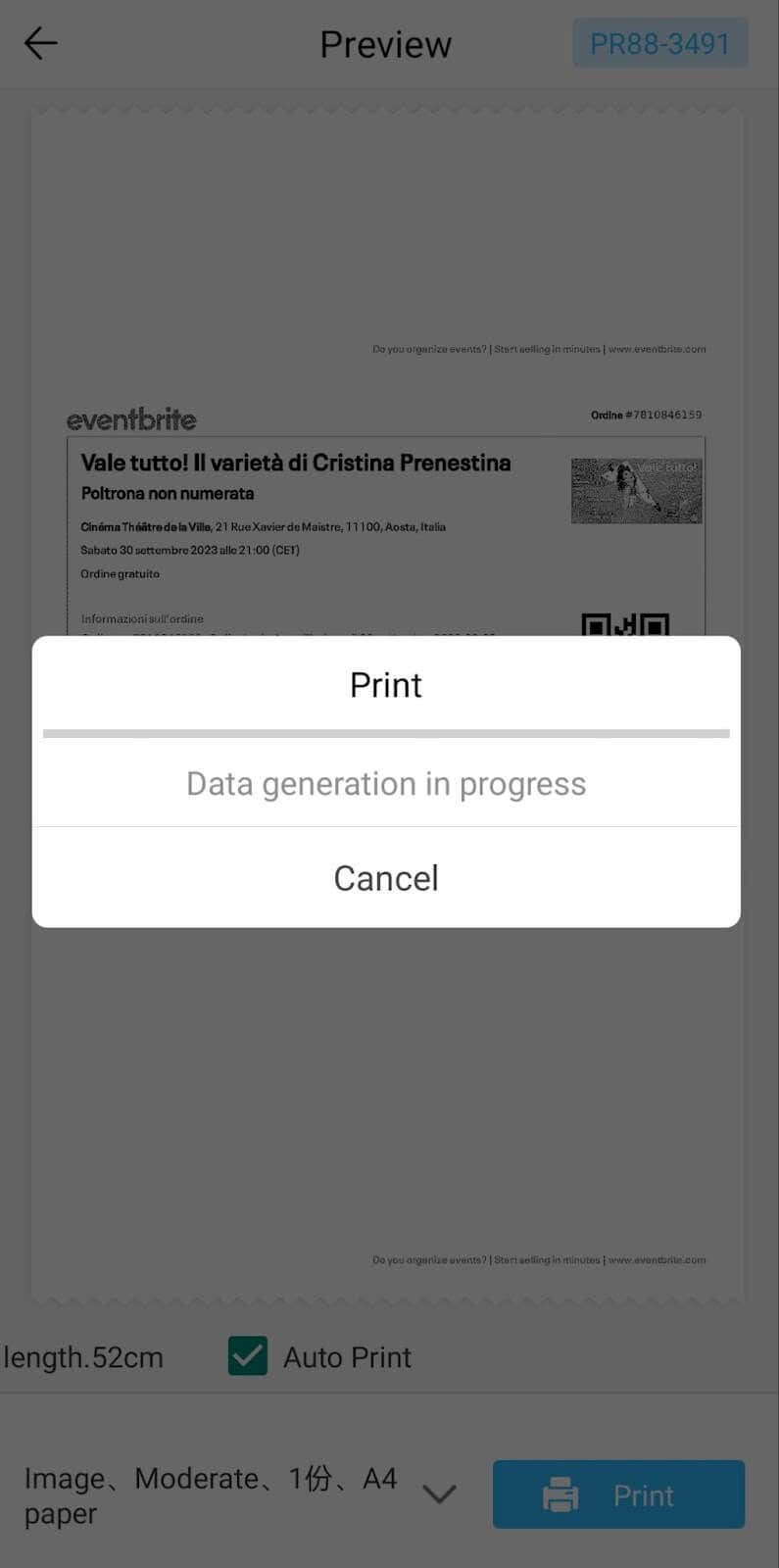
One day, when I was looking for a neighbor with a printer to help me with my event tickets, they introduced me to the concept of a portable printer. Seeing how easy it is to use, I immediately wanted to get my hands on one of those. So here I am, reviewing one of the most useful gadgets I received recently – the Newyes portable thermal printer.
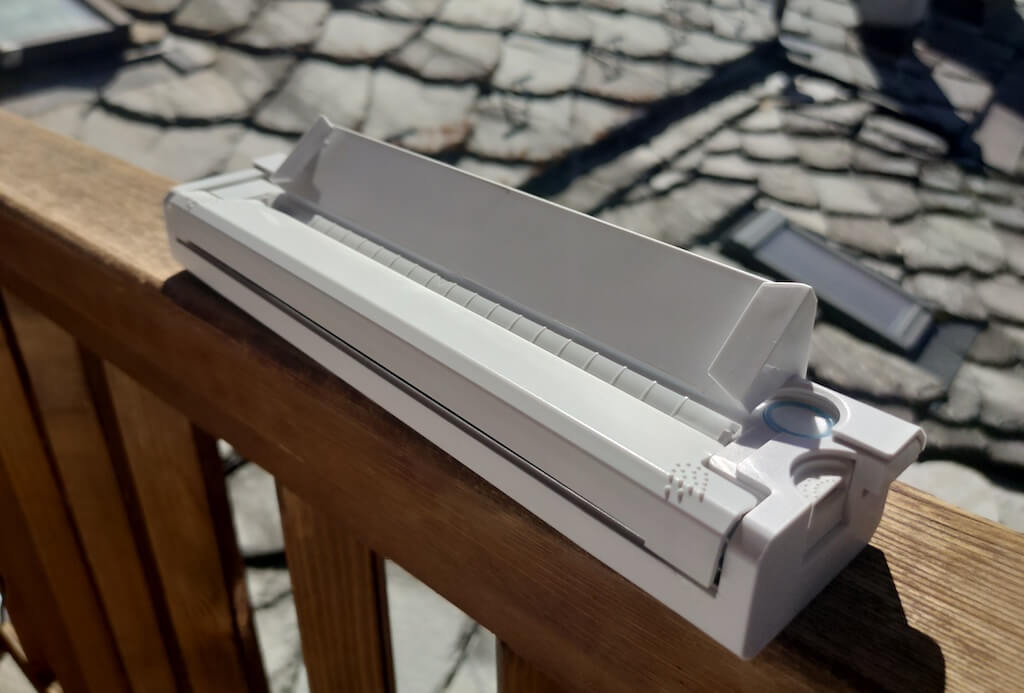
Before we continue with this review, here is the full list of specs of this printer.
- Model: Newyes LD0801
- Dimensions: 10.4 x 1.2 x 2.28 in (265 x 58 x 30.5 mm)
- Weight: 16.8oz (475g)
- Paper format: A4
- Paper width: 210mm or 218mm
- Printing Type: thermal paper
- Resolution: 203DPI
- Connectivity: Bluetooth
- Charging port: USB type-C port
- Input Voltage: DC 5V / 2A
- Battery: 1200mAh lithium battery
- Charging time: 75 min
- Automatic shut down: after 30 minutes
- Stand-by: about 30 days
- Extra features: LED light, reset, on / off switch button
- Color: white, black
- Warranty: limited one year warranty
- Price: $199 on the Newyes website
If you find yourself in need of hard copies of important documents while on the move, the Newyes portable wireless thermal printer will become your go-to gadget. Newyes calls it “the world’s smallest printer”, and with the weight of under 500g this seems plausible. This mini printer offers a handy solution for those moments when you need to quickly print an important document but don’t have access to an office setup.
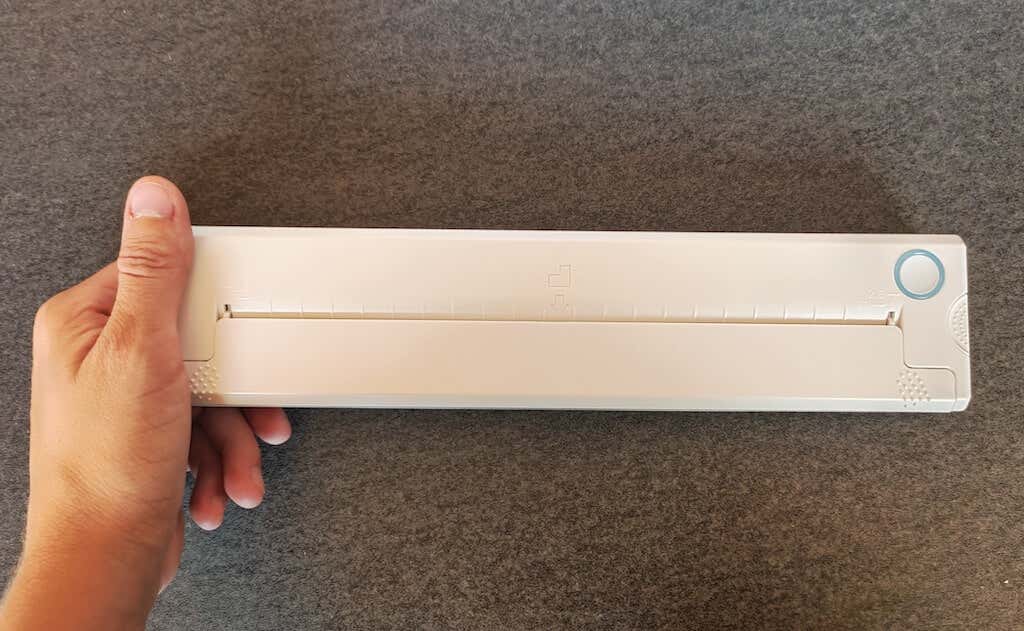
Operating this printer is a breeze – a simple Bluetooth connection is all that’s required. Once connected, just fire up the app, choose the file you want to print, and send it over. Efficiency is at the forefront, and you can easily print multiple sheets by inserting new pages back to back.
The only limitation this printer has is that it can only print in black. So even if your original file is in color, the printed document will still come out in black and white. Other than that – you can print a variety of file types including Excel, Word, PDF, JPG, PNG, and web pages – and it only takes seconds.
The Newyes portable wireless printer combines convenience, portability, and efficiency – all the things I appreciate in a modern gadget.
Design and Unpacking
Let’s have a closer look at the design and build of this smart printer, as well as what you get included in the package when you purchase it.
What’s in the Box
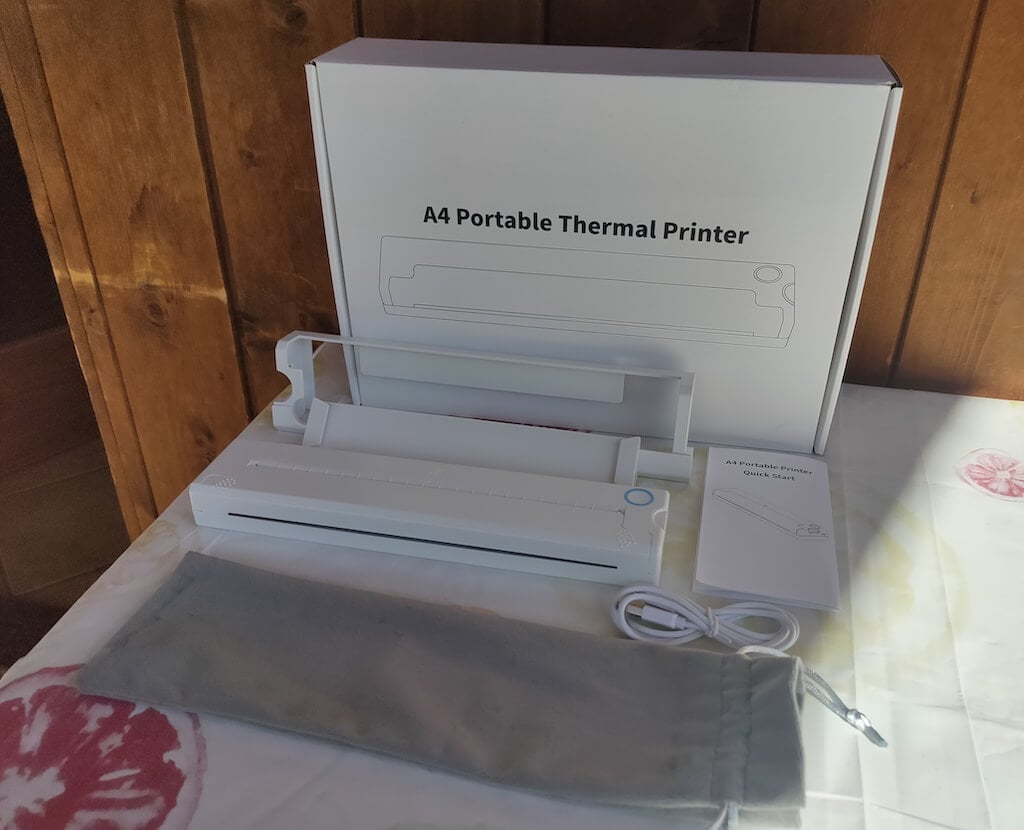
Here’s everything you’ll find when unpacking your Newyes portable thermal printer:
- The Newyes portable wireless thermal printer
- Bracket
- USB type-C cable
- Storage/carrying pouch
- 100pcs thermal printing paper
- User manual
You can use the Newyes portable printer right out of the box, as you’re all set with essential accessories. Aside from the printer itself, the package includes a bracket which will make printing more than one page smoother, a convenient storage bag for carrying your printer with you, a USB-C cable for charging, and a supply of 100 pieces of thermal paper to get you started.
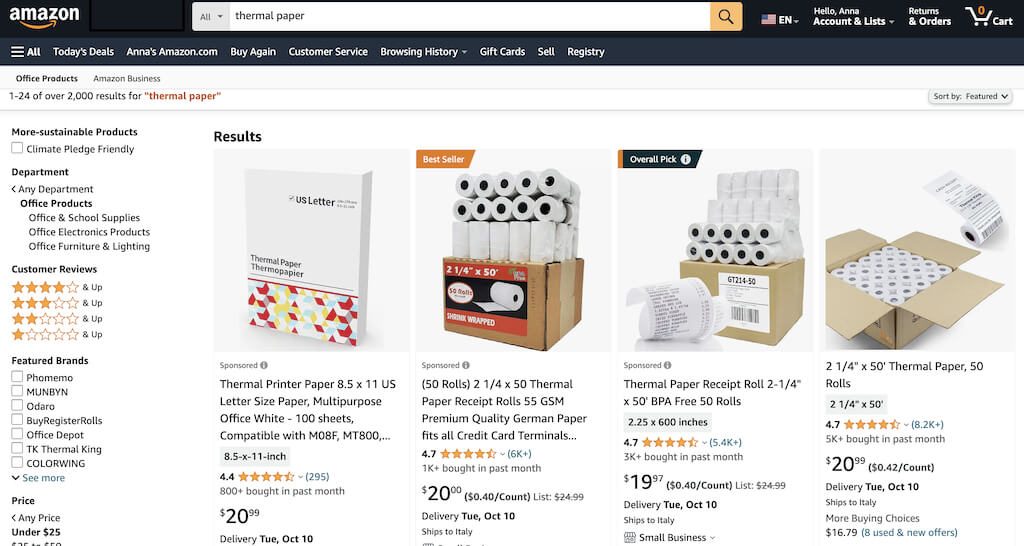
One important thing to remember is that this printer only works with thermal paper. While thermal paper is significantly more expensive than normal paper, this printer also uses inkless printing and works without a ribbon and toner. Since you don’t have to spend money on ink, carbon ribbons or toner cartridges, you ultimately end up saving money with thermal paper.
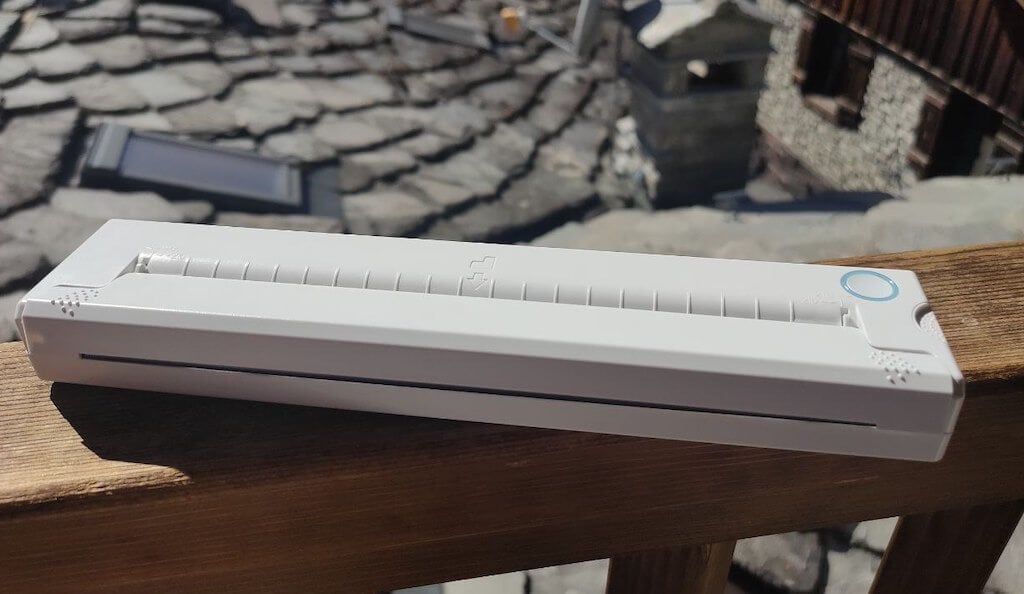
The Newyes LD0801 is a pocket-sized printer that features straightforward design. For the purpose of this review, I had a printer in white color. The printer looks like a small white brick with just two pressable buttons on top – one for switching it on and off, and another for opening the printer’s cover. You’ll also see the paper entry slot on top of the printer.
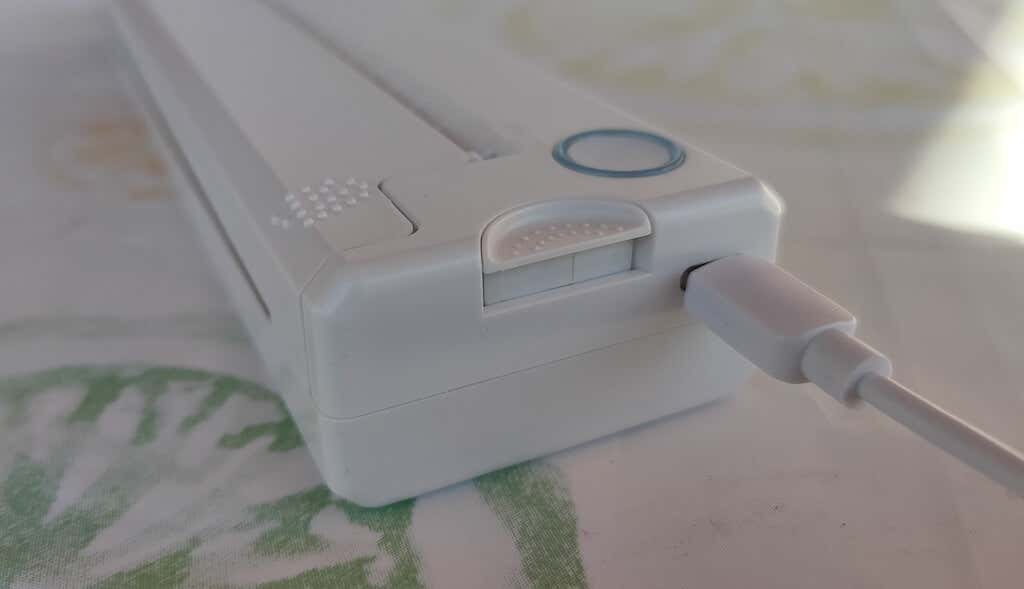
On the side of the printer, you’ll find a single charging port.
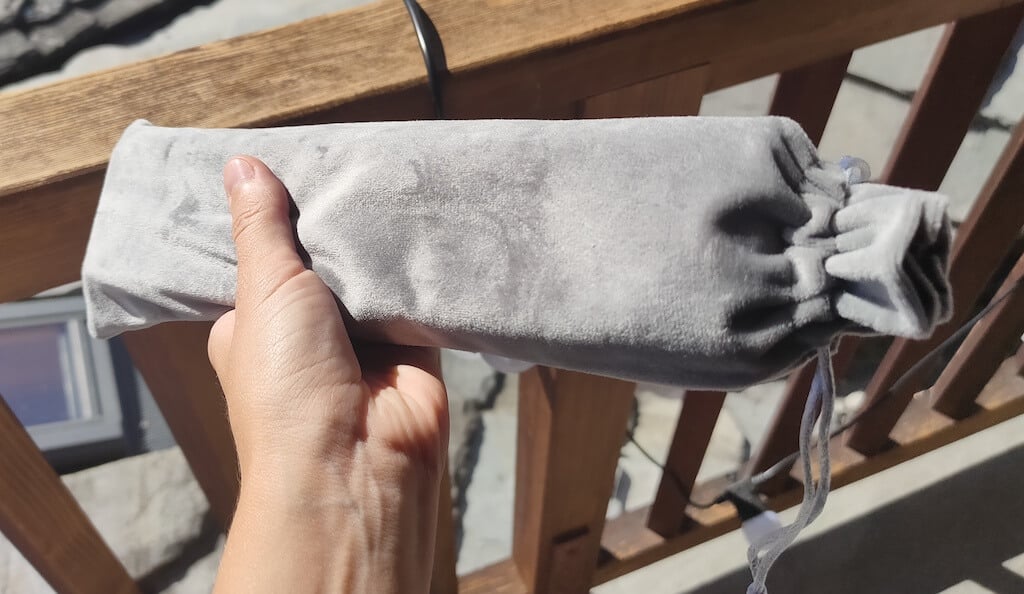
The printer is made of plastic, but the build feels sturdy. I never have to worry about throwing it into my bag or damaging it when traveling. Besides, you can use a nice carrying pouch included in the package for protection.
Performance & Features
According to Newyes, the portable printer has a “handheld size and two times the weight of an iPhone”. This can give you an idea of how portable and convenient this little gadget is. In a month of testing, I used it at home, in a store, and even in a car while on the road.
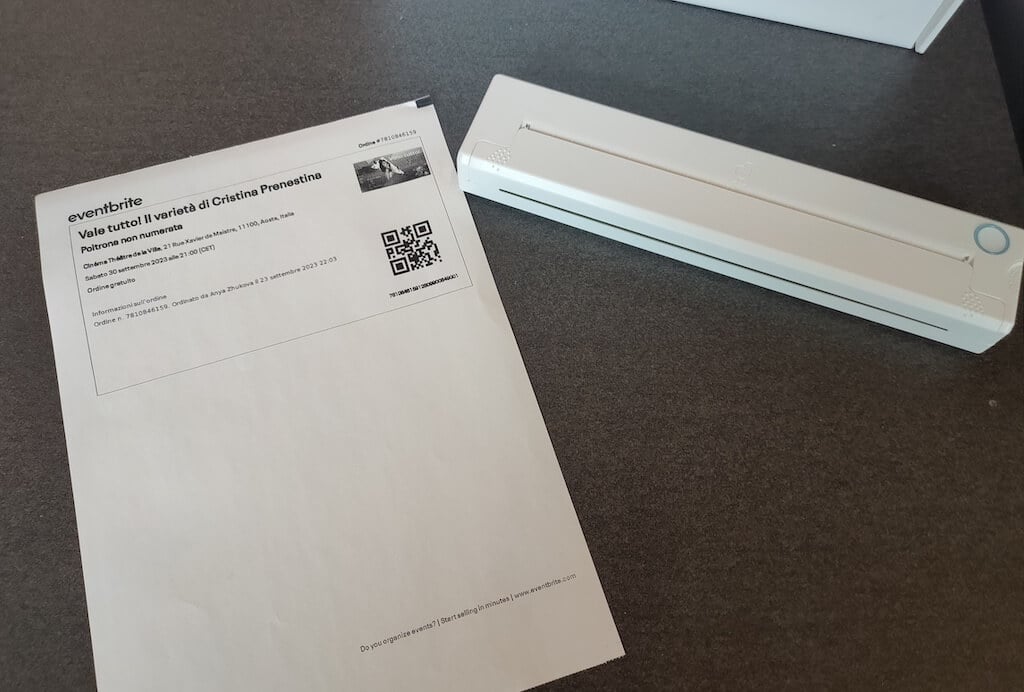
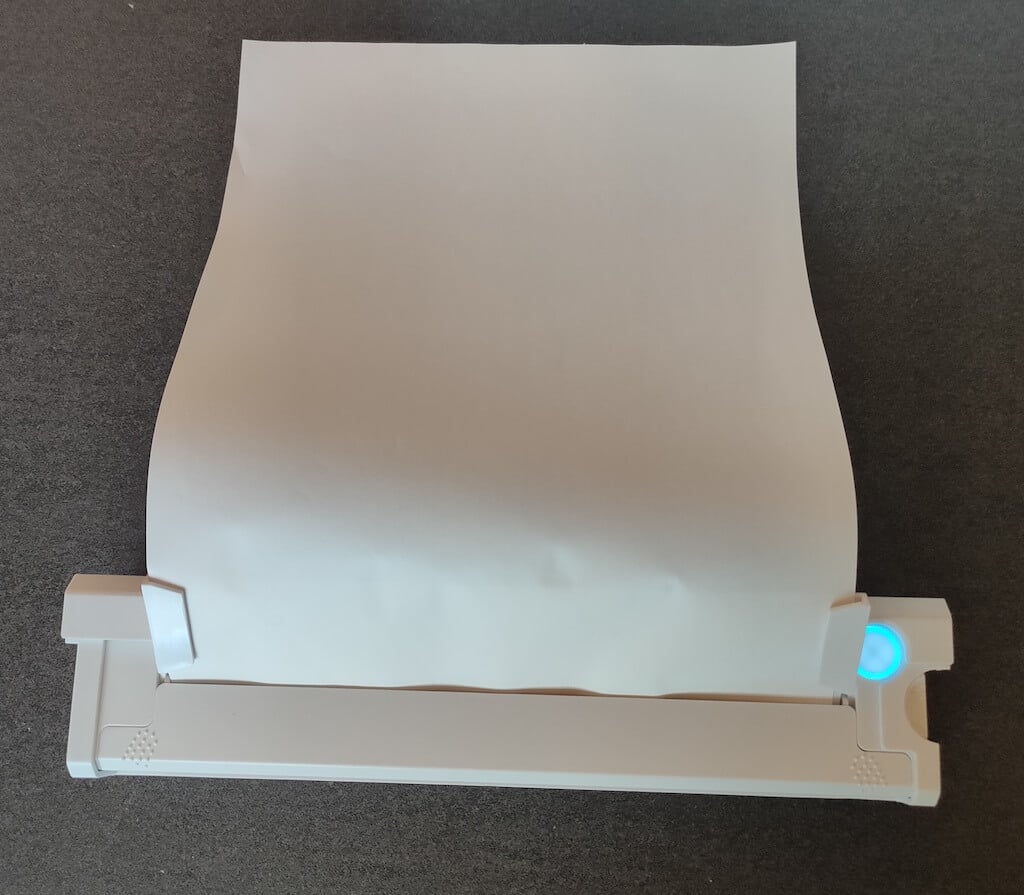
Using the printer is unbelievably easy. Connect it to your mobile phone via Bluetooth, press the button to turn the printer on and put a sheet of thermal paper into the paper entry slot. Make sure to use thermal paper and not standard paper, and put it with the black marks facing down. Bear in mind that the thermal printer can only print in black and white and only on one (marked) side of the thermal paper sheet.
Then open the iPrint app on your smartphone. If you’re printing an A4 document, you can select one of two options – Photo Printing and Document Printing . Then choose the document from your phone’s files and print it.
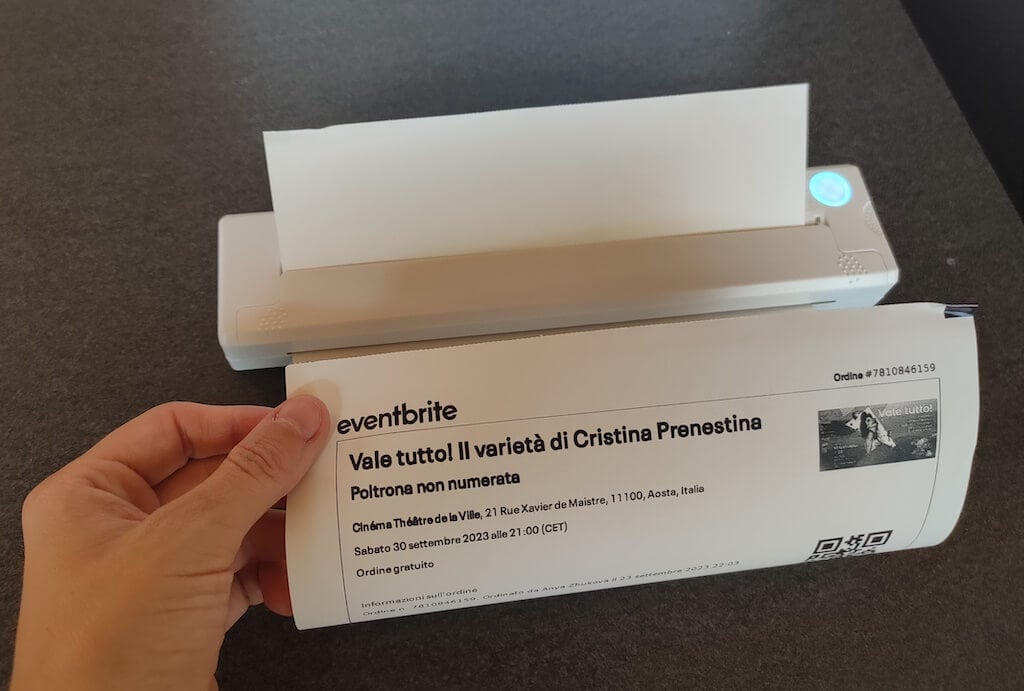
The printer is reliable and in the time that I used it the Newyes LD0801 never let me down. The printing quality will surprise you, as it’s sometimes better than what you get from a full-sized printer. The printer supports printing in various formats, and you can use it to print documents from your smartphone (Android and iPhone), iPad, and Android tablet.
When fully charged, the printer can support up to 90 pieces of paper continuously, which is very impressive for a gadget of such a small size.
Software
The Newyes portable printer requires an iPrint app to operate. The app is available for free on iOS and Android. You’ll need to download the app on your device from the App Store or Google Play before you begin printing your documents.
The app has a simple and user-friendly design. You’ll need to pair your device with the printer on the first use via Bluetooth.
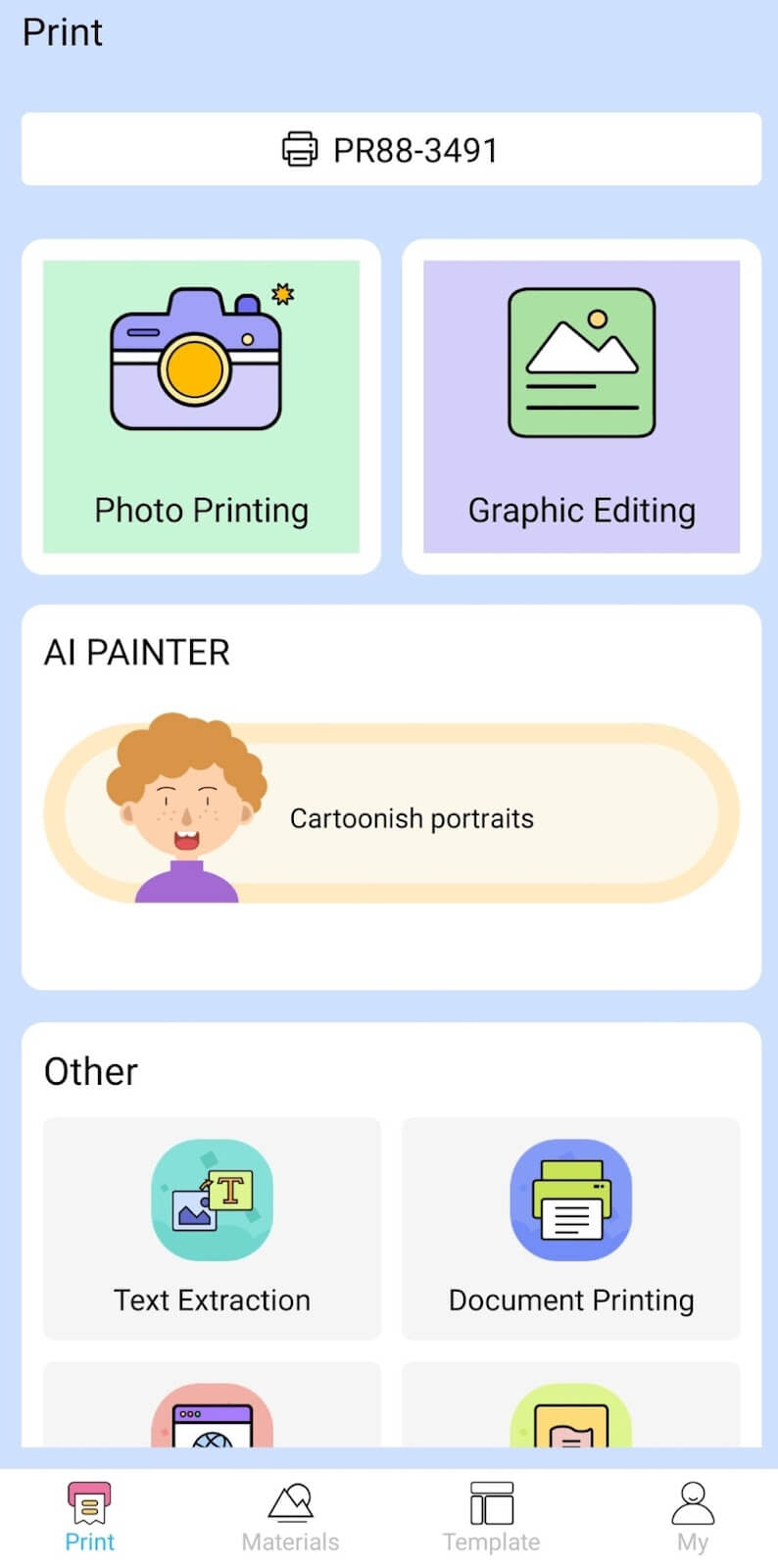
Depending on the type of document you want to print, you can choose different options from the app. There’s photo printing, document printing, web printing, and banner printing.
The app also has Materials and Template sections, where you can find various pictures and templates for printing to-do lists, post-its and holiday cards. You can also use the Newyes LD0801 as a label printer using these templates.
Battery Life
The Newyes portable wireless thermal printer is equipped with a decent 1200mAh lithium battery. This high-capacity battery allows you to print on the go without constantly worrying about running out of charge. When I received the printer, I charged it fully once, and it still hasn’t run out of battery after one month of use (I use it to print something almost every other day).
Charging this printer is quick and takes just over an hour to charge the printer from zero to full. The type-C charging cable facilitates a rapid charging experience. And if you run out of battery while on the go, you can quickly charge the printer from a portable power station or a power bank to continue printing.
The printer doesn’t support wireless charging, so I’d recommend always bringing the usb-c cable with you just in case.
Should You Buy the Newyes Portable Wireless Thermal Printer?
The Newyes portable thermal printer ensures high-quality wireless printing while on the go and easy operation. It’s not the most budget-friendly option, but this purchase will save you money and nerves in the long run thanks to its versatility and portable nature.
Personally, I can say that this printer made my life easier. So much that it’s probably my favorite smart gadget of the year. If you’re looking for a portable printer that won’t take any space in your house, I’d certainly recommend considering the Newyes LD0801 model.
- Tribit StormBox 2: The Under $70 Portable Speaker that Stands Out
- ENGWE L20 2.0 Review: The Best Budget-Friendly Foldable E-Bike?
- TopDon TC004 – a Thermal Imaging Camera That Will Give You Predator Vision
- Eskute Star Folding Fat Tire Electric Bike Review
- The 70mai Power Station Tera 1000 Review
