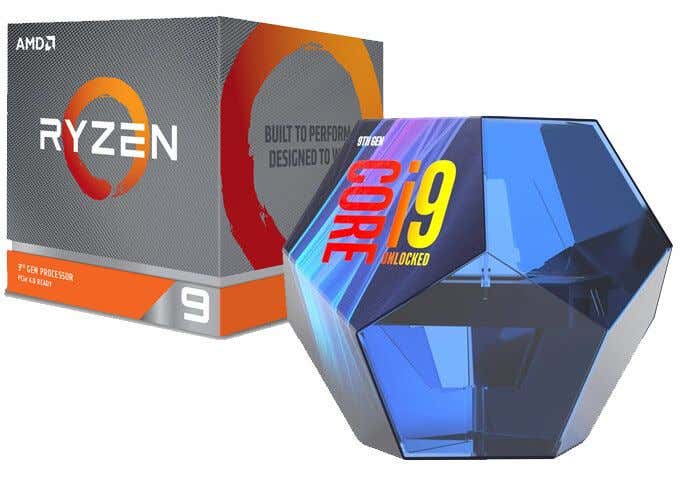
The ultimate CPU battle – the AMD Ryzen 9 3900X vs the Intel Core i9-9900K. Both are the best offering from each side of the CPU war, but which one comes out on top? I will dive deep and find out which CPU is truly better.
For a long time the i9-9900K was considered the best gaming PC available – it was the top choice for gamers, streamers, and content creators without a limited budget. But then in July 2019, AMD shocked the world with their high spec, competitively priced Ryzen 9 3900X.
Both CPUs are very similarly priced, and both offer the best each CPU manufacturer can possibly give to gamers in 2019. There’s a big rivalry here, so let’s take a look at how each perform in the world’s top video games.
Which CPU is Better for Gaming? Ryzen 3900X vs Intel i9-9900K
I will be aggregating data from a number of sources that have tested the Ryzen 3900X and the Intel i9-9900K. Starting with a review by Techspot , we can see that performance based on gaming at 1080p resolution puts the i9-9900K about 2-10% faster in average frames from game to game. Highlights include a 157 fps average from the 9900K stock versus a 140 fps average from the 3900X in Apex Legends.
Fortnite showed 252 fps on the i9-9900K stock and 238 fps on the AMD Ryzen 9 3900X stock. With overclocked results it was the same story with the i9-9900K winning, even though both could only squeeze out an extra few frames over their stock performance.
Another review by Hardware Unboxed showcased that besides the Ryzen 3900X’s strange 1-3% performance increase in CS:GO, Monster Hunter World, and Ashes of the Singularity: Escalation, every other game saw the i9-9900K performing better.
The highest score was in Starcraft II’s 4v4 mode with a 16% performance difference in the 9900K’s favor. Other games like PUBG, Fortnite, Apex Legends, Resident Evil 2, Battlefront II, and Battlefield V saw improvements going the 9900K’s way. Linus Tech Tips’ score also saw CS:GO performing higher with the Ryzen 3900X, but every other game had the i9-9900K taking first place.
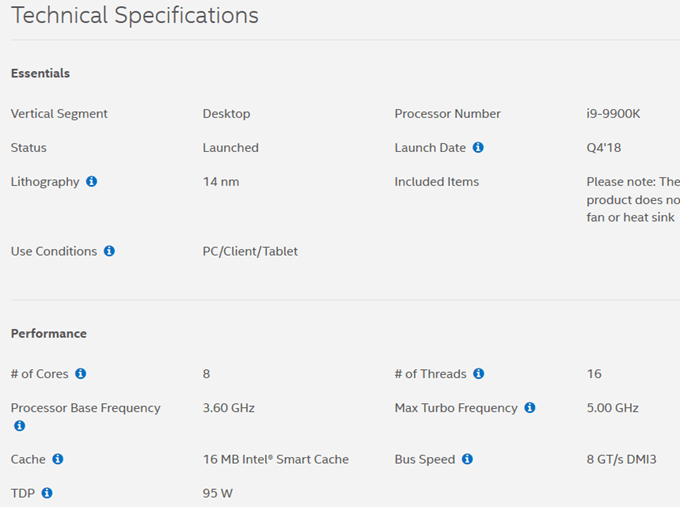
Ultimately, the difference in frame rate isn’t massive, but it’s enough to warrant a mention. However, there is one thing to consider that gives the i9-9900K more credit – pricing. In the UK, Intel has competitively dropped the 9900K’s price to £490 to undercut the Ryzen 3900X’s £529.99 price tag.
In the US, the i9-9900K is priced at $479, but the Ryzen 3900X sells for $499. That’s if you can get your hands on one – the shortages have been pretty bad, which has made purchasing a top tier AMD chipset for retail price a little more challenging.
So, if the i9-9900K beats out the Ryzen 3900X in gaming performance and pricing, why are people still buying the AMD chip?
Reasons to Buy the Ryzen 3900X Instead of the i9-9900K
AMD was close to beating the i9-9900K’s performance in gaming, but they didn’t quite accomplish it. Better luck next generation, AMD. However, there’s something important to consider about the Ryzen 3900X.
By taking the AM4 chipset, you are future proofing your build. Future AMD chips are likely to use AM4, but it has been confirmed that Intel’s next chipset will require a different motherboard. Good motherboard’s aren’t cheap, so that’s a consideration for many people.
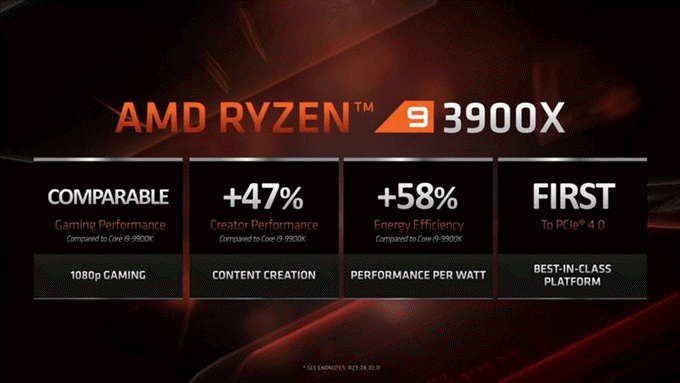
If you are a creative, take a read of this. The 12 core AMD Ryzen 9 3900X comes out ahead, just. Puget Systems’ tests have shown the AMD 3900X beats all other chipsets in Photoshop , and the 3900X beats the 9900K in Premiere Pro performance.
However, the i9-9900K comes back and beats the Ryzen chip in After Effects. For other tasks, perhaps the Ryzen 3900X is a better choice. For example, the AMD Ryzen 3900X beat the i9-9900K in tasks like extracting zip files, and rendering Blender demo files thanks to the 12 cores.
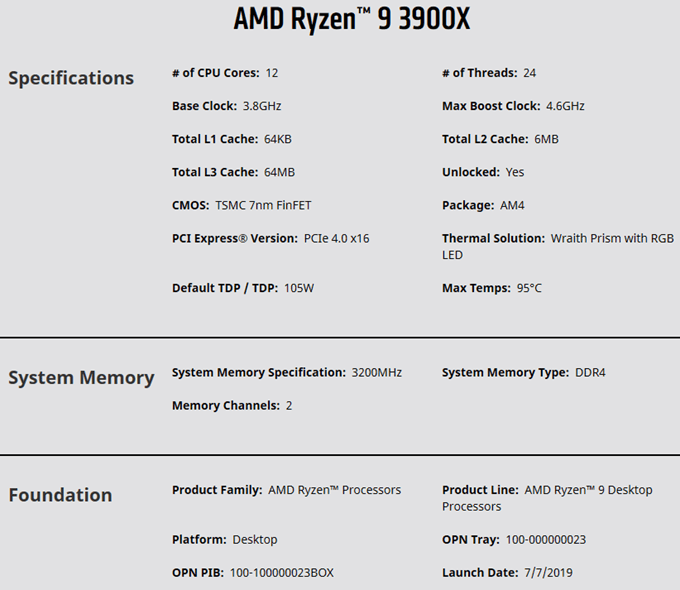
Also, the 3900X supports PCI 4.0, so if you can afford a compatible motherboard, you can expect faster NVME speeds and, well, that’s about it for now. But it’s some awesome tech that the whole computing world will upgrade to eventually for improved data bandwidth and performance.
The AMD 3900X is also more energy efficient, which is great for power saving, small builds, or for running quieter cooling.
So what does this mean? Ultimately if you want to future proof your system and use apps that benefit from more cores, you’ll appreciate the Ryzen 3900X. However, if you want to save money now, or want better gaming performance, the i9-9900K is arguably the best choice.
Summary
Thanks for reading my overview of the two best gaming CPUs in 2019. Have any more questions about how the i9-9900K stacks up against the Ryzen 3900X? Feel free to reach out to me over social media and we can discuss.
- WhatGeek x 3inuS Kebohub EE01 Mechanical Keyboard Review
- Mobile Pixels Duex Max Portable Monitor Review
- Trifo Lucy: The AI Robot Vacuum and Mop
- Review of Anycubic Kobra Max 3D Printer
- The OBSBOT Tiny 4K: an Impressive Webcam for PC & Mac
Ollie stumbled upon writing online whilst participating in a mobile network forum back in 2011. Since then, he has developed an incredible passion for writing about all sorts of tech from smartphones, PC hardware, software, and everything in between. Read Ollie’s Full Bio
3D printer manufacturer, Anycubic, recently released two new printers—the Anycubic Kobra and its bigger, badder uncle, the Anycubic Kobra Max. We were interested in testing both products in our hunt for the best entry-level 3D printers. We’re looking for ease-of-use and affordability, as well as build and print quality.
We’ve published a number of 3D printer reviews from Anycubic—for both FDM printers like the Anycubic Vyper that print with spools of filament and SLA resin 3D printers like the Anycubic Photon Mono X 6K that use a liquid resin as its raw material—and we can say that the Kobra Max has quickly become one of our favorites.
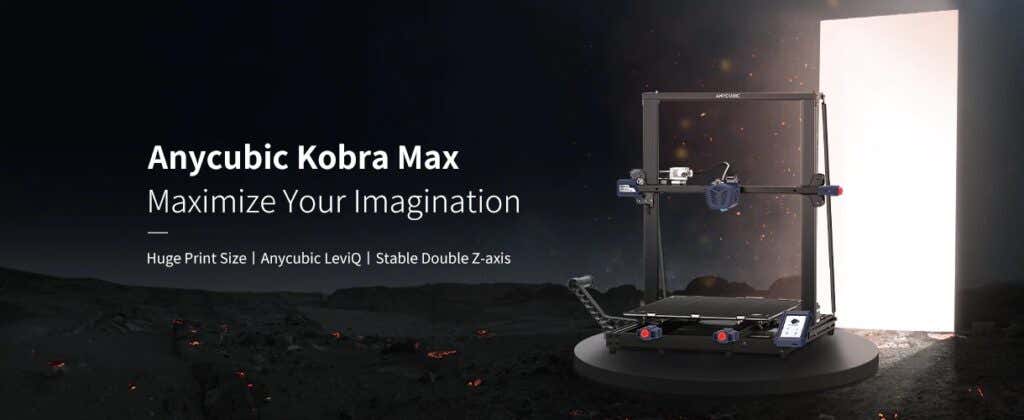
Features of the Anycubic Kobra Max 3D Printer
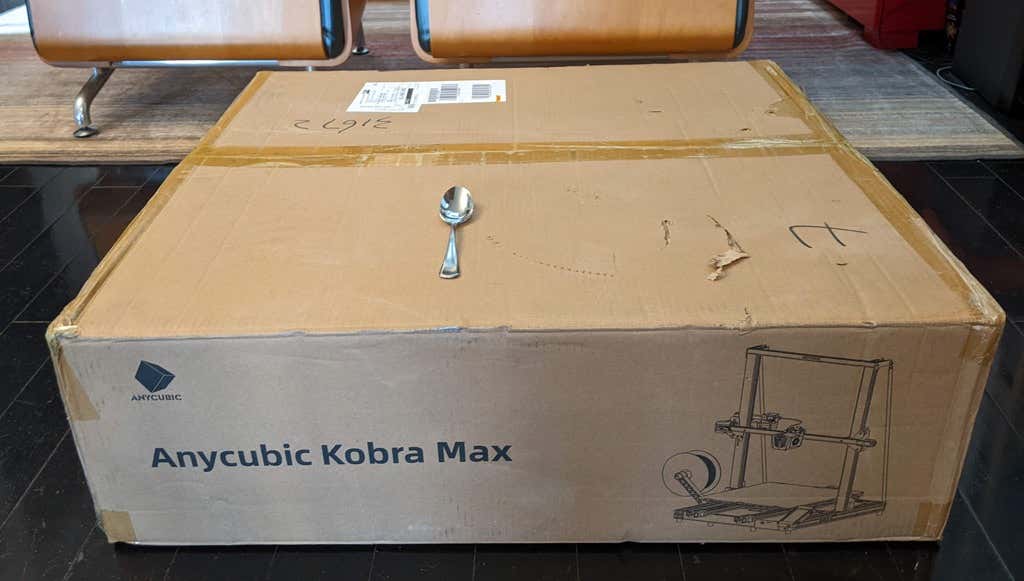
The most obvious feature of this printer is its size. It is absolutely massive. That means you can print huge items in a single piece. Think of a full helmet or an entire ukulele—these are things you couldn’t print in one piece on a normal-sized 3D printer. Truly, the word “Max” doesn’t sufficiently capture just how big this printer is. Good luck fitting the packaging into your trash or recycling bins!
We were skeptical that a Cartesian printer of this size (which relies on a moveable print bed) would perform well since it has a lot of weight to move around. Admittedly, it’s not the speediest printer out there because of those design tradeoffs, but it works great.
The Kobra Max has an impressive list of technical specifications:
- Leveling: Automatic, 25 points leveling using the Anycubic Leviq technology
- Panel area: 7.95 in² / 51.3 cm²
- Filament run-out detection: support
- Printing material: PLA / ABS / PETG & TPU
- Nozzle size: ø 0.4 mm (replaceable)
- Nozzle temperature: ≤ 500 °F / 260 °C
- Hot bed temperature: ≤ 194 °F / 90 °C
- Average speed: 3.1 – 3.9 in./s (80mm/s – 100m/s)
- Control panel: 4.3 inch LCD touch screen
- Z-axis: double threaded rod
- Print size: 17.7 x 15.7 x 15.7 in. / 45 x 40 x 40 cm (HWD)
- Build volume: 19.02 gal. / 72.0 L
- Machine dimensions: 72 x 71.5 x 66.5cm
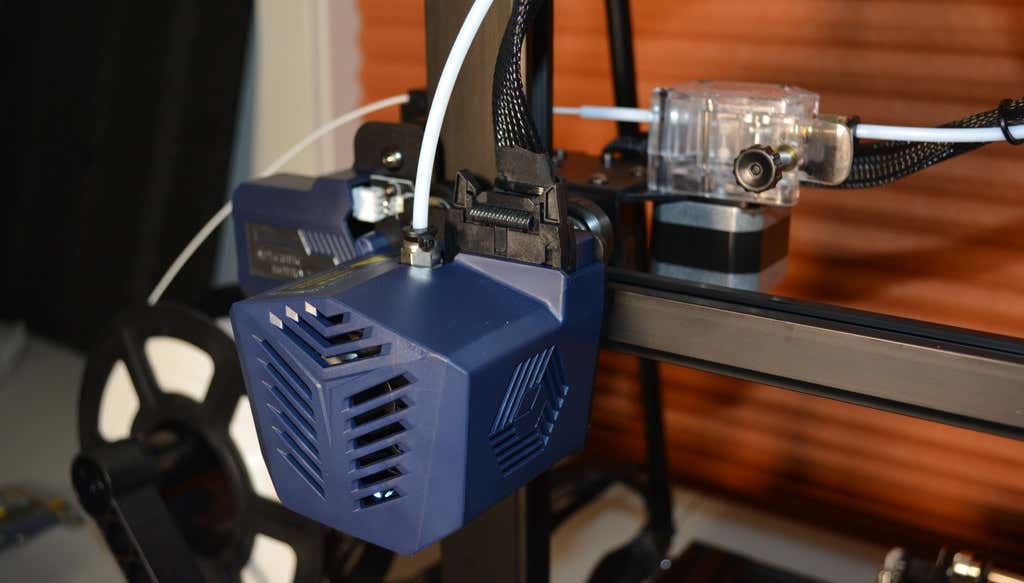
As far as we can tell, the extruder is identical to the extruder and print head on the Anycubic Vyper. Furthermore, the Kobra Max has the same automatic bed-leveling system as the Vyper. The system uses a pressure sensor instead of an inductive sensor.
The bed-leveling sensor is right on the nozzle itself, ensuring that it can probe every printable part of the bed. And since the sensor is pressure-based, you could replace the glass bed with any other material and the bed-leveling system will still work. (Inductive sensors require metal to work, so you won’t find them on printers with glass beds.)
Since the Kobra Max’s printing platform is a rigid glass sheet, you can’t remove and flex it to pop your prints off. We prefer removable spring steel build plates, but glass is still a nice printing surface. If your printer doesn’t have a removable bed, glass is ideal because you can use metal scrapers to remove your prints without worrying about scratching the surface.
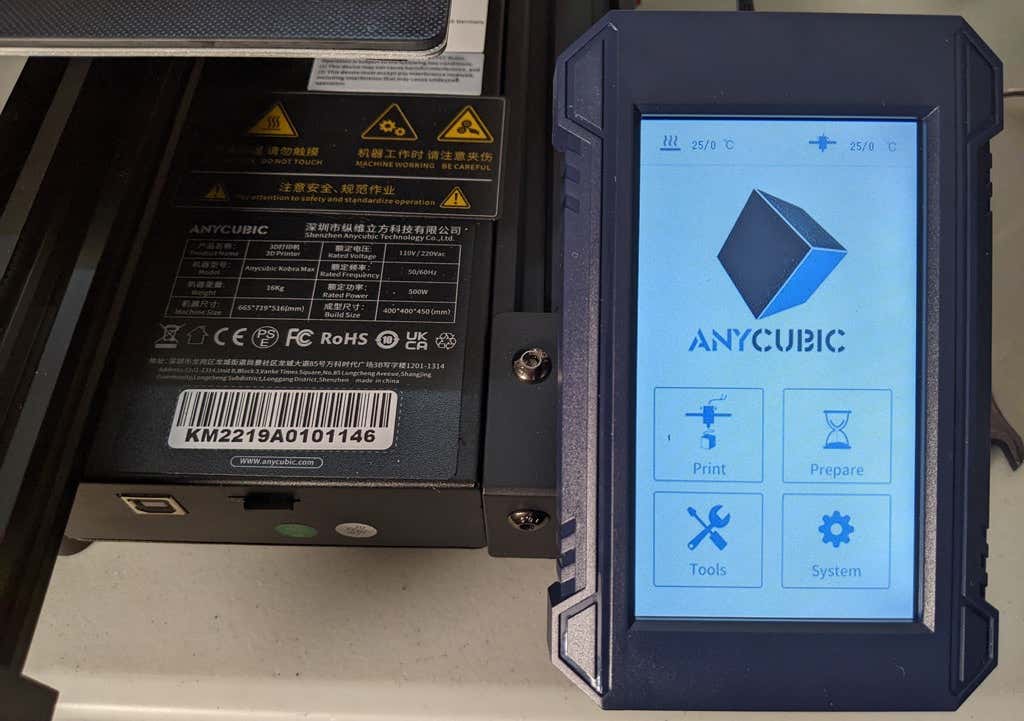
The LCD touchscreen is identical to the screens used on many other Anycubic printers. As usual, it’s responsive and easy to use.
A note about filament types: the Kobra Max will print with PLA, PETG, TPU, and ABS. However, if you really want to print with ABS and get the best possible results, the printer should be inside an enclosure. Given its size, it may be challenging to build a suitable enclosure for the Kobra Max.
Assembling the Kobra Max 3D Printer
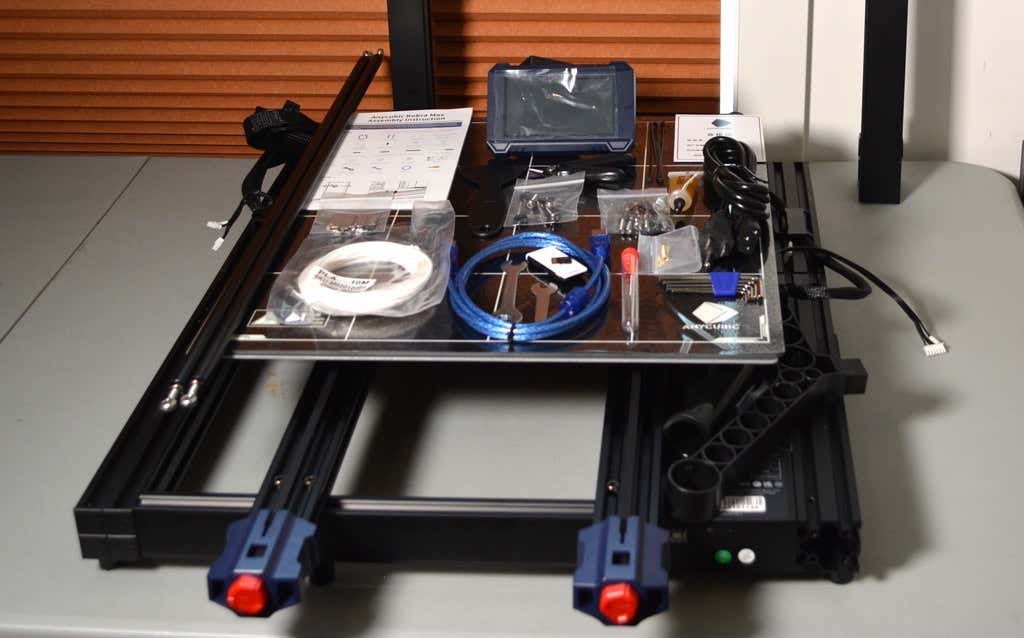
When assembling the new Kobra Max, make sure you have sufficient working space. Since the bed moves forward and backward, you need more space than you’d think. We put it on a 30” folding table, and when it’s printing, it needs about 36 inches, front to back.
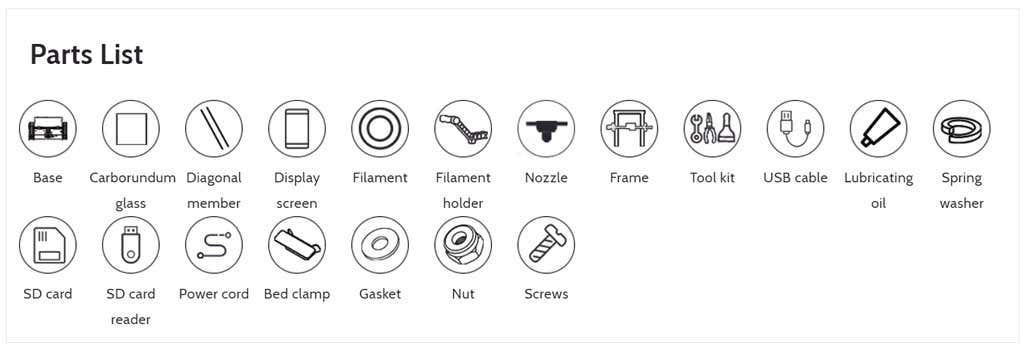
Assembly of the Kobra Max is no more difficult than assembling the Kobra or Vyper. The only additional items are the diagonal braces which add stiffness to the frame, reducing mechanical vibration.
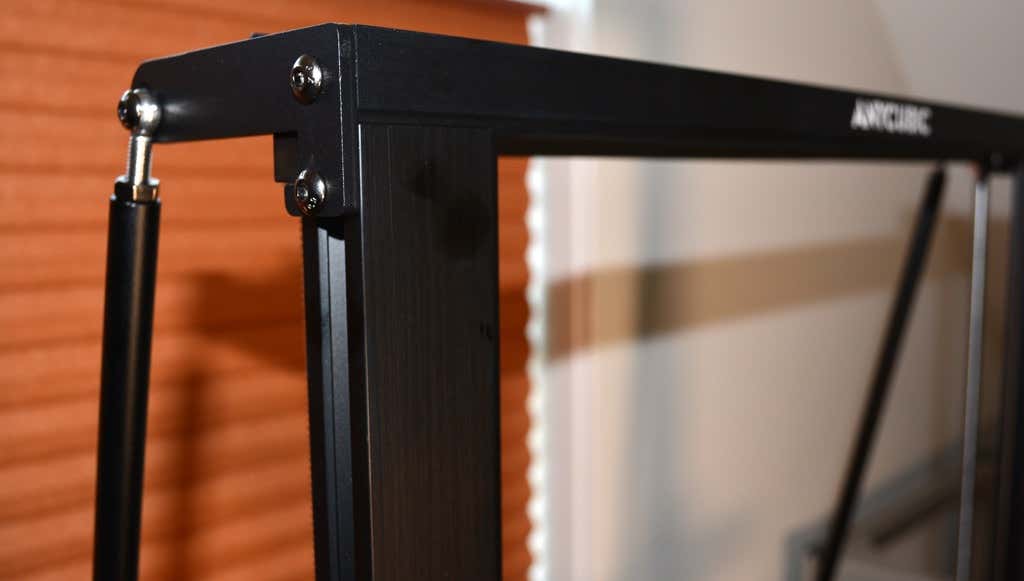
It took two people about 15 minutes to assemble. Double-check that you’ve cut all the zip ties used to stabilize the printer during shipping. There are a lot of them.
Calibration
The auto-bed-leveling system is easy to use. Anycubic recommends that you check the x- and the y-axes to make sure they don’t wobble. If they do, you can adjust the eccentric nuts until the wobbling stops. There was no wobble on our printer, so we didn’t have to do anything.
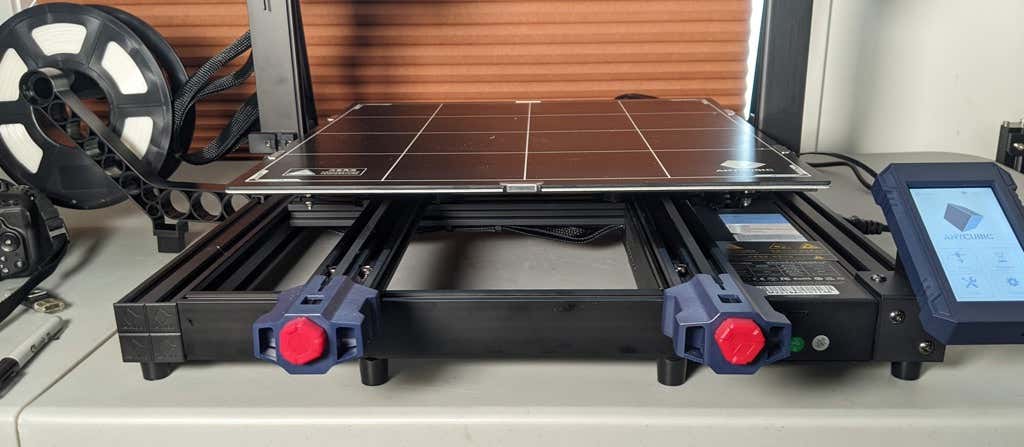
Additionally, the x- and y-axes have belt tensioners. We needed to slightly tighten the x-axis on ours. The tensioners are easy to use and are features a lot of other printers lack. Who wants to take apart the extruder assembly just to tighten the belts? Not us, and probably not you.
Build Quality of the Kobra Max
Due to the addition of the diagonal braces, the frame is really stiff. The dual z-axis screws are an improvement over the smaller Kobra. They virtually eliminated sagging of the x-axis assembly.
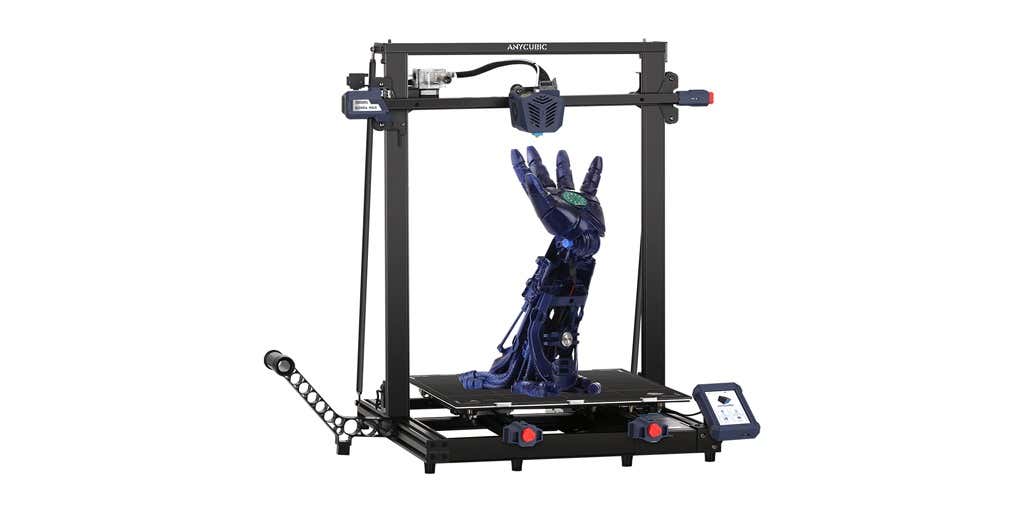
The spool holder sits on the base of the printer, reducing wobbling when printing tall items. It’s better than having the spool on the top like on the Kobra.
This printer is built with aluminum extrusions with aesthetically-pleasing plastic covers for the hotend and the tenionsers. It’s got an optical z endstop. The x and y endstops are mechanical. The whole thing feels solid.
First Print
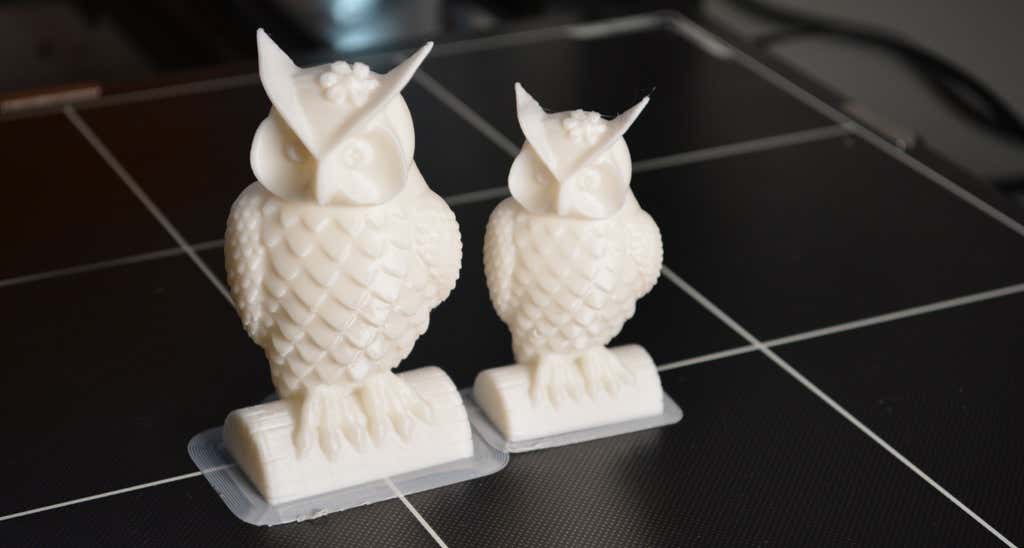
For the first print, we used the test file provided by Anycubic. Appropriately, the owl is about twice the print volume of the owl test print that comes with the smaller Kobra. Given the bowden setup (which makes sense for a printer this size), we were surprised that the ears on the owl turned out so well.
The ears look better than they did on the owl printed on the Kobra which has a direct drive extruder system. We suspect that’s due to the slower print speed. Many times, retractions on bowden extruders will create artifacts, but we didn’t notice any blobs or stringing. It approaches the quality you’d expect from a direct-drive.
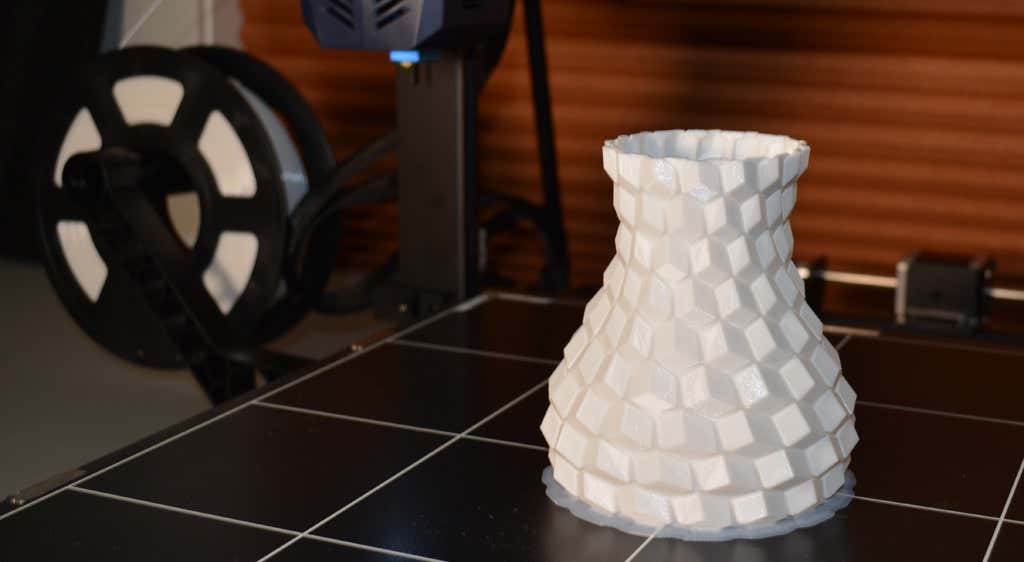
Next, we printed a vase with a large, flat base with a 0.2mm layer height. Removing prints from the glass bed is certainly not as easy as removing prints from smaller, flexible beds, but it’s not a deal-breaker either. We didn’t have any adhesion problems. The prints didn’t release when the glass bed cooled, which is what we expected and hoped for.
Curious what the power requirements would be for a printer this size, we were worried we wouldn’t be able to run multiple printers on the same circuit. We measured the power usage while the Kobra Max was printing, and, as expected, power usage is highest while the printer is warming up. Ours topped out at 473 watts. While printing, it was a more manageable 200-300 watts. We thought it would be more than that. You could probably run three of these printers on a 20 amp circuit.
Cut to the Chase
To drive home just how big the Kobra Max is, we put the Kobra on the bed of the Kobra Max. Insane. (We do not recommend you try this.)
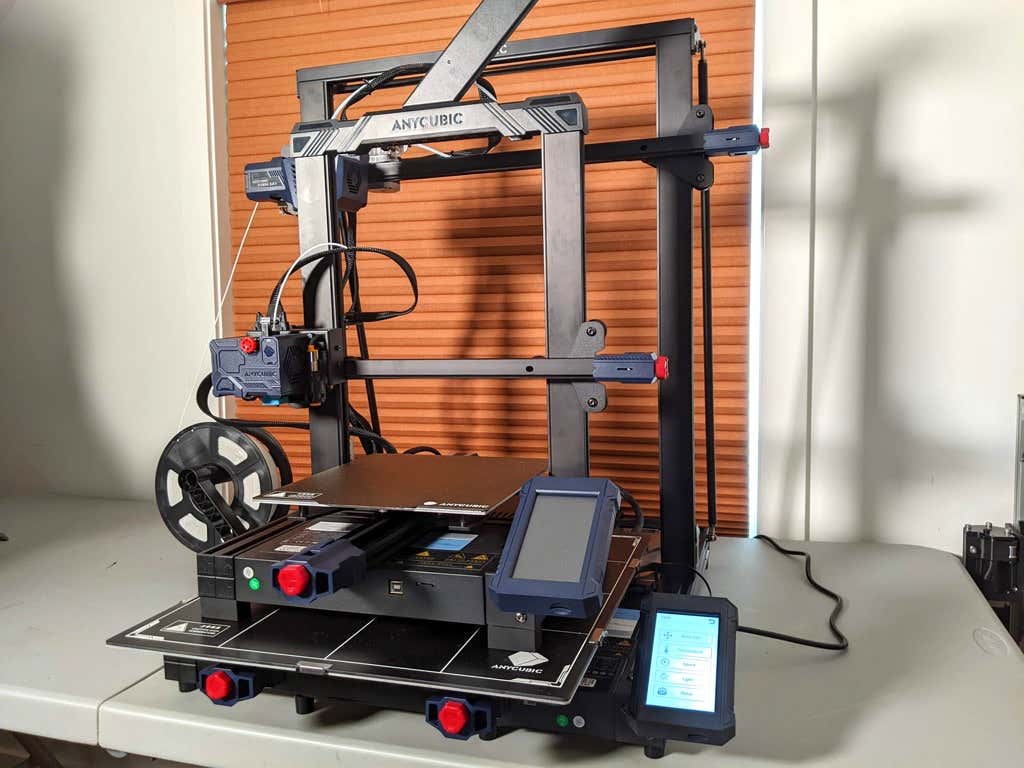
A small printer is limiting, so if you find yourself printing large objects in small pieces and assembling them, consider buying a Kobra Max. If you’re new to 3D printing, keep in mind that it takes a long time to print big objects—potentially days and days. Typically, we’d recommend a smaller printer to beginners, but at the price point of $569.00 if you purchase on the Anycubic site, it’s worth considering as an entry-level printer.
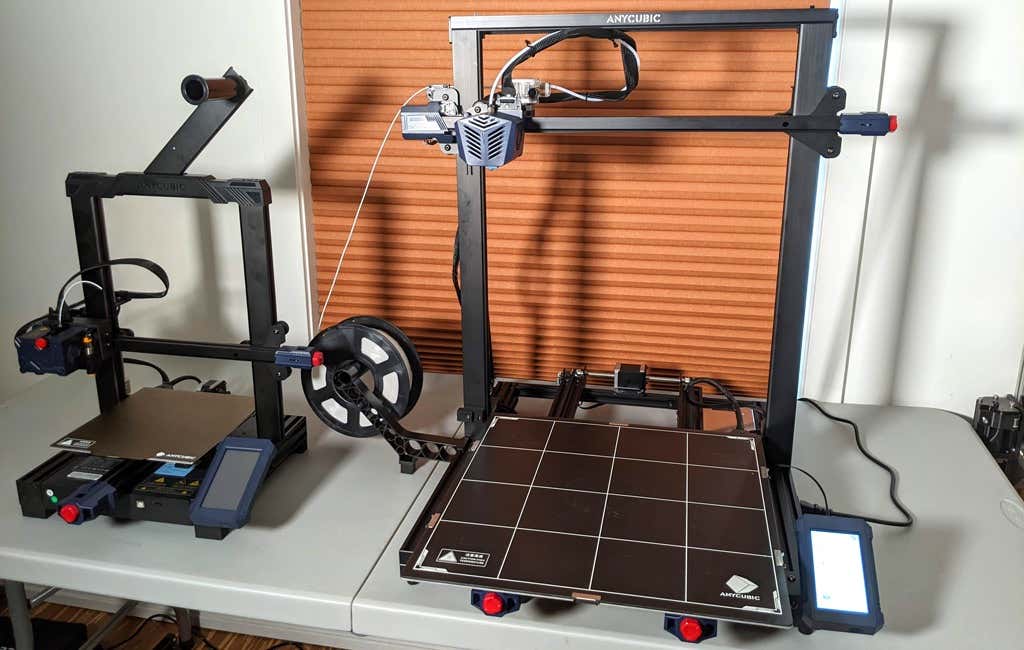
One downside is that smaller prints will take a little longer than they would on a smaller, faster printer. That’s just physics. Bigger printers have more inertia to overcome and take longer to move. For example, the print time for our vase was thirteen hours. On our Prusa MK 2.5 with similar settings, it would have taken about twelve hours—not a huge difference.
*Special thanks to FormerLurker for help in reviewing AnyCubic’s Kobra Max 3D printer.
- WhatGeek x 3inuS Kebohub EE01 Mechanical Keyboard Review
- Mobile Pixels Duex Max Portable Monitor Review
- Trifo Lucy: The AI Robot Vacuum and Mop
- The OBSBOT Tiny 4K: an Impressive Webcam for PC & Mac
- Review of Anycubic’s Kobra 3D Printer
Maggie Marystone is a freelance technology writer, human rights worker, and storyteller based in Chicago. Read Maggie’s Full Bio
