More and more users are in to big phones with big beautiful high-resolution displays, such as Google’s Pixel, OnePlus 6, or Apple’s iPhone X, but Samsung’s flagship Note brand (now up to version 9) has led the way in big and beautiful since the Note 1 several years ago.
It’s called the “Note,” of course, because of its built-in and well-implemented S Pen stylus, which just keeps getting better with each new iteration of the Note smartphone, or phablet. Among other things, the latest S Pen is indeed impressive, as is the Note 9 itself.
Pros:
- Beautiful high-res Super AMOLED 6.4-inch display
- S Pen matures to include Bluetooth remote control
- Excellent cameras with built-in AI
- Huge storage allotment
- DeX mode without the optional dock (all you need is an HDMI cable and adaptor)
- Big battery, long life
- Fast
- Impressive build quality
- Terrific stereo sound
Cons:
- Costly
- Bixby still sucks
- Fingerprint reader too close to the camera
Verdict:
Samsung’s flagship Galaxy Note 9 may cost as much as the iPhone X, but it’s worth it in many ways, including a gorgeous display, long battery life, Note’s famous S Pen, dual-aperture smart camera on the back, and much more.
Galaxy Note 9
Specifications
| Battery | 4,000 mAH |
|---|---|
| Battery Life (Hrs:Mins) | 12:36 |
| Colors | Lavender Purple, Ocean Blue, Cloud Silver, Midnight Black |
| CPU | Snapdragon 845 |
| Debut Price | $999 list (128GB), $1,249 list (512GB) |
| Display | 6.4 inches Super AMOLED (2960 x 1440) |
| Front Camera | 8 MP (f/1.7) |
| microSD | Up to 512GB |
| OS | Android 8.1 Oreo / Upgradeable to Android Pie |
| RAM | 6GB or 8GB |
| Rear Camera | Dual 12 MP Cameras (f/1.5 and f/2.4) |
| Size | 6.3 x 3 x 0.34 inches |
| Storage | 128GB or 512GB |
| Weight | 7.1 ounces |
Design
The Note 9’s physical build and appearance aren’t really new . At 6.3 by 3.0 by 0.34 inches (HWD) and weighing 7.1 ounces, aside from being ever so slightly larger and heavier than the Note 8, the latest note looks very much like its predecessor.
It also bares a strong resemblance to the Galaxy S9 and Galaxy S9+. In fact, if you don’t need or want the stylus, the Galaxy S9 or S9+ are both attractive, less-expensive alternatives.
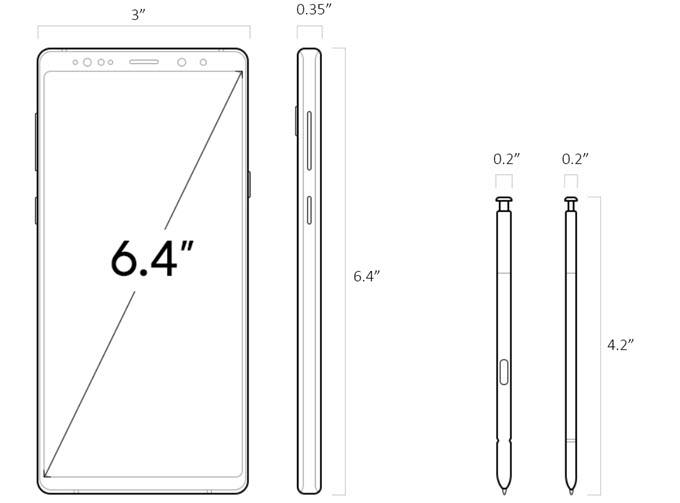
In any case, let’s take a look around the Galaxy Note 9, starting with its highly attractive, very well-built aluminum chassis. This is one slick-looking and -feeling phone, with smooth, tight, slightly rounded edges and corners with nearly imperceptible seams.
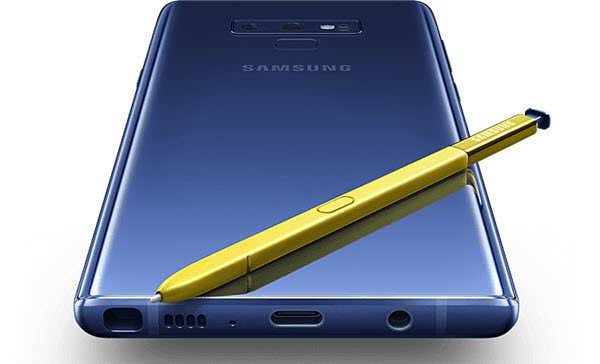
Depending on where you buy it, you also get your choice of vibrant colors, including Lavender Purple and Ocean Blue. The Ocean Blue comes with a yellow S Pen, which writes in yellow on the display in Screen-Off memo mode, and the lavender model comes with a purple pen that uses purple digital ink—an interesting, understated touch.
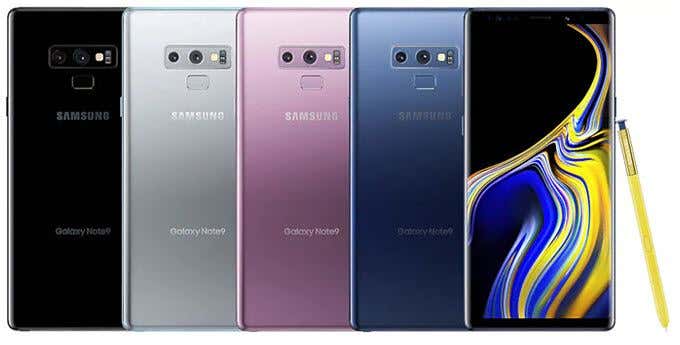
Shortly after last year’s release, Samsung announced the availability of new Cloud Silver and Midnight Black versions. Cloud Silver is sold solely through Best Buy and Samsung’s own website, while the Midnight Black model will be sold at all retailers and carriers, which include: AT&T, Verizon, Sprint, T-Mobile, and US Cellular.
On the right edge resides only the Power/Sleep/Awake button. On the right edge you’ll find the button for activating Samsung’s voice activation feature, Bixby, which is similar to the iPhone’s Siri and Windows’ Cortona, and the volume controls, as shown in the image below. We’ll take a closer look a Bixby and this button later.

The bottom edge holds the headphones jack, the mini-USB charging/data connection port, a reset pinhole, the stereo speakers grill and, of course, the S Pen compartment, as shown here…
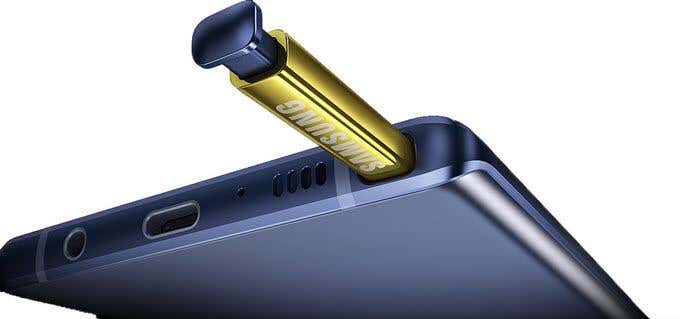
This design demonstrates that Samsung has plenty of experience with making the stylus unobtrusive and placing it out of the way (and the S Pen recharges itself in there).
This approach is much, much slicker than Apple’s iPad Pencil— it has nowhere to hide. As you’ll see when I talk more in-depth about the S Pen further down, the Note’s stylus is most likely the most advanced digital pen available.
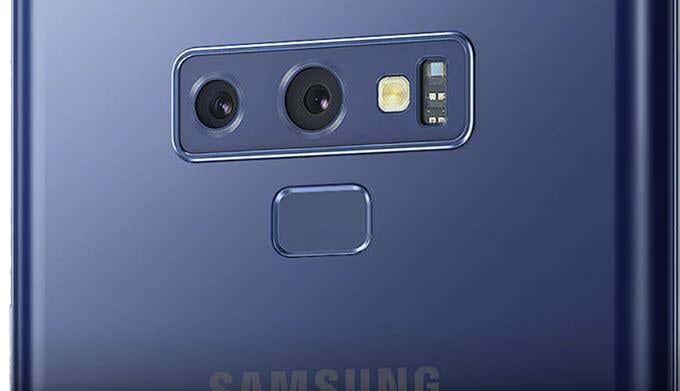
The back of the Note 9 holds its dual-aperture camera and the fingerprint reader, shown in the image below. There’s also a camera on the front, of course. The cameras are discussed in depth a little later, too.
The top edge hosts a compartment for storing a tray that holds both the SIM card and a microSD card for increasing storage by as much as 512GB, or, if you prefer, you can use the tray to insert two SIM cards, which in turn allows you to assign two phone numbers to your Note 9—say, perhaps, a work number and a personal number.
If you buy the 512GB model and then add a 512GB microSD card, your Note 9 becomes a 1TB device, which is a first in smartphone technology. Samsung offers a 512GB SD card for about $200, which is about the going rate.
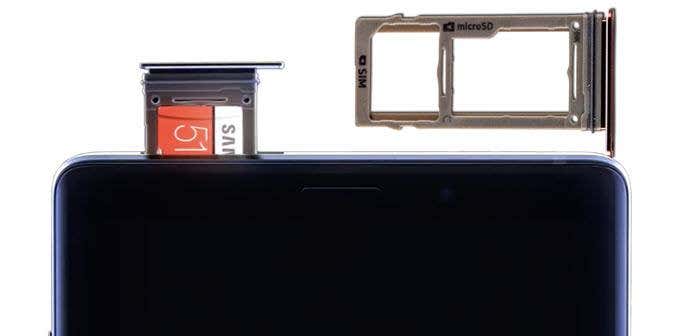
However, between the 512GB Note 9 itself and the 512GB SD card, you could easily spend close to $1,500 for your phone, which is undoubtedly a lot of money.
Finally, not only is the Note 9 well built, but it also meets the IP68 waterproof and dust-proof standard—with or without the S Pen embedded in its compartment.
Samsung says you can dunk it in up to five feet of water, which is much deeper than your toilet bowl. There’s also a wealth of security features, including the aforementioned fingerprint reader, facial and iris recognition, PIN, dot pattern, and others.
Dazzling Display
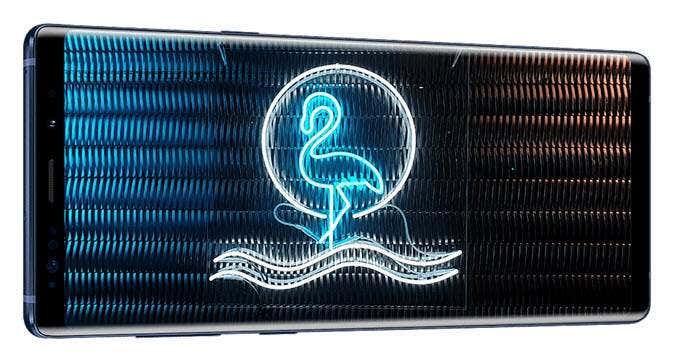
From smartphones, to Galaxy tablets, to computer monitors, to 90-inch UHD TVs, nobody makes better screens than Samsung, and the Note 9’s 2,960 by 1,440 resolution Super AMOLED Infinity Display is the best in the business.
It’s much brighter and has about a third more contrast ratio than the Note 8, which is no slouch itself. And Samsung’s near-bezel-less curved edges are nothing short of, well, awesome.
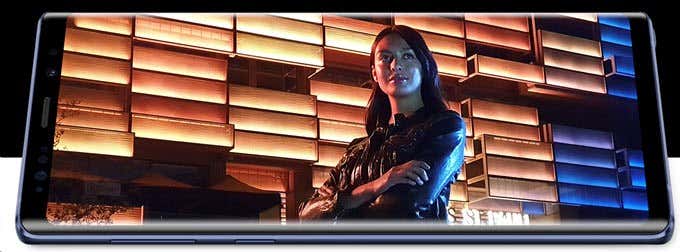
Even so, the screen resolution is the same as on the Note 8 and Galaxy S9+. Not only is this a great size for watching movies on the go, but whether you’re looking at it from an extreme right, left, top, or bottom angles or straight on, the picture quality looks the same, with no noticeable degradation.
According to my testing, the Note 9’s screen reproduces 228% of the sRGB color gamut (range), compared to the Note 8’s 209%, the S9’s 217 percent, and the iPhone’s 135%.
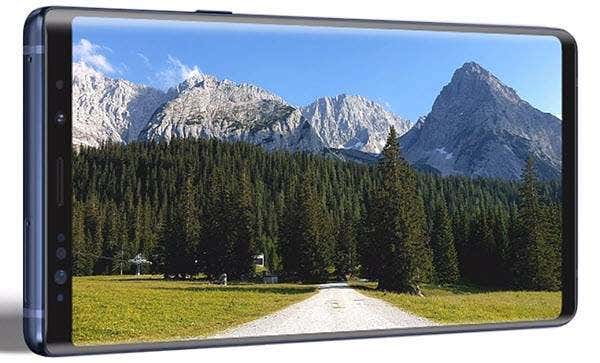
Specs and benchmarks aside, though, after years of evaluating tablet, laptop, and smartphone screens, the Note 9’s is certainly the best smartphone screen I’ve seen so far—and that includes the iPhone X’s impressive 2,436 by 1,125 Retina Display. While the Galaxy S9 and S9+ displays are similar, even they are not as spectacular to look at as is the Note 9’s.
S Pen: Stylus Plus
The S Pen just keeps getting better. It has been the best stylus around for jotting notes, drawing, selecting text, and more, for some time now, but with the Note 9, Samsung has added Bluetooth LE and a remappable button for controlling compatible apps remotely.
By default, a long press of the button opens the camera app, and short presses, or clicks, snap pictures, allowing you to take selfies or group shots without the camera app’s built-in timer or by waving your hand in front of the camera lens to activate the awkward gesture-initiated camera timer.

You can also use the S Pen button to advance slides in PowerPoint presentations, scroll through pictures in Gallery, play, pause, and skip to the next track in Music Player, toggle between the front and rear cameras, and so on.
So far, aside from Google and Samsung core apps, there’s a shortage of apps that support S Pen, but Samsung offers a software development kit (SDK) to aid third-party developers in creating S Pen-compatible apps, which should help increase the number of S Pen-ready apps before too long.
I could go on for a while about what S Pen can do, but one of the more impressive features is the ability to take screen-off memos. When you remove the stylus while the display is turned off, Note 9 goes in to a note-taking interface against a black background.
This allows you to take notes without unlocking the phone and launching a specific app, thereby making note taking quick and easy. Screen-off memos are saved automatically.
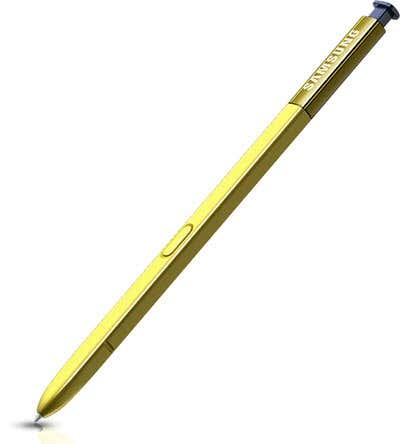
As mentioned, the S Pen does require charging, which takes only about 40 seconds in its compartment. That 40 seconds should give you, according to my testing, about 40 minutes of standby time or about 220 clicks of the remote-control button.
Professional-Grade
Cameras
Over the past few years, smartphone cameras have made great strides, to the extent that some of them shoot photos and videos on-par with lower-end professional photographer cameras.
Like most of today’s smartphones, the Note 9 comes with a front camera primarily for taking selfies, but the rear shooter is a dual-aperture camera with wide-angle telephoto lenses. Inherited from the Galaxy S9+, the Note 9’s cameras are supported by an advanced, highly effective camera app.
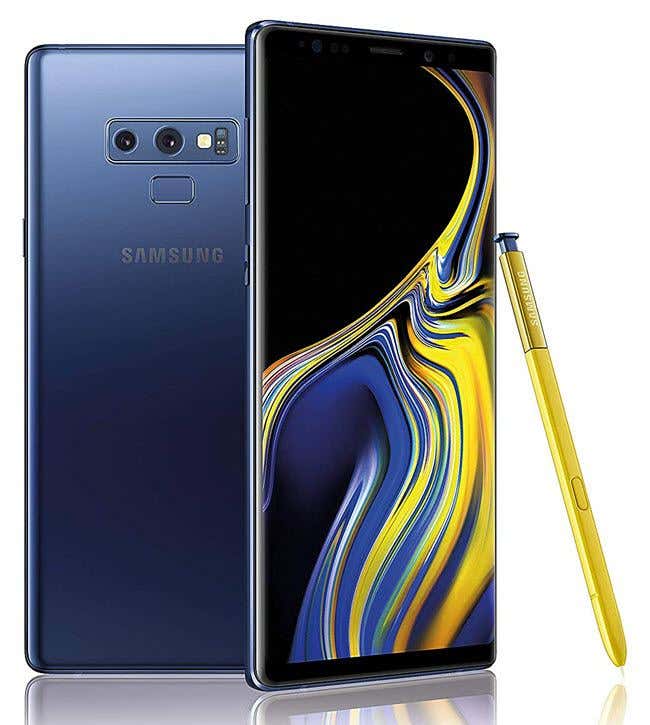
The Note 9’s 8MP (megapixel) front-facing camera includes autofocus (a first for the Note brand), as well as countless mode options: Super Slow Motion digital video at 960 frames per second at 720p resolution, AR stickers, wide group selfies, and much more—making it one of the most feature-rich smartphone camera apps, period. Even so, it’s easy to use.
But it’s the rear camera that shows off the camera app’s prowess. The dual 12MP lenses use variable-aperture tech to switch automatically from an f/1.5 aperture for low-light conditions to an f/2.4 opening for normal lighting photography.
One of the camera app’s many tricks is a built-in artificial intelligence (AI) that automatically configures settings depending on your subject. The Note 9 recognizes 20 scenes, including beaches, backlit subjects, food, snow, and sunsets.
It then adjusts the brightness, contrast, saturation, white balance and a slew of other settings normally configured manually in the app’s Pro mode, with Scene Optimizer turned off. My experience with Scene Optimizer is that it works well most of the time, especially compared to the photos I shot with the feature shut off.
Scene Optimizer isn’t perfect, though; a couple of my photos, especially a few shots of food, came out a bit over saturated and lacking some detail, but switching to Pro mode fixed that.
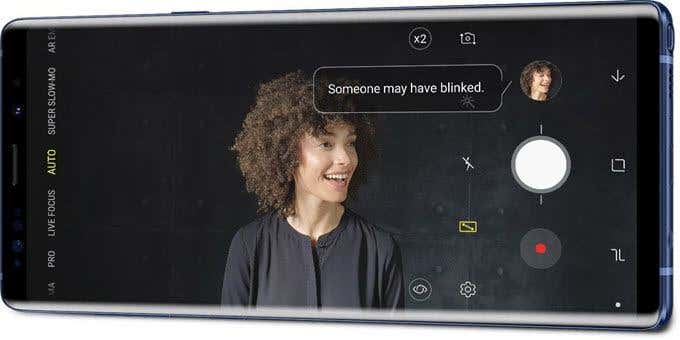
One of the more impressive features is Flaw Detection, which tells you when your photo didn’t shoot as desired. Flaws like blurriness, red-eye, a smudged lens, closed eyes, are detected, and then the app warns you and offers a second chance, as shown here…
The truth is, I’m probably one of the world’s worst photographers; I have trouble shooting stills of IT hardware in perfect lighting and no background for these reviews.
I need all the help I can get, making the Note 9’s dual lenses, AI, and Flaw Detection just right for me. Now that not all my photos suck, I find myself taking a lot more pictures than before. It’s also worth noting that it takes great 4K videos, too.
Bixby
And, yes, the Bixby button—for those of us who don’t want to use Bixby—is still in an inconvenient place and you can’t remap it to another app or function. However, as I was finishing this review, Android Pie (Android 9) became available for the Note 9 and I installed it.
Samsung claims that Android 9 fixes Bixby and now it rivals its peers. Frankly, I didn’t have enough time to test it before filing this story, but I can tell you that, yes, you can now remap the Bixby button to almost any other app or function.

As for Android Pie itself, I haven’t spent much time with it. It did, however, cripple the third-party launcher I was using, as well as a couple other apps I use regularly, such as Samsung’s File Manager. It looks like I’m in for an hour or two of re-tweaking my home screen and other areas to get it back the way I want it, though.
Stellar Performance
Though I did run a few benchmarks, including overall performance tests with Geekbench 4 and graphics prowess with 3DMark Slingshot Extreme, I’m not going to spend much time discussing test results in detail—except to say that the Note 9 fell slightly behind the iPhone X and OnePlus 6, slightly ahead of the Galaxy S9+, and well ahead of the Note 8 and Google Pixel 2XL.
Suffice it to say that the Note 9 isn’t quite as fast as the iPhone and the super-fast OnePlus 6. As for my experience using the phone over the past few weeks, so far, I haven’t waited for any app to open; switching between apps, no matter how many I have open, is as smooth as cutting warm butter.
I don’t play a lot of games, but during the time I played the hardware-taxing 3D game Fortnite (unavailable for Android 9 except in beta as I wrote this), I experienced no lags, the screen was beautiful, and, while the phone did heat up some, not excessively so.

All that, and I ran a recent Star Trek movie on a loop until the battery conked out for 12 hours and 36 minutes. Why such fast, smooth, long-lasting performance? Well, we’ve already talked about the Infinity Display, which explains the gorgeous graphics.
Below is a list of the Note 9’s other performance hardware and what it does. My test unit was the 128GB version with 6GB of RAM. (Assume that the 8GB RAM model runs a little better still in some scenarios.)
- Snapdragon 835 Processor: While not as fast as Apple’s A11 Bionic CPU or the OnePlus 6 with 8GB of RAM, the CPU in the Note 9 is by no means a slouch. But, as I’ve said, I have no complaints about this CPU’s (and its built-in GPU) performance. Note that this is the same CPU that’s in the S9+ . Note also that in the UK and several other non-U.S. locations the Note 9 comes with the Samsung Exynos 9810, which is a little faster than the Qualcomm Snapdragon 835.
- 6GB RAM : Obviously, within reason, the more memory a computing device has the better. During my tests, 6GB seemed more than adequate, at least for the way I use a smartphone. And, as mentioned, it ran Fortnite without hesitation.
- Water Cooled CPU: The Note 9 is protected against overheating with a “notebook-class” water carbon cooling system. Samsung claims that this protects the phone against overheating and allows it to run at its peak over longer periods. All I can say is that it never got too hot for me, nor did I notice it slowing down to compensate for excessive heat.
- 4,000mAh Battery: At 700mAH bigger than the Note 8 and 500mAH bigger than the S9+, the Note 9’s 4,000 milliampere hours battery is to date the biggest in the business. Again, it lasted over 12.5 hours during my battery drain tests.
Galaxy Note 9 versus
Competitors
| SG Note 9 | SG S9 Plus | iPhone X | OnePlus 6 | |
|---|---|---|---|---|
| Display size, resolution | 6.4-inch Super AMOLED; 2,960×1,440 pixels | 6.2-inch; 2,960×1,440 pixels | 5.8-inch; 2,436×1,125 pixels | 6.28-inch OLED; 2,280×1,080 pixels |
| Pixel density | 516ppi | 529ppi | 458 ppi | 402ppi |
| Dimensions (Inches) | 6.4x3x0.35 in | 6.2×2.9×0.33 in | 5.7×2.8×0.30 in | 6.1×0.3×0.31 in |
| Weight | 7.1 oz | 6.7 oz | 6.1 oz | 6.2 oz |
| Mobile software | Android 8.1 Oreo, upgradeable to Android 9 Pie | Android 8.0 Oreo, upgradeable to Android 9 Pie | iOS 11 | Android 8.1 Oreo, upgradeable to Android 9 Pie |
| Camera | Dual 12MP (wide), 12MP (telephoto) | Dual 12MP | Dual 12MP | 16MPstandard, 20MPtelephoto |
| Front-facing camera | 8MP | 8MP | 7MP | 16MP |
| Video capture | 4K | 4K | 4K | 4K |
| Processor | Qualcomm Snapdragon 845 octa-core processor (2.8GHz + 1.7GHz), or Octa-core Samsung Exynos 9810 (2.7 GHz + 1.7 GHz) | Octa-core Qualcomm Snapdragon 845 processor (2.8GHz + 1.7GHz), or Octa-core Samsung Exynos 9810 (2.7 GHz + 1.7 GHz) | Apple A11 Bionic | 2.8GHz Qualcomm Snapdragon 845 |
| Storage | 128GB, 512GB | 64GB, 128GB, 256GB | 64GB, 256GB | 64GB, 128GB, 256GB |
| RAM | 6GB, 8GB | 6GB | 3GB | 6GB, 8GB |
| Expandable storage | 512GB | 400GB | None | None |
| Battery | 4,000mAh | 3,500mAh | 2716mAH | 3,300mAh |
| Fingerprint sensor | Back | Back | None | Back |
| Connector | USB-C | USB-C | Lightning | USB-C |
| Headphone jack | Yes | Yes | No | Yes |
| Special features | Water resistant (IP68); wireless charging; S Pen with Bluetooth; Iris and facial scanning | Dual-aperture camera, water-resistant (IP68); wireless charging; iris scanning | Water resistant (IP67); wireless charging; Face ID 3D unlock | Portrait mode, dual-SIM, Dash Charging |
| Price MSRP (USD) | $1,000 (128GB), $1,250 (512GB) | Varies: $840-$930 (64GB) | $999 (64GB), $1,149 (256GB) | $529 (64GB), $579 (128GB), $629 (256GB) |
More than a Pretty
Face
Every review of the Note 9 I’ve read rants about the $1,000 purchase price, but if you shop around, you’ll find it for much less. eBay, in fact, has some new-unopened-box offers for as low as $700.
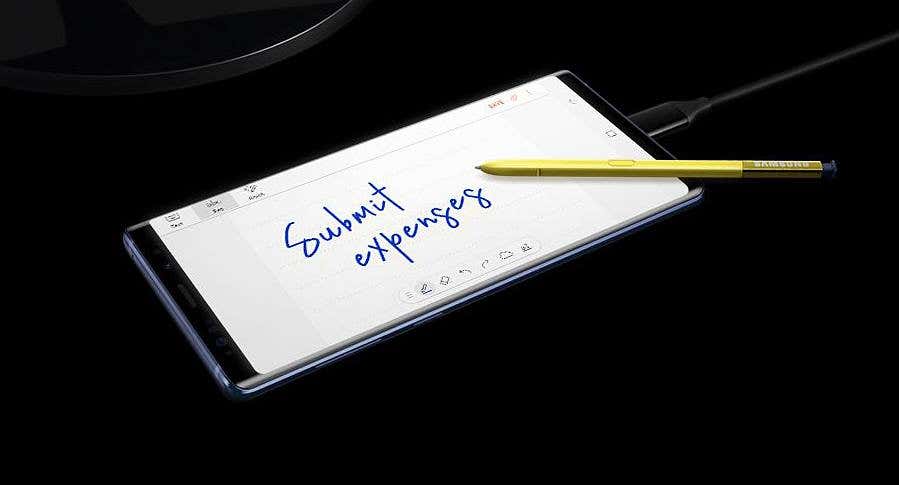
Granted, that’s still a lot of money, but if you use your smartphone as much as I do, it’s well worth it. The screen is big enough for my aging eyes to do research, and the S Pen is perfect for highlighting passages in Microsoft OneNote or wherever. When I pair it with a keyboard, well, it’s not quite like using a PC, but more than adequate for typing away from home.
Unless you’re locked in to the iPhone X, or simply must have the fastest Android available, I can’t think of a reason not to buy this phone, unless, of course, you want to hang out with what you have now until the Galaxy Note 10 comes out later this year.
But I’m guessing that it will list for a bit more than 1K…
- Tribit StormBox 2: The Under $70 Portable Speaker that Stands Out
- ENGWE L20 2.0 Review: The Best Budget-Friendly Foldable E-Bike?
- TopDon TC004 – a Thermal Imaging Camera That Will Give You Predator Vision
- Newyes Portable Wireless Thermal A4 Printer Review
- Eskute Star Folding Fat Tire Electric Bike Review
If you don’t have a full-sized printing machine at home and often need to print a document on the go, check out the Newyes portable printer . This wireless printer is lightweight and small enough to fit in your bag. Not to mention it’s environmentally friendly, since it uses thermal paper instead of ink.
Follow our review of the Newyes portable wireless thermal printer to see if it suits your printing needs.
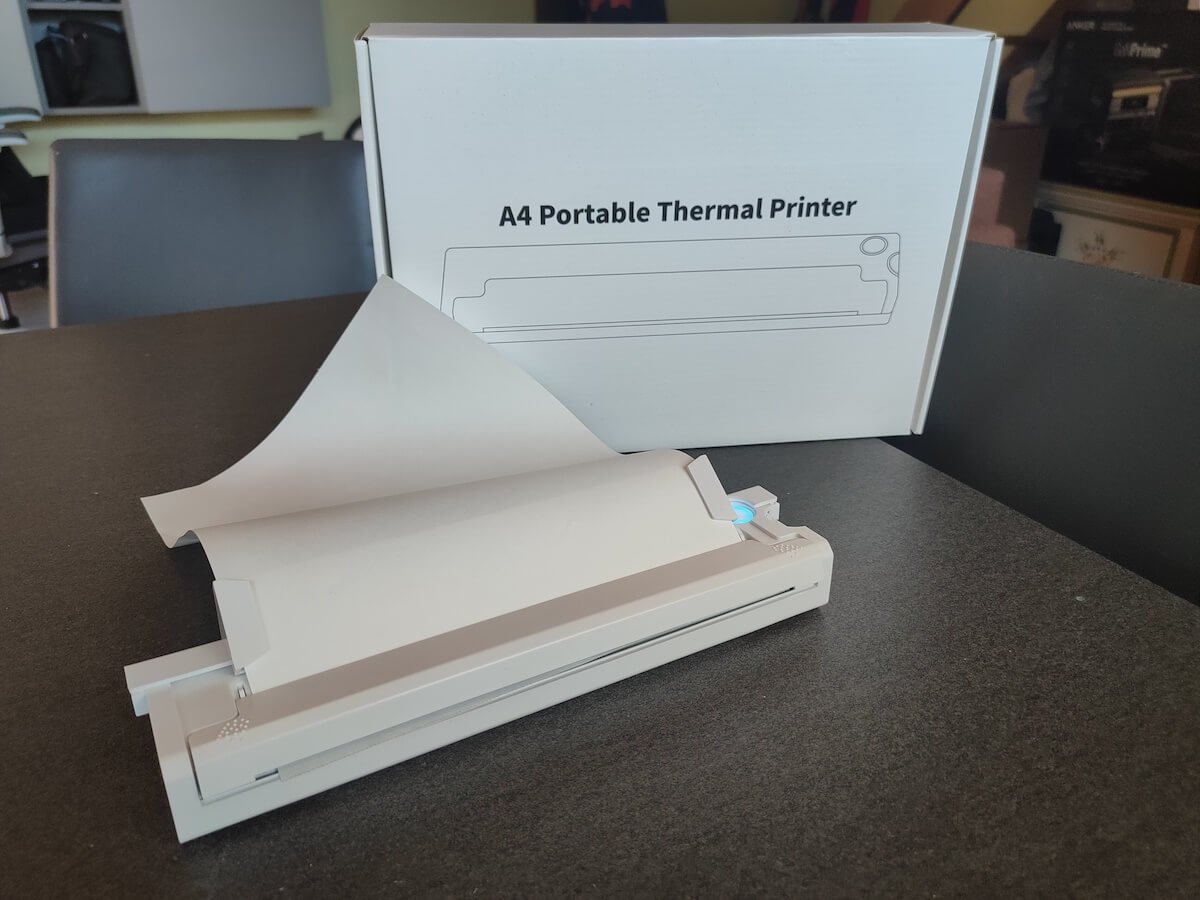
Newyes Portable Wireless Thermal A4 Printer: First Impressions & Specs
When I was a student, I remember my university always required hard copies of documents. Luckily, there was a print shop on campus where I could always pop in to print something.
Then I became a professional, and to my surprise many life spheres still required me to have printed versions of documents with me. Of course you can get your own full-sized machine to print things at home, but if like me you live in a small apartment, you value every extra bit of space and don’t want a massive printer to take it up.
One day, when I was looking for a neighbor with a printer to help me with my event tickets, they introduced me to the concept of a portable printer. Seeing how easy it is to use, I immediately wanted to get my hands on one of those. So here I am, reviewing one of the most useful gadgets I received recently – the Newyes portable thermal printer.
Before we continue with this review, here is the full list of specs of this printer.
- Model: Newyes LD0801
- Dimensions: 10.4 x 1.2 x 2.28 in (265 x 58 x 30.5 mm)
- Weight: 16.8oz (475g)
- Paper format: A4
- Paper width: 210mm or 218mm
- Printing Type: thermal paper
- Resolution: 203DPI
- Connectivity: Bluetooth
- Charging port: USB type-C port
- Input Voltage: DC 5V / 2A
- Battery: 1200mAh lithium battery
- Charging time: 75 min
- Automatic shut down: after 30 minutes
- Stand-by: about 30 days
- Extra features: LED light, reset, on / off switch button
- Color: white, black
- Warranty: limited one year warranty
- Price: $199 on the Newyes website
If you find yourself in need of hard copies of important documents while on the move, the Newyes portable wireless thermal printer will become your go-to gadget. Newyes calls it “the world’s smallest printer”, and with the weight of under 500g this seems plausible. This mini printer offers a handy solution for those moments when you need to quickly print an important document but don’t have access to an office setup.
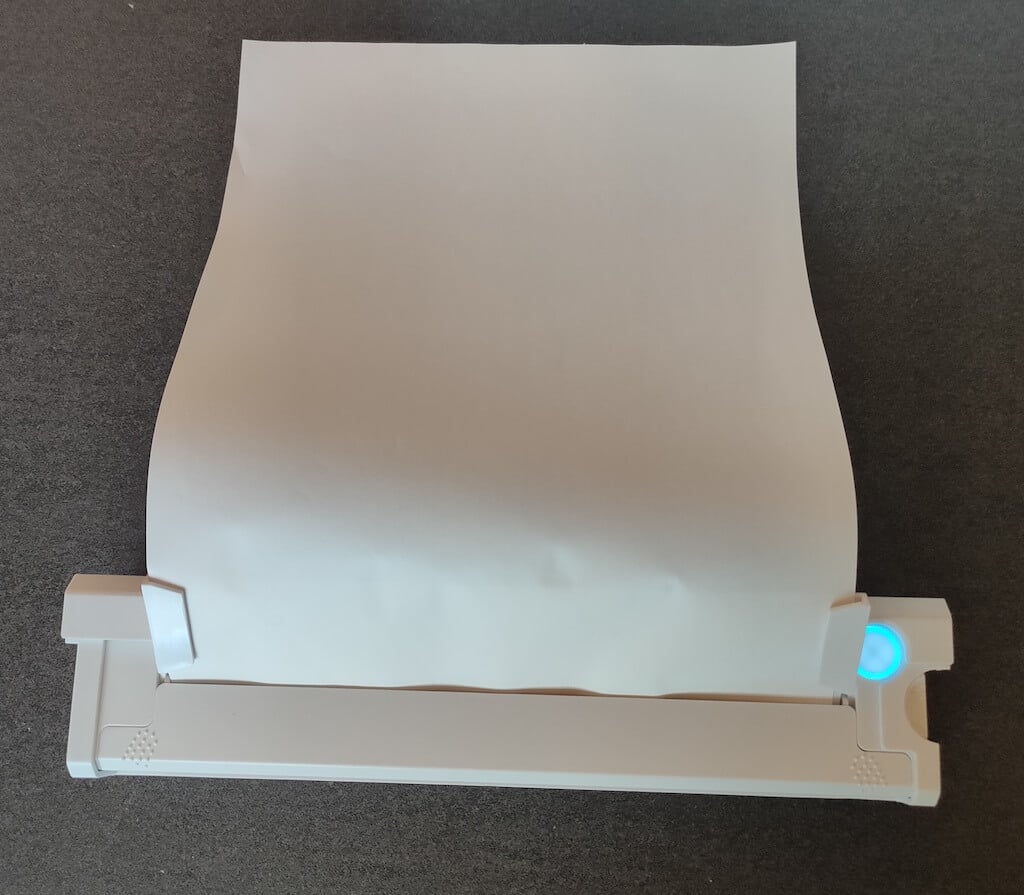
Operating this printer is a breeze – a simple Bluetooth connection is all that’s required. Once connected, just fire up the app, choose the file you want to print, and send it over. Efficiency is at the forefront, and you can easily print multiple sheets by inserting new pages back to back.
The only limitation this printer has is that it can only print in black. So even if your original file is in color, the printed document will still come out in black and white. Other than that – you can print a variety of file types including Excel, Word, PDF, JPG, PNG, and web pages – and it only takes seconds.
The Newyes portable wireless printer combines convenience, portability, and efficiency – all the things I appreciate in a modern gadget.
Design and Unpacking
Let’s have a closer look at the design and build of this smart printer, as well as what you get included in the package when you purchase it.
What’s in the Box
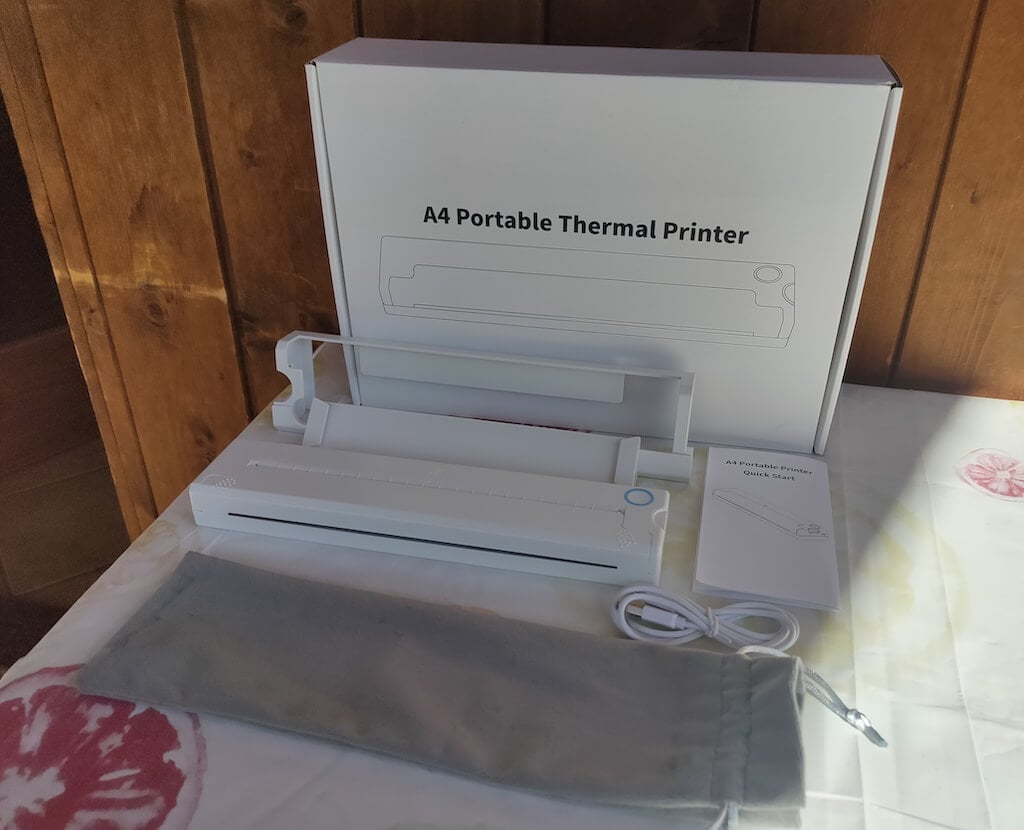
Here’s everything you’ll find when unpacking your Newyes portable thermal printer:
- The Newyes portable wireless thermal printer
- Bracket
- USB type-C cable
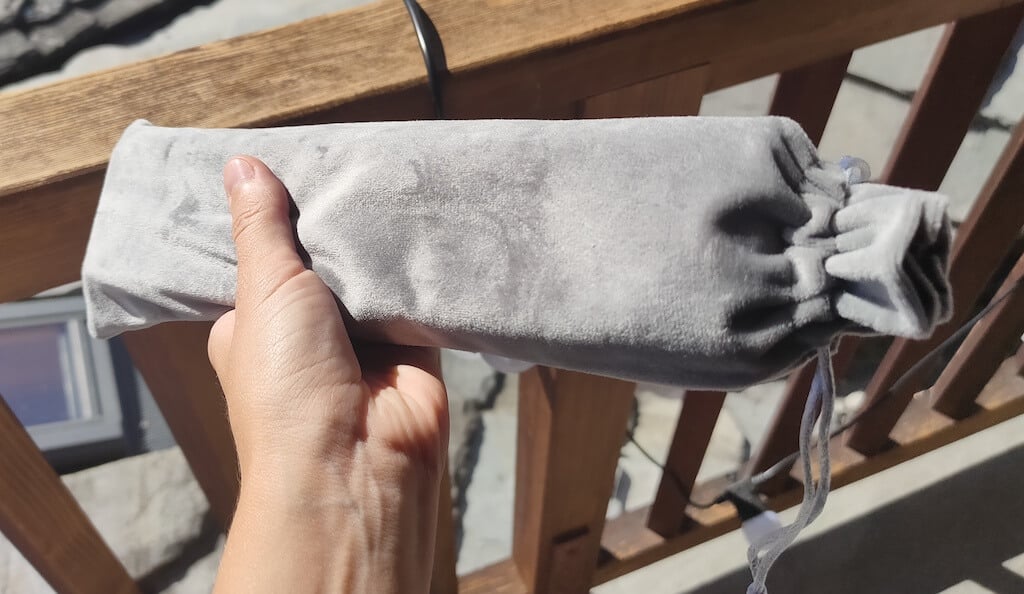
- Storage/carrying pouch
- 100pcs thermal printing paper
- User manual
You can use the Newyes portable printer right out of the box, as you’re all set with essential accessories. Aside from the printer itself, the package includes a bracket which will make printing more than one page smoother, a convenient storage bag for carrying your printer with you, a USB-C cable for charging, and a supply of 100 pieces of thermal paper to get you started.
One important thing to remember is that this printer only works with thermal paper. While thermal paper is significantly more expensive than normal paper, this printer also uses inkless printing and works without a ribbon and toner. Since you don’t have to spend money on ink, carbon ribbons or toner cartridges, you ultimately end up saving money with thermal paper.
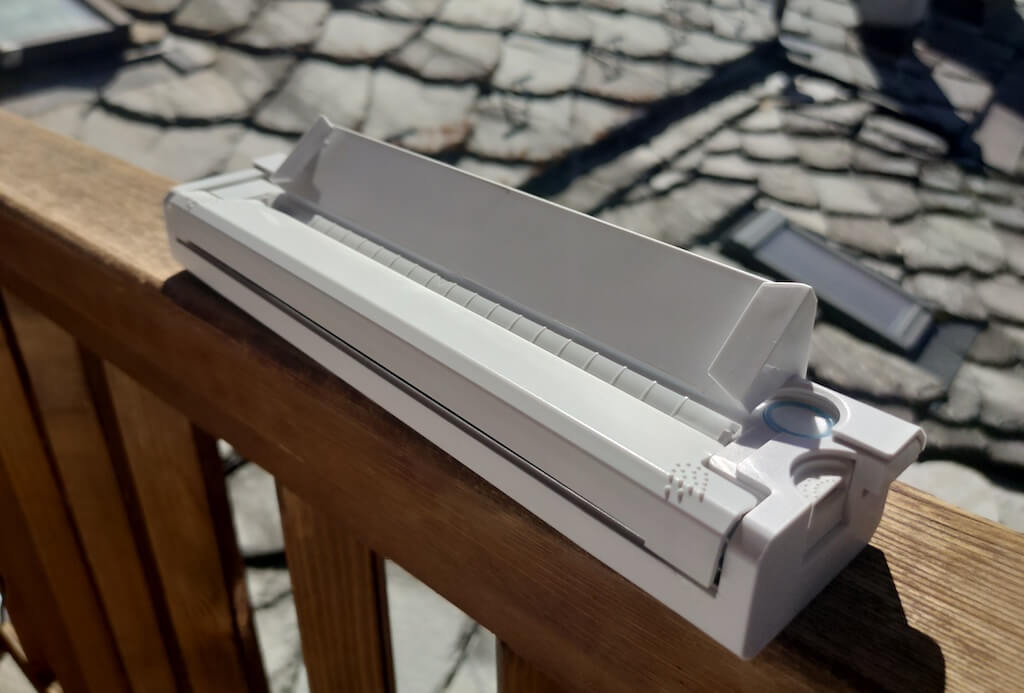
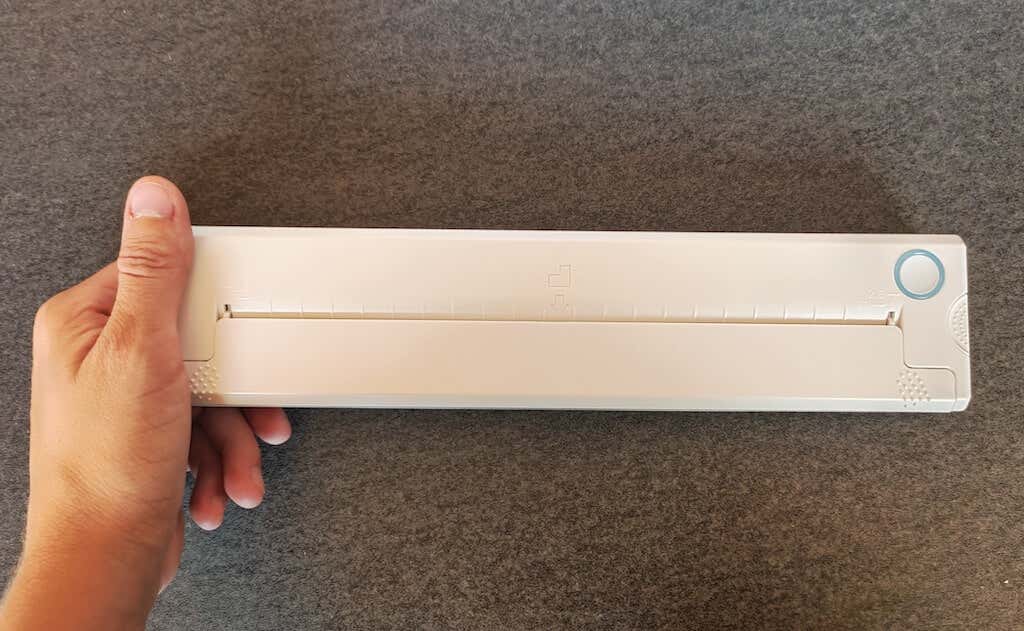
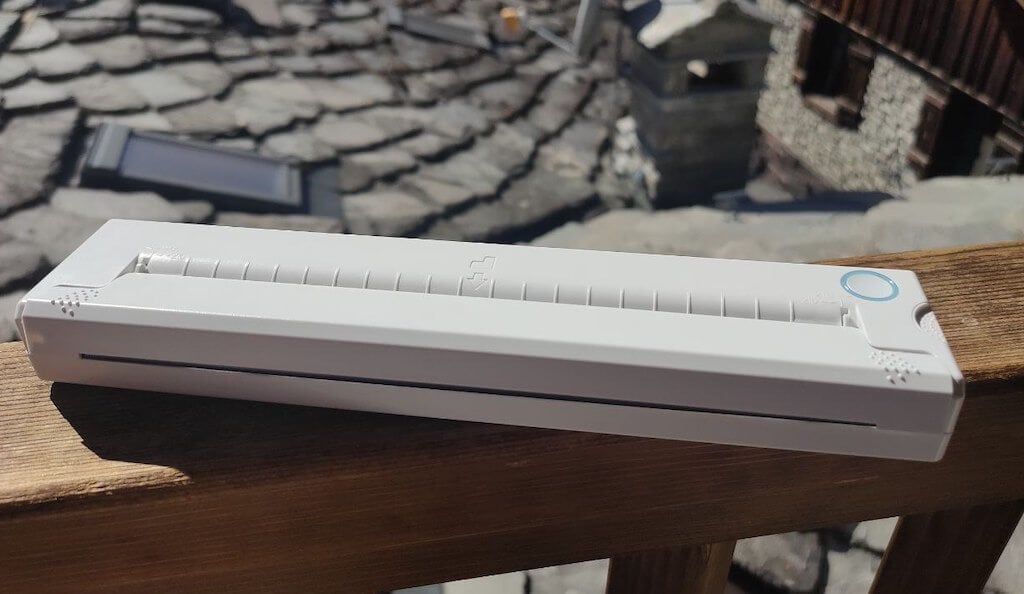
The Newyes LD0801 is a pocket-sized printer that features straightforward design. For the purpose of this review, I had a printer in white color. The printer looks like a small white brick with just two pressable buttons on top – one for switching it on and off, and another for opening the printer’s cover. You’ll also see the paper entry slot on top of the printer.
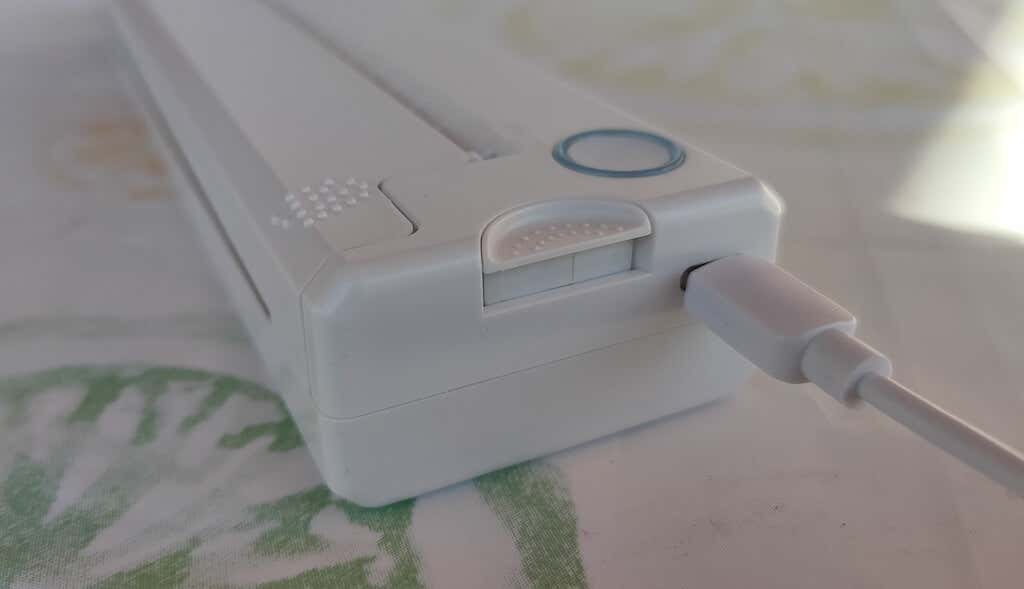
On the side of the printer, you’ll find a single charging port.
The printer is made of plastic, but the build feels sturdy. I never have to worry about throwing it into my bag or damaging it when traveling. Besides, you can use a nice carrying pouch included in the package for protection.
Performance & Features
According to Newyes, the portable printer has a “handheld size and two times the weight of an iPhone”. This can give you an idea of how portable and convenient this little gadget is. In a month of testing, I used it at home, in a store, and even in a car while on the road.
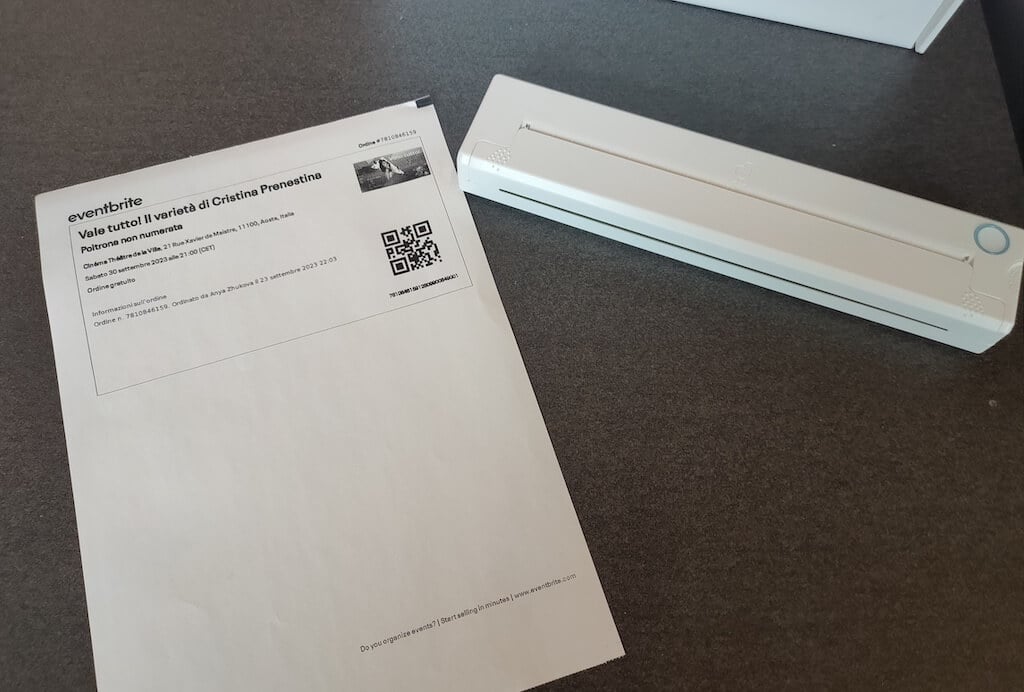
Using the printer is unbelievably easy. Connect it to your mobile phone via Bluetooth, press the button to turn the printer on and put a sheet of thermal paper into the paper entry slot. Make sure to use thermal paper and not standard paper, and put it with the black marks facing down. Bear in mind that the thermal printer can only print in black and white and only on one (marked) side of the thermal paper sheet.
Then open the iPrint app on your smartphone. If you’re printing an A4 document, you can select one of two options – Photo Printing and Document Printing . Then choose the document from your phone’s files and print it.
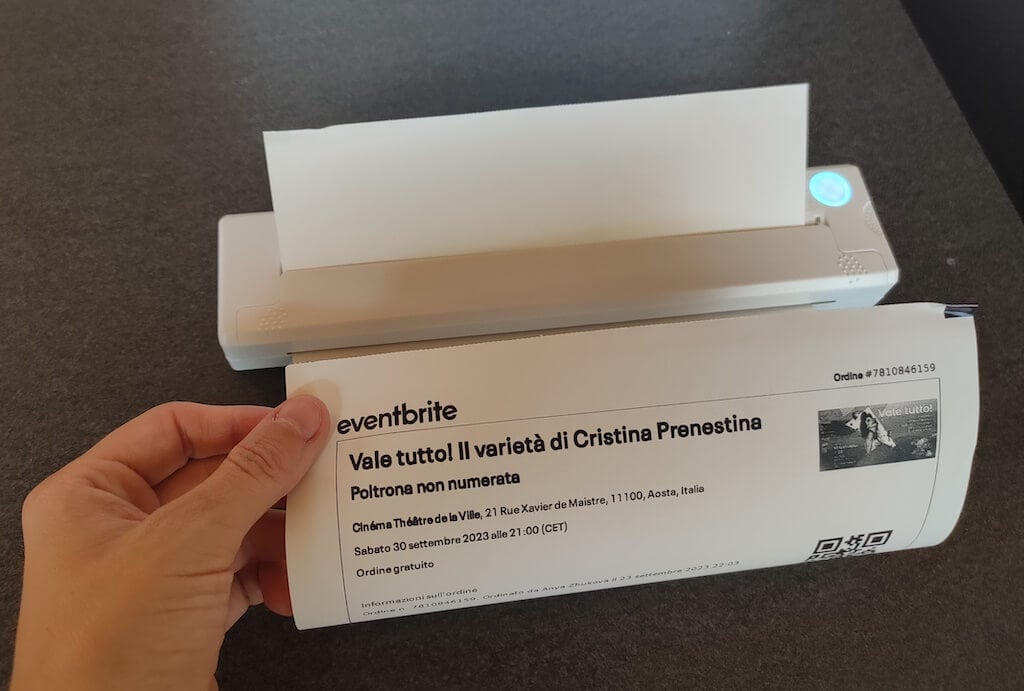
The printer is reliable and in the time that I used it the Newyes LD0801 never let me down. The printing quality will surprise you, as it’s sometimes better than what you get from a full-sized printer. The printer supports printing in various formats, and you can use it to print documents from your smartphone (Android and iPhone), iPad, and Android tablet.
When fully charged, the printer can support up to 90 pieces of paper continuously, which is very impressive for a gadget of such a small size.
Software
The Newyes portable printer requires an iPrint app to operate. The app is available for free on iOS and Android. You’ll need to download the app on your device from the App Store or Google Play before you begin printing your documents.
The app has a simple and user-friendly design. You’ll need to pair your device with the printer on the first use via Bluetooth.
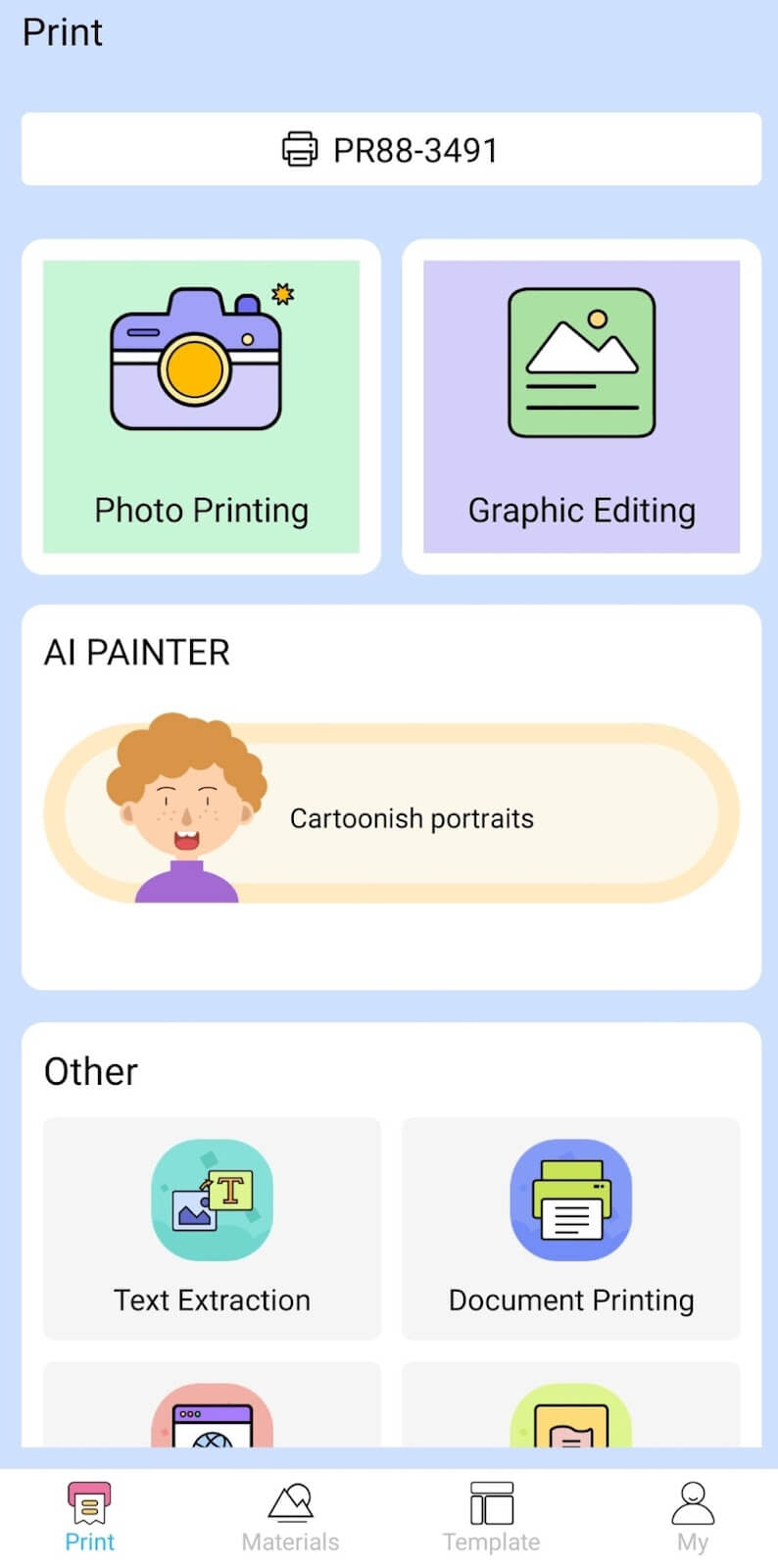
Depending on the type of document you want to print, you can choose different options from the app. There’s photo printing, document printing, web printing, and banner printing.
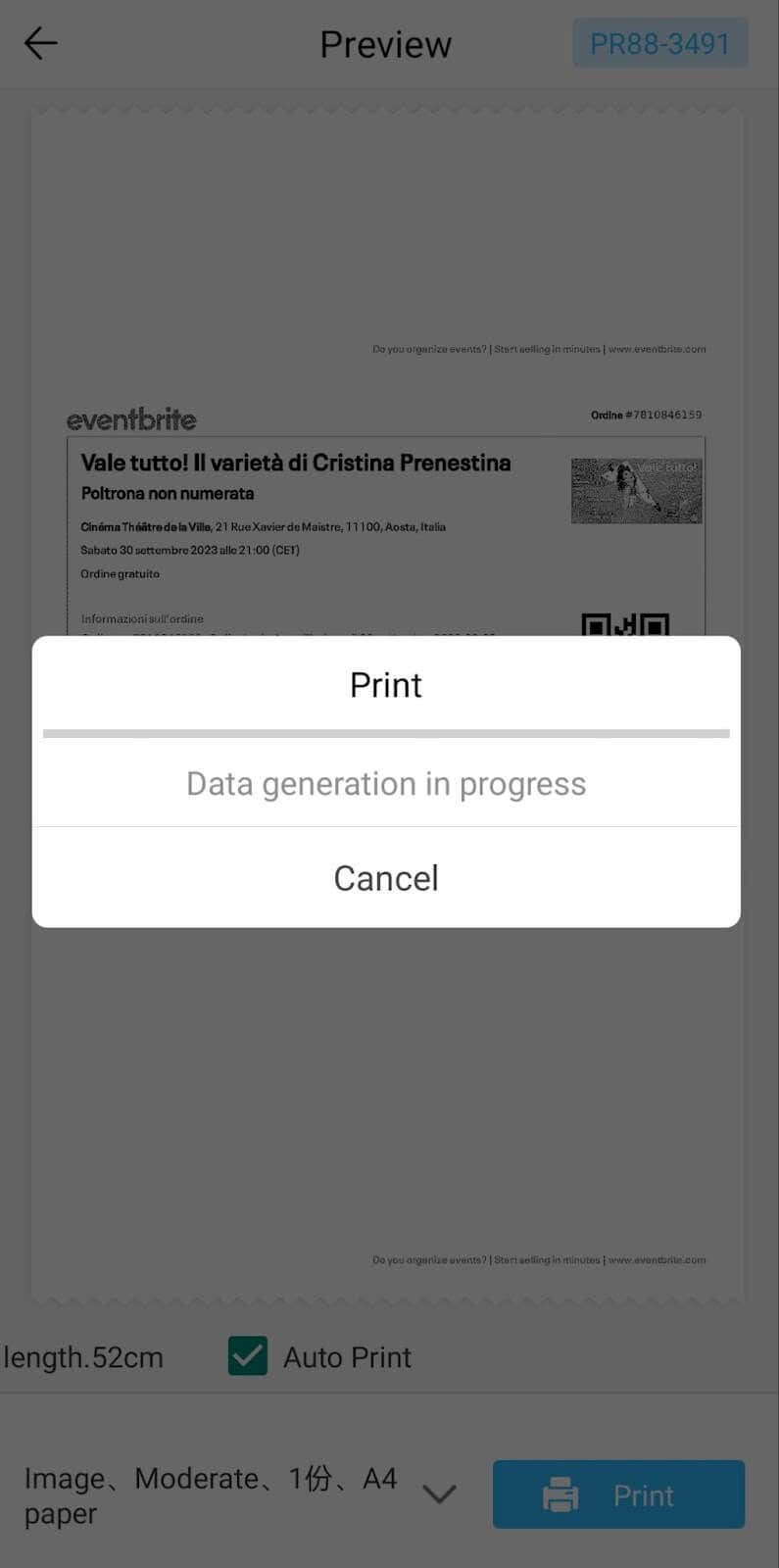
The app also has Materials and Template sections, where you can find various pictures and templates for printing to-do lists, post-its and holiday cards. You can also use the Newyes LD0801 as a label printer using these templates.
Battery Life
The Newyes portable wireless thermal printer is equipped with a decent 1200mAh lithium battery. This high-capacity battery allows you to print on the go without constantly worrying about running out of charge. When I received the printer, I charged it fully once, and it still hasn’t run out of battery after one month of use (I use it to print something almost every other day).
Charging this printer is quick and takes just over an hour to charge the printer from zero to full. The type-C charging cable facilitates a rapid charging experience. And if you run out of battery while on the go, you can quickly charge the printer from a portable power station or a power bank to continue printing.
The printer doesn’t support wireless charging, so I’d recommend always bringing the usb-c cable with you just in case.
Should You Buy the Newyes Portable Wireless Thermal Printer?
The Newyes portable thermal printer ensures high-quality wireless printing while on the go and easy operation. It’s not the most budget-friendly option, but this purchase will save you money and nerves in the long run thanks to its versatility and portable nature.
Personally, I can say that this printer made my life easier. So much that it’s probably my favorite smart gadget of the year. If you’re looking for a portable printer that won’t take any space in your house, I’d certainly recommend considering the Newyes LD0801 model.
- Tribit StormBox 2: The Under $70 Portable Speaker that Stands Out
- ENGWE L20 2.0 Review: The Best Budget-Friendly Foldable E-Bike?
- TopDon TC004 – a Thermal Imaging Camera That Will Give You Predator Vision
- Eskute Star Folding Fat Tire Electric Bike Review
- The 70mai Power Station Tera 1000 Review
