Are you looking for an automatic cleaning solution for your house that won’t break the bank? With the great variety of budget-friendly robot vacuums on the market, choosing one that suits your needs may be difficult.
If you’re on a budget and want to try a robovac, one option to look at is the Teendow G20 robot vacuum and mop combo. It may not be the best cleaning robot out there, but it’s a great all-in-one solution for someone looking for a blend of functionality and budget-friendliness.
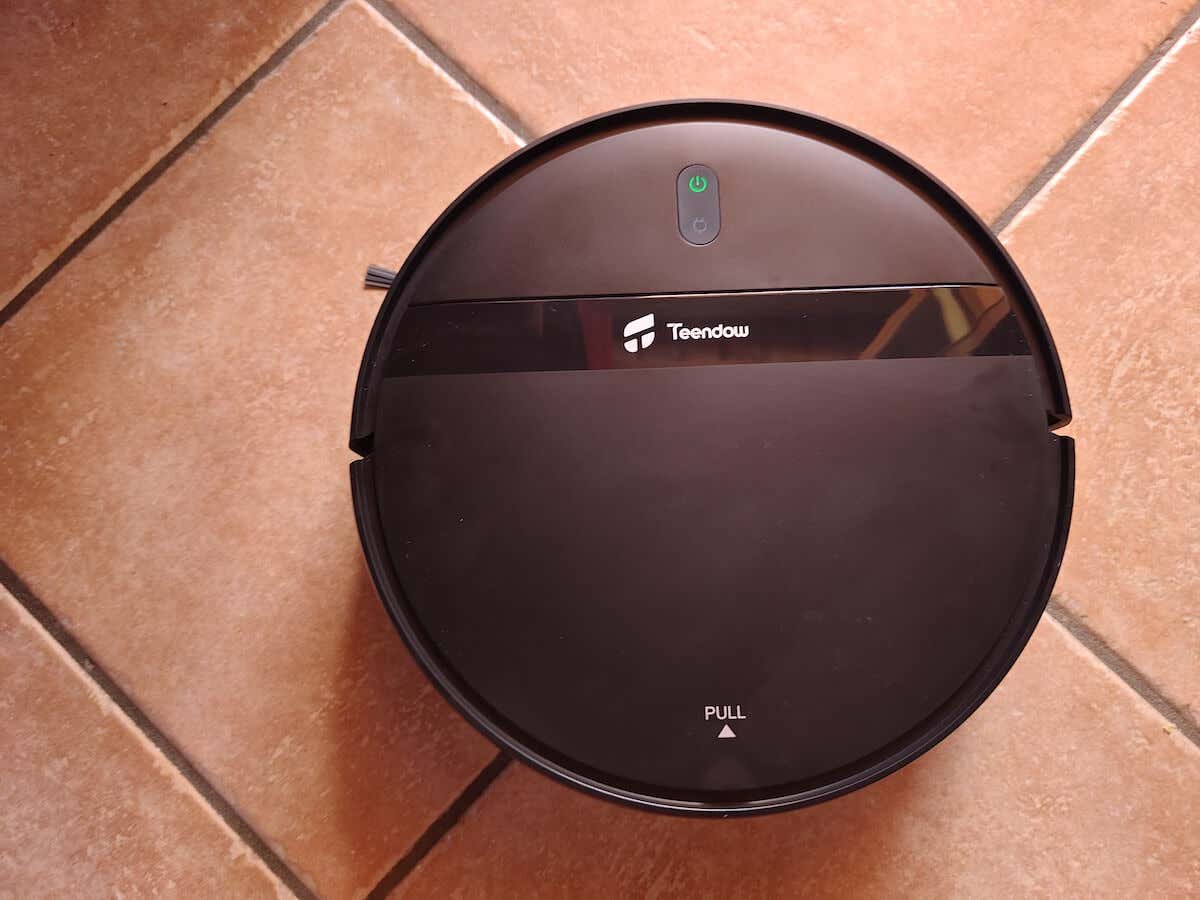
Follow our review of the Teendow G20 robot vacuum and mop to see if this is the right smart home device for you.
Teendow G20 Robot Vacuum and Mop: First Impressions & Specs
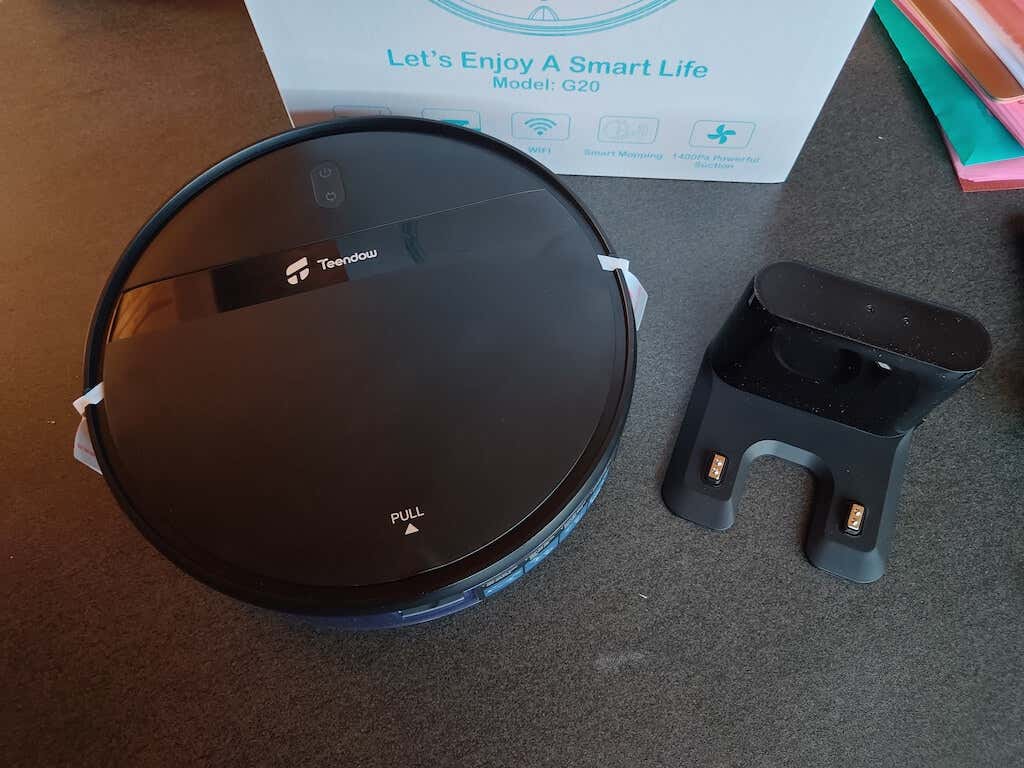
Compared to high-end vacuums, the 1400Pa suction power doesn’t seem like a lot (we’ve previously tested robovacs that featured the 4000Pa max suction power). Still, it’s enough to keep your hard floors and thin carpets clean if you vacuum regularly. The G20 may struggle if you have a lot of pet hair. In this case, I recommend getting a more specific model like the Trifo Ollie Pet edition robovac.
Many premium-grade robot vacuums often feature a separate base and a self-emptying system, allowing complete hands-free cleaning. However, the massive robot vacuum base may be a problem if you live in a smaller space. So unless you absolutely despise emptying the dustbin yourself, I’d advise against self-emptying robot vacuums .
Overall, if you’re looking for a solid robot vacuum that won’t take up too much space in your house and still offer efficient cleaning, the Teendow G20 is a good choice.
Before we dive into the review of this robot vacuum cleaner, here’s the full list of specs of the Teendow G20:
- Diameter: 11.8 in (300 mm)
- Height: 2.9 in (74 mm)
- Weight: 5.5 lbs (2.5 kg)
- Suction power: 1400Pa
- Rated power: 28W
- Operating voltage: 14.4 V
- Dustbin capacity: 200 ml
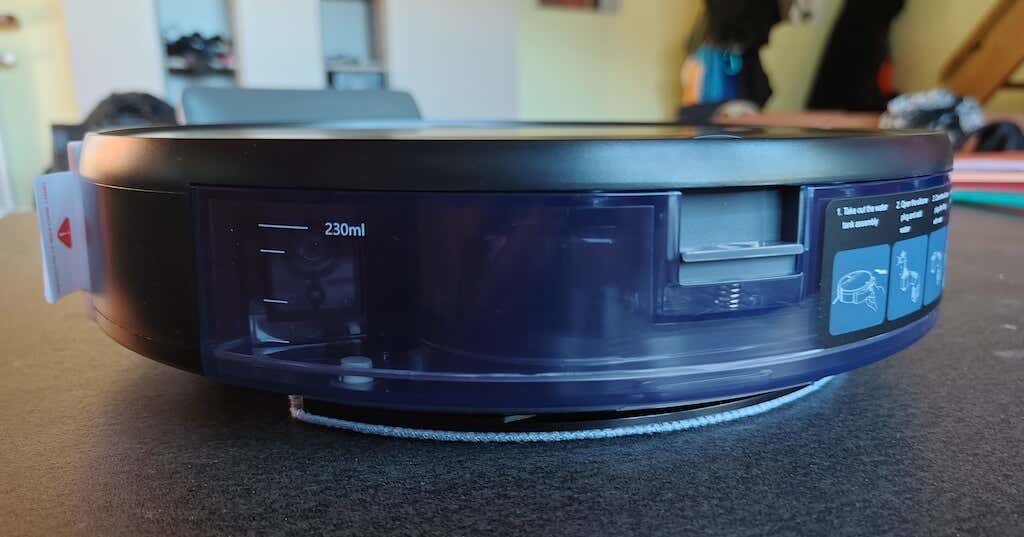
- Water tank capacity: 230 ml
- Cleaning modes: spot cleaning, automatic cleaning, edge cleaning, zig-zag planning cleaning
- Battery: 2500mAh rechargeable lithium battery
- Price: $229 on the Teendow website .
Design and Unpacking
The Teendow G20 robot vacuum and mop has a thoughtful and practical design. Although it’s nothing new if you’ve seen or used a robot vacuum before. The G20 has the same shape and overall look as Roborock , Roomba, Ecovacs, and other famous robot vacuum brands. However, it doesn’t have the raised circle with a LiDAR system like many robot vacuums, which allows the G20 to be slimmer than its counterparts and have more room to fit in tight spaces and under the furniture when cleaning.
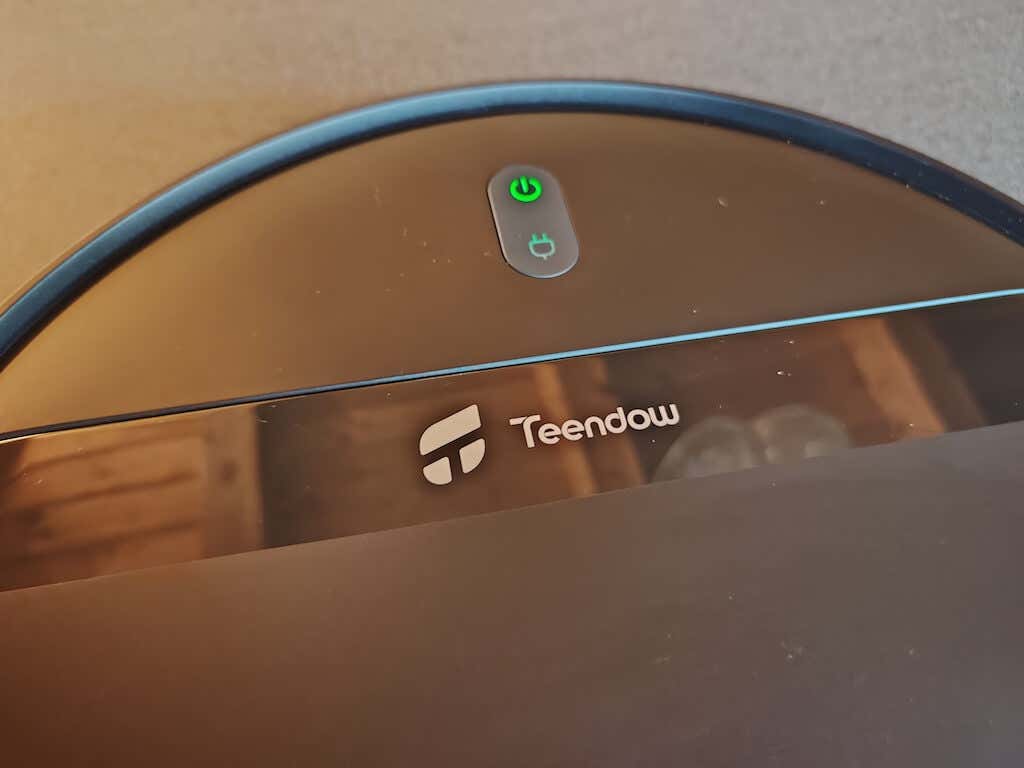
Upon unboxing, you’ll find the device securely packed in a protective cardboard crate and all its accessories.
What’s in the Box
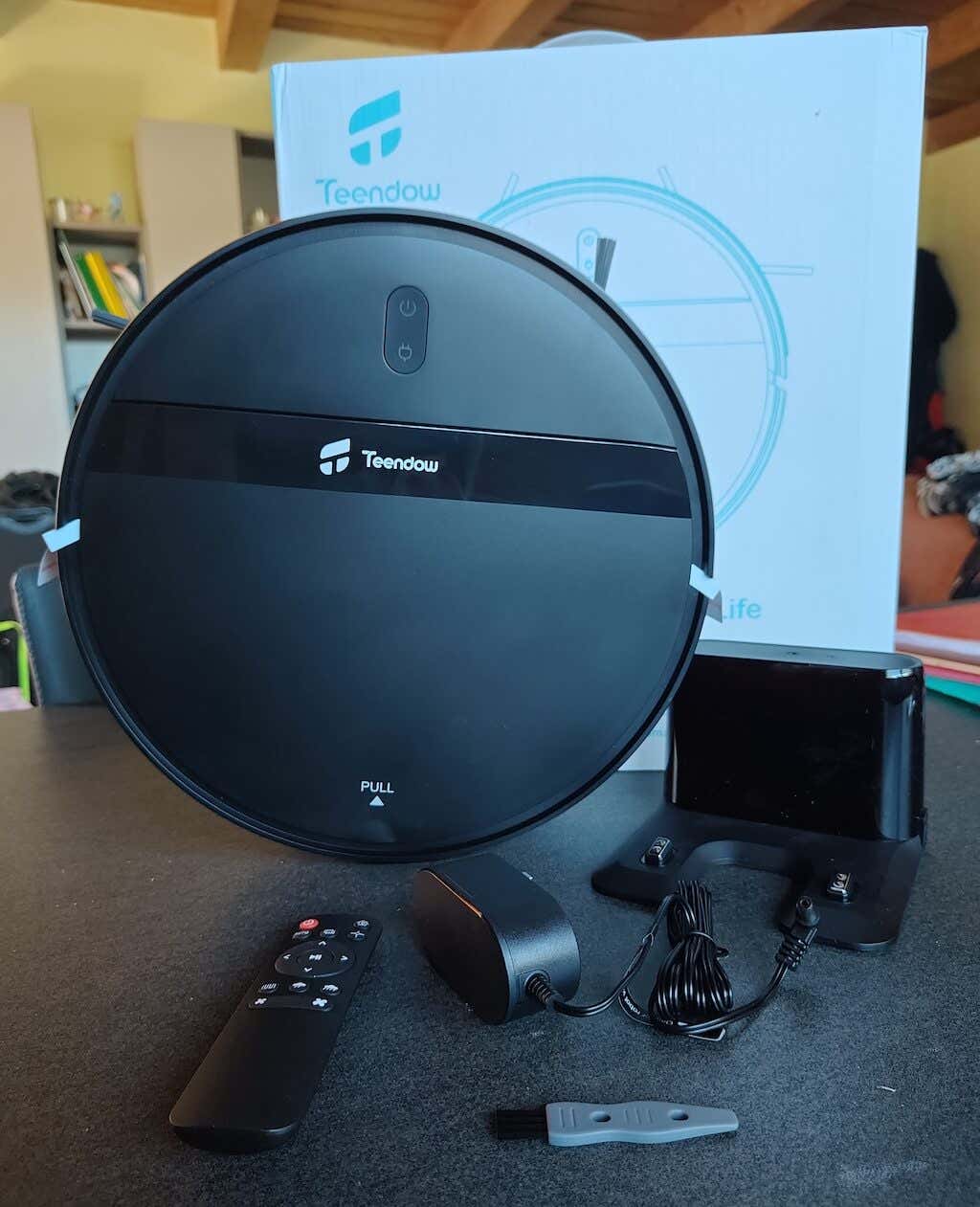
Here’s everything you’ll find in the box when unpacking your G20:
- Teendow G20 robot vacuum
- Charging base
- Charging adapter
- Remote control with 2AAA batteries
- Water tank & mop accessories
- Two side brushes
- Four water tank filter cottons
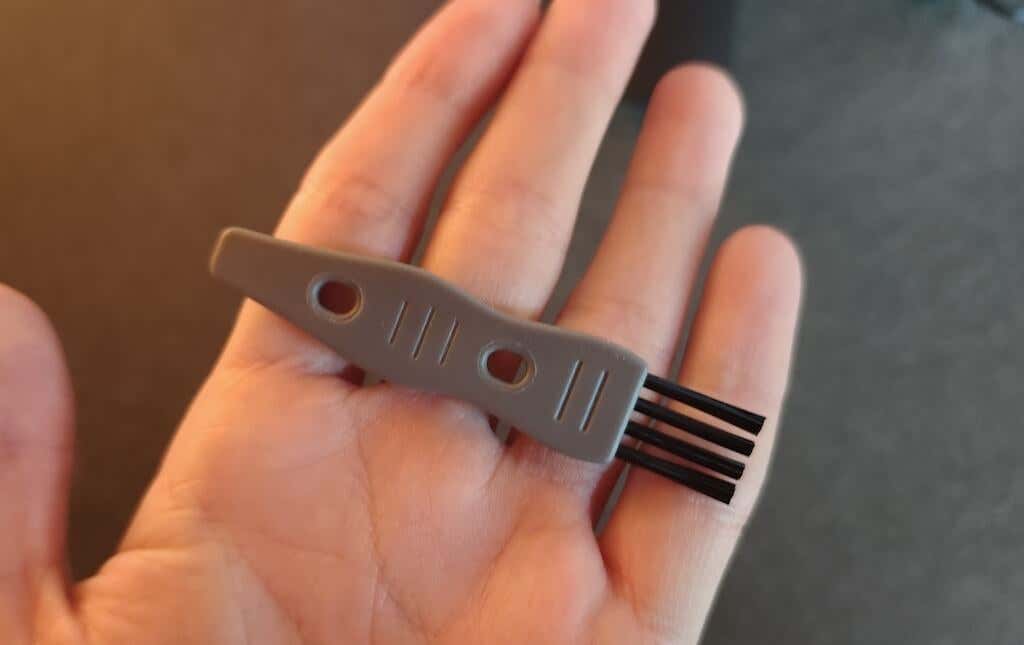
- Cleaning brush
- User manual & warranty card
I enjoyed unpacking the G20 and finding a few extras in the box, like the cleaning brush and the filter cottons for the water tank. Adding the batteries for the remote control is also a nice touch. These days, you often get a product without batteries, an SD card, or something else that prevents you from using the item straight out of the box. This is not the case with the G20.
The robot vacuum is simple and compact. The dimensions measure 11.8″ x 11.8″ x 2.87″. Thanks to its compact size, the robot vacuum can fit into tight spaces and navigate through various areas of your house.
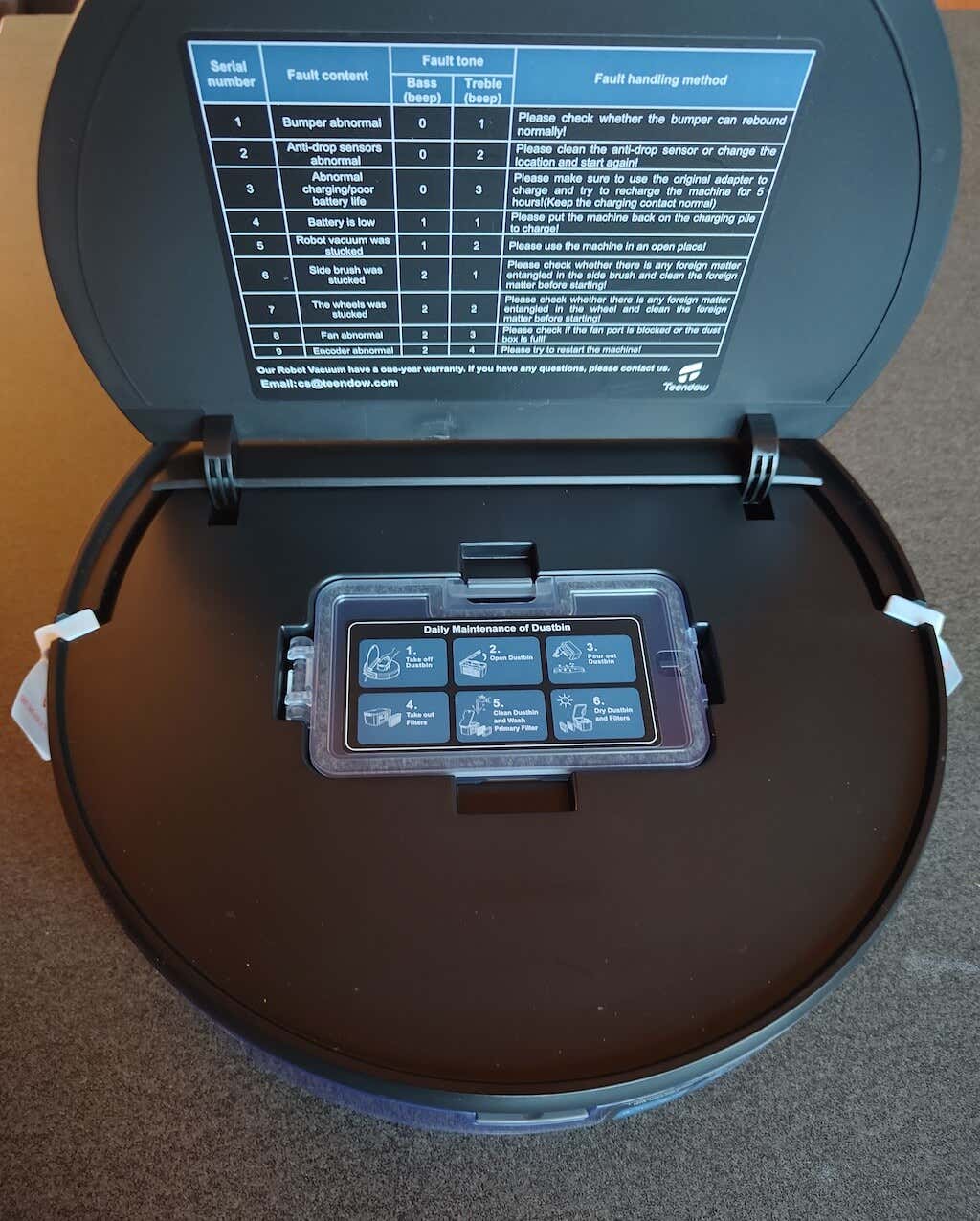
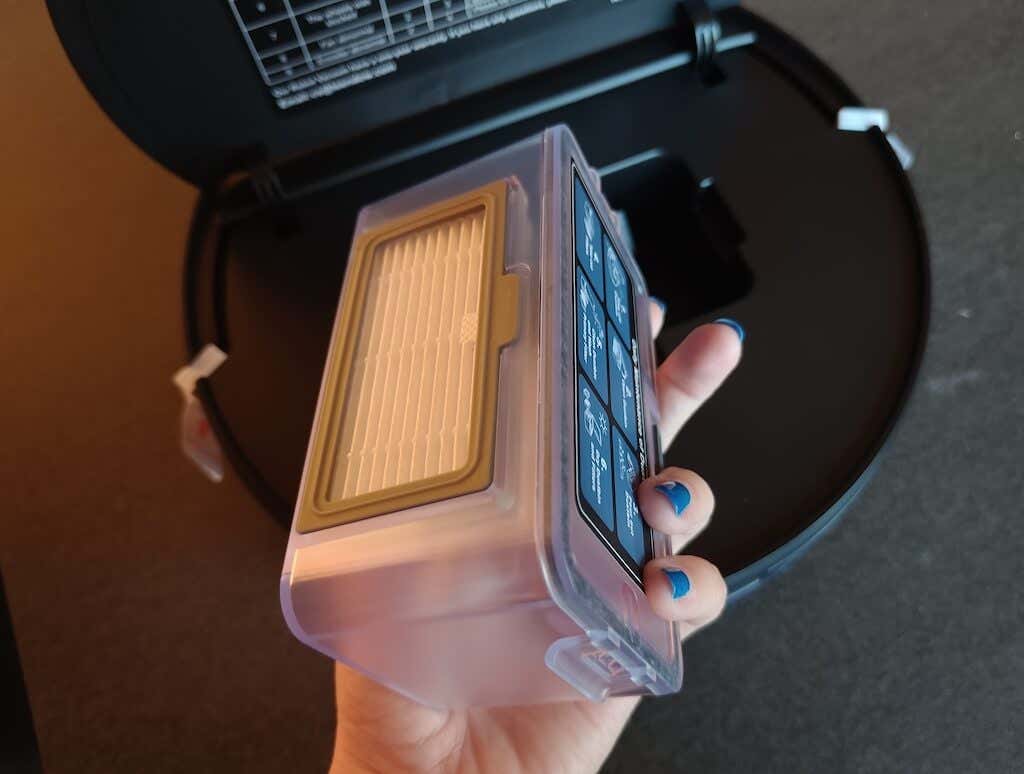
On the top panel of the vacuum, you’ll find intuitive buttons for power and recharge. When you open the top lid, you’ll see the small dustbin and filter inside the vacuum. The dust box has only a 200 ml capacity, which is a little. This means you’ll have to empty it often, especially when you need the G20 to pick up big messes.
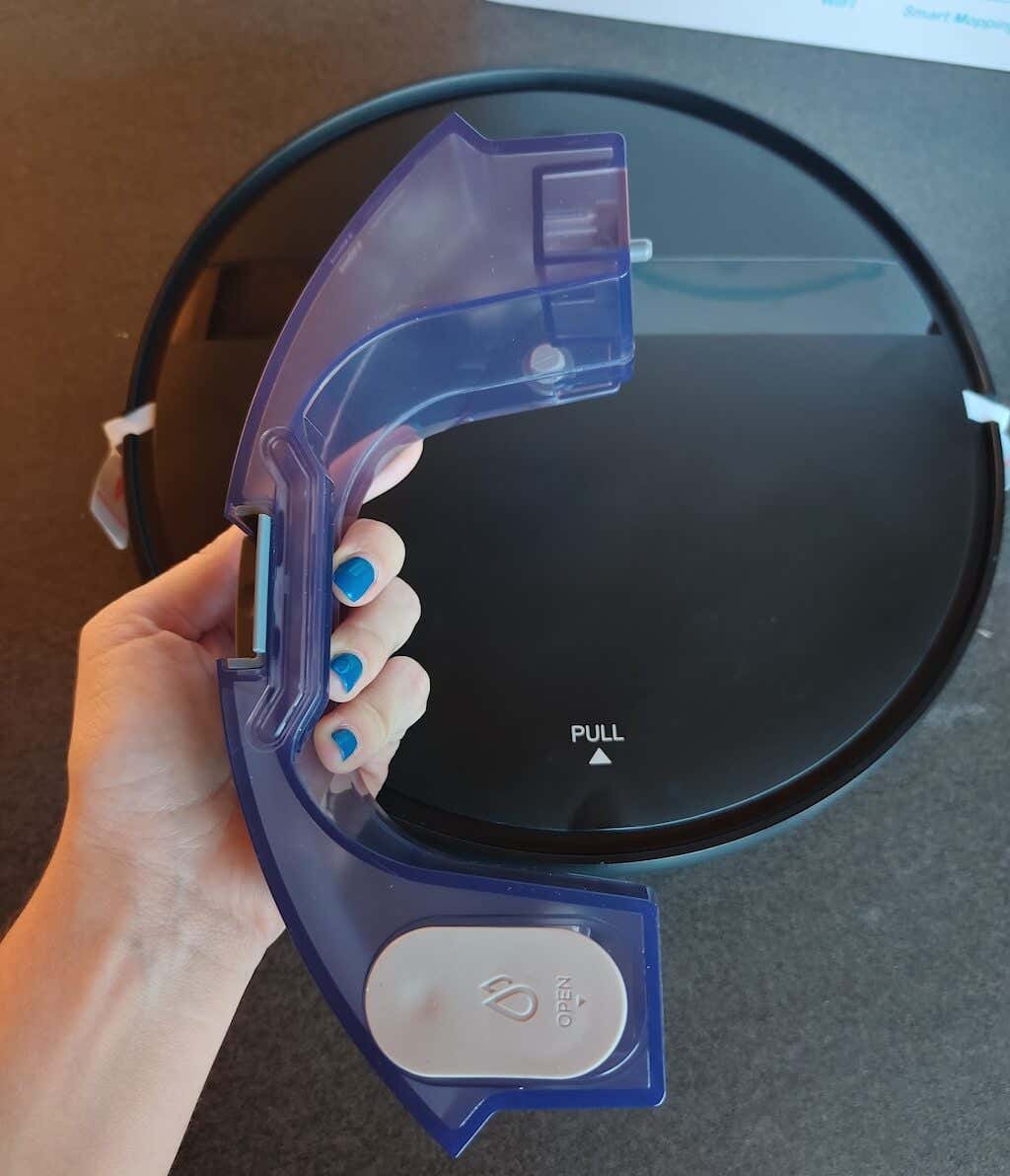
The water tank is a little bigger — 230 ml — and is easy to install.
On the bottom of the robovac, two drive wheels are on each side, and a universal wheel is in front. Before the first use, you must install the two side brushes on your G20 robot vacuum. Underneath, you’ll find the mop pad, which can be easily detached from the mopboard.
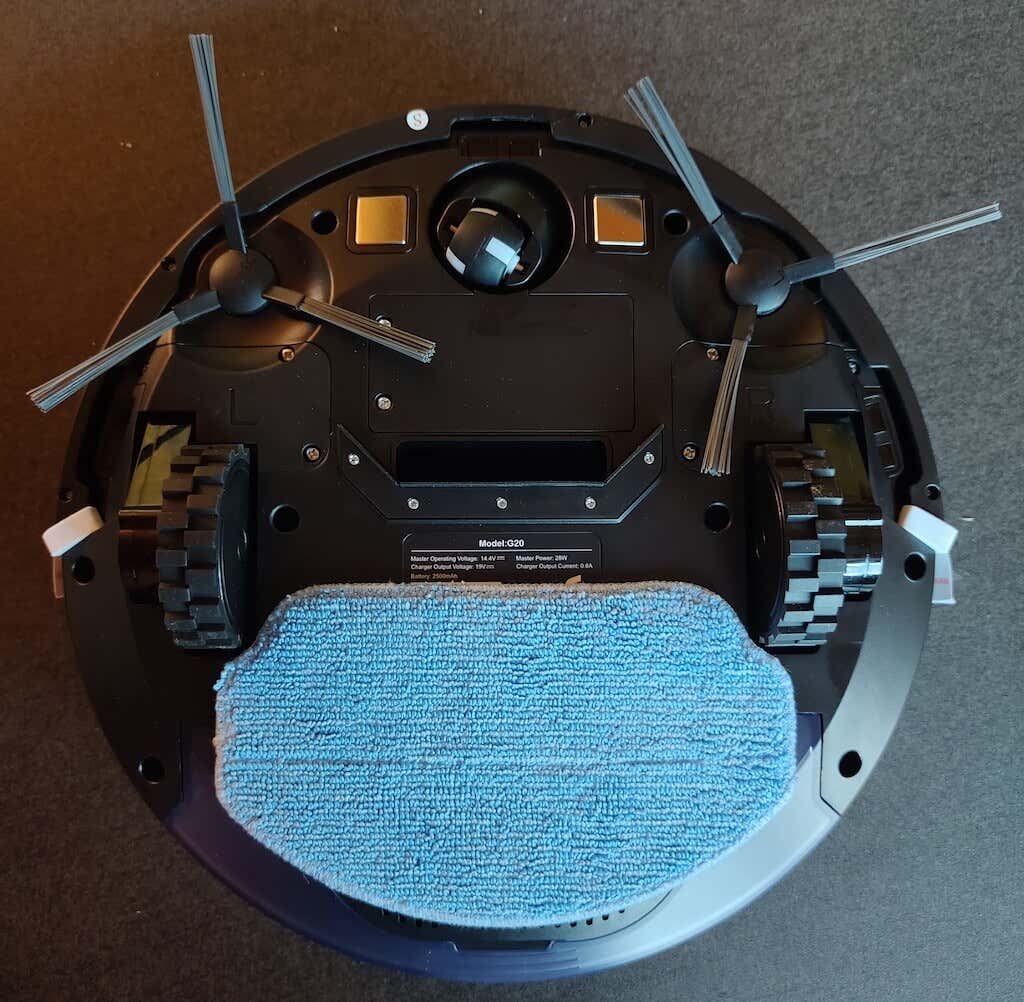
Around the device, you’ll find the anti-collision sensors strategically placed around its body. These sensors intelligently detect obstacles, minimizing collisions and ensuring a smoother cleaning experience. Additionally, three anti-drop sensors are positioned at the bottom to prevent accidental falls, enhancing safety during operation. That way, you don’t have to worry about using the G20 near staircases or elevated surfaces.
Overall, the Teendow G20 Robot Vacuum and Mop is packed with user-friendly features in its design. The top lid provides access to the dust box and filter, making maintenance and cleaning hassle-free. The water tank at the back is easily detachable, allowing for convenient refilling and efficient mopping. The device comes with a mop pad that can be detached from the mopboard, making it simple for you to clean and reinstall it back.
Performance & Features
The Teendow G20 is a decent cleaning solution for keeping your house dust-free and with light maintenance. At the same time, it may not be suitable for hardcore cleaning and cleaning big messes like lots of pet hair or cleaning different surfaces.
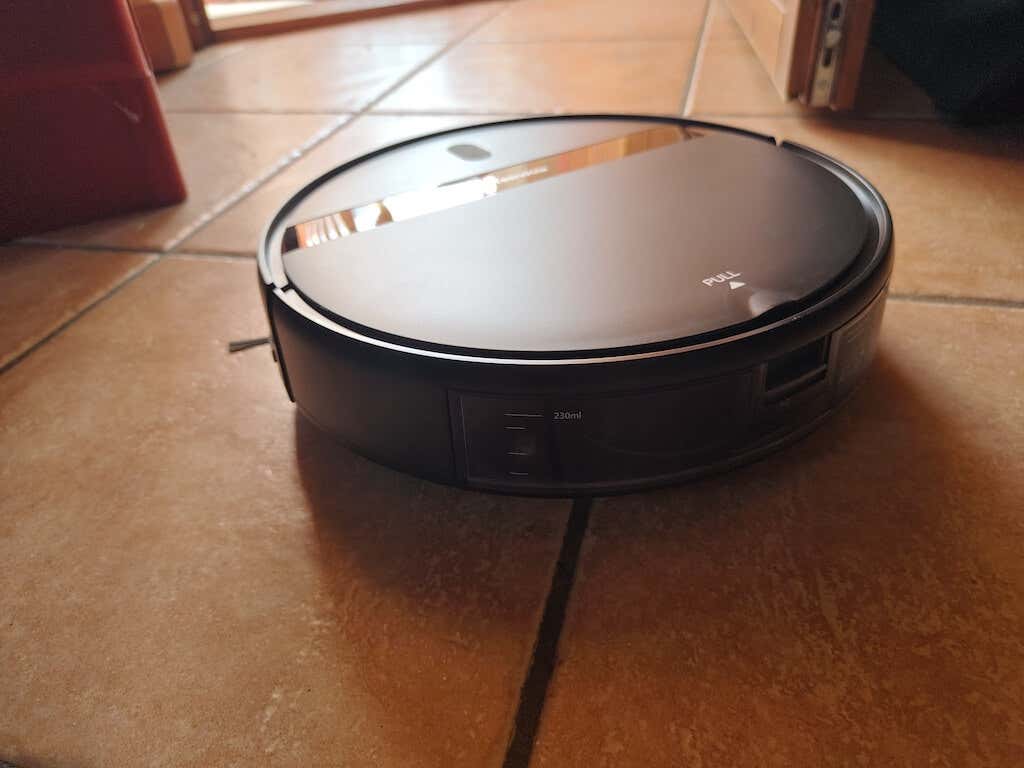
During testing, the robovac did fine with cleaning hard floors but struggled cleaning a thick rug and picking up larger debris off the floor.
The vacuum and mop combo works well and can even clean up some spills and fresh stains. However, if it’s a stain left on the floor for a while, the G20 will likely struggle to clean that as well.
One notable feature of the Teendow G20 is its quietness compared to other vacuums. It’s designed to operate with minimal noise levels, which is excellent if you have a baby in the house or don’t want to scare or disturb your pets. The quiet mode ensures a discreet cleaning process, making it suitable for use late at night or when focusing on work or relaxation.
The cleaning time is about 1.5 hours on a single charge. However, when the battery drops to 20%, the robovac will automatically go to the base station and start recharging.
Due to the dustbin being relatively small, you may have to empty it several times during a heavy-duty cleaning session.
Despite the G20’s efficient obstacle detection system that prevents collisions with walls, it’ll occasionally hit a chair leg or go over a wire left on the floor. This can mean the sensors struggle to identify smaller obstructions around the house. I live in a two-storey apartment and always test the sensors on the bottom of the vacuum, which are responsible for avoiding falls. These sensors on G20 work better, so you don’t have to worry about damaging your robovac.
Software and Remote Control
The Teendow Robot Vacuum G20 offers three different control options: via the mobile app for those who prefer controlling the robovac from their smartphone, remote control for the fans of physical buttons, and voice assistants for those who prefer the hands-free experience.
The companion mobile app is simple and intuitive to use. It offers a range of features, including setting cleaning schedules, selecting various cleaning modes, and checking the battery status. The app’s intuitive design ensures that even those new to smart home technology can easily navigate and use it.
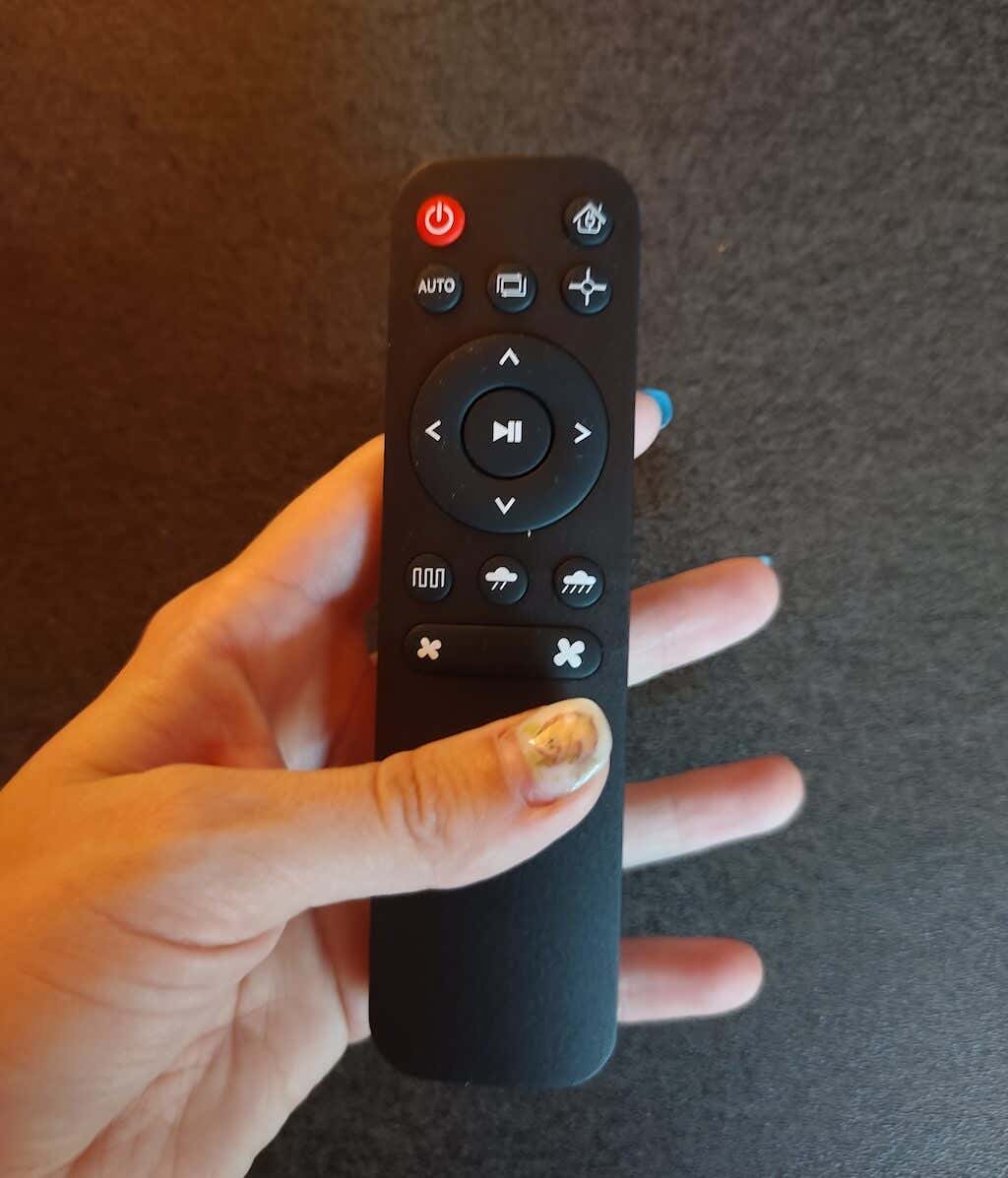
In addition to app-based control, the Teendow G20 has a remote control. This remote, powered by two AAA batteries, offers an alternative way of directing the robot vacuum. It’s a convenient option for those who prefer a physical remote for controlling the device.
This blend of Wi-Fi connected capabilities, and a dedicated remote control makes managing the Teendow Robot Vacuum G20 a straightforward and adaptable experience, no matter your preferences and lifestyle.
Battery Life
The G20 robot cleaner is equipped with a solid 2500mAh rechargeable lithium battery. The battery capacity is enough to keep your home spotless even with daily usage.
The charger and the charging base ensure that your robovac recharges automatically whenever its battery level is lower than 20%. According to our testing results, the G20 can run for up to 1.5 hours on a single charge, which is enough for the vacuum to clean, if not your entire house than most of it.
Should You Buy the Teendow G20 Robot Vacuum and Mop?
If you’re seeking a reliable, budget-friendly cleaning solution that’s efficient and versatile, the Teendow G20 Robot Vacuum and Mop is a decent choice. The 2-in-1 vacuuming and mopping functionality, long battery life, and simple control options’ll give you a taste of smart home automation and keep your house dust-free.
That said, if you’re looking for a deep-cleaning solution or for a pro-level robot vacuum, the G20 won’t suffice. It lacks many premium features that you’ll find on more expensive high-grade robovac options.
- Tribit StormBox 2: The Under $70 Portable Speaker that Stands Out
- ENGWE L20 2.0 Review: The Best Budget-Friendly Foldable E-Bike?
- TopDon TC004 – a Thermal Imaging Camera That Will Give You Predator Vision
- Newyes Portable Wireless Thermal A4 Printer Review
- Eskute Star Folding Fat Tire Electric Bike Review
If you don’t have a full-sized printing machine at home and often need to print a document on the go, check out the Newyes portable printer . This wireless printer is lightweight and small enough to fit in your bag. Not to mention it’s environmentally friendly, since it uses thermal paper instead of ink.
Follow our review of the Newyes portable wireless thermal printer to see if it suits your printing needs.
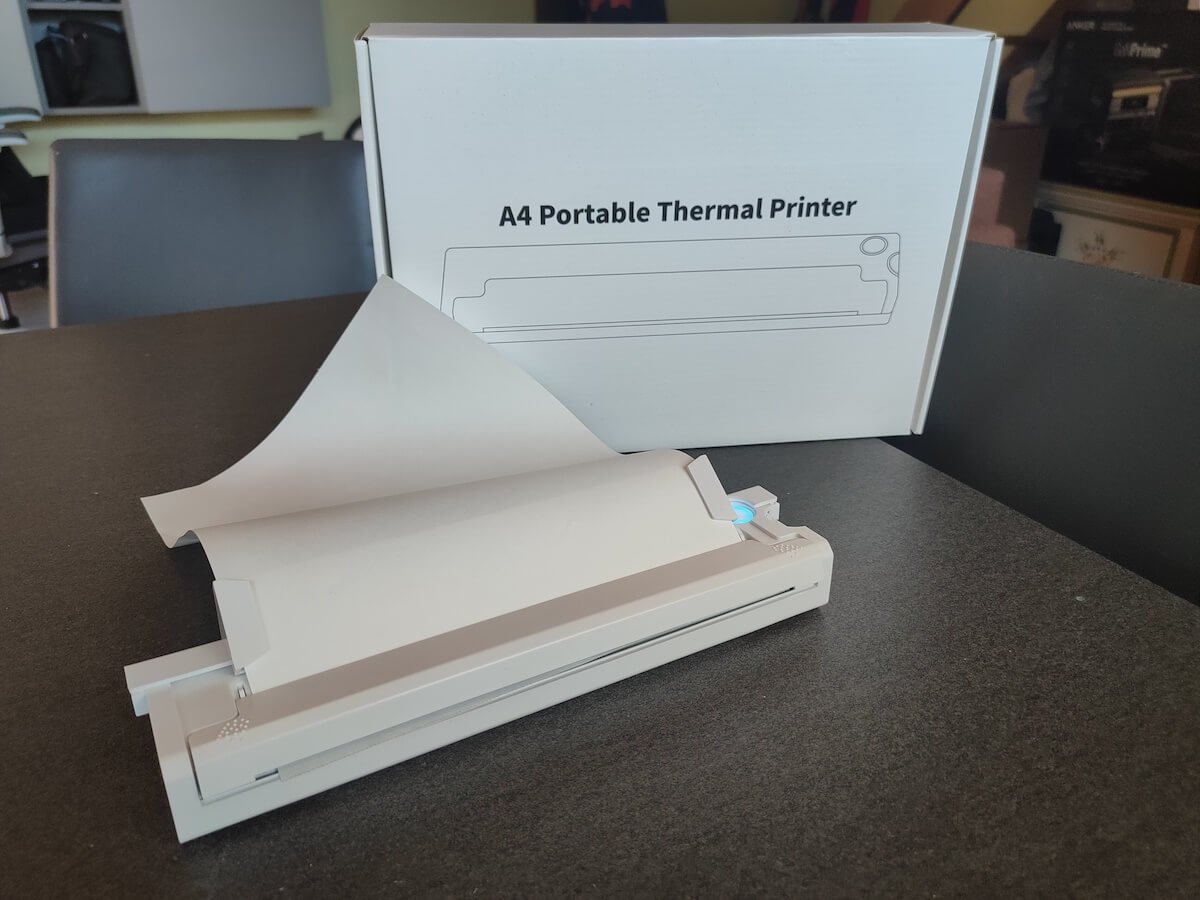
Newyes Portable Wireless Thermal A4 Printer: First Impressions & Specs
When I was a student, I remember my university always required hard copies of documents. Luckily, there was a print shop on campus where I could always pop in to print something.
Then I became a professional, and to my surprise many life spheres still required me to have printed versions of documents with me. Of course you can get your own full-sized machine to print things at home, but if like me you live in a small apartment, you value every extra bit of space and don’t want a massive printer to take it up.
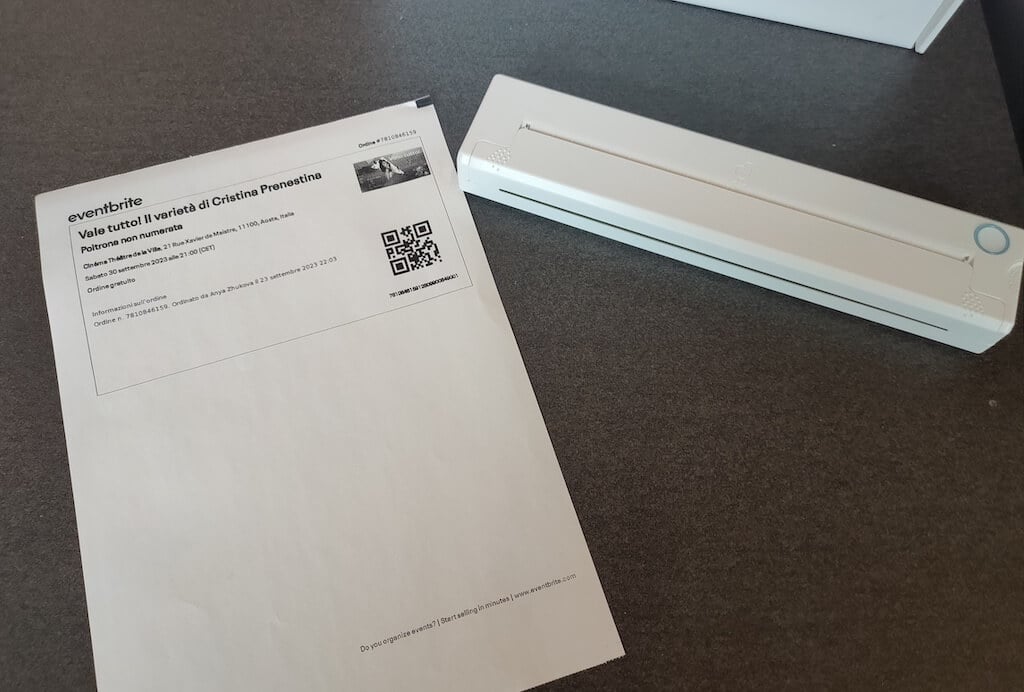
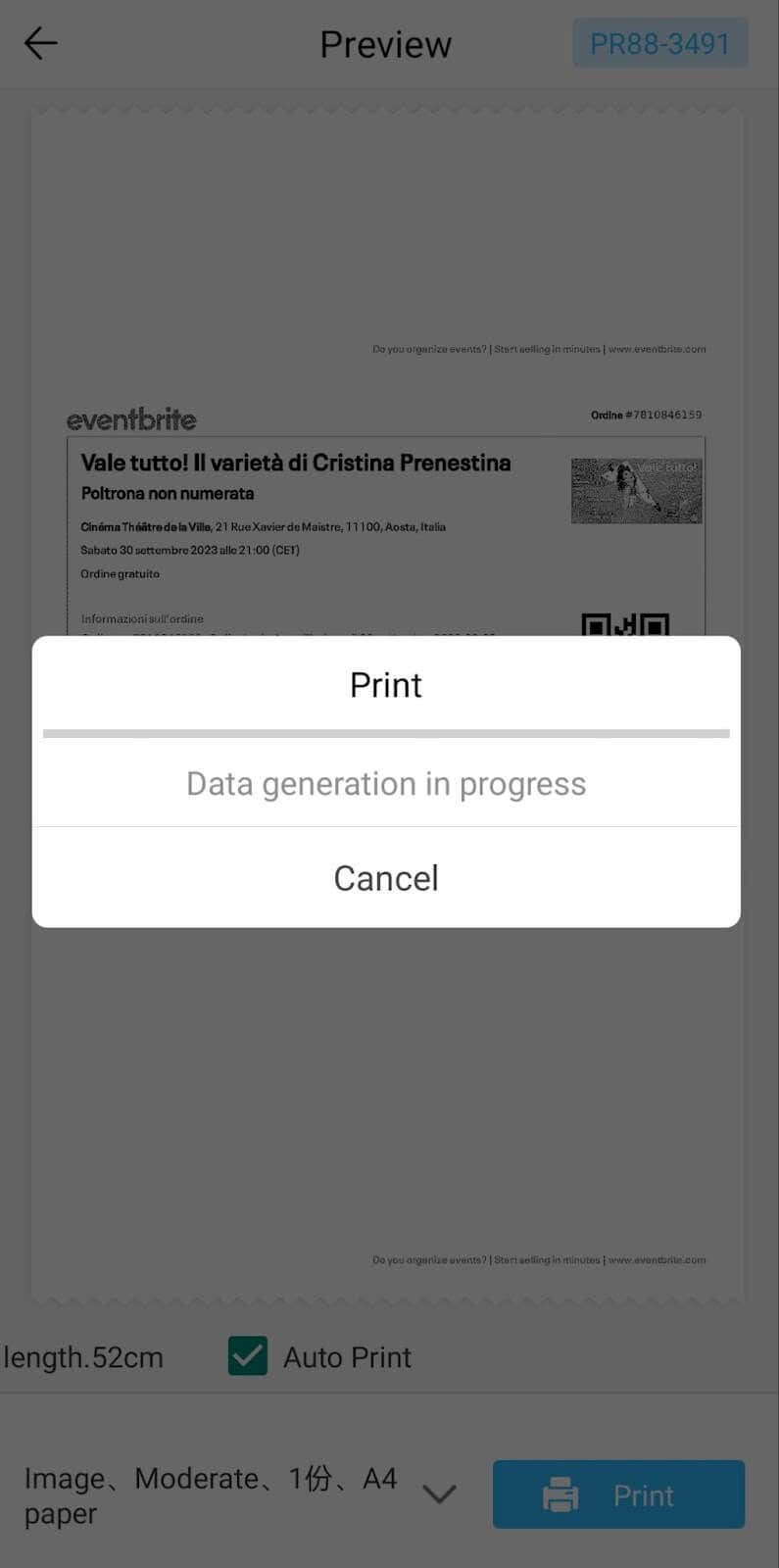
One day, when I was looking for a neighbor with a printer to help me with my event tickets, they introduced me to the concept of a portable printer. Seeing how easy it is to use, I immediately wanted to get my hands on one of those. So here I am, reviewing one of the most useful gadgets I received recently – the Newyes portable thermal printer.
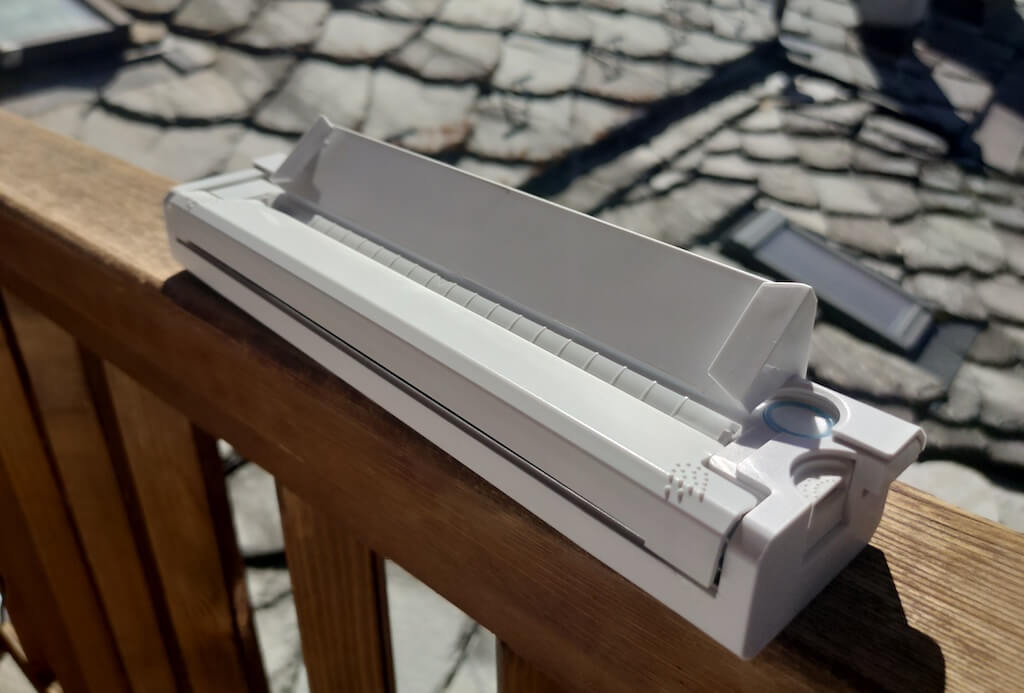
Before we continue with this review, here is the full list of specs of this printer.
- Model: Newyes LD0801
- Dimensions: 10.4 x 1.2 x 2.28 in (265 x 58 x 30.5 mm)
- Weight: 16.8oz (475g)
- Paper format: A4
- Paper width: 210mm or 218mm
- Printing Type: thermal paper
- Resolution: 203DPI
- Connectivity: Bluetooth
- Charging port: USB type-C port
- Input Voltage: DC 5V / 2A
- Battery: 1200mAh lithium battery
- Charging time: 75 min
- Automatic shut down: after 30 minutes
- Stand-by: about 30 days
- Extra features: LED light, reset, on / off switch button
- Color: white, black
- Warranty: limited one year warranty
- Price: $199 on the Newyes website
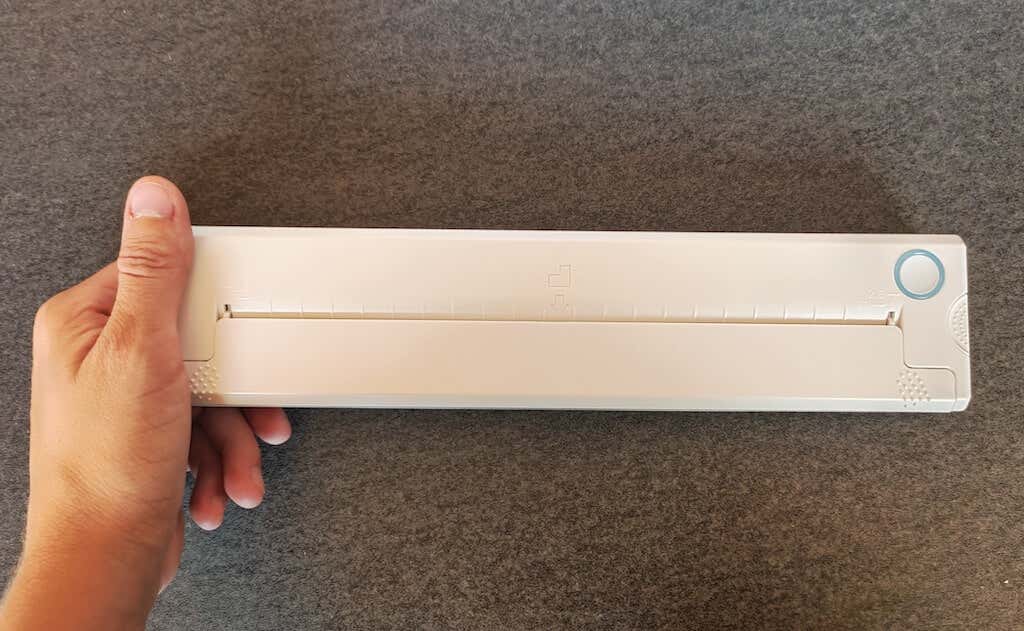
If you find yourself in need of hard copies of important documents while on the move, the Newyes portable wireless thermal printer will become your go-to gadget. Newyes calls it “the world’s smallest printer”, and with the weight of under 500g this seems plausible. This mini printer offers a handy solution for those moments when you need to quickly print an important document but don’t have access to an office setup.
Operating this printer is a breeze – a simple Bluetooth connection is all that’s required. Once connected, just fire up the app, choose the file you want to print, and send it over. Efficiency is at the forefront, and you can easily print multiple sheets by inserting new pages back to back.
The only limitation this printer has is that it can only print in black. So even if your original file is in color, the printed document will still come out in black and white. Other than that – you can print a variety of file types including Excel, Word, PDF, JPG, PNG, and web pages – and it only takes seconds.
The Newyes portable wireless printer combines convenience, portability, and efficiency – all the things I appreciate in a modern gadget.
Design and Unpacking
Let’s have a closer look at the design and build of this smart printer, as well as what you get included in the package when you purchase it.
What’s in the Box
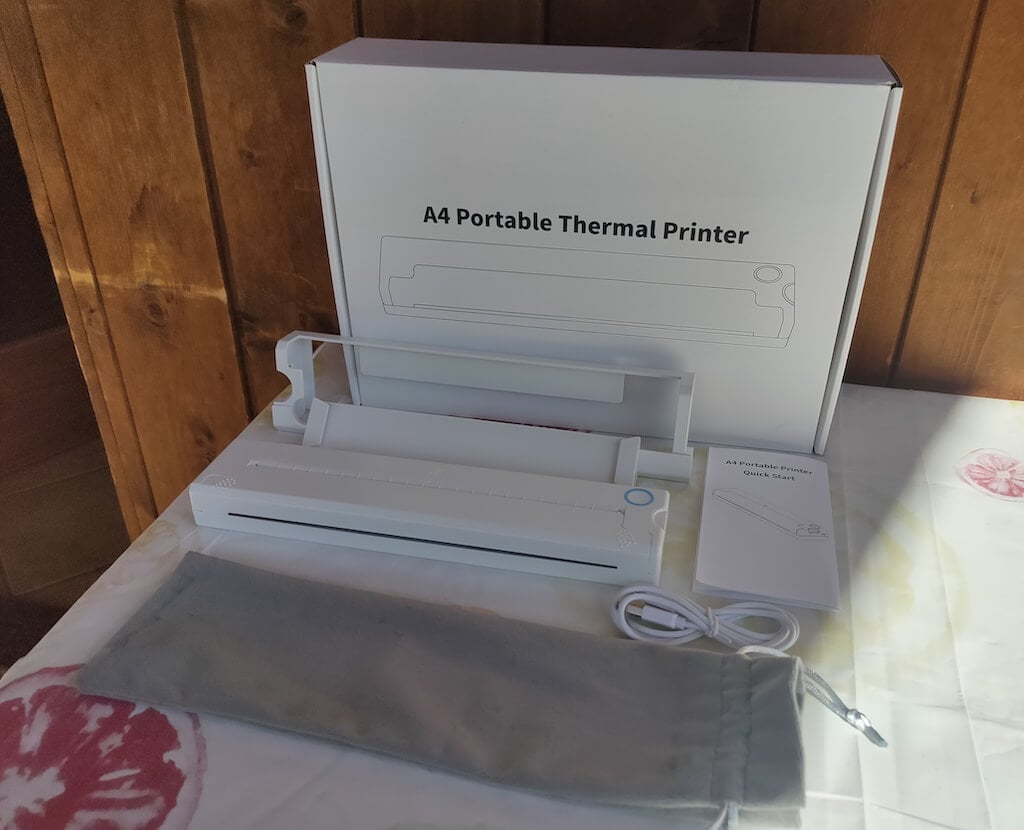
Here’s everything you’ll find when unpacking your Newyes portable thermal printer:
- The Newyes portable wireless thermal printer
- Bracket
- USB type-C cable
- Storage/carrying pouch
- 100pcs thermal printing paper
- User manual
You can use the Newyes portable printer right out of the box, as you’re all set with essential accessories. Aside from the printer itself, the package includes a bracket which will make printing more than one page smoother, a convenient storage bag for carrying your printer with you, a USB-C cable for charging, and a supply of 100 pieces of thermal paper to get you started.
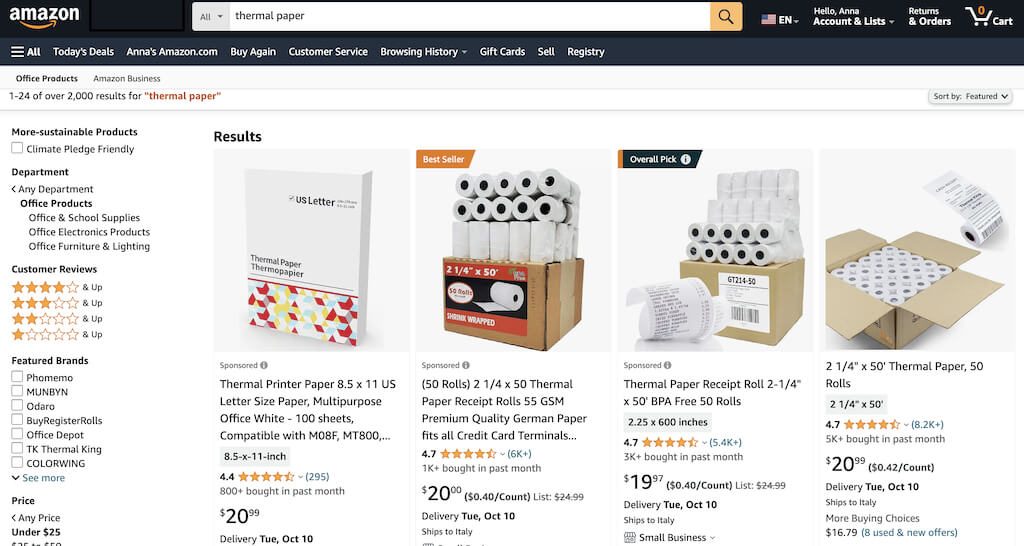
One important thing to remember is that this printer only works with thermal paper. While thermal paper is significantly more expensive than normal paper, this printer also uses inkless printing and works without a ribbon and toner. Since you don’t have to spend money on ink, carbon ribbons or toner cartridges, you ultimately end up saving money with thermal paper.
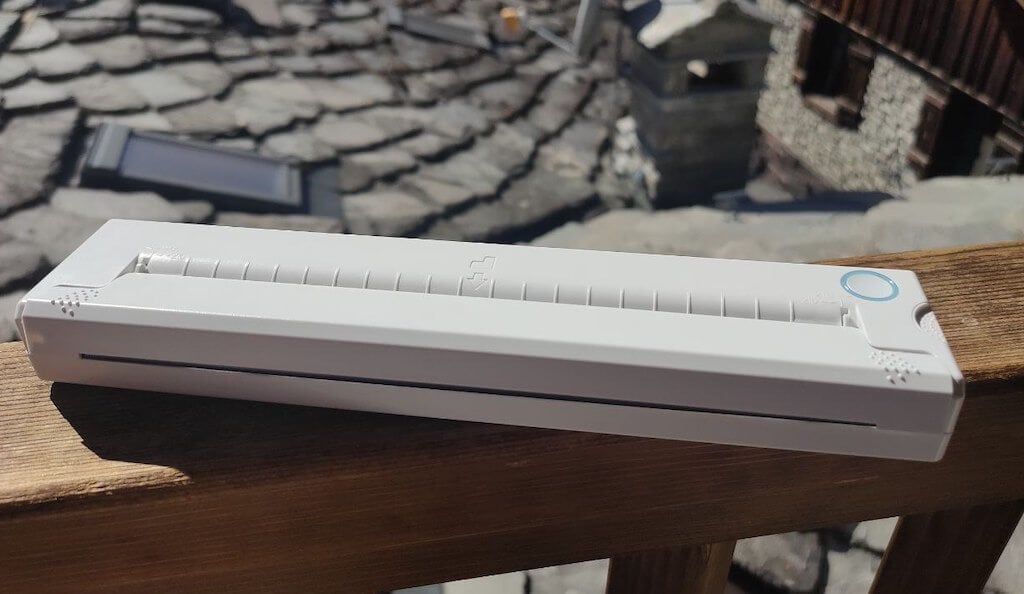
The Newyes LD0801 is a pocket-sized printer that features straightforward design. For the purpose of this review, I had a printer in white color. The printer looks like a small white brick with just two pressable buttons on top – one for switching it on and off, and another for opening the printer’s cover. You’ll also see the paper entry slot on top of the printer.
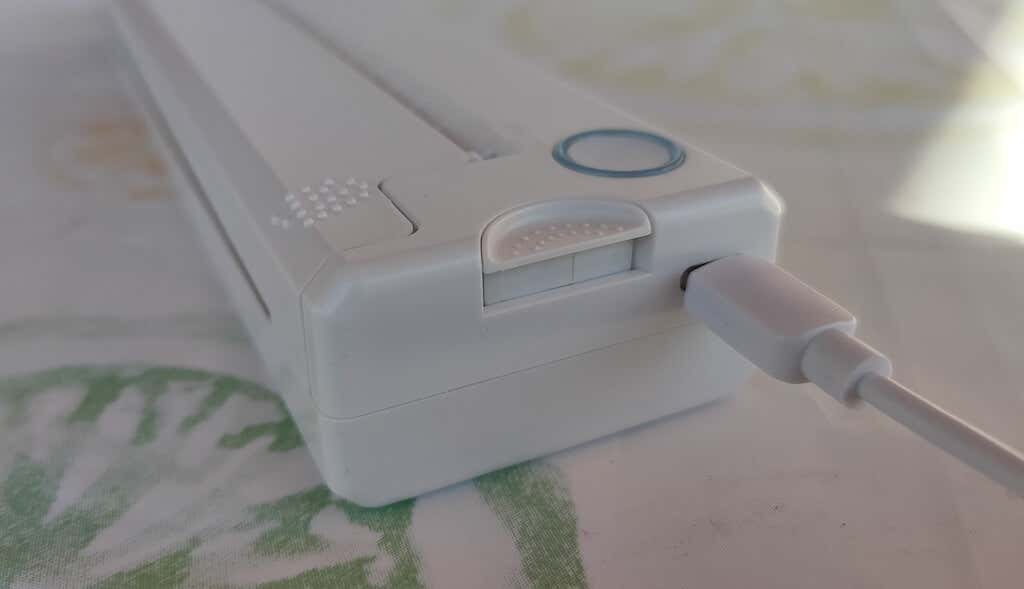
On the side of the printer, you’ll find a single charging port.
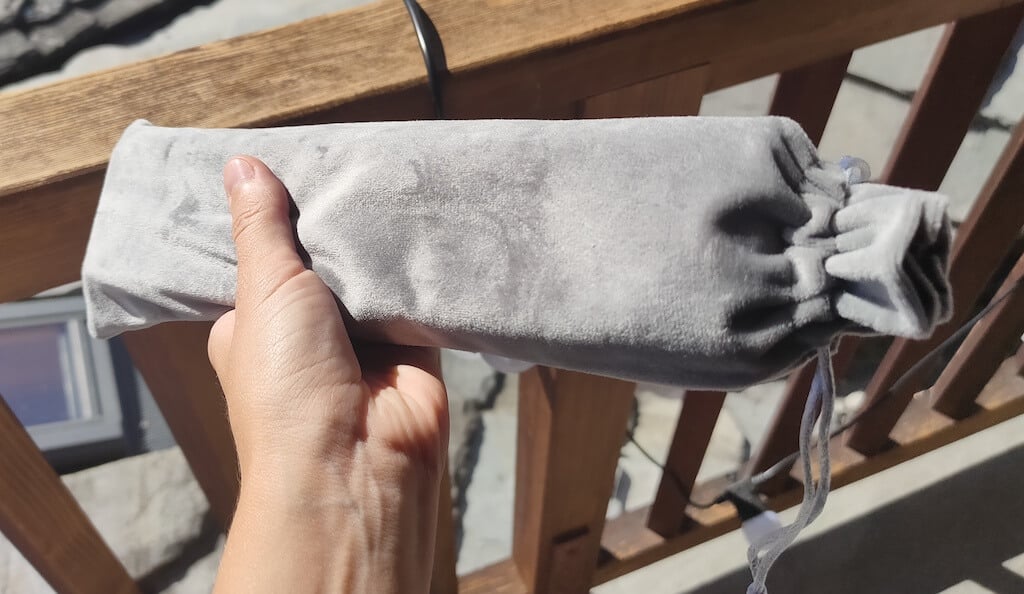
The printer is made of plastic, but the build feels sturdy. I never have to worry about throwing it into my bag or damaging it when traveling. Besides, you can use a nice carrying pouch included in the package for protection.
Performance & Features
According to Newyes, the portable printer has a “handheld size and two times the weight of an iPhone”. This can give you an idea of how portable and convenient this little gadget is. In a month of testing, I used it at home, in a store, and even in a car while on the road.
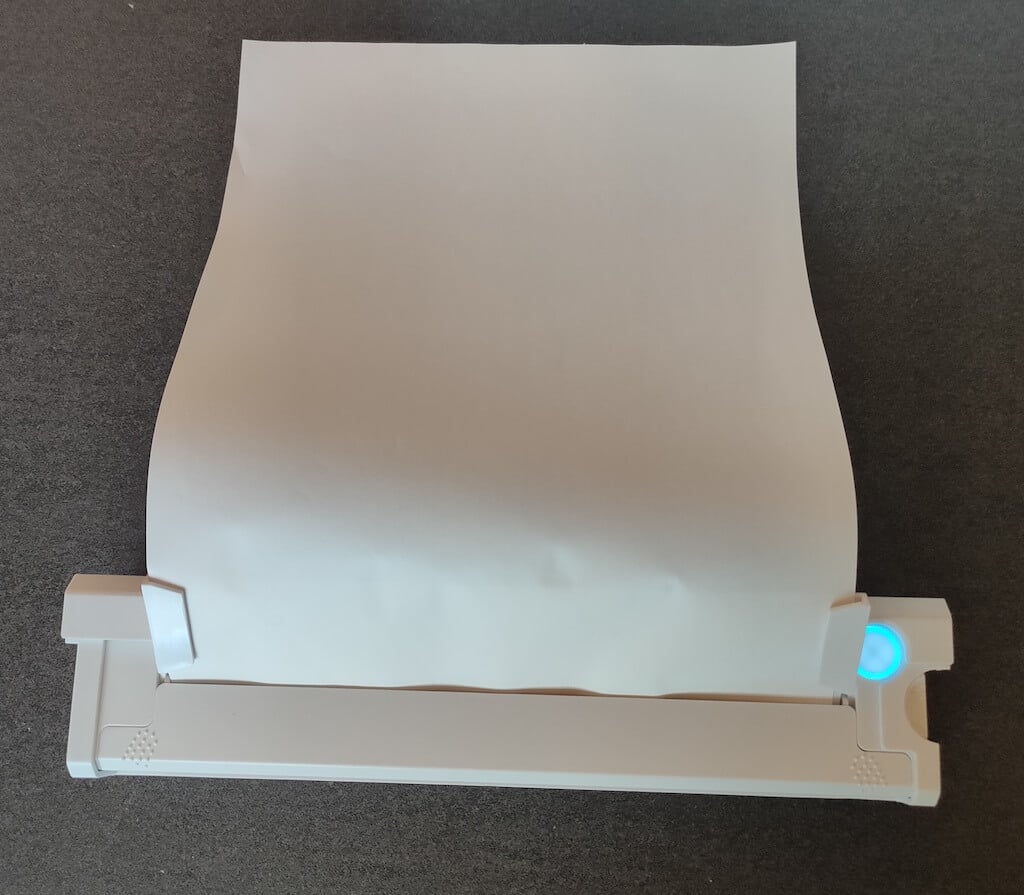
Using the printer is unbelievably easy. Connect it to your mobile phone via Bluetooth, press the button to turn the printer on and put a sheet of thermal paper into the paper entry slot. Make sure to use thermal paper and not standard paper, and put it with the black marks facing down. Bear in mind that the thermal printer can only print in black and white and only on one (marked) side of the thermal paper sheet.
Then open the iPrint app on your smartphone. If you’re printing an A4 document, you can select one of two options – Photo Printing and Document Printing . Then choose the document from your phone’s files and print it.
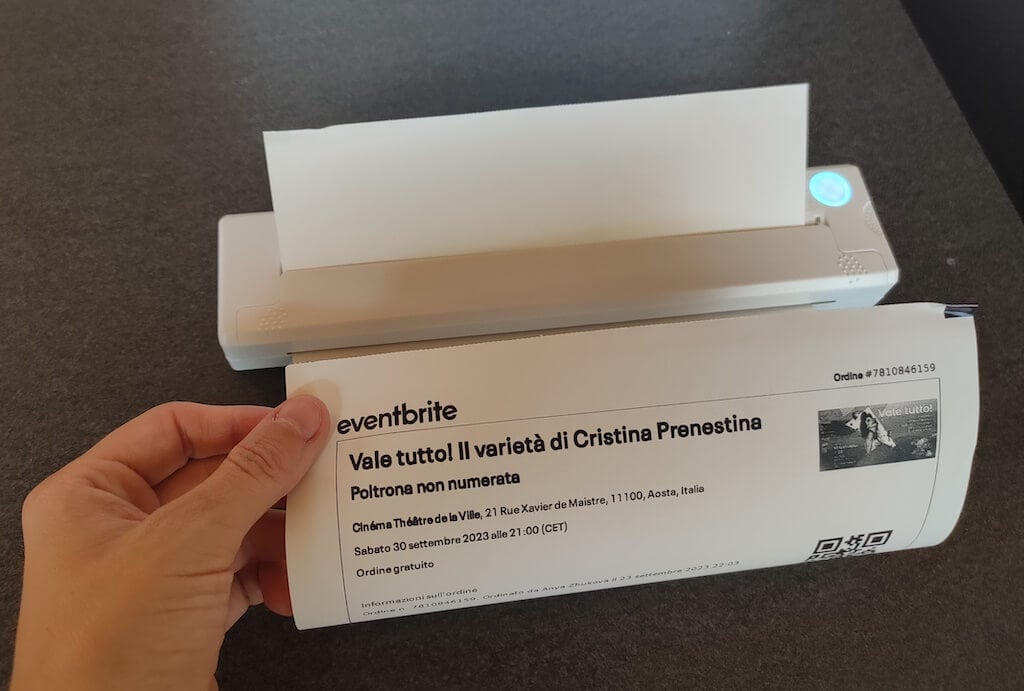
The printer is reliable and in the time that I used it the Newyes LD0801 never let me down. The printing quality will surprise you, as it’s sometimes better than what you get from a full-sized printer. The printer supports printing in various formats, and you can use it to print documents from your smartphone (Android and iPhone), iPad, and Android tablet.
When fully charged, the printer can support up to 90 pieces of paper continuously, which is very impressive for a gadget of such a small size.
Software
The Newyes portable printer requires an iPrint app to operate. The app is available for free on iOS and Android. You’ll need to download the app on your device from the App Store or Google Play before you begin printing your documents.
The app has a simple and user-friendly design. You’ll need to pair your device with the printer on the first use via Bluetooth.
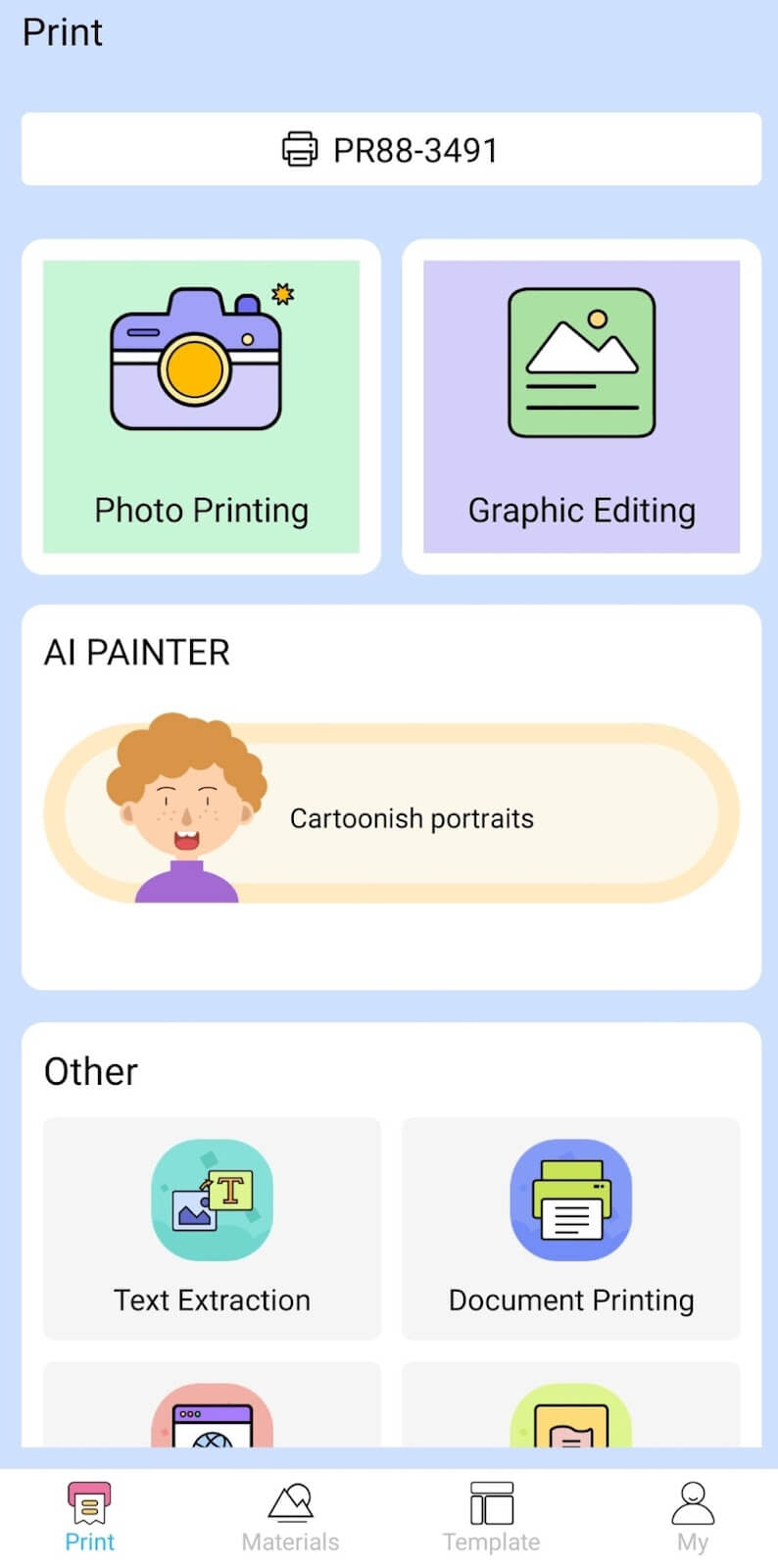
Depending on the type of document you want to print, you can choose different options from the app. There’s photo printing, document printing, web printing, and banner printing.
The app also has Materials and Template sections, where you can find various pictures and templates for printing to-do lists, post-its and holiday cards. You can also use the Newyes LD0801 as a label printer using these templates.
Battery Life
The Newyes portable wireless thermal printer is equipped with a decent 1200mAh lithium battery. This high-capacity battery allows you to print on the go without constantly worrying about running out of charge. When I received the printer, I charged it fully once, and it still hasn’t run out of battery after one month of use (I use it to print something almost every other day).
Charging this printer is quick and takes just over an hour to charge the printer from zero to full. The type-C charging cable facilitates a rapid charging experience. And if you run out of battery while on the go, you can quickly charge the printer from a portable power station or a power bank to continue printing.
The printer doesn’t support wireless charging, so I’d recommend always bringing the usb-c cable with you just in case.
Should You Buy the Newyes Portable Wireless Thermal Printer?
The Newyes portable thermal printer ensures high-quality wireless printing while on the go and easy operation. It’s not the most budget-friendly option, but this purchase will save you money and nerves in the long run thanks to its versatility and portable nature.
Personally, I can say that this printer made my life easier. So much that it’s probably my favorite smart gadget of the year. If you’re looking for a portable printer that won’t take any space in your house, I’d certainly recommend considering the Newyes LD0801 model.
- Tribit StormBox 2: The Under $70 Portable Speaker that Stands Out
- ENGWE L20 2.0 Review: The Best Budget-Friendly Foldable E-Bike?
- TopDon TC004 – a Thermal Imaging Camera That Will Give You Predator Vision
- Eskute Star Folding Fat Tire Electric Bike Review
- The 70mai Power Station Tera 1000 Review
