3D printers are basically Star Trek technology come to life. The ability to design an object on screen and have it in your hands hours later is nothing short of miraculous, but the key is finding software that lets your printer translate your vision into plastic.
There are a lot of options on the web for both free and paid 3D design software, but we have put together the best free options into an easy-to-scan list to help you find just what you need. You’ve already spent several hundred on a 3D printer—there’s no need to spend more on software.
Best Software for Beginners: Tinkercad (Website)
Tinkercad is an educational CAD tool that is perfect for both skilled designers and people designing their first model. The software’s website has a variety of guides and videos that show you how to use Tinkercad.
When you finish designing your project and are ready to print it, Tinkercad automatically saves the file as an STL file that 3D printers can read.
Another great benefit to Tinkercad is that it’s completely based in the cloud, so you don’t have to worry whether your hardware can handle the software or not. There’s no need to download anything. Just make an account and log in to start designing your 3D model.
Best Software for Precision: FreeCAD (Website)

If you intend to use a 3D printer to make replacement parts for something like a sewing machine, appliance, or tool, then you know the value of precise measurements.
FreeCAD allows you to create designs with enough precision that you could print a replacement gear for small toys. You might not be able to design elaborate models with it, but FreeCAD is a great tool for fixing small parts or making scale models.
The software can be downloaded for Windows, Apple, and Linux. It’s a widely used software, but keep in mind that it’s still in its beta phase—according to the programmers, it isn’t ready for production use. Despite this warning, thousands of people use FreeCAD without any reported problems.
Best Software for Polygonal Modeling: Blender (Website)

Polygonal modeling might sound scary, but it’s not as complicated as the name makes it out to be. Polygonal modeling is what most people think of when it comes to 3D modeling: the creation of figures and objects in a 3D context. Blender is one of the foremost tools for this type of work. Blender handles all aspects of the creation process, from modeling to rendering.
Best of all, Blender is completely free and has a robust, active community that can answer any questions that arise. Blender is commonly used in universities as an educational tool, but designers and 3D artists use it to create massive, detailed worlds.
You can take that same level of depth and apply it to designs for 3D printers. This is perfect for those of you that want to make keychains or small figures of video game or DND characters.
Best Software for Architecture Modeling: SketchUp (Website)
The majority of the software on this list is for smaller, contained models, but SketchUp can be used to design much larger models. It’s the software that many architects use to design house models. It’s largely manual, which means it takes a higher level of skill to use than some of the other programs on this list.
SketchUp’s free version is entirely cloud-based and will work on any operation system. However, the more professional (and powerful) versions of the software are all paid applications.
Give the free version a shot and, if you find yourself mastering it, consider swapping to a version that gives you access to the tools you need—but even the free version of SketchUp is powerful enough to create complex, incredible designs.
Finding a 3D Printer
If you own a 3D printer, you will be able to design and print anything your heart desires (if you spend enough time designing it!) However, it’s quite the investment, even if you purchase a beginner 3D printer . The best 3D printers can cost a few thousand dollars.
If you don’t have the money (or space) for a 3D printer, never fear. Just check your local library or makerspace. You can often purchase memberships to makerspaces and gain access to all of the equipment there.
Libraries and makerspaces usually charge no more than a few dollars per print to use the 3D printer. And if your interest doesn’t go beyond wanting to see how a 3D printer works, here are a few websites where you can find designs for free that you can take and print at a local printer:
- Cults3D
- Thingiverse
- 3DWarehouse (which happens to be part of SketchUp)
3D printing technology is really cool, and it only continues to improve as time goes on. In fact, some medical suppliers have begun to 3D print prosthetic limbs. If you’re interested in getting involved, just try out one of the programs on this list and let your imagination guide you.
- The Best Free AI Courses to Boost Your Skills
- 6 Best Procreate Alternatives for Windows PC
- 5 Best Podcast Apps for Windows
- Best 10 Free PDF Editors for Windows
- 5 Best Audiobook Players for Windows
Patrick is an Atlanta-based technology writer with a background in programming and smart home technology. When he isn’t writing, nose to the grindstone, he can be found keeping up with the latest developments in the tech world and upping his coffee game. Read Patrick’s Full Bio
Modern 3D printers are much easier to use than they’ve ever been. They are also much more capable and reliable than early hobbyists and even commercial models. Perhaps most importantly, they are now priced in such a way that anyone who wants one can afford it.
We’ve pulled together a selection of 10 of the best 3D printers under $500. Each one is highly rated by a decent number of real-world customers and has one or two features that set them apart from the hundreds of other 3D printers on the market.
Best For Big Prints:Creality CR-10 V2
The “biggest” problem with affordable 3D printers is that they tend to be too small. Which means if you want to print projects that are larger than an action figure you have to fork out a sizable stack of money for the privilege.
The Creality CR-10 V2 comes in at the upper limit of our budget for this list and offers a very spacious 300x300x400mm build volume. This V2 model boasts a number of upgrades over the original CR-10, not least of which includes better build materials, quieter operation and a print resume function if the build has to stop for some reason.
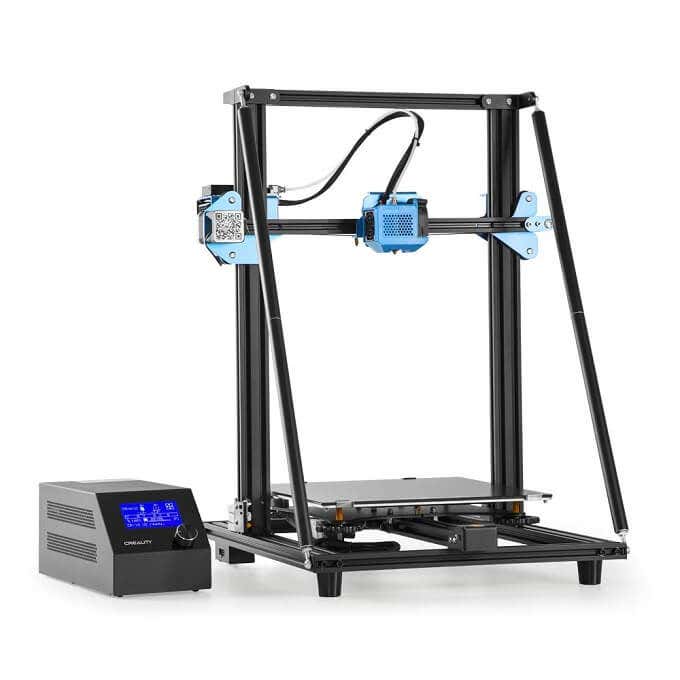
If you want large, quiet and reliable printing at the $500 price point there doesn’t seem to be all that much competition for this newly-refined big-boy printer from Creality.
Budget Dual Material Printing:QIDI TECH X-Pro
Most 3D printers have a single material extruder, which means you can only print your project using one type of filament in a single color. The X-Pro offers a dual-extruder printer at the $500 price point that can print in a variety of materials as well as in two colors at once.
A dual-extruder system like this allows for some truly complex 3D prints. For example, you can print a model that has both hard and flexible materials.This is obviously more complex than single material prints, but having a printer that can print using two independent materials at this price is a big deal.
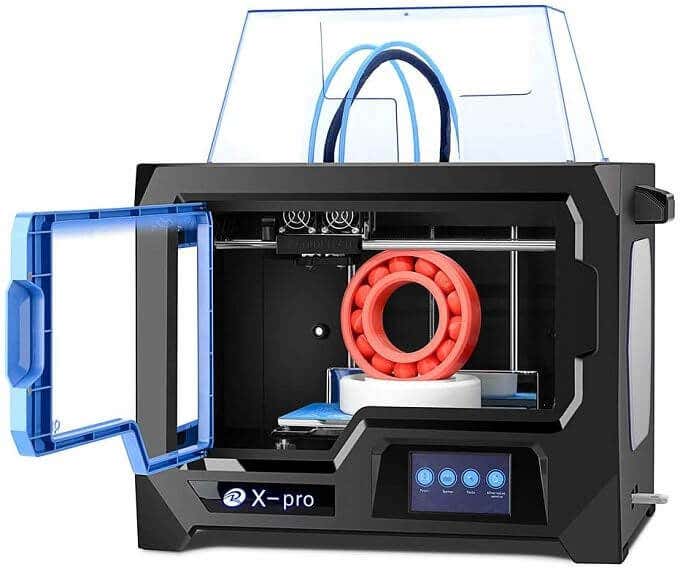
The X-Pro has some smart features. Such as the magnetically attached bed and side panels. It also has a decent build volume and, since it’s enclosed, you should have good temperature stability during your print. If you want to get into multi-material printing, this is the cheapest option we’re aware of.
Fast, Space-efficient Vertical Printer:FLSUN Mini Delta 3D Printer
Most 3D printers on the market, especially in the budget segment, are “cartesian” printers. That is, they use a three-axis print head using XYZ coordinates within the build volume. Delta robot printers such as the FLSUN Mini Delta use a different method of getting the print head to its desired location inside the build volume.
The print head is attached to three arms that run up and down independent vertical rails. By varying the height of each arm, the head can swing freely within the build space.
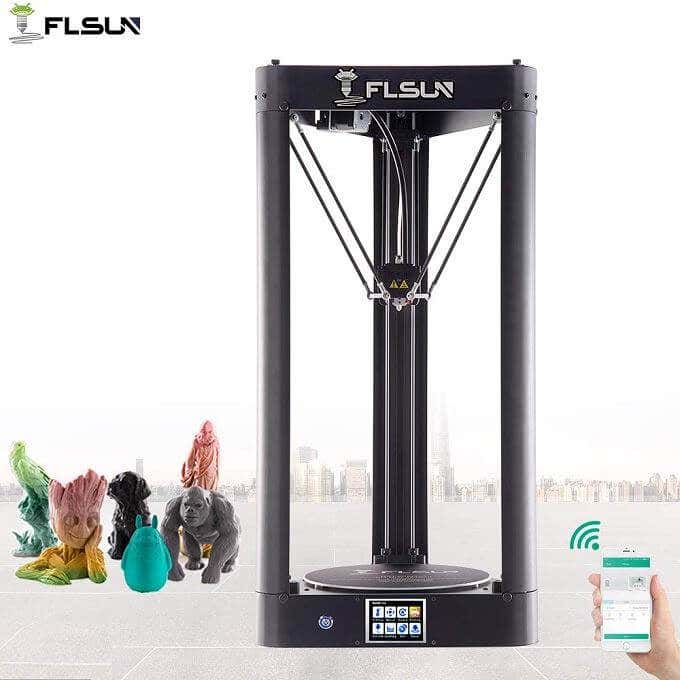
Delta robot printers like this are faster than cartesian printers, can print tall models that would need slicing in cartesian printers and can do a better job of printing curved surfaces. The downside is that they can’t quite reach the same level of resolution and precision as a cartesian equivalent.
The Mini Delta comes in at a fantastic price, has a small footprint compared to its total build volume and offers a stylish all-metal design. If you need the specific advantages of the delta robot design, this is a good budget entry.
Best Budget High-resolution Resin Printer:LONGER Orange 30
It wasn’t too long ago that resin printing was reserved for multi-million dollar engineering facilities. Now resin printers have firmly entered the consumer space and this Orange 30 is one of the best affordable models we’ve seen.
The precision and finely detailed prints that are possible with the Orange 30 are incredible. It uses a 2560×1440 LCD screen to mask each of the print layers, allowing for complex structures and stunning prints. It also uses a matrix of UV LEDs for curing, ensuring uniform levels of UV light across the LCD screen.
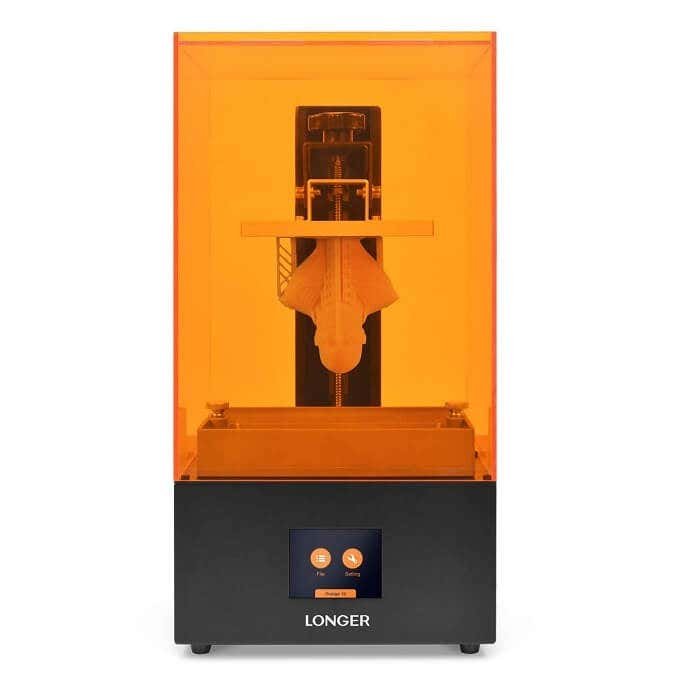
This LCD-based SLA (stereolithography) is a new approach to the traditional industrial rapid prototyping method that’s been in use for decades. It’s a smart way to use existing consumer technology to achieve something new. If you don’t want to build structural models and care mainly about aesthetics, this has got to be near the top of your list.
The Best Beginner’s Printer:FlashForge Finder
The first 3D printers that you could buy for home use were not meant for the casual user. They needed significant assembly, setup and maintenance. We’ve had to build our fair share of 3D printers over the years and this is a key reason they’ve not been mainstream for such a long time.
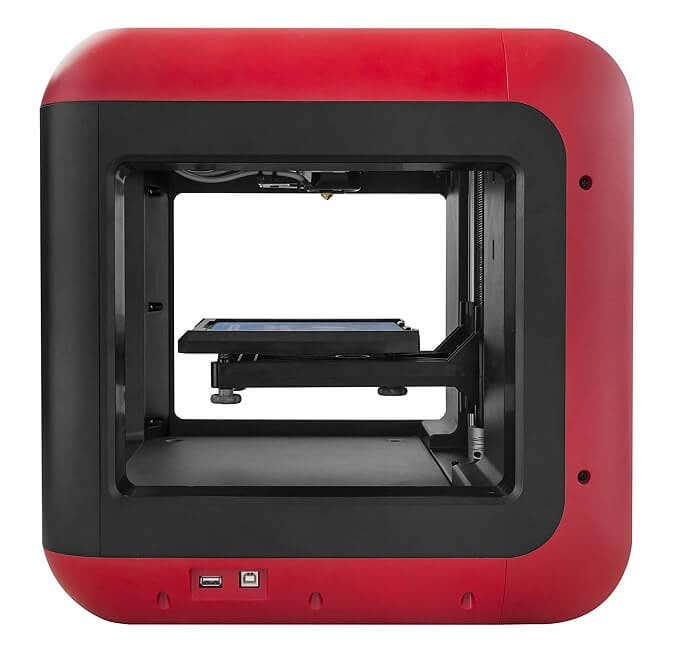
The FlashForge Finder offers a simple, user-friendly printer experience. It’s also designed to be safe to use, with rounded corners and liberal use of plastic where needed. Operation of the printer happens through a color touch screen with a friendly graphical interface. It’s quiet, has assisted leveling and works with WiFi, so you can put it anywhere. It’s pretty much the perfect entry-level 3D printer.
A Fast Budget Resin Printer:PHROZEN Sonic Mini
The Phrozen Sonic Mini uses the same LCD curing system as the Longer Orange 30, but comes in at a significantly lower price. The biggest trade off is a reduction in print resolution, but the Sonic Mini can still achieve fine detail better than any extrusion printer at this price range.
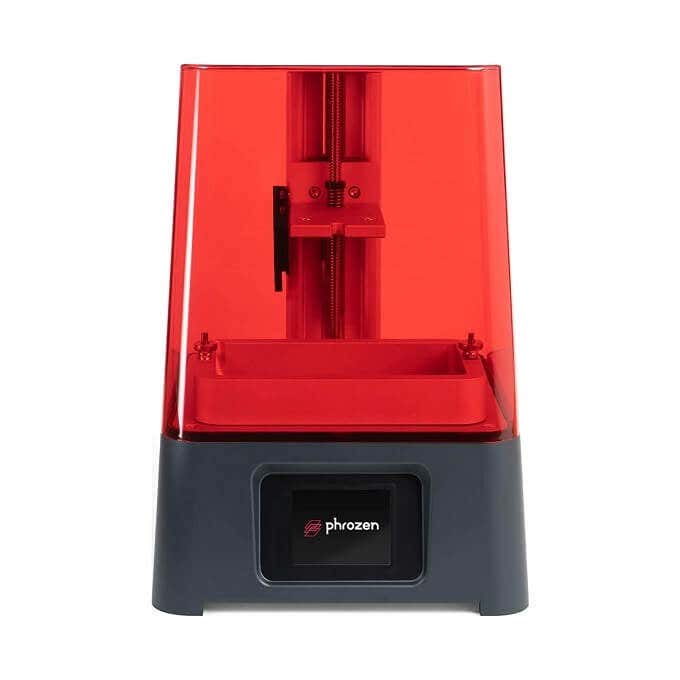
One very cool feature of the Sonic Mini is its wide resin compatibility. You don’t have to stick to first party resin or even LCD resin. This printer will even work with DLP projector printer resins! PHROZEN rates the lifespan of their LCD at 2000 hours, so you’re also likely to get years of service from this entry-level machine unless you decide to upgrade for other reasons.
The Best All-rounder For Everyone:Comgrow Creality Ender 3 Pro
The Creality Ender 3 is the very definition of “good enough” when it comes to 3D printers. It’s an open design machine that has all the most important features an extrusion-type Cartesian printer should have.
It’s an Open Source machine, which means those who like to tinker and customize can really get into the software guts of the machine, or benefit from community mods. While it is semi-assembled to cut down costs, it seems assembly is so easy that they recommend it as a project for children.
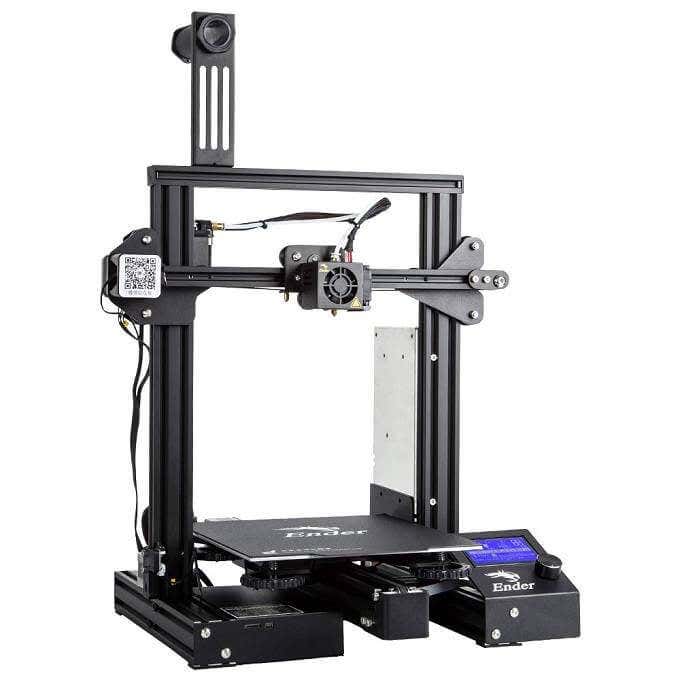
The build volume is more than decent and you get traditionally premium features such as print resuming at a great price. If you’re curious about 3D printing and want a good first experience with a fundamentally solid machine, the Ender 3 looks like the one for the job.
Best For Hobbyists With Small Budgets:JGMAKER Magic
This sub-$200 3D printer from JG Maker straddles the line between a basic hobby-grade dabbling printer and more serious machinery. It’s got an open bed design and a decent build volume, so you should be in a position to print most useful items and not just small curiosities. Most importantly it has a filament runout sensor and allows you to resume printing. Fantastic features at the price!
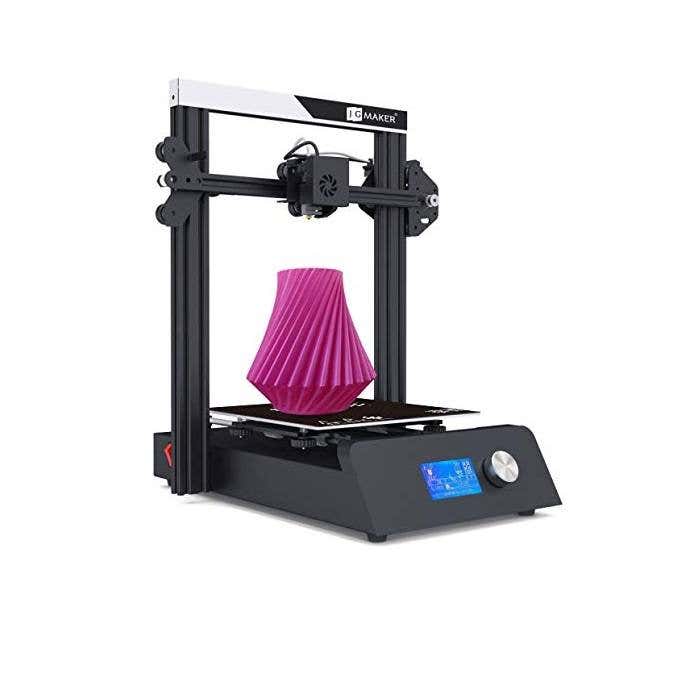
You can print models from an SD card as well, which means your printer and your computer don’t have to be anywhere near each other. WiFi would have been a nice feature, but having a sneakernet solution is better than being forced to tether the machine to a PC.
Adding $100 to your budget will see good gains in performance, build volume, noise level and the overall experience. If that’s just too rich for your blood then the Magic is an excellent choice.
Best Educational Printer:Creality Cr-100 Mini 3D Printer
Available in a kid-friendly red or yellow truck design, the CR-100 Mini is priced for the classroom or the bedroom of any precocious young engineer. This printer doesn’t require any assembly, it has automatic bed-leveling and sports a rather tiny build volume. Not a printer you could really make practical items with, but perfect for making toy models and teaching the little ones about the technology they’ll almost certainly have to use as adults.
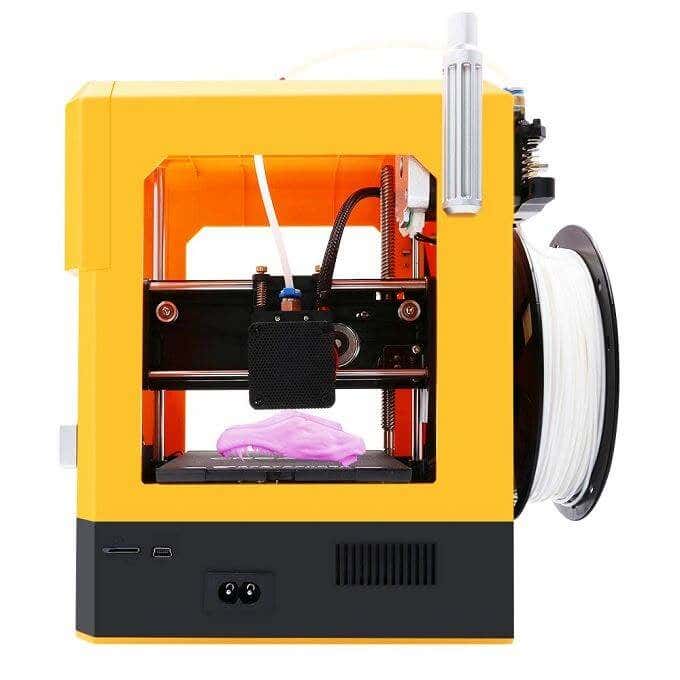
It’s small enough to lock away from unsupervised hands and cheap enough to enable bulk purchases by schools.
Most Affordable LCD Resin Printer:QIDI TECH Shadow 5.5 S
The Shadow doesn’t need much explanation. It’s a high-resolution machine with a small build volume. It’s perfect for anyone who wants to make detailed figures and other models or prototypes that aren’t meant to be load-bearing or durable.
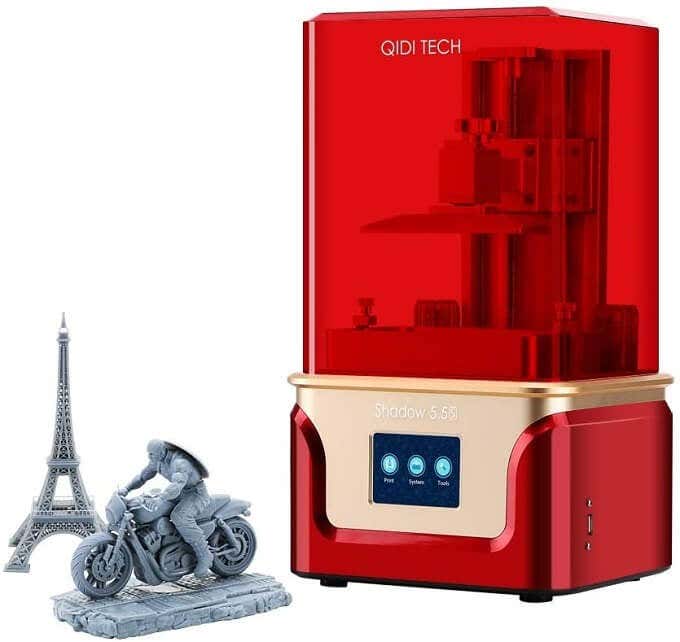
For this price it’s in impulse-buy territory but it will outperform most extruder-type printers at many times the price. If you’re looking to take your Dungeons & Dragons hobby to the next level, this is absolutely the best deal you’re going to get!
Real-world Replicators?
While we’re not quite there yet when it comes to real-world replicators like the ones you’ve seen in Star Trek, it’s still mind-boggling that you can buy what amounts to a desktop production facility from these best 3D printers for well under $500.
Whether you just want to play with the technology or have practical applications for your new 3D printer, there’s no doubt that this is one of the coolest gadgets to own today.
- The Best Free AI Courses to Boost Your Skills
- 6 Best Procreate Alternatives for Windows PC
- 5 Best Podcast Apps for Windows
- Best 10 Free PDF Editors for Windows
- 5 Best Audiobook Players for Windows
Sydney Butler is a social scientist and technology fanatic who tries to understand how people and technology coexist. He has two decades of experience as a freelance computer technician and more than a decade as a technologies researcher and instructor. Sydney has been a professional technology writer for more than five years and covers topics such as VR, Gaming, Cyber security and Transhumanism. Read Sydney’s Full Bio
