Are you an electric transport enthusiast? Know your way around electric bikes, skateboards, and e-scooters and looking for a new, exciting electric vehicle? The InMotion V12HT is the Mercedes Benz of electric unicycles. If you don’t mind the learning curve, this EUC (electric unicycle) offers a thrilling riding experience.
Read our full review of the InMotion V12HT to see if this unicycle should be on your shopping list.
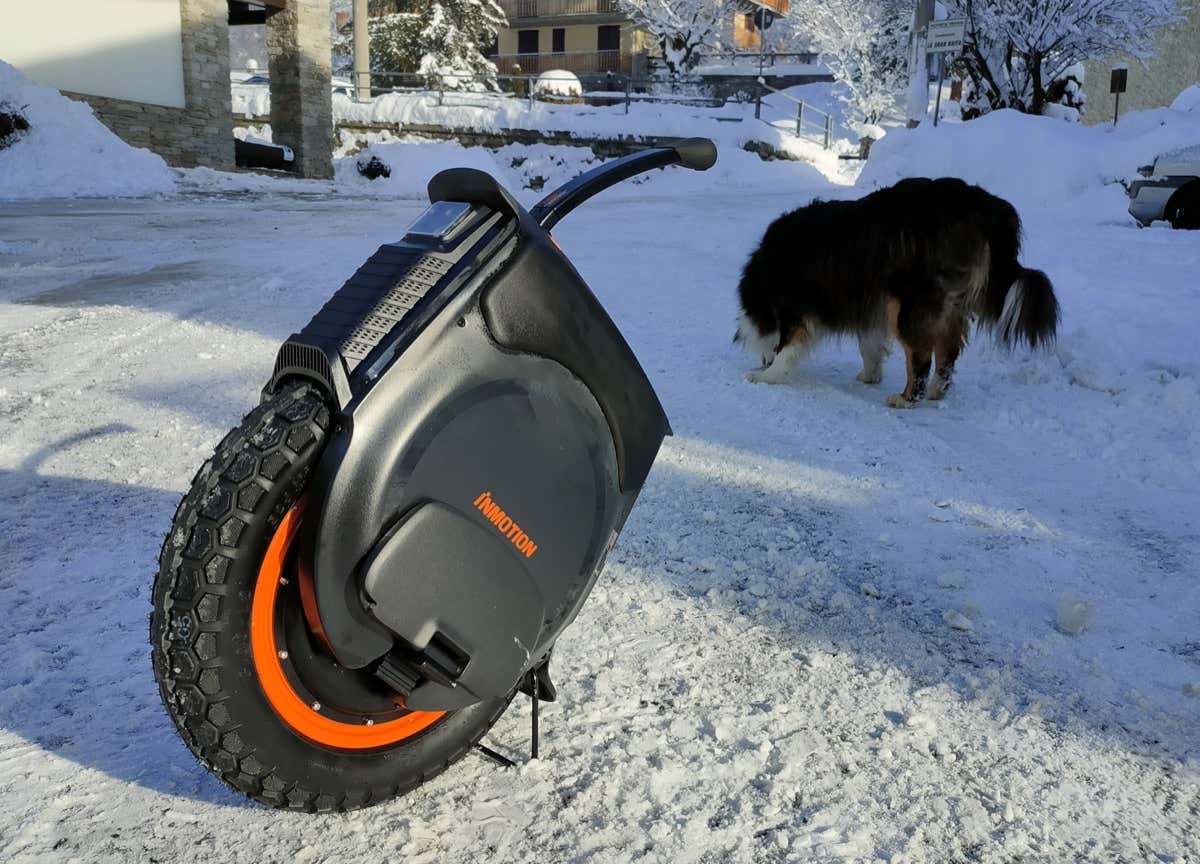
EUCvs. E-scooter vs. E-bike
Unicycles are typically known for circus performances or festivals. Some people still use manual unicycles as a hobby, but it’s not an easy skill to learn and is not for everyone.
Electric unicycles are closer to electric scooters or electric bikes because anyone can ride them without special athletic skills or experience. EUC is yet another portable urban transport that can help you comfortably move around your city with speed while also avoiding traffic.
In a nutshell, an electric unicycle is a self-balancing vehicle with one wheel and an electric motor. It can only accommodate one rider at a time and is operated similarly to a Segway. You start moving when you lean forward and stop when you lean backward. To turn your EUC, you’ll need to tilt your weight to the side where you want to go. During the ride, the wheel self-balances thanks to the gyroscopes and accelerometers.
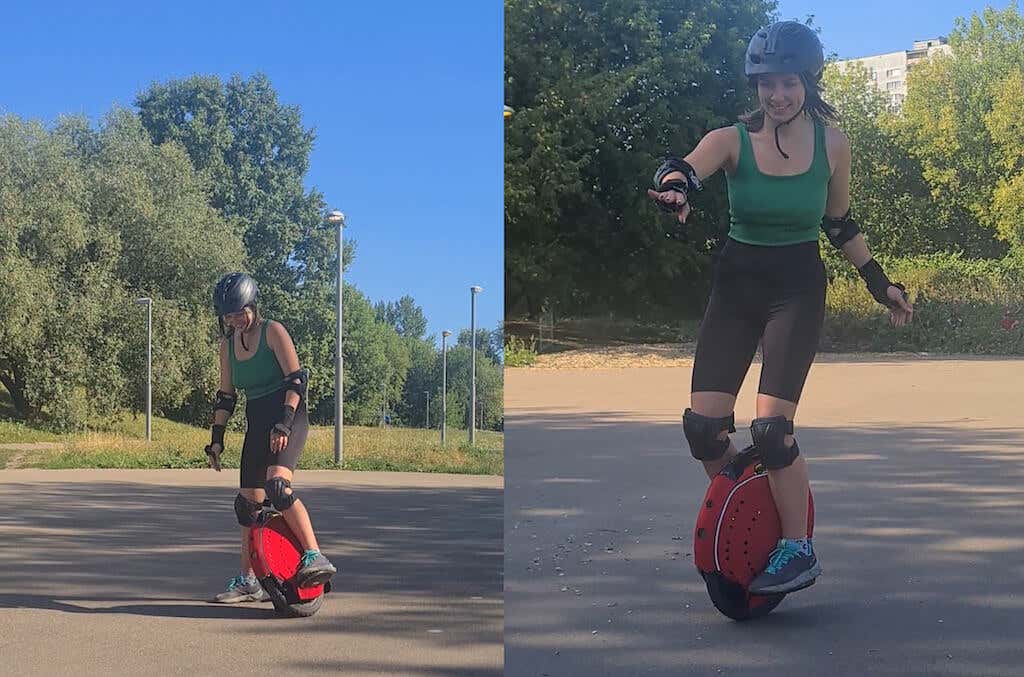
Here are the main factors that make EUCs (and the InMotion V12 in particular) stand out among other electric vehicles:
Top Speed & Range
One of the biggest differences between EUC and other electric transport is the max speed and range. The InMotion V12HT can go as fast as 37 mph, while an average electric scooter can do 15 mph at max.
This EUC also comes with a 70 miles range, allowing you to visit a nearby town and come back home, all on a single charge. You can find e-bikes with a similar range, but you’ll have to pay significantly more money for them.
Size and Portability
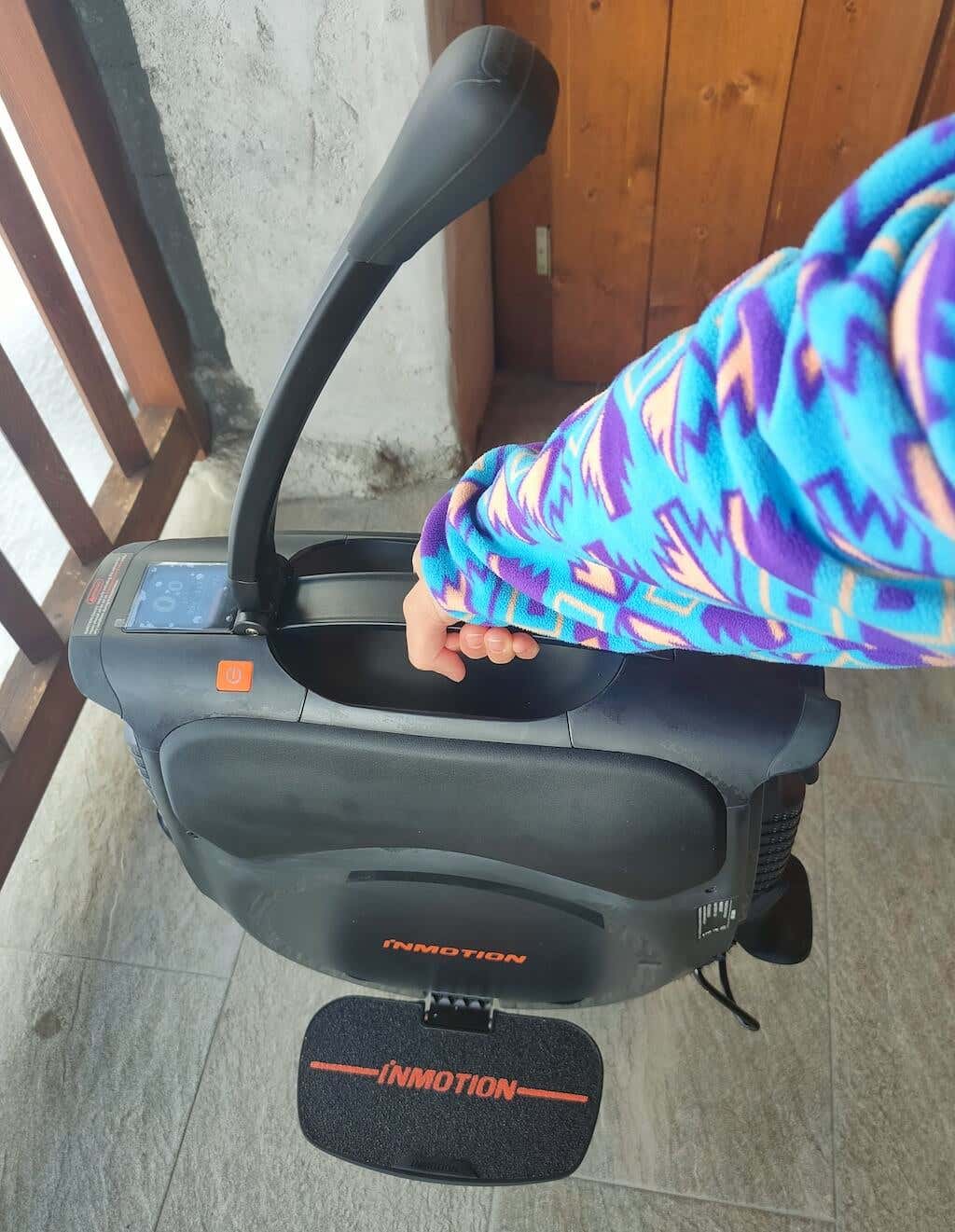
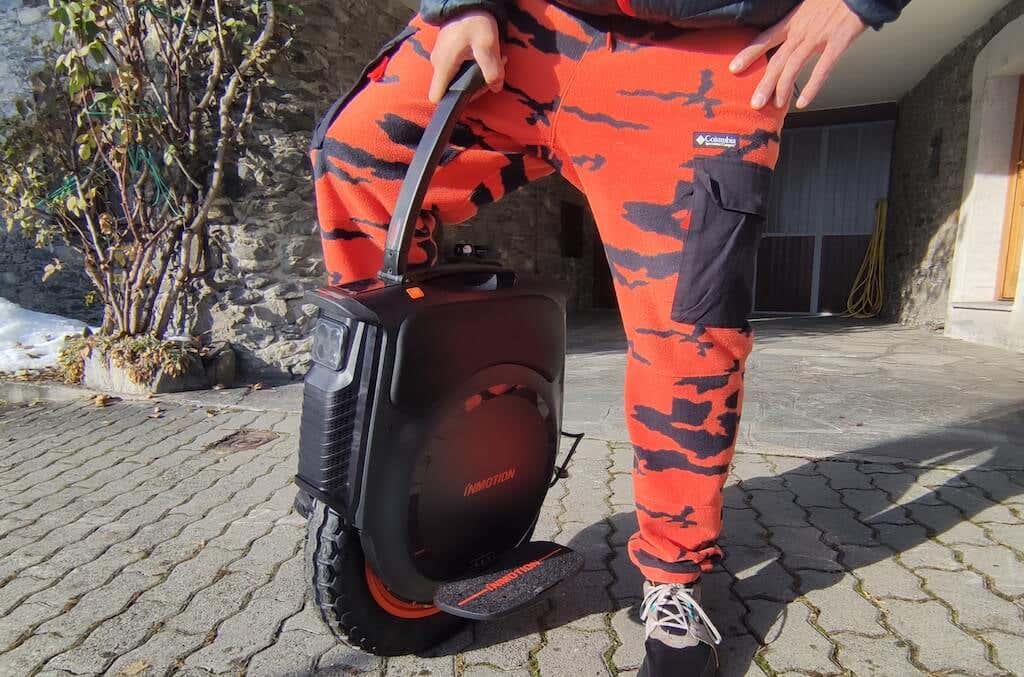
The V12HT weighs 65.5 lbs and is about 25 in tall. However, it’s more portable than most other types of electric vehicles. This EUC features a retractable trolley handle that you can use to transport the V12HT when you’re not riding it and to go up and down the stairs.
Off-road Capabilities
This EUC is perfect for those riders who have yet to determine whether they need a transport that can only handle city rides or something they can use to go off-road. The V12HT doesn’t only go fast, but it also has added torque and power. The torque-oriented 2800W motor has a reinforced rim that adds durability for those off-road rides.
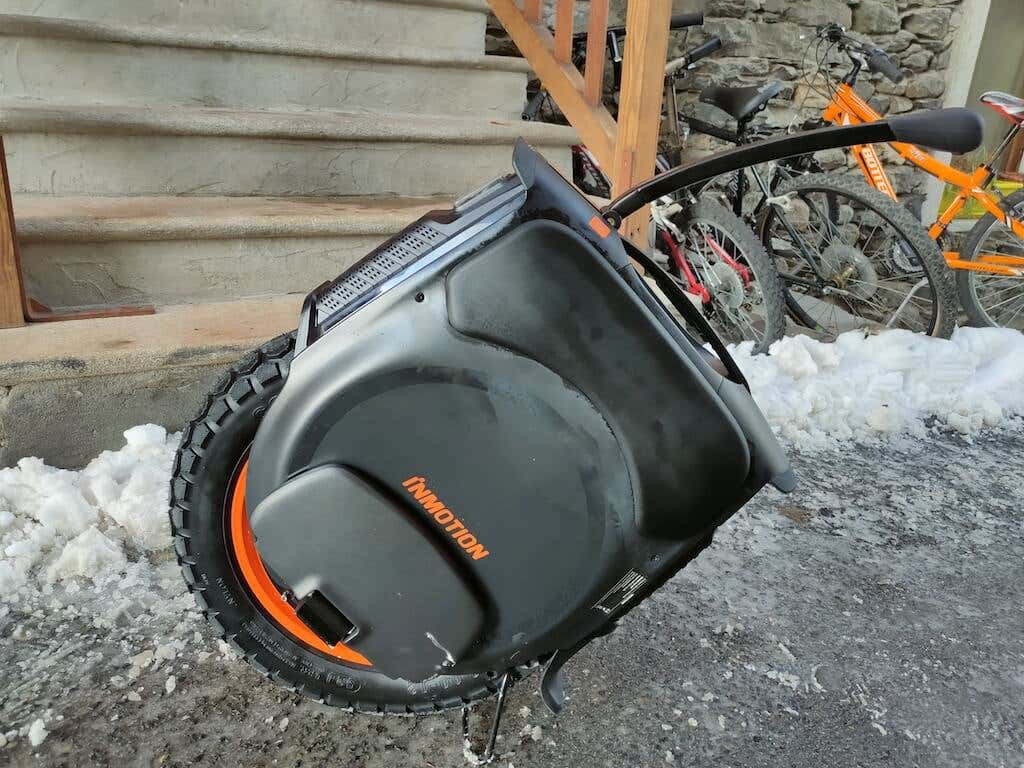
However, the beauty of the V12HT e-unicycle is that it is suitable for any situation. Right out of the box, you don’t need to change tires no matter where you’re planning to go – to a supermarket on the other side of town or for a dirt jumping session in a bike park.
Built-in Bluetooth Speakers
What can be better than enjoying your ride while listening to your favorite playlist? Unfortunately, for safety reasons, you can’t always use your headphones while riding. InMotion solved this problem by installing four high-quality speakers on the V12HT. Simply connect your smartphone to your V12HT via Bluetooth like you would with any other Bluetooth speaker and blast your favorite music while cruising.
Wow Effect
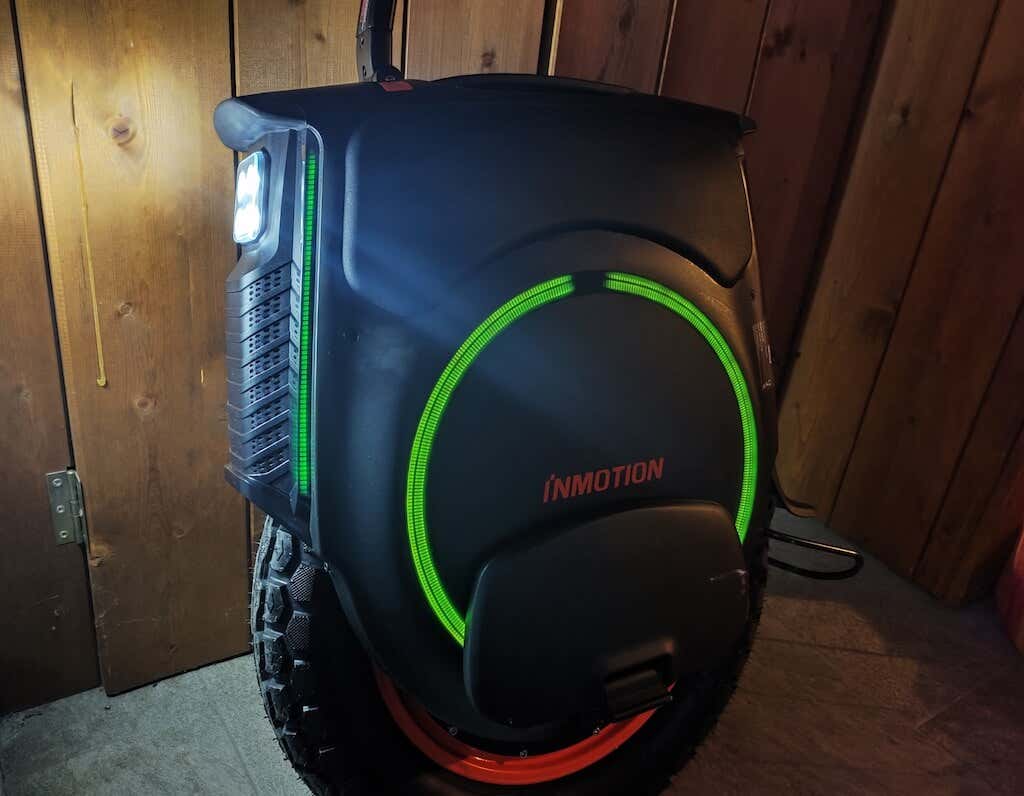
The V12HT is the ultimate vehicle for the wow effect. It has a speaker to play music, customizable ambient lights on all sides of the EUC, a bright headlight, and a cool stylish design to attract everyone’s attention.
EUCs are still considered a relatively new form of transport, so you’re guaranteed to turn heads riding this e-unicycle. Once you can move confidently on your EUC, you can start learning tricks and turn your riding into performances.

The InMotion V12HT: First Impressions and Specs
The V12HT is the flagship model by InMotion that offers so much torque and power that you start wondering if it’s too much for you. With the 2.8KW engine and a 1750WH battery, this wheel can take you anywhere in pretty much any weather conditions.
If you have some experience with e-unicycles, you’ll notice how the V12HT is a beefier and more advanced version than everything you’ve ridden before, so you’ll need to act accordingly. The top speed that the V12HT can do is 37 mph or 60 kmh, but we recommend setting a speed limit on your wheel at around 20mph for starters and then increasing it once you get more acquainted with the wheel.
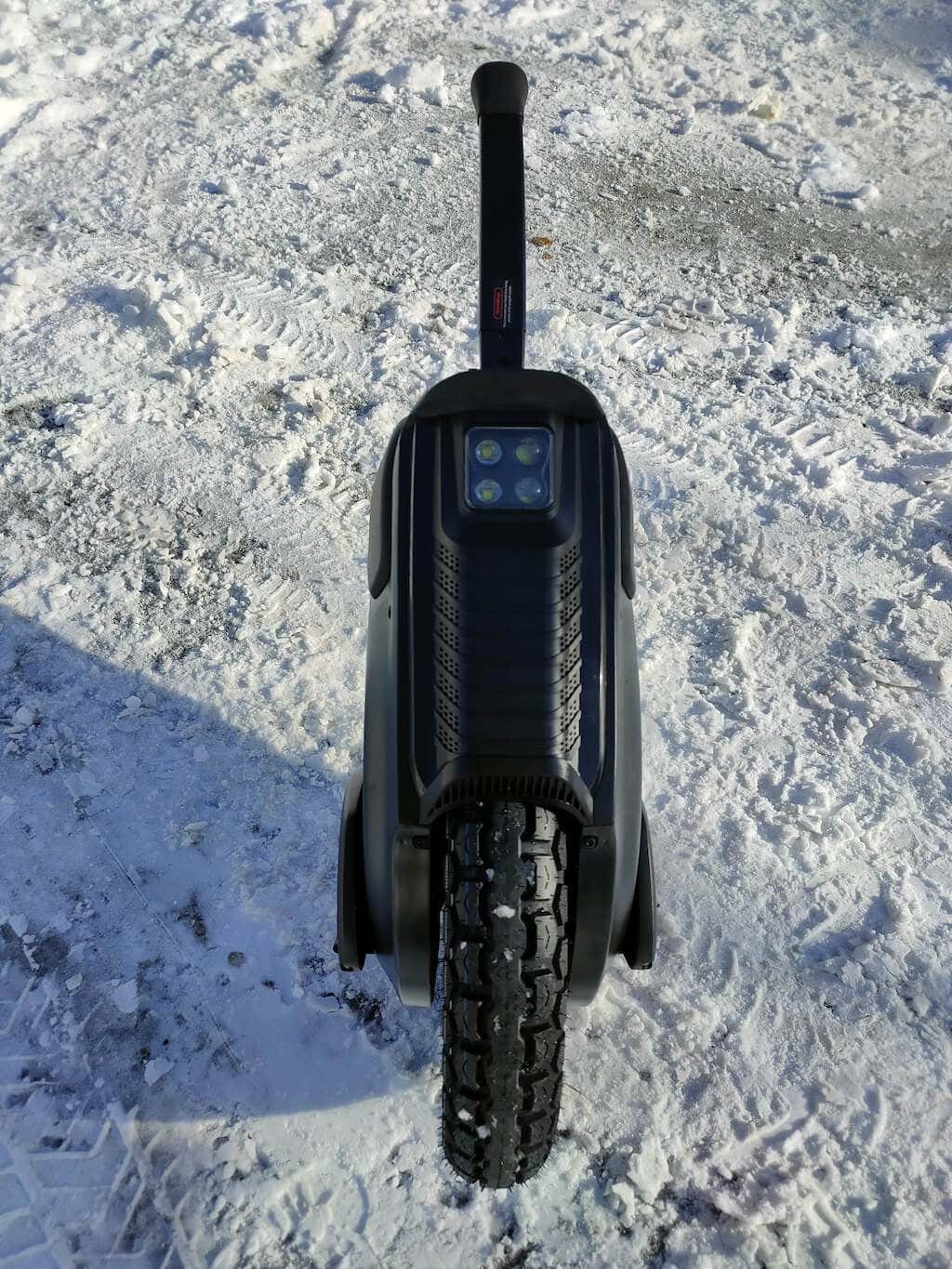
One thing that might scare you at first glance is the size and weight of the V12HT. When you first unpack this e-unicycle, one of your first thoughts is about carrying this beast over natural obstacles, like ditches and bumps on the road, various curbs, and of course, going up and down the stairs.
However, the new, improved V12HT motor handles all road obstacles just fine. The wheel feels light and capable while you’re riding. And when the stairs are too steep or scary to ride over, you can retract the trolley handle and let the wheel jump over them while walking next to it.
What else is this unicycle capable of? Here’s the full list of tech specifications of the InMotion V12HT:
- Tire : Off-road type, 16 x 3 in (40.6 cm x 7.6 cm)
- Weight : 65.5 lbs (29 kg)
- Max Range : 70 miles (112 km)
- Max Speed : 37 mph (60 kmh)
- Motor Power : 2800W
- Max Climbing Angle : 45 degrees
- Payload (Max Load or Rider Weight) : 308 lbs (140 kg)
- IP Rating : IPX5 + IPX7 for battery pack
- Touch Screen : Smart LCD touchscreen
- Lights : Auto/manual quad front (two low-beam, two high-beam, 12W total) + front/rear/side customizable RGB lights with brake light functionality in rear
- Speaker : Four high-quality Bluetooth speakers
- Battery : 1750WH 100V
- Regular Price : From $2499 (if you’re in the US, you can get it on Amazon , if you’re in Europe, you can buy it from Tecowheel )
Design & Unpacking
The body of the unicycle is made of high-quality plastic that survived multiple crashes while I was getting used to my V12HT. Small and medium impacts didn’t even cause a scratch, which leads us to believe you can take the V12HT with you to a bike park to do tricks without worrying about damaging the vehicle.
What’s in the Box
When unboxing your e-unicycle, here’s everything you’ll find inside:
- The InMotion V12HT electric unicycle
- DC 100.8V/2.3A charger
- User Manual
I’ve previously experienced unicycles with fragile shells, which required using a protective cover over the wheel’s body. The V12HT doesn’t suffer from this problem. The front and rear of the wheel also have rubber bumpers, which serve as extra protection during crashes.
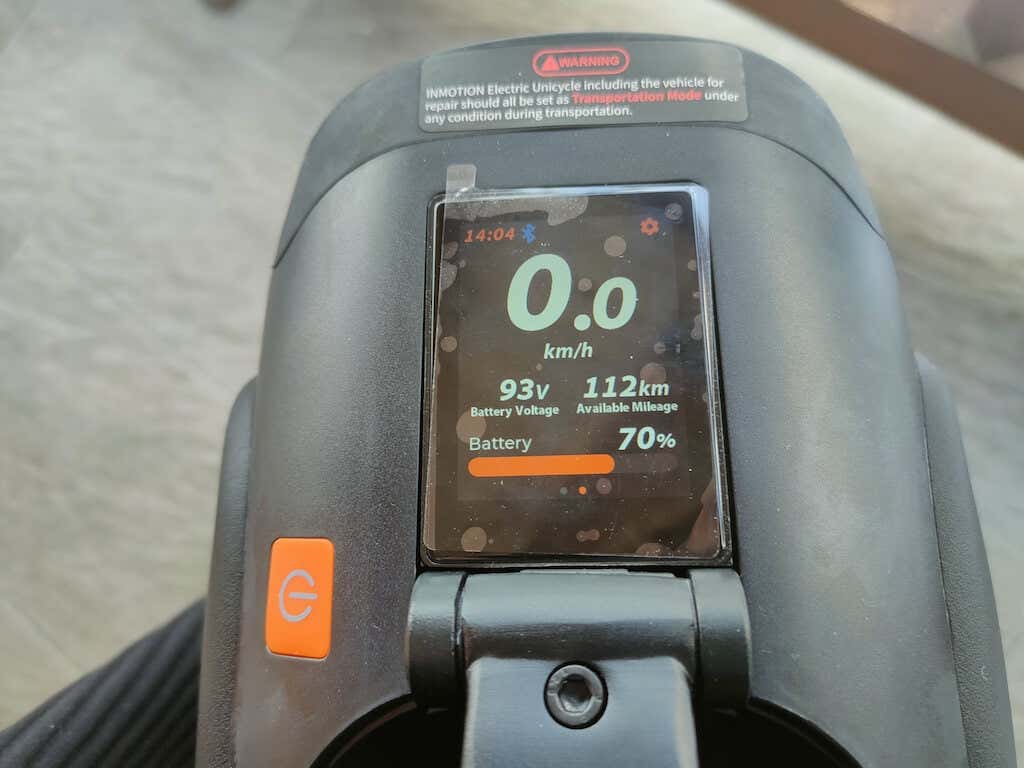
On top of the body, there’s a touch screen that you can use to access the unicycle’s features and settings. It’s not bright enough to comfortably use in broad daylight, but you can easily access all of the features via the InMotion app.
The foldable trolley handle is more convenient than it may seem at first. It’s the perfect length and angle to carry your wheel when you’re not riding it, and it locks in both folded and unfolded positions.
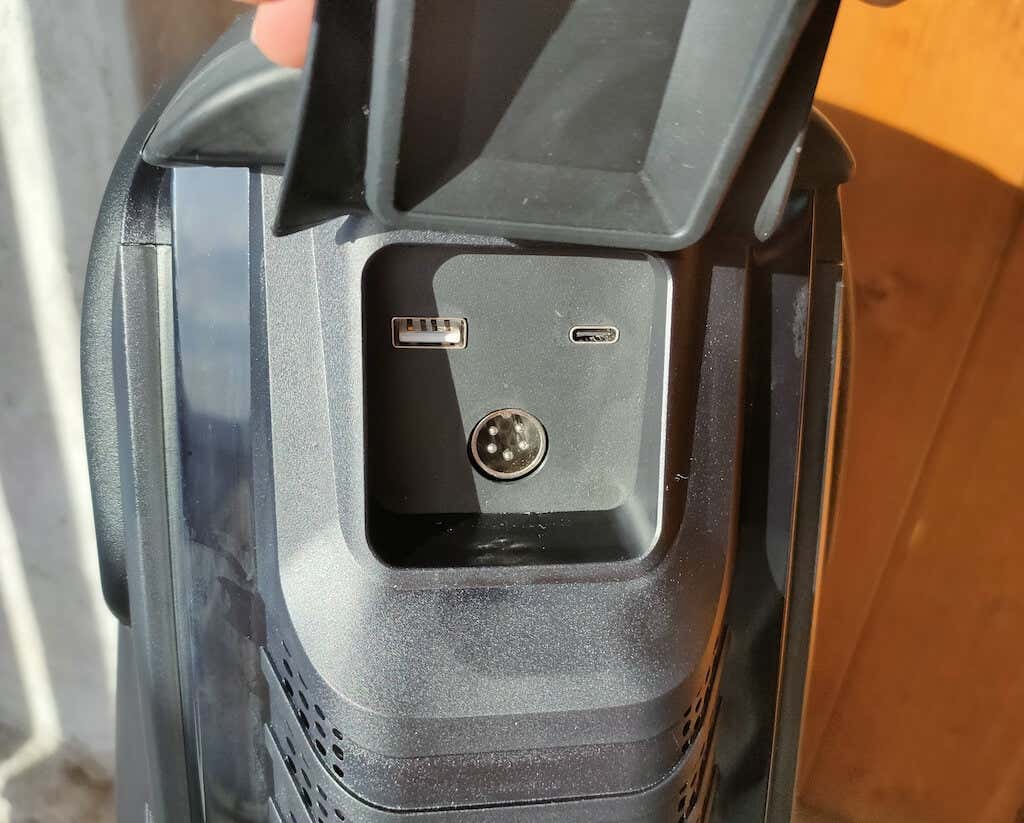
Aside from the port you use for charging your V12HT, you’ll find the USB and USB-C charging ports hidden under the rubber cover on the back of the wheel. They’re handy for charging your gadgets when you’re out riding.
The front lights on the V12HT have three settings and are some of the brightest headlights I’ve seen on an EUC. You also have decorative RGB light strips on your unicycle’s front, rear, and sides. The lights can be automatically and manually enabled using the touchscreen or the app.
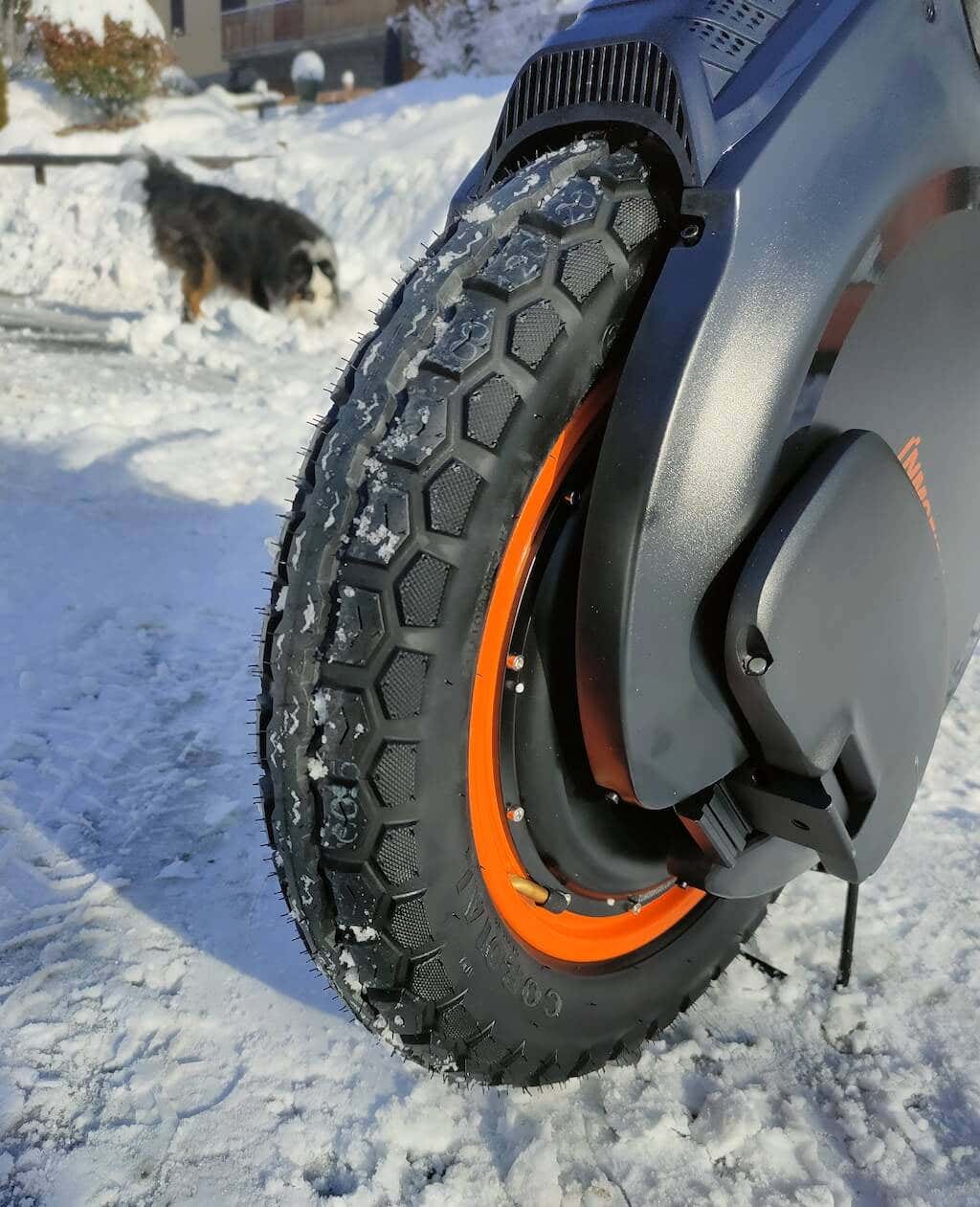
The V12HT comes with a 16-inch diameter and 3-inch wide off-road tire with studs that can genuinely handle riding in different weather conditions. In our experience, it didn’t struggle to ride on snowy and even icy surfaces. And thanks to the IPX5 rating, you don’t have to worry about riding in rainy weather as well.
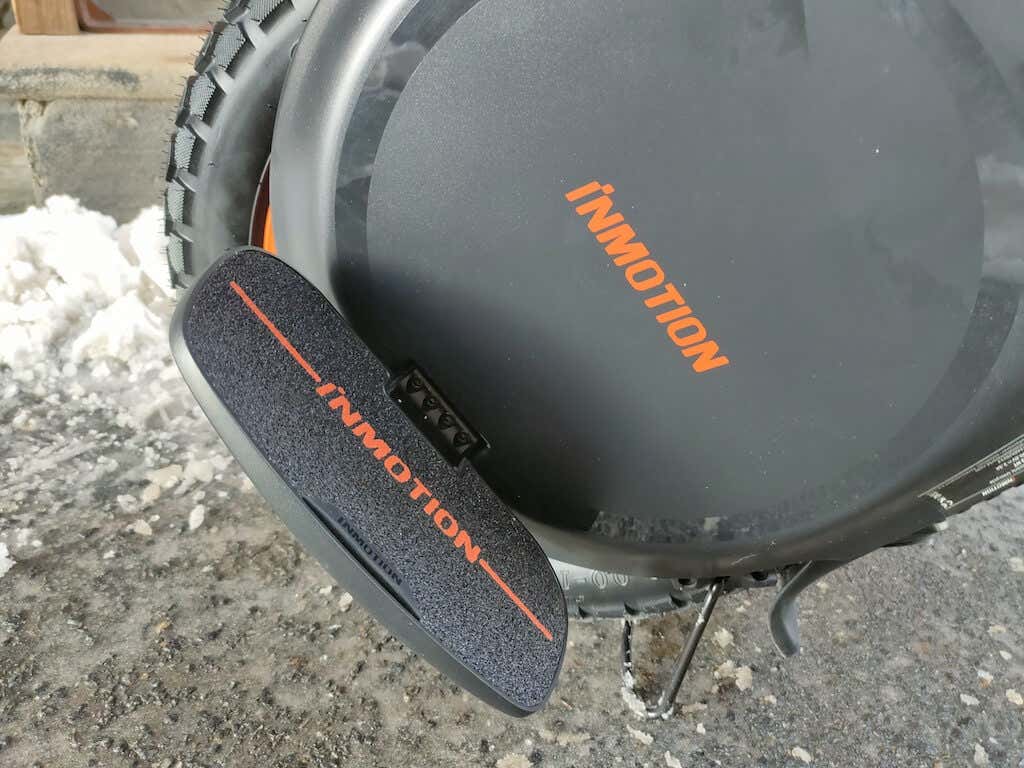
On each side of the unicycle’s body is a pedal. One cool feature of the V12HT is the ability to adjust the pedal height. Depending on your riding style, you can choose between high (off-road clearance), low (stability at speed), or middle (general-purpose riding) position.
Lastly, the new kickstand on the V12 model also deserves attention. It’s simple, easy to use, and it’s incredibly stable. The best part is, if you forget to put it up after using it, you won’t have any issues riding and won’t damage your EUC in any way.
Performance andFeatures
When you get your EUC out of the box for the first time, there are a few things that you’ll need to do before you can go for a ride. You need to switch off the transportation mode (there’s a dedicated page with instructions in the manual), download the InMotion app, and register for an account to activate the wheel. We recommend putting your V12HT on a charge while you do all that.
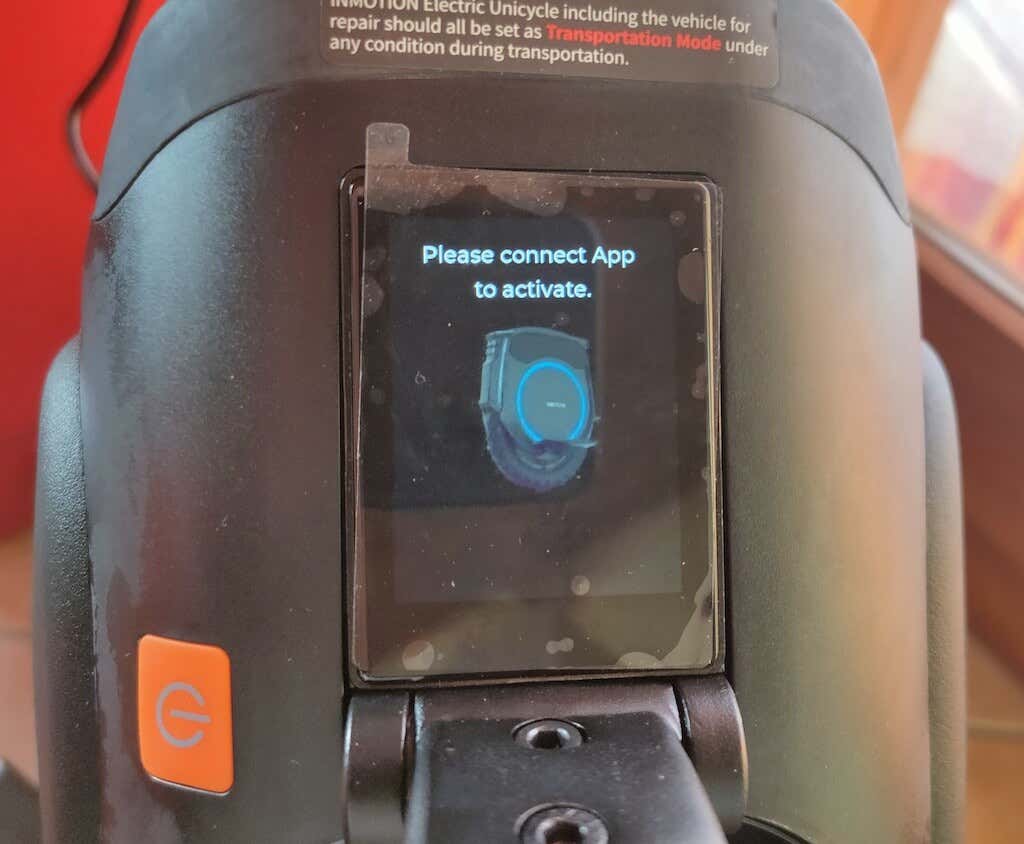
When switching the V12 on, put it in the upright (or riding) position. Your wheel simply won’t turn on if it’s standing on the kickstand.
The InMotion V12HT is a high-performance electric vehicle packed with features. It doesn’t have air suspension like the InMotion V11 electric unicycle, but the 16-inch tire and the V12HT construction absorb the shocks from bumps and other obstacles on the road to maintain a stable and smooth ride.

You’ll have a lot of fun riding the V12HT in the city, but it truly shines when you go off-road. A 45-degree angle sounds unbelievable before you watch a YouTube of someone climbing crazy hills on this EUC, and then you go and test it yourself. You can take the V12HT to a bike park and enjoy various trails just as much as you would on a mountain bike.
If you’re more into speed than power, you’ll be happy to learn that the InMotion V12 is one of the fastest e-unicycles in the 16-inch category. When you reach the top speed of 37 mph, the pedal will tilt back and alert you to slow down. This is very noticeable, and you will only be able to ride comfortably after that happens after you actually slow down.
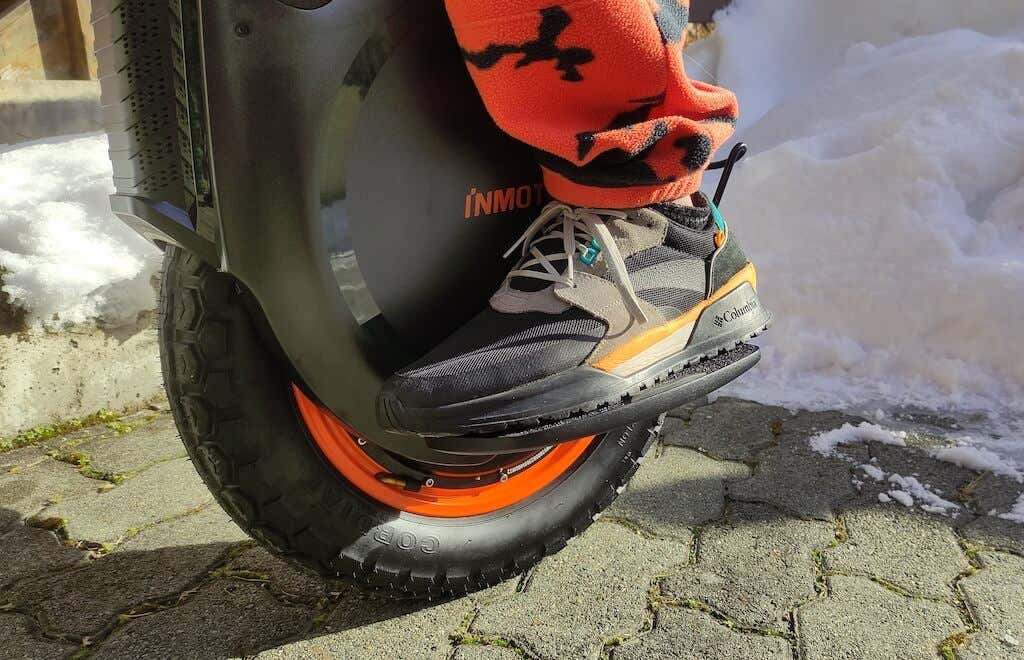
For those who enjoy speed, the V12 can deliver a lot of it. However, when you accelerate, make sure to stay vigilant to your surroundings. The brakes on the V12HT feel very soft. If you’re used to hard braking (leaning backwards sharply), you’ll need to learn to slow down in advance or even turn when you want to make an emergency stop.
To improve your ride, consider getting ergonomic pads for your EUC. The InMotion sells Power Pads that go on the sides of your unicycle. They provide better control of your wheel, better leverage for accelerating and braking. And of course they’re a must have if you want to start doing jumps on your V12HT.
The InMotion App
You’ll need the InMotion app for iOS or Android to activate your V12HT. Download the app, create your profile and connect your smartphone to your new EUC. The app is rather minimalistic and easy to use. To create an account, you’ll need to provide your location, as well as your email or phone number.
Straight away the app will prompt you to install the latest firmware. Then you’ll get to see the screen with some basic information about your V12HT. It shows how much battery you have left (including the remainder range), and the speed limit (if you’ve set any).
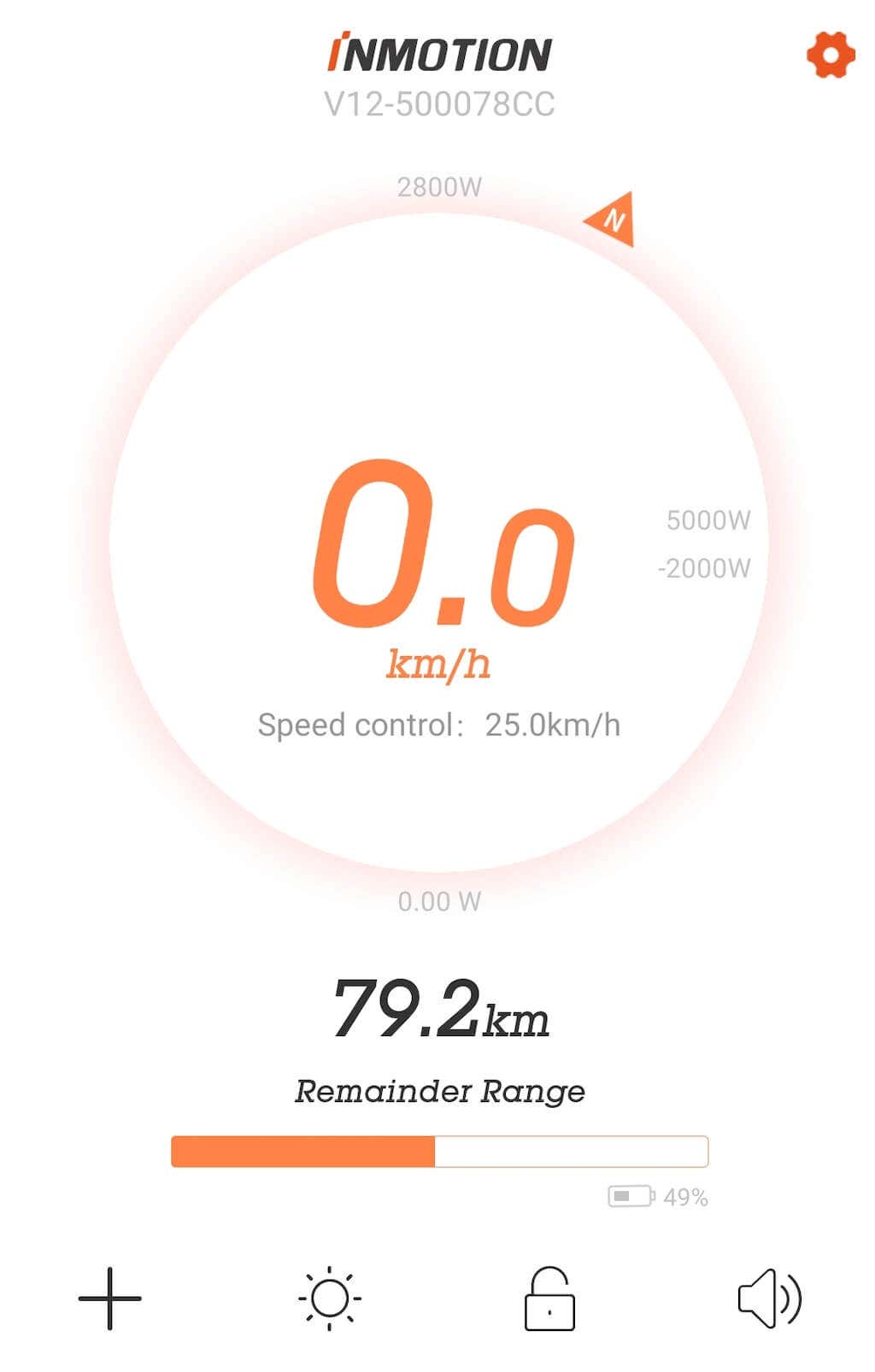
You can access all of the EUC’s features using the app’s Settings . These features include sound and light customization, an ability to set a passcode and lock your wheel, selecting a custom name for your wheel, switching driving modes ( Commuting and Off-road ), and enabling features like Spin Kill , Sound Wave and Assist Balance , and more.
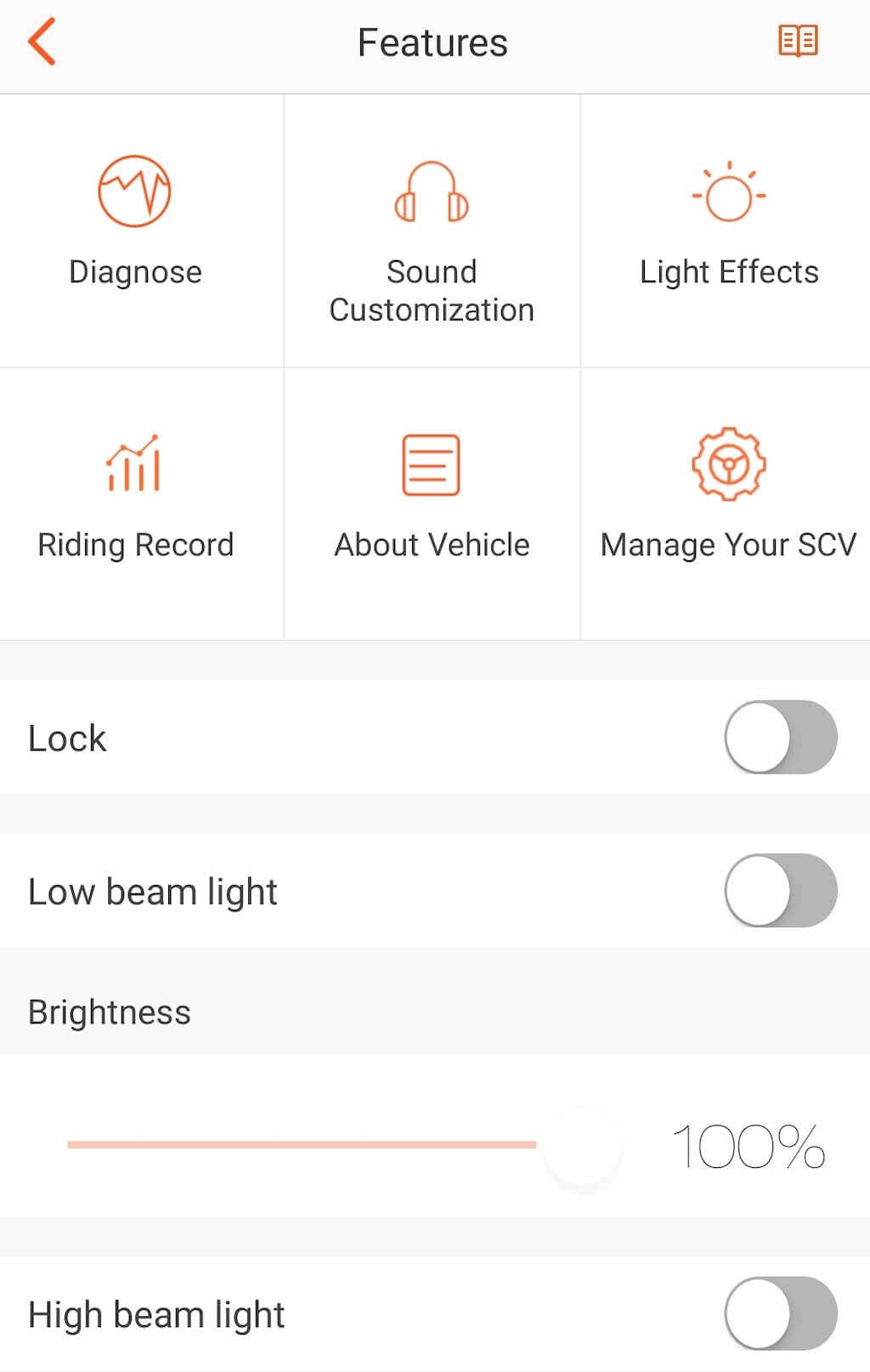
The app will keep your riding record that you can access at any time, and even analyze your trip energy efficiency every time you ride.
Safety
The InMotion V12HT is considered an EUC for advanced users. That’s not to say you won’t be able to ride this wheel if you’re a first timer. After all, the wheel comes with features like Assist Balance helping you climb any hill with ease, so you’ll just need a bit more time to learn and get acquainted with this vehicle.
Another problem is that V12HT is a heavy-weight transport, and when falling it may do some damage. Unfortunately, it’s almost impossible to learn to ride an EUC without some light falls. To avoid getting injured and discouraged, here are a few things we recommend doing:
Find an Instructor to Teach You
Most people learn to ride an EUC through YouTube. While that’s a perfectly viable option, you’ll learn much faster if you have someone who already went through the same learning process to teach you. Try looking for an EUC instructor who lives nearby or simply someone who has experience using an EUC. They will also be able to point out any mistakes you’re making and help you avoid injuring yourself in the process.
The instructor may suggest that you first learn on a smaller EUC. Before riding the V12HT, I got to try other wheels as well, such as the InMotion V5 , InMotion V8F , and Kingsong 16S, but the riding technique is the same with all of them. Besides, the V12HT feels more stable than some of these other wheels.
Choose a Soft Surface or Grassed Area for Learning
This is something I had to learn the hard way. Learning to ride an EUC on hard ground or asphalt doesn’t always end well. The best places to learn are sports grounds covered either with rubber-type material or grass.
Get Yourself a Set of Protective Riding Gear
If you choose to learn with a certified EUC instructor, one of the first things they’ll teach you is to always wear protective gear when riding your EUC. Especially one as powerful as the V12HT. The absolute minimum that you need to wear when riding is a helmet, but we also recommend wrist and knee guards.
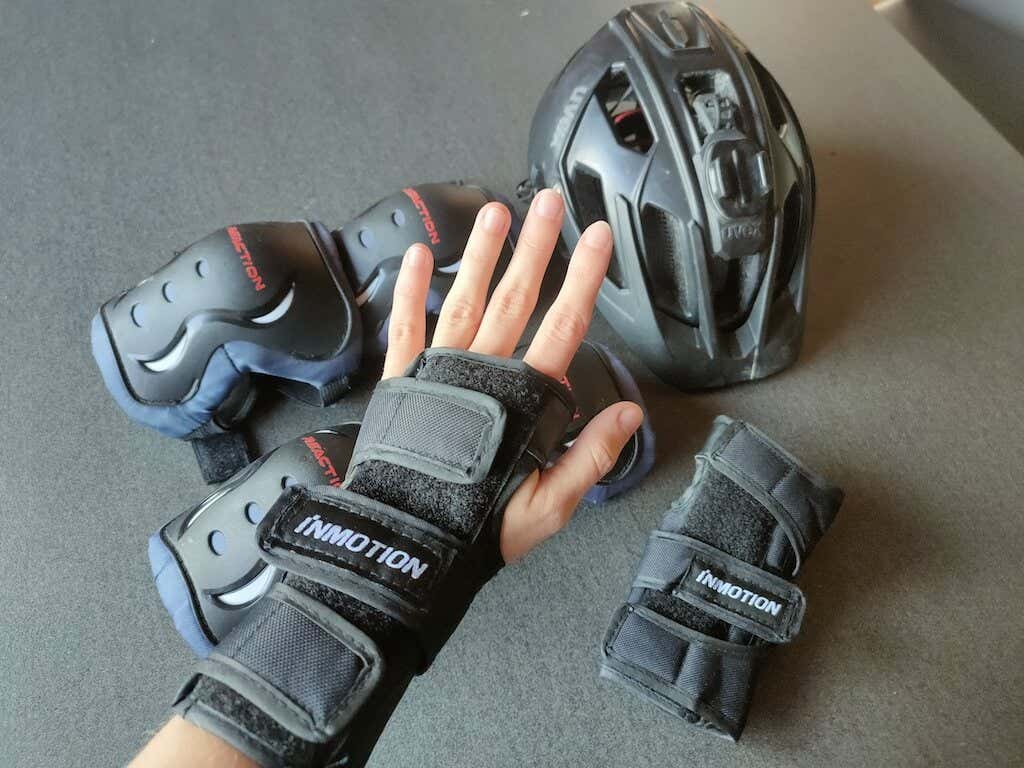
I also found that bigger shoes that cover your ankle are better since they offer protection for your feet and bones in case the EUC slips from under you.
If you notice something in your wheel doesn’t function right, the InMotion V12HT comes with the limited 1-year warranty from either the purchase date or the activation date through the InMotion app.
Battery & Charging
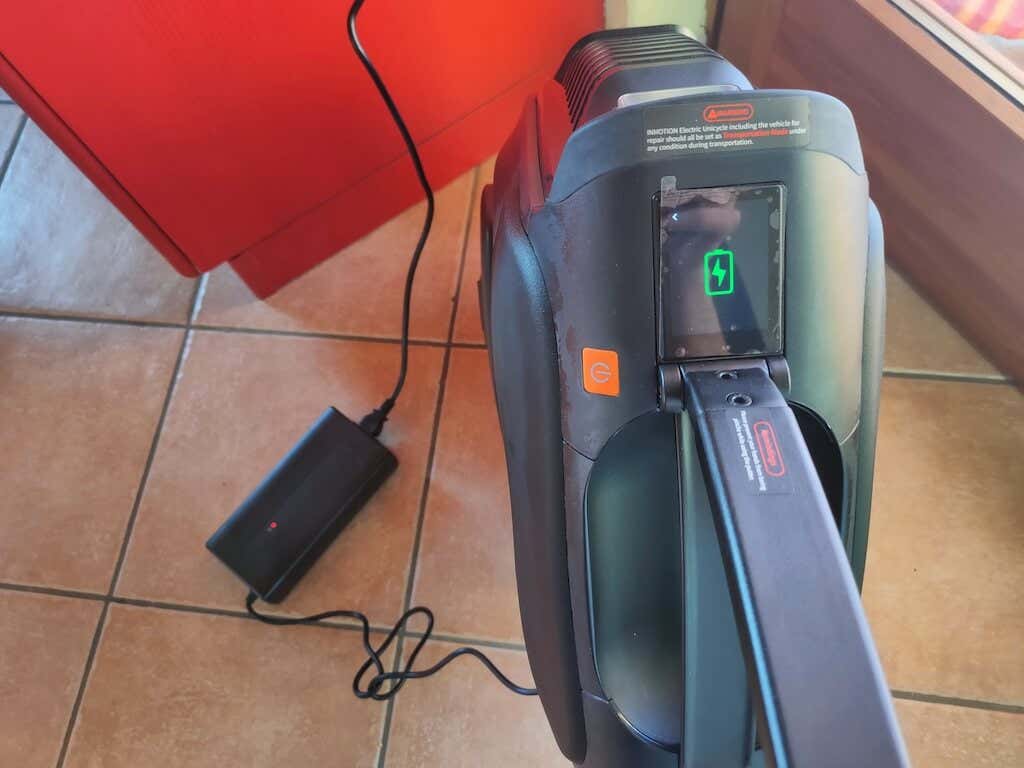
The V12HT’s 1750WH 100V battery has an impressive battery capacity that can last you up to 70 miles (or over 100km) – enough for a trip to a different city and back. However, the downside of it is the lack of a fast charger.
The stock charger that comes with the V12HT takes about 9 hours to charge your wheel from empty. This charging time feels like forever for these large batteries.
Should You Buy the InMotion V12HT Unicycle?
The InMotion V12HT is a premium electric vehicle that you might not need in your life, but will absolutely want once you try riding it. This unicycle can take you anywhere and make you forget what road traffic is for good.
The V12HT might be a little too heavy as your first EUC. In that case we recommend you take a look at its smaller predecessor – the InMotion V10F electric unicycle. If you already know your way around EUCs, there’s nothing not to like about the V12HT.
If you checked your local EUC store and they don’t have the V12HT in stock, ask for the latest InMotion V13 Challenger and see if this heavy-duty beast is more up your street.
- Tribit StormBox 2: The Under $70 Portable Speaker that Stands Out
- ENGWE L20 2.0 Review: The Best Budget-Friendly Foldable E-Bike?
- TopDon TC004 – a Thermal Imaging Camera That Will Give You Predator Vision
- Newyes Portable Wireless Thermal A4 Printer Review
- Eskute Star Folding Fat Tire Electric Bike Review
If you don’t have a full-sized printing machine at home and often need to print a document on the go, check out the Newyes portable printer . This wireless printer is lightweight and small enough to fit in your bag. Not to mention it’s environmentally friendly, since it uses thermal paper instead of ink.
Follow our review of the Newyes portable wireless thermal printer to see if it suits your printing needs.
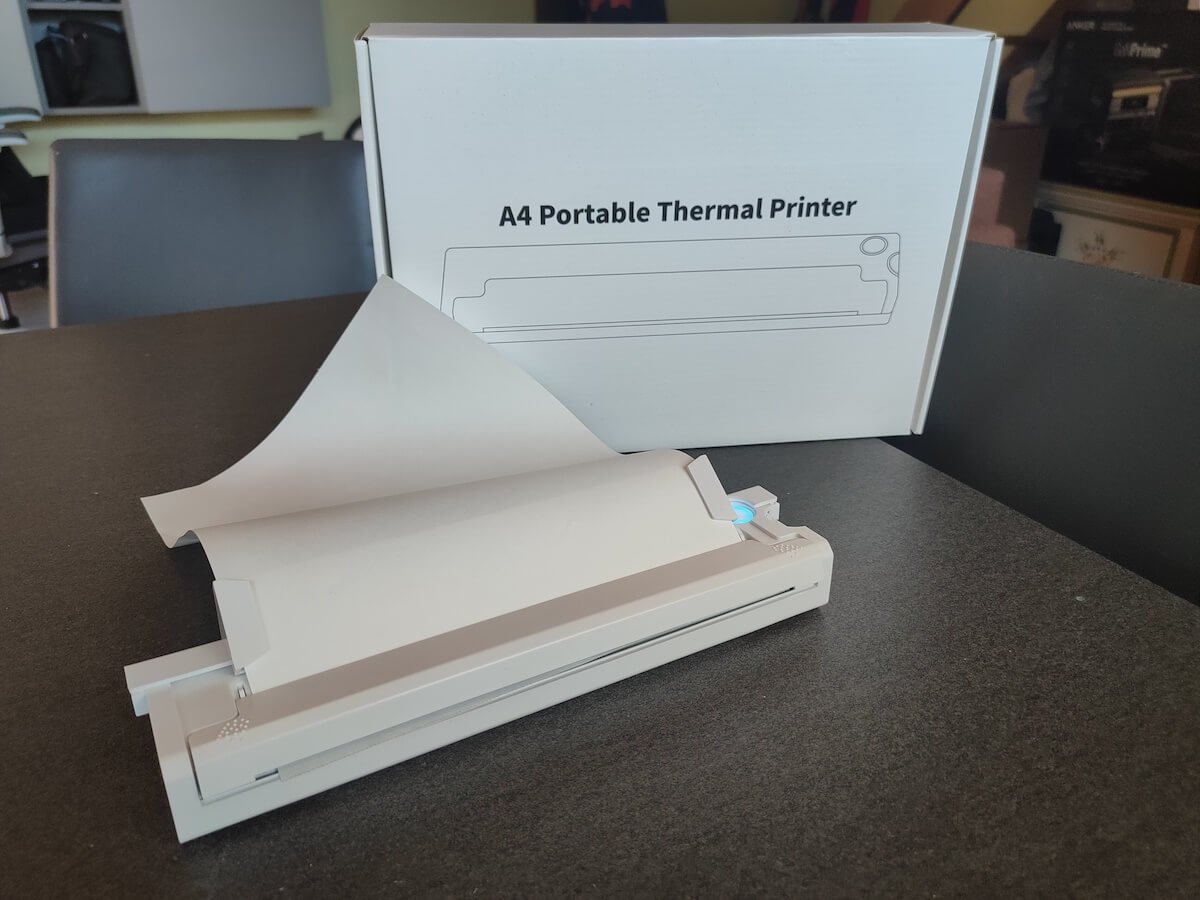
Newyes Portable Wireless Thermal A4 Printer: First Impressions & Specs
When I was a student, I remember my university always required hard copies of documents. Luckily, there was a print shop on campus where I could always pop in to print something.
Then I became a professional, and to my surprise many life spheres still required me to have printed versions of documents with me. Of course you can get your own full-sized machine to print things at home, but if like me you live in a small apartment, you value every extra bit of space and don’t want a massive printer to take it up.
One day, when I was looking for a neighbor with a printer to help me with my event tickets, they introduced me to the concept of a portable printer. Seeing how easy it is to use, I immediately wanted to get my hands on one of those. So here I am, reviewing one of the most useful gadgets I received recently – the Newyes portable thermal printer.
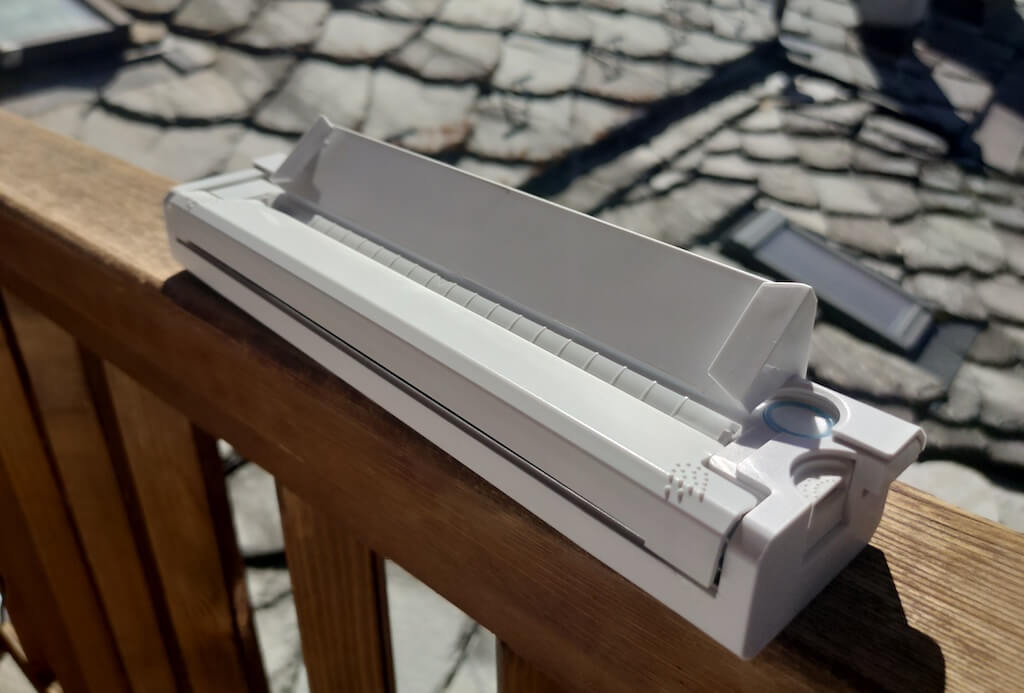
Before we continue with this review, here is the full list of specs of this printer.
- Model: Newyes LD0801
- Dimensions: 10.4 x 1.2 x 2.28 in (265 x 58 x 30.5 mm)
- Weight: 16.8oz (475g)
- Paper format: A4
- Paper width: 210mm or 218mm
- Printing Type: thermal paper
- Resolution: 203DPI
- Connectivity: Bluetooth
- Charging port: USB type-C port
- Input Voltage: DC 5V / 2A
- Battery: 1200mAh lithium battery
- Charging time: 75 min
- Automatic shut down: after 30 minutes
- Stand-by: about 30 days
- Extra features: LED light, reset, on / off switch button
- Color: white, black
- Warranty: limited one year warranty
- Price: $199 on the Newyes website
If you find yourself in need of hard copies of important documents while on the move, the Newyes portable wireless thermal printer will become your go-to gadget. Newyes calls it “the world’s smallest printer”, and with the weight of under 500g this seems plausible. This mini printer offers a handy solution for those moments when you need to quickly print an important document but don’t have access to an office setup.
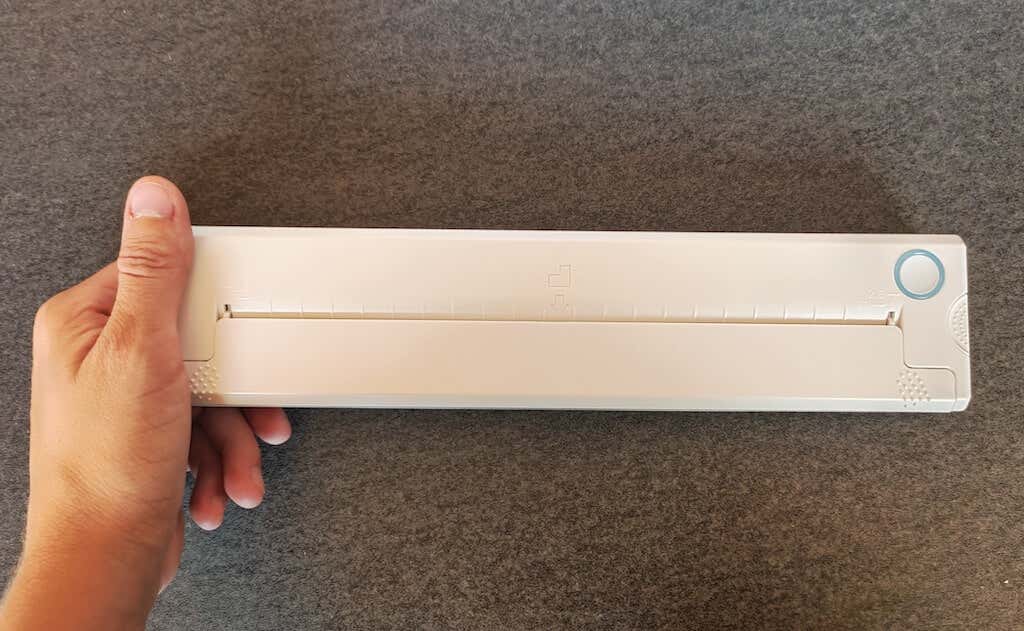
Operating this printer is a breeze – a simple Bluetooth connection is all that’s required. Once connected, just fire up the app, choose the file you want to print, and send it over. Efficiency is at the forefront, and you can easily print multiple sheets by inserting new pages back to back.
The only limitation this printer has is that it can only print in black. So even if your original file is in color, the printed document will still come out in black and white. Other than that – you can print a variety of file types including Excel, Word, PDF, JPG, PNG, and web pages – and it only takes seconds.
The Newyes portable wireless printer combines convenience, portability, and efficiency – all the things I appreciate in a modern gadget.
Design and Unpacking
Let’s have a closer look at the design and build of this smart printer, as well as what you get included in the package when you purchase it.
What’s in the Box
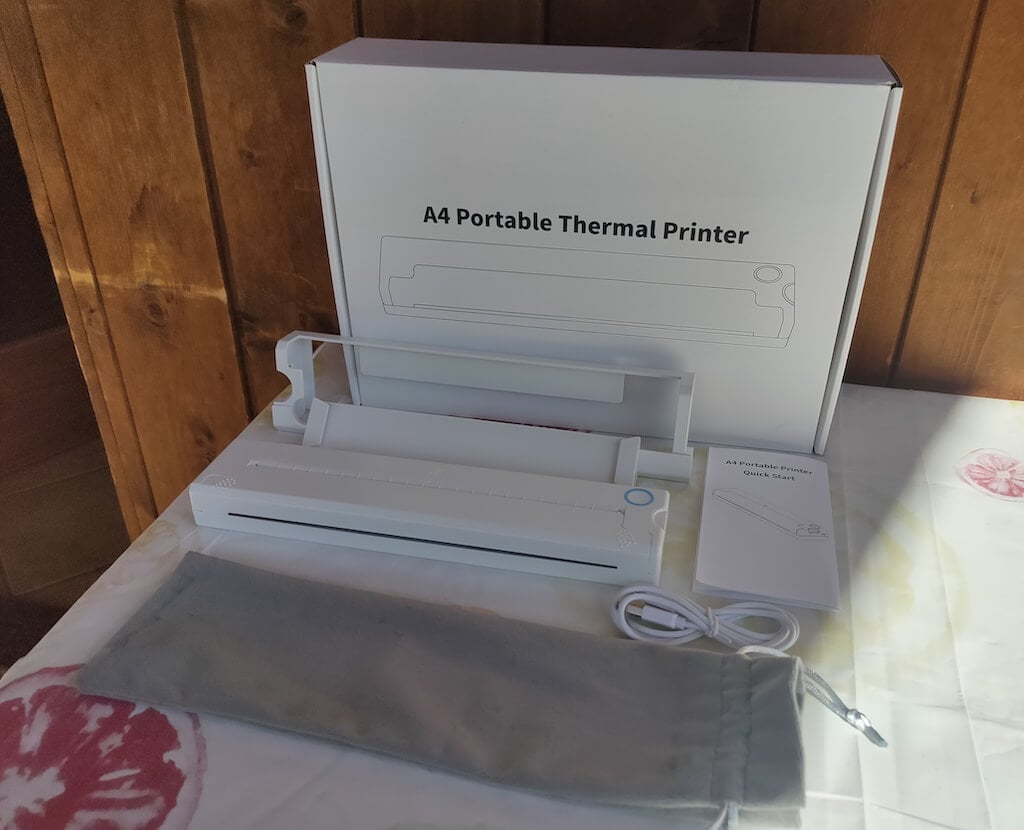
Here’s everything you’ll find when unpacking your Newyes portable thermal printer:
- The Newyes portable wireless thermal printer
- Bracket
- USB type-C cable
- Storage/carrying pouch
- 100pcs thermal printing paper
- User manual
You can use the Newyes portable printer right out of the box, as you’re all set with essential accessories. Aside from the printer itself, the package includes a bracket which will make printing more than one page smoother, a convenient storage bag for carrying your printer with you, a USB-C cable for charging, and a supply of 100 pieces of thermal paper to get you started.
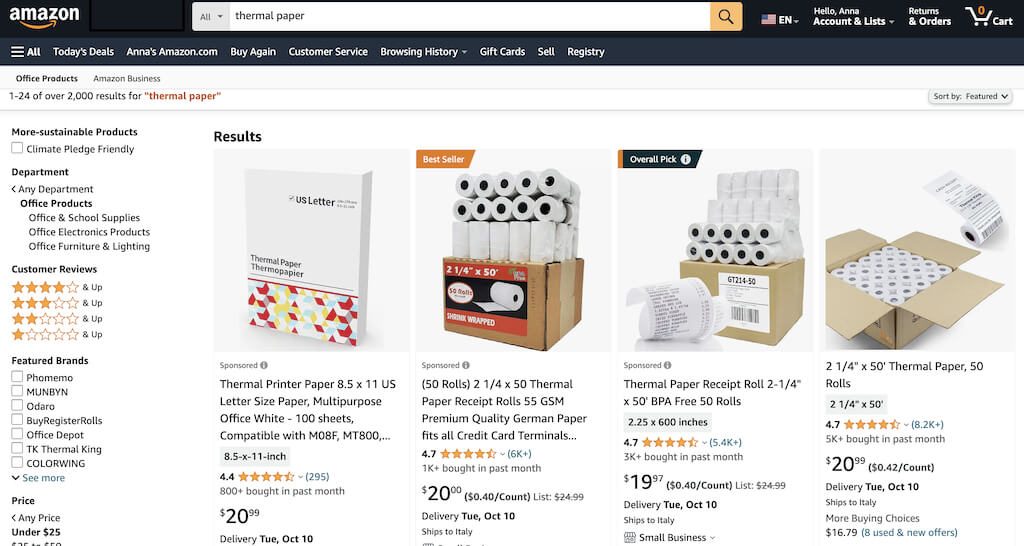
One important thing to remember is that this printer only works with thermal paper. While thermal paper is significantly more expensive than normal paper, this printer also uses inkless printing and works without a ribbon and toner. Since you don’t have to spend money on ink, carbon ribbons or toner cartridges, you ultimately end up saving money with thermal paper.
The Newyes LD0801 is a pocket-sized printer that features straightforward design. For the purpose of this review, I had a printer in white color. The printer looks like a small white brick with just two pressable buttons on top – one for switching it on and off, and another for opening the printer’s cover. You’ll also see the paper entry slot on top of the printer.
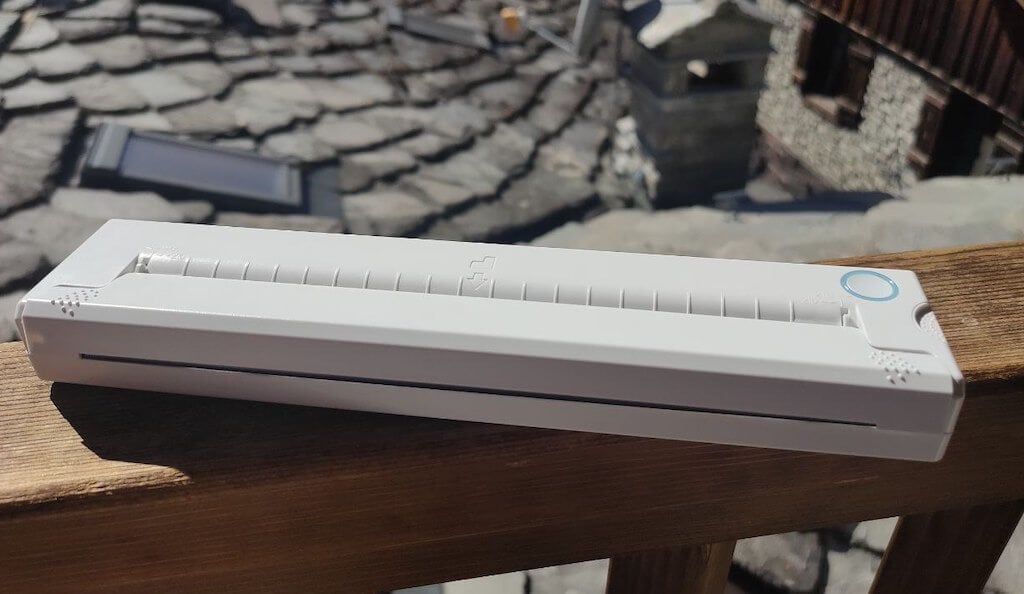
On the side of the printer, you’ll find a single charging port.

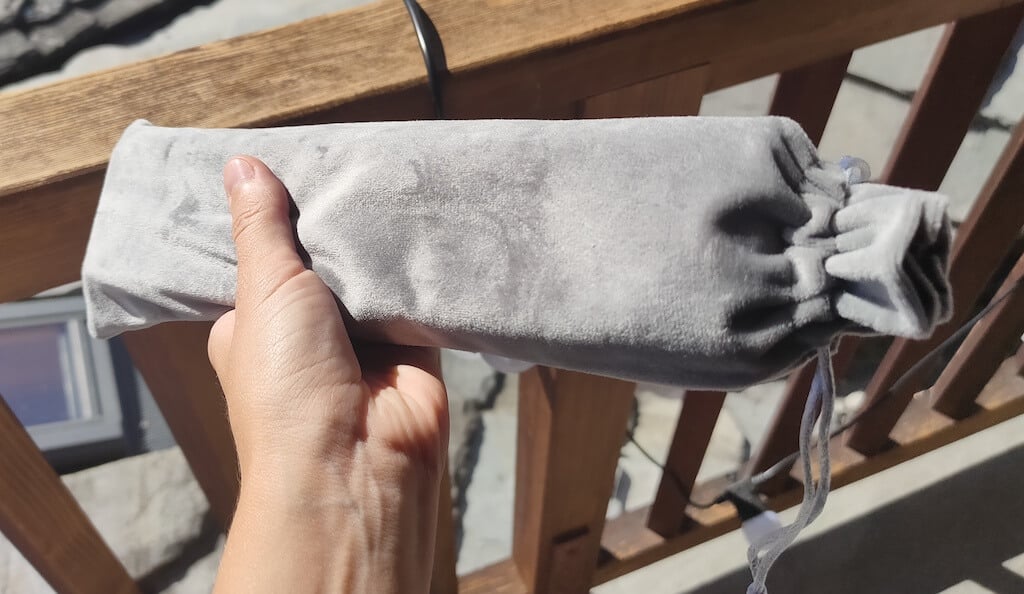
The printer is made of plastic, but the build feels sturdy. I never have to worry about throwing it into my bag or damaging it when traveling. Besides, you can use a nice carrying pouch included in the package for protection.
Performance & Features
According to Newyes, the portable printer has a “handheld size and two times the weight of an iPhone”. This can give you an idea of how portable and convenient this little gadget is. In a month of testing, I used it at home, in a store, and even in a car while on the road.
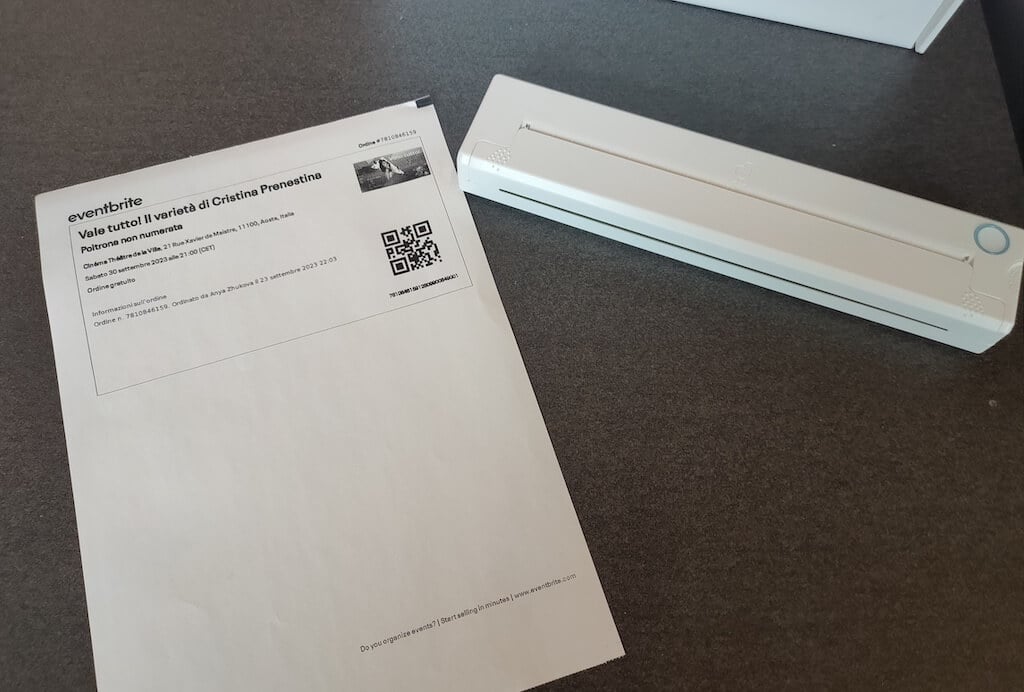
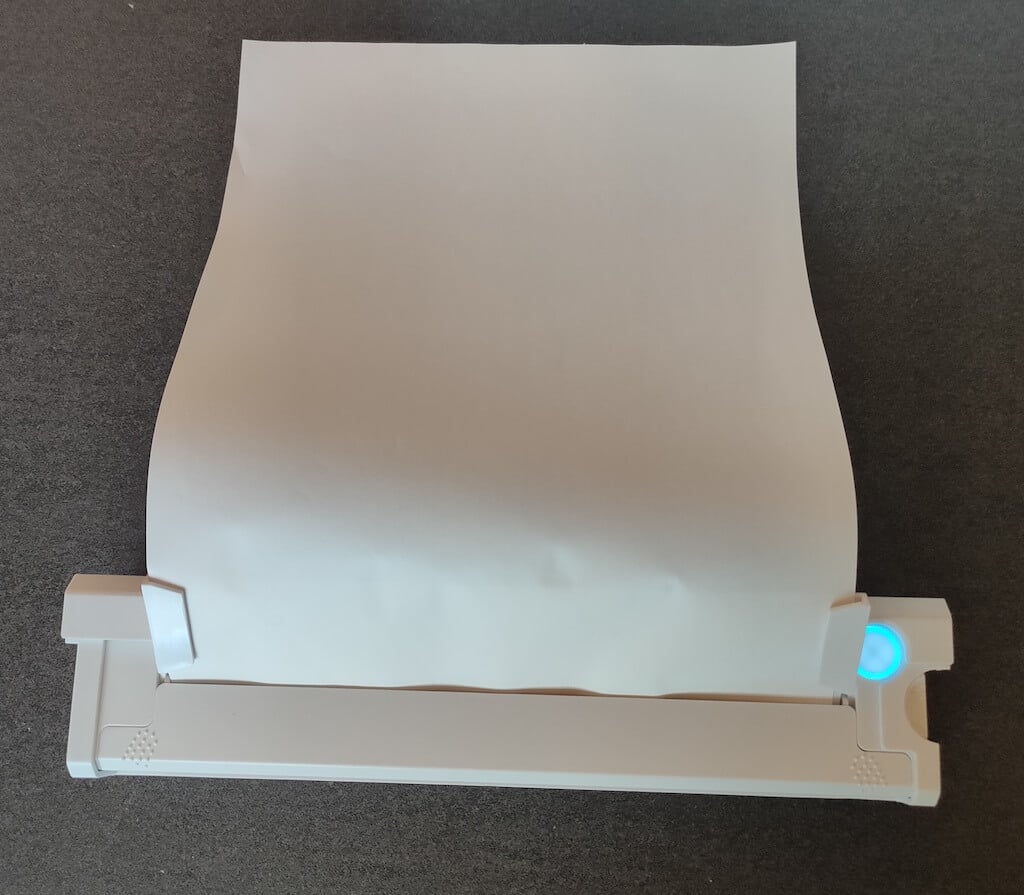
Using the printer is unbelievably easy. Connect it to your mobile phone via Bluetooth, press the button to turn the printer on and put a sheet of thermal paper into the paper entry slot. Make sure to use thermal paper and not standard paper, and put it with the black marks facing down. Bear in mind that the thermal printer can only print in black and white and only on one (marked) side of the thermal paper sheet.
Then open the iPrint app on your smartphone. If you’re printing an A4 document, you can select one of two options – Photo Printing and Document Printing . Then choose the document from your phone’s files and print it.
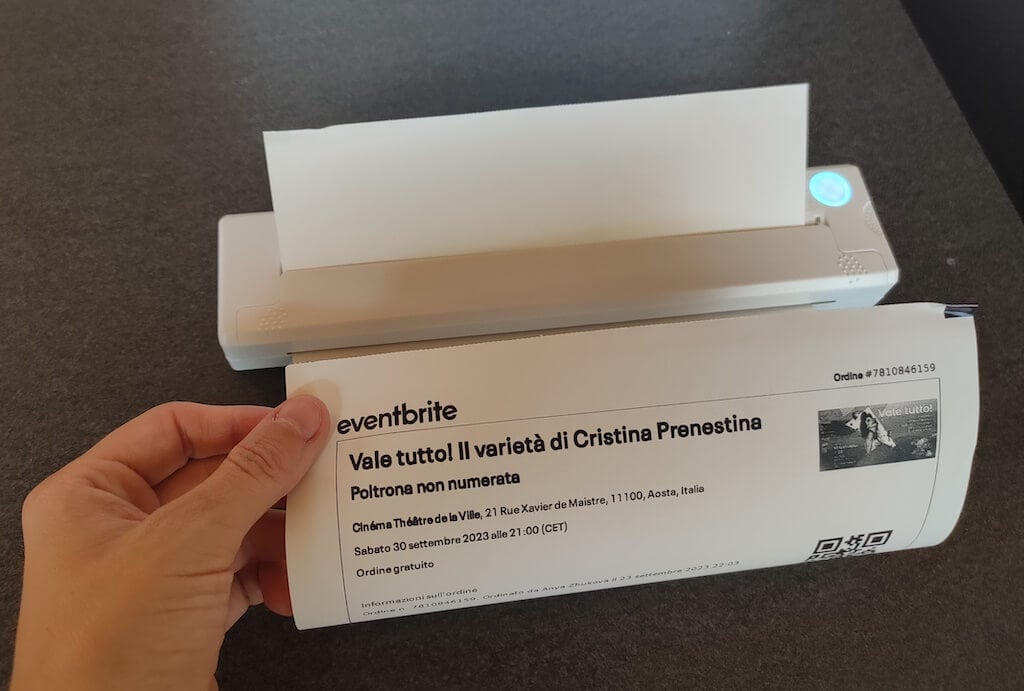
The printer is reliable and in the time that I used it the Newyes LD0801 never let me down. The printing quality will surprise you, as it’s sometimes better than what you get from a full-sized printer. The printer supports printing in various formats, and you can use it to print documents from your smartphone (Android and iPhone), iPad, and Android tablet.
When fully charged, the printer can support up to 90 pieces of paper continuously, which is very impressive for a gadget of such a small size.
Software
The Newyes portable printer requires an iPrint app to operate. The app is available for free on iOS and Android. You’ll need to download the app on your device from the App Store or Google Play before you begin printing your documents.
The app has a simple and user-friendly design. You’ll need to pair your device with the printer on the first use via Bluetooth.
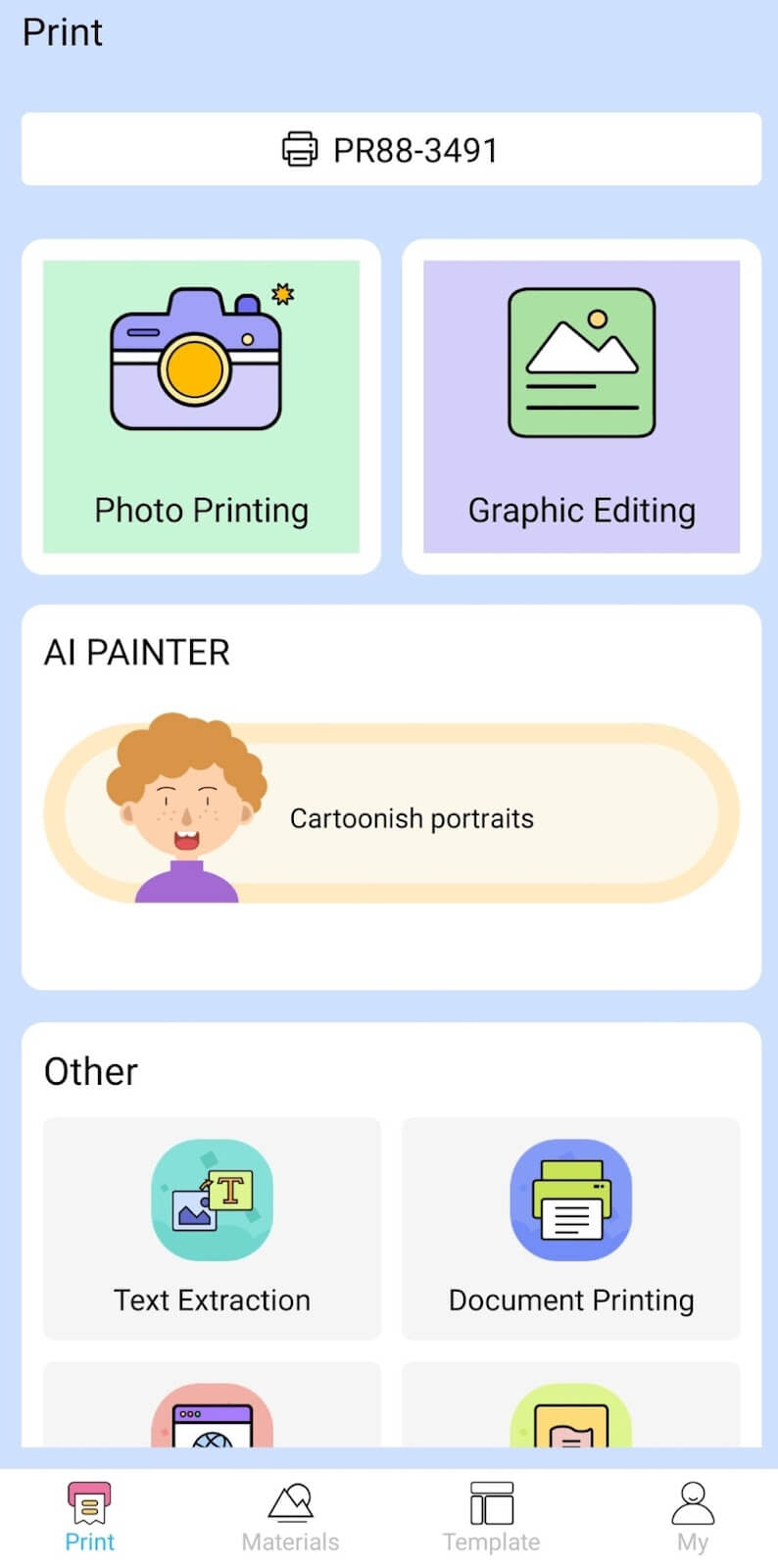
Depending on the type of document you want to print, you can choose different options from the app. There’s photo printing, document printing, web printing, and banner printing.
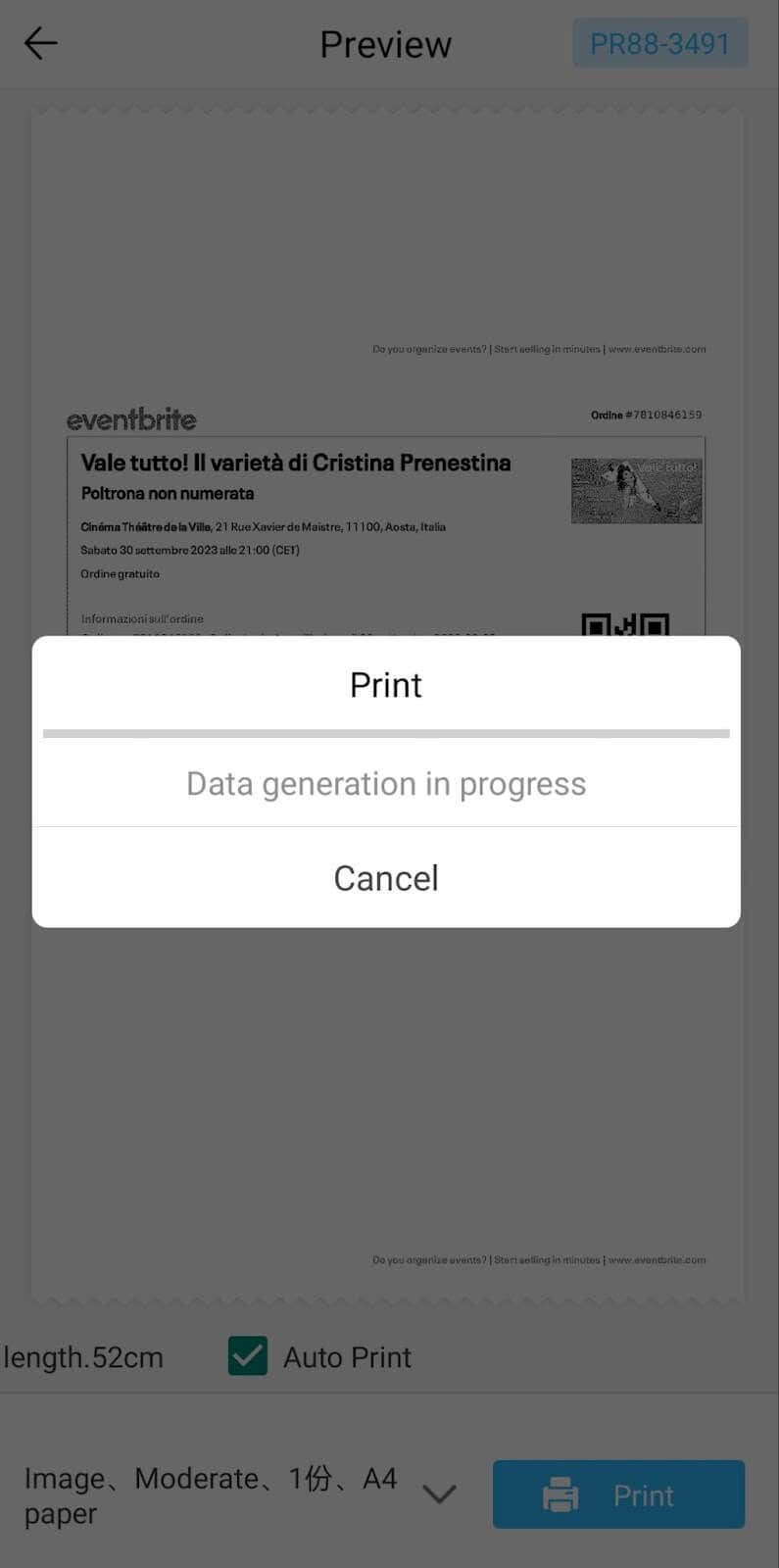
The app also has Materials and Template sections, where you can find various pictures and templates for printing to-do lists, post-its and holiday cards. You can also use the Newyes LD0801 as a label printer using these templates.
Battery Life
The Newyes portable wireless thermal printer is equipped with a decent 1200mAh lithium battery. This high-capacity battery allows you to print on the go without constantly worrying about running out of charge. When I received the printer, I charged it fully once, and it still hasn’t run out of battery after one month of use (I use it to print something almost every other day).
Charging this printer is quick and takes just over an hour to charge the printer from zero to full. The type-C charging cable facilitates a rapid charging experience. And if you run out of battery while on the go, you can quickly charge the printer from a portable power station or a power bank to continue printing.
The printer doesn’t support wireless charging, so I’d recommend always bringing the usb-c cable with you just in case.
Should You Buy the Newyes Portable Wireless Thermal Printer?
The Newyes portable thermal printer ensures high-quality wireless printing while on the go and easy operation. It’s not the most budget-friendly option, but this purchase will save you money and nerves in the long run thanks to its versatility and portable nature.
Personally, I can say that this printer made my life easier. So much that it’s probably my favorite smart gadget of the year. If you’re looking for a portable printer that won’t take any space in your house, I’d certainly recommend considering the Newyes LD0801 model.
- Tribit StormBox 2: The Under $70 Portable Speaker that Stands Out
- ENGWE L20 2.0 Review: The Best Budget-Friendly Foldable E-Bike?
- TopDon TC004 – a Thermal Imaging Camera That Will Give You Predator Vision
- Eskute Star Folding Fat Tire Electric Bike Review
- The 70mai Power Station Tera 1000 Review
