Action cameras have long changed their status from something associated exclusively with extreme sports to a device that you can use to record any kind of physical activity. Whether it’s hiking up in the mountains, or doing yoga at home, you can use a small and handy action camera to film quality videos of yourself and share them online.
With a regular camera, however, you still need to fiddle with the settings and position your camera to make sure you’re filming at the right angle, have your subject in focus, and so on. The Insta360 One X2 is an excellent example of a new breed of action cameras that take care of all of that for you.
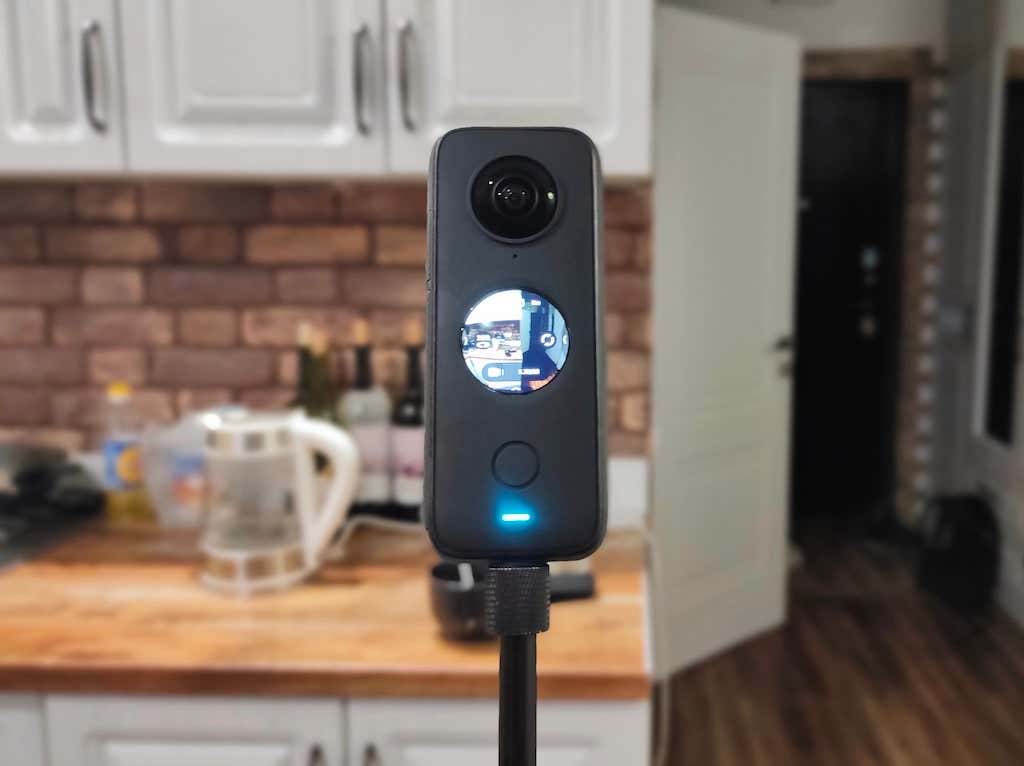
If you want to enjoy your activities worry-free and still get perfect footage in the end, read our Insta360 One X2 review and consider making it your next action camera.
Insta360 One X2: First Impressions
The Insta360 One X2 is a 360-degree camera with two spherical lenses that allow you to capture everything around you and turn it into a single spherical image. Here’s a list of the main pros & cons of this camera.
Pros
- 5.7K 360-degree capture
- Easy-to-use LCD touchscreen
- Steady cam mode
- Voice control
- Excellent image stabilization
- IPX8 waterproof (up to 10 meters)
- Large battery capacity of 1630mAh
- Long run time of up to 80 minutes (when shooting in 5.7K@30fps) per charge
- Compatible with both iOS and Android devices
- Great value for money (standalone price on Amazon from $389)
Cons
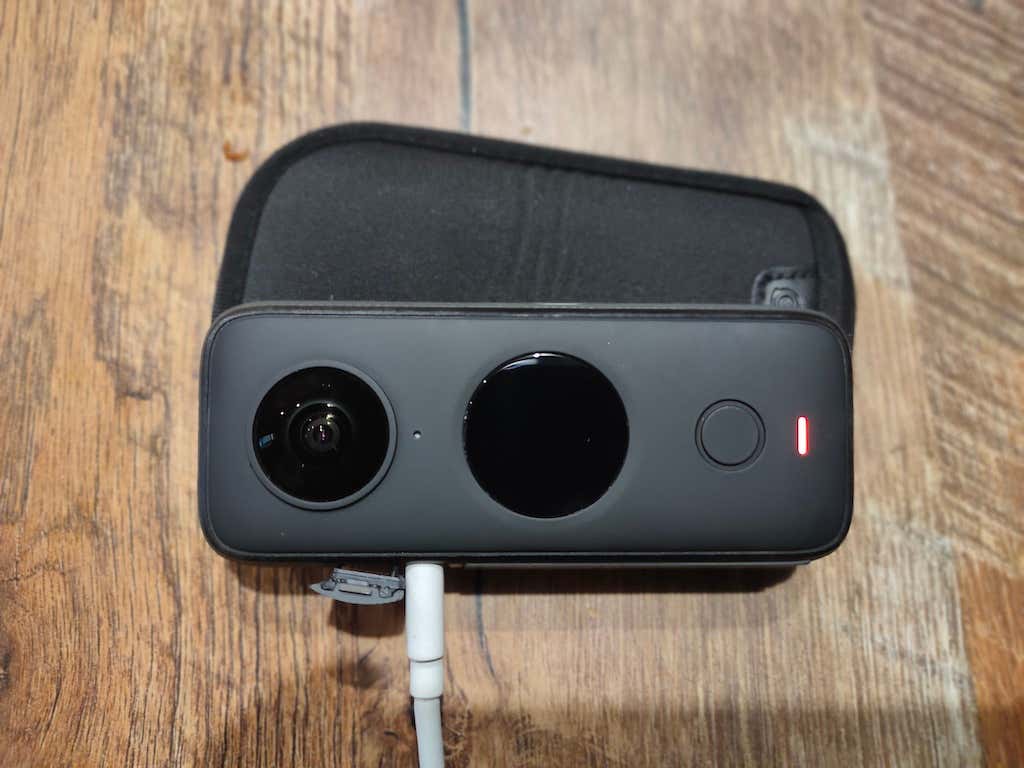
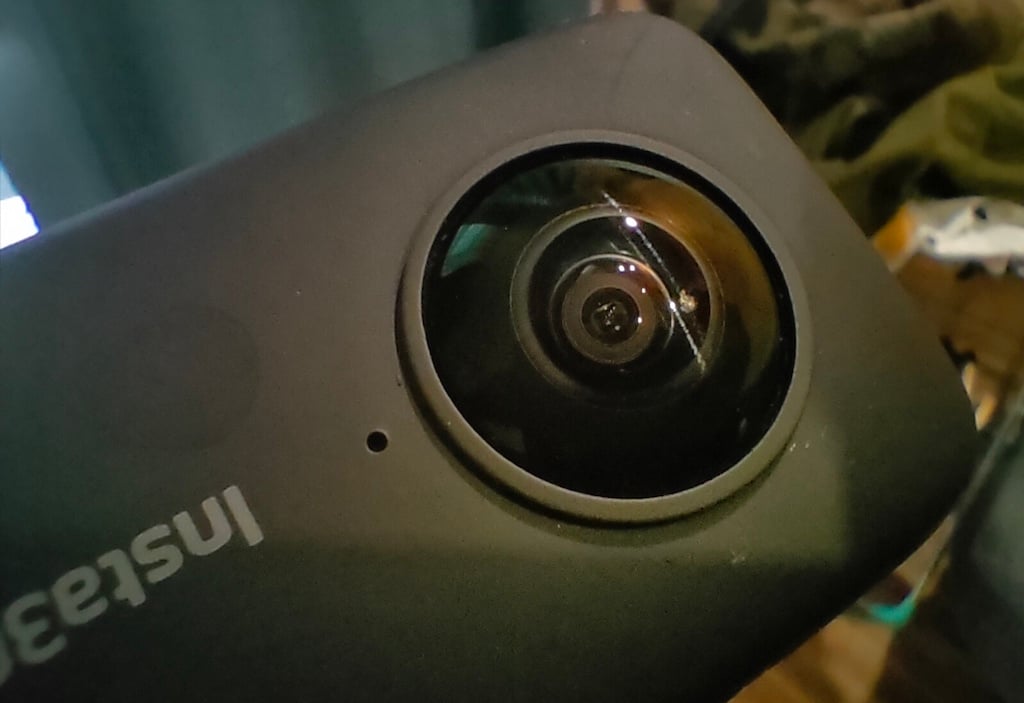
- Spherical lenses are sensitive to scratches
- Size and shape aren’t ideal for a pocket-sized camera
- Insta360 apps can be buggy at times
- Time-consuming editing process
The first thing you’ll notice about this action cam is its solid build. Thanks to its rectangular shape and convex lenses, the One X2 looks quite different from a GoPro or any typical action camera. However, it’s still compact enough to fit in your jacket pocket.
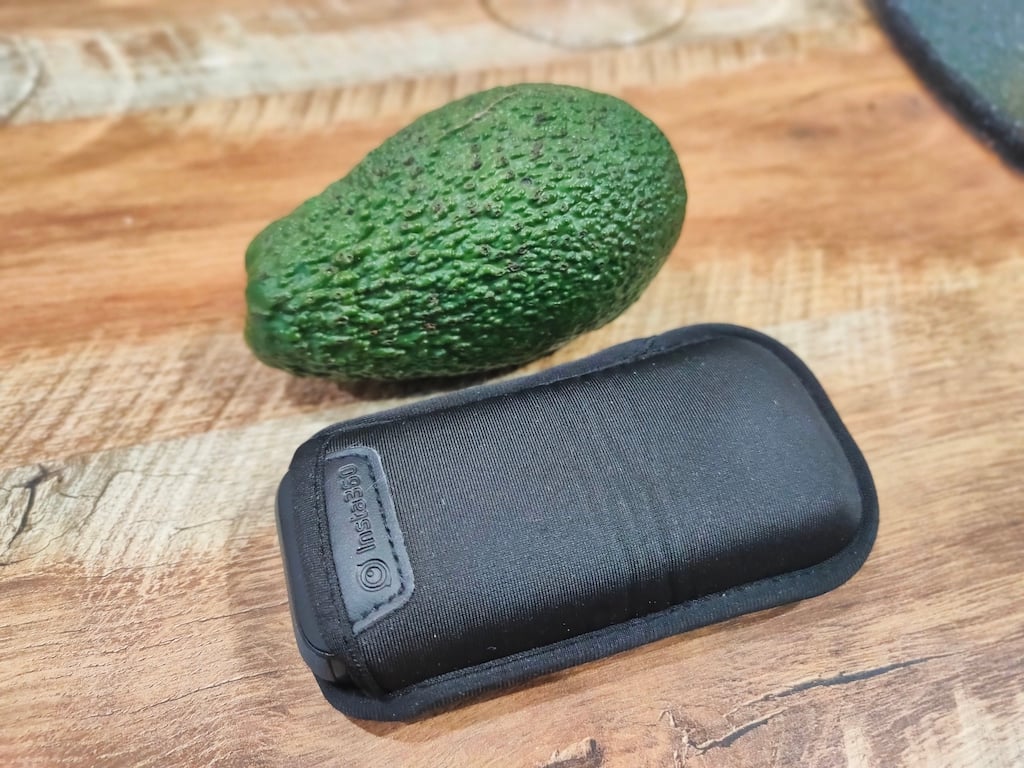
The One X2 comes with a neoprene case that helps you protect the camera lenses. While the camera itself looks rather durable, the fisheye lenses are the part that you want to be careful with. Every little scratch will result in a tiny black dot on your footage. The only way to get rid of that is to reframe your shot so that it’s not visible. There’s no way to replace a single lens, so you’ll have to get an entirely new camera if you want to fix it.
As for other advantages, the One X2 is waterproof up to 10 meters, has a large battery life and has plenty of shooting modes. Compared to its predecessor Insta360 One X, the One X2 improved a lot. However, there’s still the problem of an over-complicated editing process, which will probably confuse you if you don’t have previous experience with vlogging software and apps.
Setup Process
Even if you haven’t used an action camera before, you’ll have no trouble starting your Insta360 One X2. All you need is to charge your One X2 using the USB-C port and insert a microSD card. The last thing you need to do before you can start recording is to install the Insta360 app on your smartphone to activate the camera. That process is pretty straightforward, and you shouldn’t run into any problems at this step.
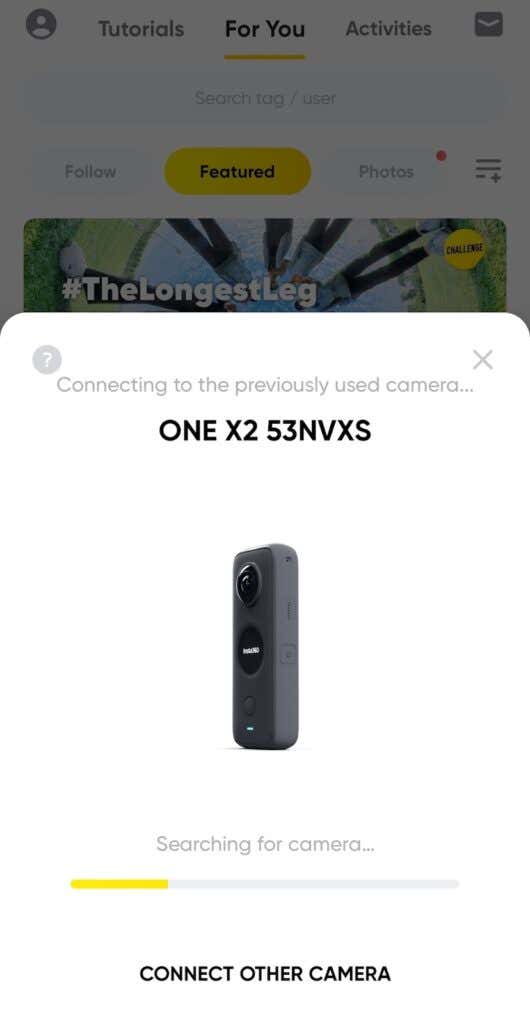
Once that’s done you can start shooting. You can use the One X2 as it is and record videos from your hand, use a standard action camera mounting to fix it on your helmet for hands-free recording, or use one of the Insta360 accessories – the invisible selfies stick. The latter is the best option if you want drone-like footage. Fix your camera on a selfie stick and film, then watch the stick disappear when you start editing your footage.
Video Quality
Overall, the video quality that you get with the One X2 is great, especially considering this camera’s wide functionality. Whatever you decide to record, the Insta360 One X2 has you covered.
The excellent FlowState stabilization will make sure any hand-held shots turn out smooth and focused, while the horizon lock helps you keep the horizon level even when you rotate the camera. So if you’re planning to film yourself while walking, running, or even snowboarding, you don’t have to worry about keeping your camera stable.
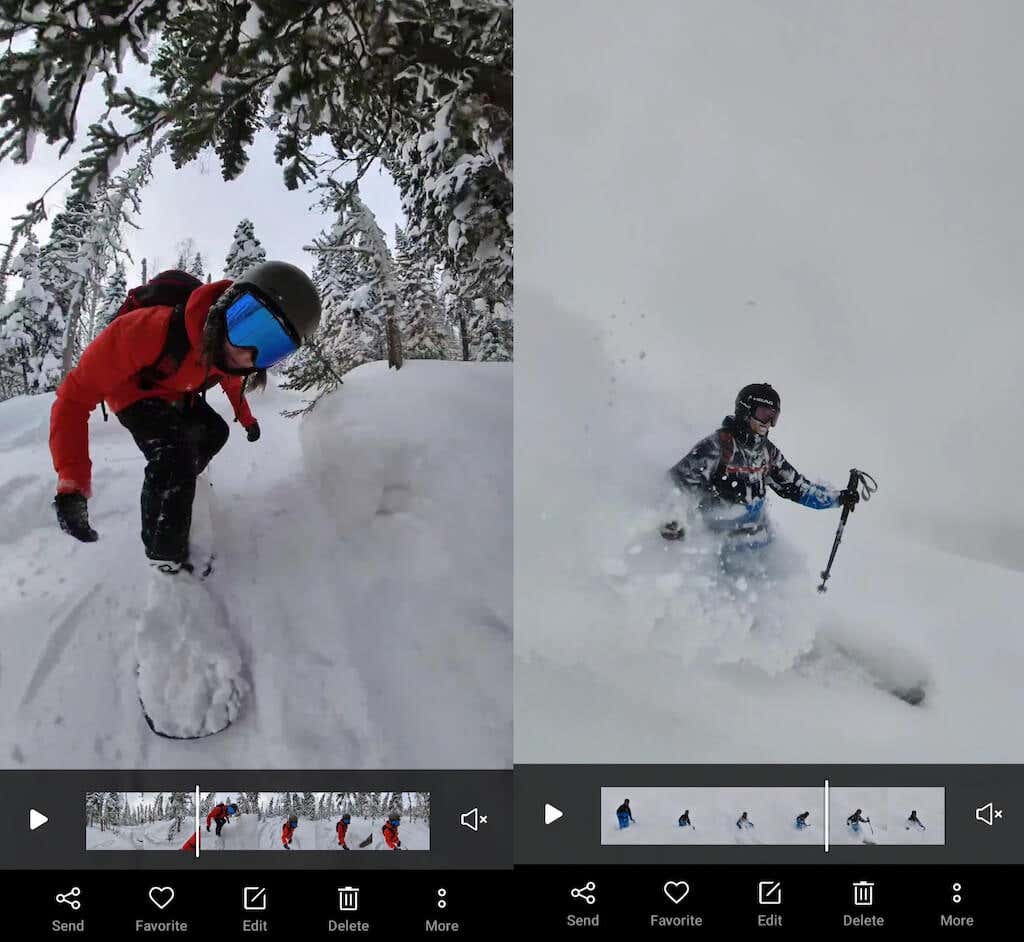
The 5.7K video in 360-degree mode looks sharp and colorful. However, the quality drops a little in low-light conditions. If you’re planning to shoot in gloomy weather, we’d recommend using the HDR mode. When shooting in HDR, the One X2 delivers photos and videos with better dynamic range, natural lighting, and more detail.
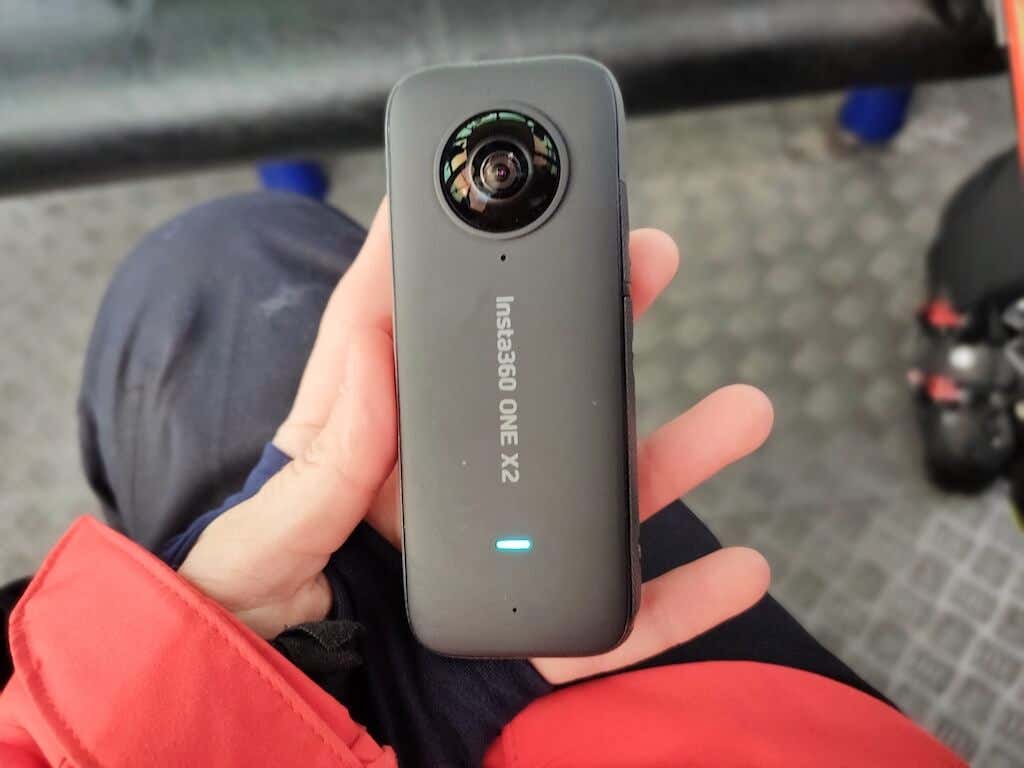
You can also use the Insta360 One X2 as a normal action camera. Here it’s called Steady Cam mode. While the video quality in Steady Cam is still decent, you can only get an equivalent of 2.7K video with a wide-angle lens. That means that your One X2 is no competitor for the latest GoPro Hero or GoPro Max. The One X2 makes up for it by giving you the ability to record everything around you simultaneously in one video and re-frame it later during editing.
Another video shooting mode is MultiView which involves AI face-tracking. It splits your screen in two and allows you to shoot the narrator of the video and the scene around you at the same time and have a picture-in-picture video ready as a result. If you’re a vlogger, this allows you to cut down the time and effort that you spend on post-production.
Image Quality
The One X2 is capable of producing great images, especially if you’re using one of the special photo modes. One is PureShot which helps you produce colorful and detailed images in low-light conditions increasing the ISO up to 3200.

The other photo mode is InstaPano which allows you to capture 360-degree panoramic shots without having to stitch together multiple images. Both modes are great for getting those perfect shots to post on your social media.
Audio Quality
The Insta360 One X2 has a four-way microphone that records surround sound to match your 360-degree videos. This is perfect if you don’t want to use any external mics and just use the audio from the camera together with the video footage. You can also use your Apple Airpods to record audio separately and to use voice control.
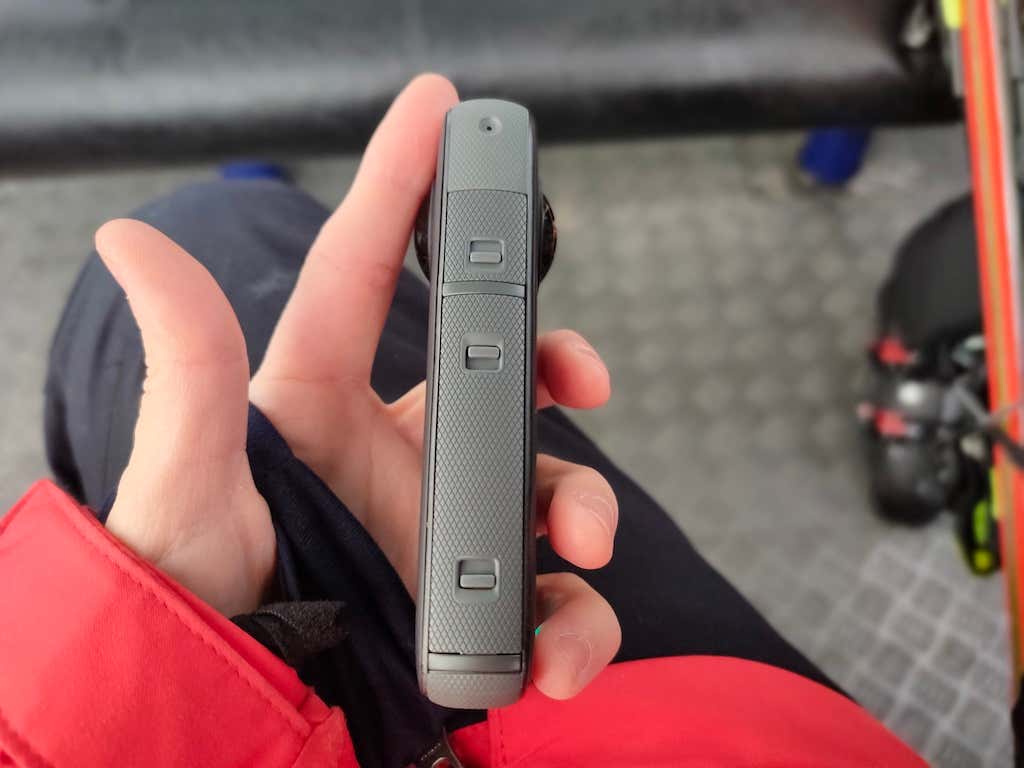
We tested the One X2 audio recording abilities in different conditions, including strong wind, rain, and snow. We were able to get clear sound on our recordings even when skiing on a windy day. The only thing that affected the audio in any significant way was putting the camera underwater. It then went back to normal in a couple of minutes, once the One X2 dried off.
Thanks to the decent audio quality that the One X2 delivers, you can also use it as a webcam to live stream to various platforms without having to record your audio separately.
The Editing Software
The Insta360 editing software is both the best and the worst thing about this camera. You’ll probably have mixed feelings about it as we did. The smartphone app is called the Shot Lab , and the PC software’s called the Insta360 Studio . Let’s start with the mobile app.
On one hand, the Shot Lab is absolutely brilliant. This smartphone app gives you more editing abilities than you could imagine: from timelapses and hyperlapses to freeze frames and AI-powered smart tracking.
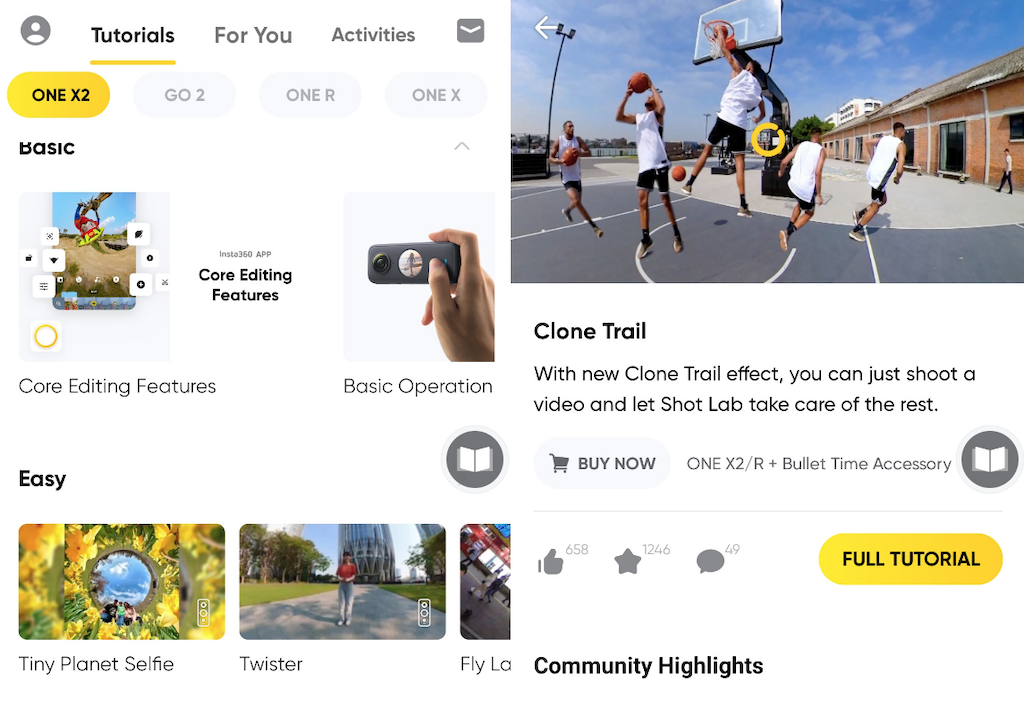
On the other hand, the app can seem over-complicated for someone opening it for the first time. Plus, there are still some bugs waiting to be fixed. For example, sometimes it takes a few tries before you can connect your One X2 to your smartphone via Bluetooth and WiFi for file transfer and so on. It’s worth mentioning that you need to own one of the latest smartphones to avoid frustrating delays when using the app. Anything above iPhone 8 should do, or an Android phone with the Qualcomm Snapdragon 845 chip or its equivalent.
For those users who don’t want to waste time learning how to execute cool editing tricks, Insta360 thought of a solution. In the app, you’ll find numerous tutorials that detail the editing steps for each video trick. Just pick a template and follow the steps. Some of our favorite creative edits by Insta360 include Stop Motion Mix, Clone Trail, and Flash Dash.
If you felt uncomfortable with the number of different editing options and features in the mobile app, we’ve got some bad news about the Insta360 Studio . The PC app is about 5 times more difficult to navigate, let alone complete your editing. For some reason, it bears little resemblance to the Shot Lab and even lacks some editing features that the Shot Lab offers. The process of importing and exporting your videos is more complicated than it should be. On top of that, if your PC doesn’t have a lot of free storage space, you’ll struggle to store your 5.7K videos due to their significant file size.
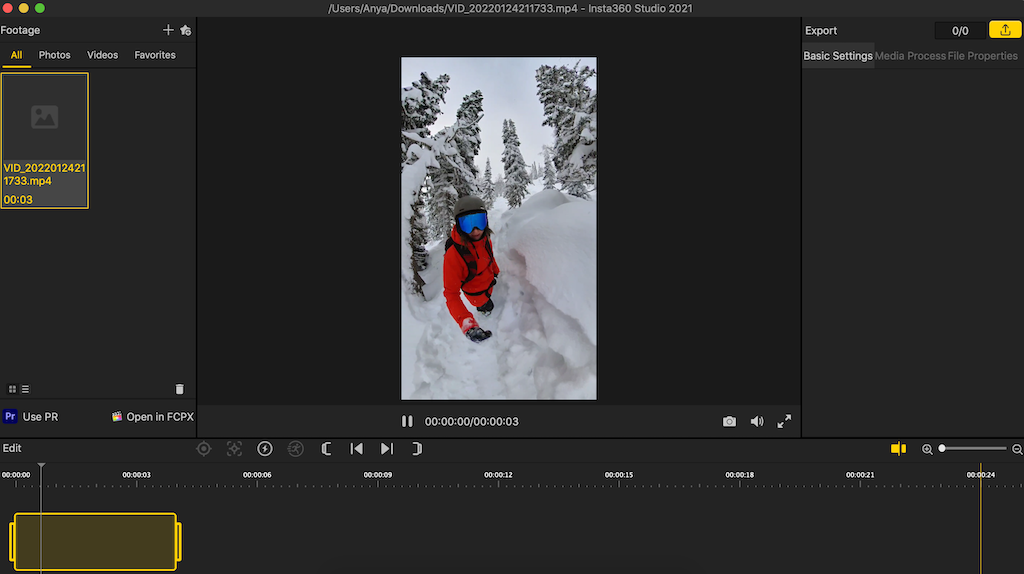
On the bright side, Insta360 seems to be working on updating both their apps non-stop. That way, the new V4 of the Insta360 Studio has both auto frame and timeshift features which the users have been asking for on forums like Reddit for a while.
Accessories
Insta360 has plenty of cool accessories for the One X2 camera. Some of them are more useful than others.
For example, there’s a dive case that makes your One X2 camera fully waterproof to 45m (or 147ft) and ensures seamlessly-stitched footage when shooting underwater. However, if you aren’t planning to go diving with your One X2 but still want to shoot some water-related activity like swimming or rafting, you’ll do fine without this accessory, as the One X2 is already waterproof to 10m.
You can buy the Insta360 One X2 as a standalone camera but there are some accessories that will surely enhance your user experience. First of all, we already mentioned that the lenses on One X2 are sensitive to scratches. It’s a good idea to get yourself some lens guards to protect camera lenses if you’re planning to record any sports activities.
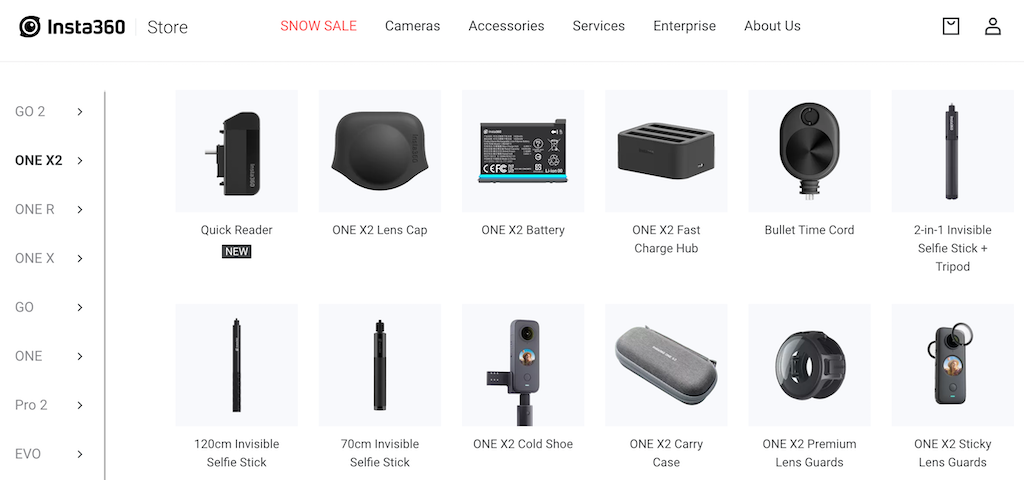
The second must-have accessory is the invisible selfie stick. It gives you a lot of different angles and shooting points and will surely impress your friends and family when they see the stick disappear on the editing stage.
There’s also the bullet time tripod handle that allows you to twirl the One X2 around your head when shooting and doubles as a tabletop tripod. You can find the rest of the Insta360 accessories on the official site and see if you want to include them in your purchase.
Should You Buy the Insta360 One X2 Camera?
The Insta360 One X2 isn’t an all-purpose camera and it shouldn’t be. If you’re looking for the best possible picture and sound quality, you might be better off checking out the latest GoPro. However, if you’re tired of using the standard action cameras and are ready to have some fun with the new 360-degree format, the One X2 is an excellent choice of a camera.
- Tribit StormBox 2: The Under $70 Portable Speaker that Stands Out
- ENGWE L20 2.0 Review: The Best Budget-Friendly Foldable E-Bike?
- TopDon TC004 – a Thermal Imaging Camera That Will Give You Predator Vision
- Newyes Portable Wireless Thermal A4 Printer Review
- Eskute Star Folding Fat Tire Electric Bike Review
If you don’t have a full-sized printing machine at home and often need to print a document on the go, check out the Newyes portable printer . This wireless printer is lightweight and small enough to fit in your bag. Not to mention it’s environmentally friendly, since it uses thermal paper instead of ink.
Follow our review of the Newyes portable wireless thermal printer to see if it suits your printing needs.
Newyes Portable Wireless Thermal A4 Printer: First Impressions & Specs
When I was a student, I remember my university always required hard copies of documents. Luckily, there was a print shop on campus where I could always pop in to print something.
Then I became a professional, and to my surprise many life spheres still required me to have printed versions of documents with me. Of course you can get your own full-sized machine to print things at home, but if like me you live in a small apartment, you value every extra bit of space and don’t want a massive printer to take it up.
One day, when I was looking for a neighbor with a printer to help me with my event tickets, they introduced me to the concept of a portable printer. Seeing how easy it is to use, I immediately wanted to get my hands on one of those. So here I am, reviewing one of the most useful gadgets I received recently – the Newyes portable thermal printer.
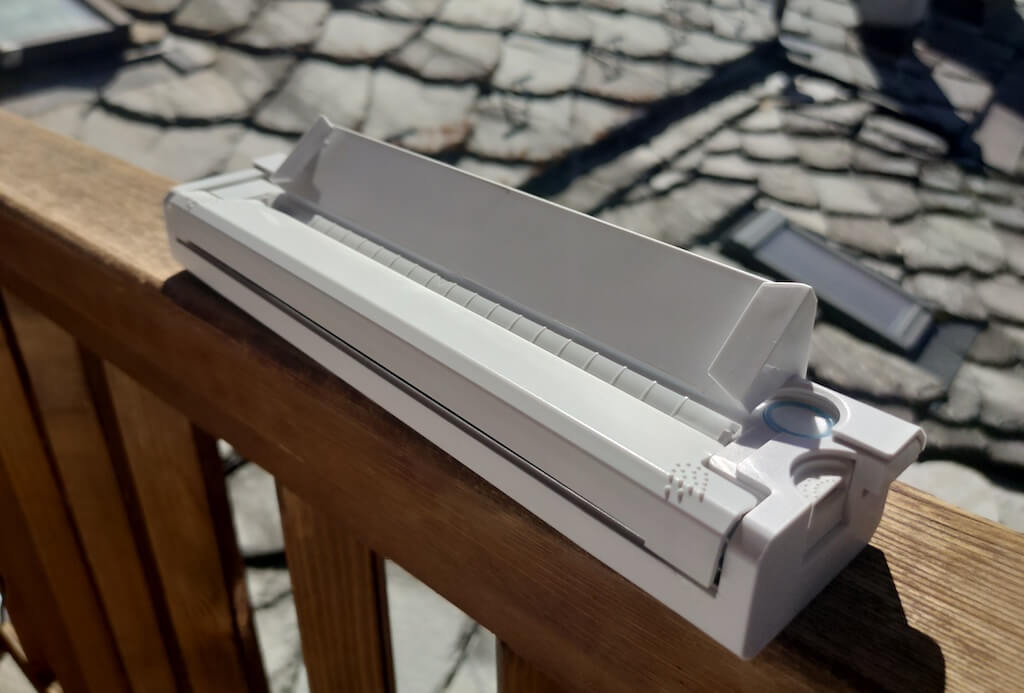
Before we continue with this review, here is the full list of specs of this printer.
- Model: Newyes LD0801
- Dimensions: 10.4 x 1.2 x 2.28 in (265 x 58 x 30.5 mm)
- Weight: 16.8oz (475g)
- Paper format: A4
- Paper width: 210mm or 218mm
- Printing Type: thermal paper
- Resolution: 203DPI
- Connectivity: Bluetooth
- Charging port: USB type-C port
- Input Voltage: DC 5V / 2A
- Battery: 1200mAh lithium battery
- Charging time: 75 min
- Automatic shut down: after 30 minutes
- Stand-by: about 30 days
- Extra features: LED light, reset, on / off switch button
- Color: white, black
- Warranty: limited one year warranty
- Price: $199 on the Newyes website
If you find yourself in need of hard copies of important documents while on the move, the Newyes portable wireless thermal printer will become your go-to gadget. Newyes calls it “the world’s smallest printer”, and with the weight of under 500g this seems plausible. This mini printer offers a handy solution for those moments when you need to quickly print an important document but don’t have access to an office setup.
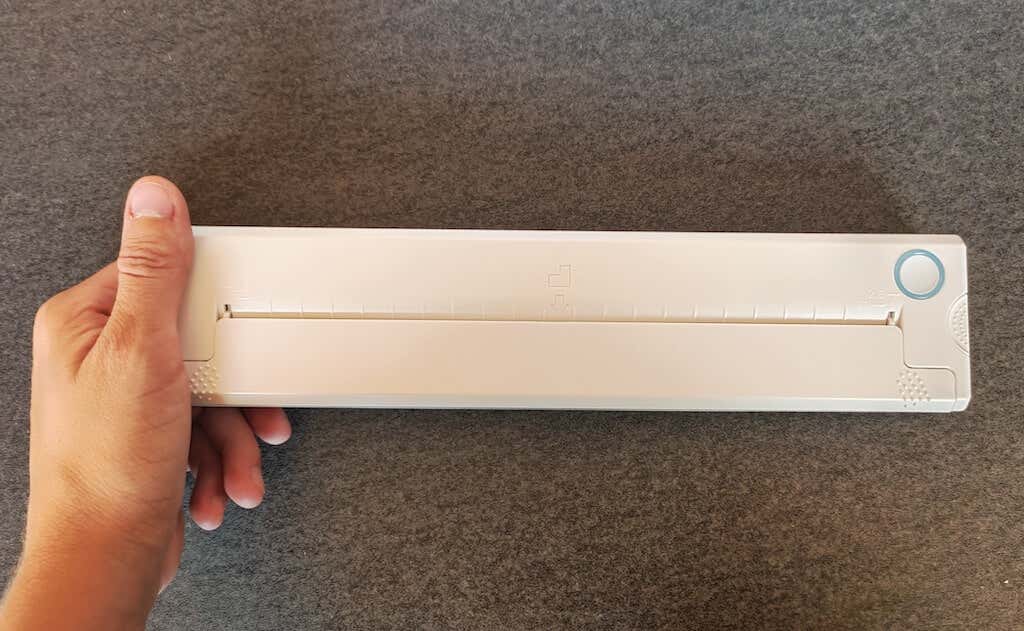
Operating this printer is a breeze – a simple Bluetooth connection is all that’s required. Once connected, just fire up the app, choose the file you want to print, and send it over. Efficiency is at the forefront, and you can easily print multiple sheets by inserting new pages back to back.
The only limitation this printer has is that it can only print in black. So even if your original file is in color, the printed document will still come out in black and white. Other than that – you can print a variety of file types including Excel, Word, PDF, JPG, PNG, and web pages – and it only takes seconds.
The Newyes portable wireless printer combines convenience, portability, and efficiency – all the things I appreciate in a modern gadget.
Design and Unpacking
Let’s have a closer look at the design and build of this smart printer, as well as what you get included in the package when you purchase it.
What’s in the Box
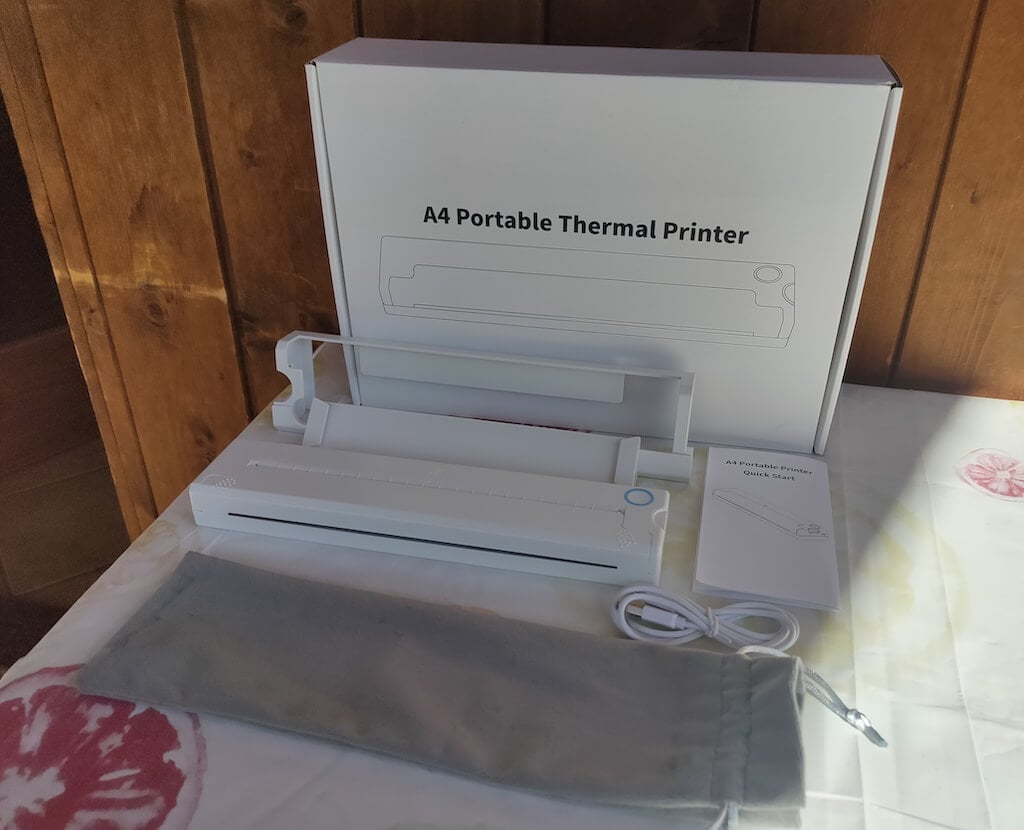
Here’s everything you’ll find when unpacking your Newyes portable thermal printer:
- The Newyes portable wireless thermal printer
- Bracket
- USB type-C cable
- Storage/carrying pouch
- 100pcs thermal printing paper
- User manual
You can use the Newyes portable printer right out of the box, as you’re all set with essential accessories. Aside from the printer itself, the package includes a bracket which will make printing more than one page smoother, a convenient storage bag for carrying your printer with you, a USB-C cable for charging, and a supply of 100 pieces of thermal paper to get you started.
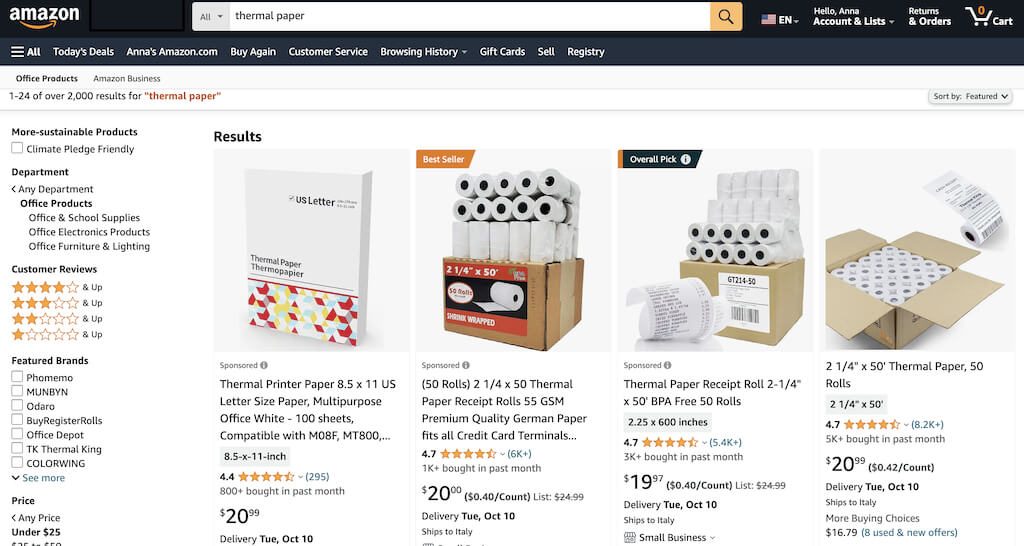
One important thing to remember is that this printer only works with thermal paper. While thermal paper is significantly more expensive than normal paper, this printer also uses inkless printing and works without a ribbon and toner. Since you don’t have to spend money on ink, carbon ribbons or toner cartridges, you ultimately end up saving money with thermal paper.
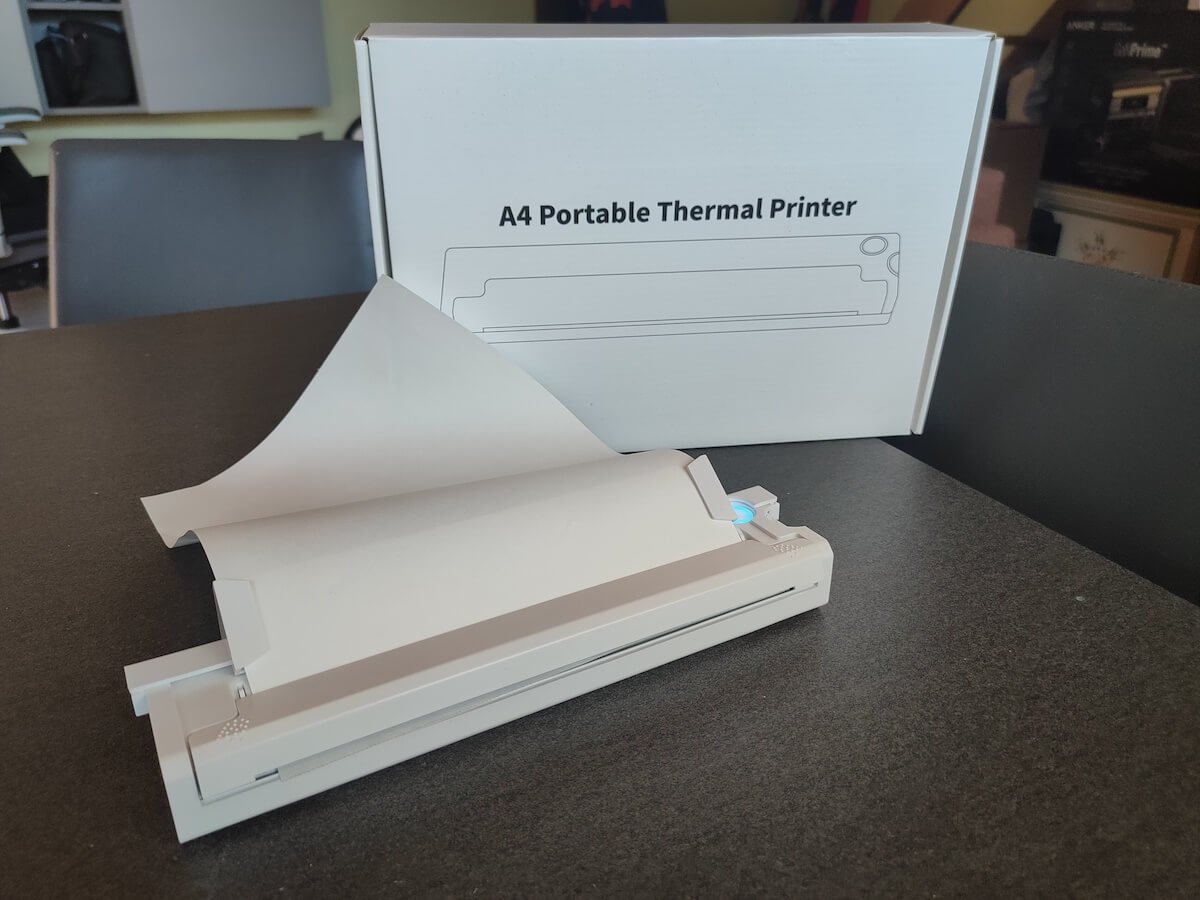
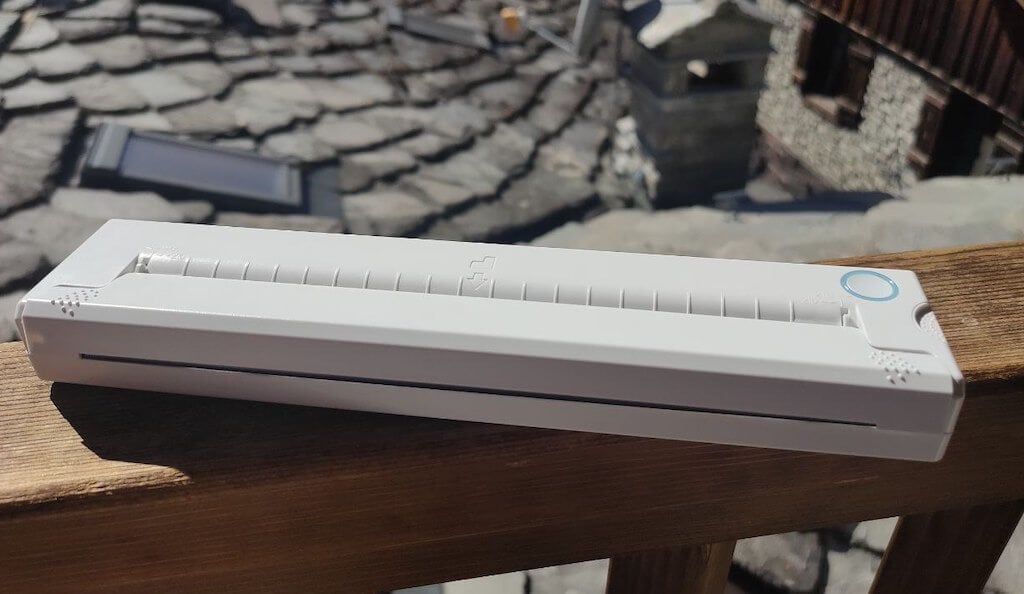
The Newyes LD0801 is a pocket-sized printer that features straightforward design. For the purpose of this review, I had a printer in white color. The printer looks like a small white brick with just two pressable buttons on top – one for switching it on and off, and another for opening the printer’s cover. You’ll also see the paper entry slot on top of the printer.
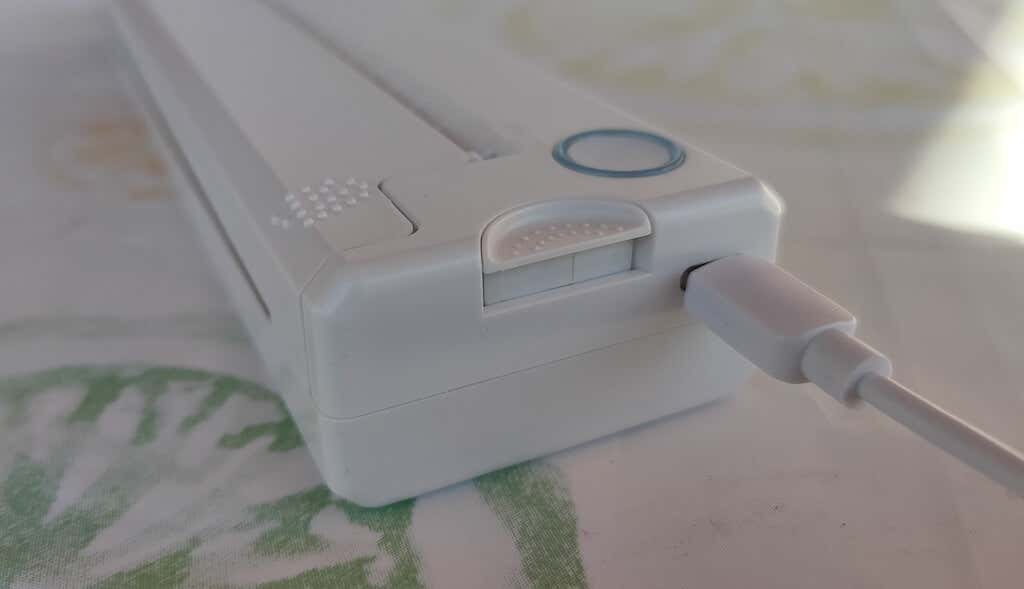
On the side of the printer, you’ll find a single charging port.
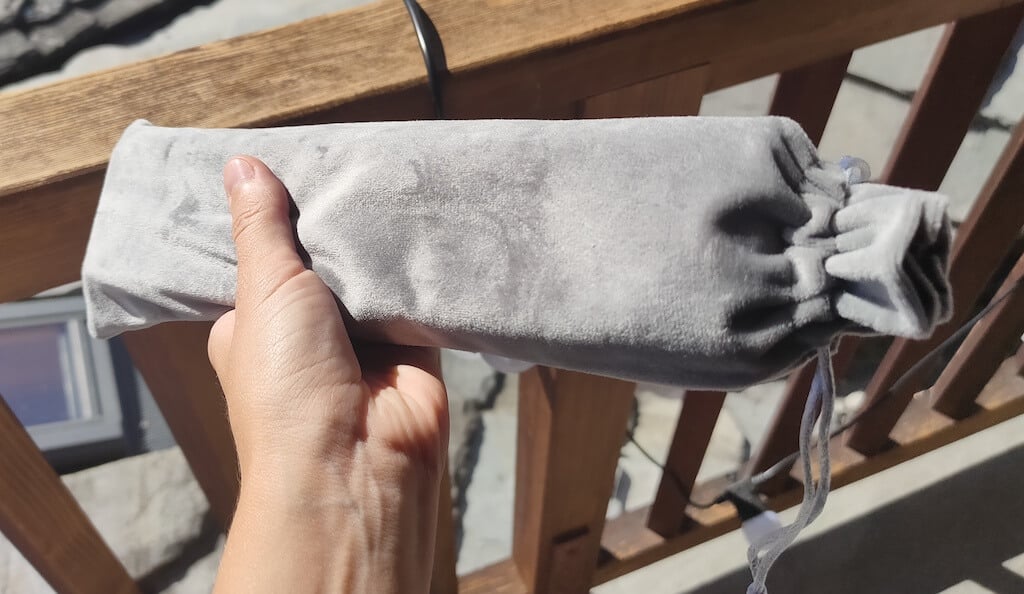
The printer is made of plastic, but the build feels sturdy. I never have to worry about throwing it into my bag or damaging it when traveling. Besides, you can use a nice carrying pouch included in the package for protection.
Performance & Features
According to Newyes, the portable printer has a “handheld size and two times the weight of an iPhone”. This can give you an idea of how portable and convenient this little gadget is. In a month of testing, I used it at home, in a store, and even in a car while on the road.
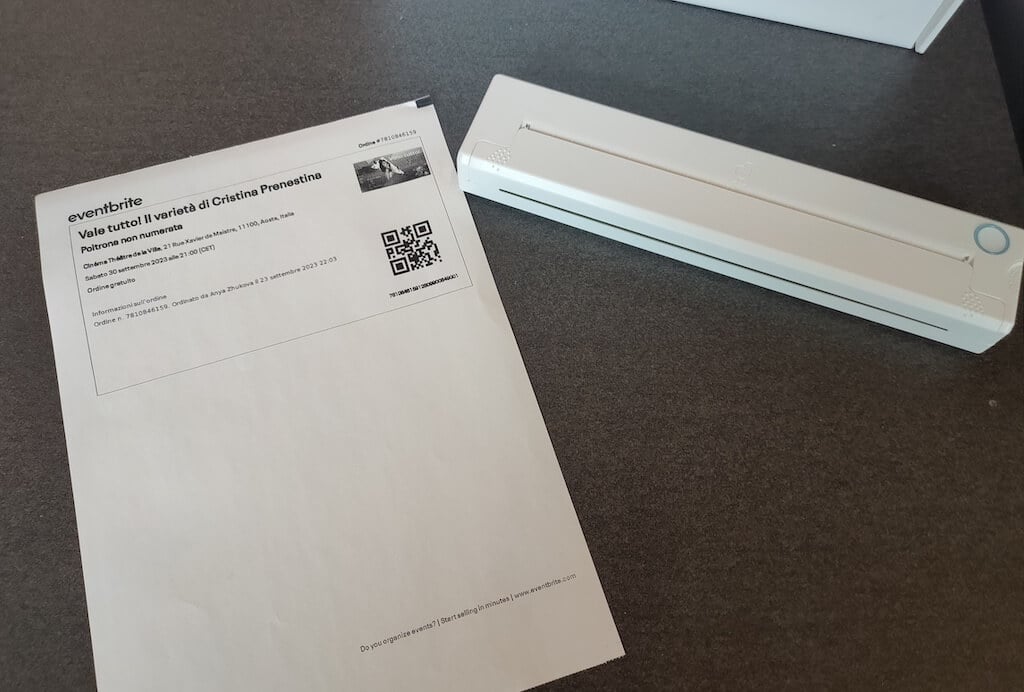
Using the printer is unbelievably easy. Connect it to your mobile phone via Bluetooth, press the button to turn the printer on and put a sheet of thermal paper into the paper entry slot. Make sure to use thermal paper and not standard paper, and put it with the black marks facing down. Bear in mind that the thermal printer can only print in black and white and only on one (marked) side of the thermal paper sheet.
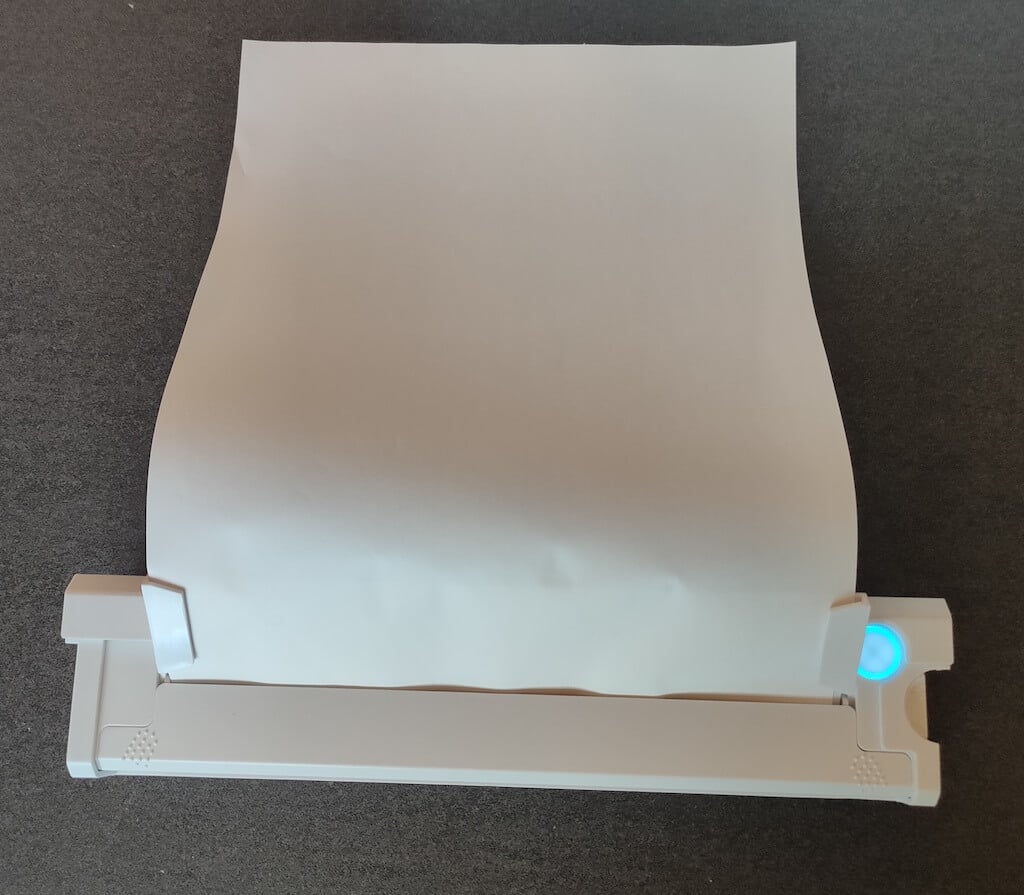
Then open the iPrint app on your smartphone. If you’re printing an A4 document, you can select one of two options – Photo Printing and Document Printing . Then choose the document from your phone’s files and print it.
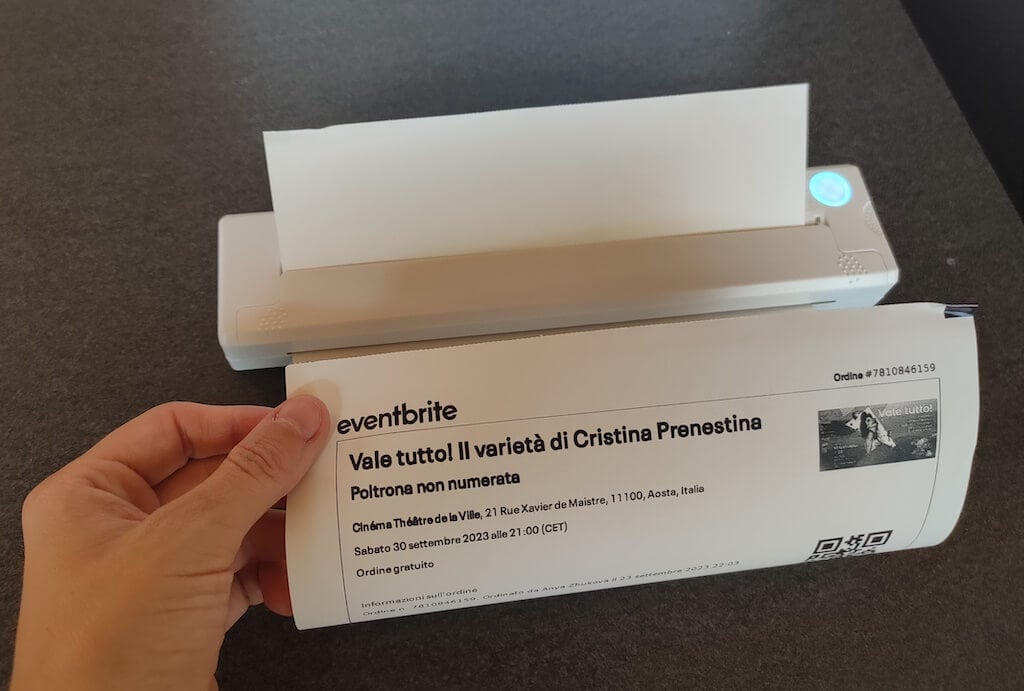
The printer is reliable and in the time that I used it the Newyes LD0801 never let me down. The printing quality will surprise you, as it’s sometimes better than what you get from a full-sized printer. The printer supports printing in various formats, and you can use it to print documents from your smartphone (Android and iPhone), iPad, and Android tablet.
When fully charged, the printer can support up to 90 pieces of paper continuously, which is very impressive for a gadget of such a small size.
Software
The Newyes portable printer requires an iPrint app to operate. The app is available for free on iOS and Android. You’ll need to download the app on your device from the App Store or Google Play before you begin printing your documents.
The app has a simple and user-friendly design. You’ll need to pair your device with the printer on the first use via Bluetooth.
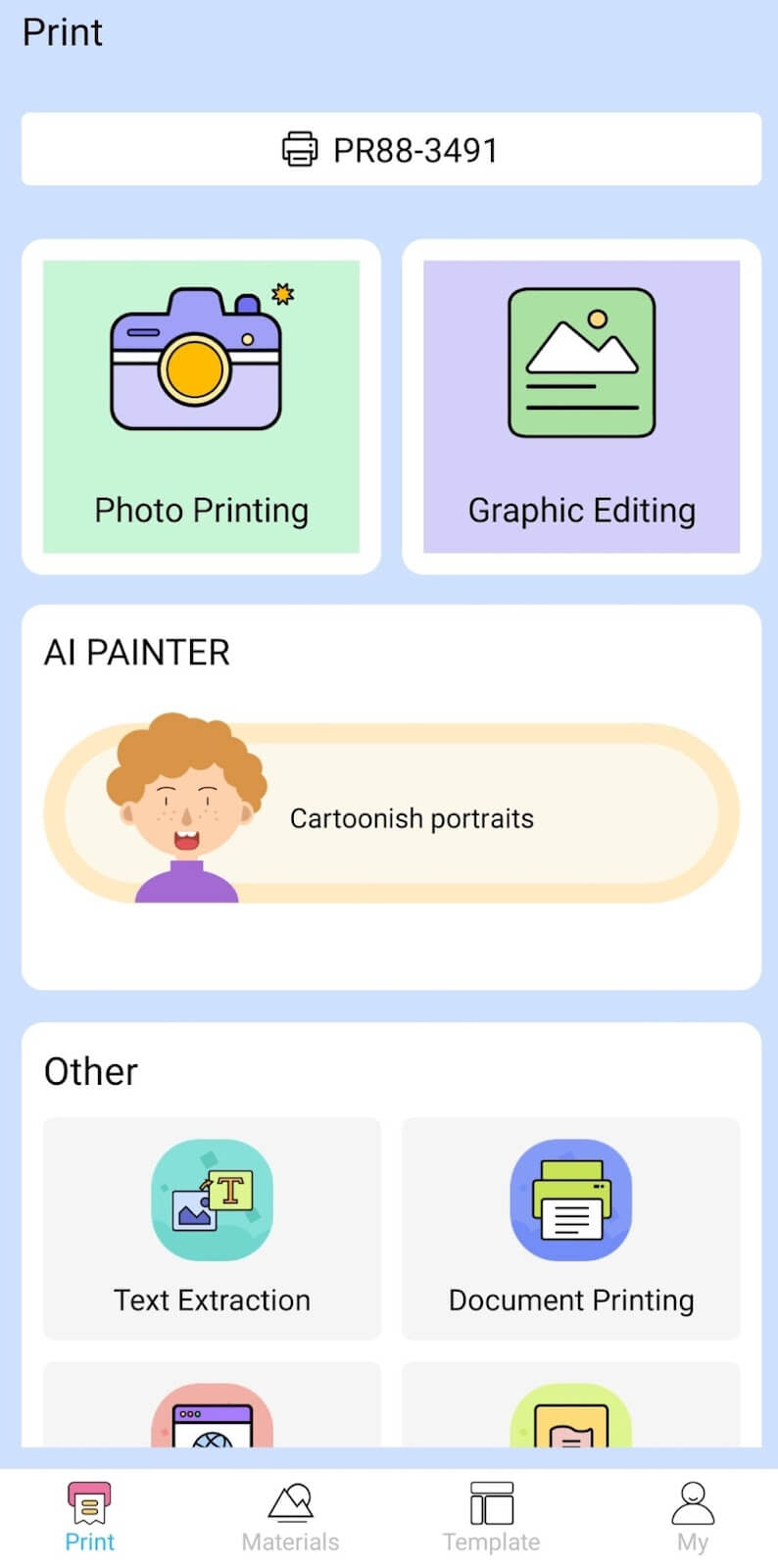
Depending on the type of document you want to print, you can choose different options from the app. There’s photo printing, document printing, web printing, and banner printing.
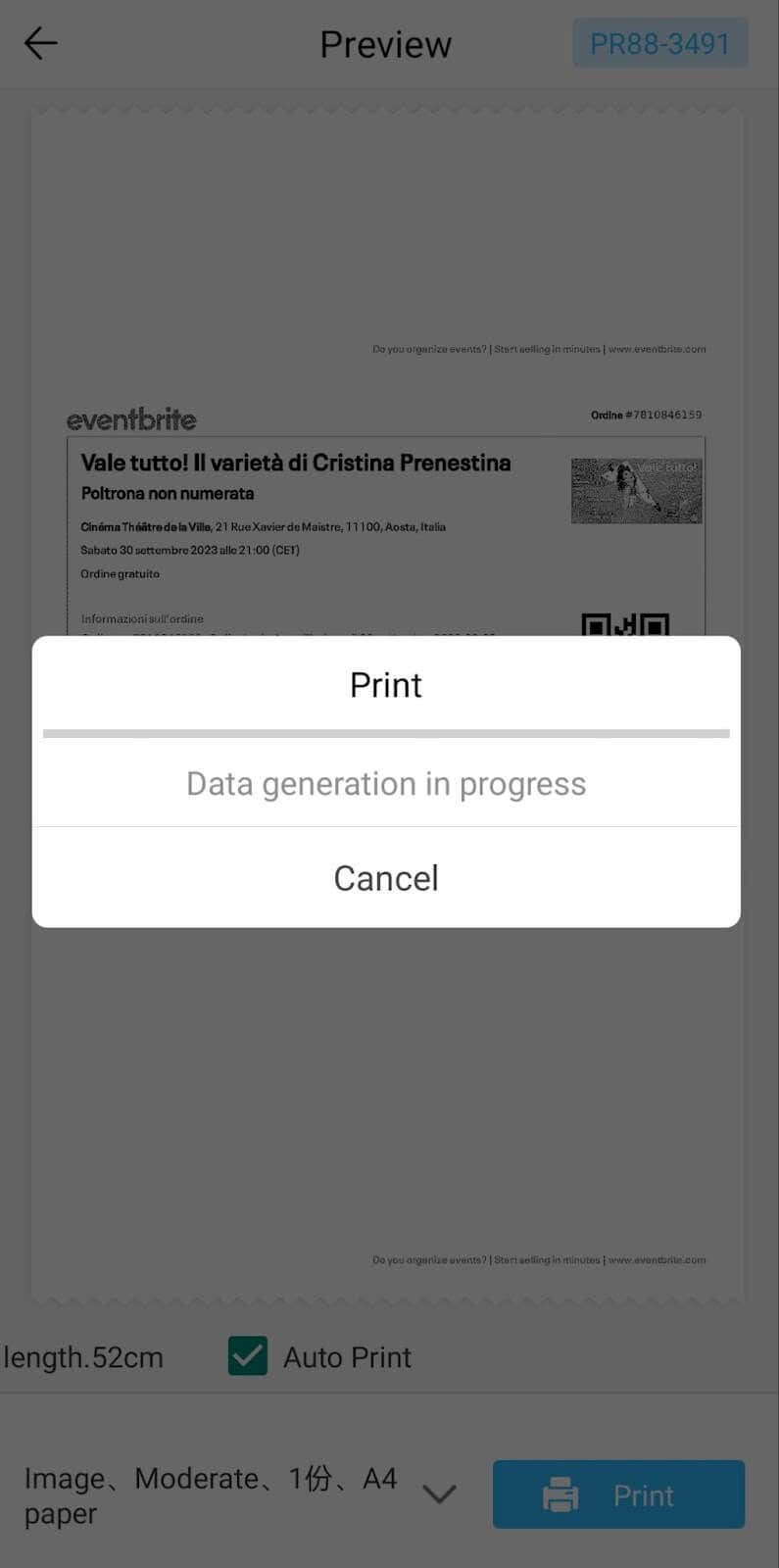
The app also has Materials and Template sections, where you can find various pictures and templates for printing to-do lists, post-its and holiday cards. You can also use the Newyes LD0801 as a label printer using these templates.
Battery Life
The Newyes portable wireless thermal printer is equipped with a decent 1200mAh lithium battery. This high-capacity battery allows you to print on the go without constantly worrying about running out of charge. When I received the printer, I charged it fully once, and it still hasn’t run out of battery after one month of use (I use it to print something almost every other day).
Charging this printer is quick and takes just over an hour to charge the printer from zero to full. The type-C charging cable facilitates a rapid charging experience. And if you run out of battery while on the go, you can quickly charge the printer from a portable power station or a power bank to continue printing.
The printer doesn’t support wireless charging, so I’d recommend always bringing the usb-c cable with you just in case.
Should You Buy the Newyes Portable Wireless Thermal Printer?
The Newyes portable thermal printer ensures high-quality wireless printing while on the go and easy operation. It’s not the most budget-friendly option, but this purchase will save you money and nerves in the long run thanks to its versatility and portable nature.
Personally, I can say that this printer made my life easier. So much that it’s probably my favorite smart gadget of the year. If you’re looking for a portable printer that won’t take any space in your house, I’d certainly recommend considering the Newyes LD0801 model.
- Tribit StormBox 2: The Under $70 Portable Speaker that Stands Out
- ENGWE L20 2.0 Review: The Best Budget-Friendly Foldable E-Bike?
- TopDon TC004 – a Thermal Imaging Camera That Will Give You Predator Vision
- Eskute Star Folding Fat Tire Electric Bike Review
- The 70mai Power Station Tera 1000 Review
