At Computex 2019, an international technical conference held in Taipei, AMD announced something that sent tech enthusiasts everywhere into a frenzy: the AMD Ryzen 3000 series, new processors that promise to push the limits on any hardware shown before.
This is notable because AMD has held the second-place spot for processors for quite a long time now, always falling behind Intel despite tremendous effort on the AMD’s part.

What makes the AMD Ryzen 3000 so special is that its specs could put the company ahead of Intel—and in some cases, demolish previous record-setting benchmarks.
If you start to dig into the exact whys and hows of this, you’ll quickly find yourself in the weeds with technical jargon and terminology. This article will explain in layman’s terms what sets this processor apart and why it is important.
Defining Terms
There are certain terms used in relation to hardware that are simply the best way to explain certain concepts. We will do our best to define them here in a way that is easy to understand and remember.
- Nanometer (nm): A nanometer is one-billionth of a meter. In numerical representation, this is 0.000000001 meters. Nanometers are abbreviated as “nm.”
- Transistor: A semiconductor found on a chip that exists in either an “On” or “Off” state. Transistors are important gauges for CPUs (central processing units). A good rule of thumb: the more transistors, the more efficient the CPU.
- Central Processing Unit (CPU): The CPU is the “brain” of the computer. This small chip sits inside the motherboard and drives many of the operations and processes that take place within your PC. The CPU is also referred to as the “processor” or, more rarely, the “microprocessor.”
- Motherboard: If the CPU is the “brain” of the computer, then the motherboard is the cardiovascular, endocrine, and muscoloskeletal systems. The motherboard is a printed board of fiberglass and copper that directs power flow to various components, organizes the results of CPU processes, and acts as the central connection for various components.
- Core: You often hear about “multicore” processors. This is a part of the CPU that performs calculations based on given instructions. CPUs come in single core, dual core, quad-core, and eight-core variants. While there are CPUs with even more cores, these usually exceed consumer-grade hardware.
- Thread: In terms of computing, a “thread” is series of instructions that the processor carries out. Multi-thread processing is when the CPU divides the various threads between its cores to perform more than one operation at a time.
- Cycle: A single electronic pulse from the CPU.
- Clock Speed: The number of cycles per second a CPU can execute.
- Overclocking: The act of boosting of a CPU’s clock speed to beyond what it was designed to handle. The faster the clock speed, the more heat the CPU produces. Clock speed is limited by how hot the CPU and its materials can become before the computer suffers permanent, irreversible damage.
- Cache: A smaller collection of memory with higher speeds where often-needed data or information is stored for fast, easy access.
A Note on Moore’s Law
“Moore’s Law” is not a “law” in a scientific or legal sense; rather, it’s the observation that the number of transistors on a single processor doubles year after year.
It is so named for Gordon Moore, the CEO of Intel and founder of the company Fairchild Semiconductor, based on a paper he wrote in 1965. Moore’s Law held true for decades, but in recent years has begun to be disproven.
The number would double because transistors would become smaller and require significantly less power. As we approach the limits of current manufacturing processes, the number of transistors added each year also slows. The AMD Ryzen 3000 series marks the first time transistors have shrunk in any major way since 2014.
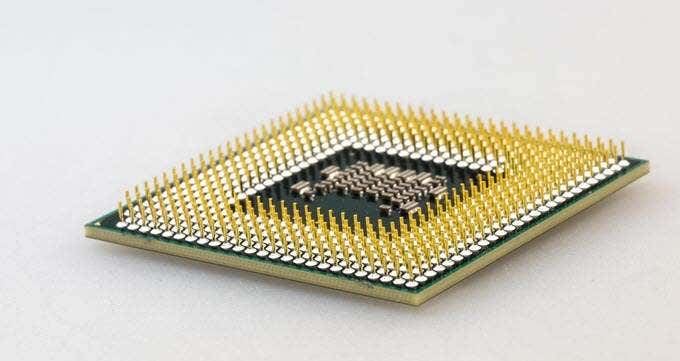
Transistors are typically made of silicon, but below 7nm they become unwieldy. The physical space is so packed that electrons actually pass through physical barriers. (The official name for this phenomenon is quantum tunneling.
Don’t worry about it beyond that.) However, other materials than silicon can work that closely together to create even smaller transistors. Manufacturers and computer scientists are conducting research to break through this obstacle. The discovery of a material that can be used to make smaller transistors on a mass scale would be a major breakthrough for computer hardware.
AMD Ryzen 3000 Specs
Now that we have those terms out of the way, let’s dive into exactly how powerful the AMD Ryzen 3000 series is. At Computex, AMD announced five specific processors (although more have leaked since that time):
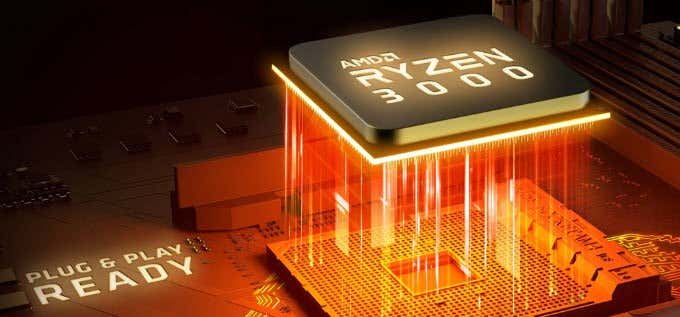
- The Ryzen 9 3900X: 12-core, 24-thread with a base speed of 3.8 GHz and a boosted speed of 4.6 GHz. Starting price: $499.
- The Ryzen 7 3800X: 8-core, 16-thread with a base speed of 3.9 GHz and a boosted speed of 4.5 GHz. Starting price: $399.
- The Ryzen 7 3700X: 8-core, 16-thread with a base speed of 3.6 GHz and a boosted speed of 4.4 GHz. Starting price: $329.
- The Ryzen 5 3600X: 6-core, 12-thread with a base speed of 3.8 GHz and a boosted speed of 4.4 GHz. Starting price: $249.
- The Ryzen 5 3600: 6-core, 12-thread with a base speed of 3.6 GHz and a boosted speed of 4.2 GHz. Starting price: $199.
In addition to these new processors, it should be noted that AMD introduced a new X570 chipset with PCIe 4.0. In the simplest possible terms, this means these processors can take advantage of faster storage transfer rates. This means vastly improved performance from graphics cards, networking devices, and storage drives.
The numbers listed above are impressive, but they’re not that impressive. There are faster clock speeds out there. So what makes the AMD Ryzen 3000 series such a point of excitement? Well, there’s more going on beneath the surface of the chip.
In addition to the numbers here, AMD has claimed that the Zen 2 architecture that these processors are built on has 15% more instructions per clock than the Zen+ architecture. The reason is based on how the Zen 2 architecture is designed.
We’ll touch briefly on how this works. Inside a chipset are various components that all work together, including things called a cIOD (short for client IO die) and a CCD (short for charge coupled device.) The cIOD links with one or two CCDs.

This divides the work between the components, which means the potential for latency (or lag) in processes. Of course, this lag is measured on a nanosecond scale, so while not noticeable to the user, it presents a potential throttle for achieving the highest possible speed. According to AMD, however, this should be a moot point.
AMD also doubled the L3 cache size. The cache lets the processor retrieve information it needs more quickly. These new processors use multiple caches to divide this memory so that nothing is replicated, which has resulted in performance improvements that make process lag irrelevant.
Why All This Matters—and Why It’s Exciting
Now that we’ve covered the technical aspects of these chips, let’s boil down to the reason you’re reading this article in the first place: why it’s so exciting.
The first and foremost reason is competition. Intel has had a monopoly on high-performance cards for years. While AMD isn’t a bad option, those looking for top of the line performance have to pay whatever Intel prices their cards at. With AMD coming onto the scene and at least matching or potentially beating Intel, it means competition and hopefully lower prices.
The second reason is that new manufacturing processes mean more innovation and improvements in the computing field. A lot of talk has swirled around for years about quantum computing and other potential avenues to explore, and for good reason: everyone could see the end of the line for our previous methods.
While 7 nanometer transistors pose challenges of their own, their development and use in consumer-grade products is a good sign that manufacturers are on the right path to the next stage of computer technology.
The third reason, and the one most relevant to gamers, is the potential for better graphics and more frames per second at a semi-affordable price point. A maxed-out gaming PC isn’t always affordable, and maintaining a cutting-edge system will never be a cheap hobby, but better processers mean less power, which means less of the budget has to go to a power supply.
People get excited about new games and awesome computer builds, but behind all the flash and glamour lies the heart of computing: the processors, motherboards, and other components that make it all work. And when those components get major improvements like this, well—that’s a reason to get excited.
- WhatGeek x 3inuS Kebohub EE01 Mechanical Keyboard Review
- Mobile Pixels Duex Max Portable Monitor Review
- Trifo Lucy: The AI Robot Vacuum and Mop
- Review of Anycubic Kobra Max 3D Printer
- The OBSBOT Tiny 4K: an Impressive Webcam for PC & Mac
Patrick is an Atlanta-based technology writer with a background in programming and smart home technology. When he isn’t writing, nose to the grindstone, he can be found keeping up with the latest developments in the tech world and upping his coffee game. Read Patrick’s Full Bio
3D printer manufacturer, Anycubic, recently released two new printers—the Anycubic Kobra and its bigger, badder uncle, the Anycubic Kobra Max. We were interested in testing both products in our hunt for the best entry-level 3D printers. We’re looking for ease-of-use and affordability, as well as build and print quality.
We’ve published a number of 3D printer reviews from Anycubic—for both FDM printers like the Anycubic Vyper that print with spools of filament and SLA resin 3D printers like the Anycubic Photon Mono X 6K that use a liquid resin as its raw material—and we can say that the Kobra Max has quickly become one of our favorites.
Features of the Anycubic Kobra Max 3D Printer
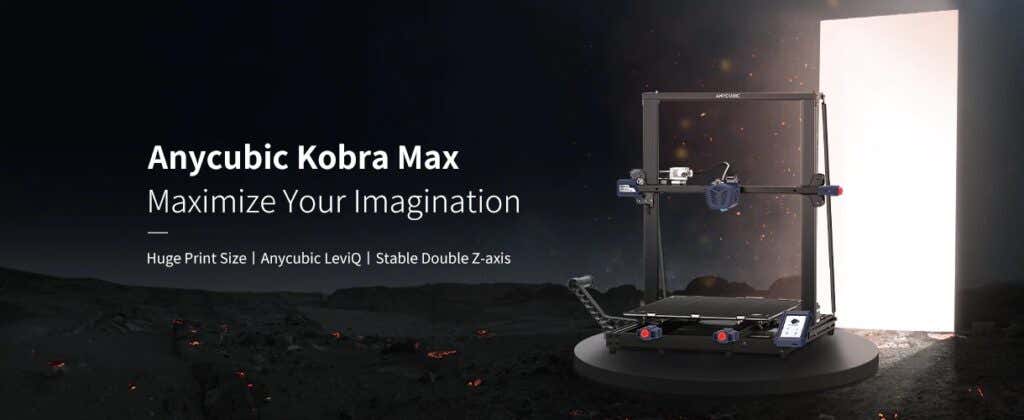
The most obvious feature of this printer is its size. It is absolutely massive. That means you can print huge items in a single piece. Think of a full helmet or an entire ukulele—these are things you couldn’t print in one piece on a normal-sized 3D printer. Truly, the word “Max” doesn’t sufficiently capture just how big this printer is. Good luck fitting the packaging into your trash or recycling bins!
We were skeptical that a Cartesian printer of this size (which relies on a moveable print bed) would perform well since it has a lot of weight to move around. Admittedly, it’s not the speediest printer out there because of those design tradeoffs, but it works great.
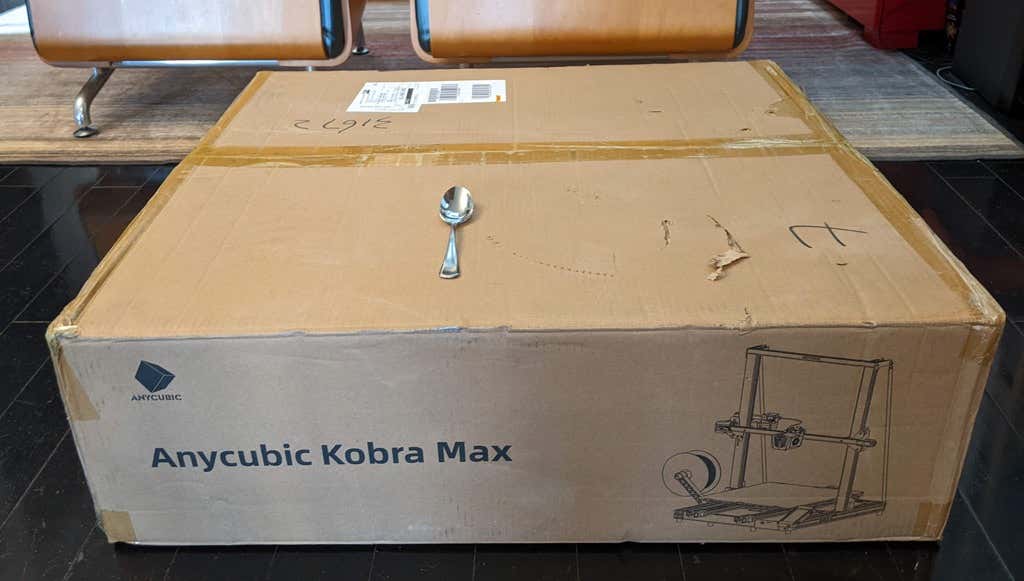
The Kobra Max has an impressive list of technical specifications:
- Leveling: Automatic, 25 points leveling using the Anycubic Leviq technology
- Panel area: 7.95 in² / 51.3 cm²
- Filament run-out detection: support
- Printing material: PLA / ABS / PETG & TPU
- Nozzle size: ø 0.4 mm (replaceable)
- Nozzle temperature: ≤ 500 °F / 260 °C
- Hot bed temperature: ≤ 194 °F / 90 °C
- Average speed: 3.1 – 3.9 in./s (80mm/s – 100m/s)
- Control panel: 4.3 inch LCD touch screen
- Z-axis: double threaded rod
- Print size: 17.7 x 15.7 x 15.7 in. / 45 x 40 x 40 cm (HWD)
- Build volume: 19.02 gal. / 72.0 L
- Machine dimensions: 72 x 71.5 x 66.5cm
As far as we can tell, the extruder is identical to the extruder and print head on the Anycubic Vyper. Furthermore, the Kobra Max has the same automatic bed-leveling system as the Vyper. The system uses a pressure sensor instead of an inductive sensor.
The bed-leveling sensor is right on the nozzle itself, ensuring that it can probe every printable part of the bed. And since the sensor is pressure-based, you could replace the glass bed with any other material and the bed-leveling system will still work. (Inductive sensors require metal to work, so you won’t find them on printers with glass beds.)
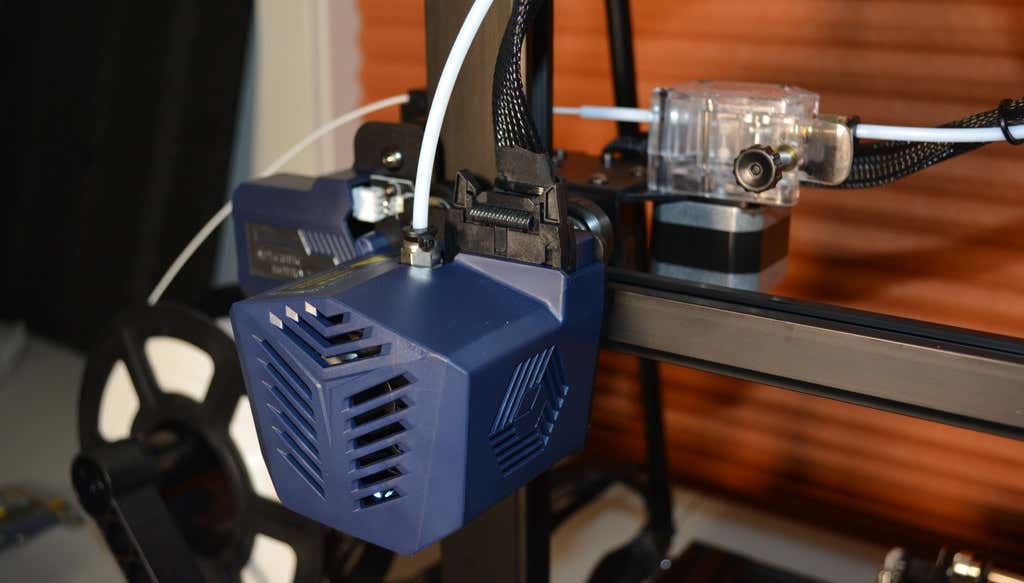
Since the Kobra Max’s printing platform is a rigid glass sheet, you can’t remove and flex it to pop your prints off. We prefer removable spring steel build plates, but glass is still a nice printing surface. If your printer doesn’t have a removable bed, glass is ideal because you can use metal scrapers to remove your prints without worrying about scratching the surface.
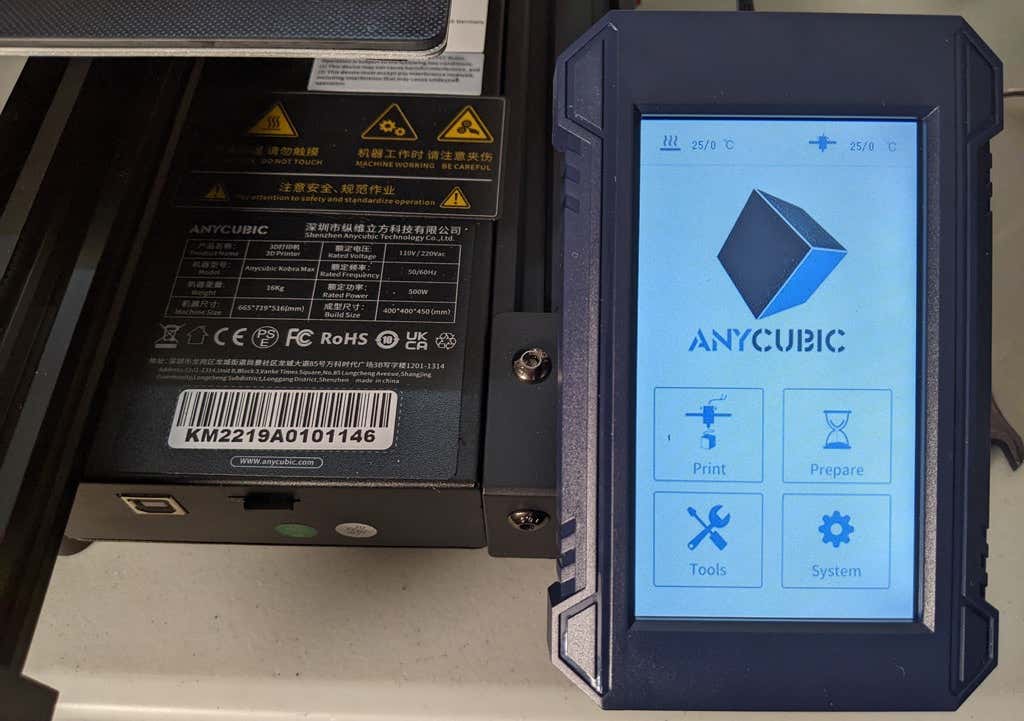
The LCD touchscreen is identical to the screens used on many other Anycubic printers. As usual, it’s responsive and easy to use.
A note about filament types: the Kobra Max will print with PLA, PETG, TPU, and ABS. However, if you really want to print with ABS and get the best possible results, the printer should be inside an enclosure. Given its size, it may be challenging to build a suitable enclosure for the Kobra Max.
Assembling the Kobra Max 3D Printer
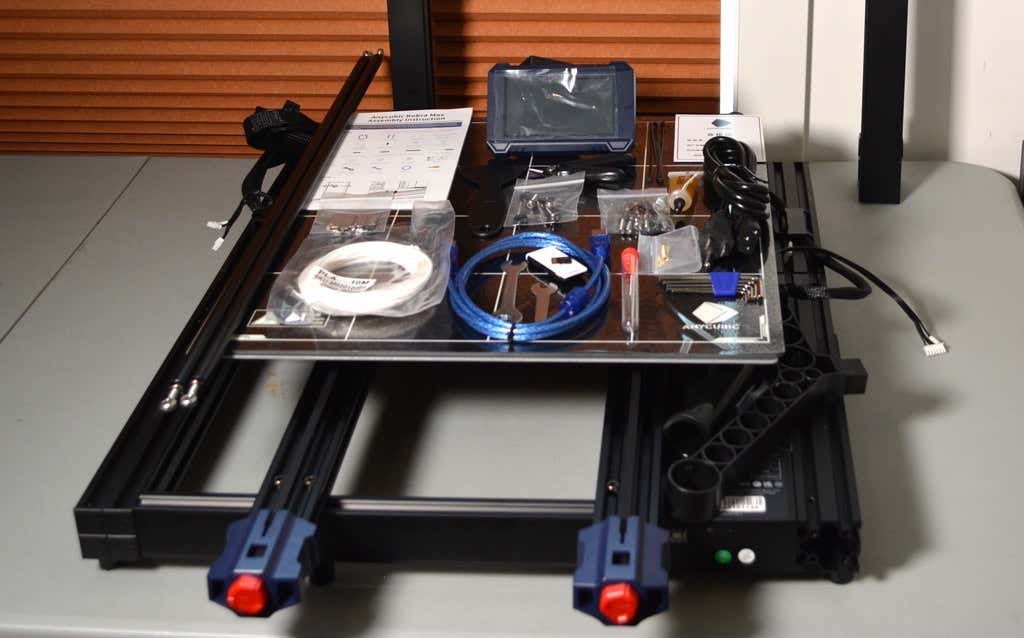
When assembling the new Kobra Max, make sure you have sufficient working space. Since the bed moves forward and backward, you need more space than you’d think. We put it on a 30” folding table, and when it’s printing, it needs about 36 inches, front to back.
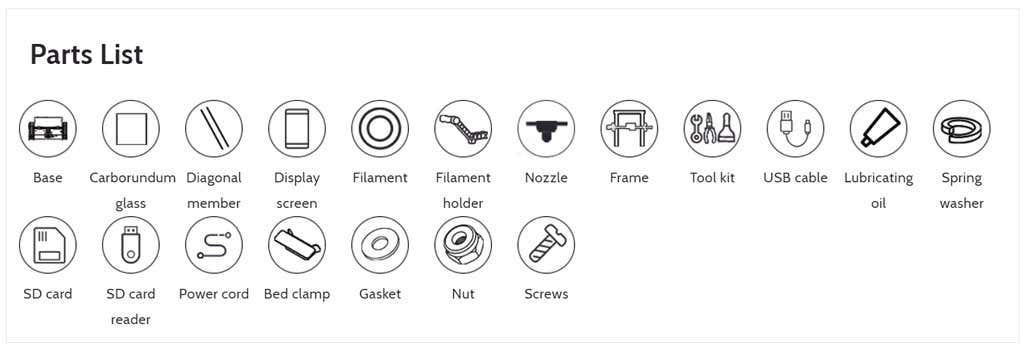
Assembly of the Kobra Max is no more difficult than assembling the Kobra or Vyper. The only additional items are the diagonal braces which add stiffness to the frame, reducing mechanical vibration.
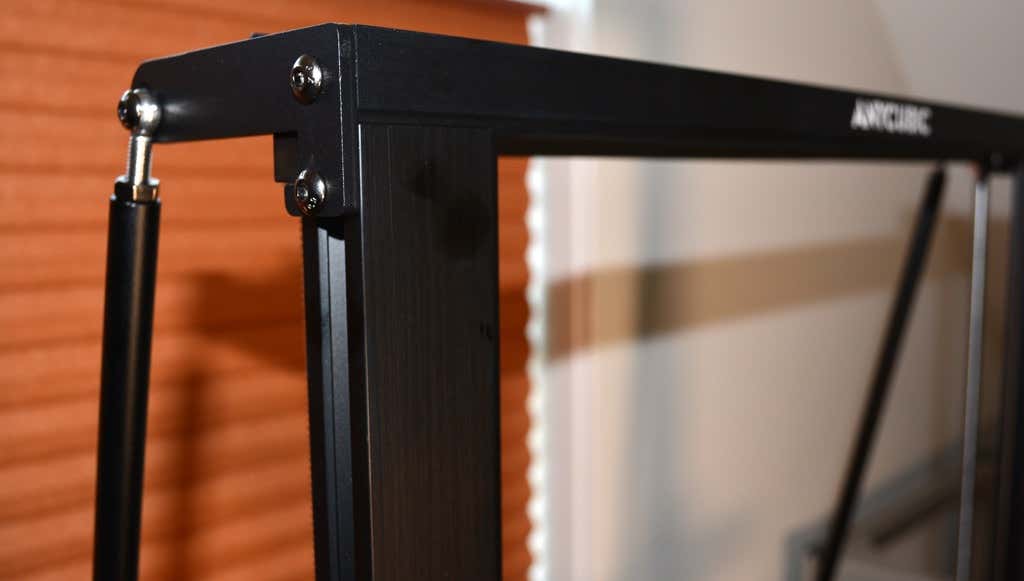
It took two people about 15 minutes to assemble. Double-check that you’ve cut all the zip ties used to stabilize the printer during shipping. There are a lot of them.
Calibration
The auto-bed-leveling system is easy to use. Anycubic recommends that you check the x- and the y-axes to make sure they don’t wobble. If they do, you can adjust the eccentric nuts until the wobbling stops. There was no wobble on our printer, so we didn’t have to do anything.
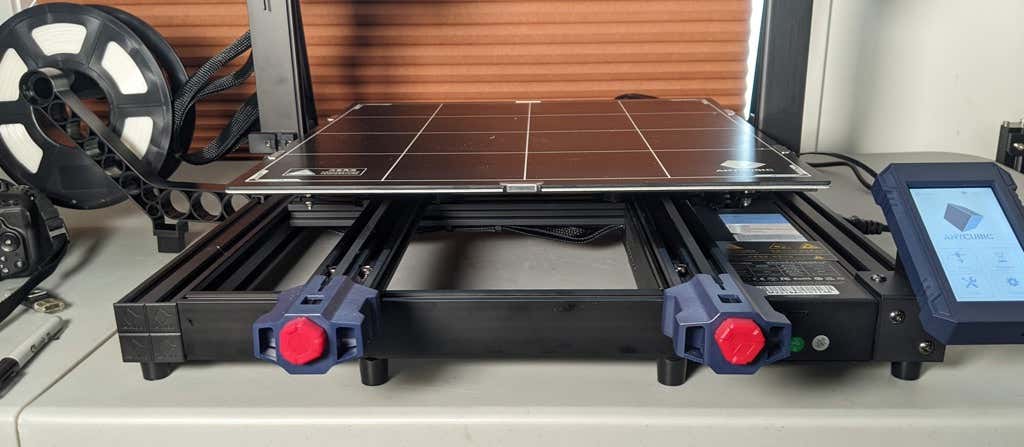
Additionally, the x- and y-axes have belt tensioners. We needed to slightly tighten the x-axis on ours. The tensioners are easy to use and are features a lot of other printers lack. Who wants to take apart the extruder assembly just to tighten the belts? Not us, and probably not you.
Build Quality of the Kobra Max
Due to the addition of the diagonal braces, the frame is really stiff. The dual z-axis screws are an improvement over the smaller Kobra. They virtually eliminated sagging of the x-axis assembly.
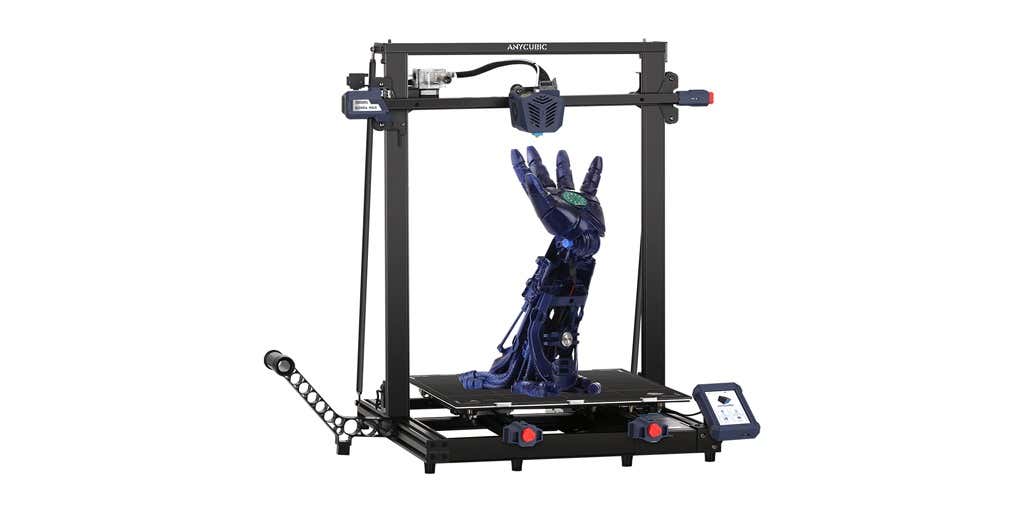
The spool holder sits on the base of the printer, reducing wobbling when printing tall items. It’s better than having the spool on the top like on the Kobra.
This printer is built with aluminum extrusions with aesthetically-pleasing plastic covers for the hotend and the tenionsers. It’s got an optical z endstop. The x and y endstops are mechanical. The whole thing feels solid.
First Print
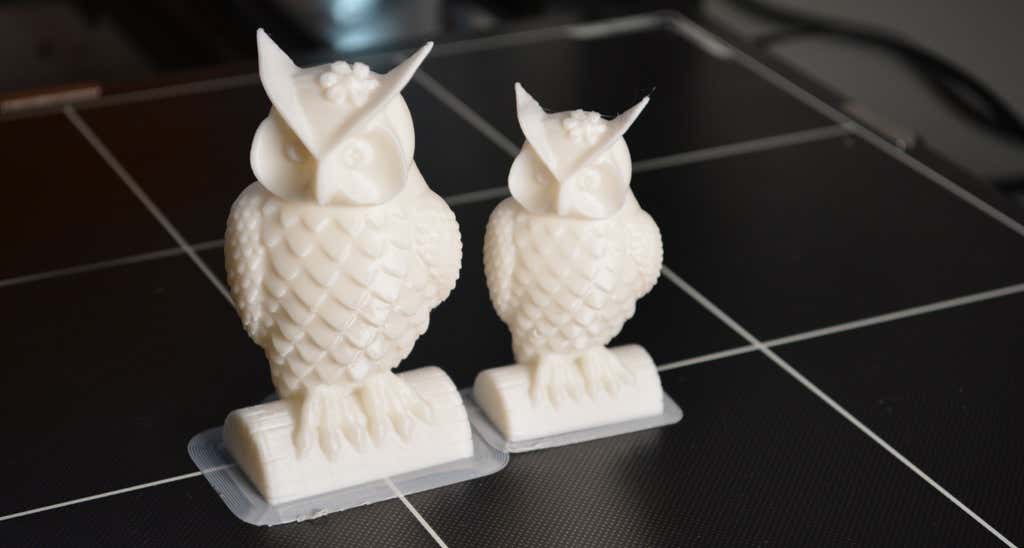
For the first print, we used the test file provided by Anycubic. Appropriately, the owl is about twice the print volume of the owl test print that comes with the smaller Kobra. Given the bowden setup (which makes sense for a printer this size), we were surprised that the ears on the owl turned out so well.
The ears look better than they did on the owl printed on the Kobra which has a direct drive extruder system. We suspect that’s due to the slower print speed. Many times, retractions on bowden extruders will create artifacts, but we didn’t notice any blobs or stringing. It approaches the quality you’d expect from a direct-drive.
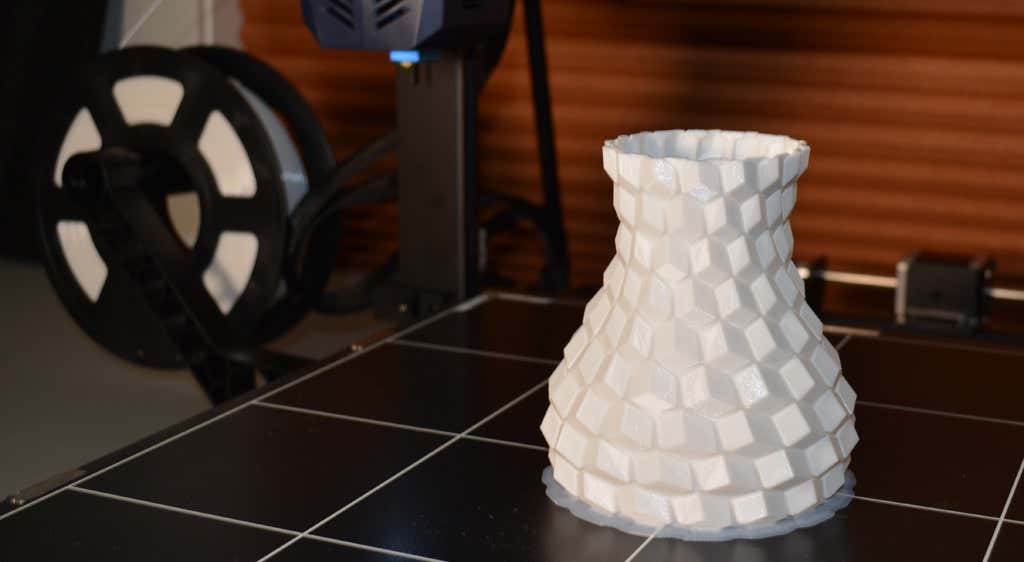
Next, we printed a vase with a large, flat base with a 0.2mm layer height. Removing prints from the glass bed is certainly not as easy as removing prints from smaller, flexible beds, but it’s not a deal-breaker either. We didn’t have any adhesion problems. The prints didn’t release when the glass bed cooled, which is what we expected and hoped for.
Curious what the power requirements would be for a printer this size, we were worried we wouldn’t be able to run multiple printers on the same circuit. We measured the power usage while the Kobra Max was printing, and, as expected, power usage is highest while the printer is warming up. Ours topped out at 473 watts. While printing, it was a more manageable 200-300 watts. We thought it would be more than that. You could probably run three of these printers on a 20 amp circuit.
Cut to the Chase
To drive home just how big the Kobra Max is, we put the Kobra on the bed of the Kobra Max. Insane. (We do not recommend you try this.)
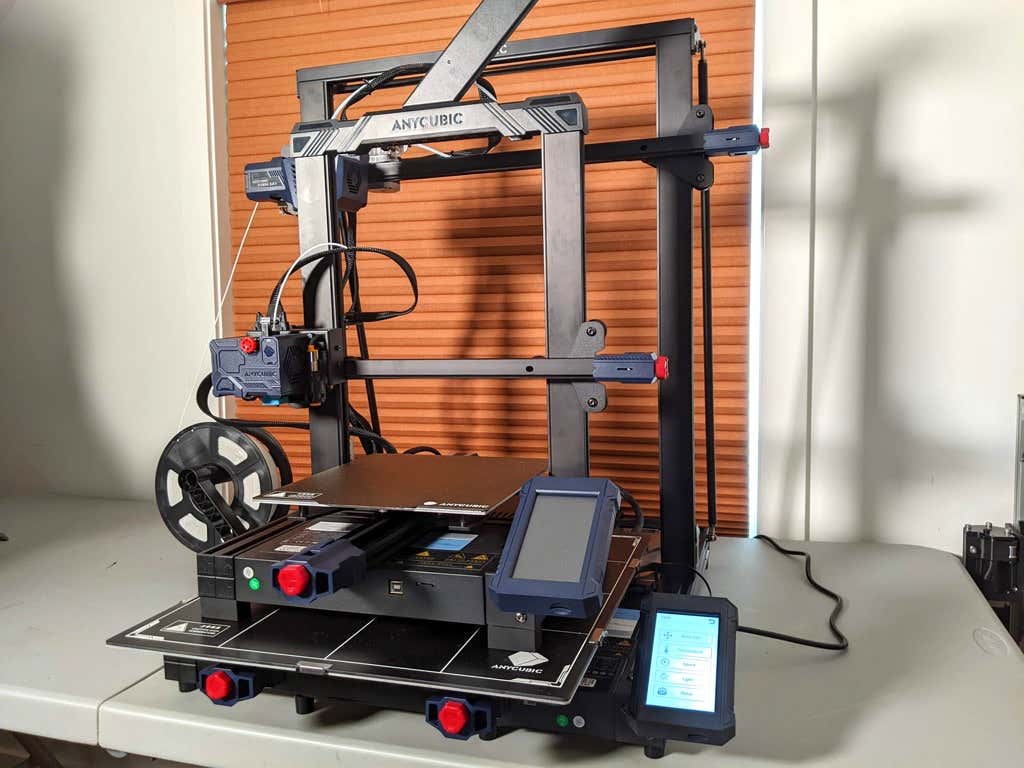
A small printer is limiting, so if you find yourself printing large objects in small pieces and assembling them, consider buying a Kobra Max. If you’re new to 3D printing, keep in mind that it takes a long time to print big objects—potentially days and days. Typically, we’d recommend a smaller printer to beginners, but at the price point of $569.00 if you purchase on the Anycubic site, it’s worth considering as an entry-level printer.
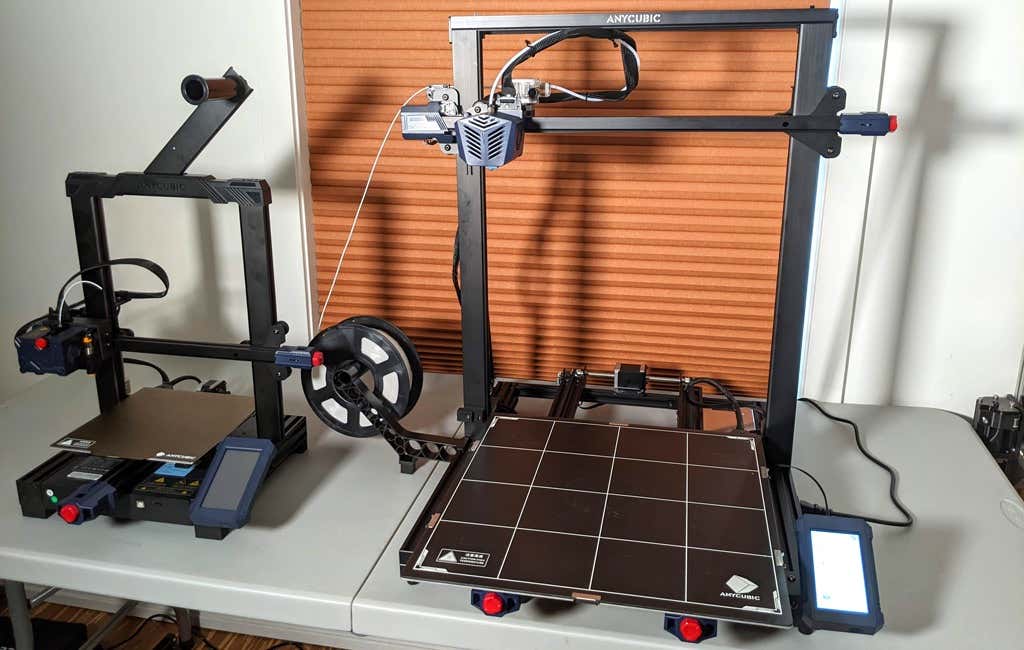
One downside is that smaller prints will take a little longer than they would on a smaller, faster printer. That’s just physics. Bigger printers have more inertia to overcome and take longer to move. For example, the print time for our vase was thirteen hours. On our Prusa MK 2.5 with similar settings, it would have taken about twelve hours—not a huge difference.
*Special thanks to FormerLurker for help in reviewing AnyCubic’s Kobra Max 3D printer.
- WhatGeek x 3inuS Kebohub EE01 Mechanical Keyboard Review
- Mobile Pixels Duex Max Portable Monitor Review
- Trifo Lucy: The AI Robot Vacuum and Mop
- The OBSBOT Tiny 4K: an Impressive Webcam for PC & Mac
- Review of Anycubic’s Kobra 3D Printer
Maggie Marystone is a freelance technology writer, human rights worker, and storyteller based in Chicago. Read Maggie’s Full Bio
