Have you ever dreamed of having thermal vision like Predator from the movie? A thermal imaging camera TC004 by TopDon can give you this ability and more.
Infrared cameras now come in all forms and shapes. You can even get one as a small USB add-on for your phone. However, if you want all the advantages that a thermal imaging camera can offer, getting a standalone device is recommended.
Are you ready to see more than the human eye can? Then check out our thermal camera review to see whether you should get the TopDon TC004 next.
TopDon TC004: First Impressions & Specs
The TopDonTC004 is a thermal imaging camera boasting a remarkable 12-hour battery life, capable of capturing both images and motion videos, conveniently stored on an included microSD card.
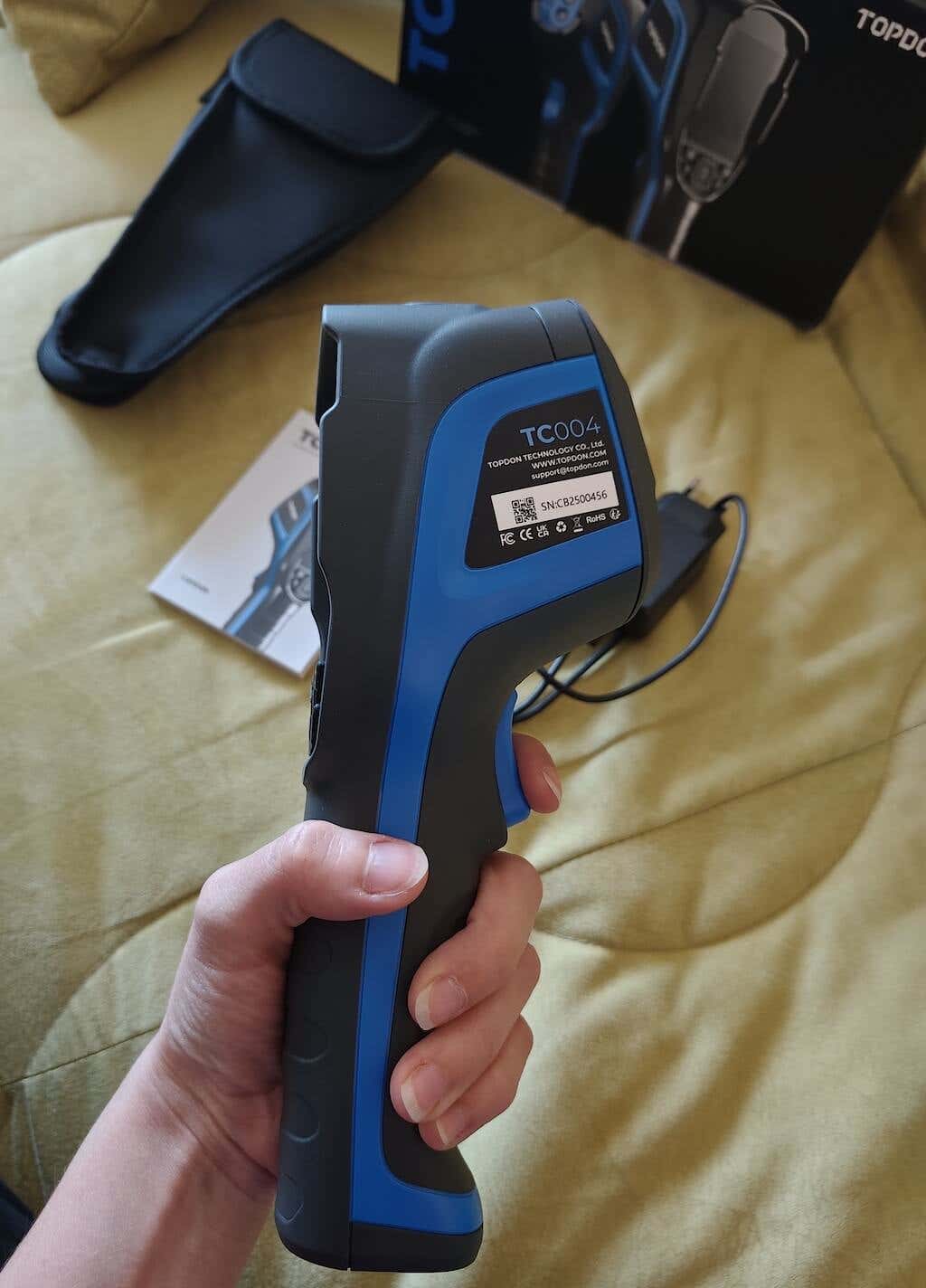
Before we dive into this thermal imaging camera review, here’s the full list of specs of the TOPDON TC004:
- Dimensions: 9.4 x 2.76 x 3.54 in (24 x 70 x 90 mm)
- Weight: 18.3 oz (520 g)
- Display: 2.8-inch screen, resolution 256 x 192 pixels
- Temperature measurement range: 14°F to 122°F (-10 to +50℃)
- Storage temp: 14°F to 131°F (-10 to +55℃)
- Frame rate: 20 Hz
- Focal length: 0.12 in. (3.2 mm)
- Heat/thermal sensitivity: 40mk
- Four color palettes: white hot, black hot, iron red, rainbow
- Measurement accuracy: ±3.6°F or ±2%
- Water resistance: IP54 +2m drop proof
- Battery life: up to 12 hours runtime, rechargeable
- Price: $341 on Amazon .
While the TC004 is a gadget with lots of practical uses, it’s not cheap, especially considering that you can get similar functionality from an add-on for your Android smartphone or iPhone.
If you’re unsure whether you need this gadget in your household, here are a few things that the IR camera such as TC004 can help you with:
- Detecting Temperature Anomalies like Hot and Cold Spots . Thermal cameras can identify temperature variations, making them invaluable for safety and maintenance around the house. They are particularly useful in detecting overheating components or potential fire hazards.
- Saving Energy . You can use a thermal camera to find places where a lot of heat or cool air is escaping, helping to save energy and money on bills.
- Building Diagnostics . Thermal cameras can see if your buildings have problems like leaks or bad insulation.
- Finding People . Thermal cameras are often used in search and rescue operations . They can help easier find people, especially in the dark. You can also use a thermal camera to check for intruders at night without alerting them to your presence.
- Fixing Machines . Companies use them to see if machines might break soon so they can fix them before they do. You can also use a thermal camera for predictive maintenance of your car , electronics repair, and any HVAC-related issues.
- Watching Animals . Scientists use thermal cameras to watch and learn about animals without disturbing them. I’m no scientist, but I enjoyed watching my neighbor’s cat on its late-night walks in the dark.
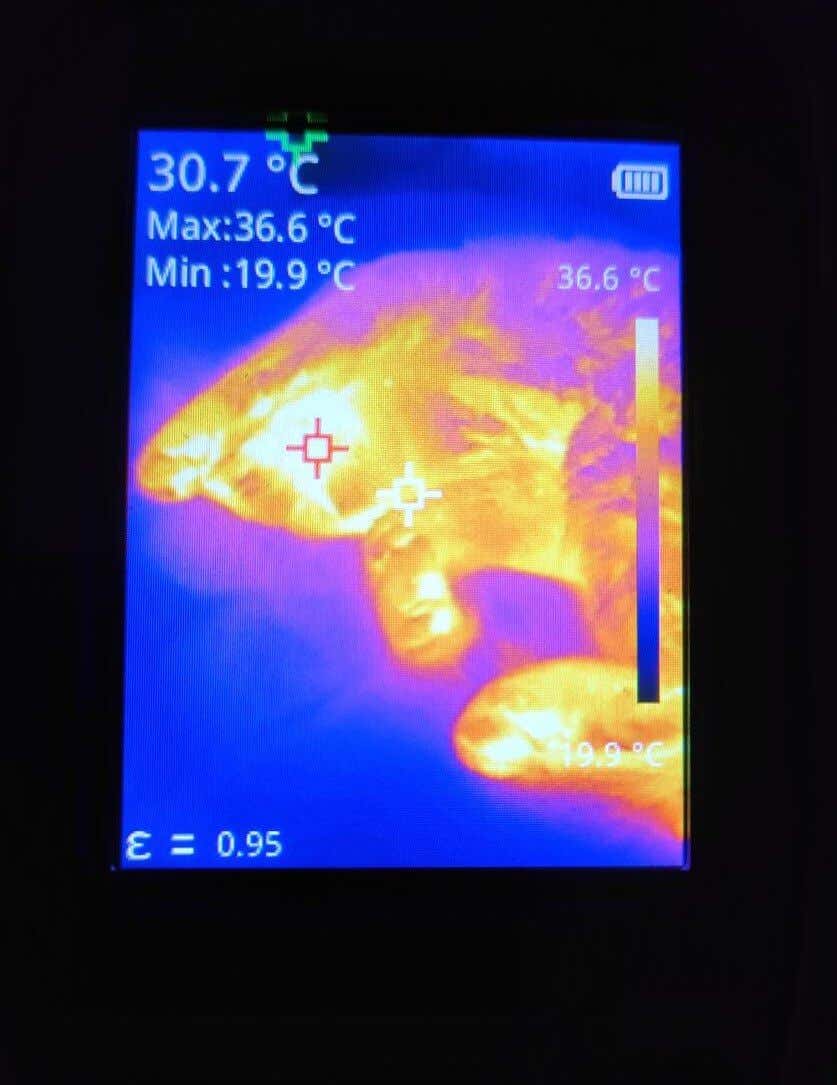
- Checking Health . A thermal camera can measure your skin temperature and help determine if you have a fever or other signs of illness.
So aside from helping you see heat and cold, the TC004 can help you in many other spheres, including diagnostics, search, and even home security.
Design and Unpacking
The TC004 thermal imaging camera is ergonomically designed to fit comfortably in your hand. The blue trigger allows for capturing still photos or videos with a simple squeeze-and-release mechanism.
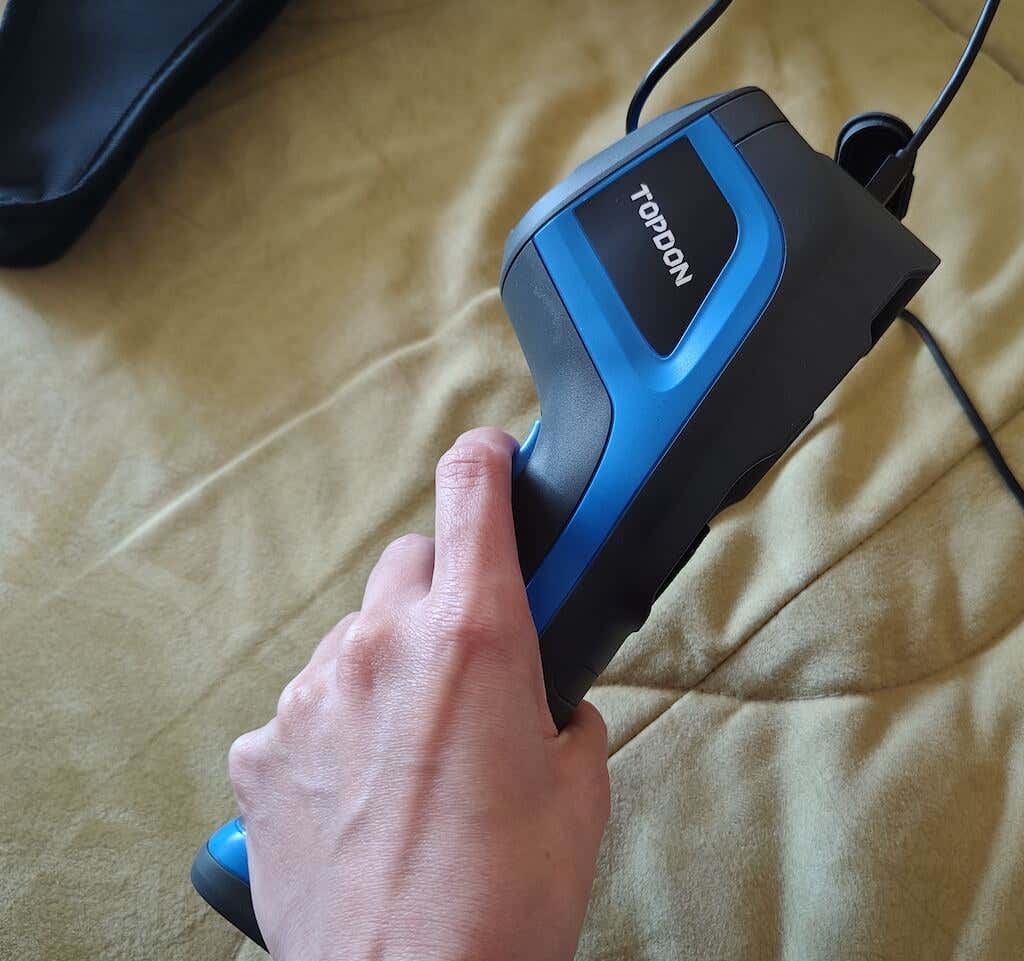
Additional features include a USB-C charging port, microSD card slot, LED lights for operation in low light conditions, and a threaded camera tripod mount for stability.
What’s in the Box
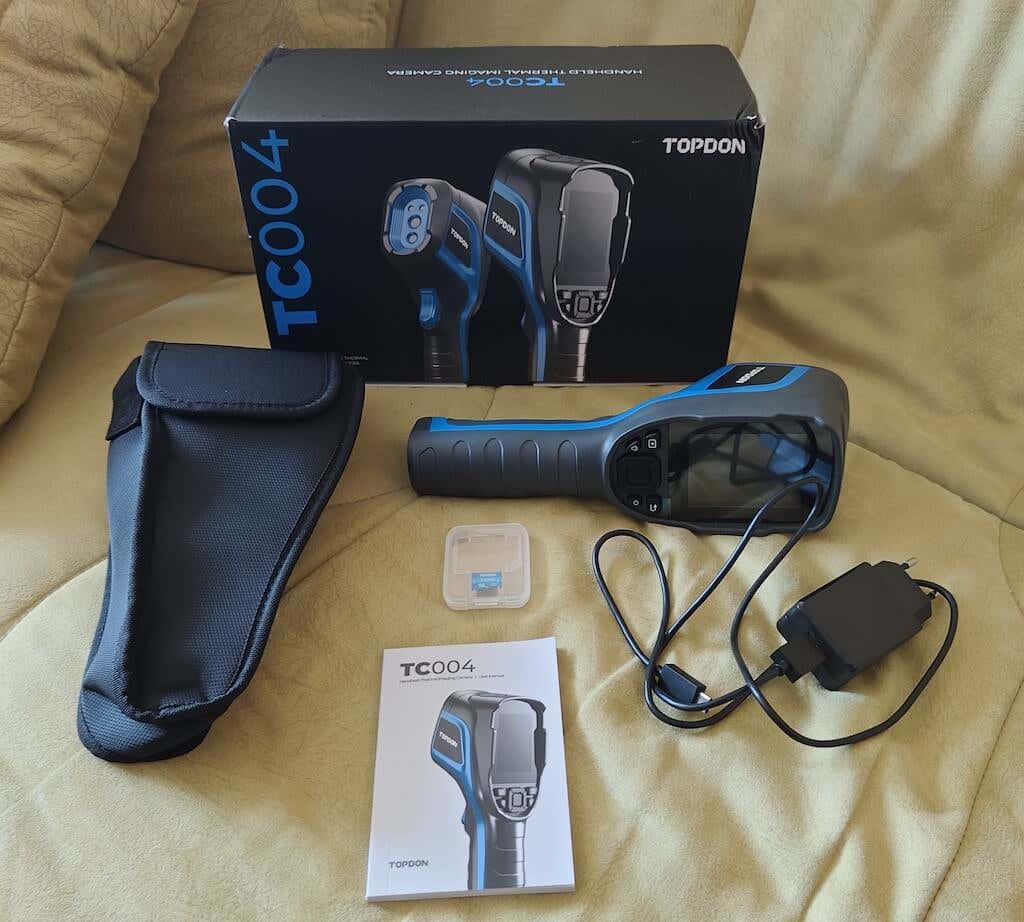
Here’s everything you’ll find while unboxing your TopDon TC004 handheld thermal camera:
- TopDon TC004 infrared thermal imaging camera
- Carrying case
- USB-C charger and cable
- MicroSD card
- User manual and warranty card
The TopDon TC004 thermal imaging camera is crafted to fit snugly in your hand, allowing for a comfortable grip during use. The control pad is conveniently placed for your thumb to rest on, ensuring easy access and seamless operation.
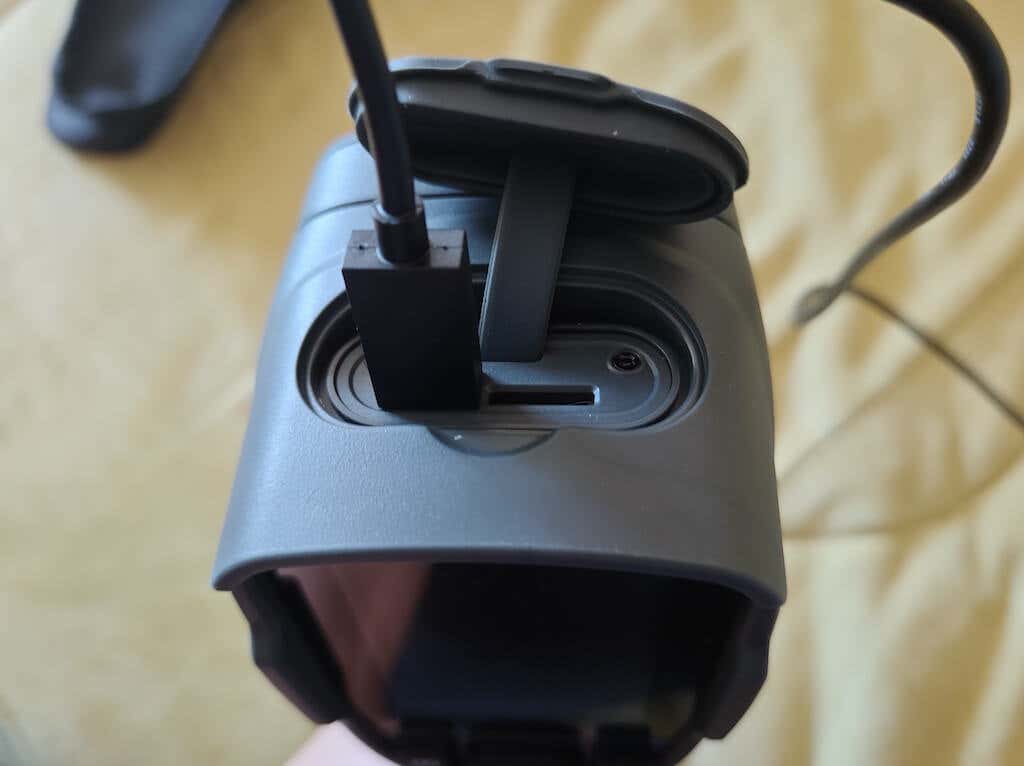
At the top of the device, you’ll find the essential ports — a USB-C charging port and a slot for a microSD card. They’re discreetly tucked beneath a protective flap.
On the bottom of the handle, you’ll see a threaded camera tripod mount, which gives you an option for stable mounting, in case it’s not comfortable to hold the camera in hand during a certain operation.
Another addition to this thermal imaging camera I like is the incorporation of LED lights which aid in visibility when you have to use it in complete darkness. Though not excessively bright, they offer just enough illumination to navigate and capture clear thermal images in poor lighting conditions.
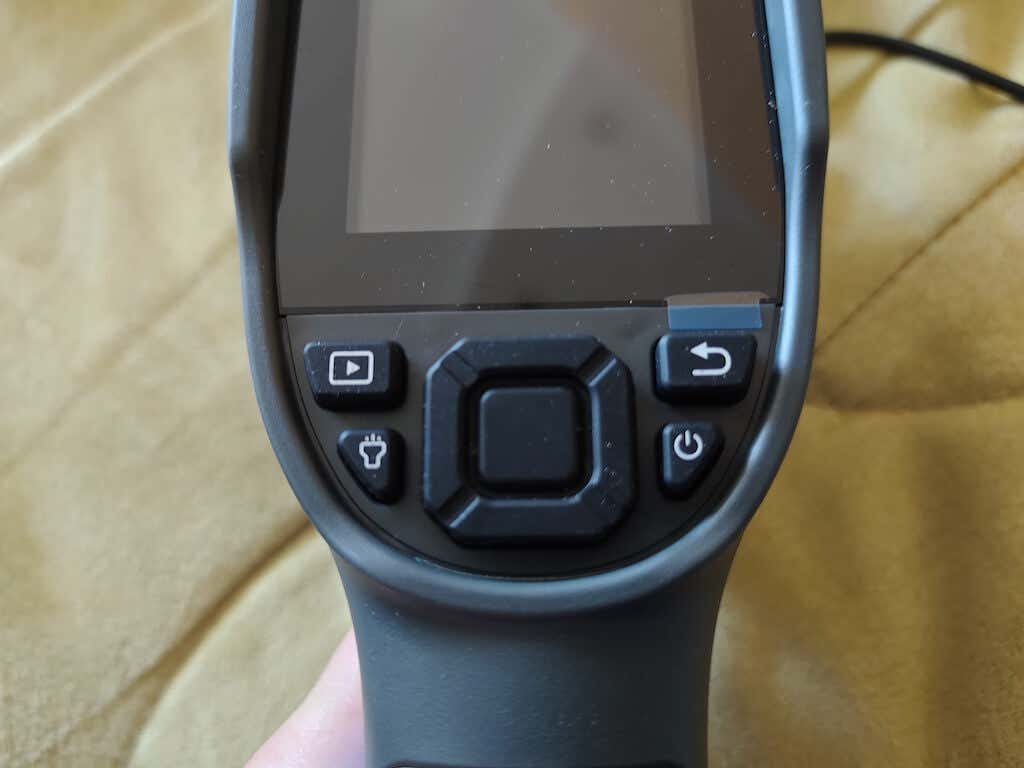
Zooming in on the controls, the central pad hosts a select button, conveniently positioned for effortless access, which makes for a user-friendly experience. The intuitive arrangement of controls ensures seamless operation, allowing you to capture the perfect thermal shot with ease.
Performance & Features
Even if you’ve never used a thermal camera before, the setup process and the user-friendly interface of the TopDon TC004 ensures you won’t have any problems operating the device.
The TopDon TC004 thermal imaging camera powers on with the TCView logo displayed.
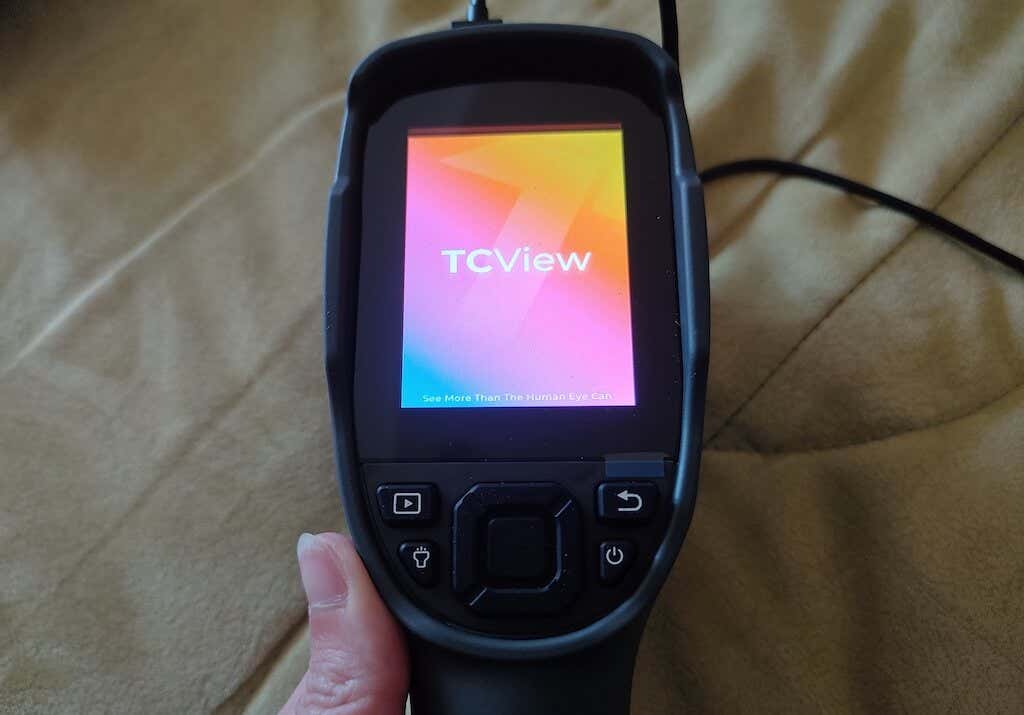
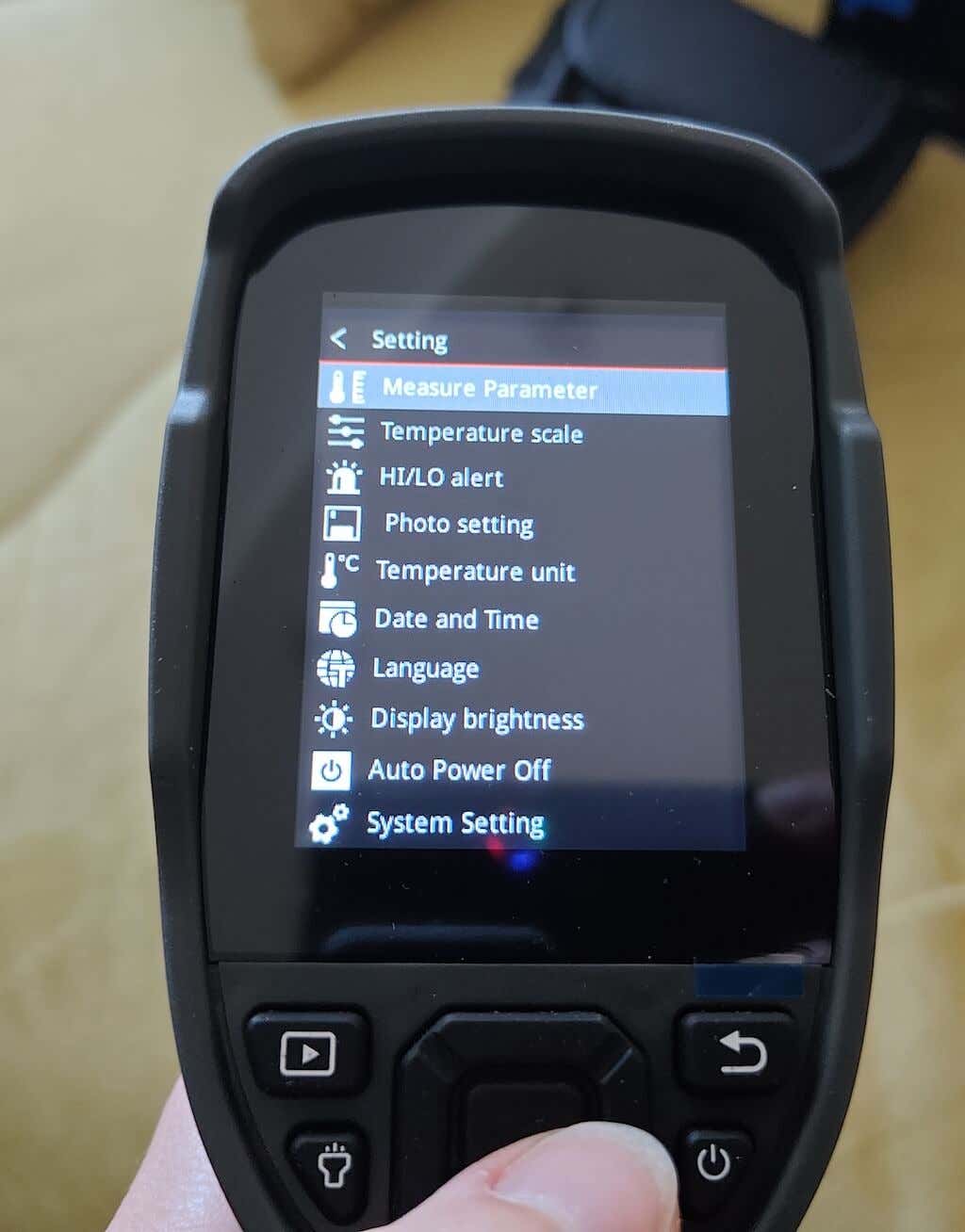
The Settings menu is easily accessible from the main screen and you can see all the options available in the Menu interface.
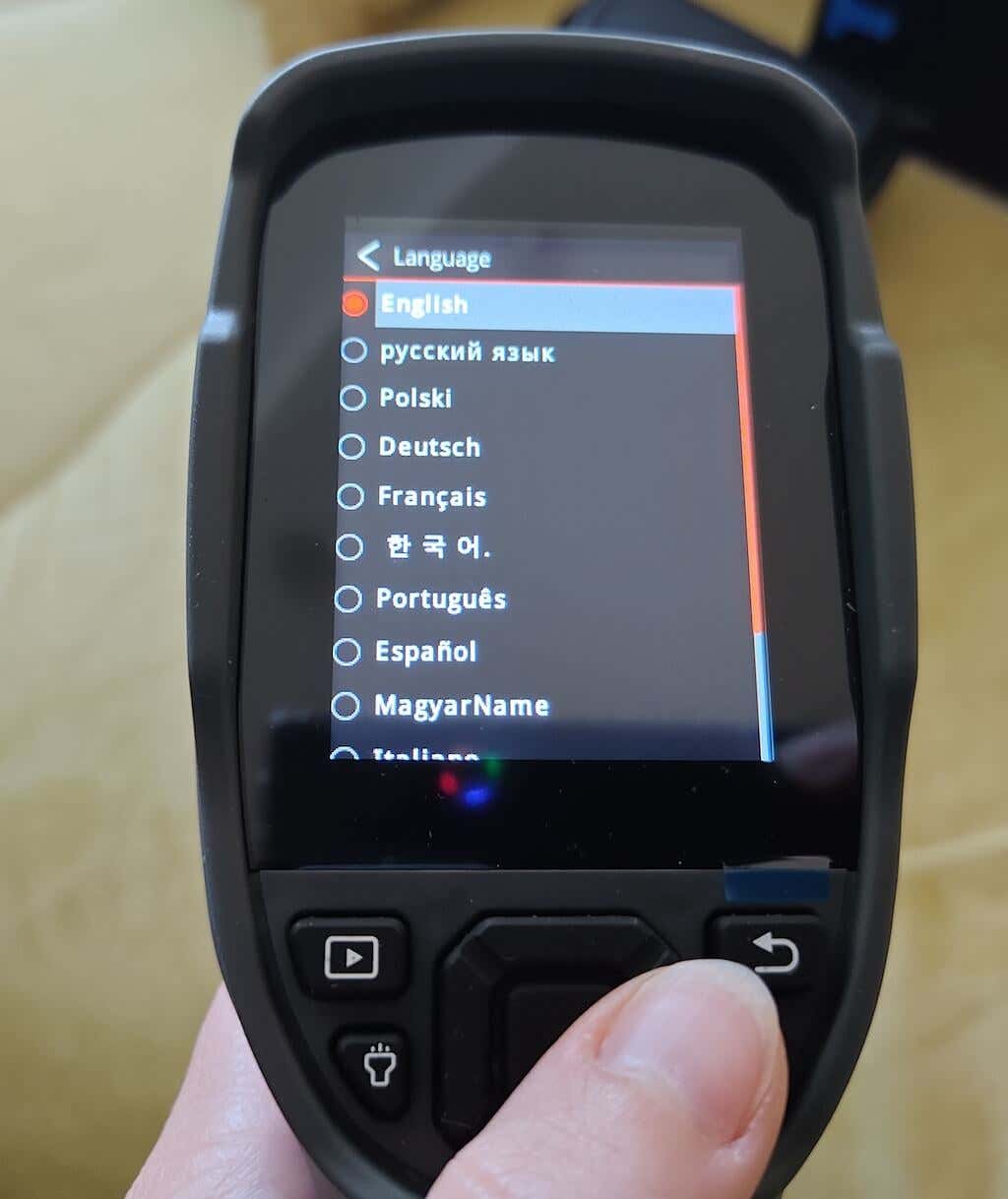
I was also pleasantly surprised by the variety of the language options. I checked a variety of languages, and the interface translated seamlessly into all of them, even some of the more difficult ones for translation like Russian.
Navigating the camera’s interface is straightforward, with an easy-to-use trigger system. A simple squeeze captures a photo, while a prolonged hold initiates video recording. The trigger’s action is satisfying, complemented by other responsive UI buttons that contribute to an overall smooth user experience.
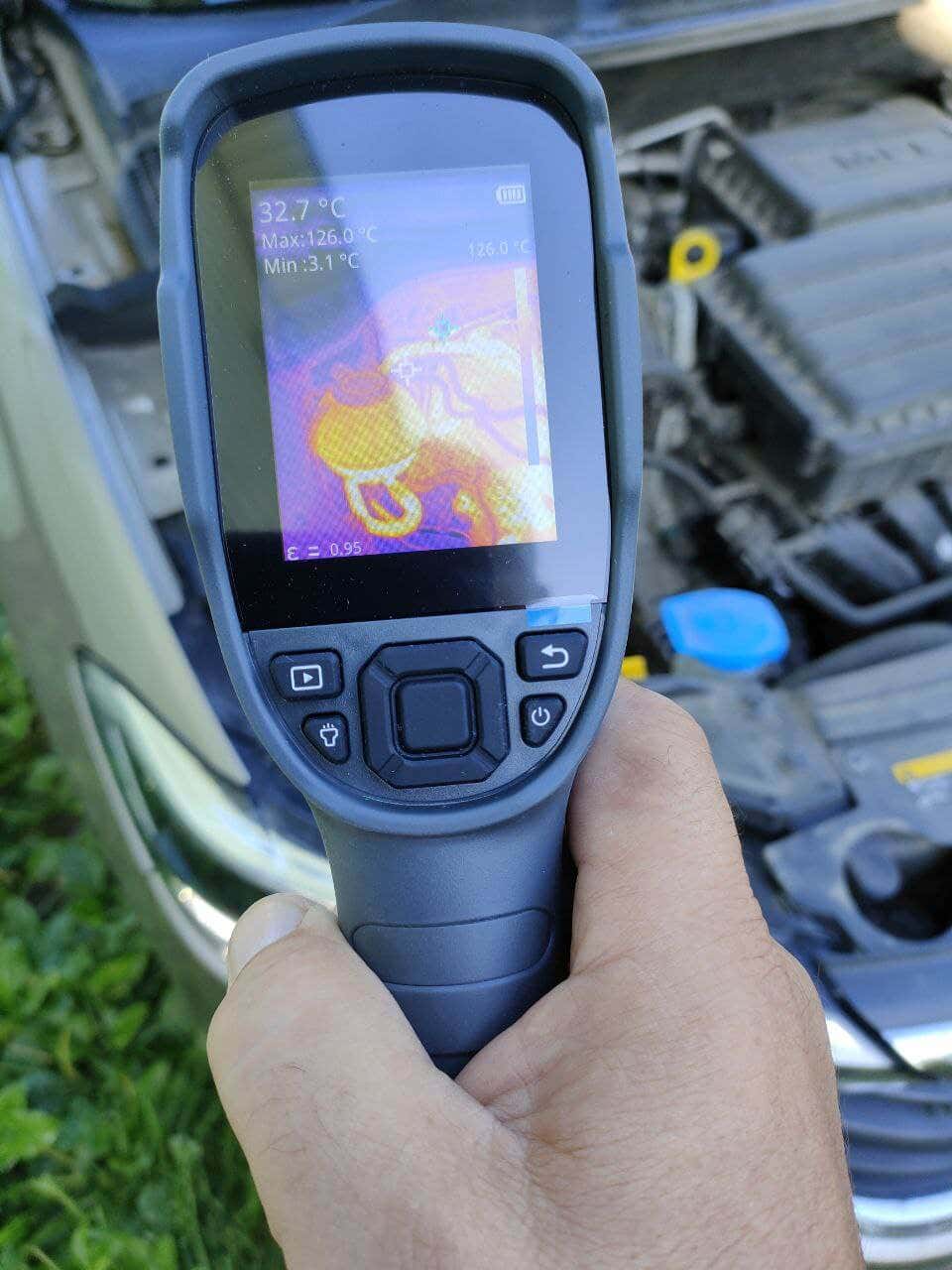
There are also plenty of customizable options which enhance the camera’s adaptability. You have the flexibility to modify color schemes for the thermal images and tailor the visuals to suit your preferences.
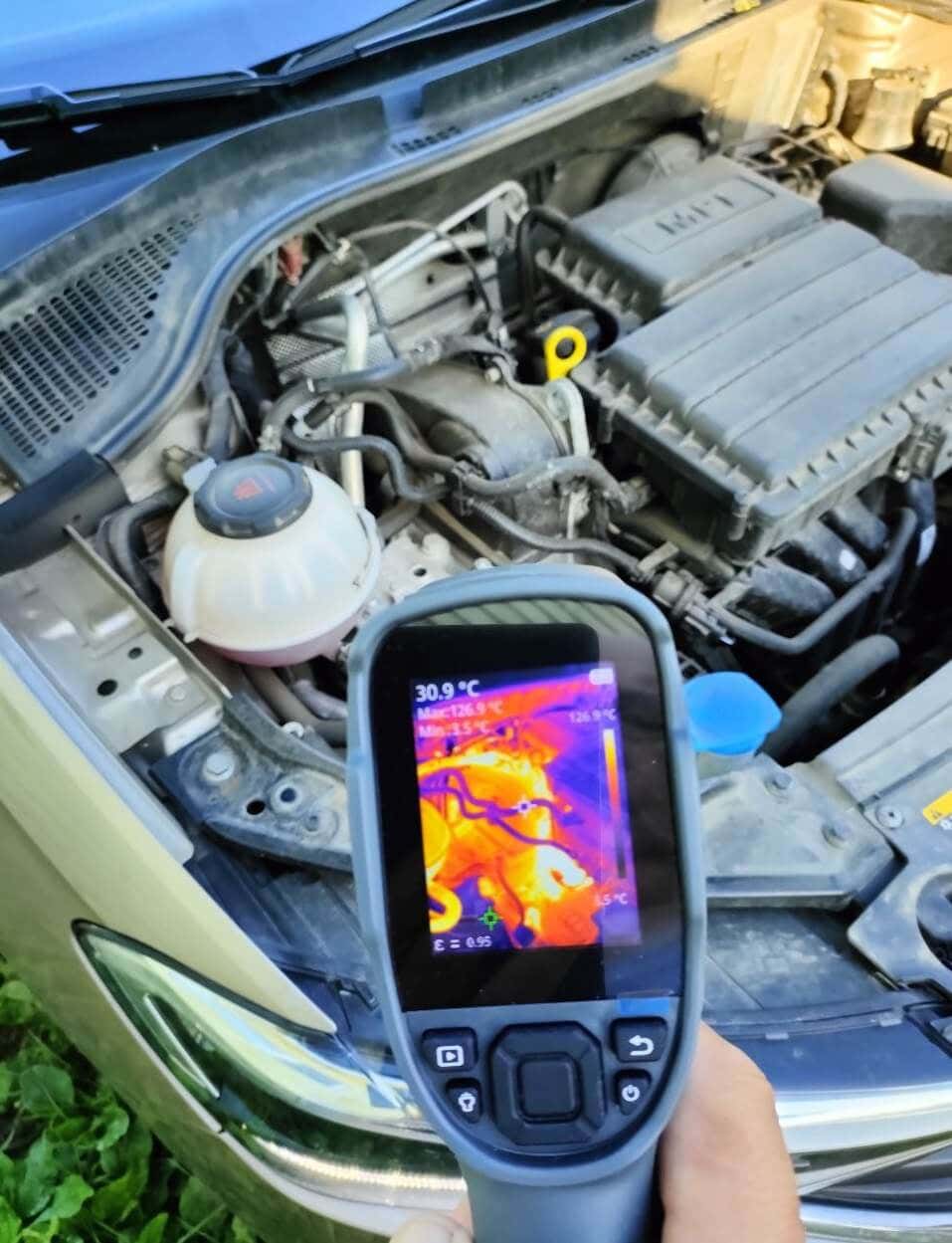
When delving into the camera’s performance, it offers an incredible insight into temperature variations. For instance, I was measuring the temperature of the different parts of my car wheels before and after driving, and you can see the red crosshairs showing the hottest spot, while the green identifies the coldest. The hottest element is also shown in white color.
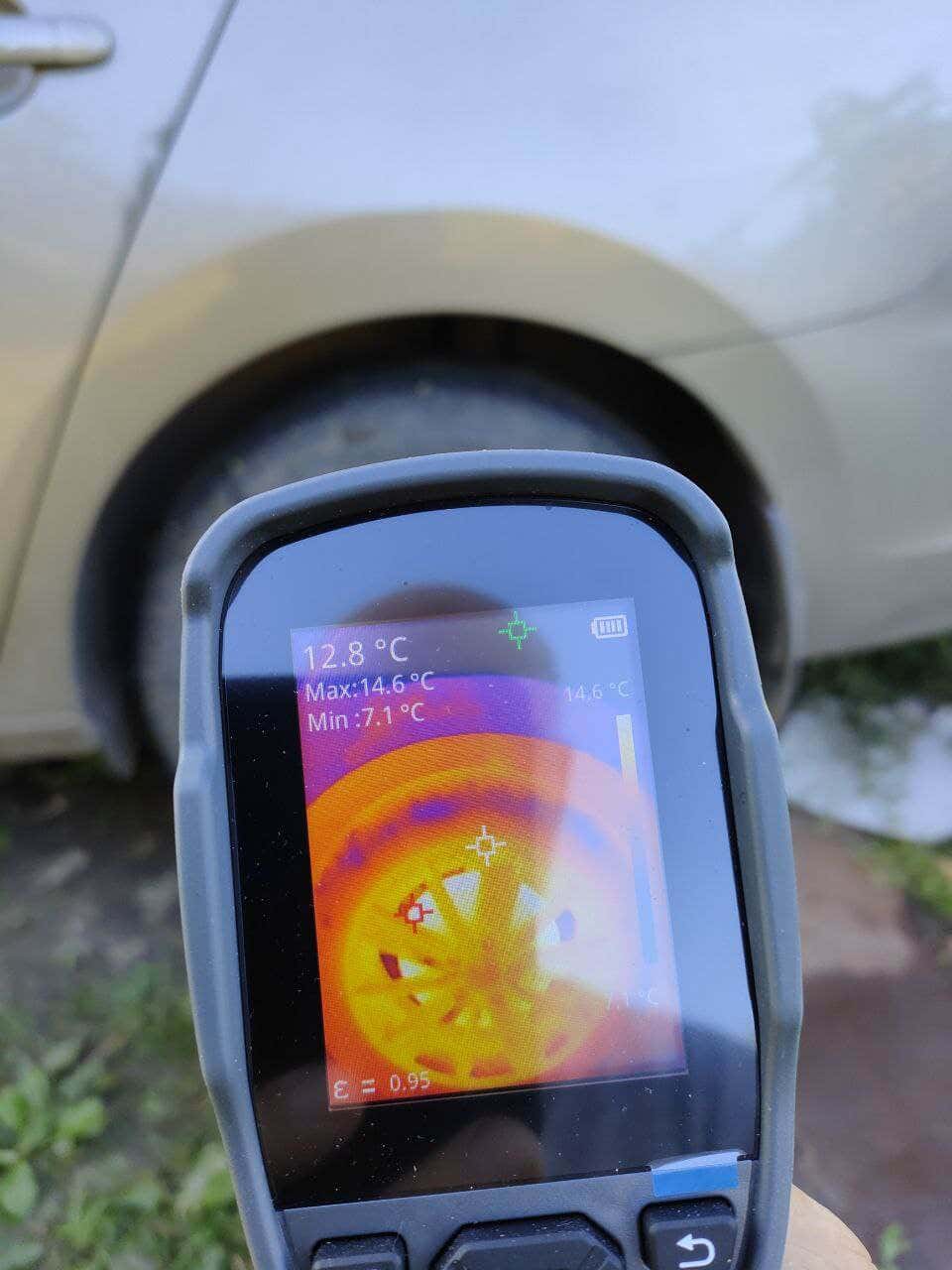
We tried measuring the temperature of various items and mechanical parts inside and outside the house, and the TC004 captured the thermal dynamics accurately. The display showed the areas emitting heat correctly.
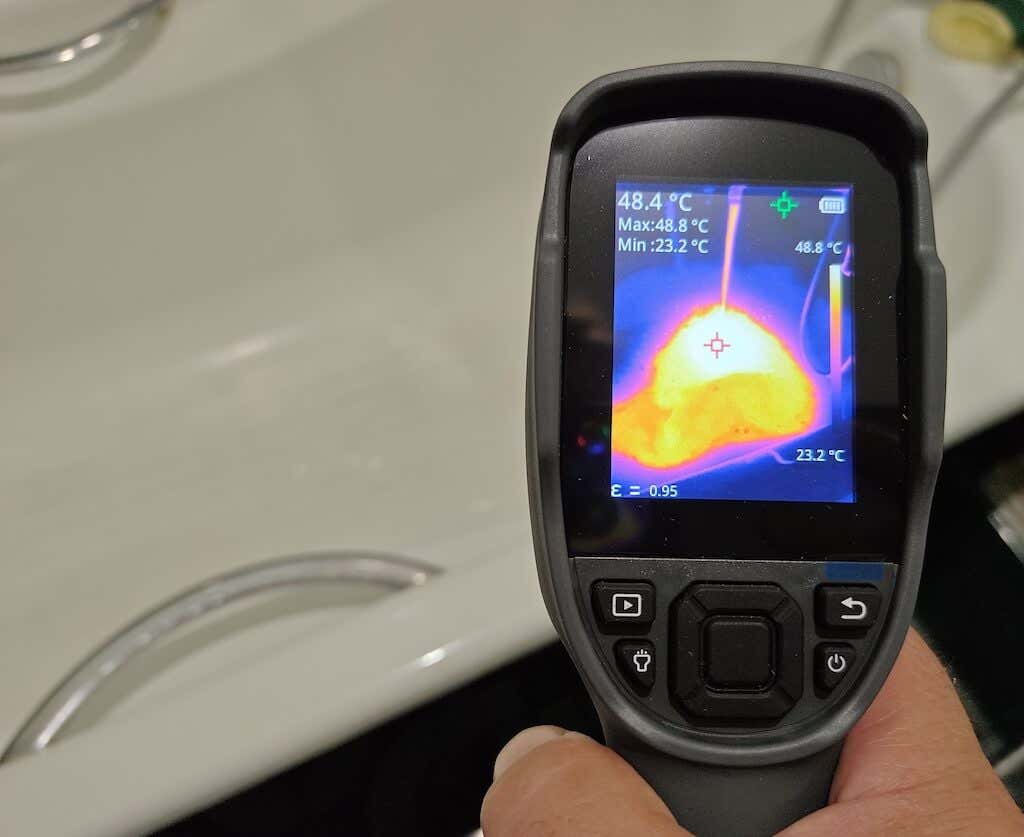
The TopDon TC004 camera is also capable of video recording in .h264 format, and can capture dynamic thermal shifts effectively. You can then play the videos on the TC004, or transfer them to your PC computer.
Connectivity-wise, the TC004 seamlessly integrates with your PC for comprehensive analysis. You can connect the camera to your computer and continue using it to see the results on your PC monitor.
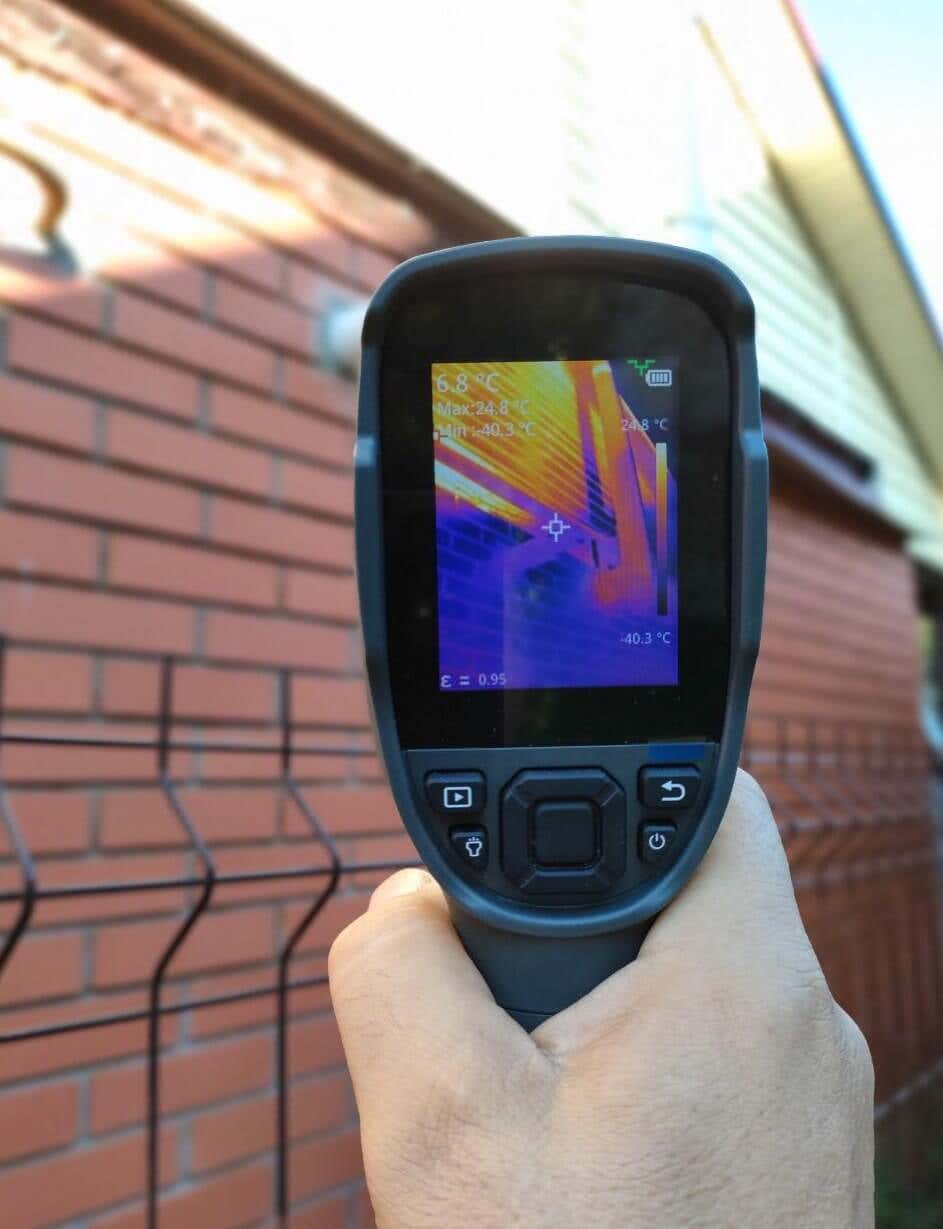
To sum up, the TC004 impresses with its ability to produce high resolution JPG images, H264 videos, and proprietary .irg files – a diverse set of data formats available for your analysis. Additionally, the built-in torch and tripod port are there to enhance usability, especially in dimly lit environments. All of that makes the TC004 a versatile and practical tool (and not just an expensive toy) for a range of thermal imaging applications.
Software
The dedicated software for managing the TopDon TC004 thermal imaging camera is currently available exclusively for Windows users and is named TD View. During the installation process, you may encounter a startup display in Chinese, but as soon as you change it to English the interface will make sense.
The software’s functionality is straightforward and intuitive. Find a folder with your thermal images and open a gallery with all of your thermal captures.
TC View proved to have a limited set of functions, but if you only need to read and manipulate the unique .irg files generated by the TC004 thermal imaging camera, the app will do the job.
Battery Life
The TopDon TC004 thermal imaging camera comes with a built-in 5000 mAh lithium battery, ensuring extended usage without the constant need for recharging.
The 5000 mAh lithium battery is a high-capacity and a sizable battery that runs for up to 12 hours on a single charge. So you don’t have to worry about your device powering off in the middle of your running tasks.
Should You Buy the TopDon TC004 Thermal Imaging Camera?
If you’re in the market for a powerful thermal imaging tool, the TopDon TC004 thermal imaging camera should undoubtedly be on your radar. With its impressive temperature range and advanced features, this device stands as a compelling choice for both professional and amateur users.
The TC004 is suitable for both amateur and professional users, but if you feel the TC004 is lacking some functionality, check out the TopDon TC005 which also features a 2 megapixel visible light camera on top of all the features present in the TC004.
- Tribit StormBox 2: The Under $70 Portable Speaker that Stands Out
- ENGWE L20 2.0 Review: The Best Budget-Friendly Foldable E-Bike?
- Newyes Portable Wireless Thermal A4 Printer Review
- Eskute Star Folding Fat Tire Electric Bike Review
- The 70mai Power Station Tera 1000 Review
If you don’t have a full-sized printing machine at home and often need to print a document on the go, check out the Newyes portable printer . This wireless printer is lightweight and small enough to fit in your bag. Not to mention it’s environmentally friendly, since it uses thermal paper instead of ink.
Follow our review of the Newyes portable wireless thermal printer to see if it suits your printing needs.
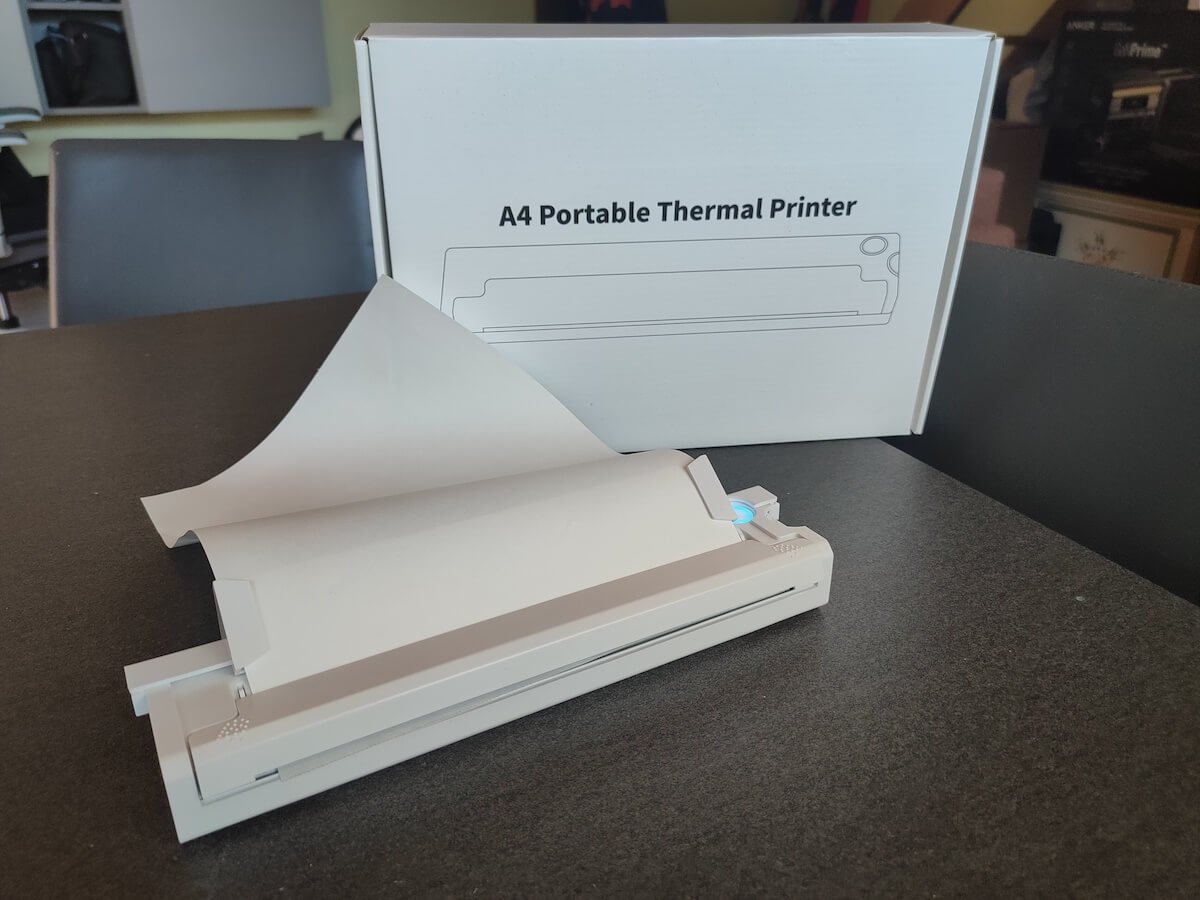
Newyes Portable Wireless Thermal A4 Printer: First Impressions & Specs
When I was a student, I remember my university always required hard copies of documents. Luckily, there was a print shop on campus where I could always pop in to print something.
Then I became a professional, and to my surprise many life spheres still required me to have printed versions of documents with me. Of course you can get your own full-sized machine to print things at home, but if like me you live in a small apartment, you value every extra bit of space and don’t want a massive printer to take it up.
One day, when I was looking for a neighbor with a printer to help me with my event tickets, they introduced me to the concept of a portable printer. Seeing how easy it is to use, I immediately wanted to get my hands on one of those. So here I am, reviewing one of the most useful gadgets I received recently – the Newyes portable thermal printer.
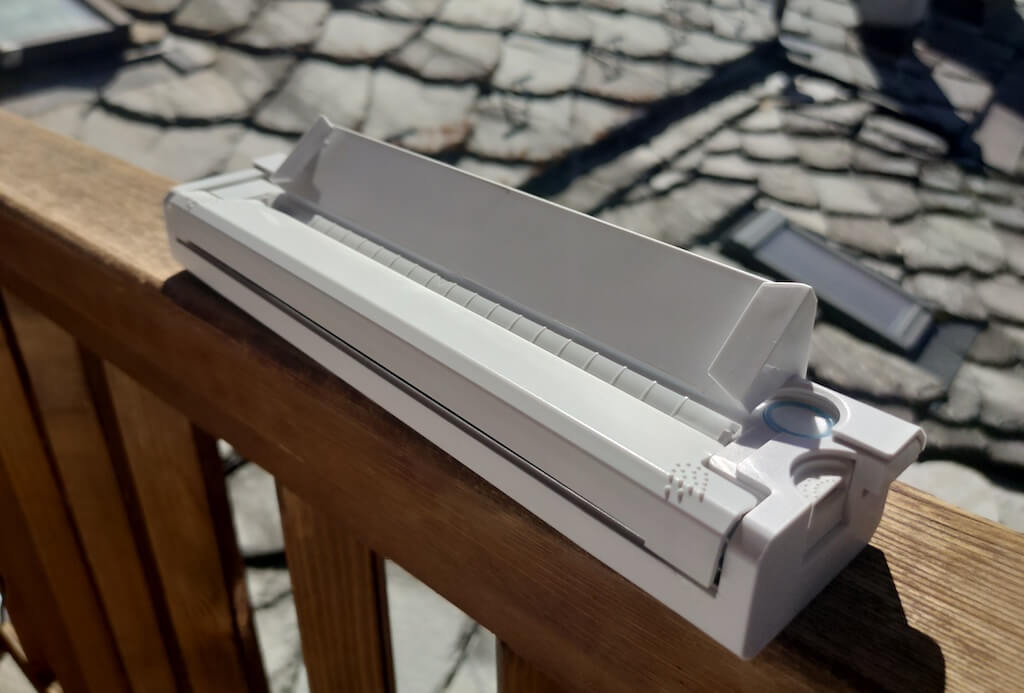
Before we continue with this review, here is the full list of specs of this printer.
- Model: Newyes LD0801
- Dimensions: 10.4 x 1.2 x 2.28 in (265 x 58 x 30.5 mm)
- Weight: 16.8oz (475g)
- Paper format: A4
- Paper width: 210mm or 218mm
- Printing Type: thermal paper
- Resolution: 203DPI
- Connectivity: Bluetooth
- Charging port: USB type-C port
- Input Voltage: DC 5V / 2A
- Battery: 1200mAh lithium battery
- Charging time: 75 min
- Automatic shut down: after 30 minutes
- Stand-by: about 30 days
- Extra features: LED light, reset, on / off switch button
- Color: white, black
- Warranty: limited one year warranty
- Price: $199 on the Newyes website
If you find yourself in need of hard copies of important documents while on the move, the Newyes portable wireless thermal printer will become your go-to gadget. Newyes calls it “the world’s smallest printer”, and with the weight of under 500g this seems plausible. This mini printer offers a handy solution for those moments when you need to quickly print an important document but don’t have access to an office setup.
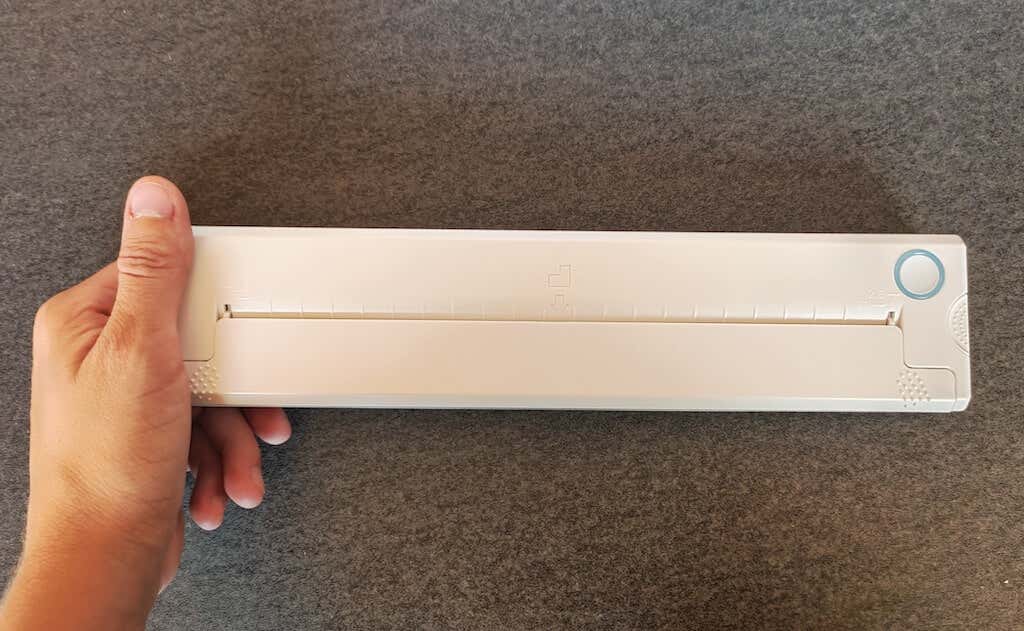
Operating this printer is a breeze – a simple Bluetooth connection is all that’s required. Once connected, just fire up the app, choose the file you want to print, and send it over. Efficiency is at the forefront, and you can easily print multiple sheets by inserting new pages back to back.
The only limitation this printer has is that it can only print in black. So even if your original file is in color, the printed document will still come out in black and white. Other than that – you can print a variety of file types including Excel, Word, PDF, JPG, PNG, and web pages – and it only takes seconds.
The Newyes portable wireless printer combines convenience, portability, and efficiency – all the things I appreciate in a modern gadget.
Design and Unpacking
Let’s have a closer look at the design and build of this smart printer, as well as what you get included in the package when you purchase it.
What’s in the Box
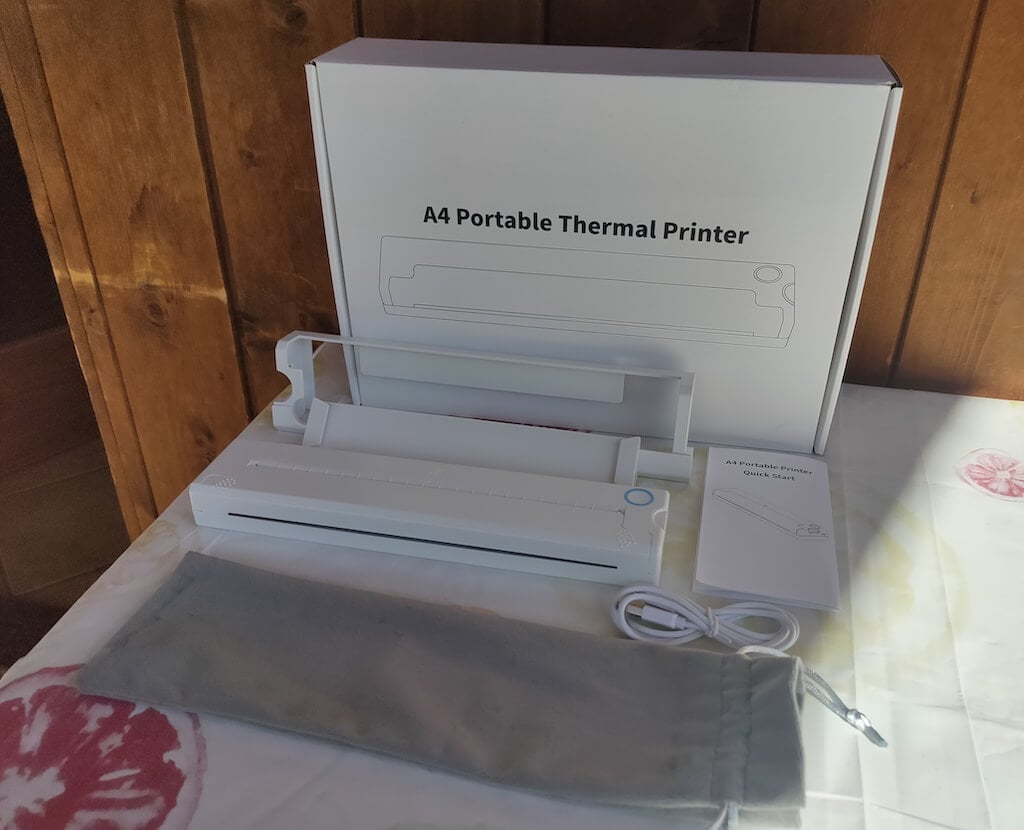
Here’s everything you’ll find when unpacking your Newyes portable thermal printer:
- The Newyes portable wireless thermal printer
- Bracket
- USB type-C cable
- Storage/carrying pouch
- 100pcs thermal printing paper
- User manual
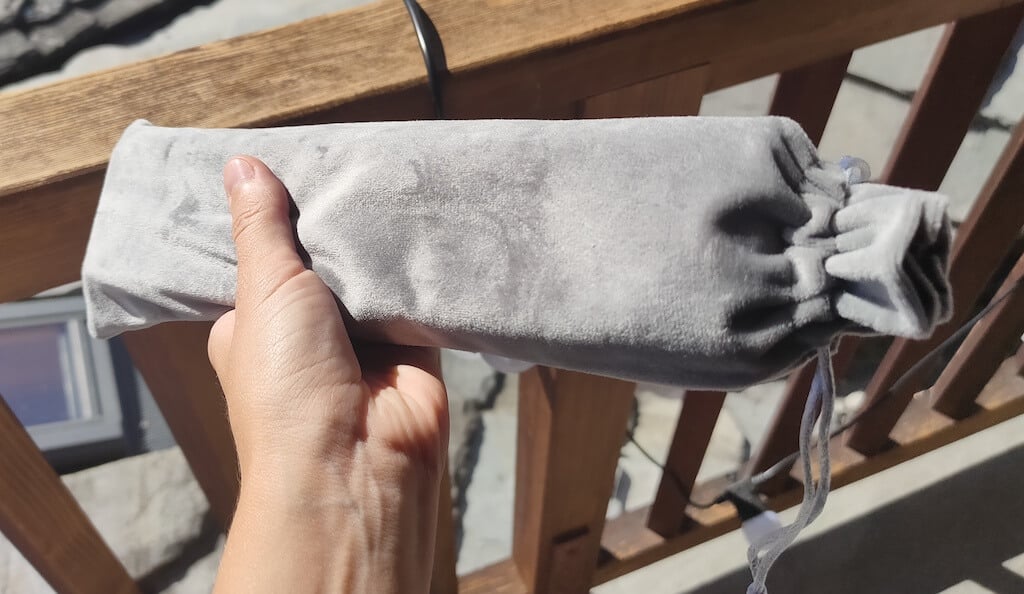
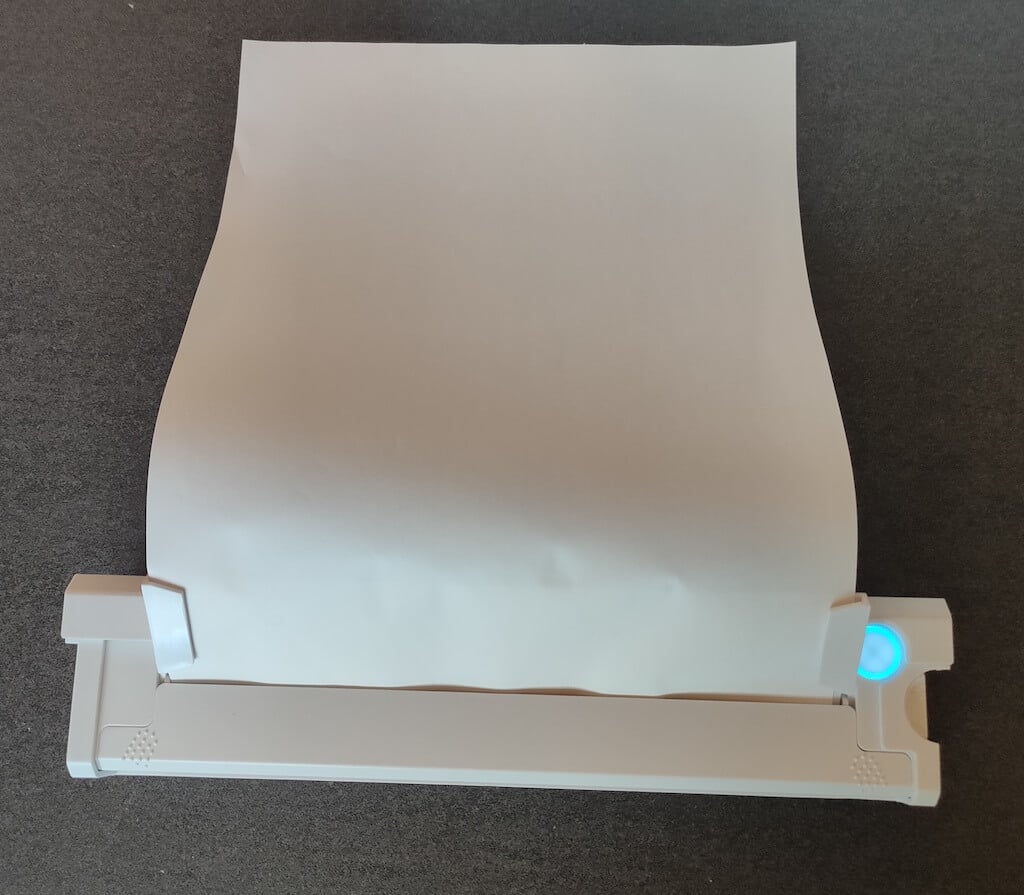
You can use the Newyes portable printer right out of the box, as you’re all set with essential accessories. Aside from the printer itself, the package includes a bracket which will make printing more than one page smoother, a convenient storage bag for carrying your printer with you, a USB-C cable for charging, and a supply of 100 pieces of thermal paper to get you started.
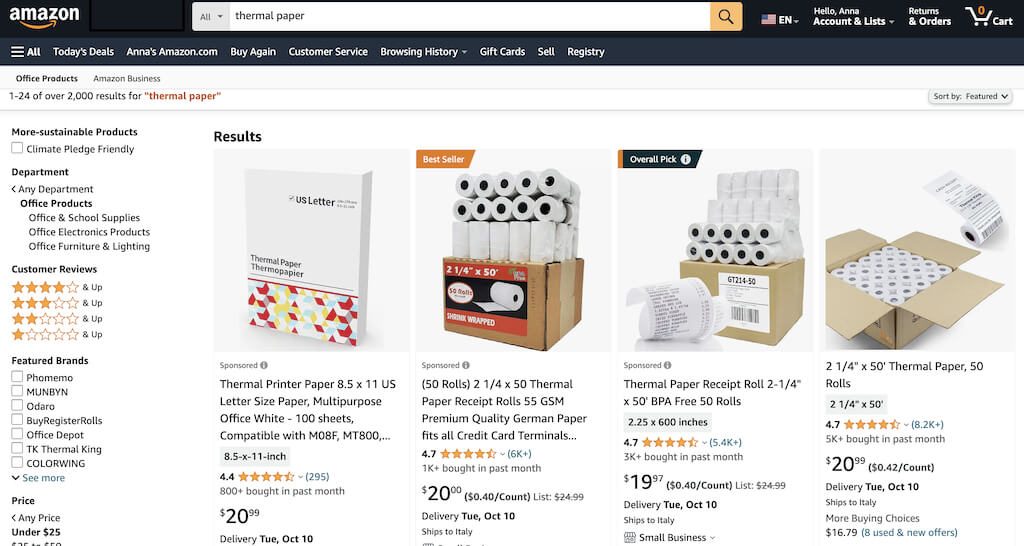
One important thing to remember is that this printer only works with thermal paper. While thermal paper is significantly more expensive than normal paper, this printer also uses inkless printing and works without a ribbon and toner. Since you don’t have to spend money on ink, carbon ribbons or toner cartridges, you ultimately end up saving money with thermal paper.
The Newyes LD0801 is a pocket-sized printer that features straightforward design. For the purpose of this review, I had a printer in white color. The printer looks like a small white brick with just two pressable buttons on top – one for switching it on and off, and another for opening the printer’s cover. You’ll also see the paper entry slot on top of the printer.
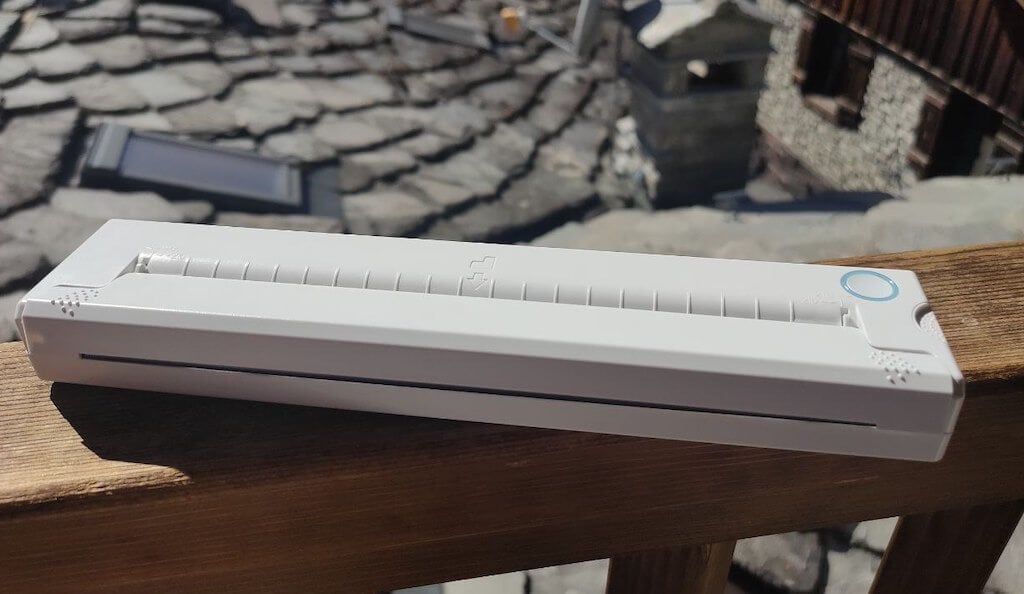
On the side of the printer, you’ll find a single charging port.
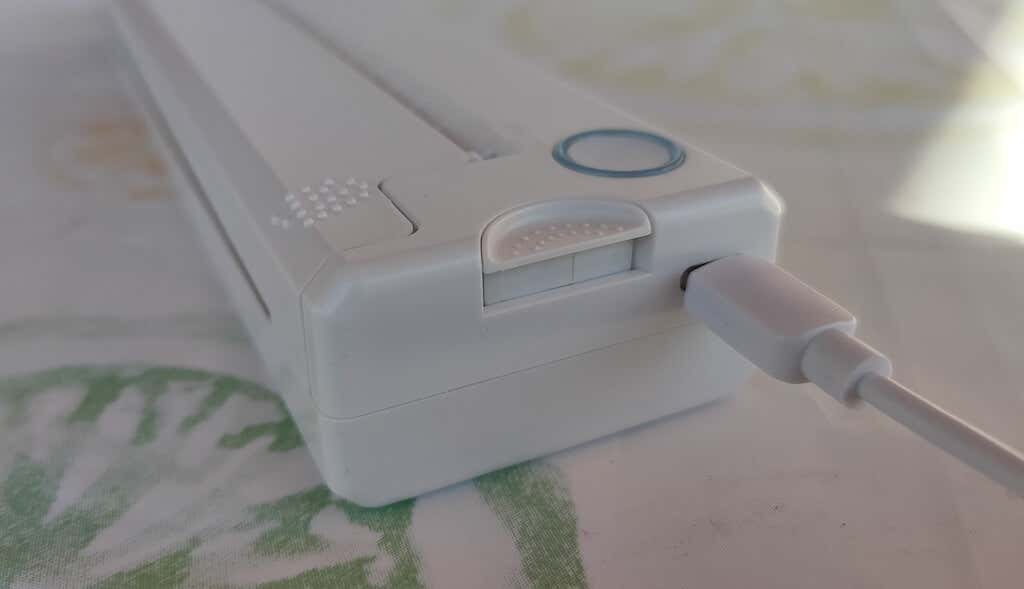
The printer is made of plastic, but the build feels sturdy. I never have to worry about throwing it into my bag or damaging it when traveling. Besides, you can use a nice carrying pouch included in the package for protection.
Performance & Features
According to Newyes, the portable printer has a “handheld size and two times the weight of an iPhone”. This can give you an idea of how portable and convenient this little gadget is. In a month of testing, I used it at home, in a store, and even in a car while on the road.
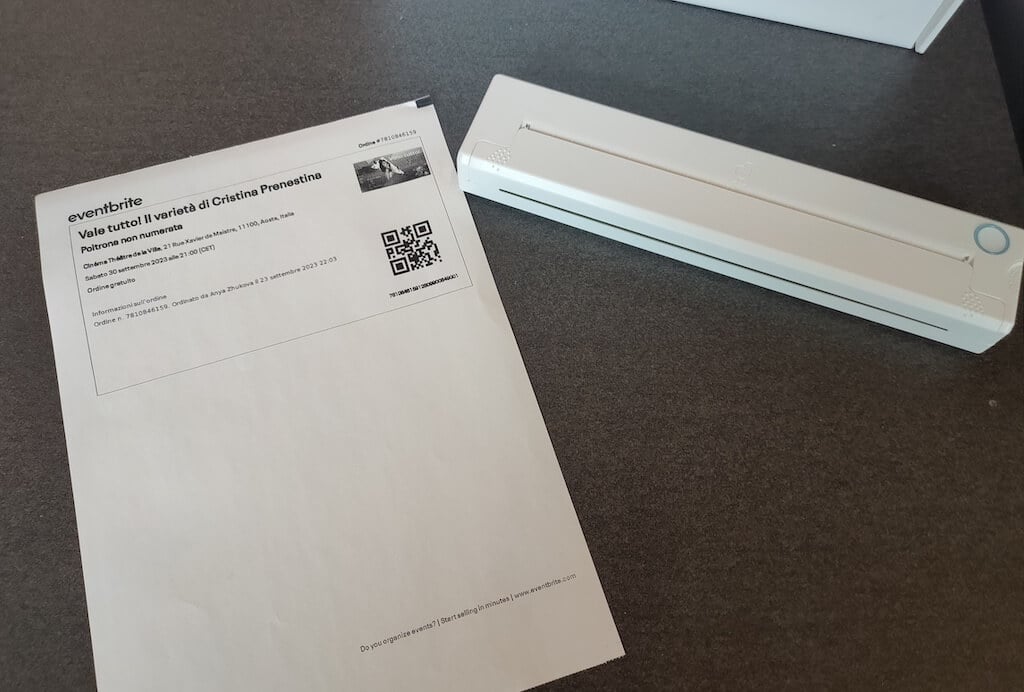
Using the printer is unbelievably easy. Connect it to your mobile phone via Bluetooth, press the button to turn the printer on and put a sheet of thermal paper into the paper entry slot. Make sure to use thermal paper and not standard paper, and put it with the black marks facing down. Bear in mind that the thermal printer can only print in black and white and only on one (marked) side of the thermal paper sheet.
Then open the iPrint app on your smartphone. If you’re printing an A4 document, you can select one of two options – Photo Printing and Document Printing . Then choose the document from your phone’s files and print it.
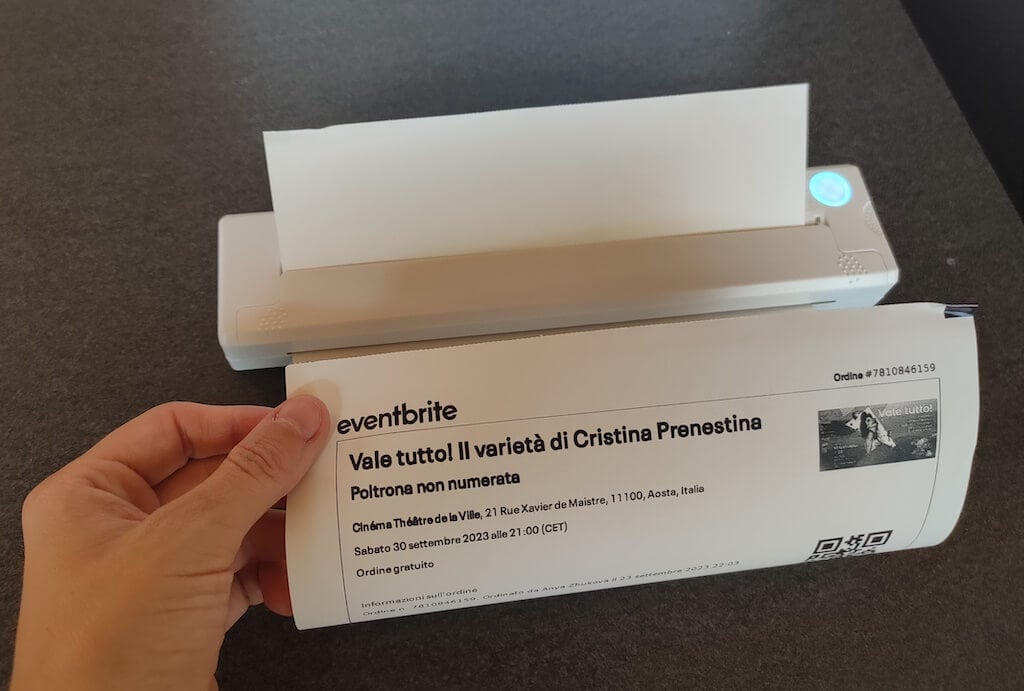
The printer is reliable and in the time that I used it the Newyes LD0801 never let me down. The printing quality will surprise you, as it’s sometimes better than what you get from a full-sized printer. The printer supports printing in various formats, and you can use it to print documents from your smartphone (Android and iPhone), iPad, and Android tablet.
When fully charged, the printer can support up to 90 pieces of paper continuously, which is very impressive for a gadget of such a small size.
Software
The Newyes portable printer requires an iPrint app to operate. The app is available for free on iOS and Android. You’ll need to download the app on your device from the App Store or Google Play before you begin printing your documents.
The app has a simple and user-friendly design. You’ll need to pair your device with the printer on the first use via Bluetooth.
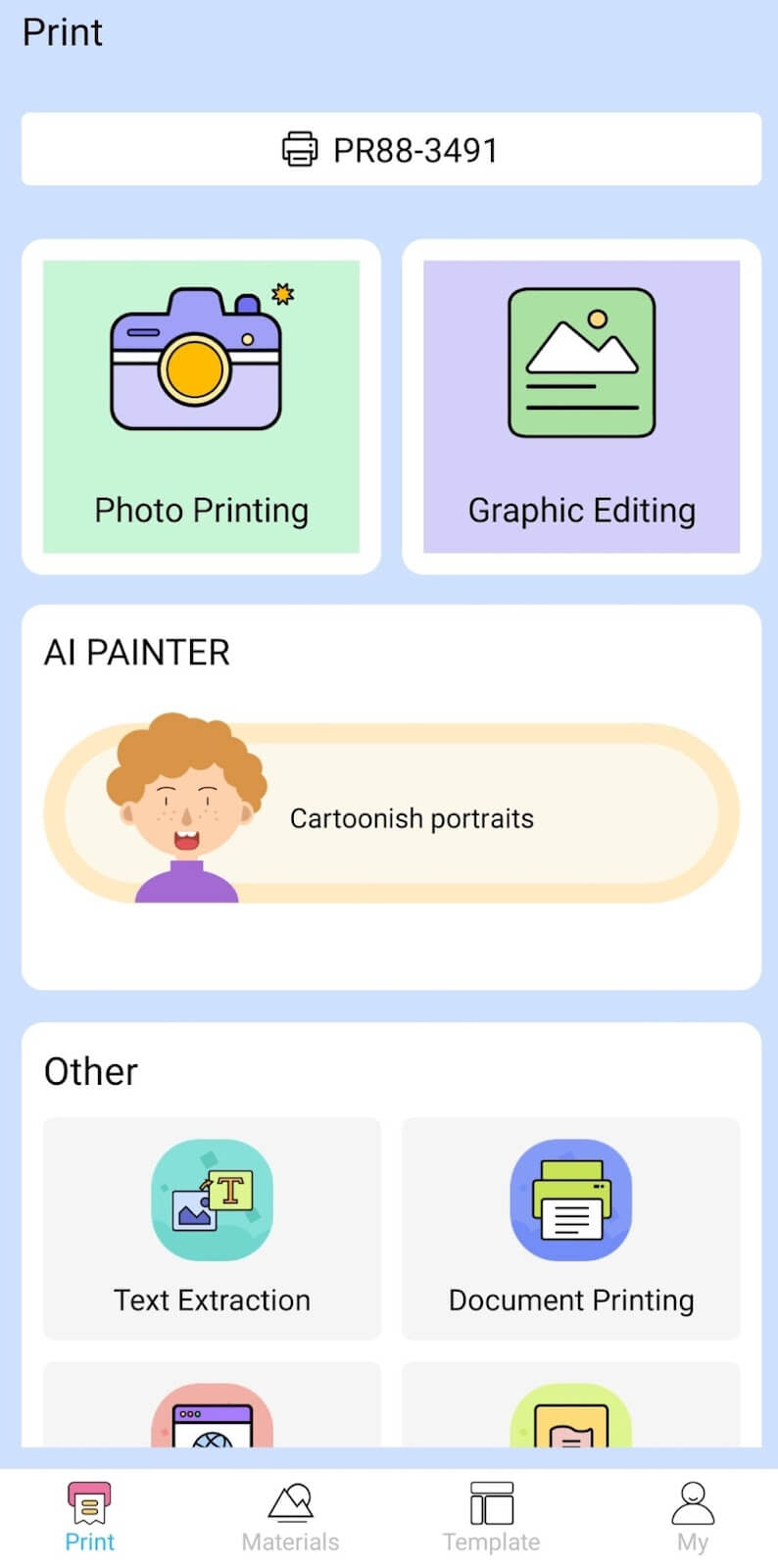
Depending on the type of document you want to print, you can choose different options from the app. There’s photo printing, document printing, web printing, and banner printing.
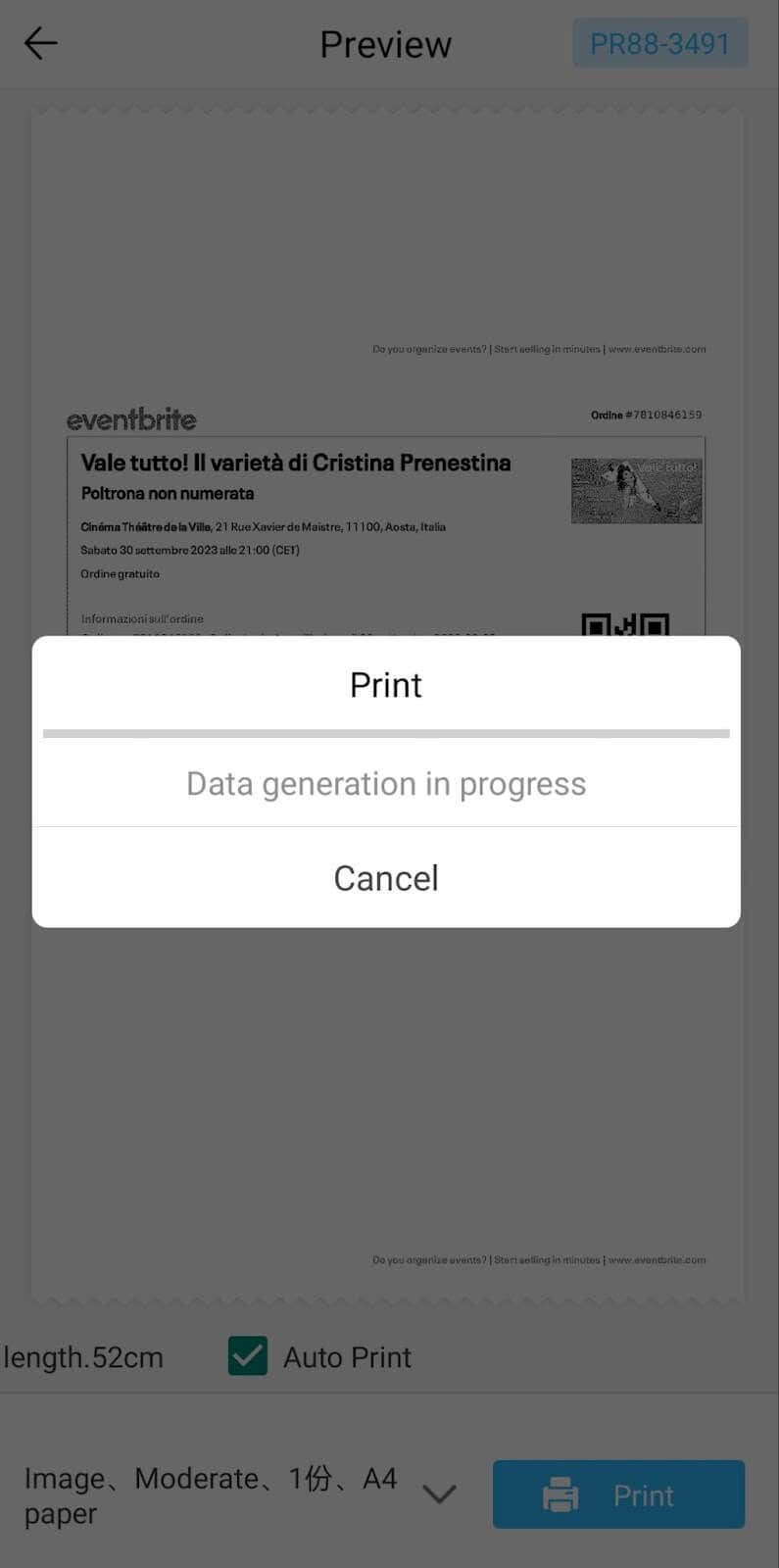
The app also has Materials and Template sections, where you can find various pictures and templates for printing to-do lists, post-its and holiday cards. You can also use the Newyes LD0801 as a label printer using these templates.
Battery Life
The Newyes portable wireless thermal printer is equipped with a decent 1200mAh lithium battery. This high-capacity battery allows you to print on the go without constantly worrying about running out of charge. When I received the printer, I charged it fully once, and it still hasn’t run out of battery after one month of use (I use it to print something almost every other day).
Charging this printer is quick and takes just over an hour to charge the printer from zero to full. The type-C charging cable facilitates a rapid charging experience. And if you run out of battery while on the go, you can quickly charge the printer from a portable power station or a power bank to continue printing.
The printer doesn’t support wireless charging, so I’d recommend always bringing the usb-c cable with you just in case.
Should You Buy the Newyes Portable Wireless Thermal Printer?
The Newyes portable thermal printer ensures high-quality wireless printing while on the go and easy operation. It’s not the most budget-friendly option, but this purchase will save you money and nerves in the long run thanks to its versatility and portable nature.
Personally, I can say that this printer made my life easier. So much that it’s probably my favorite smart gadget of the year. If you’re looking for a portable printer that won’t take any space in your house, I’d certainly recommend considering the Newyes LD0801 model.
- Tribit StormBox 2: The Under $70 Portable Speaker that Stands Out
- ENGWE L20 2.0 Review: The Best Budget-Friendly Foldable E-Bike?
- TopDon TC004 – a Thermal Imaging Camera That Will Give You Predator Vision
- Eskute Star Folding Fat Tire Electric Bike Review
- The 70mai Power Station Tera 1000 Review
