On our quest to find the best robot vacuum and mop, we’ve come across the Lucy AI robot vacuum by Trifo . This smart robot vacuum cleaner comes with a mop function and is also equipped with an AI camera that can keep an eye on your home while you’re away, essentially doubling Lucy as a home security device.
Let’s have a closer look at Lucy, test its cleaning abilities, and see whether it’s a worthy smart home installment for your house.
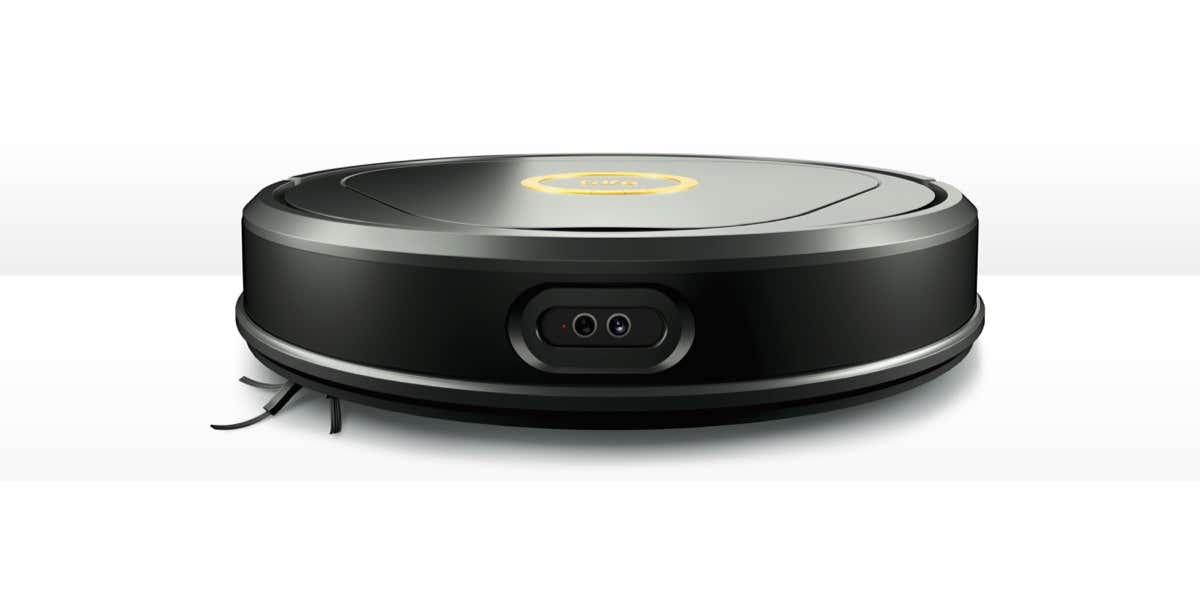
Trifo Lucy: First Impressions & Specs
There are plenty of robot vacuums on the market right now. If you have never used one of these gadgets before, you might find it difficult to pick the best one for you, as most of them seem to offer all the same features. Sometimes it’s difficult to choose between the different models of robot vacuums that one brand offers. Trifo has a different approach: this brand offers a selection of robot vacuums, with each of them serving a specific purpose.
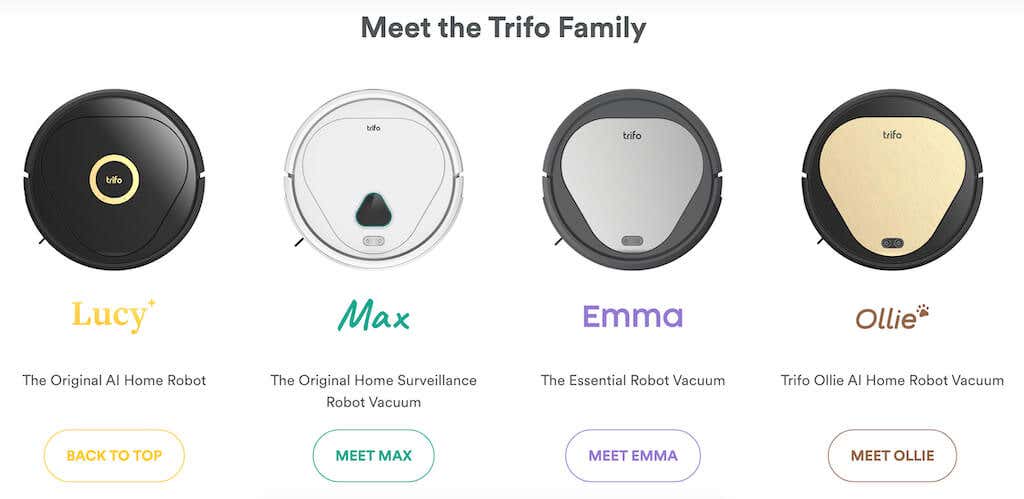
Lucy is a part of the Trifo Family that has robot vacuums specifically tailored to your needs. Emma is the basic robot vacuum for those who don’t want to pay for any extra features. Ollie is a vacuum designed for pet owners, and the Max model is a full-on home surveillance robot vacuum. Finally, if you want to have a bit of everything, Lucy is the most advanced and well-balanced model of the entire Trifo Family.
Lucy is a smart robot vacuum/mop that uses advanced AI to get smarter over time. That means that the more you use Lucy in your house, the more it’ll learn about the surroundings which in turn should make the clean-up process more efficient.
Another feature that makes Lucy stand out is the dual-camera system. The 1080P HDR color camera with a Time-of-Flight (ToF) depth camera is used for visual simultaneous localization and mapping (VSLAM) navigation and smart mapping of your home. This means that Lucy is extremely good at detecting various objects on your floor (no matter how big or small) and won’t get stuck in small spaces around your house. These cameras can only be used to monitor your home while you’re away and keep an eye on your pets.
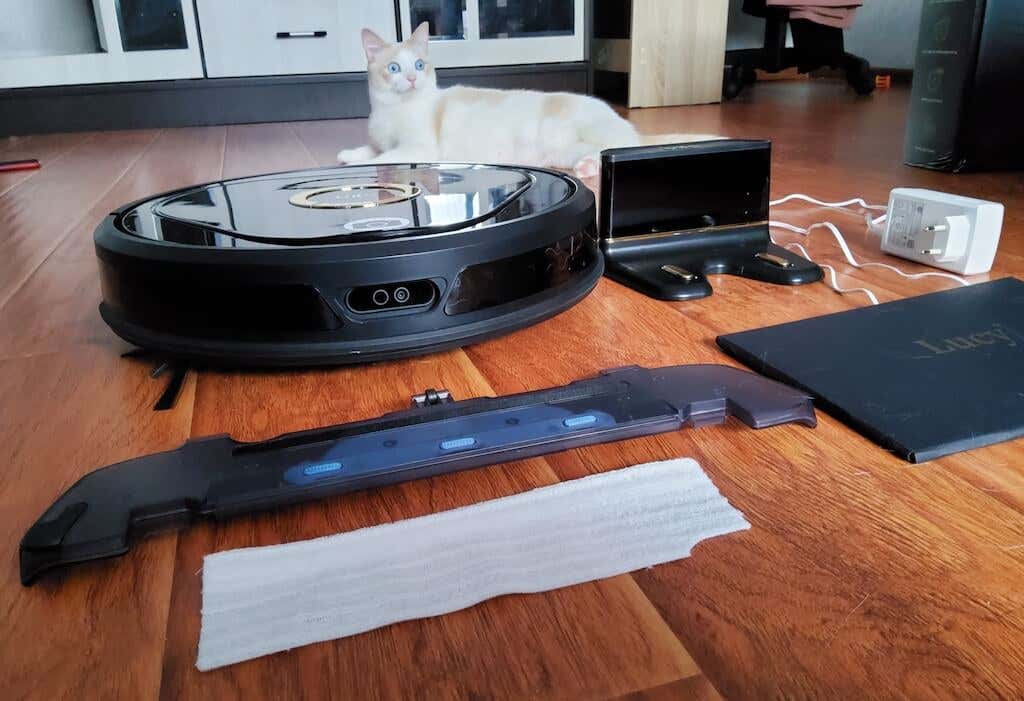
Lucy by Trifo also comes with a mopping feature, but it’s hard to call this model the best robot mop due to the small water tank that you have to top up during cleaning sessions. We’ll get more into this later. But first, here’s a complete list of specs of the Trifo Lucy robot vacuum.
- Dimensions (robot): 14.2 x 3.3in (360 x 84mm)
- Dimensions (charging dock): 6.4 x 5.6 x 3.9in (162 x 142 x 100mm)
- Weight: 7.5lbs (3.4kg)
- Suction power: 3000Pa (Lucy Standard) and 4000Pa (Lucy Pet edition)
- Dustbin capacity: 600ml
- Cleaning modes: silent, standard, and turbo.
- Water tank capacity: 100ml or 3.5oz
- Noise: < 70dB
- Battery life: 5200mAh battery fully charges from zero in 180 mins
- Run time: up to 120 mins
- Special features: motion detection, dual-camera system (1080P HDR camera + depth sensor for day & night control), app control via your smartphone (iOS & Android), voice control via Amazon Alexa, and manual control.
- Price: starts from $339 (on sale) on Amazon
Lucy has an impressive set of specifications, packing both the features that you meet on most modern robot vacuums, as well as unique abilities like the Visual SLAM navigation system that turns Lucy into a security camera.
Design & Unpacking
Trifo Lucy follows the same proven design of a robot vacuum that all of the brands have been using up to this day: it has a circular plastic case, three wheels, a main rolling brush, and a side brush. In the case of Lucy, the entire body of the robovac is black (glossy top with matte sides) and a golden ring with two buttons and a logo in the center. One button sends Lucy to the charging dock, and the other is the power button.
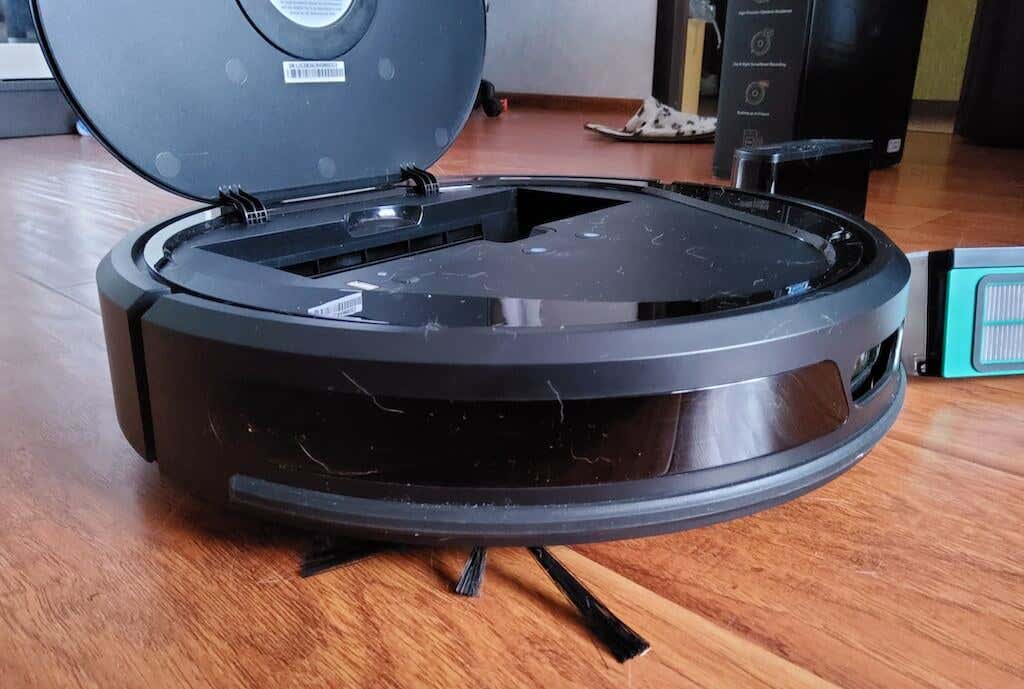
One problem with Trifo Lucy being black and glossy is that it easily collects dust and any pet hair on your floor. However, the black and gold color scheme gives it a premium look.
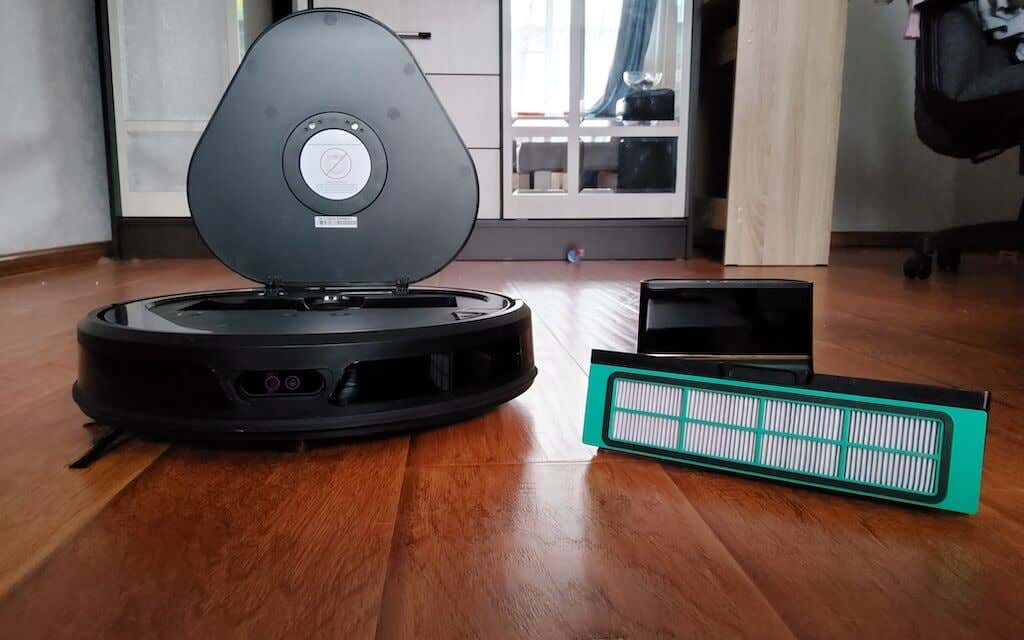
The top of the robovac is also plastic. You can open the lid to see the same buttons on the inside, as well as some other elements. The biggest one is a dustbin (or debris bin) which you can easily take out and empty by releasing the Push button under it. There’s also a Reset button that you can use to factory reset your Trifi Lucy; WiFi LED light, and a USB-A charging port.
On the front side of the gadget, you’ll find the contact sensors and two cameras for day and night vision.
The bottom side of Trifo Lucy contains the usual charging pins, a tracking sensor, a rolling brush, and a side brush.
What’s in the Box
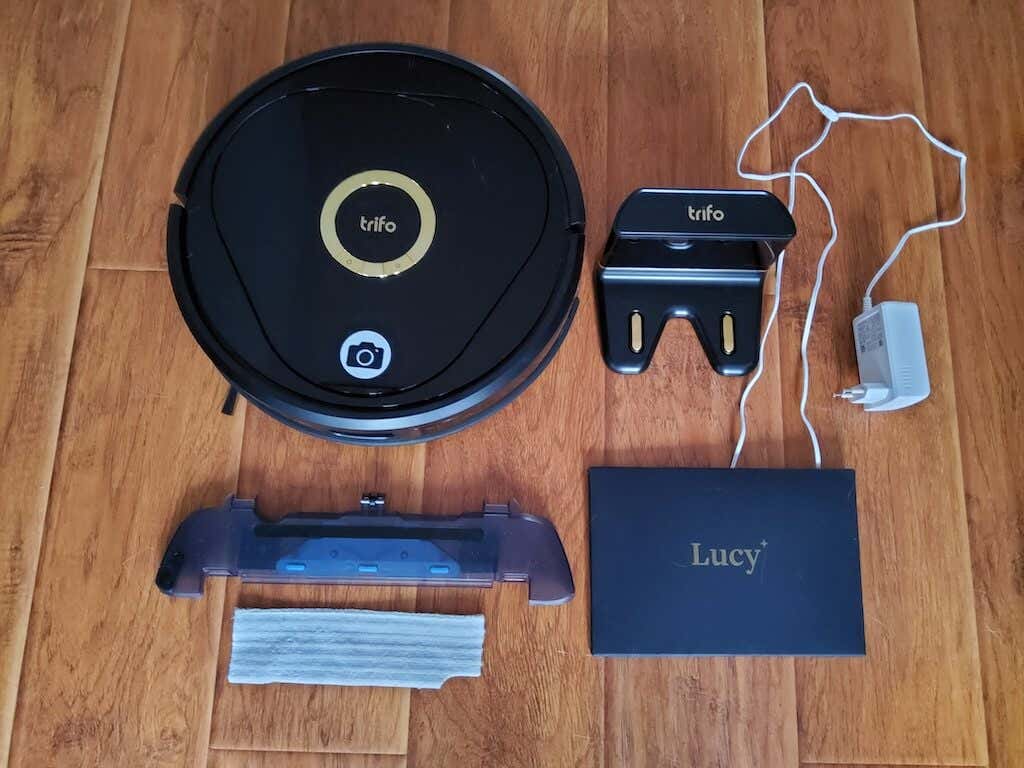
The first thing you’ll notice about your Trifo Lucy is the top-tier packaging. While this vacuum isn’t on the cheap end of things, you can clearly see what you’re paying your money for here. Upon unpacking, here’s what you’ll find inside the box:
- Trifo Lucy robot vacuum
- Charging dock with a charging cable
- Removable water reservoir
- Reusable microfiber pads (for wet mopping)
- How to use the manual in a Trifo Lucy envelope
The entire package weight is about 13lbs or 6kg.
Cleaning Performance
The main purpose of owning a robot vacuum is to forget about vacuuming and or mopping your floors at all, as the robovac can run these processes automatically without your interference. Before that happens, you’ve got to set up your Trifo Lucy and introduce it to your home environment.
Setup & Mapping
The setup process with Trifo Lucy is straightforward and similar to other robot vacuums. Once you’ve unpacked Lucy, plug the charger in and charge your device using the charging dock. Meanwhile, you’ll need to download the app, create an account, and sync Trifo Lucy to your home WiFi. After Trifo Lucy’s fully charged, you open the app and start mapping your home.
Most mapping robot vacuums use laser-based LiDAR technology for mapping, while Lucy uses a camera to create a floor plan of your house. This tech’s called Visual SLAM and is considered more thorough in capturing information about the robot’s surroundings. This means that Lucy’s ability to avoid objects in front of it is superior compared to those gadgets using LiDAR.
Vacuuming & General Cleaning
There are a few factors that make Trifo Lucy a superior cleaning tool. Mainly, it’s the maximum suction power of 4000Pa (with an average of 2700PA for most modern robovacs) and a sizable 600ml dustbin. Considering that the dustbin isn’t a self-emptying one, its big size allows you to only worry about emptying the dustbin once every week or so.
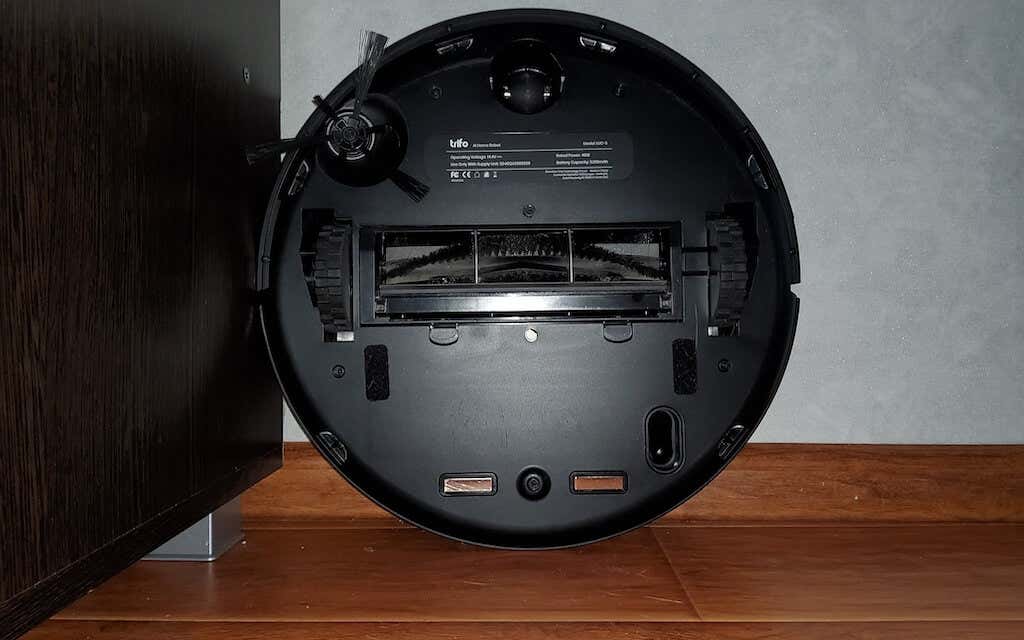
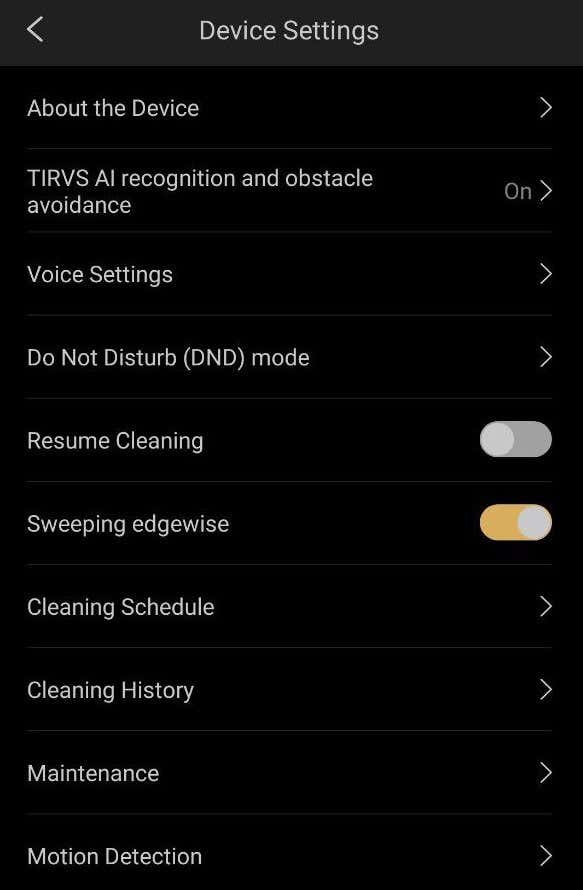
The combination of a rotating brush roll and a side brush will do a great job cleaning the hard floors of your house, even on a standard suction setting. If you need Trifo Lucy to clean big messes and pick up pet hair and grime, you’ll need to ramp up the suction power to the max. The same goes for cleaning carpets and area rugs. For thorough cleaning, we also recommend enabling the edge cleaning feature in the app (Sweeping edgewise). It makes Lucy put extra effort around the furniture and next to the walls.
Cleaning the Trifo Lucy itself is straightforward. Open the cover, remove and empty the dustbin. Then turn your robovac over, remove the rolling brush and remove any tangled hair. You can also wipe and clean the body of the robot vacuum with a soft cloth.
The Mop Function
Trifo Lucy comes with a mop function that allows for wet cleaning. A useful feature when you spill something on your floor and need to clean the stain. However, the water tank for Trifo Lucy is only 100ml, which means you’ll likely have to reload it once or twice before Lucy covers your entire home. That’s not ideal if you’re looking to automate your cleaning completely.
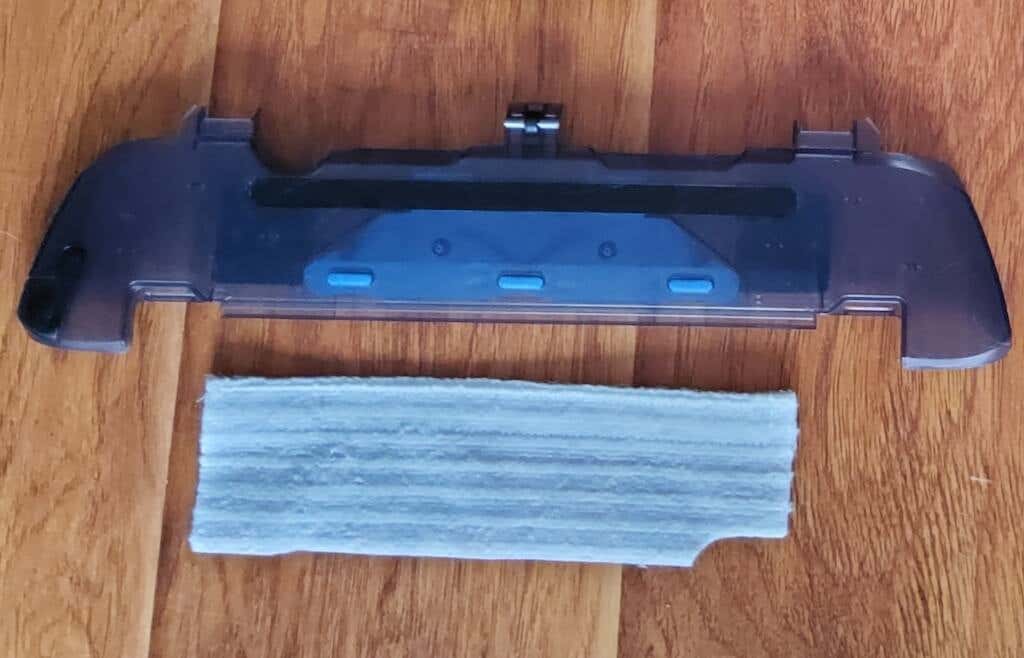
On the plus side, you get multiple reusable mop pads that are easy to clean afterward. Just remove the cloth and throw it in the washing machine. While the mopping function isn’t Trifo Lucy’s strongest suit, it still does an adequate job when it comes to mopping. And if you frequently run the cleaning sessions, Lucy is perfectly capable of keeping your house clean and dust-free.
Low Battery Mode
You don’t have to worry about keeping your robot vacuum charged fully at all times. When the battery level drops down to 15%, Trifo Lucy automatically returns to the dock station to recharge. When it’s fully charged, the robovac resumes cleaning as scheduled.
Software & Home Security Features
Trifo Lucy uses a mobile app called Trifo Home, where you can view all of the robot vacuum controls, create a cleaning schedule, and tweak other settings.
Trifo Home App
Upon installation, the app will ask for a standard set of permissions, like allowing it to send notifications to your phone. That’s a useful one, and we recommend enabling it that way, Lucy can send you alerts if it catches an intruder in your house while you’re away.
Next, the app will ask you to create an account and add Lucy to the list of devices to get started.
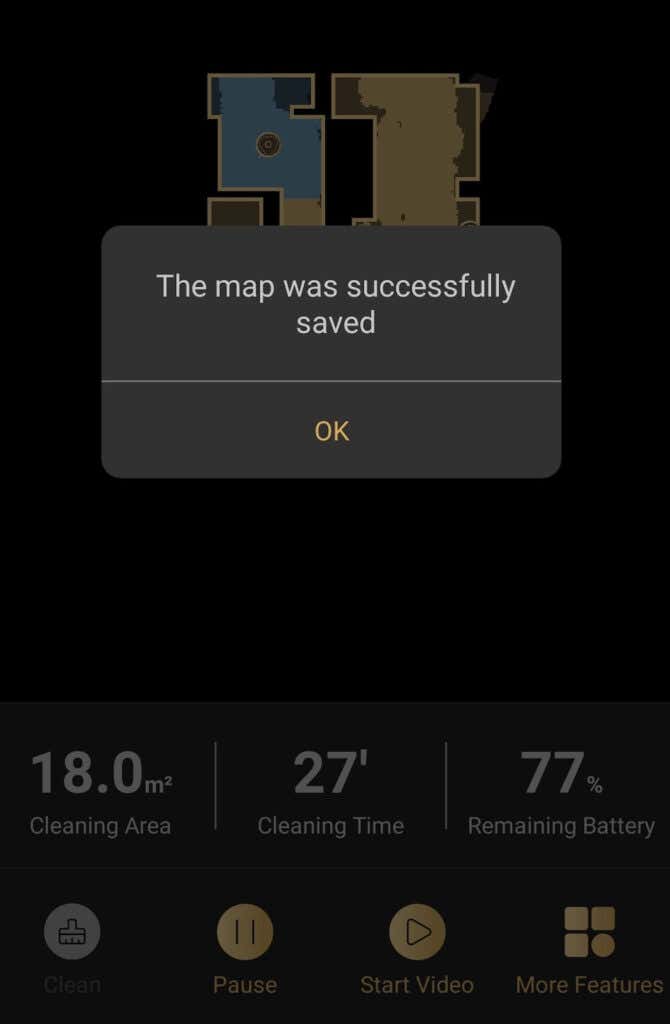
Browsing through settings, you’ll find various cleaning modes, and ability to schedule cleaning sessions, maintenance stats that show alerts in case any of the robot vacuum parts need to be replaced and do not disturb (DND) mode to stop Lucy from switching on while you’re asleep, as well as cleaning history that shows you the areas Lucy has cleaned and cleaning time.
After running the robovac for the first time, you’ll find a map in the app where you can name different zones of your house and create no-go zones for Lucy to avoid.
One of the most exciting features that Trifo Lucy has is manual control – you can load the video of your house and use the app to drive the robot vacuum around remotely. You can also record this footage. To switch to manual control, select Start Video at the bottom of the app. This will open up the camera, and you can see your house from Lucy’s point of view.
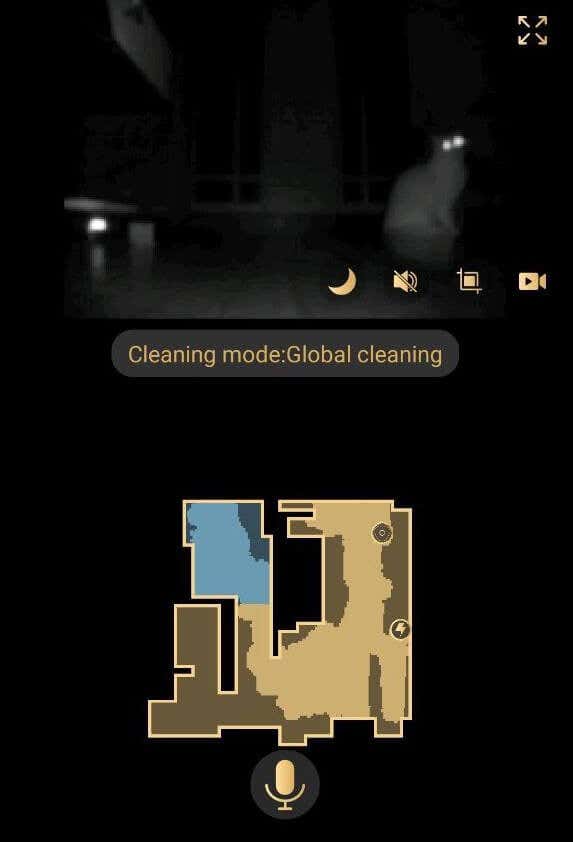
Aside from recording this footage, you can change between Day and Night time vision and switch the microphone on and off.
Trifo Lucy: the Security Camera
Thanks to the motion detection feature you can use Trifo Lucy as a security camera. When Motion Detection is enabled, you get a notification on your phone paired with the photo of what (or whom) the robot vacuum caught moving in front of the camera. This could be used to both keep an eye on your house and to check on your pets when you’re away.
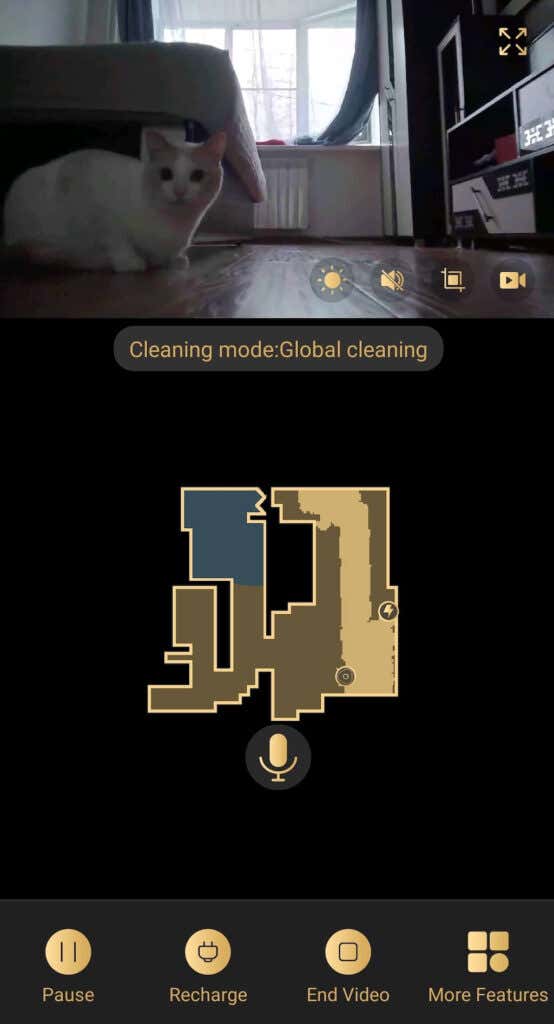
Speaking of pets, you can also use the built-in microphone to play with them remotely or to (try to) calm them down if you see them through the camera making a mess.
Should You Buy the Trifo Lucy Robot Vacuum?
Trifo Lucy isn’t the perfect cleaning solution for every problem. If you’re looking for the best vacuum-mop combo, Trifo Lucy might not be the top pick for you since the mop feature is more of a small add-on here. However, there are plenty of reasons why you should buy Trifo Lucy.
If you’ve used a robot vacuum before, like Roborock or Roomba, you’ll be pleasantly surprised by the different design, unique features, and new abilities of Lucy. If you’re a pet owner and would like to keep an eye on your little furry friend while you’re outside your house, Lucy is an excellent pick for you as well. All in all, it’s a powerful robot vacuum that will make for a perfect gift for your loved ones or yourself.
- WhatGeek x 3inuS Kebohub EE01 Mechanical Keyboard Review
- Mobile Pixels Duex Max Portable Monitor Review
- Review of Anycubic Kobra Max 3D Printer
- The OBSBOT Tiny 4K: an Impressive Webcam for PC & Mac
- Review of Anycubic’s Kobra 3D Printer
Anya is a freelance technology writer. Originally from Russia, she is currently a full-time Remote Worker and Digital Nomad. With a background in Journalism, Language Studies, and Technical Translation, Anya couldn’t imagine her life and work without using modern technology on a daily basis. Always looking out for new ways to make her life and location-independent lifestyle easier, she hopes to share her experiences as a tech- and internet-addict through her writing. Read Anya’s Full Bio
3D printer manufacturer, Anycubic, recently released two new printers—the Anycubic Kobra and its bigger, badder uncle, the Anycubic Kobra Max. We were interested in testing both products in our hunt for the best entry-level 3D printers. We’re looking for ease-of-use and affordability, as well as build and print quality.
We’ve published a number of 3D printer reviews from Anycubic—for both FDM printers like the Anycubic Vyper that print with spools of filament and SLA resin 3D printers like the Anycubic Photon Mono X 6K that use a liquid resin as its raw material—and we can say that the Kobra Max has quickly become one of our favorites.
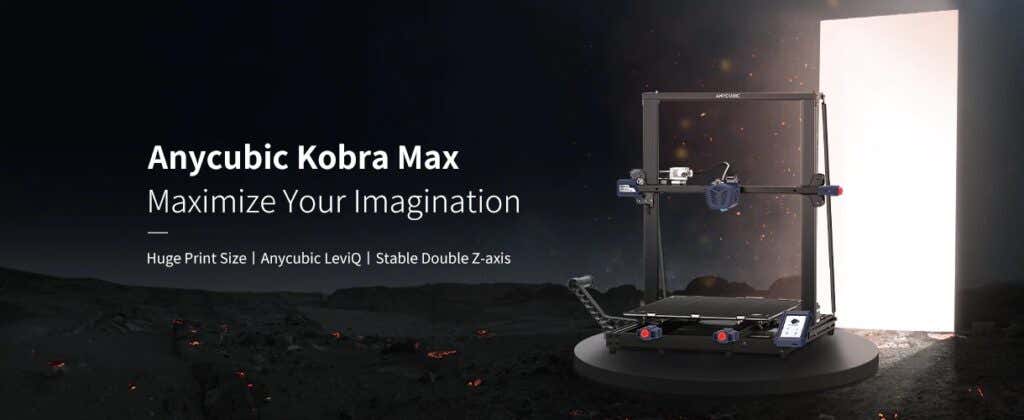
Features of the Anycubic Kobra Max 3D Printer
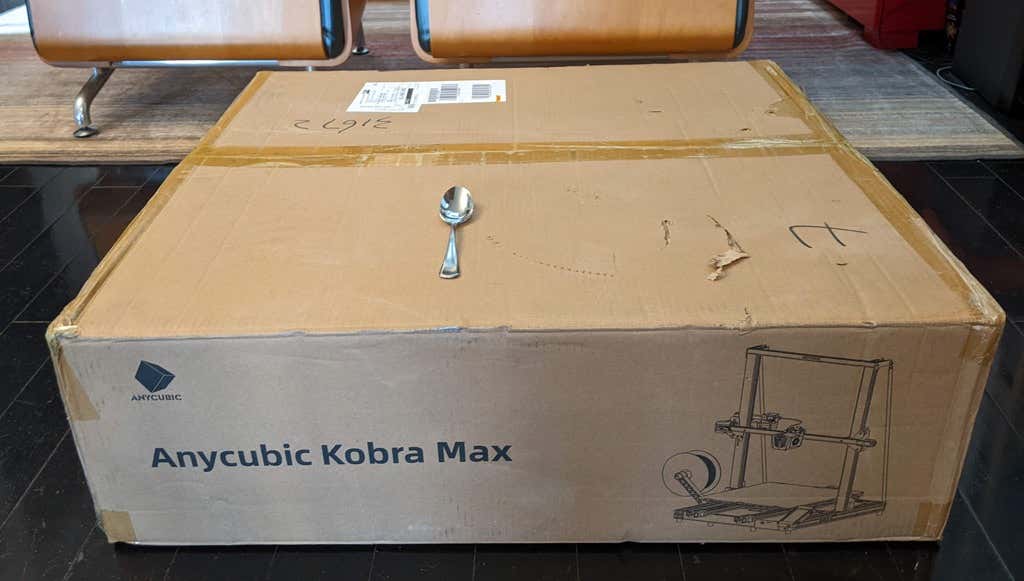
The most obvious feature of this printer is its size. It is absolutely massive. That means you can print huge items in a single piece. Think of a full helmet or an entire ukulele—these are things you couldn’t print in one piece on a normal-sized 3D printer. Truly, the word “Max” doesn’t sufficiently capture just how big this printer is. Good luck fitting the packaging into your trash or recycling bins!
We were skeptical that a Cartesian printer of this size (which relies on a moveable print bed) would perform well since it has a lot of weight to move around. Admittedly, it’s not the speediest printer out there because of those design tradeoffs, but it works great.
The Kobra Max has an impressive list of technical specifications:
- Leveling: Automatic, 25 points leveling using the Anycubic Leviq technology
- Panel area: 7.95 in² / 51.3 cm²
- Filament run-out detection: support
- Printing material: PLA / ABS / PETG & TPU
- Nozzle size: ø 0.4 mm (replaceable)
- Nozzle temperature: ≤ 500 °F / 260 °C
- Hot bed temperature: ≤ 194 °F / 90 °C
- Average speed: 3.1 – 3.9 in./s (80mm/s – 100m/s)
- Control panel: 4.3 inch LCD touch screen
- Z-axis: double threaded rod
- Print size: 17.7 x 15.7 x 15.7 in. / 45 x 40 x 40 cm (HWD)
- Build volume: 19.02 gal. / 72.0 L
- Machine dimensions: 72 x 71.5 x 66.5cm
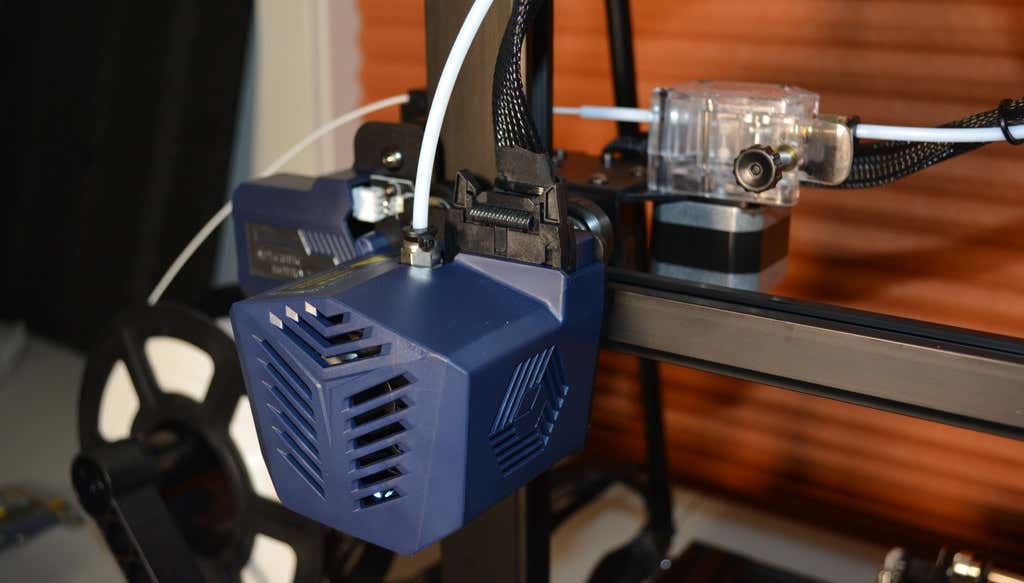
As far as we can tell, the extruder is identical to the extruder and print head on the Anycubic Vyper. Furthermore, the Kobra Max has the same automatic bed-leveling system as the Vyper. The system uses a pressure sensor instead of an inductive sensor.
The bed-leveling sensor is right on the nozzle itself, ensuring that it can probe every printable part of the bed. And since the sensor is pressure-based, you could replace the glass bed with any other material and the bed-leveling system will still work. (Inductive sensors require metal to work, so you won’t find them on printers with glass beds.)
Since the Kobra Max’s printing platform is a rigid glass sheet, you can’t remove and flex it to pop your prints off. We prefer removable spring steel build plates, but glass is still a nice printing surface. If your printer doesn’t have a removable bed, glass is ideal because you can use metal scrapers to remove your prints without worrying about scratching the surface.
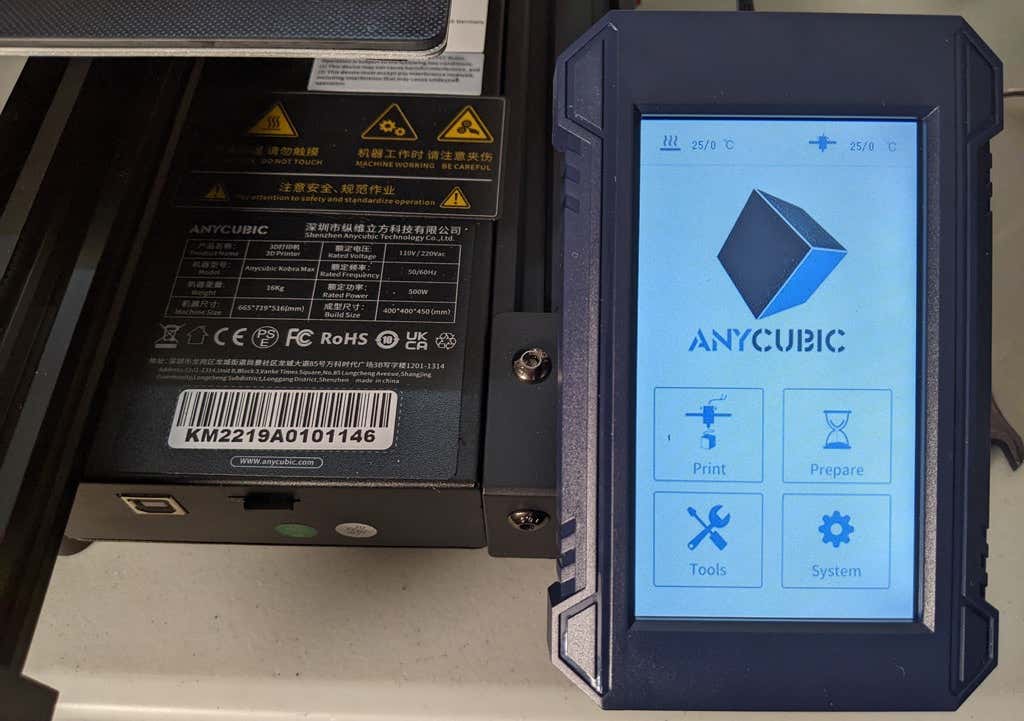
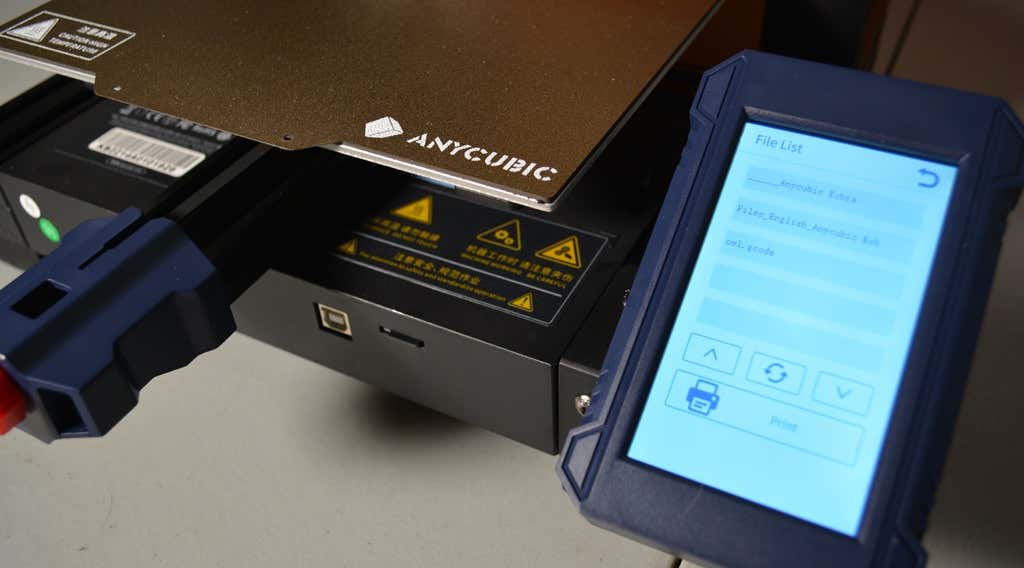
The LCD touchscreen is identical to the screens used on many other Anycubic printers. As usual, it’s responsive and easy to use.
A note about filament types: the Kobra Max will print with PLA, PETG, TPU, and ABS. However, if you really want to print with ABS and get the best possible results, the printer should be inside an enclosure. Given its size, it may be challenging to build a suitable enclosure for the Kobra Max.
Assembling the Kobra Max 3D Printer
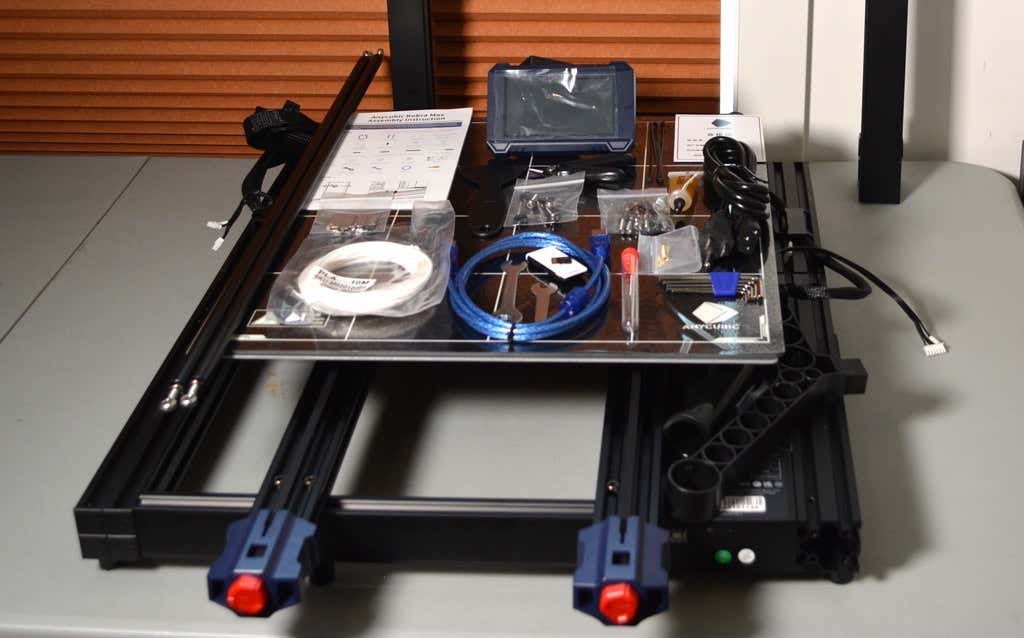
When assembling the new Kobra Max, make sure you have sufficient working space. Since the bed moves forward and backward, you need more space than you’d think. We put it on a 30” folding table, and when it’s printing, it needs about 36 inches, front to back.
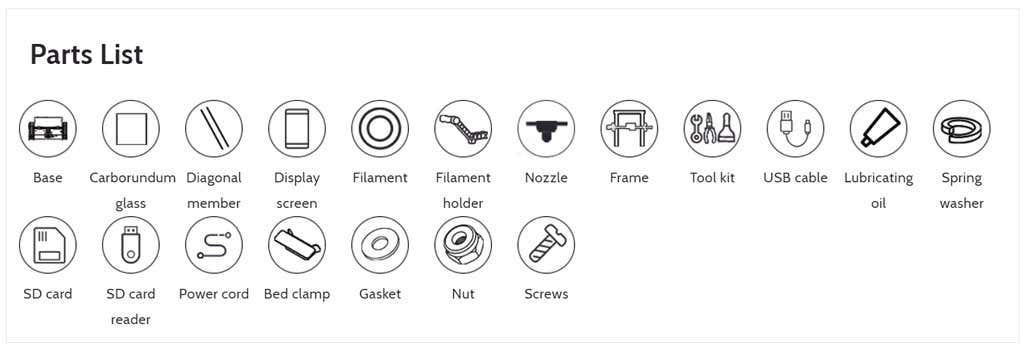
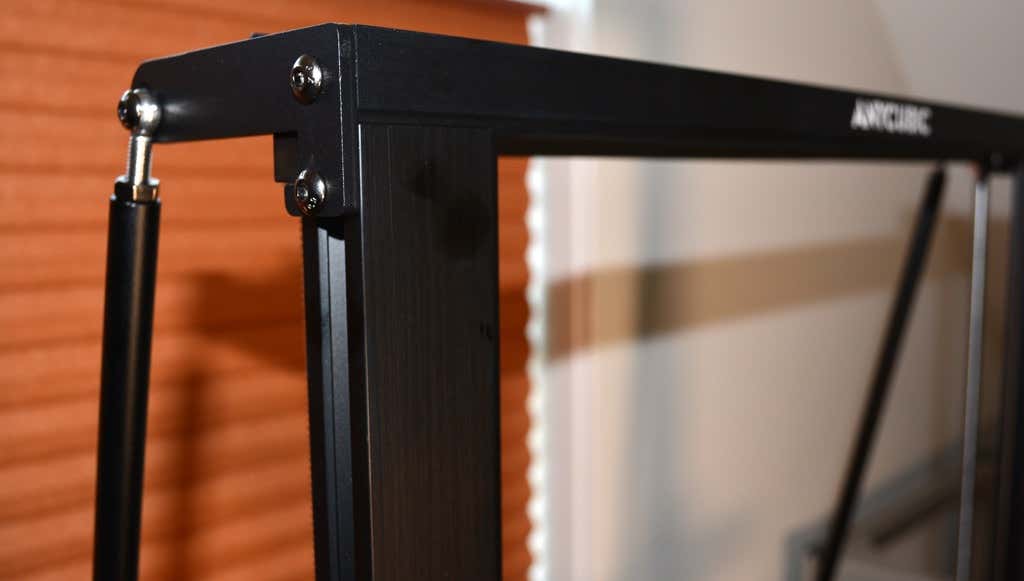
Assembly of the Kobra Max is no more difficult than assembling the Kobra or Vyper. The only additional items are the diagonal braces which add stiffness to the frame, reducing mechanical vibration.
It took two people about 15 minutes to assemble. Double-check that you’ve cut all the zip ties used to stabilize the printer during shipping. There are a lot of them.
Calibration
The auto-bed-leveling system is easy to use. Anycubic recommends that you check the x- and the y-axes to make sure they don’t wobble. If they do, you can adjust the eccentric nuts until the wobbling stops. There was no wobble on our printer, so we didn’t have to do anything.
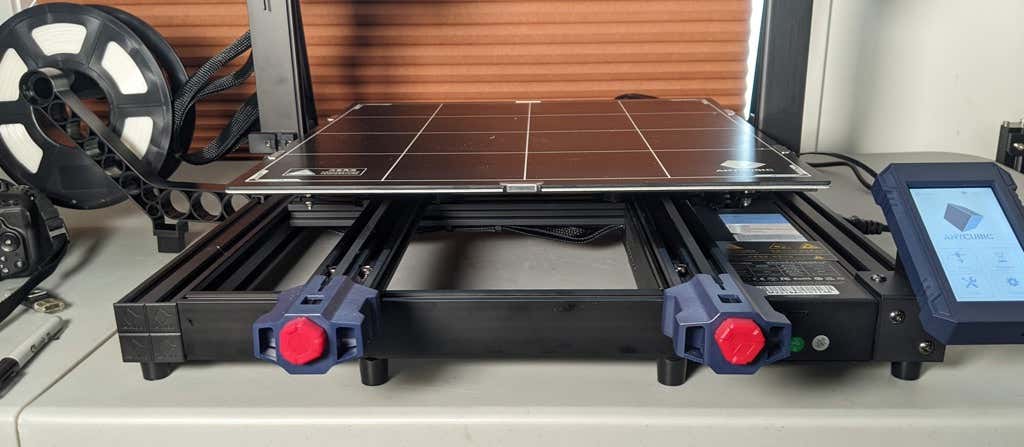
Additionally, the x- and y-axes have belt tensioners. We needed to slightly tighten the x-axis on ours. The tensioners are easy to use and are features a lot of other printers lack. Who wants to take apart the extruder assembly just to tighten the belts? Not us, and probably not you.
Build Quality of the Kobra Max
Due to the addition of the diagonal braces, the frame is really stiff. The dual z-axis screws are an improvement over the smaller Kobra. They virtually eliminated sagging of the x-axis assembly.
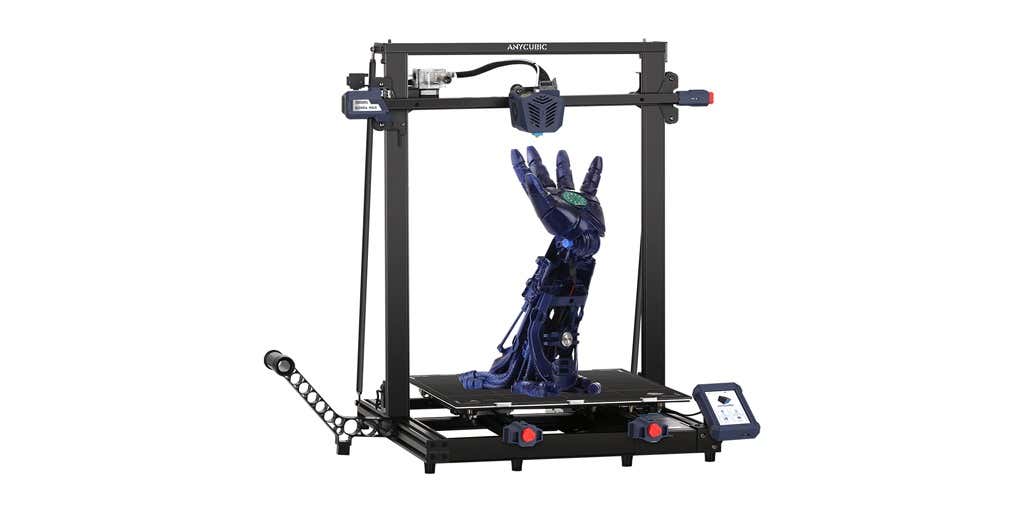
The spool holder sits on the base of the printer, reducing wobbling when printing tall items. It’s better than having the spool on the top like on the Kobra.
This printer is built with aluminum extrusions with aesthetically-pleasing plastic covers for the hotend and the tenionsers. It’s got an optical z endstop. The x and y endstops are mechanical. The whole thing feels solid.
First Print
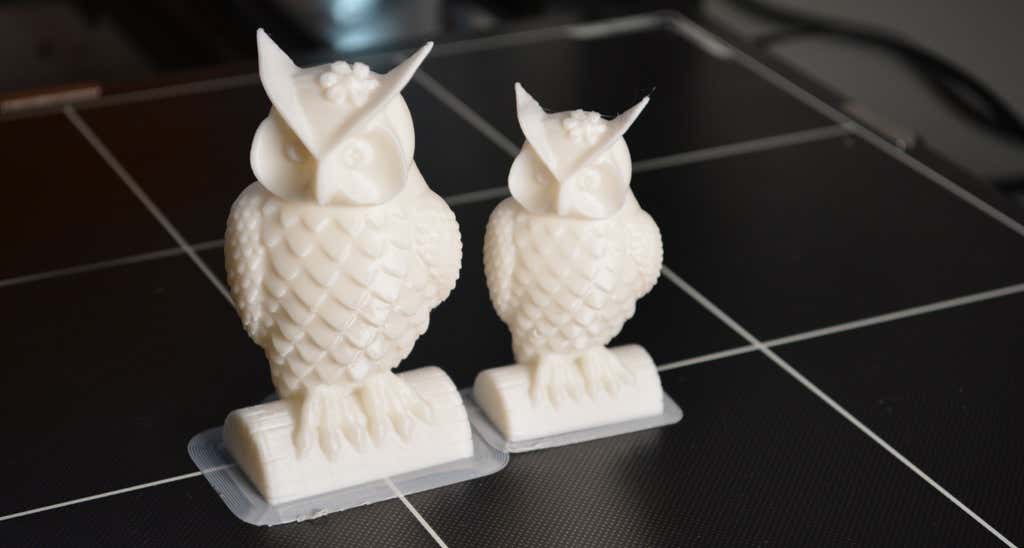
For the first print, we used the test file provided by Anycubic. Appropriately, the owl is about twice the print volume of the owl test print that comes with the smaller Kobra. Given the bowden setup (which makes sense for a printer this size), we were surprised that the ears on the owl turned out so well.
The ears look better than they did on the owl printed on the Kobra which has a direct drive extruder system. We suspect that’s due to the slower print speed. Many times, retractions on bowden extruders will create artifacts, but we didn’t notice any blobs or stringing. It approaches the quality you’d expect from a direct-drive.
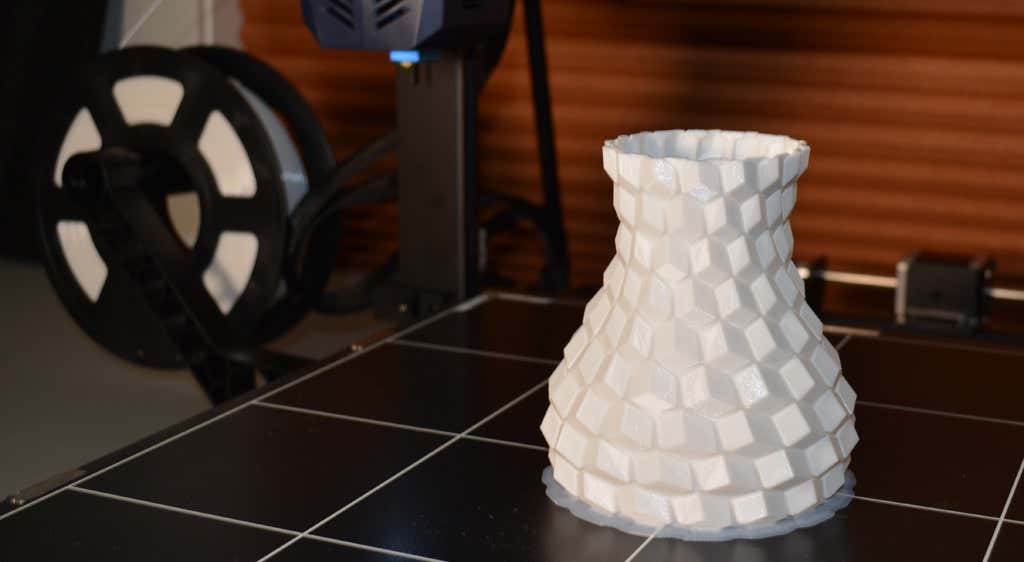
Next, we printed a vase with a large, flat base with a 0.2mm layer height. Removing prints from the glass bed is certainly not as easy as removing prints from smaller, flexible beds, but it’s not a deal-breaker either. We didn’t have any adhesion problems. The prints didn’t release when the glass bed cooled, which is what we expected and hoped for.
Curious what the power requirements would be for a printer this size, we were worried we wouldn’t be able to run multiple printers on the same circuit. We measured the power usage while the Kobra Max was printing, and, as expected, power usage is highest while the printer is warming up. Ours topped out at 473 watts. While printing, it was a more manageable 200-300 watts. We thought it would be more than that. You could probably run three of these printers on a 20 amp circuit.
Cut to the Chase
To drive home just how big the Kobra Max is, we put the Kobra on the bed of the Kobra Max. Insane. (We do not recommend you try this.)
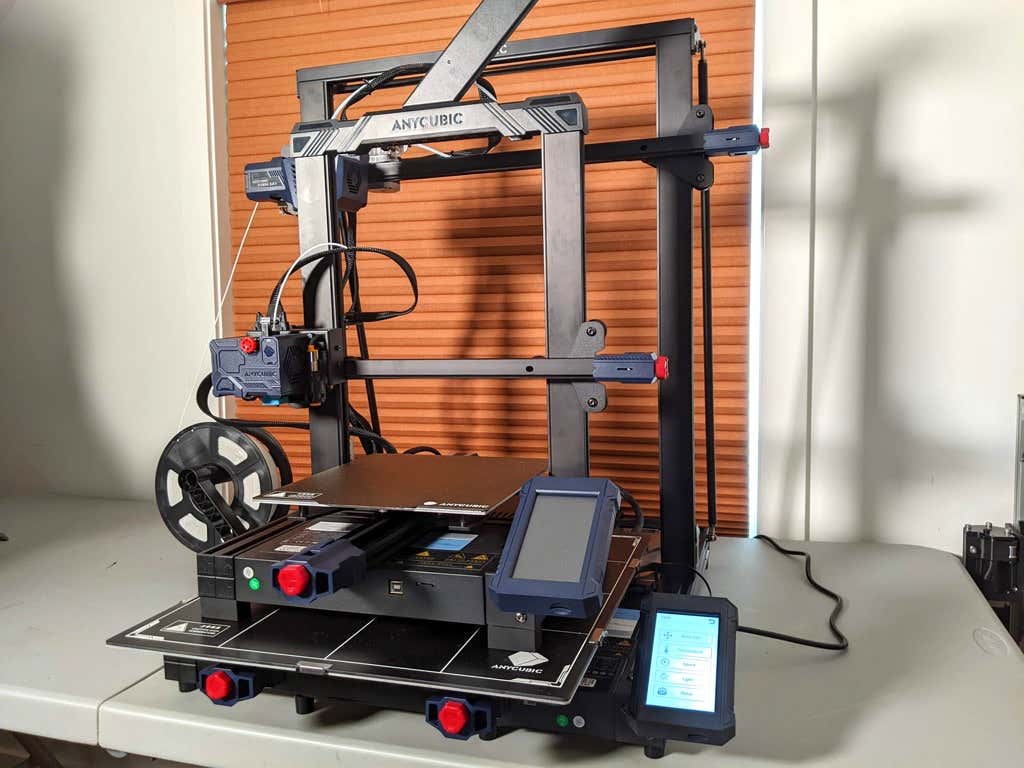
A small printer is limiting, so if you find yourself printing large objects in small pieces and assembling them, consider buying a Kobra Max. If you’re new to 3D printing, keep in mind that it takes a long time to print big objects—potentially days and days. Typically, we’d recommend a smaller printer to beginners, but at the price point of $569.00 if you purchase on the Anycubic site, it’s worth considering as an entry-level printer.
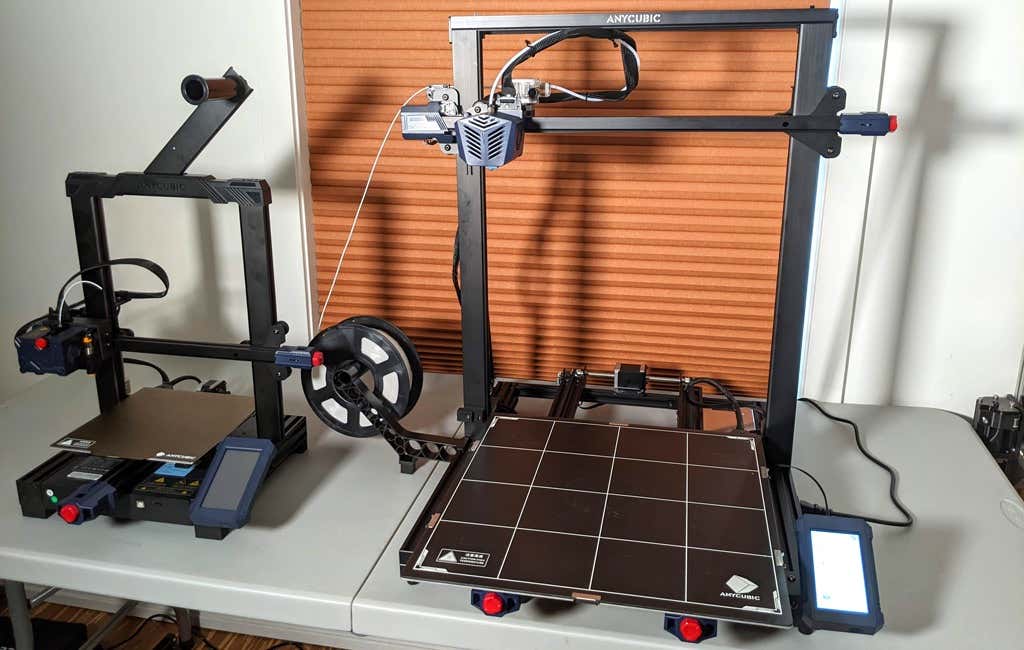
One downside is that smaller prints will take a little longer than they would on a smaller, faster printer. That’s just physics. Bigger printers have more inertia to overcome and take longer to move. For example, the print time for our vase was thirteen hours. On our Prusa MK 2.5 with similar settings, it would have taken about twelve hours—not a huge difference.
*Special thanks to FormerLurker for help in reviewing AnyCubic’s Kobra Max 3D printer.
- WhatGeek x 3inuS Kebohub EE01 Mechanical Keyboard Review
- Mobile Pixels Duex Max Portable Monitor Review
- Trifo Lucy: The AI Robot Vacuum and Mop
- The OBSBOT Tiny 4K: an Impressive Webcam for PC & Mac
- Review of Anycubic’s Kobra 3D Printer
Maggie Marystone is a freelance technology writer, human rights worker, and storyteller based in Chicago. Read Maggie’s Full Bio
In this 3D printer review, we’ll let you know what you get when you buy an Anycubic Kobra, what it’s like to build it, and our first impressions about its quality and usability.
Features of the Kobra by Anycubic
The Kobra by Anycubic is an FDM 3D printer. FDM stands for fused deposition modeling . The print material for FDM printers is plastic filament. If you’re considering buying your first 3D printer, you could also consider a resin printer like the Anycubic Photon Mono X , the larger Photon Mono X 6K , or the Photon M3.
The Kobra’s features include:
- Build volume of 9.8 x 8.7 x 8.7 in. (250 x 220 x 220 mm)
- Machine dimensions of 19.1 x 19.1 x 16.9 in. (486 x 486 x 430 mm)
- Uses 1.75mm PLA, ABS / PETG & TPU filaments
- Ø 0.4 mm replaceable nozzle
- A heated, textured, removable, and flexible build platform made of PEI spring steel
- Ports for USB and microSD card
- 4.3″ color touchscreen LCD
- 25-point auto bed leveling with an inductive sensor using Anycubic’s LeviQ technology
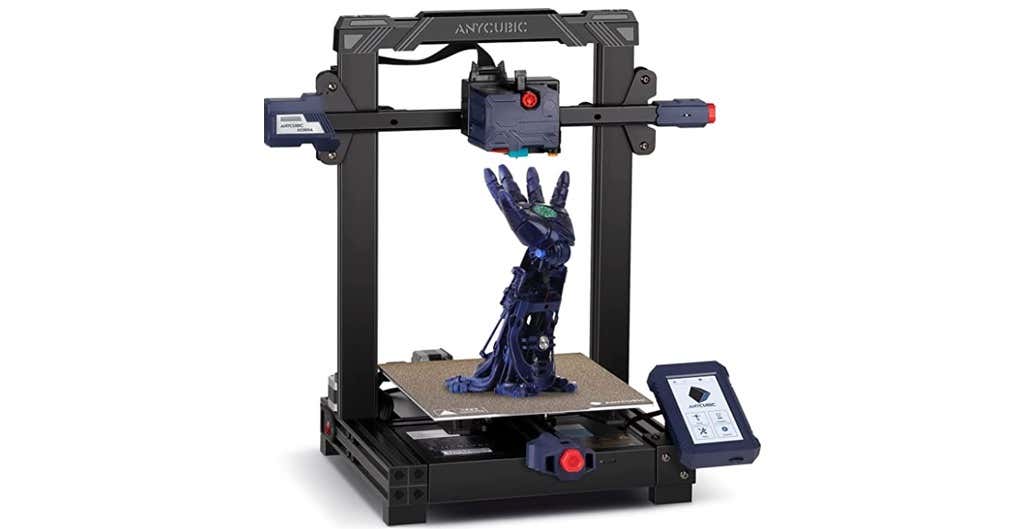
The Kobra has a direct-drive extruder, which is relatively uncommon among printers at this price point. In general, filament printers have either a direct-drive extruder or a bowden extruder. Bowden extruders push the filament into the nozzle from a distance, guided through a teflon tube, whereas direct drive extruders are mounted right above the hot end, greatly reducing the slack inside the tube because it’s so much closer to the nozzle.
The Kobra has an inductive probing sensor for automatic bed leveling. It’s a proximity sensor that can detect nearby metals. It’s not quite as accurate as something like the BL Touch but it’s dramatically cheaper and can give you excellent results. Prusa uses these on printers that are twice as expensive, like the Prusa MK3.
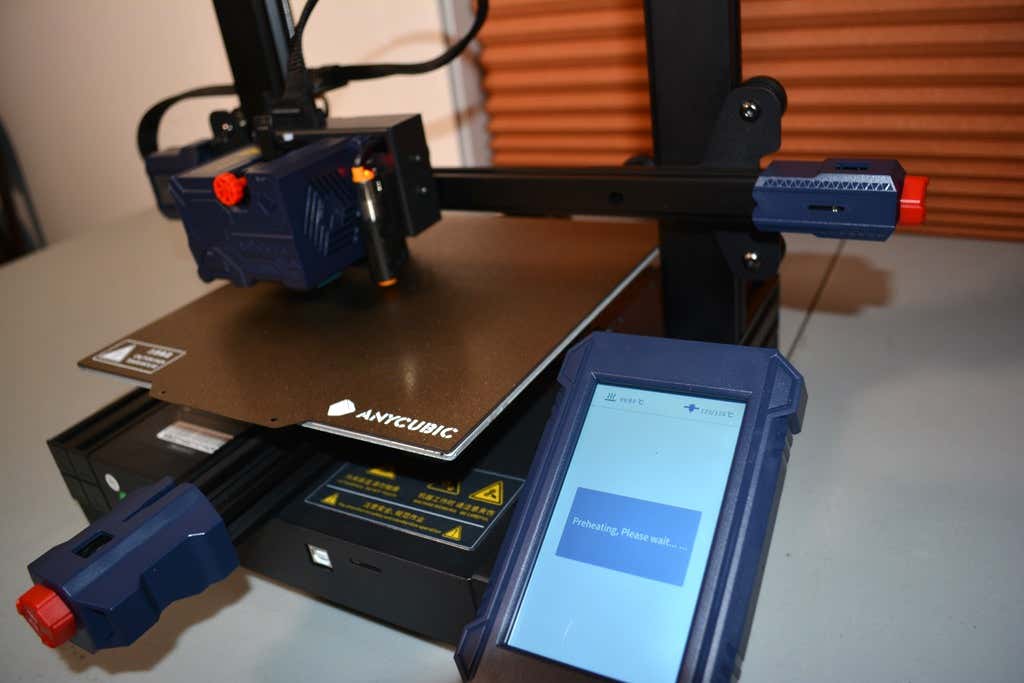
The heated bed has a spring steel sheet that attaches to a magnetic top on the bed, making it incredibly easy to remove your prints. Just remove the spring steel sheet and crack it like an ice tray. In our test print, the print even released itself from the bed as it cooled. Moreover, the bed leaves a nice texture on the underside of the print.
The LCD touchscreen is quite similar to the screens on some of Anycubic’s other printers, like the Anycubic Vyper . It’s intuitive, responsive, and easy to read.
The print volume is quite similar to the Vyper’s, as well, and the print beds are identical. Lastly, the Kobra has optional filament run-out detection. You can turn that feature on or off via the touchscreen panel.
Assembling the Anycubic Kobra 3D Printer
The Kobra comes partially assembled—another reason it’s a good option for beginners to 3D printing. You’ll learn how the printer’s mechanics work as you assemble it, and it won’t take very long since many of the parts are already put together for you.
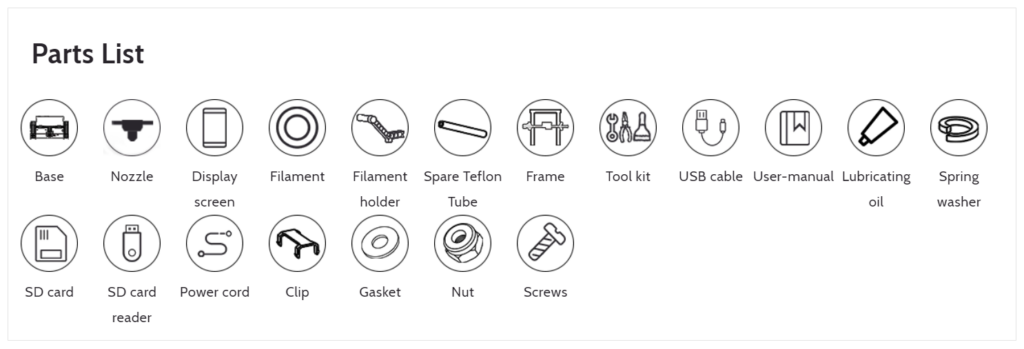
It took us about fifteen minutes to assemble the Kobra. The instructions were fairly clear, although the photos in the assembly manual could have been larger. There’s not a whole lot to mess up. The cable management is where you want to be the most careful.
The stepper motors are already mounted. They just needed to be plugged in using the provided wiring.
Calibration
Anycubic recommends checking the tension of the belts and ensuring the build plate and x-axis don’t wobble. We didn’t need to make any adjustments to the eccentric nuts which control how tightly the rollers grip on the aluminum extrusions. You don’t want them too tight, and you definitely don’t want them too loose. If you do need to adjust them, it’s fairly simple. You just turn the eccentric nut until the wobbling stops—and no tighter.
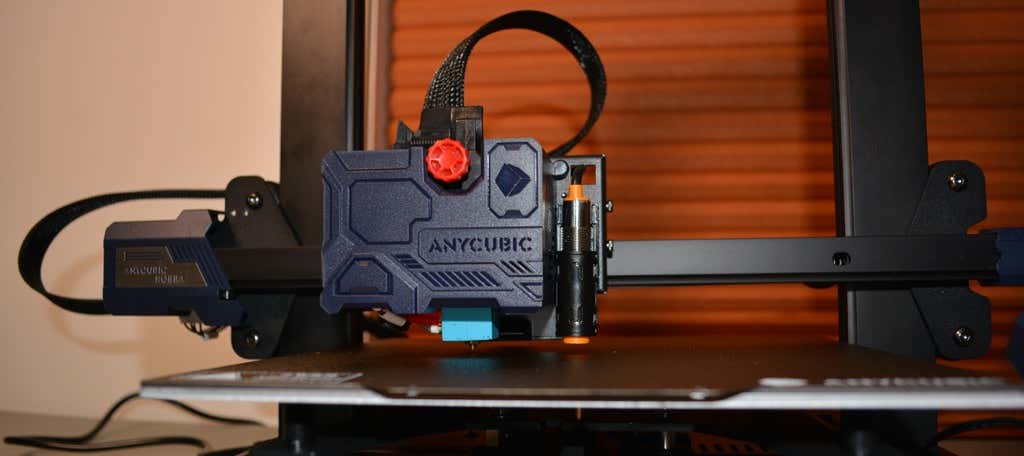
If you do need to adjust the belt tension, it’s straightforward. There’s a screw tensioner for each belt. A couple turns of those screws, and you’re done.
After performing the automatic bed-leveling, we calibrated the z offset. To do that, you put a piece of paper under the nozzle and adjust the offset until it ever-so-slightly grips the paper. You’ll need to fine-tune this as the first layer is being printed. We had to raise the z offset 0.1mm. Your results will vary.
Build Quality of the Anycubic Kobra
The only thing we didn’t like about the build quality is that the z-axis only has one lead screw. Despite that, the x-axis seemed pretty stable. We didn’t notice any sagging.
The cooling fan is a bit noisy, but we probably wouldn’t have noticed if the printer weren’t so quiet.
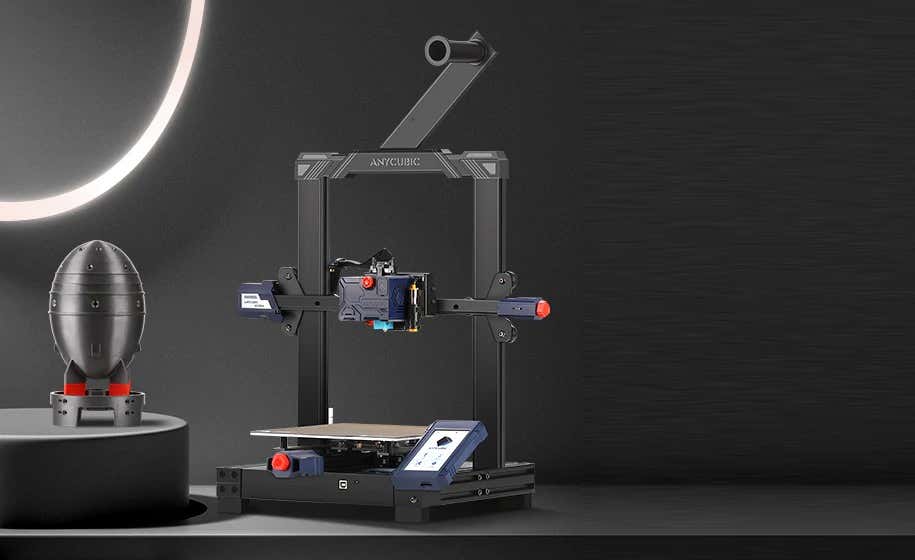
The filament spool is positioned at the top of the printer. We would have preferred it at the bottom since any extra weight at the top of the direct-drive extruder could make the printer shake. On the other hand, there was no evidence of that happening during our prints.
First Print
For our first test print, we used the test file included on the SD card and printed with Anycubic PLA filament. We didn’t try printing with ABS filament because, in our experience, that requires an enclosure to have any hope of getting the quality you expect from PLA.
We had no problems with bed adhesion on our first print. The print partially released when the bed cooled, which was nice.
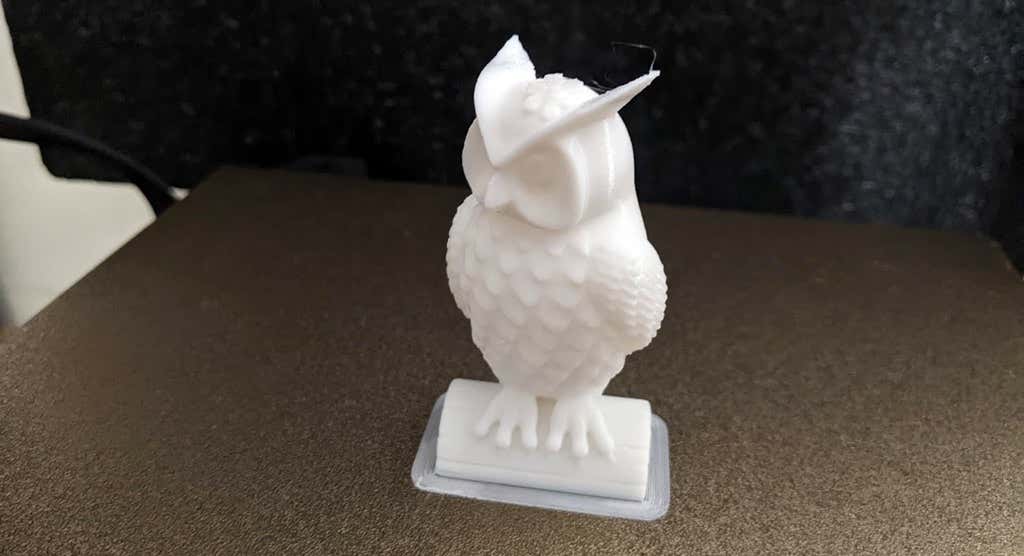
As you can see, we got a good print on our first attempt. There was minimal stringing (really, almost none at all). The only large defect was caused by a piece of plastic we failed to remove from the nozzle. We were particularly impressed by the print quality of the ears at the top of the owl—printers often struggle with thin parts that are at a steep angle and are separated, requiring the nozzle to lift and move.
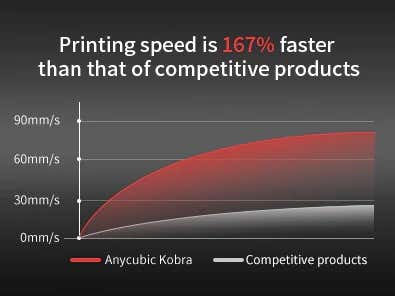
Anycubic says the Kobra’s printing speed is 167% faster than competitors. While the print speed isn’t the fastest we’ve ever seen, we expected that. It’s a trade-off for having a direct-drive extruder instead of a bowden. In our opinion, the responsiveness of a direct-drive extruder is an acceptable tradeoff for the slightly slower print speeds.
Cut to the Chase
Virtually every entry-level 3D printer gets compared to the Ender 3. In this case, the Kobra out-performs the Ender 3 in these areas:
- Less stringing because of the direct-drive extruder
- Comes with a magnetic bed for easy print removal
- No x-axis sagging
- Vastly superior touchscreen
With the Kobra, you’ll get high-quality prints for under $300. If you’re interested in a similar printer with a much larger build volume, keep an eye out for our upcoming review of the Anycubic Kobra Max, a monster FDM 3D printer we simply loved.
*Special thanks to FormerLurker for help in reviewing Anycubic’s Kobra 3D printer.
- WhatGeek x 3inuS Kebohub EE01 Mechanical Keyboard Review
- Mobile Pixels Duex Max Portable Monitor Review
- Trifo Lucy: The AI Robot Vacuum and Mop
- Review of Anycubic Kobra Max 3D Printer
- The OBSBOT Tiny 4K: an Impressive Webcam for PC & Mac
Maggie Marystone is a freelance technology writer, human rights worker, and storyteller based in Chicago. Read Maggie’s Full Bio
