In this article, we’ll cover what Channel Points are, how you can set them up on your Twitch channel , and how viewers can earn them.
What Are Channel Points on Twitch?
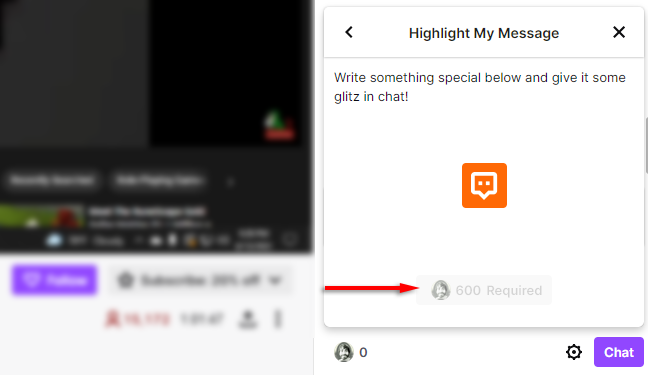
As a viewer earns Channel Points, they can be spent on any of the channel rewards that the streamer has set up. These rewards include things like unlocking an emote , highlighting your message, or a custom reward the streamer has enabled such as dancing on stream.
How to Set Channel Points Up
Setting up Channel Points is easy. Here’s how you can do it:
- Sign in to your Twitch account.
- Click the profile icon in the top-right corner and select Creator Dashboard from the drop-down menu.

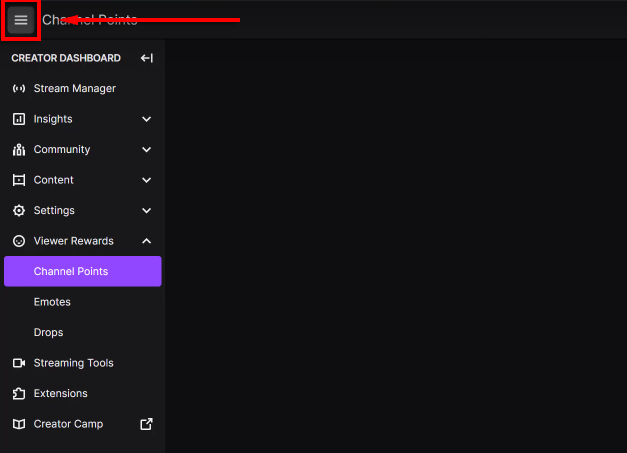
- Click the three horizontal lines at the top-left corner of the screen.
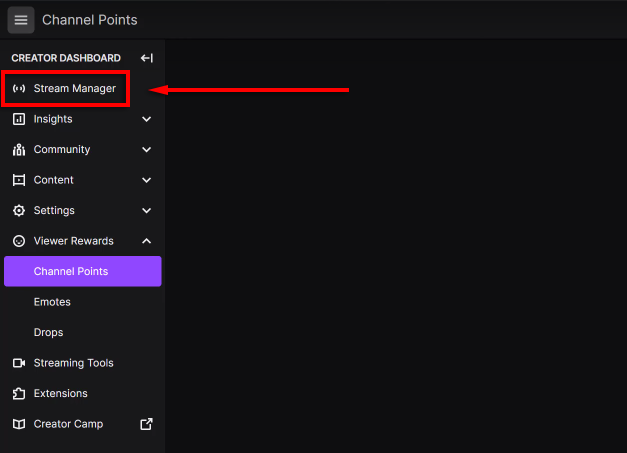
- In the drop-down menu, select Stream Manager .
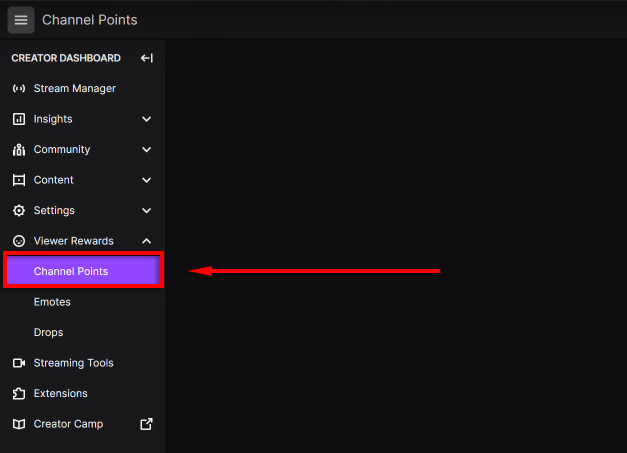
- Click Viewer Rewards and then select Channel Points .
- Toggle on Enable Channel Points .

How to Customize Your Channel Points
Streamers have the ability to customize their Channel Points by naming them, giving them a unique icon, and managing what rewards are available to their viewers.
To change your Channel Points name and icon:
- Head to the Channel Points menu as above.

- Next to Customize Points Display select Edit .

- Here you can give your Points a custom name by editing the field next to Points’ Name .
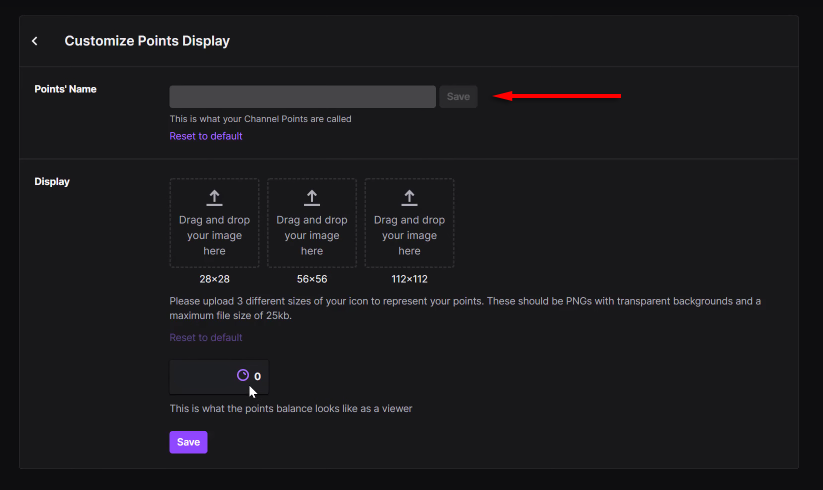
- You can also upload a custom icon for your Channel Points by adding three images under Display .

To choose which rewards to enable:
- Head to the Channel Points menu as above.

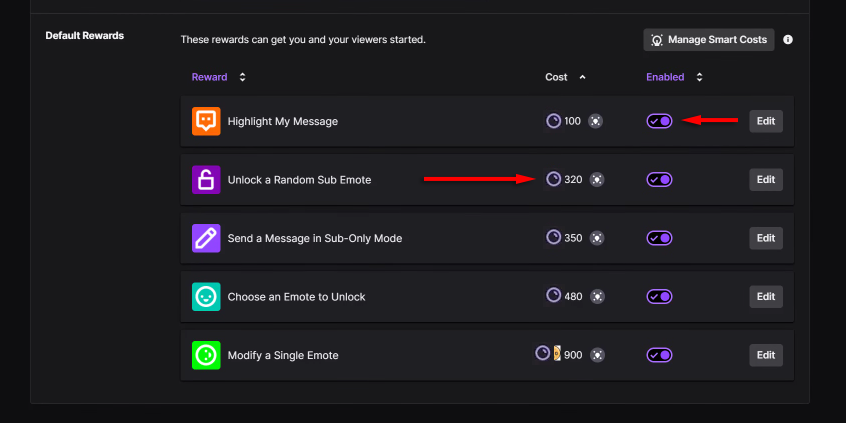
- Click Manage Rewards & Challenges . This will show you all of the default rewards that Twitch has created.

- Toggle on each reward you would like viewers to be able to obtain. You can also change how much each reward costs by altering the value under Cost .
To add custom rewards:
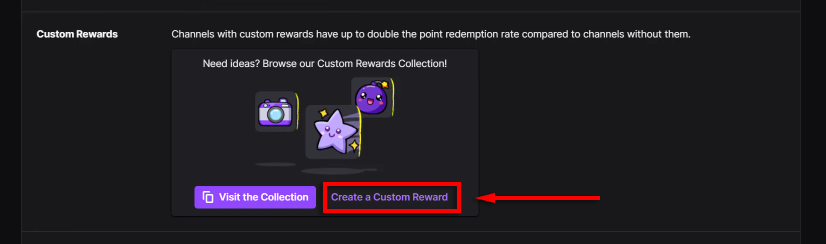
- Click Create a Custom Reward . Alternatively, you can browse the custom rewards collection and choose a new custom reward from there.
- Add a custom name.
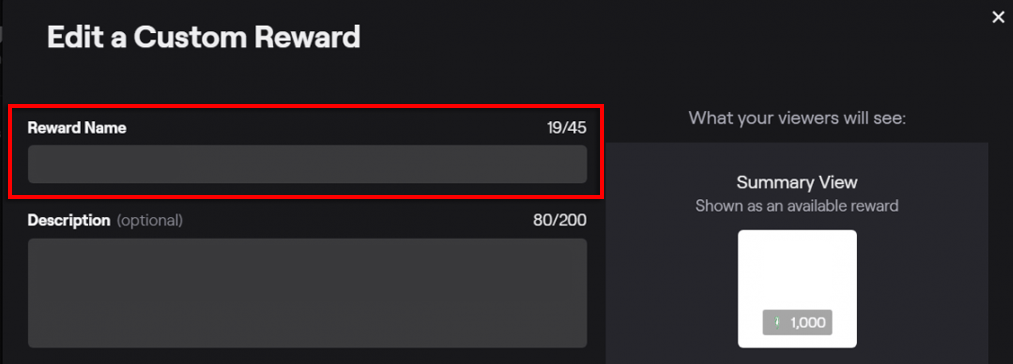
- Type a description.
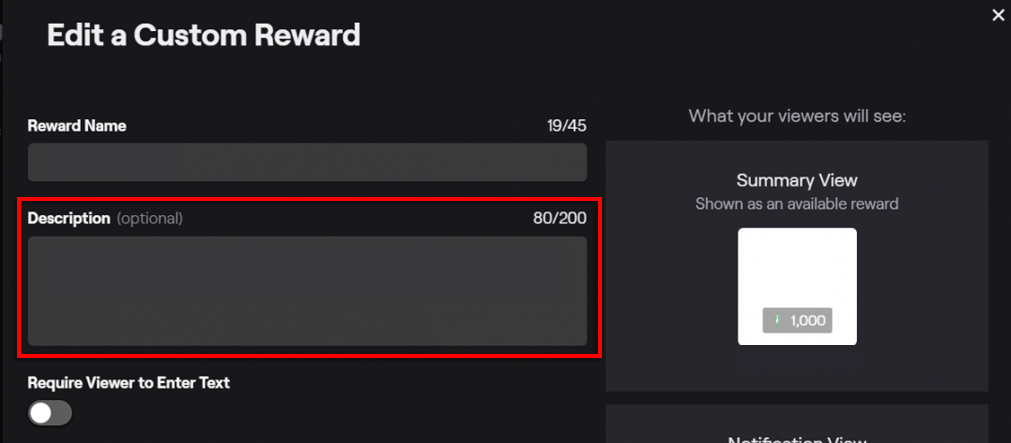
- Enter how much you’d like the reward to cost.

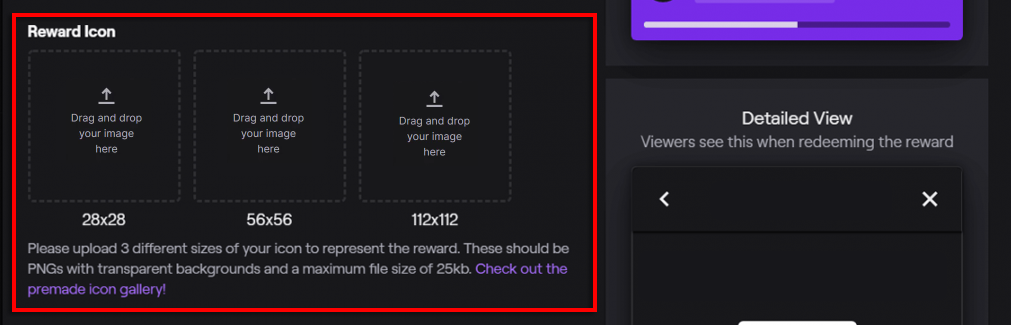
- Add a custom reward icon by dragging and dropping an image into the Reward Icon fields.
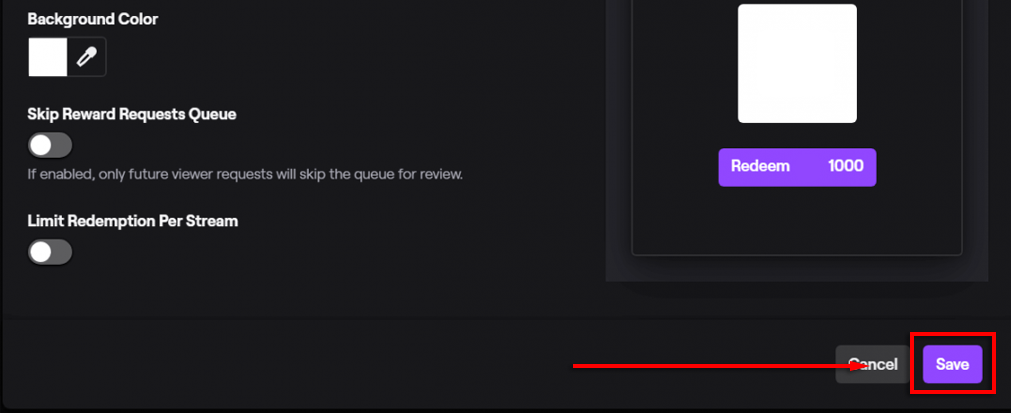
- Click Save to finalize the reward.
How Can You Earn and Spend Channel Points?
As we mentioned above, viewers automatically earn points by viewing their favorite channel’s live streams and following Twitch streamers. They can also earn points by participating in raids or by clicking the periodic click-to-claim notifications.
Here’s a breakdown of earn rates for the Channel Points system:
- Watching: +10 points for 5 minutes of live watch time for
- Active watching: +50 points for 15 minutes of live watch time, click to redeem.
- Raid participation: +250 points.
- New follow: +300 points.
- Watch streak: for 2-5 consecutive streams earn +300, +350, +400, +450 points respectively.
- 1st cheer: +350 points for the first cheer used every 30 days.
- 1st subscription gift: +500 points for their first gift received every 30 days.
To use Channel Points:
- Click the Channel Points icon at the bottom of the chat window of your favorite streamer.
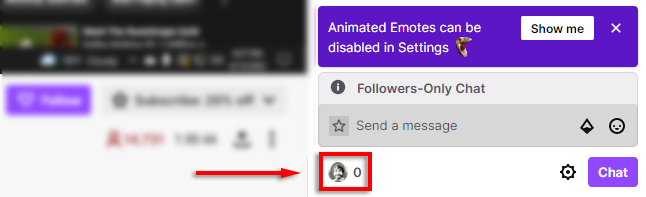
- This will open a Channel Point reward window showing how many points are needed to purchase the reward. If you haven’t been to the channel before it will say Get Started!

- Click the reward you’d like, then click Unlock .
Back to the Stream
Introducing Channel Points to your stream is a great way to increase the number of loyal fans you have. Everyone likes free stuff, and Channel Points offer you a great way to add unique and personalized rewards that your viewers will love.
- 7 Ways to Fix Twitch’s “Error loading data” Issue
- How to Enable and Download Twitch VODs
- What Is Twitch Turbo and Is It Worth It?
- How to Host on Twitch
- How to Fix Twitch Error 3000
