Are you trying to find your Discord token? Luckily, it’s very easy to retrieve — all you need is a web browser. Keep in mind that there are only a few legitimate reasons to find your Discord token, and under no circumstances should you give it out to others.
Read on to find out what a Discord token is used for and how you can get yours. Let’s get started!
What Is a Discord Token?
A Discord token is a unique series of numbers and letters that’s created when you log in. This is essentially your authorization code and it’s passed from the client to the server to verify that you are the account holder.
Your Discord token provides full access to your account and is required to perform actions within Discord. It’s also useful for allowing bots to do things on your behalf outside of the Discord client.
You should never give out your Discord token as it will allow others to impersonate you on Discord. Staff and admin will never ask for your token or password.
How Can You Find Your Discord Token?
If you need your Discord token, the only way to find it is via Discord’s developer tools. To find your Discord token:
- Open your web browser and head to the official Discord website.
- Log in to your account.
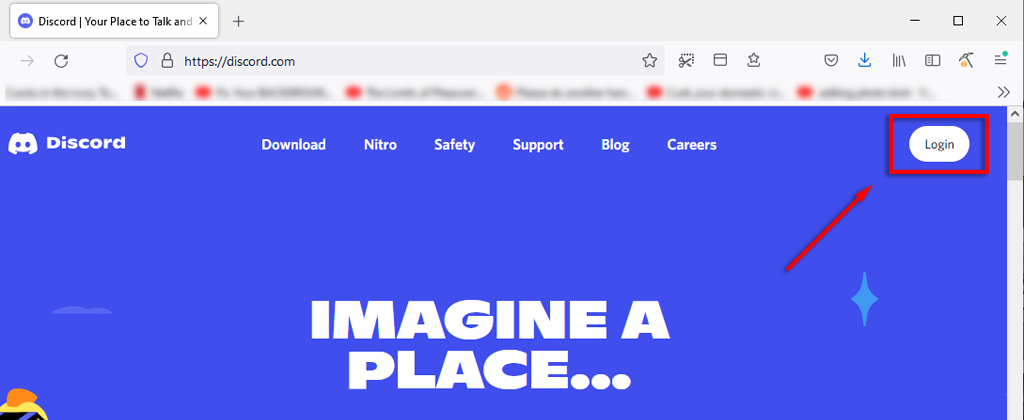
- Once the page loads press Ctrl + Shift + I to bring up the Discord console.
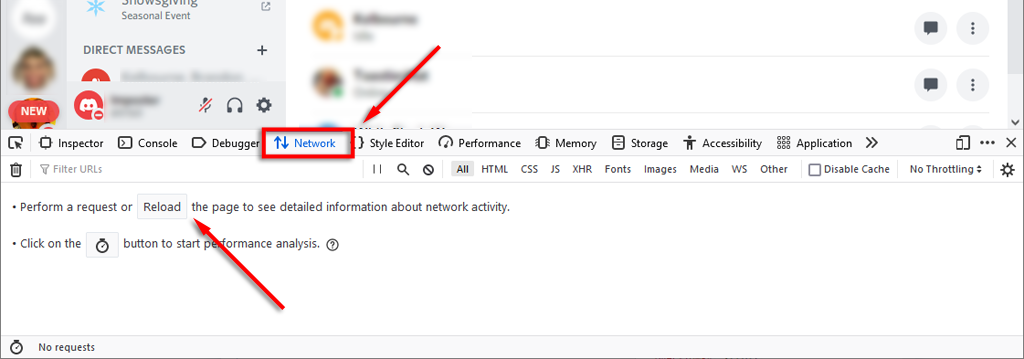
- Navigate to the Network tab and press F5 to reload your page.
- Type /api into the Filter search box.
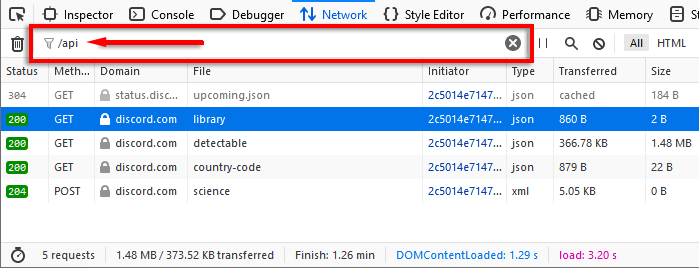
- Select the Headers tab and then select discord.com from the left-hand list.
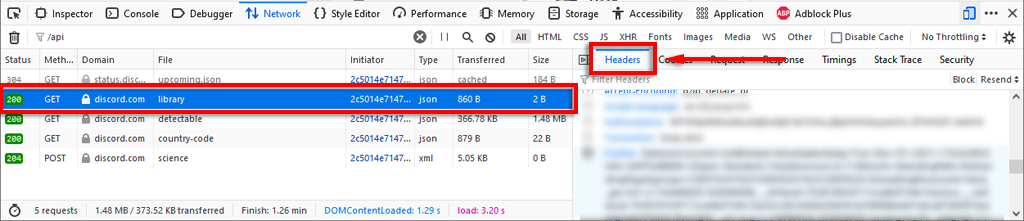
- Under the Headers tab, scroll down to find the line labeled Authorization .
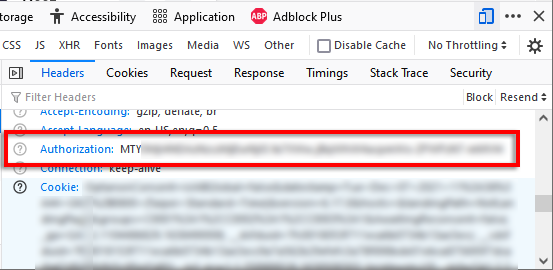
- This value is your Discord Token — keep it secret.
What Is a Discord Bot Token?
Discord bots are automated programs that can perform various helpful functions on your Discord channel . These functions include welcoming new members, banning those who break rules, or adding music and playlists .
A Discord bot token, like your user token, is an alphanumeric phrase that acts as the authorization code for the bot to perform functions on the Discord client. Developers may use this token to set up their bots and give them the permissions they require.
To get a Discord bot token, you first have to create a bot:
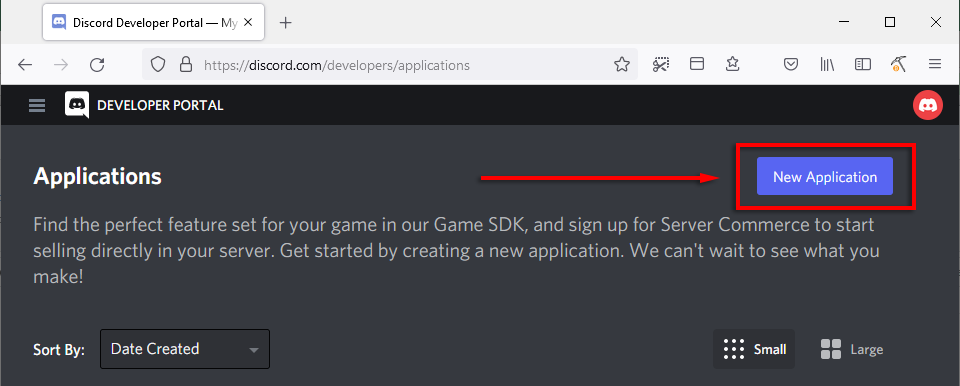
- Head to the Discord Developer Portal .
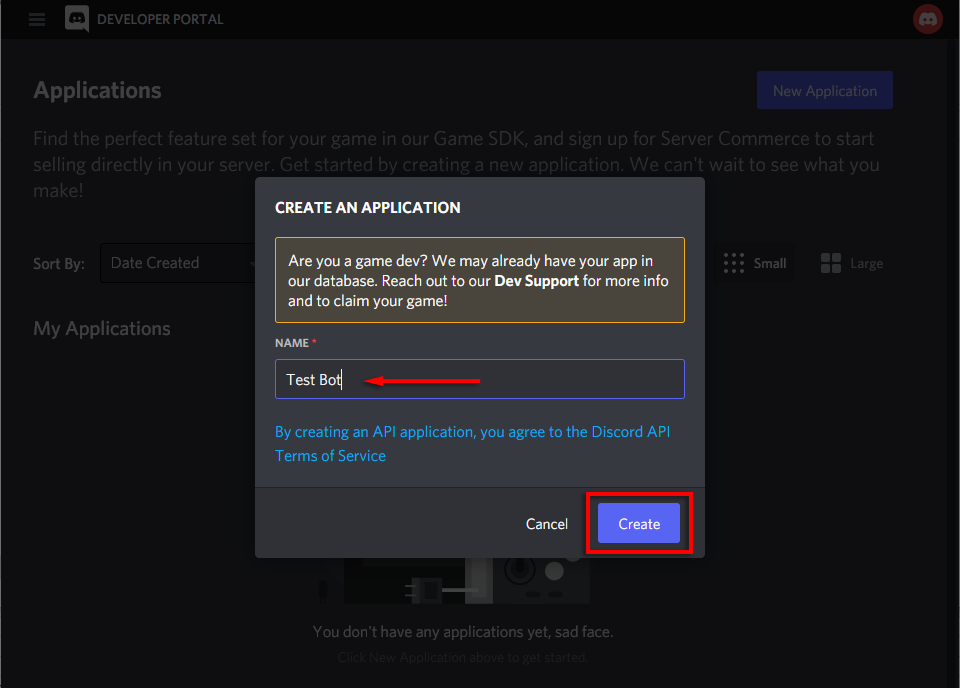
- Click New Application and name your bot.
- Select Create .
- Select the Bot tab from the left-hand menu.
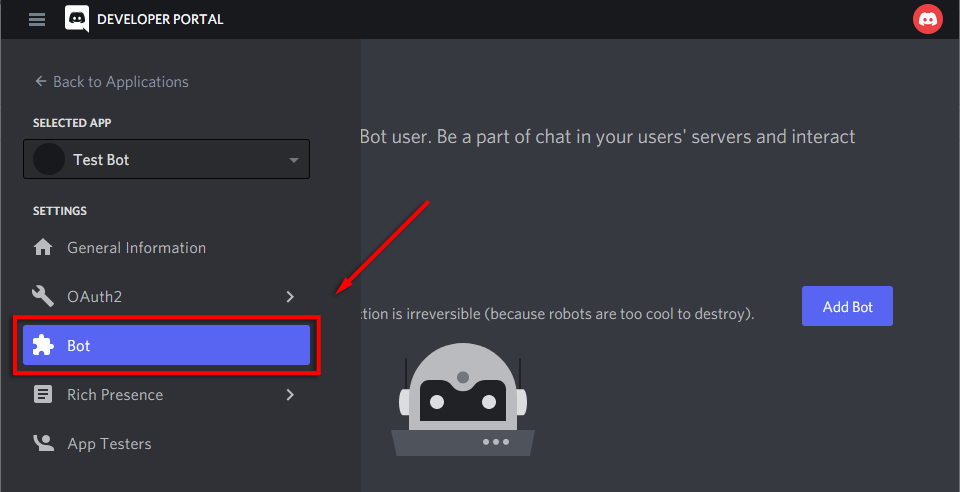
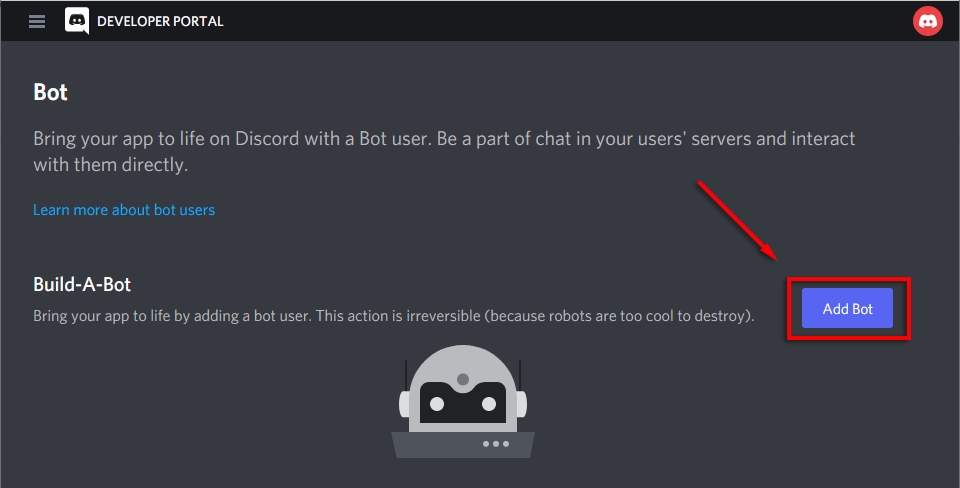
- Select Add Bot .
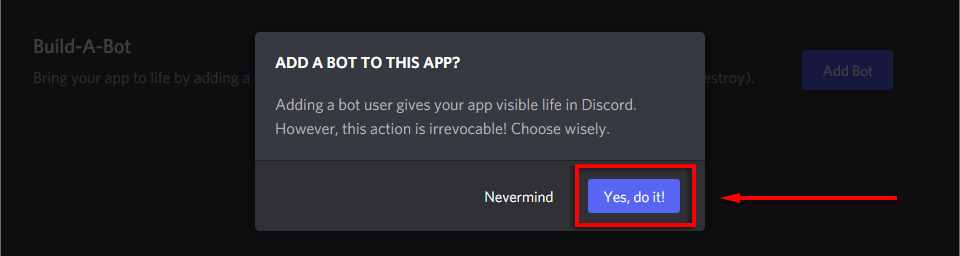
- Click Yes, do it!
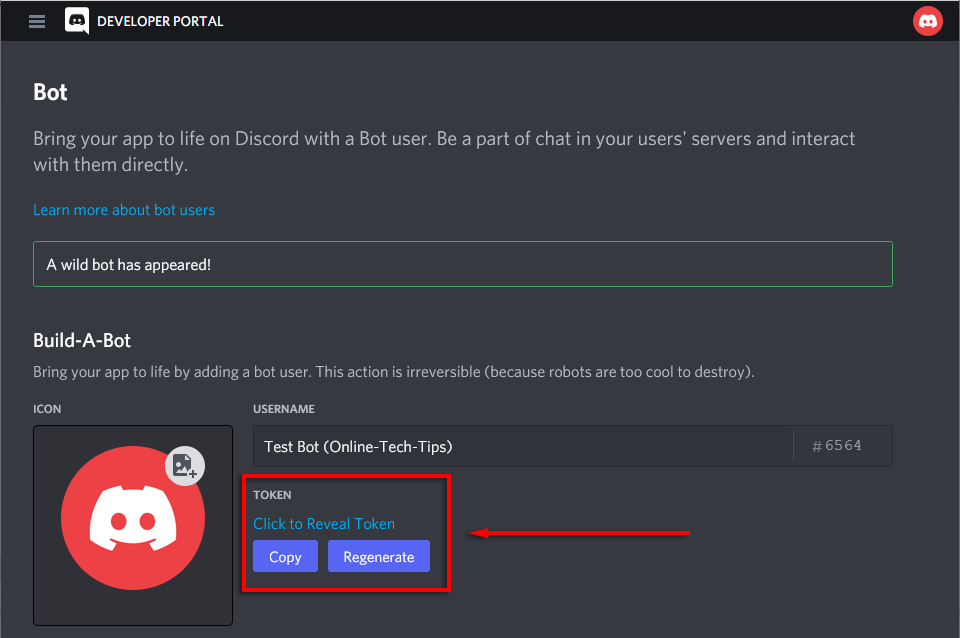
- Once you’ve created the bot, you can find its token easily: On the bot page, you will see a panel showing your newly created bot. Beneath the username, there should be blue text saying Click to Reveal Token . Select this to find your bot’s Discord token.
What Do You Do If Your Discord Token Is Compromised?
Scammers often attempt to scrape people’s Discord tokens (and bot tokens) to steal servers, bots, and accounts. They then use these to spam servers and other users. Often, the spam attempts to spread malware that’s designed to steal user credentials and personal information.
If you think someone has gained access to your Discord token, you should act immediately. There are two things that will reset your token and return sole control of your account to you: Changing your Discord password and enabling two-factor authorization (2FA).
To change your password and enable 2FA:
- Open the Discord app or head to Discord via your web browser.
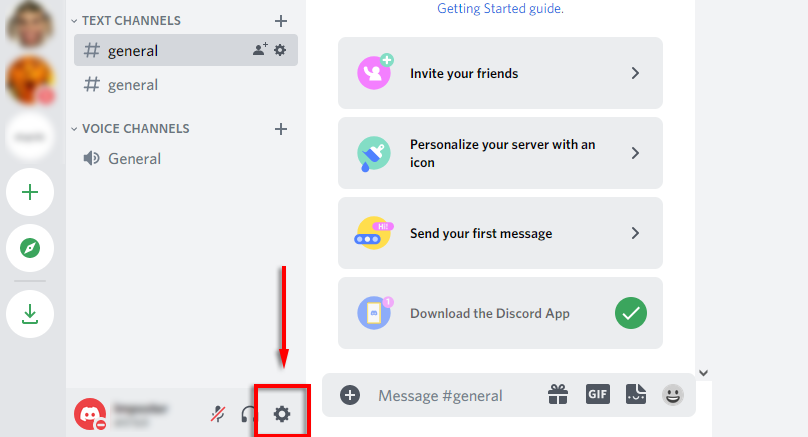
- By your name, select the gear icon to open Settings .
- Select My Account .
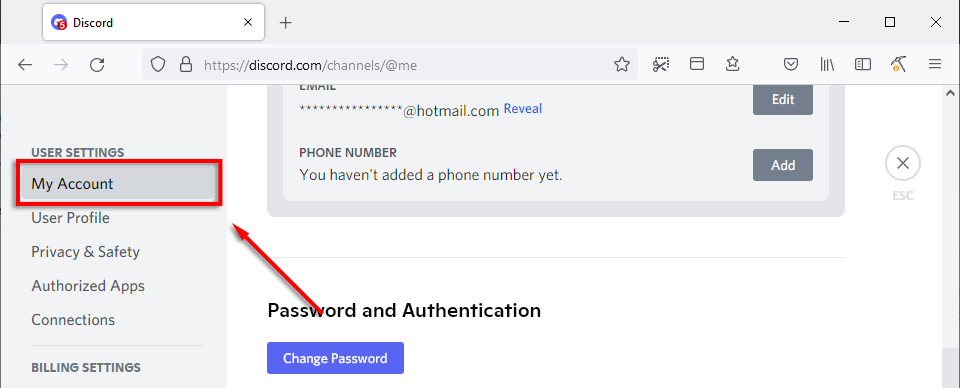
- Scroll down and select Change Password and enter a secure password.

- Click Done .
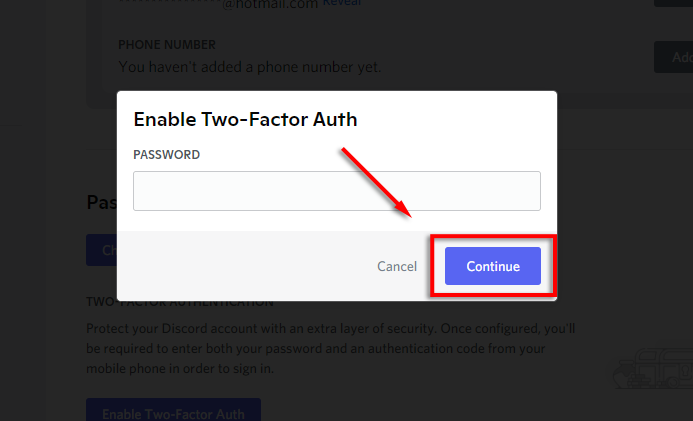
- Next, select Enable Two-Factor Auth .

- Input your password and select Continue .
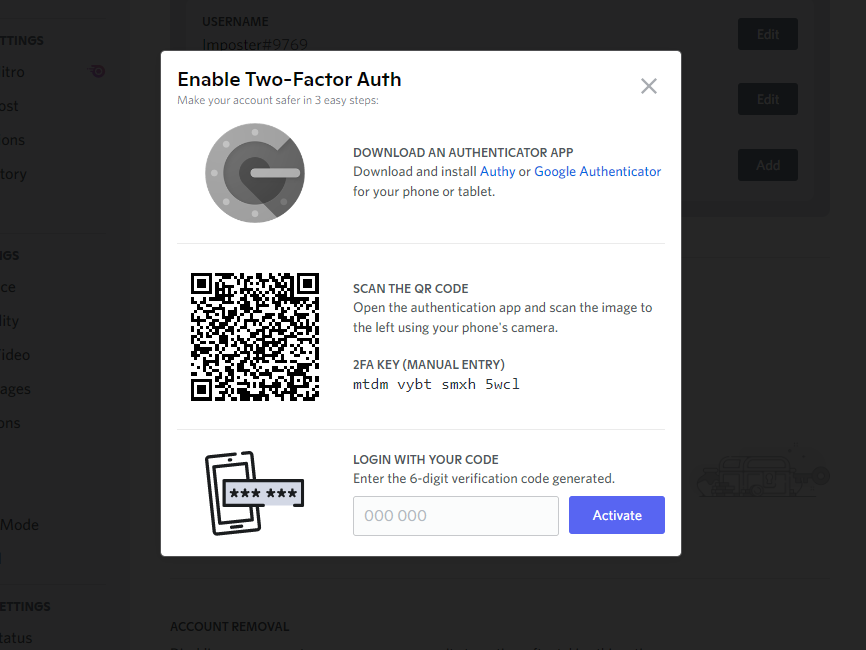
- Follow the instructions to download and install the 2FA authenticator app.
Don’t Give Out Your Discord Token
Finding your Discord token is incredibly easy. Because of this, scammers and malicious actors often try to steal them via malware and other means. To avoid having your Discord token stolen, never give it out, and avoid suspicious links and downloads.
- Discord Profile Changes Not Saving? 8 Fixes to Try Right Now
- How to Fix “Cannot resize GIF” Error on Discord
- Discord Shows a Notification but No Message? Here’s How to Fix It
- Discord User Volume Keeps Resetting? 7 Ways to Fix
- How to Use Midjourney on Discord
