What Is Gravatar & How It Works
Gravatar stands for Globally Recognized Avatar and is a profile picture assistant that allows you to have the same picture as your avatar on most websites on the internet.
After it was acquired by Automattic , the company behind WordPress, Gravatar spread to all WordPress sites, as well as some other CMS platforms and non-WordPress websites. Thanks to Gravatar, you can now have one pic for all your online profiles.
How to Set Up Your Gravatar
Since your Gravatar will appear on almost all the websites in the world, it’s important to set it up right. To create your own Globally Recognized Avatar, follow these steps.
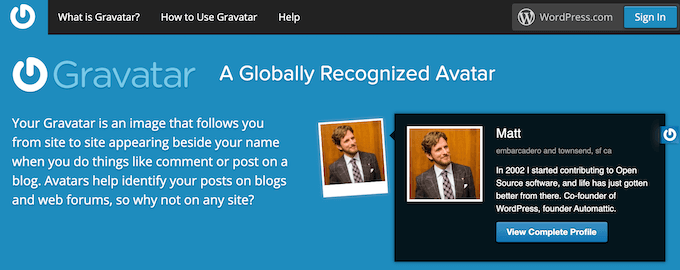
- Go to the Gravatar website and sign in using your WordPress.com account (don’t mix up with WordPress.org ).
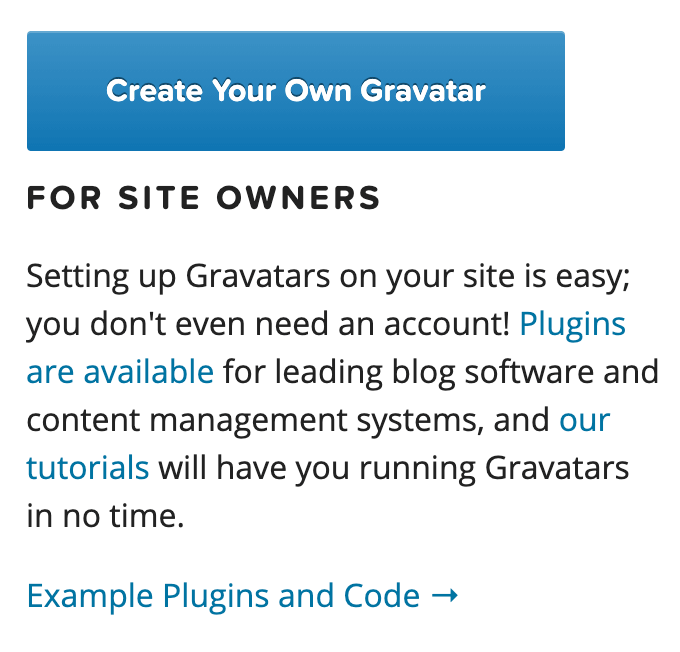
- If you don’t have a WordPress account, select Create Your Own Gravatar instead.
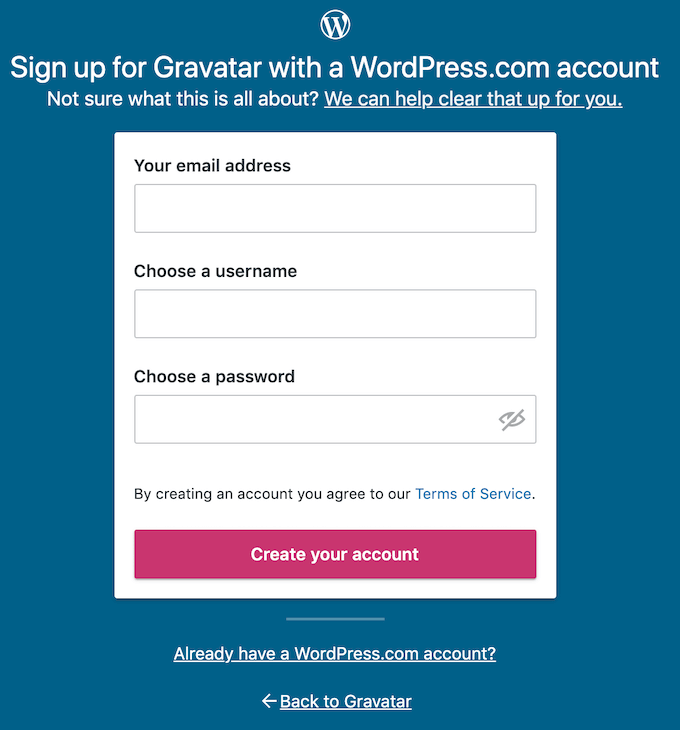
- Fill in your email address, username and password. Then select Create your account . Once you activate your new WordPress account, go back to the Gravatar website and log in.
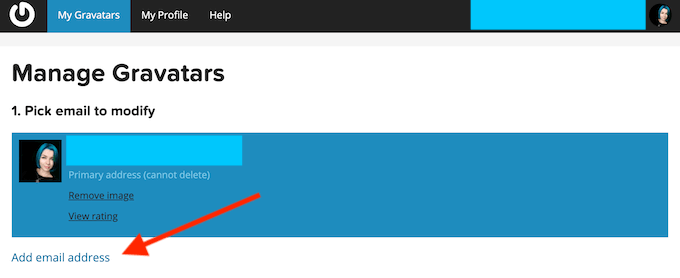
Under Pick email to modify , select Add email address . Add the email address that you use for commenting and posting online. You can add more than one email as well.
Gravatar will send you an email to verify your address. After you receive the confirmation, head back to the Gravatar site to add your picture.
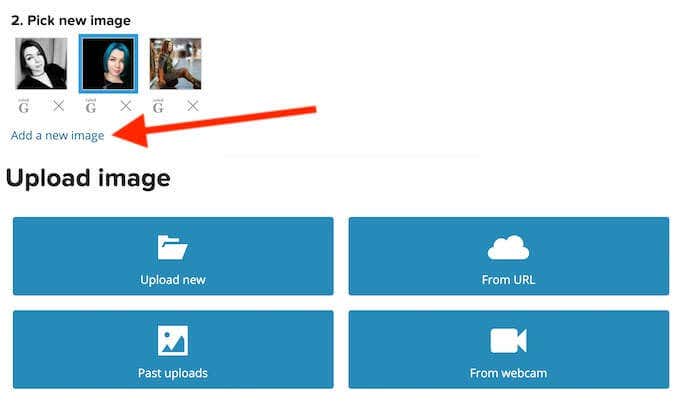
- Select Add a new image . You can upload a picture from your computer, from a URL, or use a webcam. Gravatar will resize large images automatically, but you’ll have to make sure your picture doesn’t exceed the size limit of 1MB.
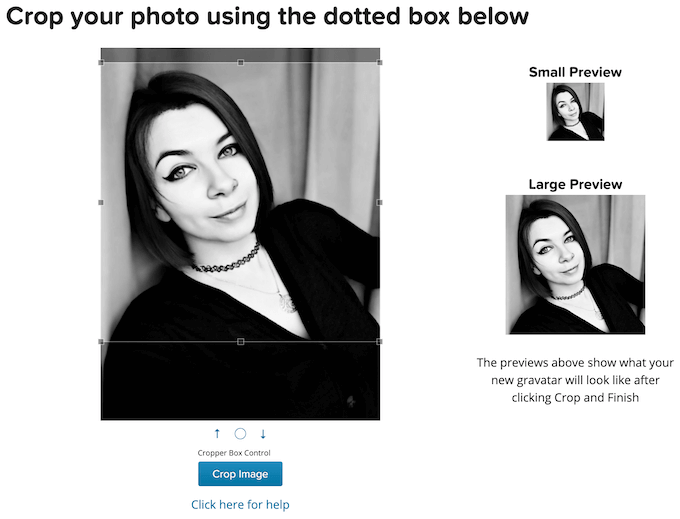
Crop your image to your liking using the Gravatar cropper box tool and select Crop Image .
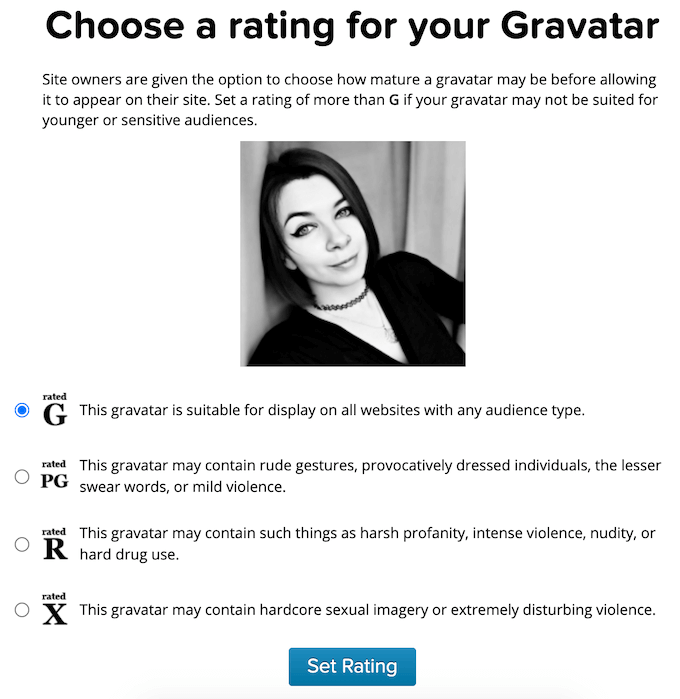
Pick the right rating for your Gravatar and select Set Rating .
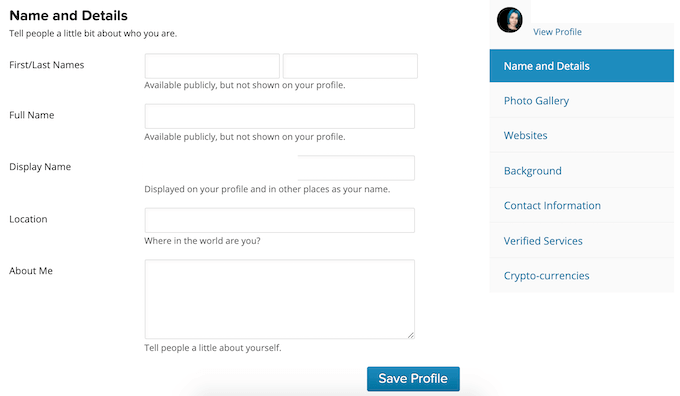
You can later add more information to your Gravatar profile in the My Profile section: anything from your name and phone number to your Bitcoin wallet address. It will increase your online visibility and allow people to see your information when they click on your Gravatar.
How to Create Multiple Gravatars
Your Gravatar is linked to your email address. So if you use multiple email accounts for different purposes, you can use them to set up multiple Gravatars.
For example, if you’re managing multiple websites, you might want to use different Gravatars for each of them. If you want to separate your personal and business online activity, using different Gravatars can help there as well. You can set one of them to be a photo of you, and another – your company’s logo.
To set up multiple Gravatars, follow the same steps from above, only using different email addresses.
How to Use Gravatar Online
Use Gravatar To Build Your Personal Brand
Get Recognized Online

Create Your Own Globally Recognized Avatar
Having the same profile picture across different websites and platforms comes with a lot of benefits. It can enhance your online experience in more than one way. Besides, setting up your Gravatar is a quick and easy process.
- Google One Explained: Is It Worth Subscribing To?
- What Is Stremio? A Faster Media Center for Your PC
- Stack Browser Review: How It Makes You More Efficient
- O&O ShutUp10 Review – Stop Microsoft From Spying on You
- NetSpot App Review – Professional WiFi Analyzer, Tester, and Troubleshooter
Anya is a freelance technology writer. Originally from Russia, she is currently a full-time Remote Worker and Digital Nomad. With a background in Journalism, Language Studies, and Technical Translation, Anya couldn’t imagine her life and work without using modern technology on a daily basis. Always looking out for new ways to make her life and location-independent lifestyle easier, she hopes to share her experiences as a tech- and internet-addict through her writing. Read Anya’s Full Bio
