There are several ways you can personalize your user profile on Reddit, but one easy way to do so is to use a Reddit flair. This allows you to tag your posts or username in certain subreddits to add context or humor. For instance, if you’re posting in a support subreddit, you may want to add a post flair to a question.
Flairs can also be used by users and moderators to tag certain usernames. This can be edited by the user or added forcefully by a moderator (for instance, when a user is banned) to flag them specifically. If you want to know more about Reddit flairs and how to use them, here’s what you’ll need to know.

How to Add Flair to Posts on Reddit
The Reddit flair system is a great way to add additional context to a post you’ve made in a certain subreddit. If you’re a regular poster, a subreddit moderator, or a Reddit administrator, you may also want to separate yourself from other users by adding user flair that appears next to your username.
If you’re looking to add flair to a post on Reddit, you’ll need to check the rules of your chosen subreddit first. Some subreddits don’t allow post flair, while others may insist on it for certain post categories (such as a help request post). You may be able to add your own flairs or apply one from a list of moderator-approved options.
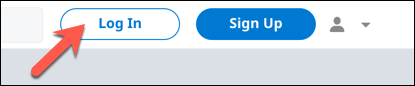
- To add flair to a post on Reddit using the new web interface, you’ll need to create your post first. Open the Reddit website and sign in by selecting the Log In button in the top right.
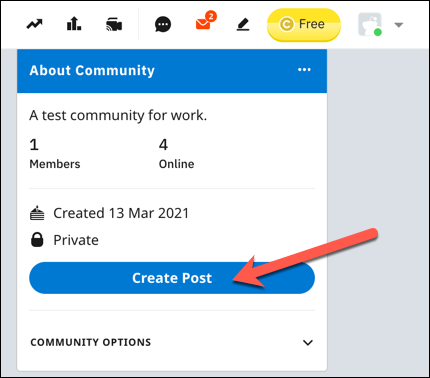
- Once you’ve signed in, use the search bar to visit your chosen subreddit or open the subreddit manually by adding the subreddit /r/ link in the address bar (eg. reddit.com/r/news ). Once you’ve accessed the subreddit, select the Create Post button to begin a new post.
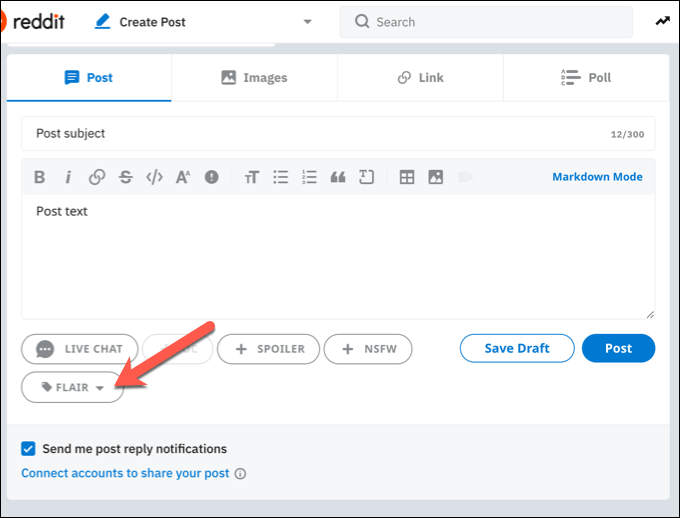
- In the Create Post menu, choose a suitable title and text body for your post. To add a new flair, select the Flair drop-down menu, then choose one of the available flair options. If this is grayed out, you won’t be able to add flair yourself to a post and you’ll need a moderator to do it for you. In some cases, post flair may be added automatically when a post is created.
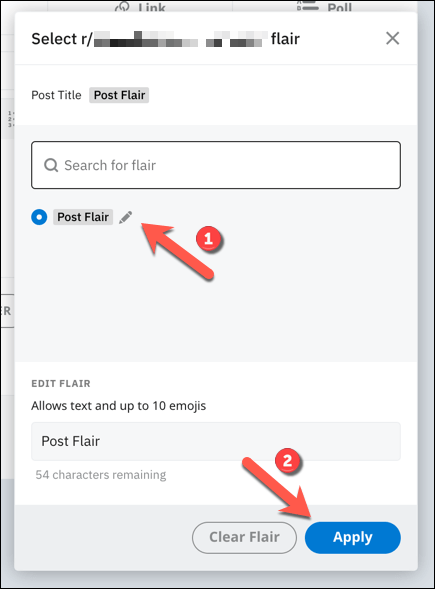
- If the subreddit allows you to change certain flair text, you can do this by editing the text in the Edit Flair box immediately below the Reddit flair you’ve selected. Once you’ve selected a flair, select the Apply button to add to your post.
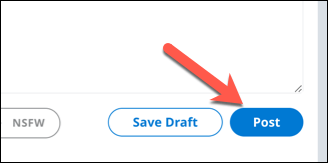
- Once you’ve added flair to your post, select Post to post it to your chosen subreddit.
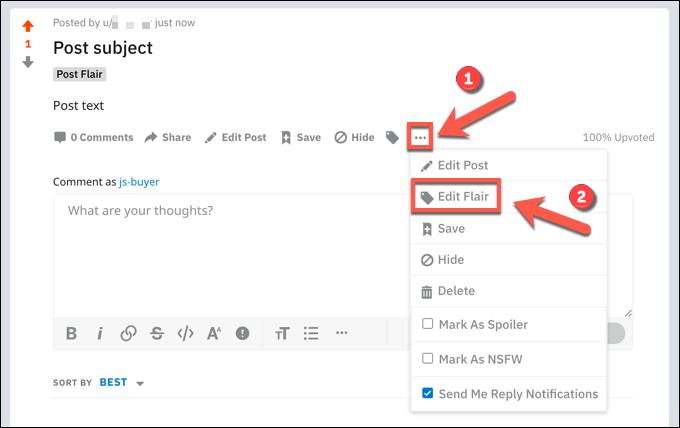
- You’ll be taken to your post immediately after submission. If you forgot to add a flair (or if you want to edit or remove it), you can change this after submission (if the subreddit allows it) by selecting the three-dots menu icon > Edit Flair .
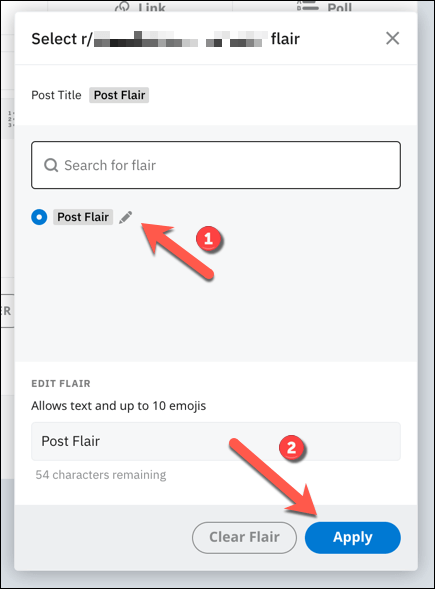
- In the Select flair menu, choose the flair you want to add to your post, then select Apply . Alternatively, select Clear Flair to remove any previously added flairs from your post, then select Apply to confirm the change.
How to Add Flair on Reddit to Your Username
While Reddit flairs are useful for posts, you can also apply them to your username in certain subreddits. For every post and comment you make, the flair you (or a moderator) selected will become visible next to your username.
As with post flairs, username flairs on Reddit are restricted in certain subreddits. Some subreddits prevent all username flairs, while others may only allow flairs to be added by a moderator. You’ll need to check the rules of the subreddit you’re posting in to check whether you’re allowed to add flairs or not.
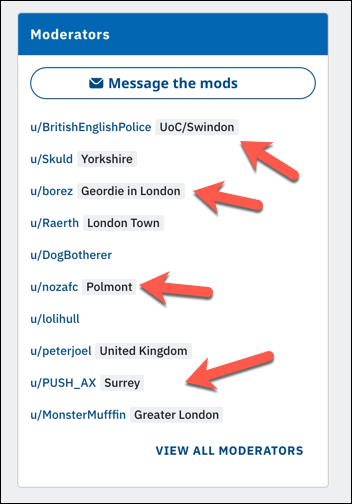
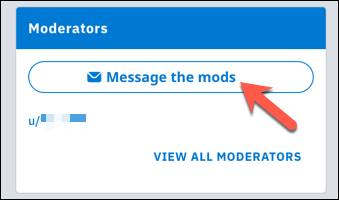
- If user flairs are restricted by moderators, you’ll need to message a moderator in your chosen subreddit for them to add one for you. You check the moderators for your subreddit by looking in the Moderators section in your subreddit, visible in a panel on the right. Select the Message the mods option to send a request (if appropriate to do so).
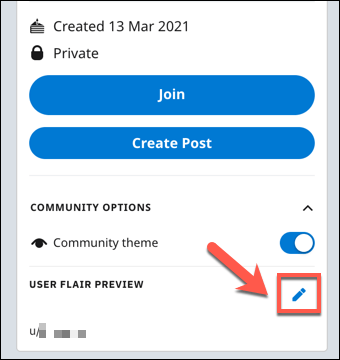
- If your chosen subreddit allows individual users to add flairs, however, you can do so by visiting the subreddit using the search bar or by entering the reddit.com/r/ address manually. In the About Community area on the left, select the Edit button, visible next to the User Flair Preview text. If this isn’t visible, select the Community Options drop-down menu first.
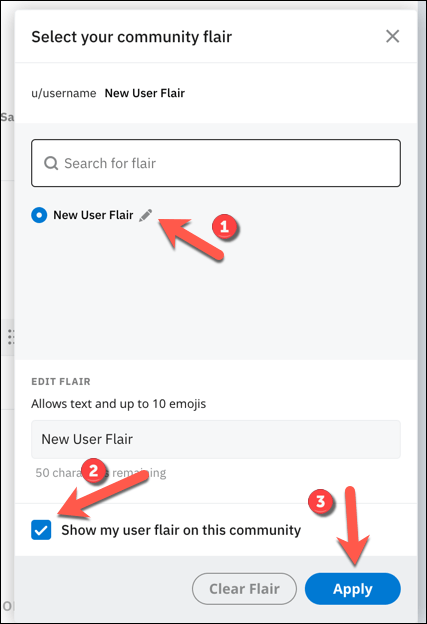
- In the Select Flair menu, choose your user flair from the list provided, making sure that the Show my user flair on this community checkbox is selected. Select the Apply button to save the option.
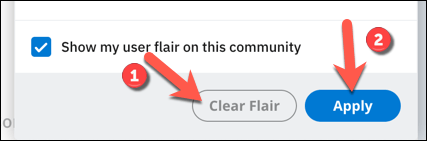
- If you want to remove an added flair, select the Clear Flair option instead, then select Apply to save the change.
Adding Flairs to Posts and Usernames on Mobile Devices
If you’re using the official Reddit app for Android or iPhone devices, you can also add flairs to posts or usernames. You’ll need to install the app and sign in to your device first before you can do this.
- To add flairs to a post in the Reddit app, open the subreddit and create a new post by selecting the Add button.
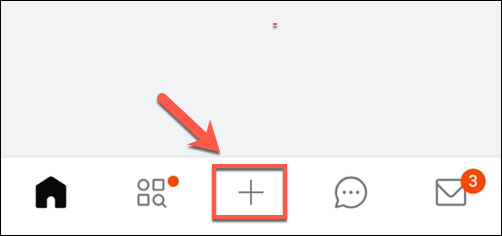
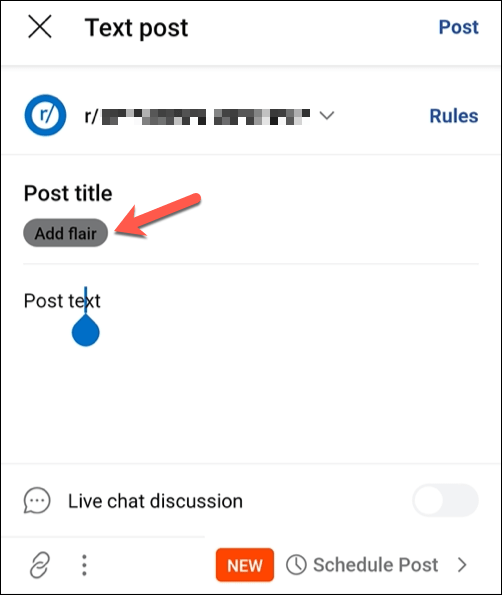
- Fill in the appropriate post details in the Text post menu, including the post title, subreddit post destination, and post text. To add a flair (if the subreddit allows it), select the Add flair icon immediately below the title box.
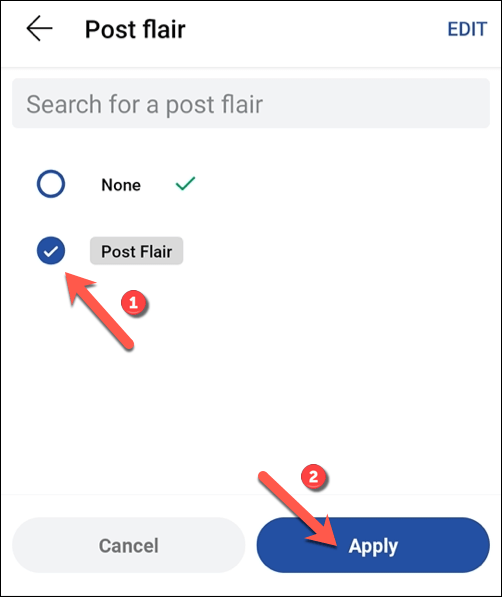
- Select a suitable flair from the list of flairs in the Post flair menu. If you want to edit the flair, select it first, then select Edit in the top right. To remove a flair, select None . Select Apply to apply the flair to your post.
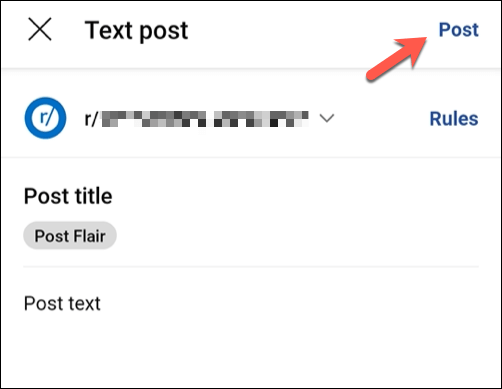
- With the flair applied, select the Post button in the top right corner.
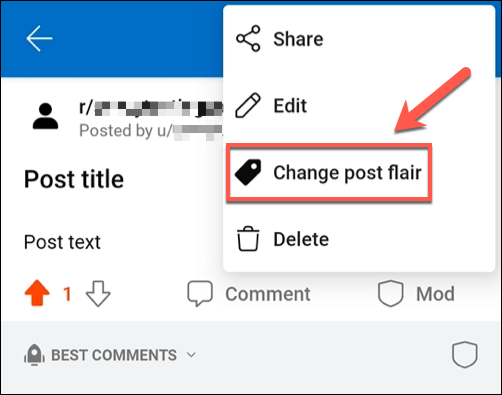
- If you want to add a post flair to an existing post, open it first, then select the three-dots menu icon > Add post flair option. This option will change to Change post flair when a flair is already applied to a post.
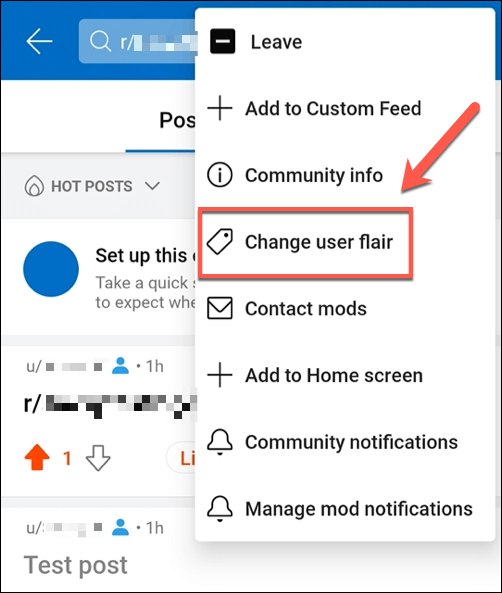
- To add user flair to your username in a subreddit, open the subreddit by searching for it using the search bar. Select the three-dots menu icon > Change user flair to make the change.
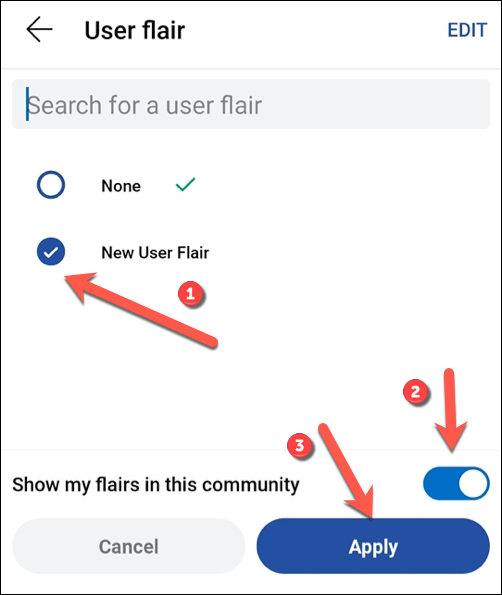
- In the User flair menu, select a suitable flair from the list provided or choose None to remove an existing flair. If you want to edit a flair, select it first, then select the Edit button in the top right. Make sure the Show my flairs in this community slider is enabled, then select the Apply button to make it visible in all posts and comments made in that subreddit.
How to Use Reddit Effectively
You could also think about upgrading to Reddit Premium (previously Reddit Gold) to unlock extra features, such as removing ads and gaining coins to help promote certain posts. If you’re struggling to find subreddits you enjoy on Reddit, you may need to start using the Reddit search with advanced search terms instead.
- Reddit App Not Working? 9 Ways to Fix the App
- How to View and Delete Reddit History
- How to View Deleted Reddit Posts
- 14 Best Subreddits for Women and Their Interests
- How to Download Reddit Videos
