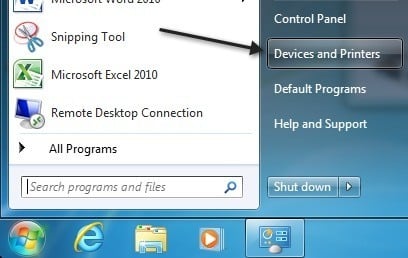
I ran into an annoying problem on my Windows 7 virtual machine the other day when I tried to open Devices and Printers from the Start Menu.
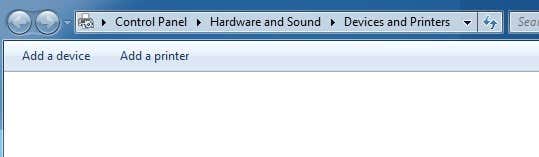
Instead of normally loading up with a list of Devices and Printers and Faxes, it kept hanging and nothing would load. It was just a blank screen like shown below:
Grrrr. It was working fine a few days earlier, so I could not figure out what had changed. Whenever something like this happens, I always think of a few things. Did I install any new Windows updates? Those are notorious for screwing things up all the time!
That wasn’t the case, so then I checked if I had installed any new drivers or updated any existing drivers on my PC, but that wasn’t the case either. I hadn’t installed any new hardware and didn’t update anything. I was running out of options at this point.
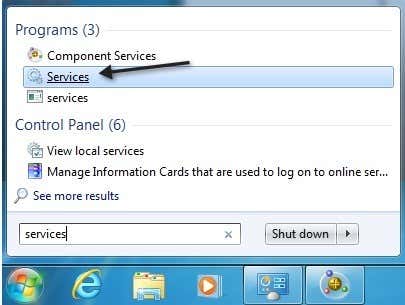
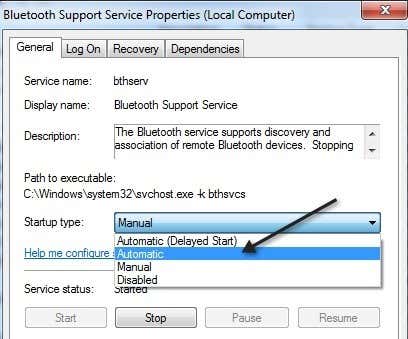
Then I remembered something! I had turned off Bluetooth on my computer a few days back because I didn’t think I needed it. After doing some Googling, I realized that was the problem! For some strange reason, you have to turn on the Bluetooth service and/or the Bluetooth Support service. To do this, you need to go to Start, type in services and click on Services .
For some reason my service was set to Manual and was not even started. I started it and then set it to Automatic .
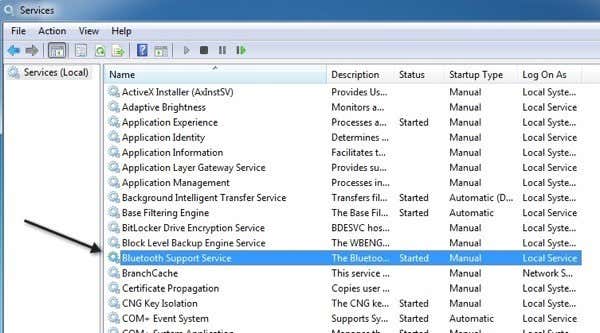
To change it to Automatic, right-click on the service and choose Properties . Then under Startup Type choose Automatic .
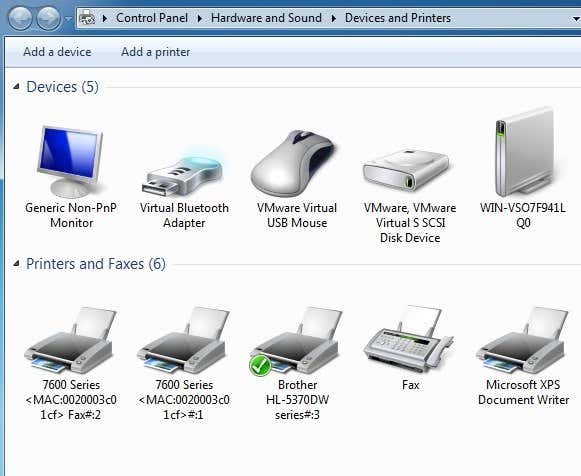
That’s it! Now if you go back to Devices and Printers, it should look something like this:
If you’re Devices and Printers window is still not loading or is hanging, post a comment here and we’ll try to help! Enjoy!
- How to Use Event Viewer to Troubleshoot Windows Problems
- What Is ehprivjob.exe and Do You Need It?
- How to Boot into Safe Mode in All Versions of Windows
- How To Get Ready For Windows 7 End Of Life
- How To Change The Windows 7 Login Screen Background Image
Founder of Help Desk Geek and managing editor. He began blogging in 2007 and quit his job in 2010 to blog full-time. He has over 15 years of industry experience in IT and holds several technical certifications. Read Aseem’s Full Bio
